
HKDSE 2015 September Registration 1 Two User Roles

HKDSE 2015 September Registration 1
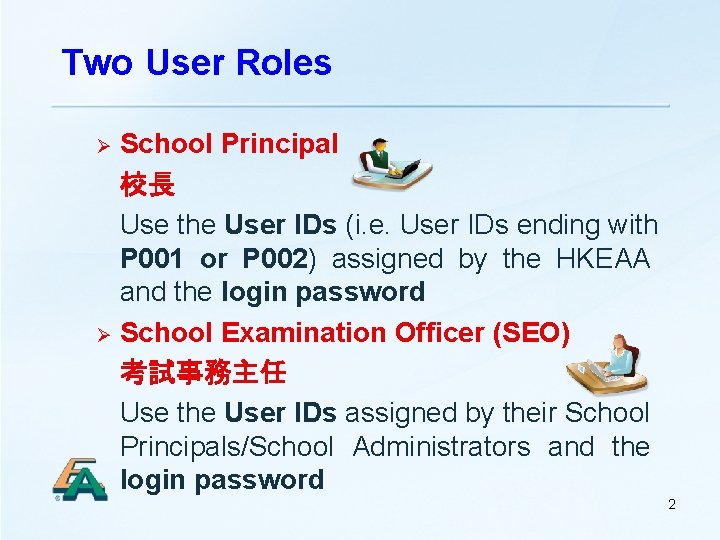
Two User Roles School Principal 校長 Use the User IDs (i. e. User IDs ending with P 001 or P 002) assigned by the HKEAA and the login password Ø School Examination Officer (SEO) 考試事務主任 Use the User IDs assigned by their School Principals/School Administrators and the login password Ø 2
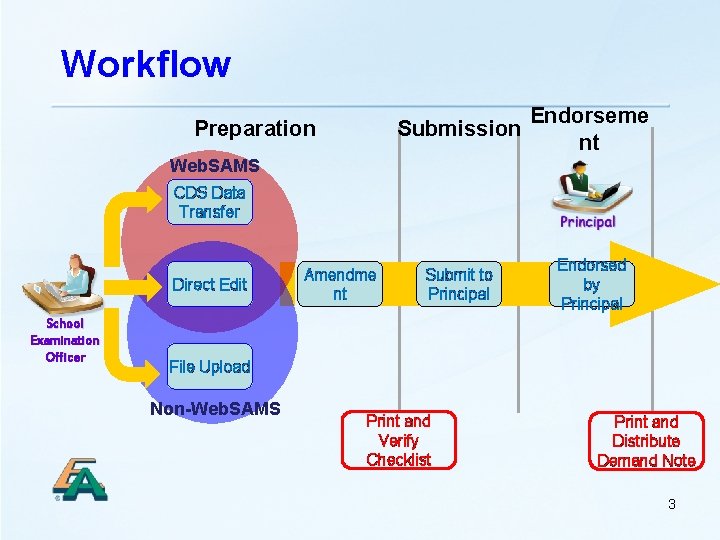
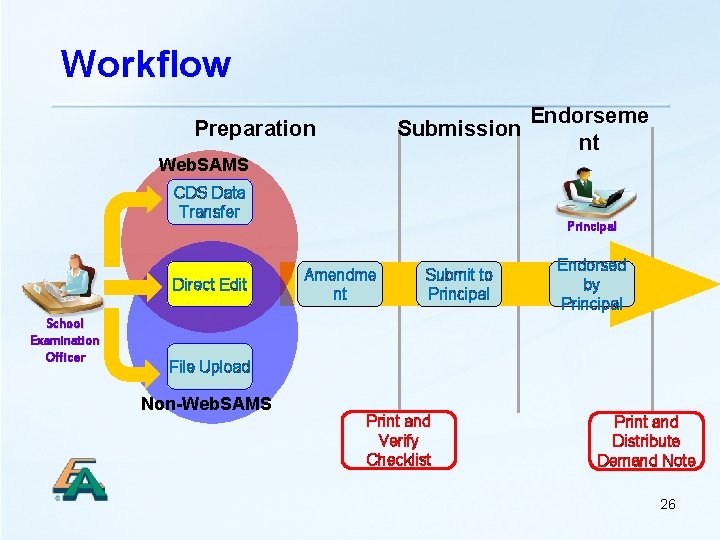
Workflow Endorseme Submission nt Preparation Web. SAMS CDS Data Transfer Direct Edit School Examination Officer Amendme nt Submit to Principal Endorsed by Principal File Upload Non-Web. SAMS Print and Verify Checklist Print and Distribute Demand Note 3
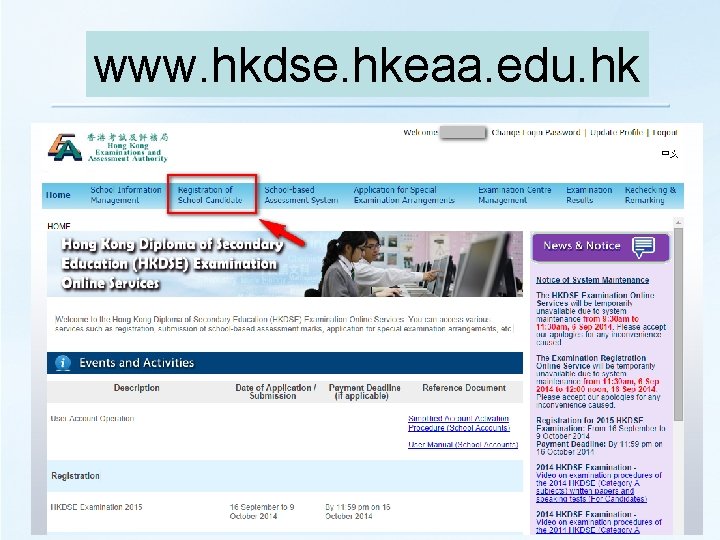
www. hkdse. hkeaa. edu. hk
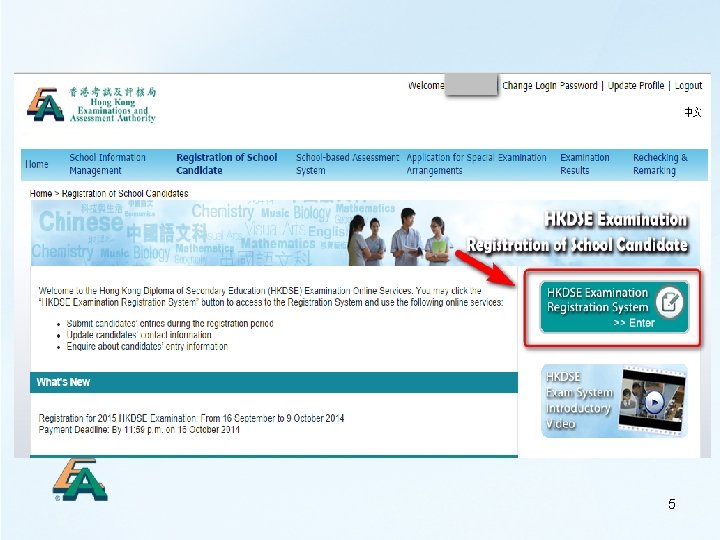
5
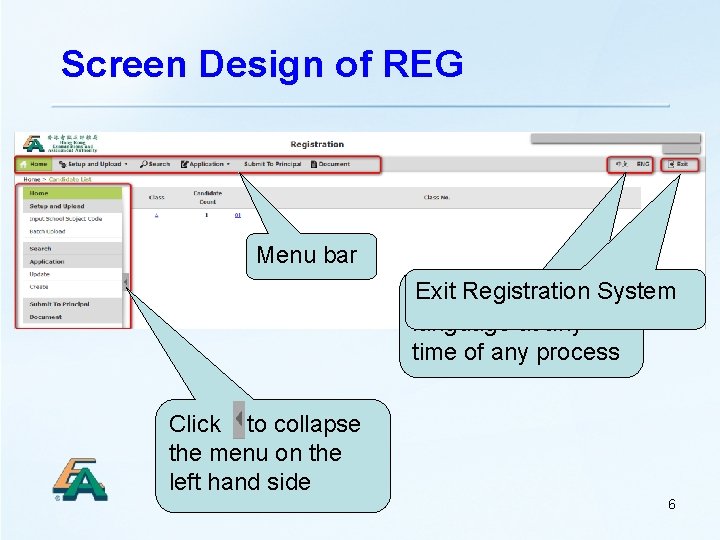
Screen Design of REG Menu bar Exit Registration System Switch the display language at any time of any process Click to collapse the menu on the left hand side 6
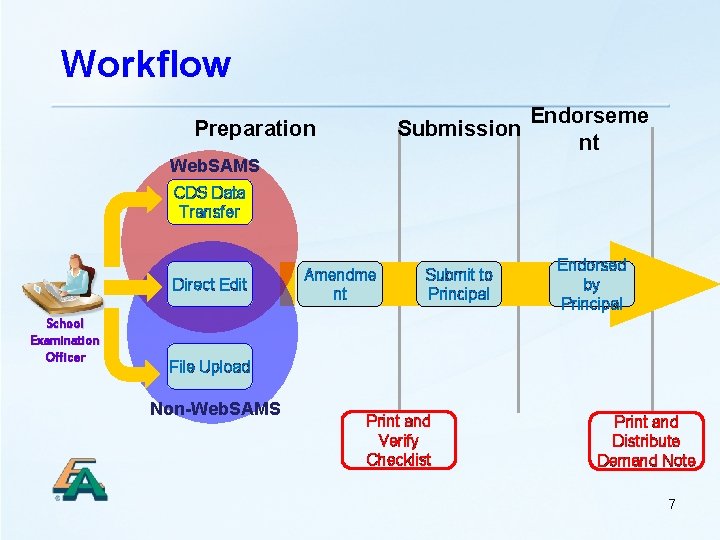
Workflow Endorseme Submission nt Preparation Web. SAMS CDS Data Transfer Direct Edit School Examination Officer Amendme nt Submit to Principal Endorsed by Principal File Upload Non-Web. SAMS Print and Verify Checklist Print and Distribute Demand Note 7
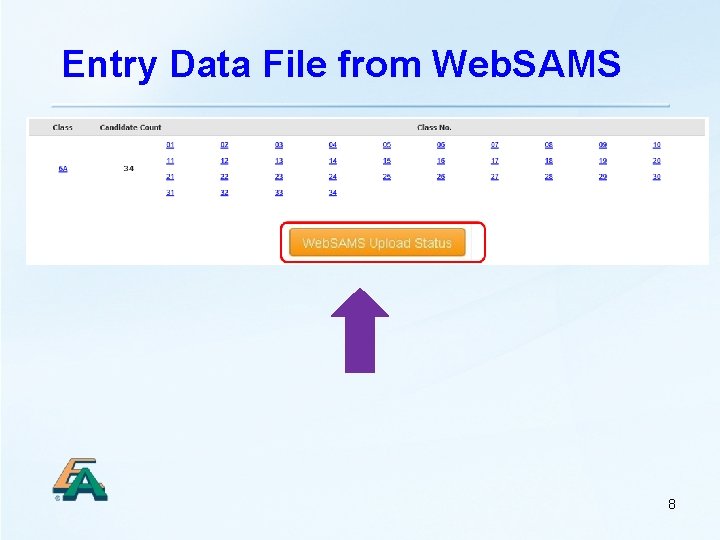
Entry Data File from Web. SAMS 8
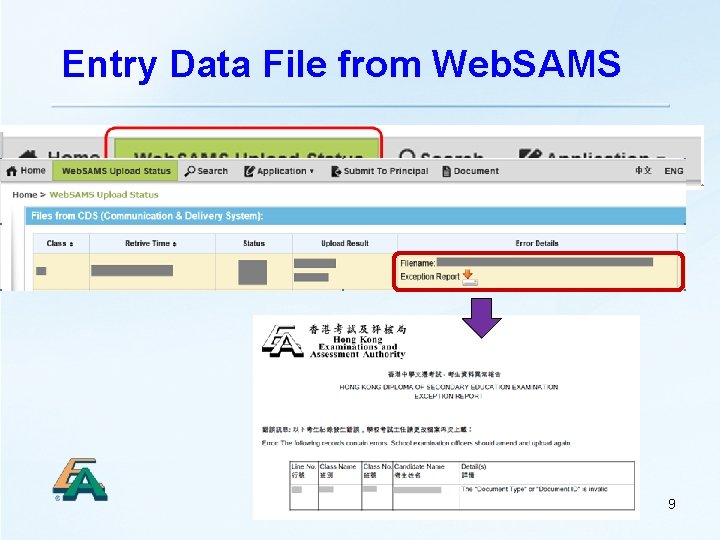
Entry Data File from Web. SAMS 9
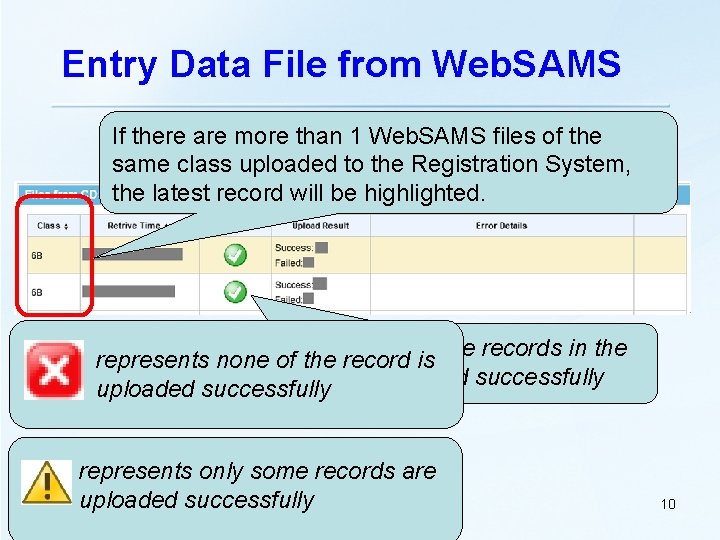
Entry Data File from Web. SAMS If there are more than 1 Web. SAMS files of the same class uploaded to the Registration System, the latest record will be highlighted. represents all the records in the represents none of the record is file are uploaded successfully represents only some records are uploaded successfully 10
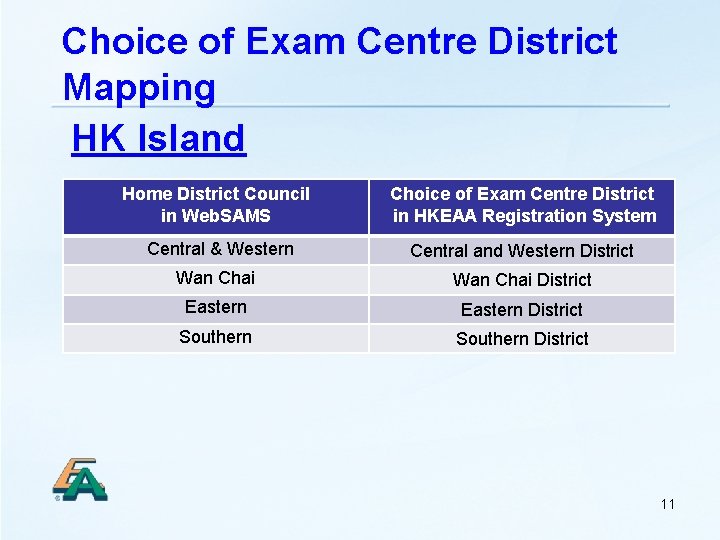
Choice of Exam Centre District Mapping HK Island Home District Council in Web. SAMS Choice of Exam Centre District in HKEAA Registration System Central & Western Central and Western District Wan Chai District Eastern District Southern District 11
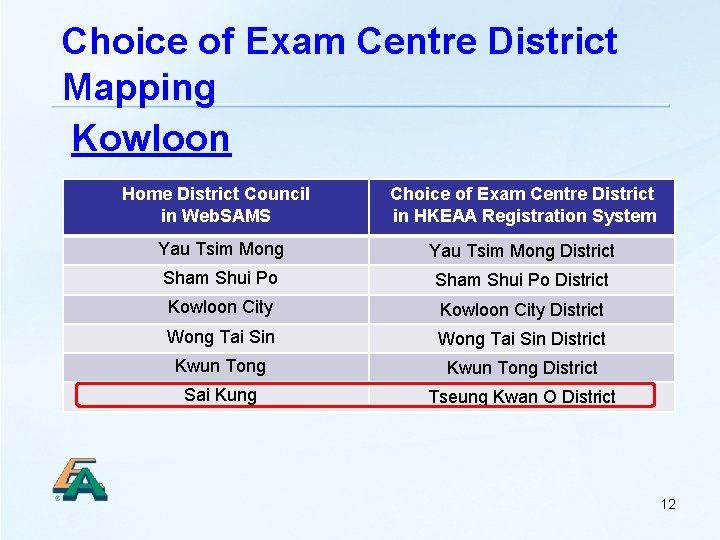
Choice of Exam Centre District Mapping Kowloon Home District Council in Web. SAMS Choice of Exam Centre District in HKEAA Registration System Yau Tsim Mong District Sham Shui Po District Kowloon City District Wong Tai Sin District Kwun Tong District Sai Kung Tseung Kwan O District 12
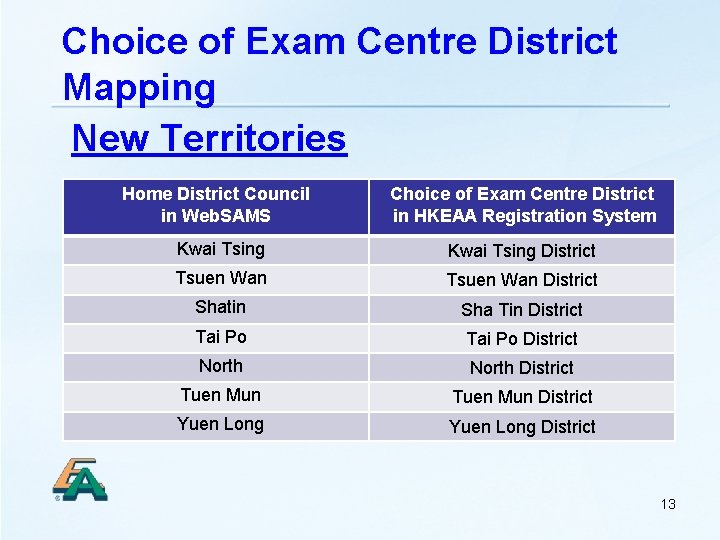
Choice of Exam Centre District Mapping New Territories Home District Council in Web. SAMS Choice of Exam Centre District in HKEAA Registration System Kwai Tsing District Tsuen Wan District Shatin Sha Tin District Tai Po District North District Tuen Mun District Yuen Long District 13
How to select Ma On Shan District? If the “District” in the candidate’s address can match the letter combination of “Ma On Shan” (e. g. maonshan, MA ON SHAN) and his/her home council district is “Shatin”, the Registration System will automatically choose “Ma On Shan” as the choice of examination centre district for the respective candidate. 14
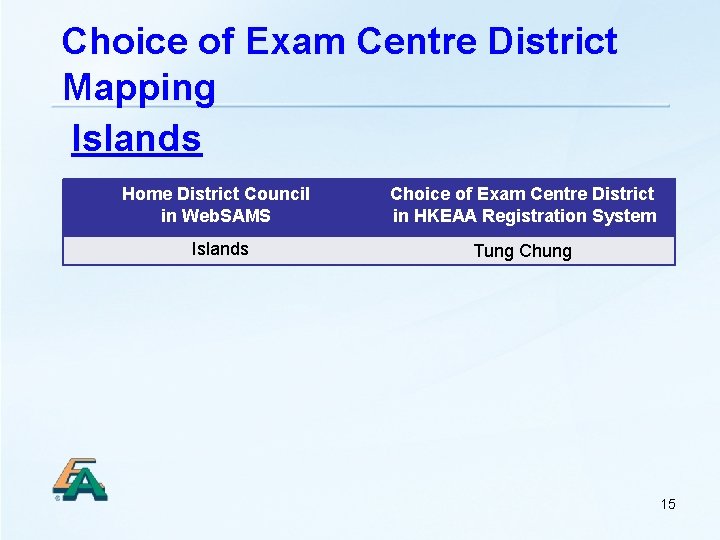
Choice of Exam Centre District Mapping Islands Home District Council in Web. SAMS Choice of Exam Centre District in HKEAA Registration System Islands Tung Chung 15
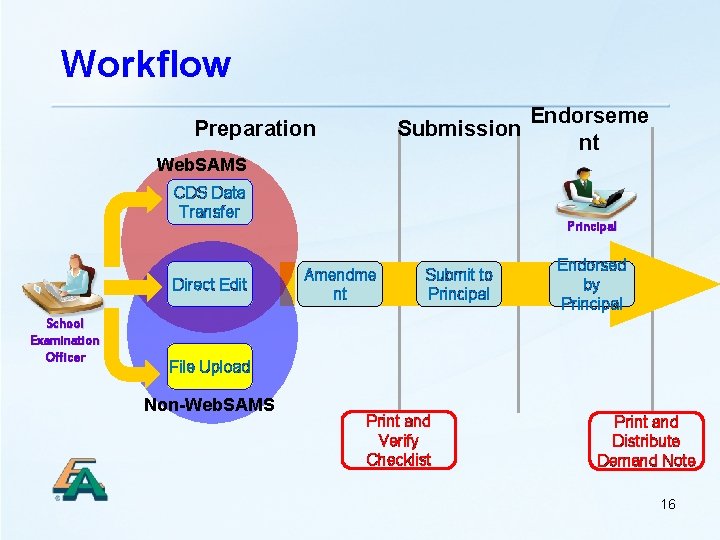
Workflow Endorseme Submission nt Preparation Web. SAMS CDS Data Transfer Direct Edit School Examination Officer Principal Amendme nt Submit to Principal Endorsed by Principal File Upload Non-Web. SAMS Print and Verify Checklist Print and Distribute Demand Note 16
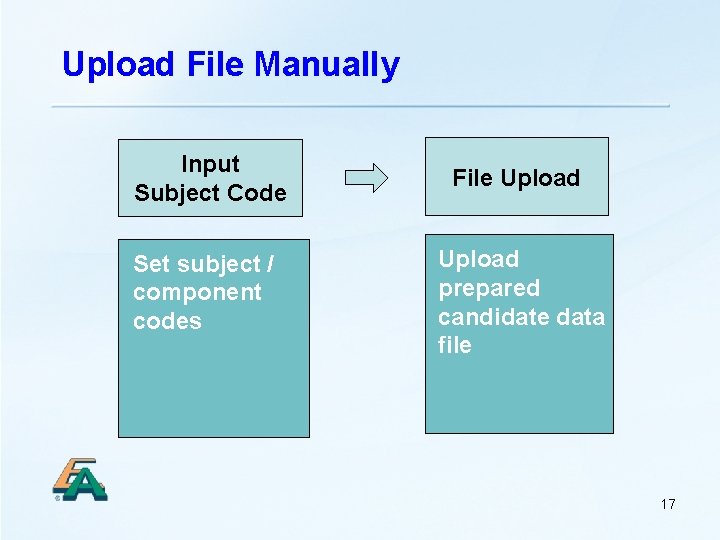
Upload File Manually Input Subject Code Set subject / component codes File Upload prepared candidate data file 17
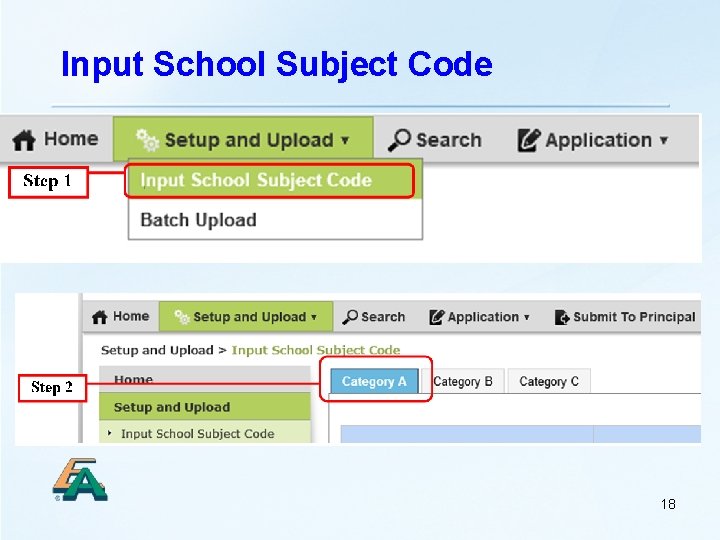
Input School Subject Code 18
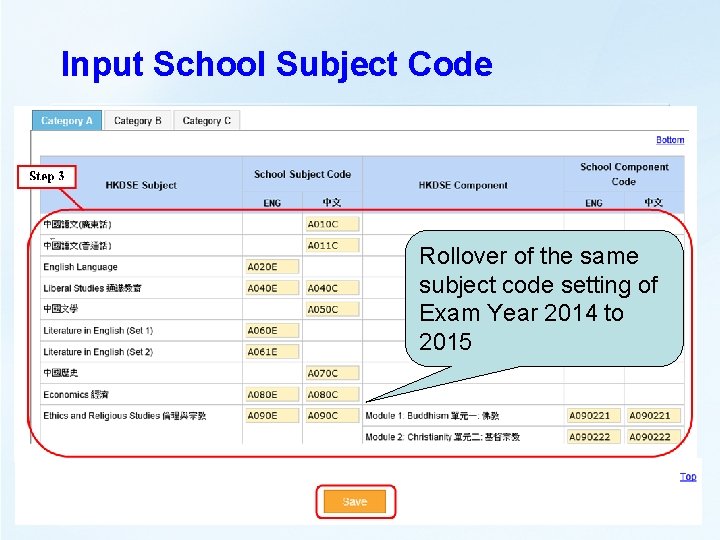
Input School Subject Code Rollover of the same subject code setting of Exam Year 2014 to 2015 19
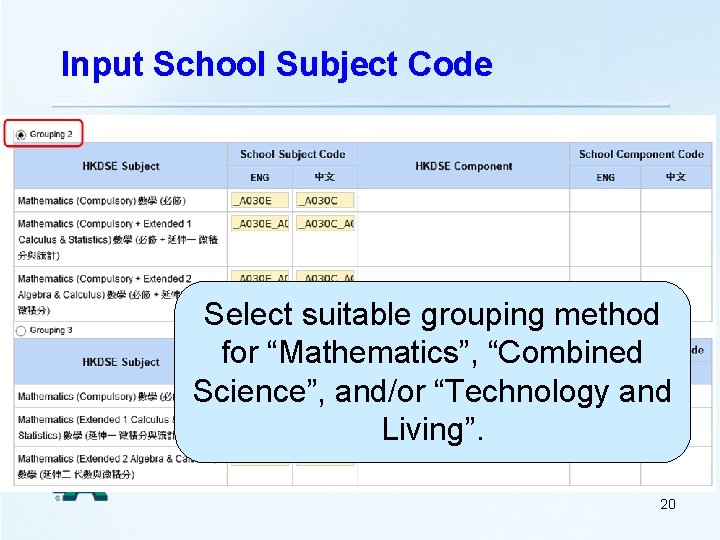
Input School Subject Code Select suitable grouping method for “Mathematics”, “Combined Science”, and/or “Technology and Living”. 20
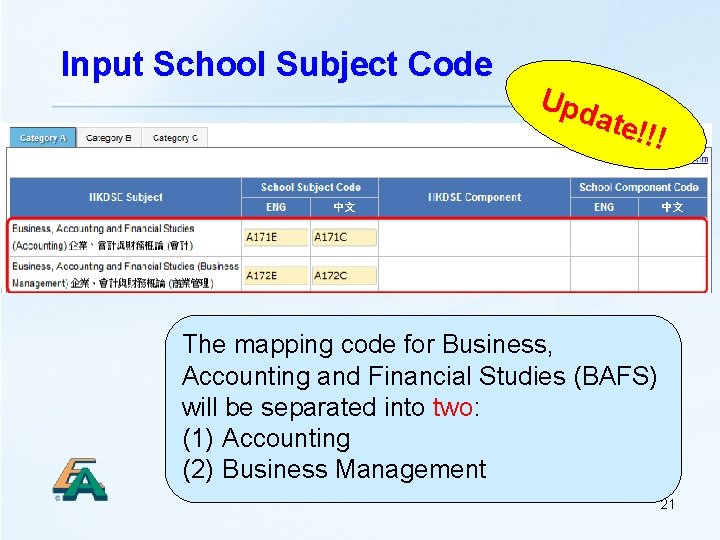
Input School Subject Code Upd ate! !! The mapping code for Business, Accounting and Financial Studies (BAFS) will be separated into two: (1) Accounting (2) Business Management 21
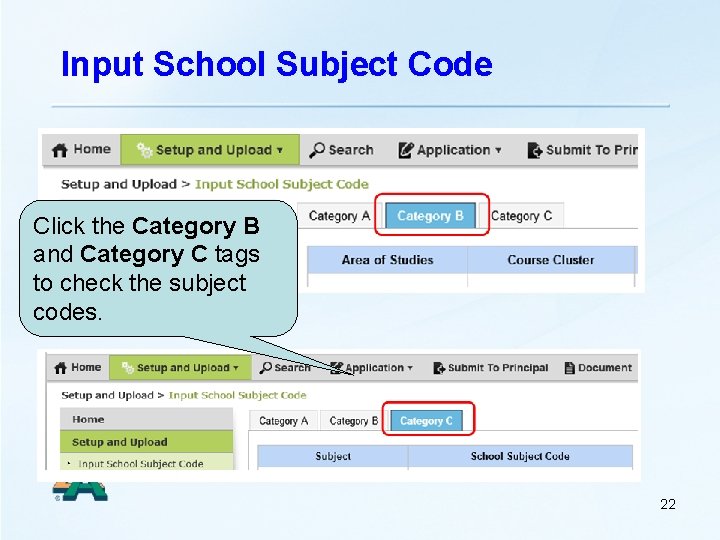
Input School Subject Code Click the Category B and Category C tags to check the subject codes. 22
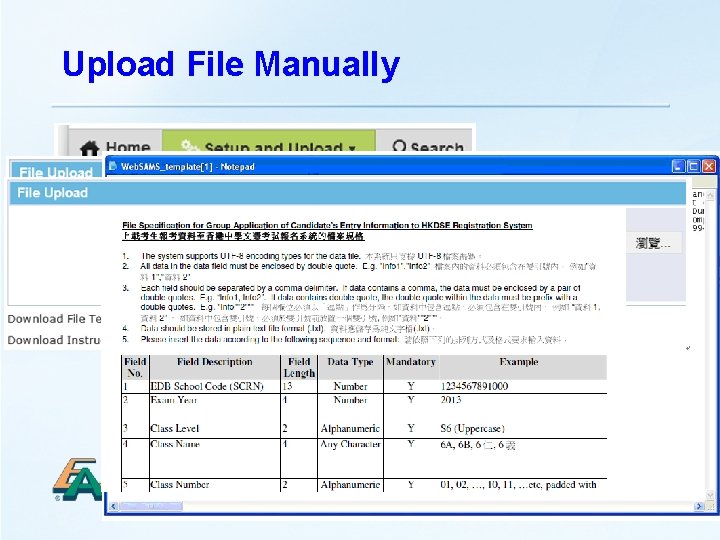
Upload File Manually 23
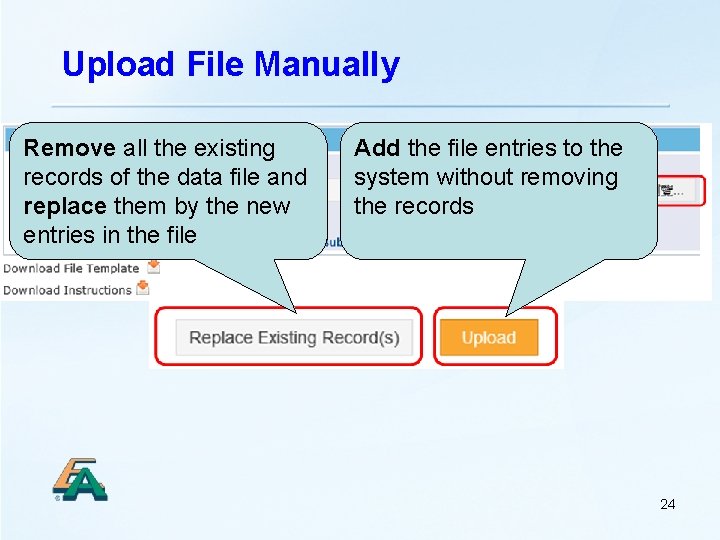
Upload File Manually Remove all the existing records of the data file and replace them by the new entries in the file Add the file entries to the system without removing the records 24
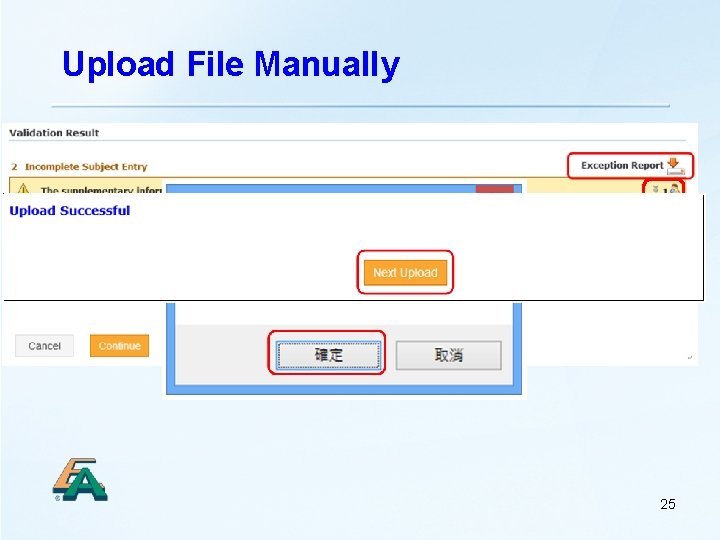
Upload File Manually 25
Workflow Endorseme Submission nt Preparation Web. SAMS CDS Data Transfer Direct Edit School Examination Officer Principal Amendme nt Submit to Principal Endorsed by Principal File Upload Non-Web. SAMS Print and Verify Checklist Print and Distribute Demand Note 26
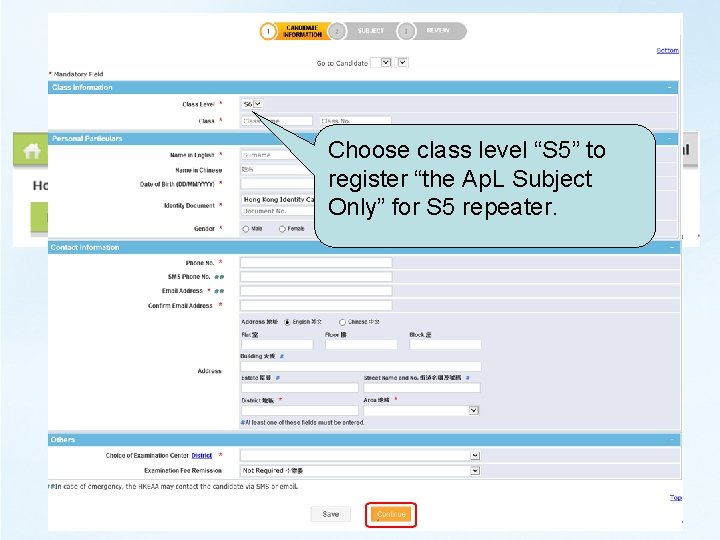
Create Candidate Entry Choose class level “S 5” to register “the Ap. L Subject Only” for S 5 repeater. 27
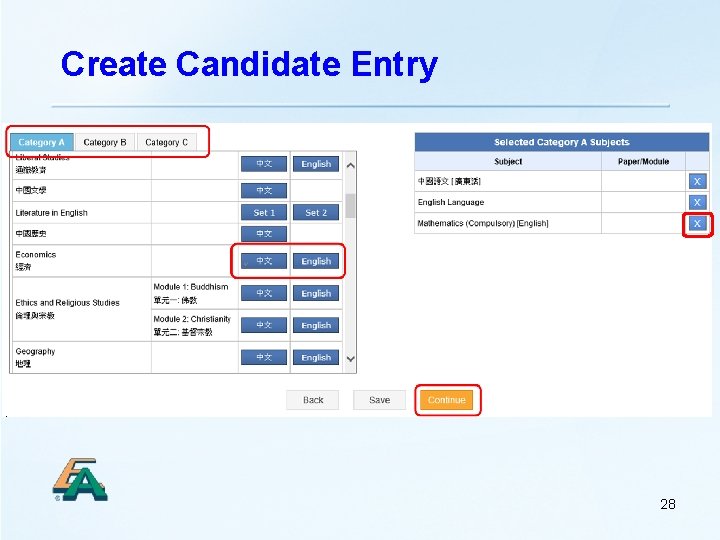
Create Candidate Entry 28
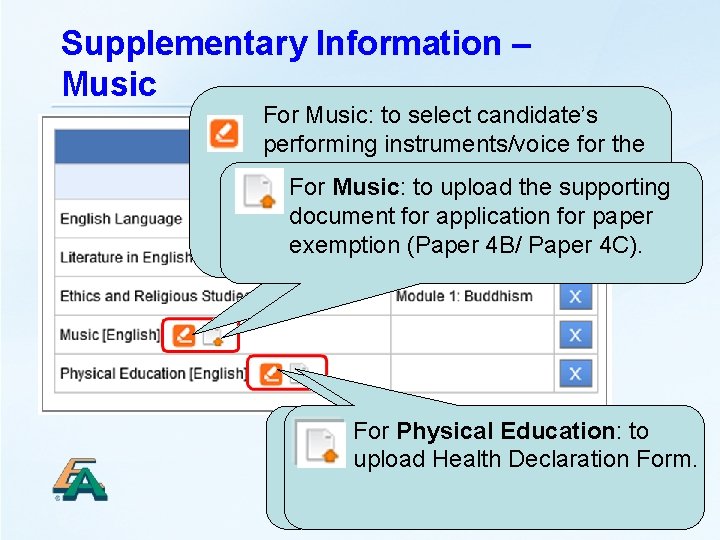
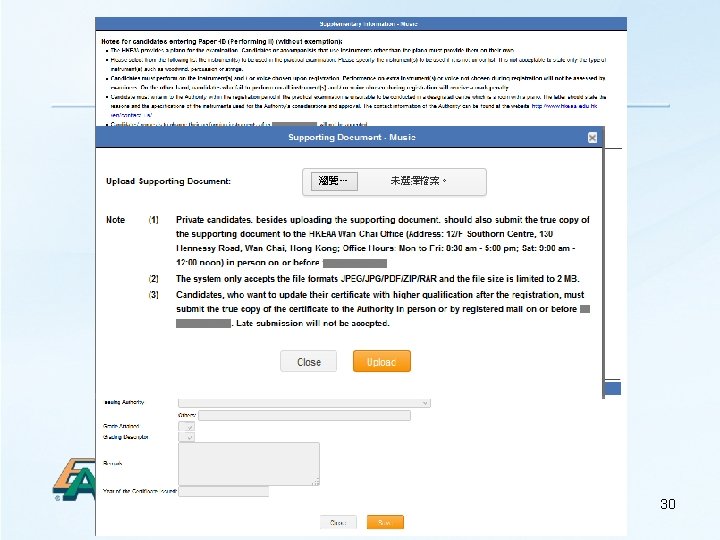
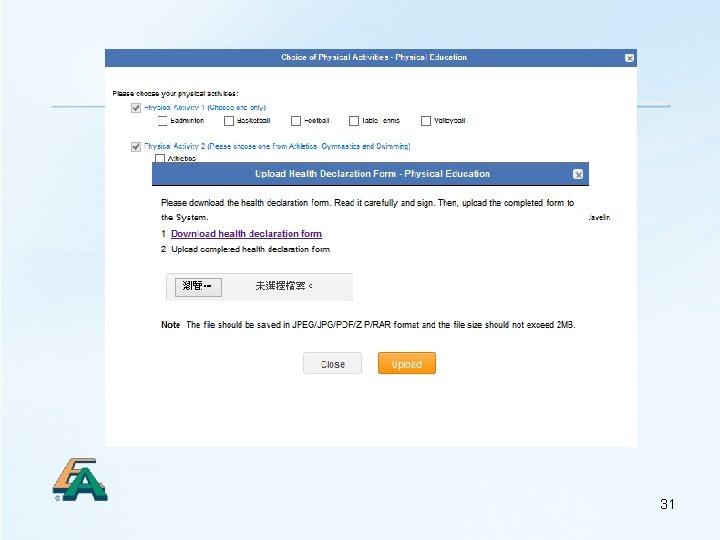
Supplementary Information – Music For Music: to select candidate’s performing instruments/voice for the Practical Examination (Paper 4 B), For Music: to upload the supporting select their paper options or apply document for application for paper exemption (Paper 4 B / exemption (Paper 4 B/ Paper 4 C). For Physical Education: to upload Health Declaration Form. select candidate’s physical activities for the Practical 29 Examination (Paper 3)
30
31
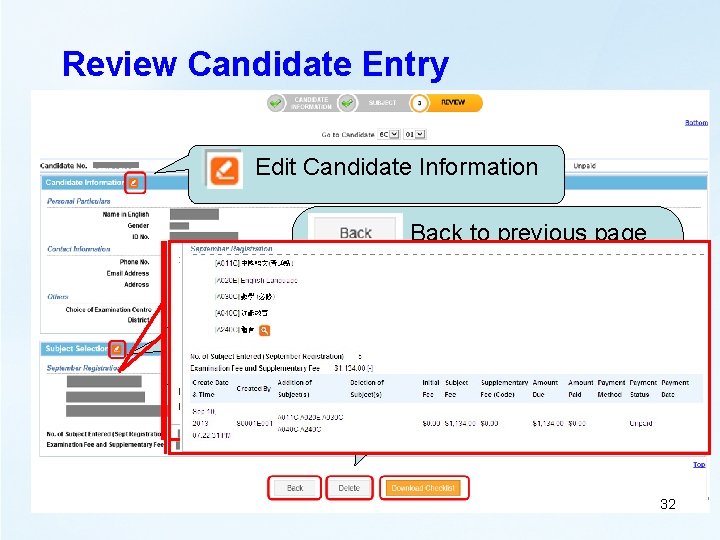
Review Candidate Entry Edit Candidate Information Back to previous page Delete entry Edit Subject Selection Download CEIC 32
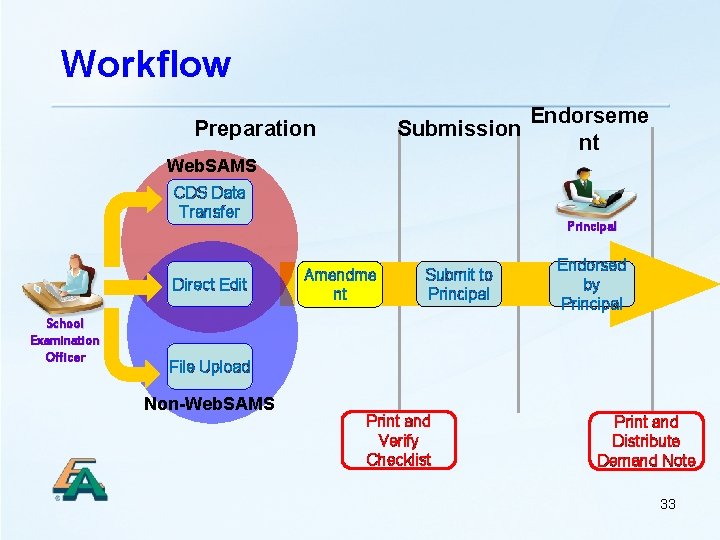
Workflow Endorseme Submission nt Preparation Web. SAMS CDS Data Transfer Direct Edit School Examination Officer Principal Amendme nt Submit to Principal Endorsed by Principal File Upload Non-Web. SAMS Print and Verify Checklist Print and Distribute Demand Note 33
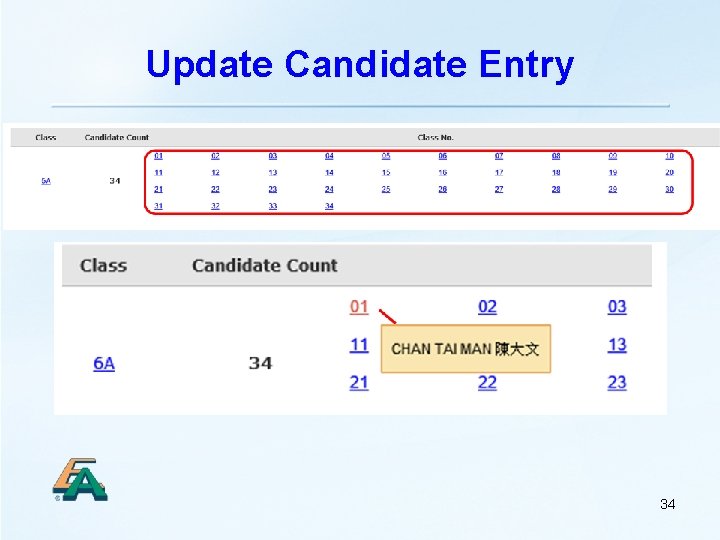
Update Candidate Entry 34
Update Candidate Entry Group Amendment: (1) Personal Particulars (2) Choice of Examination District (3) Examination Fee Remission (4) Subject Paper 35
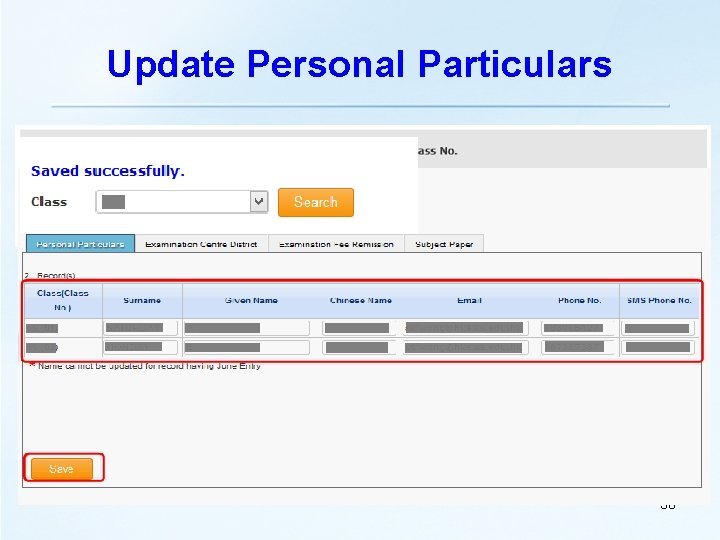
Update Personal Particulars 36
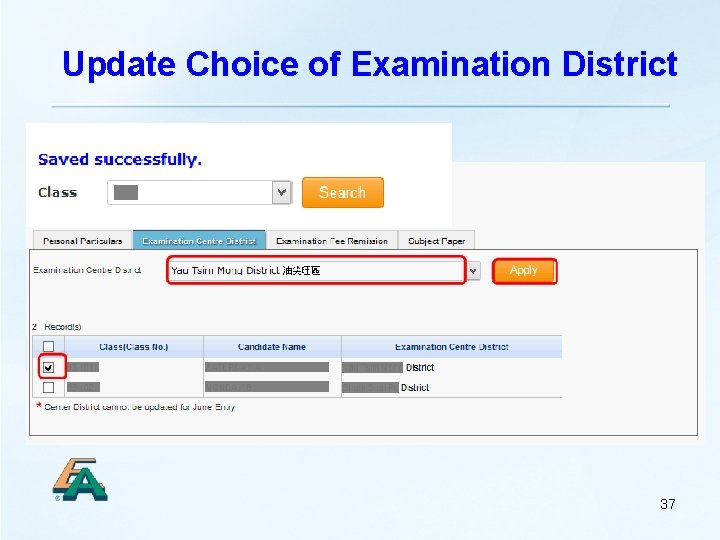
Update Choice of Examination District 37
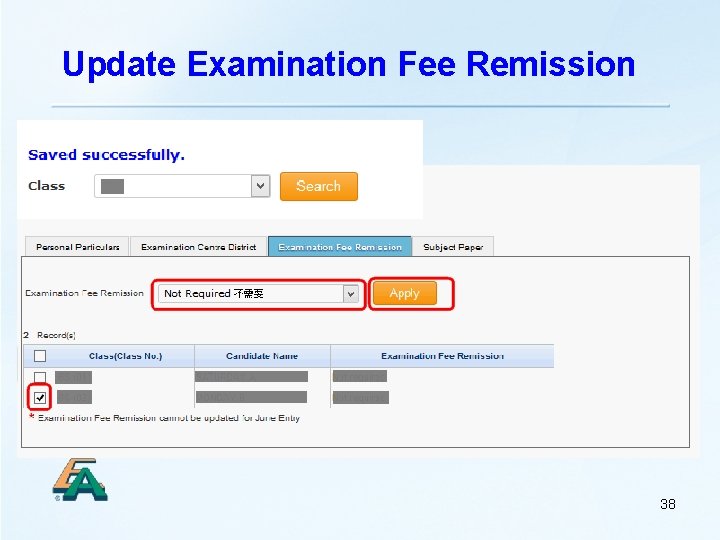
Update Examination Fee Remission 38
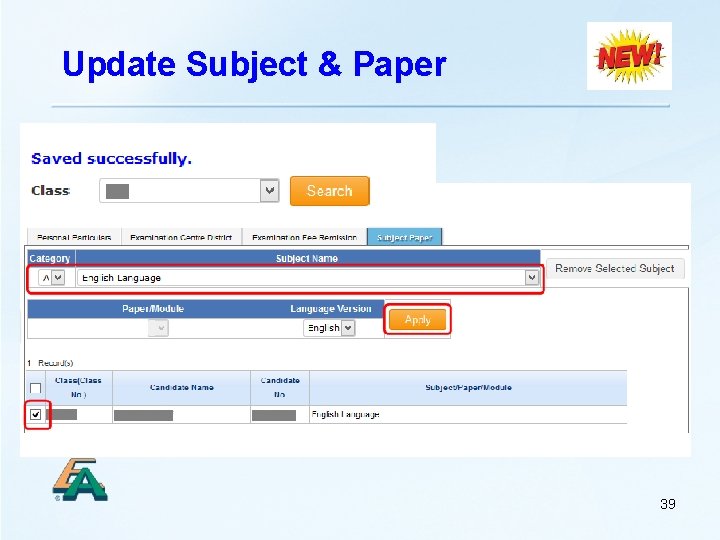
Update Subject & Paper 39
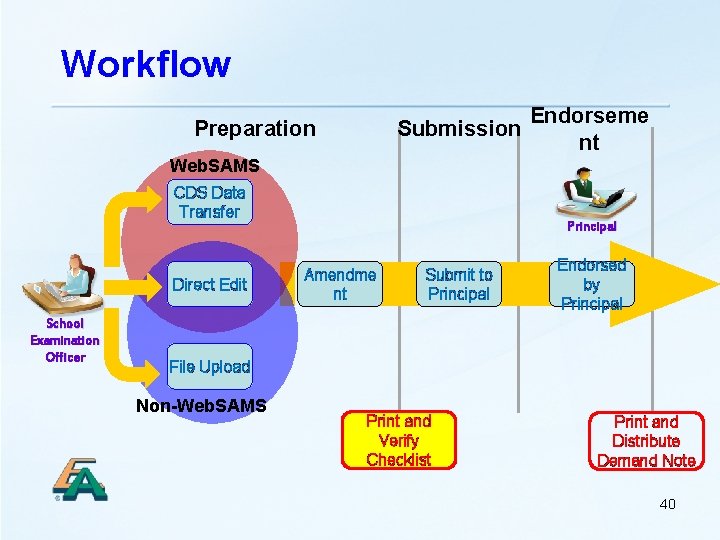
Workflow Endorseme Submission nt Preparation Web. SAMS CDS Data Transfer Direct Edit School Examination Officer Principal Amendme nt Submit to Principal Endorsed by Principal File Upload Non-Web. SAMS Print and Verify Checklist Print and Distribute Demand Note 40
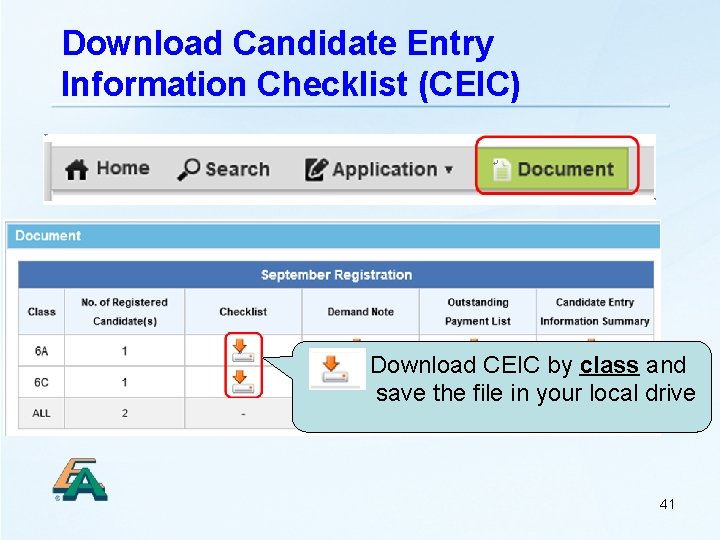
Download Candidate Entry Information Checklist (CEIC) Download CEIC by class and save the file in your local drive 41
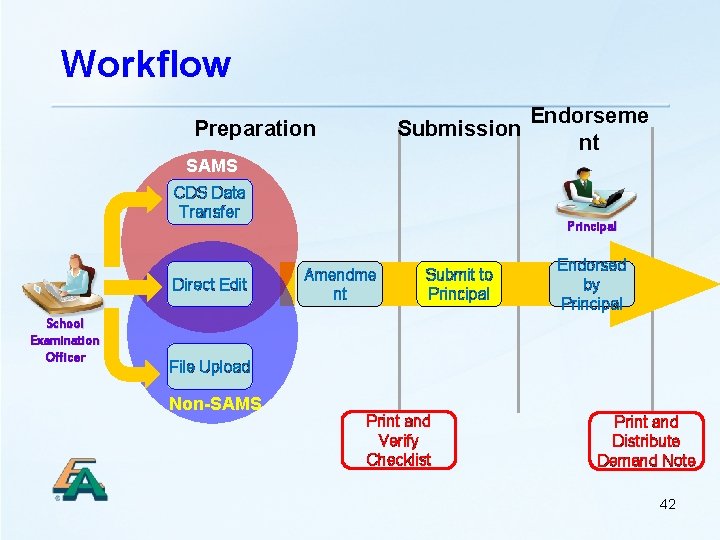
Workflow Endorseme Submission nt Preparation SAMS CDS Data Transfer Direct Edit School Examination Officer Principal Amendme nt Submit to Principal Endorsed by Principal File Upload Non-SAMS Print and Verify Checklist Print and Distribute Demand Note 42
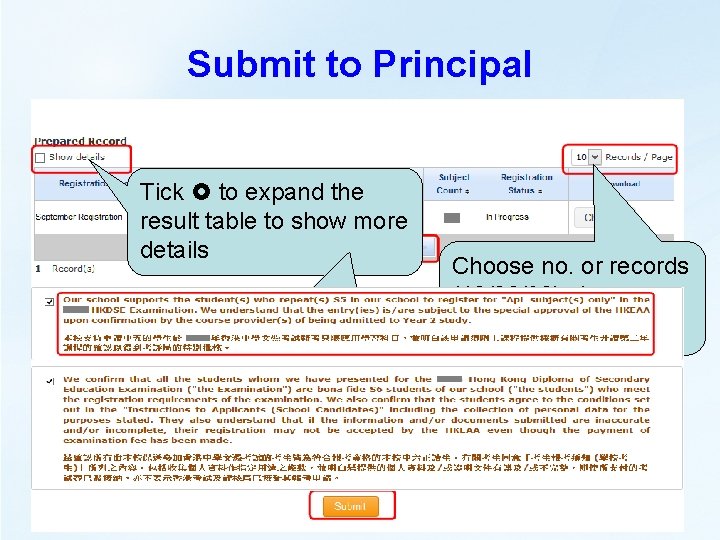
Submit to Principal Tick to expand the result table to show more details Go to previous/next page Choose no. or records (10/20/30) shown on each page
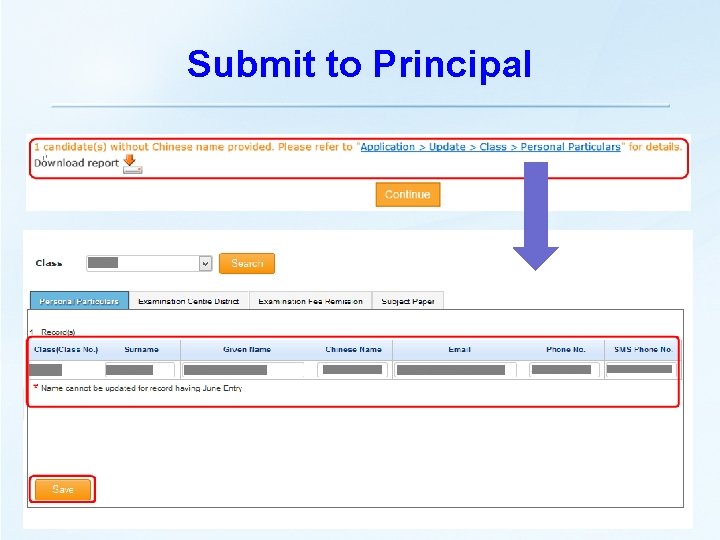
Submit to Principal
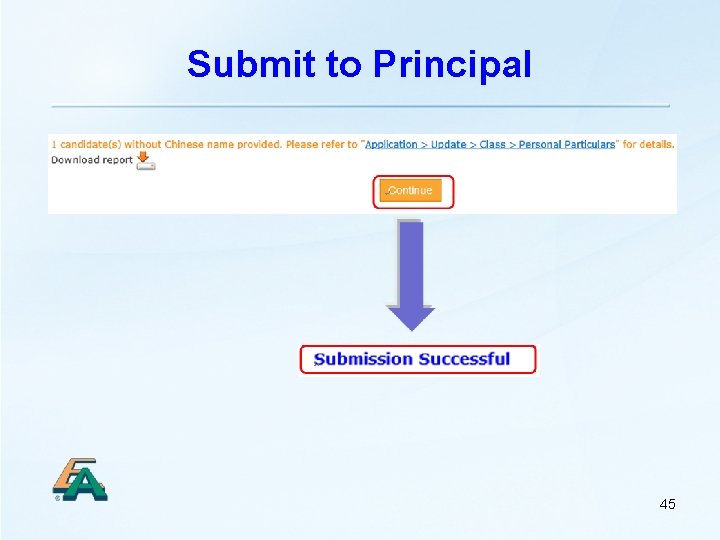
Submit to Principal 45
Email Alert to Principal 46
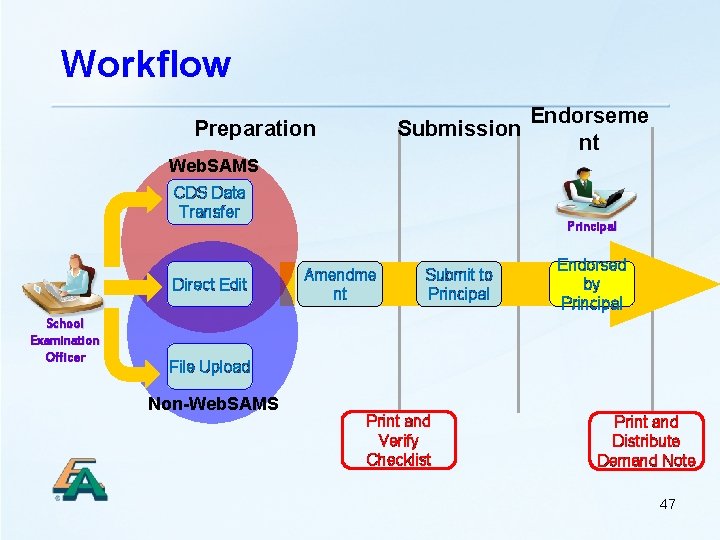
Workflow Endorseme Submission nt Preparation Web. SAMS CDS Data Transfer Direct Edit School Examination Officer Principal Amendme nt Submit to Principal Endorsed by Principal File Upload Non-Web. SAMS Print and Verify Checklist Print and Distribute Demand Note 47
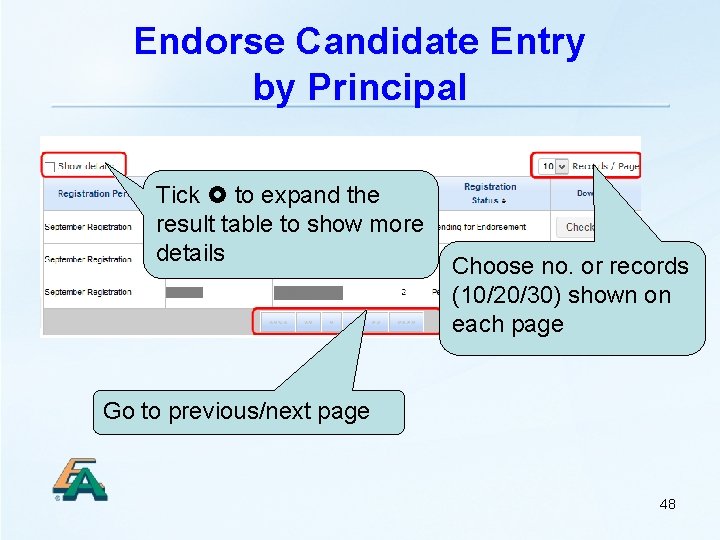
Endorse Candidate Entry by Principal Tick to expand the result table to show more details Choose no. or records (10/20/30) shown on each page Go to previous/next page 48
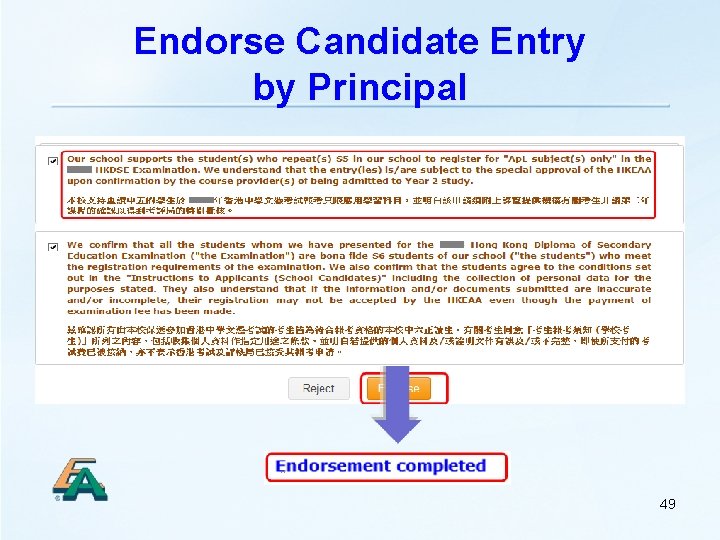
Endorse Candidate Entry by Principal 49

Email Alerts to SEO & Candidates Demand Note Printing Notification SEO Payment Reminder Candidates 50
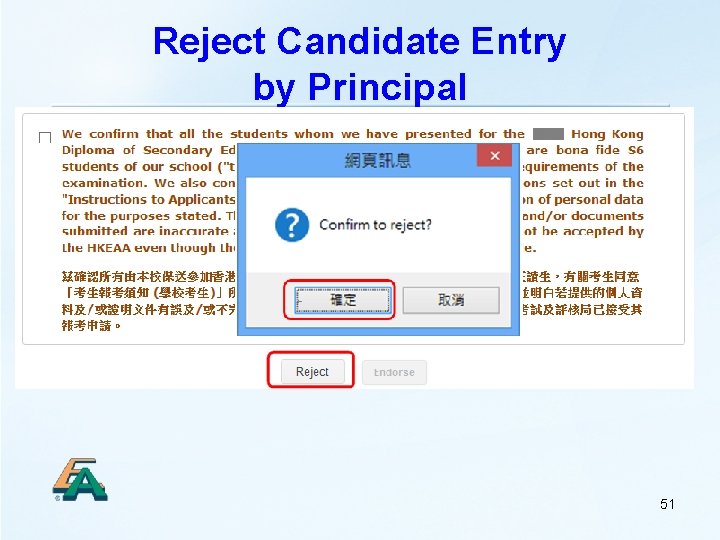
Reject Candidate Entry by Principal 51
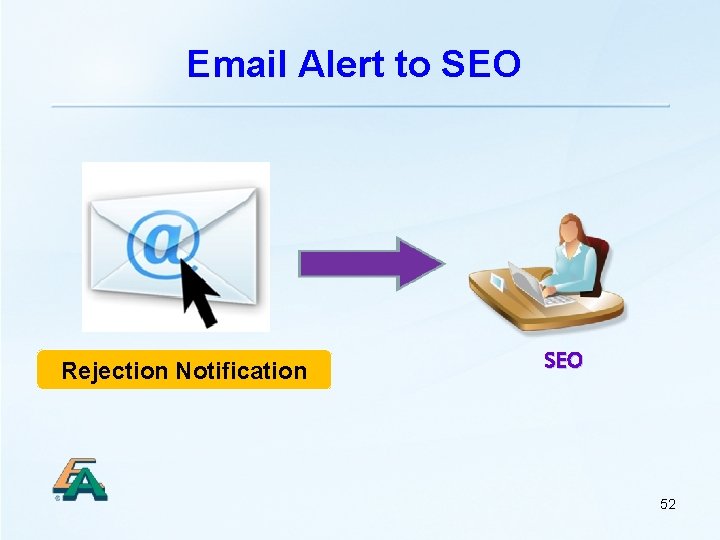
Email Alert to SEO Rejection Notification SEO 52
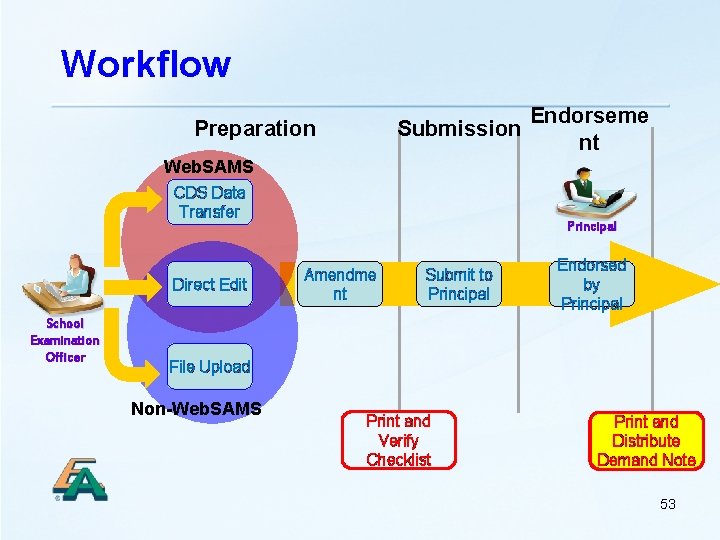
Workflow Endorseme Submission nt Preparation Web. SAMS CDS Data Transfer Direct Edit School Examination Officer Principal Amendme nt Submit to Principal Endorsed by Principal File Upload Non-Web. SAMS Print and Verify Checklist Print and Distribute Demand Note 53
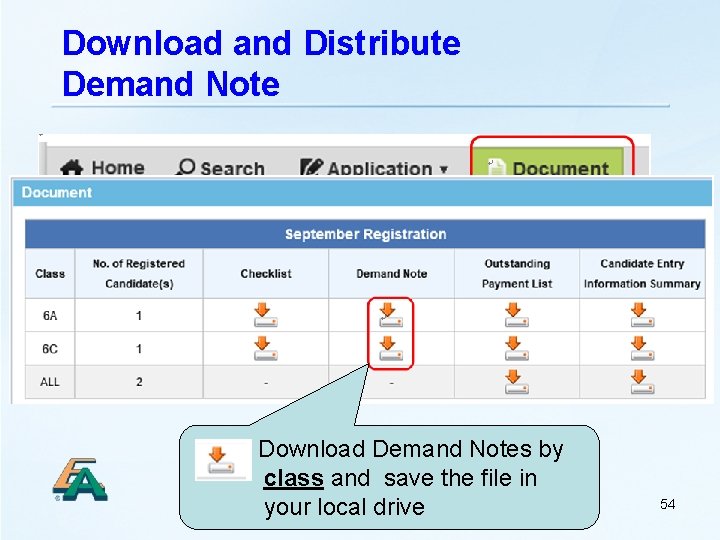
Download and Distribute Demand Note Download Demand Notes by class and save the file in your local drive 54
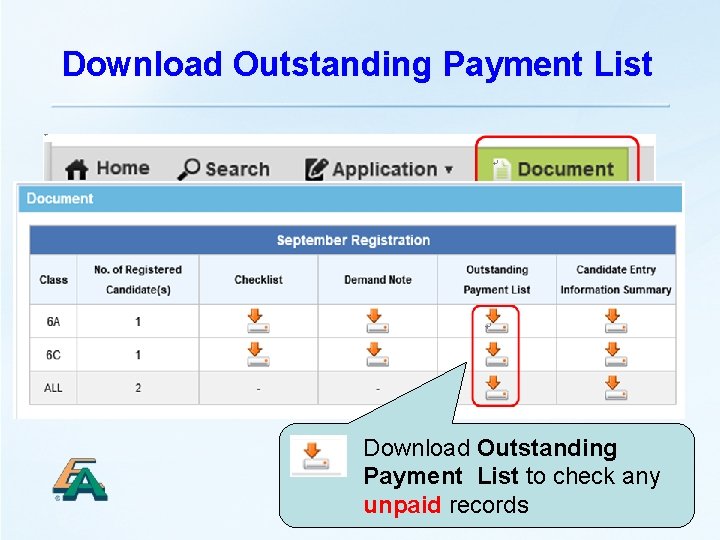
Download Outstanding Payment List Download Outstanding Payment List to check any 55 unpaid records
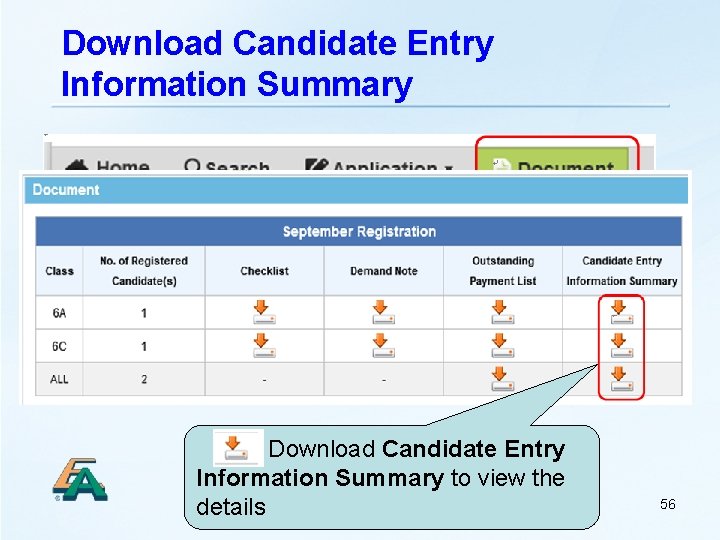
Download Candidate Entry Information Summary Download Candidate Entry Information Summary to view the details 56
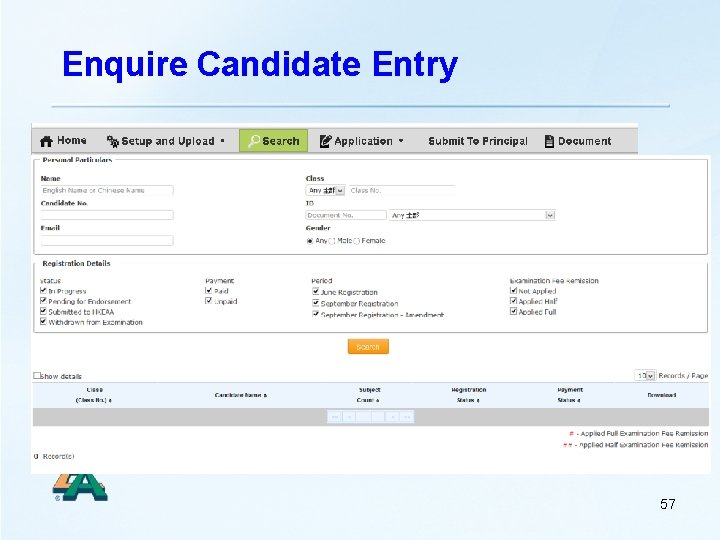
Enquire Candidate Entry 57
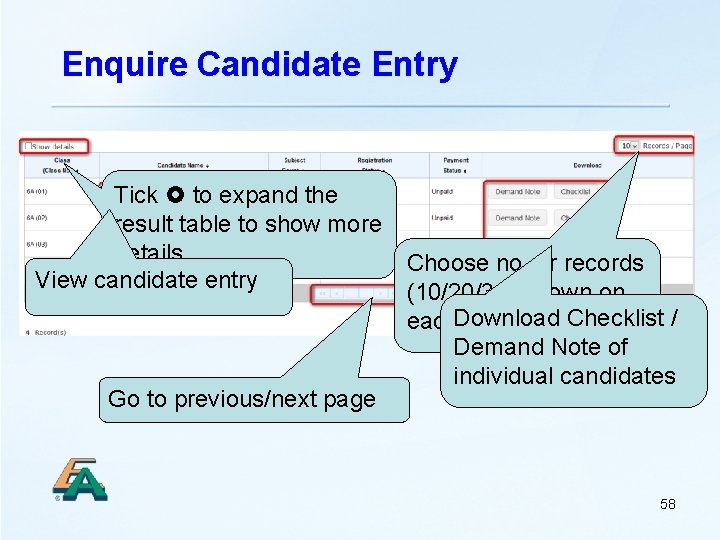
Enquire Candidate Entry Tick to expand the result table to show more details Choose no. or records View candidate entry (10/20/30) shown on Download Checklist / each page Demand Note of individual candidates Go to previous/next page 58
Amendment Period 17 November – 29 November (Tentative) 59
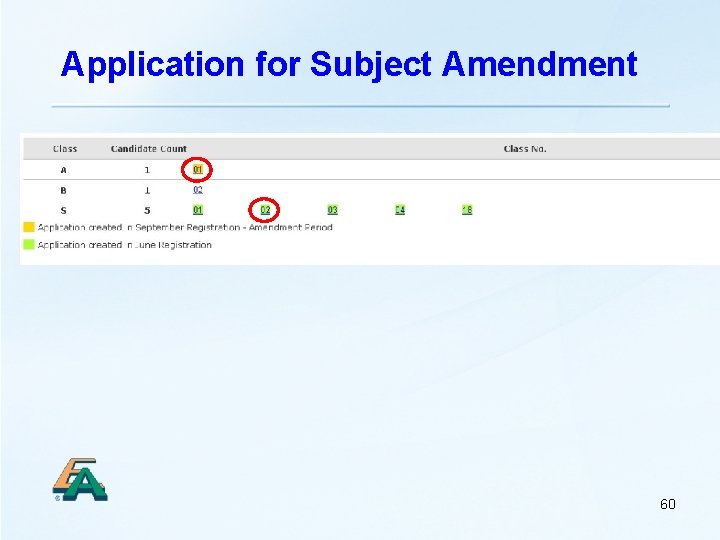
Application for Subject Amendment 60
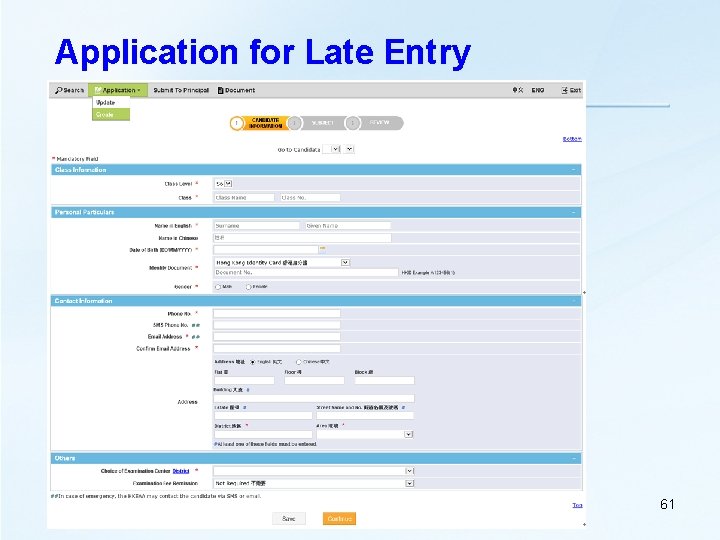
Application for Late Entry 61
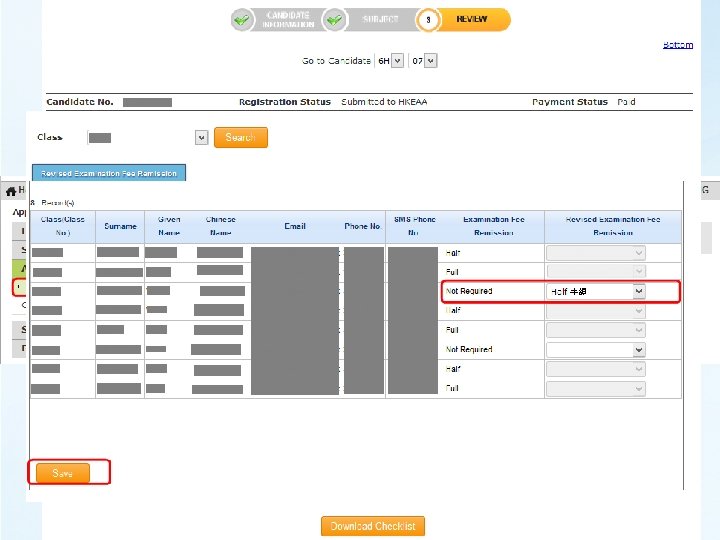
Late Exam Fee Remission Application 62
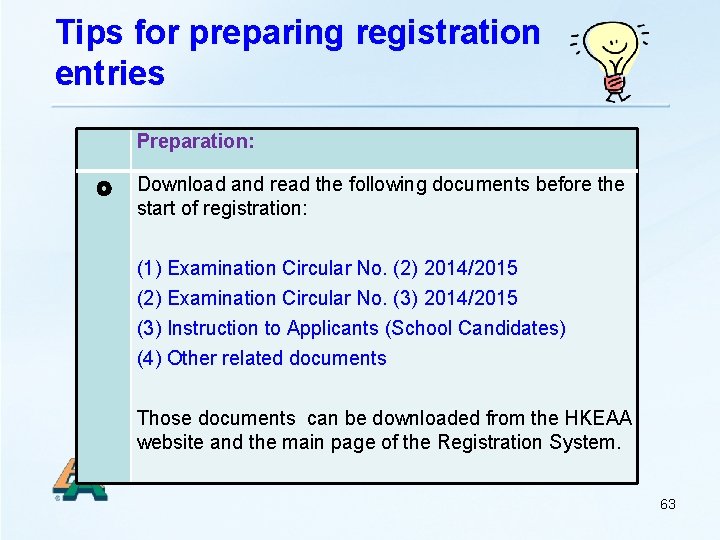
Tips for preparing registration entries Preparation: Download and read the following documents before the start of registration: (1) Examination Circular No. (2) 2014/2015 (2) Examination Circular No. (3) 2014/2015 (3) Instruction to Applicants (School Candidates) (4) Other related documents Those documents can be downloaded from the HKEAA website and the main page of the Registration System. 63
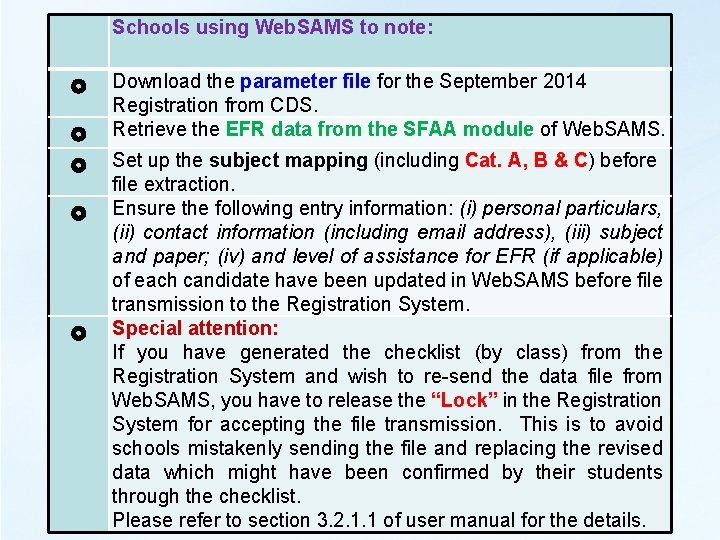
Schools using Web. SAMS to note: Download the parameter file for the September 2014 Registration from CDS. Retrieve the EFR data from the SFAA module of Web. SAMS. Set up the subject mapping (including Cat. A, B & C) before file extraction. Ensure the following entry information: (i) personal particulars, (ii) contact information (including email address), (iii) subject and paper; (iv) and level of assistance for EFR (if applicable) of each candidate have been updated in Web. SAMS before file transmission to the Registration System. Special attention: If you have generated the checklist (by class) from the Registration System and wish to re-send the data file from Web. SAMS, you have to release the “Lock” in the Registration System for accepting the file transmission. This is to avoid schools mistakenly sending the file and replacing the revised data which might have been confirmed by their students through the checklist. Please refer to section 3. 2. 1. 1 of user manual for the details.
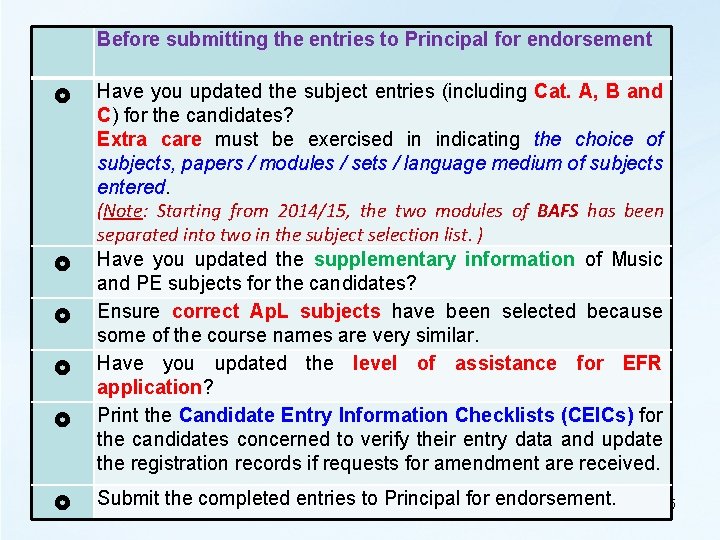
Before submitting the entries to Principal for endorsement Have you updated the subject entries (including Cat. A, B and C) for the candidates? Extra care must be exercised in indicating the choice of subjects, papers / modules / sets / language medium of subjects entered. (Note: Starting from 2014/15, the two modules of BAFS has been separated into two in the subject selection list. ) Have you updated the supplementary information of Music and PE subjects for the candidates? Ensure correct Ap. L subjects have been selected because some of the course names are very similar. Have you updated the level of assistance for EFR application? Print the Candidate Entry Information Checklists (CEICs) for the candidates concerned to verify their entry data and update the registration records if requests for amendment are received. Submit the completed entries to Principal for endorsement. 65
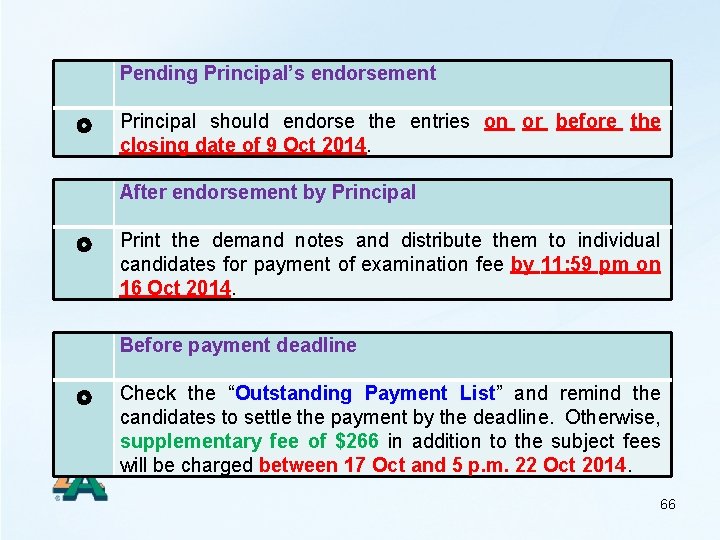
Pending Principal’s endorsement Principal should endorse the entries on or before the closing date of 9 Oct 2014. After endorsement by Principal Print the demand notes and distribute them to individual candidates for payment of examination fee by 11: 59 pm on 16 Oct 2014. Before payment deadline Check the “Outstanding Payment List” and remind the candidates to settle the payment by the deadline. Otherwise, supplementary fee of $266 in addition to the subject fees will be charged between 17 Oct and 5 p. m. 22 Oct 2014. 66
After registration period Regular check the reports from SFAA Module of Web. SAMS and update the late EFR application through the Registration System according to the specified period provided in the Examination Circular No. (3) 2014/2015. Late Entry and Subject Amendment Period: 17 Nov 2014 to 29 Nov 2014 (Tentative) Please refer to para. 11 of the Exam Circular No. (2) for the details. 67
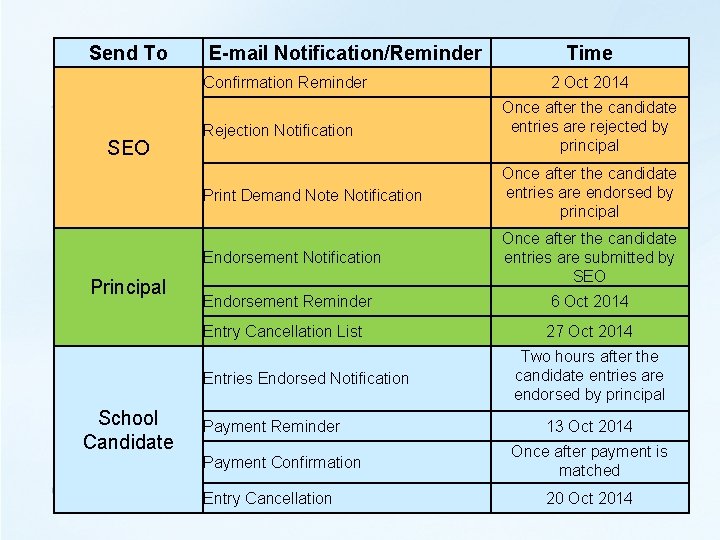
Send To E-mail Notification/Reminder Confirmation Reminder SEO Principal 2 Oct 2014 Rejection Notification Once after the candidate entries are rejected by principal Print Demand Note Notification Once after the candidate entries are endorsed by principal Endorsement Notification Once after the candidate entries are submitted by SEO Endorsement Reminder 6 Oct 2014 Entry Cancellation List 27 Oct 2014 Entries Endorsed Notification School Candidate Time Payment Reminder Payment Confirmation Entry Cancellation Two hours after the candidate entries are endorsed by principal 13 Oct 2014 Once after payment is matched 20 Oct 2014
- Slides: 68