
Histograms and Color Balancing Empire of Light Magritte
Histograms and Color Balancing “Empire of Light”, Magritte Computational Photography Derek Hoiem, University of Illinois 09/14/17
Administrative stuff • Project 1: due Monday – Part I: Hybrid Image – Part II: Enhance Contrast/Color
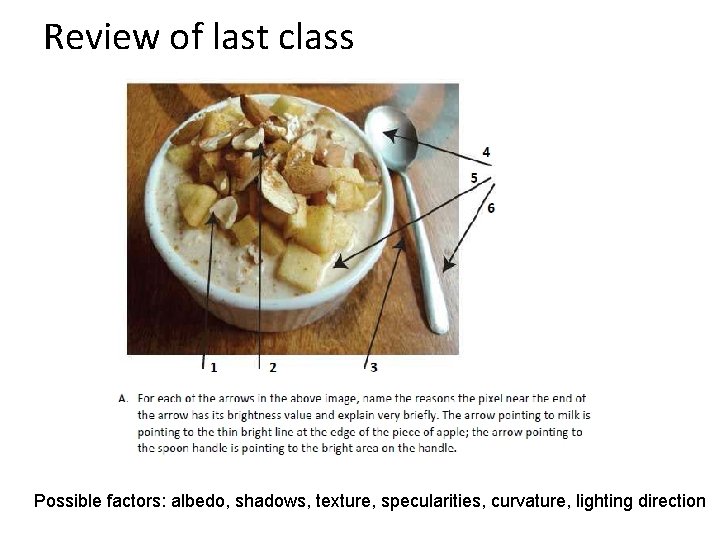
Review of last class Possible factors: albedo, shadows, texture, specularities, curvature, lighting direction
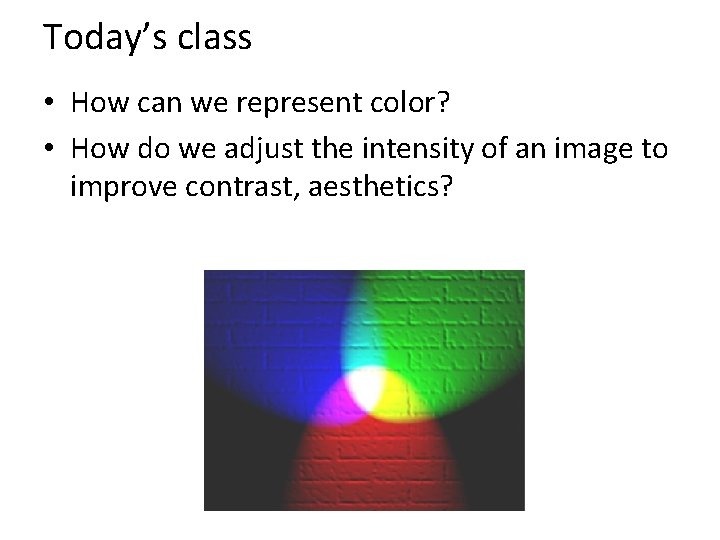
Today’s class • How can we represent color? • How do we adjust the intensity of an image to improve contrast, aesthetics?
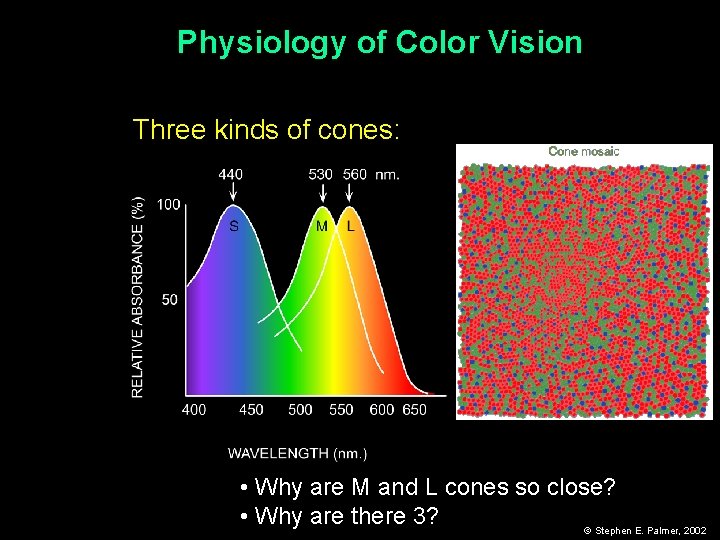
Physiology of Color Vision Three kinds of cones: • Why are M and L cones so close? • Why are there 3? © Stephen E. Palmer, 2002
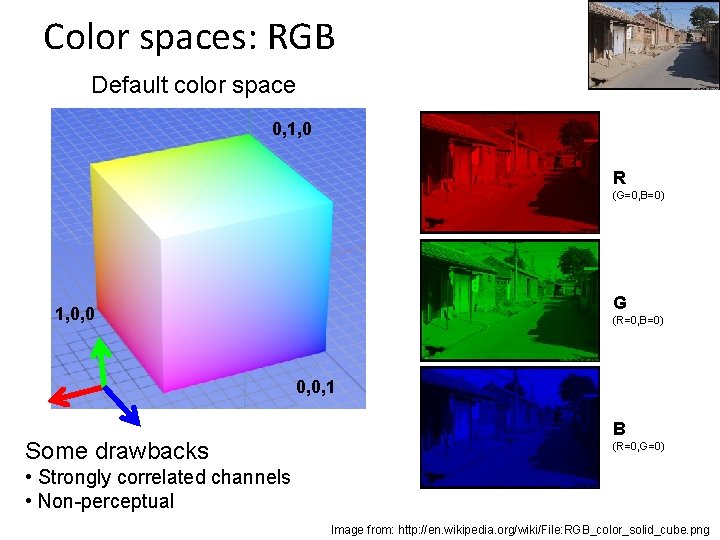
Color spaces: RGB Default color space 0, 1, 0 R (G=0, B=0) G 1, 0, 0 (R=0, B=0) 0, 0, 1 Some drawbacks B (R=0, G=0) • Strongly correlated channels • Non-perceptual Image from: http: //en. wikipedia. org/wiki/File: RGB_color_solid_cube. png
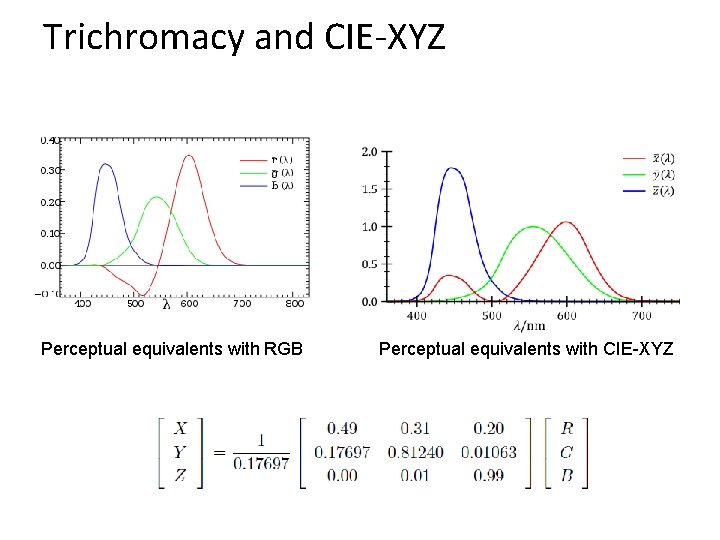
Trichromacy and CIE-XYZ Perceptual equivalents with RGB Perceptual equivalents with CIE-XYZ
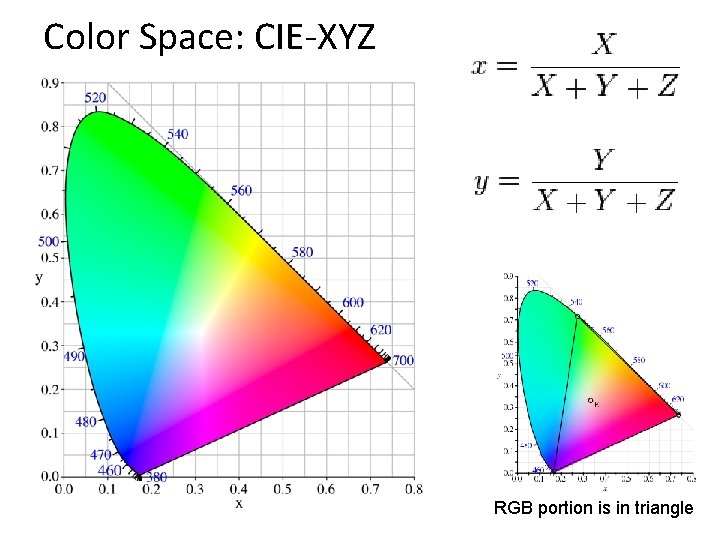
Color Space: CIE-XYZ RGB portion is in triangle

Perceptual uniformity
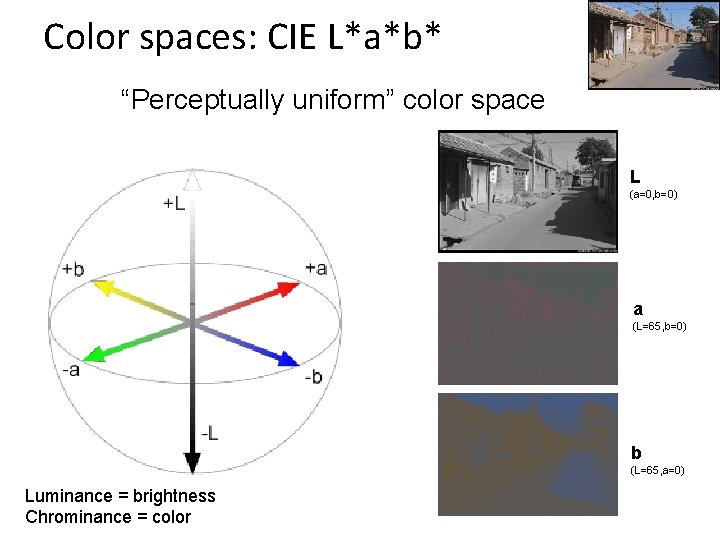
Color spaces: CIE L*a*b* “Perceptually uniform” color space L (a=0, b=0) a (L=65, b=0) b (L=65, a=0) Luminance = brightness Chrominance = color
If you had to choose, would you rather go without luminance or chrominance?
If you had to choose, would you rather go without luminance or chrominance?
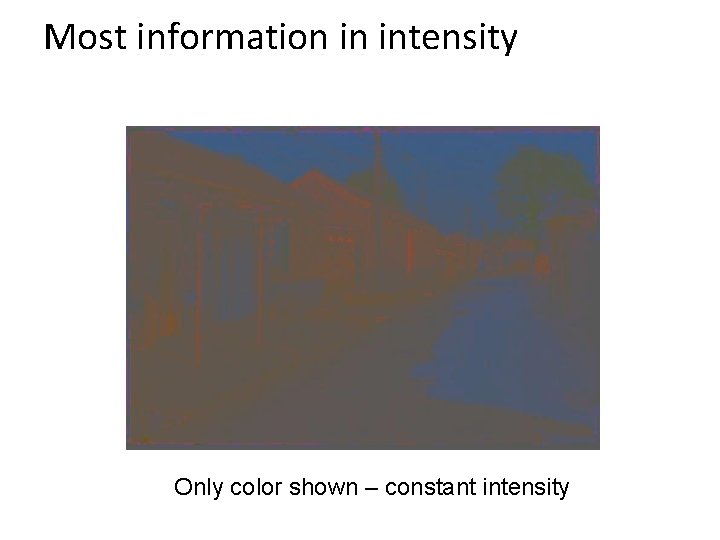
Most information in intensity Only color shown – constant intensity
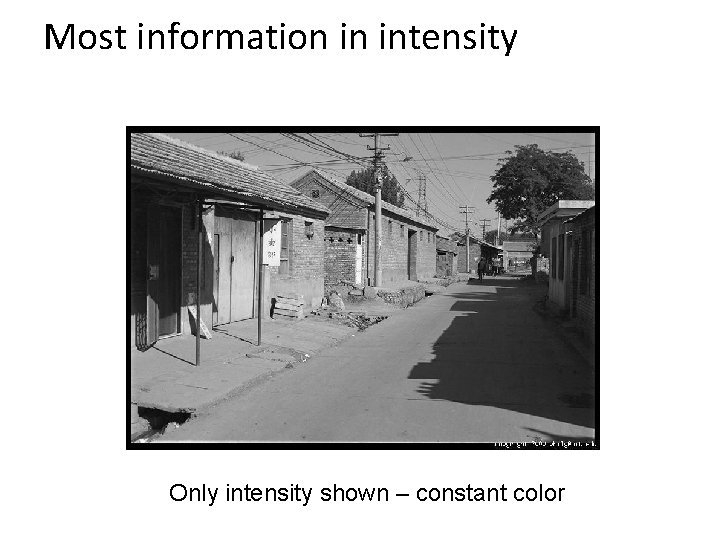
Most information in intensity Only intensity shown – constant color
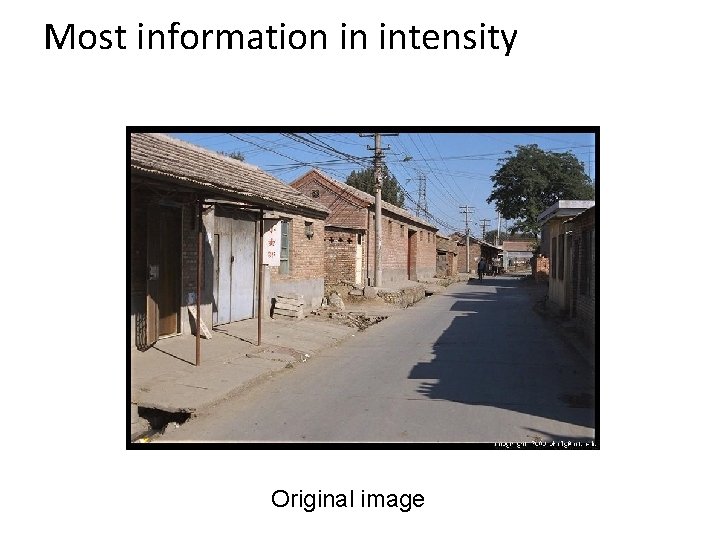
Most information in intensity Original image
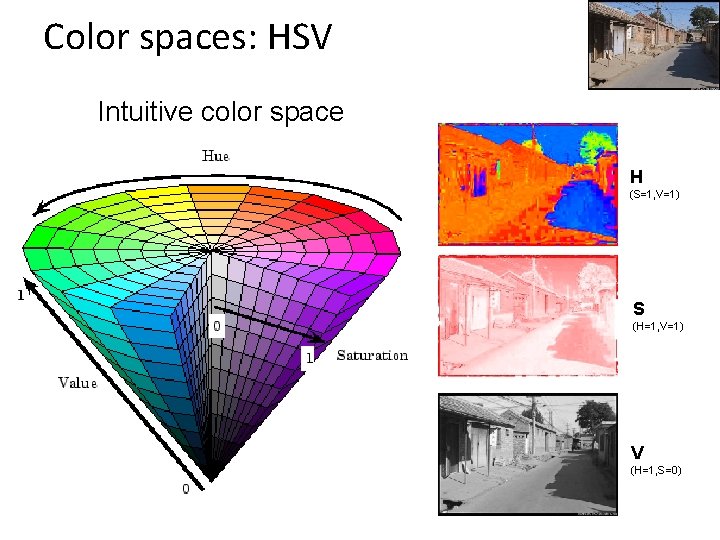
Color spaces: HSV Intuitive color space H (S=1, V=1) S (H=1, V=1) V (H=1, S=0)
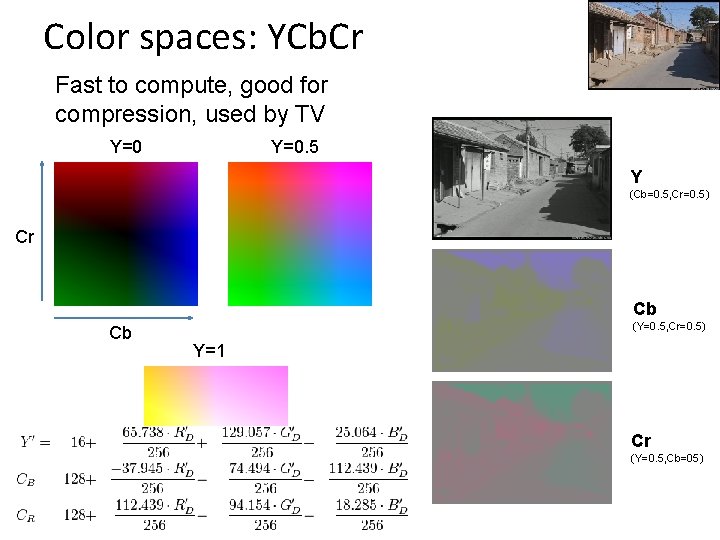
Color spaces: YCb. Cr Fast to compute, good for compression, used by TV Y=0. 5 Y (Cb=0. 5, Cr=0. 5) Cr Cb Cb (Y=0. 5, Cr=0. 5) Y=1 Cr (Y=0. 5, Cb=05)
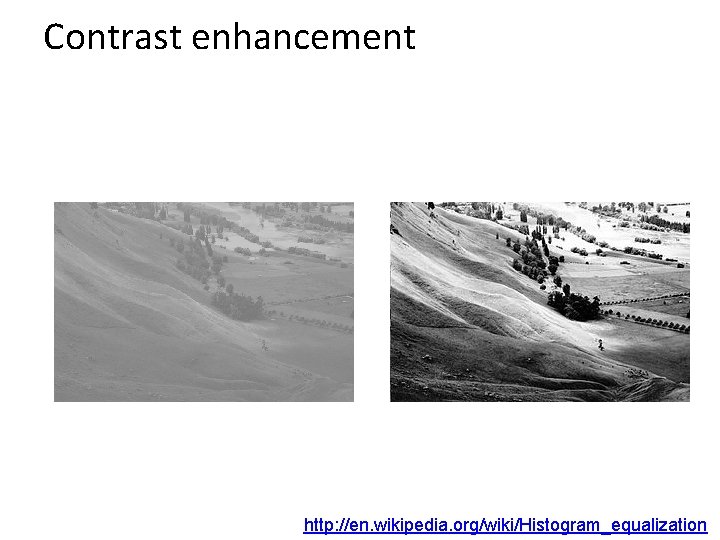
Contrast enhancement http: //en. wikipedia. org/wiki/Histogram_equalization
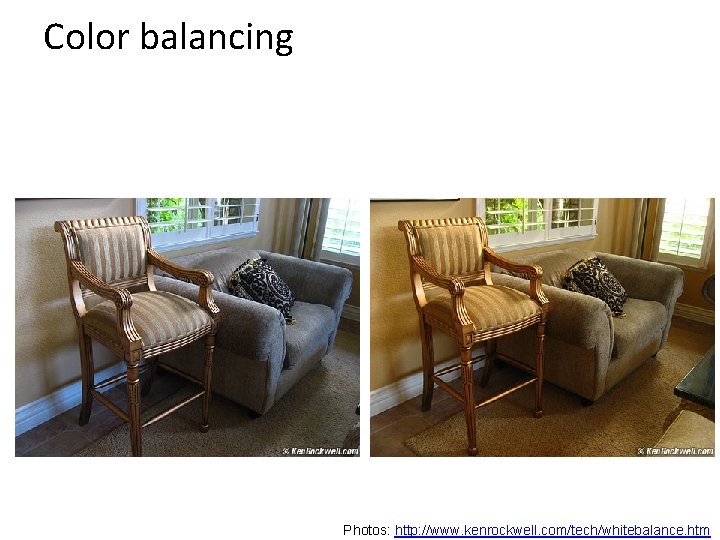
Color balancing Photos: http: //www. kenrockwell. com/tech/whitebalance. htm
Important ideas • Typical images are gray on average; this can be used to detect distortions • Larger differences are more visible, so using the full intensity range improves visibility • It’s often easier to work in a non-RGB color space
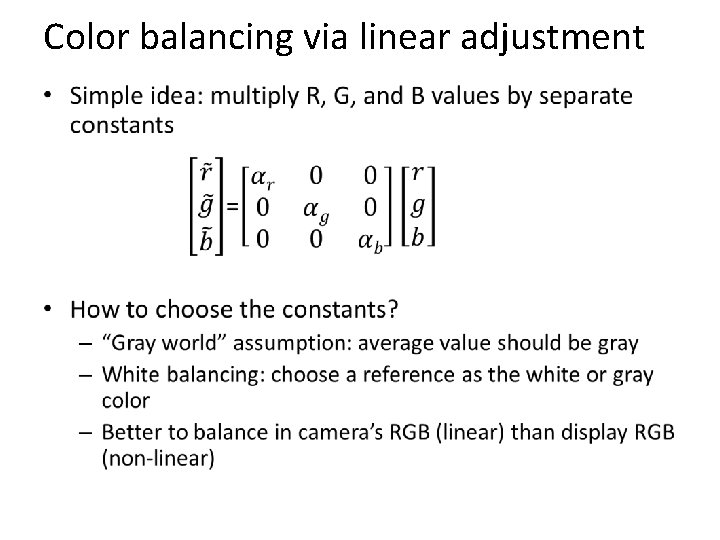
Color balancing via linear adjustment •
Tone Mapping • Typical problem: compress values from a high range to a smaller range – E. g. , camera captures 12 -bit linear intensity and needs to compress to 8 bits
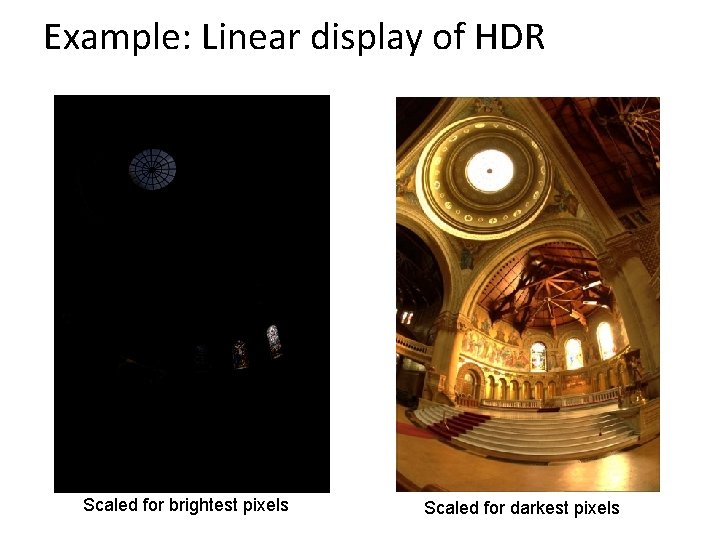
Example: Linear display of HDR Scaled for brightest pixels Scaled for darkest pixels
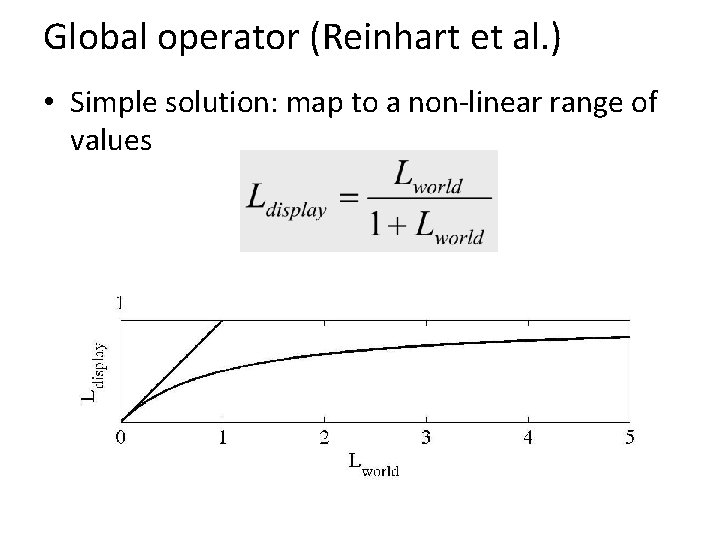
Global operator (Reinhart et al. ) • Simple solution: map to a non-linear range of values
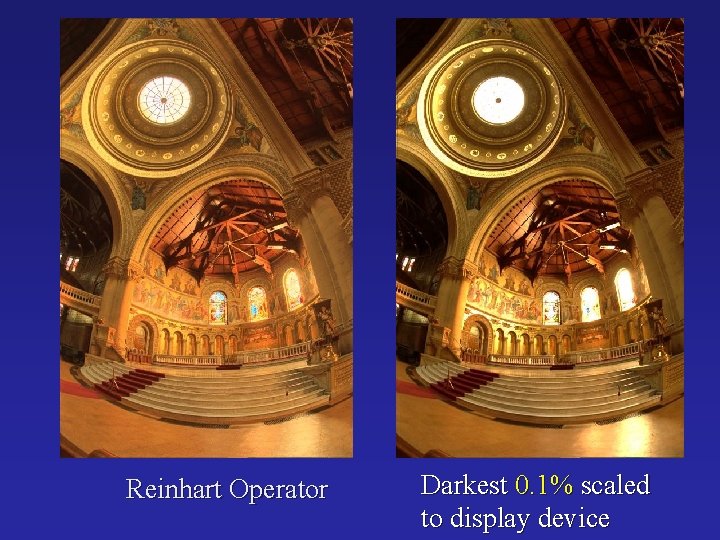
Reinhart Operator Darkest 0. 1% scaled to display device
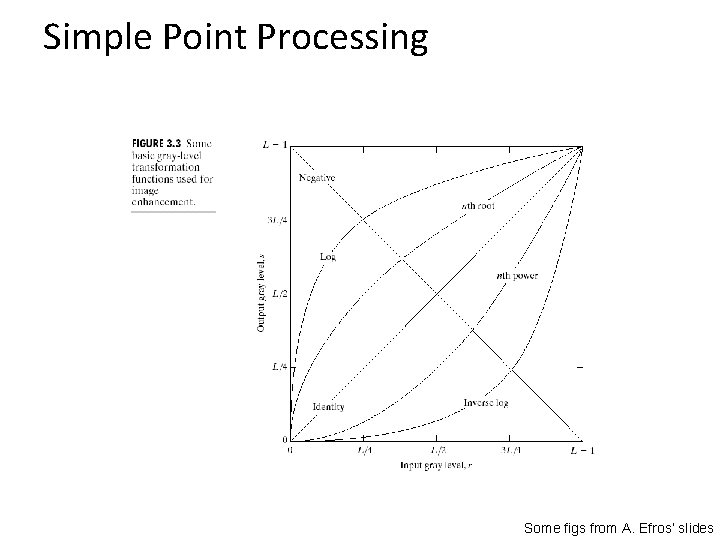
Simple Point Processing Some figs from A. Efros’ slides
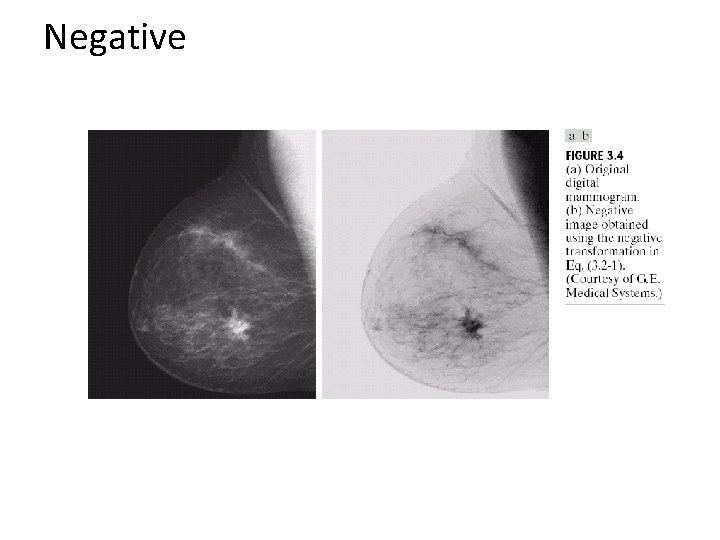
Negative
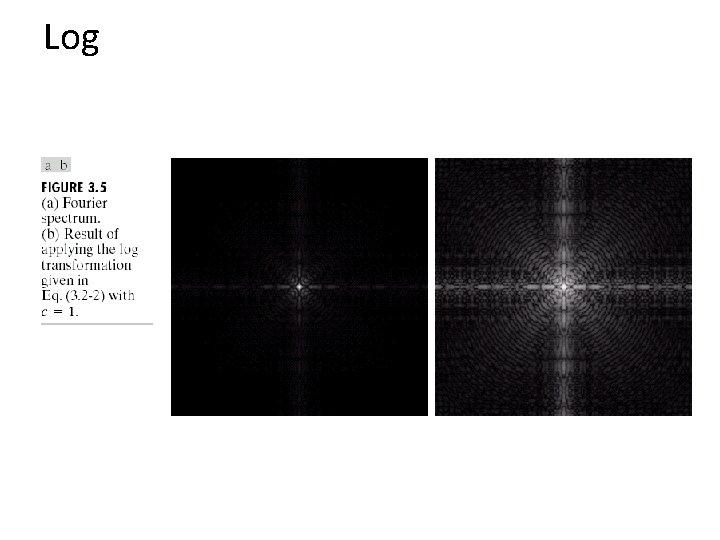
Log
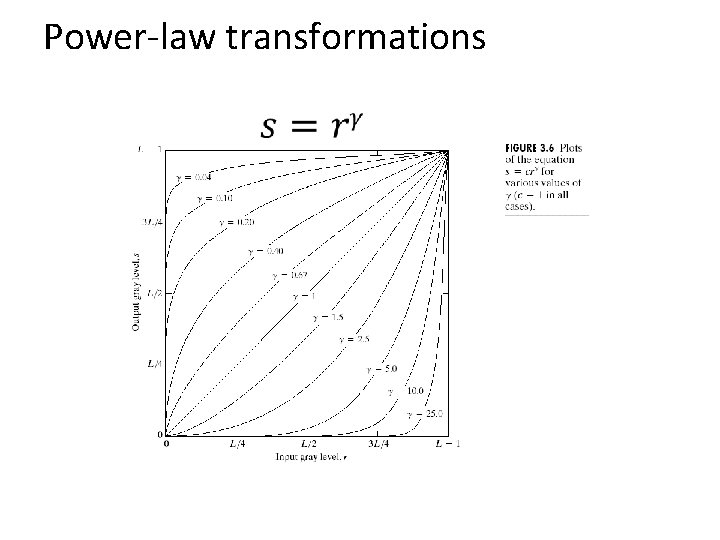
Power-law transformations
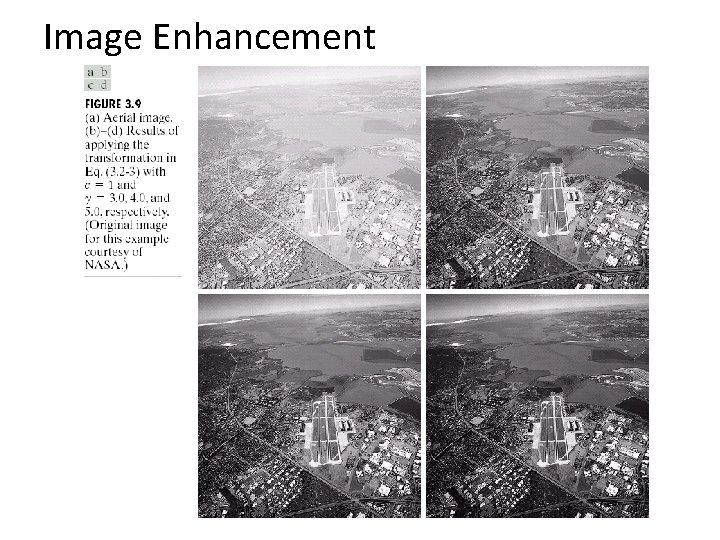
Image Enhancement
Matlab example

Contrast Stretching
Histogram equalization •
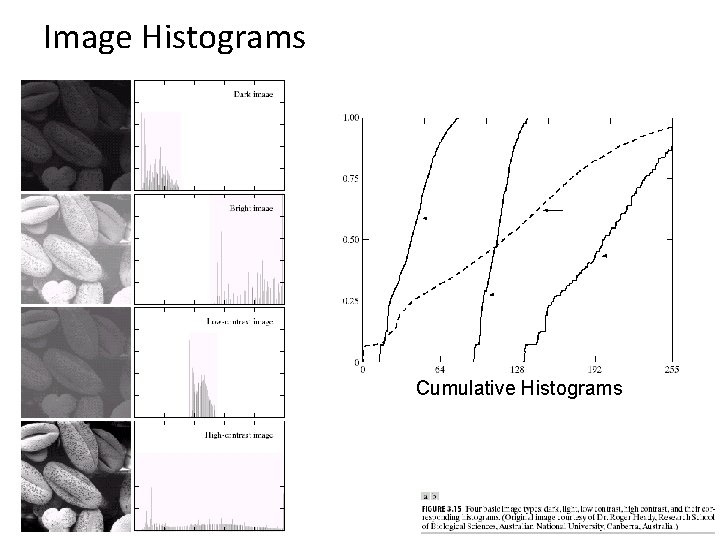
Image Histograms Cumulative Histograms
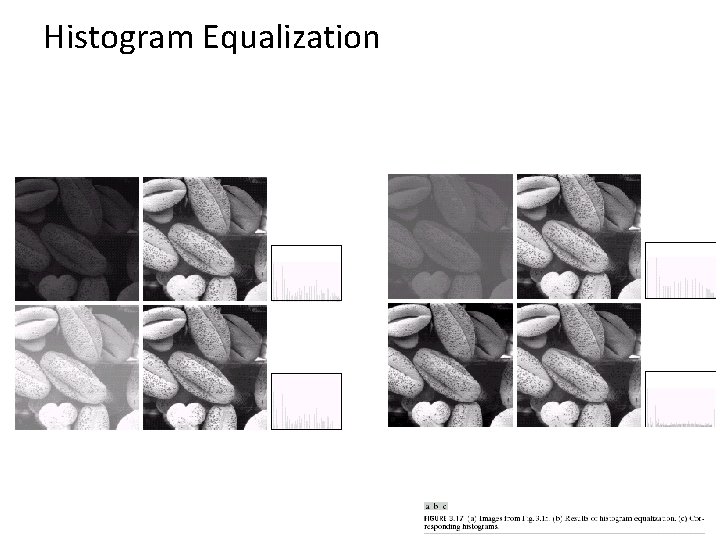
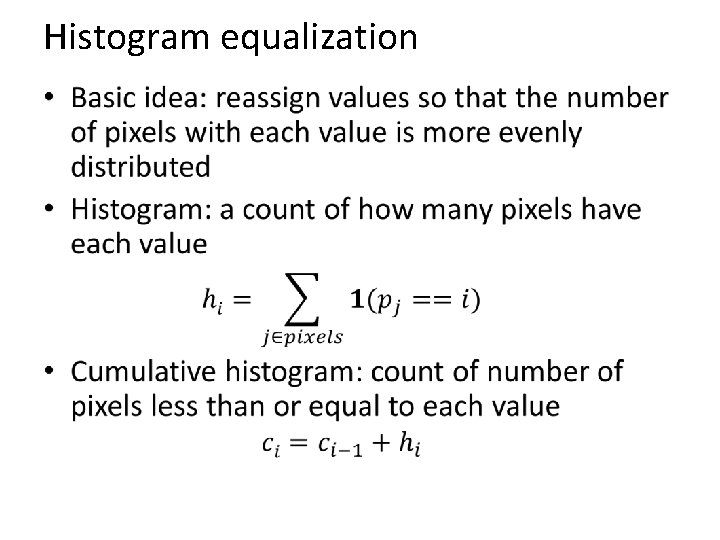
Histogram Equalization
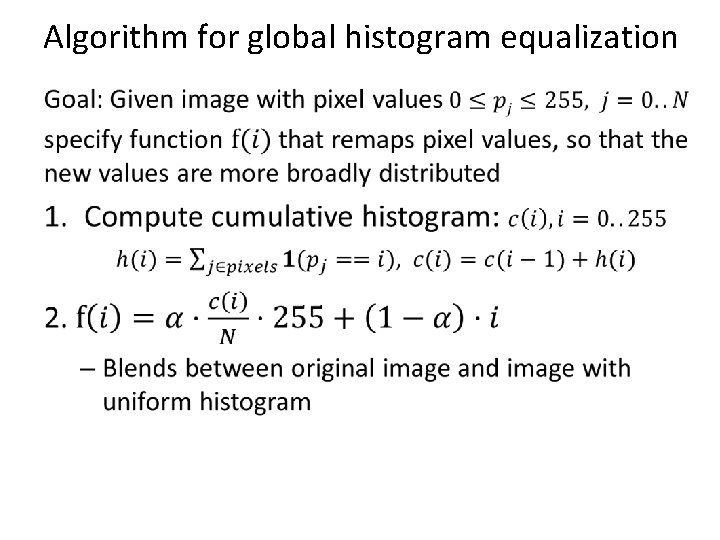
Algorithm for global histogram equalization •
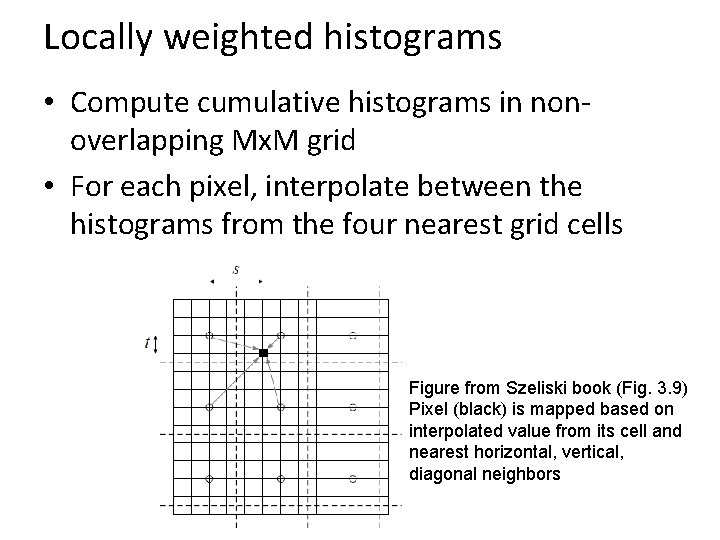
Locally weighted histograms • Compute cumulative histograms in nonoverlapping Mx. M grid • For each pixel, interpolate between the histograms from the four nearest grid cells Figure from Szeliski book (Fig. 3. 9) Pixel (black) is mapped based on interpolated value from its cell and nearest horizontal, vertical, diagonal neighbors
Other issues • Dealing with color images – Often better to split into luminance and chrominance to avoid unwanted color shift • Manipulating particular regions – Can use mask to select particular areas for manipulation • Useful Matlab functions – rgb 2 hsv, hsv 2 rgb, hist, cumsum
Matlab Example 2
Things to remember • Familiarize yourself with the basic color spaces: RGB, HSV, Lab • Simple auto contrast/color adjustments: gray world assumption, histogram equalization • When improving contrast in a color image, often best to operate on luminance channel
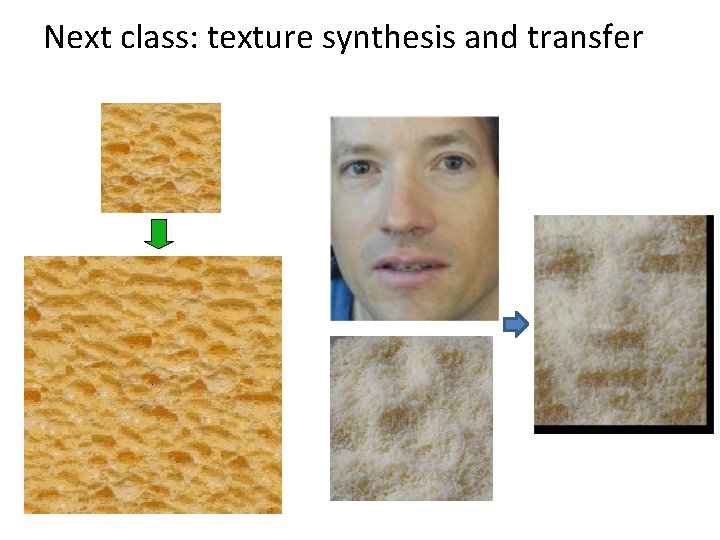
Next class: texture synthesis and transfer
- Slides: 41