
HINARI Introductory Overview DOs and DONTs of HINARI


- Slides: 14
HINARI Introductory Overview (DO’s and DON’Ts of HINARI)
HINARI • The Health Inter. Network Access to Research Initiative (HINARI) is coordinated by the World Health Organization (WHO) • Collaboration between the WHO, publishers and other health care content owners • To provide biomedical and health care research and guideline information to non-profit academic and research institutions, governmental and policy making departments in low income countries. • AGORA (agricultural research) and OARE (environmental research) are similar programs
Objectives of HINARI-AGORA-OARE • To connect developing world researchers with the international scientific community • To reduce the ‘publishing gap’ and improve the quality of locally produced journals • Ultimately – improve health, food security and environment in relation to MDG of 2015
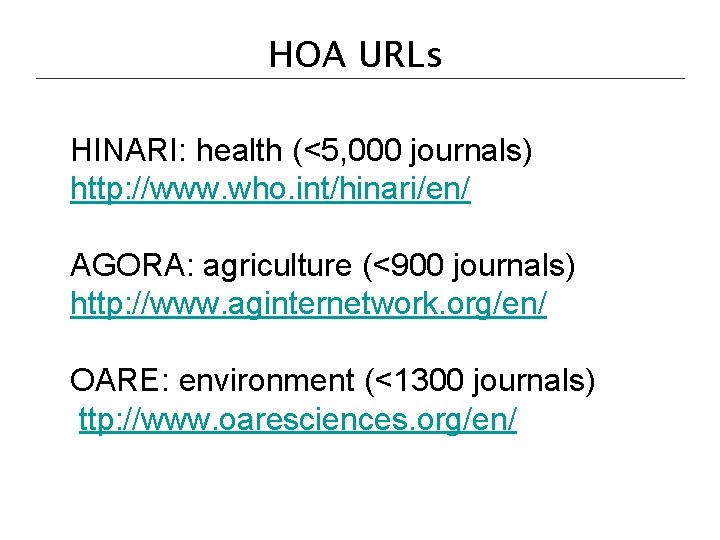
HOA URLs HINARI: health (<5, 000 journals) http: //www. who. int/hinari/en/ AGORA: agriculture (<900 journals) http: //www. aginternetwork. org/en/ OARE: environment (<1300 journals) ttp: //www. oaresciences. org/en/
Eligibility/Registration • Institutions in countries with GNI (gross national income) per capita below $1250 are eligible for free access (Band 1) • Institutions in countries with GNI per capita between $1250 -$3500 pay a fee of $1000 per year / institution (Band 2) • For details, see http: //www. who. int/hinari/eligibility/en/
HINARI License Agreement • List of terms and conditions for Phase 1 institutional users – http: //www. who. int/entity/hinari/about/Lic ence%20 Agreement%20 Phase%201%2 0(free%20 access). pdf
HINARI Do’s/Users • Material owned by the Publishers made available through HINARI can be used by Authorized Users or Walk-in Users – An Authorized User: an institution’s or government department’s employee, permanent or visiting faculty, or student – Walk-in User: anyone who comes to the Institution’s premises and is permitted by the Institution to access services there
HINARI Do’s/Articles For HINARI Band 1 participants: • institution may supply printed or digital materials (documents) to the institution’s employees, faculty members, students or another Authorized User • remote access is permissible but limited to computers owned personally by employees or by institution • publisher’s material may be placed in print Course Packs or placed in Electronic Reserves for students (delete after the end of the course)
HINARI Don’ts/Articles • Downloading/Printing: users cannot download complete journal issues or books (per journal issue or book, 15% limit) • Course Packs: academic and teaching staff – cannot make a profit from the publisher’s material – can charge for cost of printing only
HINARI Don’ts/Articles • Document supply: Cannot distribute documents obtained through HINARI to any other individuals or organizations outside the registered institution • Document fees: The institution may not supply the document for a fee except to recover cost of printing • Uploading: Cannot upload the material to or post to a publicly available website or elsewhere
HINARI Don’ts/Content & Software • Cannot – modify, adapt, transform or create any derivative work from the Publisher’s Material (consequence: immediate termination of the contract between the publisher and the institution) – modify, adapt, transform or create any derivative work or version from the Publisher’s access software or hosting agent – tamper or amend the Publisher’s access software
HINARI Don’ts/Access • Do not give the Publisher’s Material or User Name/Password to other individuals or institutions – if others are interested in HINARI, send them to their institutions’ libraries • Do not access HINARI while traveling outside the country • Do not put the User Name/ Password on the Institution’s website – can put a link to initial page of HINARI or have information about HINARI
Suggestion • Modify the ‘Do’s and Don’ts Template’ (Word document) for your Institution • Print copies and distribute to HINARI users when you supply the User Names and Passwords • Have each new users read the ‘Do’s and Don’ts’ and sign that they understand accept the limits • You will have fulfilled your responsibilities as a provider of the Institutional User Names and Passwords Updated 06 2008
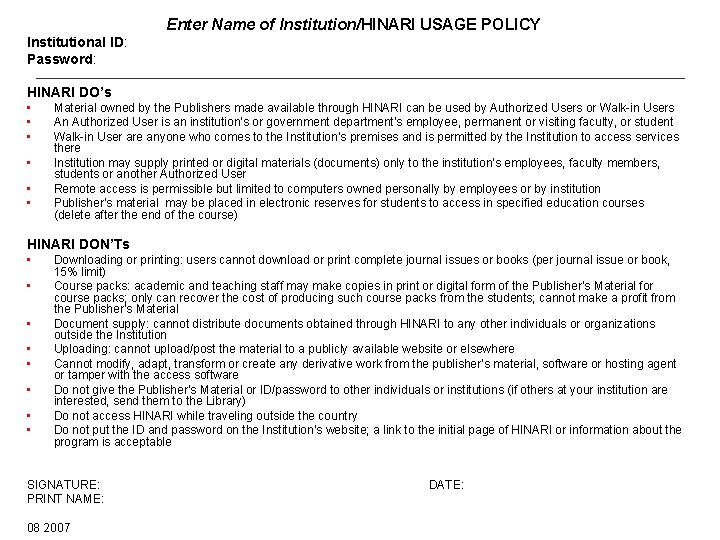
Enter Name of Institution/HINARI USAGE POLICY Institutional ID: Password: HINARI DO’s • • • Material owned by the Publishers made available through HINARI can be used by Authorized Users or Walk-in Users An Authorized User is an institution’s or government department’s employee, permanent or visiting faculty, or student Walk-in User are anyone who comes to the Institution’s premises and is permitted by the Institution to access services there Institution may supply printed or digital materials (documents) only to the institution’s employees, faculty members, students or another Authorized User Remote access is permissible but limited to computers owned personally by employees or by institution Publisher’s material may be placed in electronic reserves for students to access in specified education courses (delete after the end of the course) HINARI DON’Ts • • Downloading or printing: users cannot download or print complete journal issues or books (per journal issue or book, 15% limit) Course packs: academic and teaching staff may make copies in print or digital form of the Publisher’s Material for course packs; only can recover the cost of producing such course packs from the students; cannot make a profit from the Publisher’s Material Document supply: cannot distribute documents obtained through HINARI to any other individuals or organizations outside the Institution Uploading: cannot upload/post the material to a publicly available website or elsewhere Cannot modify, adapt, transform or create any derivative work from the publisher’s material, software or hosting agent or tamper with the access software Do not give the Publisher’s Material or ID/password to other individuals or institutions (if others at your institution are interested, send them to the Library) Do not access HINARI while traveling outside the country Do not put the ID and password on the Institution’s website; a link to the initial page of HINARI or information about the program is acceptable SIGNATURE: PRINT NAME: 08 2007 DATE: