
High Speed Sequential IO on Windows NT 4
- Slides: 68
High Speed Sequential IO on Windows NT™ 4. 0 (sp 3) Erik Riedel (of CMU) Catharine van Ingen Jim Gray http: //Research. Microsoft. com/BARC/Sequential_IO/
Outline • Intro/Overview • Disk background, technology trends • Measurements of Sequential IO – Single disk (temp, buffered, unbuffered, deep) – Multiple disks and busses – RAID – Pitfalls • Summary
We Got a Lot of Help • Brad Waters, Wael Bahaa-El-Din, and Maurice Franklin Shared experience, results, tools, and hardware lab. Helped us understand NT Feedback on our preliminary measurements • • Tom Barclay iostress benchmark program Barry Nolte & Mike Parkes allocate issues Doug Treuting, Steve Mattos + Adaptec SCSI and Adaptec device drivers Bill Courtright, Stan Skelton, Richard Vanderbilt, Mark Regester loanded us a Symbios Logic array, host adapters, and r expertise. . • Will Dahli : helped us understand NT configuration and measurement. • Joe Barrera & Don Slutz & Felipe Cabrera valuable comments, feedback and helped in understanding NTFS internals. • David Solomon: Inside Windows NT 2 nd edition draft
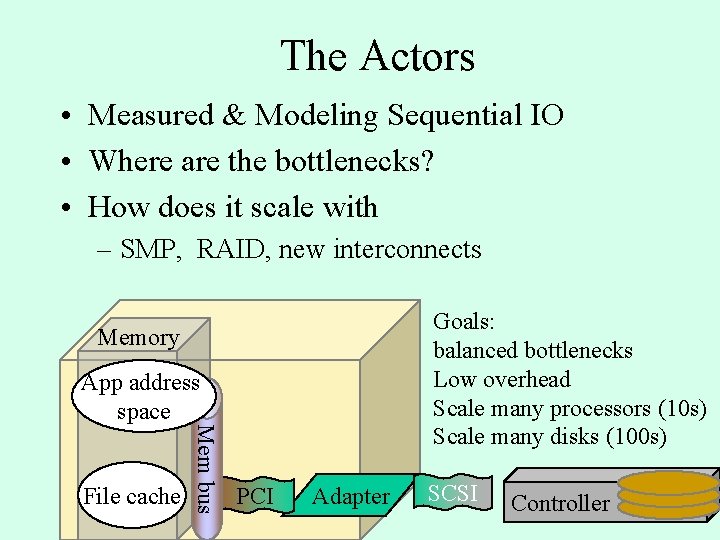
The Actors • Measured & Modeling Sequential IO • Where are the bottlenecks? • How does it scale with – SMP, RAID, new interconnects Goals: balanced bottlenecks Low overhead Scale many processors (10 s) Scale many disks (100 s) Memory File cache Mem bus App address space PCI Adapter SCSI Controller
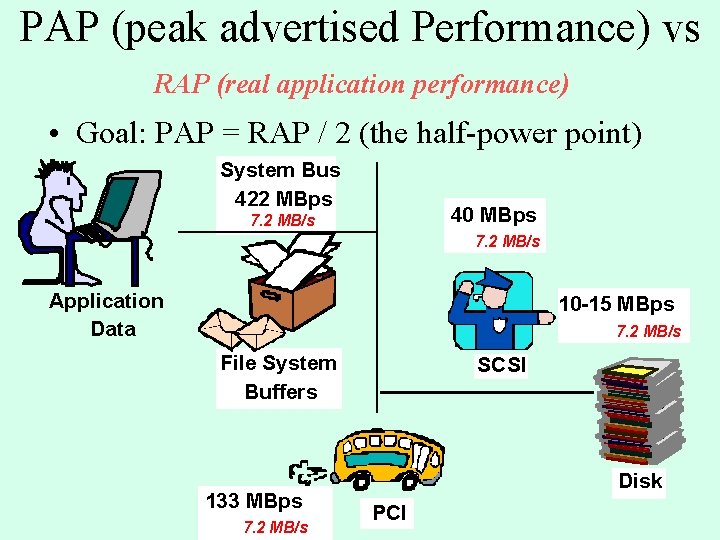
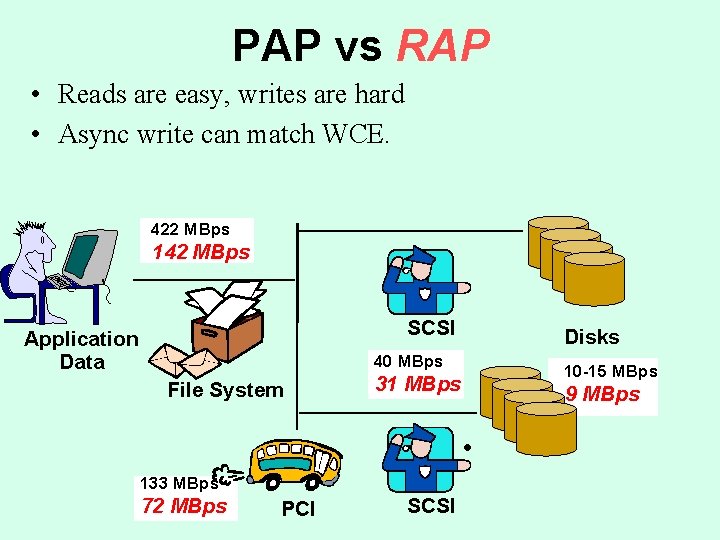
PAP (peak advertised Performance) vs RAP (real application performance) • Goal: PAP = RAP / 2 (the half-power point) System Bus 422 MBps 40 MBps 7. 2 MB/s Application Data 10 -15 MBps 7. 2 MB/s File System Buffers 133 MBps 7. 2 MB/s SCSI Disk PCI
Outline • Intro/Overview • Disk background, technology trends • Measurements of Sequential IO – Single disk (temp, buffered, unbuffered, deep) – Multiple disks and busses – RAID – Pitfalls • Summary
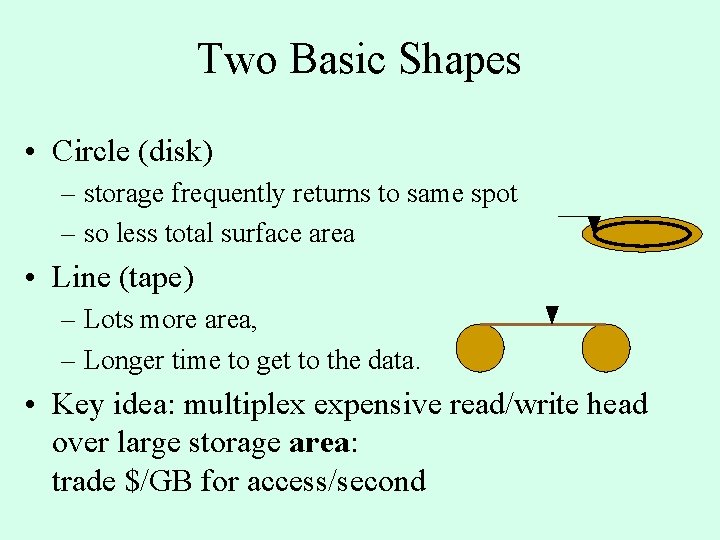
Two Basic Shapes • Circle (disk) – storage frequently returns to same spot – so less total surface area • Line (tape) – Lots more area, – Longer time to get to the data. • Key idea: multiplex expensive read/write head over large storage area: trade $/GB for access/second
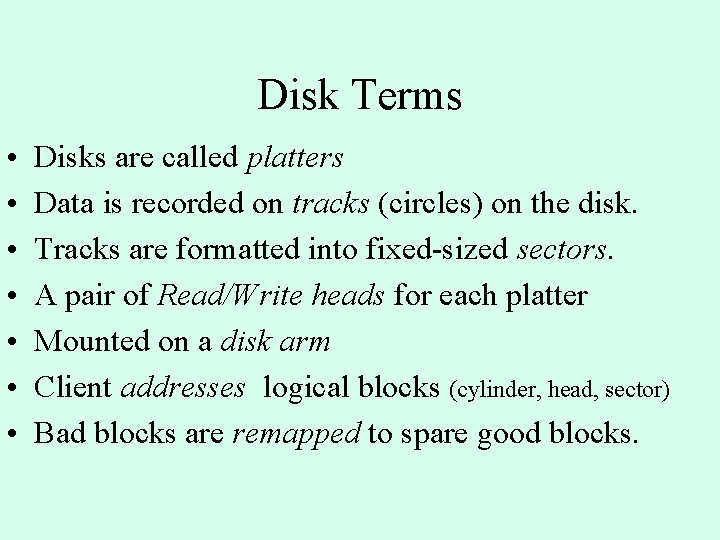
Disk Terms • • Disks are called platters Data is recorded on tracks (circles) on the disk. Tracks are formatted into fixed-sized sectors. A pair of Read/Write heads for each platter Mounted on a disk arm Client addresses logical blocks (cylinder, head, sector) Bad blocks are remapped to spare good blocks.
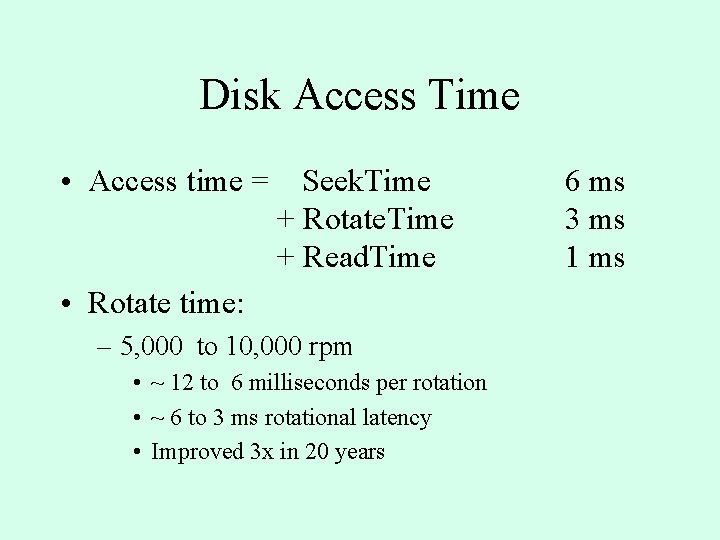
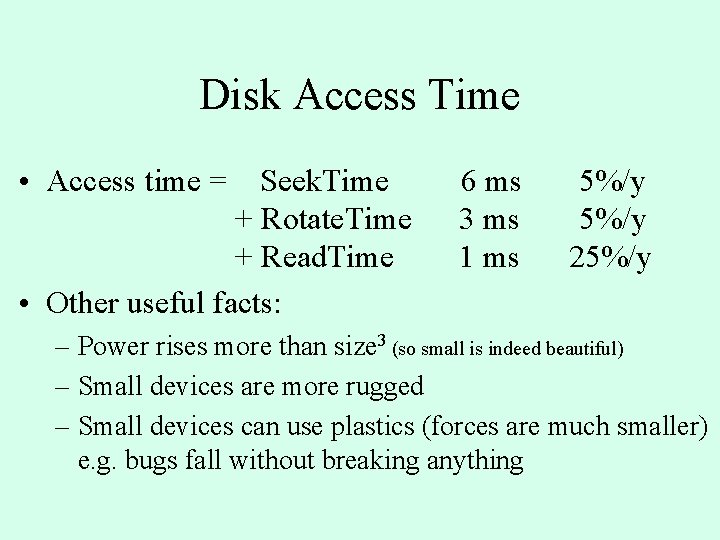
Disk Access Time • Access time = Seek. Time + Rotate. Time + Read. Time • Rotate time: – 5, 000 to 10, 000 rpm • ~ 12 to 6 milliseconds per rotation • ~ 6 to 3 ms rotational latency • Improved 3 x in 20 years 6 ms 3 ms 1 ms
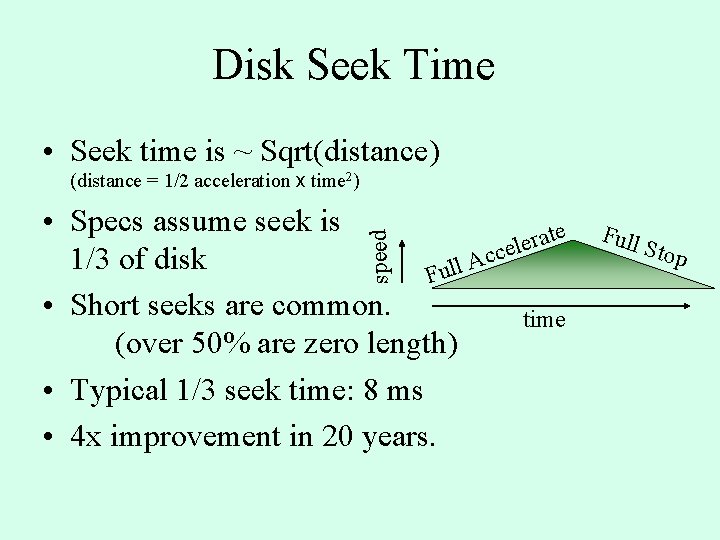
Disk Seek Time • Seek time is ~ Sqrt(distance) (distance = 1/2 acceleration x time 2) speed • Specs assume seek is e t a r e l e c c 1/3 of disk A l l u F • Short seeks are common. time (over 50% are zero length) • Typical 1/3 seek time: 8 ms • 4 x improvement in 20 years. Full Stop
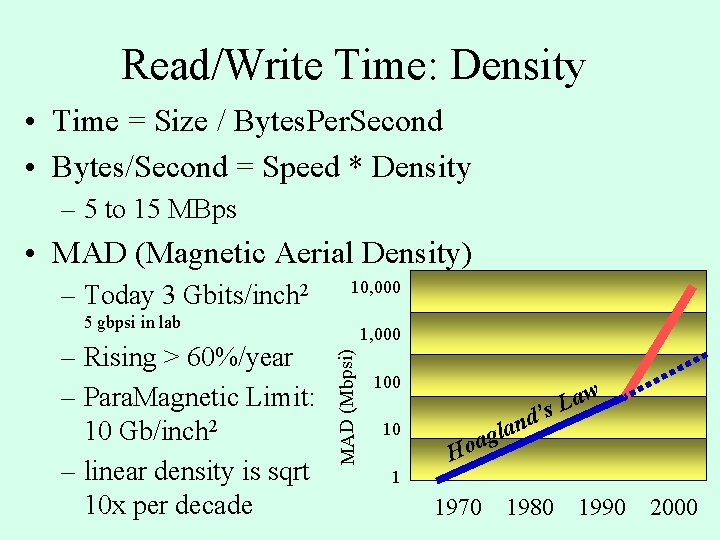
Read/Write Time: Density • Time = Size / Bytes. Per. Second • Bytes/Second = Speed * Density – 5 to 15 MBps • MAD (Magnetic Aerial Density) – Today 3 Gbits/inch 2 10, 000 5 gbpsi in lab MAD (Mbpsi) – Rising > 60%/year – Para. Magnetic Limit: 10 Gb/inch 2 – linear density is sqrt 10 x per decade 1, 000 10 aw L ’s Ho nd a l ag 1 1970 1980 1990 2000
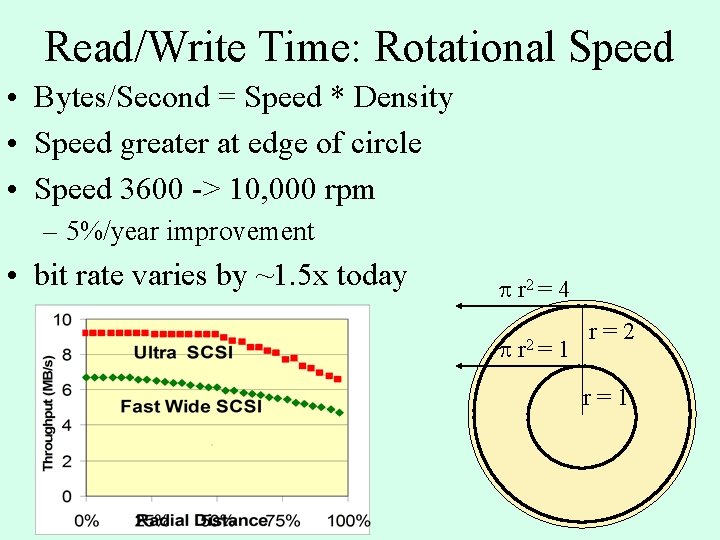
Read/Write Time: Rotational Speed • Bytes/Second = Speed * Density • Speed greater at edge of circle • Speed 3600 -> 10, 000 rpm – 5%/year improvement • bit rate varies by ~1. 5 x today p r 2 = 4 p r 2 = 1 r=2 r=1
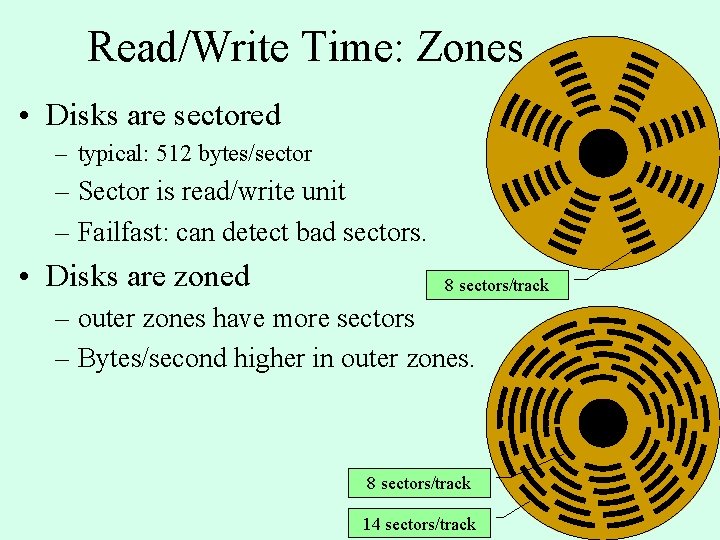
Read/Write Time: Zones • Disks are sectored – typical: 512 bytes/sector – Sector is read/write unit – Failfast: can detect bad sectors. • Disks are zoned 8 sectors/track – outer zones have more sectors – Bytes/second higher in outer zones. 8 sectors/track 14 sectors/track
Disk Access Time • Access time = Seek. Time + Rotate. Time + Read. Time • Other useful facts: 6 ms 3 ms 1 ms 5%/y 25%/y – Power rises more than size 3 (so small is indeed beautiful) – Small devices are more rugged – Small devices can use plastics (forces are much smaller) e. g. bugs fall without breaking anything
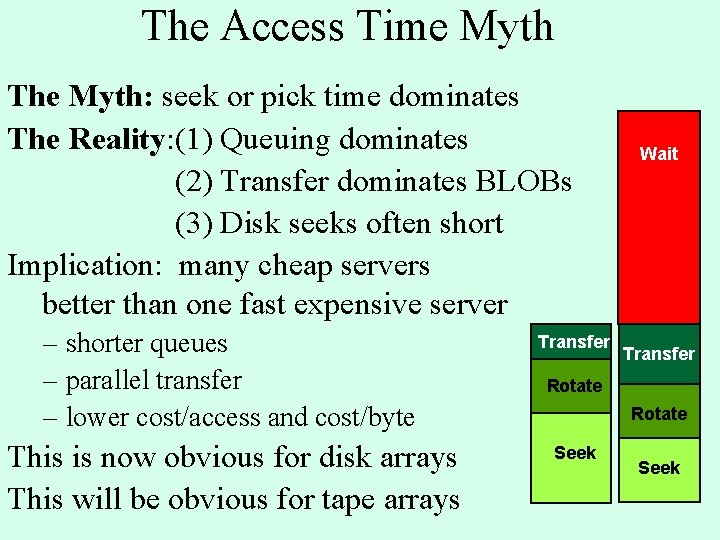
The Access Time Myth The Myth: seek or pick time dominates The Reality: (1) Queuing dominates (2) Transfer dominates BLOBs (3) Disk seeks often short Implication: many cheap servers better than one fast expensive server – shorter queues – parallel transfer – lower cost/access and cost/byte Transfer This is now obvious for disk arrays This will be obvious for tape arrays Seek Wait Transfer Rotate Seek
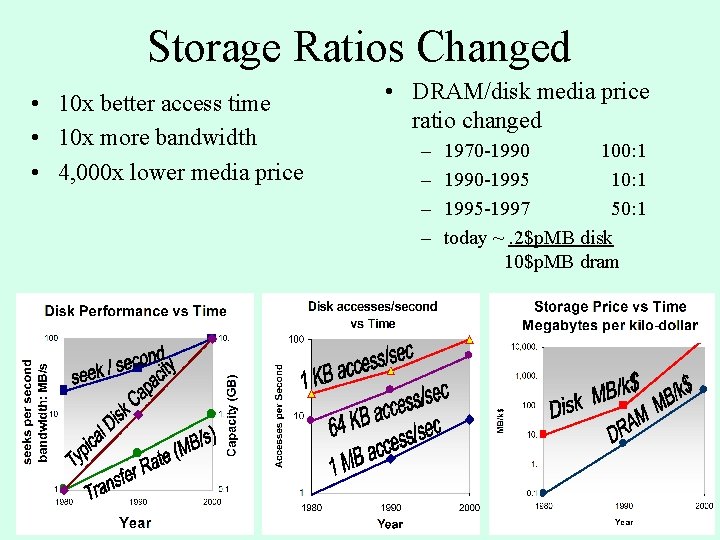
Storage Ratios Changed • 10 x better access time • 10 x more bandwidth • 4, 000 x lower media price • DRAM/disk media price ratio changed – – 1970 -1990 100: 1 1990 -1995 10: 1 1995 -1997 50: 1 today ~. 2$p. MB disk 10$p. MB dram
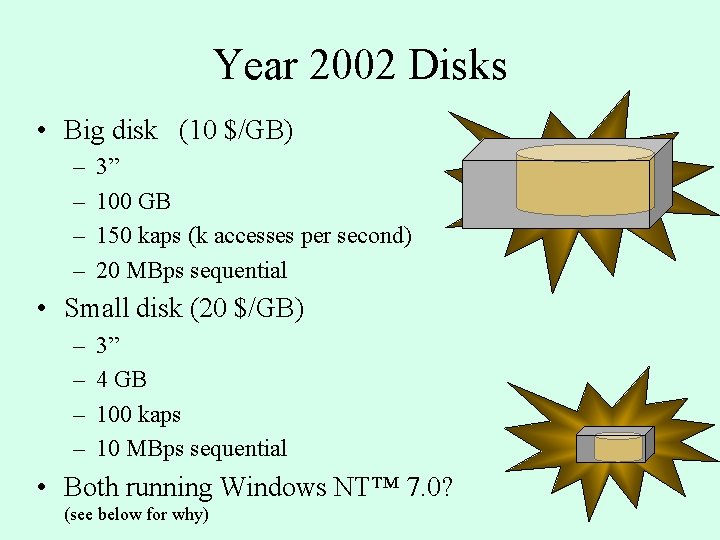
Year 2002 Disks • Big disk (10 $/GB) – – 3” 100 GB 150 kaps (k accesses per second) 20 MBps sequential • Small disk (20 $/GB) – – 3” 4 GB 100 kaps 10 MBps sequential • Both running Windows NT™ 7. 0? (see below for why)
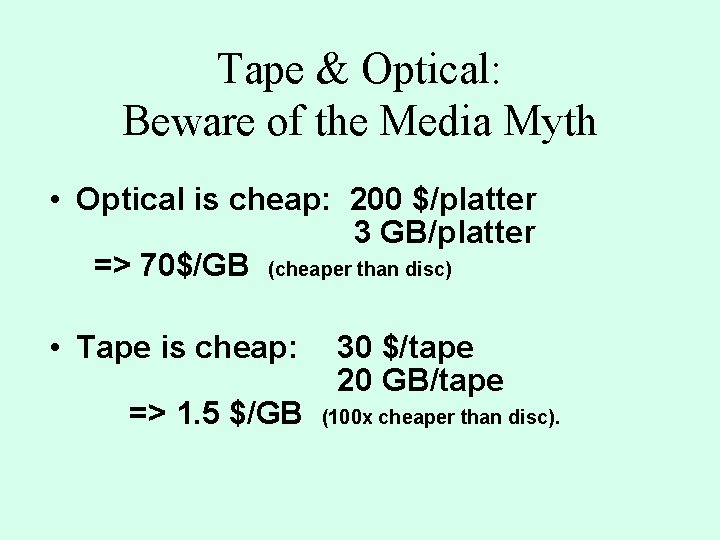
Tape & Optical: Beware of the Media Myth • Optical is cheap: 200 $/platter 3 GB/platter => 70$/GB (cheaper than disc) • Tape is cheap: => 1. 5 $/GB 30 $/tape 20 GB/tape (100 x cheaper than disc).
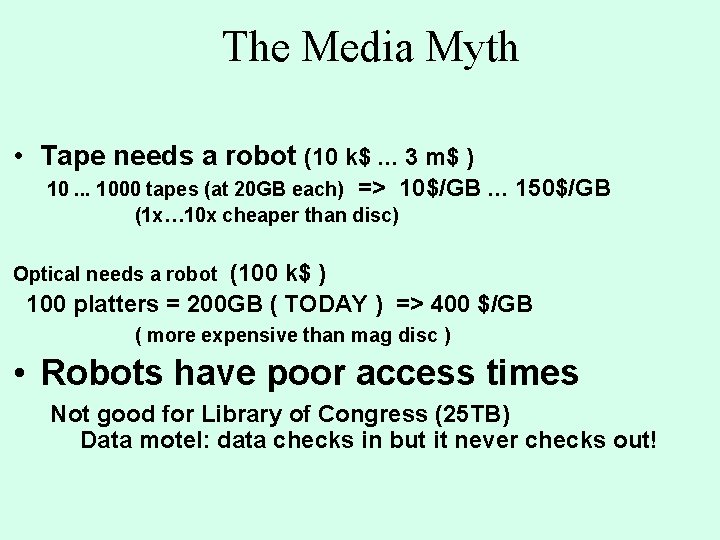
The Media Myth • Tape needs a robot (10 k$. . . 3 m$ ) 10. . . 1000 tapes (at 20 GB each) => 10$/GB (1 x… 10 x cheaper than disc) . . . 150$/GB (100 k$ ) 100 platters = 200 GB ( TODAY ) => 400 $/GB Optical needs a robot ( more expensive than mag disc ) • Robots have poor access times Not good for Library of Congress (25 TB) Data motel: data checks in but it never checks out!
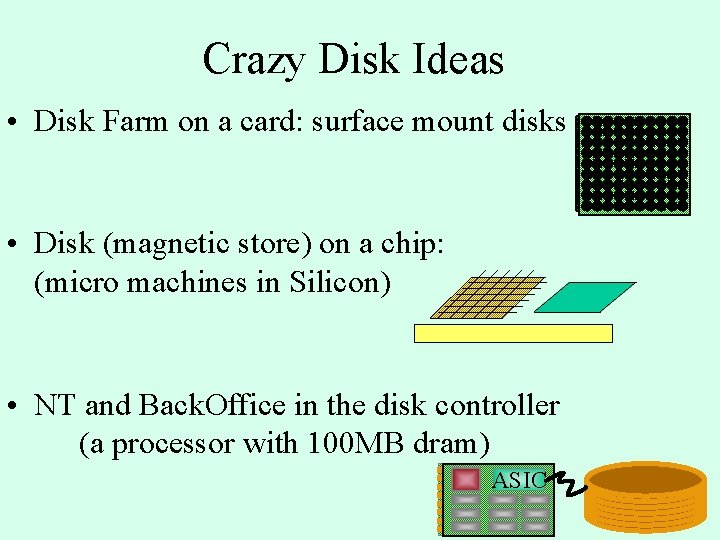
Crazy Disk Ideas • Disk Farm on a card: surface mount disks • Disk (magnetic store) on a chip: (micro machines in Silicon) • NT and Back. Office in the disk controller (a processor with 100 MB dram) ASIC
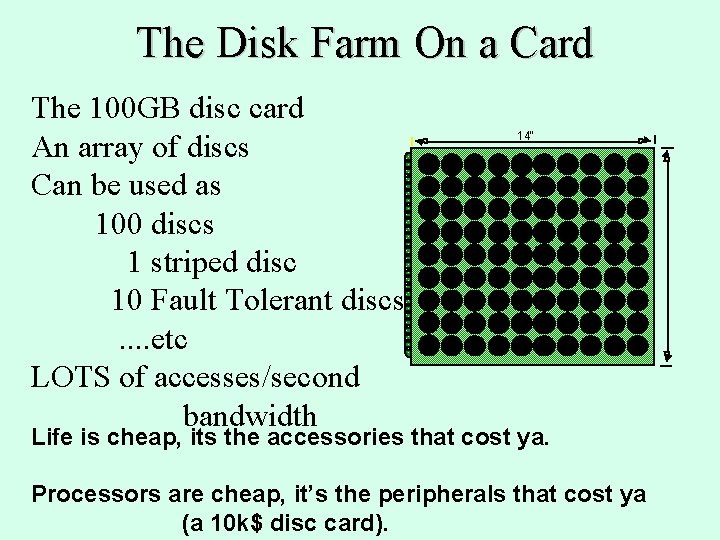
The Disk Farm On a Card The 100 GB disc card An array of discs Can be used as 100 discs 1 striped disc 10 Fault Tolerant discs. . etc LOTS of accesses/second bandwidth 14" Life is cheap, its the accessories that cost ya. Processors are cheap, it’s the peripherals that cost ya (a 10 k$ disc card).
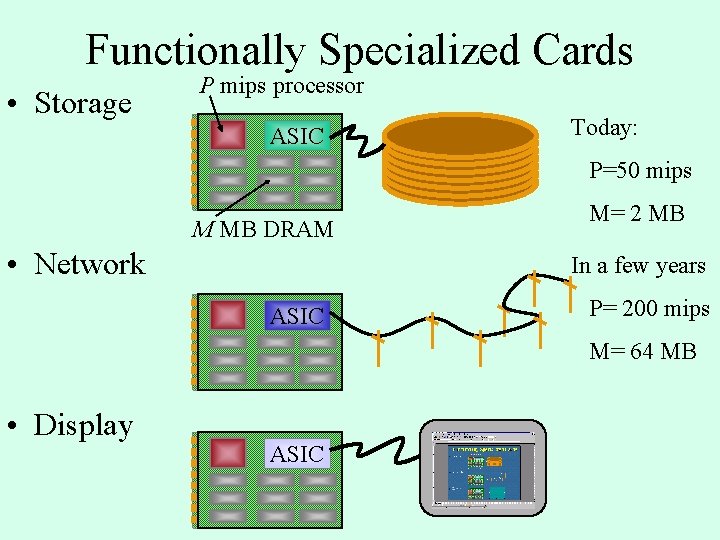
Functionally Specialized Cards • Storage P mips processor ASIC Today: P=50 mips M MB DRAM • Network M= 2 MB In a few years ASIC P= 200 mips M= 64 MB • Display ASIC
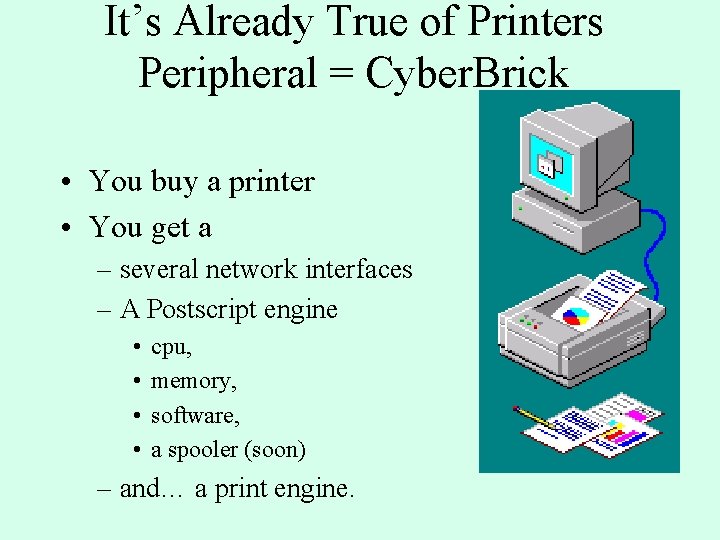
It’s Already True of Printers Peripheral = Cyber. Brick • You buy a printer • You get a – several network interfaces – A Postscript engine • • cpu, memory, software, a spooler (soon) – and… a print engine.
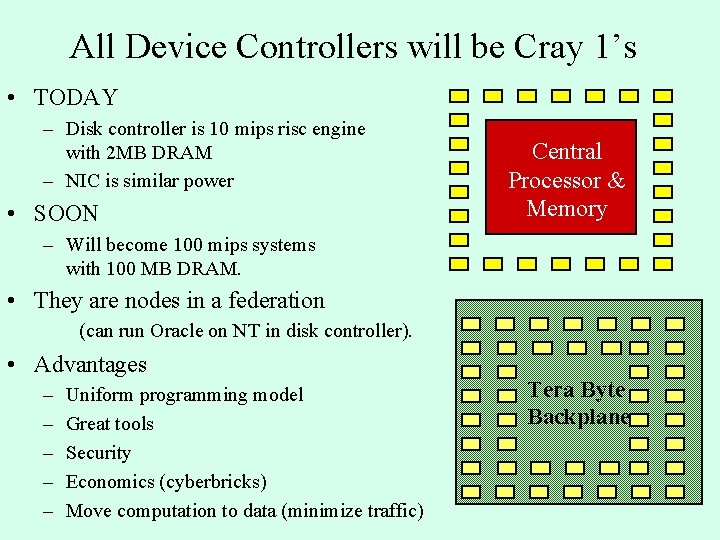
All Device Controllers will be Cray 1’s • TODAY – Disk controller is 10 mips risc engine with 2 MB DRAM – NIC is similar power • SOON Central Processor & Memory – Will become 100 mips systems with 100 MB DRAM. • They are nodes in a federation (can run Oracle on NT in disk controller). • Advantages – – – Uniform programming model Great tools Security Economics (cyberbricks) Move computation to data (minimize traffic) Tera Byte Backplane
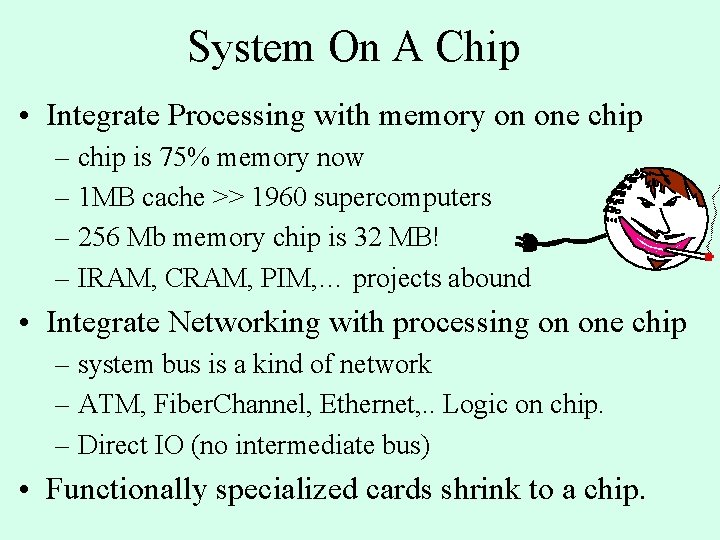
System On A Chip • Integrate Processing with memory on one chip – chip is 75% memory now – 1 MB cache >> 1960 supercomputers – 256 Mb memory chip is 32 MB! – IRAM, CRAM, PIM, … projects abound • Integrate Networking with processing on one chip – system bus is a kind of network – ATM, Fiber. Channel, Ethernet, . . Logic on chip. – Direct IO (no intermediate bus) • Functionally specialized cards shrink to a chip.
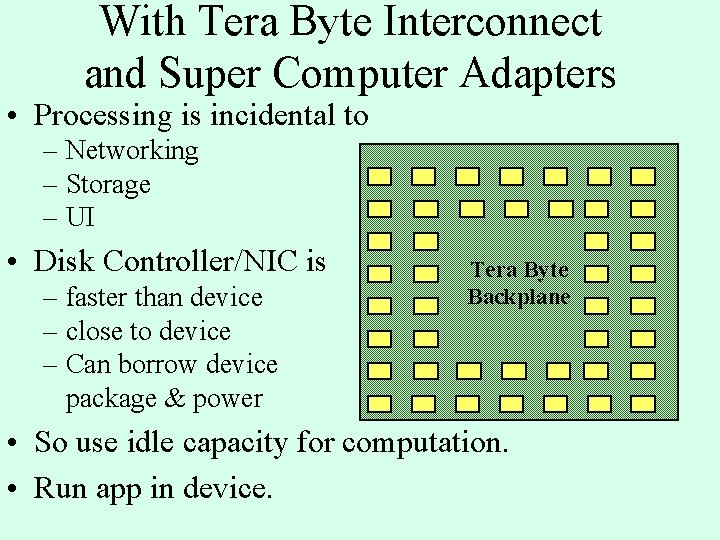
With Tera Byte Interconnect and Super Computer Adapters • Processing is incidental to – Networking – Storage – UI • Disk Controller/NIC is – faster than device – close to device – Can borrow device package & power Tera Byte Backplane • So use idle capacity for computation. • Run app in device.
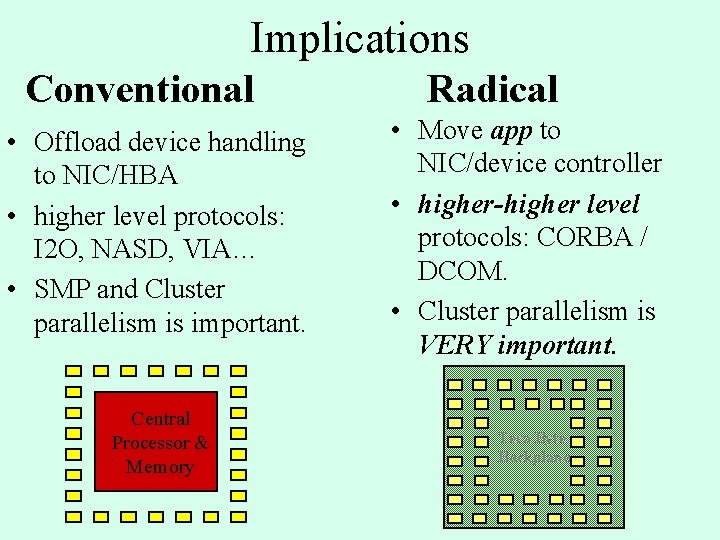
Implications Conventional • Offload device handling to NIC/HBA • higher level protocols: I 2 O, NASD, VIA… • SMP and Cluster parallelism is important. Central Processor & Memory Radical • Move app to NIC/device controller • higher-higher level protocols: CORBA / DCOM. • Cluster parallelism is VERY important. Tera Byte Backplane
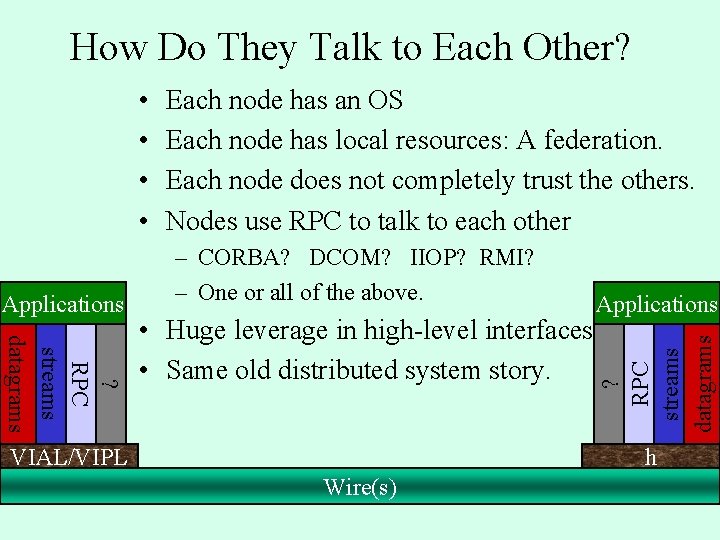
How Do They Talk to Each Other? • • – CORBA? DCOM? IIOP? RMI? – One or all of the above. Applications ? RPC streams datagrams • Huge leverage in high-level interfaces. • Same old distributed system story. ? RPC streams datagrams Applications Each node has an OS Each node has local resources: A federation. Each node does not completely trust the others. Nodes use RPC to talk to each other VIAL/VIPL h Wire(s)
Will He Ever Get to The Point? • I thought this was about NTFS sequential IO. • Why is he telling me all this other crap? It is relevant background
Outline • Intro/Overview • Disk background, technology trends • Measurements of Sequential IO – Single disk (temp, buffered, unbuffered, deep) – Multiple disks and busses – RAID – Pitfalls • Summary
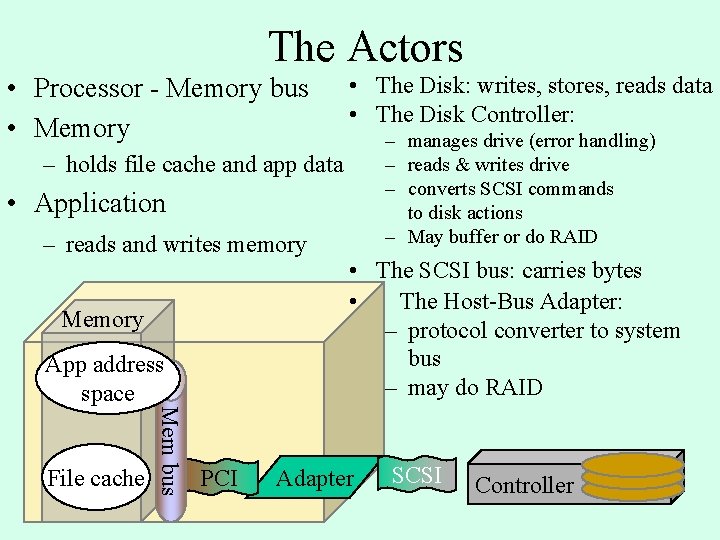
The Actors • Processor - Memory bus • Memory • The Disk: writes, stores, reads data • The Disk Controller: – manages drive (error handling) – reads & writes drive – converts SCSI commands to disk actions – May buffer or do RAID – holds file cache and app data • Application – reads and writes memory Memory File cache Mem bus App address space PCI • The SCSI bus: carries bytes • The Host-Bus Adapter: – protocol converter to system bus – may do RAID Adapter SCSI Controller
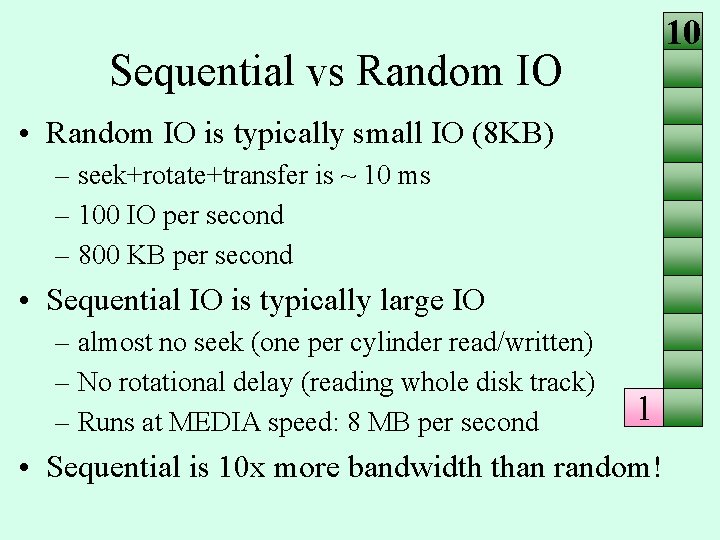
10 Sequential vs Random IO • Random IO is typically small IO (8 KB) – seek+rotate+transfer is ~ 10 ms – 100 IO per second – 800 KB per second • Sequential IO is typically large IO – almost no seek (one per cylinder read/written) – No rotational delay (reading whole disk track) – Runs at MEDIA speed: 8 MB per second 1 • Sequential is 10 x more bandwidth than random!
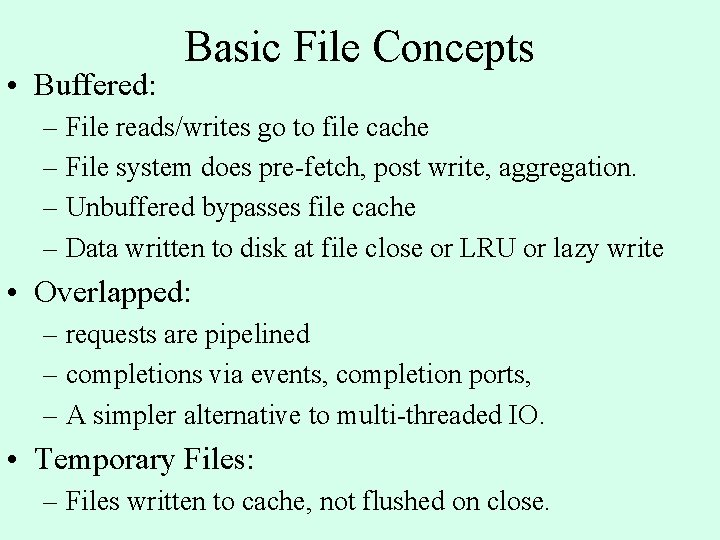
• Buffered: Basic File Concepts – File reads/writes go to file cache – File system does pre-fetch, post write, aggregation. – Unbuffered bypasses file cache – Data written to disk at file close or LRU or lazy write • Overlapped: – requests are pipelined – completions via events, completion ports, – A simpler alternative to multi-threaded IO. • Temporary Files: – Files written to cache, not flushed on close.
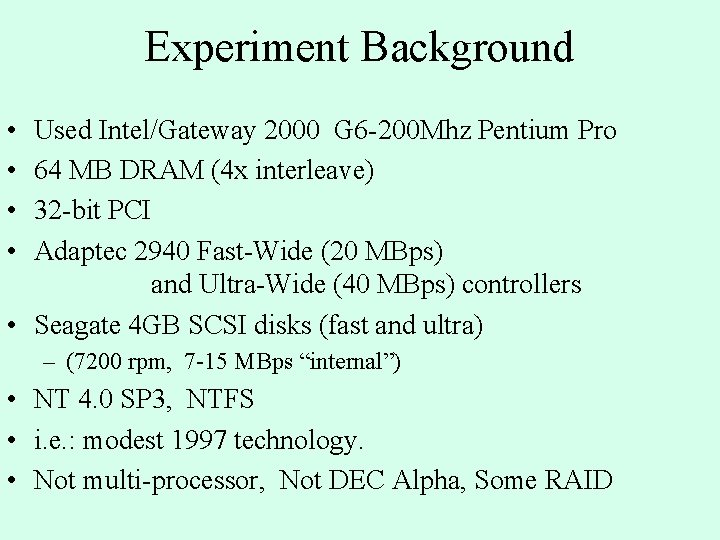
Experiment Background • • Used Intel/Gateway 2000 G 6 -200 Mhz Pentium Pro 64 MB DRAM (4 x interleave) 32 -bit PCI Adaptec 2940 Fast-Wide (20 MBps) and Ultra-Wide (40 MBps) controllers • Seagate 4 GB SCSI disks (fast and ultra) – (7200 rpm, 7 -15 MBps “internal”) • NT 4. 0 SP 3, NTFS • i. e. : modest 1997 technology. • Not multi-processor, Not DEC Alpha, Some RAID
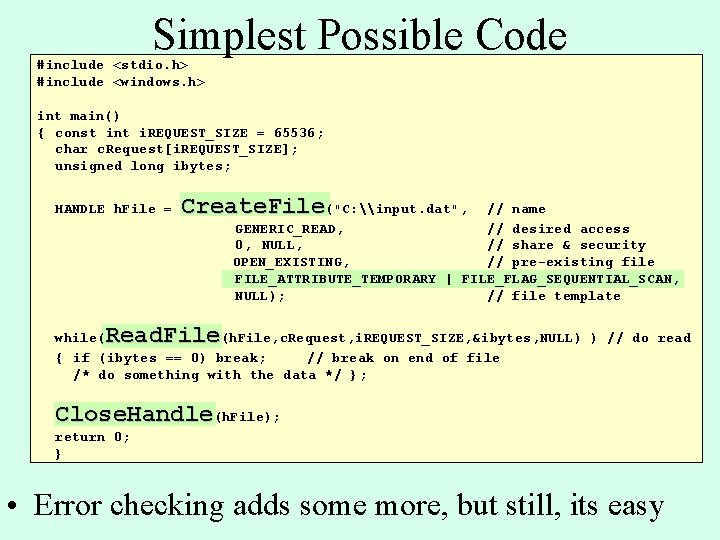
Simplest Possible Code #include <stdio. h> #include <windows. h> int main() { const int i. REQUEST_SIZE = 65536; char c. Request[i. REQUEST_SIZE]; unsigned long ibytes; HANDLE h. File = Create. File("C: \input. dat", // name GENERIC_READ, // desired access 0, NULL, // share & security OPEN_EXISTING, // pre-existing file FILE_ATTRIBUTE_TEMPORARY | FILE_FLAG_SEQUENTIAL_SCAN, NULL); // file template Read. File while( (h. File, c. Request, i. REQUEST_SIZE, &ibytes, NULL) ) // do read { if (ibytes == 0) break; // break on end of file /* do something with the data */ }; Close. Handle(h. File); return 0; } • Error checking adds some more, but still, its easy
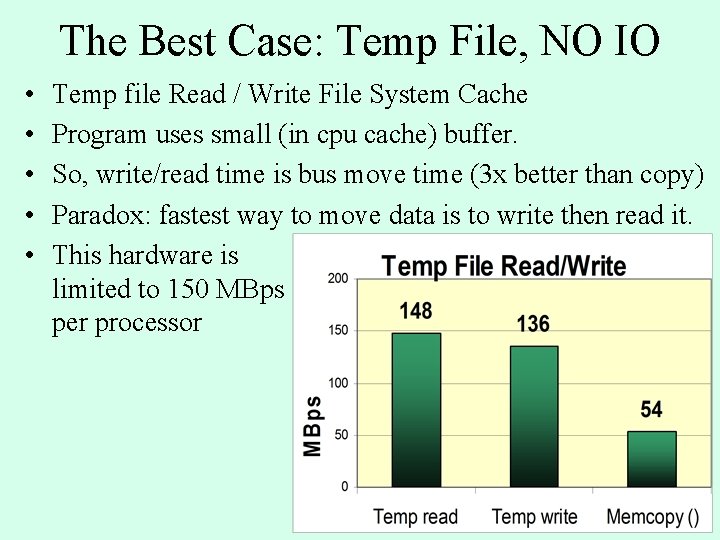
The Best Case: Temp File, NO IO • • • Temp file Read / Write File System Cache Program uses small (in cpu cache) buffer. So, write/read time is bus move time (3 x better than copy) Paradox: fastest way to move data is to write then read it. This hardware is limited to 150 MBps per processor
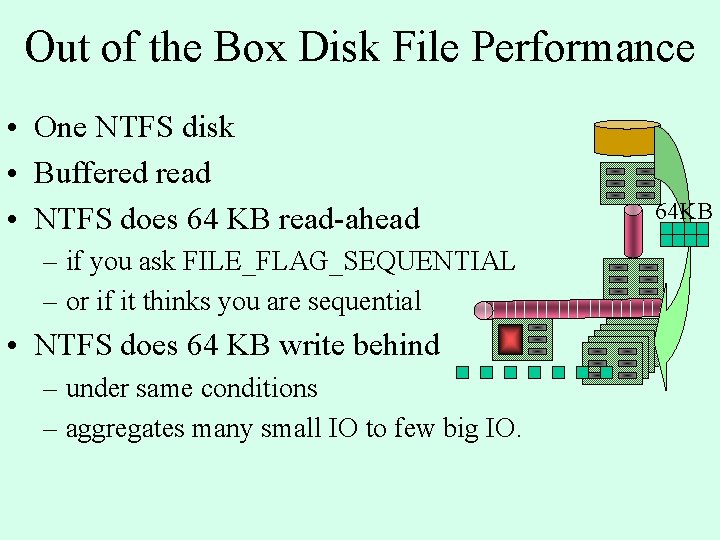
Out of the Box Disk File Performance • One NTFS disk • Buffered read • NTFS does 64 KB read-ahead – if you ask FILE_FLAG_SEQUENTIAL – or if it thinks you are sequential • NTFS does 64 KB write behind – under same conditions – aggregates many small IO to few big IO. 64 KB
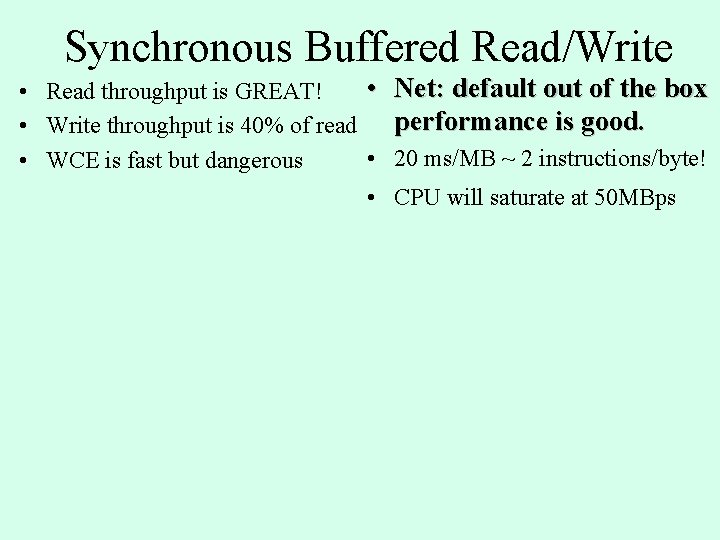
Synchronous Buffered Read/Write • Net: default out of the box • Read throughput is GREAT! performance is good. • Write throughput is 40% of read • 20 ms/MB ~ 2 instructions/byte! • WCE is fast but dangerous • CPU will saturate at 50 MBps
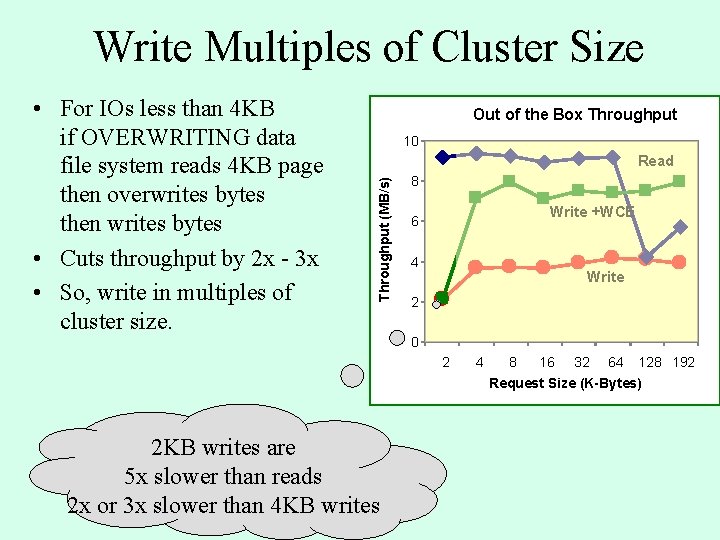
Write Multiples of Cluster Size Out of the Box Throughput 10 Read Throughput (MB/s) • For IOs less than 4 KB if OVERWRITING data file system reads 4 KB page then overwrites bytes then writes bytes • Cuts throughput by 2 x - 3 x • So, write in multiples of cluster size. 8 Write +WCE 6 4 Write 2 0 2 4 8 16 32 64 128 192 Request Size (K-Bytes) 2 KB writes are 5 x slower than reads 2 x or 3 x slower than 4 KB writes
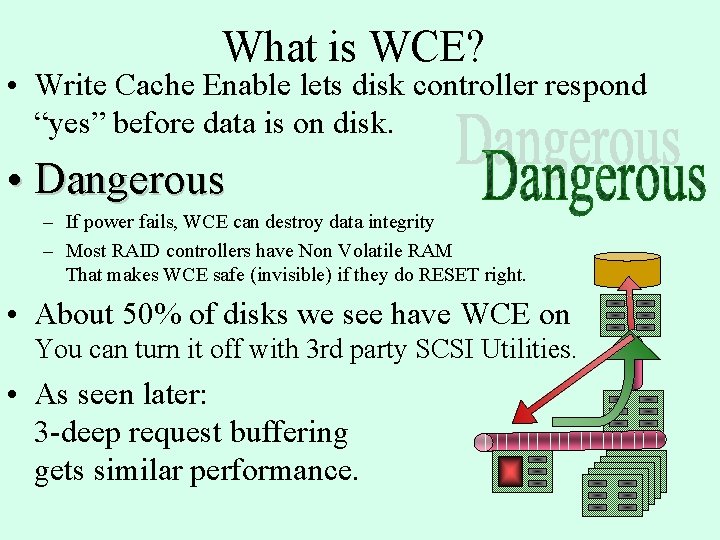
What is WCE? • Write Cache Enable lets disk controller respond “yes” before data is on disk. • Dangerous – If power fails, WCE can destroy data integrity – Most RAID controllers have Non Volatile RAM That makes WCE safe (invisible) if they do RESET right. • About 50% of disks we see have WCE on You can turn it off with 3 rd party SCSI Utilities. • As seen later: 3 -deep request buffering gets similar performance.
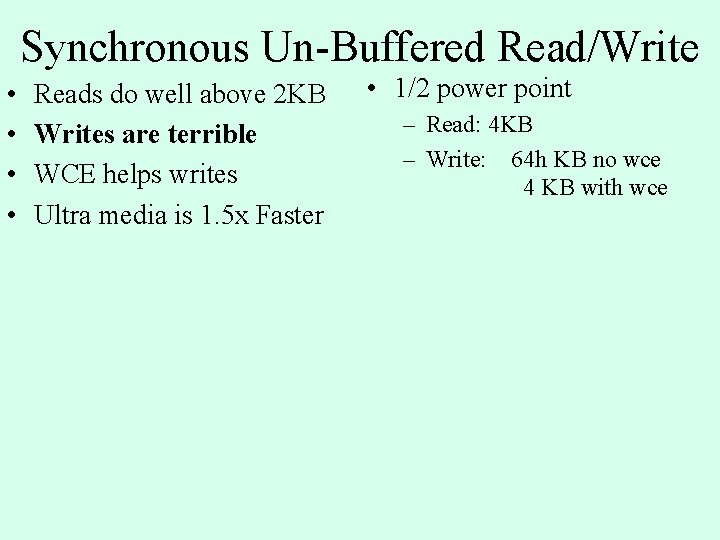
Synchronous Un-Buffered Read/Write • • Reads do well above 2 KB Writes are terrible WCE helps writes Ultra media is 1. 5 x Faster • 1/2 power point – Read: 4 KB – Write: 64 h KB no wce 4 KB with wce
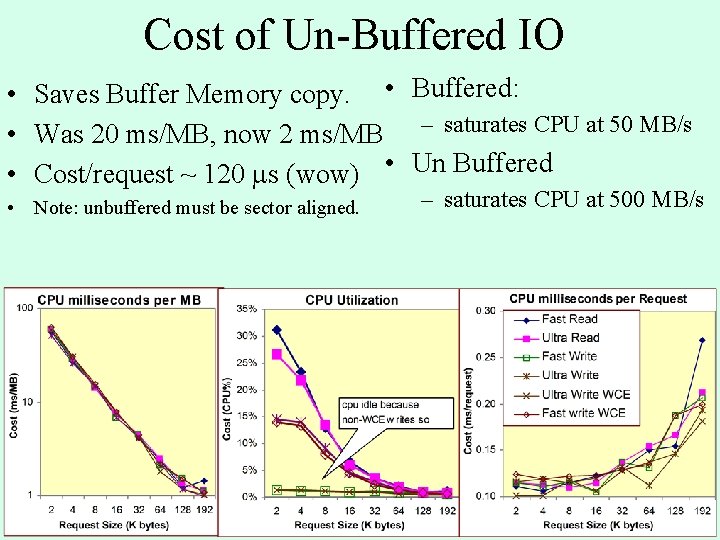
Cost of Un-Buffered IO • Saves Buffer Memory copy. • Buffered: • Was 20 ms/MB, now 2 ms/MB – saturates CPU at 50 MB/s • Cost/request ~ 120 s (wow) • Un Buffered • Note: unbuffered must be sector aligned. – saturates CPU at 500 MB/s
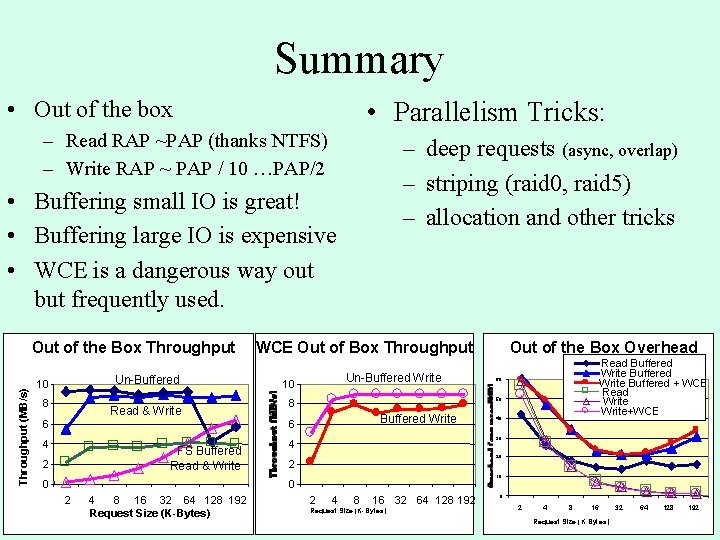
Summary • Out of the box • Parallelism Tricks: – Read RAP ~PAP (thanks NTFS) – Write RAP ~ PAP / 10 …PAP/2 – deep requests (async, overlap) – striping (raid 0, raid 5) – allocation and other tricks • Buffering small IO is great! • Buffering large IO is expensive • WCE is a dangerous way out but frequently used. Throughput (MB/s) Out of the Box Throughput Un-Buffered 10 8 Read & Write WCE Out of Box Throughput 6 4 4 2 0 Buffered Write 4 8 16 32 64 128 192 Request Size (K-Bytes) 60 40 30 20 2 10 0 2 Read Buffered Write Buffered + WCE Read Write+WCE 50 8 6 FS Buffered Read & Write Un-Buffered Write 10 Out of the Box Overhead 2 4 8 16 32 64 128 192 Request Size (K-Bytes) 0 2 4 8 16 Request Size (K Bytes) 32 64 128 192
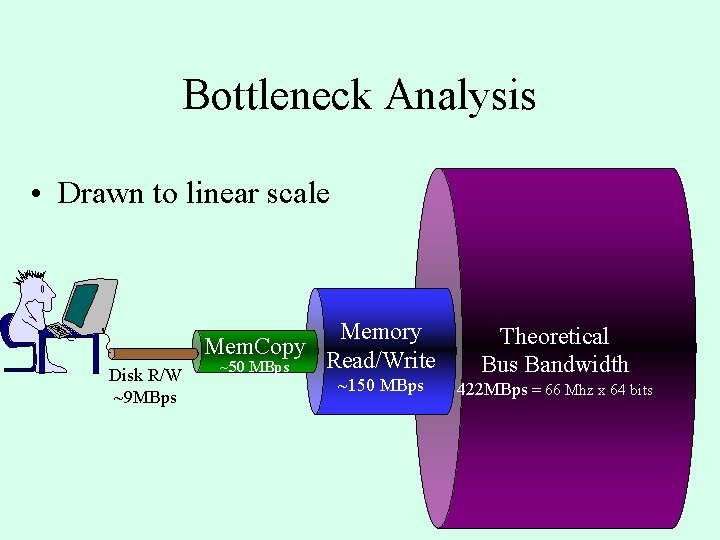
Bottleneck Analysis • Drawn to linear scale Disk R/W ~9 MBps Memory Mem. Copy Read/Write ~50 MBps ~150 MBps Theoretical Bus Bandwidth 422 MBps = 66 Mhz x 64 bits
Outline • Intro/Overview • Disk background, technology trends • Measurements of Sequential IO – Single disk (temp, buffered, unbuffered, deep) – Multiple disks and busses – RAID – Pitfalls • Summary
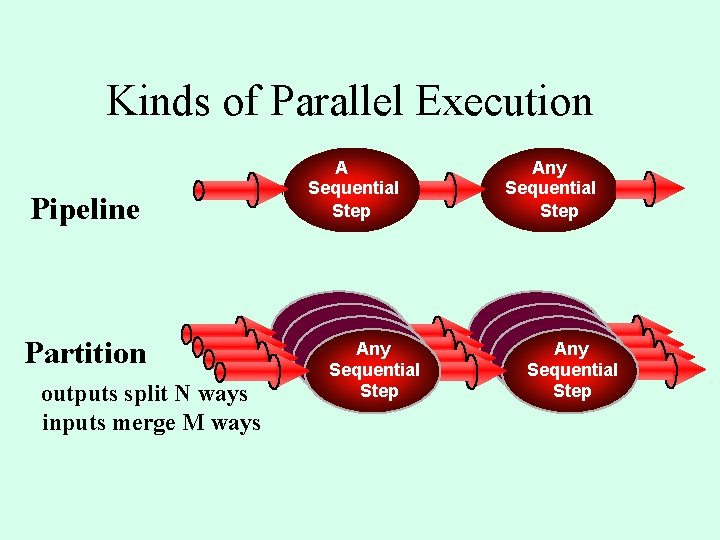
Kinds of Parallel Execution Pipeline Partition outputs split N ways inputs merge M ways A Sequential Step Sequential Any Sequential Step Any Sequential Step
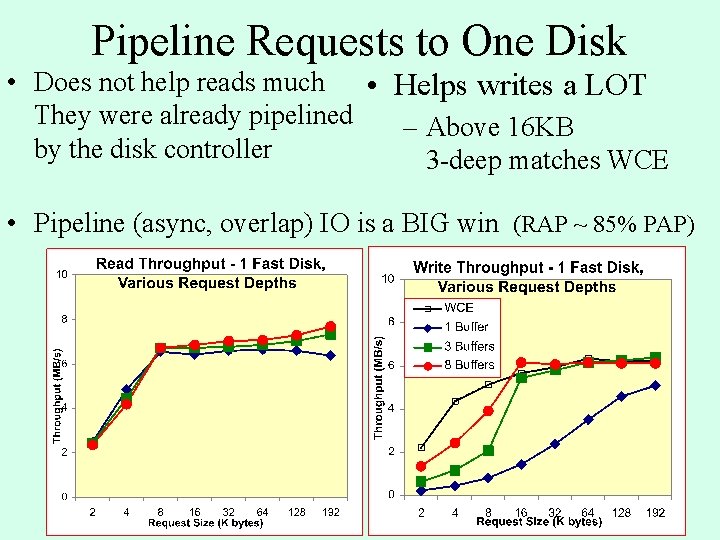
Pipeline Requests to One Disk • Does not help reads much • Helps writes a LOT They were already pipelined – Above 16 KB by the disk controller 3 -deep matches WCE • Pipeline (async, overlap) IO is a BIG win (RAP ~ 85% PAP)
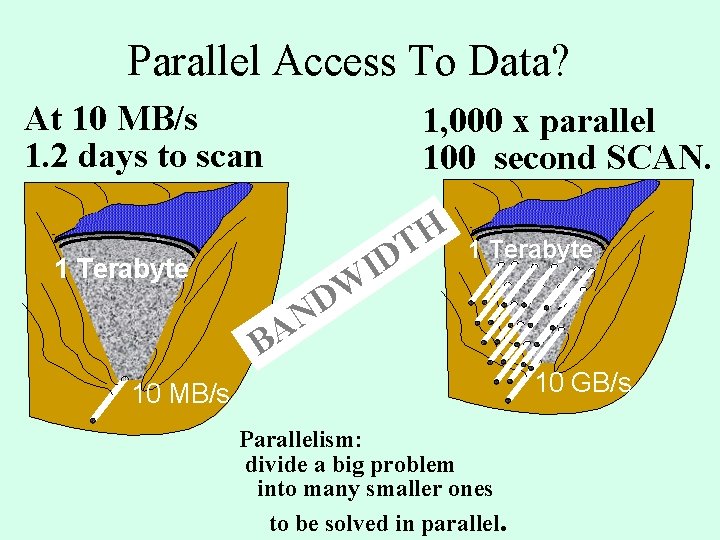
Parallel Access To Data? At 10 MB/s 1. 2 days to scan 1, 000 x parallel 100 second SCAN. I H T D 1 Terabyte N A B W D 1 Terabyte 10 GB/s 10 MB/s Parallelism: divide a big problem into many smaller ones to be solved in parallel.
Pipeline Access: Stripe Across 4 disks • Stripes NEED pipeline • 3 -deep is good enough • Saturate at 15 MBps • 8 -deep Pipeline matches WCE
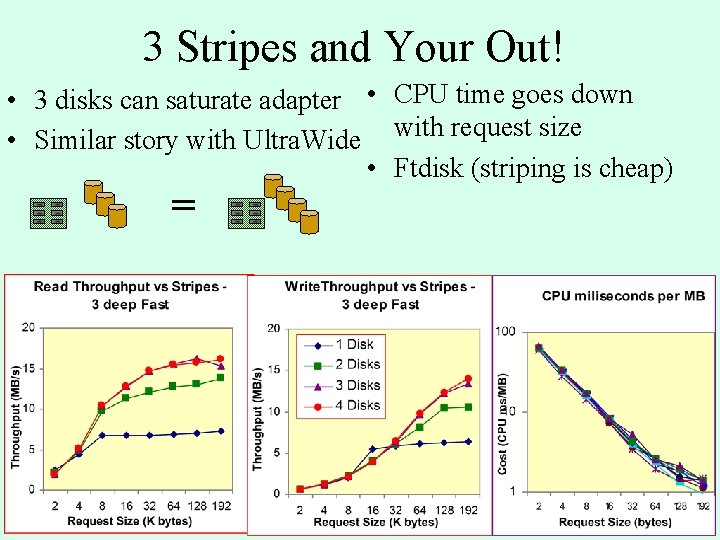
3 Stripes and Your Out! • 3 disks can saturate adapter • CPU time goes down • Similar story with Ultra. Wide with request size • Ftdisk (striping is cheap) =
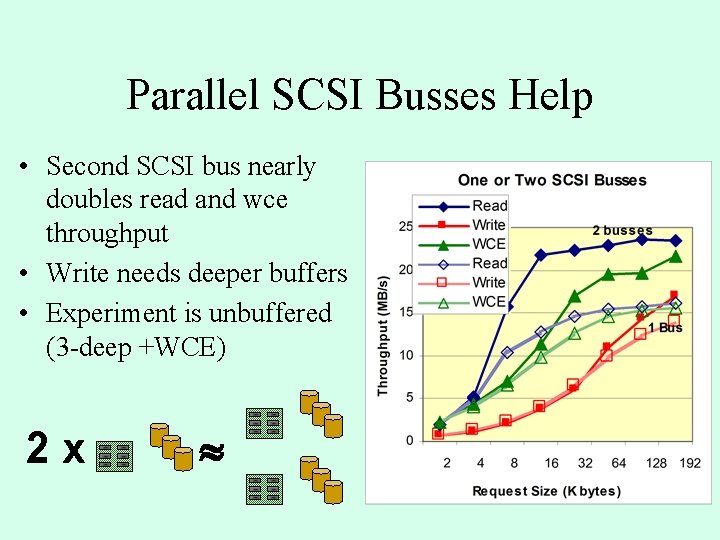
Parallel SCSI Busses Help • Second SCSI bus nearly doubles read and wce throughput • Write needs deeper buffers • Experiment is unbuffered (3 -deep +WCE) 2 x
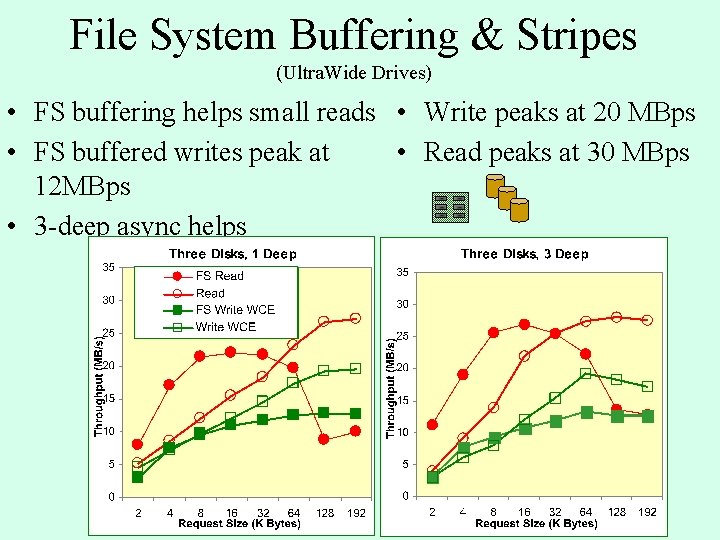
File System Buffering & Stripes (Ultra. Wide Drives) • FS buffering helps small reads • Write peaks at 20 MBps • Read peaks at 30 MBps • FS buffered writes peak at 12 MBps • 3 -deep async helps
PAP vs RAP • Reads are easy, writes are hard • Async write can match WCE. 422 MBps 142 MBps SCSI Application Data Disks 40 MBps File System 10 -15 MBps 31 MBps 9 MBps • 133 MBps 72 MBps PCI SCSI
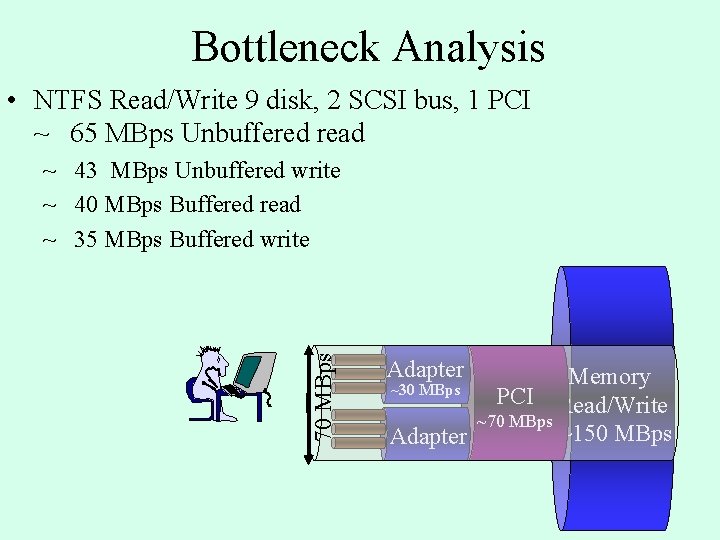
Bottleneck Analysis • NTFS Read/Write 9 disk, 2 SCSI bus, 1 PCI ~ 65 MBps Unbuffered read 70 MBps ~ 43 MBps Unbuffered write ~ 40 MBps Buffered read ~ 35 MBps Buffered write Adapter Memory PCI Read/Write ~70 MBps ~150 MBps Adapter ~30 MBps
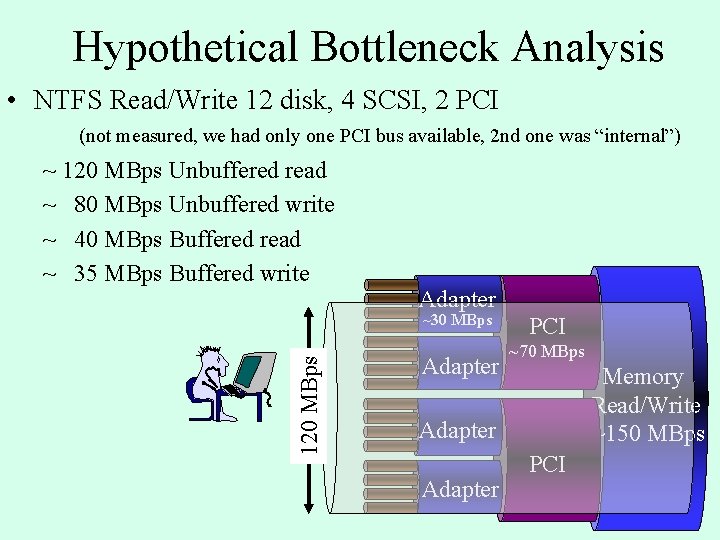
Hypothetical Bottleneck Analysis • NTFS Read/Write 12 disk, 4 SCSI, 2 PCI (not measured, we had only one PCI bus available, 2 nd one was “internal”) ~ 120 MBps Unbuffered read ~ 80 MBps Unbuffered write ~ 40 MBps Buffered read ~ 35 MBps Buffered write Adapter 120 MBps ~30 MBps Adapter PCI ~70 MBps Memory Read/Write ~150 MBps Adapter PCI
Outline • Intro/Overview • Disk background, technology trends • Measurements of Sequential IO – Single disk (temp, buffered, unbuffered, deep) – Multiple disks and busses – RAID – Pitfalls • Summary
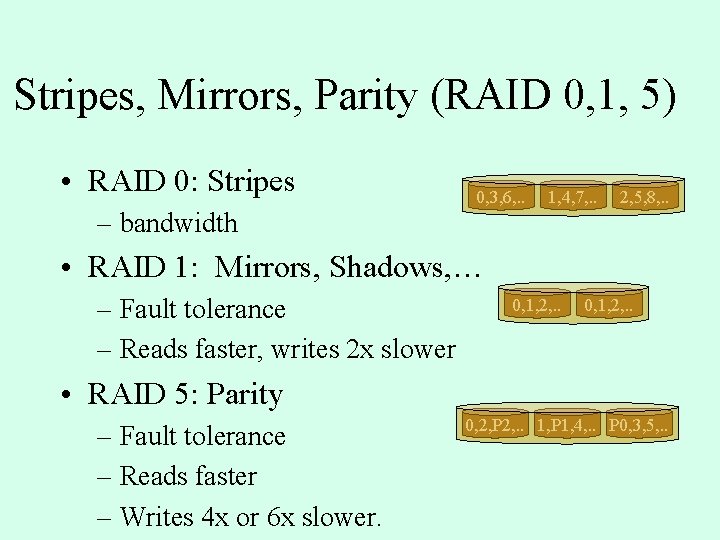
Stripes, Mirrors, Parity (RAID 0, 1, 5) • RAID 0: Stripes – bandwidth 0, 3, 6, . . 1, 4, 7, . . 2, 5, 8, . . • RAID 1: Mirrors, Shadows, … – Fault tolerance – Reads faster, writes 2 x slower 0, 1, 2, . . • RAID 5: Parity – Fault tolerance – Reads faster – Writes 4 x or 6 x slower. 0, 2, P 2, . . 1, P 1, 4, . . P 0, 3, 5, . .
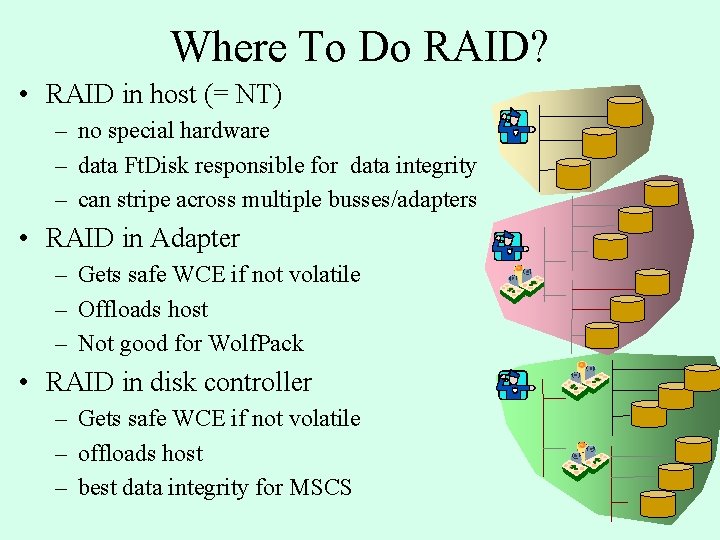
Where To Do RAID? • RAID in host (= NT) – no special hardware – data Ft. Disk responsible for data integrity – can stripe across multiple busses/adapters • RAID in Adapter – Gets safe WCE if not volatile – Offloads host – Not good for Wolf. Pack • RAID in disk controller – Gets safe WCE if not volatile – offloads host – best data integrity for MSCS
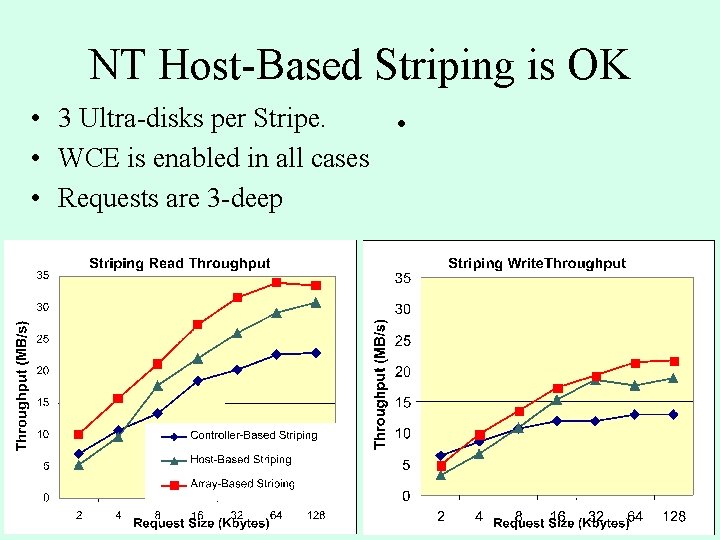
NT Host-Based Striping is OK • 3 Ultra-disks per Stripe. • • WCE is enabled in all cases • Requests are 3 -deep
Surprise: Good NT RAID 5 Performance • At 8 KB, performance is similar • Write performance is bad in all cases. • Ignores read performance in the case of disk fault. • Above 32 KB requests, CPU write cost is significant.
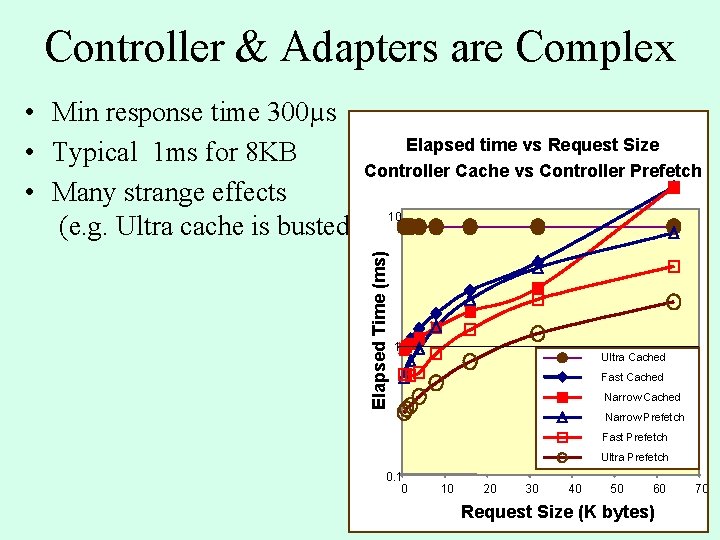
Controller & Adapters are Complex Elapsed Time (ms) • Min response time 300µs Elapsed time vs Request Size • Typical 1 ms for 8 KB Controller Cache vs Controller Prefetch • Many strange effects (e. g. Ultra cache is busted). 10 1 Ultra Cached Fast Cached Narrow Prefetch Fast Prefetch Ultra Prefetch 0. 1 0 10 20 30 40 50 60 Request Size (K bytes) 70
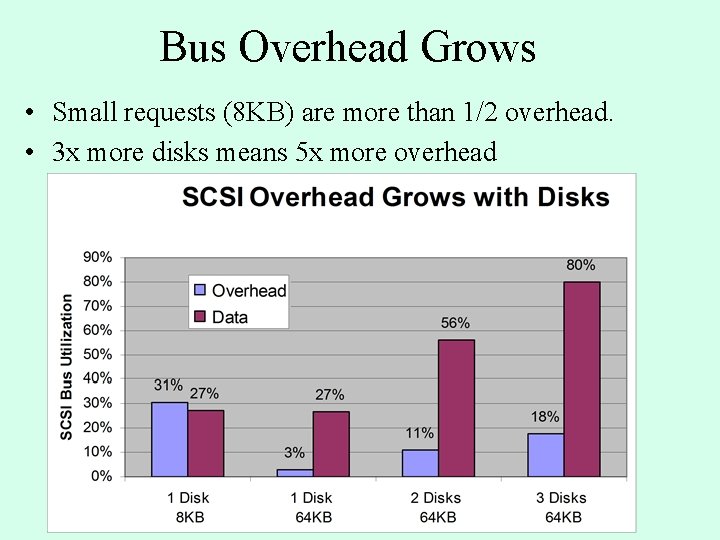
Bus Overhead Grows • Small requests (8 KB) are more than 1/2 overhead. • 3 x more disks means 5 x more overhead
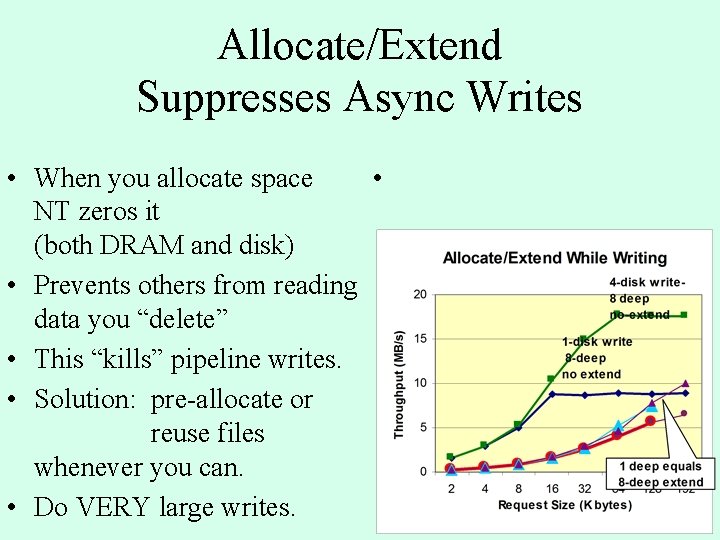
Allocate/Extend Suppresses Async Writes • When you allocate space • NT zeros it (both DRAM and disk) • Prevents others from reading data you “delete” • This “kills” pipeline writes. • Solution: pre-allocate or reuse files whenever you can. • Do VERY large writes.
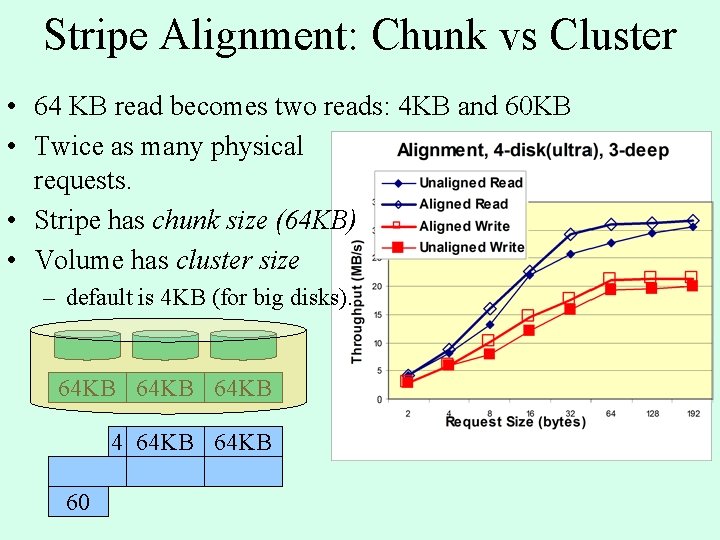
Stripe Alignment: Chunk vs Cluster • 64 KB read becomes two reads: 4 KB and 60 KB • Twice as many physical requests. • Stripe has chunk size (64 KB) • Volume has cluster size – default is 4 KB (for big disks). 64 KB 4 64 KB 60
Other Issues. • • • Multi-processor DEC Alpha Memory Mapped Files Fragmentation Ultra-2, Merced, FC, … NT 5 – – Veritas volume manger 64 -bit performance improvements I 2 O, . . .
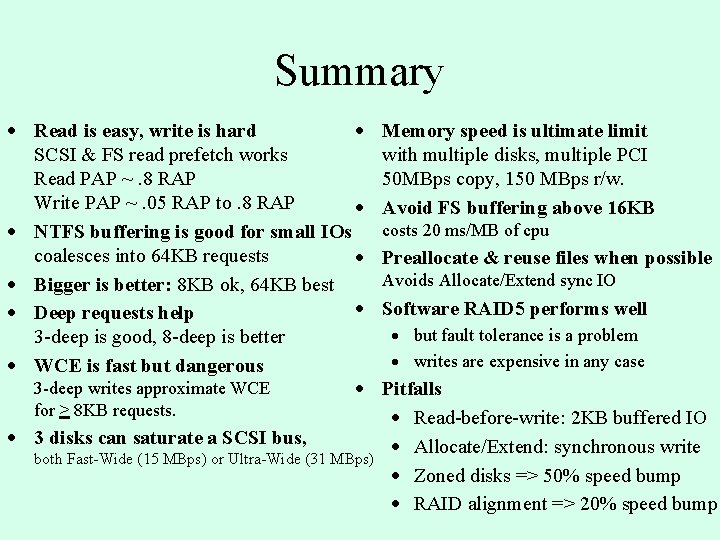
Summary · Read is easy, write is hard · SCSI & FS read prefetch works Read PAP ~. 8 RAP Write PAP ~. 05 RAP to. 8 RAP · · NTFS buffering is good for small IOs coalesces into 64 KB requests · · Bigger is better: 8 KB ok, 64 KB best · · Deep requests help 3 -deep is good, 8 -deep is better · WCE is fast but dangerous 3 -deep writes approximate WCE · for > 8 KB requests. · 3 disks can saturate a SCSI bus, both Fast-Wide (15 MBps) or Ultra-Wide (31 MBps) Memory speed is ultimate limit with multiple disks, multiple PCI 50 MBps copy, 150 MBps r/w. Avoid FS buffering above 16 KB costs 20 ms/MB of cpu Preallocate & reuse files when possible Avoids Allocate/Extend sync IO Software RAID 5 performs well · but fault tolerance is a problem · writes are expensive in any case Pitfalls · Read-before-write: 2 KB buffered IO · Allocate/Extend: synchronous write · Zoned disks => 50% speed bump · RAID alignment => 20% speed bump
More Details at • Web site has – Paper – Sample code – Test program we used – These slides – http: //research. Microsoft. com/BARC/Sequential_IO/
Outline • Intro/Overview • Disk background, technology trends • Measurements of Sequential IO – Single disk (temp, buffered, unbuffered, deep) – Multiple disks and busses – RAID – Pitfalls • Summary