
High Performance Computing Workshop HPC 101 Dr Charles

- Slides: 58
High Performance Computing Workshop HPC 101 Dr. Charles J Antonelli LSAIT ARS
Credits Contributors: Brock Palen (CAEN HPC) Jeremy Hallum (MSIS) Tony Markel (MSIS) Bennet Fauber (CAEN HPC) Mark Montague (LSAIT ARS) Nancy Herlocher (LSAIT ARS) Mark Champe (LSAIT ARS) LSAIT ARS CAEN HPC LSA IT ARS / cja © 2014 2 Version ca-0. 96 - 8 Oct 2014
Roadmap High Performance Computing Flux Architecture Flux Mechanics Flux Batch Operations Introduction to Scheduling LSA IT ARS / cja © 2014 3 Version ca-0. 96 - 8 Oct 2014
High Performance Computing LSA IT ARS / cja © 2014 4 Version ca-0. 96 - 8 Oct 2014
Cluster HPC A computing cluster a number of computing nodes connected together via special hardware and software that together can solve large problems. A cluster is much less expensive than a single supercomputer (e. g. , a mainframe) Using clusters effectively requires support in scientific software applications (e. g. , Matlab's Parallel Toolbox, or R's parallel library), or custom code LSA IT ARS / cja © 2014 5 Version ca-0. 96 - 8 Oct 2014
Programming Models Two basic parallel programming models Multi-threaded – single node Message-passing – multiple nodes Hybrid – using both multi-threading and message-passing LSA IT ARS / cja © 2014 6 Version ca-0. 96 - 8 Oct 2014
Multithreaded model The application consists of a single process containing several parallel threads that communicate with each other using synchronization primitives Used when the data can fit into a single process, and the communications overhead of the messagepassing model is intolerable “Fine-grained parallelism” or “shared-memory parallelism” Implemented using Open. MP (Open Multi. Processing) compilers and libraries LSA IT ARS / cja © 2014 7 Version ca-0. 96 - 8 Oct 2014
Message passing model The application consists of several processes running on different nodes and communicating with each other over the network Used when the data are too large to fit on a single node, and simple synchronization is adequate “Coarse parallelism” Implemented using MPI (Message Passing Interface) libraries LSA IT ARS / cja © 2014 8 Version ca-0. 96 - 8 Oct 2014
Hybrid model The hybrid model is where each node runs a sharedmemory process and communicates its results to other nodes via the message-passing protocol. This model can be quite complex, hard to profile and debug, and should probably be attempted only by trained, stunt programmers (or masochists) LSA IT ARS / cja © 2014 9 Version ca-0. 96 - 8 Oct 2014
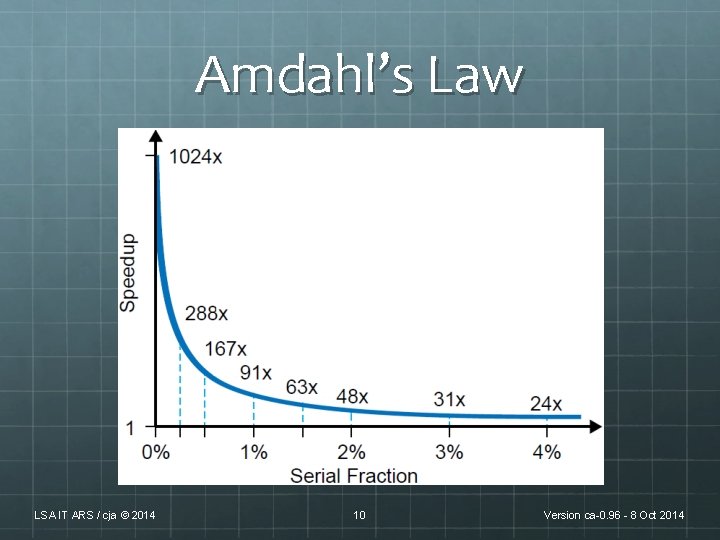
Amdahl’s Law LSA IT ARS / cja © 2014 10 Version ca-0. 96 - 8 Oct 2014
Flux Architecture LSA IT ARS / cja © 2014 11 Version ca-0. 96 - 8 Oct 2014
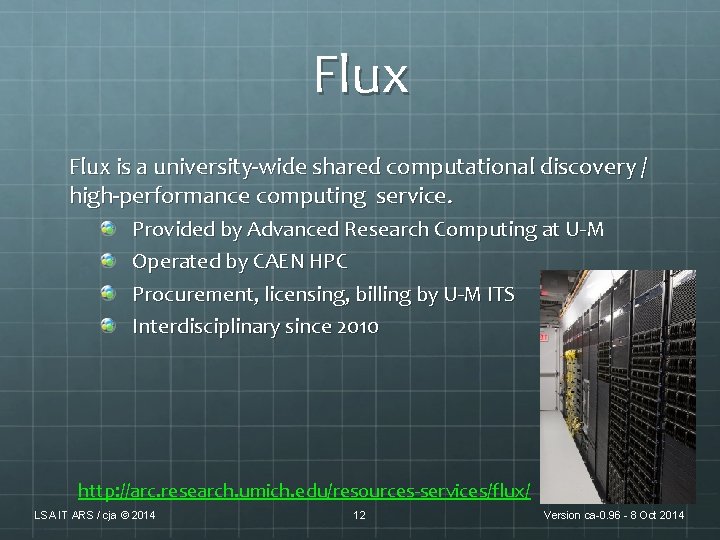
Flux is a university-wide shared computational discovery / high-performance computing service. Provided by Advanced Research Computing at U-M Operated by CAEN HPC Procurement, licensing, billing by U-M ITS Interdisciplinary since 2010 http: //arc. research. umich. edu/resources-services/flux/ LSA IT ARS / cja © 2014 12 Version ca-0. 96 - 8 Oct 2014
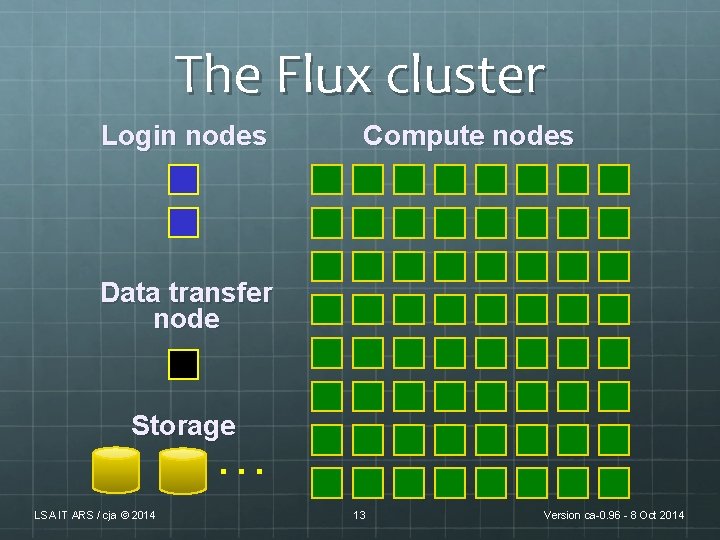
The Flux cluster Login nodes Compute nodes Data transfer node Storage … LSA IT ARS / cja © 2014 13 Version ca-0. 96 - 8 Oct 2014
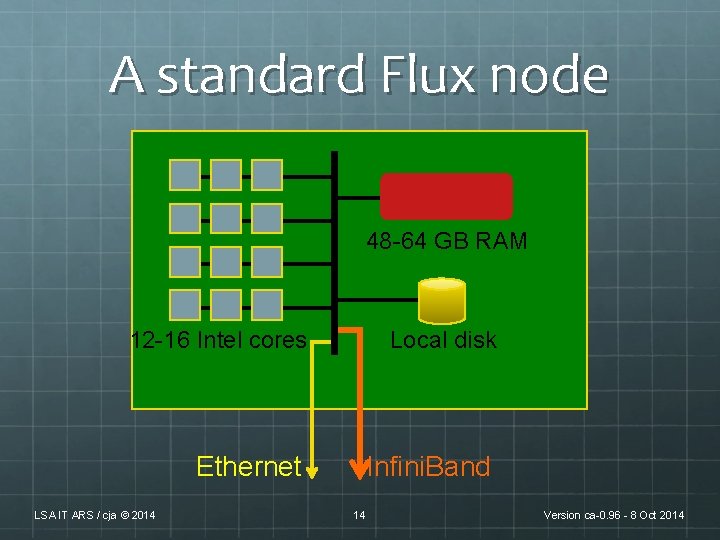
A standard Flux node 48 -64 GB RAM 12 -16 Intel cores Local disk Ethernet Infini. Band LSA IT ARS / cja © 2014 14 Version ca-0. 96 - 8 Oct 2014
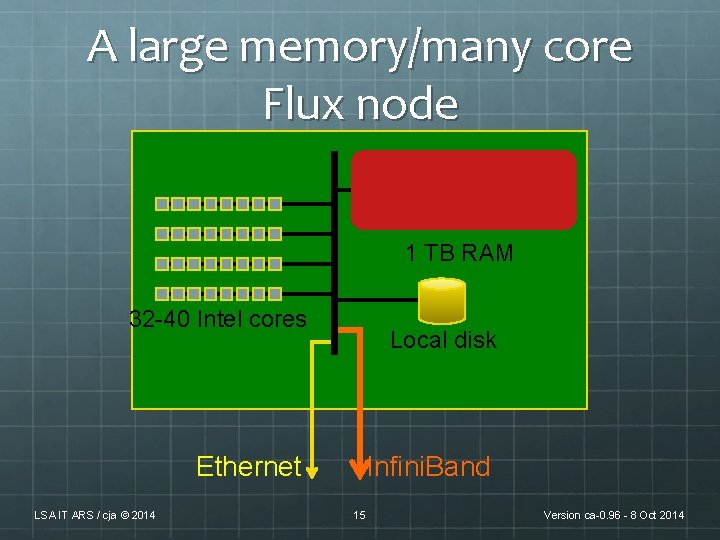
A large memory/many core Flux node 1 TB RAM 32 -40 Intel cores Ethernet LSA IT ARS / cja © 2014 Local disk Infini. Band 15 Version ca-0. 96 - 8 Oct 2014
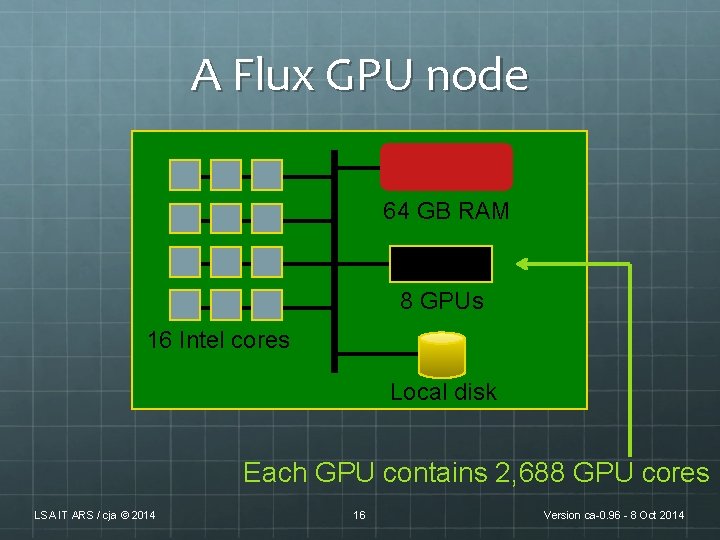
A Flux GPU node 64 GB RAM 8 GPUs 16 Intel cores Local disk Each GPU contains 2, 688 GPU cores LSA IT ARS / cja © 2014 16 Version ca-0. 96 - 8 Oct 2014
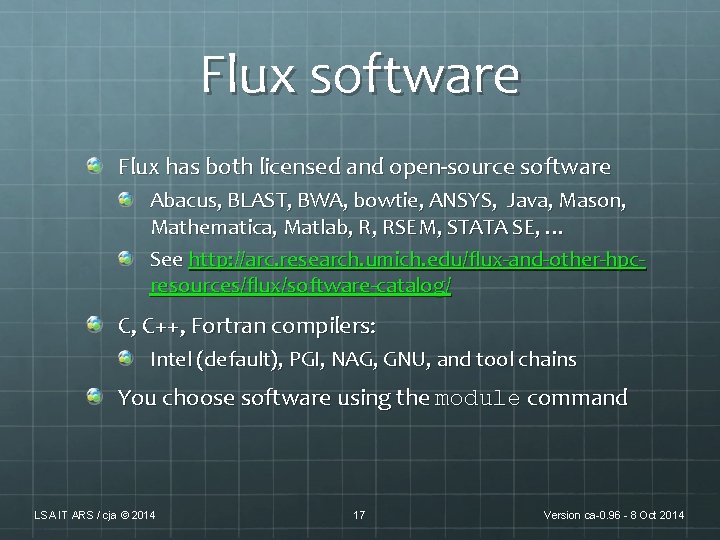
Flux software Flux has both licensed and open-source software Abacus, BLAST, BWA, bowtie, ANSYS, Java, Mason, Mathematica, Matlab, R, RSEM, STATA SE, … See http: //arc. research. umich. edu/flux-and-other-hpcresources/flux/software-catalog/ C, C++, Fortran compilers: Intel (default), PGI, NAG, GNU, and tool chains You choose software using the module command LSA IT ARS / cja © 2014 17 Version ca-0. 96 - 8 Oct 2014
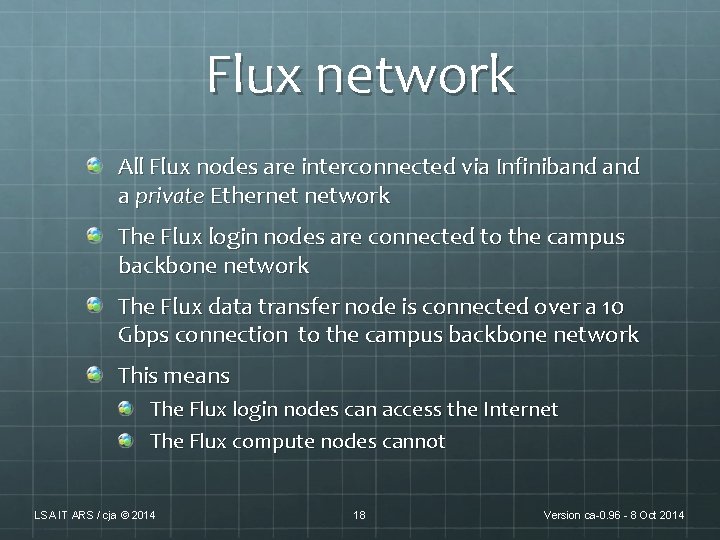
Flux network All Flux nodes are interconnected via Infiniband a private Ethernet network The Flux login nodes are connected to the campus backbone network The Flux data transfer node is connected over a 10 Gbps connection to the campus backbone network This means The Flux login nodes can access the Internet The Flux compute nodes cannot LSA IT ARS / cja © 2014 18 Version ca-0. 96 - 8 Oct 2014
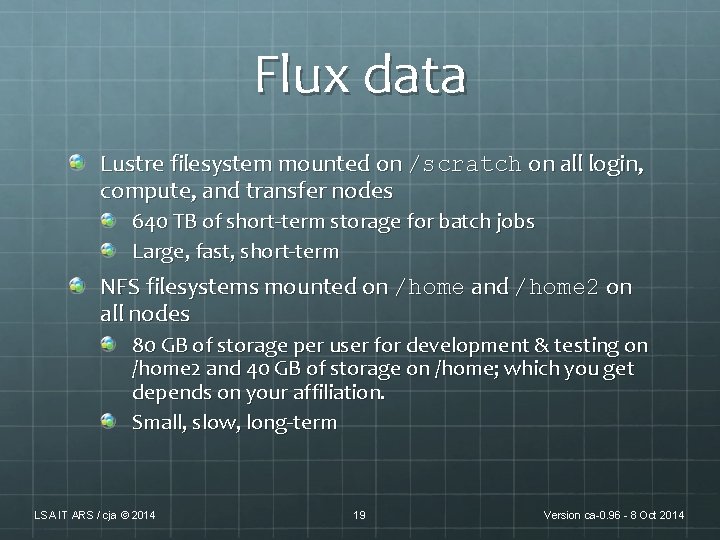
Flux data Lustre filesystem mounted on /scratch on all login, compute, and transfer nodes 640 TB of short-term storage for batch jobs Large, fast, short-term NFS filesystems mounted on /home and /home 2 on all nodes 80 GB of storage per user for development & testing on /home 2 and 40 GB of storage on /home; which you get depends on your affiliation. Small, slow, long-term LSA IT ARS / cja © 2014 19 Version ca-0. 96 - 8 Oct 2014
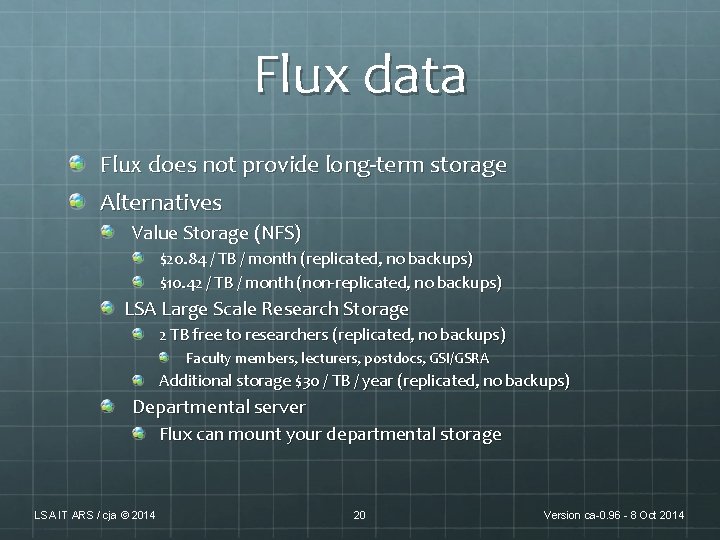
Flux data Flux does not provide long-term storage Alternatives Value Storage (NFS) $20. 84 / TB / month (replicated, no backups) $10. 42 / TB / month (non-replicated, no backups) LSA Large Scale Research Storage 2 TB free to researchers (replicated, no backups) Faculty members, lecturers, postdocs, GSI/GSRA Additional storage $30 / TB / year (replicated, no backups) Departmental server Flux can mount your departmental storage LSA IT ARS / cja © 2014 20 Version ca-0. 96 - 8 Oct 2014
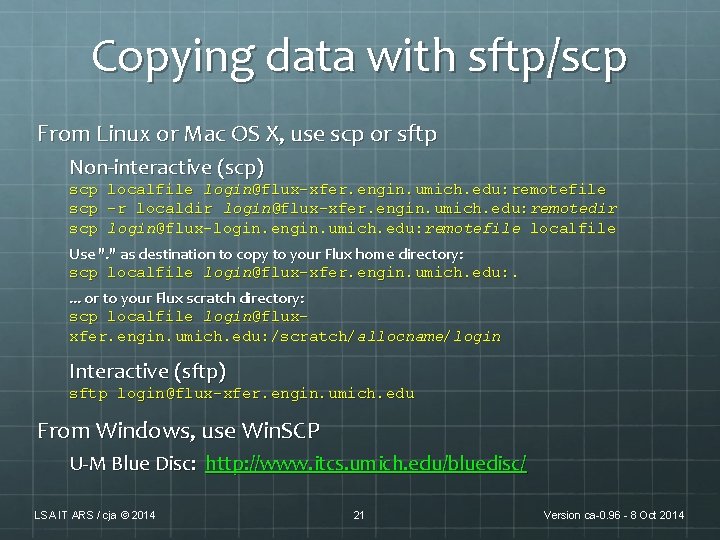
Copying data with sftp/scp From Linux or Mac OS X, use scp or sftp Non-interactive (scp) scp localfile login@flux-xfer. engin. umich. edu: remotefile scp -r localdir login@flux-xfer. engin. umich. edu: remotedir scp login@flux-login. engin. umich. edu: remotefile localfile Use ". " as destination to copy to your Flux home directory: scp localfile login@flux-xfer. engin. umich. edu: . . or to your Flux scratch directory: scp localfile login@fluxxfer. engin. umich. edu: /scratch/allocname/login Interactive (sftp) sftp login@flux-xfer. engin. umich. edu From Windows, use Win. SCP U-M Blue Disc: http: //www. itcs. umich. edu/bluedisc/ LSA IT ARS / cja © 2014 21 Version ca-0. 96 - 8 Oct 2014
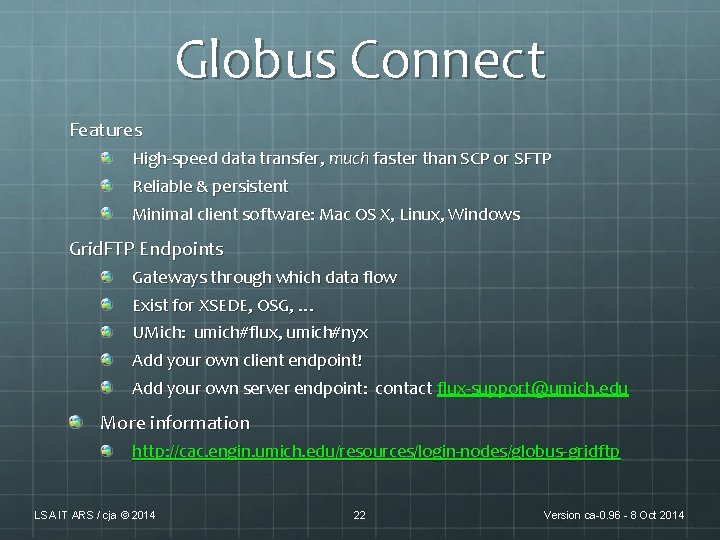
Globus Connect Features High-speed data transfer, much faster than SCP or SFTP Reliable & persistent Minimal client software: Mac OS X, Linux, Windows Grid. FTP Endpoints Gateways through which data flow Exist for XSEDE, OSG, … UMich: umich#flux, umich#nyx Add your own client endpoint! Add your own server endpoint: contact flux-support@umich. edu More information http: //cac. engin. umich. edu/resources/login-nodes/globus- gridftp LSA IT ARS / cja © 2014 22 Version ca-0. 96 - 8 Oct 2014
Flux Mechanics LSA IT ARS / cja © 2014 23 Version ca-0. 96 - 8 Oct 2014
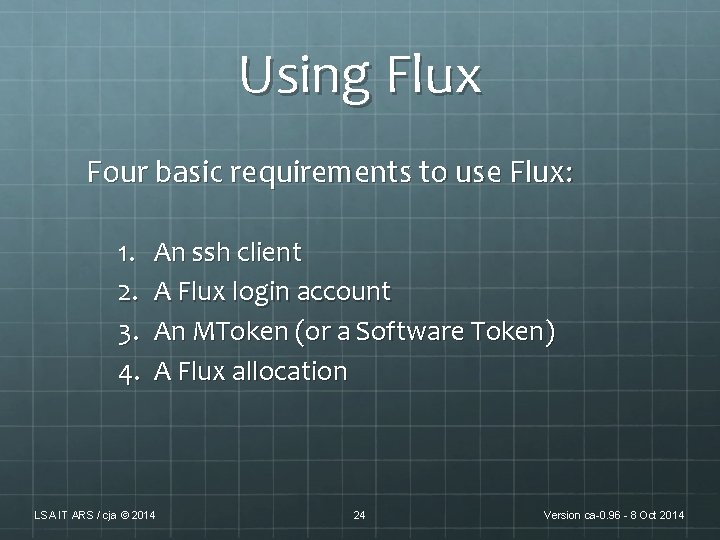
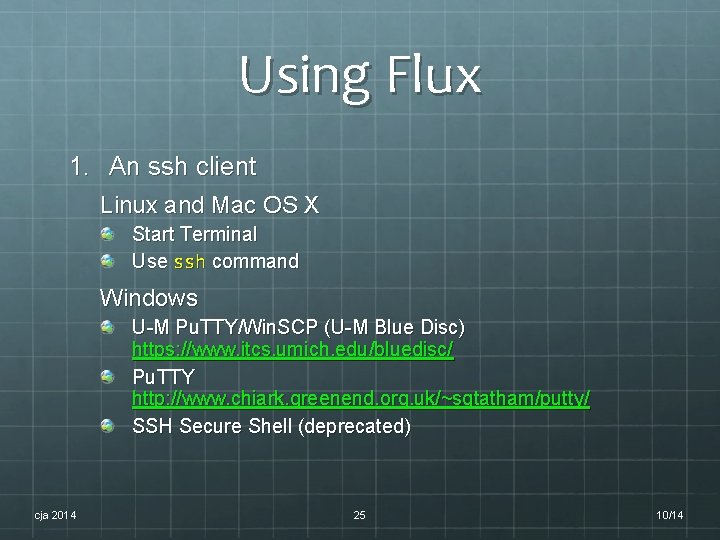
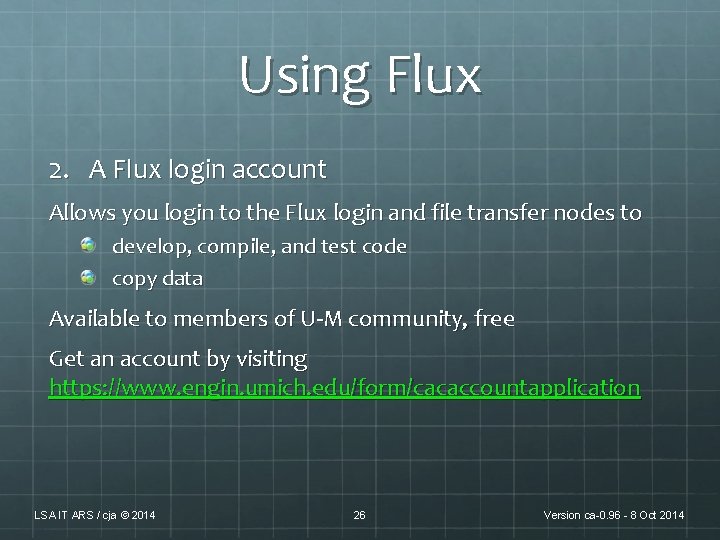
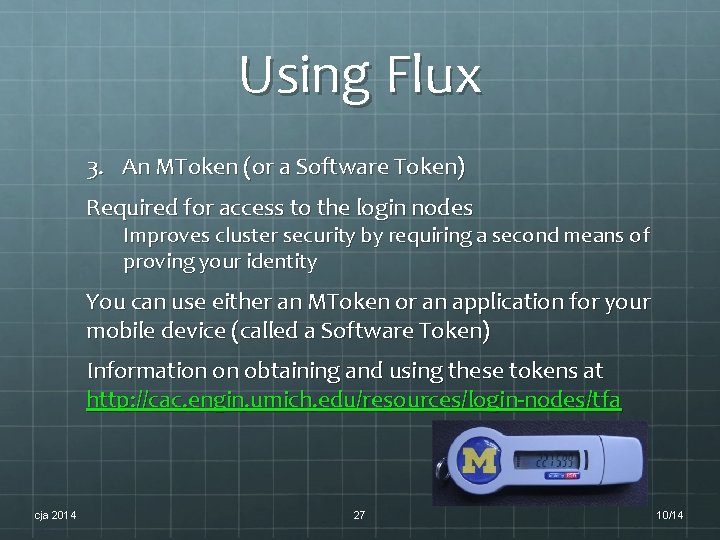
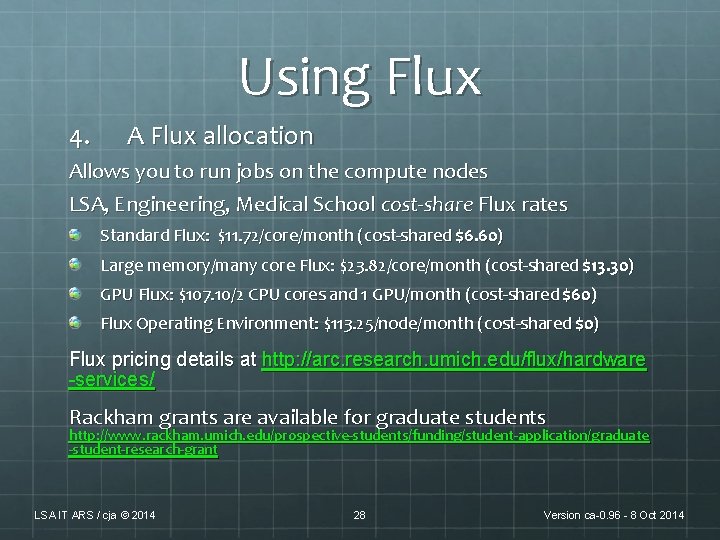
Using Flux Four basic requirements to use Flux: 1. 2. 3. 4. An ssh client A Flux login account An MToken (or a Software Token) A Flux allocation LSA IT ARS / cja © 2014 24 Version ca-0. 96 - 8 Oct 2014
Using Flux 1. An ssh client Linux and Mac OS X Start Terminal Use ssh command Windows U-M Pu. TTY/Win. SCP (U-M Blue Disc) https: //www. itcs. umich. edu/bluedisc/ Pu. TTY http: //www. chiark. greenend. org. uk/~sgtatham/putty/ SSH Secure Shell (deprecated) cja 2014 25 10/14
Using Flux 2. A Flux login account Allows you login to the Flux login and file transfer nodes to develop, compile, and test code copy data Available to members of U-M community, free Get an account by visiting https: //www. engin. umich. edu/form/cacaccountapplication LSA IT ARS / cja © 2014 26 Version ca-0. 96 - 8 Oct 2014
Using Flux 3. An MToken (or a Software Token) Required for access to the login nodes Improves cluster security by requiring a second means of proving your identity You can use either an MToken or an application for your mobile device (called a Software Token) Information on obtaining and using these tokens at http: //cac. engin. umich. edu/resources/login-nodes/tfa cja 2014 27 10/14
Using Flux 4. A Flux allocation Allows you to run jobs on the compute nodes LSA, Engineering, Medical School cost-share Flux rates Standard Flux: $11. 72/core/month (cost-shared $6. 60) Large memory/many core Flux: $23. 82/core/month (cost-shared $13. 30) GPU Flux: $107. 10/2 CPU cores and 1 GPU/month (cost-shared $60) Flux Operating Environment: $113. 25/node/month (cost-shared $0) Flux pricing details at http: //arc. research. umich. edu/flux/hardware -services/ Rackham grants are available for graduate students http: //www. rackham. umich. edu/prospective-students/funding/student-application/graduate -student-research-grant LSA IT ARS / cja © 2014 28 Version ca-0. 96 - 8 Oct 2014
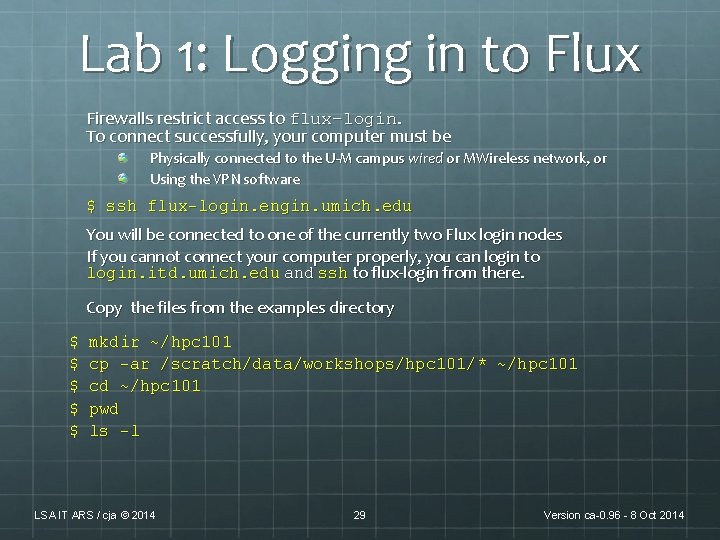
Lab 1: Logging in to Flux Firewalls restrict access to flux-login. To connect successfully, your computer must be Physically connected to the U-M campus wired or MWireless network, or Using the VPN software $ ssh flux-login. engin. umich. edu You will be connected to one of the currently two Flux login nodes If you cannot connect your computer properly, you can login to login. itd. umich. edu and ssh to flux-login from there. Copy the files from the examples directory $ $ $ mkdir ~/hpc 101 cp -ar /scratch/data/workshops/hpc 101/* ~/hpc 101 cd ~/hpc 101 pwd ls -l LSA IT ARS / cja © 2014 29 Version ca-0. 96 - 8 Oct 2014
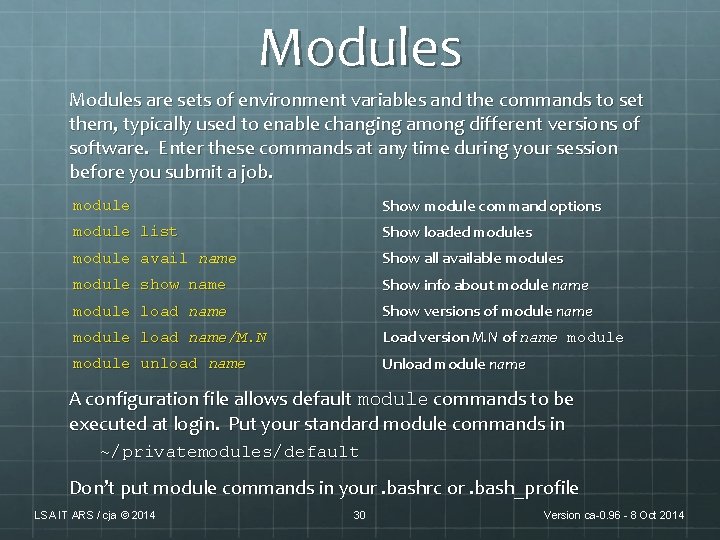
Modules are sets of environment variables and the commands to set them, typically used to enable changing among different versions of software. Enter these commands at any time during your session before you submit a job. module Show module command options module list Show loaded modules module avail name Show all available modules module show name Show info about module name module load name Show versions of module name module load name/M. N Load version M. N of name module unload name Unload module name A configuration file allows default module commands to be executed at login. Put your standard module commands in ~/privatemodules/default Don’t put module commands in your. bashrc or. bash_profile LSA IT ARS / cja © 2014 30 Version ca-0. 96 - 8 Oct 2014
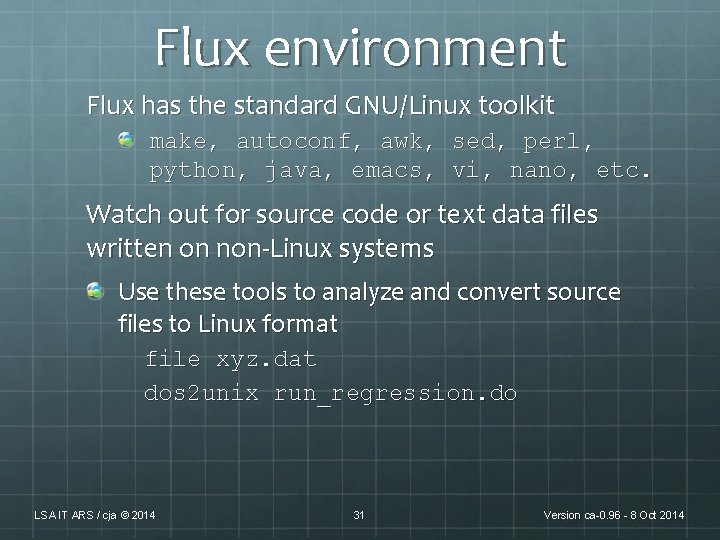
Flux environment Flux has the standard GNU/Linux toolkit make, autoconf, awk, sed, perl, python, java, emacs, vi, nano, etc. Watch out for source code or text data files written on non-Linux systems Use these tools to analyze and convert source files to Linux format file xyz. dat dos 2 unix run_regression. do LSA IT ARS / cja © 2014 31 Version ca-0. 96 - 8 Oct 2014
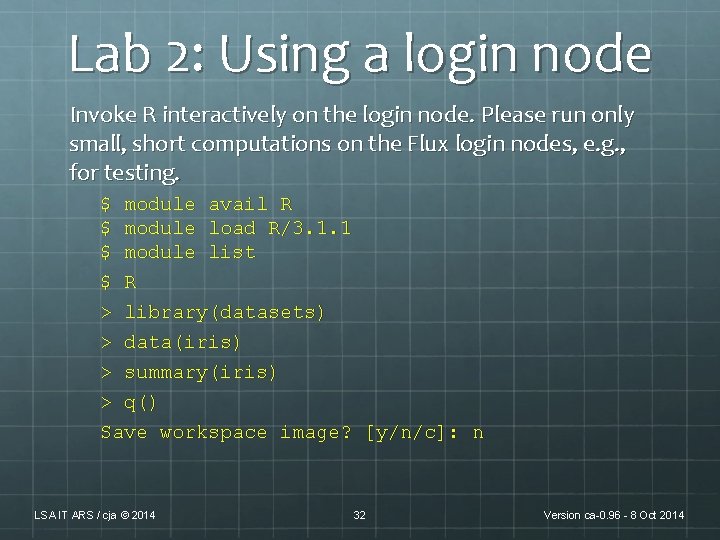
Lab 2: Using a login node Invoke R interactively on the login node. Please run only small, short computations on the Flux login nodes, e. g. , for testing. $ module avail R $ module load R/3. 1. 1 $ module list $ R > library(datasets) > data(iris) > summary(iris) > q() Save workspace image? [y/n/c]: n LSA IT ARS / cja © 2014 32 Version ca-0. 96 - 8 Oct 2014
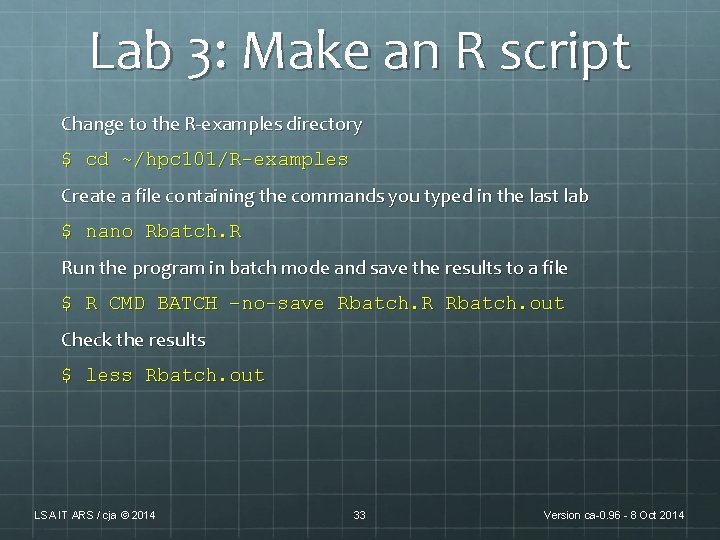
Lab 3: Make an R script Change to the R-examples directory $ cd ~/hpc 101/R-examples Create a file containing the commands you typed in the last lab $ nano Rbatch. R Run the program in batch mode and save the results to a file $ R CMD BATCH –no-save Rbatch. R Rbatch. out Check the results $ less Rbatch. out LSA IT ARS / cja © 2014 33 Version ca-0. 96 - 8 Oct 2014
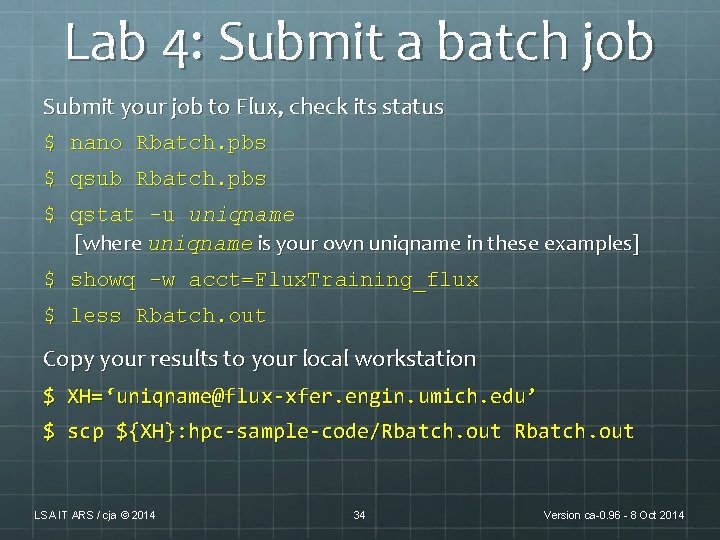
Lab 4: Submit a batch job Submit your job to Flux, check its status $ nano Rbatch. pbs $ qsub Rbatch. pbs $ qstat -u uniqname [where uniqname is your own uniqname in these examples] $ showq -w acct=Flux. Training_flux $ less Rbatch. out Copy your results to your local workstation $ XH=‘uniqname@flux-xfer. engin. umich. edu’ $ scp ${XH}: hpc-sample-code/Rbatch. out LSA IT ARS / cja © 2014 34 Version ca-0. 96 - 8 Oct 2014
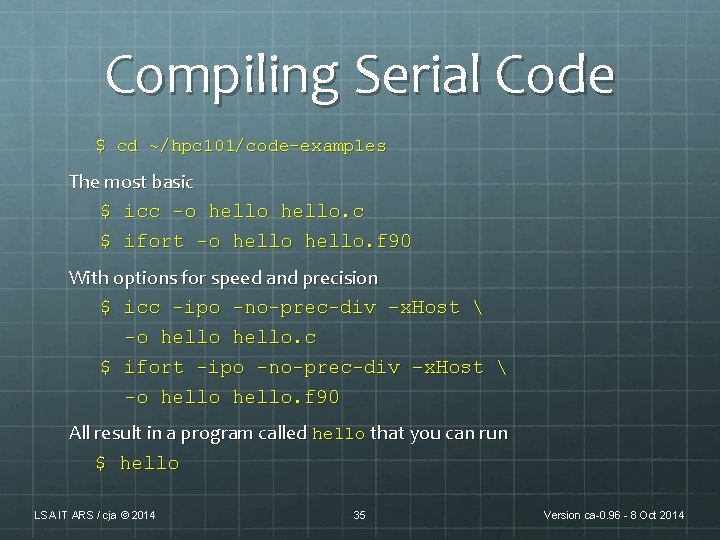
Compiling Serial Code $ cd ~/hpc 101/code-examples The most basic $ icc -o hello. c $ ifort -o hello. f 90 With options for speed and precision $ icc -ipo -no-prec-div –x. Host -o hello. c $ ifort -ipo -no-prec-div –x. Host -o hello. f 90 All result in a program called hello that you can run $ hello LSA IT ARS / cja © 2014 35 Version ca-0. 96 - 8 Oct 2014
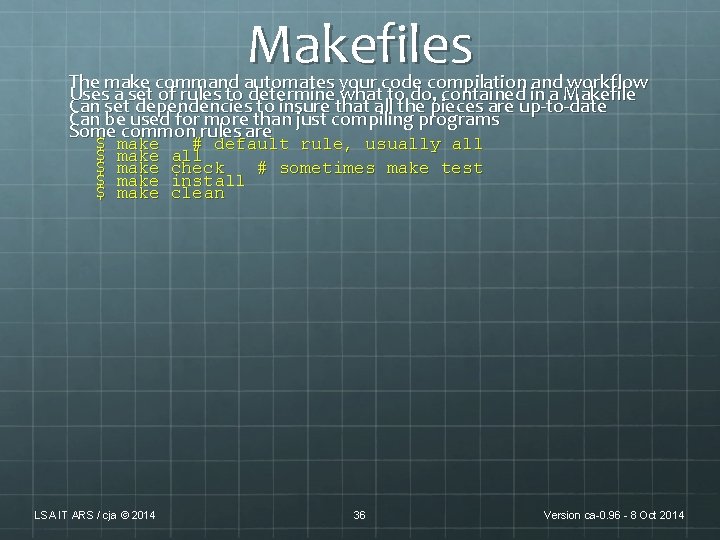
Makefiles The make command automates your code compilation and workflow Uses a set of rules to determine what to do, contained in a Makefile Can set dependencies to insure that all the pieces are up-to-date Can be used for more than just compiling programs Some common rules are $ $ $ make make LSA IT ARS / cja © 2014 # default rule, usually all check # sometimes make test install clean 36 Version ca-0. 96 - 8 Oct 2014
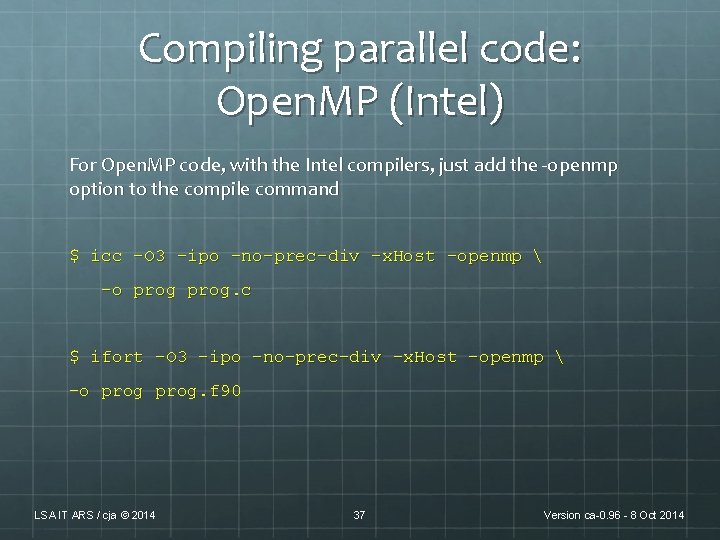
Compiling parallel code: Open. MP (Intel) For Open. MP code, with the Intel compilers, just add the -openmp option to the compile command $ icc -O 3 -ipo -no-prec-div –x. Host -openmp –o prog. c $ ifort -O 3 -ipo -no-prec-div –x. Host –openmp -o prog. f 90 LSA IT ARS / cja © 2014 37 Version ca-0. 96 - 8 Oct 2014
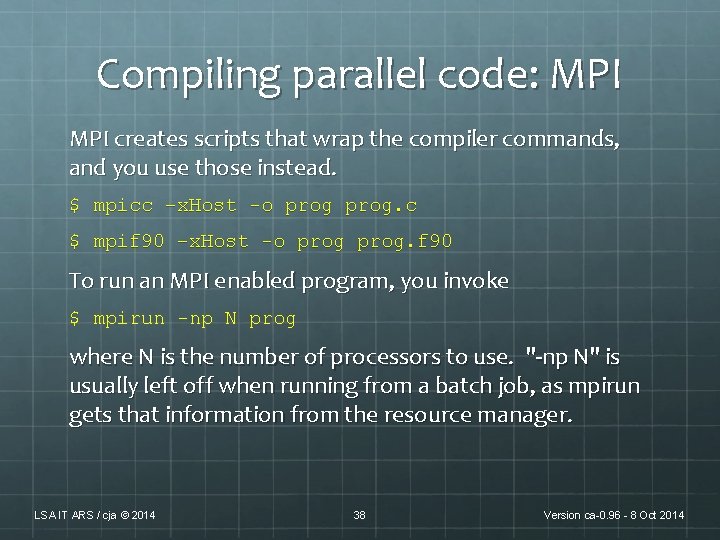
Compiling parallel code: MPI creates scripts that wrap the compiler commands, and you use those instead. $ mpicc –x. Host -o prog. c $ mpif 90 –x. Host -o prog. f 90 To run an MPI enabled program, you invoke $ mpirun -np N prog where N is the number of processors to use. "-np N" is usually left off when running from a batch job, as mpirun gets that information from the resource manager. LSA IT ARS / cja © 2014 38 Version ca-0. 96 - 8 Oct 2014
Flux Batch Operations LSA IT ARS / cja © 2014 39 Version ca-0. 96 - 8 Oct 2014
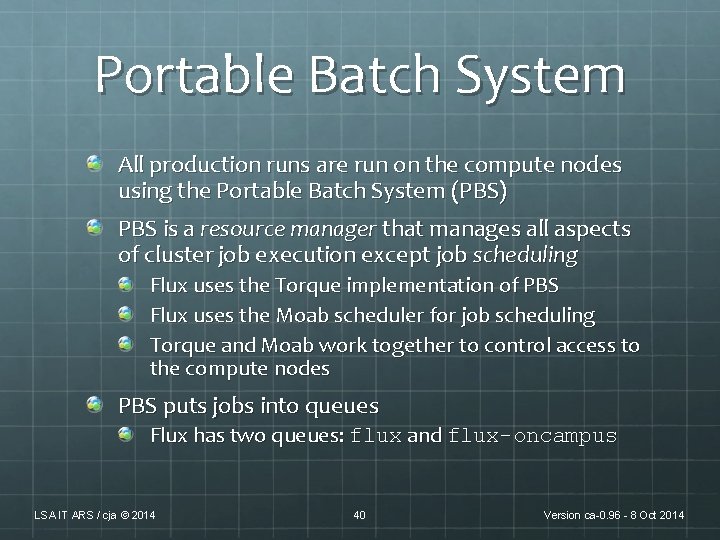
Portable Batch System All production runs are run on the compute nodes using the Portable Batch System (PBS) PBS is a resource manager that manages all aspects of cluster job execution except job scheduling Flux uses the Torque implementation of PBS Flux uses the Moab scheduler for job scheduling Torque and Moab work together to control access to the compute nodes PBS puts jobs into queues Flux has two queues: flux and flux-oncampus LSA IT ARS / cja © 2014 40 Version ca-0. 96 - 8 Oct 2014
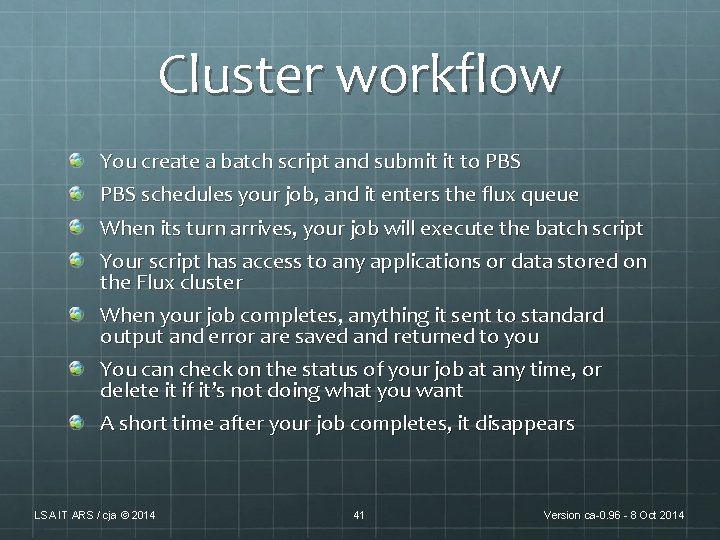
Cluster workflow You create a batch script and submit it to PBS schedules your job, and it enters the flux queue When its turn arrives, your job will execute the batch script Your script has access to any applications or data stored on the Flux cluster When your job completes, anything it sent to standard output and error are saved and returned to you You can check on the status of your job at any time, or delete it if it’s not doing what you want A short time after your job completes, it disappears LSA IT ARS / cja © 2014 41 Version ca-0. 96 - 8 Oct 2014
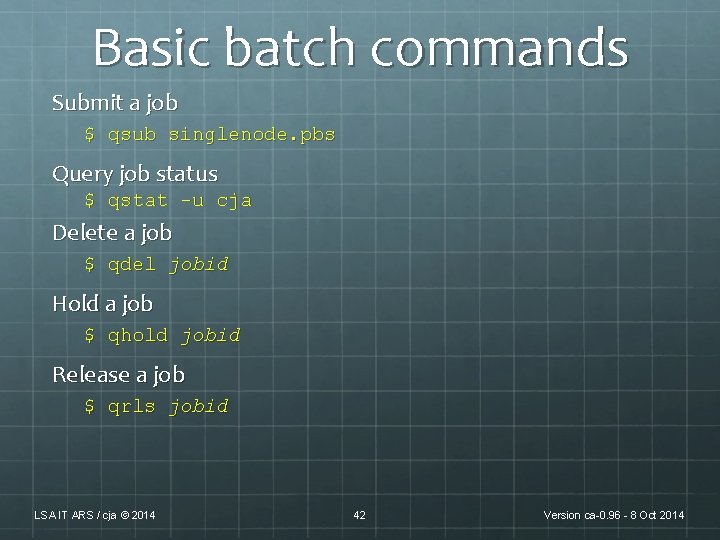
Basic batch commands Submit a job $ qsub singlenode. pbs Query job status $ qstat -u cja Delete a job $ qdel jobid Hold a job $ qhold jobid Release a job $ qrls jobid LSA IT ARS / cja © 2014 42 Version ca-0. 96 - 8 Oct 2014
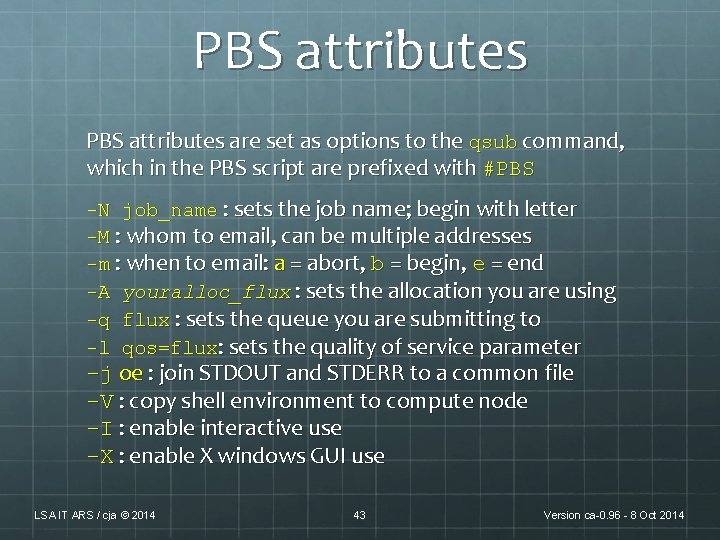
PBS attributes are set as options to the qsub command, which in the PBS script are prefixed with #PBS -N job_name : sets the job name; begin with letter -M : whom to email, can be multiple addresses -m : when to email: a = abort, b = begin, e = end -A youralloc_flux : sets the allocation you are using -q flux : sets the queue you are submitting to -l qos=flux: sets the quality of service parameter -j oe : join STDOUT and STDERR to a common file -V : copy shell environment to compute node -I : enable interactive use -X : enable X windows GUI use LSA IT ARS / cja © 2014 43 Version ca-0. 96 - 8 Oct 2014
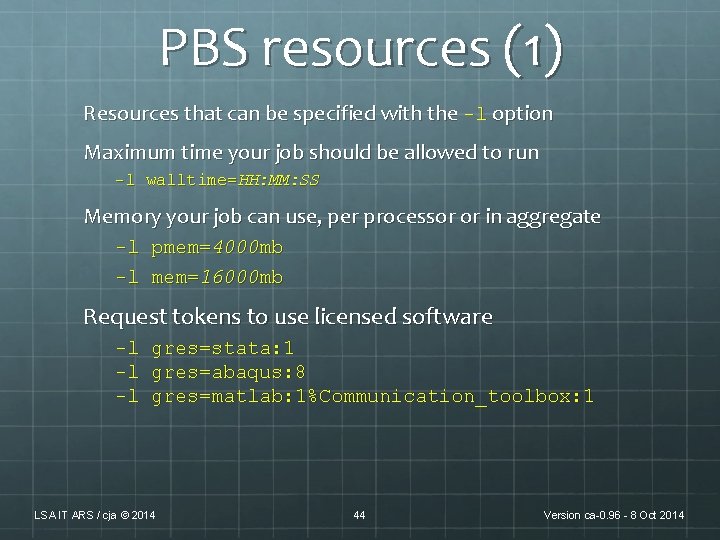
PBS resources (1) Resources that can be specified with the -l option Maximum time your job should be allowed to run -l walltime=HH: MM: SS Memory your job can use, per processor or in aggregate -l pmem=4000 mb -l mem=16000 mb Request tokens to use licensed software -l gres=stata: 1 -l gres=abaqus: 8 -l gres=matlab: 1%Communication_toolbox: 1 LSA IT ARS / cja © 2014 44 Version ca-0. 96 - 8 Oct 2014
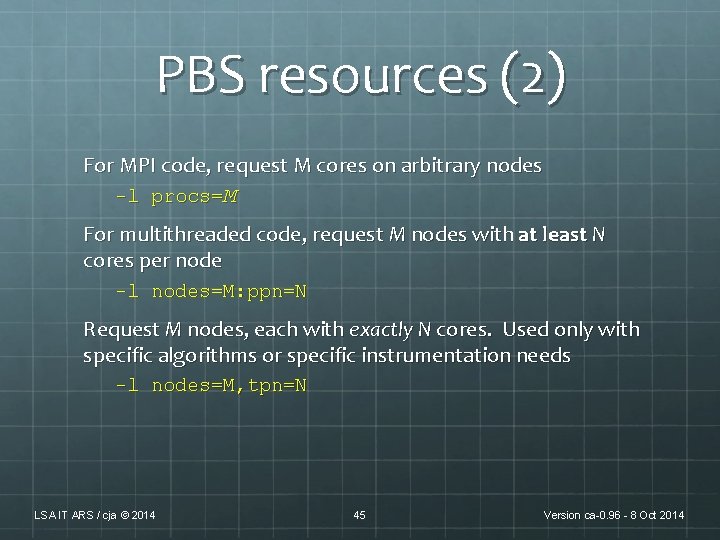
PBS resources (2) For MPI code, request M cores on arbitrary nodes -l procs=M For multithreaded code, request M nodes with at least N cores per node -l nodes=M: ppn=N Request M nodes, each with exactly N cores. Used only with specific algorithms or specific instrumentation needs -l nodes=M, tpn=N LSA IT ARS / cja © 2014 45 Version ca-0. 96 - 8 Oct 2014
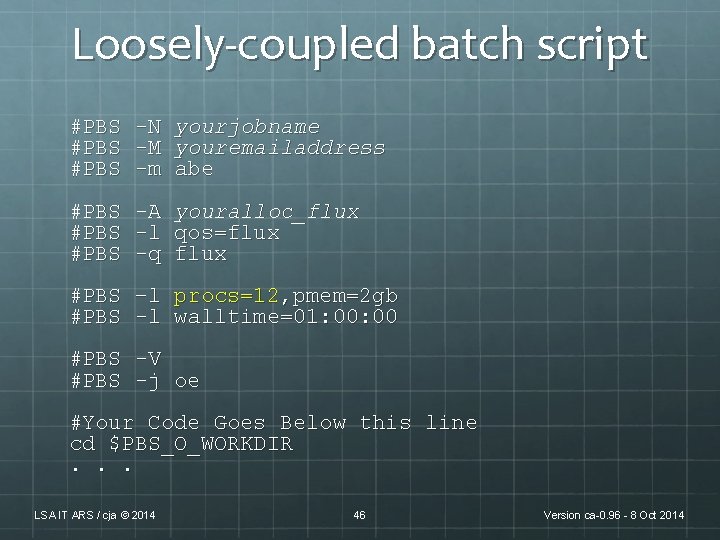
Loosely-coupled batch script #PBS -N -M -m yourjobname youremailaddress abe #PBS -A -l -q youralloc_flux qos=flux #PBS –l procs=12, pmem=2 gb #PBS -l walltime=01: 00 #PBS -V #PBS -j oe #Your Code Goes Below this line cd $PBS_O_WORKDIR. . . LSA IT ARS / cja © 2014 46 Version ca-0. 96 - 8 Oct 2014
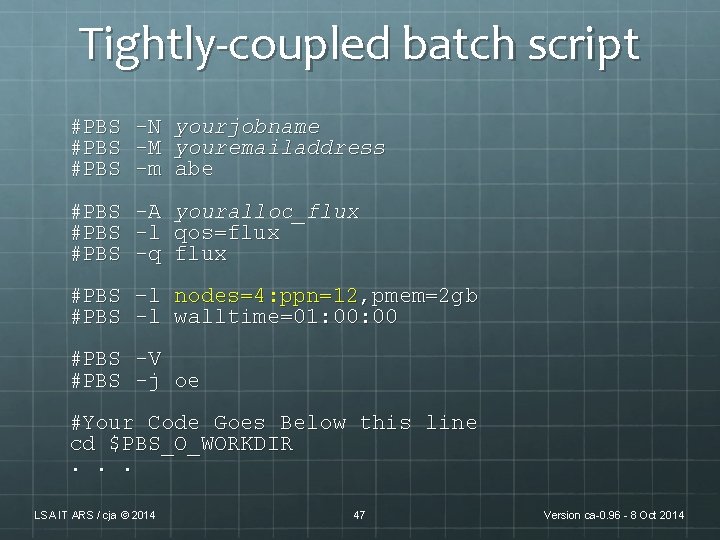
Tightly-coupled batch script #PBS -N -M -m yourjobname youremailaddress abe #PBS -A -l -q youralloc_flux qos=flux #PBS –l nodes=4: ppn=12, pmem=2 gb #PBS -l walltime=01: 00 #PBS -V #PBS -j oe #Your Code Goes Below this line cd $PBS_O_WORKDIR. . . LSA IT ARS / cja © 2014 47 Version ca-0. 96 - 8 Oct 2014
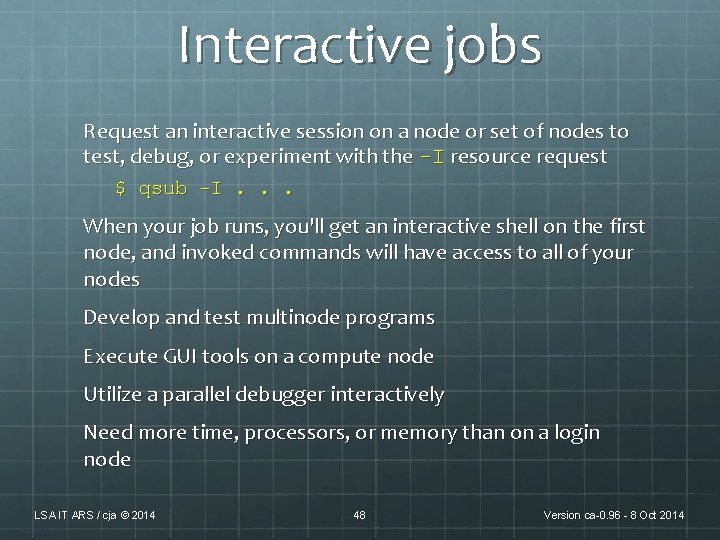
Interactive jobs Request an interactive session on a node or set of nodes to test, debug, or experiment with the -I resource request $ qsub -I. . . When your job runs, you'll get an interactive shell on the first node, and invoked commands will have access to all of your nodes Develop and test multinode programs Execute GUI tools on a compute node Utilize a parallel debugger interactively Need more time, processors, or memory than on a login node LSA IT ARS / cja © 2014 48 Version ca-0. 96 - 8 Oct 2014
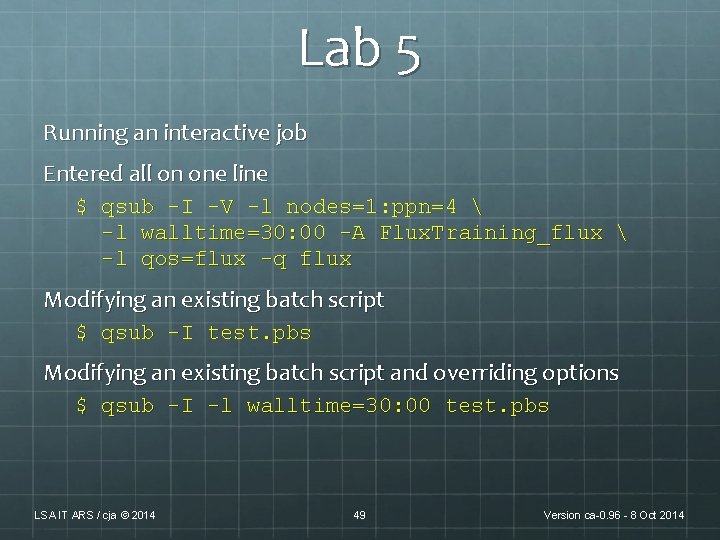
Lab 5 Running an interactive job Entered all on one line $ qsub -I -V -l nodes=1: ppn=4 -l walltime=30: 00 -A Flux. Training_flux -l qos=flux -q flux Modifying an existing batch script $ qsub -I test. pbs Modifying an existing batch script and overriding options $ qsub -I -l walltime=30: 00 test. pbs LSA IT ARS / cja © 2014 49 Version ca-0. 96 - 8 Oct 2014
Introduction to Scheduling LSA IT ARS / cja © 2014 50 Version ca-0. 96 - 8 Oct 2014
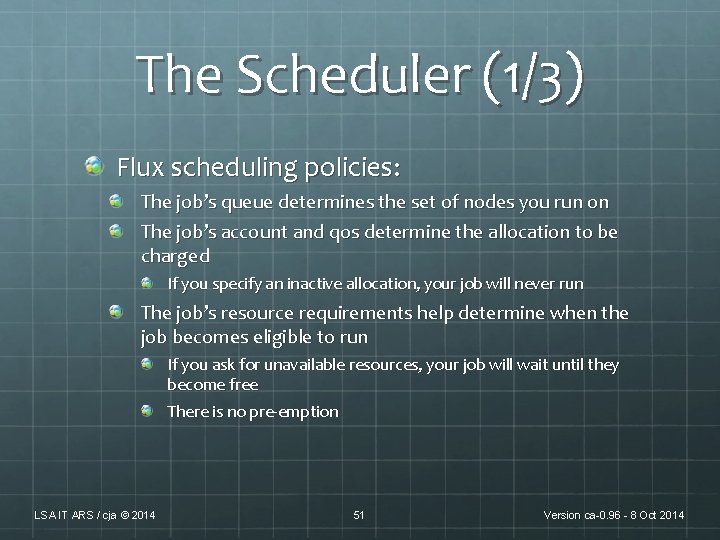
The Scheduler (1/3) Flux scheduling policies: The job’s queue determines the set of nodes you run on The job’s account and qos determine the allocation to be charged If you specify an inactive allocation, your job will never run The job’s resource requirements help determine when the job becomes eligible to run If you ask for unavailable resources, your job will wait until they become free There is no pre-emption LSA IT ARS / cja © 2014 51 Version ca-0. 96 - 8 Oct 2014
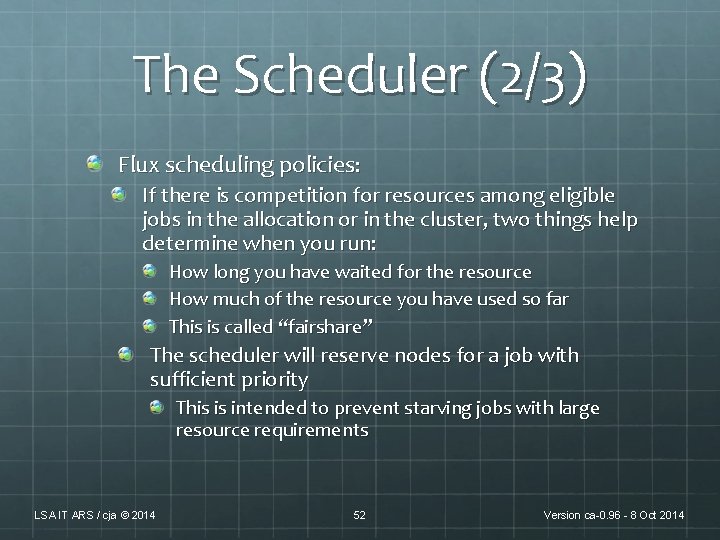
The Scheduler (2/3) Flux scheduling policies: If there is competition for resources among eligible jobs in the allocation or in the cluster, two things help determine when you run: How long you have waited for the resource How much of the resource you have used so far This is called “fairshare” The scheduler will reserve nodes for a job with sufficient priority This is intended to prevent starving jobs with large resource requirements LSA IT ARS / cja © 2014 52 Version ca-0. 96 - 8 Oct 2014
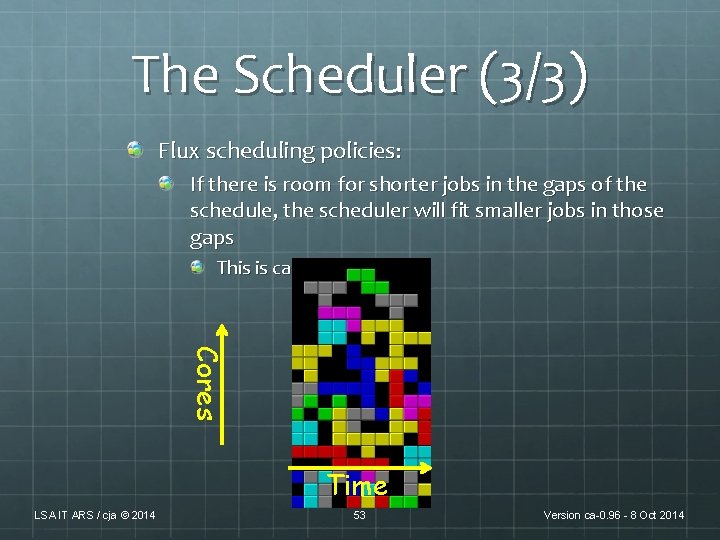
The Scheduler (3/3) Flux scheduling policies: If there is room for shorter jobs in the gaps of the schedule, the scheduler will fit smaller jobs in those gaps This is called “backfill” Cores Time LSA IT ARS / cja © 2014 53 Version ca-0. 96 - 8 Oct 2014
Gaining insight There are several commands you can run to get some insight over the scheduler’s actions: freenodes : shows the number of free nodes and cores currently available mdiag -a youralloc_name : shows resources defined for your allocation and who can run against it showq -w acct=yourallocname: shows jobs using your allocation (running/idle/blocked) checkjob jobid : Can show why your job might not be starting showstart -e all jobid : Gives you a coarse estimate of job start time; use the smallest value returned LSA IT ARS / cja © 2014 54 Version ca-0. 96 - 8 Oct 2014
Some Flux Resources http: //arc. research. umich. edu/resources-services/flux/ U-M Advanced Research Computing Flux pages http: //cac. engin. umich. edu/ CAEN HPC Flux pages http: //www. youtube. com/user/UMCo. ECAC CAEN HPC You. Tube channel For assistance: flux-support@umich. edu Read by a team of people including unit support staff Cannot help with programming questions, but can help with operational Flux and basic usage questions LSA IT ARS / cja © 2014 55 Version ca-0. 96 - 8 Oct 2014
Summary The Flux cluster is just a collection of similar Linux machines connected together to run your code, much faster than your desktop can Command-line scripts are queued by a batch system and executed when resources become available Some important commands are qsub qstat -u username qdel jobid checkjob Develop and test, then submit your jobs in bulk and let the scheduler optimize their execution LSA IT ARS / cja © 2014 56 Version ca-0. 96 - 8 Oct 2014
Any Questions? flux-support@umich. edu Charles J. Antonelli LSAIT Advocacy and Research Support cja@umich. edu http: //www. umich. edu/~cja 734 763 0607 LSA IT ARS / cja © 2014 57 Version ca-0. 96 - 8 Oct 2014
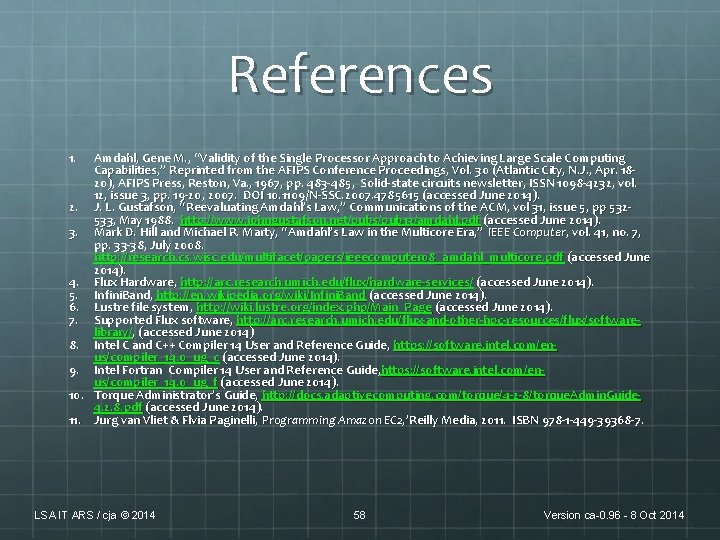
References 1. Amdahl, Gene M. , “Validity of the Single Processor Approach to Achieving Large Scale Computing Capabilities, ” Reprinted from the AFIPS Conference Proceedings, Vol. 30 (Atlantic City, N. J. , Apr. 1820), AFIPS Press, Reston, Va. , 1967, pp. 483 - 485, Solid-state circuits newsletter, ISSN 1098 -4232, vol. 12, issue 3, pp. 19 -20, 2007. DOI 10. 1109 /N-SSC. 2007. 4785615 (accessed June 2014). 2. J. L. Gustafson, “Reevaluating Amdahl’s Law, ” Communications of the ACM, vol 31, issue 5 , pp 532533, May 1988. http: //www. johngustafson. net/pubs/pub 13/amdahl. pdf (accessed June 2014). 3. Mark D. Hill and Michael R. Marty, “Amdahl’s Law in the Multicore Era, ” IEEE Computer, vol. 41, no. 7, pp. 33 -38, July 2008. http: //research. cs. wisc. edu/multifacet/papers/ieeecomputer 08_amdahl_multicore. pdf (accessed June 2014). 4. Flux Hardware, http: //arc. research. umich. edu/flux/hardware-services/ (accessed June 2014). 5. Infini. Band, http: //en. wikipedia. org/wiki/Infini. Band (accessed June 2014). 6. Lustre file system, http: //wiki. lustre. org/index. php/Main_Page (accessed June 2014). 7. Supported Flux software, http: //arc. research. umich. edu/flux-and-other-hpc-resources/flux/softwarelibrary/, (accessed June 2014) 8. Intel C and C++ Compiler 14 User and Reference Guide, https: //software. intel. com/enus/compiler_14. 0_ug_c (accessed June 2014). 9. Intel Fortran Compiler 14 User and Reference Guide, https: //software. intel. com/enus/compiler_14. 0_ug_f (accessed June 2014). 10. Torque Administrator’s Guide, http: //docs. adaptivecomputing. com/torque/4 -2 -8/torque. Admin. Guide 4. 2. 8. pdf (accessed June 2014). 11. Jurg van Vliet & Flvia Paginelli, Programming Amazon EC 2, ’Reilly Media, 2011. ISBN 978 -1 -449 -39368 -7. LSA IT ARS / cja © 2014 58 Version ca-0. 96 - 8 Oct 2014