
HIGH PERFORMANCE COMPUTING ENVIRONMENT THE NEED FOR HPC

- Slides: 27
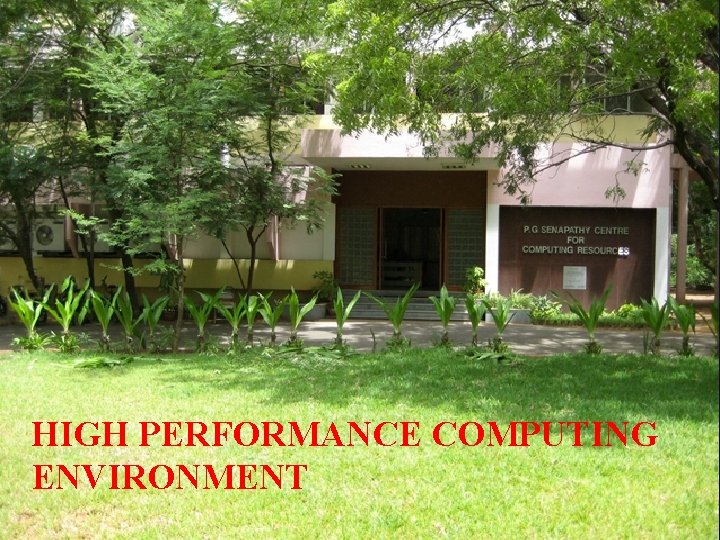
HIGH PERFORMANCE COMPUTING ENVIRONMENT
THE NEED FOR HPC. . . Solve/compute increasingly more demanding problems; for example introducing finer grids or smaller iterations periods This has resulted in the need for: • More compute power (faster CPU !) • Computers with more hardware resources (memory, disk, etc. . . ). • Long time to compute, Needs large quantity of RAM, Requires large quantity of runs, and/or Time Critical
HPC DOMAINS OF APPLICATION “More and more scientific domains of application are now requiring HPC facilities. It is not any more the strong hold of Physics, Chemistry and Engineering. . . ” Typical application areas include: • bioscience • scientific research • mechanical design • defense • geoscience • imaging • financial modeling — in short, any field or discipline that demands intense, powerful compute processing capabilities
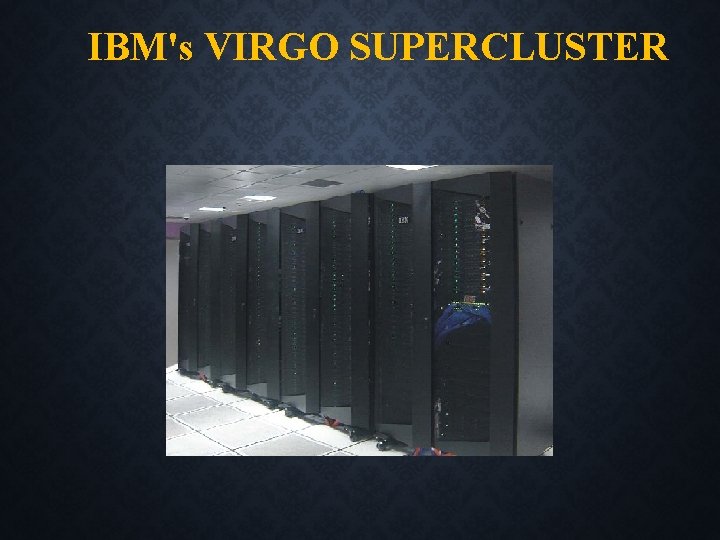
HIGH PERFORMANCE COMPUTING ENVIRONMENT The High Performance Computing environment consists of high-end systems used for executing complex number crunching applications for research it has three such machines and they are, VIRGO Super Cluster LIBRA Super Cluster GNR (Intel Xeon Phi) cluster
IBM's VIRGO SUPERCLUSTER
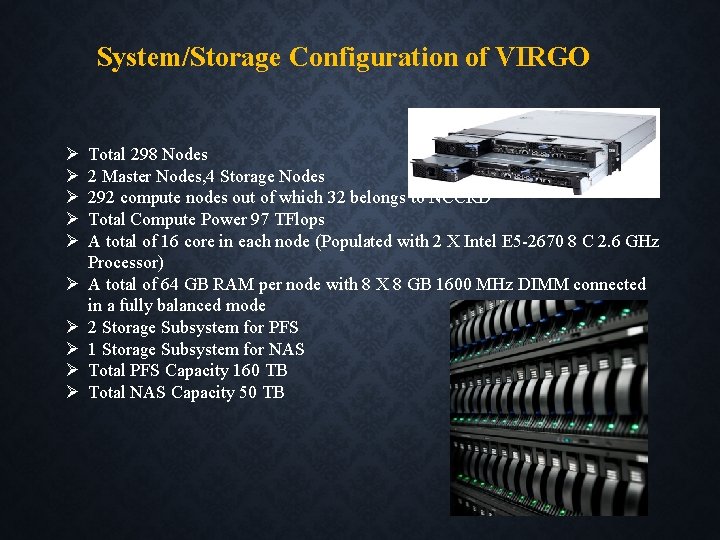
System/Storage Configuration of VIRGO Total 298 Nodes 2 Master Nodes, 4 Storage Nodes 292 compute nodes out of which 32 belongs to NCCRD Total Compute Power 97 TFlops A total of 16 core in each node (Populated with 2 X Intel E 5 -2670 8 C 2. 6 GHz Processor) A total of 64 GB RAM per node with 8 X 8 GB 1600 MHz DIMM connected in a fully balanced mode 2 Storage Subsystem for PFS 1 Storage Subsystem for NAS Total PFS Capacity 160 TB Total NAS Capacity 50 TB
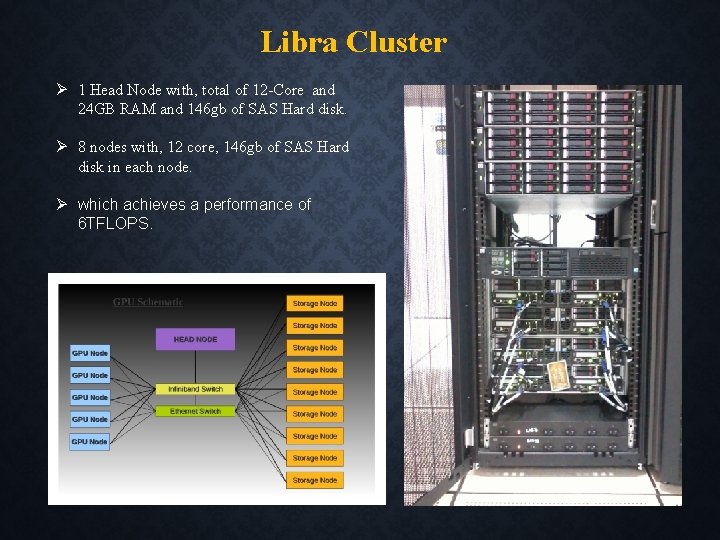
Libra Cluster 1 Head Node with, total of 12 -Core and 24 GB RAM and 146 gb of SAS Hard disk. 8 nodes with, 12 core, 146 gb of SAS Hard disk in each node. which achieves a performance of 6 TFLOPS.
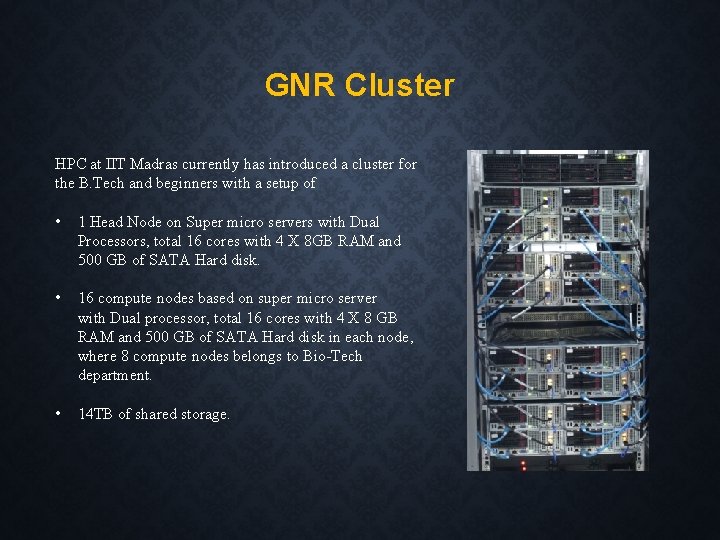
GNR Cluster HPC at IIT Madras currently has introduced a cluster for the B. Tech and beginners with a setup of • 1 Head Node on Super micro servers with Dual Processors, total 16 cores with 4 X 8 GB RAM and 500 GB of SATA Hard disk. • 16 compute nodes based on super micro server with Dual processor, total 16 cores with 4 X 8 GB RAM and 500 GB of SATA Hard disk in each node, where 8 compute nodes belongs to Bio-Tech department. • 14 TB of shared storage.
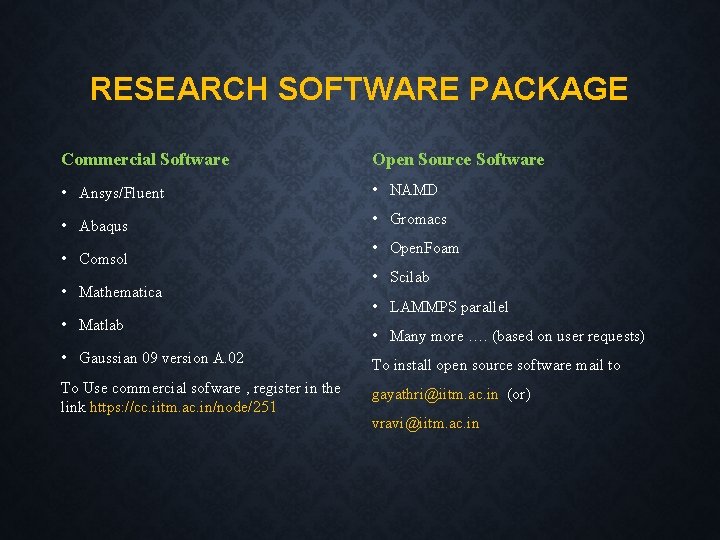
RESEARCH SOFTWARE PACKAGE Commercial Software Open Source Software • Ansys/Fluent • NAMD • Abaqus • Gromacs • Comsol • Mathematica • Matlab • Open. Foam • Scilab • LAMMPS parallel • Many more …. (based on user requests) • Gaussian 09 version A. 02 To install open source software mail to To Use commercial sofware , register in the link https: //cc. iitm. ac. in/node/251 gayathri@iitm. ac. in (or) vravi@iitm. ac. in
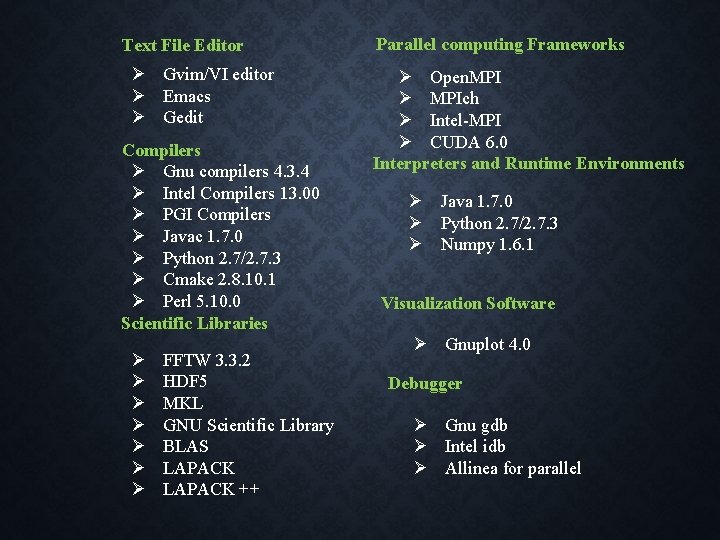
Text File Editor Gvim/VI editor Emacs Gedit Compilers Gnu compilers 4. 3. 4 Intel Compilers 13. 00 PGI Compilers Javac 1. 7. 0 Python 2. 7/2. 7. 3 Cmake 2. 8. 10. 1 Perl 5. 10. 0 Scientific Libraries FFTW 3. 3. 2 HDF 5 MKL GNU Scientific Library BLAS LAPACK ++ Parallel computing Frameworks Open. MPIch Intel-MPI CUDA 6. 0 Interpreters and Runtime Environments Java 1. 7. 0 Python 2. 7/2. 7. 3 Numpy 1. 6. 1 Visualization Software Gnuplot 4. 0 Debugger Gnu gdb Intel idb Allinea for parallel
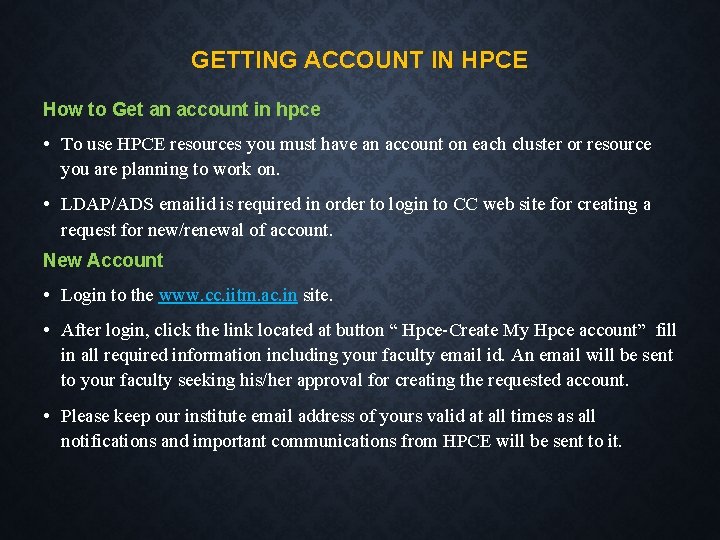
GETTING ACCOUNT IN HPCE How to Get an account in hpce • To use HPCE resources you must have an account on each cluster or resource you are planning to work on. • LDAP/ADS emailid is required in order to login to CC web site for creating a request for new/renewal of account. New Account • Login to the www. cc. iitm. ac. in site. • After login, click the link located at button “ Hpce-Create My Hpce account” fill in all required information including your faculty email id. An email will be sent to your faculty seeking his/her approval for creating the requested account. • Please keep our institute email address of yours valid at all times as all notifications and important communications from HPCE will be sent to it.
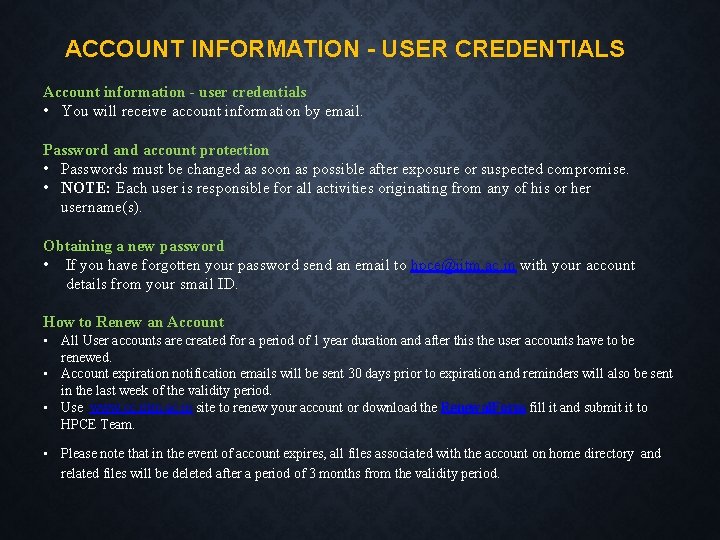
ACCOUNT INFORMATION - USER CREDENTIALS Account information - user credentials • You will receive account information by email. Password and account protection • Passwords must be changed as soon as possible after exposure or suspected compromise. • NOTE: Each user is responsible for all activities originating from any of his or her username(s). Obtaining a new password • If you have forgotten your password send an email to hpce@iitm. ac. in with your account details from your smail ID. How to Renew an Account • All User accounts are created for a period of 1 year duration and after this the user accounts have to be renewed. • Account expiration notification emails will be sent 30 days prior to expiration and reminders will also be sent in the last week of the validity period. • Use www. cc. iitm. ac. in site to renew your account or download the Renewal. Form fill it and submit it to HPCE Team. • Please note that in the event of account expires, all files associated with the account on home directory and related files will be deleted after a period of 3 months from the validity period.
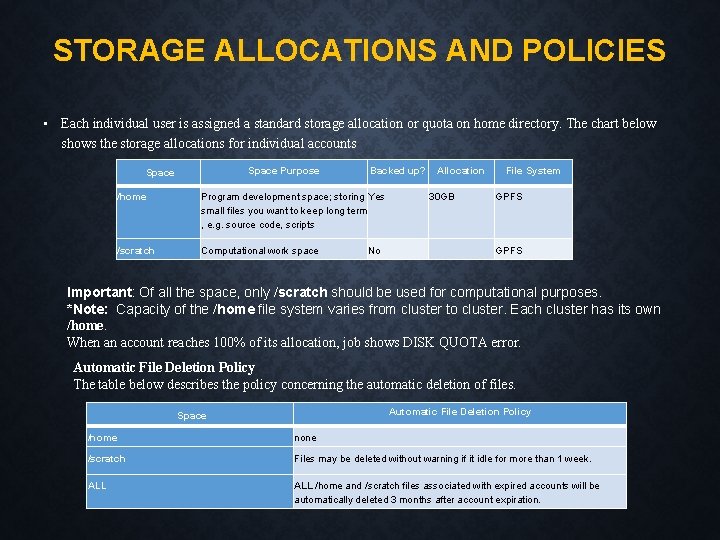
STORAGE ALLOCATIONS AND POLICIES • Each individual user is assigned a standard storage allocation or quota on home directory. The chart below shows the storage allocations for individual accounts Space Purpose Space Backed up? /home Program development space; storing Yes small files you want to keep long term , e. g. source code, scripts /scratch Computational work space No Allocation 30 GB File System GPFS Important: Of all the space, only /scratch should be used for computational purposes. *Note: Capacity of the /home file system varies from cluster to cluster. Each cluster has its own /home. When an account reaches 100% of its allocation, job shows DISK QUOTA error. Automatic File Deletion Policy The table below describes the policy concerning the automatic deletion of files. Automatic File Deletion Policy Space /home none /scratch Files may be deleted without warning if it idle for more than 1 week. ALL /home and /scratch files associated with expired accounts will be automatically deleted 3 months after account expiration.
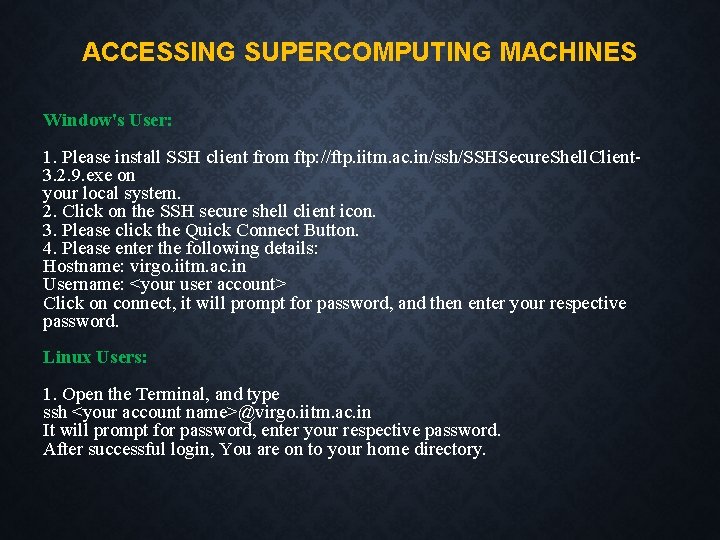
ACCESSING SUPERCOMPUTING MACHINES Window's User: 1. Please install SSH client from ftp: //ftp. iitm. ac. in/ssh/SSHSecure. Shell. Client 3. 2. 9. exe on your local system. 2. Click on the SSH secure shell client icon. 3. Please click the Quick Connect Button. 4. Please enter the following details: Hostname: virgo. iitm. ac. in Username: <your user account> Click on connect, it will prompt for password, and then enter your respective password. Linux Users: 1. Open the Terminal, and type ssh <your account name>@virgo. iitm. ac. in It will prompt for password, enter your respective password. After successful login, You are on to your home directory.
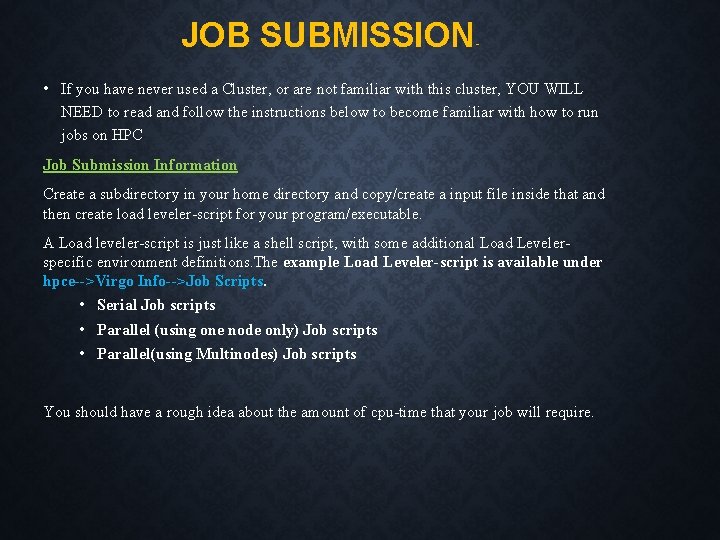
JOB SUBMISSION - • If you have never used a Cluster, or are not familiar with this cluster, YOU WILL NEED to read and follow the instructions below to become familiar with how to run jobs on HPC Job Submission Information Create a subdirectory in your home directory and copy/create a input file inside that and then create load leveler-script for your program/executable. A Load leveler-script is just like a shell script, with some additional Load Levelerspecific environment definitions. The example Load Leveler-script is available under hpce-->Virgo Info-->Job Scripts. • Serial Job scripts • Parallel (using one node only) Job scripts • Parallel(using Multinodes) Job scripts You should have a rough idea about the amount of cpu-time that your job will require.
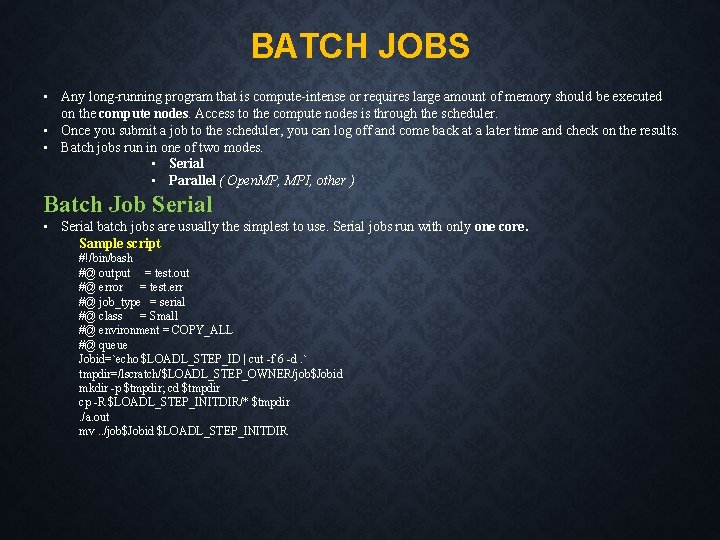
BATCH JOBS • Any long-running program that is compute-intense or requires large amount of memory should be executed on the compute nodes. Access to the compute nodes is through the scheduler. • Once you submit a job to the scheduler, you can log off and come back at a later time and check on the results. • Batch jobs run in one of two modes. • Serial • Parallel ( Open. MP, MPI, other ) Batch Job Serial • Serial batch jobs are usually the simplest to use. Serial jobs run with only one core. Sample script #!/bin/bash #@ output = test. out #@ error = test. err #@ job_type = serial #@ class = Small #@ environment = COPY_ALL #@ queue Jobid=`echo $LOADL_STEP_ID | cut -f 6 -d. ` tmpdir=/lscratch/$LOADL_STEP_OWNER/job$Jobid mkdir -p $tmpdir; cd $tmpdir cp -R $LOADL_STEP_INITDIR/* $tmpdir. /a. out mv. . /job$Jobid $LOADL_STEP_INITDIR
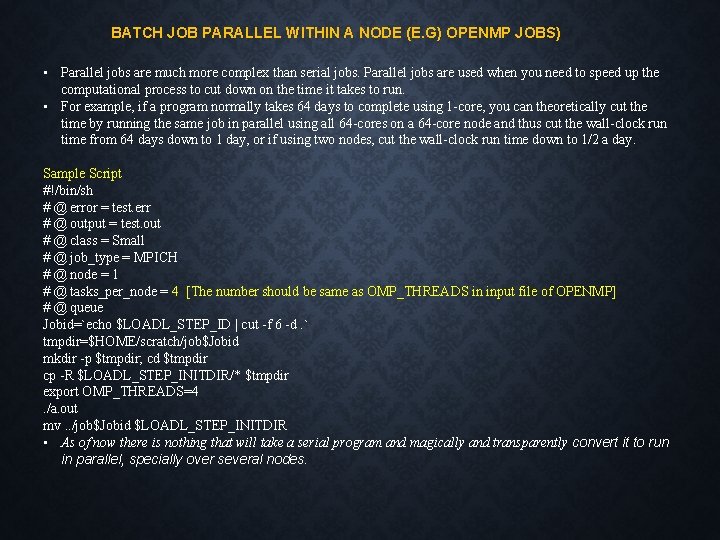
BATCH JOB PARALLEL WITHIN A NODE (E. G) OPENMP JOBS) • Parallel jobs are much more complex than serial jobs. Parallel jobs are used when you need to speed up the computational process to cut down on the time it takes to run. • For example, if a program normally takes 64 days to complete using 1 -core, you can theoretically cut the time by running the same job in parallel using all 64 -cores on a 64 -core node and thus cut the wall-clock run time from 64 days down to 1 day, or if using two nodes, cut the wall-clock run time down to 1/2 a day. Sample Script #!/bin/sh # @ error = test. err # @ output = test. out # @ class = Small # @ job_type = MPICH # @ node = 1 # @ tasks_per_node = 4 [The number should be same as OMP_THREADS in input file of OPENMP] # @ queue Jobid=`echo $LOADL_STEP_ID | cut -f 6 -d. ` tmpdir=$HOME/scratch/job$Jobid mkdir -p $tmpdir; cd $tmpdir cp -R $LOADL_STEP_INITDIR/* $tmpdir export OMP_THREADS=4. /a. out mv. . /job$Jobid $LOADL_STEP_INITDIR • As of now there is nothing that will take a serial program and magically and transparently convert it to run in parallel, specially over several nodes.
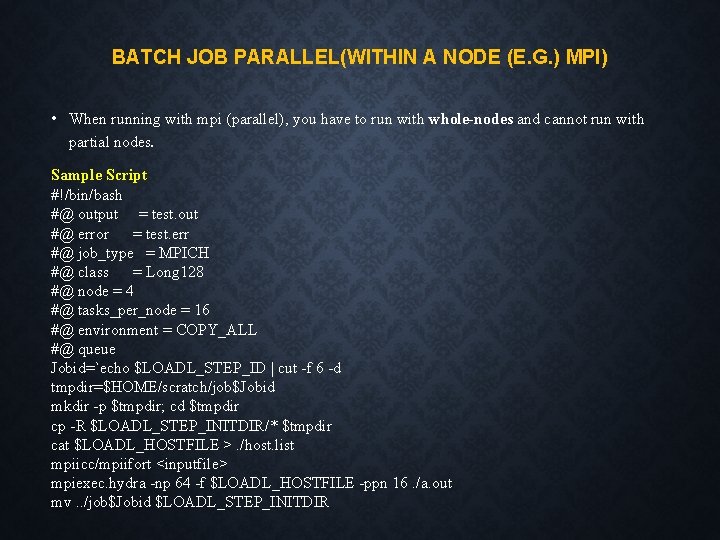
BATCH JOB PARALLEL(WITHIN A NODE (E. G. ) MPI) • When running with mpi (parallel), you have to run with whole-nodes and cannot run with partial nodes. Sample Script #!/bin/bash #@ output = test. out #@ error = test. err #@ job_type = MPICH #@ class = Long 128 #@ node = 4 #@ tasks_per_node = 16 #@ environment = COPY_ALL #@ queue Jobid=`echo $LOADL_STEP_ID | cut -f 6 -d tmpdir=$HOME/scratch/job$Jobid mkdir -p $tmpdir; cd $tmpdir cp -R $LOADL_STEP_INITDIR/* $tmpdir cat $LOADL_HOSTFILE >. /host. list mpiicc/mpiifort <inputfile> mpiexec. hydra -np 64 -f $LOADL_HOSTFILE -ppn 16. /a. out mv. . /job$Jobid $LOADL_STEP_INITDIR
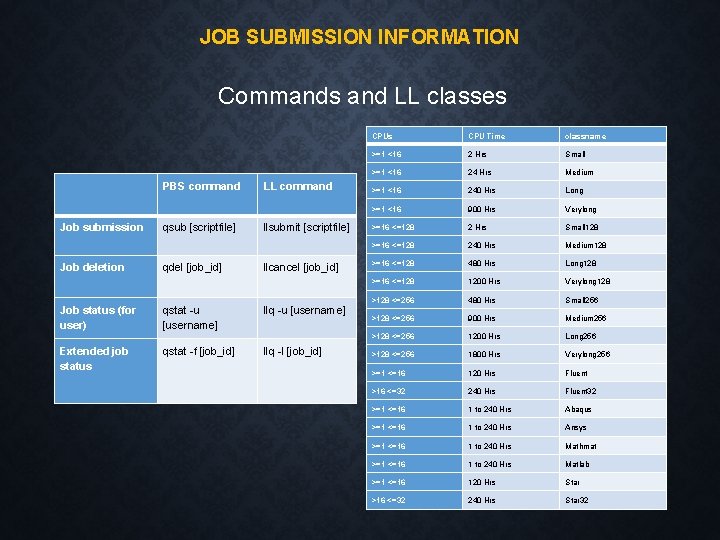
JOB SUBMISSION INFORMATION Commands and LL classes PBS command Job submission Job deletion Job status (for user) Extended job status qsub [scriptfile] qdel [job_id] qstat -u [username] qstat -f [job_id] LL command llsubmit [scriptfile] llcancel [job_id] llq -u [username] llq -l [job_id] CPUs CPU Time classname >=1 <16 2 Hrs Small >=1 <16 24 Hrs Medium >=1 <16 240 Hrs Long >=1 <16 900 Hrs Verylong >=16 <=128 2 Hrs Small 128 >=16 <=128 240 Hrs Medium 128 >=16 <=128 480 Hrs Long 128 >=16 <=128 1200 Hrs Verylong 128 >128 <=256 480 Hrs Small 256 >128 <=256 900 Hrs Medium 256 >128 <=256 1200 Hrs Long 256 >128 <=256 1800 Hrs Verylong 256 >=1 <=16 120 Hrs Fluent >16 <=32 240 Hrs Fluent 32 >=1 <=16 1 to 240 Hrs Abaqus >=1 <=16 1 to 240 Hrs Ansys >=1 <=16 1 to 240 Hrs Mathmat >=1 <=16 1 to 240 Hrs Matlab >=1 <=16 120 Hrs Star >16 <=32 240 Hrs Star 32
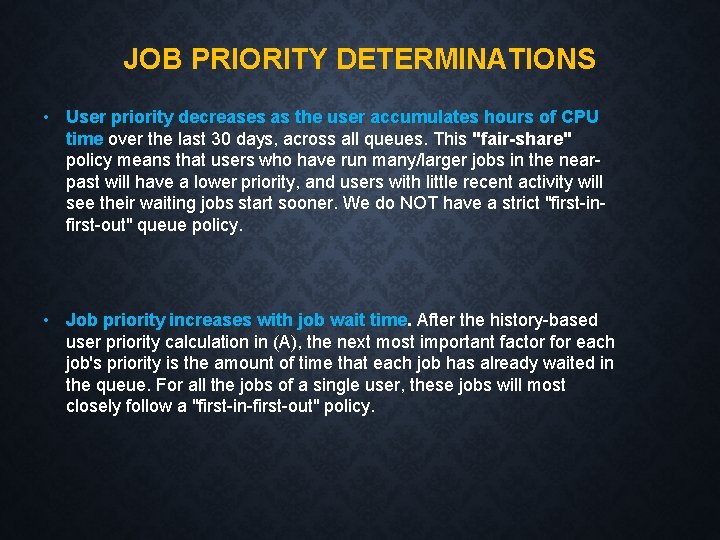
JOB PRIORITY DETERMINATIONS • User priority decreases as the user accumulates hours of CPU time over the last 30 days, across all queues. This "fair-share" policy means that users who have run many/larger jobs in the nearpast will have a lower priority, and users with little recent activity will see their waiting jobs start sooner. We do NOT have a strict "first-infirst-out" queue policy. • Job priority increases with job wait time. After the history-based user priority calculation in (A), the next most important factor for each job's priority is the amount of time that each job has already waited in the queue. For all the jobs of a single user, these jobs will most closely follow a "first-in-first-out" policy.
GENERAL INFORMATION • Do not share your account with anyone. • Do not run any calculations on the login node -- use the queuing system. If everyone does this, the login nodes will crash keeping 700+ HPC users from being able to login to the cluster. • Files belonging to the completed jobs in the scratch space will be automatically deleted after 7 days of completion of jobs. • The clusters are not visible outside IIT • Do not create directory with spaces because linux not accept spaces • Eg : #cc_sample not as #cc sample
EFFECTIVE USE • You can login to the node where your job is getting executed to know the status of your job. • Please avoid nesting of subdirectory levels • eg: cat /home 2/brnch/user/xx/yy/zz/td/n 3/sample. cmd • Try to use the local scratch defined for executing serial/openmp jobs • Replace the line tmpdir=$HOME/scratch/job$Jobid in the script file as tmpdir=/lscratch/$LOADL_STEP_OWNER/job$Jobid • Parallel user, please find out how many cores/cpus in any node and use it fully. • Eg: #node=2 #tasks_per_node=16
EFFECTIVE USE Jobs got aborted will not copy files from the scratch folder of the users and it is the responsibility of the users to delete these files To test any application please use small queues with one cpu defined in the cluster A small queue request with 16 CPUs will also wait in the queue as getting all 16 CPUs in one node is difficult during peak period My job enters the queue successfully, but it waits a long time before it gets to run The job scheduling software on the cluster makes decisions about how best to allocate the cluster nodes to individual jobs and users
EFFECTIVE – SIMPLE COMMANDS • The following simple commands will help you to monitor your jobs in the cluster. • ps –fu username • top • tail out filename • cat –v filename • dos 2 unix filename • Basic linux commands and vi editor commands are available in the CC web site under HPCE.
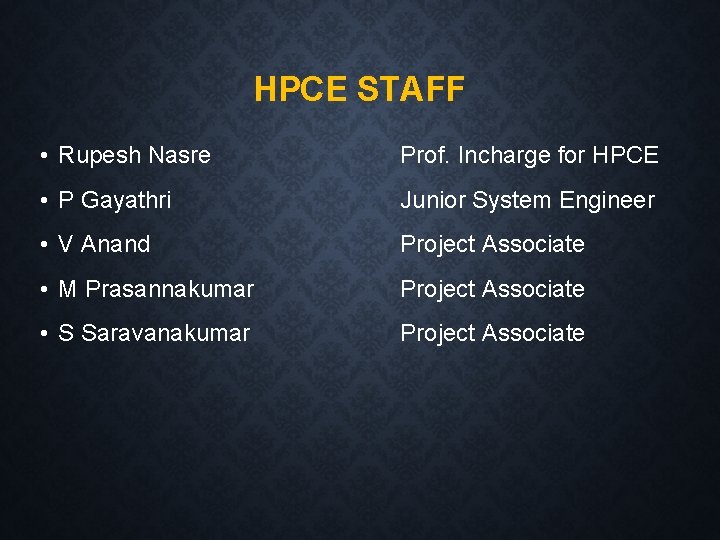
HPCE STAFF • Rupesh Nasre Prof. Incharge for HPCE • P Gayathri Junior System Engineer • V Anand Project Associate • M Prasannakumar Project Associate • S Saravanakumar Project Associate
USER CONSULTING • The Supercomputing facility staff provide assistance (Mon-Fri 8 am-7 pm, Sat 9 am-5 pm). You can contact us in one of the following ways: • email: hpce@iitm. ac. in • telephone: 5997 or Helpdesk at 5999 • visit us at room 209 in the Computer center 1 st floor (adjacent to Computer Science department) • The usefulness, accuracy and promptness of the information we provide to answer a question depends, to a good extent, on whether you have given us useful and relevant information.
THANK YOU