
High Performance Cluster Computing Architecture Systems and Applications


- Slides: 153
High Performance Cluster Computing (Architecture, Systems, and Applications) Rajkumar Buyya, Monash University, Melbourne. http: //www. buyya. com / www. csse. monash. edu. au/~rajkumar@buyya. com / rajkumar@csse. monash. edu. au 1
Objectives c Learn and Share Recent advances in cluster computing (both in research and commercial settings): – Architecture, – System Software – Programming Environments and Tools – Applications c Cluster Computing Infoware: (tutorial online) – http: //www. buyya. com/cluster/ 2
Agenda +Overview of Computing +Motivations & Enabling Technologies +Cluster Architecture & its Components +Clusters Classifications +Cluster Middleware +Single System Image +Representative Cluster Systems +Resources and Conclusions 3
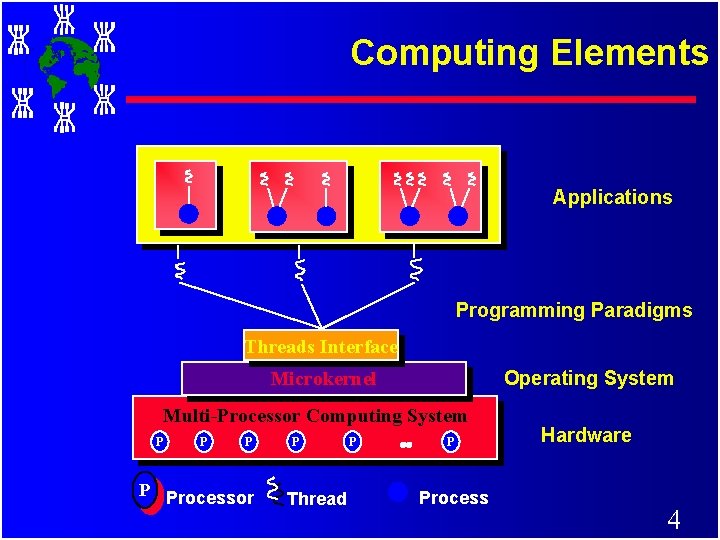
Computing Elements Applications Programming Paradigms Threads Interface Operating System Microkernel Multi-Processor Computing System P P Processor P Thread P P Process Hardware 4
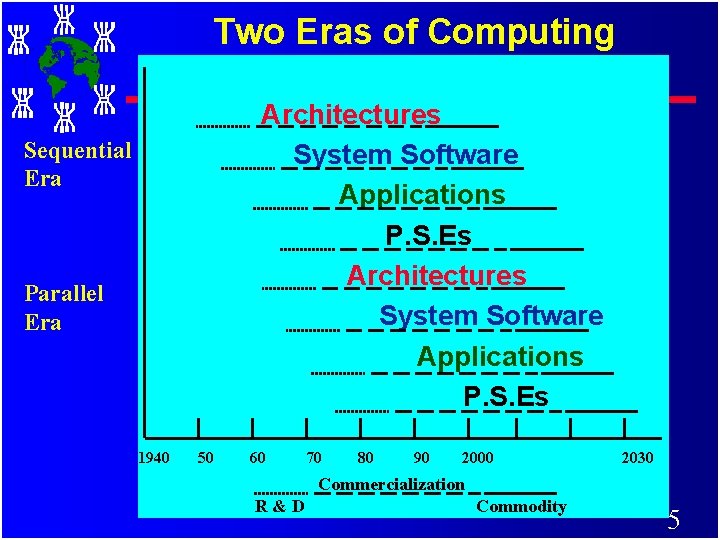
Two Eras of Computing Architectures System Software Applications P. S. Es Sequential Era Parallel Era 1940 50 60 70 80 90 2000 2030 Commercialization R&D Commodity 5
Computing Power and Computer Architectures 6
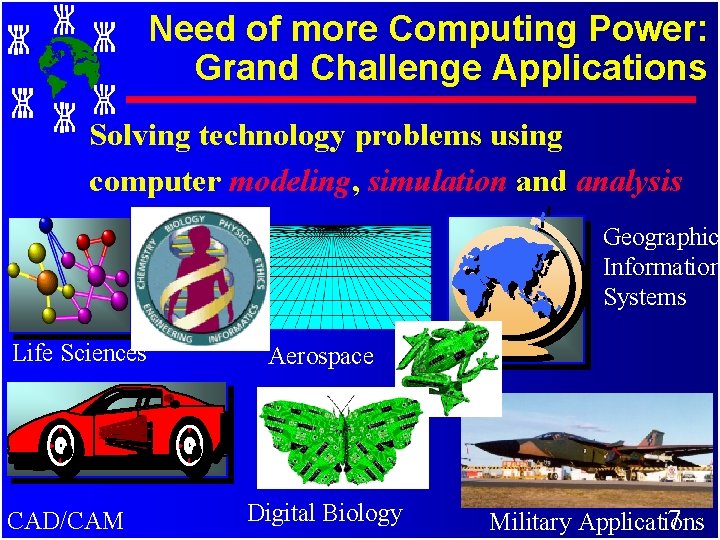
Need of more Computing Power: Grand Challenge Applications Solving technology problems using computer modeling, simulation and analysis Geographic Information Systems Life Sciences CAD/CAM Aerospace Digital Biology 7 Military Applications
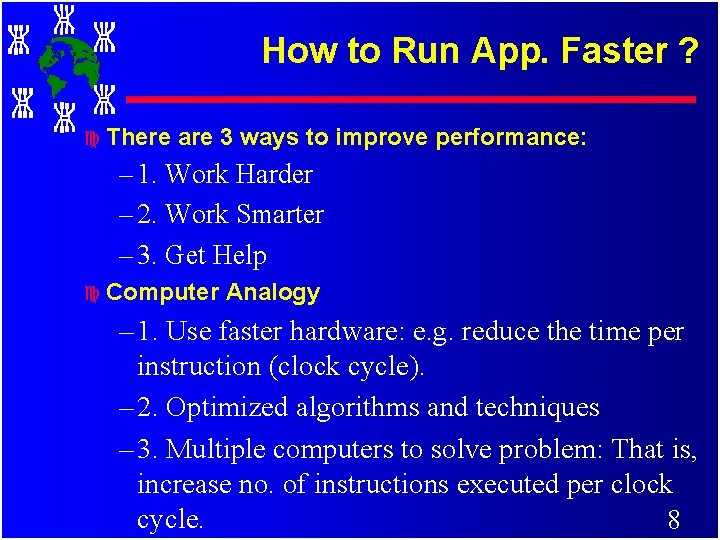
How to Run App. Faster ? c There are 3 ways to improve performance: – 1. Work Harder – 2. Work Smarter – 3. Get Help c Computer Analogy – 1. Use faster hardware: e. g. reduce the time per instruction (clock cycle). – 2. Optimized algorithms and techniques – 3. Multiple computers to solve problem: That is, increase no. of instructions executed per clock cycle. 8
Sequential Architecture Limitations Ø Sequential architectures reaching physical limitation (speed of light, thermodynamics) Ø Hardware improvements like pipelining, Superscalar, etc. , are non-scalable and requires sophisticated Compiler Technology. Ø Vector Processing works well for certain kind of problems. 9
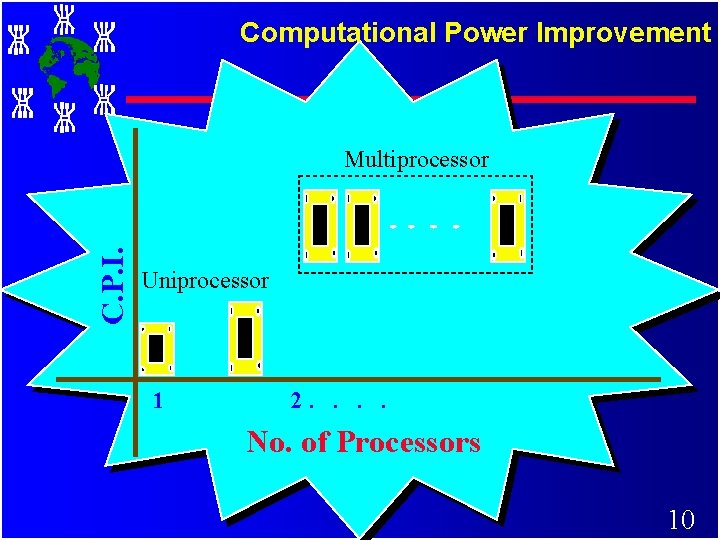
Computational Power Improvement C. P. I. Multiprocessor Uniprocessor 1 2. . No. of Processors 10
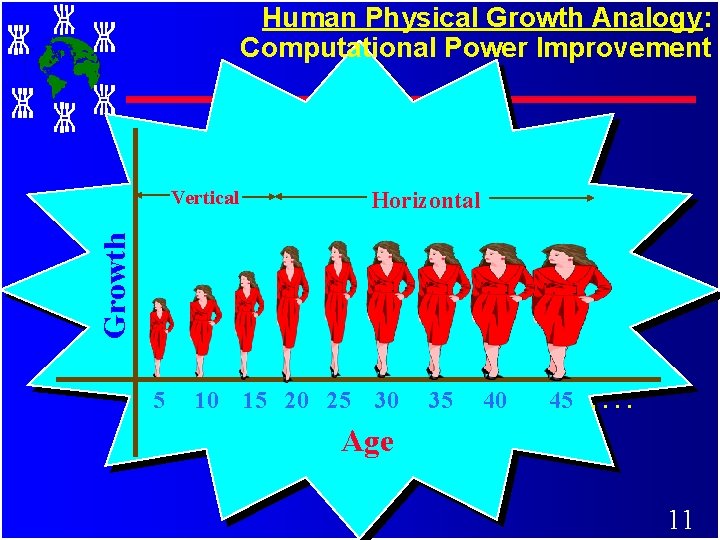
Human Physical Growth Analogy: Computational Power Improvement Vertical Growth Horizontal 5 10 15 20 25 30 35 40 45. . Age 11
Why Parallel Processing NOW? ØThe Tech. of PP is mature and can be exploited commercially; significant R & D work on development of tools & environment. ØSignificant development in Networking technology is paving a way for heterogeneous computing. 12
History of Parallel Processing Z PP can be traced to a tablet dated around 100 BC. u Tablet has 3 calculating positions. u Infer that multiple positions: Reliability/ Speed 13
Motivating Factors ßAggregated speed with which complex calculations carried out by millions of neurons in human brain is amazing! although individual neurons response is slow (milli sec. ) - demonstrate the feasibility of PP 14
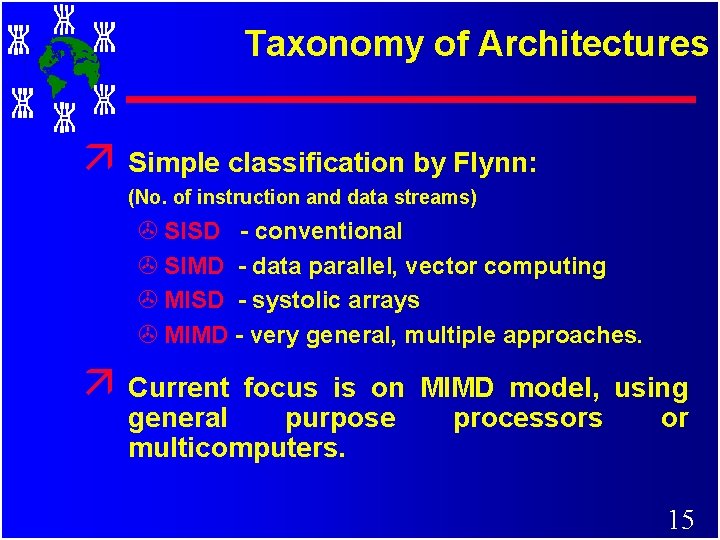
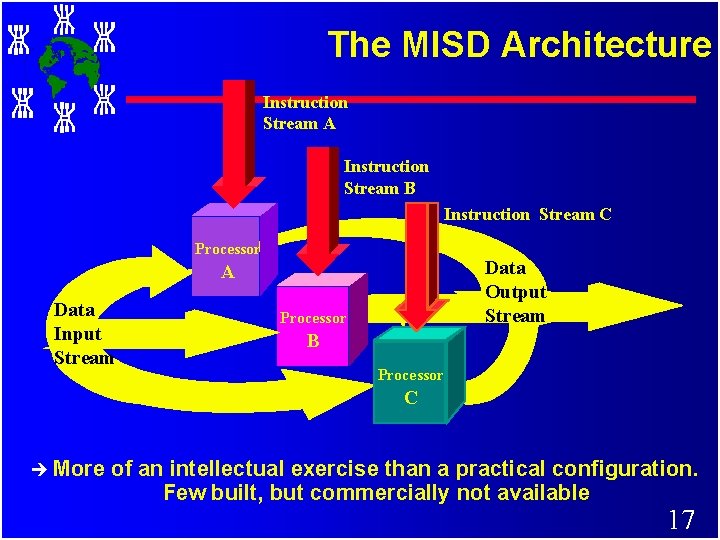
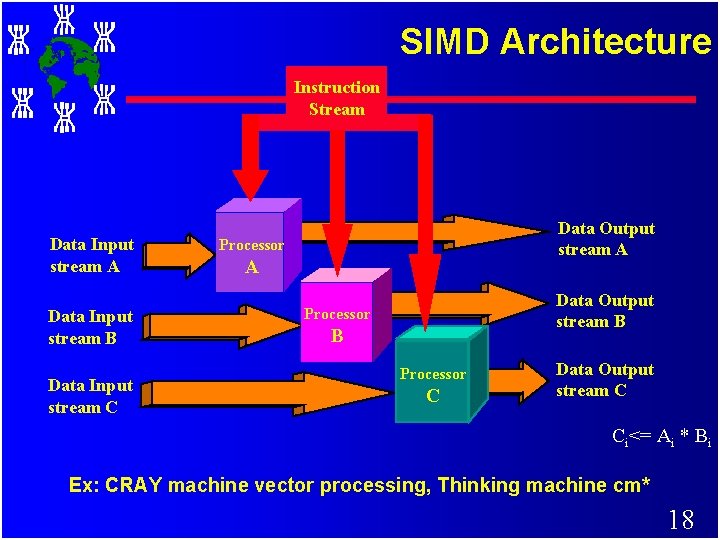
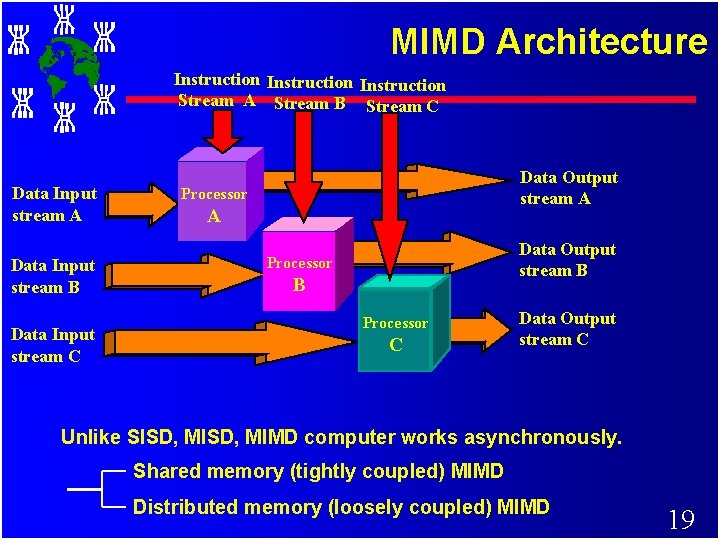
Taxonomy of Architectures ä Simple classification by Flynn: (No. of instruction and data streams) > SISD - conventional > SIMD - data parallel, vector computing > MISD - systolic arrays > MIMD - very general, multiple approaches. ä Current focus is on MIMD model, using general purpose processors or multicomputers. 15
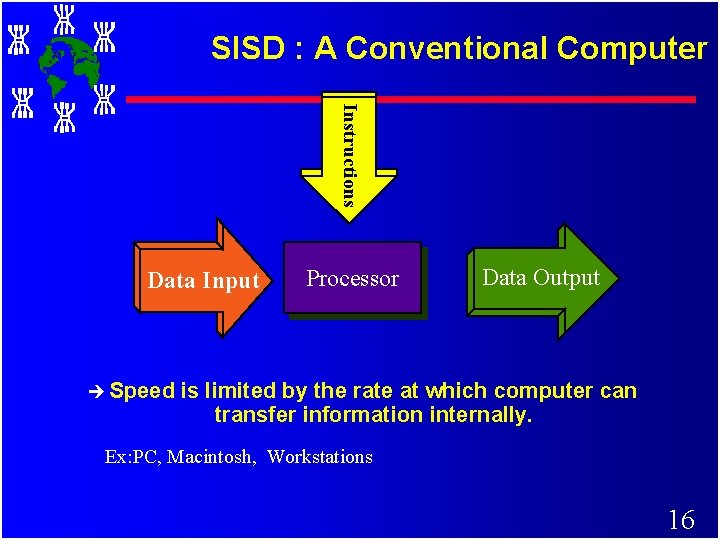
SISD : A Conventional Computer Instructions Data Input è Speed Processor Data Output is limited by the rate at which computer can transfer information internally. Ex: PC, Macintosh, Workstations 16
The MISD Architecture Instruction Stream A Instruction Stream B Instruction Stream C Processor Data Output Stream A Data Input Stream Processor B Processor C è More of an intellectual exercise than a practical configuration. Few built, but commercially not available 17
SIMD Architecture Instruction Stream Data Input stream A Data Input stream B Data Input stream C Data Output stream A Processor A Data Output stream B Processor C Data Output stream C Ci<= Ai * Bi Ex: CRAY machine vector processing, Thinking machine cm* 18
MIMD Architecture Instruction Stream A Stream B Stream C Data Input stream A Data Input stream B Data Input stream C Data Output stream A Processor A Data Output stream B Processor C Data Output stream C Unlike SISD, MIMD computer works asynchronously. Shared memory (tightly coupled) MIMD Distributed memory (loosely coupled) MIMD 19
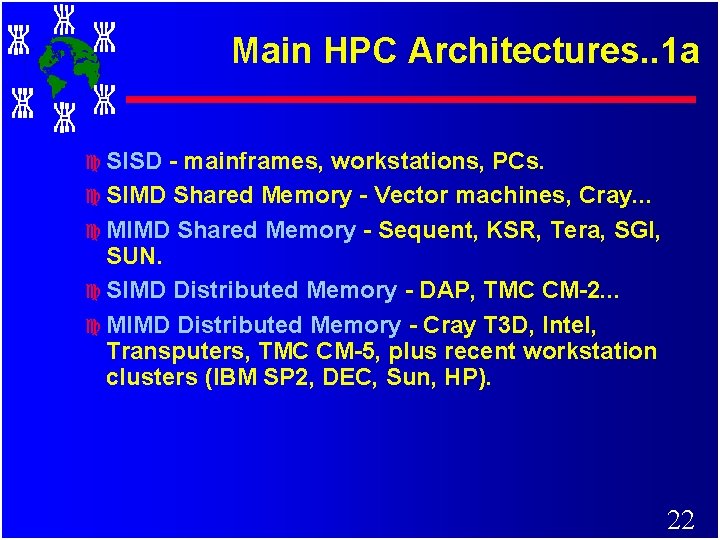
Main HPC Architectures. . 1 a c SISD - mainframes, workstations, PCs. c SIMD Shared Memory - Vector machines, Cray. . . c MIMD Shared Memory - Sequent, KSR, Tera, SGI, SUN. c SIMD Distributed Memory - DAP, TMC CM-2. . . c MIMD Distributed Memory - Cray T 3 D, Intel, Transputers, TMC CM-5, plus recent workstation clusters (IBM SP 2, DEC, Sun, HP). 22
Main HPC Architectures. . 1 b. c NOTE: Modern sequential machines are not purely SISD - advanced RISC processors use many concepts from – vector and parallel architectures (pipelining, parallel execution of instructions, prefetching of data, etc) in order to achieve one or more arithmetic operations per clock cycle. 23
Parallel Processing Paradox c. Time required to develop a parallel application for solving GCA is equal to: – Half Life of Parallel Supercomputers. 24
The Need for Alternative Supercomputing Resources c Vast numbers of under utilised workstations available to use. c Huge numbers of unused processor cycles and resources that could be put to good use in a wide variety of applications areas. c Reluctance to buy Supercomputer due to their cost and short life span. c Distributed compute resources “fit” better into today's funding model. 25
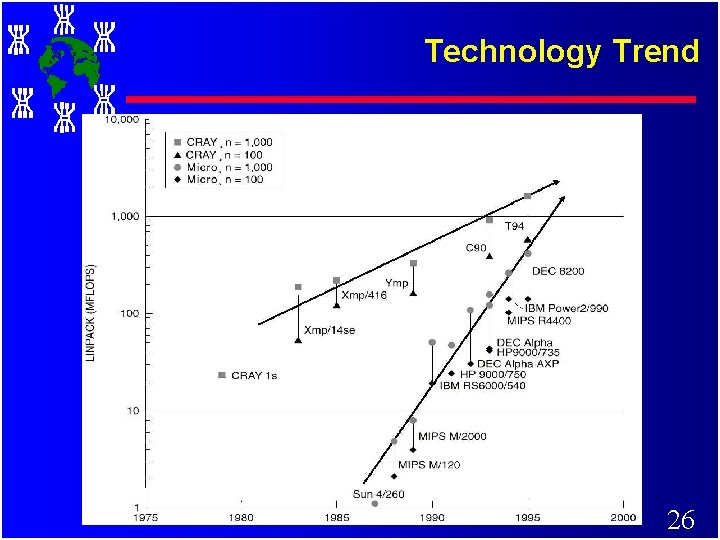
Technology Trend 26
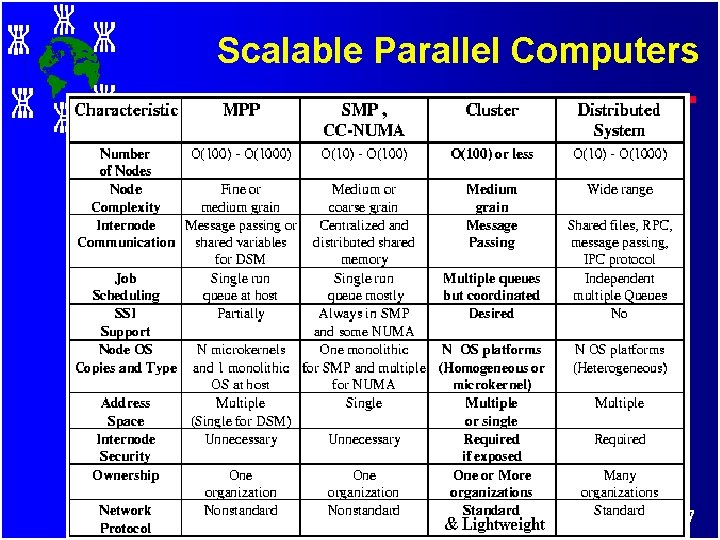
Scalable Parallel Computers 27
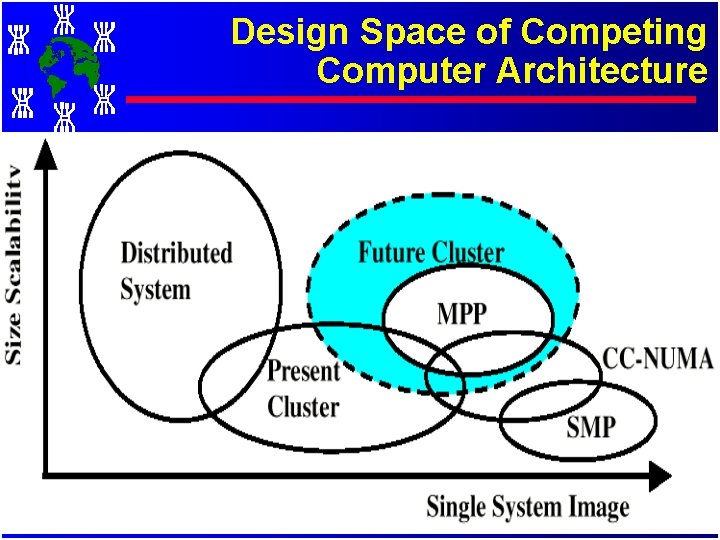
Design Space of Competing Computer Architecture 28
Towards Inexpensive Supercomputing It is: Cluster Computing. . The Commodity Supercomputing! 29
Motivation for using Clusters c Surveys show utilisation of CPU cycles of desktop workstations is typically <10%. c Performance of workstations and PCs is rapidly improving c As performance grows, percent utilisation will decrease even further! c Organisations are reluctant to buy large supercomputers, due to the large expense and short useful life span. 30
Motivation for using Clusters c The communications bandwidth between workstations is increasing as new networking technologies and protocols are implemented in LANs and WANs. c Workstation clusters are easier to integrate into existing networks than special parallel computers. 31
Motivation for using Clusters c The development tools for workstations are more mature than the contrasting proprietary solutions for parallel computers - mainly due to the nonstandard nature of many parallel systems. c Workstation clusters are a cheap and readily available alternative to specialised High Performance Computing (HPC) platforms. c Use of clusters of workstations as a distributed compute resource is very cost effective - incremental growth of system!!! 32
Cycle Stealing c Usually a workstation will be owned by an individual, group, department, or organisation - they are dedicated to the exclusive use by the owners. c This brings problems when attempting to form a cluster of workstations for running distributed applications. 33
Cycle Stealing c Typically, there are three types of owners, who use their workstations mostly for: 1. Sending and receiving email and preparing documents. 2. Software development - edit, compile, debug and test cycle. 3. Running compute-intensive applications. 34
Cycle Stealing c Cluster computing aims to steal spare cycles from (1) and (2) to provide resources for (3). c However, this requires overcoming the ownership hurdle - people are very protective of their workstations. c Usually requires organisational mandate that computers are to be used in this way. c Stealing cycles outside standard work hours (e. g. overnight) is easy, stealing idle cycles during work hours without impacting interactive use (both CPU and memory) is much harder. 35
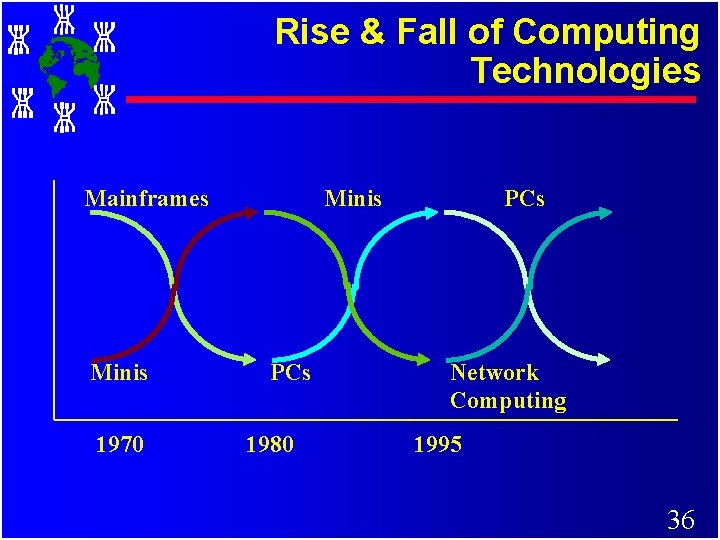
Rise & Fall of Computing Technologies Mainframes Minis 1970 Minis PCs 1980 PCs Network Computing 1995 36
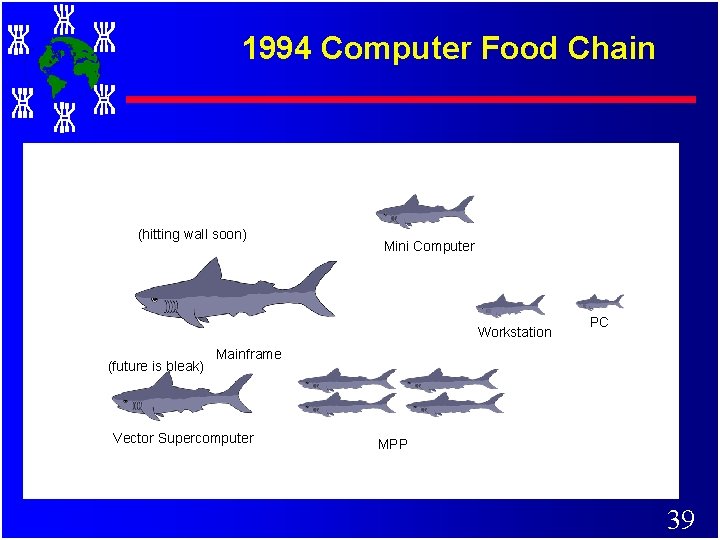
Original Food Chain Picture 37
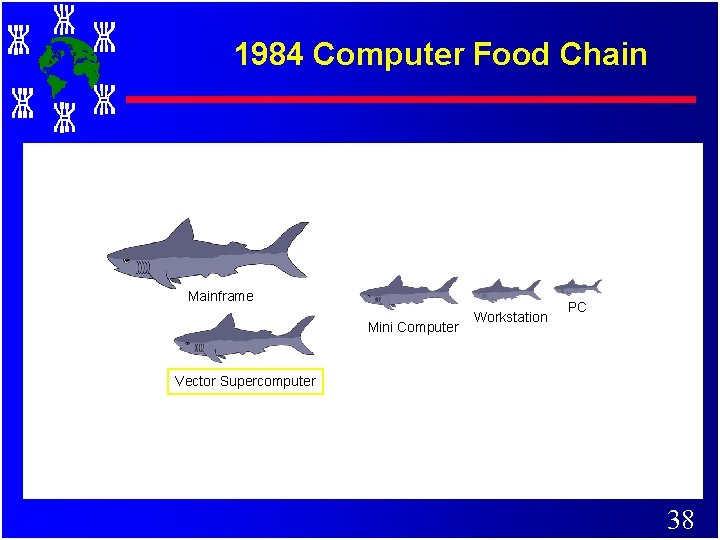
1984 Computer Food Chain Mainframe Mini Computer Workstation PC Vector Supercomputer 38
1994 Computer Food Chain (hitting wall soon) Mini Computer Workstation (future is bleak) PC Mainframe Vector Supercomputer MPP 39
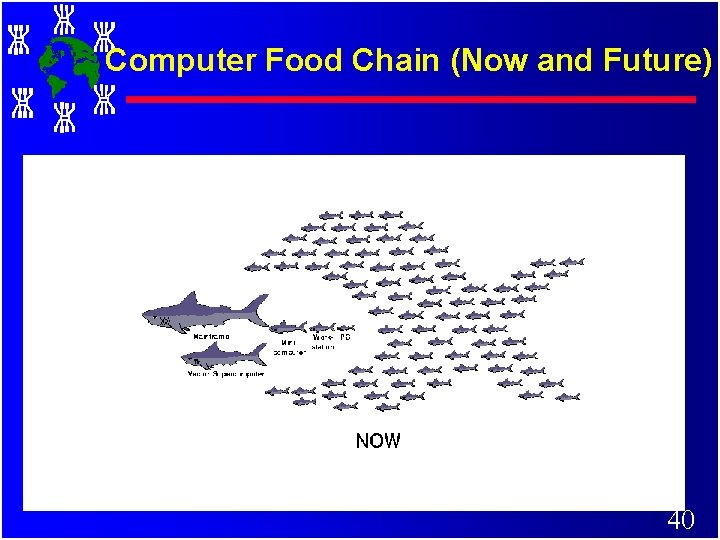
Computer Food Chain (Now and Future) 40
What is a cluster? c. A cluster is a type of parallel or distributed processing system, which consists of a collection of interconnected standalone/complete computers cooperatively working together as a single, integrated computing resource. c A typical cluster: – Network: Faster, closer connection than a typical network (LAN) – Low latency communication protocols 41 – Looser connection than SMP
Why Clusters now? (Beyond Technology and Cost) c Building block is big enough – complete computers (HW & SW) shipped in millions: killer micro, killer RAM, killer disks, killer OS, killer networks, killer apps. c Workstations performance is doubling every 18 months. c Networks are faster c Higher link bandwidth (v 10 Mbit Ethernet) c Switch based networks coming (ATM) c Interfaces simple & fast (Active Msgs) c Striped files preferred (RAID) c Demise of Mainframes, Supercomputers, & MPPs 42
Architectural Drivers…(cont) c Node architecture dominates performance – processor, cache, bus, and memory – design and engineering $ => performance c Greatest demand for performance is on large systems – must track the leading edge of technology without lag c MPP network technology => mainstream – system area networks c System on every node is a powerful enabler – very high speed I/O, virtual memory, scheduling, … 43
. . . Architectural Drivers c Clusters can be grown: Incremental scalability (up, down, and across) – Individual nodes performance can be improved by adding additional resource (new memory blocks/disks) – New nodes can be added or nodes can be removed – Clusters of Clusters and Metacomputing c Complete software tools – Threads, PVM, MPI, DSM, C, C++, Java, Parallel C++, Compilers, Debuggers, OS, etc. c Wide class of applications – Sequential and grand challenging parallel applications 44
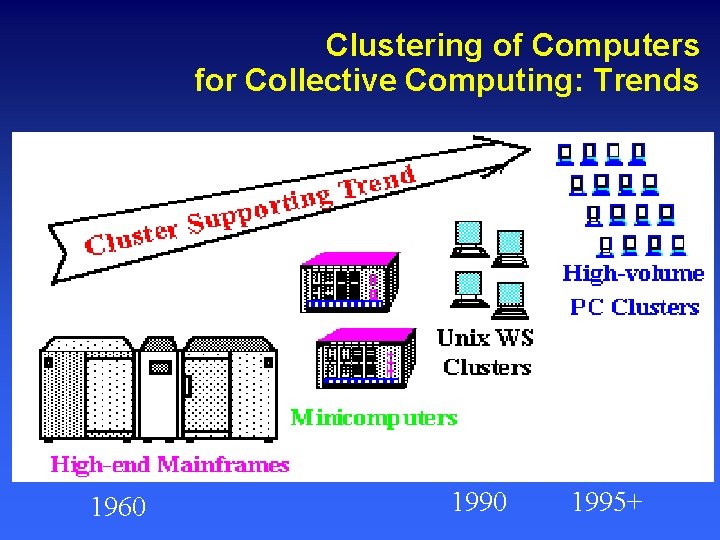
Clustering of Computers for Collective Computing: Trends 1960 1995+
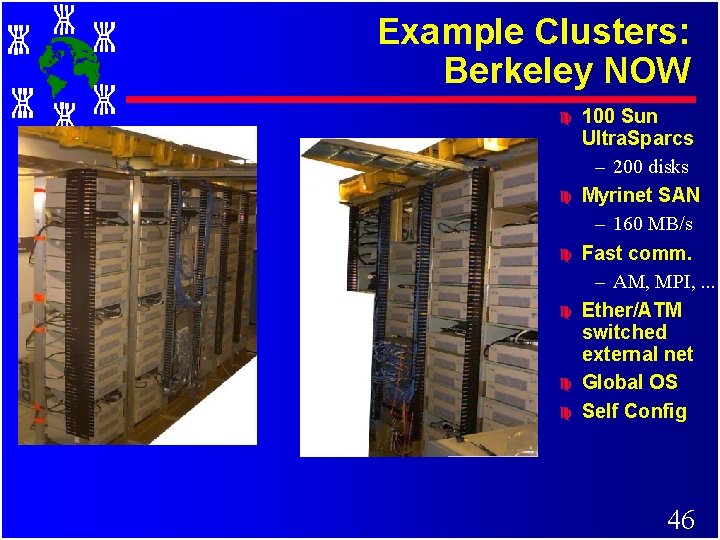
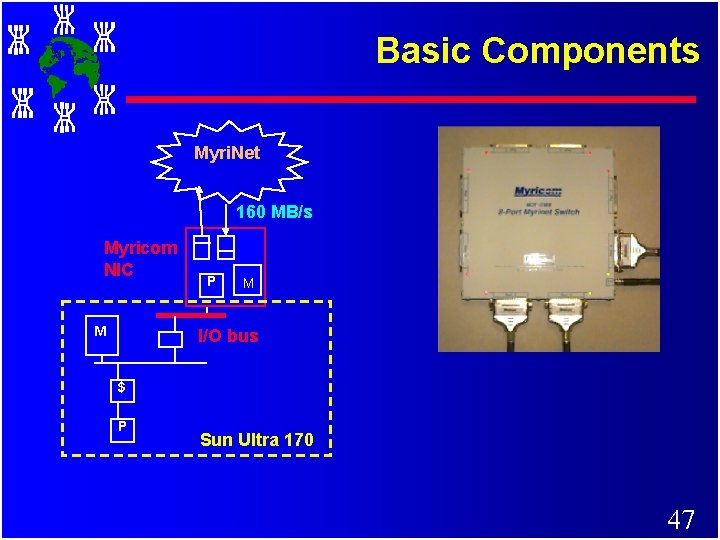
Example Clusters: Berkeley NOW c c c 100 Sun Ultra. Sparcs – 200 disks Myrinet SAN – 160 MB/s Fast comm. – AM, MPI, . . . Ether/ATM switched external net Global OS Self Config 46
Basic Components Myri. Net 160 MB/s Myricom NIC M P M I/O bus $ P Sun Ultra 170 47
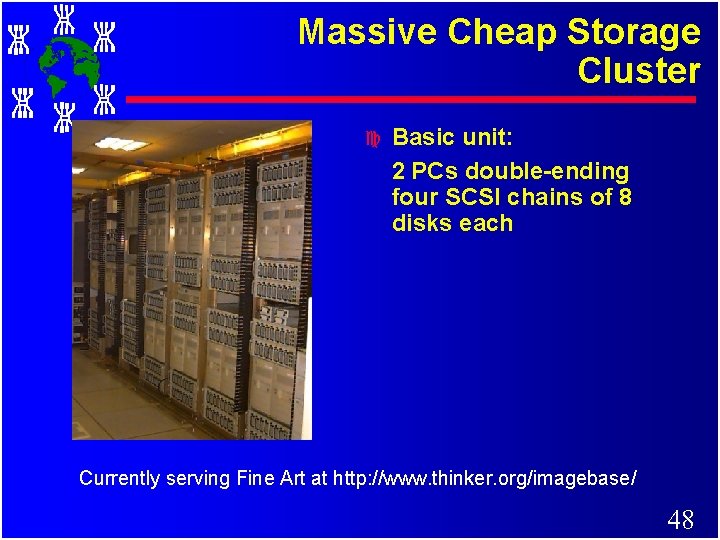
Massive Cheap Storage Cluster c Basic unit: 2 PCs double-ending four SCSI chains of 8 disks each Currently serving Fine Art at http: //www. thinker. org/imagebase/ 48
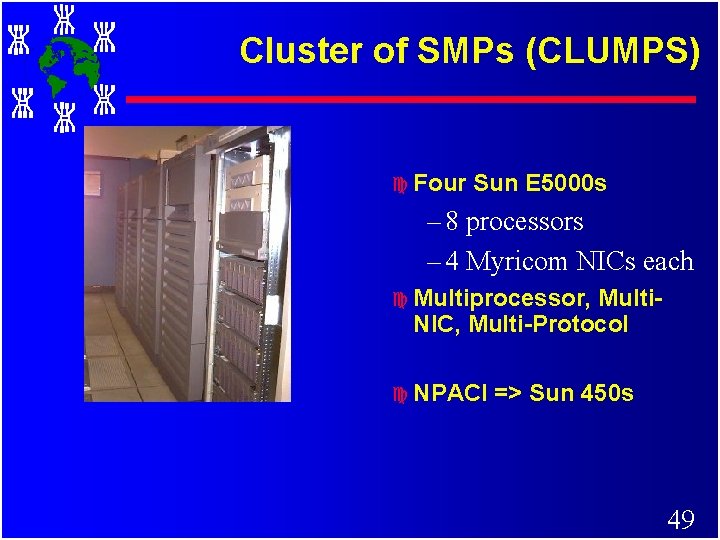
Cluster of SMPs (CLUMPS) c Four Sun E 5000 s – 8 processors – 4 Myricom NICs each c Multiprocessor, Multi. NIC, Multi-Protocol c NPACI => Sun 450 s 49
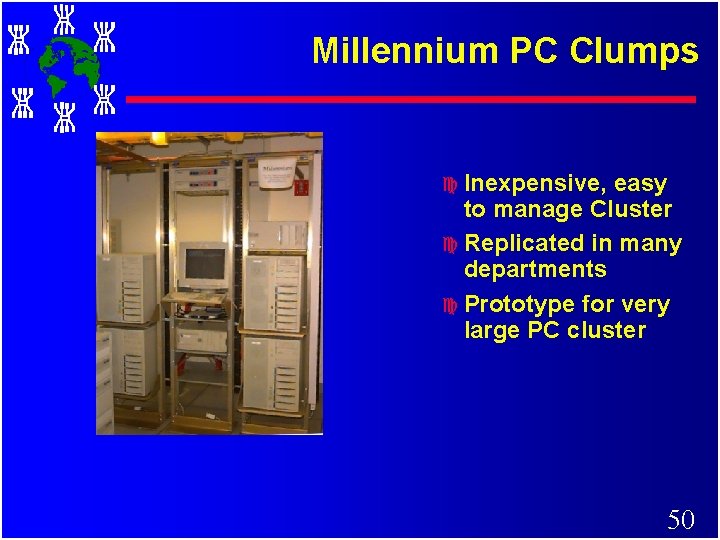
Millennium PC Clumps c Inexpensive, easy to manage Cluster c Replicated in many departments c Prototype for very large PC cluster 50
Adoption of the Approach 51
So What’s So Different? c Commodity parts? c Communications Packaging? c Incremental Scalability? c Independent Failure? c Intelligent Network Interfaces? c Complete System on every node – virtual memory – scheduler – files –. . . 52
OPPORTUNITIES & CHALLENGES 53
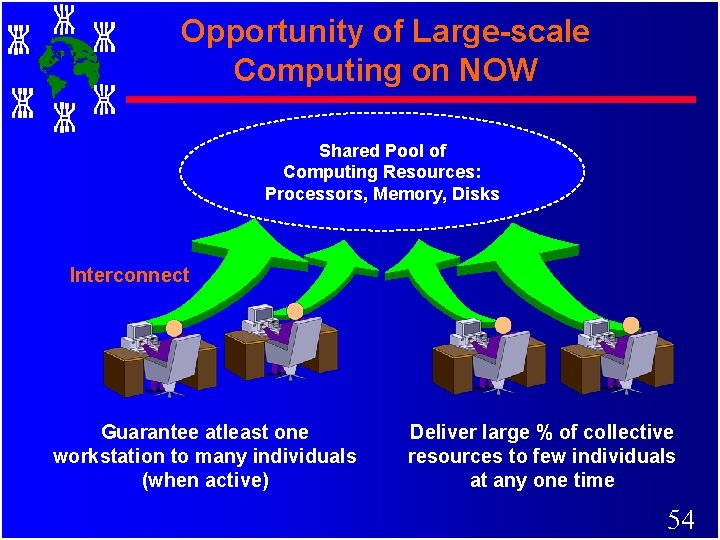
Opportunity of Large-scale Computing on NOW Shared Pool of Computing Resources: Processors, Memory, Disks Interconnect Guarantee atleast one workstation to many individuals (when active) Deliver large % of collective resources to few individuals at any one time 54
Windows of Opportunities c MPP/DSM: – Compute across multiple systems: parallel. c Network RAM: – Idle memory in other nodes. Page across other nodes idle memory c Software RAID: – file system supporting parallel I/O and reliablity, mass-storage. c Multi-path Communication: – Communicate across multiple networks: Ethernet, ATM, Myrinet 55
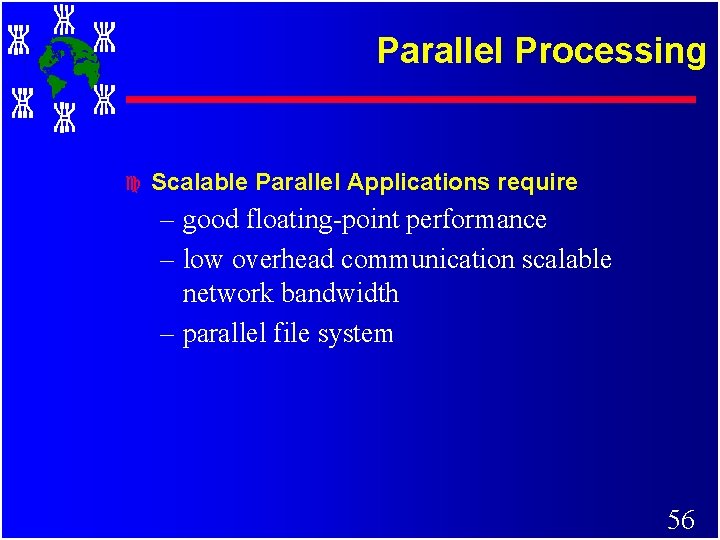
Parallel Processing c Scalable Parallel Applications require – good floating-point performance – low overhead communication scalable network bandwidth – parallel file system 56
Network RAM c Performance gap between processor and disk has widened. c Thrashing to disk degrades performance significantly c Paging across networks can be effective with high performance networks and OS that recognizes idle machines c Typically thrashing to network RAM can be 5 to 10 times faster than thrashing to disk 57
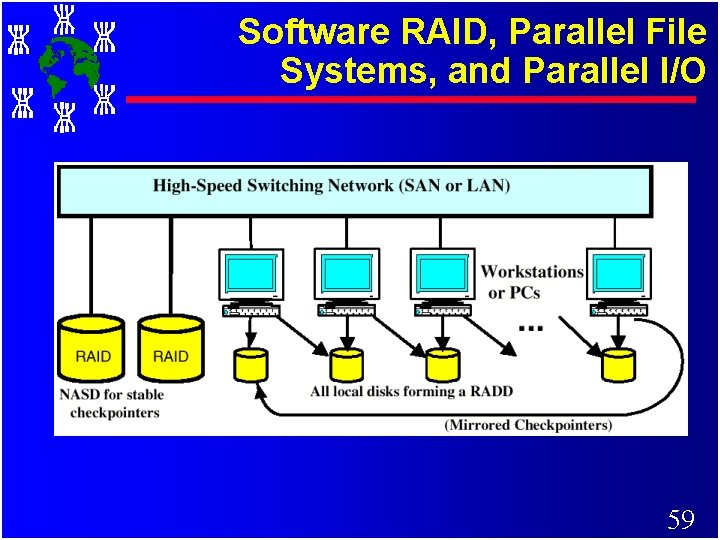
Software RAID: Redundant Array of Workstation Disks c I/O Bottleneck: – Microprocessor performance is improving more than 50% per year. – Disk access improvement is < 10% – Application often perform I/O c c c RAID cost per byte is high compared to single disks RAIDs are connected to host computers which are often a performance and availability bottleneck RAID in software, writing data across an array of workstation disks provides performance and some degree of redundancy provides availability. 58
Software RAID, Parallel File Systems, and Parallel I/O 59
Cluster Computer and its Components 60
Clustering Today c Clustering gained momentum when 3 technologies converged: – 1. Very HP Microprocessors • workstation performance = yesterday supercomputers – 2. High speed communication • Comm. between cluster nodes >= between processors in an SMP. – 3. Standard tools for parallel/ distributed computing & their growing popularity. 61
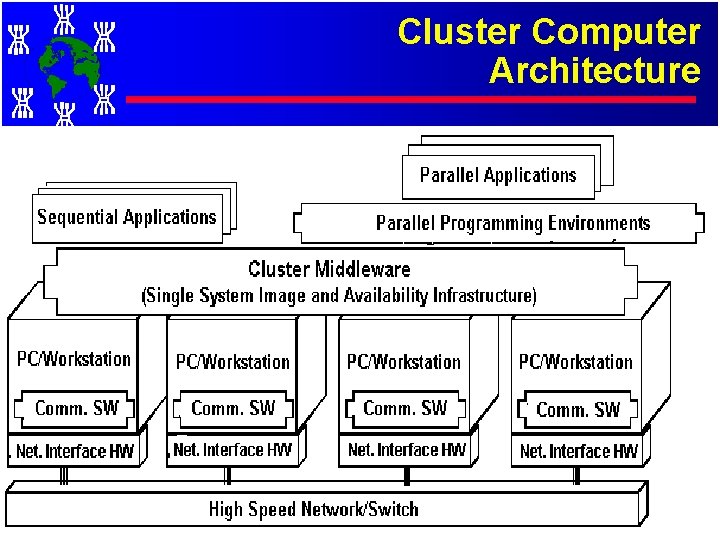
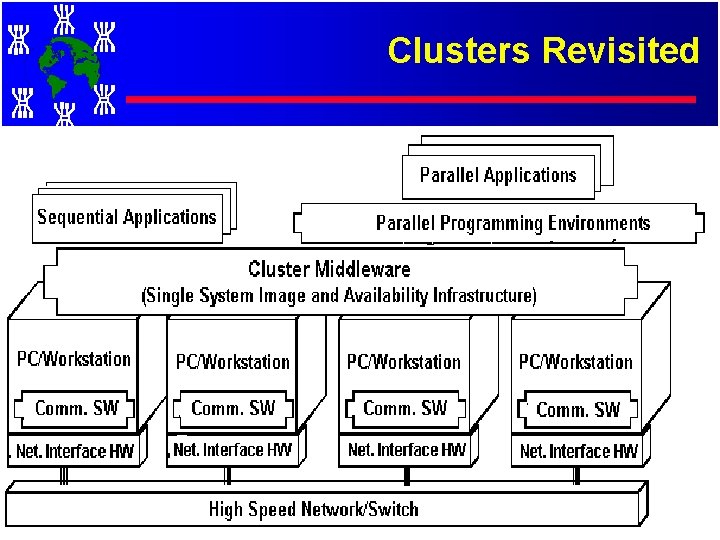
Cluster Computer Architecture 62
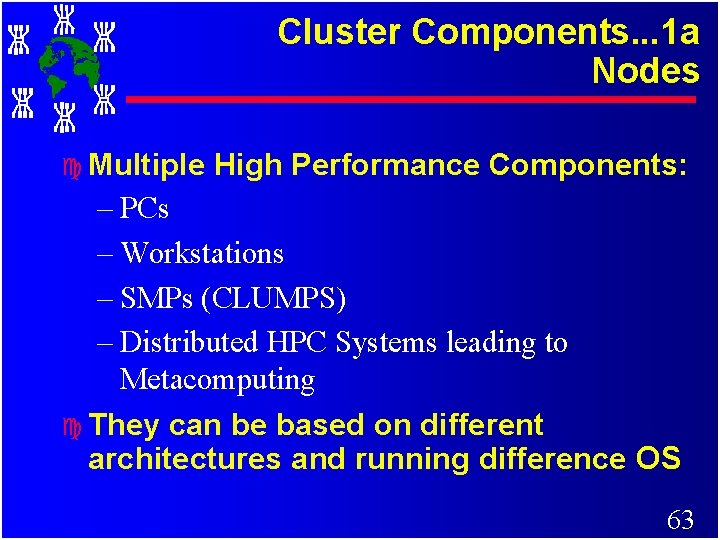
Cluster Components. . . 1 a Nodes c Multiple High Performance Components: – PCs – Workstations – SMPs (CLUMPS) – Distributed HPC Systems leading to Metacomputing c They can be based on different architectures and running difference OS 63
Cluster Components. . . 1 b Processors There are many (CISC/RISC/VLIW/Vector. . ) – Intel: Pentiums, Xeon, Merceed…. – Sun: SPARC, ULTRASPARC – HP PA – IBM RS 6000/Power. PC – SGI MPIS – Digital Alphas c Integrate Memory, processing and networking into a single chip c – IRAM (CPU & Mem): (http: //iram. cs. berkeley. edu) – Alpha 21366 (CPU, Memory Controller, NI) 64
Cluster Components… 2 OS c State of the art OS: – Linux (Beowulf) – Microsoft NT (Illinois HPVM) – SUN Solaris (Berkeley NOW) – IBM AIX (IBM SP 2) – HP UX (Illinois - PANDA) – Mach (Microkernel based OS) (CMU) – Cluster Operating Systems (Solaris MC, SCO Unixware, MOSIX (academic project) – OS gluing layers: (Berkeley Glunix) 65
Cluster Components… 3 High Performance Networks c Ethernet (10 Mbps), c Fast Ethernet (100 Mbps), c Gigabit Ethernet (1 Gbps) c SCI (Dolphin - MPI- 12 micro-sec latency) c ATM c Myrinet (1. 2 Gbps) c Digital Memory Channel c FDDI 66
Cluster Components… 4 Network Interfaces c Network Interface Card – Myrinet has NIC – User-level access support – Alpha 21364 processor integrates processing, memory controller, network interface into a single chip. . 67
Cluster Components… 5 Communication Software Traditional OS supported facilities (heavy weight due to protocol processing). . – Sockets (TCP/IP), Pipes, etc. c Light weight protocols (User Level) – Active Messages (Berkeley) – Fast Messages (Illinois) – U-net (Cornell) – XTP (Virginia) c System systems can be built on top of the above protocols c 68
Cluster Components… 6 a Cluster Middleware c Resides Between OS and Applications and offers in infrastructure for supporting: – Single System Image (SSI) – System Availability (SA) c SSI makes collection appear as single machine (globalised view of system resources). Telnet cluster. myinstitute. edu c SA - Check pointing and process migration. . 69
Cluster Components… 6 b Middleware Components c Hardware – DEC Memory Channel, DSM (Alewife, DASH) SMP Techniques c OS / Gluing Layers – Solaris MC, Unixware, Glunix) c Applications and Subsystems – System management and electronic forms – Runtime systems (software DSM, PFS etc. ) – Resource management and scheduling (RMS): • CODINE, LSF, PBS, NQS, etc. 70
Cluster Components… 7 a Programming environments c c Threads (PCs, SMPs, NOW. . ) – POSIX Threads – Java Threads MPI – Linux, NT, on many Supercomputers PVM Software DSMs (Shmem) 71
Cluster Components… 7 b Development Tools ? c Compilers – C/C++/Java/ ; – Parallel programming with C++ (MIT Press book) c RAD (rapid application development tools). . GUI based tools for PP modeling c Debuggers c Performance Analysis Tools c Visualization Tools 72
Cluster Components… 8 Applications c Sequential c Parallel / Distributed (Cluster-aware app. ) – Grand Challenging applications • Weather Forecasting • Quantum Chemistry • Molecular Biology Modeling • Engineering Analysis (CAD/CAM) • ………………. – PDBs, web servers, data-mining 73
Key Operational Benefits of Clustering c System availability (HA). offer inherent high system availability due to the redundancy of hardware, operating systems, and applications. c Hardware Fault Tolerance. redundancy for most system components (eg. disk-RAID), including both hardware and software. c OS and application reliability. run multiple copies of the OS and applications, and through this redundancy c Scalability. adding servers to the cluster or by adding more clusters to the network as the need arises or CPU to SMP. c High Performance. (running cluster enabled programs) 74
Classification of Cluster Computer 75
Clusters Classification. . 1 c Based on Focus (in Market) – High Performance (HP) Clusters • Grand Challenging Applications – High Availability (HA) Clusters • Mission Critical applications 76
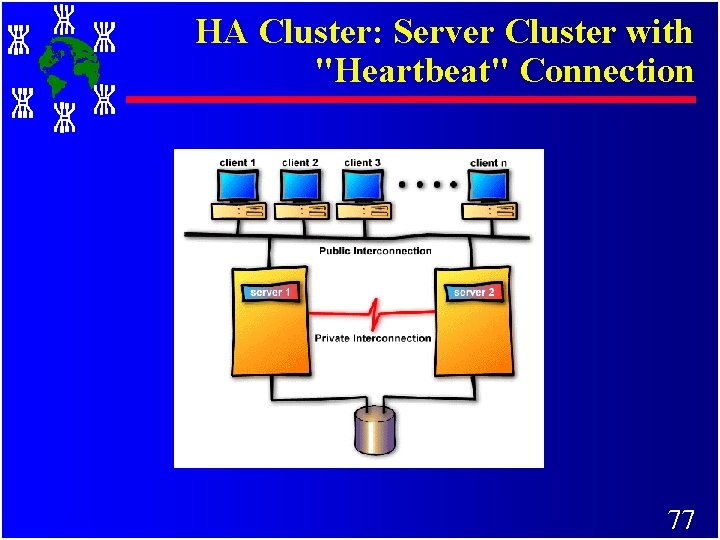
HA Cluster: Server Cluster with "Heartbeat" Connection 77
Clusters Classification. . 2 c Based on Workstation/PC Ownership – Dedicated Clusters – Non-dedicated clusters • Adaptive parallel computing • Also called Communal multiprocessing 78
Clusters Classification. . 3 c Based on Node Architecture. . – Clusters of PCs (Co. Ps) – Clusters of Workstations (COWs) – Clusters of SMPs (CLUMPs) 79
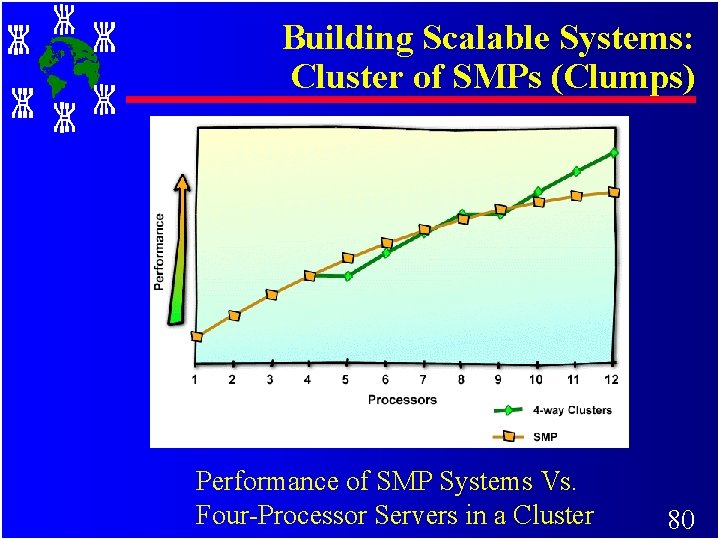
Building Scalable Systems: Cluster of SMPs (Clumps) Performance of SMP Systems Vs. Four-Processor Servers in a Cluster 80
Clusters Classification. . 4 c Based on Node OS Type. . – Linux Clusters (Beowulf) – Solaris Clusters (Berkeley NOW) – NT Clusters (HPVM) – AIX Clusters (IBM SP 2) – SCO/Compaq Clusters (Unixware) – ……. Digital VMS Clusters, HP clusters, ………………. . 81
Clusters Classification. . 5 c Based on node components architecture & configuration (Processor Arch, Node Type: PC/Workstation. . & OS: Linux/NT. . ): – Homogeneous Clusters • All nodes will have similar configuration – Heterogeneous Clusters • Nodes based on different processors and running different OSes. 82
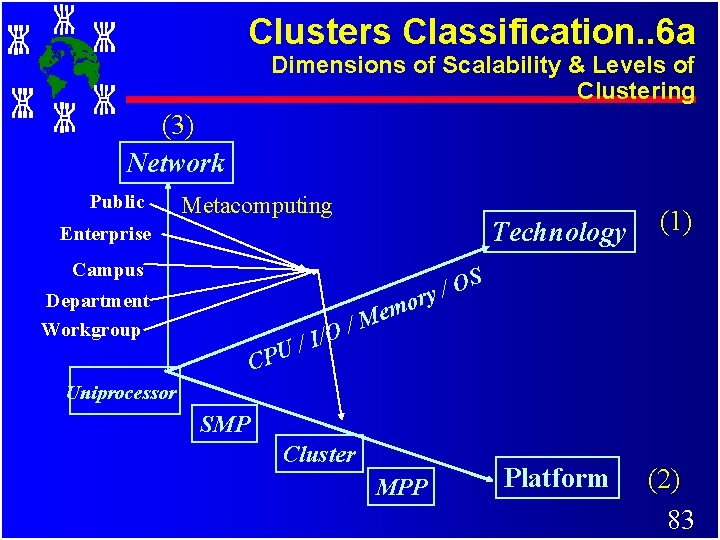
Clusters Classification. . 6 a Dimensions of Scalability & Levels of Clustering (3) Network Public Metacomputing Enterprise Campus Department Workgroup CPU / O / I / Technology (1) Platform (2) 83 S O / y r o em M Uniprocessor SMP Cluster MPP
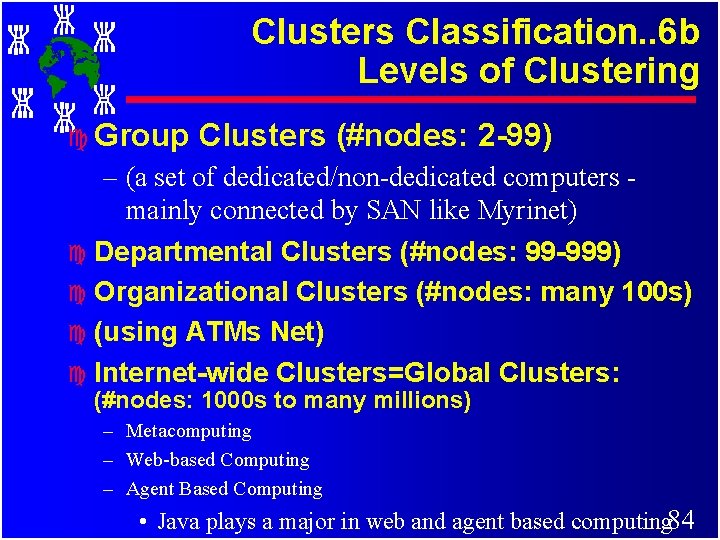
Clusters Classification. . 6 b Levels of Clustering c Group Clusters (#nodes: 2 -99) – (a set of dedicated/non-dedicated computers mainly connected by SAN like Myrinet) c Departmental Clusters (#nodes: 99 -999) c Organizational Clusters (#nodes: many 100 s) c (using ATMs Net) c Internet-wide Clusters=Global Clusters: (#nodes: 1000 s to many millions) – Metacomputing – Web-based Computing – Agent Based Computing • Java plays a major in web and agent based computing 84
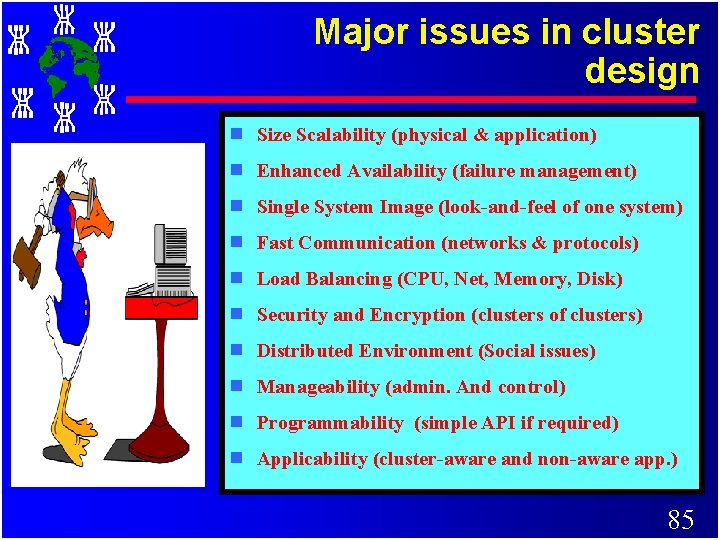
Major issues in cluster design g Size Scalability (physical & application) g Enhanced Availability (failure management) g Single System Image (look-and-feel of one system) g Fast Communication (networks & protocols) g Load Balancing (CPU, Net, Memory, Disk) g Security and Encryption (clusters of clusters) g Distributed Environment (Social issues) g Manageability (admin. And control) g Programmability (simple API if required) g Applicability (cluster-aware and non-aware app. ) 85
Cluster Middleware and Single System Image 86
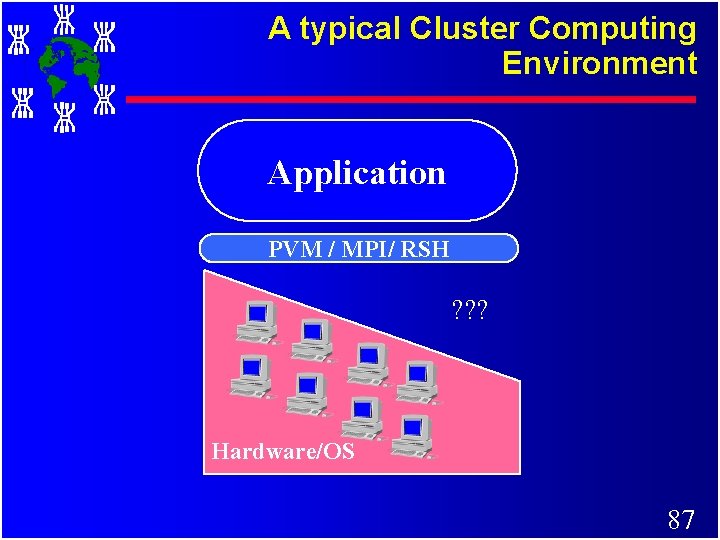
A typical Cluster Computing Environment Application PVM / MPI/ RSH ? ? ? Hardware/OS 87
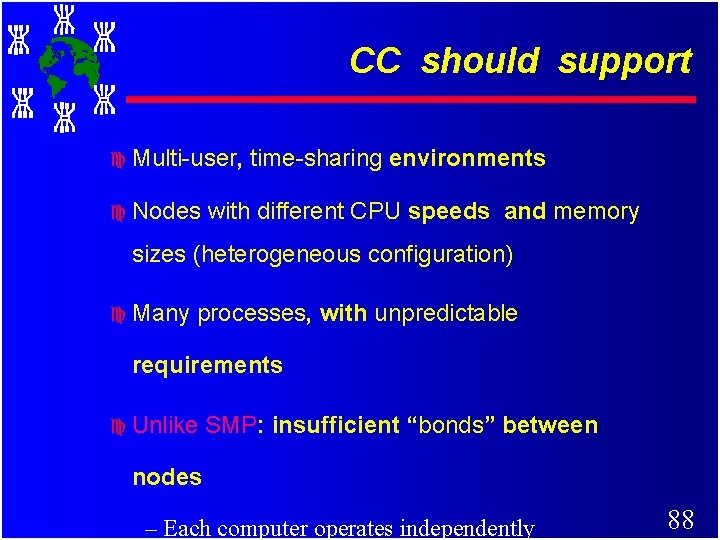
CC should support c Multi-user, c Nodes time-sharing environments with different CPU speeds and memory sizes (heterogeneous configuration) c Many processes, with unpredictable requirements c Unlike SMP: insufficient “bonds” between nodes – Each computer operates independently 88
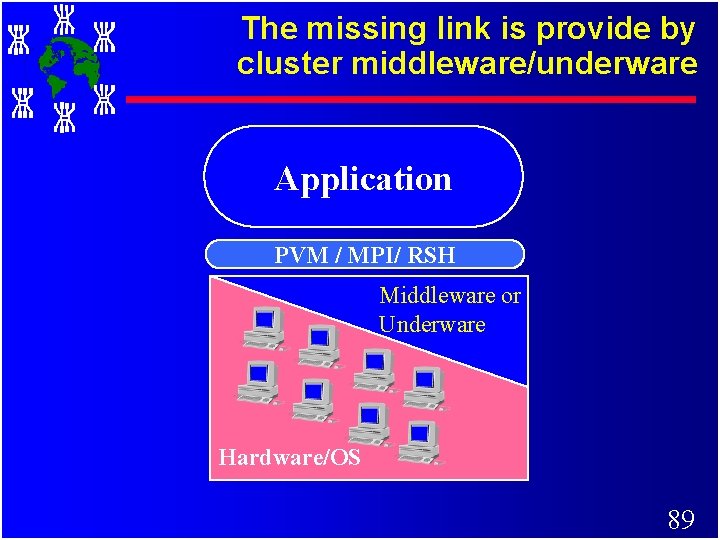
The missing link is provide by cluster middleware/underware Application PVM / MPI/ RSH Middleware or Underware Hardware/OS 89
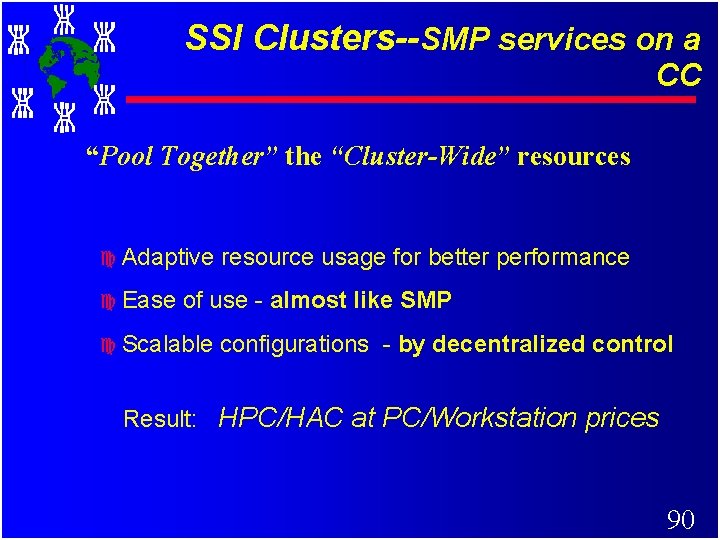
SSI Clusters--SMP services on a CC “Pool Together” the “Cluster-Wide” resources c Adaptive c Ease resource usage for better performance of use - almost like SMP c Scalable configurations - by decentralized control Result: HPC/HAC at PC/Workstation prices 90
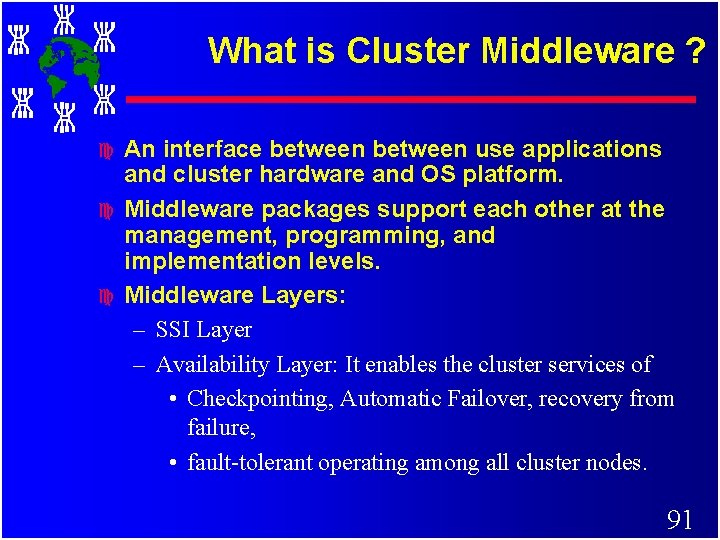
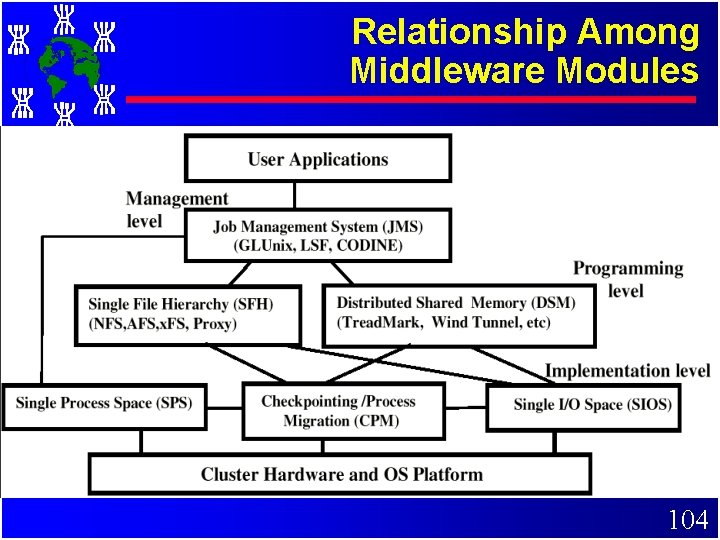
What is Cluster Middleware ? c c c An interface between use applications and cluster hardware and OS platform. Middleware packages support each other at the management, programming, and implementation levels. Middleware Layers: – SSI Layer – Availability Layer: It enables the cluster services of • Checkpointing, Automatic Failover, recovery from failure, • fault-tolerant operating among all cluster nodes. 91
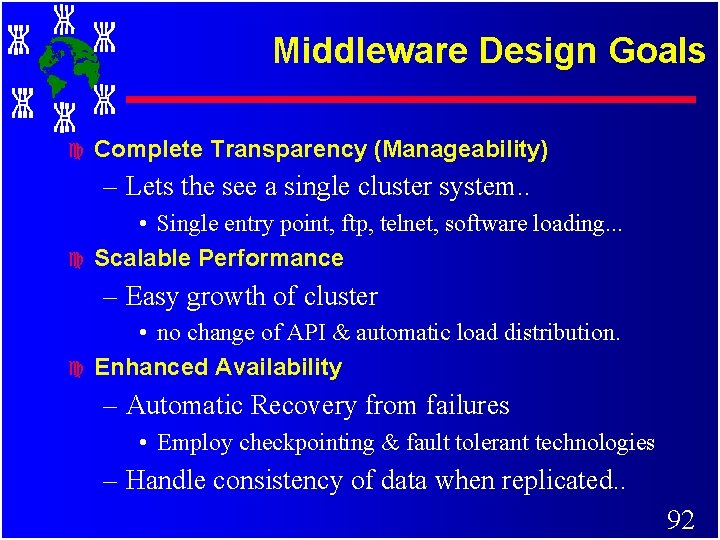
Middleware Design Goals c Complete Transparency (Manageability) – Lets the see a single cluster system. . c • Single entry point, ftp, telnet, software loading. . . Scalable Performance – Easy growth of cluster c • no change of API & automatic load distribution. Enhanced Availability – Automatic Recovery from failures • Employ checkpointing & fault tolerant technologies – Handle consistency of data when replicated. . 92
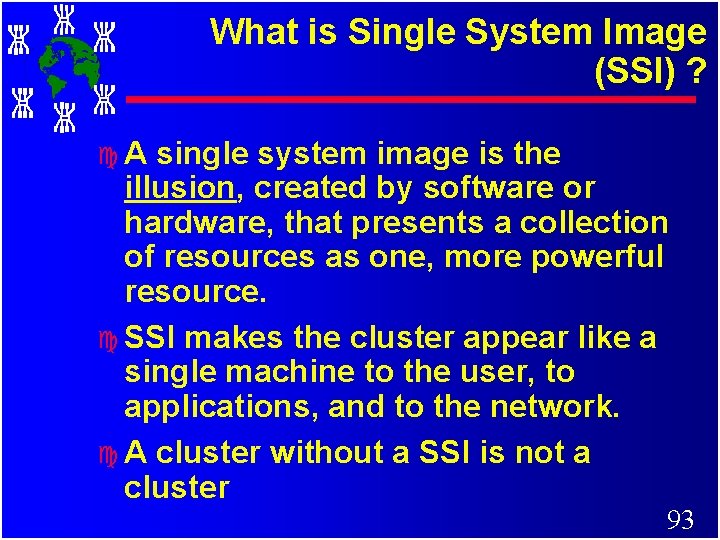
What is Single System Image (SSI) ? c. A single system image is the illusion, created by software or hardware, that presents a collection of resources as one, more powerful resource. c SSI makes the cluster appear like a single machine to the user, to applications, and to the network. c A cluster without a SSI is not a cluster 93
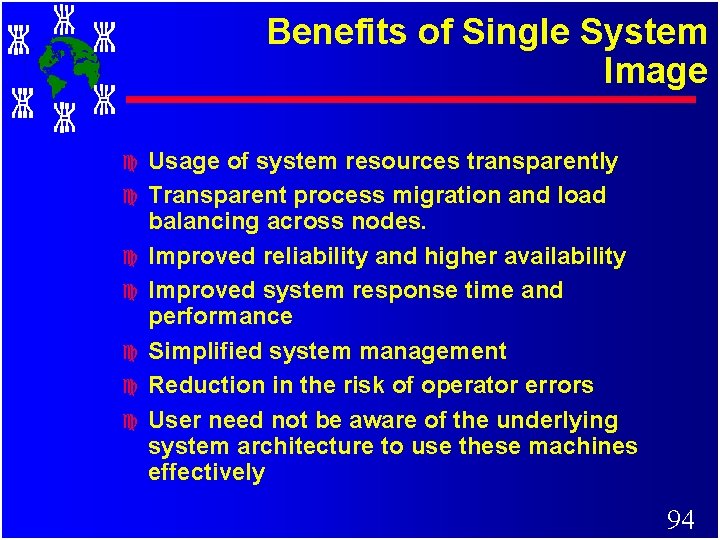
Benefits of Single System Image c c c c Usage of system resources transparently Transparent process migration and load balancing across nodes. Improved reliability and higher availability Improved system response time and performance Simplified system management Reduction in the risk of operator errors User need not be aware of the underlying system architecture to use these machines effectively 94
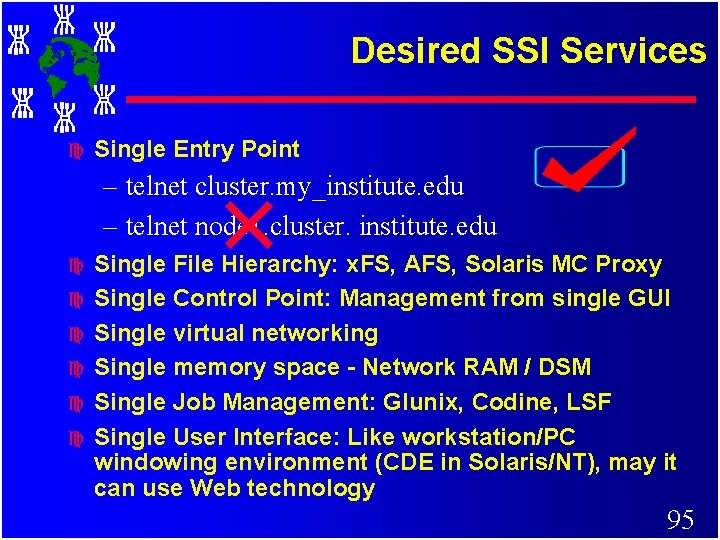
Desired SSI Services c Single Entry Point – telnet cluster. my_institute. edu – telnet node 1. cluster. institute. edu c c c Single File Hierarchy: x. FS, AFS, Solaris MC Proxy Single Control Point: Management from single GUI Single virtual networking Single memory space - Network RAM / DSM Single Job Management: Glunix, Codine, LSF Single User Interface: Like workstation/PC windowing environment (CDE in Solaris/NT), may it can use Web technology 95
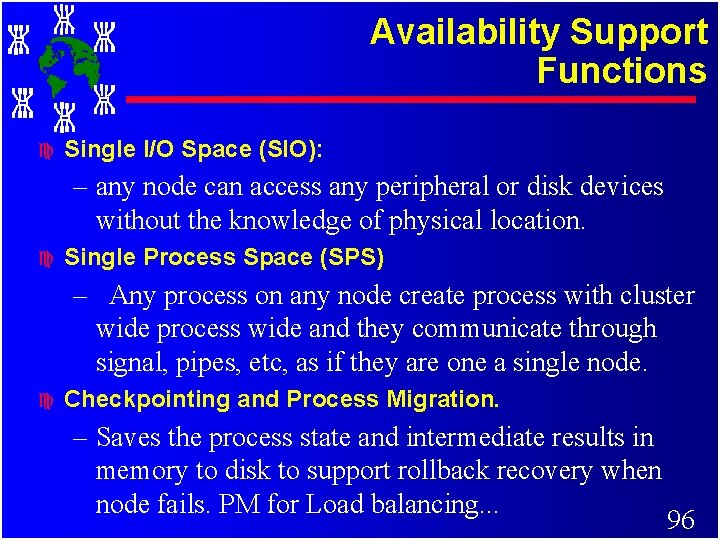
Availability Support Functions c Single I/O Space (SIO): – any node can access any peripheral or disk devices without the knowledge of physical location. c Single Process Space (SPS) – Any process on any node create process with cluster wide process wide and they communicate through signal, pipes, etc, as if they are one a single node. c Checkpointing and Process Migration. – Saves the process state and intermediate results in memory to disk to support rollback recovery when node fails. PM for Load balancing. . . 96
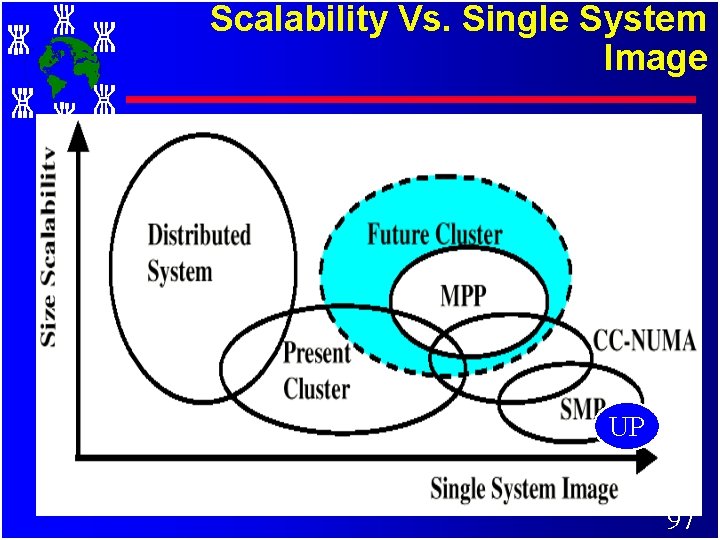
Scalability Vs. Single System Image UP 97
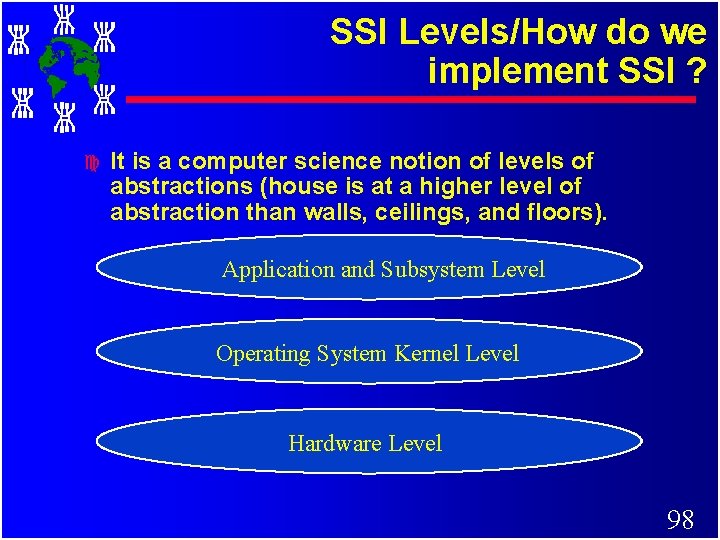
SSI Levels/How do we implement SSI ? c It is a computer science notion of levels of abstractions (house is at a higher level of abstraction than walls, ceilings, and floors). Application and Subsystem Level Operating System Kernel Level Hardware Level 98
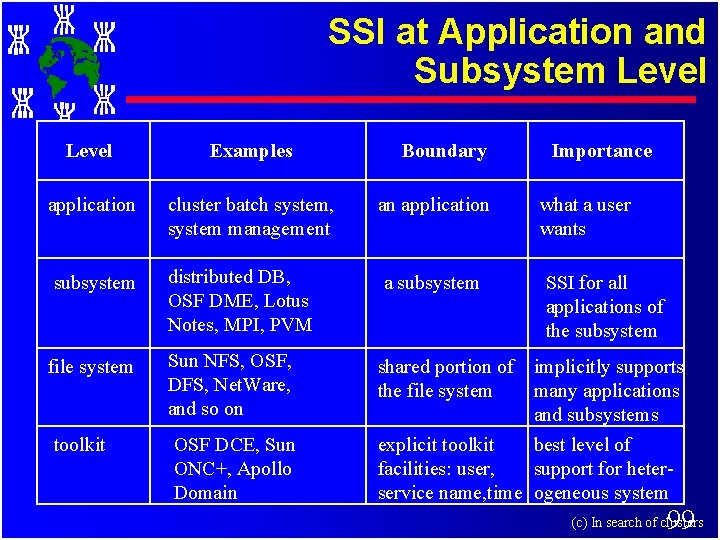
SSI at Application and Subsystem Level Examples application cluster batch system, system management an application what a user wants subsystem distributed DB, OSF DME, Lotus Notes, MPI, PVM a subsystem SSI for all applications of the subsystem Sun NFS, OSF, DFS, Net. Ware, and so on shared portion of implicitly supports the file system many applications and subsystems OSF DCE, Sun ONC+, Apollo Domain explicit toolkit best level of facilities: user, support for heterservice name, time ogeneous system file system toolkit Boundary Importance 99 (c) In search of clusters
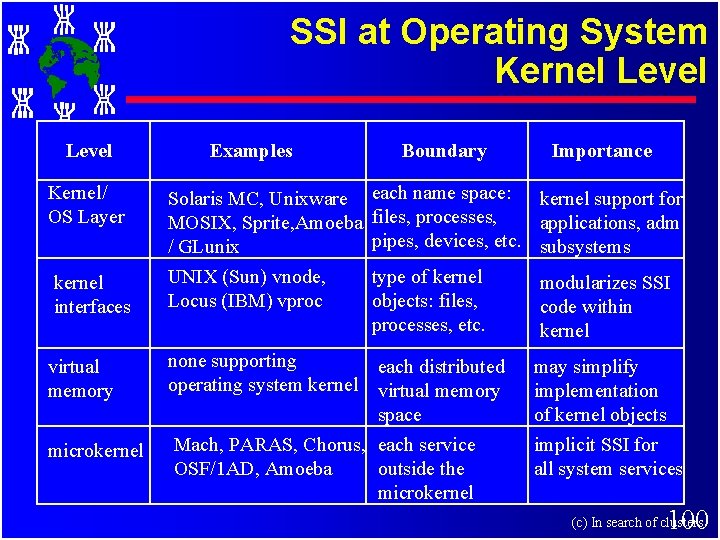
SSI at Operating System Kernel Level Examples Boundary Importance Kernel/ OS Layer Solaris MC, Unixware each name space: kernel support for MOSIX, Sprite, Amoeba files, processes, applications, adm pipes, devices, etc. subsystems / GLunix kernel interfaces UNIX (Sun) vnode, Locus (IBM) vproc virtual memory none supporting each distributed operating system kernel virtual memory space microkernel Mach, PARAS, Chorus, each service OSF/1 AD, Amoeba outside the microkernel type of kernel objects: files, processes, etc. modularizes SSI code within kernel may simplify implementation of kernel objects implicit SSI for all system services 100 (c) In search of clusters
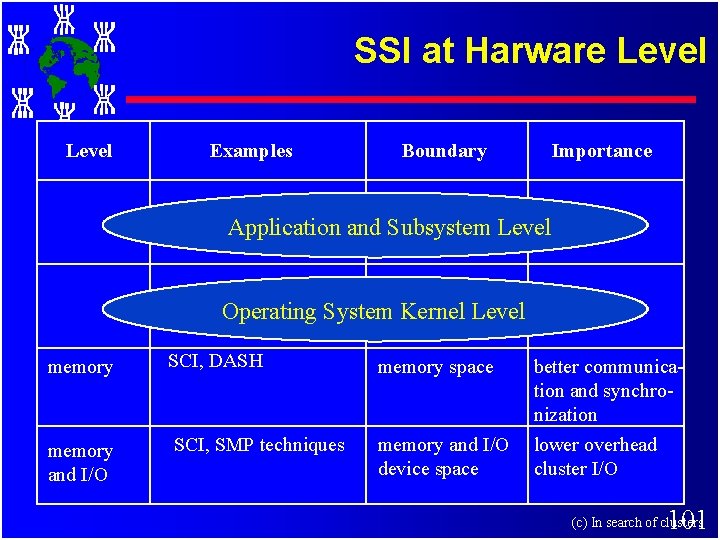
SSI at Harware Level Examples Boundary Importance Application and Subsystem Level Operating System Kernel Level memory SCI, DASH memory space better communication and synchronization memory and I/O SCI, SMP techniques memory and I/O device space lower overhead cluster I/O 101 (c) In search of clusters
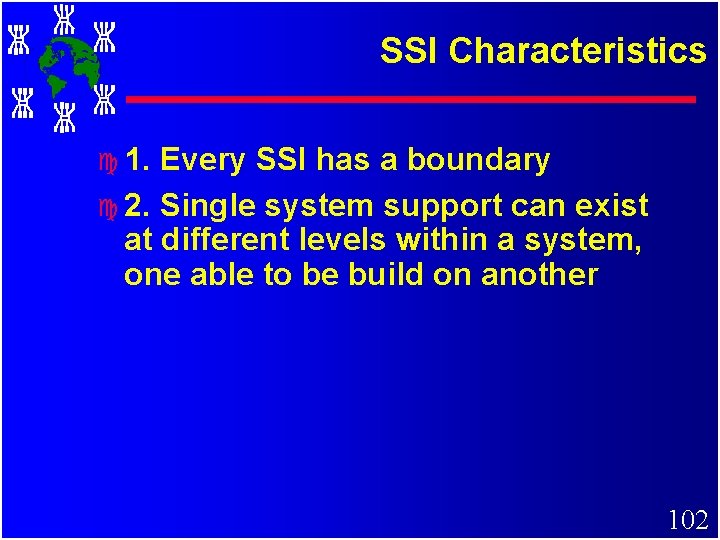
SSI Characteristics c 1. Every SSI has a boundary c 2. Single system support can exist at different levels within a system, one able to be build on another 102
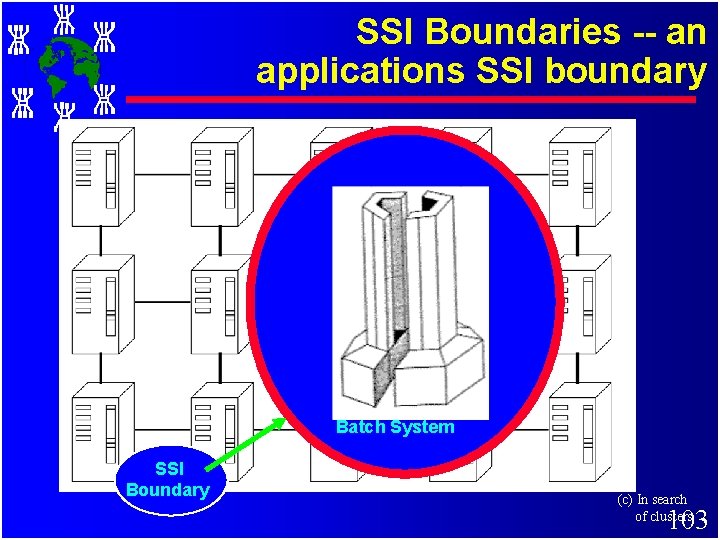
SSI Boundaries -- an applications SSI boundary Batch System SSI Boundary (c) In search of clusters 103
Relationship Among Middleware Modules 104
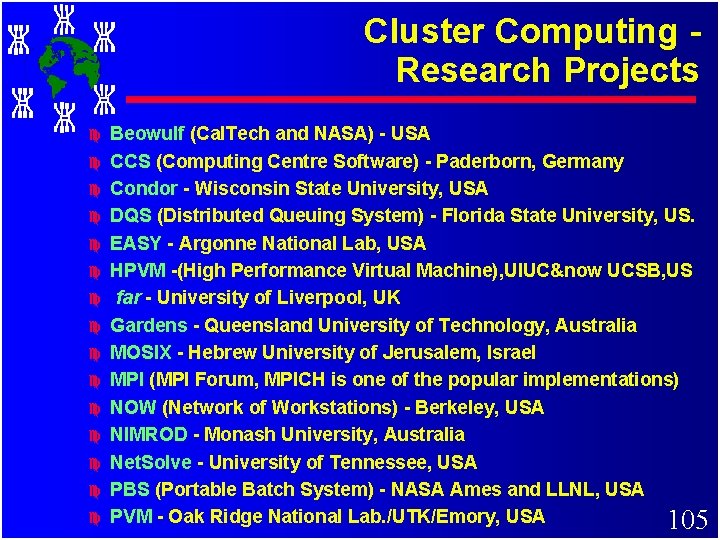
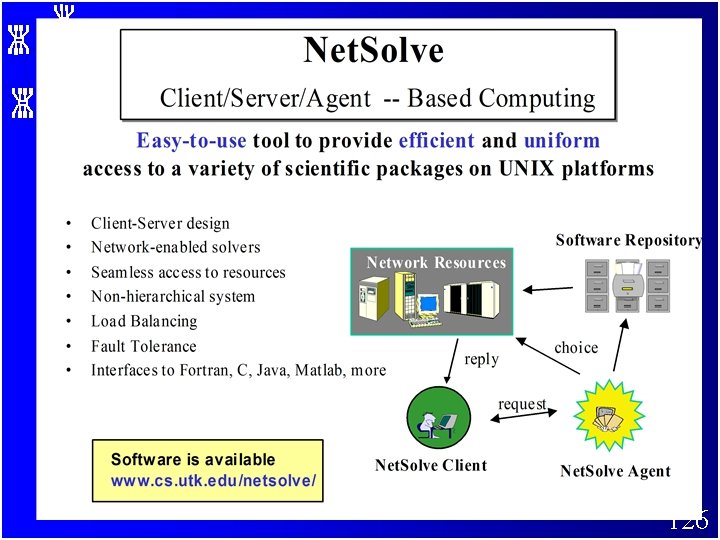
Cluster Computing Research Projects c c c c Beowulf (Cal. Tech and NASA) - USA CCS (Computing Centre Software) - Paderborn, Germany Condor - Wisconsin State University, USA DQS (Distributed Queuing System) - Florida State University, US. EASY - Argonne National Lab, USA HPVM -(High Performance Virtual Machine), UIUC&now UCSB, US far - University of Liverpool, UK Gardens - Queensland University of Technology, Australia MOSIX - Hebrew University of Jerusalem, Israel MPI (MPI Forum, MPICH is one of the popular implementations) NOW (Network of Workstations) - Berkeley, USA NIMROD - Monash University, Australia Net. Solve - University of Tennessee, USA PBS (Portable Batch System) - NASA Ames and LLNL, USA PVM - Oak Ridge National Lab. /UTK/Emory, USA 105
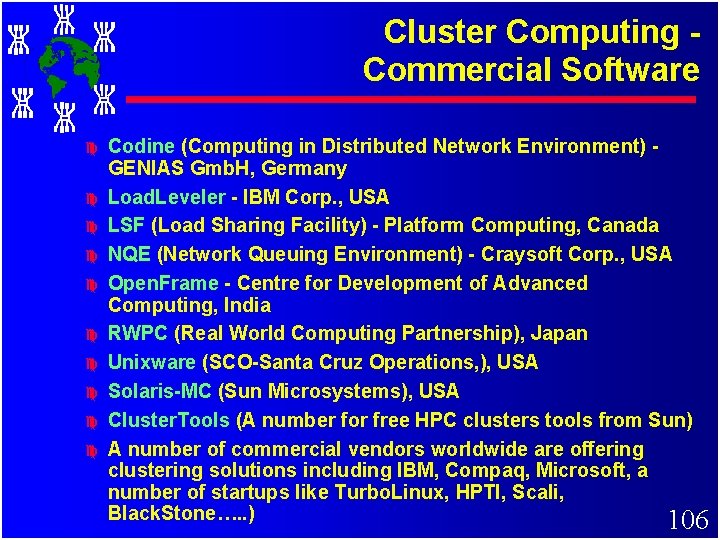
Cluster Computing Commercial Software c c c c c Codine (Computing in Distributed Network Environment) GENIAS Gmb. H, Germany Load. Leveler - IBM Corp. , USA LSF (Load Sharing Facility) - Platform Computing, Canada NQE (Network Queuing Environment) - Craysoft Corp. , USA Open. Frame - Centre for Development of Advanced Computing, India RWPC (Real World Computing Partnership), Japan Unixware (SCO-Santa Cruz Operations, ), USA Solaris-MC (Sun Microsystems), USA Cluster. Tools (A number for free HPC clusters tools from Sun) A number of commercial vendors worldwide are offering clustering solutions including IBM, Compaq, Microsoft, a number of startups like Turbo. Linux, HPTI, Scali, Black. Stone…. . ) 106
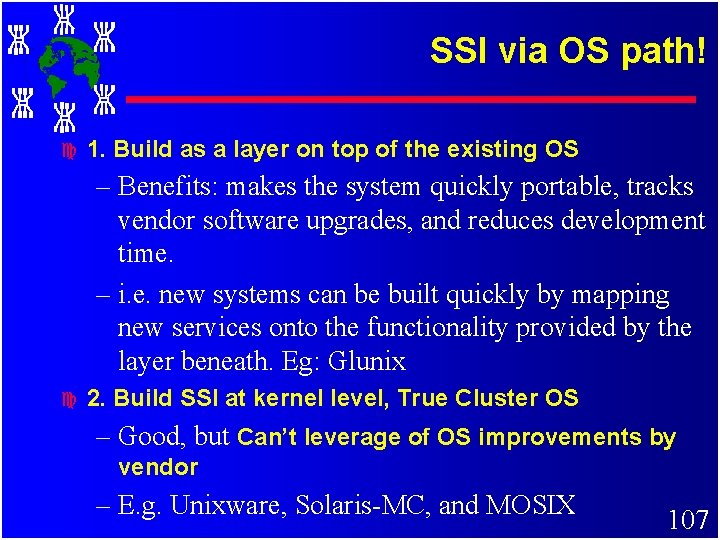
SSI via OS path! c 1. Build as a layer on top of the existing OS – Benefits: makes the system quickly portable, tracks vendor software upgrades, and reduces development time. – i. e. new systems can be built quickly by mapping new services onto the functionality provided by the layer beneath. Eg: Glunix c 2. Build SSI at kernel level, True Cluster OS – Good, but Can’t leverage of OS improvements by vendor – E. g. Unixware, Solaris-MC, and MOSIX 107
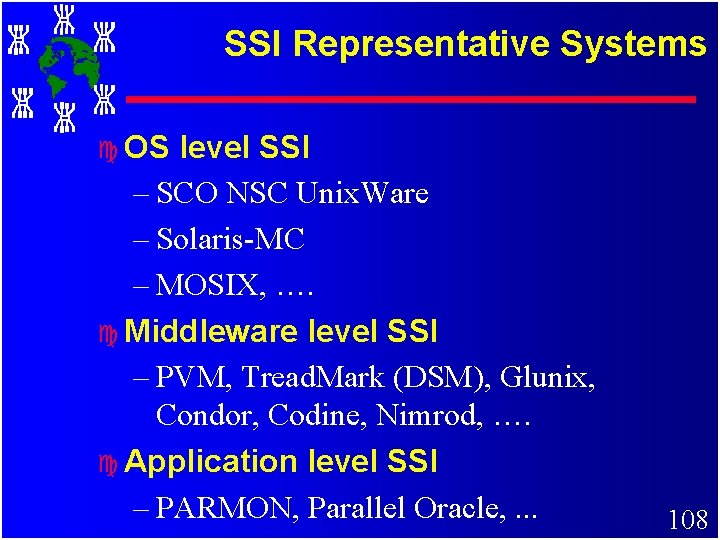
SSI Representative Systems c OS level SSI – SCO NSC Unix. Ware – Solaris-MC – MOSIX, …. c Middleware level SSI – PVM, Tread. Mark (DSM), Glunix, Condor, Codine, Nimrod, …. c Application level SSI – PARMON, Parallel Oracle, . . . 108
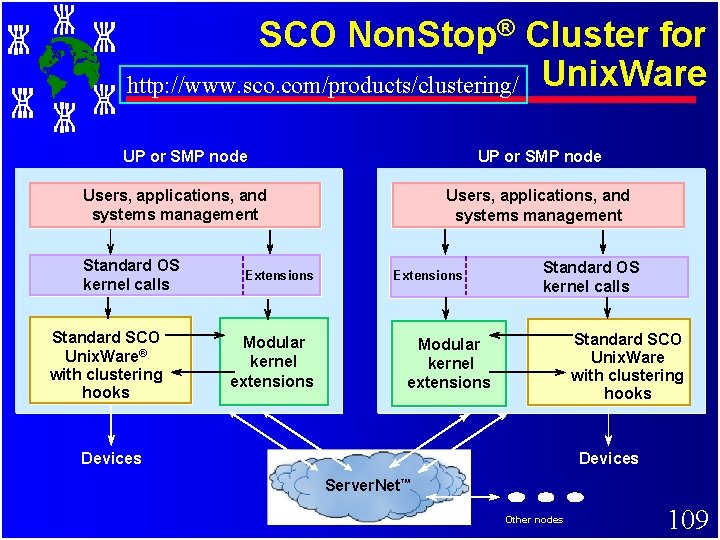
SCO Non. Stop® Cluster for http: //www. sco. com/products/clustering/ Unix. Ware UP or SMP node Users, applications, and systems management Standard OS kernel calls Standard SCO Unix. Ware® with clustering hooks Extensions Modular kernel extensions Users, applications, and systems management Extensions Standard OS kernel calls Standard SCO Unix. Ware with clustering hooks Modular kernel extensions Devices Server. Net™ Other nodes 109
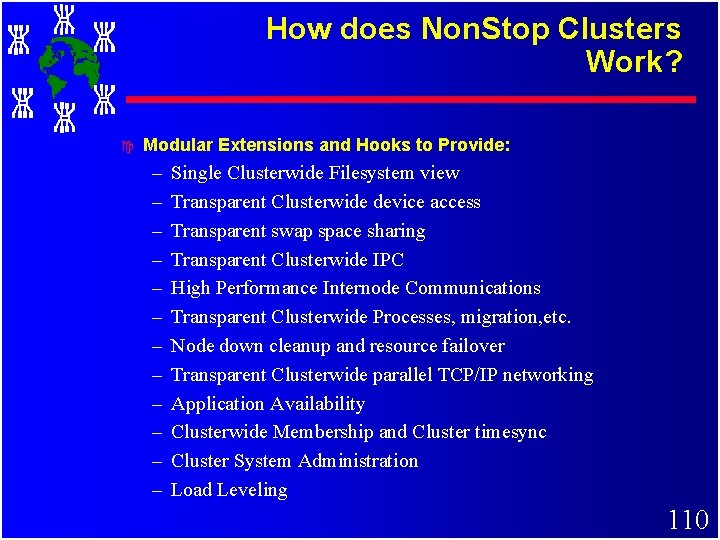
How does Non. Stop Clusters Work? c Modular Extensions and Hooks to Provide: – – – Single Clusterwide Filesystem view Transparent Clusterwide device access Transparent swap space sharing Transparent Clusterwide IPC High Performance Internode Communications Transparent Clusterwide Processes, migration, etc. Node down cleanup and resource failover Transparent Clusterwide parallel TCP/IP networking Application Availability Clusterwide Membership and Cluster timesync Cluster System Administration Load Leveling 110
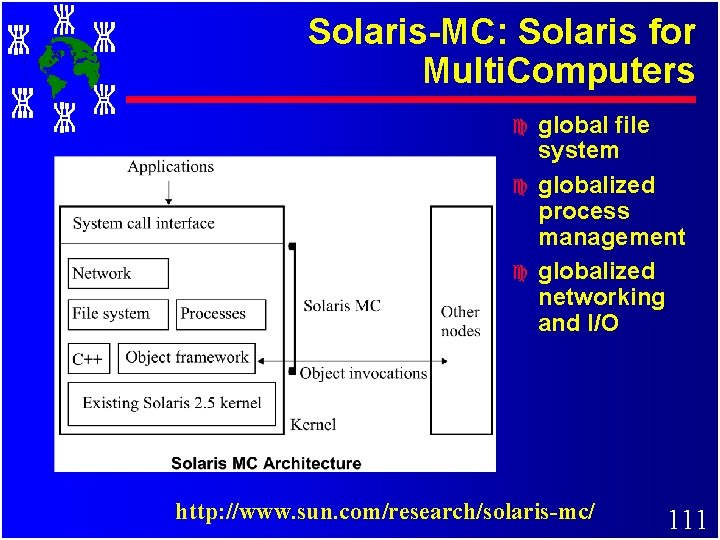
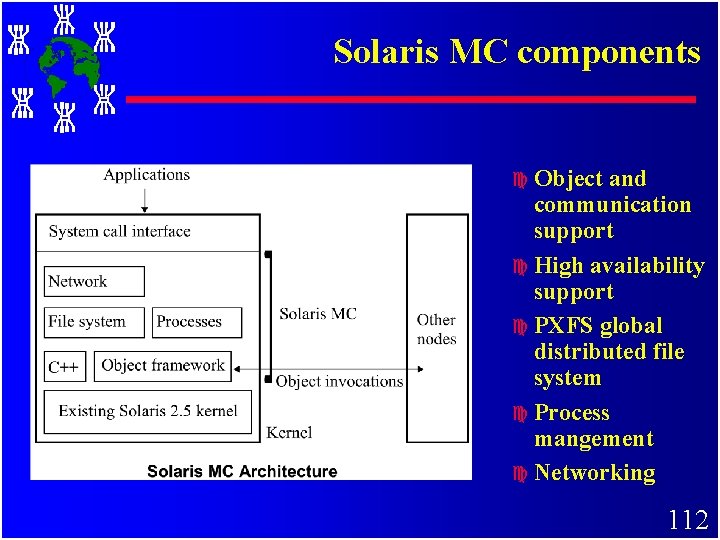
Solaris-MC: Solaris for Multi. Computers c c c global file system globalized process management globalized networking and I/O http: //www. sun. com/research/solaris-mc/ 111
Solaris MC components c Object and communication support c High availability support c PXFS global distributed file system c Process mangement c Networking 112
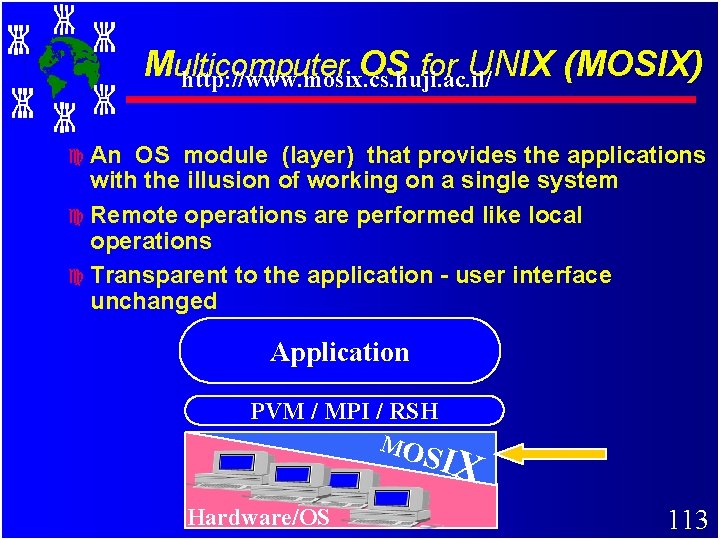
Multicomputer OS for UNIX (MOSIX) http: //www. mosix. cs. huji. ac. il/ c An OS module (layer) that provides the applications with the illusion of working on a single system c Remote operations are performed like local operations c Transparent to the application - user interface unchanged Application PVM / MPI / RSH MO SIX Hardware/OS 113
Main tool Preemptive process migration that can migrate--->any process, anywhere, anytime c Supervised by distributed algorithms that respond on-line to global resource availability transparently c Load-balancing - migrate process from over-loaded to under-loaded nodes c Memory ushering - migrate processes from a node that has exhausted its memory, to prevent paging/swapping 114
MOSIX for Linux at HUJI c. A scalable cluster configuration: – 50 Pentium-II 300 MHz – 38 Pentium-Pro 200 MHz (some are SMPs) – 16 Pentium-II 400 MHz (some are SMPs) c Over 12 GB cluster-wide RAM c Connected by the Myrinet 2. 56 G. b/s LAN Runs Red-Hat 6. 0, based on Kernel 2. 2. 7 c Upgrade: HW with Intel, SW with Linux c Download MOSIX: – http: //www. mosix. cs. huji. ac. il/ 115
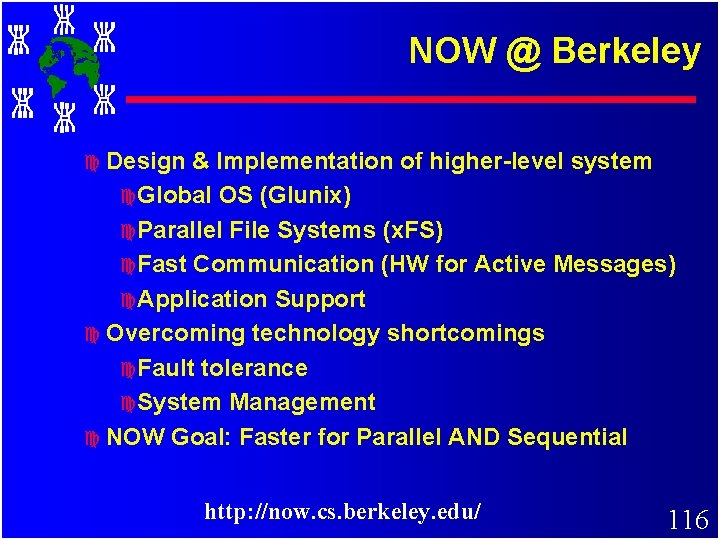
NOW @ Berkeley c Design & Implementation of higher-level system c Global OS (Glunix) c Parallel File Systems (x. FS) c Fast Communication (HW for Active Messages) c Application Support c Overcoming technology shortcomings c Fault tolerance c System Management c NOW Goal: Faster for Parallel AND Sequential http: //now. cs. berkeley. edu/ 116
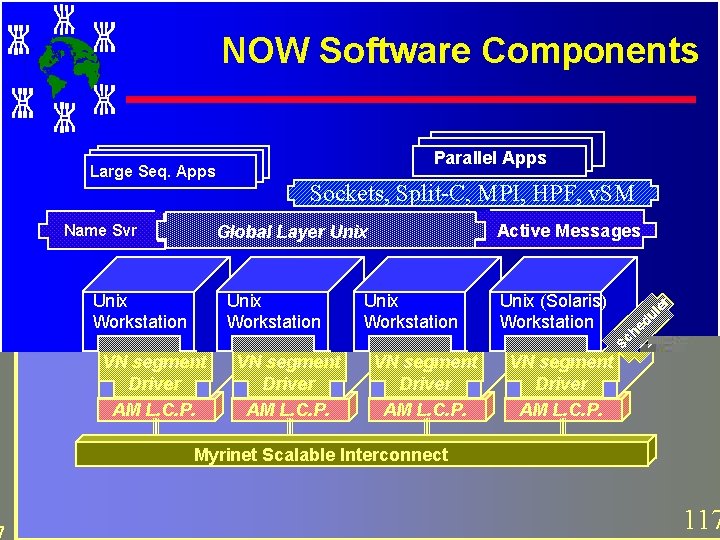
NOW Software Components Large Seq. Apps Name Svr Parallel Apps Sockets, Split-C, MPI, HPF, v. SM Global Layer Unix Workstation VN segment Driver AM L. C. P. Active Messages Unix (Solaris) Workstation VN segment Driver AM L. C. P. r e ul ed h c S Myrinet Scalable Interconnect 117
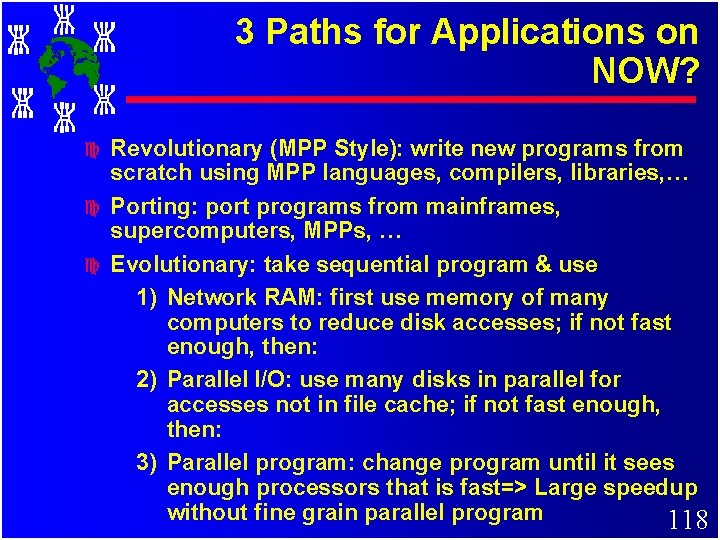
3 Paths for Applications on NOW? c c c Revolutionary (MPP Style): write new programs from scratch using MPP languages, compilers, libraries, … Porting: port programs from mainframes, supercomputers, MPPs, … Evolutionary: take sequential program & use 1) Network RAM: first use memory of many computers to reduce disk accesses; if not fast enough, then: 2) Parallel I/O: use many disks in parallel for accesses not in file cache; if not fast enough, then: 3) Parallel program: change program until it sees enough processors that is fast=> Large speedup without fine grain parallel program 118
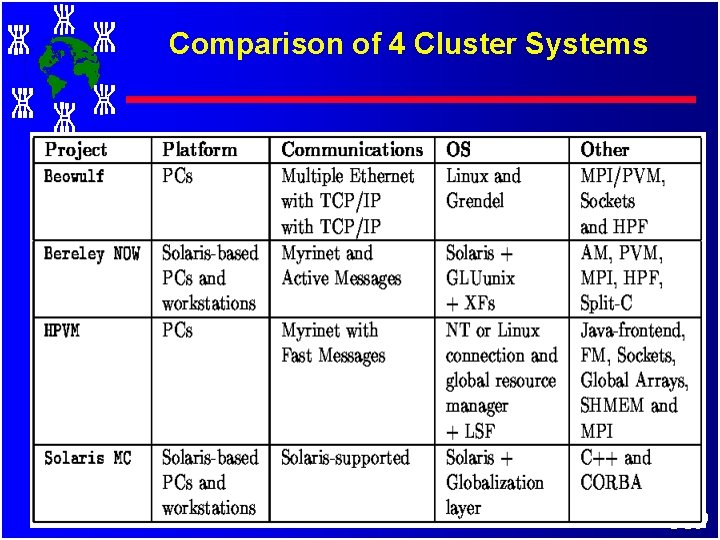
Comparison of 4 Cluster Systems 119
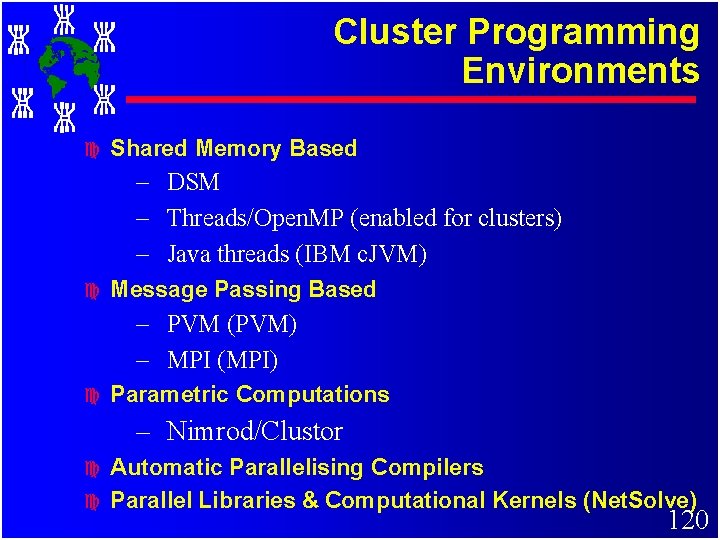
Cluster Programming Environments c Shared Memory Based – DSM – Threads/Open. MP (enabled for clusters) – Java threads (IBM c. JVM) c Message Passing Based – PVM (PVM) – MPI (MPI) c Parametric Computations – Nimrod/Clustor c c Automatic Parallelising Compilers Parallel Libraries & Computational Kernels (Net. Solve) 120
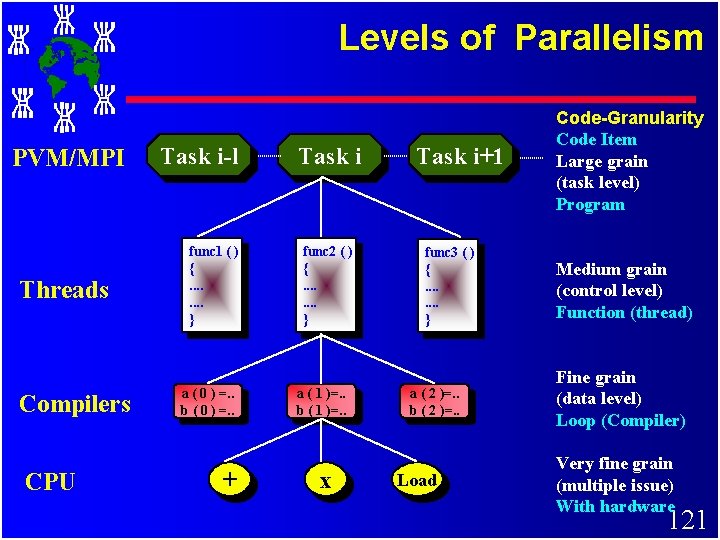
Levels of Parallelism PVM/MPI Threads Compilers CPU Task i-l func 1 ( ) {. . . . } a ( 0 ) =. . b ( 0 ) =. . + Task i func 2 ( ) {. . . . } a ( 1 )=. . b ( 1 )=. . x Task i+1 func 3 ( ) {. . . . } a ( 2 )=. . b ( 2 )=. . Load Code-Granularity Code Item Large grain (task level) Program Medium grain (control level) Function (thread) Fine grain (data level) Loop (Compiler) Very fine grain (multiple issue) With hardware 121
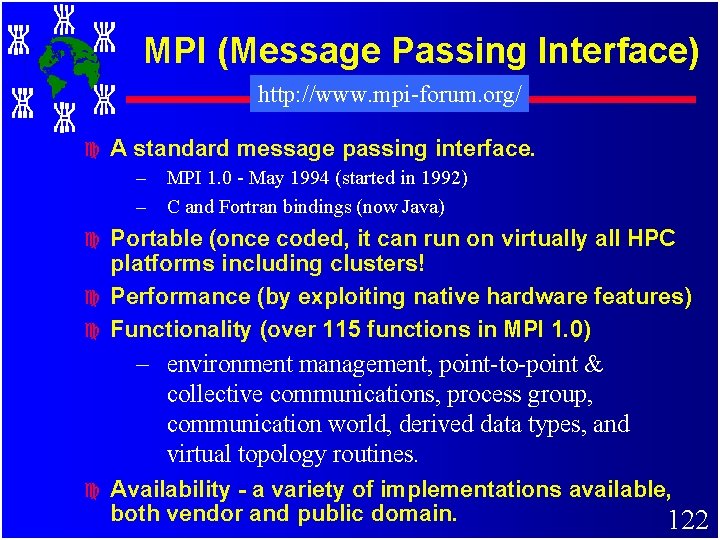
MPI (Message Passing Interface) http: //www. mpi-forum. org/ c A standard message passing interface. – MPI 1. 0 - May 1994 (started in 1992) – C and Fortran bindings (now Java) c c c Portable (once coded, it can run on virtually all HPC platforms including clusters! Performance (by exploiting native hardware features) Functionality (over 115 functions in MPI 1. 0) – environment management, point-to-point & collective communications, process group, communication world, derived data types, and virtual topology routines. c Availability - a variety of implementations available, both vendor and public domain. 122
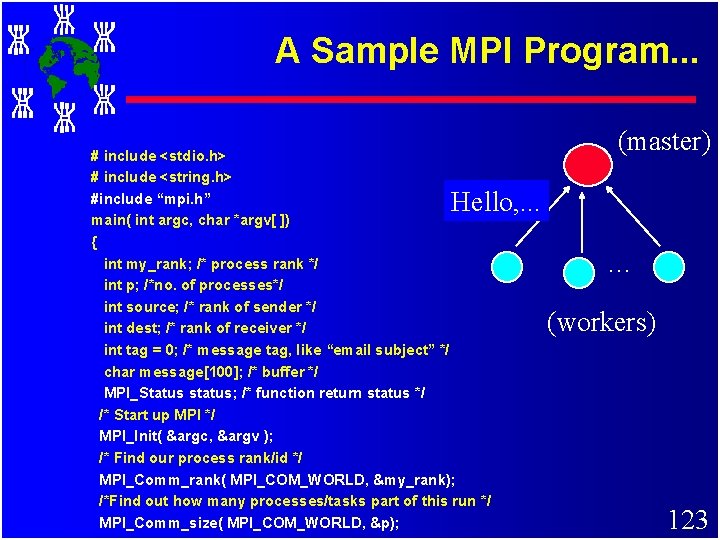
A Sample MPI Program. . . # include <stdio. h> # include <string. h> #include “mpi. h” main( int argc, char *argv[ ]) { int my_rank; /* process rank */ int p; /*no. of processes*/ int source; /* rank of sender */ int dest; /* rank of receiver */ int tag = 0; /* message tag, like “email subject” */ char message[100]; /* buffer */ MPI_Status status; /* function return status */ /* Start up MPI */ MPI_Init( &argc, &argv ); /* Find our process rank/id */ MPI_Comm_rank( MPI_COM_WORLD, &my_rank); /*Find out how many processes/tasks part of this run */ MPI_Comm_size( MPI_COM_WORLD, &p); (master) Hello, . . . … (workers) 123
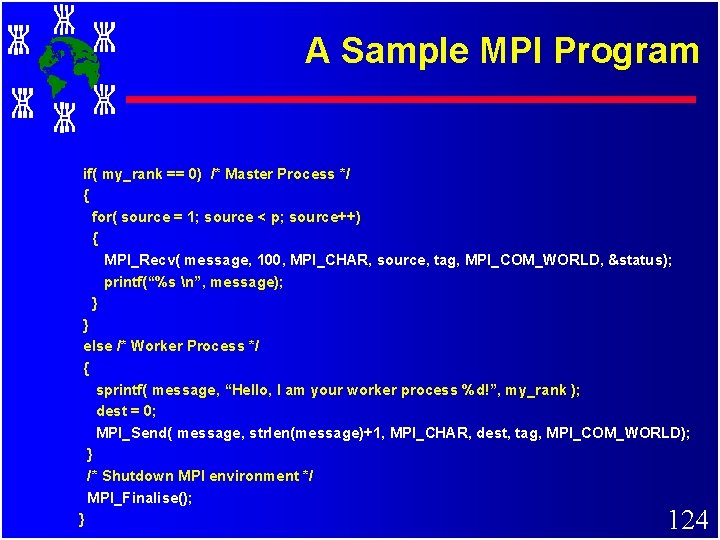
A Sample MPI Program if( my_rank == 0) /* Master Process */ { for( source = 1; source < p; source++) { MPI_Recv( message, 100, MPI_CHAR, source, tag, MPI_COM_WORLD, &status); printf(“%s n”, message); } } else /* Worker Process */ { sprintf( message, “Hello, I am your worker process %d!”, my_rank ); dest = 0; MPI_Send( message, strlen(message)+1, MPI_CHAR, dest, tag, MPI_COM_WORLD); } /* Shutdown MPI environment */ MPI_Finalise(); } 124
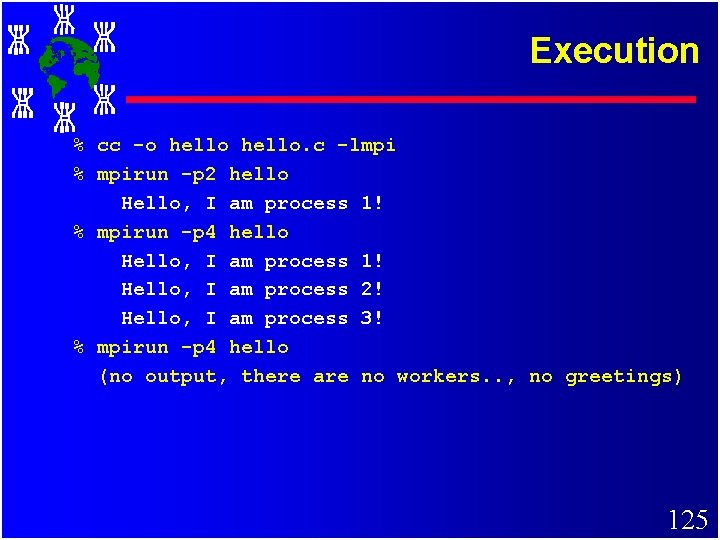
Execution % cc -o hello. c -lmpi % mpirun -p 2 hello Hello, I am process 1! % mpirun -p 4 hello Hello, I am process 1! Hello, I am process 2! Hello, I am process 3! % mpirun -p 4 hello (no output, there are no workers. . , no greetings) 125
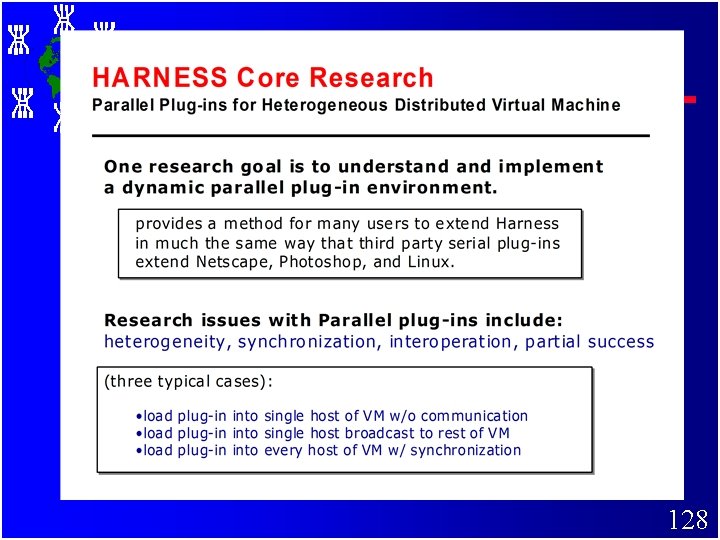
126
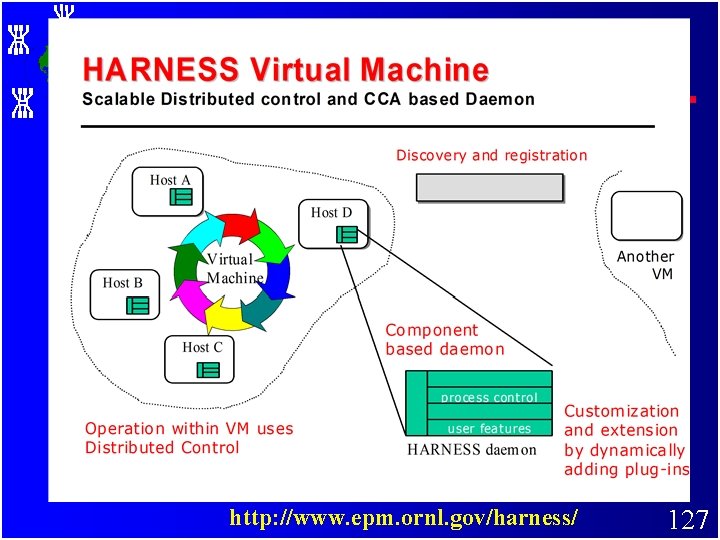
http: //www. epm. ornl. gov/harness/ 127
128
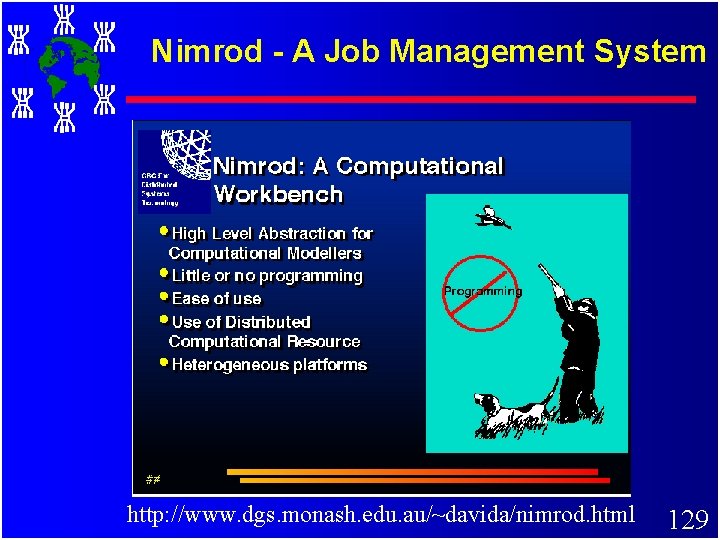
Nimrod - A Job Management System http: //www. dgs. monash. edu. au/~davida/nimrod. html 129
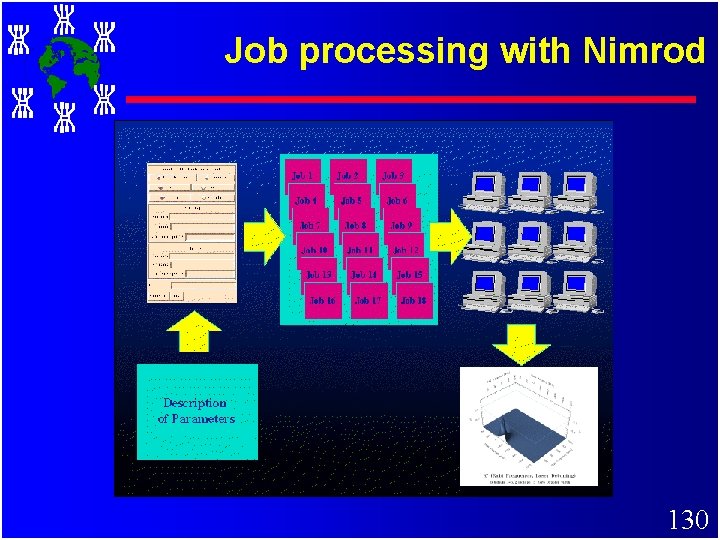
Job processing with Nimrod 130
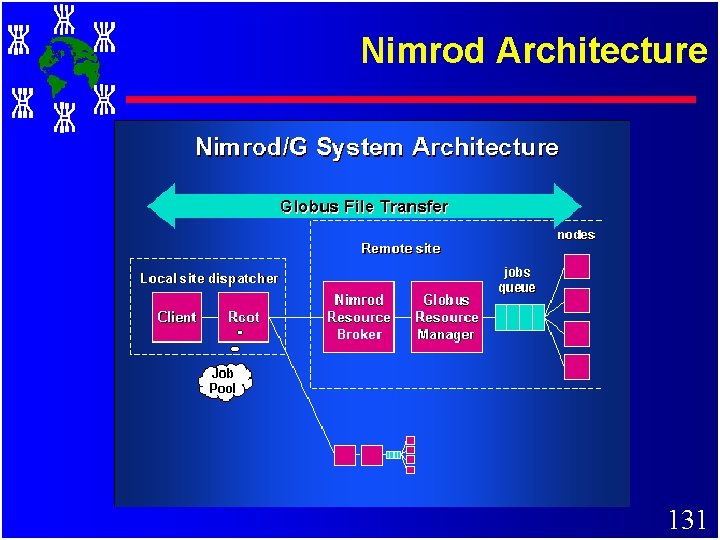
Nimrod Architecture 131
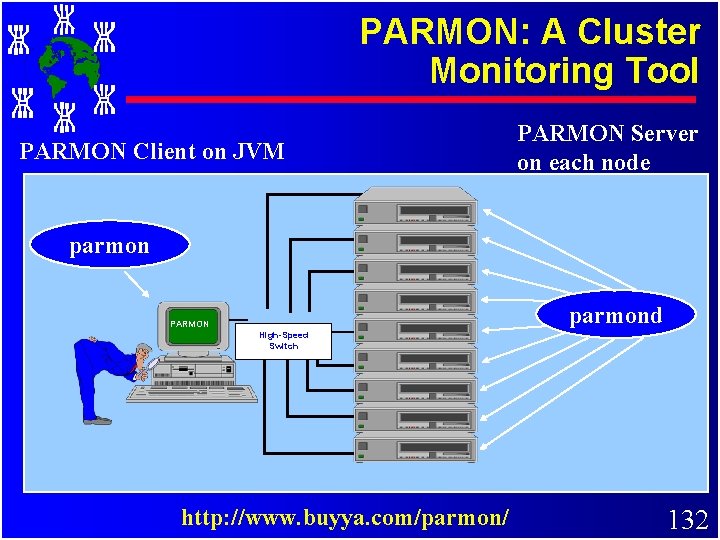
PARMON: A Cluster Monitoring Tool PARMON Client on JVM PARMON Server on each node parmond PARMON High-Speed Switch http: //www. buyya. com/parmon/ 132
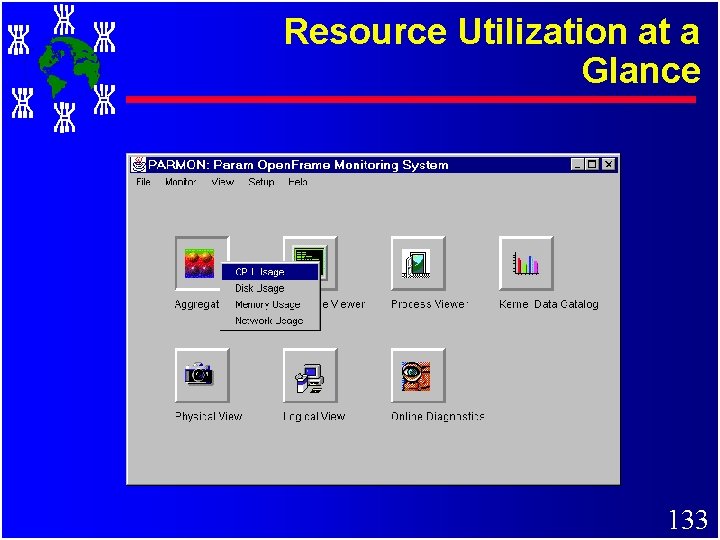
Resource Utilization at a Glance 133
Globalised Cluster Storage Single I/O Space and Design Issues Reference: Designing SSI Clusters with Hierarchical Checkpointing and Single I/O Space”, IEEE Concurrency, March, 1999 by K. Hwang, H. Jin et. al 134
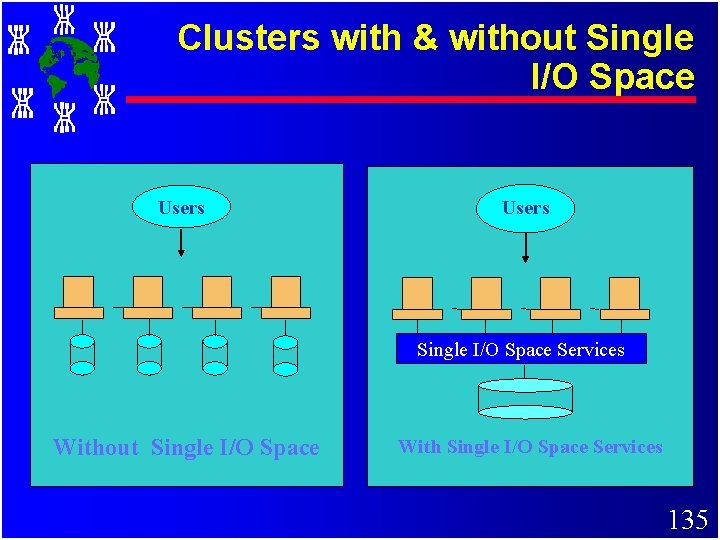
Clusters with & without Single I/O Space Users Single I/O Space Services Without Single I/O Space With Single I/O Space Services 135
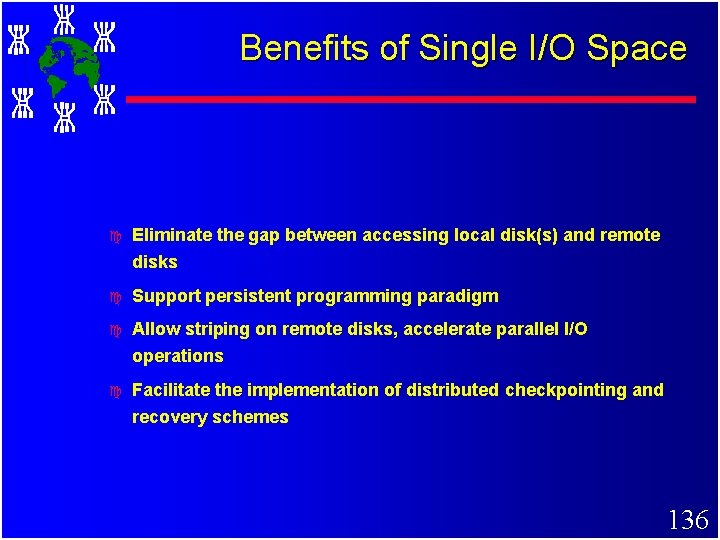
Benefits of Single I/O Space c Eliminate the gap between accessing local disk(s) and remote disks c Support persistent programming paradigm c Allow striping on remote disks, accelerate parallel I/O operations c Facilitate the implementation of distributed checkpointing and recovery schemes 136
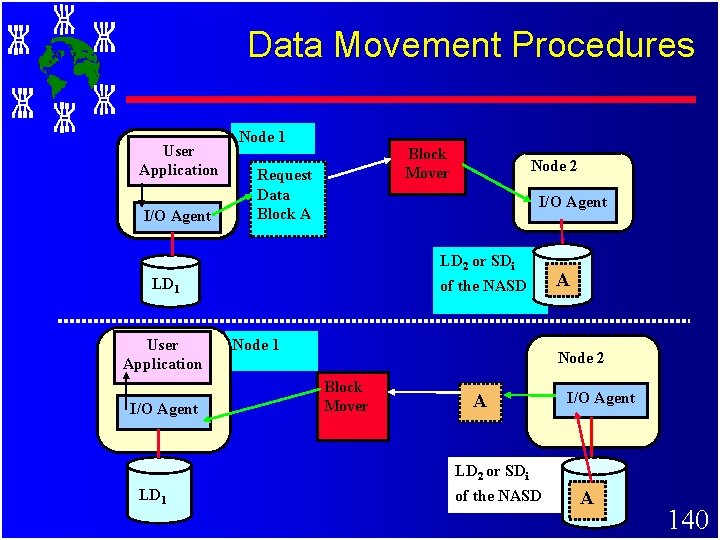
Single I/O Space Design Issues c Integrated I/O Space c Addressing c Data and Mapping Mechanisms movement procedures 137
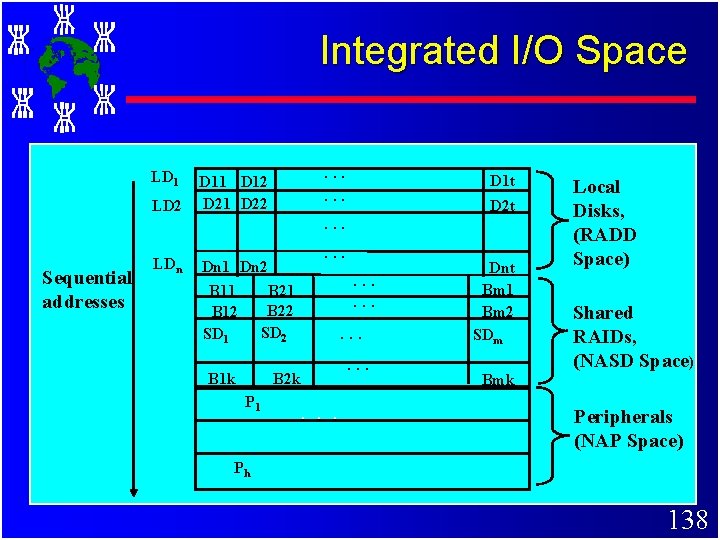
Integrated I/O Space LD 1 LD 2 . . . D 11 D 12 D 21 D 22 D 1 t D 2 t . . . Sequential addresses LDn . . . Dn 1 Dn 2 B 11 B 12 SD 1 . . . B 21 B 22 SD 2 B 1 k . . . B 2 k P 1 . . . Dnt Bm 1 Bm 2 SDm Bmk Local Disks, (RADD Space) Shared RAIDs, (NASD Space) Peripherals (NAP Space) Ph 138
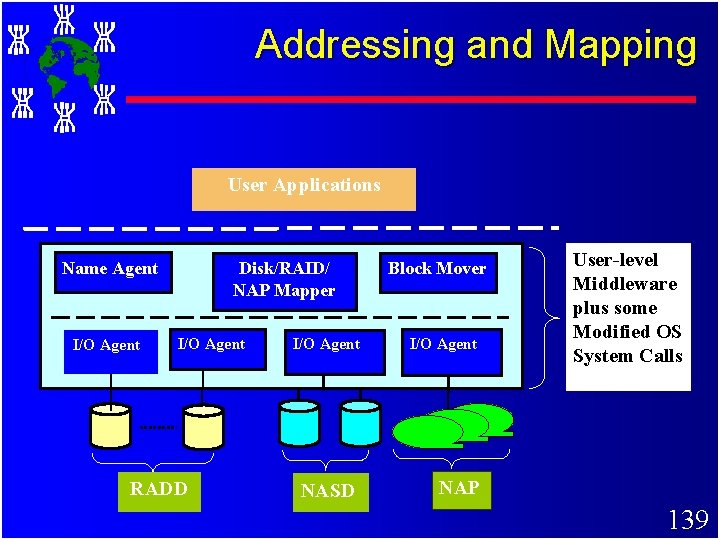
Addressing and Mapping User Applications Name Agent I/O Agent Disk/RAID/ NAP Mapper I/O Agent RADD I/O Agent NASD Block Mover I/O Agent User-level Middleware plus some Modified OS System Calls NAP 139
Data Movement Procedures User Application I/O Agent Node 1 Block Mover Request Data Block A Node 2 I/O Agent LD 2 or SDi LD 1 User Application I/O Agent of the NASD Node 1 A Node 2 Block Mover A I/O Agent LD 2 or SDi LD 1 of the NASD A 140
Pointers to Literature on Cluster Computing 141
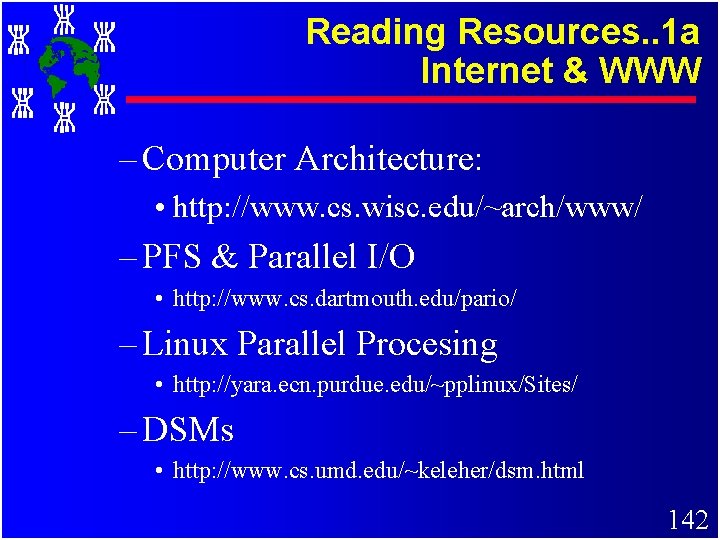
Reading Resources. . 1 a Internet & WWW – Computer Architecture: • http: //www. cs. wisc. edu/~arch/www/ – PFS & Parallel I/O • http: //www. cs. dartmouth. edu/pario/ – Linux Parallel Procesing • http: //yara. ecn. purdue. edu/~pplinux/Sites/ – DSMs • http: //www. cs. umd. edu/~keleher/dsm. html 142
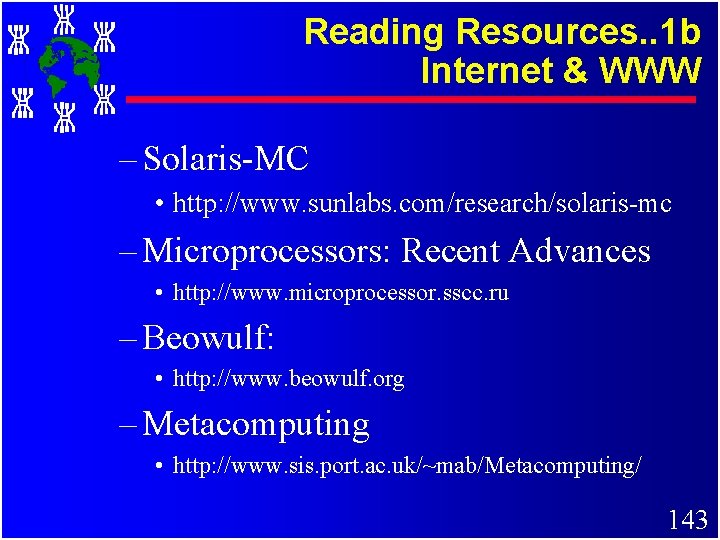
Reading Resources. . 1 b Internet & WWW – Solaris-MC • http: //www. sunlabs. com/research/solaris-mc – Microprocessors: Recent Advances • http: //www. microprocessor. sscc. ru – Beowulf: • http: //www. beowulf. org – Metacomputing • http: //www. sis. port. ac. uk/~mab/Metacomputing/ 143
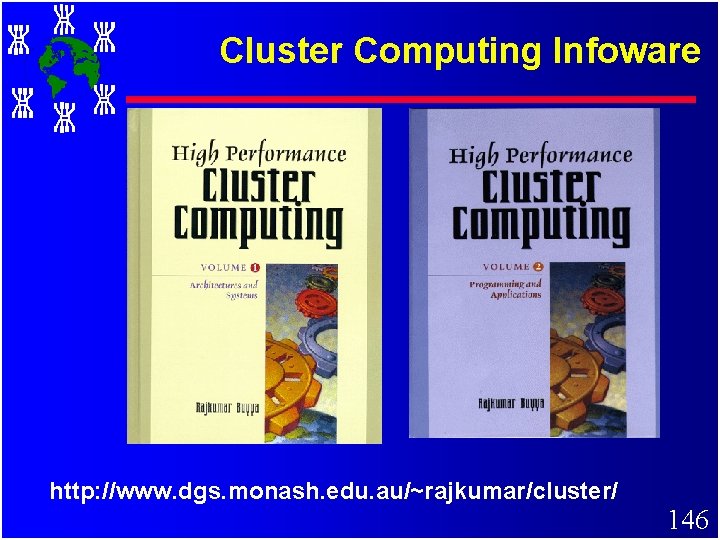
Reading Resources. . 2 Books – In Search of Cluster • by G. Pfister, Prentice Hall (2 ed), 98 – High Performance Cluster Computing • Volume 1: Architectures and Systems • Volume 2: Programming and Applications – Edited by Rajkumar Buyya, Prentice Hall, NJ, USA. – Scalable Parallel Computing • by K Hwang & Zhu, Mc. Graw Hill, 98 144
Reading Resources. . 3 Journals – A Case of NOW, IEEE Micro, Feb’ 95 • by Anderson, Culler, Paterson – Fault Tolerant COW with SSI, IEEE Concurrency, (to appear) • by Kai Hwang, Chow, Wang, Jin, Xu – Cluster Computing: The Commodity Supercomputing, Journal of Software Practice and Experience-(get from my web) • by Mark Baker & Rajkumar Buyya 145
Cluster Computing Infoware http: //www. dgs. monash. edu. au/~rajkumar/cluster/ 146
Cluster Computing Forum IEEE Task Force on Cluster Computing (TFCC) http: //www. ieeetfcc. org 147
TFCC Activities. . . c Network Technologies c OS Technologies c Parallel I/O c Programming Environments c Java Technologies c Algorithms and Applications c >Analysis and Profiling c Storage Technologies c High Throughput Computing 148
TFCC Activities. . . c High Availability c Single System Image c Performance Evaluation c Software Engineering c Education c Newsletter c Industrial Wing – All the above have there own pages, see pointers from: http: //www. dgs. monash. edu. au/~rajkumar/tfcc/ 149
TFCC Activities. . . c Mailing list, Workshops, Conferences, Tutorials, Web-resources etc. c Resources for introducing subject in senior undergraduate and graduate levels. c Tutorials/Workshops at IEEE Chapters. . c …. . and so on. c FREE MEMBERSHIP, please join! c Visit TFCC Page for more details: – http: //www. ieeetfcc. org (updated daily!). 150
Clusters Revisited 151
Summary +We have discussed Clusters +Enabling Technologies +Architecture & its Components +Classifications +Middleware +Single System Image +Representative Systems 152
Conclusions +Clusters are promising. . +Solve parallel processing paradox +Offer incremental growth and matches with funding pattern. +New trends in hardware and software technologies are likely to make clusters more promising. . so that +Clusters based supercomputers can be seen everywhere! 153
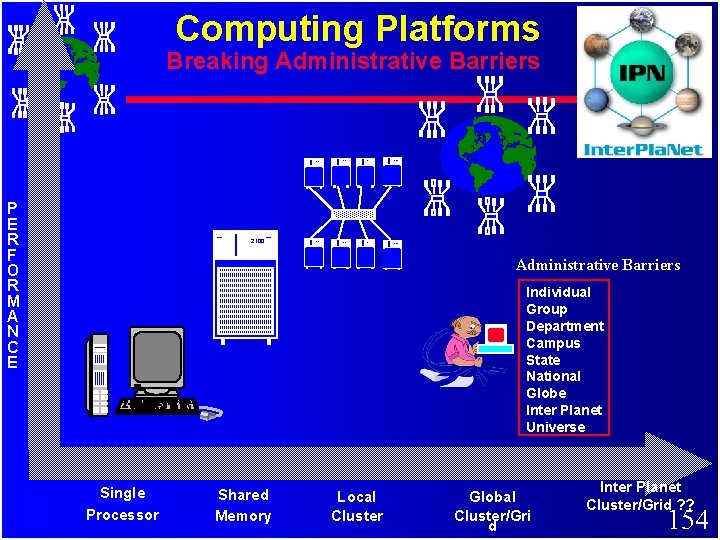
Computing Platforms Breaking Administrative Barriers P E R F O R M A N C E 2100 2100 2100 Administrative Barriers Individual Group Department Campus State National Globe Inter Planet Universe Single Processor Shared Memory Local Cluster Global Cluster/Gri d Inter Planet Cluster/Grid ? ? 154
Thank You. . . ? 155