
High Availability NFS on Linux Winson Wang HewlettPackard
High Availability NFS on Linux Winson Wang Hewlett-Packard Company Cupertino, CA Email: winson_wang@hp. com Tel: 408. 447. 4537
Agenda • Network File Systems on Linux • Clustering Concepts Used in MC/Service. Guard-Linux • Toolkits for High Availability Network File Systems • Toolkit Basic/Advanced Features • Examples and Scenarios
Network File Systems on Linux • Existing Network File Systems on Linux – – – Coda File System NFS SMB (CIFS) AFS (Andrew File System) NCP (Novell Net. Ware Core Protocol) • Two most widely used Network File Systems – NFS (serve Unix-based users) – CIFS (serve Windows users)
NFS Basics • Available on all Unix-Based Servers • Versions – NFSv 3, NFSv 2, NFSv 4 – Linux kernel 2. 4 supports NFSv 3 & NFSv 2 • Features – – Seamless access Security Invulnerable to system crash or reboot High performance
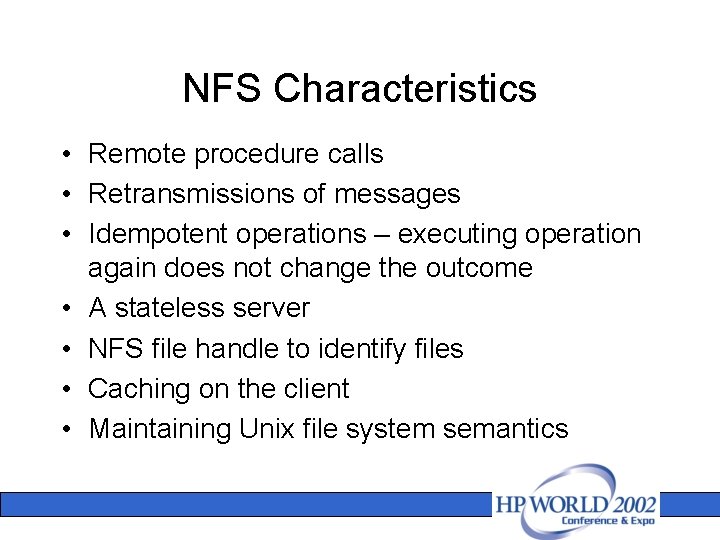
NFS Characteristics • Remote procedure calls • Retransmissions of messages • Idempotent operations – executing operation again does not change the outcome • A stateless server • NFS file handle to identify files • Caching on the client • Maintaining Unix file system semantics
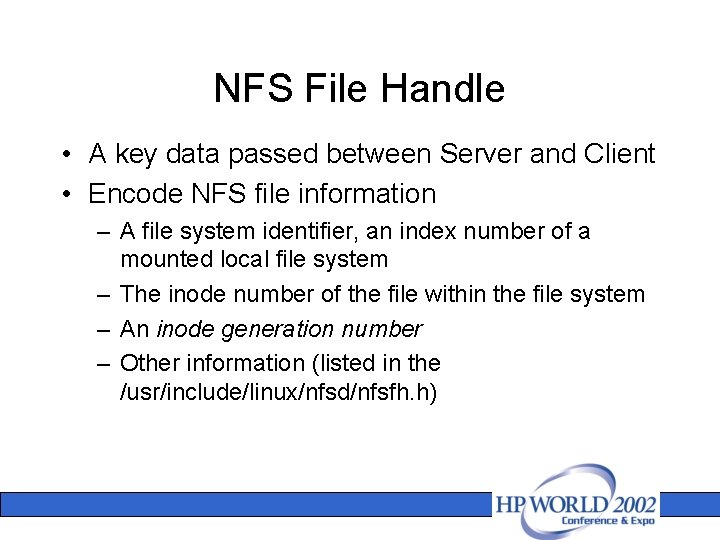
NFS File Handle • A key data passed between Server and Client • Encode NFS file information – A file system identifier, an index number of a mounted local file system – The inode number of the file within the file system – An inode generation number – Other information (listed in the /usr/include/linux/nfsd/nfsfh. h)
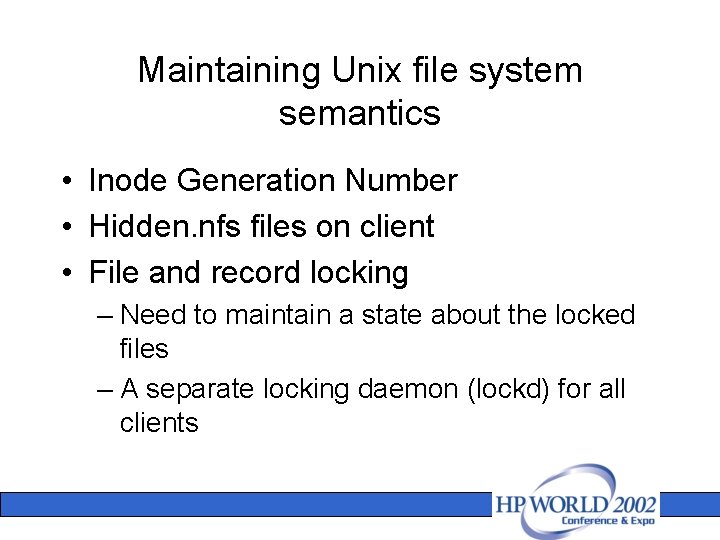
Maintaining Unix file system semantics • Inode Generation Number • Hidden. nfs files on client • File and record locking – Need to maintain a state about the locked files – A separate locking daemon (lockd) for all clients
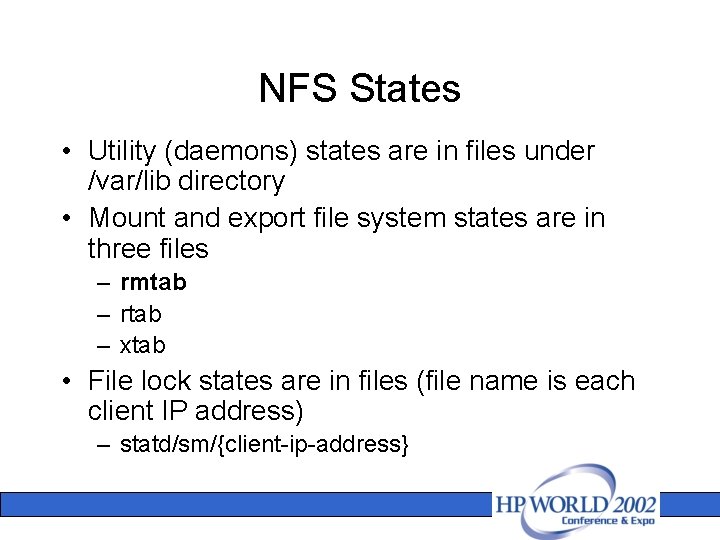
NFS States • Utility (daemons) states are in files under /var/lib directory • Mount and export file system states are in three files – rmtab – rtab – xtab • File lock states are in files (file name is each client IP address) – statd/sm/{client-ip-address}
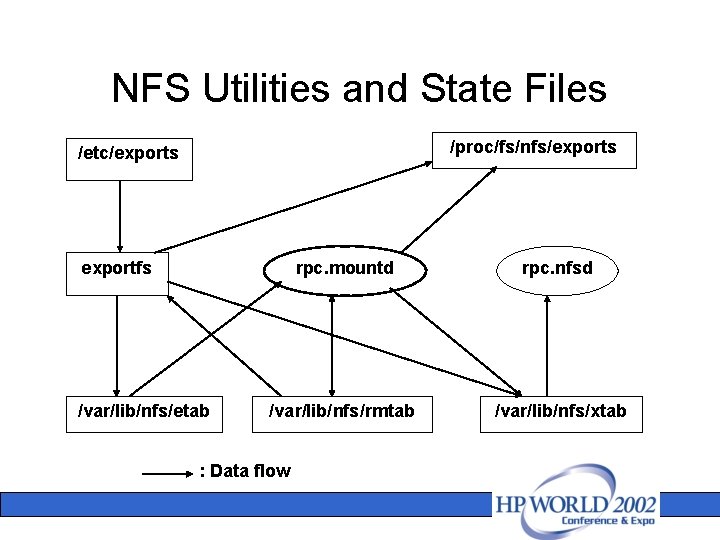
NFS Utilities and State Files /proc/fs/nfs/exports /etc/exports exportfs /var/lib/nfs/etab rpc. mountd rpc. nfsd /var/lib/nfs/rmtab /var/lib/nfs/xtab : Data flow
SAMBA Basics • Provide SMB, CIFS services on Unixbased systems – File & print server – Authentication and Authorization – Name resolution – Service announcement
Clustering Concepts Used in MC/Service. Guard • • • Introducing MC/Service. Guard High Availability with MC/Service. Guard Features of MC/Service. Guard Benefits of MC/Service. Guard How MC/Service. Guard Works MC/Service. Guard Packages
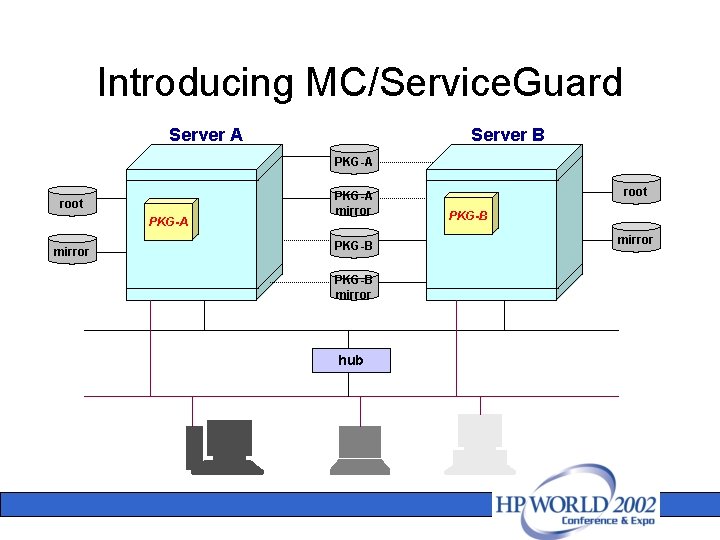
Introducing MC/Service. Guard Server A Server B PKG-A root PKG-A mirror PKG-B mirror hub root PKG-B mirror
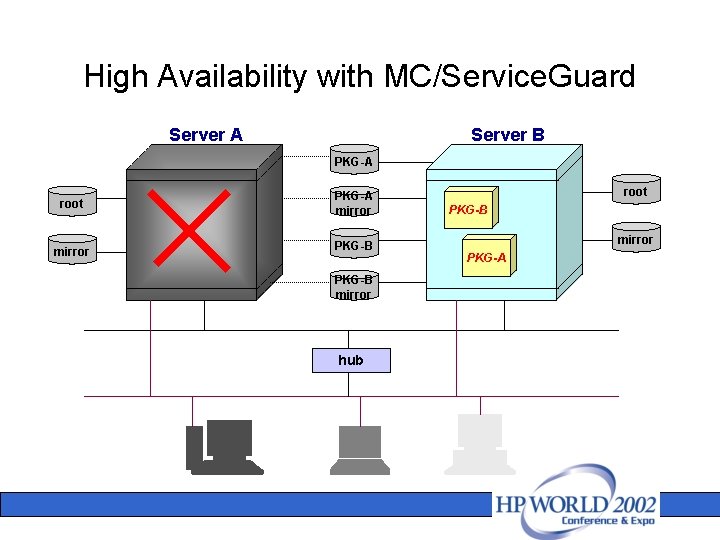
High Availability with MC/Service. Guard Server A Server B PKG-A root PKG-A mirror PKG-B mirror hub root PKG-B mirror PKG-A
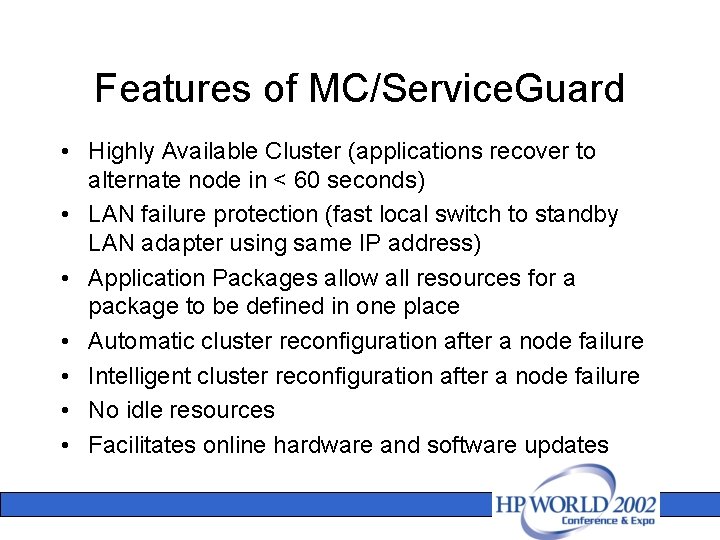
Features of MC/Service. Guard • Highly Available Cluster (applications recover to alternate node in < 60 seconds) • LAN failure protection (fast local switch to standby LAN adapter using same IP address) • Application Packages allow all resources for a package to be defined in one place • Automatic cluster reconfiguration after a node failure • Intelligent cluster reconfiguration after a node failure • No idle resources • Facilitates online hardware and software updates
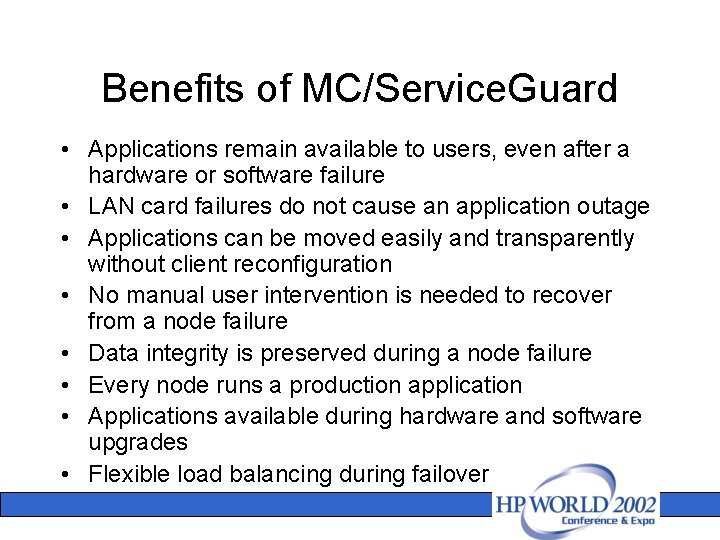
Benefits of MC/Service. Guard • Applications remain available to users, even after a hardware or software failure • LAN card failures do not cause an application outage • Applications can be moved easily and transparently without client reconfiguration • No manual user intervention is needed to recover from a node failure • Data integrity is preserved during a node failure • Every node runs a production application • Applications available during hardware and software upgrades • Flexible load balancing during failover
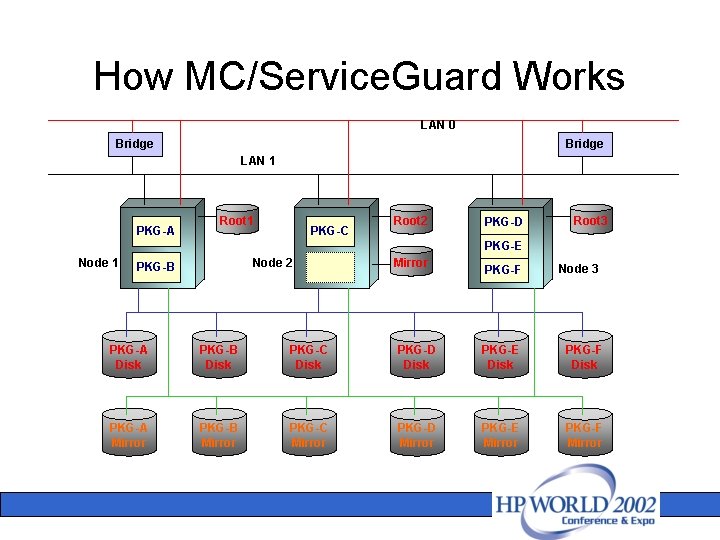
How MC/Service. Guard Works LAN 0 Bridge LAN 1 PKG-A Root 1 PKG-C Root 2 PKG-D Root 3 PKG-E Node 1 Node 2 PKG-B Mirror PKG-F Node 3 PKG-A Disk PKG-B Disk PKG-C Disk PKG-D Disk PKG-E Disk PKG-F Disk PKG-A Mirror PKG-B Mirror PKG-C Mirror PKG-D Mirror PKG-E Mirror PKG-F Mirror
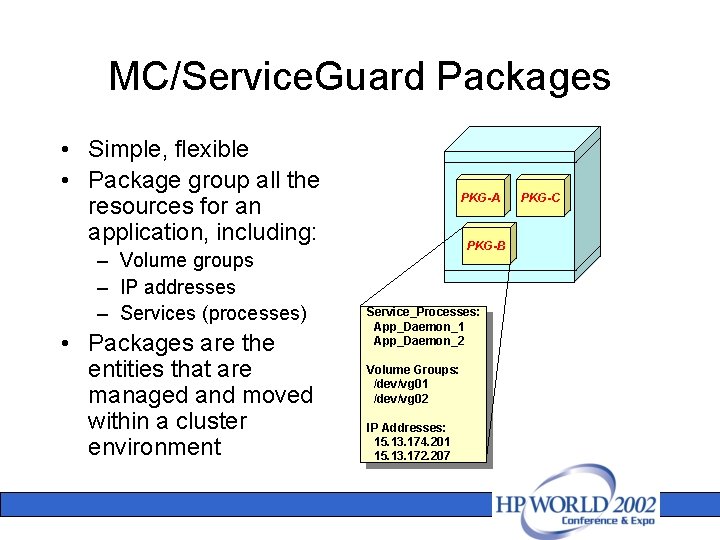
MC/Service. Guard Packages • Simple, flexible • Package group all the resources for an application, including: – Volume groups – IP addresses – Services (processes) • Packages are the entities that are managed and moved within a cluster environment PKG-A PKG-B Service_Processes: App_Daemon_1 App_Daemon_2 Volume Groups: /dev/vg 01 /dev/vg 02 IP Addresses: 15. 13. 174. 201 15. 13. 172. 207 PKG-C
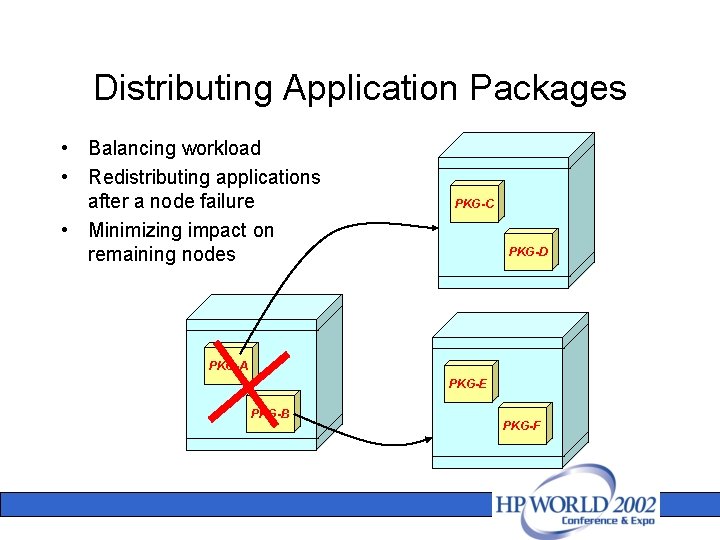
Distributing Application Packages • Balancing workload • Redistributing applications after a node failure • Minimizing impact on remaining nodes PKG-C PKG-D PKG-A PKG-E PKG-B PKG-F
Toolkits for High Availability Network File Systems • Running under MC/Service. Guard environment • App configuration and interface with Package Control Script (a Service. Guard component) • Provide HA functions and configurations • Configuration for Workload Distribution • Toolkit for NFS – Bash script (for basic functions) – C code (for advanced functions) • Toolkit for SAMBA – Bash script (for basic functions)
Package Control Script • Package resources configuration – Mirror disks – Volume groups and file systems – Package (re-locatable) IP addresses • Resources control functions on package Start & Stop – – – Start/stop mirroring disk (MD) process Activate/Deactivate disk volume groups Mount/un-mount file systems Enable/Disable IP addresses Start/stop package service processes Invoke toolkit script
NFS Toolkit • Configurations – Export File Systems (Export NFS directories that will be mounted by NFS client users. ) – NFS Monitoring Service (Monitoring script) • Functions for NFS Start & Stop – – Start/stop NFS server (daemons) Export/Un-export file systems Start/stop monitor process Synchronize NFS server states • Current clients mount states (rmtab)
NFS daemons • Daemons to be started & monitored – portmap – protmapper – rpc. mountd – mount daemon – nfsd – nfs daemon – lockd – lock daemon – rpc. statd – state (lockd uses it) – rpc. rquotad
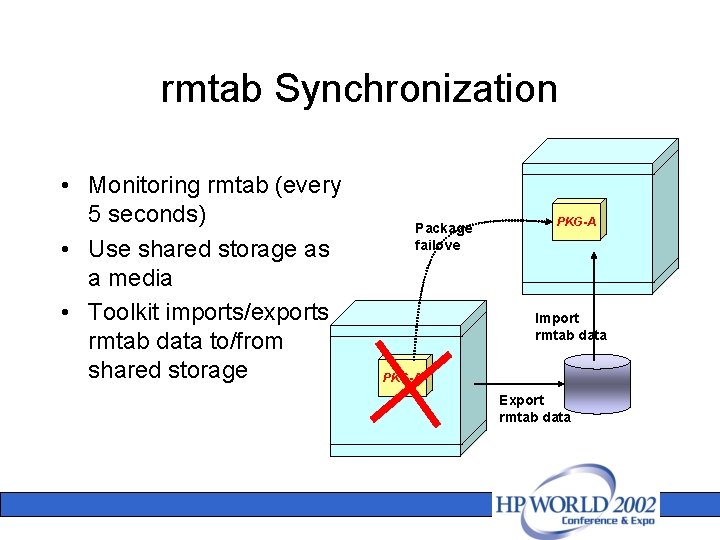
rmtab Synchronization • Monitoring rmtab (every 5 seconds) • Use shared storage as a media • Toolkit imports/exports rmtab data to/from shared storage Package failove PKG-A Import rmtab data PKG-A Export rmtab data
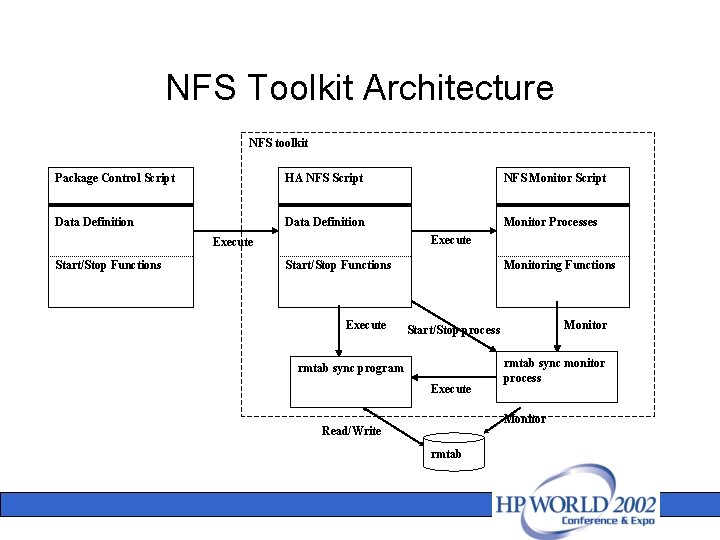
NFS Toolkit Architecture NFS toolkit Package Control Script HA NFS Script NFS Monitor Script Data Definition Monitor Processes Execute Start/Stop Functions Execute Monitoring Functions Monitor Start/Stop process rmtab sync program Execute rmtab sync monitor process Monitor Read/Write rmtab
SAMBA Toolkit • Configurations – SAMBA base configuration file – A sub-configuration file for a SAMBA package – For workload distribution – SAMBA Monitoring Service (Monitoring script) • Functions for SAMBA Start & Stop – Start/stop SAMBA server (daemons) – Start/stop Monitor Process – Generate/regenerate SAMBA configuration file (for workload distribution) – Restart SAMBA server (for workload distribution)
SAMBA daemons • Daemons to be started & monitored – smbd – nmbd
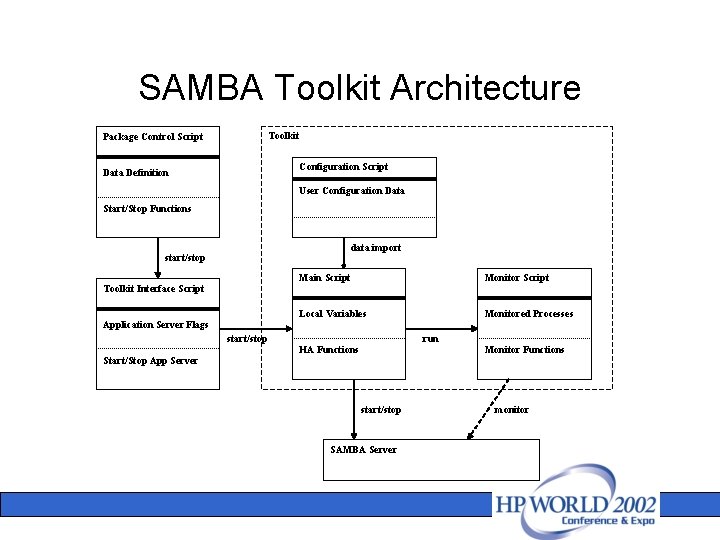
SAMBA Toolkit Architecture Toolkit Package Control Script Configuration Script Data Definition User Configuration Data Start/Stop Functions data import start/stop Toolkit Interface Script Application Server Flags Main Script Monitor Script Local Variables Monitored Processes start/stop Start/Stop App Server run HA Functions Monitor Functions start/stop SAMBA Server monitor
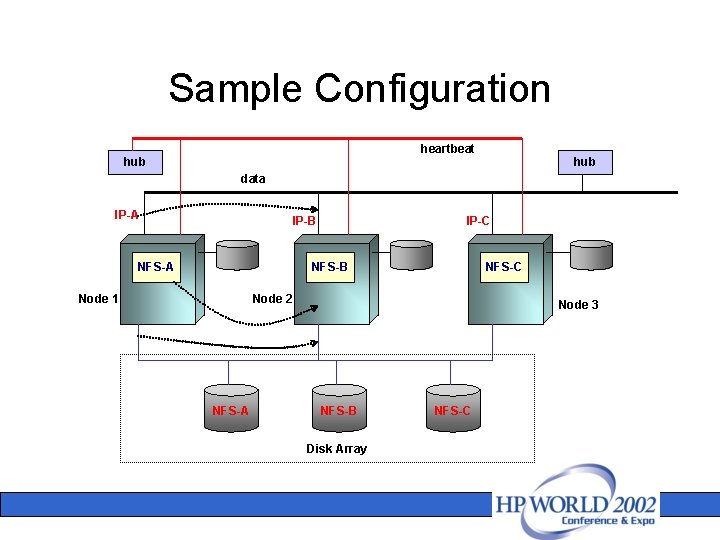
Sample Configuration heartbeat hub data IP-A IP-B NFS-A IP-C NFS-B Node 1 NFS-C Node 2 NFS-A Node 3 NFS-B Disk Array NFS-C
NFS Toolkit Limitation • NFS failover – Very similar to system restart (server crashed and reboot) – Start on the standby node – Lost kernel & system state info – Lost daemons state info • Client may experience a momentary hang • Access continues when failover completes
NFS Failover • Lost kernel & system states – Inconsistent file handle between Server and Client (Server fails to decode the file handle) – Client may get error message during file read/write. • Input/Output error, Stale NFS file handle • Write error, Stale NFS file handle – Workaround: give a retry. (i. e. re-open the file. )
NFS Failover (cont) • Lost daemons states – Current client’s mount states – Exported file system states – File lock states • Toolkit capabilities – Synchronize client’s mount states – Export file systems – (Does not synchronize file lock states. Client need to reclaim the file lock)
Q&A
- Slides: 32