
High Availability and Failover Clusters in Exchange Server
High Availability and Failover Clusters in Exchange Server 2007
What We Will Cover In this session you will learn how Exchange Server 2007 enables in-the-box high-availability solutions with fast, one click recovery. This session covers advances to availability management on clustered and non-clustered Exchange servers. Learn about the improvements made to high availability in Exchange Server 2007, including Local Continuous Replication, Cluster Continuous Replication and Single Copy Clusters.
Exchange Server 2007 High Availability Goals Deliver data and service availability solutions Decrease deployment and operational costs Enable options for more Exchange customers Improve solution behavior Enable large, low-cost mailboxes (> 1 GB)
Introducing Continuous Replication aka Log Shipping A data outage is expensive to recover from Restoring from backup takes a long time There may be significant data loss Keep a copy of the data It has to be up-to-date Two configurations A copy of the data on the same machine (LCR) A copy of the data on a different machine (CCR)
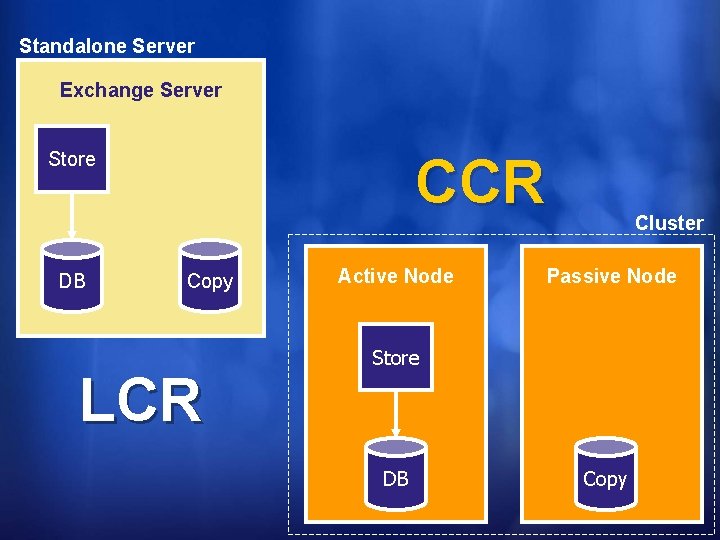
Standalone Server Exchange Server Store DB CCR Copy LCR Active Node Cluster Passive Node Store DB Copy
Continuous Replication Theory Make a copy of the data As the original data is modified, make the same modifications to the copy Less expensive than re-copying all the data This provides an up-to-date copy of the data
ESE Logging A logfile is a list of database modifications Physical changes are logged Used for recovery after a crash Basic technology is industry standard Lots of subtleties
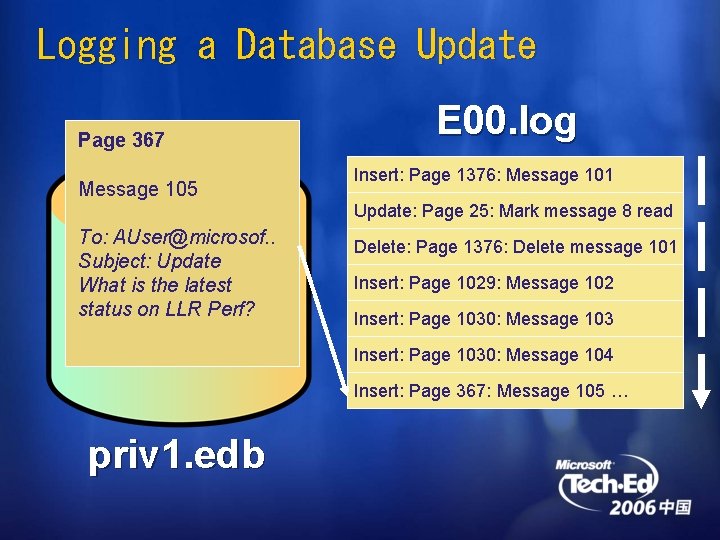
Logging a Database Update Page 367 Message 105 E 00. log Insert: Page 1376: Message 101 Update: Page 25: Mark message 8 read To: AUser@microsof. . Subject: Update What is the latest status on LLR Perf? Delete: Page 1376: Delete message 101 Insert: Page 1029: Message 102 Insert: Page 1030: Message 103 Insert: Page 1030: Message 104 Insert: Page 367: Message 105 … priv 1. edb
Implementing Replication Make a copy of a database As log records are created, apply the changes in them to the copy
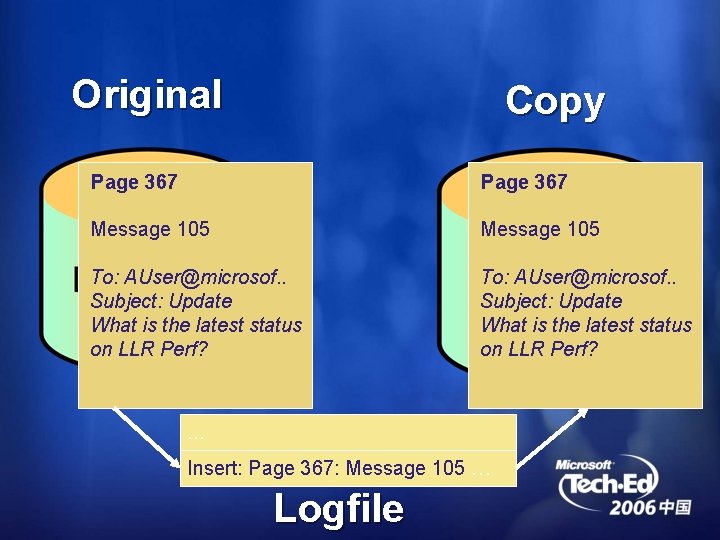
Original Copy Page 367 Message 105 To: AUser@microsof. . Subject: Update What is the latest status on LLR Perf? … Insert: Page 367: Message 105 … Logfile
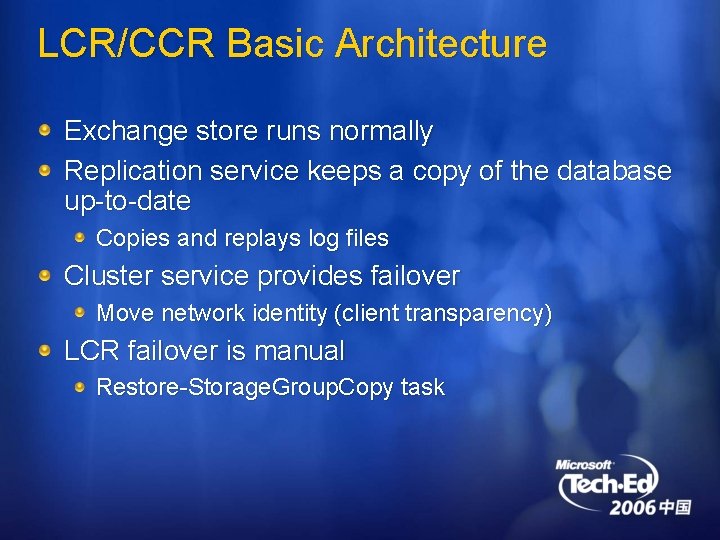
LCR/CCR Basic Architecture Exchange store runs normally Replication service keeps a copy of the database up-to-date Copies and replays log files Cluster service provides failover Move network identity (client transparency) LCR failover is manual Restore-Storage. Group. Copy task
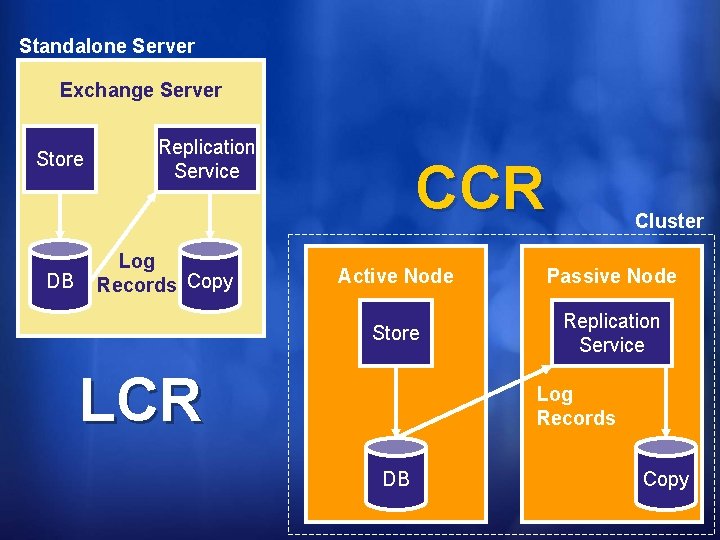
Standalone Server Exchange Server Store DB Replication Service Log Records Copy CCR Cluster Active Node Passive Node Store Replication Service LCR Log Records DB Copy
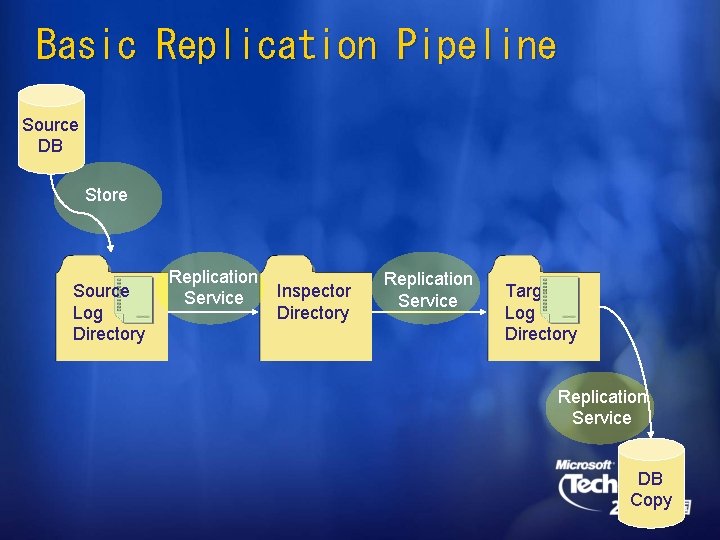
Basic Replication Pipeline Source DB Store Source Log Directory Replication Service Inspector Directory Replication Service Target Log Directory Replication Service DB Copy
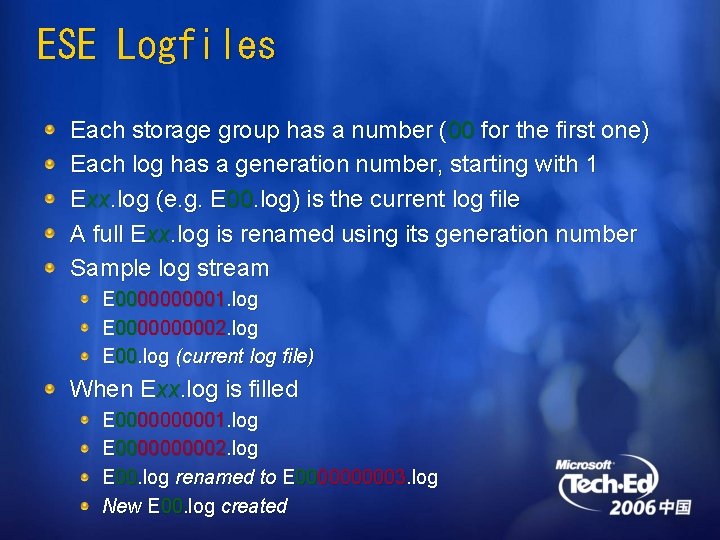
ESE Logfiles Each storage group has a number (00 for the first one) Each log has a generation number, starting with 1 Exx. log (e. g. E 00. log) is the current log file A full Exx. log is renamed using its generation number Sample log stream E 000001. log E 000002. log E 00. log (current log file) When Exx. log is filled E 000001. log E 000002. log E 00. log renamed to E 000003. log New E 00. log created
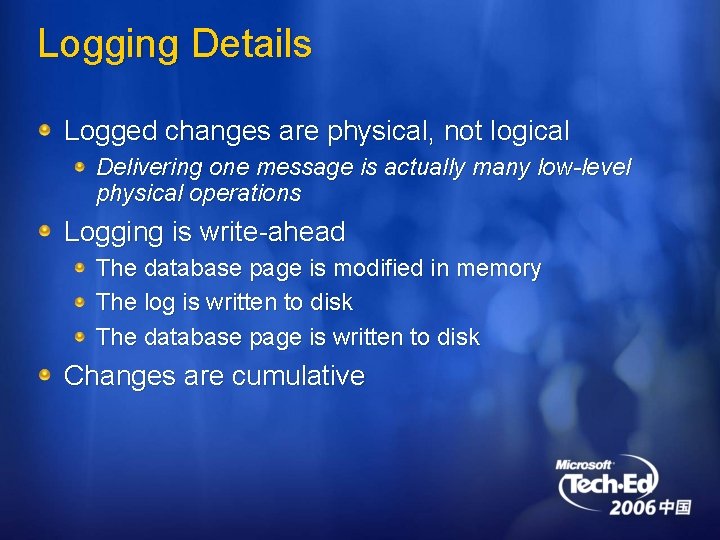
Logging Details Logged changes are physical, not logical Delivering one message is actually many low-level physical operations Logging is write-ahead The database page is modified in memory The log is written to disk The database page is written to disk Changes are cumulative
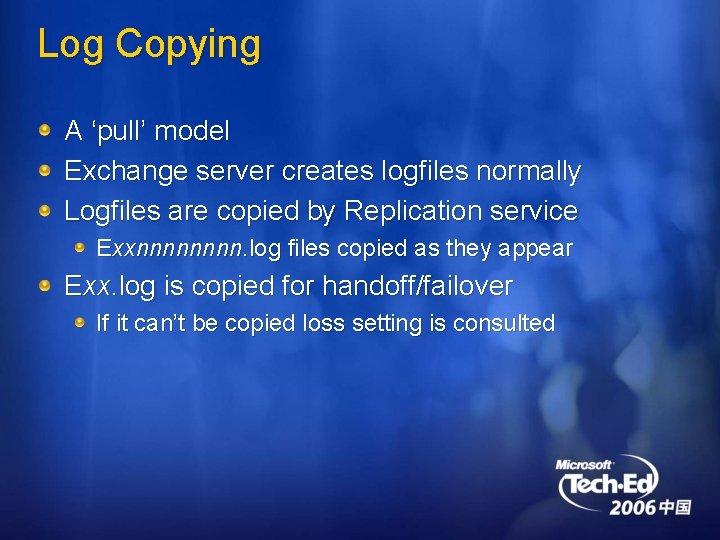
Log Copying A ‘pull’ model Exchange server creates logfiles normally Logfiles are copied by Replication service Exxnnnn. log files copied as they appear Exx. log is copied for handoff/failover If it can’t be copied loss setting is consulted
Log Verification Log files are copied to the Inspector directory Checksum and signature are verified Checksum failures cause a log file to be recopied If a log file can’t be copied a re-seed is required Log file is moved to the log directory after successful inspection
Log Replay Apply changes in log files to database copy A special recovery mode Different from ‘eseutil /r’ Undo phase is skipped If possible, log files are replayed in batches Improves performance
Get-Storage. Group. Copy. Status Last. Log. Copy. Notified Last generation seen in the source directory Last. Log. Copied Last generation copied by Replication service Copied to inspector directory Last. Log. Inspected Last generation inspected Moved to log file directory Last. Log. Replayed Last generation replayed into the database copy Available through performance monitor
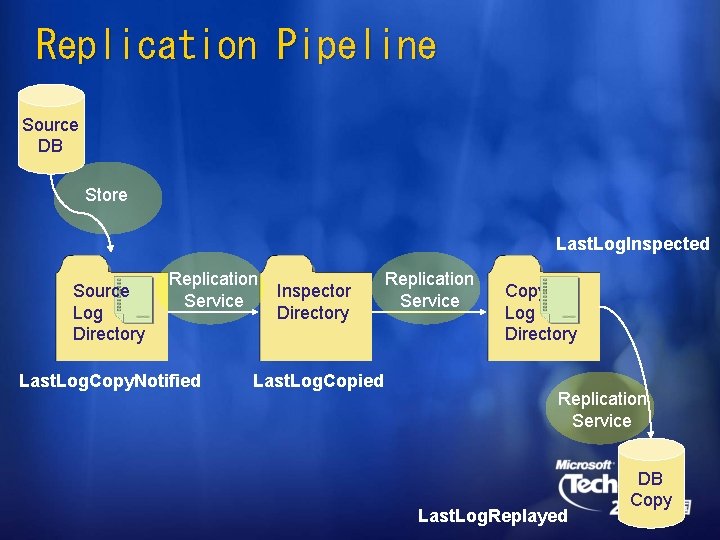
Replication Pipeline Source DB Store Last. Log. Inspected Source Log Directory Replication Service Last. Log. Copy. Notified Inspector Directory Last. Log. Copied Replication Service Copy Log Directory Replication Service Last. Log. Replayed DB Copy
CCR Failover Cluster service monitors the resources Failure detection is not instantaneous IP Address or Network Name resource failures cause failover A machine, or network access to it, has failed completely Exchange service failure or timeout doesn’t cause failover The service is restarted on the same node Database failure doesn’t cause failover Don’t want to move 49 databases because 1 failed
CCR File Share Replication service runs remotely but needs access to log files Share created on the active node Readable by ‘Exchange Servers’ group Machine accounts of all Exchange servers Run as Local. System to access the share ‘Exchange Servers’ group granted R/O access to files CCR servers only
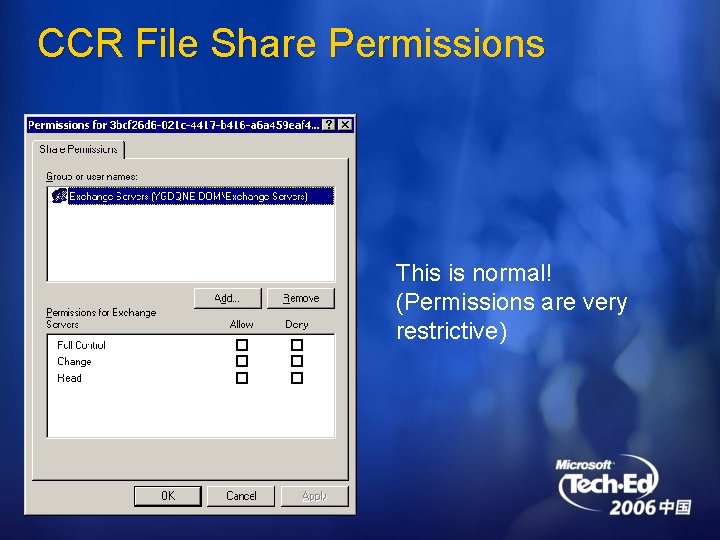
CCR File Share Permissions This is normal! (Permissions are very restrictive)
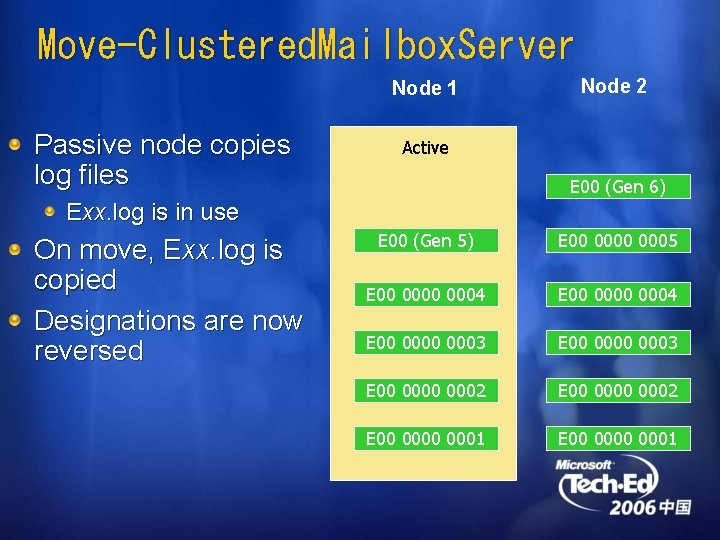
Move-Clustered. Mailbox. Server Node 1 Passive node copies log files Node 2 Active E 00 (Gen 6) Exx. log is in use On move, Exx. log is copied Designations are now reversed E 00 (Gen 5) E 000000 (Gen 0005 5) E 000000 (Gen 0004 4) E 00 0004 E 000000 (Gen 0003 3) E 00 0003 E 000000 (Gen 0002 2) E 00 0002 E 00 0000 0001
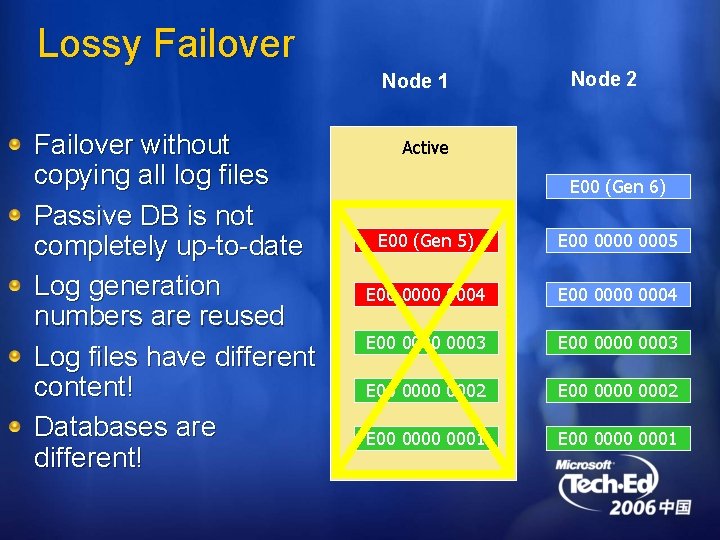
Lossy Failover Node 1 Failover without copying all log files Passive DB is not completely up-to-date Log generation numbers are reused Log files have different content! Databases are different! Node 2 Active E 00 (Gen 6) E 00 (Gen 5) E 000000 (Gen 0005 5) E 000000 (Gen 0004 4) E 000000 (Gen 0003 3) E 00 0003 E 000000 (Gen 0002 2) E 00 0002 E 00 0000 0001
Divergence When the copy has information not in the original it is diverged Divergence may be in database or log files Lossy failover will produce a divergence ‘Split-brain’ operation on a cluster also causes divergence Even if clients can’t connect, background maintenance still modifies the database Administrator error can cause divergence! e. g. running eseutil /r
Detecting Divergence Replication service detects divergence Comparing databases would be too slow Compare the last log file on the copy to the same log file on the active Runs when the store creates a new log file Log file headers contain creation times which chain them together Only replace EXX. log with a log file which is a superset
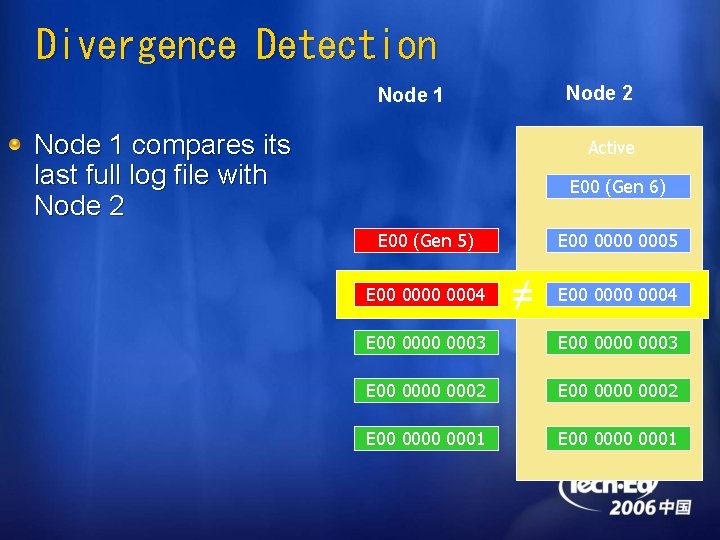
Divergence Detection Node 2 Node 1 compares its last full log file with Node 2 Active E 00 (Gen 6) E 00 (Gen 5) E 000000 (Gen 0004 4) E 000000 (Gen 0005 5) ≠ E 000000 (Gen 0004 4) E 000000 (Gen 0003 3) E 00 0003 E 000000 (Gen 0002 2) E 00 0002 E 00 0000 0001
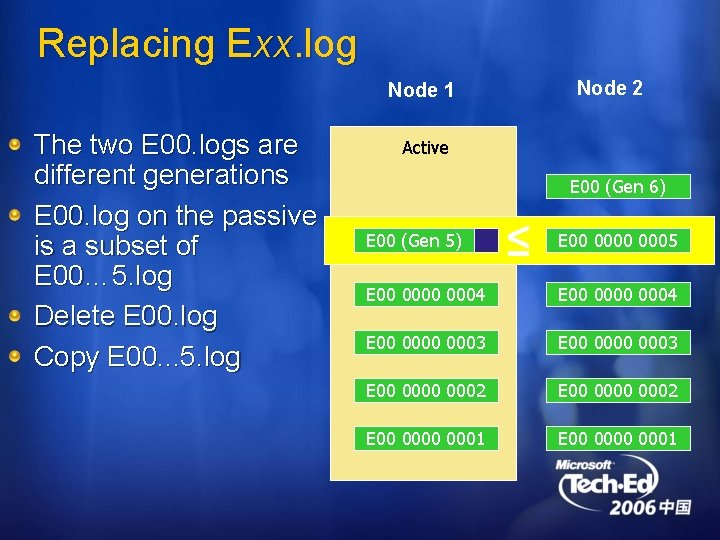
Replacing Exx. log Node 2 Node 1 The two E 00. logs are different generations E 00. log on the passive is a subset of E 00… 5. log Delete E 00. log Copy E 00. . . 5. log Active E 00 (Gen 6) E 00 (Gen 5) ≤ E 00 (Gen 0000 5) 0005 E 000000 (Gen 0004 4) E 00 0004 E 000000 (Gen 0003 3) E 00 0003 E 000000 (Gen 0002 2) E 00 0002 E 00 0000 0001
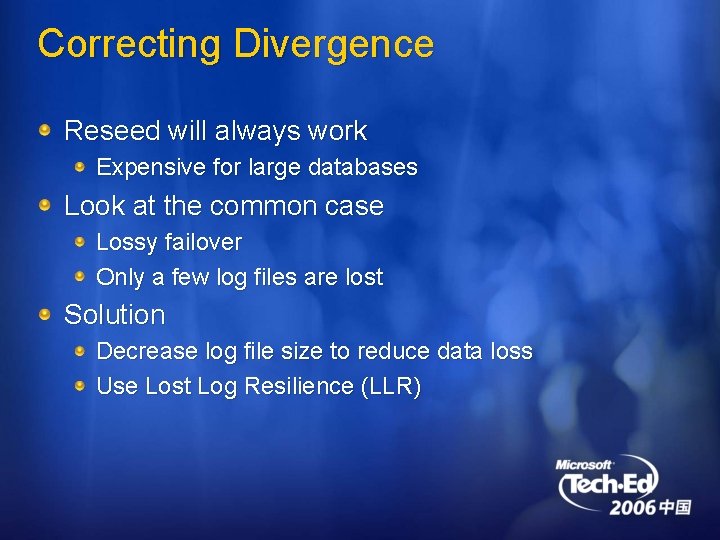
Correcting Divergence Reseed will always work Expensive for large databases Look at the common case Lossy failover Only a few log files are lost Solution Decrease log file size to reduce data loss Use Lost Log Resilience (LLR)
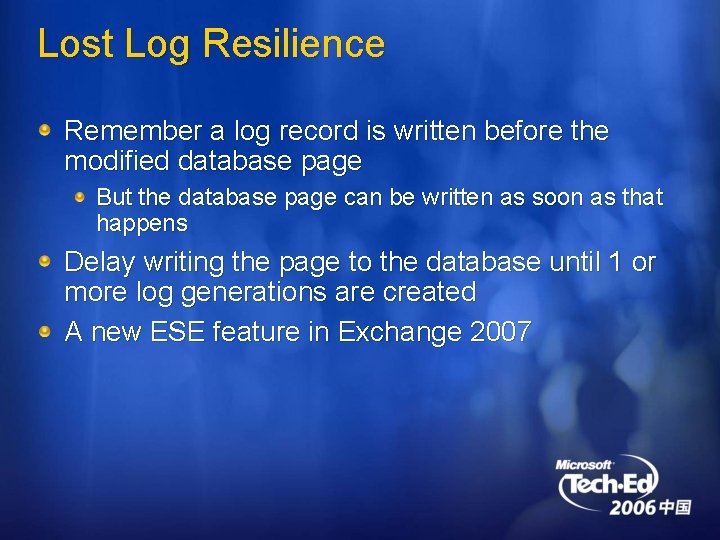
Lost Log Resilience Remember a log record is written before the modified database page But the database page can be written as soon as that happens Delay writing the page to the database until 1 or more log generations are created A new ESE feature in Exchange 2007
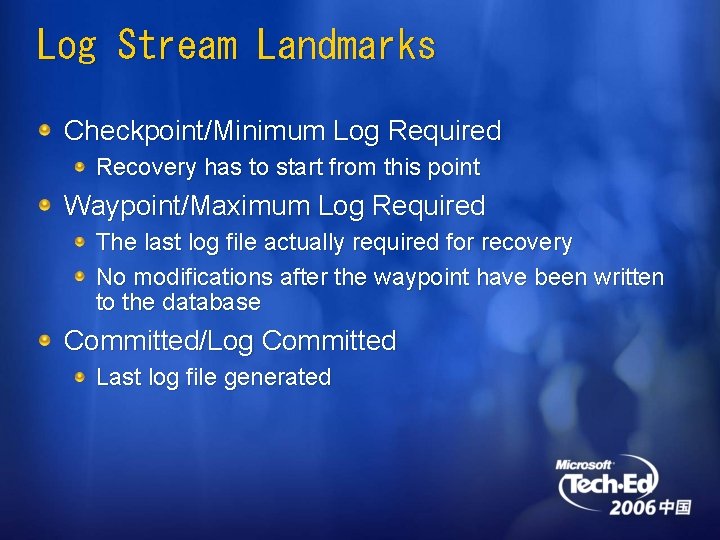
Log Stream Landmarks Checkpoint/Minimum Log Required Recovery has to start from this point Waypoint/Maximum Log Required The last log file actually required for recovery No modifications after the waypoint have been written to the database Committed/Log Committed Last log file generated
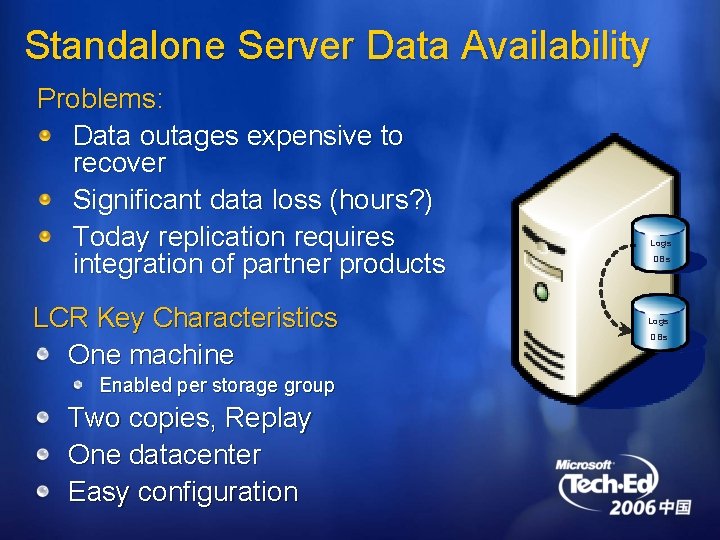
Standalone Server Data Availability Problems: Data outages expensive to recover Significant data loss (hours? ) Today replication requires integration of partner products LCR Key Characteristics One machine Enabled per storage group Two copies, Replay One datacenter Easy configuration Logs DBs
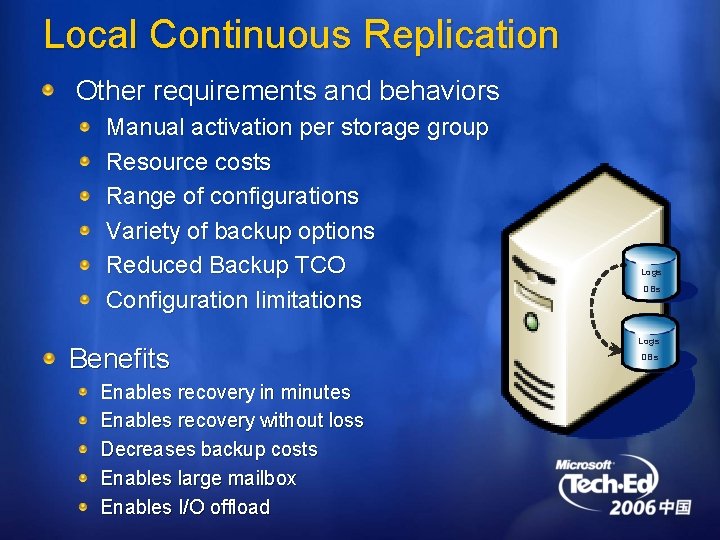
Local Continuous Replication Other requirements and behaviors Manual activation per storage group Resource costs Range of configurations Variety of backup options Reduced Backup TCO Configuration limitations Benefits Enables recovery in minutes Enables recovery without loss Decreases backup costs Enables large mailbox Enables I/O offload Logs DBs
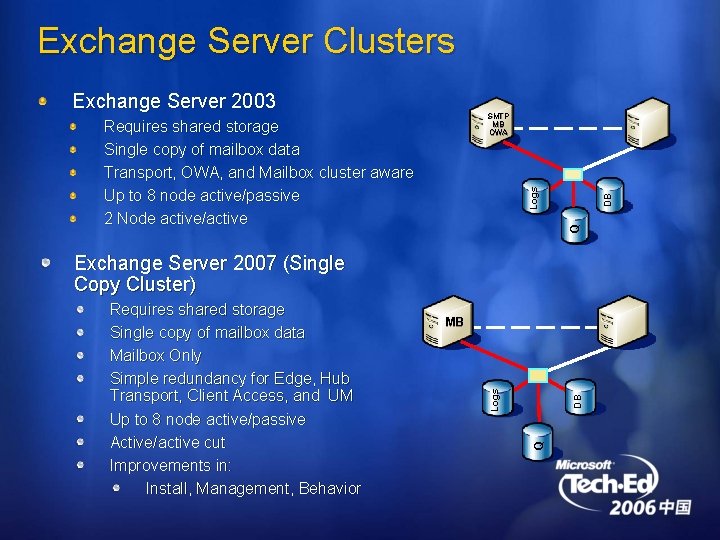
Exchange Server Clusters Exchange Server 2003 SMTP MB OWA Q DB Logs Requires shared storage Single copy of mailbox data Transport, OWA, and Mailbox cluster aware Up to 8 node active/passive 2 Node active/active Exchange Server 2007 (Single Copy Cluster) MB Q DB Logs Requires shared storage Single copy of mailbox data Mailbox Only Simple redundancy for Edge, Hub Transport, Client Access, and UM Up to 8 node active/passive Active/active cut Improvements in: Install, Management, Behavior
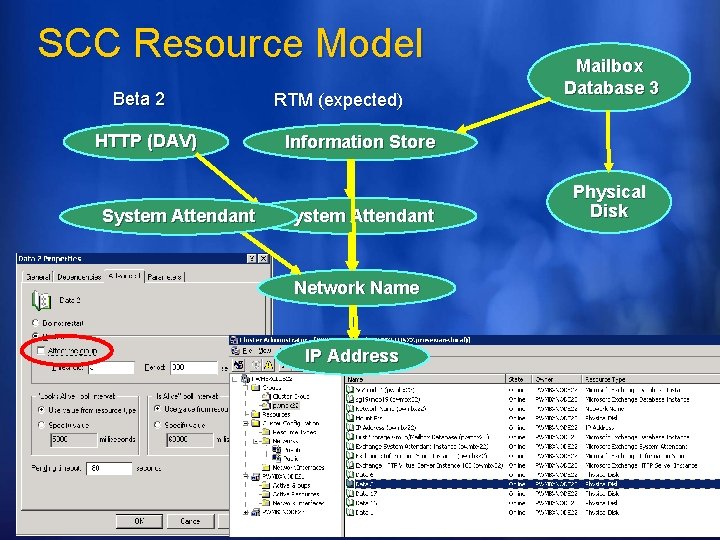
SCC Resource Model Beta 2 HTTP (DAV) System Attendant RTM (expected) Mailbox Database 3 Information Store System Attendant Network Name IP Address Physical Disk

Single Copy Cluster Q Quorum and Exchange levels DB Lacks full redundancy Logs MB Deployment and operational complexity Cost Recovery time after corruption or data failure varies based on backup technology Two datacenter solution requires integration of partner technology Created cluster continuous replication to address
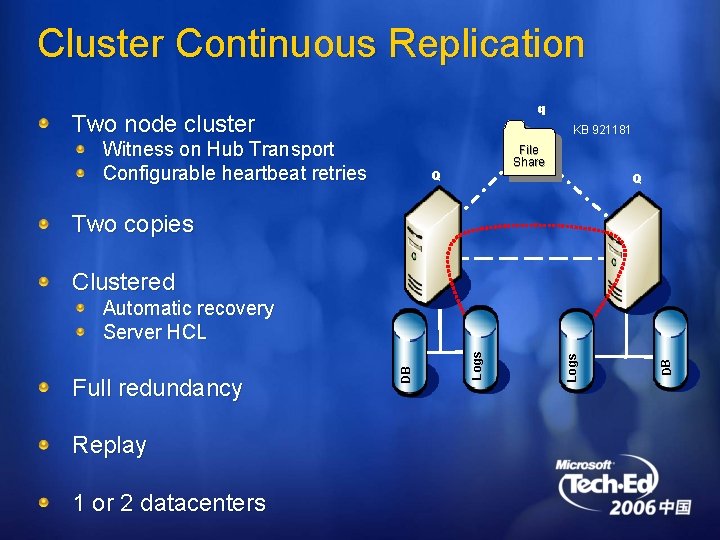
Cluster Continuous Replication q Two node cluster KB 921181 Witness on Hub Transport Configurable heartbeat retries File Share Q Q Two copies Clustered Replay 1 or 2 datacenters DB Logs Full redundancy DB Automatic recovery Server HCL
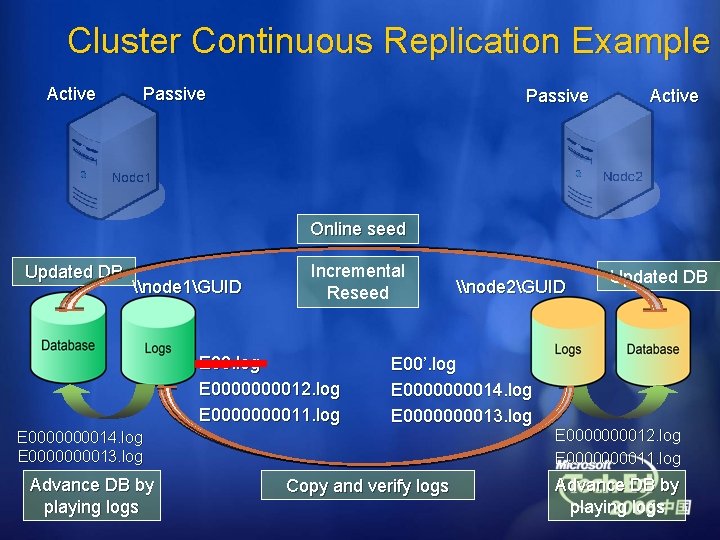
Cluster Continuous Replication Example Active Passive Active Online seed Updated DB \node 1GUID Incremental Reseed E 00. log E 000012. log E 000011. log E 00’. log E 0000000014. log E 0000000013. log Advance DB by playing logs \node 2GUID Copy and verify logs Updated DB E 000012. log E 000011. log Advance DB by playing logs
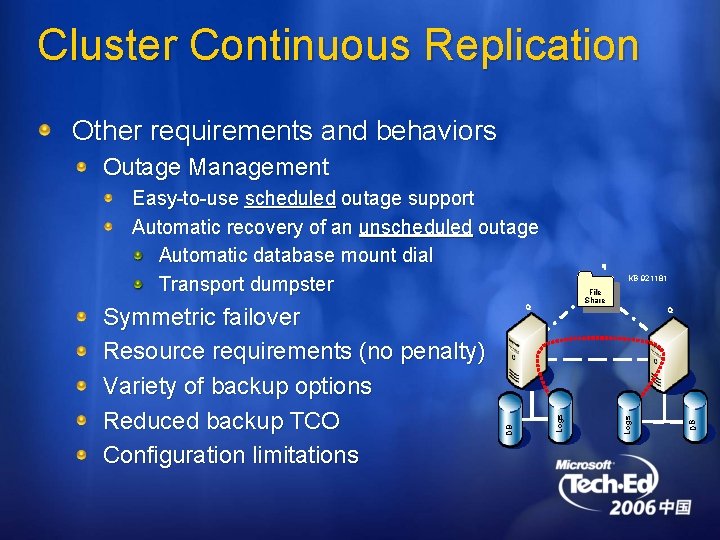
Cluster Continuous Replication Other requirements and behaviors Outage Management Easy-to-use scheduled outage support Automatic recovery of an unscheduled outage Automatic database mount dial Transport dumpster KB 921181 File Share DB Q Logs Q DB Symmetric failover Resource requirements (no penalty) Variety of backup options Reduced backup TCO Configuration limitations q
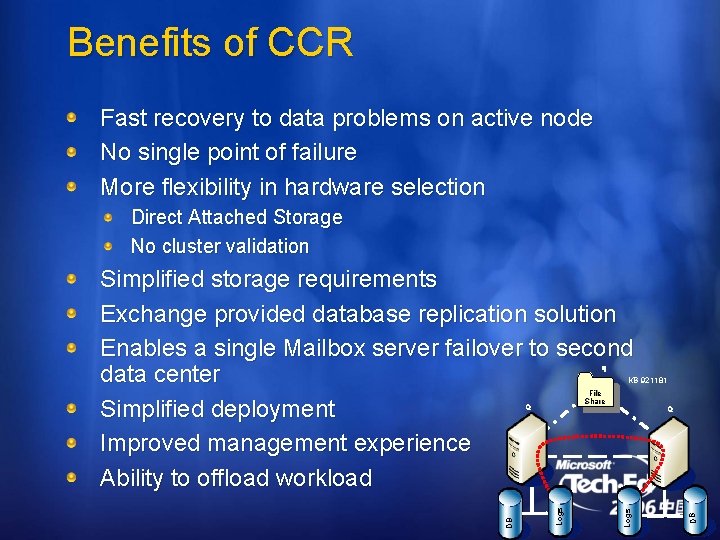
Benefits of CCR Fast recovery to data problems on active node No single point of failure More flexibility in hardware selection Direct Attached Storage No cluster validation Simplified storage requirements Exchange provided database replication solution Enables a single Mailbox server failover to second data center Simplified deployment Improved management experience Ability to offload workload q KB 921181 Q DB Logs DB Q Logs File Share
Exchange Server 2007 High Availability Takeaways ü Delivers standalone and clustered solutions ü Decreases deployment and operational costs ü Enables HA options for more Exchange customers ü Improves solution behavior ü Enables large low cost mailboxes (1 GB+)
See LCR and CCR in Action!
Blogcast: LCR http: //msexchangeteam. com/archive/2006/05/24 /427788. aspx
Blogcast: CCR http: //msexchangeteam. com/archive/2006/08/09 /428642. aspx

© 2006 Microsoft Corporation. All rights reserved. Microsoft, Windows Vista and other product names are or may be registered trademarks and/or trademarks in the U. S. and/or other countries. The information herein is for informational purposes only and represents the current view of Microsoft Corporation as of the date of this presentation. Because Microsoft must respond to changing market conditions, it should not be interpreted to be a commitment on the part of Microsoft, and Microsoft cannot guarantee the accuracy of any information provided after the date of this presentation. MICROSOFT MAKES NO WARRANTIES, EXPRESS, IMPLIED OR STATUTORY, AS TO THE INFORMATION IN THIS PRESENTATION.
- Slides: 47