
Hierarchical Modeling I Ed Angel Professor of Computer
- Slides: 19
Hierarchical Modeling I Ed Angel Professor of Computer Science, Electrical and Computer Engineering, and Media Arts University of New Mexico Angel: Interactive Computer Graphics 5 E © Addison Wesley 2009 1
Objectives • Examine the limitations of linear modeling Symbols and instances • Introduce hierarchical models Articulated models Robots • Introduce Tree and DAG models Angel: Interactive Computer Graphics 5 E © Addison Wesley 2009 2
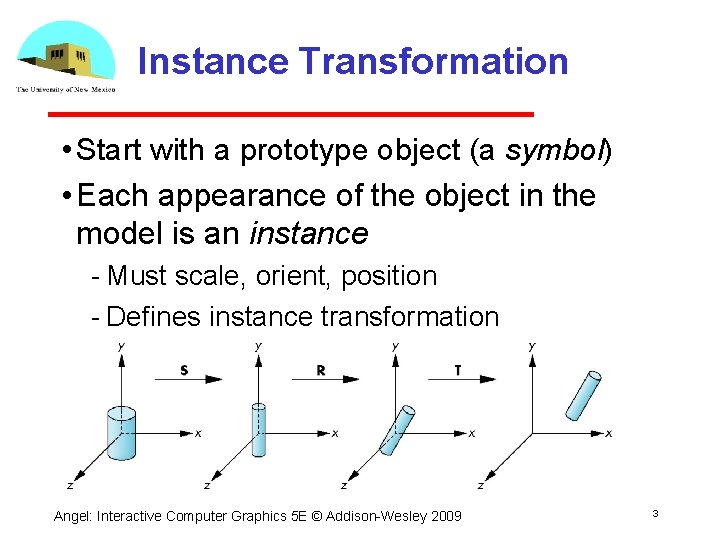
Instance Transformation • Start with a prototype object (a symbol) • Each appearance of the object in the model is an instance Must scale, orient, position Defines instance transformation Angel: Interactive Computer Graphics 5 E © Addison Wesley 2009 3
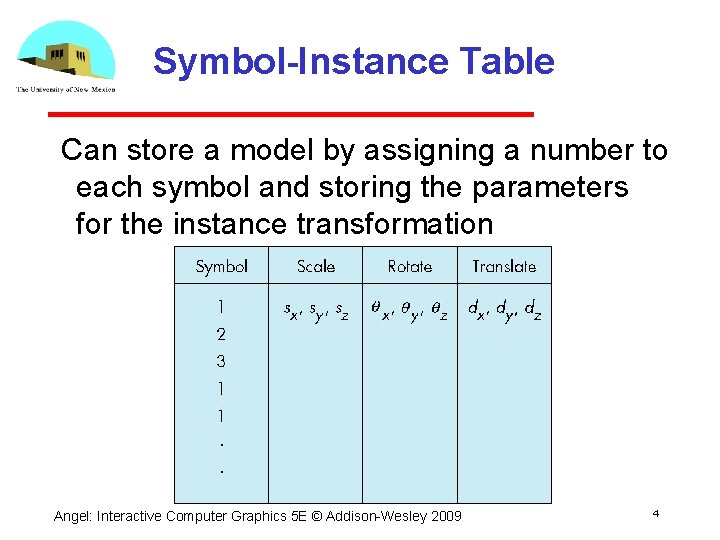
Symbol-Instance Table Can store a model by assigning a number to each symbol and storing the parameters for the instance transformation Angel: Interactive Computer Graphics 5 E © Addison Wesley 2009 4
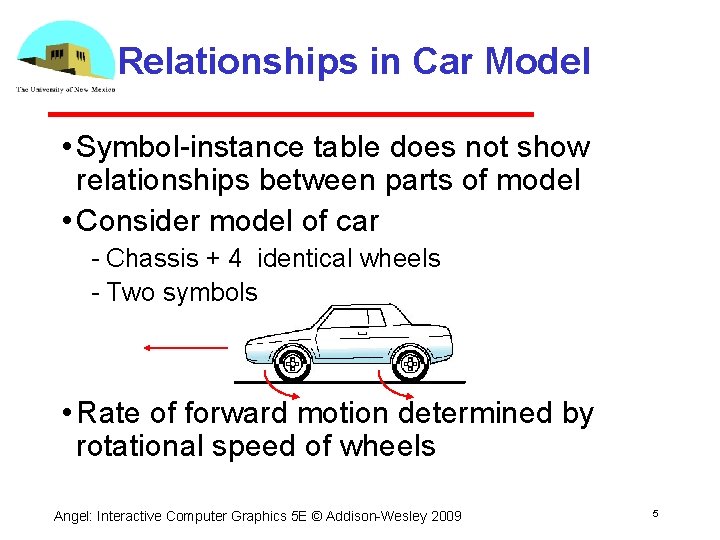
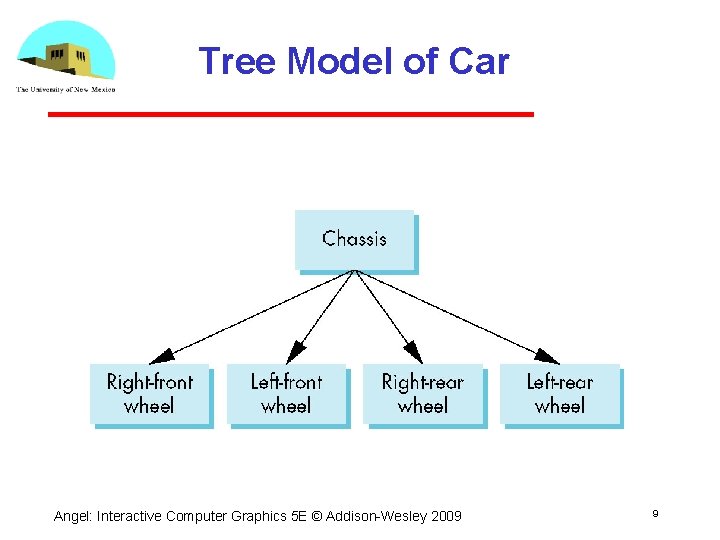
Relationships in Car Model • Symbol instance table does not show relationships between parts of model • Consider model of car Chassis + 4 identical wheels Two symbols • Rate of forward motion determined by rotational speed of wheels Angel: Interactive Computer Graphics 5 E © Addison Wesley 2009 5
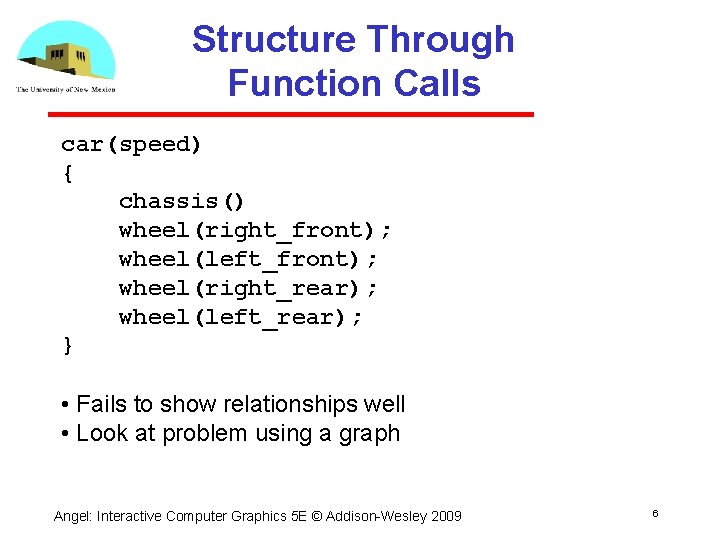
Structure Through Function Calls car(speed) { chassis() wheel(right_front); wheel(left_front); wheel(right_rear); wheel(left_rear); } • Fails to show relationships well • Look at problem using a graph Angel: Interactive Computer Graphics 5 E © Addison Wesley 2009 6
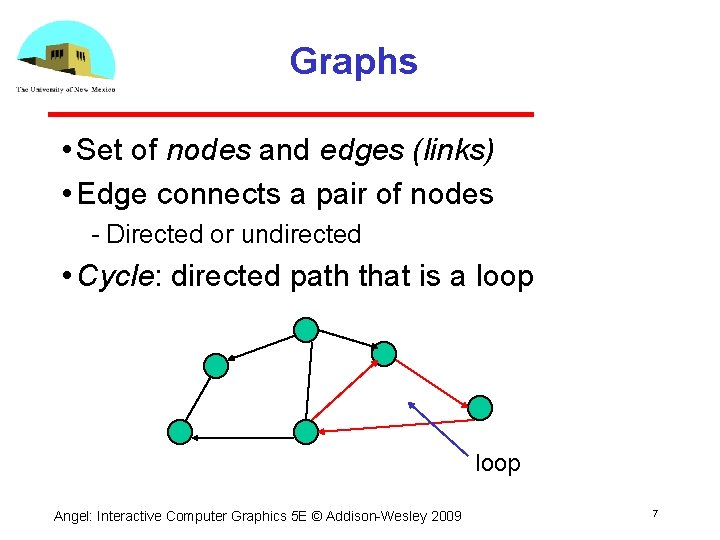
Graphs • Set of nodes and edges (links) • Edge connects a pair of nodes Directed or undirected • Cycle: directed path that is a loop Angel: Interactive Computer Graphics 5 E © Addison Wesley 2009 7
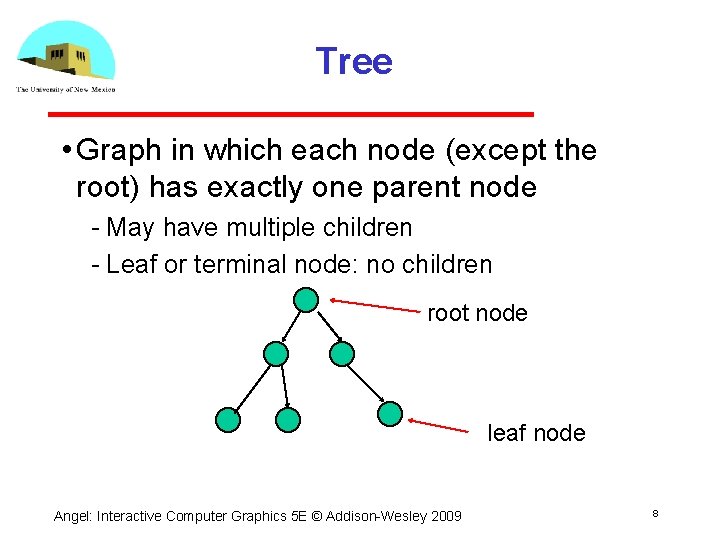
Tree • Graph in which each node (except the root) has exactly one parent node May have multiple children Leaf or terminal node: no children root node leaf node Angel: Interactive Computer Graphics 5 E © Addison Wesley 2009 8
Tree Model of Car Angel: Interactive Computer Graphics 5 E © Addison Wesley 2009 9
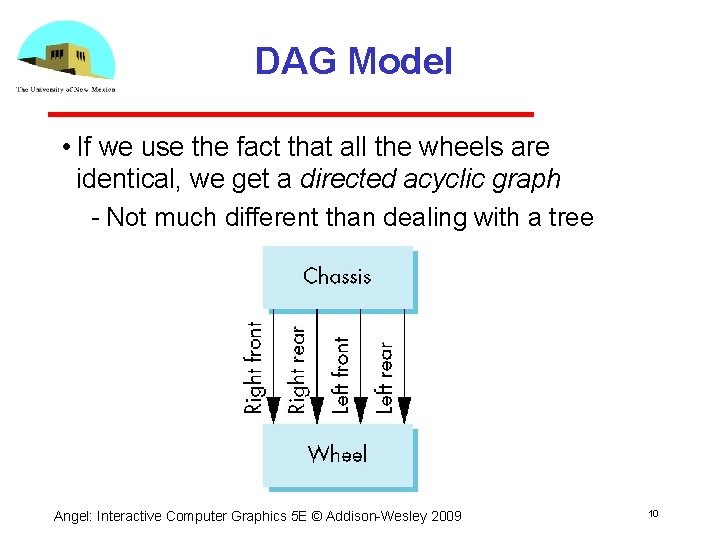
DAG Model • If we use the fact that all the wheels are identical, we get a directed acyclic graph Not much different than dealing with a tree Angel: Interactive Computer Graphics 5 E © Addison Wesley 2009 10
Modeling with Trees • Must decide what information to place in nodes and what to put in edges • Nodes What to draw Pointers to children • Edges May have information on incremental changes to transformation matrices (can also store in nodes) Angel: Interactive Computer Graphics 5 E © Addison Wesley 2009 11
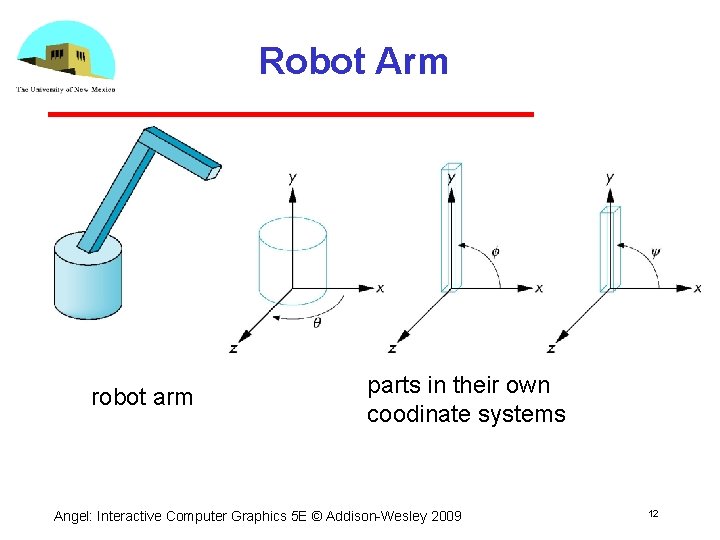
Robot Arm robot arm parts in their own coodinate systems Angel: Interactive Computer Graphics 5 E © Addison Wesley 2009 12
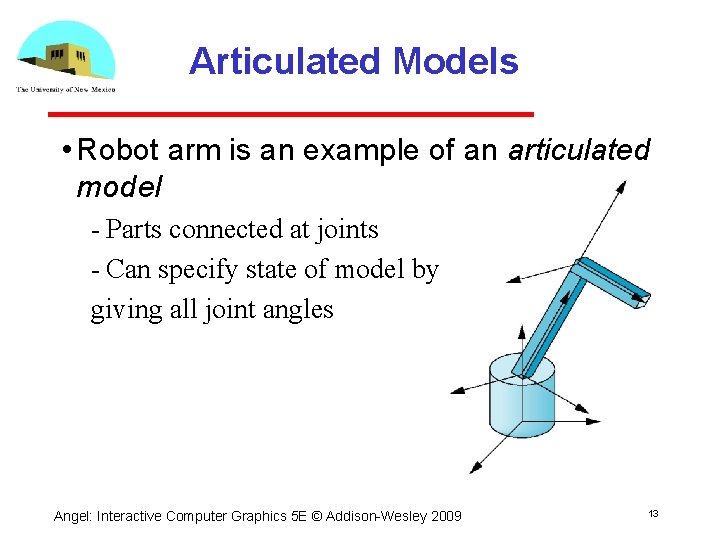
Articulated Models • Robot arm is an example of an articulated model Parts connected at joints Can specify state of model by giving all joint angles Angel: Interactive Computer Graphics 5 E © Addison Wesley 2009 13
Relationships in Robot Arm • Base rotates independently Single angle determines position • Lower arm attached to base Its position depends on rotation of base Must also translate relative to base and rotate about connecting joint • Upper arm attached to lower arm Its position depends on both base and lower arm Must translate relative to lower arm and rotate about joint connecting to lower arm Angel: Interactive Computer Graphics 5 E © Addison Wesley 2009 14
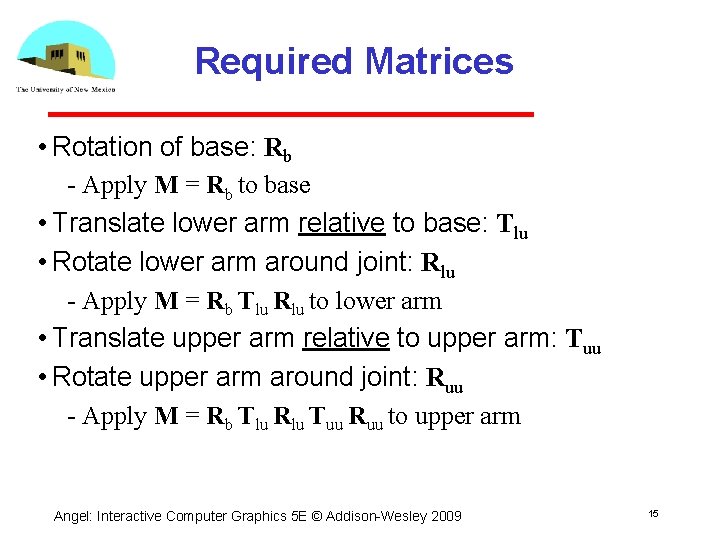
Required Matrices • Rotation of base: Rb Apply M = Rb to base • Translate lower arm relative to base: Tlu • Rotate lower arm around joint: Rlu Apply M = Rb Tlu Rlu to lower arm • Translate upper arm relative to upper arm: Tuu • Rotate upper arm around joint: Ruu Apply M = Rb Tlu Rlu Tuu Ruu to upper arm Angel: Interactive Computer Graphics 5 E © Addison Wesley 2009 15
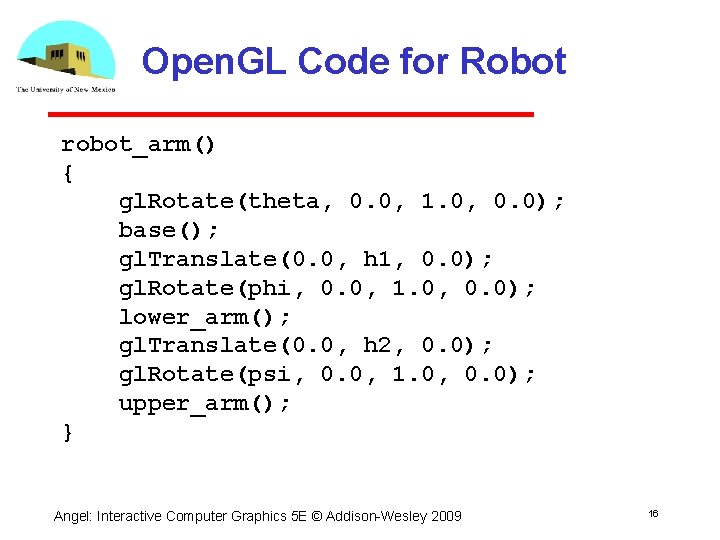
Open. GL Code for Robot robot_arm() { gl. Rotate(theta, 0. 0, 1. 0, 0. 0); base(); gl. Translate(0. 0, h 1, 0. 0); gl. Rotate(phi, 0. 0, 1. 0, 0. 0); lower_arm(); gl. Translate(0. 0, h 2, 0. 0); gl. Rotate(psi, 0. 0, 1. 0, 0. 0); upper_arm(); } Angel: Interactive Computer Graphics 5 E © Addison Wesley 2009 16
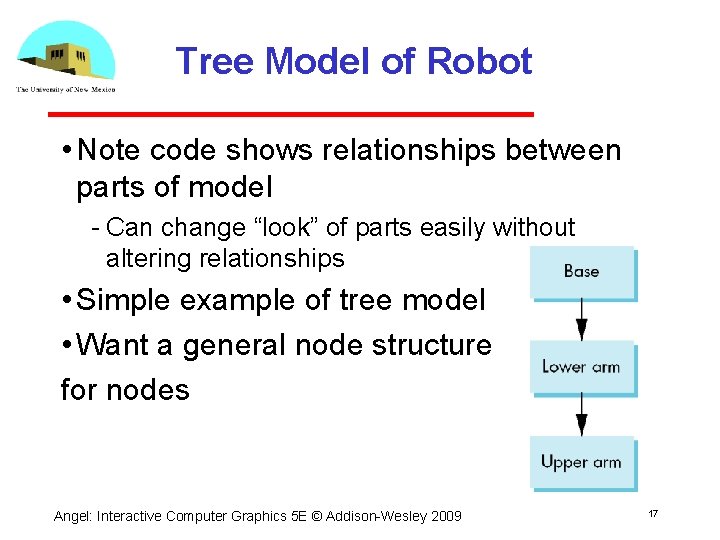
Tree Model of Robot • Note code shows relationships between parts of model Can change “look” of parts easily without altering relationships • Simple example of tree model • Want a general node structure for nodes Angel: Interactive Computer Graphics 5 E © Addison Wesley 2009 17
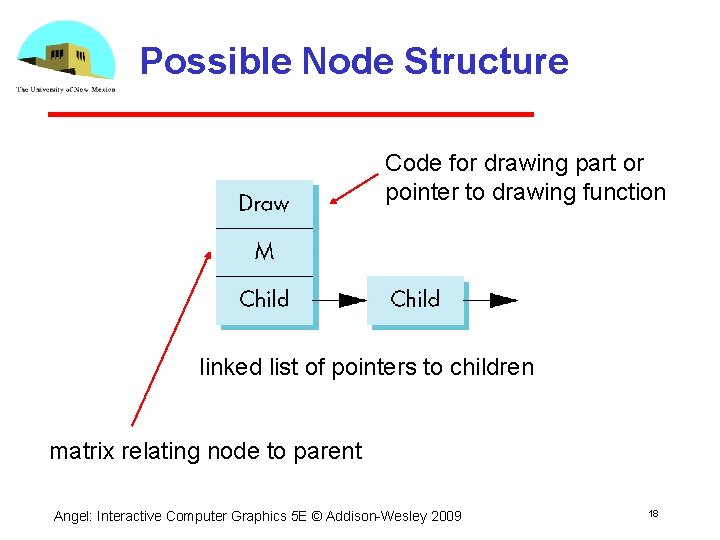
Possible Node Structure Code for drawing part or pointer to drawing function linked list of pointers to children matrix relating node to parent Angel: Interactive Computer Graphics 5 E © Addison Wesley 2009 18
Generalizations • Need to deal with multiple children How do we represent a more general tree? How do we traverse such a data structure? • Animation How to use dynamically? Can we create and delete nodes during execution? Angel: Interactive Computer Graphics 5 E © Addison Wesley 2009 19