
Hidden Surface Removal Methods Contents Today we will
- Slides: 28
Hidden Surface Removal Methods
Contents �Today we will start to take a look at visible surface detection techniques: �Why surface detection? �Back face detection �Depth-buffer method �A-buffer method �Scan-line method
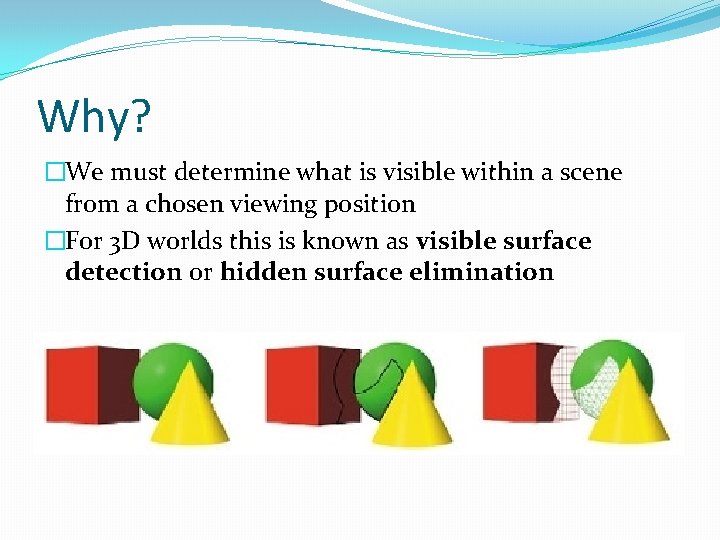
Why? �We must determine what is visible within a scene from a chosen viewing position �For 3 D worlds this is known as visible surface detection or hidden surface elimination
Two Main Approaches �Visible surface detection algorithms are broadly classified as: �Object Space Methods: Compares objects and parts of objects to each other within the scene definition to determine which surfaces are visible �Image Space Methods: Visibility is decided point-bypoint at each pixel position on the projection plane �Image space methods are by far the more common
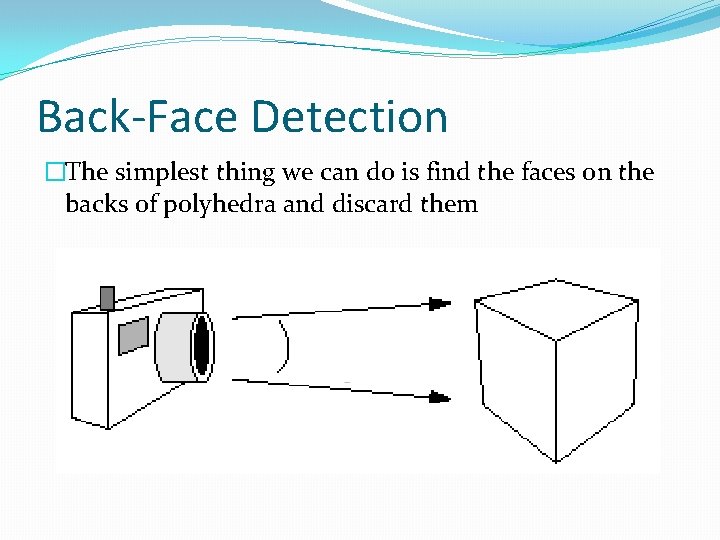
Back-Face Detection �The simplest thing we can do is find the faces on the backs of polyhedra and discard them
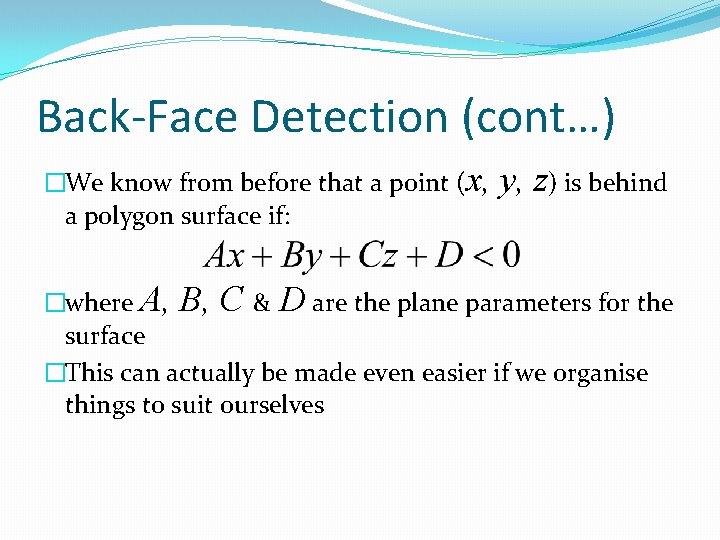
Back-Face Detection (cont…) �We know from before that a point (x, a polygon surface if: y, z) is behind �where A, B, C & D are the plane parameters for the surface �This can actually be made even easier if we organise things to suit ourselves
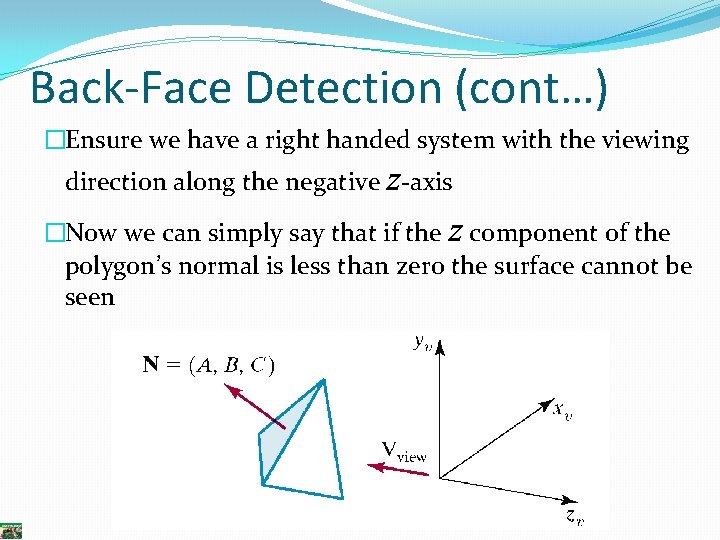
Back-Face Detection (cont…) �Ensure we have a right handed system with the viewing direction along the negative z-axis �Now we can simply say that if the z component of the polygon’s normal is less than zero the surface cannot be seen
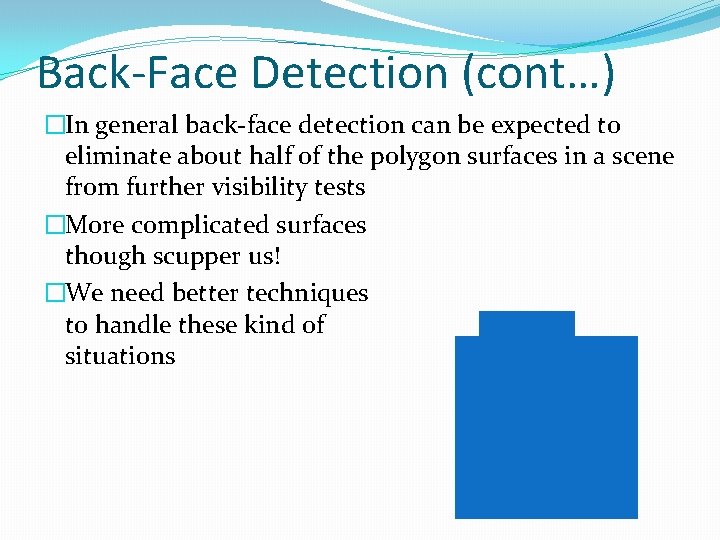
Back-Face Detection (cont…) �In general back-face detection can be expected to eliminate about half of the polygon surfaces in a scene from further visibility tests �More complicated surfaces though scupper us! �We need better techniques to handle these kind of situations
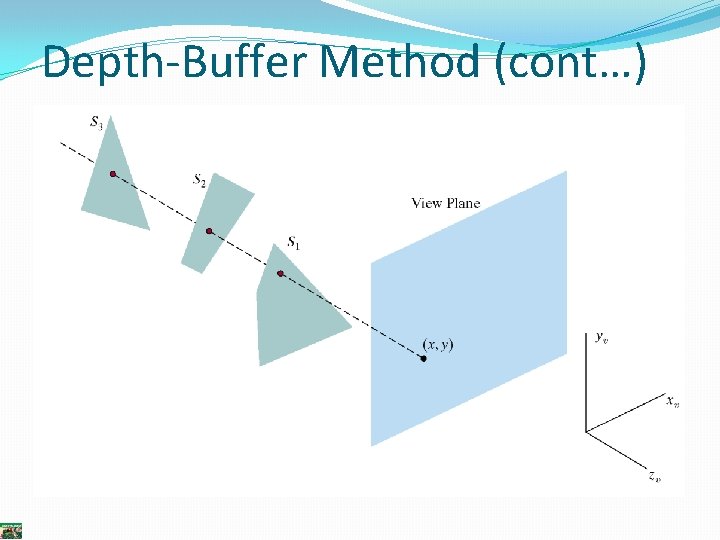
Depth-Buffer Method �Compares surface depth values throughout a scene for each pixel position on the projection plane �Usually applied to scenes only containing polygons �As depth values can be computed easily, this tends to be very fast �Also often called the z-buffer method
Depth-Buffer Method (cont…)
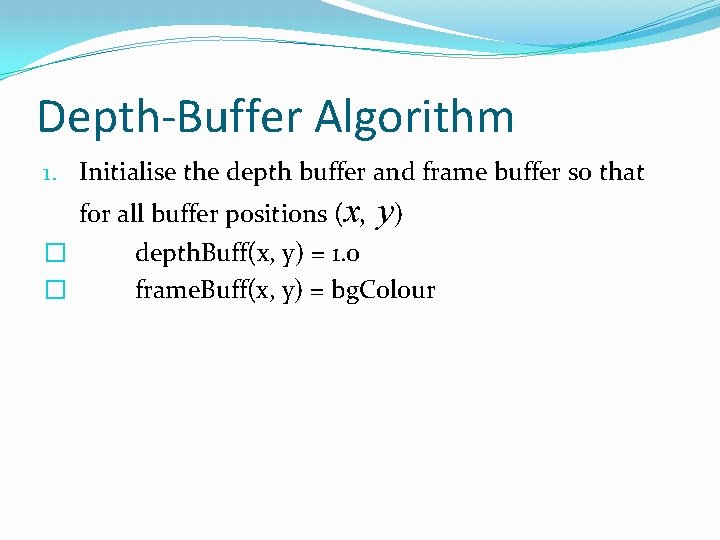
Depth-Buffer Algorithm 1. Initialise the depth buffer and frame buffer so that for all buffer positions (x, y) � � depth. Buff(x, y) = 1. 0 frame. Buff(x, y) = bg. Colour
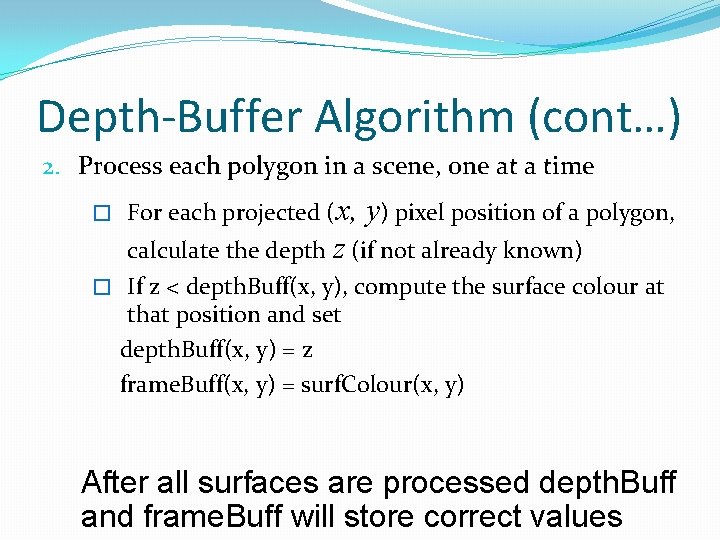
Depth-Buffer Algorithm (cont…) 2. Process each polygon in a scene, one at a time � For each projected (x, y) pixel position of a polygon, calculate the depth z (if not already known) � If z < depth. Buff(x, y), compute the surface colour at that position and set depth. Buff(x, y) = z frame. Buff(x, y) = surf. Colour(x, y) After all surfaces are processed depth. Buff and frame. Buff will store correct values
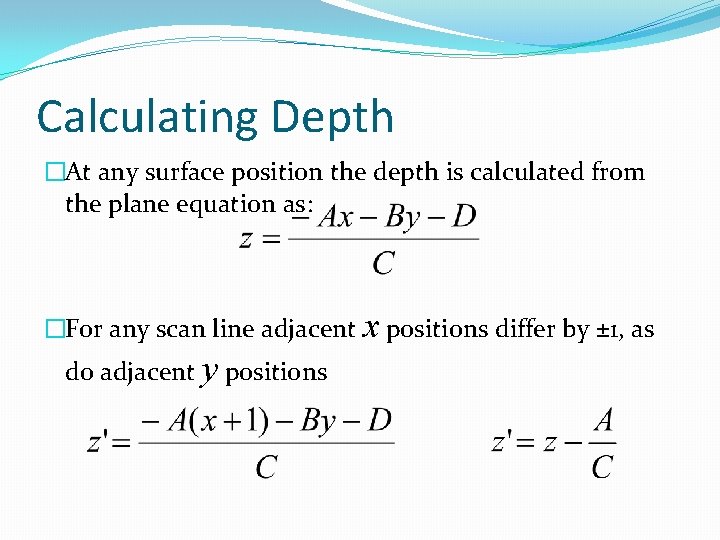
Calculating Depth �At any surface position the depth is calculated from the plane equation as: �For any scan line adjacent x positions differ by ± 1, as do adjacent y positions
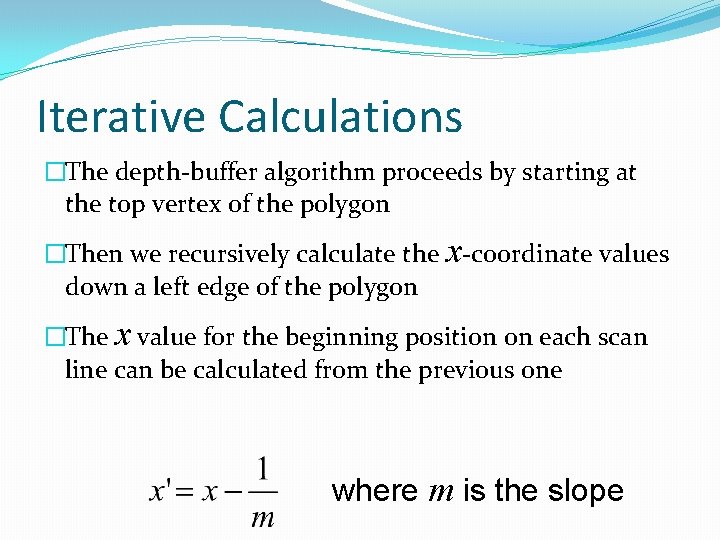
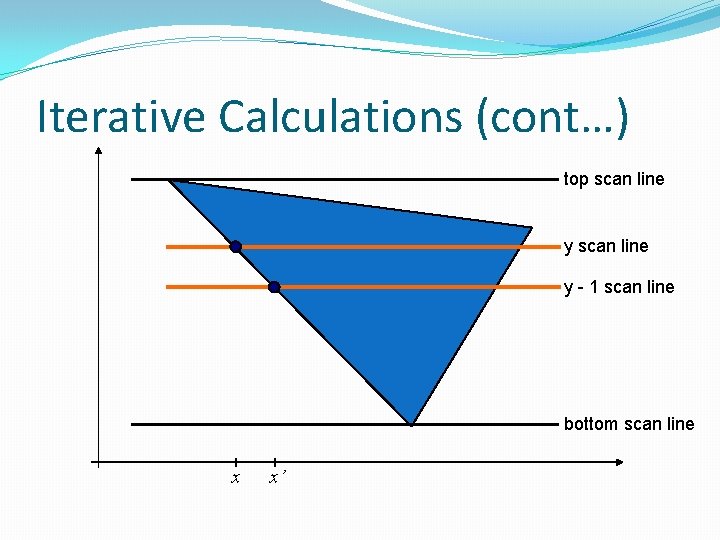
Iterative Calculations �The depth-buffer algorithm proceeds by starting at the top vertex of the polygon �Then we recursively calculate the x-coordinate values down a left edge of the polygon �The x value for the beginning position on each scan line can be calculated from the previous one where m is the slope
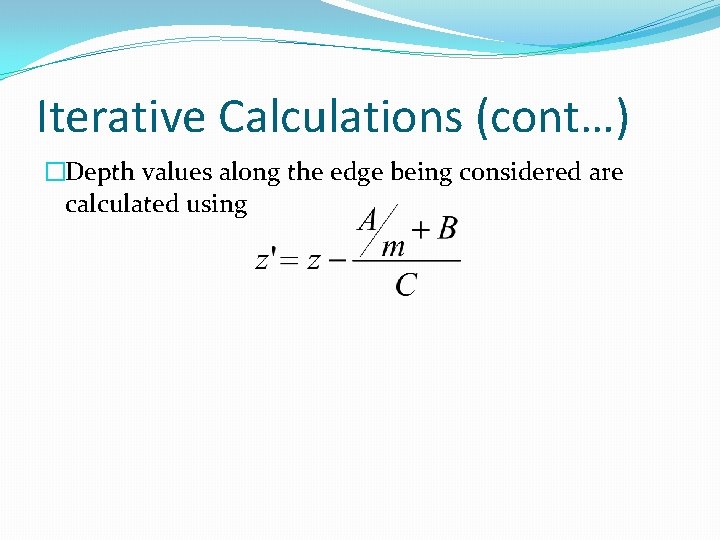
Iterative Calculations (cont…) �Depth values along the edge being considered are calculated using
Iterative Calculations (cont…) top scan line y - 1 scan line bottom scan line x x’
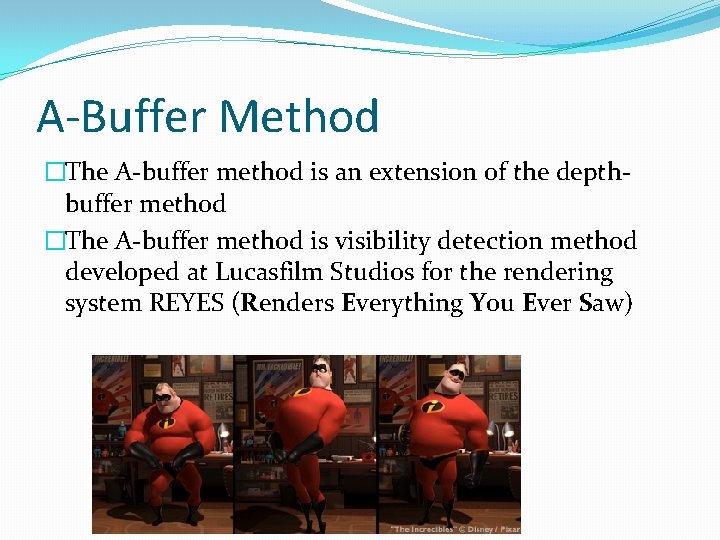
A-Buffer Method �The A-buffer method is an extension of the depthbuffer method �The A-buffer method is visibility detection method developed at Lucasfilm Studios for the rendering system REYES (Renders Everything You Ever Saw)
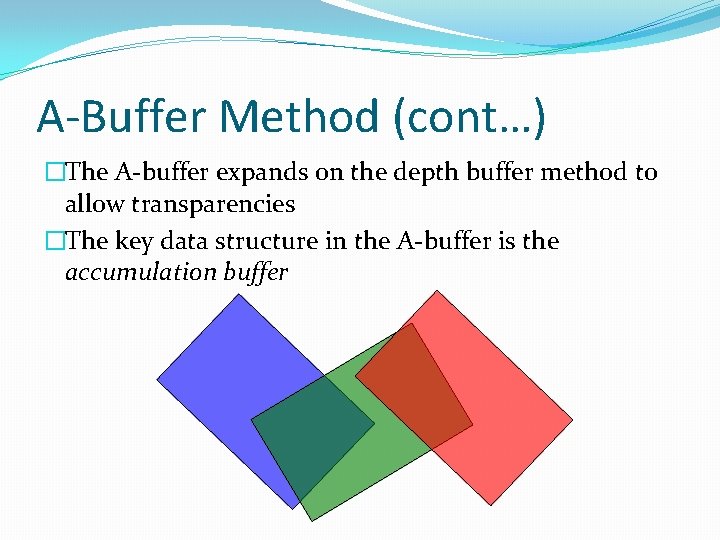
A-Buffer Method (cont…) �The A-buffer expands on the depth buffer method to allow transparencies �The key data structure in the A-buffer is the accumulation buffer
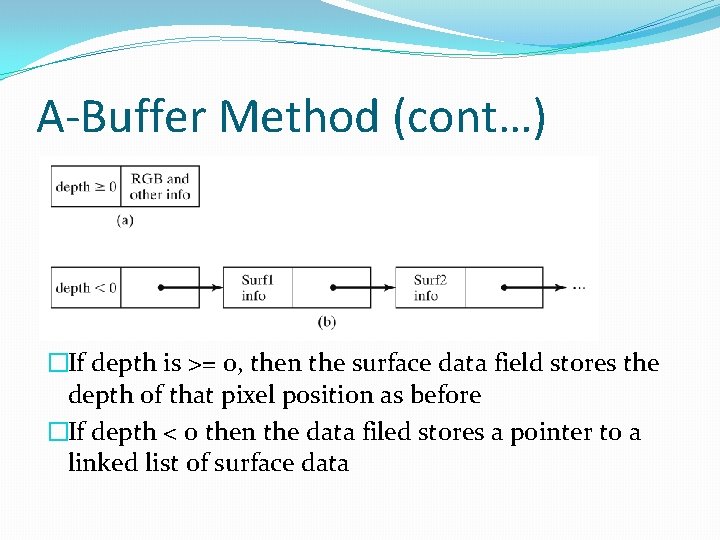
A-Buffer Method (cont…) �If depth is >= 0, then the surface data field stores the depth of that pixel position as before �If depth < 0 then the data filed stores a pointer to a linked list of surface data
A-Buffer Method (cont…) �Surface information in the A-buffer includes: �RGB intensity components �Opacity parameter �Depth �Percent of area coverage �Surface identifier �Other surface rendering parameters �The algorithm proceeds just like the depth buffer algorithm �The depth and opacity values are used to determine the final colour of a pixel
Scan-Line Method �An image space method for identifying visible surfaces �Computes and compares depth values along the various scan-lines for a scene
Scan-Line Method (cont…) �Two important tables are maintained: �The edge table �The surfacet table �The edge table contains: �Coordinate end points of reach line in the scene �The inverse slope of each line �Pointers into the surfacet table to connect edges to surfaces
Scan-Line Method (cont…) �The surfacet tables contains: �The plane coefficients �Surface material properties �Other surface data �Maybe pointers into the edge table
Scan-Line Method (cont…) �To facilitate the search for surfaces crossing a given scan-line an active list of edges is formed for each scan-line as it is processed �The active list stores only those edges that cross the scan-line in order of increasing x �Also a flag is set for each surface to indicate whether a position along a scan-line is either inside or outside the surface
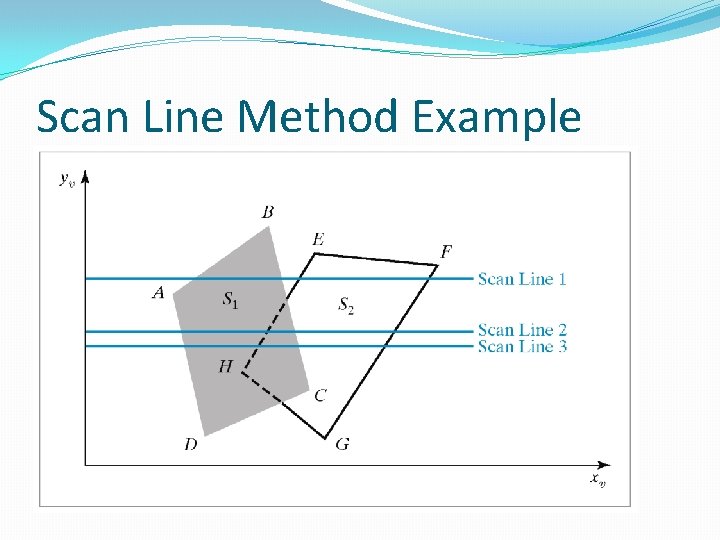
Scan-Line Method (cont…) �Pixel positions across each scan-line are processed from left to right �At the left intersection with a surface the surface flag is turned on �At the right intersection point the flag is turned off �We only need to perform depth calculations when more than one surface has its flag turned on at a certain scan-line position
Scan Line Method Example
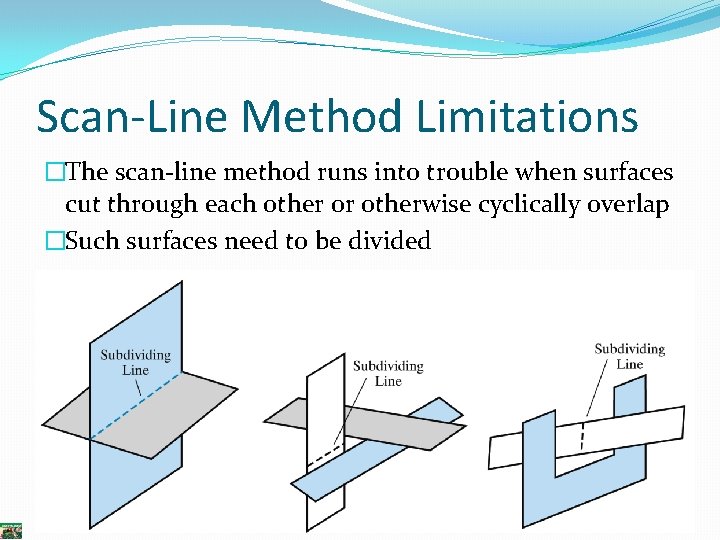
Scan-Line Method Limitations �The scan-line method runs into trouble when surfaces cut through each other or otherwise cyclically overlap �Such surfaces need to be divided
Summary �We need to make sure that we only draw visible surfaces when rendering scenes �There a number of techniques for doing this such as �Back face detection �Depth-buffer method �A-buffer method �Scan-line method �Next time we will look at some more techniques and think about which techniques are suitable for which situations