
Hi Koreawww hikorea go kr How to apply

- Slides: 10
Hi. Korea(www. hikorea. go. kr) How to apply online with e. Application
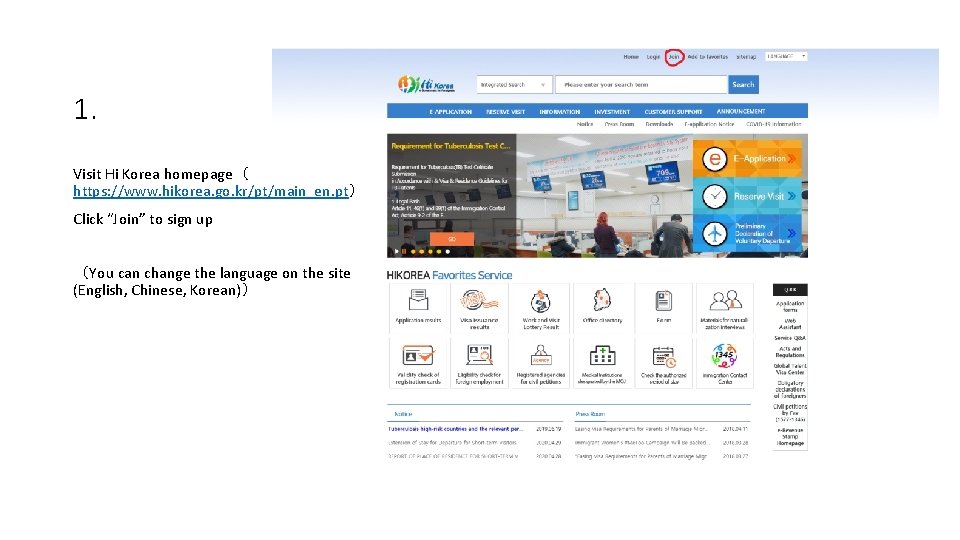
1. Visit Hi Korea homepage( https: //www. hikorea. go. kr/pt/main_en. pt) Click “Join” to sign up (You can change the language on the site (English, Chinese, Korean))
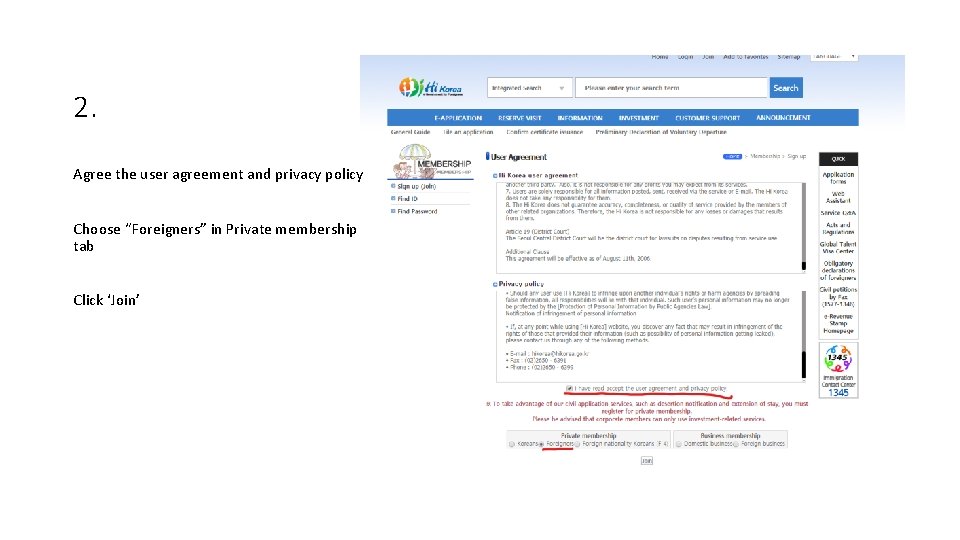
2. Agree the user agreement and privacy policy Choose “Foreigners” in Private membership tab Click ‘Join’
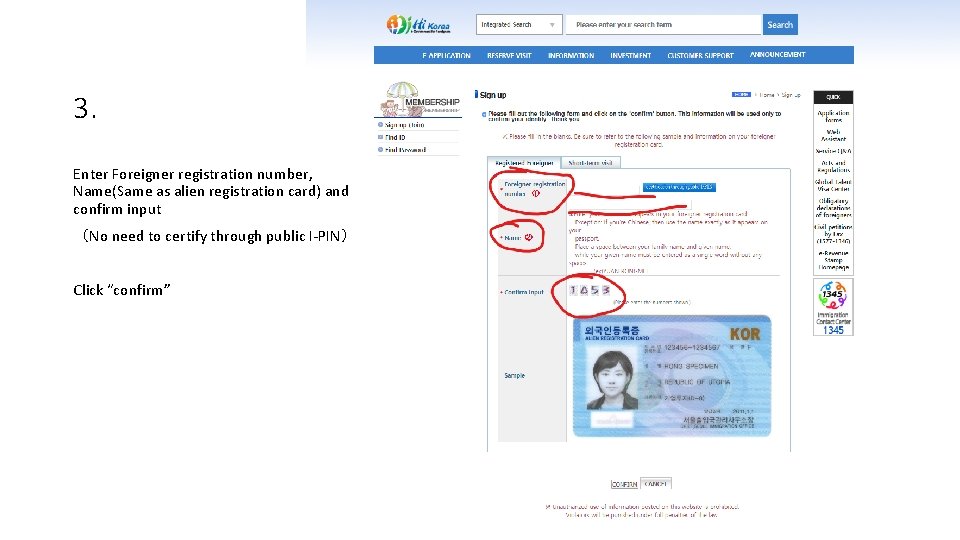
3. Enter Foreigner registration number, Name(Same as alien registration card) and confirm input (No need to certify through public I-PIN) Click “confirm”
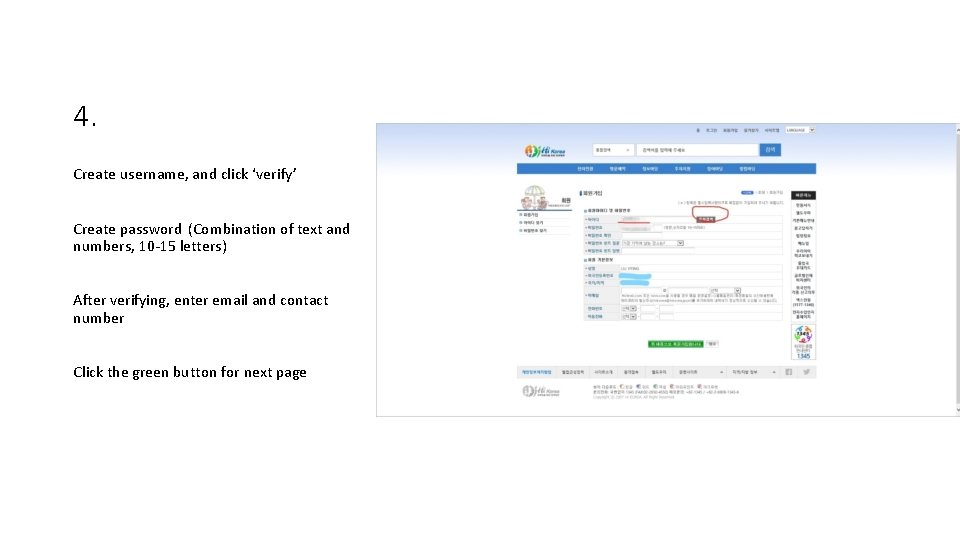
4. Create username, and click ‘verify’ Create password (Combination of text and numbers, 10 -15 letters) After verifying, enter email and contact number Click the green button for next page
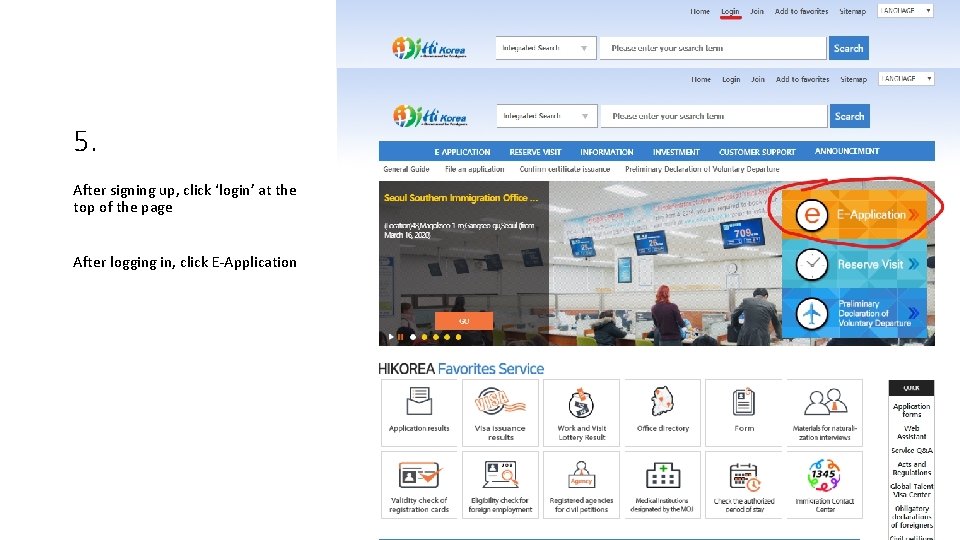
5. After signing up, click ‘login’ at the top of the page After logging in, click E-Application
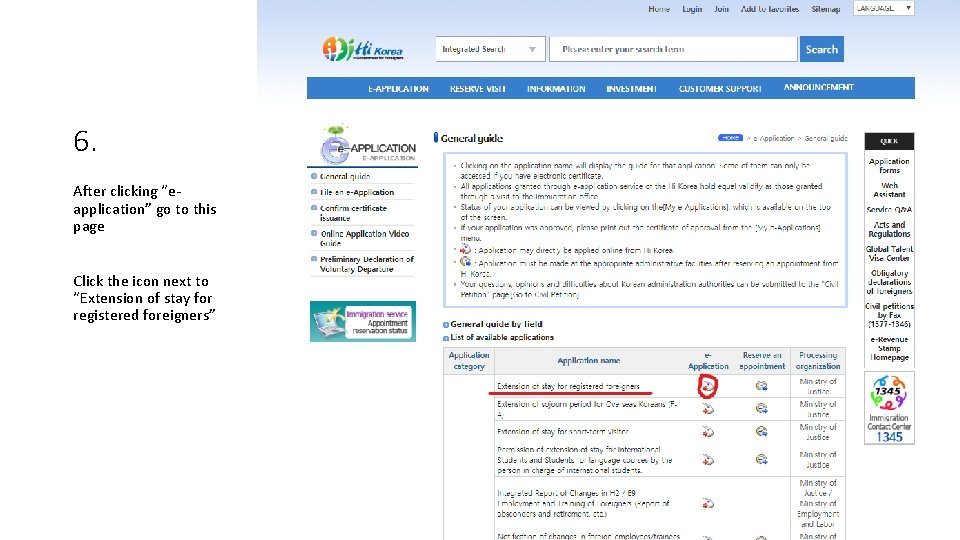
6. After clicking “eapplication” go to this page Click the icon next to “Extension of stay for registered foreigners”
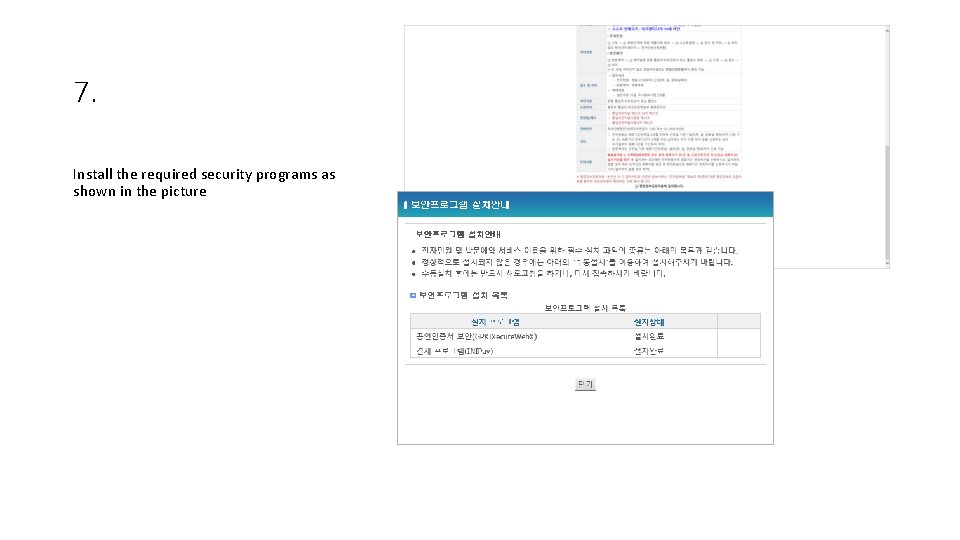
7. Install the required security programs as shown in the picture
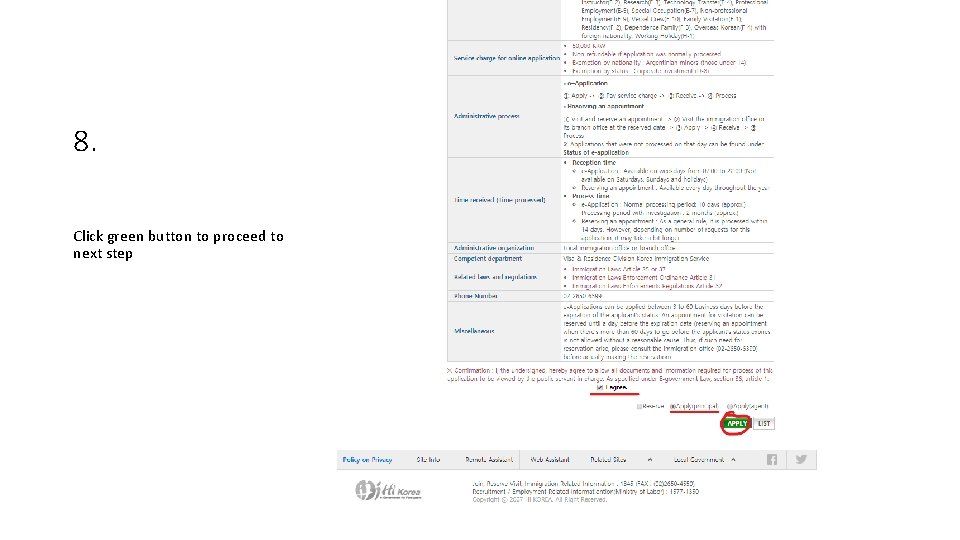
8. Click green button to proceed to next step
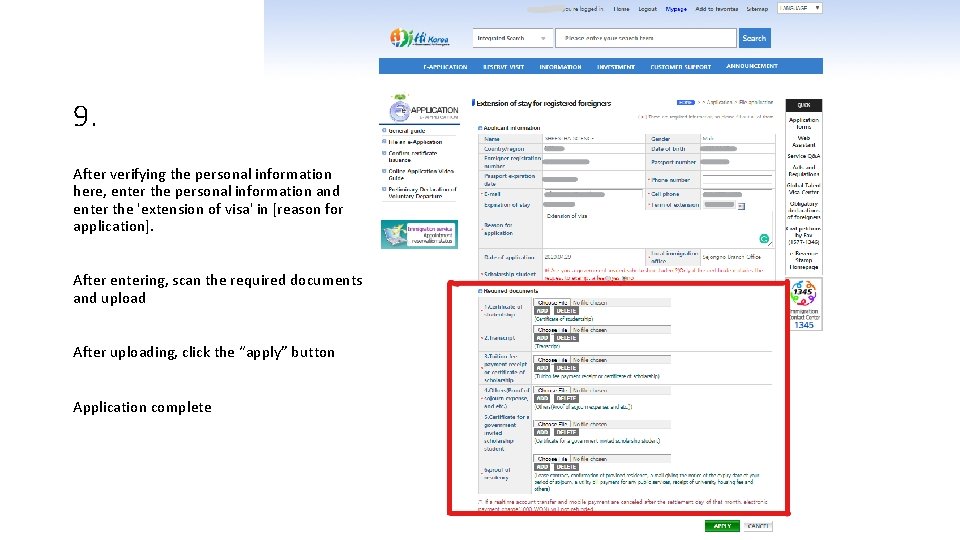
9. After verifying the personal information here, enter the personal information and enter the 'extension of visa' in [reason for application]. After entering, scan the required documents and upload After uploading, click the “apply” button Application complete