
HECRAS Unsteady Flow Geometric Data Jon Fripp NDCSMC

- Slides: 53
HEC-RAS Unsteady Flow Geometric Data Jon Fripp NDCSMC 2016
Module: 1 -D Unsteady Flow Geometry • • Hydraulic Geometry Preprocessor Bridges Ineffective areas Trouble shooting
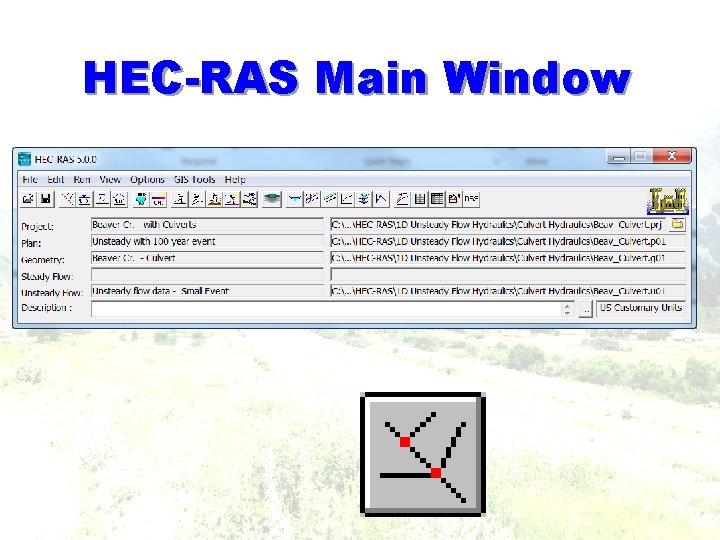
HEC-RAS Main Window
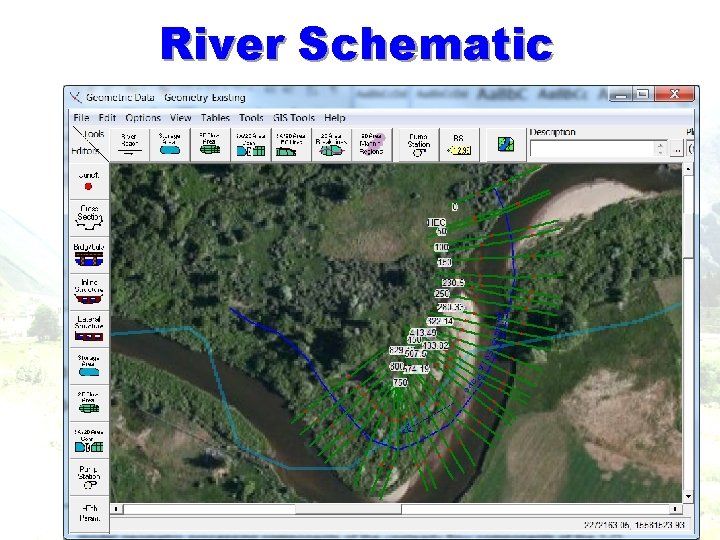
River Schematic
Scrutinize Geometry § More critical in unsteady than in steady flow Ø Unsteady flow processing: RAS creates tables • Elevation vs area, conveyances, & storage.
Geometry Preprocessor • Unsteady flow, geometry tables & rating curves • Cross section processing • Tables of area, conveyance, and storage • Bridges and culverts processing • Family of rating curves for each structure • Weirs and gated structures • calculated on-the-fly during unsteady flow calcs • View pre-processor results - graphs & tables May 2009 120 Unsteady
Geometry Preprocessor Q: Why do we use it for unsteady flow? A: Instead of calculating hydraulic variables for each cross-section during each iteration, the program interpolates the hydraulic variables from the tables.
Geometry Preprocessor • For unsteady flow, geometry is preprocessed into tables and rating curves • Cross sections are processed into tables of area, conveyance, and storage • Bridges and culverts are processed into a family of rating curves for each structure • Weirs and gated structures are calculated on the fly during unsteady flow calculations • Pre-processor results can be viewed in graphs and tables
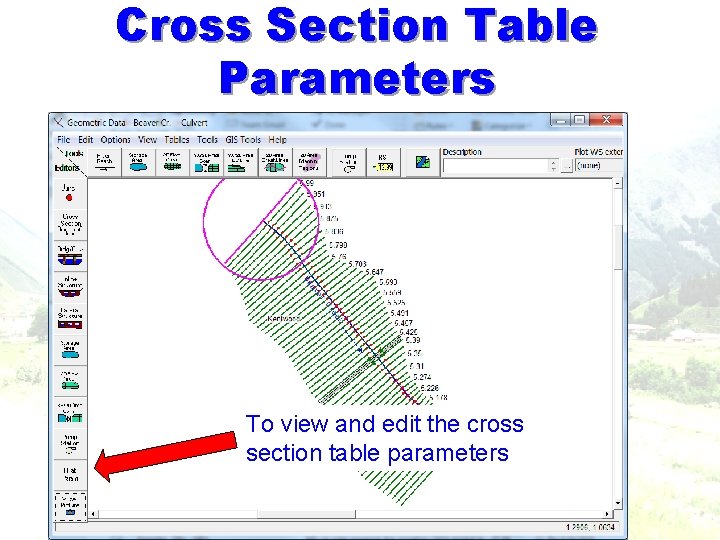
Cross Section Table Parameters To view and edit the cross section table parameters
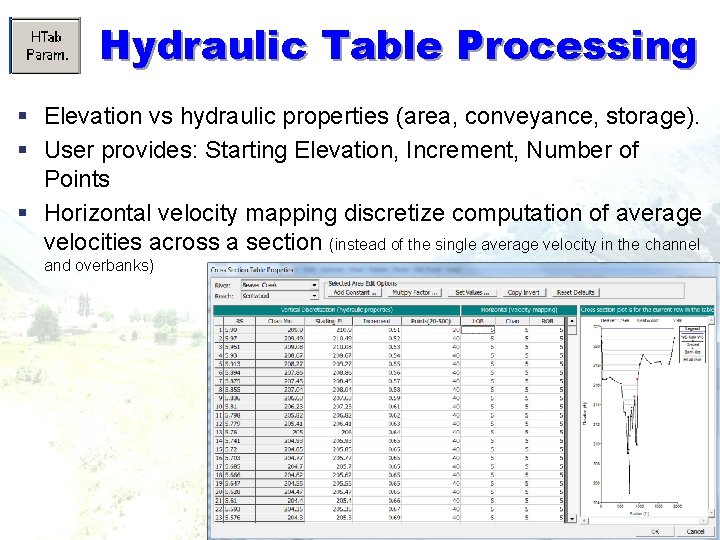
Hydraulic Table Processing § Elevation vs hydraulic properties (area, conveyance, storage). § User provides: Starting Elevation, Increment, Number of Points § Horizontal velocity mapping discretize computation of average velocities across a section (instead of the single average velocity in the channel and overbanks)
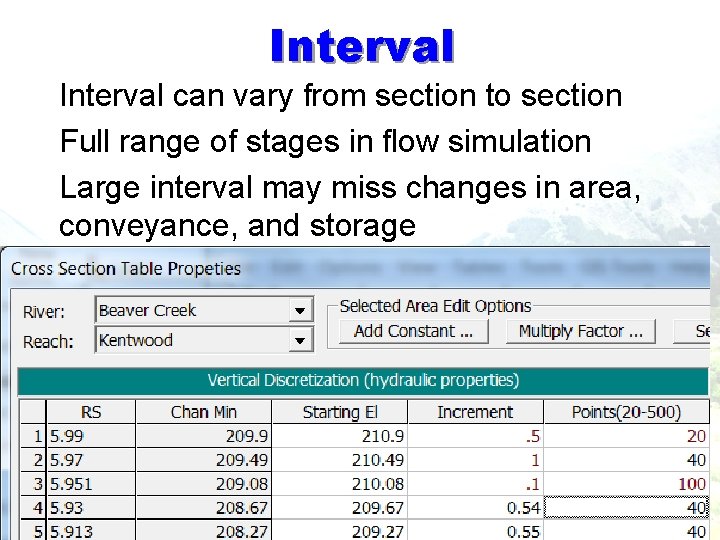
Interval § Interval can vary from section to section § Full range of stages in flow simulation § Large interval may miss changes in area, conveyance, and storage
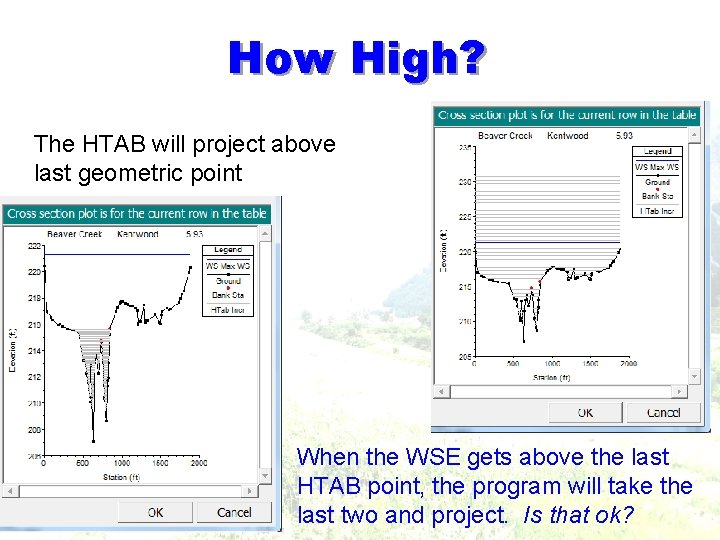
How High? The HTAB will project above last geometric point When the WSE gets above the last HTAB point, the program will take the last two and project. Is that ok?
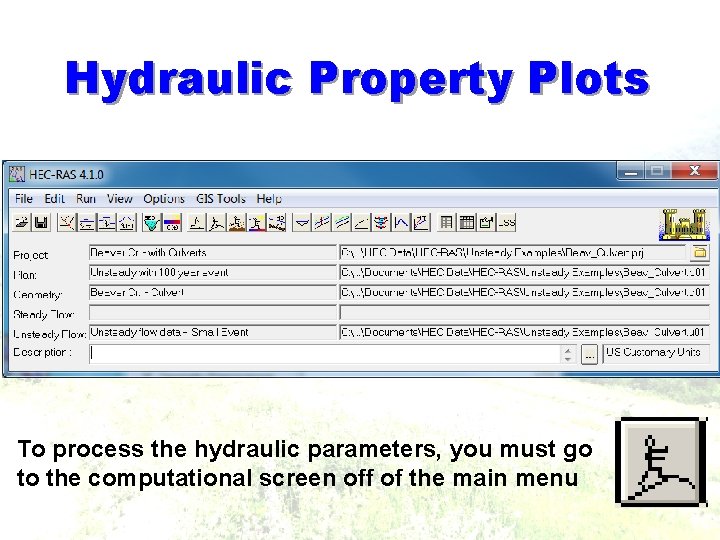
Hydraulic Property Plots To process the hydraulic parameters, you must go to the computational screen off of the main menu
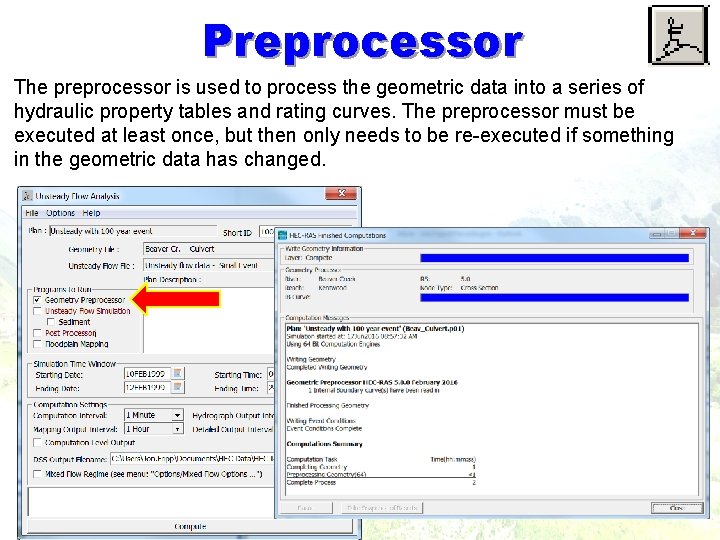
Preprocessor The preprocessor is used to process the geometric data into a series of hydraulic property tables and rating curves. The preprocessor must be executed at least once, but then only needs to be re-executed if something in the geometric data has changed.
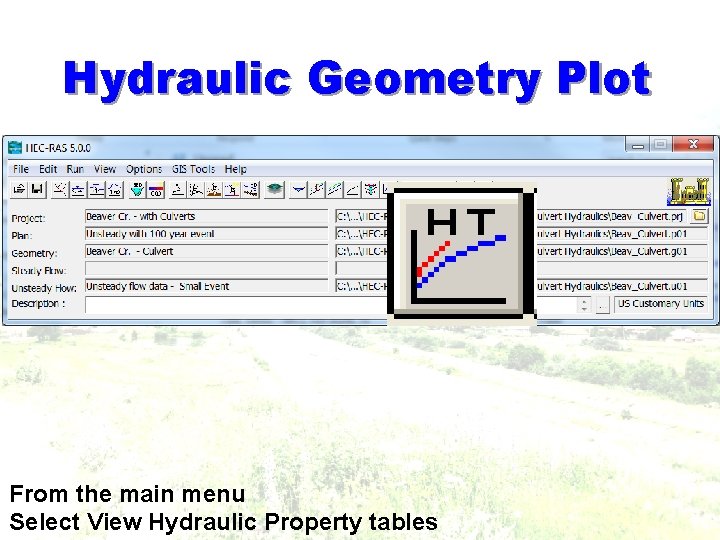
Hydraulic Geometry Plot From the main menu Select View Hydraulic Property tables
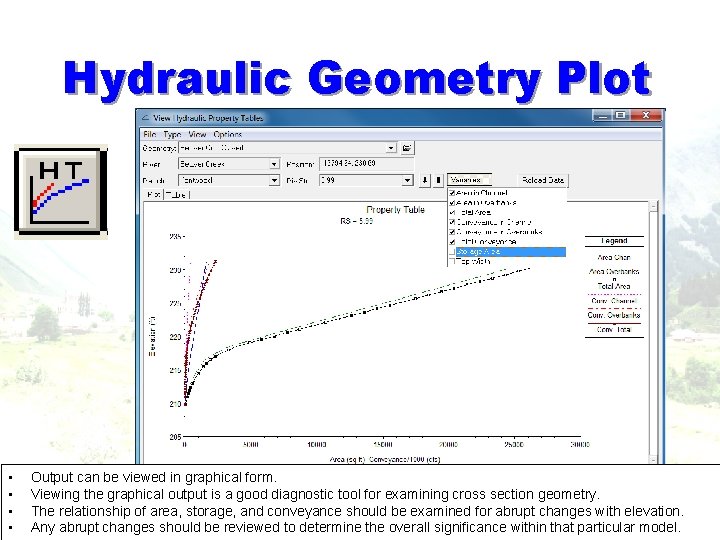
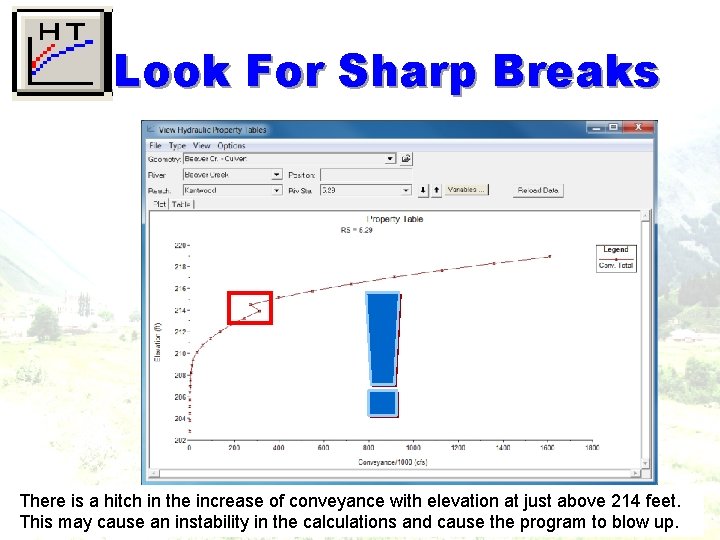
Hydraulic Geometry Plot • • Output can be viewed in graphical form. Viewing the graphical output is a good diagnostic tool for examining cross section geometry. The relationship of area, storage, and conveyance should be examined for abrupt changes with elevation. Any abrupt changes should be reviewed to determine the overall significance within that particular model.
Look For Sharp Breaks There is a hitch in the increase of conveyance with elevation at just above 214 feet. This may cause an instability in the calculations and cause the program to blow up.
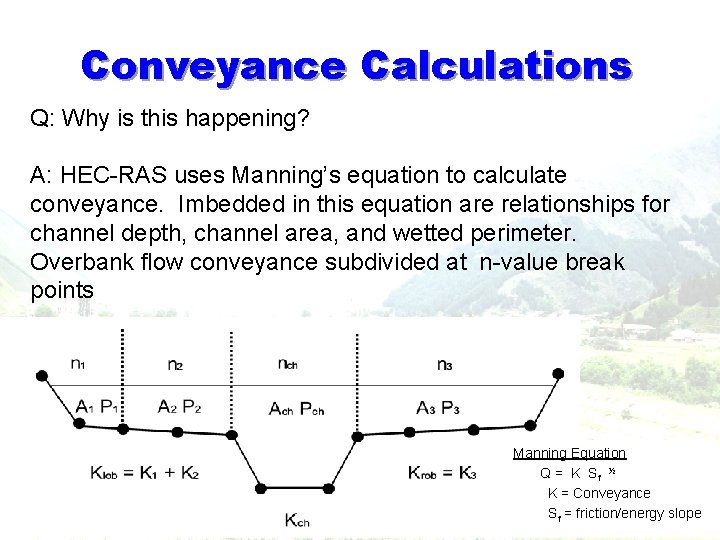
Conveyance Calculations Q: Why is this happening? A: HEC-RAS uses Manning’s equation to calculate conveyance. Imbedded in this equation are relationships for channel depth, channel area, and wetted perimeter. Overbank flow conveyance subdivided at n-value break points Manning Equation Q = K Sf ½ K = Conveyance Sf = friction/energy slope
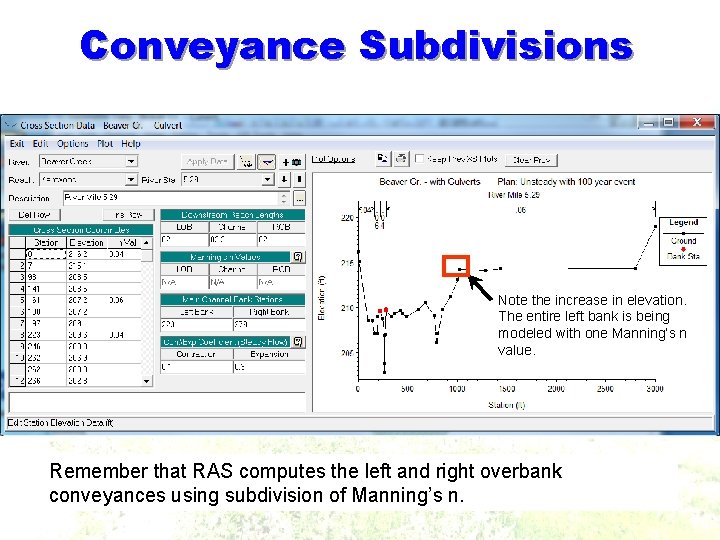
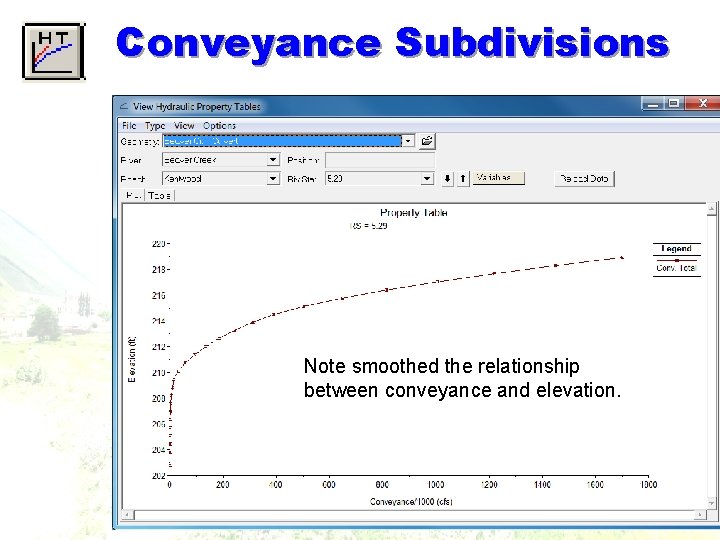
Conveyance Subdivisions Note the increase in elevation. The entire left bank is being modeled with one Manning’s n value. Remember that RAS computes the left and right overbank conveyances using subdivision of Manning’s n.
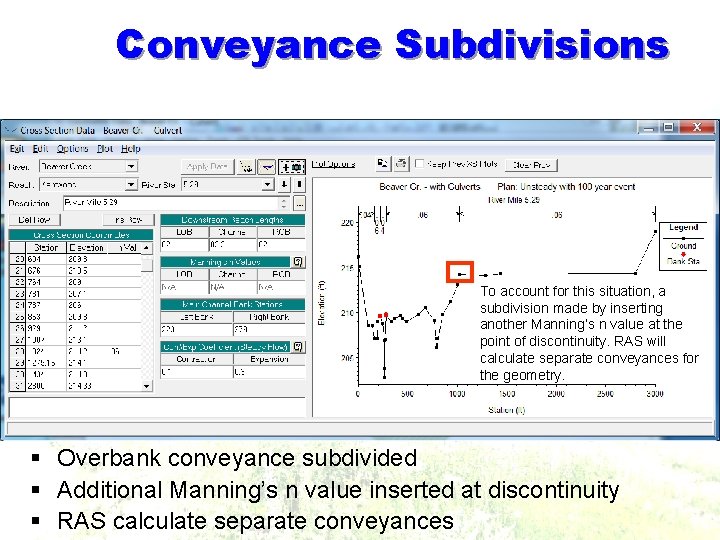
Conveyance Subdivisions To account for this situation, a subdivision made by inserting another Manning’s n value at the point of discontinuity. RAS will calculate separate conveyances for the geometry. § Overbank conveyance subdivided § Additional Manning’s n value inserted at discontinuity § RAS calculate separate conveyances
Conveyance Subdivisions Note smoothed the relationship between conveyance and elevation.
Cross Section Spacing § § § Similar to Steady Flow Representative locations Describe geometry changes At changes in discharge, slope, velocity, & roughness. Include levees, bridges, culverts, other structures. Steeper slopes - more cross sections High velocity streams ~ 50 -100’ between sections § Large uniform rivers with flat slopes • >1, 000 ft spacing between sections § BUT since you are using an unsteady model - now look at Storage • In channel storage • Ineffective flow areas
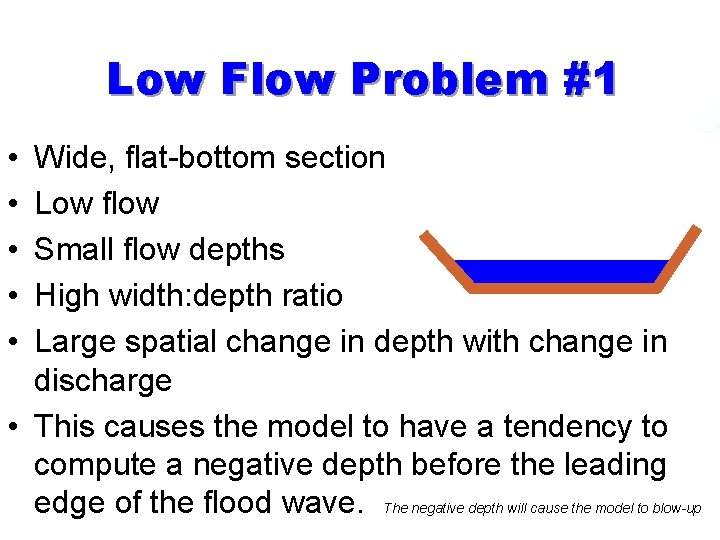
Low Flow Problem #1 • • • Wide, flat-bottom section Low flow Small flow depths High width: depth ratio Large spatial change in depth with change in discharge • This causes the model to have a tendency to compute a negative depth before the leading edge of the flood wave. The negative depth will cause the model to blow-up
Low Flows § Arid west § Urban streams § Flood control channels This is not usually a problem with steady flow modeling since we are typically looking at a higher peak flow rather than a natural hydrograph that can vary from a low to high flow.
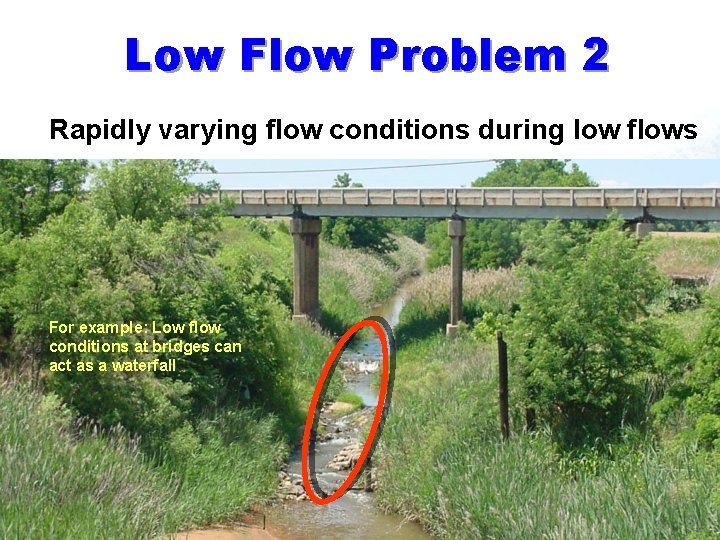
Low Flow Problem 2 § Rapidly varying flow conditions during low flows For example: Low flow conditions at bridges can act as a waterfall
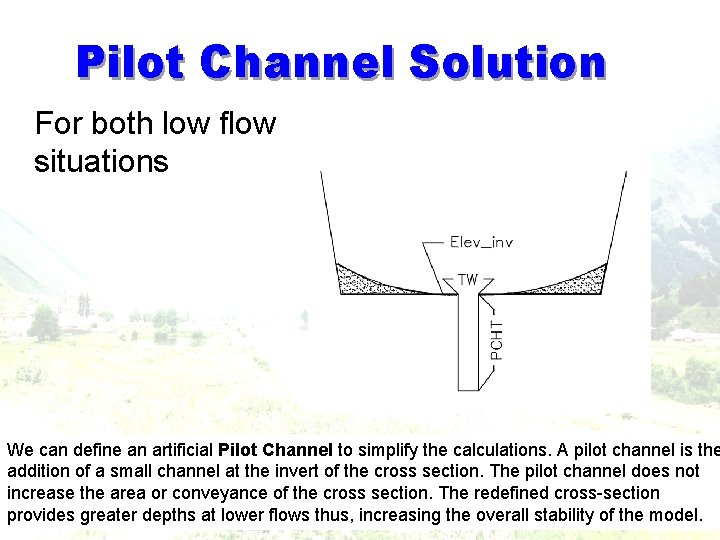
Pilot Channel Solution § For both low flow situations We can define an artificial Pilot Channel to simplify the calculations. A pilot channel is the addition of a small channel at the invert of the cross section. The pilot channel does not increase the area or conveyance of the cross section. The redefined cross-section provides greater depths at lower flows thus, increasing the overall stability of the model.
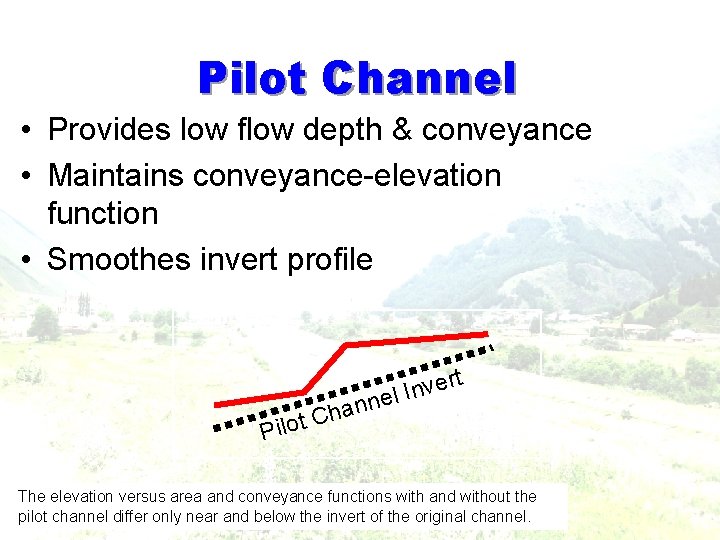
Pilot Channel • Provides low flow depth & conveyance • Maintains conveyance-elevation function • Smoothes invert profile rt e v n el I n n a h ot C Pil The elevation versus area and conveyance functions with and without the pilot channel differ only near and below the invert of the original channel.
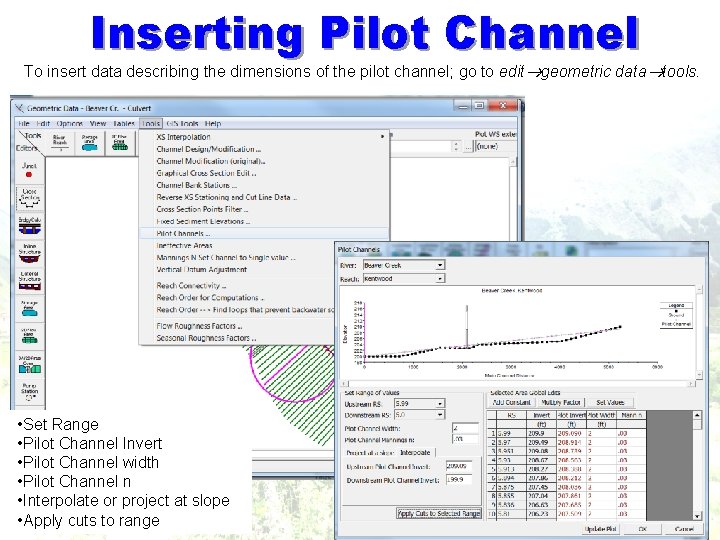
Inserting Pilot Channel To insert data describing the dimensions of the pilot channel; go to edit geometric data tools. • Set Range • Pilot Channel Invert • Pilot Channel width • Pilot Channel n • Interpolate or project at slope • Apply cuts to range
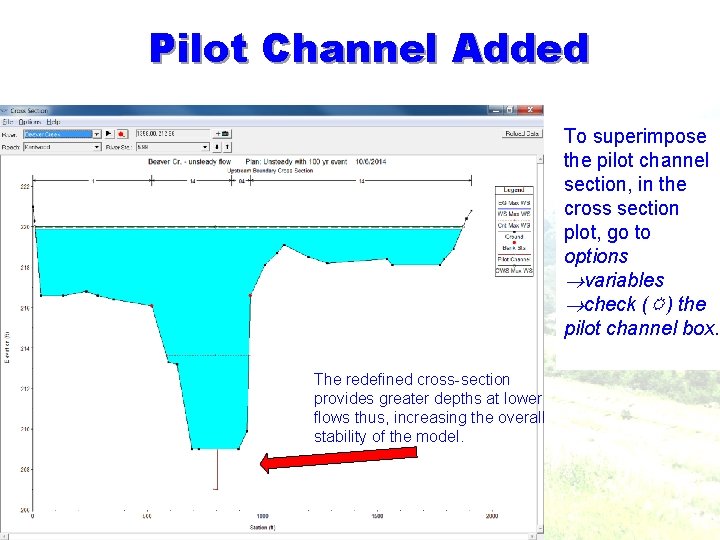
Pilot Channel Added To superimpose the pilot channel section, in the cross section plot, go to options variables check ( ) the pilot channel box. The redefined cross-section provides greater depths at lower flows thus, increasing the overall stability of the model.
Final note on low flow stability issues Q: What is another solution to low flow modeling problems? A: Don’t model low flows – truncate your hydrograph if your study purpose allows it.
Out-of-Channel Flow • • Storage Areas Ineffective Flow Areas Levees Blocked Obstructions Remember: Modeling the affects of off channel, in channel or floodplain storage is often the reason behind creating an unsteady model. When examining geometry, the user must consider where water may leave the main channel and how it will behave once out of the main channel.
Storage Area Purpose of Storage Areas • Represent ponded areas • Works for inline & off-line storage areas • Stabilizes computations (more stable that storage in cross sections) • Continuity equation accounts for storage area volume • Momentum not computed • Can connected to: • Lateral structures • Top or bottom of a reach • Another storage area (with a SA Connection) Q: When do we have overbank storage and when should we treat it as a storage area? A: If the cross sectional geometry denotes a significant change in storage or conveyance when a levee is overtopped then this cross section should be altered. The cross section should be terminated at the levee and the area that was deleted should be modeled as a storage area. Abrupt and significant changes in storage and conveyance should be avoided because they can cause instabilities in the unsteady flow model.
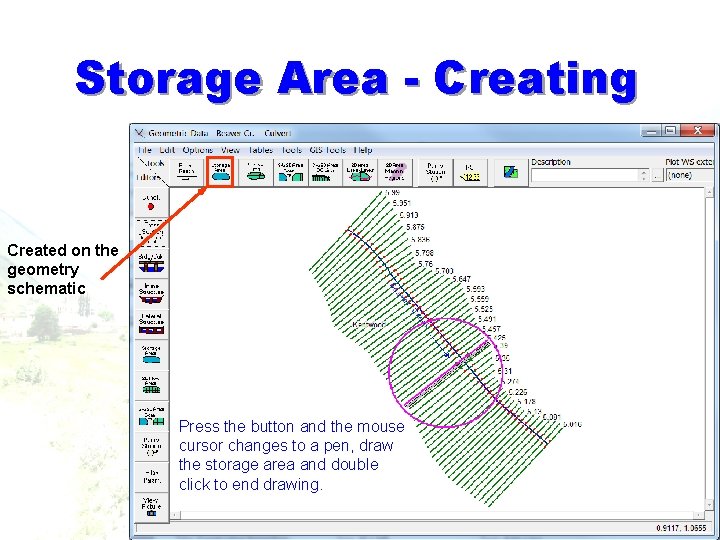
Storage Area - Creating Created on the geometry schematic Press the button and the mouse cursor changes to a pen, draw the storage area and double click to end drawing.
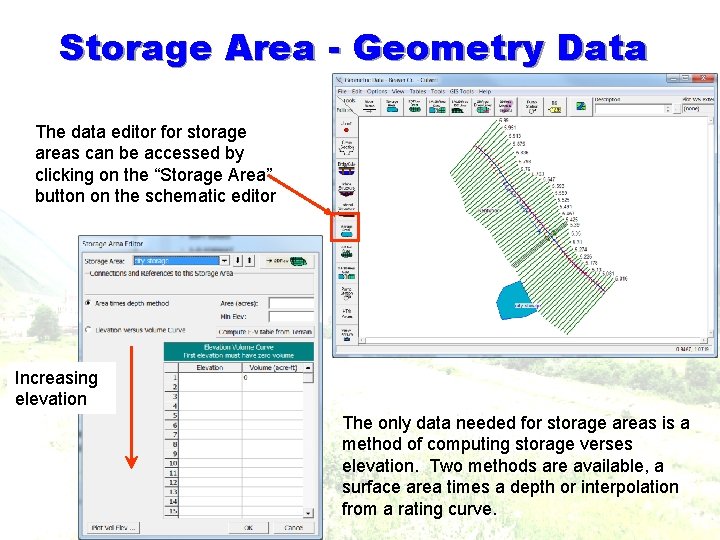
Storage Area - Geometry Data The data editor for storage areas can be accessed by clicking on the “Storage Area” button on the schematic editor Increasing elevation The only data needed for storage areas is a method of computing storage verses elevation. Two methods are available, a surface area times a depth or interpolation from a rating curve.
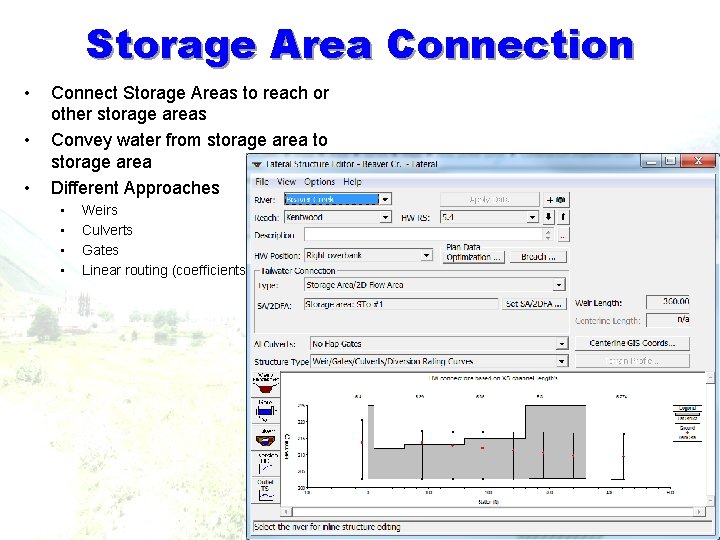
Storage Area Connection • • • Connect Storage Areas to reach or other storage areas Convey water from storage area to storage area Different Approaches • • Weirs Culverts Gates Linear routing (coefficients)
Non-Flow Areas § A fundamental difference between steady flow and unsteady flow is how they treat non flow areas § Steady Flow • Ineffective flow areas may or may not be occupied by water. May be possible to ignore it. § Unsteady Flow • Include all areas containing water - moving water and stagnant water This can give us a problem when we are using a calibrated steady model as the basis of an unsteady model.
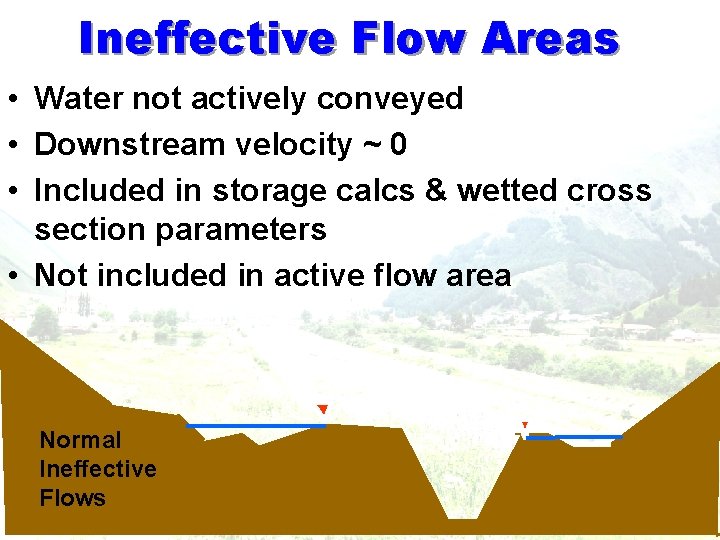
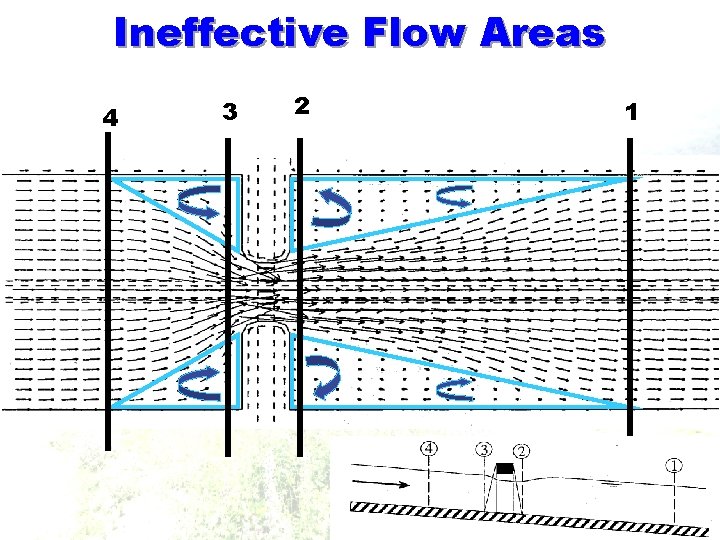
Ineffective Flow Areas • Water not actively conveyed • Downstream velocity ~ 0 • Included in storage calcs & wetted cross section parameters • Not included in active flow area Normal Ineffective Flows
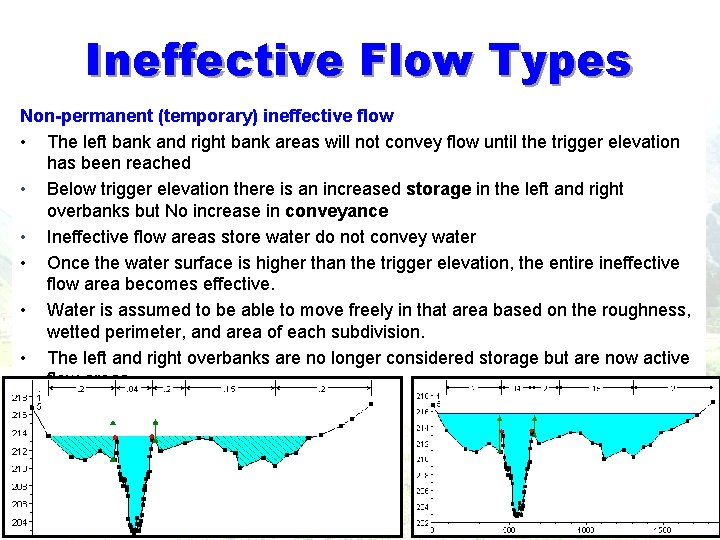
Ineffective Flow Types Non-permanent (temporary) ineffective flow • The left bank and right bank areas will not convey flow until the trigger elevation has been reached • Below trigger elevation there is an increased storage in the left and right overbanks but No increase in conveyance • Ineffective flow areas store water do not convey water • Once the water surface is higher than the trigger elevation, the entire ineffective flow area becomes effective. • Water is assumed to be able to move freely in that area based on the roughness, wetted perimeter, and area of each subdivision. • The left and right overbanks are no longer considered storage but are now active flow areas.
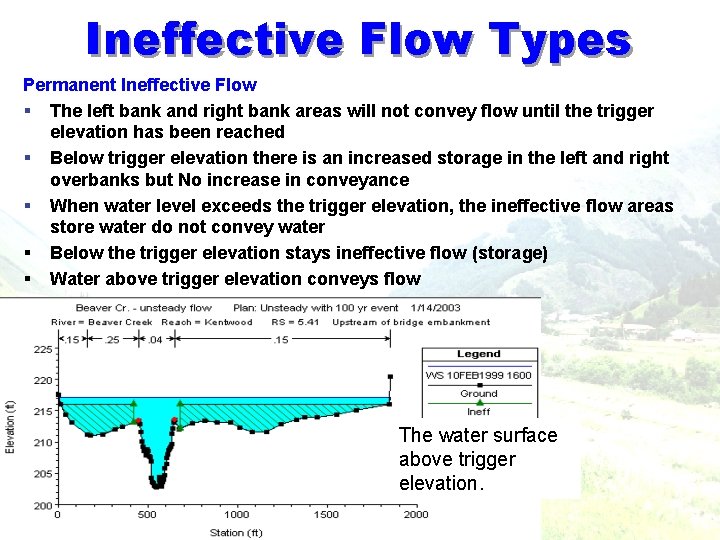
Ineffective Flow Types Permanent Ineffective Flow § The left bank and right bank areas will not convey flow until the trigger elevation has been reached § Below trigger elevation there is an increased storage in the left and right overbanks but No increase in conveyance § When water level exceeds the trigger elevation, the ineffective flow areas store water do not convey water § Below the trigger elevation stays ineffective flow (storage) § Water above trigger elevation conveys flow The water surface above trigger elevation.
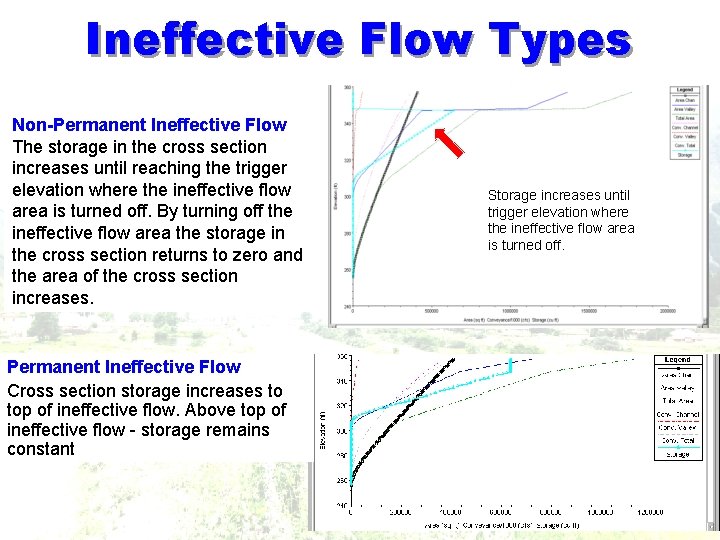
Ineffective Flow Types Non-Permanent Ineffective Flow The storage in the cross section increases until reaching the trigger elevation where the ineffective flow area is turned off. By turning off the ineffective flow area the storage in the cross section returns to zero and the area of the cross section increases. Permanent Ineffective Flow Cross section storage increases to top of ineffective flow. Above top of ineffective flow - storage remains constant Storage increases until trigger elevation where the ineffective flow area is turned off.
Bridges 41
Ineffective Flow Areas 4 3 2 1
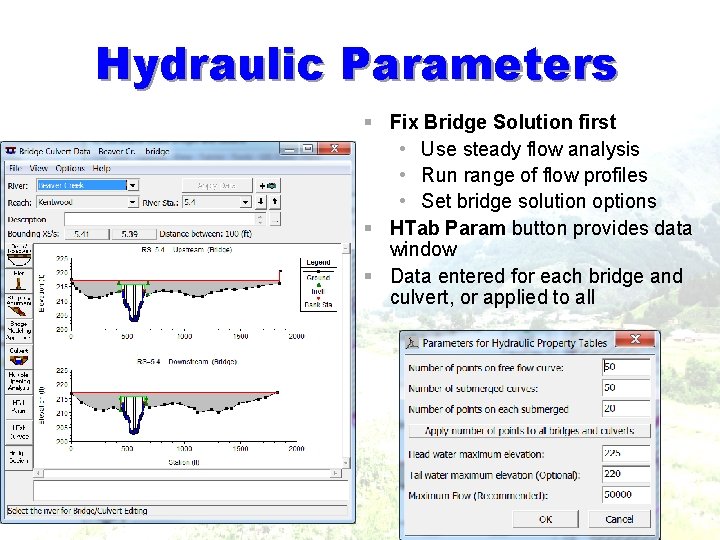
Hydraulic Parameters § Fix Bridge Solution first • Use steady flow analysis • Run range of flow profiles • Set bridge solution options § HTab Param button provides data window § Data entered for each bridge and culvert, or applied to all
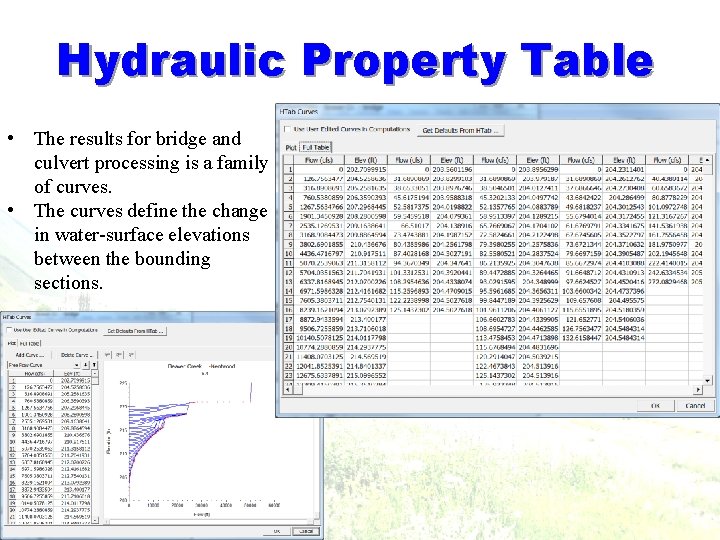
Hydraulic Property Table • The results for bridge and culvert processing is a family of curves. • The curves define the change in water-surface elevations between the bounding sections.
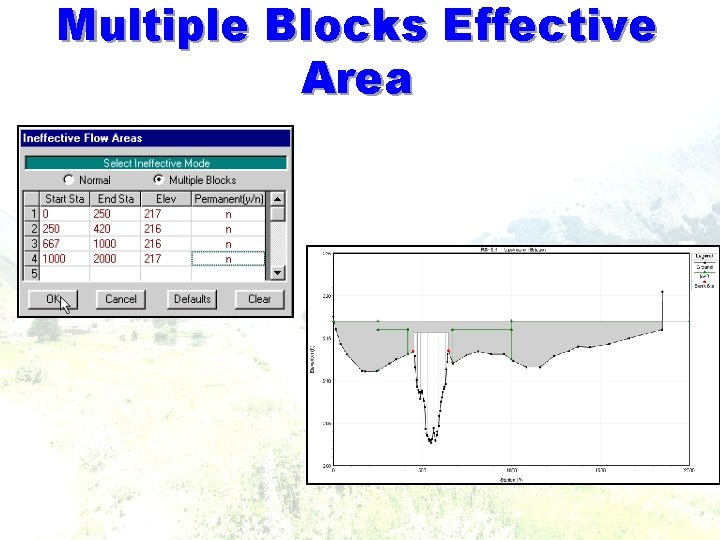
Multiple Blocks Effective Area
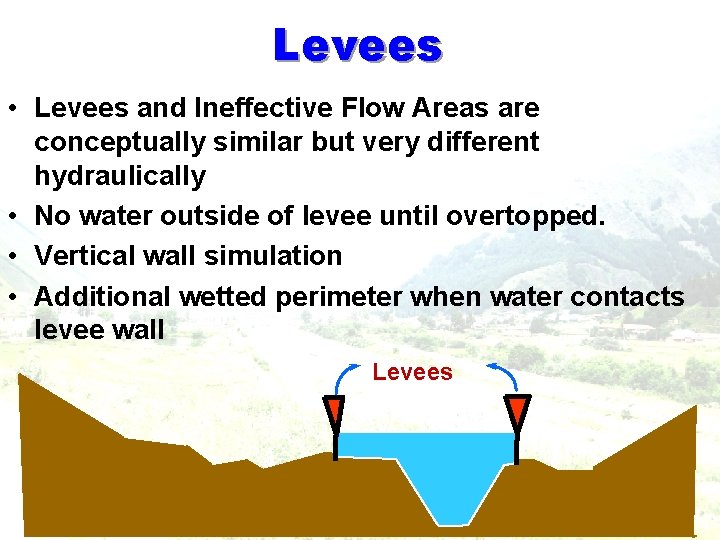
Levees • Levees and Ineffective Flow Areas are conceptually similar but very different hydraulically • No water outside of levee until overtopped. • Vertical wall simulation • Additional wetted perimeter when water contacts levee wall Levees
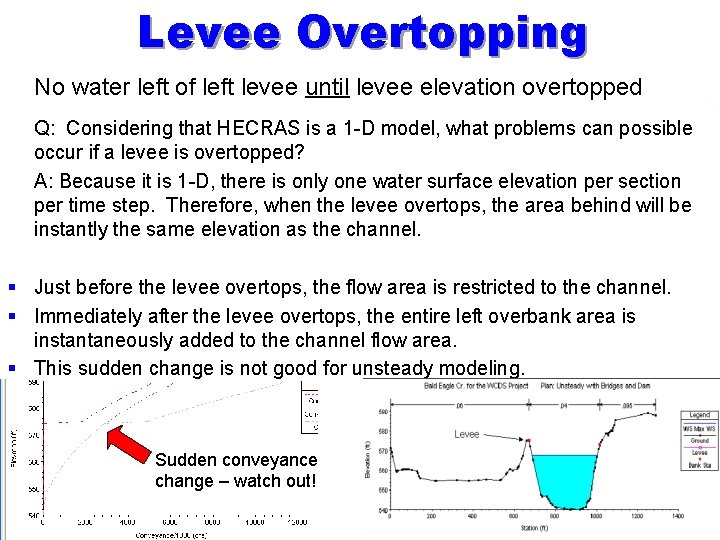
Levee Overtopping § No water left of left levee until levee elevation overtopped § Q: Considering that HECRAS is a 1 -D model, what problems can possible occur if a levee is overtopped? § A: Because it is 1 -D, there is only one water surface elevation per section per time step. Therefore, when the levee overtops, the area behind will be instantly the same elevation as the channel. § Just before the levee overtops, the flow area is restricted to the channel. § Immediately after the levee overtops, the entire left overbank area is instantaneously added to the channel flow area. § This sudden change is not good for unsteady modeling. § Sudden conveyance change – watch out!
Levee Conveyance Q: How does levee overtopping occur in the real world? A: The levee will overtop and flow will gradually fill the overbank section. Two possible solutions 1 - model the area as a permanent ineffective so the program sees a sudden increase in storage rather than conveyance as the levee is overtopped. 2 - model the overtopping as a lateral weir and storage area
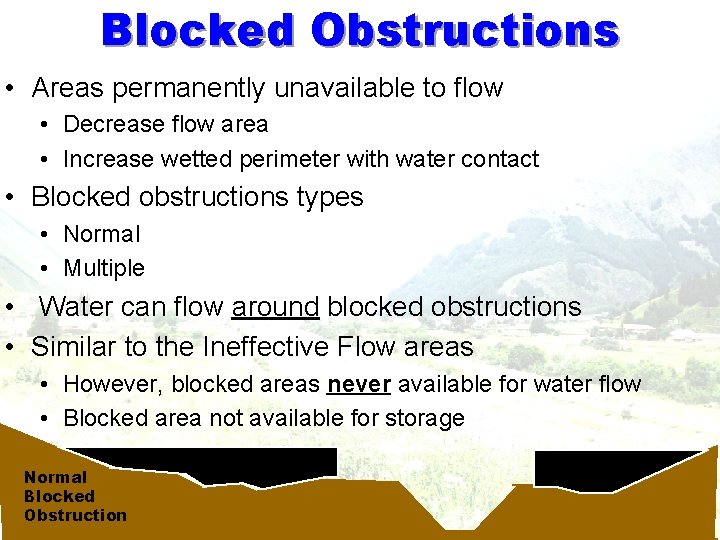
Blocked Obstructions • Areas permanently unavailable to flow • Decrease flow area • Increase wetted perimeter with water contact • Blocked obstructions types • Normal • Multiple • Water can flow around blocked obstructions • Similar to the Ineffective Flow areas • However, blocked areas never available for water flow • Blocked area not available for storage Normal Blocked Obstruction
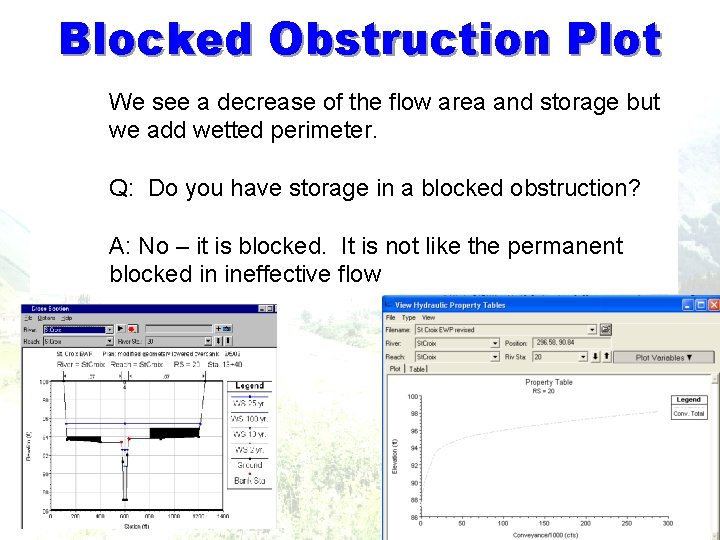
Blocked Obstruction Plot We see a decrease of the flow area and storage but we add wetted perimeter. Q: Do you have storage in a blocked obstruction? A: No – it is blocked. It is not like the permanent blocked in ineffective flow
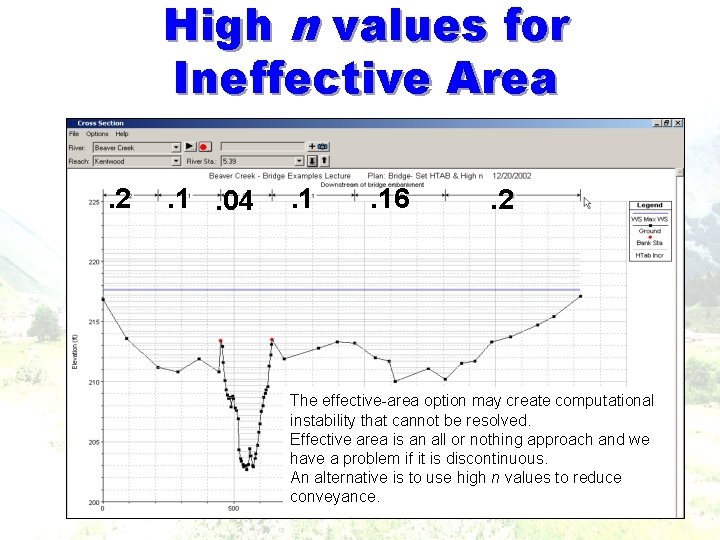
High n values for Ineffective Area. 2 . 1. 04 . 16 . 2 The effective-area option may create computational instability that cannot be resolved. Effective area is an all or nothing approach and we have a problem if it is discontinuous. An alternative is to use high n values to reduce conveyance.
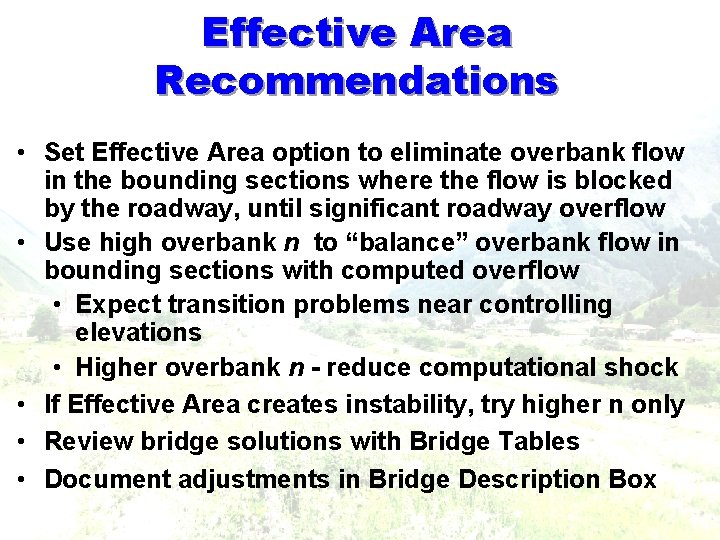
Effective Area Recommendations • Set Effective Area option to eliminate overbank flow in the bounding sections where the flow is blocked by the roadway, until significant roadway overflow • Use high overbank n to “balance” overbank flow in bounding sections with computed overflow • Expect transition problems near controlling elevations • Higher overbank n - reduce computational shock • If Effective Area creates instability, try higher n only • Review bridge solutions with Bridge Tables • Document adjustments in Bridge Description Box
The End