HEAnet IOSXR Four Years Many Many Packets of
- Slides: 25
HEAnet & IOS-XR Four Years & Many, Many Packets of Experience Brian Nisbet NOC Manager, HEAnet
A Little History • HEAnet deployed the CRS 1 platform in 2007 • Lots of IOS operational discussion, very little on IOS-XR • Some improvement since then, not everything • Caveats & Disclaimers: – – Highlights & Lowlights Day-to-day it all works well Mis-use of presentation Mixed network
HEAnet Layer 3 Network • • ~65 Clients, Bandwidth between 10 Mb – 10 Gb. All BGP, all the time. Two routers providing core & access functions. Layer 2 connectivity to both routers, as resilient as possible. – At least different vlans, preferably different circuits & kit. • IGP is still a mix of OSPF & IS-IS.
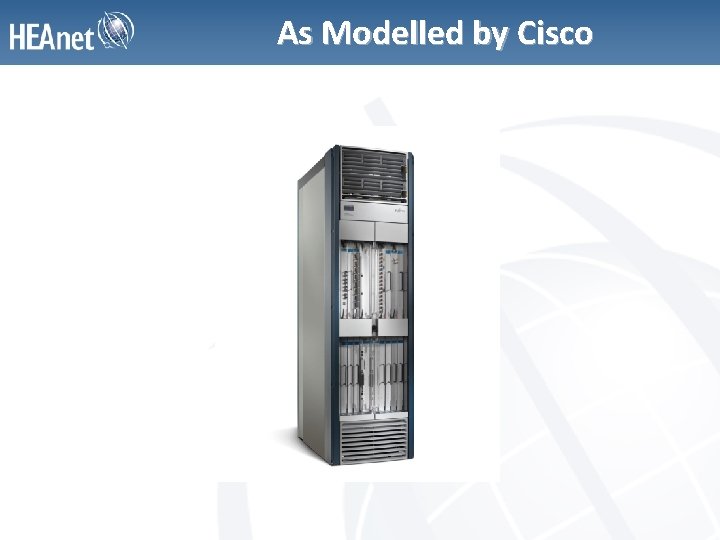
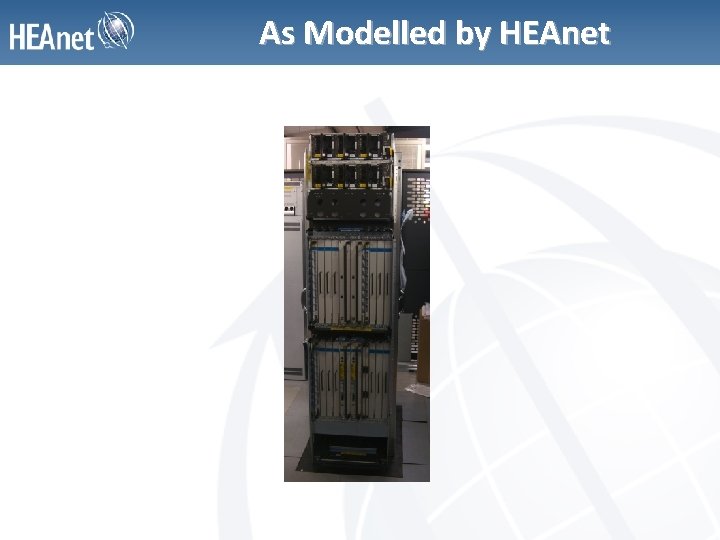
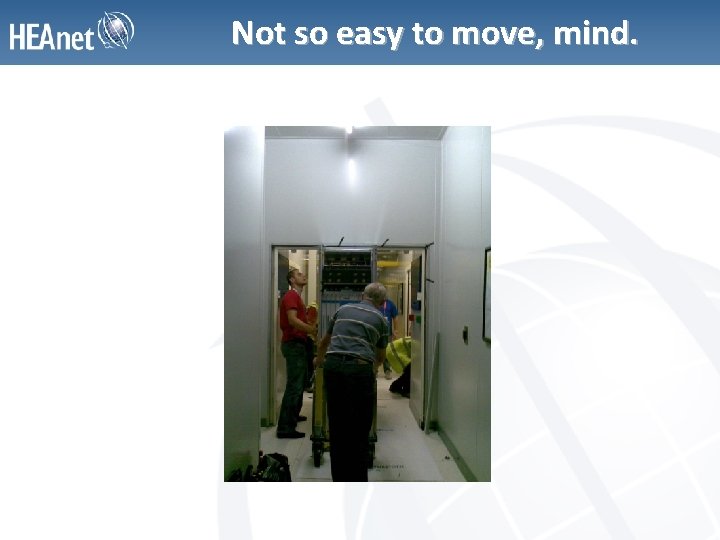
Cisco CRS-1, the HFR • The 8 slot is big. The 16 slot is very big indeed. • Other than its size & weight, nothing terribly remarkable about physical installation. • Special reinforced plinth needed in the data centre. • Cabled all ports on day one back to a patch panel to make future cabling easier. • Special power/cooling needs.
As Modelled by Cisco
As Modelled by HEAnet
Not so easy to move, mind.
Hardware Considerations • Overall, very reliable hardware. • Three hardware failures (two linecards, one Modular Services Card (MSC)). • Flash Card fun – more later. • Scalable, 140 Gb/slot with new linecards. – Network design, cost & compatibility of MSCs. • MSC-A end of service/support. • Easily impresses insurance people.
IOS-XR History • Announced in 2004, first available as v 2. 0 only on CRS-1 – Not new anymore. • HEAnet’s first install, December 2007 – v 3. 5. 2 • Now available for the 12000 s and ASR 9000. • Currently running 3. 9. 2, planning for 4. x – Deciding between 4. 0. 4 & 4. 1. x • Flash card upgrade required for move from 3. 6. x – How much would you pay for a 2 GB flash card?
Flashcard Fun • If that number wasn’t. . . – € 1, 419 ex VAT – Two maintenance windows – Many hours of engineer time • . . . then you haven’t been paying attention. • No actual downtime for swap. • Working without issue since installation.
IOS-XR Design • • Every OS sucks. Great improvement over IOS. v 4 & v 6 treated largely the same. Commit functions. Editable lists (editor of choice). Route Policy Language (RPL). Sane & logical config groupings.
Dangers of Muscle Memory • Only one way to configure. (But conf t still works!) • Everything in sections. • Line/login details at the top. • Much more flexibility in defining user rights. – This can be a con as well as a pro. • Access Lists and route policies before protocols
Joys of Commitment • ‘commit’ is normal now. – No more wondering why something hasn’t changed. • ‘commit confirmed’ as an alternative to ‘reload in x’ • ‘commit comment’ – who did what? • ‘commit replace’ – Danger, Will Robinson! • Initial grand plans to use ‘commit comment’, but day-to-day, it’s just ‘commit’.
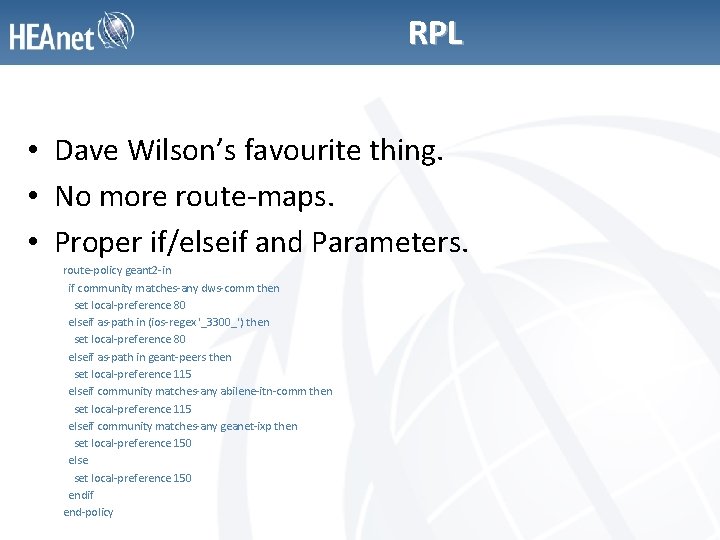
RPL • Dave Wilson’s favourite thing. • No more route-maps. • Proper if/elseif and Parameters. route-policy geant 2 -in if community matches-any dws-comm then set local-preference 80 elseif as-path in (ios-regex '_3300_') then set local-preference 80 elseif as-path in geant-peers then set local-preference 115 elseif community matches-any abilene-itn-comm then set local-preference 115 elseif community matches-any geanet-ixp then set local-preference 150 else set local-preference 150 endif end-policy
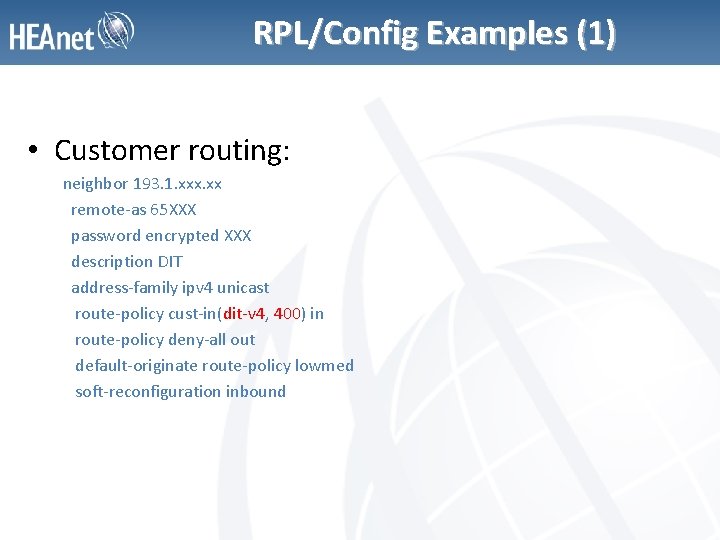
RPL/Config Examples (1) • Customer routing: neighbor 193. 1. xxx. xx remote-as 65 XXX password encrypted XXX description DIT address-family ipv 4 unicast route-policy cust-in(dit-v 4, 400) in route-policy deny-all out default-originate route-policy lowmed soft-reconfiguration inbound
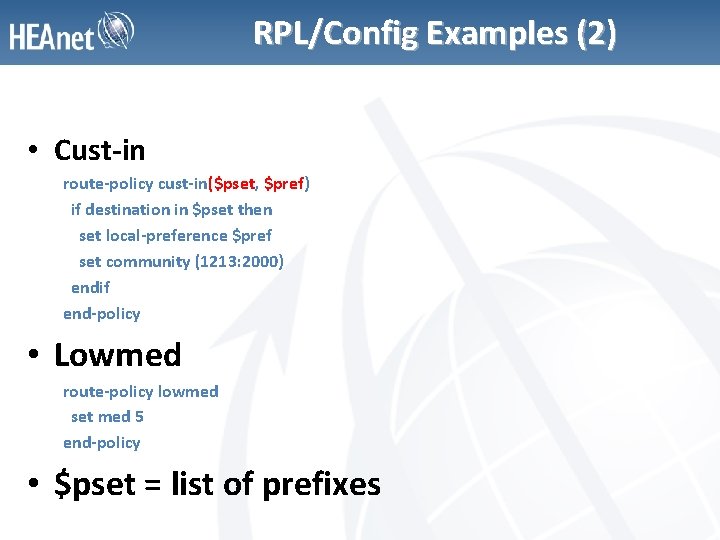
RPL/Config Examples (2) • Cust-in route-policy cust-in($pset, $pref) if destination in $pset then set local-preference $pref set community (1213: 2000) endif end-policy • Lowmed route-policy lowmed set med 5 end-policy • $pset = list of prefixes
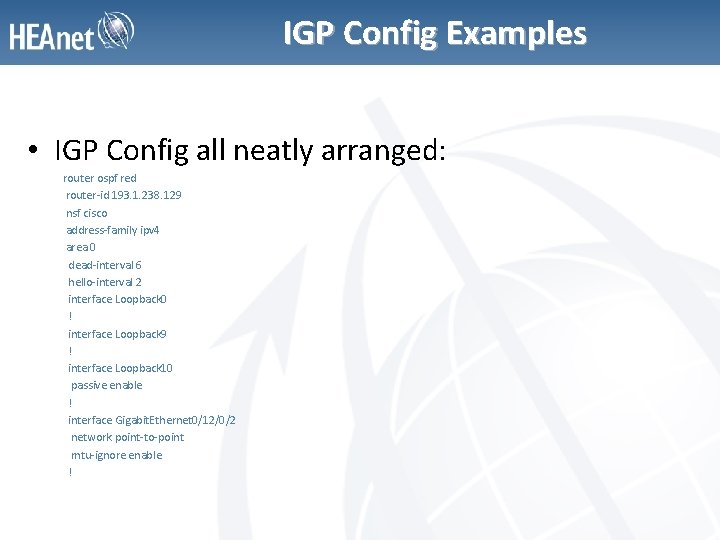
IGP Config Examples • IGP Config all neatly arranged: router ospf red router-id 193. 1. 238. 129 nsf cisco address-family ipv 4 area 0 dead-interval 6 hello-interval 2 interface Loopback 0 ! interface Loopback 9 ! interface Loopback 10 passive enable ! interface Gigabit. Ethernet 0/12/0/2 network point-to-point mtu-ignore enable !
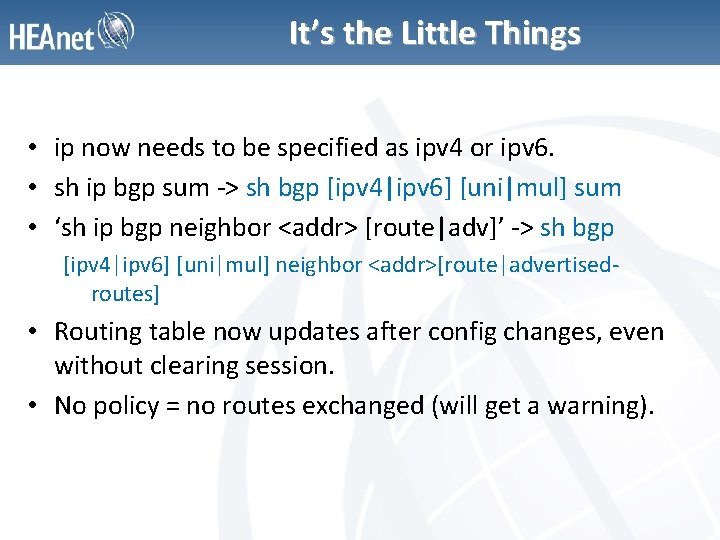
It’s the Little Things • ip now needs to be specified as ipv 4 or ipv 6. • sh ip bgp sum -> sh bgp [ipv 4|ipv 6] [uni|mul] sum • ‘sh ip bgp neighbor <addr> [route|adv]’ -> sh bgp [ipv 4|ipv 6] [uni|mul] neighbor <addr>[route|advertisedroutes] • Routing table now updates after config changes, even without clearing session. • No policy = no routes exchanged (will get a warning).
Code Evolution? (1) • IOS-XR is a lot further along than it was in 2008. • Releases now are 4. 0. 4 & 4. 1. 1 (4. 1. 2 in Dec) • No experience of a full version upgrade, no more choice any more. • Messages on upgrade still very messy. • Software Maintenance Upgrades (SMU) reducing upgrade needs, but not painless. • CLI response seems to have improved.
Code Evolution? (2) • Not *that* far along, however. • IPv 6 netflow exports only available in 4. 0 – No ASnum for SRC or DST • Still very buggy. – Personal favourite, adding a BGP peer could cause the entire BGP process to reload. • Cli still a lot slower than we’d like. • Lots of MIBs still missing, especially for v 6.
Those Wonderful SMUs • SMU reality didn’t live up to the hype. • 13 SMUs out for 3. 9. 2. – 4 state Reload – 3 state Hitless • hfr-base SMUs will almost always reload RP. • Situation isn’t clear & always assume interruption. • Far preferable to upgrade.
The Future is ISSUs? • In Service Software Upgrades – Available from 4. 2. 1 (May 2012) • Upgrading the router with a “less than 6 second outage”. • Promised land? • Still potentially rommon upgrades etc.
When It All Goes Wrong • Troubleshooting commands seem to vary by version. • Show Tech is never enough. – There’s a lot of software in there. • Hard to shake impression there a very small number of people in Cisco who really know the code.
Older & Wiser? • • Engineers much more used to IOS-XR. . . that doesn’t mean they like it more. When the routers work, they just work. SMUs or Upgrades bring fear & pain. Hardware upgrade path isn’t straight-forward. . . but is it ever? If I had a time machine? – Maybe, but remember, every OS sucks.
Questions?