
HBase MTTR Stripe Compaction and Hoya Ted Yu
HBase MTTR, Stripe Compaction and Hoya Ted Yu (tyu@hortonworks. com)
About myself • Been working on Hbase for 3 years • Became Committer & PMC member June 2011
Outline • • • Overview to HBase Recovery HDFS issues Stripe compaction Hbase-on-Yarn Q&A
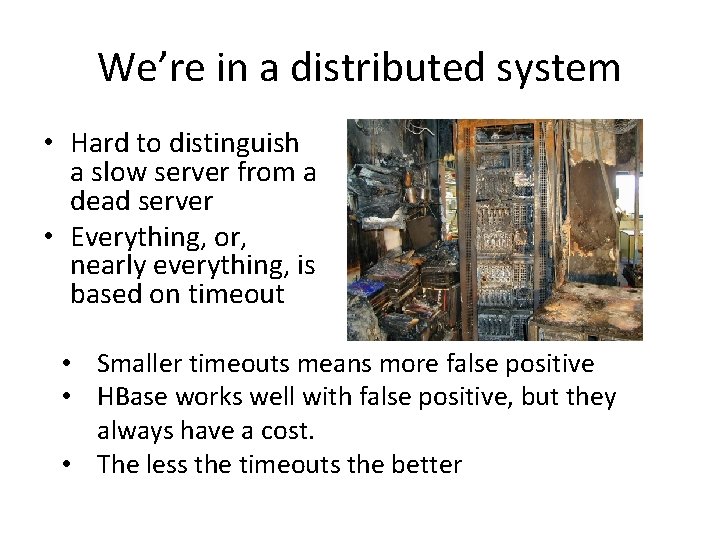
We’re in a distributed system • Hard to distinguish a slow server from a dead server • Everything, or, nearly everything, is based on timeout • Smaller timeouts means more false positive • HBase works well with false positive, but they always have a cost. • The less the timeouts the better
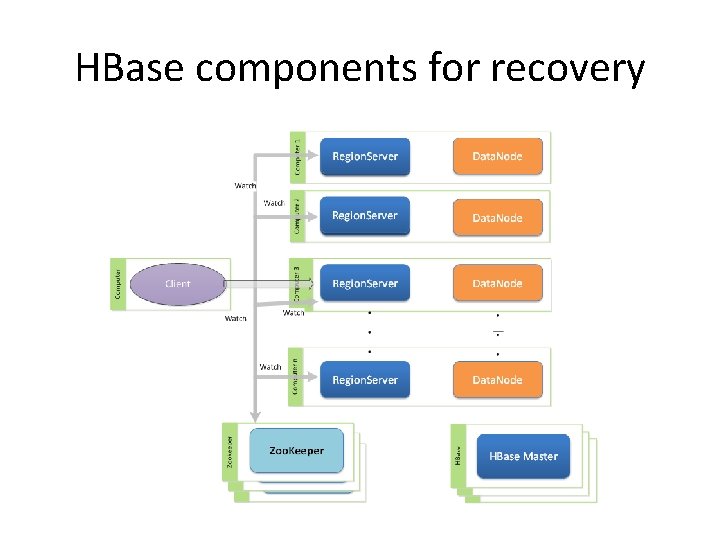
HBase components for recovery
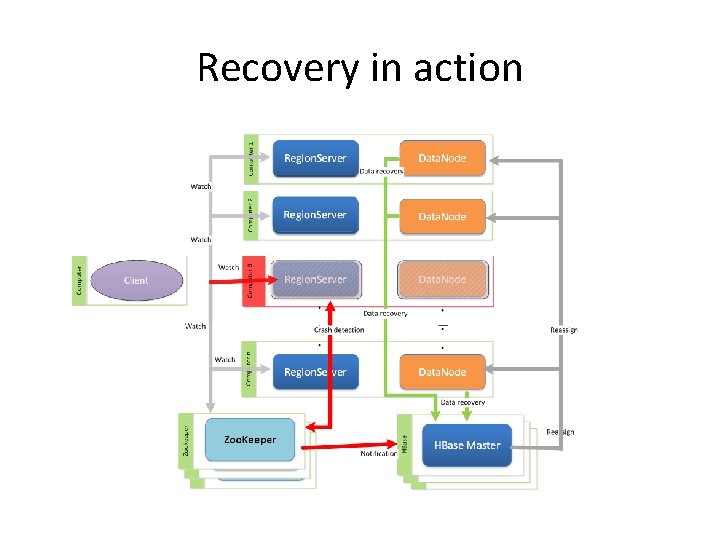
Recovery in action
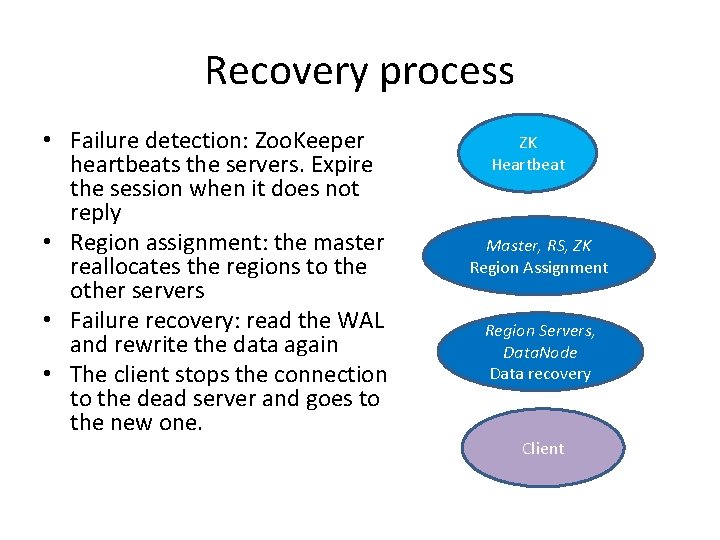
Recovery process • Failure detection: Zoo. Keeper heartbeats the servers. Expire the session when it does not reply • Region assignment: the master reallocates the regions to the other servers • Failure recovery: read the WAL and rewrite the data again • The client stops the connection to the dead server and goes to the new one. ZK Heartbeat Master, RS, ZK Region Assignment Region Servers, Data. Node Data recovery Client
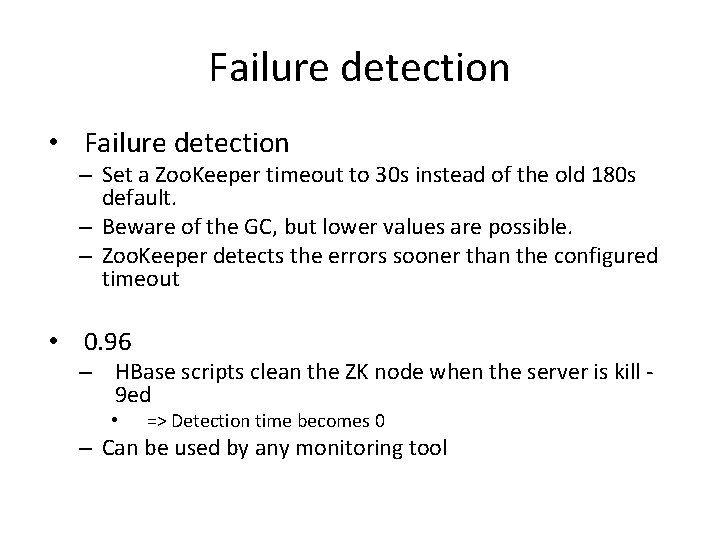
Failure detection • Failure detection – Set a Zoo. Keeper timeout to 30 s instead of the old 180 s default. – Beware of the GC, but lower values are possible. – Zoo. Keeper detects the errors sooner than the configured timeout • 0. 96 – HBase scripts clean the ZK node when the server is kill 9 ed • => Detection time becomes 0 – Can be used by any monitoring tool
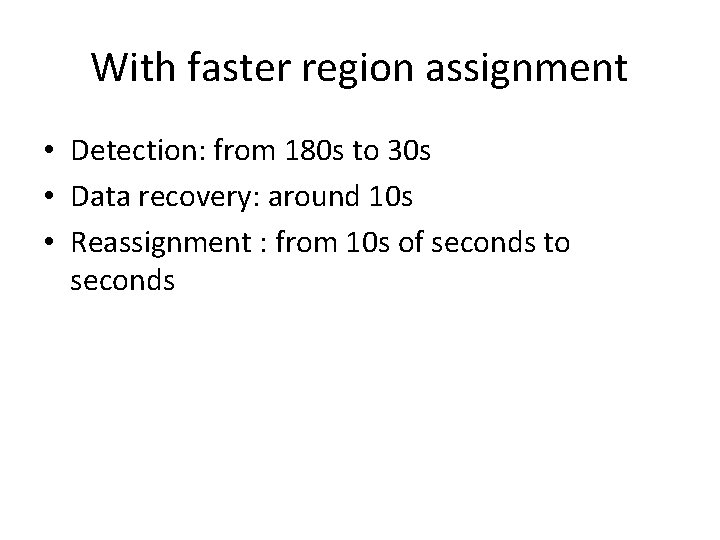
With faster region assignment • Detection: from 180 s to 30 s • Data recovery: around 10 s • Reassignment : from 10 s of seconds to seconds
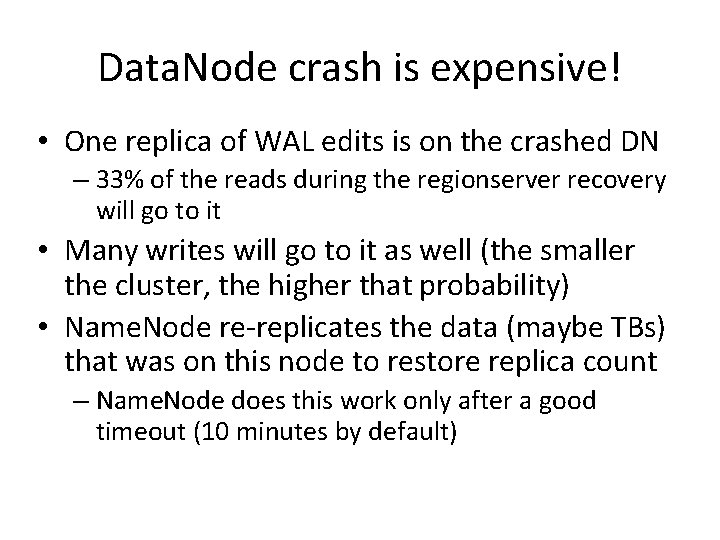
Data. Node crash is expensive! • One replica of WAL edits is on the crashed DN – 33% of the reads during the regionserver recovery will go to it • Many writes will go to it as well (the smaller the cluster, the higher that probability) • Name. Node re-replicates the data (maybe TBs) that was on this node to restore replica count – Name. Node does this work only after a good timeout (10 minutes by default)
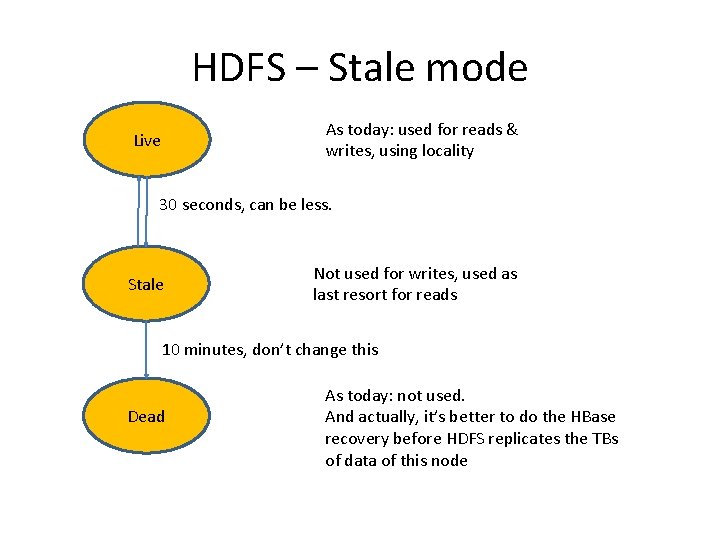
HDFS – Stale mode As today: used for reads & writes, using locality Live 30 seconds, can be less. Stale Not used for writes, used as last resort for reads 10 minutes, don’t change this Dead As today: not used. And actually, it’s better to do the HBase recovery before HDFS replicates the TBs of data of this node
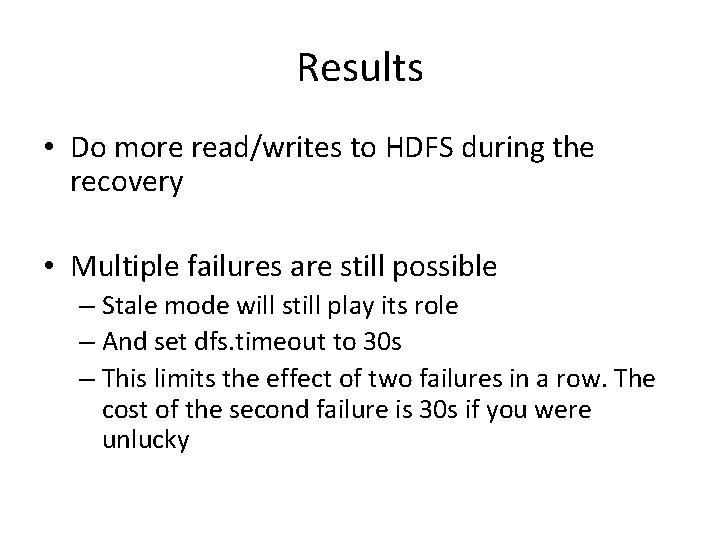
Results • Do more read/writes to HDFS during the recovery • Multiple failures are still possible – Stale mode will still play its role – And set dfs. timeout to 30 s – This limits the effect of two failures in a row. The cost of the second failure is 30 s if you were unlucky
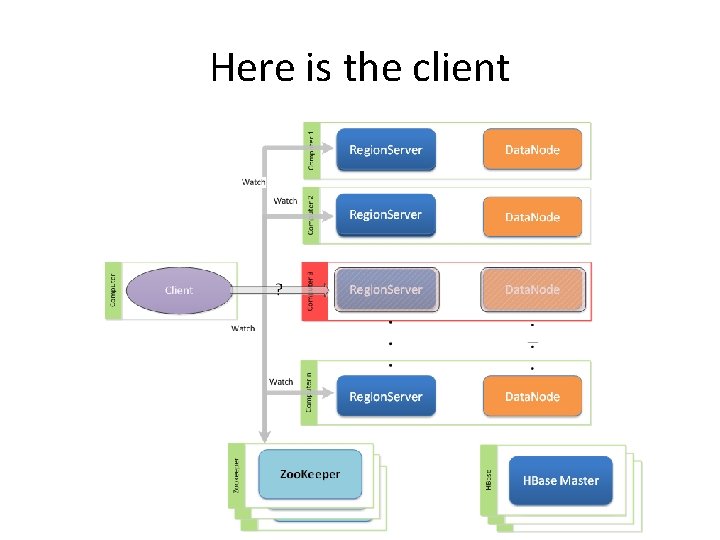
Here is the client
The client • You want the client to be patient • Retries when the system is already loaded is not good. • You want the client to learn about region servers dying, and to be able to react immediately. • You want the solution to be scalable.
Scalable solution • The master notifies the client – A cheap multicast message with the “dead servers” list. Sent 5 times for safety. – Off by default. – On reception, the client stops immediately waiting on the TCP connection. You can now enjoy large hbase. rpc. timeout
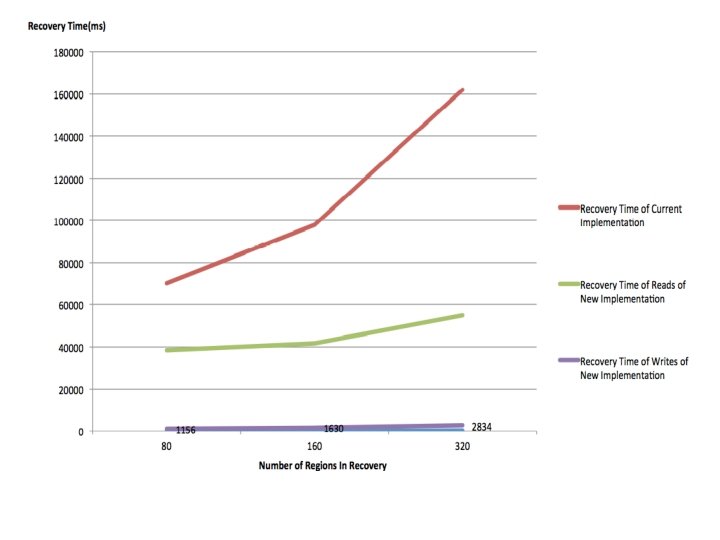
Faster recovery (HBASE-7006) • Previous algorithm – Read the WAL files – Write new Hfiles – Tell the region server it got new Hfiles • Put pressure on namenode – Remember: avoid putting pressure on the namenode • New algo: – – Read the WAL Write to the regionserver We’re done (have seen great improvements in our tests) TBD: Assign the WAL to a Region. Server local to a replica
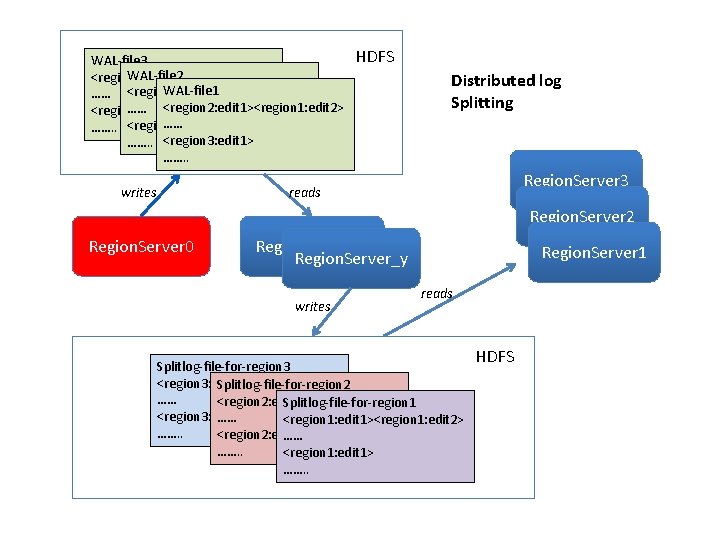
WAL-file 3 WAL-file 2 <region 2: edit 1><region 1: edit 2> WAL-file 1 …… <region 2: edit 1><region 1: edit 2> <region 3: edit 1> …… ……. . <region 3: edit 1> ……. . writes HDFS Distributed log Splitting Region. Server 3 reads Region. Server 2 Region. Server 0 Region. Server_x Region. Server_y writes Region. Server 1 reads Splitlog-file-for-region 3 <region 3: edit 1><region 1: edit 2> Splitlog-file-for-region 2 …… <region 2: edit 1><region 1: edit 2> Splitlog-file-for-region 1 <region 3: edit 1> …… <region 1: edit 1><region 1: edit 2> ……. . <region 2: edit 1> …… ……. . <region 1: edit 1> ……. . HDFS
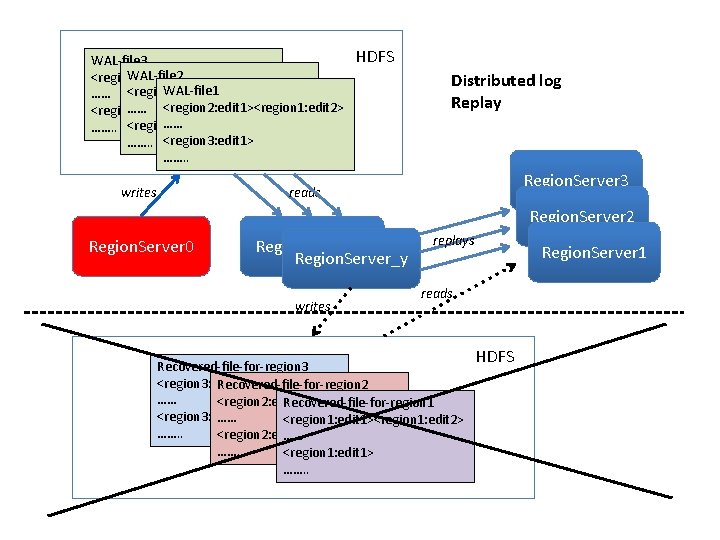
WAL-file 3 WAL-file 2 <region 2: edit 1><region 1: edit 2> WAL-file 1 …… <region 2: edit 1><region 1: edit 2> <region 3: edit 1> …… ……. . <region 3: edit 1> ……. . writes HDFS Distributed log Replay Region. Server 3 reads Region. Server 2 Region. Server 0 Region. Server_x Region. Server_y writes replays Region. Server 1 reads Recovered-file-for-region 3 <region 3: edit 1><region 1: edit 2> Recovered-file-for-region 2 …… <region 2: edit 1><region 1: edit 2> Recovered-file-for-region 1 <region 3: edit 1> …… <region 1: edit 1><region 1: edit 2> ……. . <region 2: edit 1> …… ……. . <region 1: edit 1> ……. . HDFS
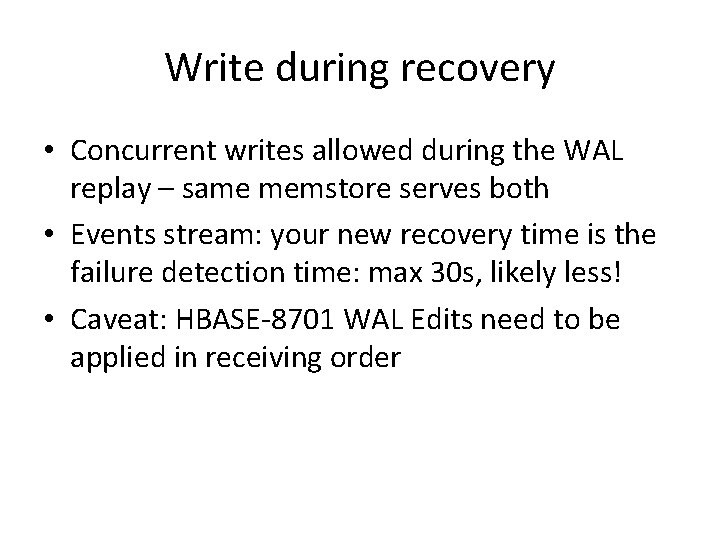
Write during recovery • Concurrent writes allowed during the WAL replay – same memstore serves both • Events stream: your new recovery time is the failure detection time: max 30 s, likely less! • Caveat: HBASE-8701 WAL Edits need to be applied in receiving order
Mem. Store flush • Real life: some tables are updated at a given moment then left alone – With a non empty memstore – More data to recover • It’s now possible to guarantee that we don’t have Mem. Store with old data • Improves real life MTTR • Helps online snapshots
. META. • . META. – There is no –ROOT- table in 0. 95/0. 96 – But. META. failures are critical • A lot of small improvements – Server now says to the client when a region has moved (client can avoid going to meta) • And a big one –. META. WAL is managed separately to allow an immediate recovery of META – With the new Mem. Store flush, ensure a quick recovery
Data locality post recovery • HBase performance depends on data-locality • After a recovery, you’ve lost it – Bad for performance • Here comes region groups • Assign 3 favored Region. Servers for every region • On failures assign the region to one of the secondaries • The data-locality issue is minimized on failures
Discoveries from cluster testing • HDFS-5016 Heartbeating thread blocks under some failure conditions leading to loss of datanodes • HBASE-9039 Parallel assignment and distributed log replay during recovery • Region splitting during distributed log replay may hinder recovery
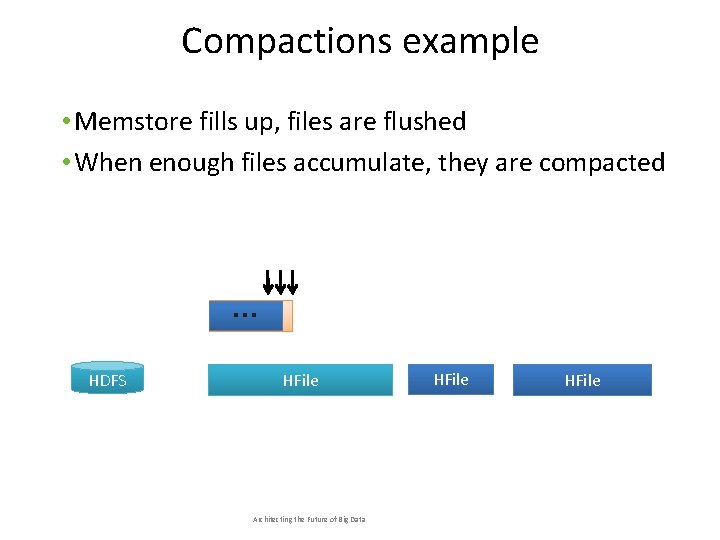
Compactions example • Memstore fills up, files are flushed • When enough files accumulate, they are compacted writes Mem. Store HDFS … HFile Architecting the Future of Big Data HFile
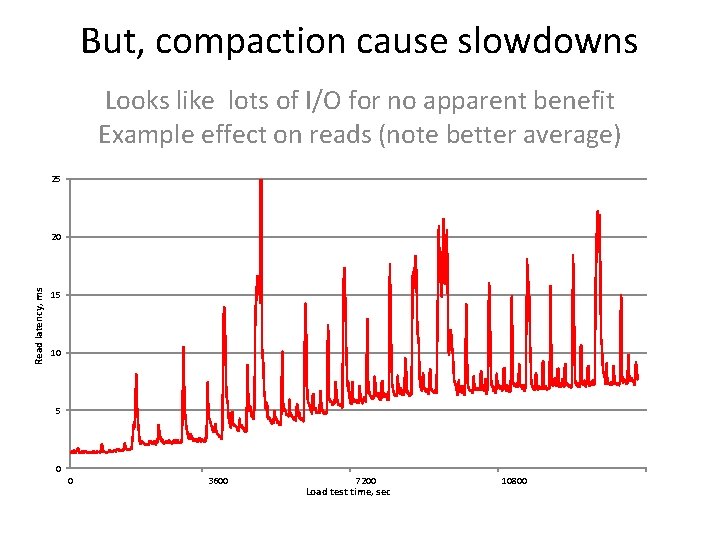
But, compaction cause slowdowns Looks like lots of I/O for no apparent benefit Example effect on reads (note better average) 25 Read latency, ms 20 15 10 5 0 0 3600 7200 Load test time, sec 10800
Key ways to improve compactions • Read from fewer files –Separate files by row key, version, time, etc. –Allows large number of files to be present, uncompacted • Don't compact the data you don't need to compact –For example, old data in Open. TSDB-like systems –Obviously, results in less I/O • Make compactions smaller –Without too much I/O amplification or too many files –Results in less compaction-related outages • HBase works better with few large regions; however, large compactions cause unavailability © Hortonworks Inc. 2011
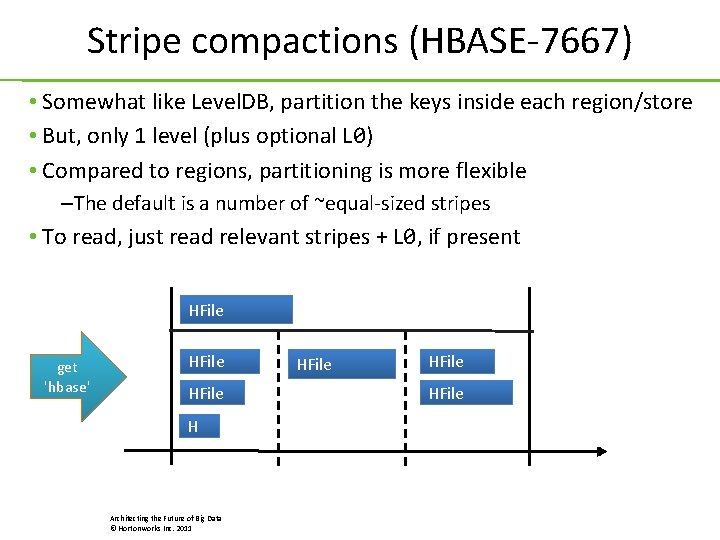
Stripe compactions (HBASE-7667) • Somewhat like Level. DB, partition the keys inside each region/store • But, only 1 level (plus optional L 0) • Compared to regions, partitioning is more flexible – The default is a number of ~equal-sized stripes • To read, just read relevant stripes + L 0, if present L 0 HFile get 'hbase' HFile H Region start key: ccc Architecting the Future of Big Data © Hortonworks Inc. 2011 Row-key axis eee ggg iii: region end key
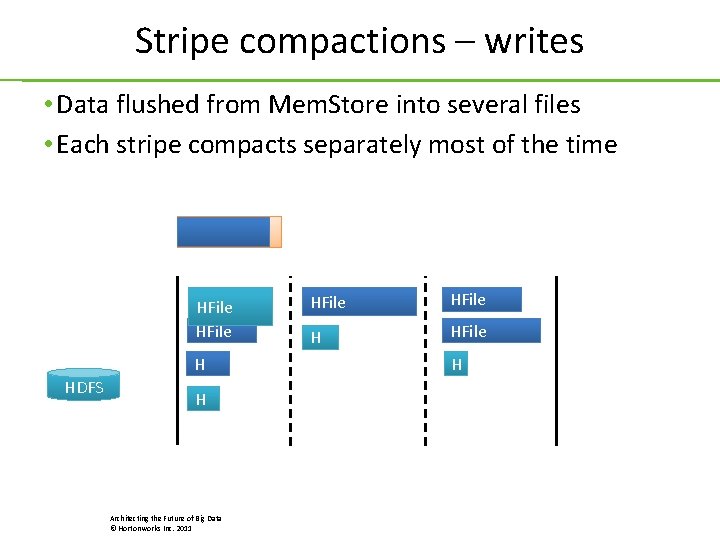
Stripe compactions – writes • Data flushed from Mem. Store into several files • Each stripe compacts separately most of the time Mem. Store HFile H HDFS H Architecting the Future of Big Data © Hortonworks Inc. 2011 HFile H
Stripe compactions – other • Why Level 0? –Bulk loaded files go to L 0 –Flushes can also go into single L 0 files (to avoid tiny files) –Several L 0 files are then compacted into striped files • Can drop deletes if compacting one entire stripe +L 0 –No need for major compactions, ever • Compact 2 stripes together – rebalance if unbalanced –Very rare, however - unbalanced stripes are not a huge deal • Boundaries could be used to improve region splits in future Architecting the Future of Big Data © Hortonworks Inc. 2011
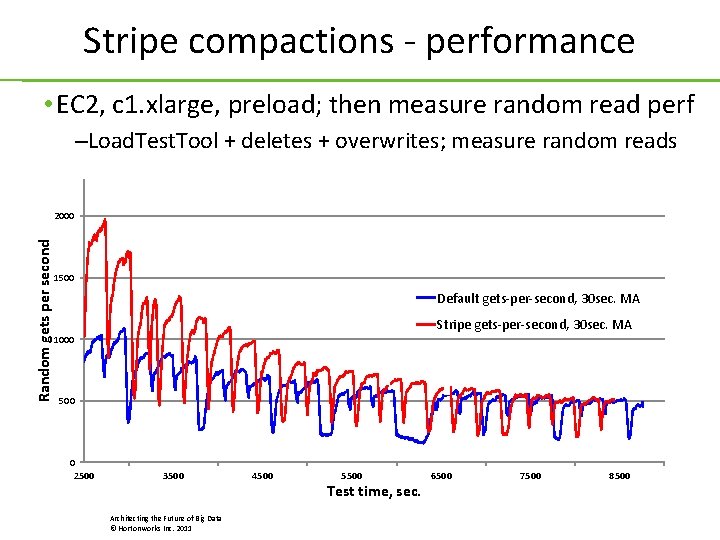
Stripe compactions - performance • EC 2, c 1. xlarge, preload; then measure random read perf –Load. Test. Tool + deletes + overwrites; measure random reads Random gets per second 2000 1500 Default gets-per-second, 30 sec. MA Stripe gets-per-second, 30 sec. MA 1000 500 0 2500 3500 Architecting the Future of Big Data © Hortonworks Inc. 2011 4500 5500 Test time, sec. 6500 7500 8500
Hbase on Yarn • Hoya is a YARN application • All components are YARN services • Input is cluster specification, persisted as JSON document on HDFS • HDFS and Zoo. Keeper are shared by multiple cluster instances • The cluster can also be stopped and later resumed
Hoya Architecture • Hoya Client: parses commandline, executes local operations, talks to Hoya. Master. Service • Hoya. Master. Service: AM service, deploys the HBase master locally • Hoya. Region. Service: installs and executes the region server
HBase Master Service Deployment • Hoya. Master. Service requested to create cluster • Local Hbase dir chosen for expanded image • User supplied config dir overwrites conf files in conf directory • Hbase conf patched with hostname of master • Hoya. Master. Service monitors reporting from RM
Failure Handling • • Region Service failures trigger new RS instances Master. Service failures not trigger restart Region. Service monitors ZK node for master Master. Service monitors state of Hbase master
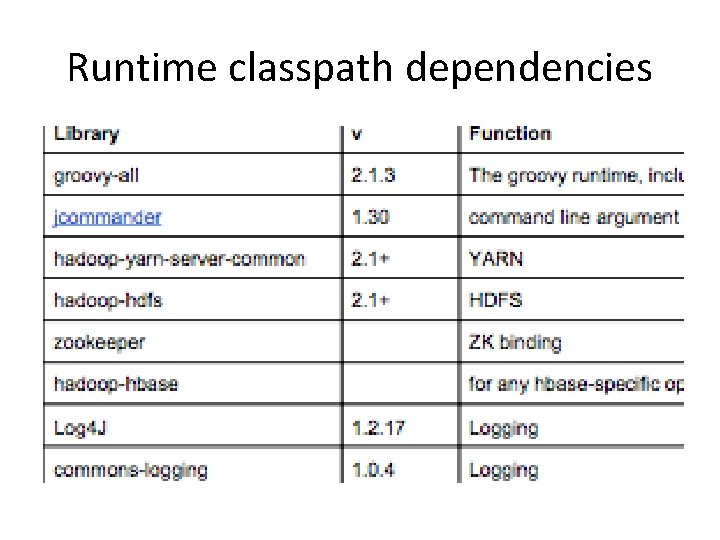
Runtime classpath dependencies
Q&A Thanks!
- Slides: 37