
Hardware Design and Debug Checklists for TI DSP
Hardware Design and Debug Checklists for TI DSP Boards/Systems Presentation begins live from China April 26, 2002 10: 00 a. m. to 12: 00 a. m. C 2000, C 5000, C 64 x, C 55 x, TMS 320 C 6000, TMS 320 C 64 x, Micro. Star BGA and Code Composer Studio are trademarks of Texas Instruments Incorporated
Hardware Design and Debug Checklists for TI DSP Boards/Systems C 2000, C 5000, C 64 x, C 55 x, TMS 320 C 6000, TMS 320 C 64 x, Micro. Star BGA and Code Composer Studio are trademarks of Texas Instruments Incorporated 1 © Copyright © 2002 Texas Instruments. All rights reserved.
Objectives u Introduce design considerations for DSP board design/debug u Discuss common concerns in hardware development u Provide a checklist for hardware design/debug considerations u Provide reference list for further study 4
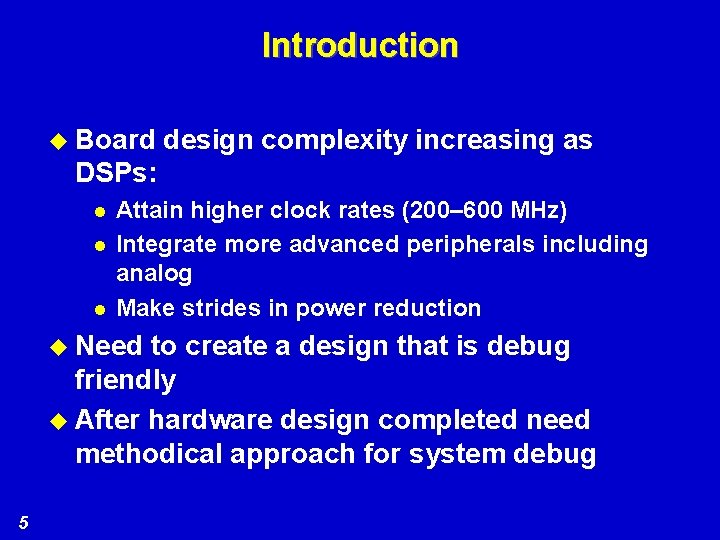
Introduction u Board design complexity increasing as DSPs: l l l Attain higher clock rates (200– 600 MHz) Integrate more advanced peripherals including analog Make strides in power reduction u Need to create a design that is debug friendly u After hardware design completed need methodical approach for system debug 5

Agenda u Interfacing your DSP to external devices u Clocking considerations u Power supply u Manufacturing u Thermal considerations u Debug u Emulation support u BSDL for board test u Signal integrity 6
Interfacing to External Devices 7
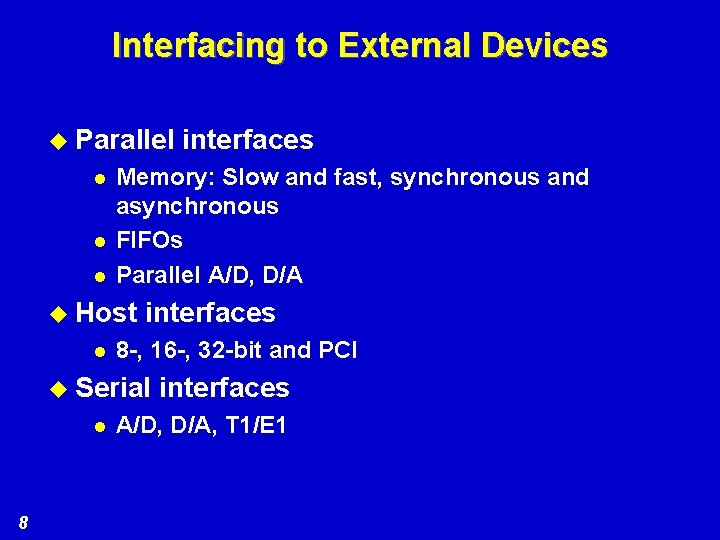
Interfacing to External Devices u Parallel l Memory: Slow and fast, synchronous and asynchronous FIFOs Parallel A/D, D/A u Host l interfaces 8 -, 16 -, 32 -bit and PCI u Serial l 8 interfaces A/D, D/A, T 1/E 1
Clocking Considerations 9
Clocking Considerations u Clock generation critical for proper system operation u TI DSP devices offer flexible clock generation options: l l l Internal/external oscillator On-chip PLL Can multiply/divide input clock by various values u Check data sheets for specific device features 10
Clocking: Internal vs. External Oscillator u Most TI DSPs offer choice of internal or external oscillator u Main concern is often cost – internal oscillator with crystal usually cheaper u Good choice unless clock must be used elsewhere in system u If so, external oscillator should be used since additional connections to crystal circuit not recommended 11
Clocking: Other Considerations u Component count and board space sometimes critical – external oscillator often takes up more board space u Should also consider signal levels and supply voltages u Input specification requirements always met with internal oscillator u If external oscillator used, the oscillator must meet data sheet specs 12
Clocking: Internal Oscillator u Simple circuit with crystal and two capacitors required u Provides inexpensive and board-spaceefficient clock-generation method 13
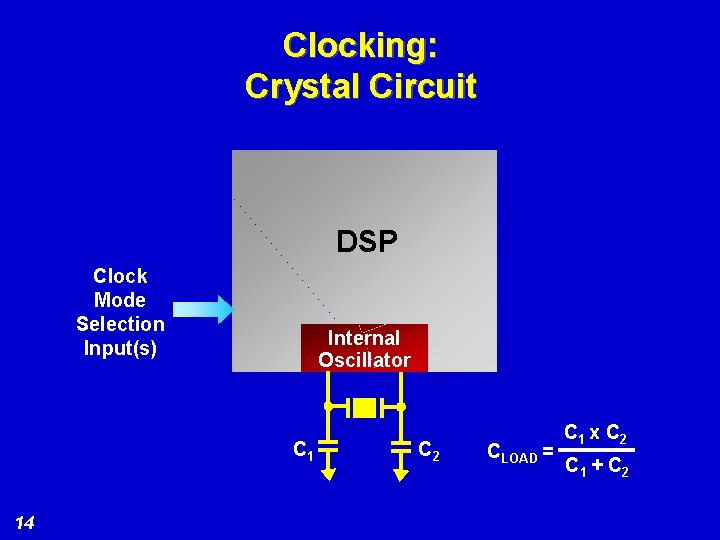
Clocking: Crystal Circuit DSP Clock Mode Selection Input(s) Internal Oscillator C 1 14 C 2 CLOAD = C 1 x C 2 C 1 + C 2
Clocking: Crystal Specifications u Crystal l l Parallel resonant Fundamental mode (overtone crystals are not recommended) Effective series resistance (ESR) of a maximum of 30 ohms CLOAD of 10 pf u Locate DSP 15 specifications: crystal and load capacitors close to
Clocking: External Oscillator u When using an external oscillator, several device input clock specifications should be considered: l l 16 Waveform rise and fall times High and low pulse widths Waveform duty cycle Waveform signal levels
Clocking: Timing Requirements u Rise/fall times not overly critical since clock input must also respond to sinewave u Duty cycle and pulse-width considerations depend on whether PLL used or not u If PLL not used, only minimum pulse-width requirements apply u If PLL used, maximum and minimum frequency requirements apply, which imply duty cycle limitations 17
Clocking: Other Oscillator Issues u Signal levels must meet clock input requirements for logic high/low, supply levels u Should series terminate near source with 10– 50 ohms for good waveform quality u Careful of PLL oscillators – can cause excessive system clock jitter, especially when used with internal PLL u Spread-spectrum clocking, especially with internal PLL, not recommended 18
Clocking: Oscillator Stabilization u Internal/external oscillators both require stabilization after power-up u Can be as long 100 ms or more, so 200 ms delay recommended before taking device out of reset (including power-up reset) u Delay can be from: l l 19 Timer Host system Power supply controller/regulator RC delay (might need Schmitt trigger buffer)
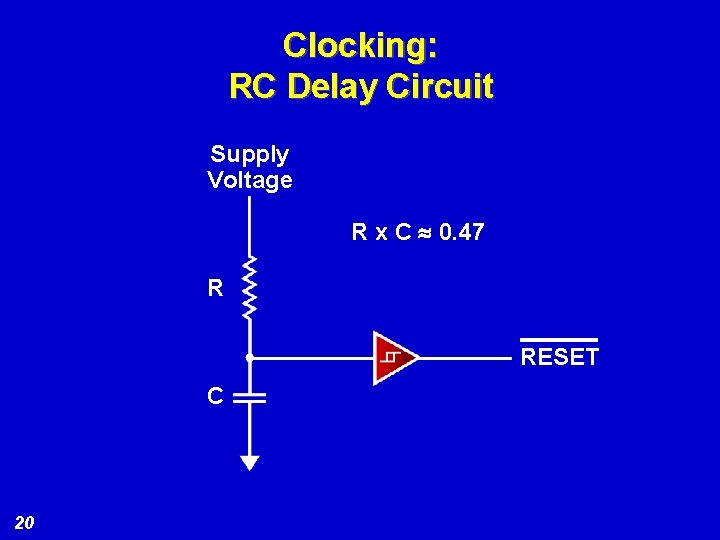
Clocking: RC Delay Circuit Supply Voltage R x C » 0. 47 R RESET C 20
Clocking: PLL Considerations u PLL very useful to multiply/divide input clock to provide flexible system clocking u Software programmability allows additional flexibility u Delay required before PLL output can be used (PLL lockup time) u Applies any time PLL configuration is updated, including after reset u Many DSPs provide for lockup delay with timer, either automatically, or through software control 21
Clocking: C 6000™ DSP PLL Considerations u Most C 6000 DSP platform devices have separate PLL power supply pins u These should be bypassed separately from other power supply bypassing for optimum PLL performance u Refer to individual device data sheets for specific information 22
Power Supply 23
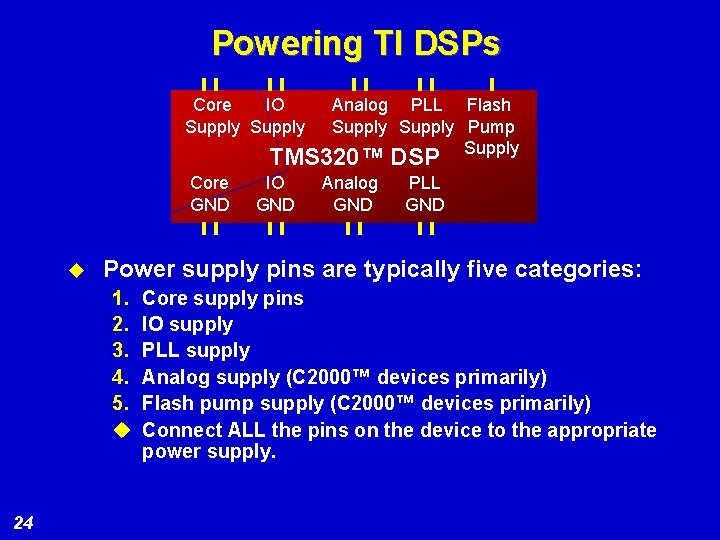
Powering TI DSPs Core IO Supply Analog PLL Flash Supply Pump Supply TMS 320™ DSP Core GND u Analog GND PLL GND Power supply pins are typically five categories: 1. 2. 3. 4. 5. u 24 IO GND Core supply pins IO supply PLL supply Analog supply (C 2000™ devices primarily) Flash pump supply (C 2000™ devices primarily) Connect ALL the pins on the device to the appropriate power supply.
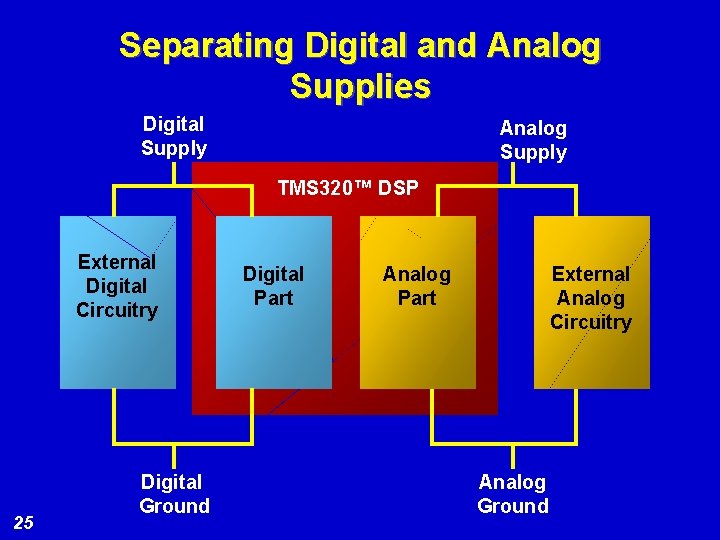
Separating Digital and Analog Supplies Digital Supply Analog Supply TMS 320™ DSP External Digital Circuitry 25 Digital Ground Digital Part Analog Part External Analog Circuitry Analog Ground
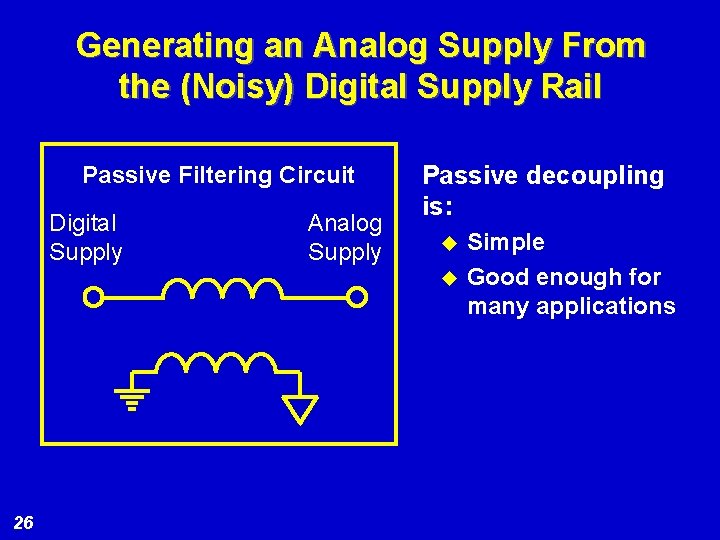
Generating an Analog Supply From the (Noisy) Digital Supply Rail Passive Filtering Circuit Digital Supply Analog Supply Passive decoupling is: u u 26 Simple Good enough for many applications
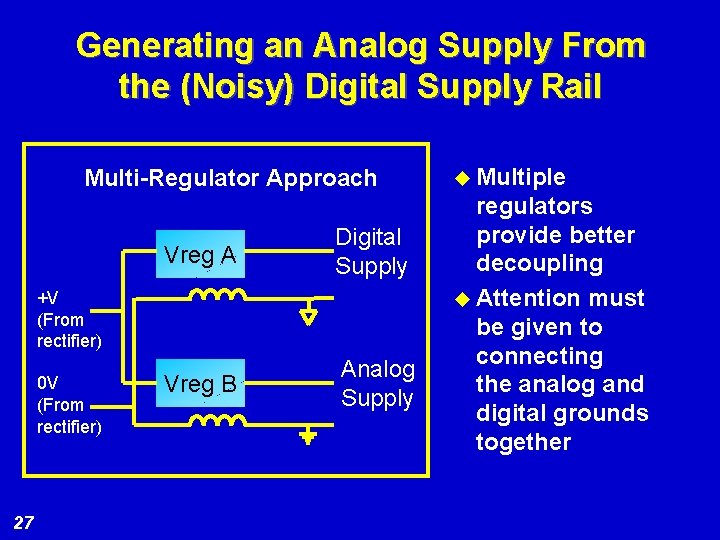
Generating an Analog Supply From the (Noisy) Digital Supply Rail Multi-Regulator Approach Vreg A Digital Supply Vreg B Analog Supply +V (From rectifier) 0 V (From rectifier) 27 u Multiple regulators provide better decoupling u Attention must be given to connecting the analog and digital grounds together
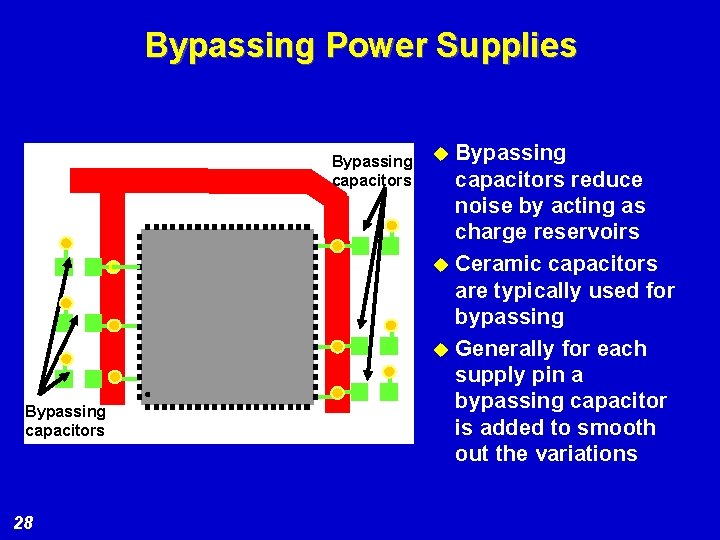
Bypassing Power Supplies Bypassing capacitors 28 Bypassing capacitors reduce noise by acting as charge reservoirs u Ceramic capacitors are typically used for bypassing u Generally for each supply pin a bypassing capacitor is added to smooth out the variations u
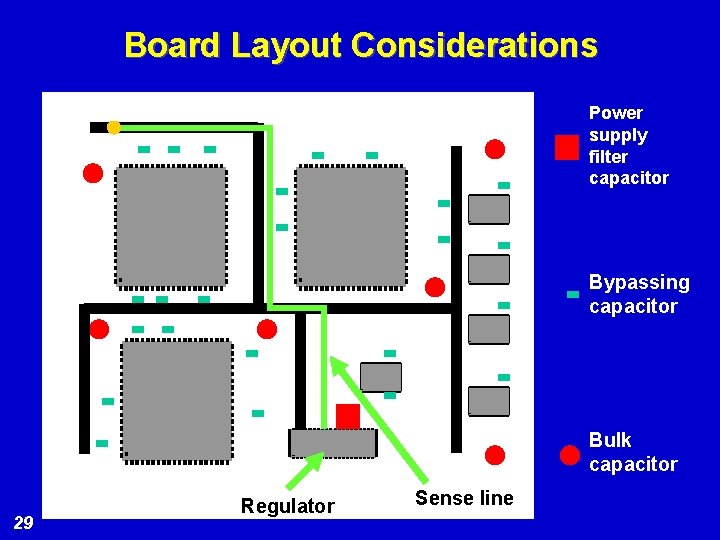
Board Layout Considerations Power supply filter capacitor Bypassing capacitor Bulk capacitor 29 Regulator Sense line
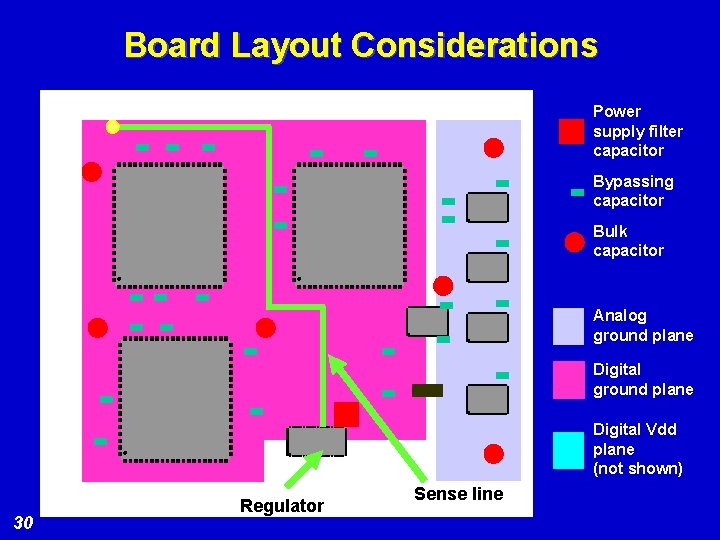
Board Layout Considerations Power supply filter capacitor Bypassing capacitor Bulk capacitor Analog ground plane Digital Vdd plane (not shown) 30 Regulator Sense line
Determining Power Supply Requirements for TI DSPs - I The current drawn by a DSP depends on: 31 l Operating frequency l Code running on the DSP l Peripheral activities l Bus and IO loading
Related Technical References To determine the current drawn by the DSP TI has several application reports: C 2000™ Calculation of C 2 xx Power Dissipation (SPRA 088) C 5000™ Calculation of C 54 x™ Power Dissipation (SPRA 164) C 6000™ TMS 320 C 6000™ Power Consumption Summary (SPRA 486) TMS 320 C 64 x™ Power Consumption Summary (SPRA 811) 32
Power Supply Sequencing u u Power supply sequencing is not required for the DSP itself. Sequencing may be necessary based on system level considerations. Please be sure to check your device data sheet for device and system-level considerations. Some other points to consider: l 33 Exceptions: On C 2000™ parts the following is the recommended sequencing: the core, IO, analog should be powered up in that order. Also, no voltage inputs should be applied to the DSP before the power supply is applied. See the data sheet for details.

Manufacturing Considerations 34
Manufacturing Considerations u BGA packages u Mechanical components u Thermal profiles 35
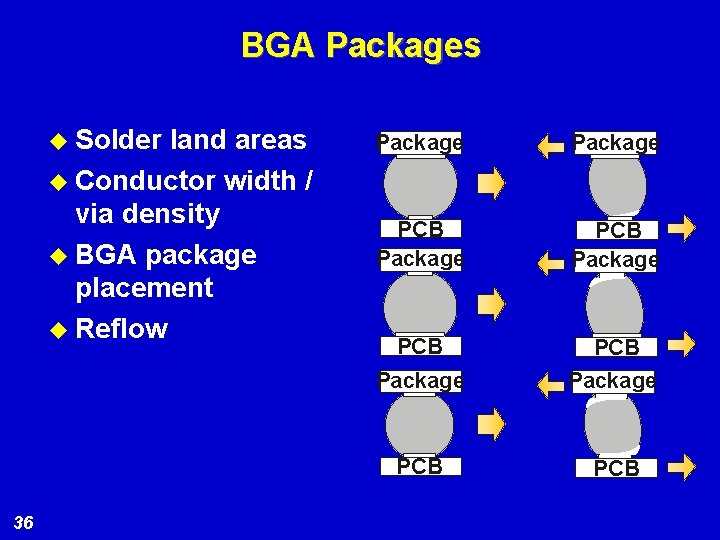
BGA Packages u Solder land areas u Conductor width / via density u BGA package placement u Reflow 36 Package PCB Package PCB
Mechanical Components u Connectors u Sockets u Chip clips u Test points 37
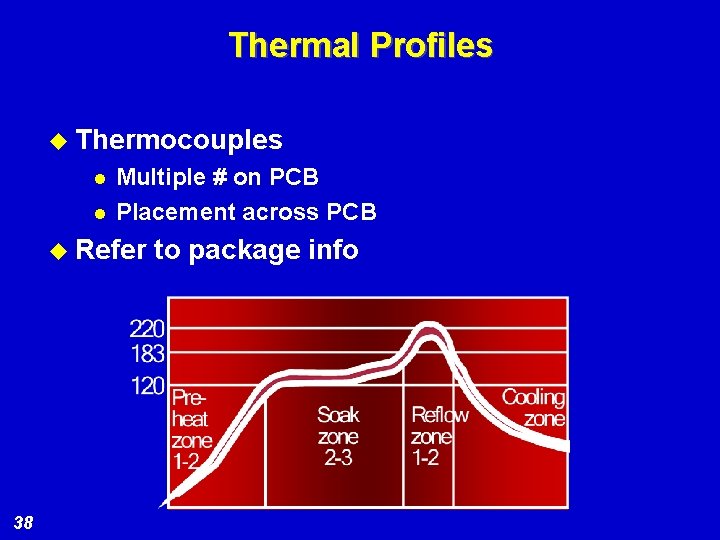
Thermal Profiles u Thermocouples l l Multiple # on PCB Placement across PCB u Refer 38 to package info
Related Technical References u “Micro. Star BGA™ Packaging Reference Guide” (SSYZ 015 B) u “TMS 320 C 6000™ BGA Manufacturing Considerations” (SPRA 429 B) 39
Thermal Considerations 40
Thermal Considerations u DSP maximum device operating temperature spec must be maintained u Specification is often maximum case temperature, but could be ambient or other u This section will discuss a detailed analysis of the device-level thermal considerations 41
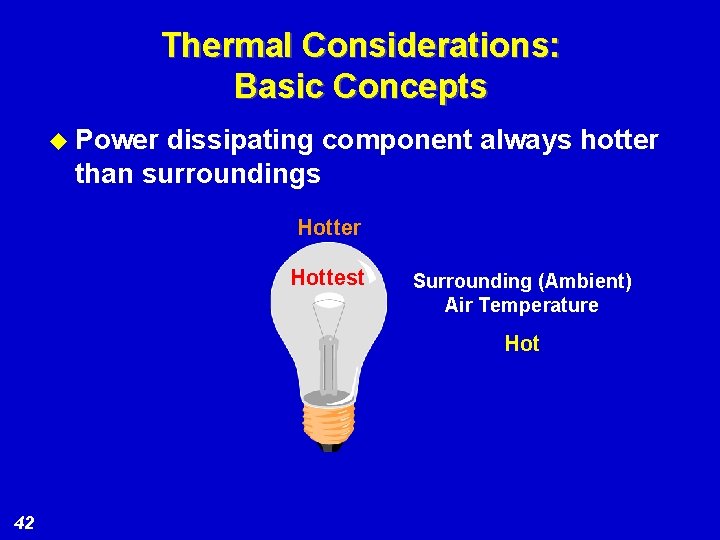
Thermal Considerations: Basic Concepts u Power dissipating component always hotter than surroundings Hotter Hottest Surrounding (Ambient) Air Temperature Hot 42
Thermal Considerations: Analysis u Not exceeding maximum allowable operating temperature is key concern u Accurate analysis is critical to ensure proper system operation u If analysis shows issues, heatsink or other improved cooling approach may be required 43
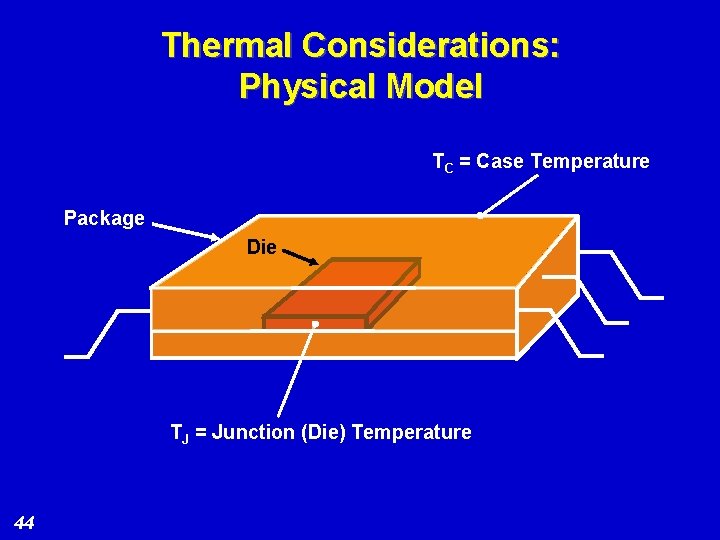
Thermal Considerations: Physical Model TC = Case Temperature Package Die TJ = Junction (Die) Temperature 44
Thermal Considerations: Ohm’s Law Analogy Model u Thermal model based on Ohm’s Law equation analogy u Ohm’s Law relates current, voltage, and resistance u Thermal analogy relates temperature, power, and thermal resistance 45
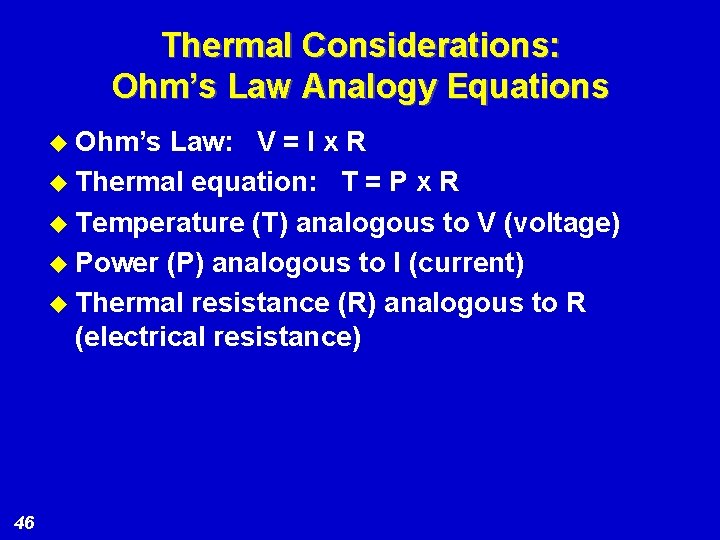
Thermal Considerations: Ohm’s Law Analogy Equations u Ohm’s Law: V = I x R u Thermal equation: T = P x R u Temperature (T) analogous to V (voltage) u Power (P) analogous to I (current) u Thermal resistance (R) analogous to R (electrical resistance) 46
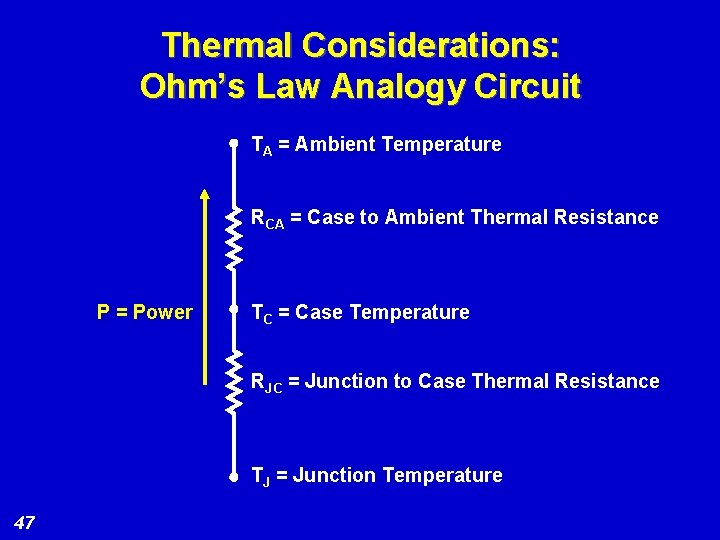
Thermal Considerations: Ohm’s Law Analogy Circuit TA = Ambient Temperature RCA = Case to Ambient Thermal Resistance P = Power TC = Case Temperature RJC = Junction to Case Thermal Resistance TJ = Junction Temperature 47
Thermal Considerations: Final Analysis u Ideally, analysis will show thermal requirements are met without heatsink u If not, redo analysis with heatsink u Heatsink’s thermal resistance substitutes for device RCA, improves thermal performance u If better thermal performance is required, use better heatsink, or forced air, or other cooling 48
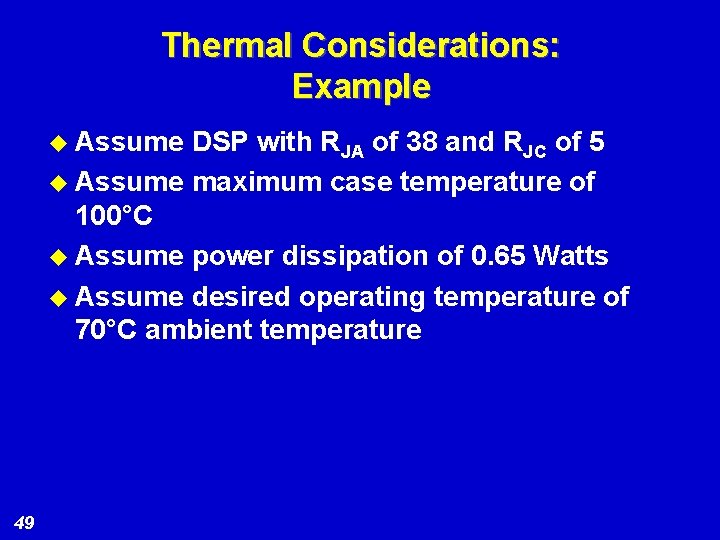
Thermal Considerations: Example u Assume DSP with RJA of 38 and RJC of 5 u Assume maximum case temperature of 100°C u Assume power dissipation of 0. 65 Watts u Assume desired operating temperature of 70°C ambient temperature 49
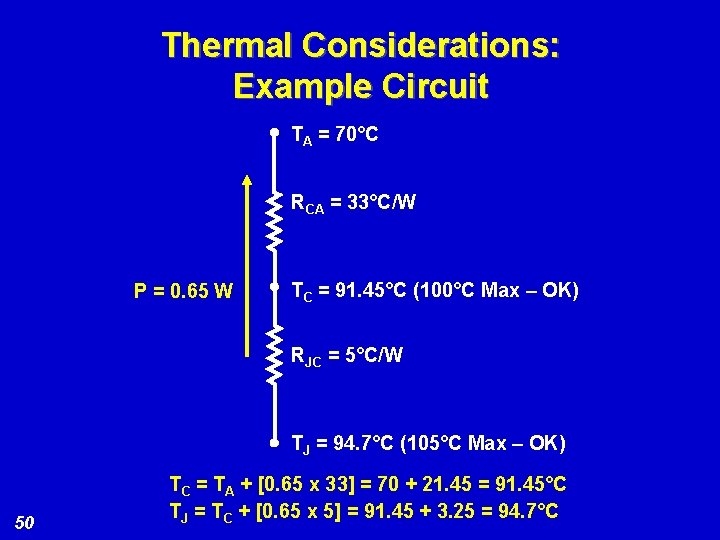
Thermal Considerations: Example Circuit TA = 70°C RCA = 33°C/W P = 0. 65 W TC = 91. 45°C (100°C Max – OK) RJC = 5°C/W TJ = 94. 7°C (105°C Max – OK) 50 TC = TA + [0. 65 x 33] = 70 + 21. 45 = 91. 45°C TJ = TC + [0. 65 x 5] = 91. 45 + 3. 25 = 94. 7°C
Thermal Considerations: Time. Variation of Power Characteristics u Power dissipation is a strong function of device activity u High activity = high power Low activity = low power u Algorithm activity level may vary widely, hence power variation u Heating effects have slow time constant, power should be averaged over device activity 51
Thermal Considerations: Large BGA Packaged Devices u Devices in large BGA packages (such as C 6000™ DSPs) conduct large amount of heat to PC board u These characteristics should be taken into account when evaluating a device’s thermal performance u Supportive information is provided in applications notes and device data sheets 52
Debug 53

Debug u Debug/test considerations impact design, debugging, and test process u Proper treatment greatly facilitates test/ debug u Incorporating these considerations much less costly than the test and debug impact of not having them 54
Debug: Design for Test/Debug u Proper tie-off of unused input signals is critical u Inputs that are driven but can sometimes go high impedance should be considered also u Unused outputs can be left unconnected u Unused I/O pins can either be handled as inputs, or configured as outputs and left unconnected 55
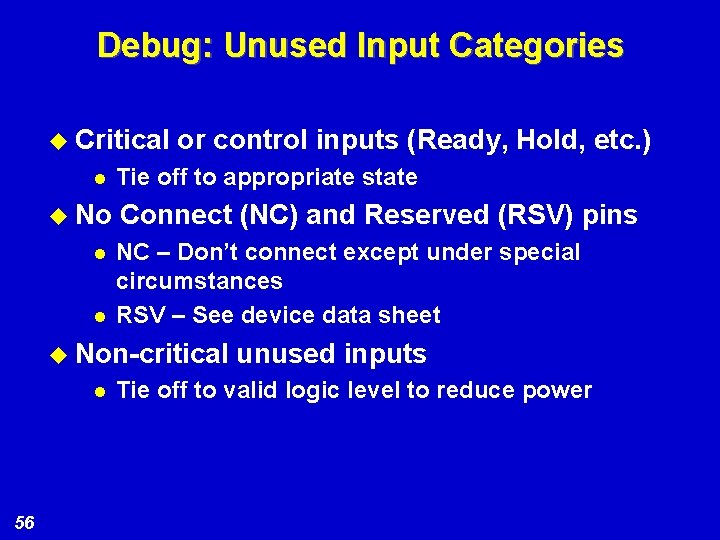
Debug: Unused Input Categories u Critical l u No l l or control inputs (Ready, Hold, etc. ) Tie off to appropriate state Connect (NC) and Reserved (RSV) pins NC – Don’t connect except under special circumstances RSV – See device data sheet u Non-critical l 56 unused inputs Tie off to valid logic level to reduce power
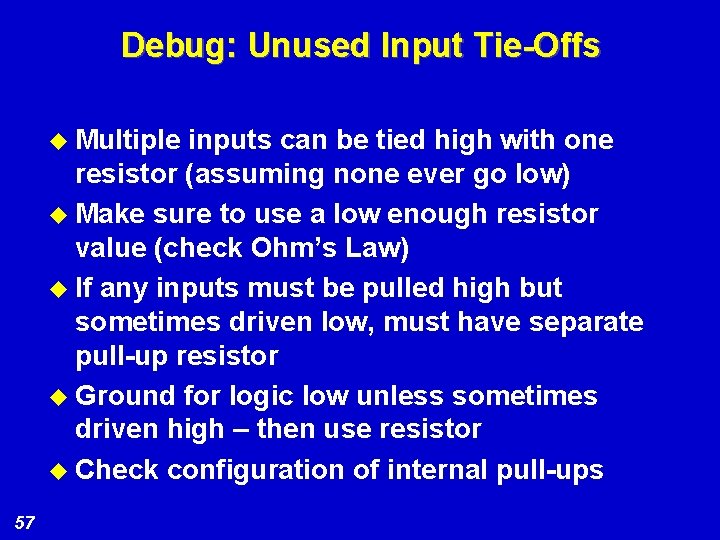
Debug: Unused Input Tie-Offs u Multiple inputs can be tied high with one resistor (assuming none ever go low) u Make sure to use a low enough resistor value (check Ohm’s Law) u If any inputs must be pulled high but sometimes driven low, must have separate pull-up resistor u Ground for logic low unless sometimes driven high – then use resistor u Check configuration of internal pull-ups 57
Debug: Other Considerations u Include test points, routing to connectors and logic analyzer headers (MICTORs) u Always include emulator connector or provision for u Include jumpers or zero-ohm resistors to key signal connections 58
Debug: Other Considerations u Use sockets for key/expensive components u Include boundary scan capability u Include manual reset switch 59
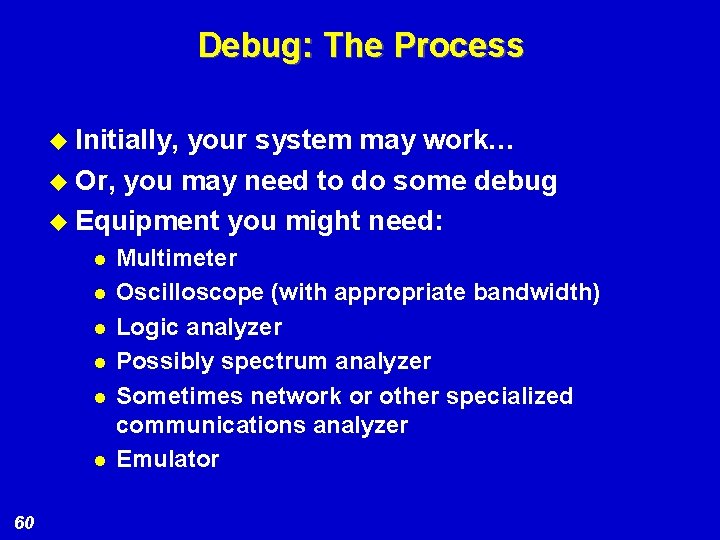
Debug: The Process u Initially, your system may work… u Or, you may need to do some debug u Equipment you might need: l l l 60 Multimeter Oscilloscope (with appropriate bandwidth) Logic analyzer Possibly spectrum analyzer Sometimes network or other specialized communications analyzer Emulator
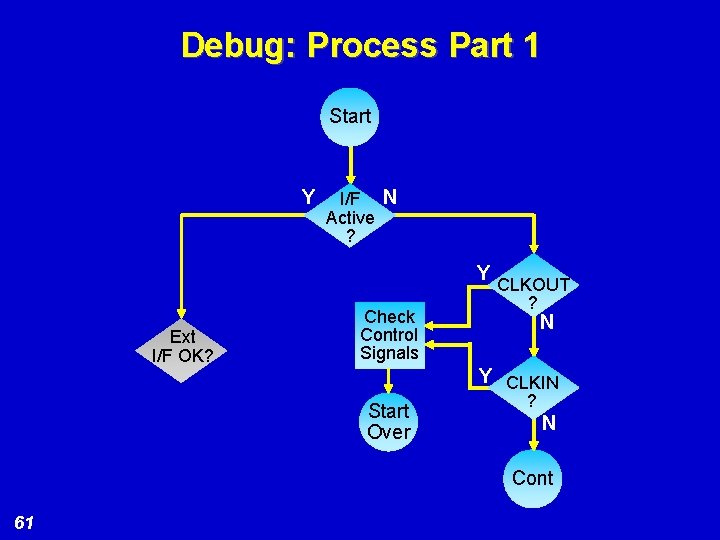
Debug: Process Part 1 Start Y I/F N Active ? Y Ext I/F OK? Check Control Signals CLKOUT ? N Y CLKIN Start Over ? N Cont 61
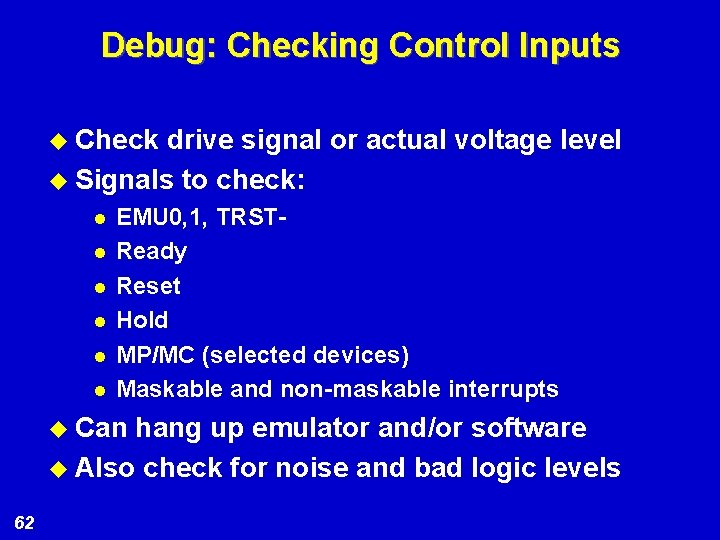
Debug: Checking Control Inputs u Check drive signal or actual voltage level u Signals to check: l l l EMU 0, 1, TRSTReady Reset Hold MP/MC (selected devices) Maskable and non-maskable interrupts u Can hang up emulator and/or software u Also check for noise and bad logic levels 62
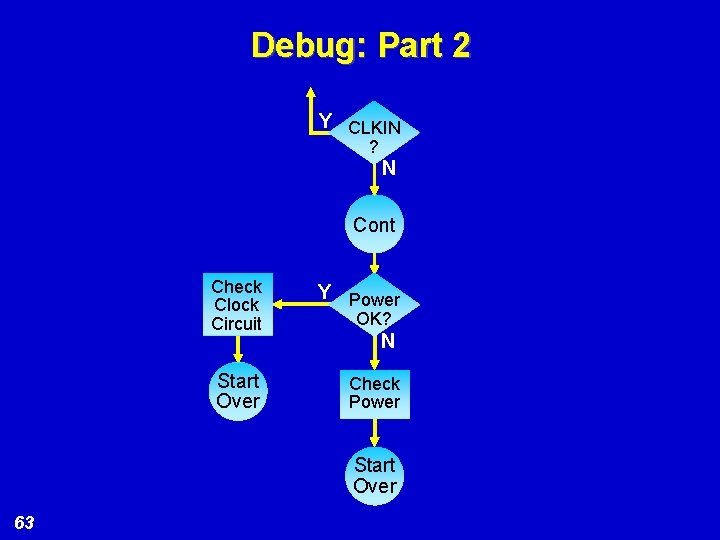
Debug: Part 2 Y CLKIN ? N Cont Check Clock Circuit Y Power Start Over Check Power OK? N Start Over 63
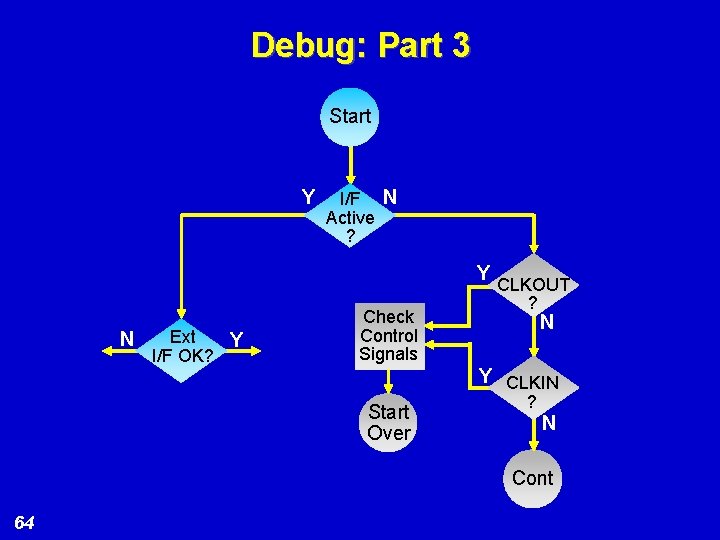
Debug: Part 3 Start Y I/F N Active ? Y Ext N Y I/F OK? Check Control Signals CLKOUT ? N Y CLKIN Start Over ? N Cont 64
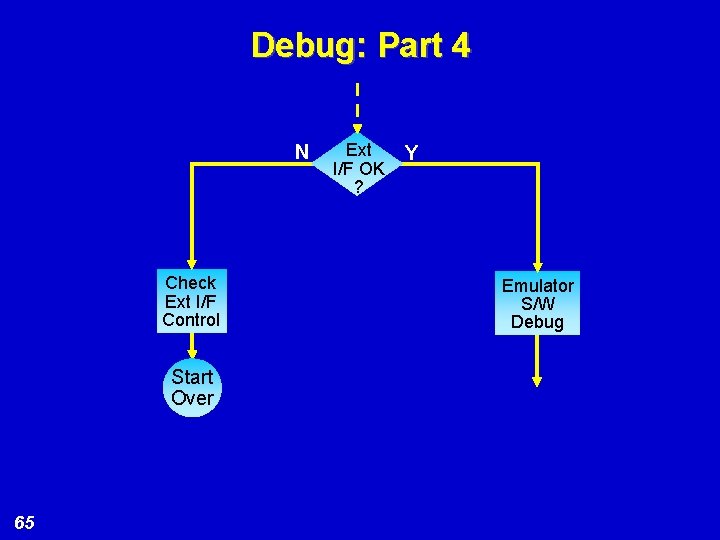
Debug: Part 4 N Check Ext I/F Control Start Over 65 Ext I/F OK ? Y Emulator S/W Debug
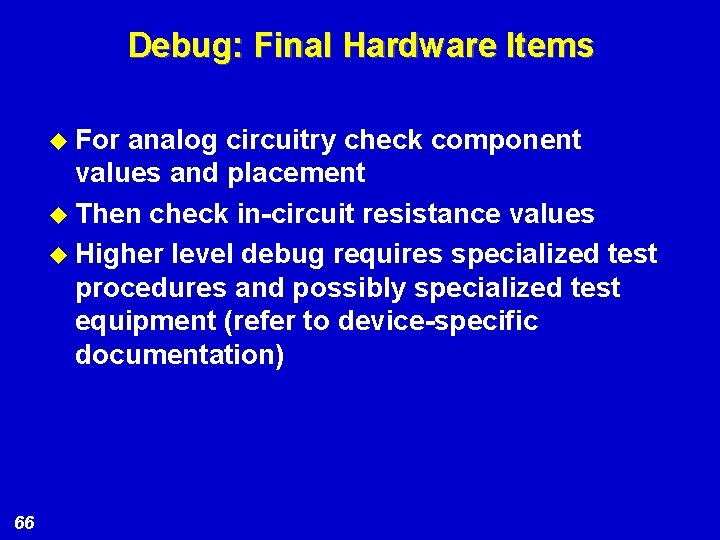
Debug: Final Hardware Items u For analog circuitry check component values and placement u Then check in-circuit resistance values u Higher level debug requires specialized test procedures and possibly specialized test equipment (refer to device-specific documentation) 66
Emulation Support 67
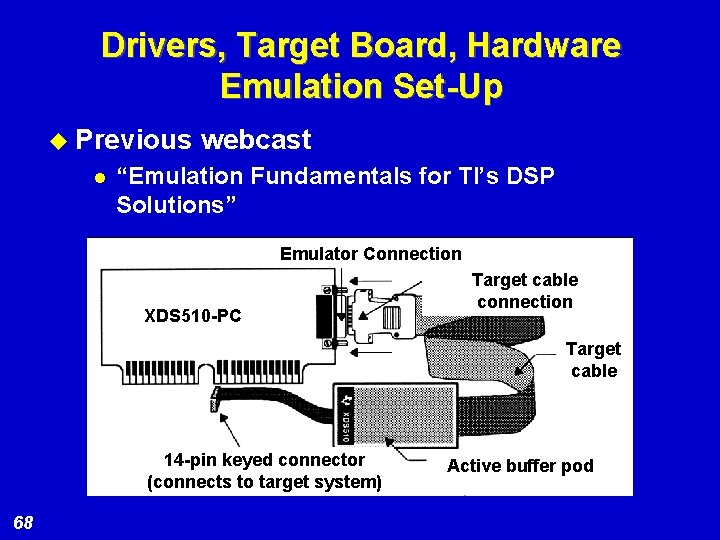
Drivers, Target Board, Hardware Emulation Set-Up u Previous l webcast “Emulation Fundamentals for TI’s DSP Solutions” Emulator Connection XDS 510 -PC Target cable connection Target cable 14 -pin keyed connector (connects to target system) 68 Active buffer pod
Target Initialization u JTAG plugged into target board u Power ON board and issue reset u Execute XDSreset to verify correct connectivity 69
XDS 510 Debug u Verify l l target design EMU 0/1 TMS, TDI, TCK, /TRST u XDSProbe. exe l l l for verification Scan path lengths Continuity Correct states u Bypass all devices, except DUT u Are timing parameters met according to data sheet? 70
Target Board Emulation Debug u Boot modes l l Valid code must be ran in order to establish a valid boot to CCStudio Possible boot modes n n u u 71 ROM boot mode External boot mode HPI boot mode No-boot mode Devices that fail to achieve valid boot modes will result in undefined CCStudio behavior Boot modes driven by FPGAs, CPLDs, etc. should use caution when issuing software resets via CCStudio
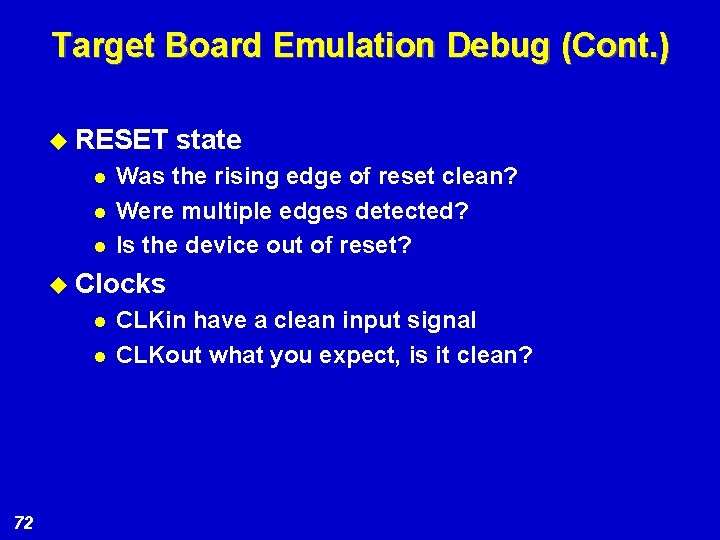
Target Board Emulation Debug (Cont. ) u RESET l l l state Was the rising edge of reset clean? Were multiple edges detected? Is the device out of reset? u Clocks l l 72 CLKin have a clean input signal CLKout what you expect, is it clean?
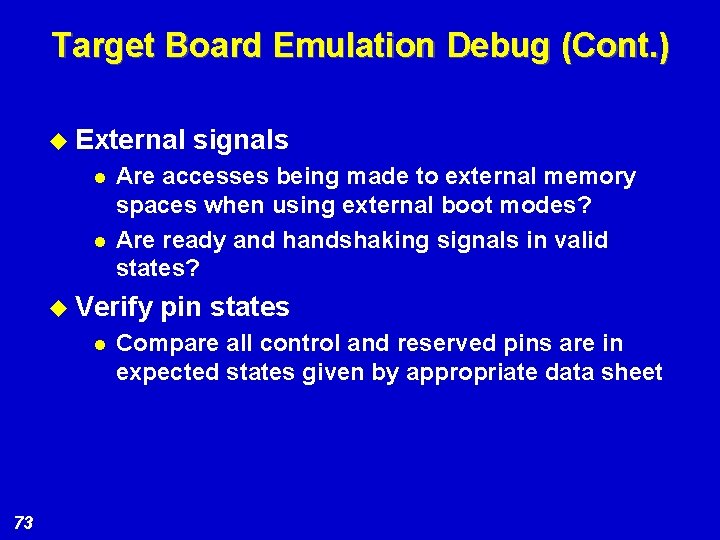
Target Board Emulation Debug (Cont. ) u External l l Are accesses being made to external memory spaces when using external boot modes? Are ready and handshaking signals in valid states? u Verify l 73 signals pin states Compare all control and reserved pins are in expected states given by appropriate data sheet
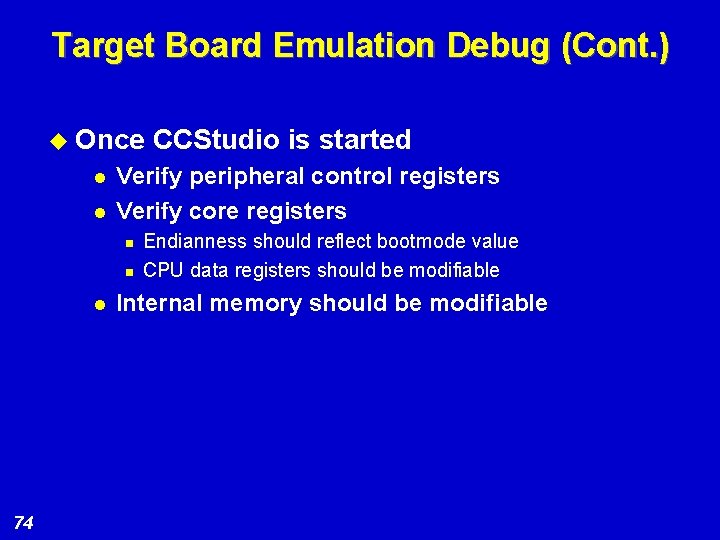
Target Board Emulation Debug (Cont. ) u Once l l Verify peripheral control registers Verify core registers n n l 74 CCStudio is started Endianness should reflect bootmode value CPU data registers should be modifiable Internal memory should be modifiable
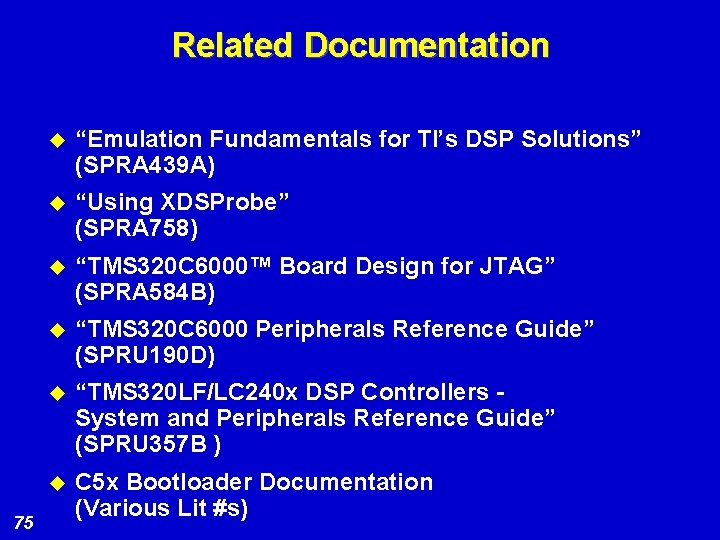
Related Documentation 75 u “Emulation Fundamentals for TI’s DSP Solutions” (SPRA 439 A) u “Using XDSProbe” (SPRA 758) u “TMS 320 C 6000™ Board Design for JTAG” (SPRA 584 B) u “TMS 320 C 6000 Peripherals Reference Guide” (SPRU 190 D) u “TMS 320 LF/LC 240 x DSP Controllers System and Peripherals Reference Guide” (SPRU 357 B ) u C 5 x Bootloader Documentation (Various Lit #s)
BSDL 76
BSDL: Boundary Scan Description Language u BSDL is description language for board-level testing u BSDL is premised on boundary scan u Boundary scan is a board-level test methodology implemented through JTAG 1149. 1 Test Access Port (TAP) currently also used for emulation u Allows device inputs to be read and outputs to be driven u Interconnection between devices with this feature can be thoroughly tested 77
BSDL: Applications u Useful for testing memory and other system interfaces, virtually indispensable for testing BGA devices u Requires dedicated hardware, software platforms, but these are easily available from several manufacturers u In boundary scan, flip-flops connected to device inputs, outputs, I/Os accessible in a serial scan chain u Accessed with special JTAG commands 78
BSDL: Definition u Boundary Scan Description Language (BSDL) is the standardized language developed to describe each device’s boundary scan chain u BSDL description file for each chip in the system provided to board-level tester u Allows detailed board-level tests 79
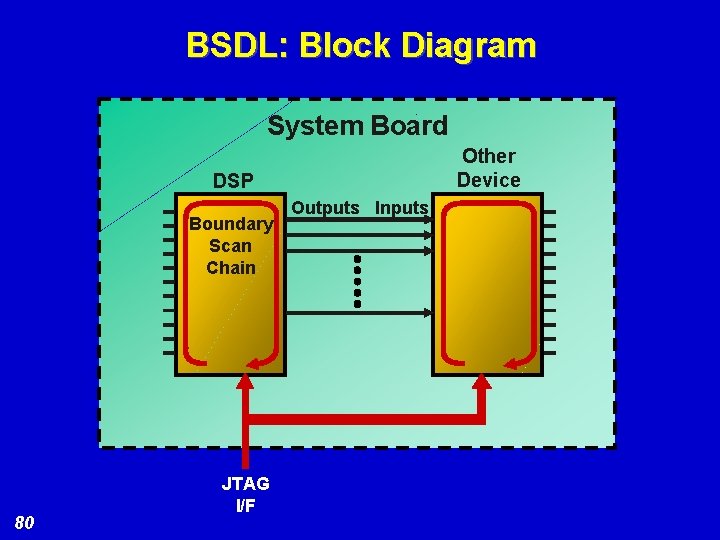
BSDL: Block Diagram System Board Other Device DSP Boundary Scan Chain 80 JTAG I/F Outputs Inputs
BSDL: Availability u BSDL files available for most TI DSP devices u BSDL files can be downloaded from the TI website u Files for TI DSPs and other devices provided to board-level test system u Board-level tests can provide a high degree of board integrity verification u Consult data sheets for specific device boundary scan support 81
BSDL: Tester Manufacturers u Board-level test system manufacturers: Agilent Asset Intertech, Inc. Corelis, Inc. JTAG Technologies B. V. Goepel Electronic Gmb. H Teradyne u Additional references: JTAG spec, BSDL format description 82
Signal Integrity 83
Signal Integrity u Board layout: Analog/Digital u Signal terminations u Cross talk u Ground bounce u EMI u Good resource: “High-Speed Digital Design: A Handbook of Black Magic” by Dr. Howard Johnson and Martin Graham (ISBN# 0 -13 -395724 -1) Web site: http: //signalintegrity. com 84
Top Level Checklist u Interfacing your DSP to external devices u Clocking considerations u Power supply u Signal integrity u Thermal considerations u Manufacturing u Emulation support u Debug u BSDL for board test 85
Summary u Presented a checklist for DSP hardware design/debug considerations u Discussed common concerns in hardware design development u Provided a methodical approach for debug u Go to “Related Technical References” for more information on: l l l 86 Device data sheets Application notes TI’s DSP Knowledge. Base
Question & Answer Session 87
- Slides: 87