
Hardware Architecture Design Media IC and System Lab

Hardware Architecture Design Media IC and System Lab VLSI Crash Course 2019
Outline System Verilog introduction Architecture Design Protocols
System. Verilog

History Improved version of Verilog 1995, 2001(most popular), 2005 System. Verilog 2005, 2009, 2012 What’s new? Some handy features for simplifying RTL coding Many features for verification EDA tool support? Good supports from commercial tools
Features logic data type clog 2 Multi-dimension signals Simpler for loop Improved always block
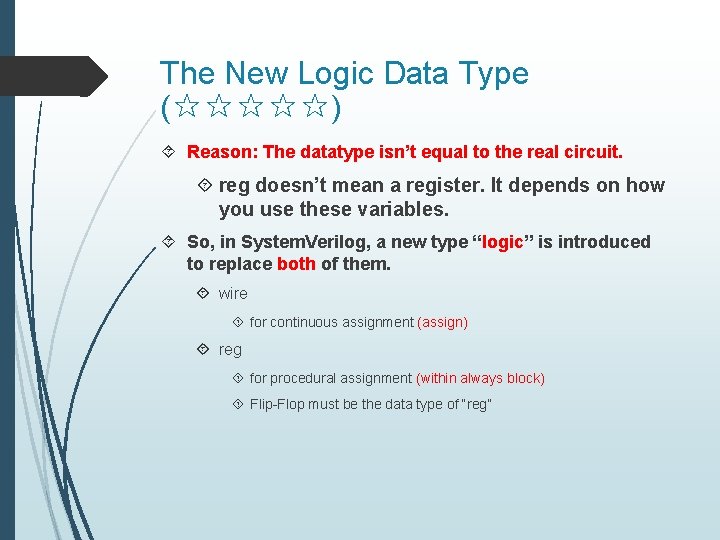
The New Logic Data Type (☆☆☆☆☆) Reason: The datatype isn’t equal to the real circuit. reg doesn’t mean a register. It depends on how you use these variables. So, in System. Verilog, a new type “logic” is introduced to replace both of them. wire for continuous assignment (assign) reg for procedural assignment (within always block) Flip-Flop must be the data type of “reg”
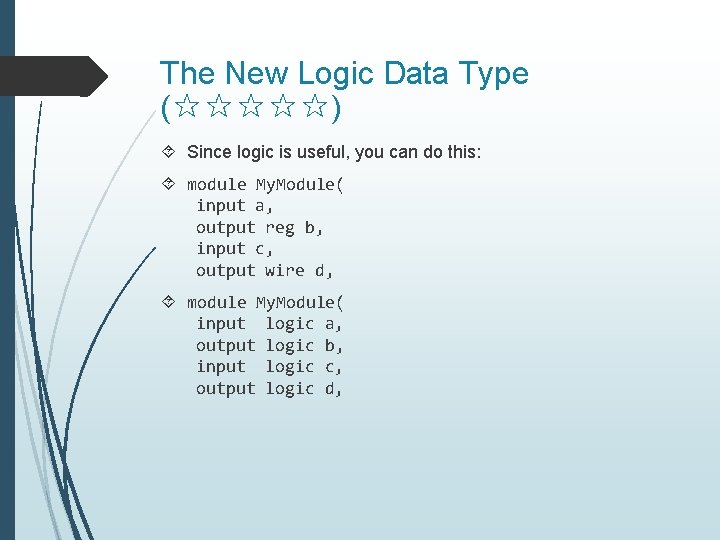
The New Logic Data Type (☆☆☆☆☆) Since logic is useful, you can do this: module My. Module( input a, output reg b, input c, output wire d, module My. Module( input logic a, output logic b, input logic c, output logic d,
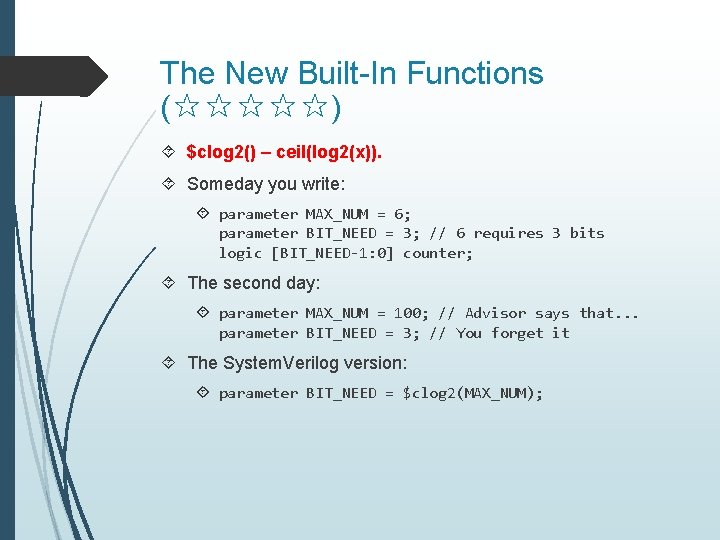
The New Built-In Functions (☆☆☆☆☆) $clog 2() – ceil(log 2(x)). Someday you write: parameter MAX_NUM = 6; parameter BIT_NEED = 3; // 6 requires 3 bits logic [BIT_NEED-1: 0] counter; The second day: parameter MAX_NUM = 100; // Advisor says that. . . parameter BIT_NEED = 3; // You forget it The System. Verilog version: parameter BIT_NEED = $clog 2(MAX_NUM);
![Multi-Dimension Improvements (☆☆☆☆☆) module Add. Four. Number( input [31: 0] a [0: 3], input](http://slidetodoc.com/presentation_image_h2/18f3c3a893d506c8c3858d9943e1596e/image-9.jpg "Multi-Dimension Improvements (☆☆☆☆☆) module Add. Four. Number( input [31: 0] a [0: 3], input")
Multi-Dimension Improvements (☆☆☆☆☆) module Add. Four. Number( input [31: 0] a [0: 3], input [31: 0] b [0: 3], output [31: 0] c [0: 3] ); assign c[0] = a[0]+b[0]; assign c[1] = a[1]+b[1]; assign c[2] = a[2]+b[2]; assign c[3] = a[3]+b[3]; endmodule
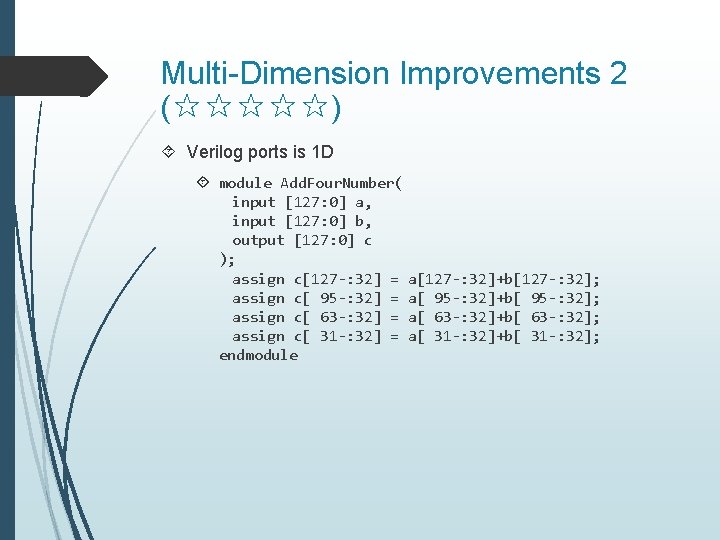
Multi-Dimension Improvements 2 (☆☆☆☆☆) Verilog ports is 1 D module Add. Four. Number( input [127: 0] a, input [127: 0] b, output [127: 0] c ); assign c[127 -: 32] = a[127 -: 32]+b[127 -: 32]; assign c[ 95 -: 32] = a[ 95 -: 32]+b[ 95 -: 32]; assign c[ 63 -: 32] = a[ 63 -: 32]+b[ 63 -: 32]; assign c[ 31 -: 32] = a[ 31 -: 32]+b[ 31 -: 32]; endmodule
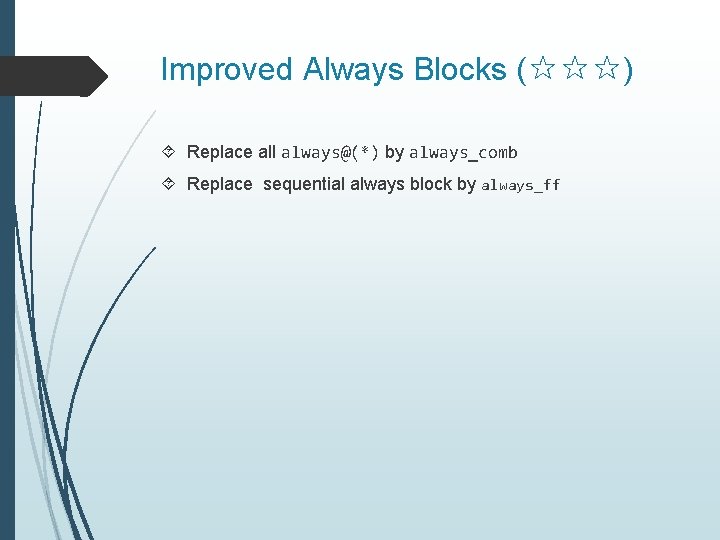
Improved Always Blocks (☆☆☆) Replace all always@(*) by always_comb Replace sequential always block by always_ff
Simpler For-Loop (☆☆☆☆) Don’t need to declare a global indices integer i; for (i=0; i<10; i=i+1) The System. Verilog Version is: for (int i=0; i<10; i++)
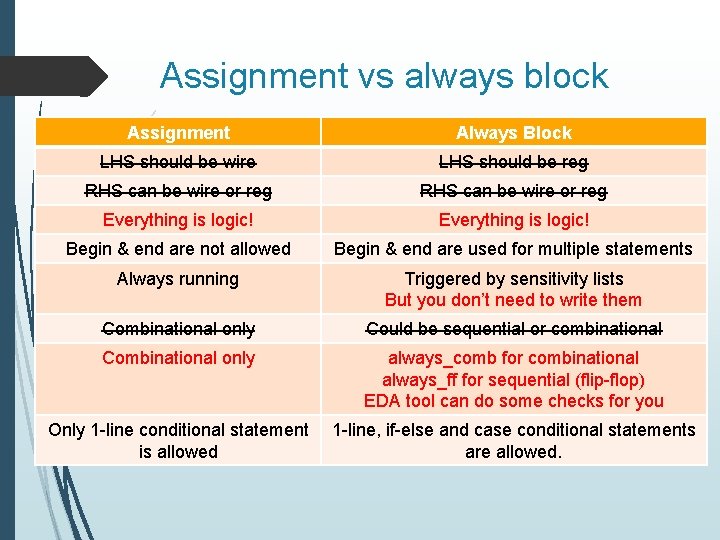
Assignment vs always block Assignment Always Block LHS should be wire LHS should be reg RHS can be wire or reg Everything is logic! Begin & end are not allowed Begin & end are used for multiple statements Always running Triggered by sensitivity lists But you don’t need to write them Combinational only Could be sequential or combinational Combinational only always_comb for combinational always_ff for sequential (flip-flop) EDA tool can do some checks for you Only 1 -line conditional statement is allowed 1 -line, if-else and case conditional statements are allowed.

Architecture Design
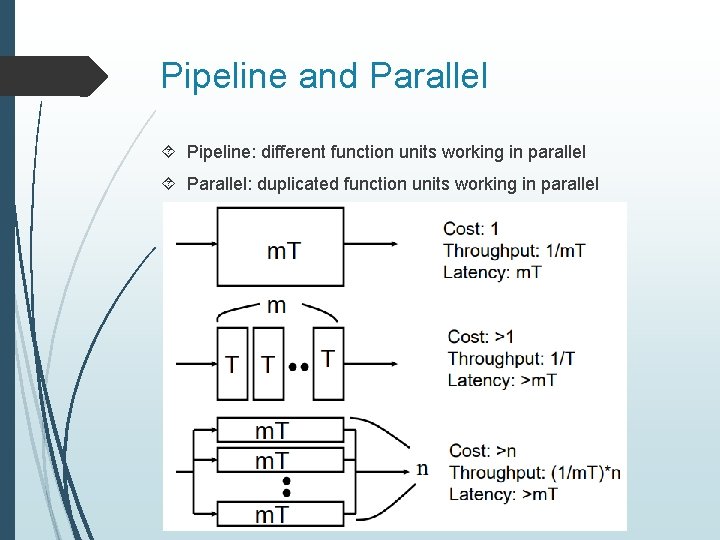
Pipeline and Parallel Pipeline: different function units working in parallel Parallel: duplicated function units working in parallel
Pipeline Advantages Reduce the critical path Increase the working frequency and sample rate Increase throughput Drawbacks Increasing latency (in cycle) Increase the number of registers
How to Do Pipelining Put pipelining registers across any feed-forward cutset of the graph Cutset A cutset is a set of edges of a graph such that if these edges are removed from the graph, the graph becomes disjoint Feed-forward cutset The data move in the forward direction on all the edges of the cutset
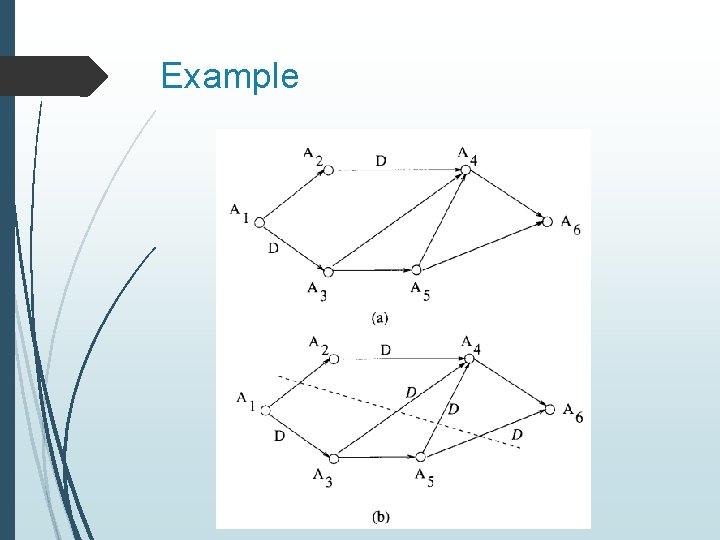
Example
Notes for Pipeline Pipelining is a very simple design technique which can maintain the input output data configuration and sampling frequency Tclk=Tsample Supported in many EDA tools Effective pipelining Put pipelining registers on the critical path Balance pipelining 10 →(2+8): critical path=8 10 →(5+5): critical path=5
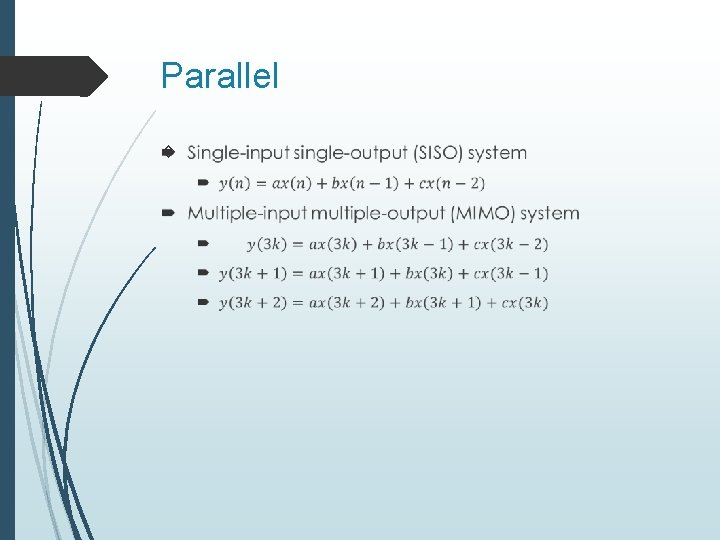
Parallel
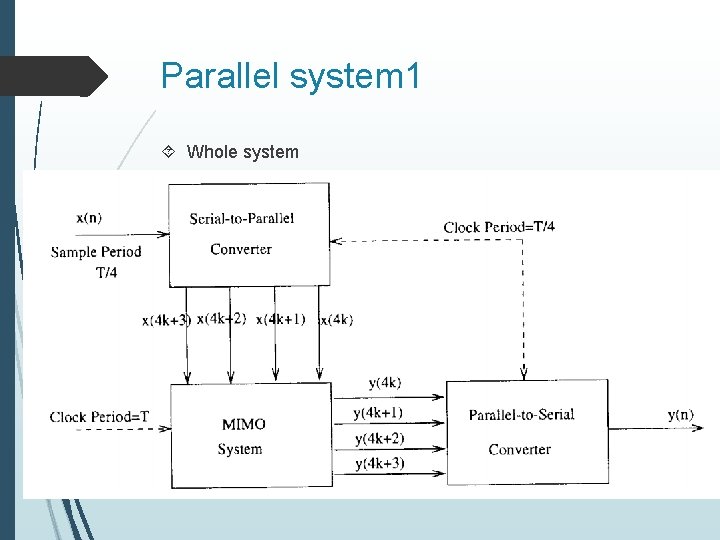
Parallel system 1 Whole system
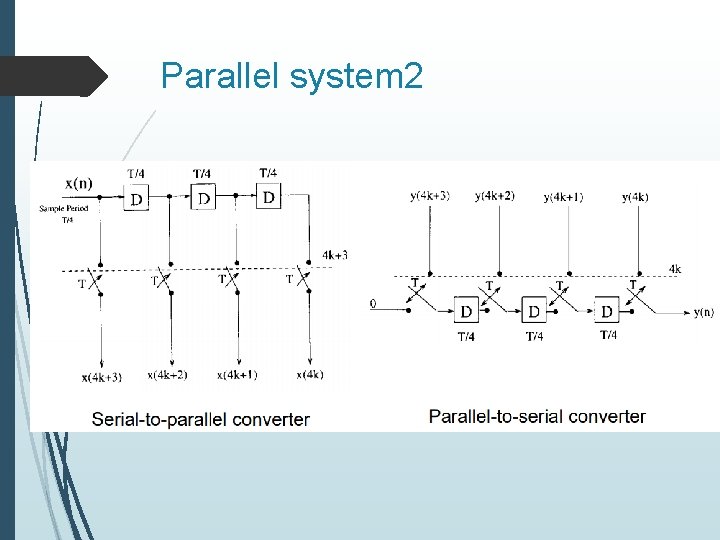
Parallel system 2
Notes for Parallel The input/output data access scheme should be carefully designed, it will cost a lot sometimes Tclk>Tsample, fclk<fsample Large hardware cost Combined with pipeline processing
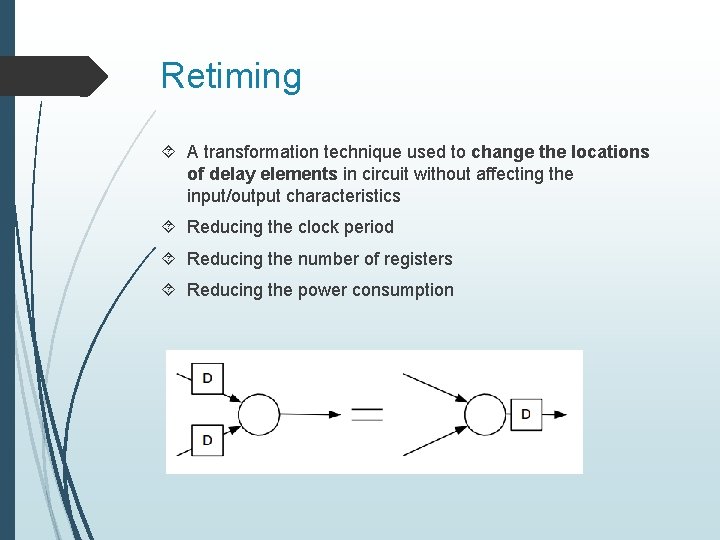
Retiming A transformation technique used to change the locations of delay elements in circuit without affecting the input/output characteristics Reducing the clock period Reducing the number of registers Reducing the power consumption
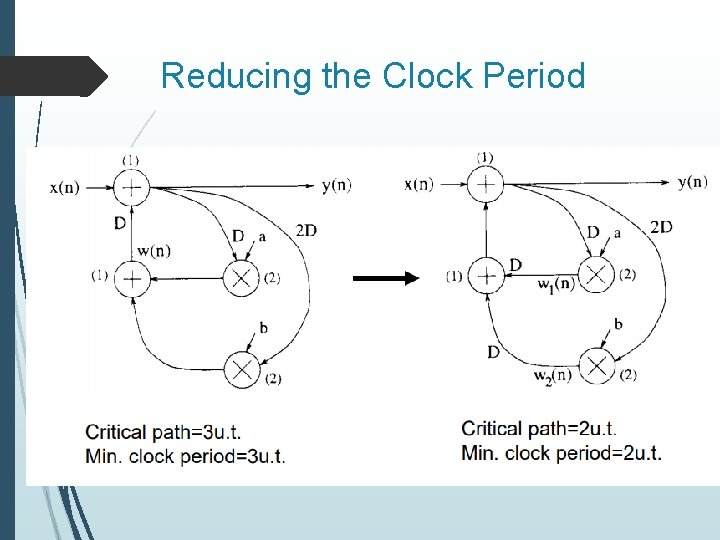
Reducing the Clock Period
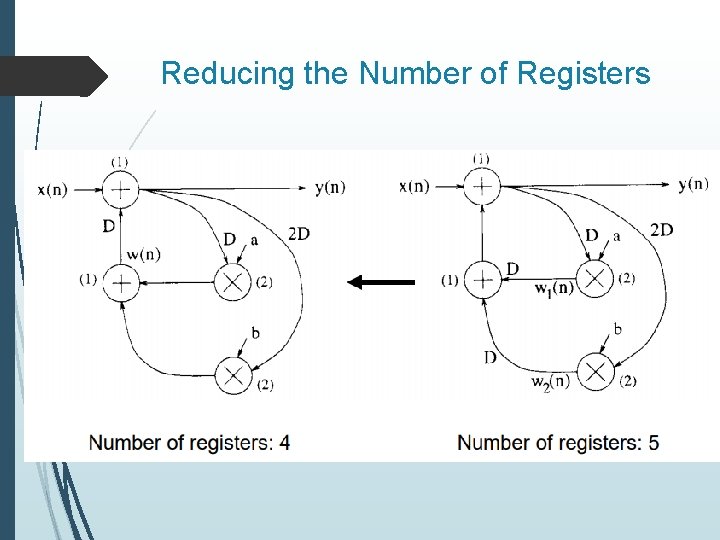
Reducing the Number of Registers
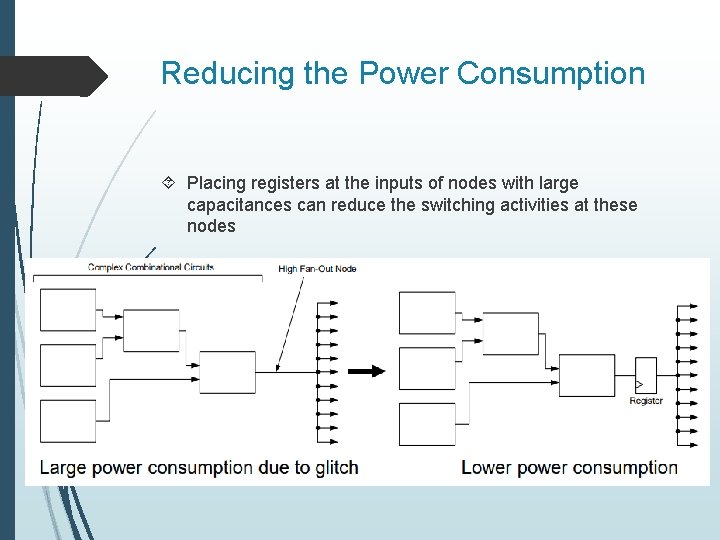
Reducing the Power Consumption Placing registers at the inputs of nodes with large capacitances can reduce the switching activities at these nodes
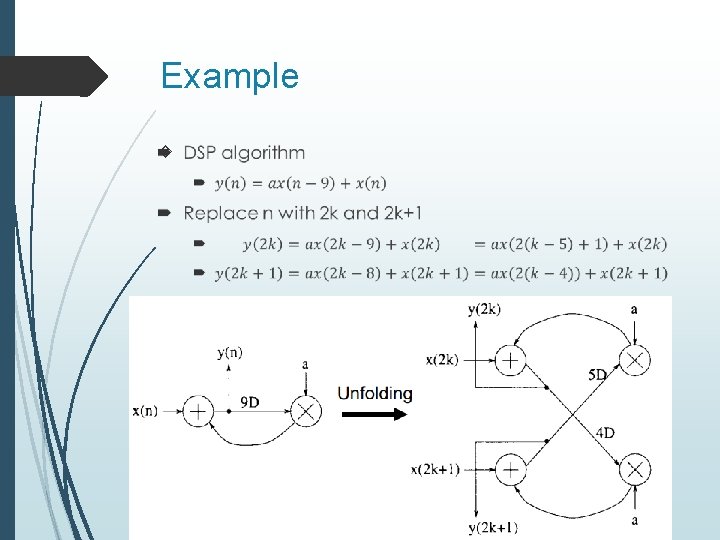
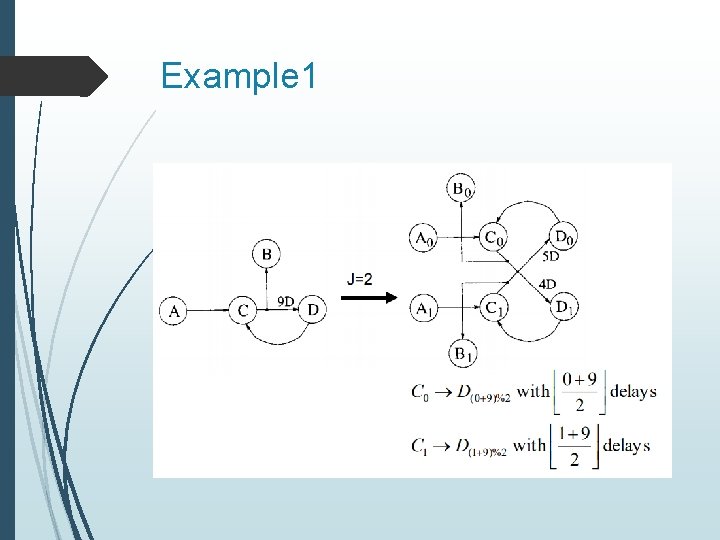
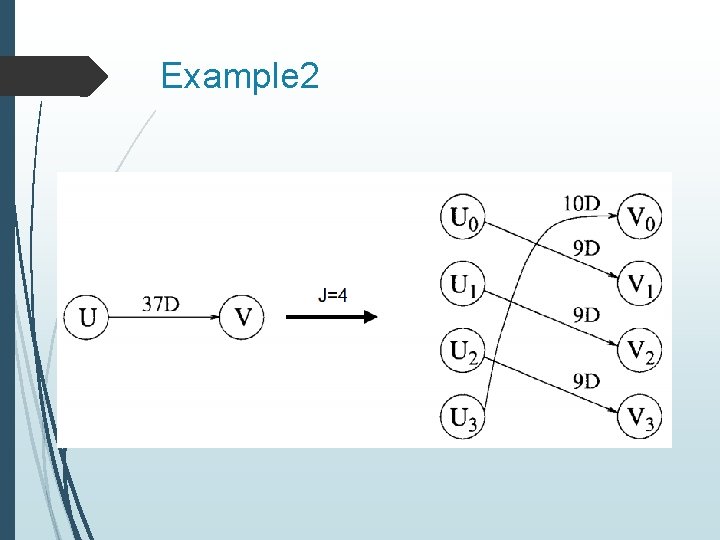
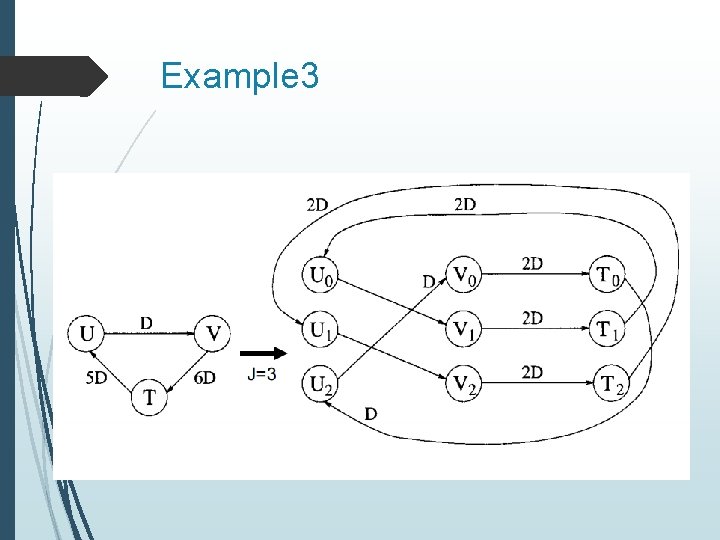
Unfolding is a transformation technique that can be applied to a DSP program to create a new program describing more than one iterations of the original program To reveal hidden concurrent so that the program can be scheduled to a smaller iteration period To design parallel architecture
Example
Example 1
Example 2
Example 3
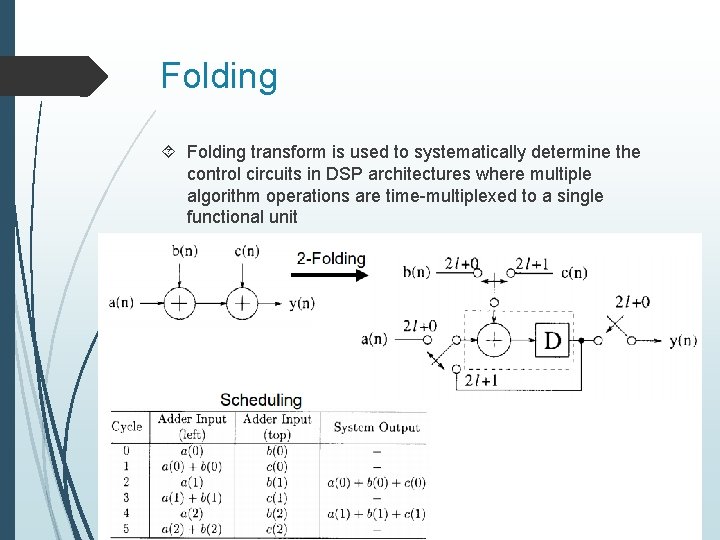
Folding transform is used to systematically determine the control circuits in DSP architectures where multiple algorithm operations are time-multiplexed to a single functional unit
Protocols
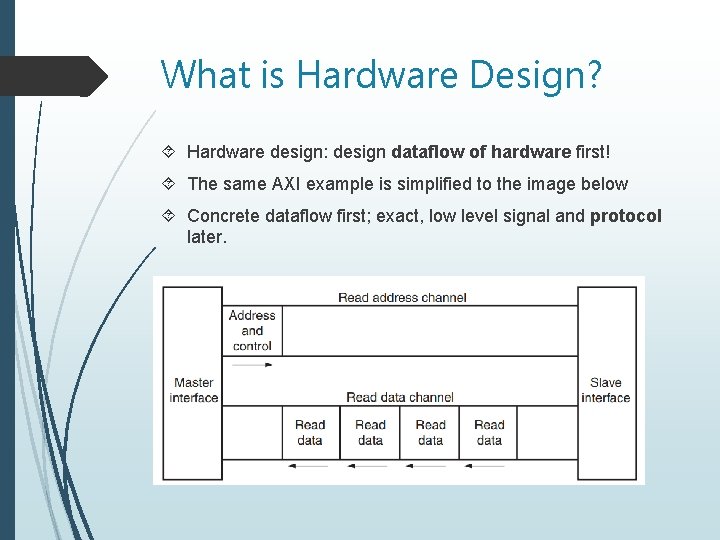
What is Hardware Design? Hardware design: design dataflow of hardware first! The same AXI example is simplified to the image below Concrete dataflow first; exact, low level signal and protocol later.
Importance of Protocol in Hardware Design as dataflow, implement as protocol. Benefits: Reuse verification. Play-and-Plug. Uniform code. Widely used and easy to understand. Protocol must be simple: Handshake (2 -wire) Streaming (1 -wire)
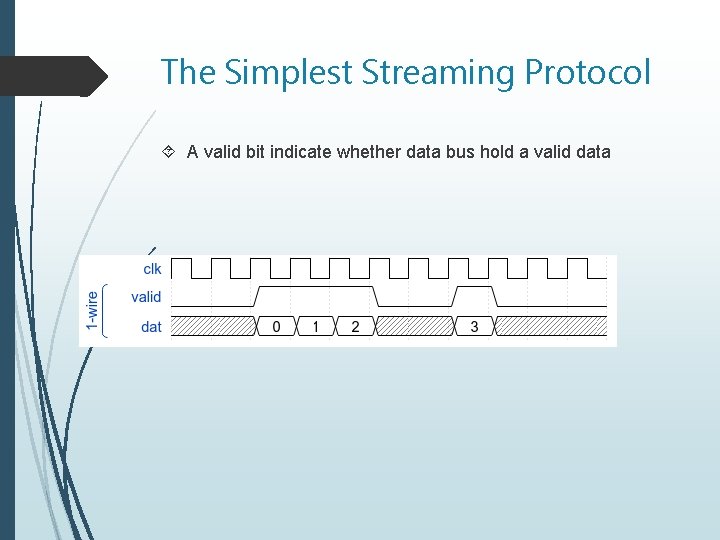
The Simplest Streaming Protocol A valid bit indicate whether data bus hold a valid data
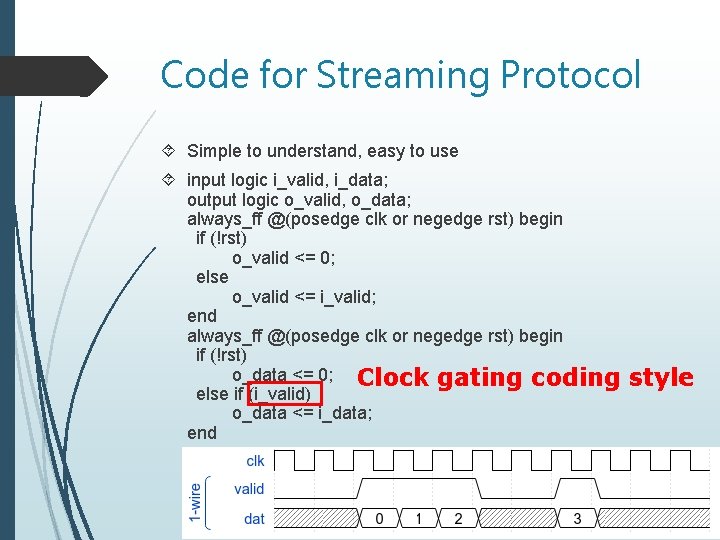
Code for Streaming Protocol Simple to understand, easy to use input logic i_valid, i_data; output logic o_valid, o_data; always_ff @(posedge clk or negedge rst) begin if (!rst) o_valid <= 0; else o_valid <= i_valid; end always_ff @(posedge clk or negedge rst) begin if (!rst) o_data <= 0; Clock gating coding else if (i_valid) o_data <= i_data; end style
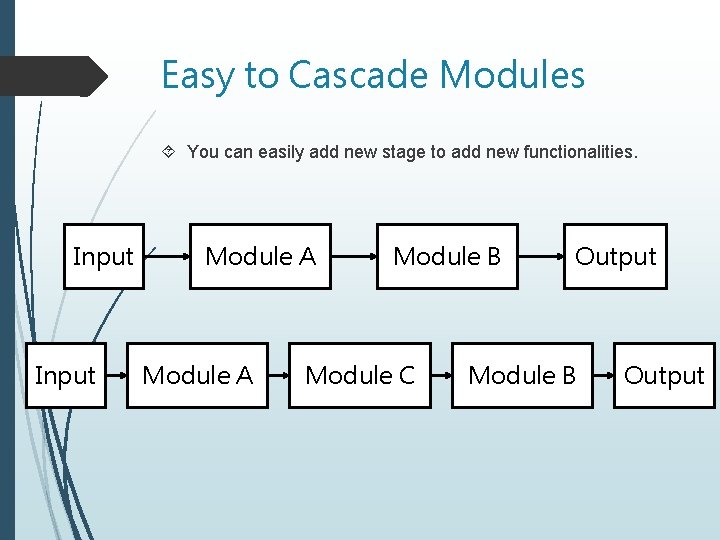
Easy to Cascade Modules You can easily add new stage to add new functionalities. Input Module A Module B Module C Output Module B Output
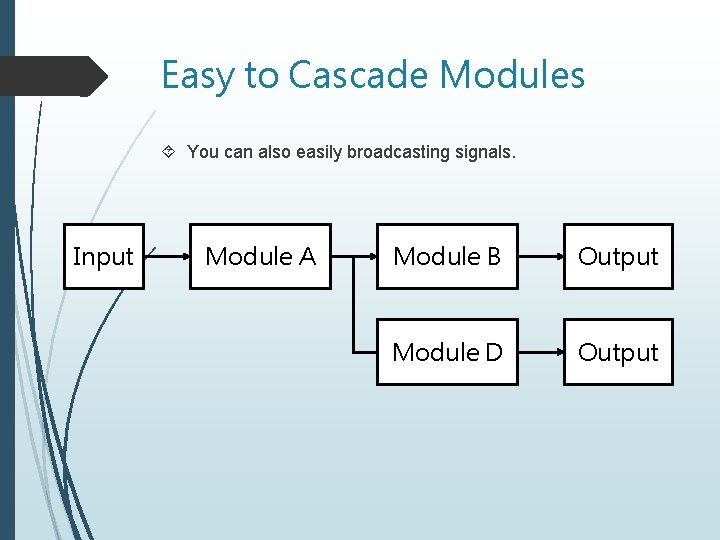
Easy to Cascade Modules You can also easily broadcasting signals. Input Module A Module B Output Module D Output
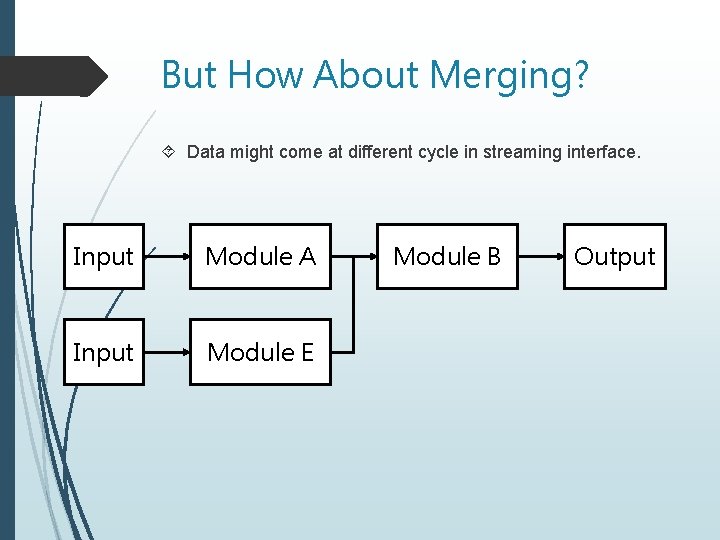
But How About Merging? Data might come at different cycle in streaming interface. Input Module A Input Module E Module B Output
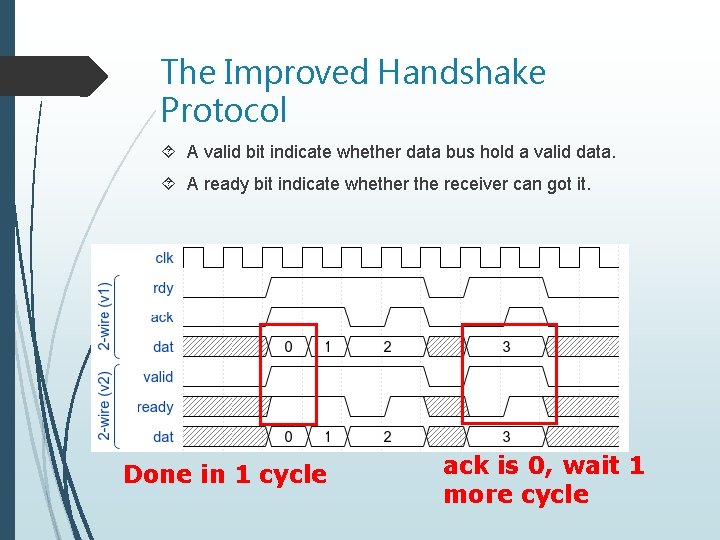
The Improved Handshake Protocol A valid bit indicate whether data bus hold a valid data. A ready bit indicate whether the receiver can got it. Done in 1 cycle ack is 0, wait 1 more cycle
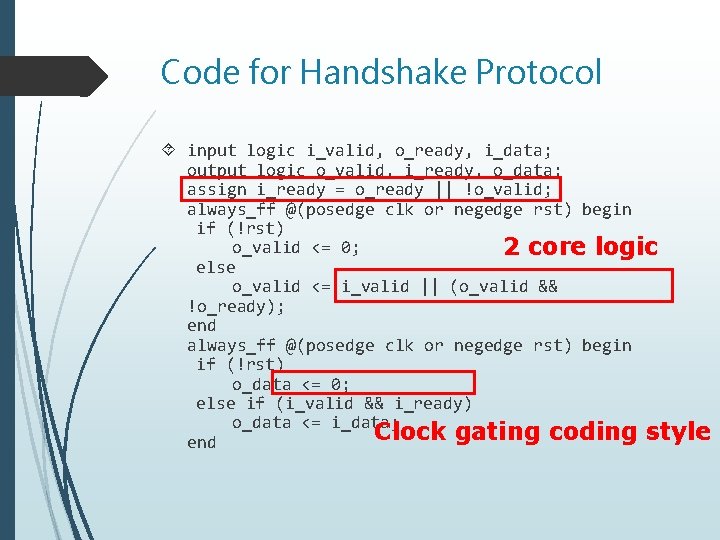
Code for Handshake Protocol input logic i_valid, o_ready, i_data; output logic o_valid, i_ready, o_data; assign i_ready = o_ready || !o_valid; always_ff @(posedge clk or negedge rst) begin if (!rst) o_valid <= 0; 2 core logic else o_valid <= i_valid || (o_valid && !o_ready); end always_ff @(posedge clk or negedge rst) begin if (!rst) o_data <= 0; else if (i_valid && i_ready) o_data <= i_data; Clock gating coding style end
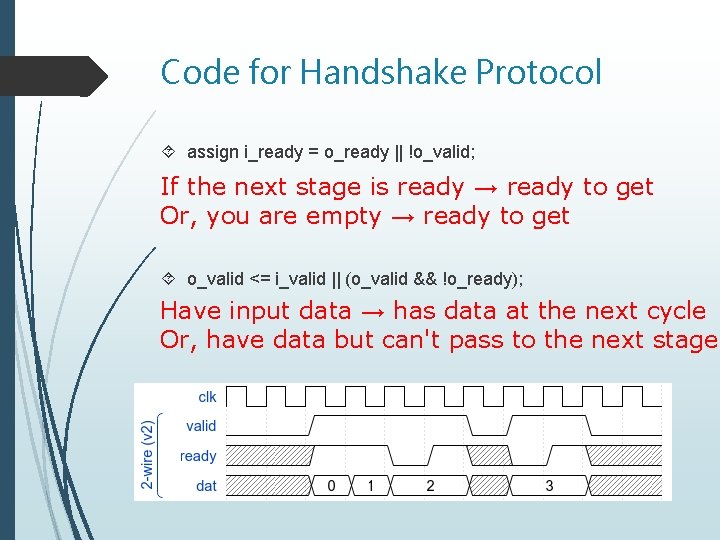
Code for Handshake Protocol assign i_ready = o_ready || !o_valid; If the next stage is ready → ready to get Or, you are empty → ready to get o_valid <= i_valid || (o_valid && !o_ready); Have input data → has data at the next cycle Or, have data but can't pass to the next stage
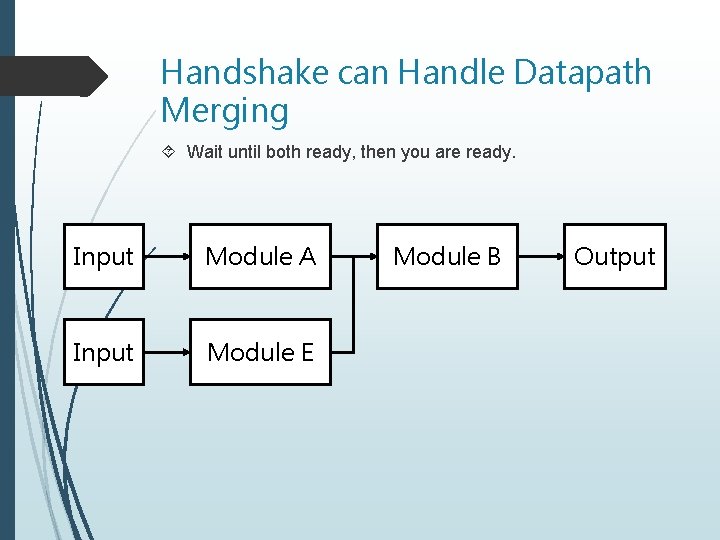
Handshake can Handle Datapath Merging Wait until both ready, then you are ready. Input Module A Input Module E Module B Output
Brief Summarize Streaming (1 -wire) protocol. Very simple to use. But large, be sure you can always receive the data. Handshake (2 -wire) protocol. Can stop the data input. Very commonly used!! Both make easy-to-understand hardware pipeline. Both are widely used in industries.
- Slides: 46