
Handson exercises Getting started with the GUI Starting



- Slides: 28
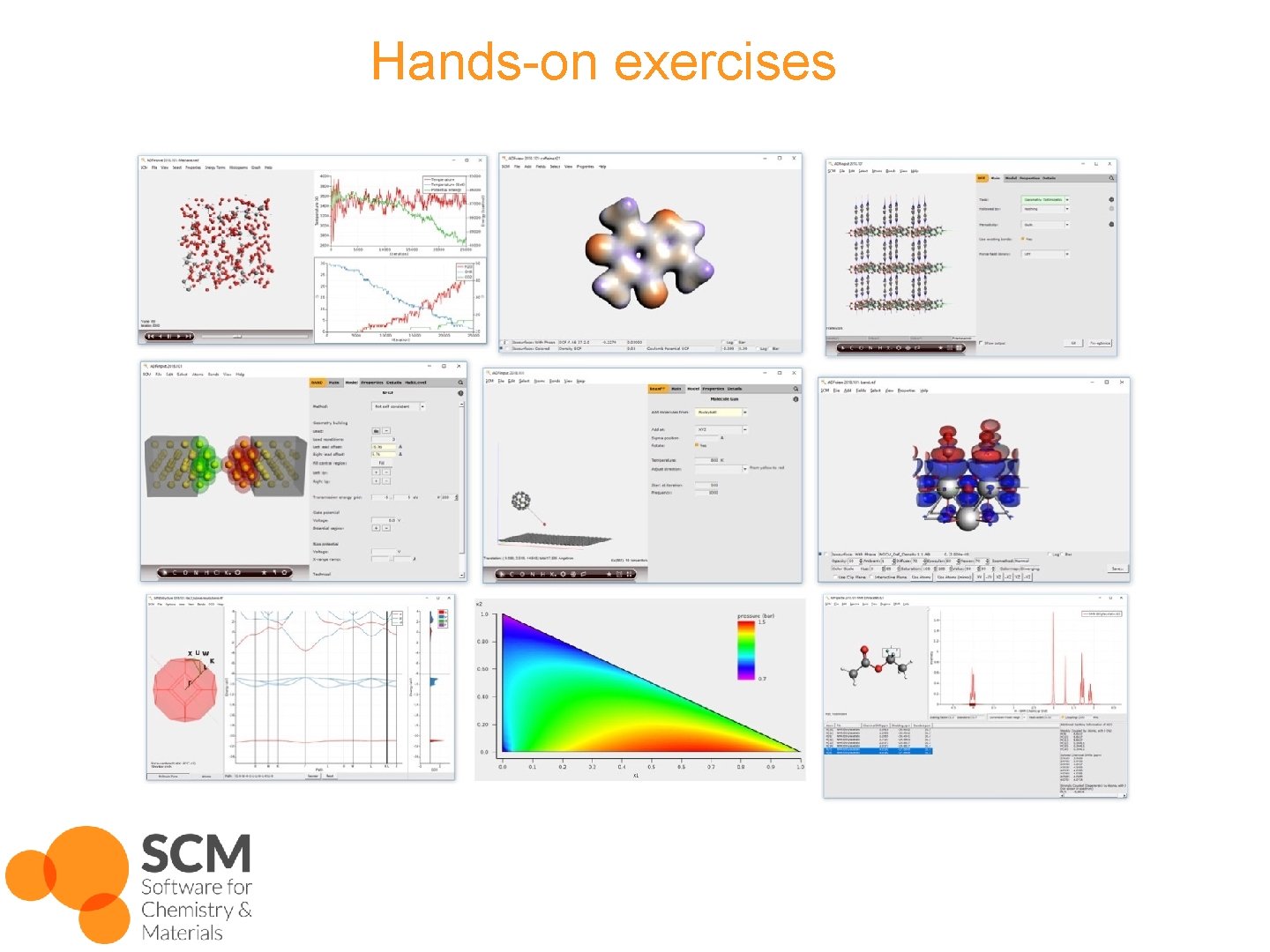
Hands-on exercises
Getting started with the GUI Starting ADFjobs: job bookkeeping tool • Win: dbl-click desktop item • Mac: open Application • Linux: run $ADFBIN/adfjobs • Other GUI modules: (Input, View, Levels, Movie, Spectra, Band Structure, ADFTrain, COSMO-RS, …) o Can be opened by dbl-clicking ‘. exe’ (Win) or opening e. g. ‘$ADFBIN/adfinput’ AMS hands-on workshop NTU, 22 May 2019 © SCM 2
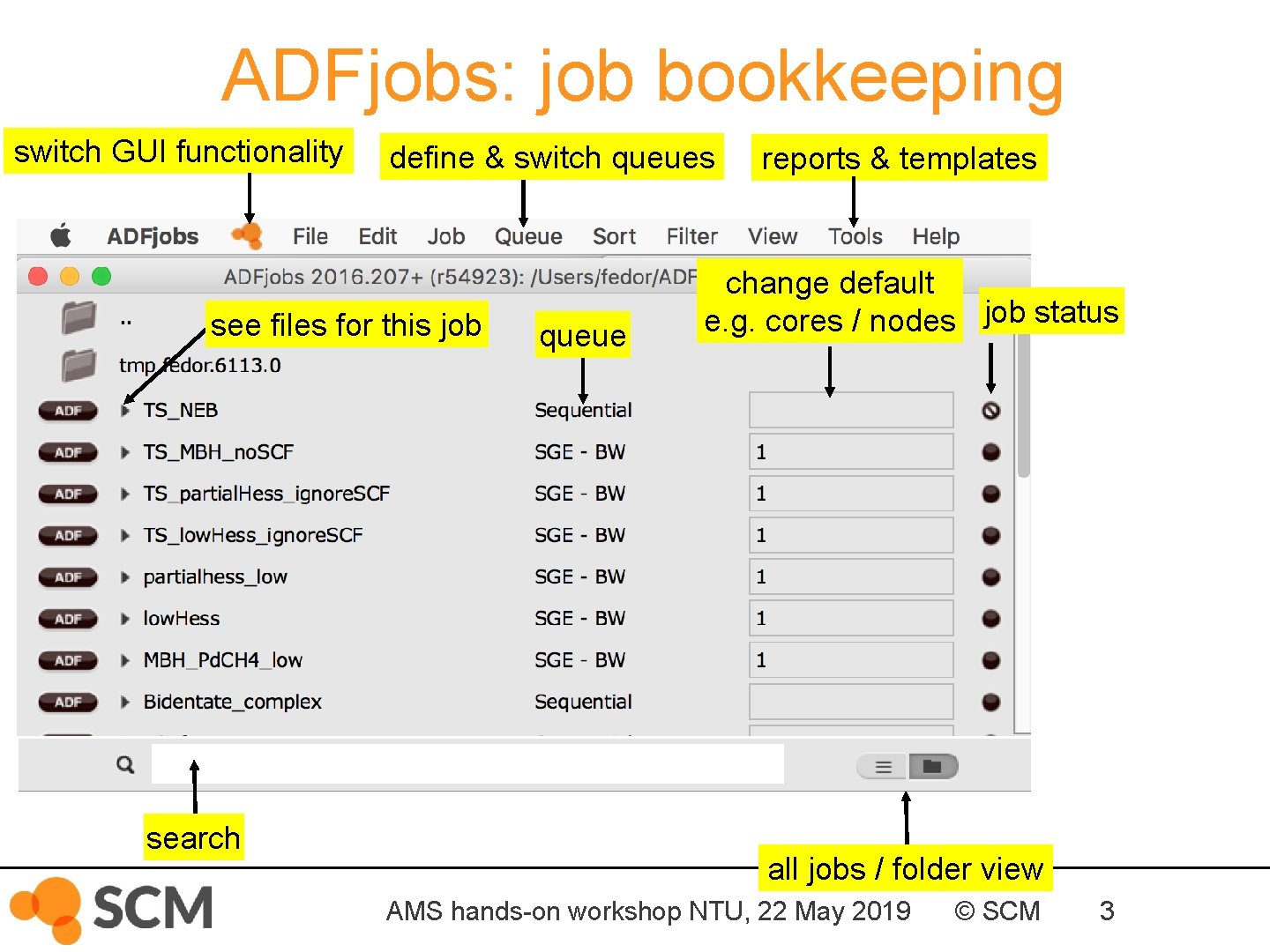
ADFjobs: job bookkeeping switch GUI functionality define & switch queues see files for this job search queue reports & templates change default e. g. cores / nodes job status all jobs / folder view AMS hands-on workshop NTU, 22 May 2019 © SCM 3
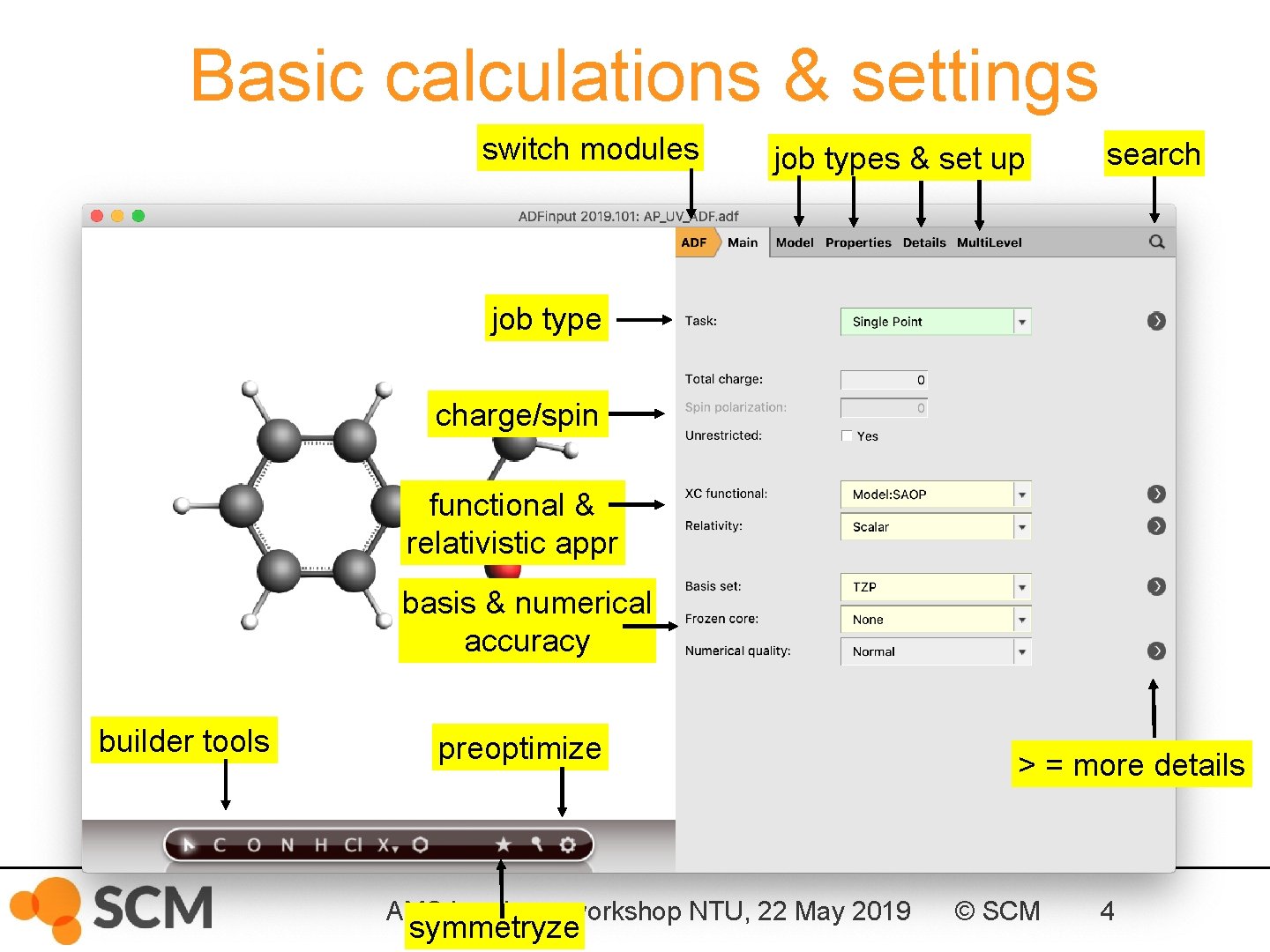
Basic calculations & settings switch modules job types & set up search job type charge/spin functional & relativistic appr basis & numerical accuracy builder tools preoptimize AMS hands-on workshop NTU, 22 May 2019 symmetryze > = more details © SCM 4
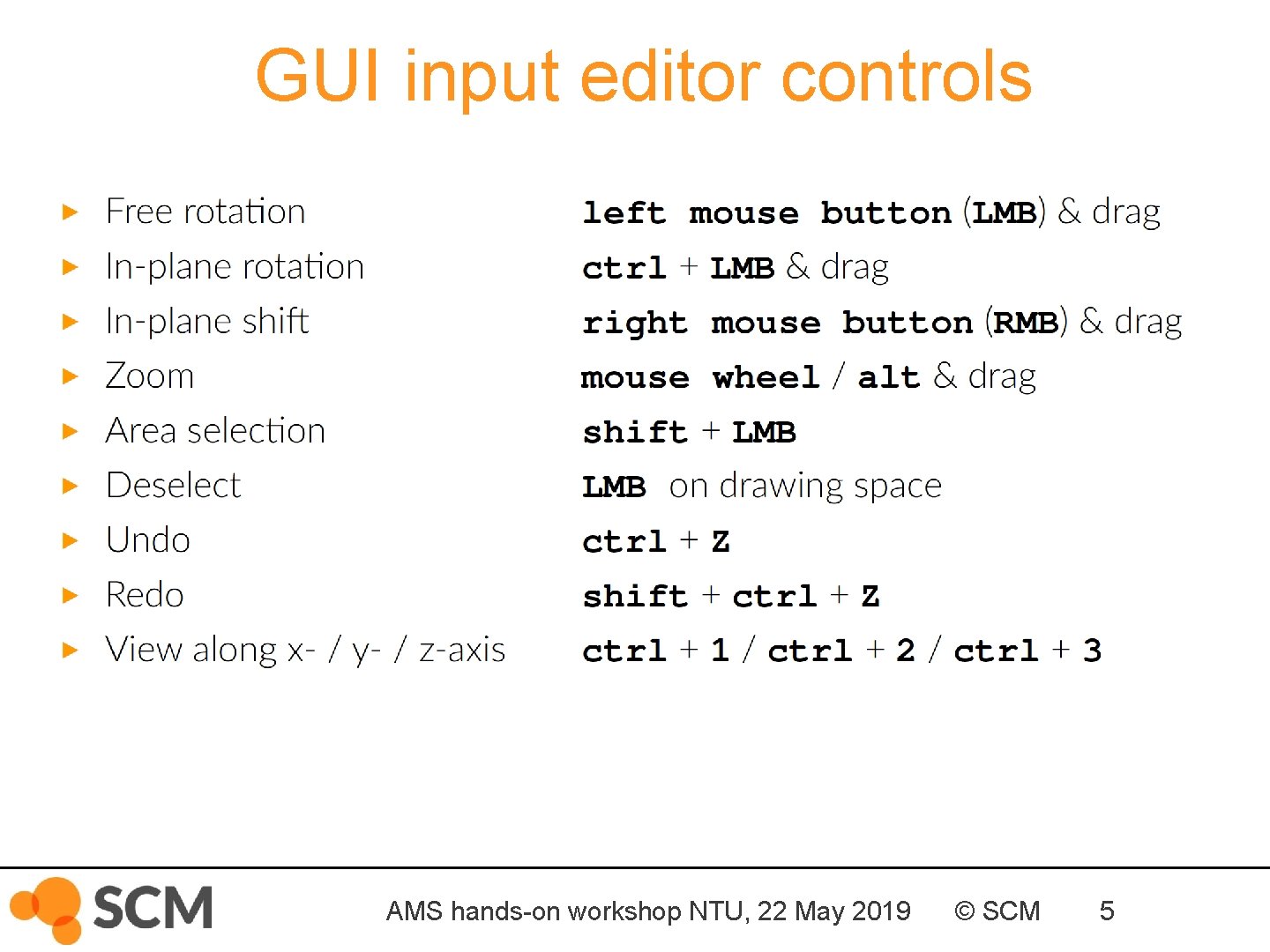
GUI input editor controls AMS hands-on workshop NTU, 22 May 2019 © SCM 5
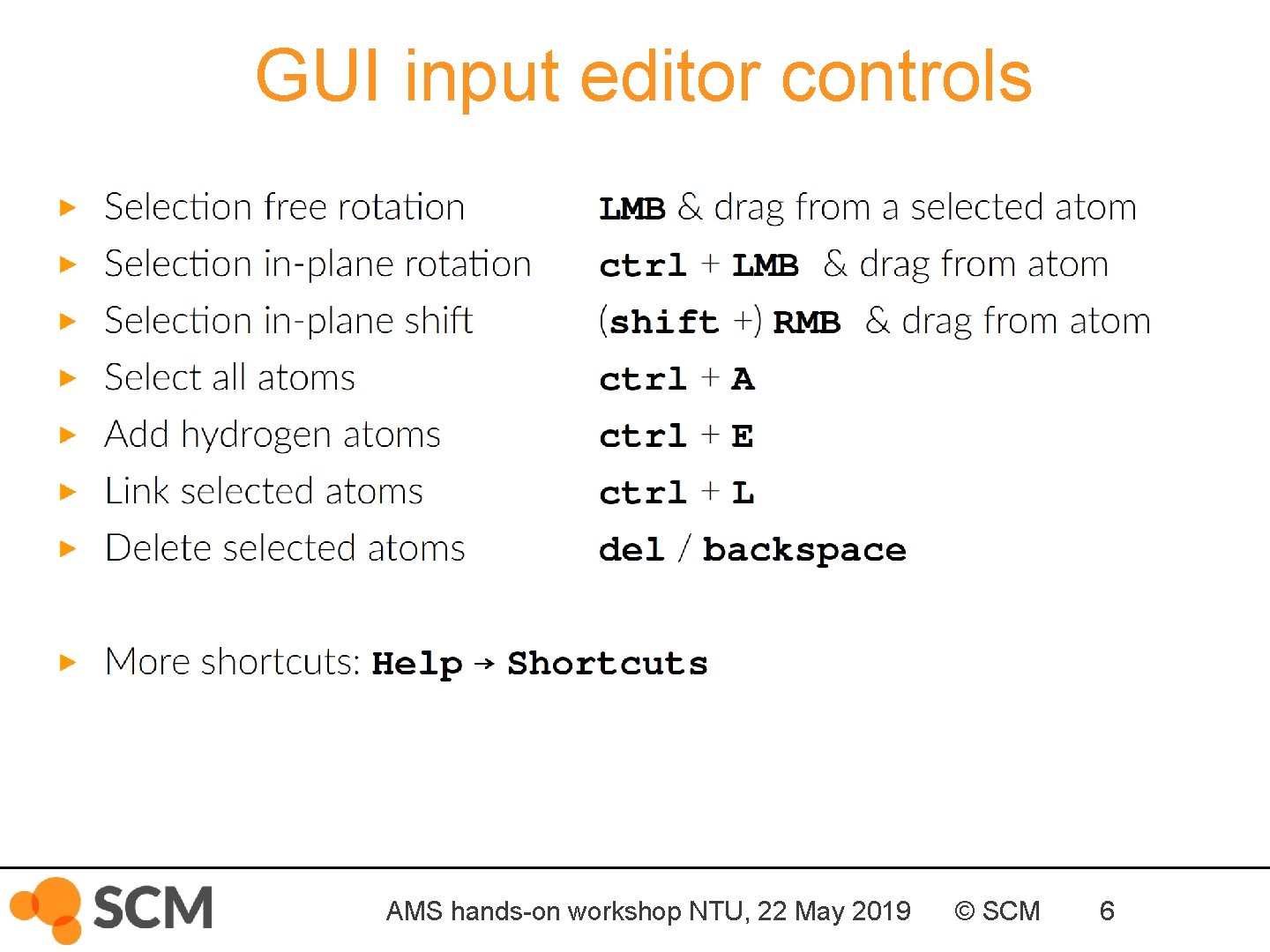
GUI input editor controls AMS hands-on workshop NTU, 22 May 2019 © SCM 6
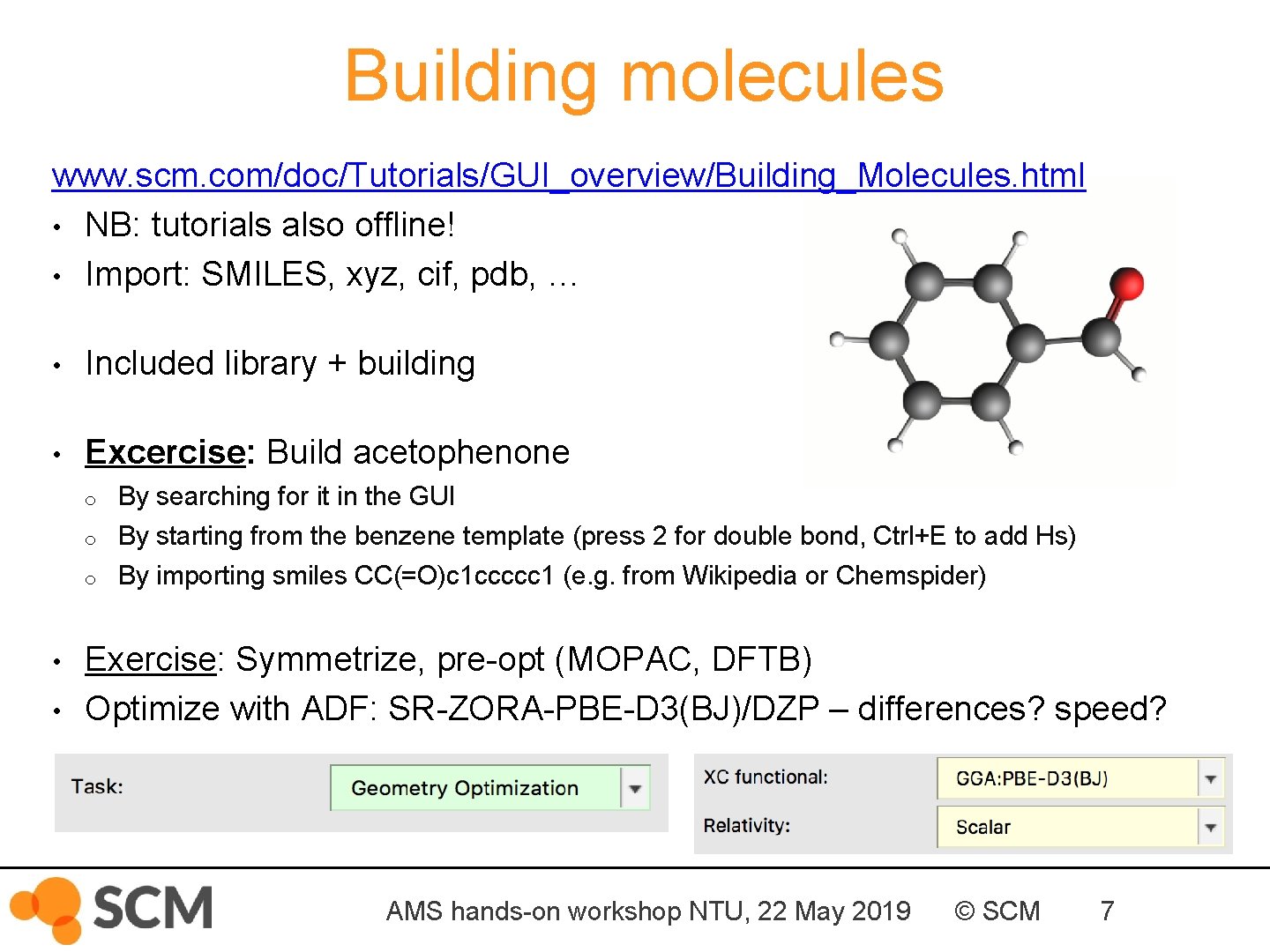
Building molecules www. scm. com/doc/Tutorials/GUI_overview/Building_Molecules. html • NB: tutorials also offline! • Import: SMILES, xyz, cif, pdb, … • Included library + building • Excercise: Build acetophenone o o o • • By searching for it in the GUI By starting from the benzene template (press 2 for double bond, Ctrl+E to add Hs) By importing smiles CC(=O)c 1 ccccc 1 (e. g. from Wikipedia or Chemspider) Exercise: Symmetrize, pre-opt (MOPAC, DFTB) Optimize with ADF: SR-ZORA-PBE-D 3(BJ)/DZP – differences? speed? AMS hands-on workshop NTU, 22 May 2019 © SCM 7
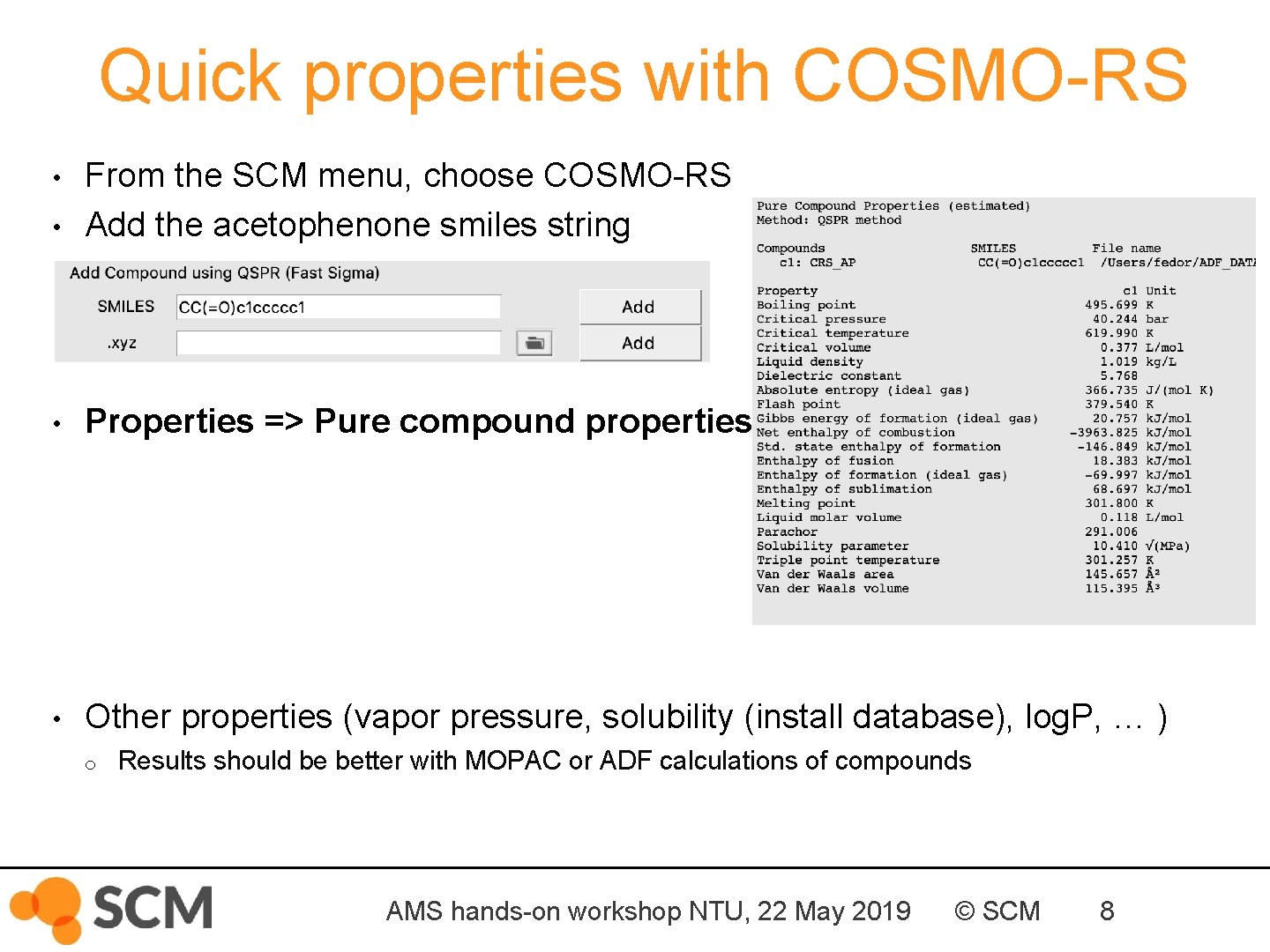
Quick properties with COSMO-RS • From the SCM menu, choose COSMO-RS Add the acetophenone smiles string • Properties => Pure compound properties • Other properties (vapor pressure, solubility (install database), log. P, … ) • o Results should be better with MOPAC or ADF calculations of compounds AMS hands-on workshop NTU, 22 May 2019 © SCM 8
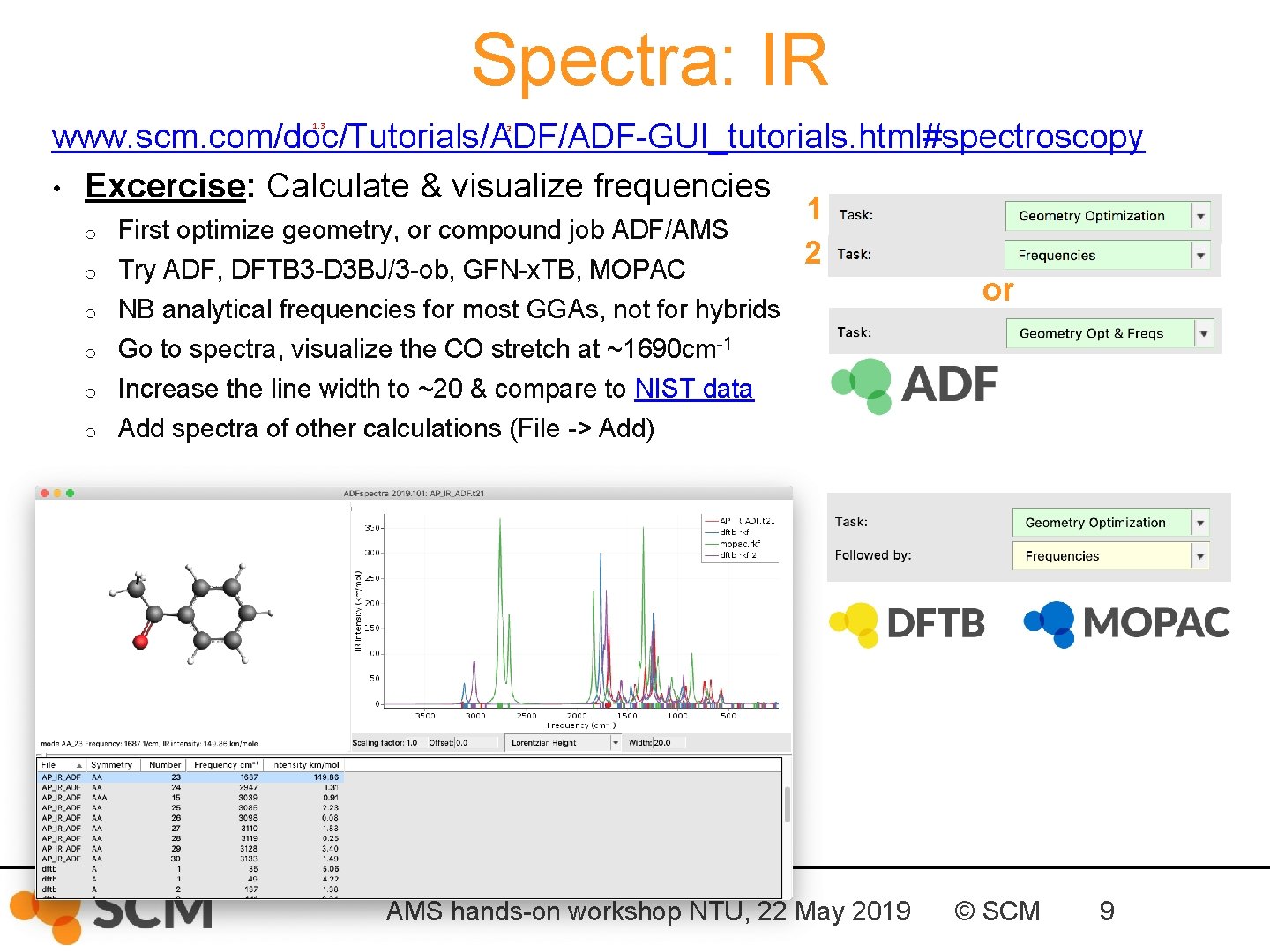
Spectra: IR www. scm. com/doc/Tutorials/ADF-GUI_tutorials. html#spectroscopy • Excercise: Calculate & visualize frequencies 1. 3 o o o 2. First optimize geometry, or compound job ADF/AMS Try ADF, DFTB 3 -D 3 BJ/3 -ob, GFN-x. TB, MOPAC NB analytical frequencies for most GGAs, not for hybrids Go to spectra, visualize the CO stretch at ~1690 cm-1 Increase the line width to ~20 & compare to NIST data Add spectra of other calculations (File -> Add) 1 2 AMS hands-on workshop NTU, 22 May 2019 or © SCM 9
Spectra: UV/VIS • Exercise: o With ADF: calculate 10 allowed excitations § use SAOP model potential, DZP (or TZP), no core See also UV/VIS FAQ for more tips Go to spectra, change x-axis to nm Increase the line width to ~10 Visualize the pi-pi* NTOs at ~250 & 285 nm Compare to NIST data Now rerun with method ‘s. TDA’ and tick TDA Also try TD-DFT+TB (ADF) and TDDFTB (DFTB 3 -D 3 BJ/3 -ob, QN 2013, GFN-x. TB) o Compare timings & spectra (File -> add spectra) o o o o AMS hands-on workshop NTU, 22 May 2019 © SCM 10
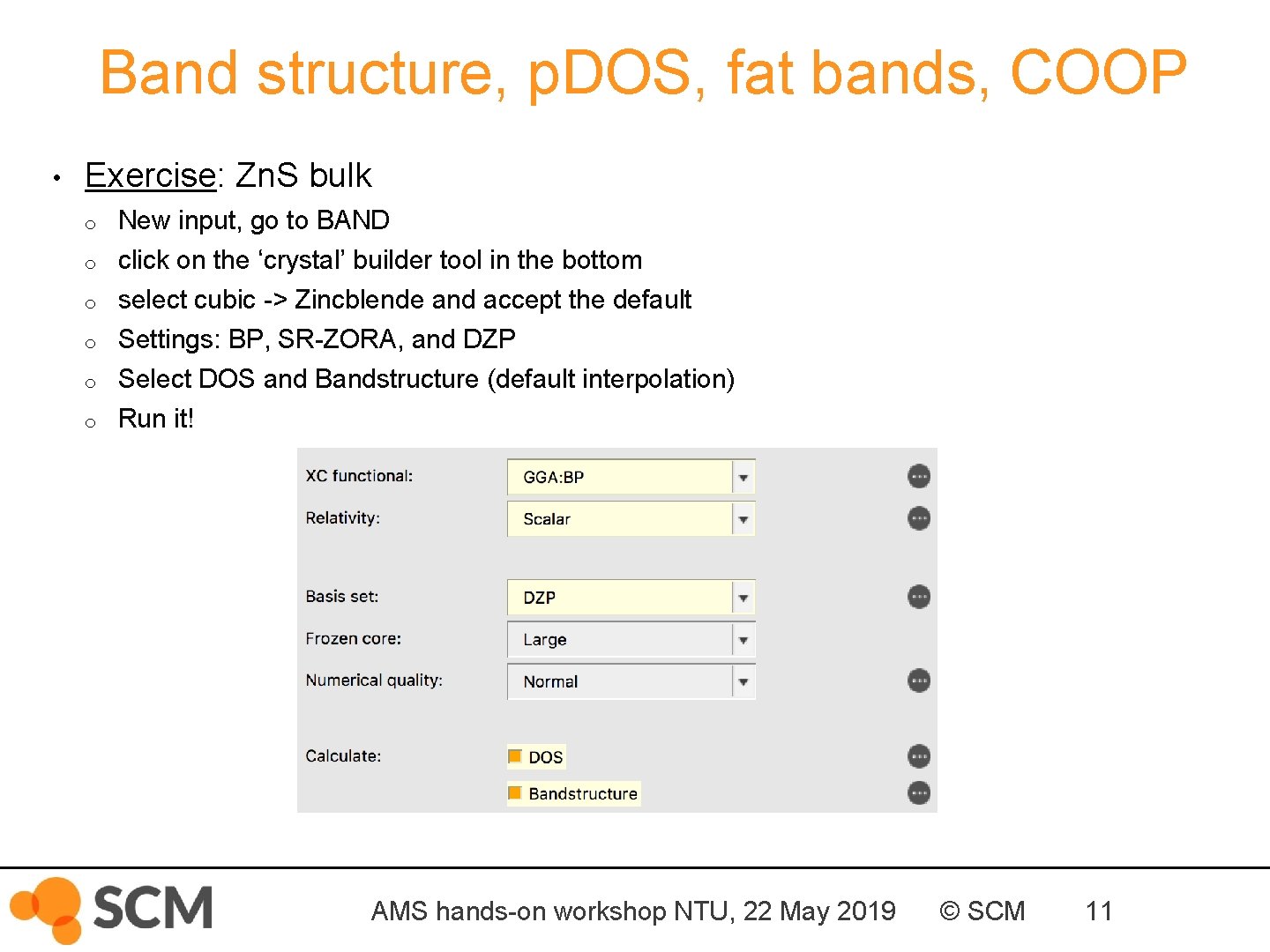
Band structure, p. DOS, fat bands, COOP • Exercise: Zn. S bulk o o o New input, go to BAND click on the ‘crystal’ builder tool in the bottom select cubic -> Zincblende and accept the default Settings: BP, SR-ZORA, and DZP Select DOS and Bandstructure (default interpolation) Run it! AMS hands-on workshop NTU, 22 May 2019 © SCM 11
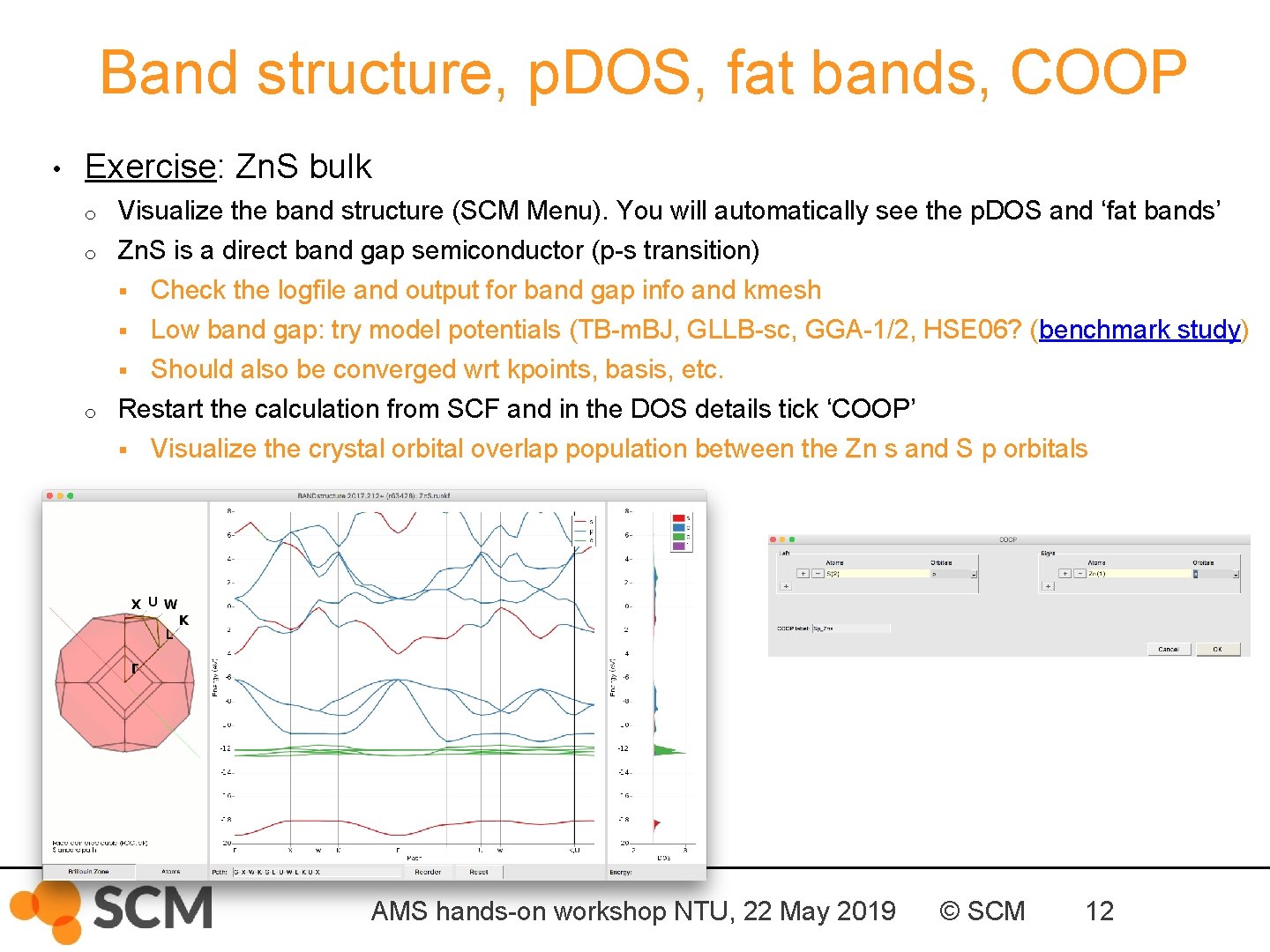
Band structure, p. DOS, fat bands, COOP • Exercise: Zn. S bulk o Visualize the band structure (SCM Menu). You will automatically see the p. DOS and ‘fat bands’ o Zn. S is a direct band gap semiconductor (p-s transition) § Check the logfile and output for band gap info and kmesh § Low band gap: try model potentials (TB-m. BJ, GLLB-sc, GGA-1/2, HSE 06? (benchmark study) § Should also be converged wrt kpoints, basis, etc. Restart the calculation from SCF and in the DOS details tick ‘COOP’ § Visualize the crystal orbital overlap population between the Zn s and S p orbitals o AMS hands-on workshop NTU, 22 May 2019 © SCM 12
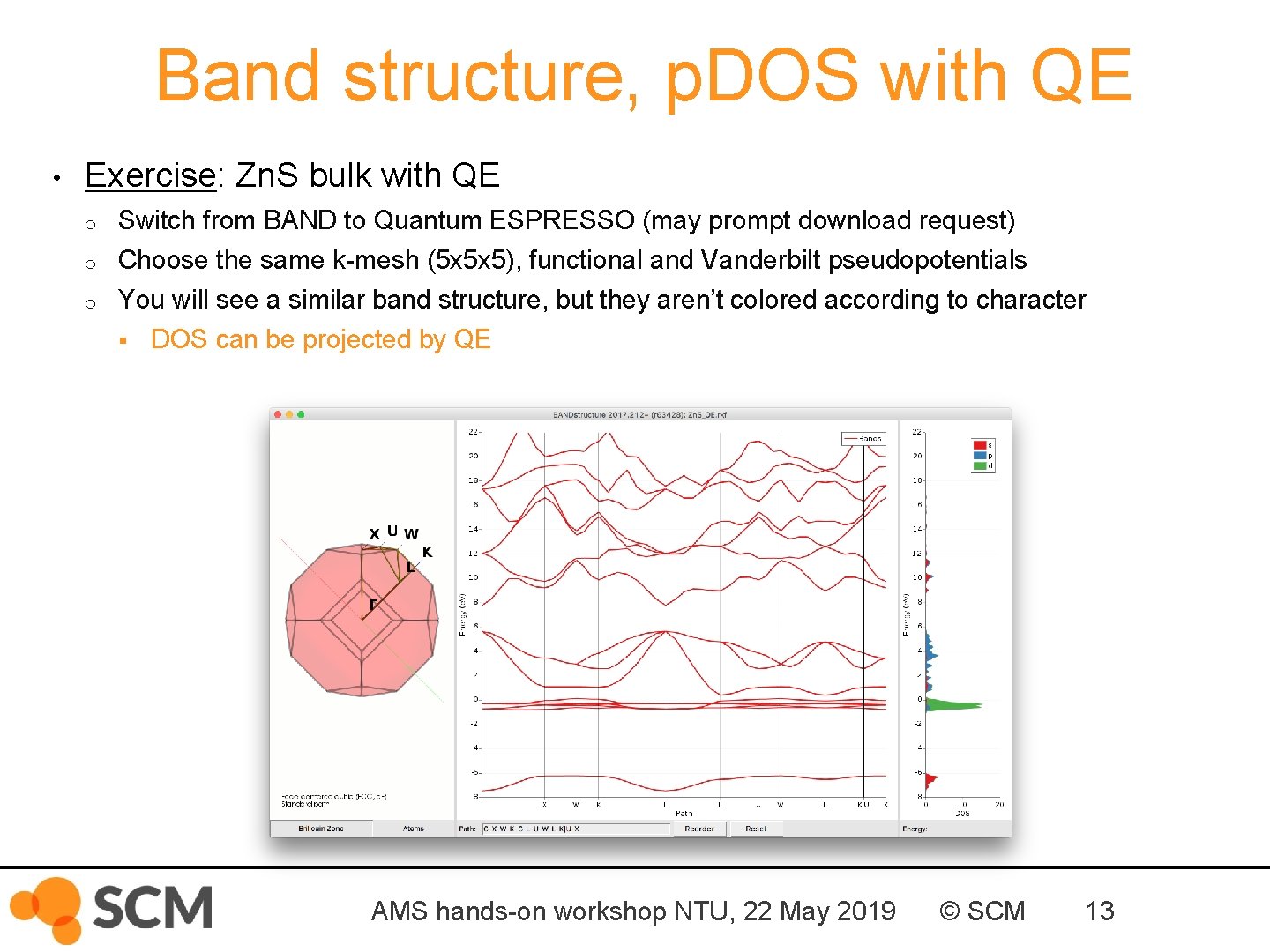
Band structure, p. DOS with QE • Exercise: Zn. S bulk with QE o o o Switch from BAND to Quantum ESPRESSO (may prompt download request) Choose the same k-mesh (5 x 5 x 5), functional and Vanderbilt pseudopotentials You will see a similar band structure, but they aren’t colored according to character § DOS can be projected by QE AMS hands-on workshop NTU, 22 May 2019 © SCM 13
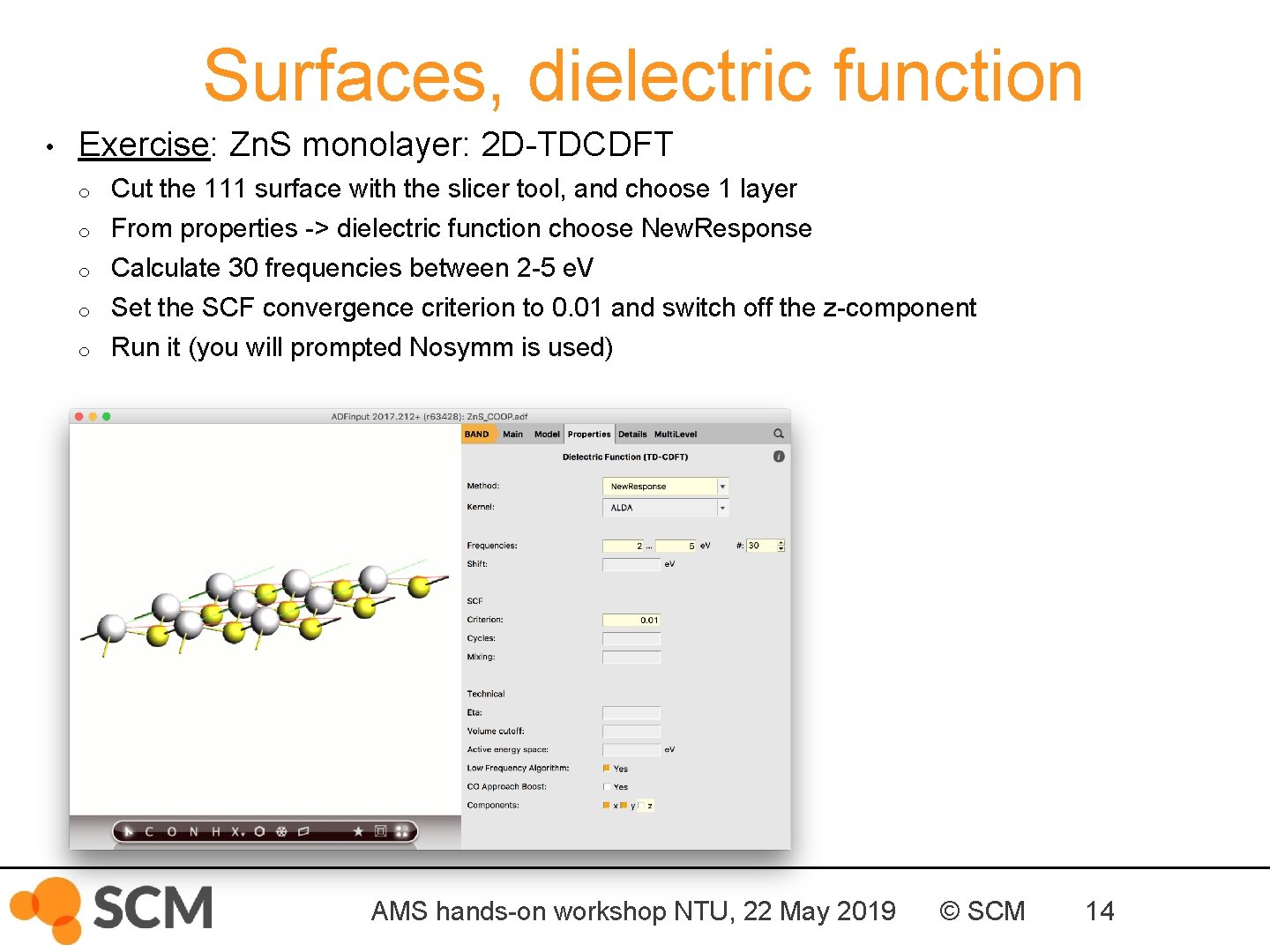
Surfaces, dielectric function • Exercise: Zn. S monolayer: 2 D-TDCDFT o Cut the 111 surface with the slicer tool, and choose 1 layer o From properties -> dielectric function choose New. Response Calculate 30 frequencies between 2 -5 e. V Set the SCF convergence criterion to 0. 01 and switch off the z-component Run it (you will prompted Nosymm is used) o o o AMS hands-on workshop NTU, 22 May 2019 © SCM 14
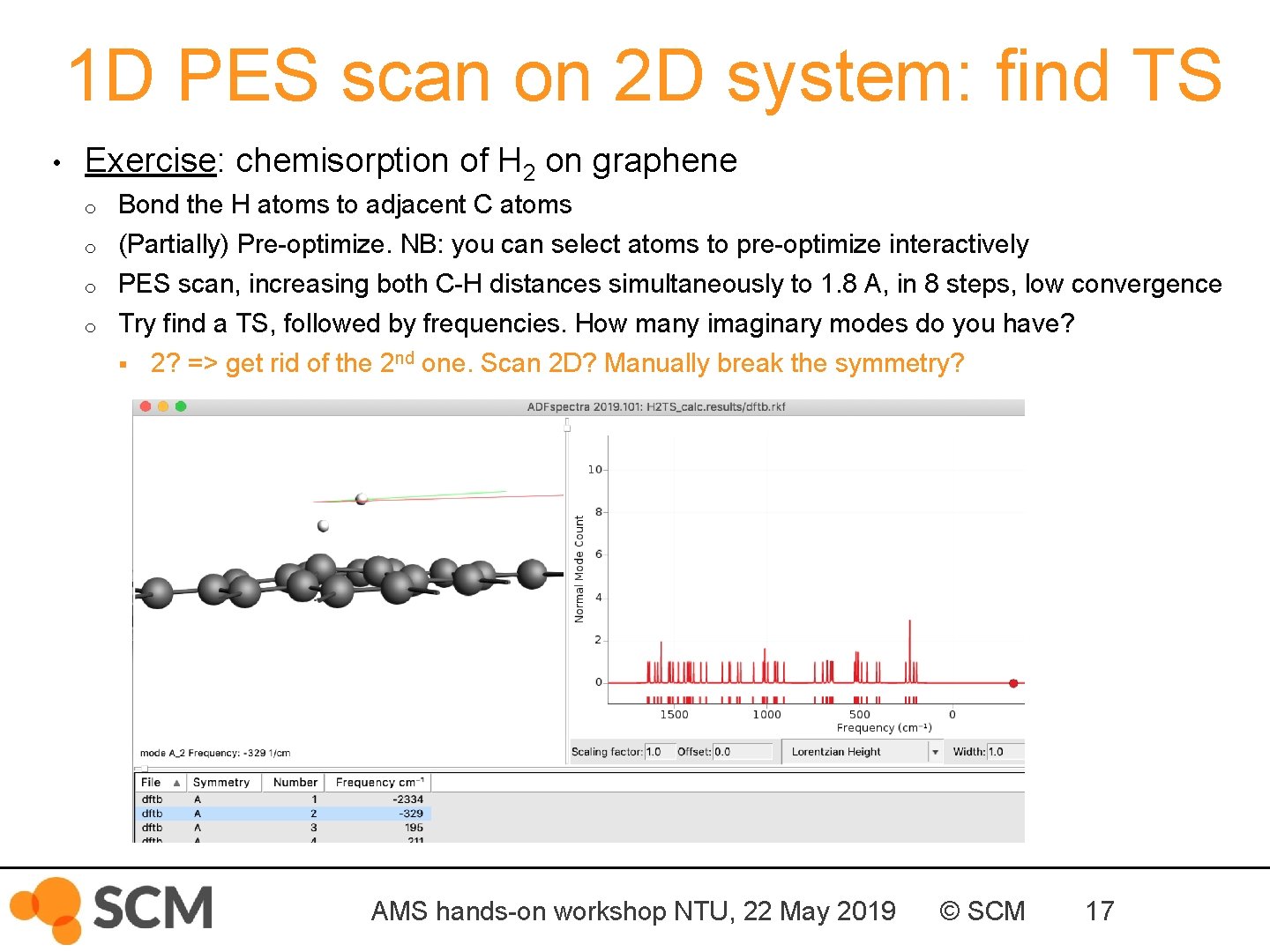
1 D PES scan on 2 D system: find TS • Exercise: chemisorption of H 2 on graphene o o Bond the H atoms to adjacent C atoms (Partially) Pre-optimize. NB: you can select atoms to pre-optimize interactively PES scan, increasing both C-H distances simultaneously to 1. 8 A, in 8 steps, low convergence Try find a TS, followed by frequencies. How many imaginary modes do you have? § 2? => get rid of the 2 nd one. Scan 2 D? Manually break the symmetry? AMS hands-on workshop NTU, 22 May 2019 © SCM 17
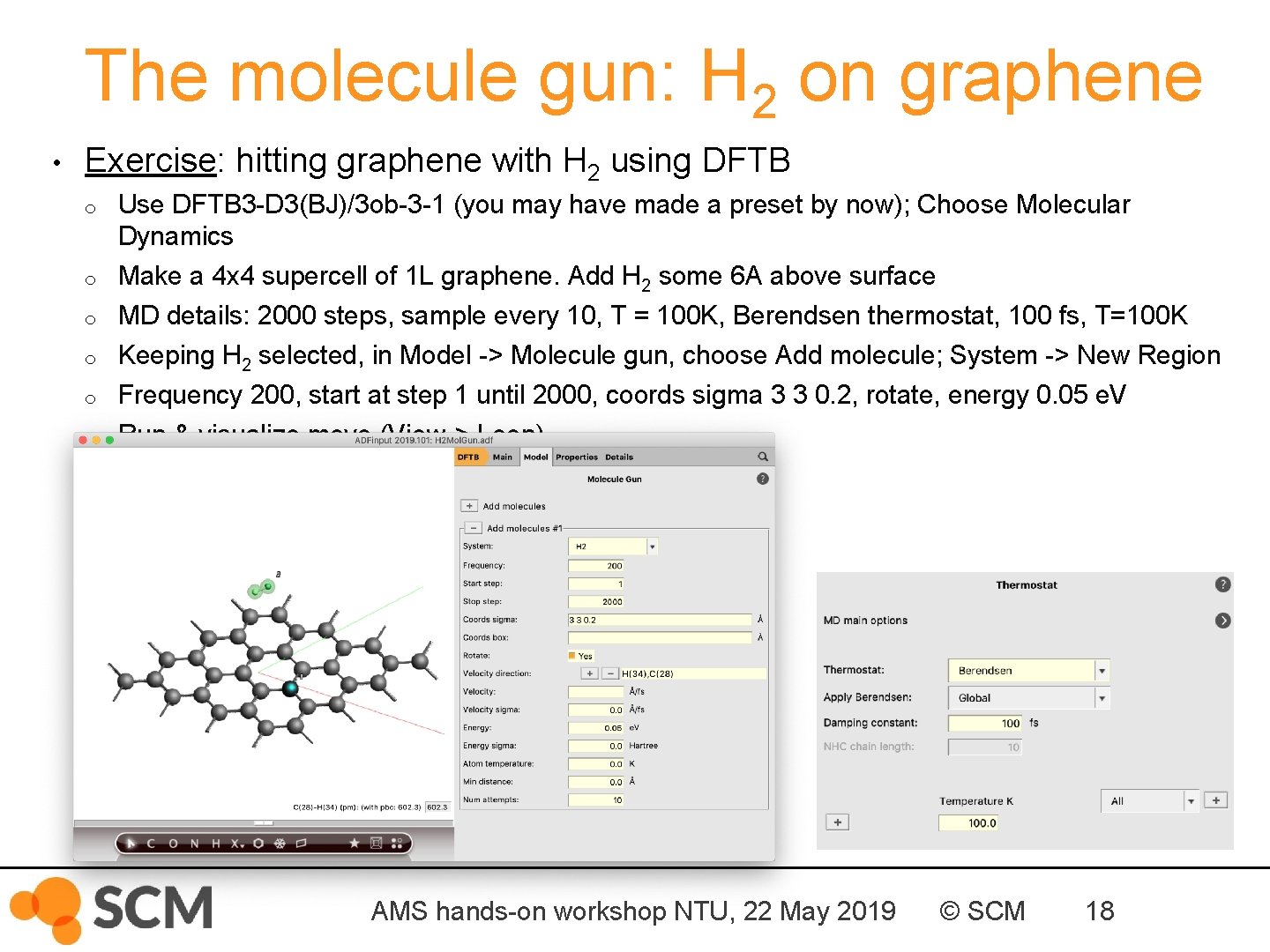
The molecule gun: H 2 on graphene • Exercise: hitting graphene with H 2 using DFTB o o o Use DFTB 3 -D 3(BJ)/3 ob-3 -1 (you may have made a preset by now); Choose Molecular Dynamics Make a 4 x 4 supercell of 1 L graphene. Add H 2 some 6 A above surface MD details: 2000 steps, sample every 10, T = 100 K, Berendsen thermostat, 100 fs, T=100 K Keeping H 2 selected, in Model -> Molecule gun, choose Add molecule; System -> New Region Frequency 200, start at step 1 until 2000, coords sigma 3 3 0. 2, rotate, energy 0. 05 e. V Run & visualize move (View-> Loop) AMS hands-on workshop NTU, 22 May 2019 © SCM 18
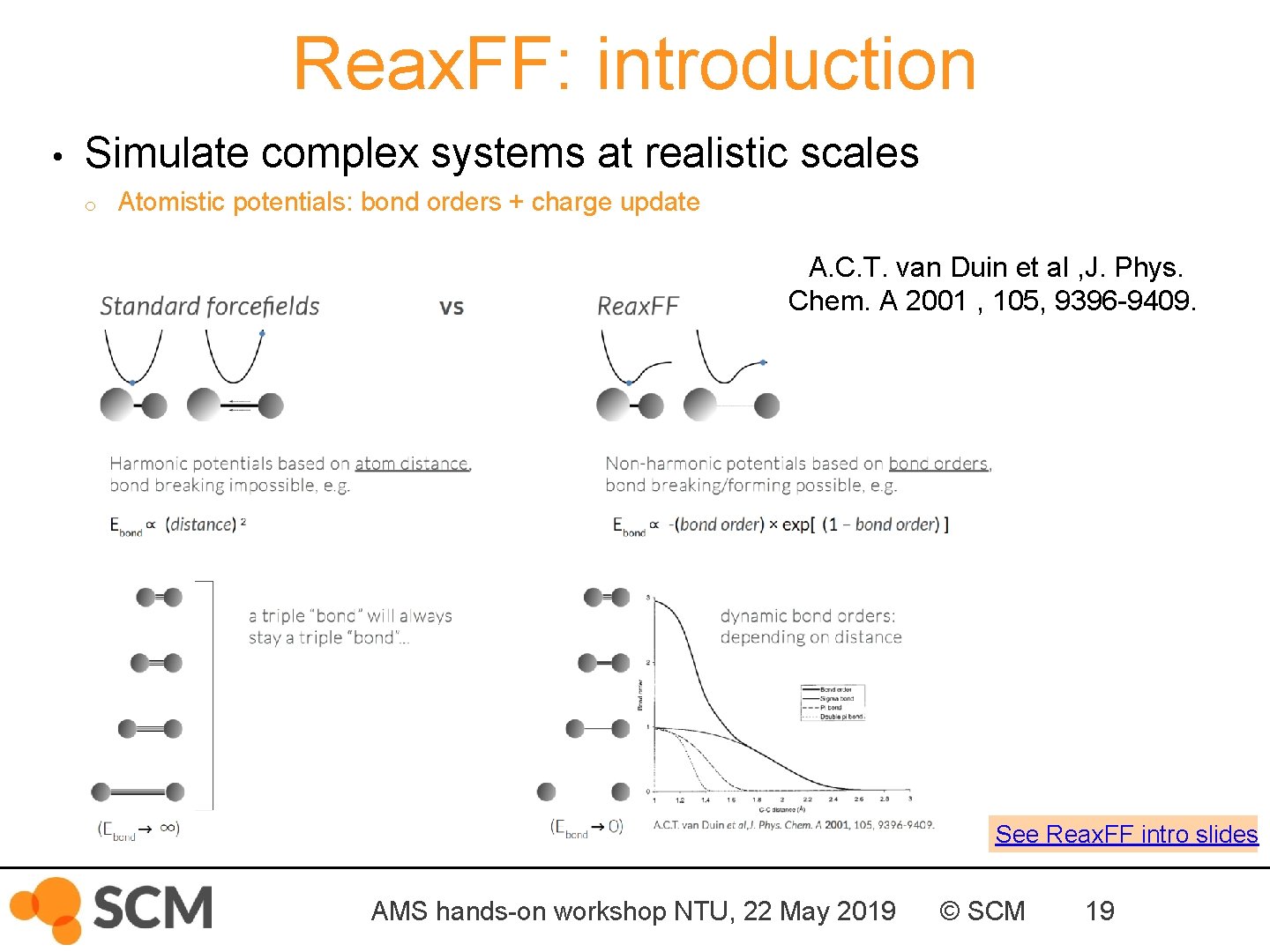
Reax. FF: introduction • Simulate complex systems at realistic scales o Atomistic potentials: bond orders + charge update A. C. T. van Duin et al , J. Phys. Chem. A 2001 , 105, 9396 -9409. See Reax. FF intro slides AMS hands-on workshop NTU, 22 May 2019 © SCM 19
General Reax. FF rules • No discontinuities in energy or forces • No pre-defined reaction sites or types • Only 1 atom type per element AMS hands-on workshop NTU, 22 May 2019 © SCM 20
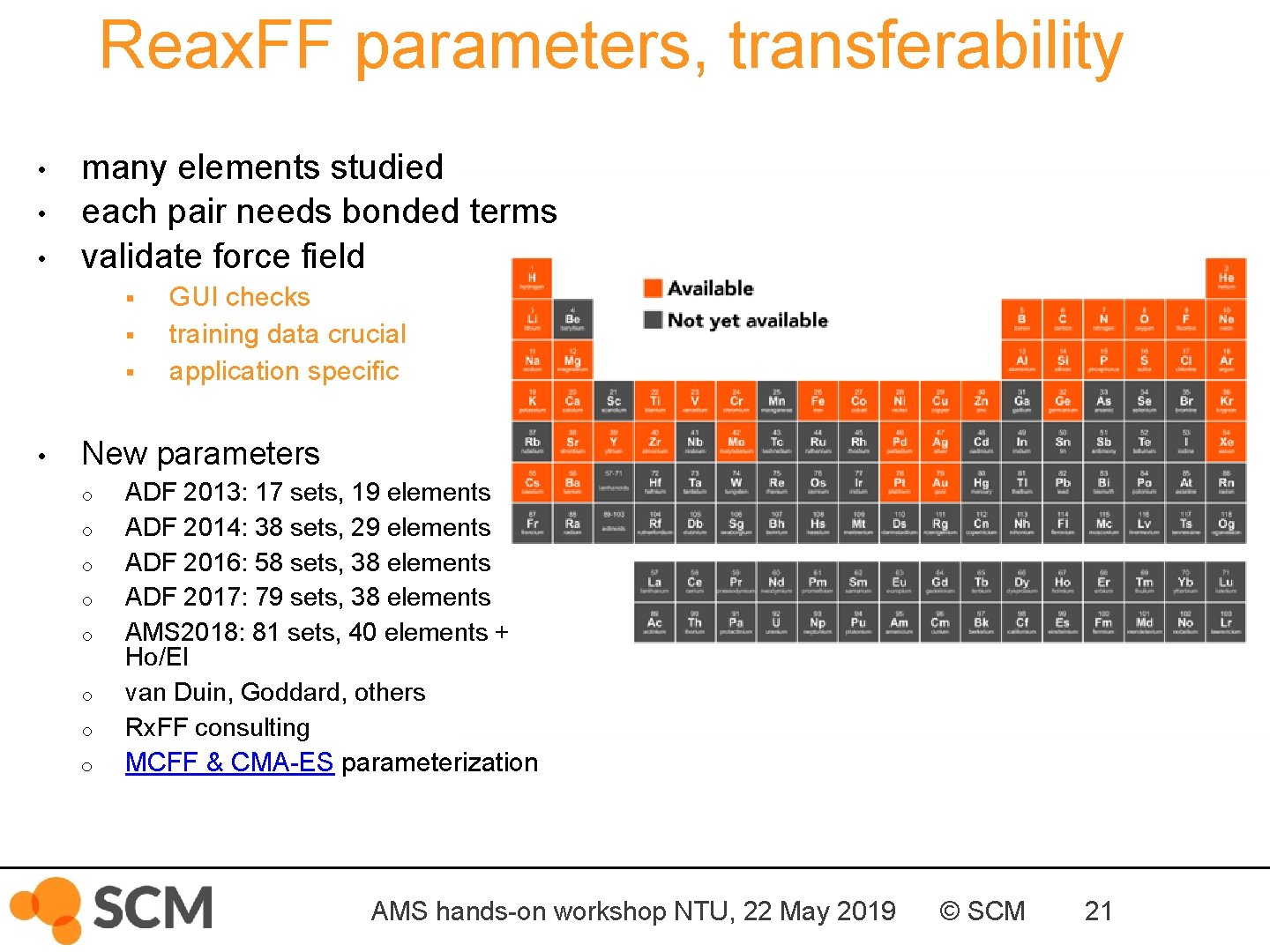
Reax. FF parameters, transferability • • • many elements studied each pair needs bonded terms validate force field § § § • GUI checks training data crucial application specific New parameters o o o o ADF 2013: 17 sets, 19 elements ADF 2014: 38 sets, 29 elements ADF 2016: 58 sets, 38 elements ADF 2017: 79 sets, 38 elements AMS 2018: 81 sets, 40 elements + Ho/El van Duin, Goddard, others Rx. FF consulting MCFF & CMA-ES parameterization AMS hands-on workshop NTU, 22 May 2019 © SCM 21
Reax. FF: some tips • First equilibrate your system before your production run o o • Usually thermostats equilibrate within some dozen ps, barostats take longer For your equilibration, save less frames (Output frequency in Details-> MD) If equilibrated, restart (Details->Restart) or just copy-paste last geometry Check if your system properly equilibrates => damping constants § For Berendsen barostat, use a high damping (e. g. 2500 fs) , thermostat ~100 fs is OK § For NHC thermo/barostat check oscillation and adapt tau (see also manual) After importing a structure (cif, database, . . ): relax the system o o Geometry optimization with loose criteria OR run a few ps Np. T trajectory with a 0. 05 fs time step at 5 K and 0 pressure • Avoid having lattice vectors < 10 Å • See our FAQs, e. g on Reax. FF force field availability / suitability Contact support@scm. com • AMS hands-on workshop NTU, 22 May 2019 © SCM 22
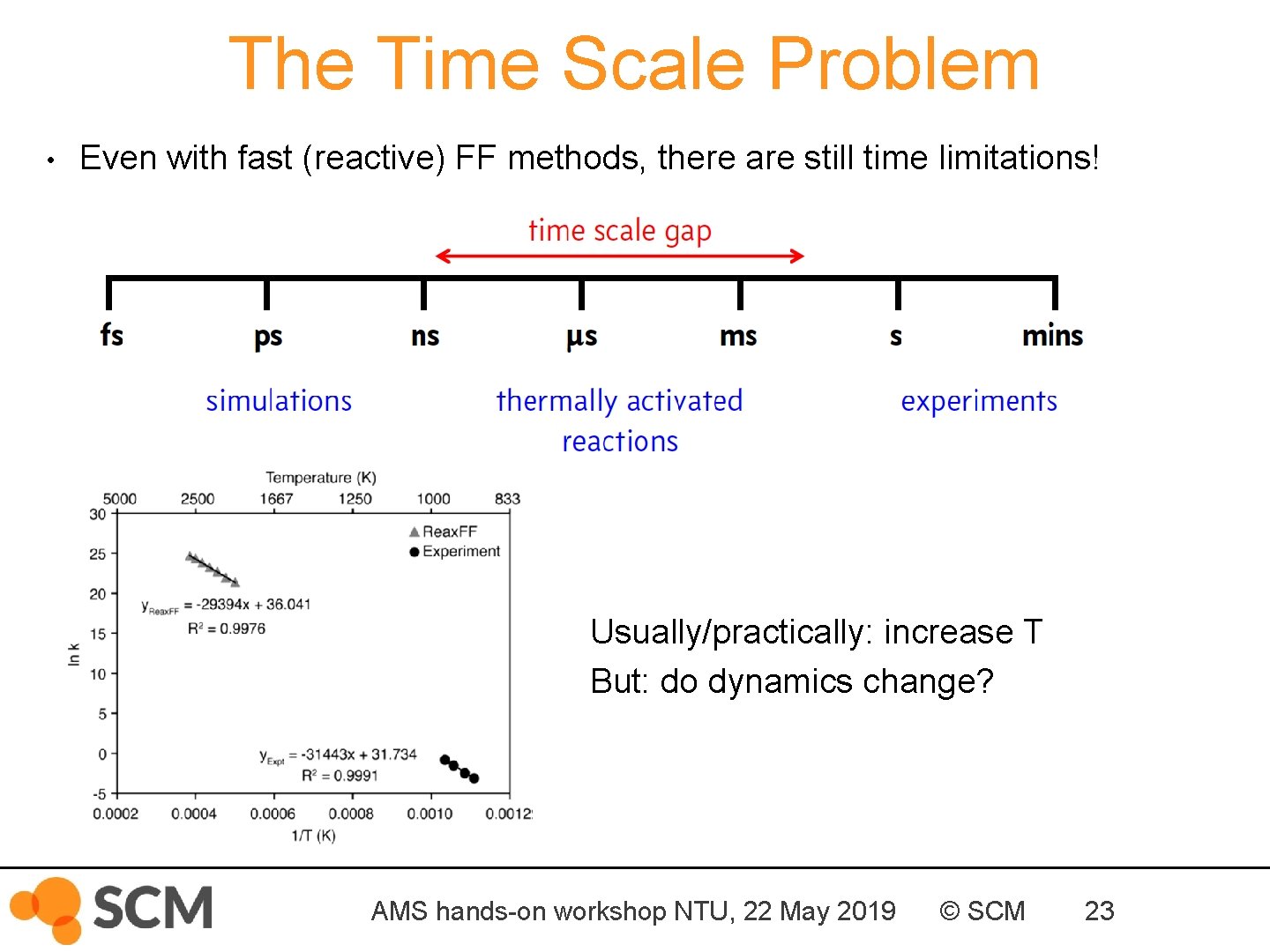
The Time Scale Problem • Even with fast (reactive) FF methods, there are still time limitations! Usually/practically: increase T But: do dynamics change? AMS hands-on workshop NTU, 22 May 2019 © SCM 23
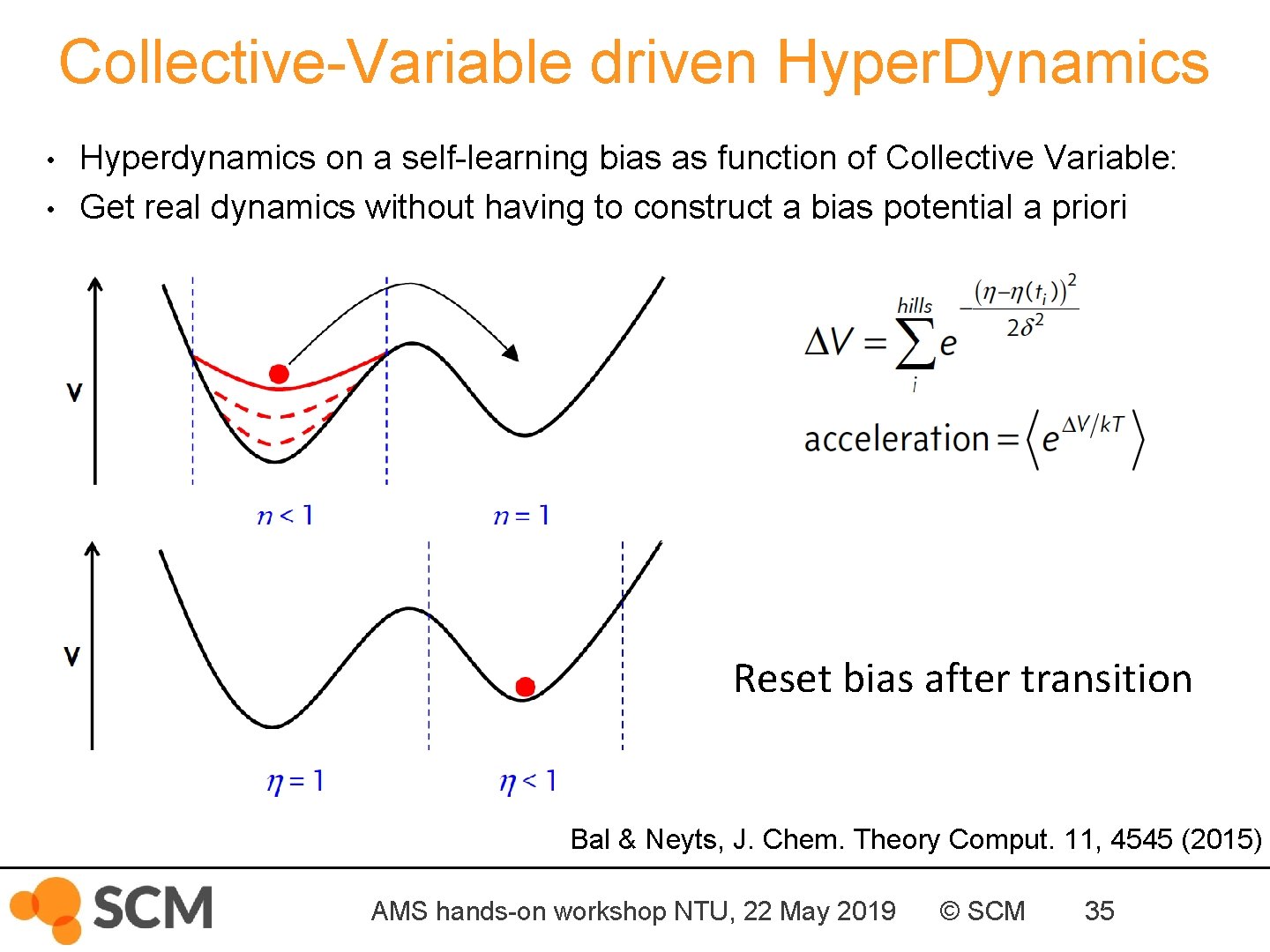
Collective-Variable driven Hyper. Dynamics • • Hyperdynamics on a self-learning bias as function of Collective Variable: Get real dynamics without having to construct a bias potential a priori Reset bias after transition Bal & Neyts, J. Chem. Theory Comput. 11, 4545 (2015) AMS hands-on workshop NTU, 22 May 2019 © SCM 35
CVHD for pyrolysis & combustion Bal & Neyts, Chem. Sci. 7, 5280 (2016). CVHD tutorial AMS hands-on workshop NTU, 22 May 2019 © SCM 37
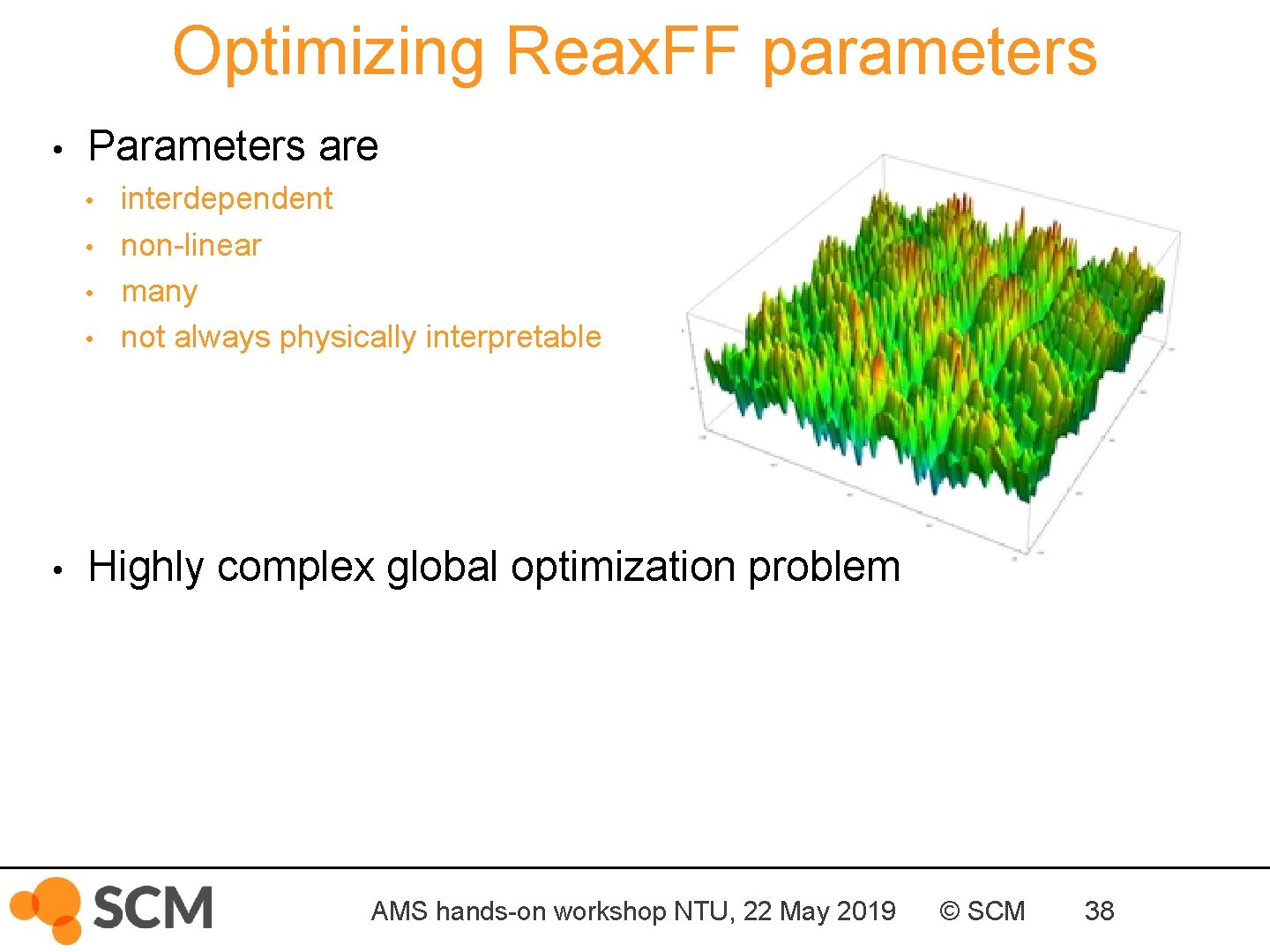
Optimizing Reax. FF parameters • Parameters are • • • interdependent non-linear many not always physically interpretable Highly complex global optimization problem AMS hands-on workshop NTU, 22 May 2019 © SCM 38
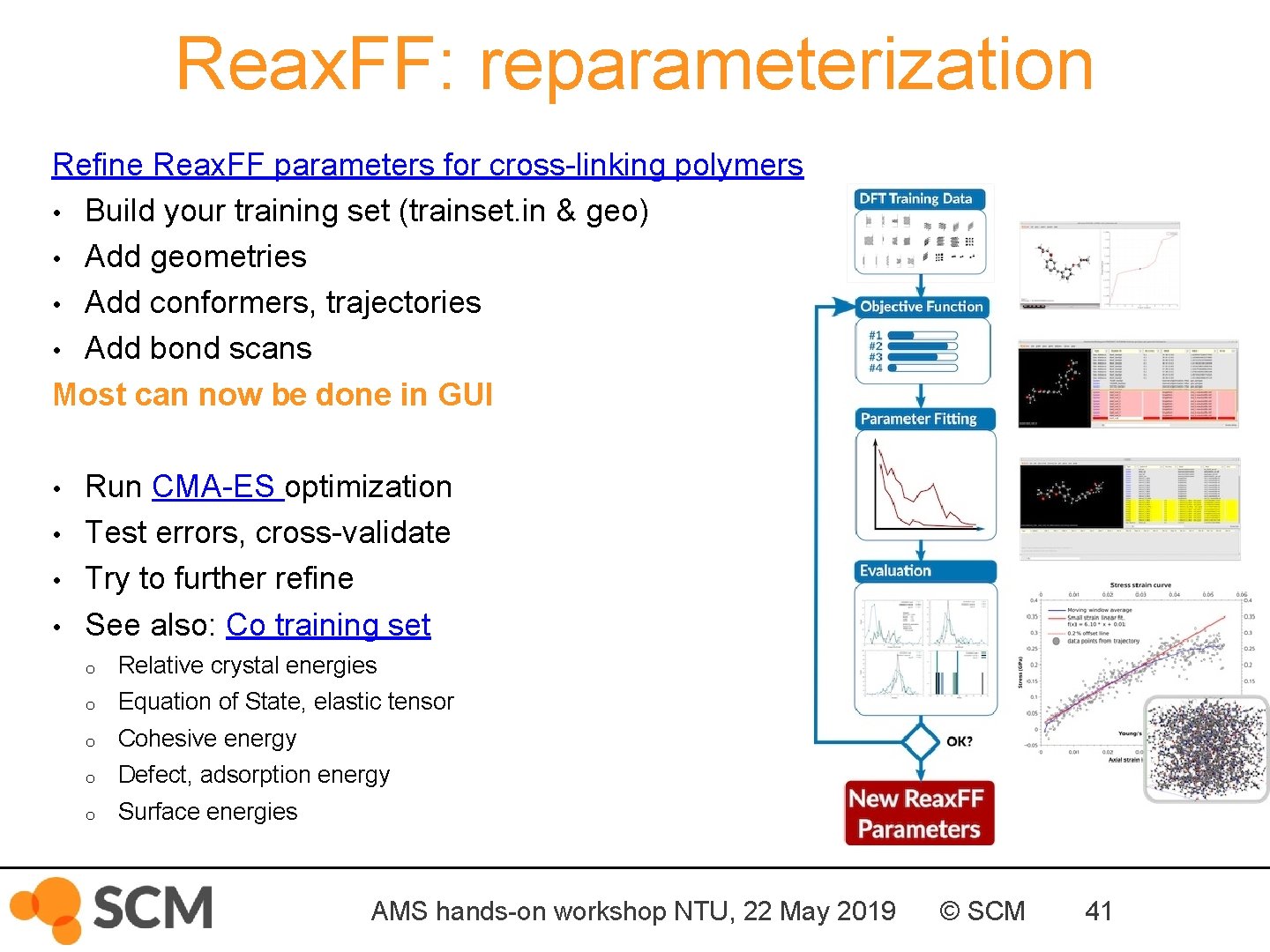
Reax. FF: reparameterization Refine Reax. FF parameters for cross-linking polymers • Build your training set (trainset. in & geo) • Add geometries • Add conformers, trajectories • Add bond scans Most can now be done in GUI • • Run CMA-ES optimization Test errors, cross-validate Try to further refine See also: Co training set o Relative crystal energies o Equation of State, elastic tensor o Cohesive energy o Defect, adsorption energy o Surface energies AMS hands-on workshop NTU, 22 May 2019 © SCM 41
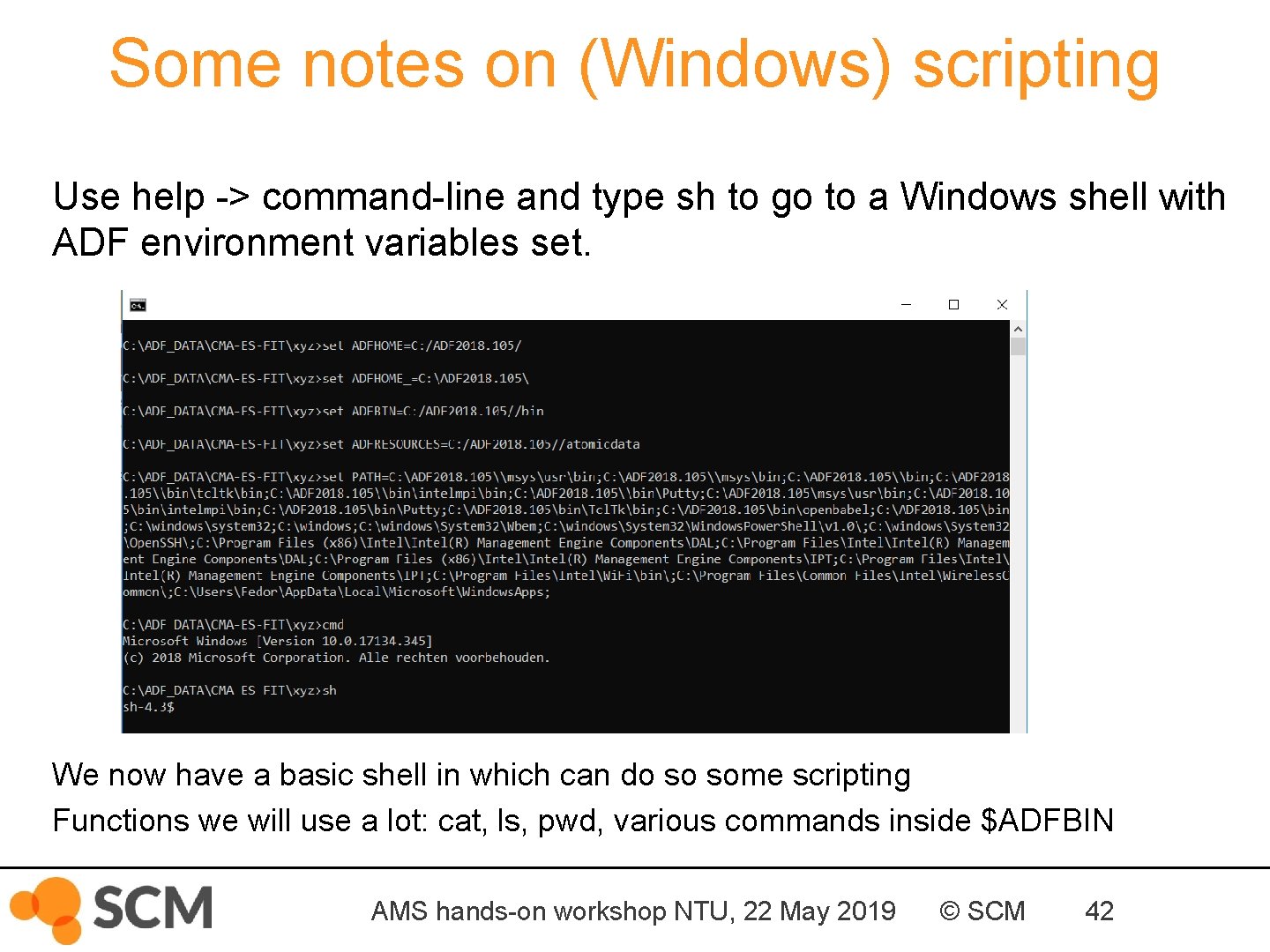
Some notes on (Windows) scripting Use help -> command-line and type sh to go to a Windows shell with ADF environment variables set. We now have a basic shell in which can do so some scripting Functions we will use a lot: cat, ls, pwd, various commands inside $ADFBIN AMS hands-on workshop NTU, 22 May 2019 © SCM 42
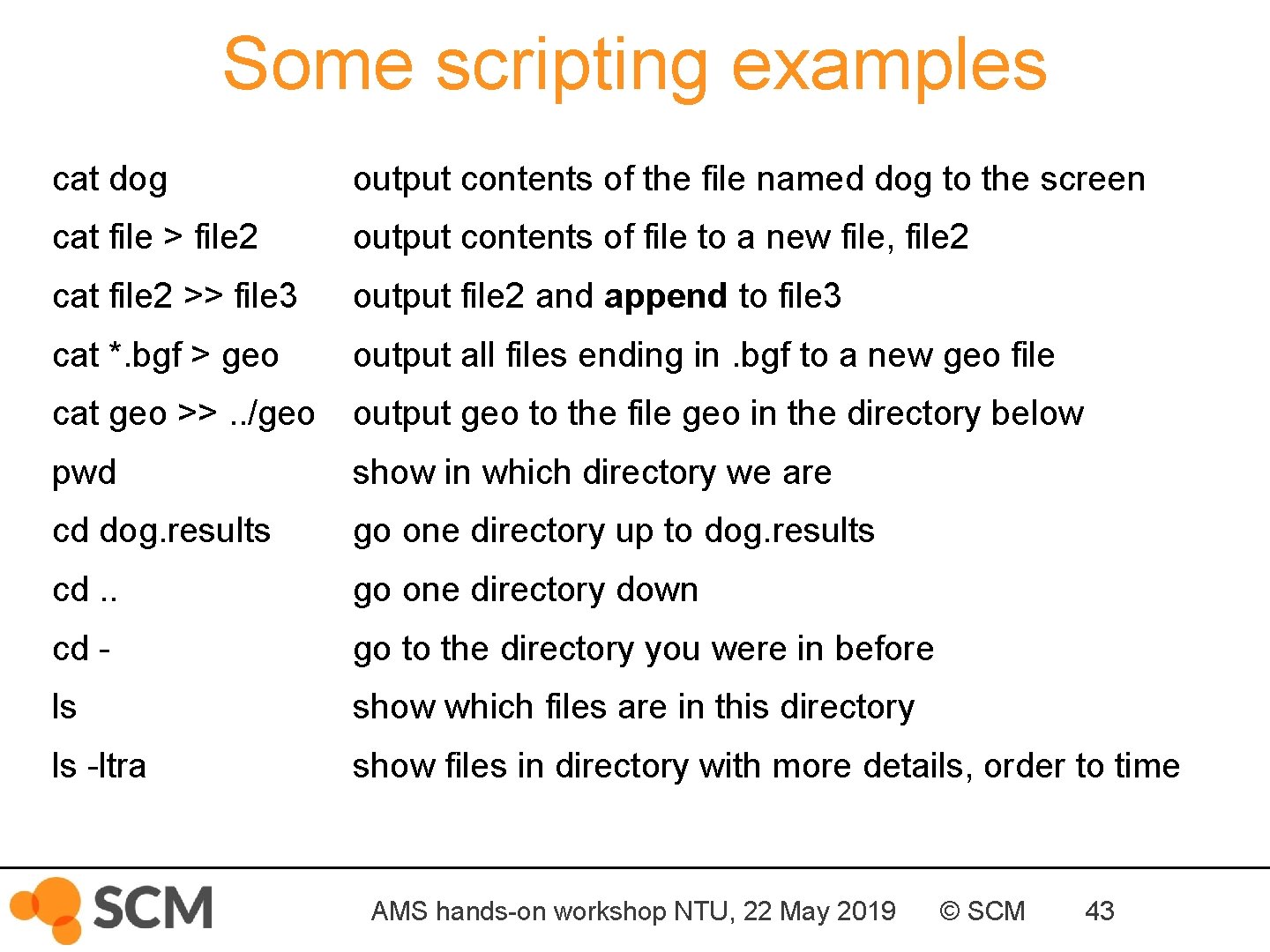
Some scripting examples cat dog output contents of the file named dog to the screen cat file > file 2 output contents of file to a new file, file 2 cat file 2 >> file 3 output file 2 and append to file 3 cat *. bgf > geo output all files ending in. bgf to a new geo file cat geo >>. . /geo output geo to the file geo in the directory below pwd show in which directory we are cd dog. results go one directory up to dog. results cd. . go one directory down cd - go to the directory you were in before ls show which files are in this directory ls -ltra show files in directory with more details, order to time AMS hands-on workshop NTU, 22 May 2019 © SCM 43
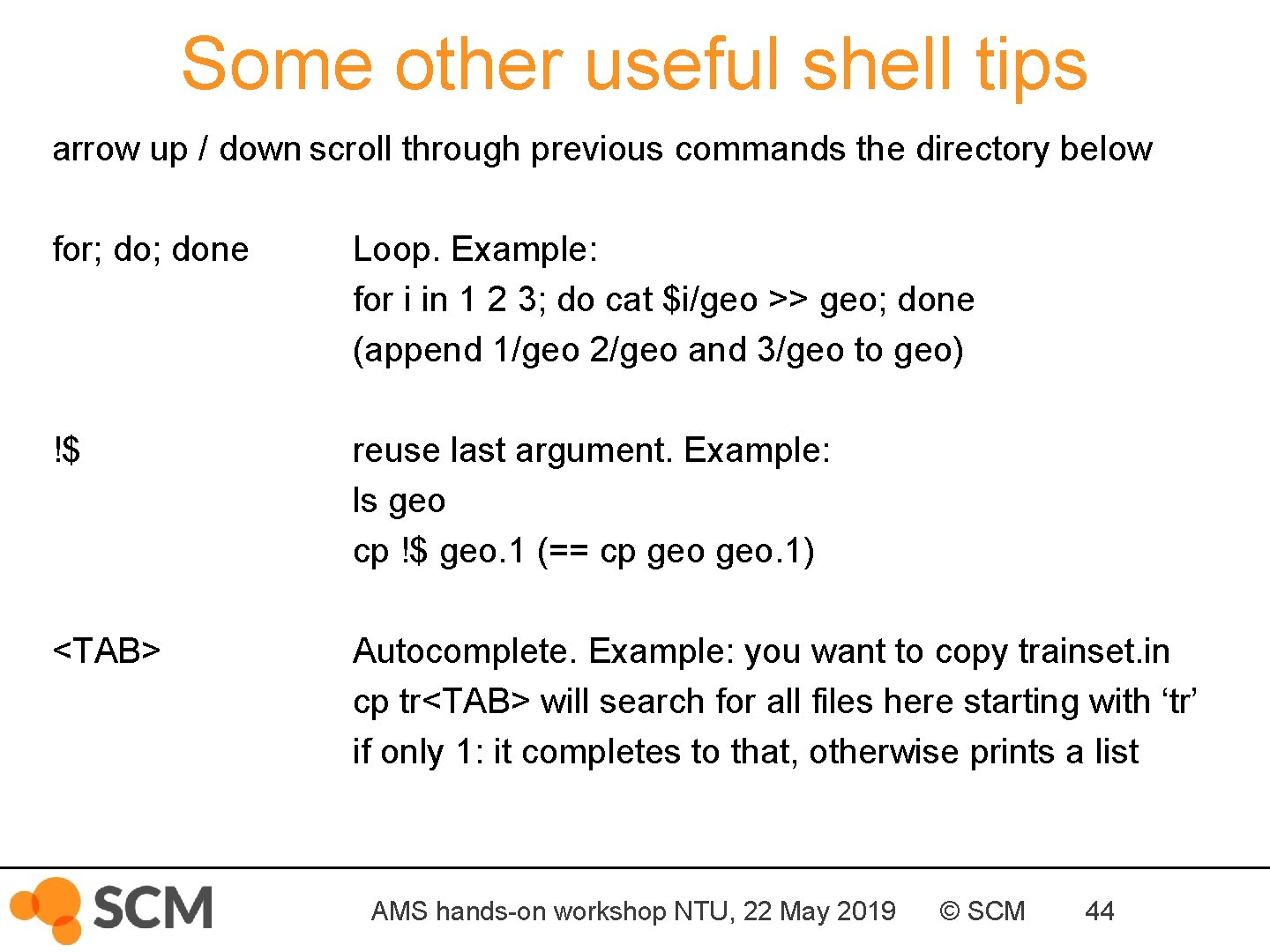
Some other useful shell tips arrow up / down scroll through previous commands the directory below for; done Loop. Example: for i in 1 2 3; do cat $i/geo >> geo; done (append 1/geo 2/geo and 3/geo to geo) !$ reuse last argument. Example: ls geo cp !$ geo. 1 (== cp geo. 1) <TAB> Autocomplete. Example: you want to copy trainset. in cp tr<TAB> will search for all files here starting with ‘tr’ if only 1: it completes to that, otherwise prints a list AMS hands-on workshop NTU, 22 May 2019 © SCM 44