
Hacker Web and Shodan A Tutorial for Accessing
Hacker Web and Shodan A Tutorial for Accessing the Data 1
Outline • This tutorial consists of two components: – Accessing Hacker Web Forums. – Accessing Shodan. 2
Accessing Hacker Web Forums 3
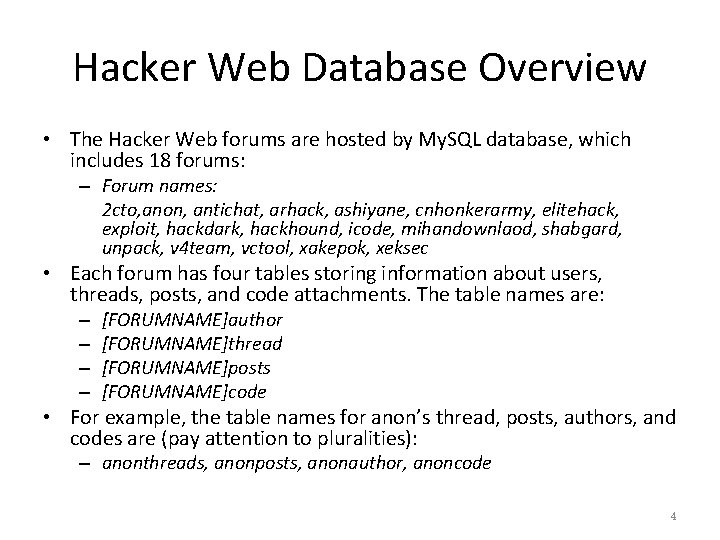
Hacker Web Database Overview • The Hacker Web forums are hosted by My. SQL database, which includes 18 forums: – Forum names: 2 cto, anon, antichat, arhack, ashiyane, cnhonkerarmy, elitehack, exploit, hackdark, hackhound, icode, mihandownlaod, shabgard, unpack, v 4 team, vctool, xakepok, xeksec • Each forum has four tables storing information about users, threads, posts, and code attachments. The table names are: – – [FORUMNAME]author [FORUMNAME]thread [FORUMNAME]posts [FORUMNAME]code • For example, the table names for anon’s thread, posts, authors, and codes are (pay attention to pluralities): – anonthreads, anonposts, anonauthor, anoncode 4
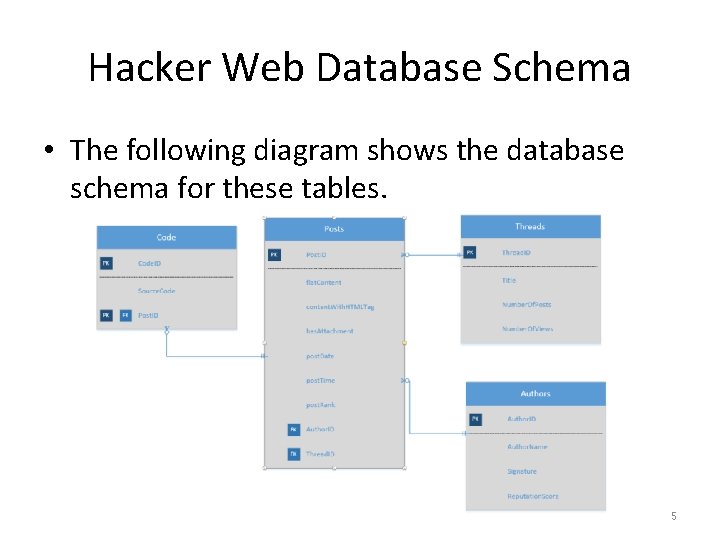
Hacker Web Database Schema • The following diagram shows the database schema for these tables. 5
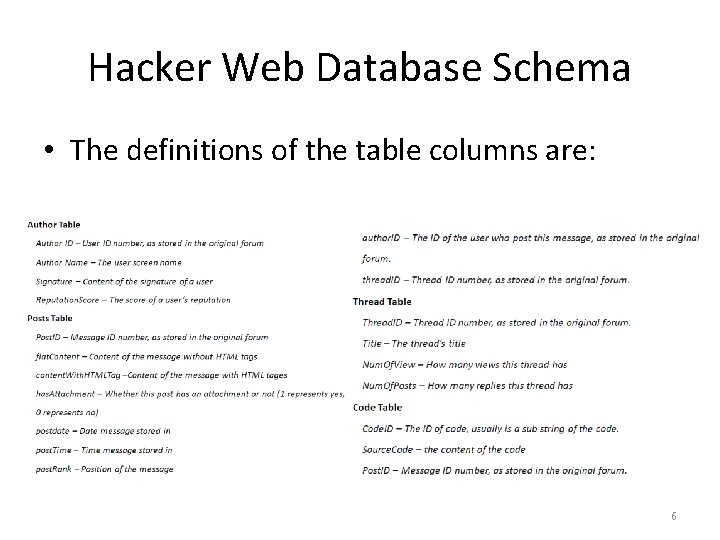
Hacker Web Database Schema • The definitions of the table columns are: 6
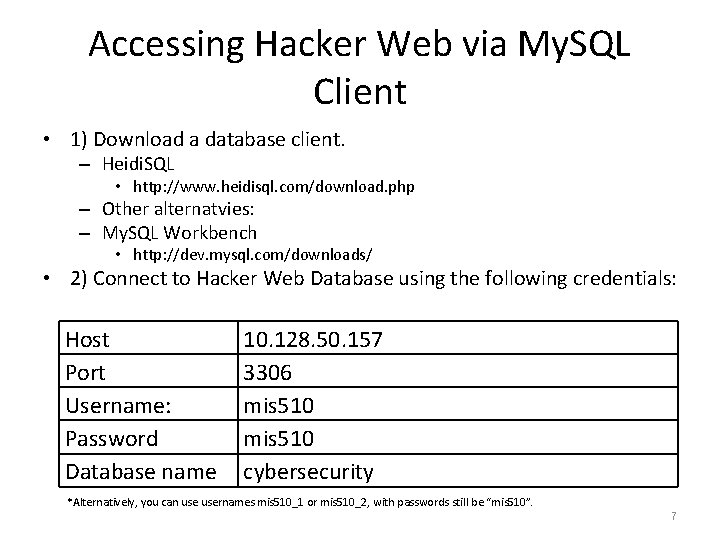
Accessing Hacker Web via My. SQL Client • 1) Download a database client. – Heidi. SQL • http: //www. heidisql. com/download. php – Other alternatvies: – My. SQL Workbench • http: //dev. mysql. com/downloads/ • 2) Connect to Hacker Web Database using the following credentials: Host Port Username: Password Database name 10. 128. 50. 157 3306 mis 510 cybersecurity *Alternatively, you can usernames mis 510_1 or mis 510_2, with passwords still be “mis 510”. 7
Accessing Hacker Web via My. SQL Client • Now you can use GUI to browse the tables, or execute some SQL queries • Syntax for SQL queries has slight differences between My. SQL, MS SQL Server, and Oracle. See the differences at: – http: //troels. arvin. dk/db/rdbms/ 8
Accessing Hacker Web via Java program • It’s recommended to access the database and process the data programmatically. The following steps show a simple example of connecting Hacker Web database in Java program. Please refer to http: //dev. mysql. com/doc/connector-j/en/connector-jinstalling. html for a more comprehensive guide. • 1) Download the My. SQL Connector that suits for you from http: //dev. mysql. com/downloads/connector/j/5. 1. html, and extract the jar file. – *You may need to register an account to see the page content. 9
Accessing Hacker Web via Java program • 2) Add the Connector jar file to your Java Project Build Path. – For example, if you use Eclipse, right click the project, select [Build Path]->[Configure Build Path’, then add the extracted jar file (e. g. “mysql-connector-javacommercial-x. x. x-bin. jar”, ) onto the path. • 3) Write codes to build connections, and execute queries. – The sample code in next slide shows an example of connecting to the database and do SELECT queries in anon forum’s thread table. 10
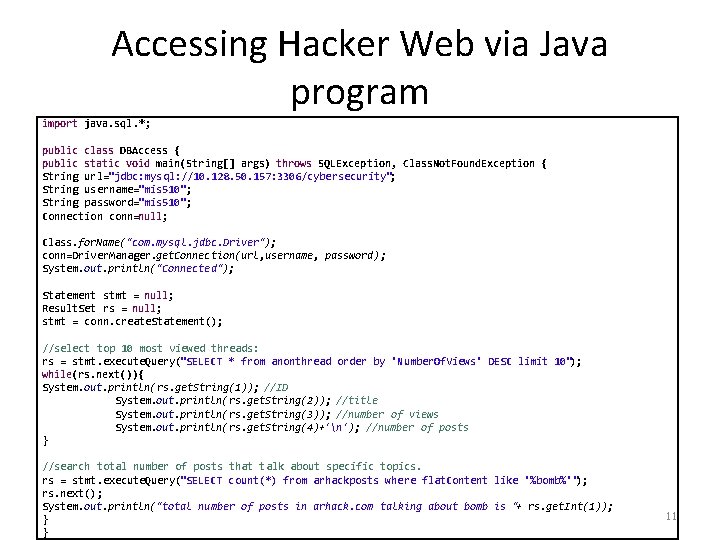
Accessing Hacker Web via Java program import java. sql. *; public class DBAccess { public static void main(String[] args) throws SQLException, Class. Not. Found. Exception { String url="jdbc: mysql: //10. 128. 50. 157: 3306/cybersecurity"; String username="mis 510"; String password="mis 510"; Connection conn=null; Class. for. Name("com. mysql. jdbc. Driver"); conn=Driver. Manager. get. Connection(url, username, password); System. out. println("Connected"); Statement stmt = null; Result. Set rs = null; stmt = conn. create. Statement(); //select top 10 most viewed threads: rs = stmt. execute. Query("SELECT * from anonthread order by 'Number. Of. Views' DESC limit 10"); while(rs. next()){ System. out. println(rs. get. String(1)); //ID System. out. println(rs. get. String(2)); //title System. out. println(rs. get. String(3)); //number of views System. out. println(rs. get. String(4)+'n'); //number of posts } //search total number of posts that talk about specific topics. rs = stmt. execute. Query("SELECT count(*) from arhackposts where flat. Content like '%bomb%'"); rs. next(); System. out. println("total number of posts in arhack. com talking about bomb is "+ rs. get. Int(1)); } } 11

Accessing Shodan 12
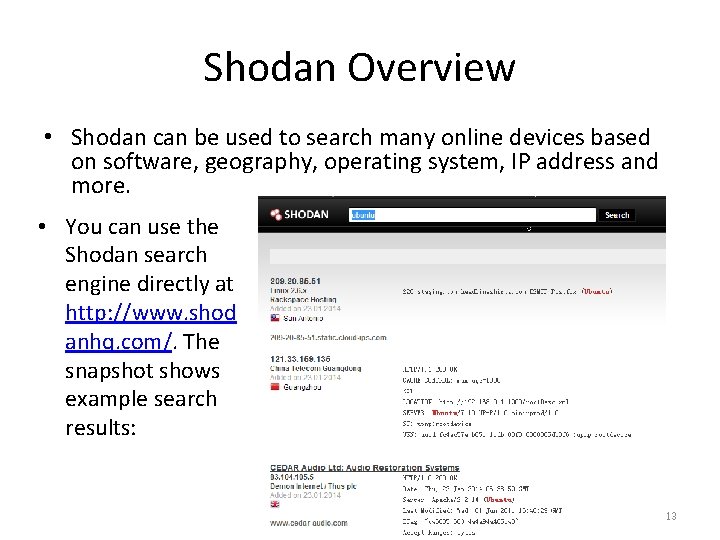
Shodan Overview • Shodan can be used to search many online devices based on software, geography, operating system, IP address and more. • You can use the Shodan search engine directly at http: //www. shod anhq. com/. The snapshot shows example search results: 13
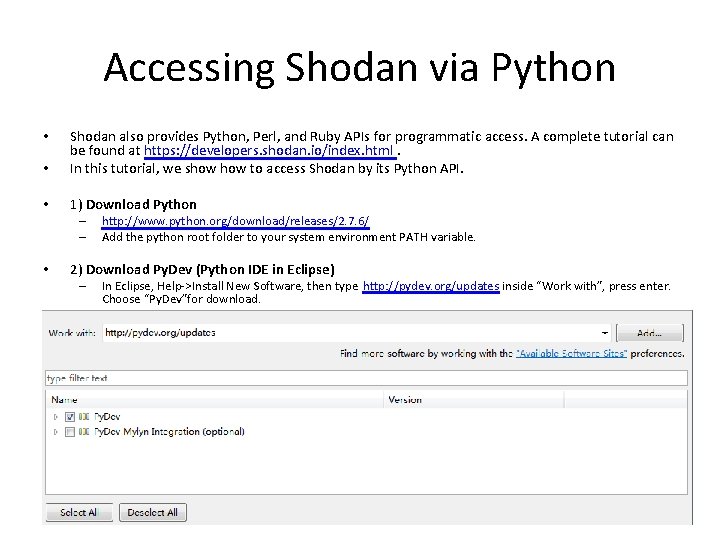
Accessing Shodan via Python • Shodan also provides Python, Perl, and Ruby APIs for programmatic access. A complete tutorial can be found at https: //developers. shodan. io/index. html. In this tutorial, we show to access Shodan by its Python API. • 1) Download Python • – – • http: //www. python. org/download/releases/2. 7. 6/ Add the python root folder to your system environment PATH variable. 2) Download Py. Dev (Python IDE in Eclipse) – In Eclipse, Help->Install New Software, then type http: //pydev. org/updates inside “Work with”, press enter. Choose “Py. Dev”for download. 14
Accessing Shodan via Python • 3) Obtain an API key – Register an account ( or use existing Google/Facebook/Twitter accounts) at http: //www. shodanhq. com/account/register – Click on the create API key in the right column of the Shodan home page. Your API key will be located here. 15
Accessing Shodan via Python • 4) Install Shodan Python library. – https: //pypi. python. org/pypi/shodan/0. 9. 1 – Depending on the version of Python and the Shodan API version downloaded, simplejson may need to be installed as well. • https: //pypi. python. org/pypi/simplejson/ • They will be added to your Eclipse Py. Dev project. 16
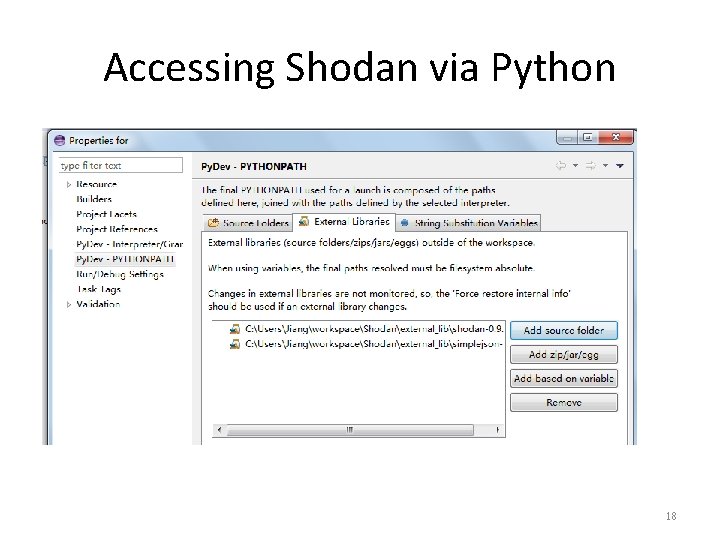
Accessing Shodan via Python • 5) Create a new Py. Dev project in Eclipse – File->New->Other, then type “Py. Dev” to search for “Py. Dev Project” wizard. – If a pop-up window appears syaing you haven’t specified python interpreters, choose “Quick/automatic configuration”. – Link the unzipped libraries from last step to the project. • Right click on the project folder, select properties->Resource ->Py. Dev->PYTHONPATH, choose “External Libraries” tab, and “add source folder”, then choose the two extracted library folders. 17
Accessing Shodan via Python 18
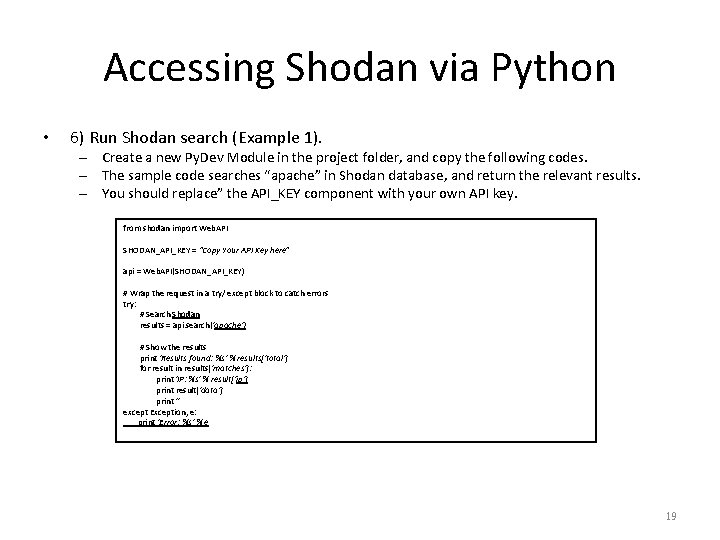
Accessing Shodan via Python • 6) Run Shodan search (Example 1). – Create a new Py. Dev Module in the project folder, and copy the following codes. – The sample code searches “apache” in Shodan database, and return the relevant results. – You should replace” the API_KEY component with your own API key. from shodan import Web. API SHODAN_API_KEY = “Copy Your API Key here" api = Web. API(SHODAN_API_KEY) # Wrap the request in a try/ except block to catch errors try: # Search Shodan results = api. search('apache') # Show the results print 'Results found: %s' % results['total'] for result in results['matches']: print 'IP: %s' % result['ip'] print result['data'] print '' except Exception, e: print 'Error: %s' % e 19
![Accessing Shodan via Python • In addition to result[ip] and result[data] shown in the](http://slidetodoc.com/presentation_image_h2/670b9cf27c3070acea5e42b693ae8374/image-20.jpg "Accessing Shodan via Python • In addition to result[ip] and result[data] shown in the")
Accessing Shodan via Python • In addition to result[ip] and result[data] shown in the above example, you can also access information returned by Shodan based on the sample json object shown below: '''{ } ''' • 'total': 8669969, 'countries': [ { 'code': 'US', 'count': 4165703, 'name': 'United States' }, {'code': 'DE', 'count': 610270, 'name': 'Germany'}, {'code': 'JP', 'count': 496556, 'name': 'Japan'}, {'code': 'RO', 'count': 486107, 'name': 'Romania'}, {'code': 'GB', 'count': 273948, 'name': 'United Kingdom'} ], 'matches': [ { 'country': 'DE', 'data': 'HTTP/1. 0 200 OKrn. Date: Mon, 08 Nov 2010 05: 09: 59 GMTrn. Ser. . . ', 'hostnames': ['pl 4 t 1 n. de'], 'ip': '89. 110. 147. 239', 'os': 'Free. BSD 4. 4', 'port': 80, 'updated': '08. 11. 2010' }, . . . ] For a complete documentation, see https: //developers. shodan. io/python/index. html 20
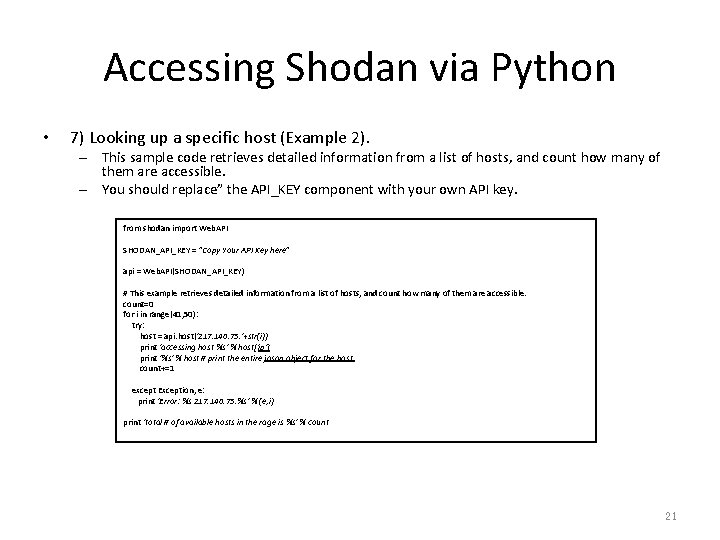
Accessing Shodan via Python • 7) Looking up a specific host (Example 2). – This sample code retrieves detailed information from a list of hosts, and count how many of them are accessible. – You should replace” the API_KEY component with your own API key. from shodan import Web. API SHODAN_API_KEY = "Copy Your API Key here" api = Web. API(SHODAN_API_KEY) # This example retrieves detailed information from a list of hosts, and count how many of them are accessible. count=0 for i in range(41, 50): try: host = api. host('217. 140. 75. '+str(i)) print 'accessing host %s' % host['ip'] print '%s' % host # print the entire jason object for the host. count+=1 except Exception, e: print 'Error: %s 217. 140. 75. %s' % (e, i) print 'total # of available hosts in the rage is %s' % count 21
Accessing Shodan via Python • A complete Py. Dev sample code up to this step can be found at our course website. – shodan_python_example. zip 22
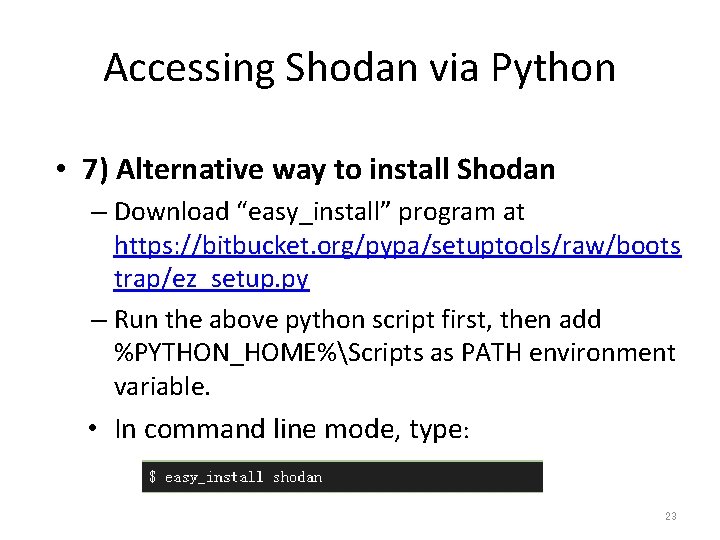
Accessing Shodan via Python • 7) Alternative way to install Shodan – Download “easy_install” program at https: //bitbucket. org/pypa/setuptools/raw/boots trap/ez_setup. py – Run the above python script first, then add %PYTHON_HOME%Scripts as PATH environment variable. • In command line mode, type: 23
- Slides: 23