
H A C S The Home Appliance Control

- Slides: 31
H. A. C. S. The Home Appliance Control System Presented by The Awesome Group
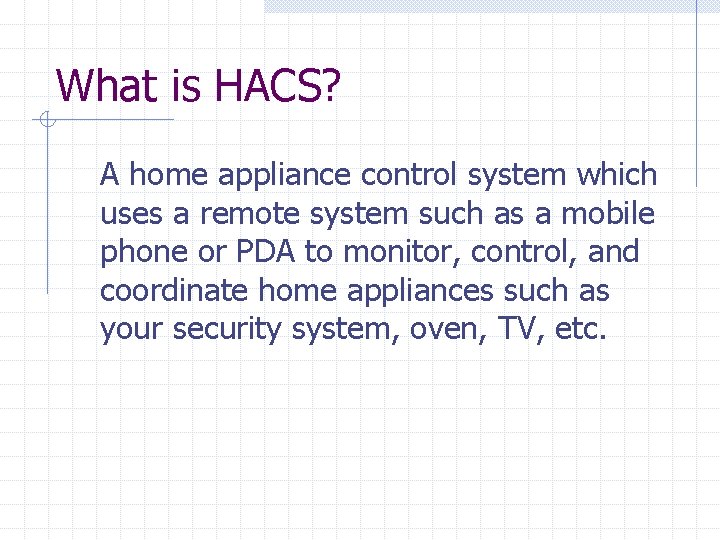
What is HACS? A home appliance control system which uses a remote system such as a mobile phone or PDA to monitor, control, and coordinate home appliances such as your security system, oven, TV, etc.
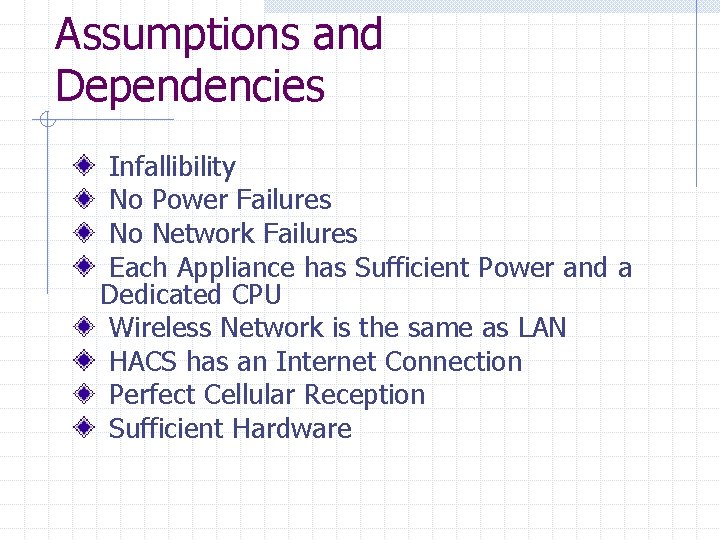
Assumptions and Dependencies Infallibility No Power Failures No Network Failures Each Appliance has Sufficient Power and a Dedicated CPU Wireless Network is the same as LAN HACS has an Internet Connection Perfect Cellular Reception Sufficient Hardware
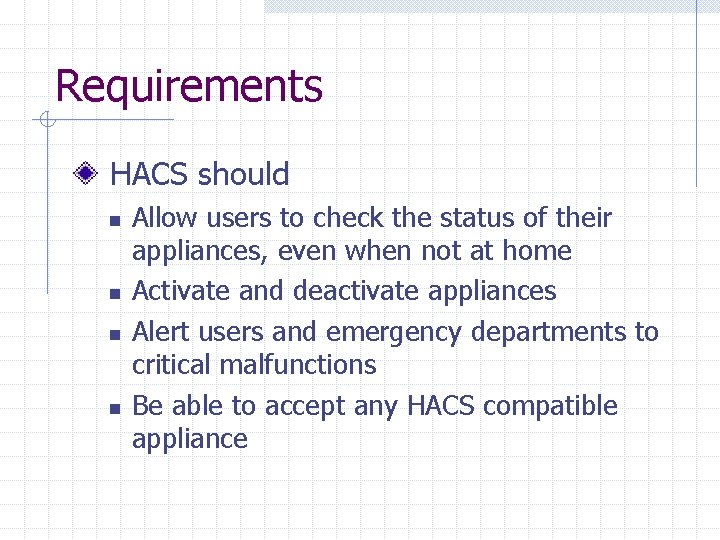
Requirements HACS should n n Allow users to check the status of their appliances, even when not at home Activate and deactivate appliances Alert users and emergency departments to critical malfunctions Be able to accept any HACS compatible appliance
Requirements List (1) Appliance Control – Appliances, devices such as an oven, microwave, air conditioner, or sprinkler, can be controlled by a home owner in a remote location. That is the user may set the different attributes (e. g. oven temp, AC fan speed, sprinkler settings etc. ) for each appliance from a wireless device (2) Adaptability/Detection – The system will be able to detect changes within the home and maintain the user settings. (3) Manually Adaptable – The user can set system set the status of different appliances manually and user commands have precedence over automatic commands. (4) Communication – HACS should be able to communicate with all appliances. (5) Safety – HACS should maintain the safety of the user’s home and person at all times. Devices should be maintained in non-hazardous states.
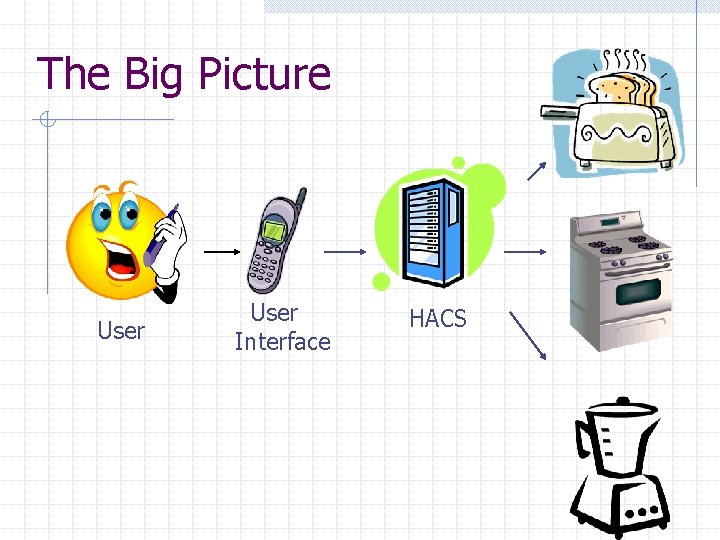
The Big Picture User Interface HACS
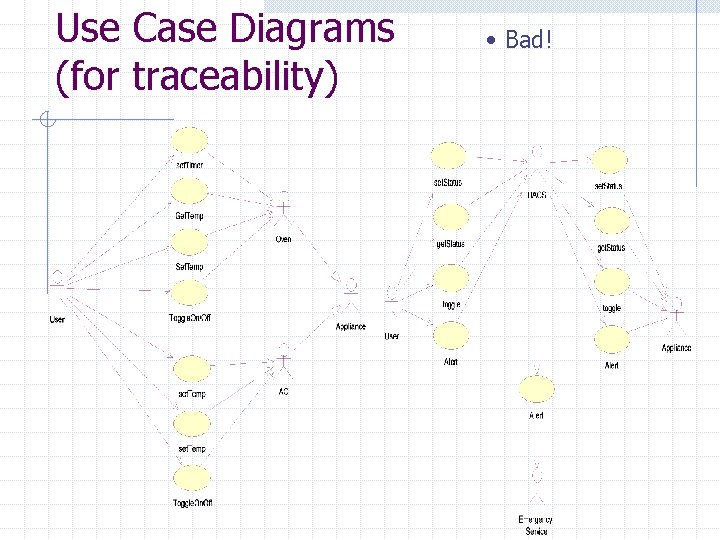
Use Case Diagrams (for traceability) • Bad!
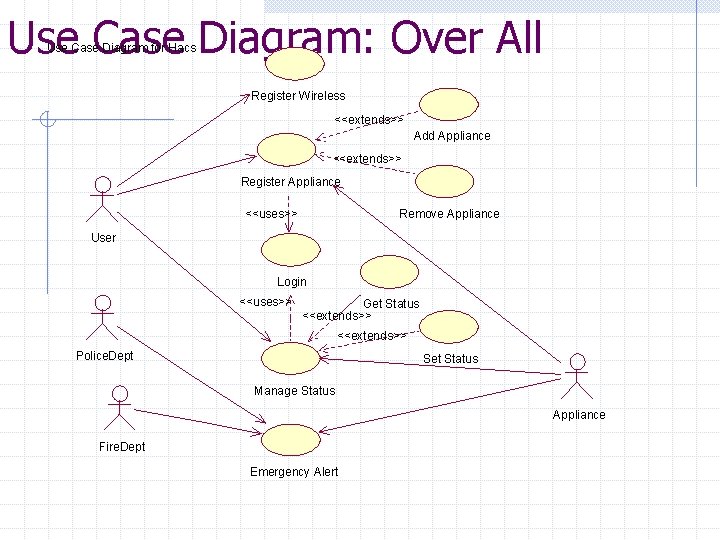
Use Case Diagram: Over All Use Case Diagram for Hacs Register Wireless <<extends>> Add Appliance <<extends>> Register Appliance <<uses>> Remove Appliance User Login <<uses>> Get Status <<extends>> Police. Dept Set Status Manage Status Appliance Fire. Dept Emergency Alert
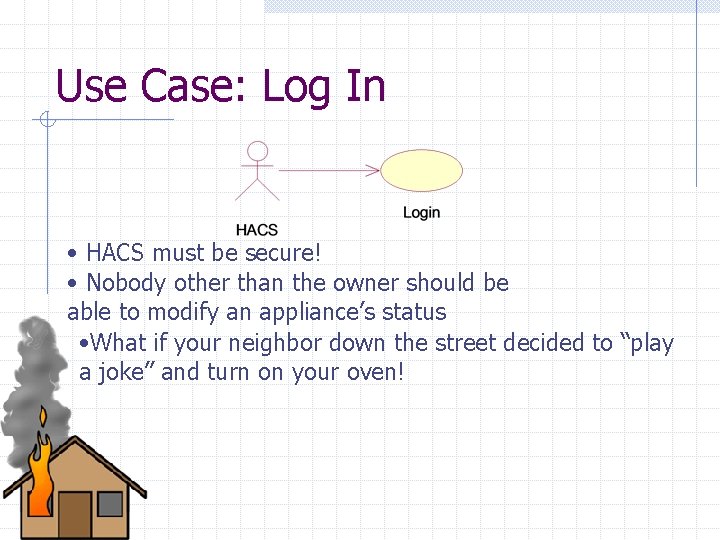
Use Case: Log In • HACS must be secure! • Nobody other than the owner should be able to modify an appliance’s status • What if your neighbor down the street decided to “play a joke” and turn on your oven!
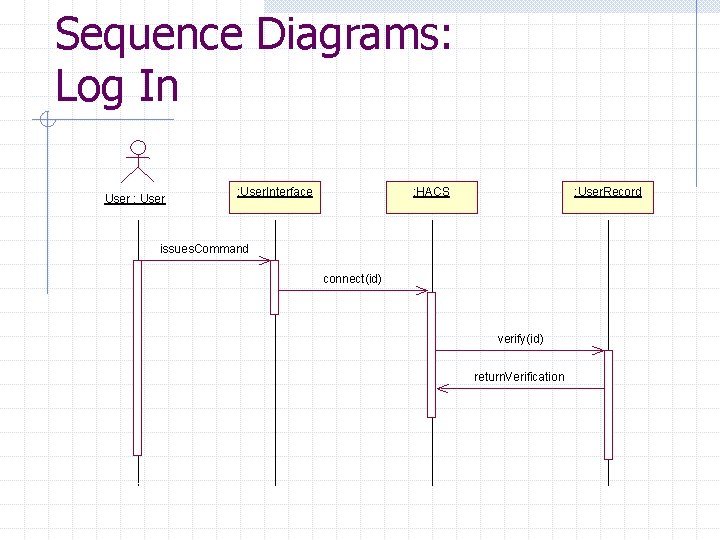
Sequence Diagrams: Log In User : User. Interface : HACS : User. Record issues. Command connect(id) verify(id) return. Verification
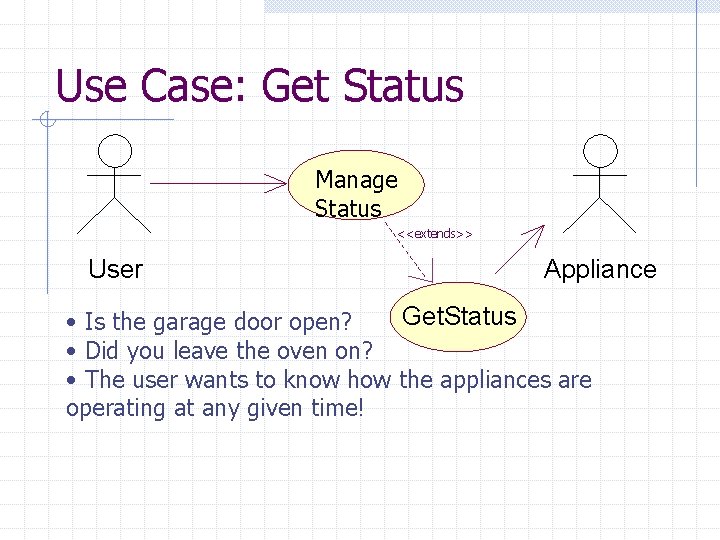
Use Case: Get Status Manage Status <<extends>> User Appliance Get. Status • Is the garage door open? • Did you leave the oven on? • The user wants to know how the appliances are operating at any given time!
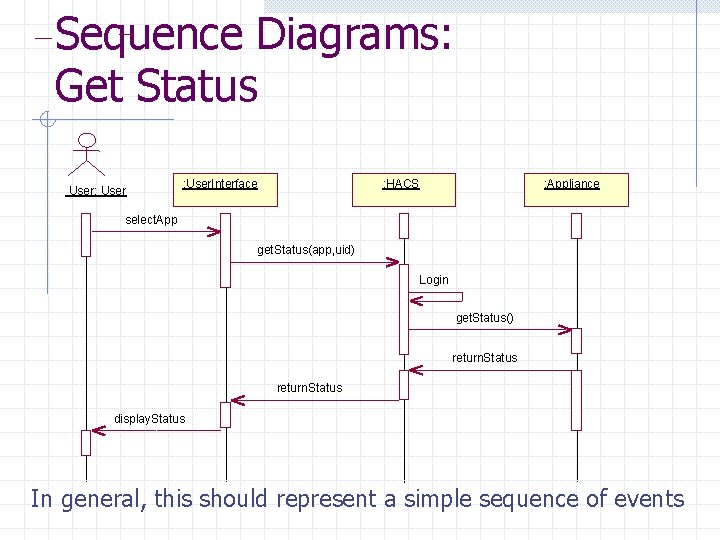
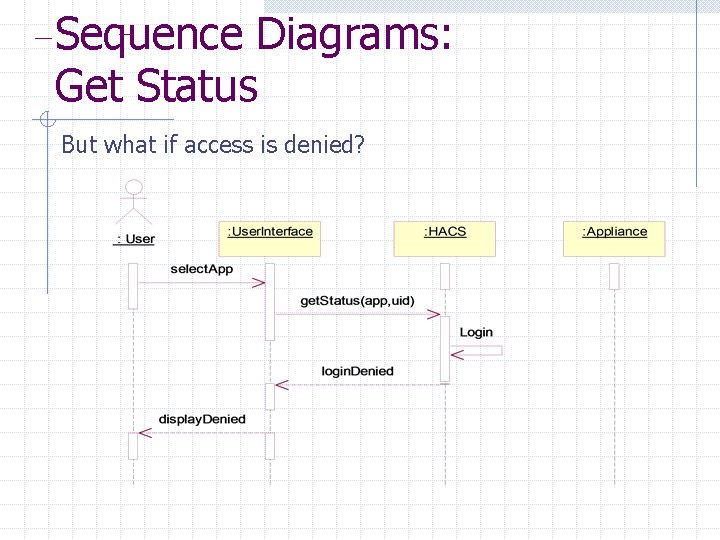
Sequence Diagrams: Get Status User: User. Interface : HACS : Appliance select. App get. Status(app, uid) Login get. Status() return. Status display. Status In general, this should represent a simple sequence of events
Sequence Diagrams: Get Status But what if access is denied?
Use Case: Set Status Manage Status <<extends>> User Appliance Set Status • Now that you know what the appliance is up to, don’t you want to change what it is doing?
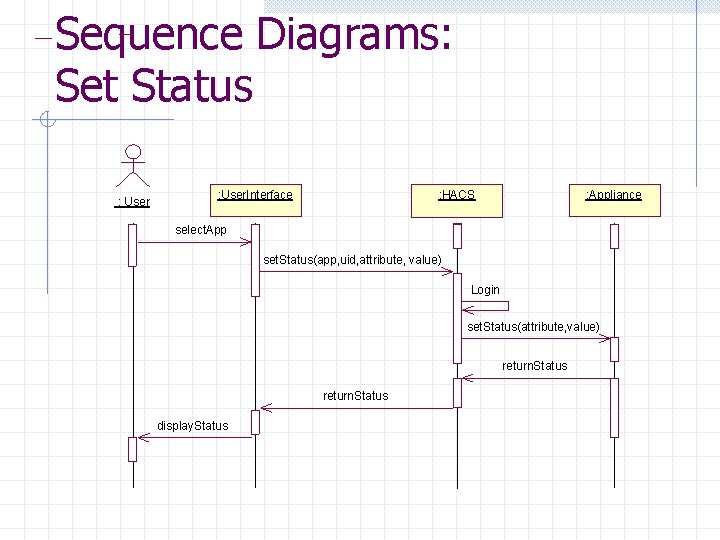
Sequence Diagrams: Set Status : User. Interface : HACS : Appliance select. App set. Status(app, uid, attribute, value) Login set. Status(attribute, value) return. Status display. Status
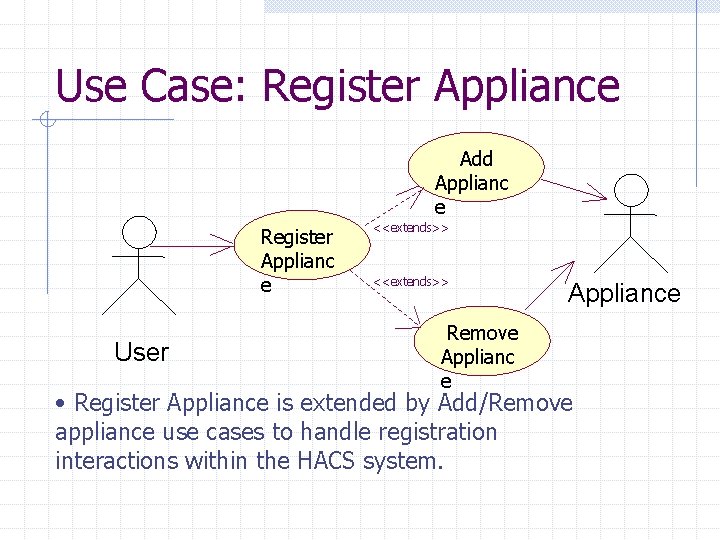
Use Case: Register Appliance Add Applianc e Register Applianc e User <<extends>> Remove Appliance • Register Appliance is extended by Add/Remove appliance use cases to handle registration interactions within the HACS system.
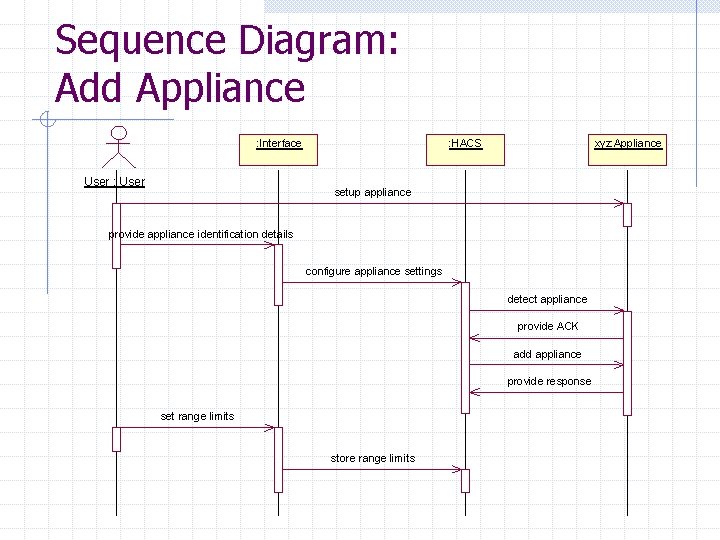
Sequence Diagram: Add Appliance : Interface User : HACS xyz: Appliance setup appliance provide appliance identification details configure appliance settings detect appliance provide ACK add appliance provide response set range limits store range limits
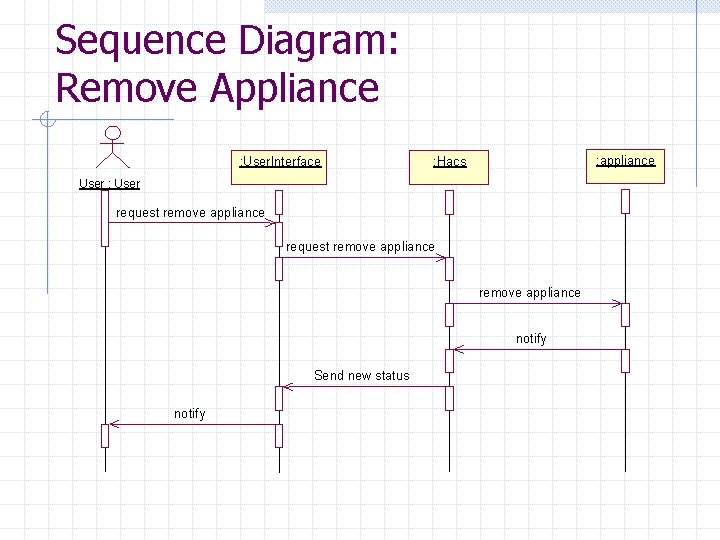
Sequence Diagram: Remove Appliance : User. Interface : appliance : Hacs User : User request remove appliance notify Send new status notify
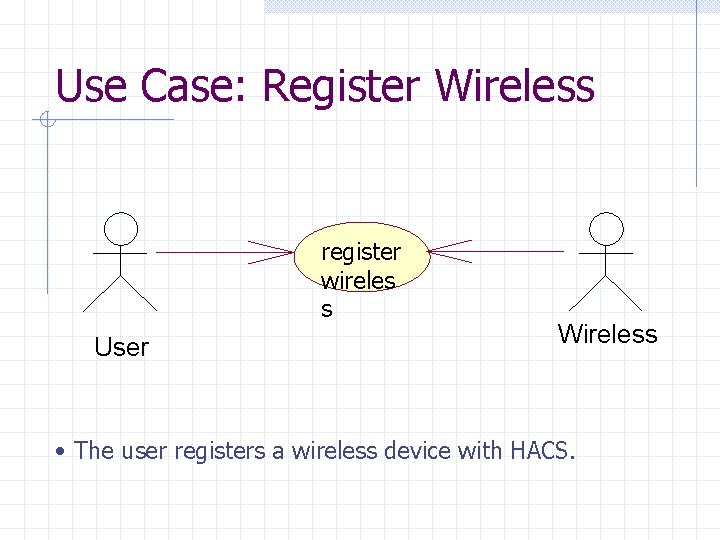
Use Case: Register Wireless register wireles s User Wireless • The user registers a wireless device with HACS.
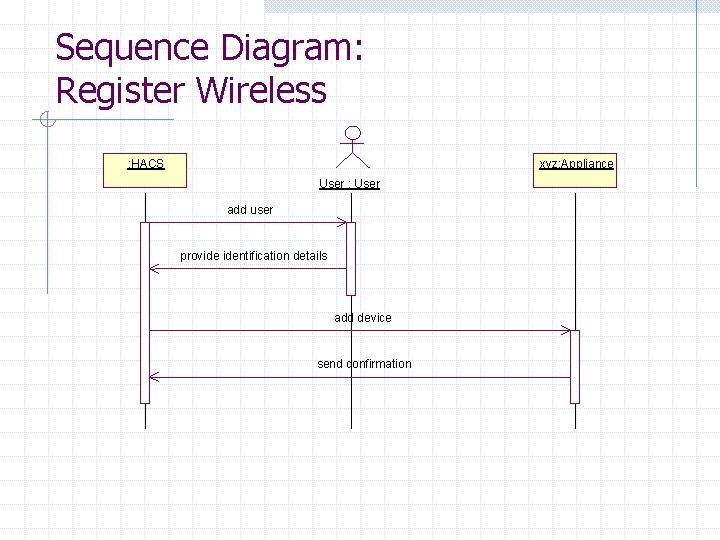
Sequence Diagram: Register Wireless : HACS xyz: Appliance User : User add user provide identification details add device send confirmation
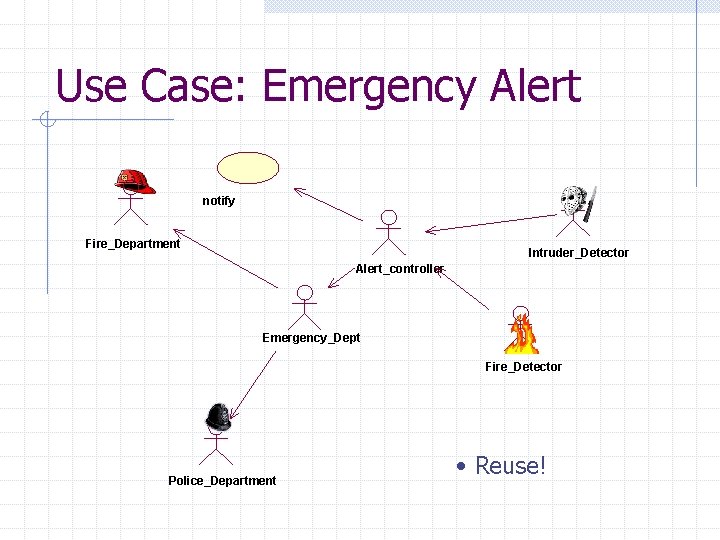
Use Case: Emergency Alert notify Fire_Department Intruder_Detector Alert_controller Emergency_Dept Fire_Detector Police_Department • Reuse!
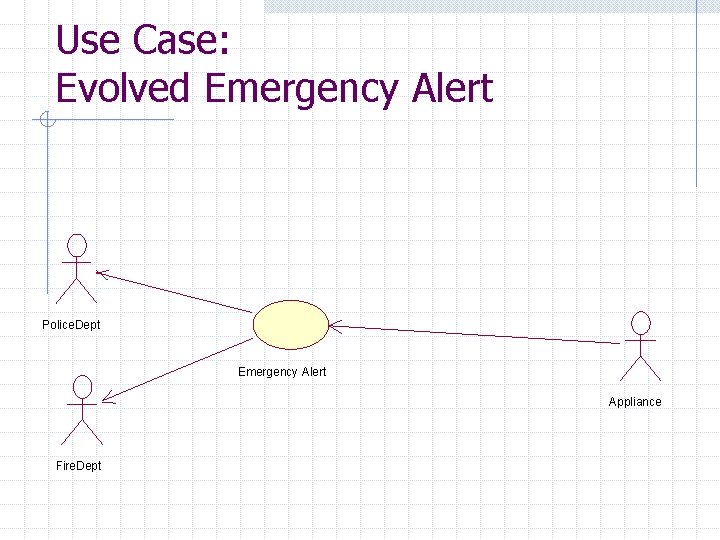
Use Case: Evolved Emergency Alert Police. Dept Emergency Alert Appliance Fire. Dept
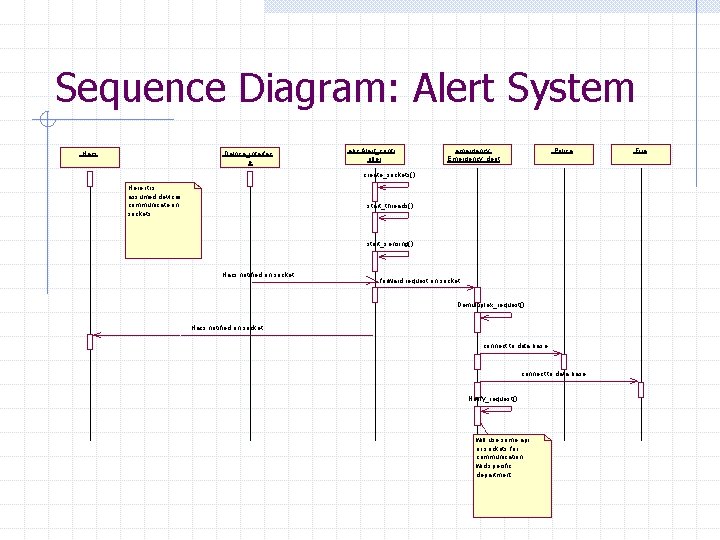
Sequence Diagram: Alert System : Hacs : Device_interfac e abc: Alert_contr oller emergency: Emergency_dept : Police create_sockets() Here it is assumed devices communicate on sockets start_threads() start_sensing() Hacs notified on socket forward request on socket Demultiplex_request() Hacs notified on socket connect to data base Notify_request() will use some api or sockets for communication wid specific department : Fire
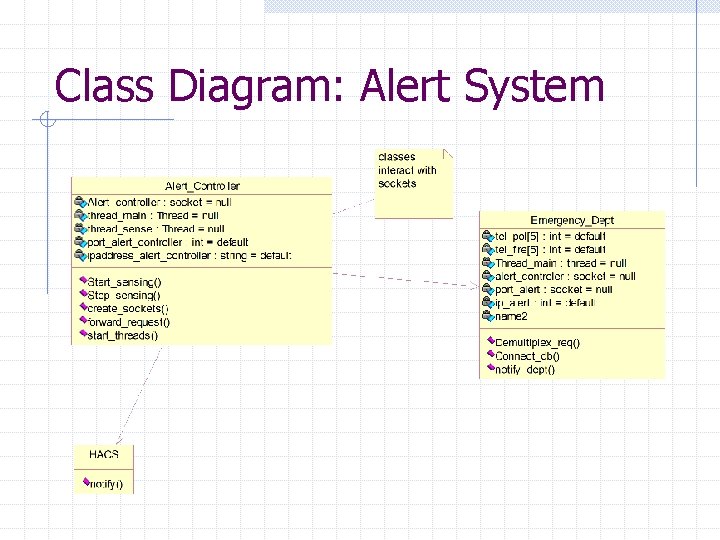
Class Diagram: Alert System
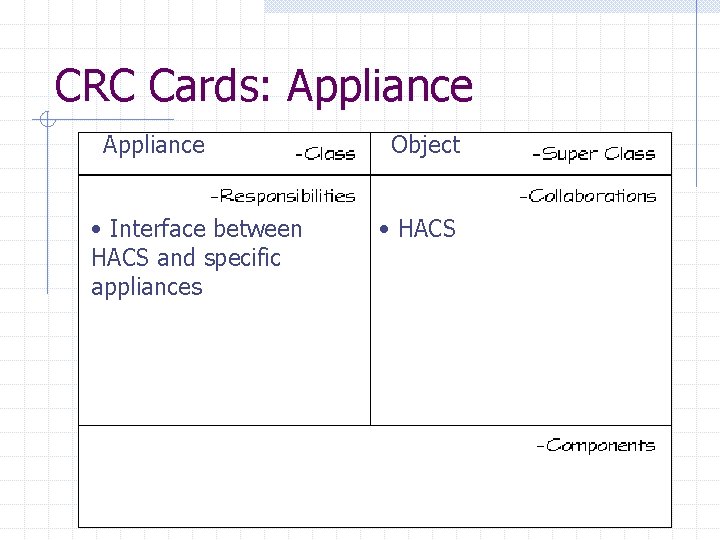
CRC Cards: Appliance • Interface between HACS and specific appliances Object • HACS
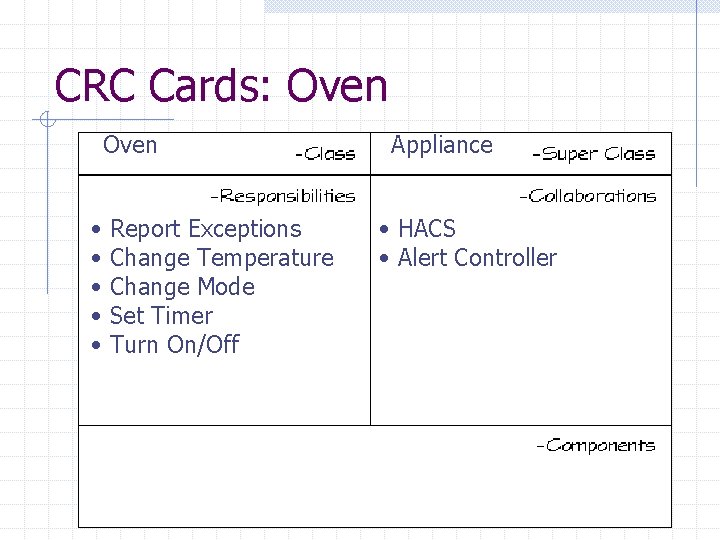
CRC Cards: Oven • • • Report Exceptions Change Temperature Change Mode Set Timer Turn On/Off Appliance • HACS • Alert Controller
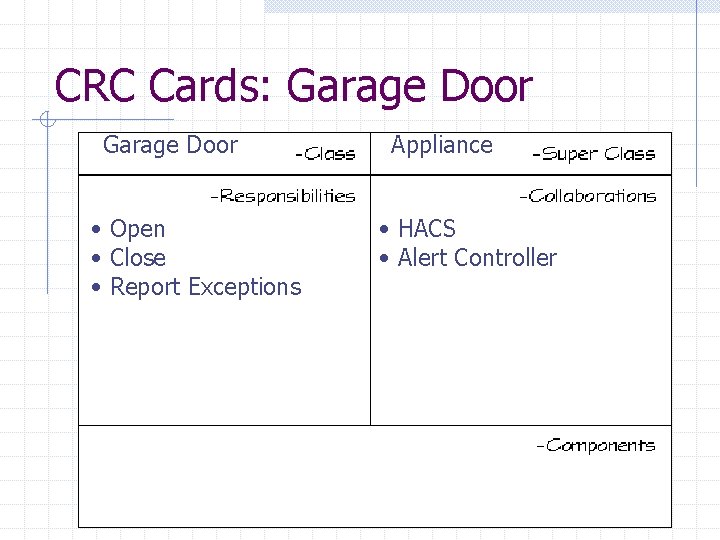
CRC Cards: Garage Door • Open • Close • Report Exceptions Appliance • HACS • Alert Controller
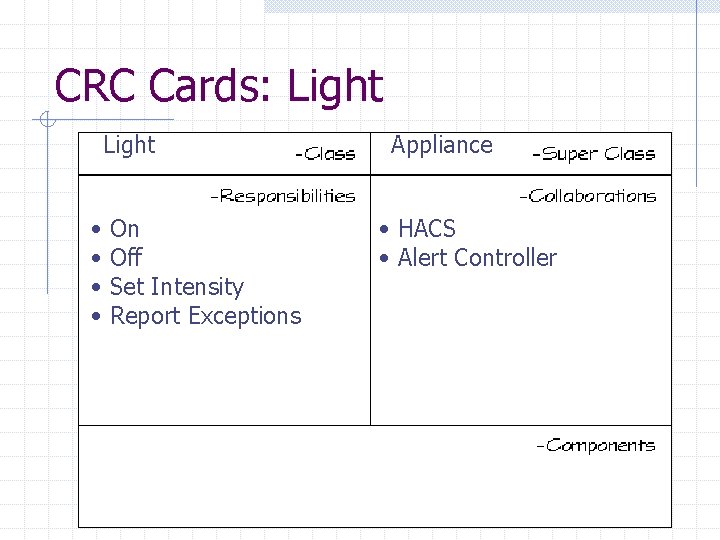
CRC Cards: Light • • On Off Set Intensity Report Exceptions Appliance • HACS • Alert Controller
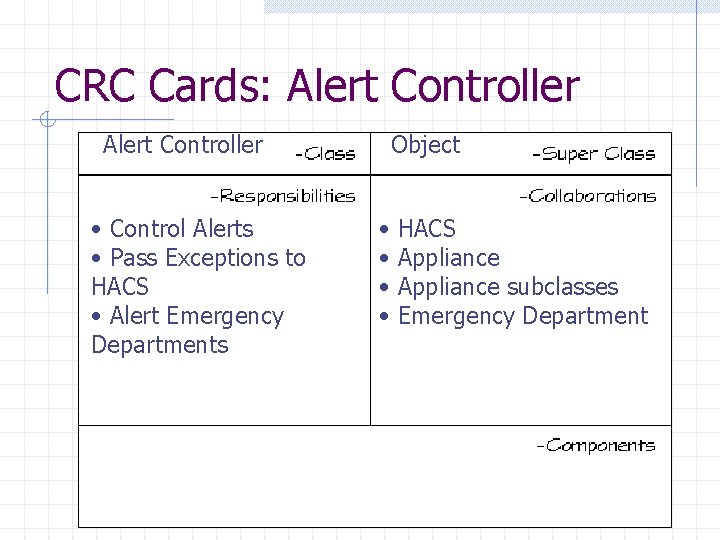
CRC Cards: Alert Controller • Control Alerts • Pass Exceptions to HACS • Alert Emergency Departments Object • • HACS Appliance subclasses Emergency Department
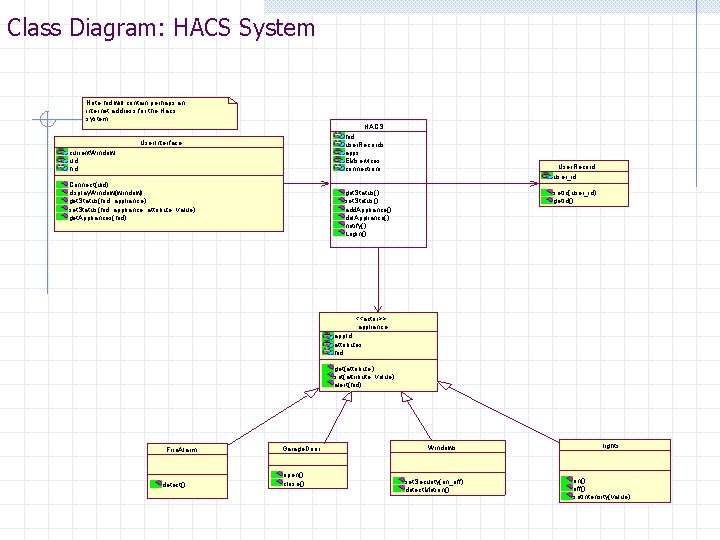
Class Diagram: HACS System Note hid will contain perhaps an internet address for the Hacs system HACS hid user. Records apps EMservices connections User. Interface current. Window uid hid Connect(uid) display. Window(window) get. Status(hid, appliance) set. Status(hid, appliance, attribute, value) get. Appliances(hid) User. Record user_id get. Status() set. Status() add. Appliance() del. Appliance() notify() Login() set. Id(user_id) get. Id() <<actor>> appliance app. Id attributes hid get(attribute) set(attribute, value) alert(hid) Fire. Alarm detect() Garage. Door open() close() Windows set. Security(on_off) detect. Motion() lights on() off() set. Intensity(value)
The END! Questions? Comments? Praise for our greatness?