
GYRO SENSOR POSITIONING SESHAN BROTHERS HOW MANY GYROS
GYRO SENSOR POSITIONING SESHAN BROTHERS
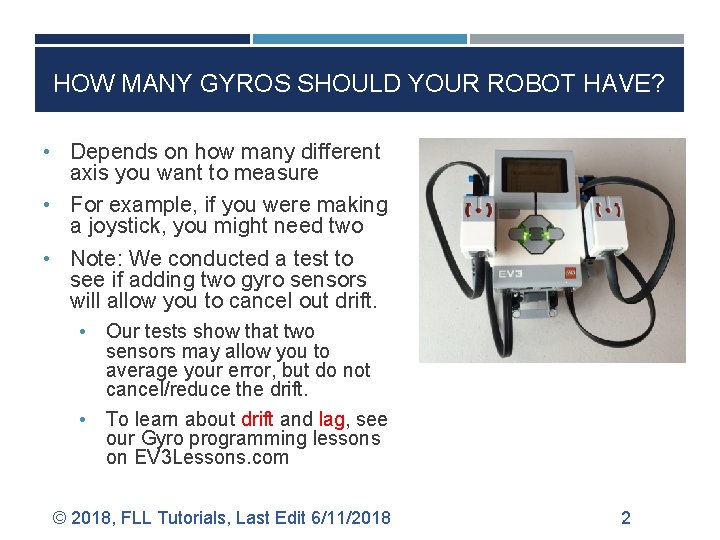
HOW MANY GYROS SHOULD YOUR ROBOT HAVE? • Depends on how many different axis you want to measure • For example, if you were making a joystick, you might need two • Note: We conducted a test to see if adding two gyro sensors will allow you to cancel out drift. • • Our tests show that two sensors may allow you to average your error, but do not cancel/reduce the drift. To learn about drift and lag, see our Gyro programming lessons on EV 3 Lessons. com © 2018, FLL Tutorials, Last Edit 6/11/2018 2
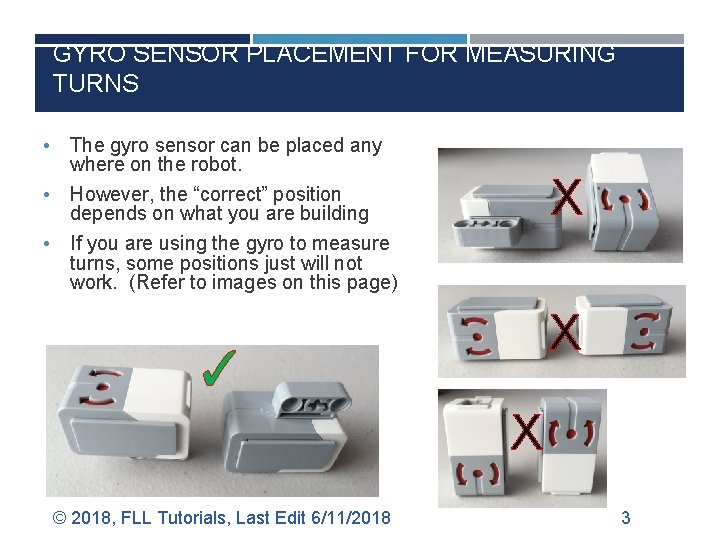
GYRO SENSOR PLACEMENT FOR MEASURING TURNS • • • The gyro sensor can be placed any where on the robot. However, the “correct” position depends on what you are building X If you are using the gyro to measure turns, some positions just will not work. (Refer to images on this page) X ✓ X © 2018, FLL Tutorials, Last Edit 6/11/2018 3
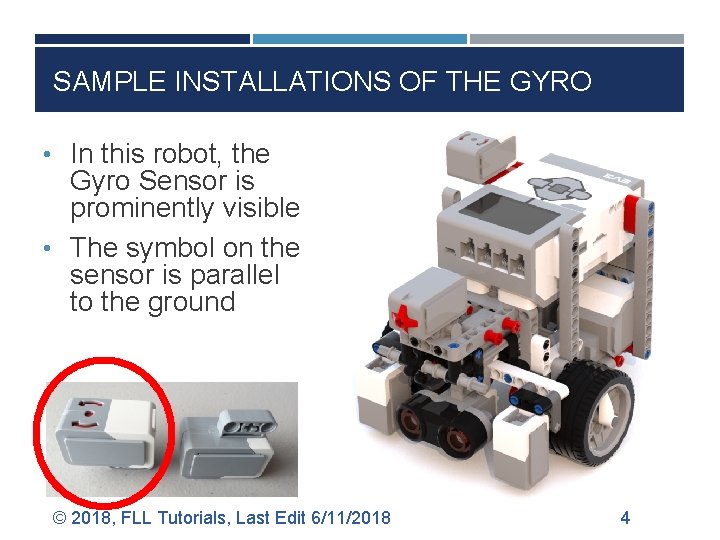
SAMPLE INSTALLATIONS OF THE GYRO • In this robot, the Gyro Sensor is prominently visible • The symbol on the sensor is parallel to the ground © 2018, FLL Tutorials, Last Edit 6/11/2018 4
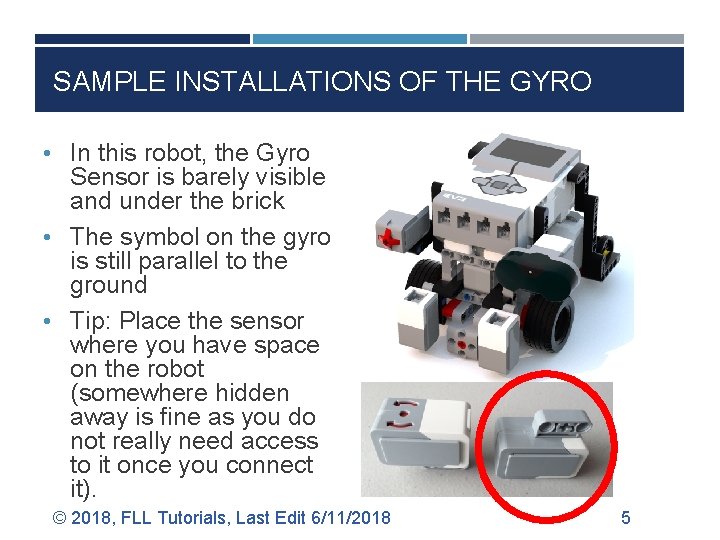
SAMPLE INSTALLATIONS OF THE GYRO • In this robot, the Gyro Sensor is barely visible and under the brick • The symbol on the gyro is still parallel to the ground • Tip: Place the sensor where you have space on the robot (somewhere hidden away is fine as you do not really need access to it once you connect it). © 2018, FLL Tutorials, Last Edit 6/11/2018 5
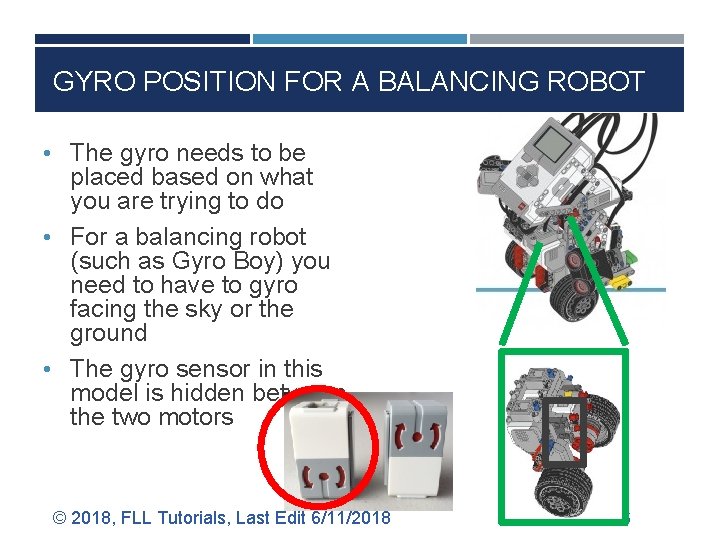
GYRO POSITION FOR A BALANCING ROBOT • The gyro needs to be placed based on what you are trying to do • For a balancing robot (such as Gyro Boy) you need to have to gyro facing the sky or the ground • The gyro sensor in this model is hidden between the two motors © 2018, FLL Tutorials, Last Edit 6/11/2018 6
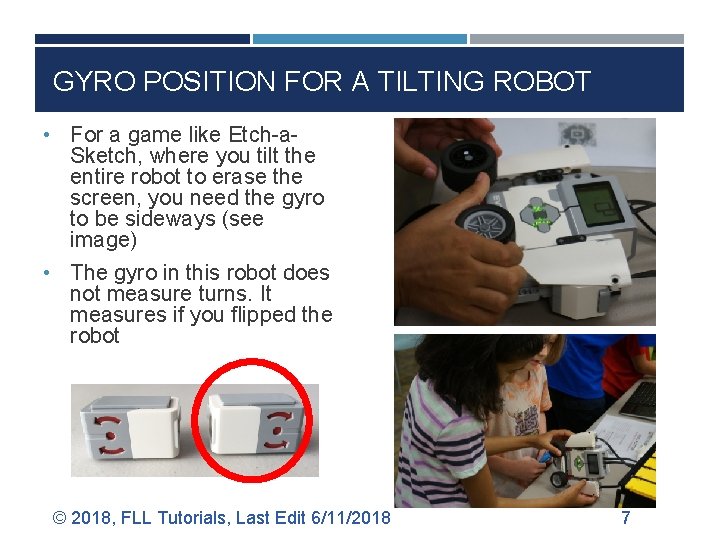
GYRO POSITION FOR A TILTING ROBOT • For a game like Etch-a- Sketch, where you tilt the entire robot to erase the screen, you need the gyro to be sideways (see image) • The gyro in this robot does not measure turns. It measures if you flipped the robot © 2018, FLL Tutorials, Last Edit 6/11/2018 7
CREDITS • This tutorial was created by Sanjay Seshan and Arvind Seshan • More lessons at www. ev 3 lessons. com and www. flltutorials. com This work is licensed under a Creative Commons Attribution. Non. Commercial-Share. Alike 4. 0 International License. © 2018, FLL Tutorials, Last Edit 6/11/2018 8
- Slides: 8