
Guide to Using Minitab 14 For Basic Statistical
Guide to Using Minitab 14 For Basic Statistical Applications To Accompany Business Statistics: A Decision Making Approach, 8 th Ed. Chapter 8: Estimating Single Population Parameters By Groebner, Shannon, Fry, & Smith Prentice-Hall Publishing Company Copyright, 2011
Chapter 8 Minitab Examples n n Histogram Nagel Beverage Company Interval Estimation Heritage Software
Histogram Construction Nagel Beverage Company Issue: The manager is interested in viewing the graphical characteristics of the sample fill amounts in soft-drink cans. Objective: Use Minitab to help construct a histogram of the sample fill volumes. Data file is Nagel-Beverage. MTW
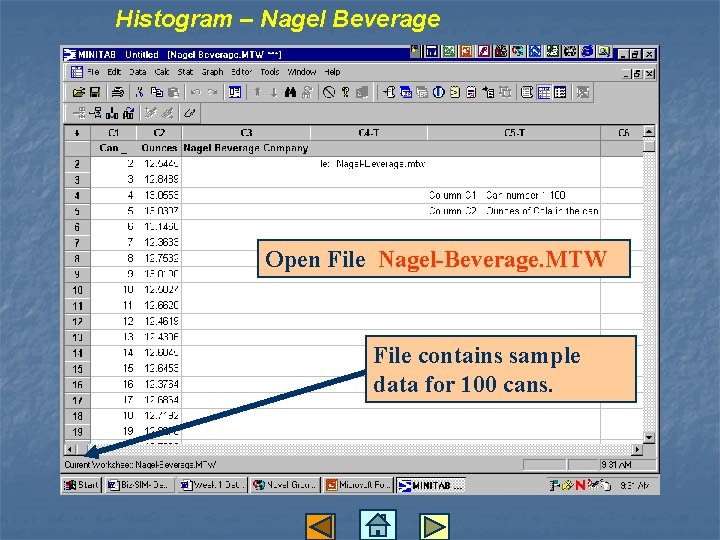
Histogram – Nagel Beverage Open File Nagel-Beverage. MTW File contains sample data for 100 cans.
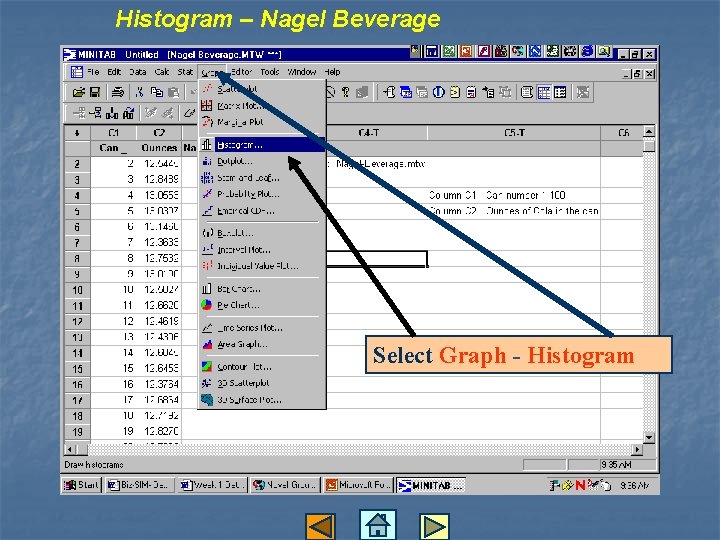
Histogram – Nagel Beverage Select Graph - Histogram
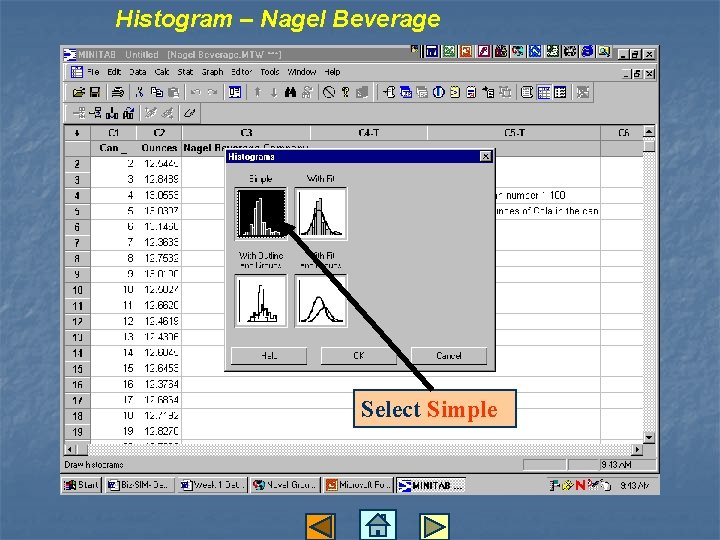
Histogram – Nagel Beverage Select Simple
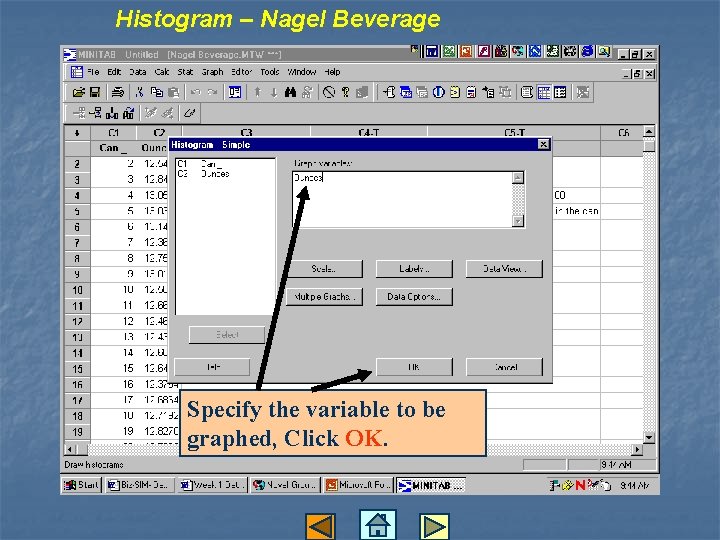
Histogram – Nagel Beverage Specify the variable to be graphed, Click OK.
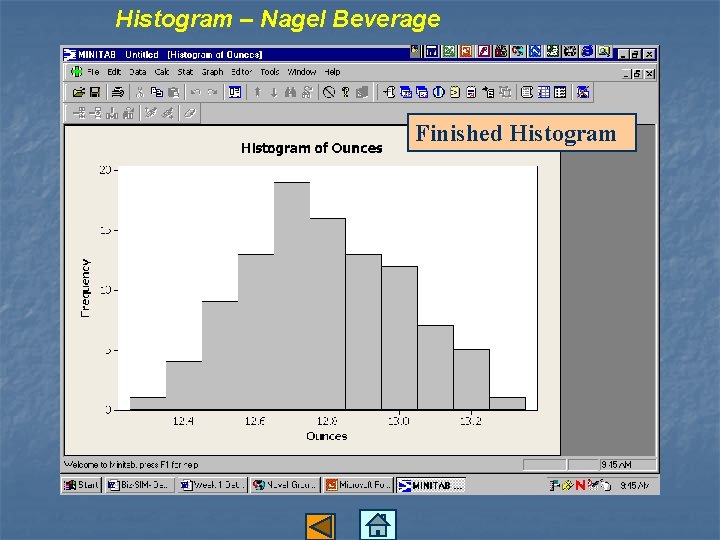
Histogram – Nagel Beverage Finished Histogram
Interval Estimation Heritage Software Issue: The company has service representatives who answer calls from customers. The managers are interested in estimating the mean call time Objective: Use Minitab to help construct a confidence interval for the population mean call time. Data file is Heritage. MTW
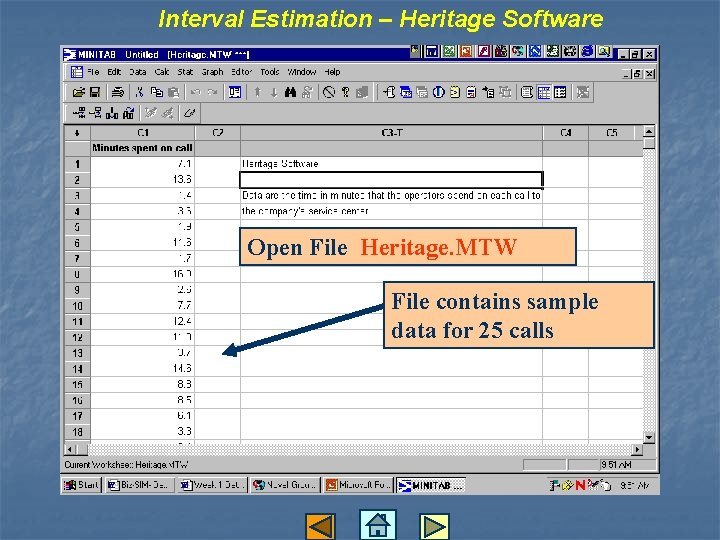
Interval Estimation – Heritage Software Open File Heritage. MTW File contains sample data for 25 calls

Interval Estimation – Heritage Software Use Stat – Basic Statistics – 1 -Sample t
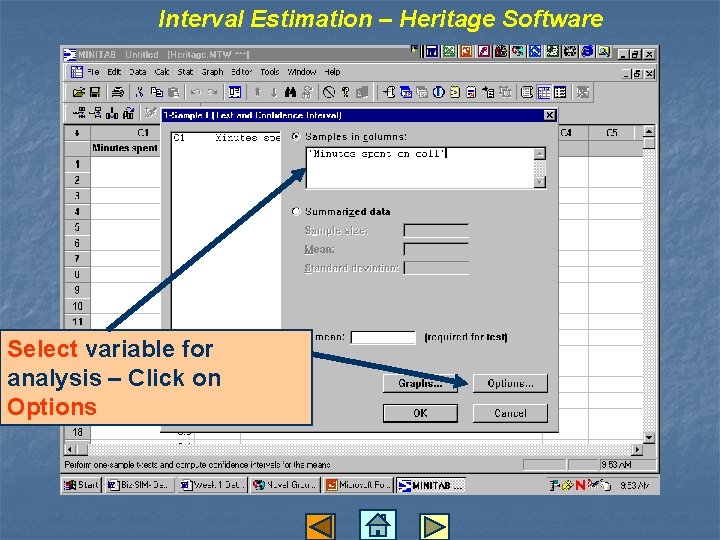
Interval Estimation – Heritage Software Select variable for analysis – Click on Options
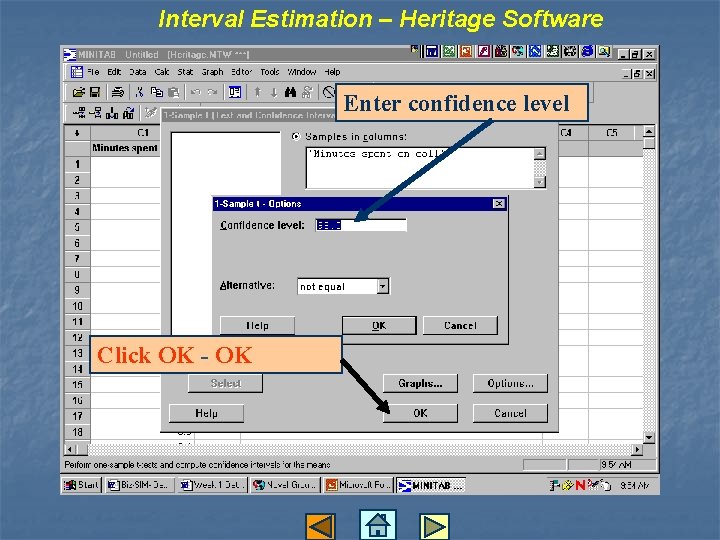
Interval Estimation – Heritage Software Enter confidence level Click OK - OK
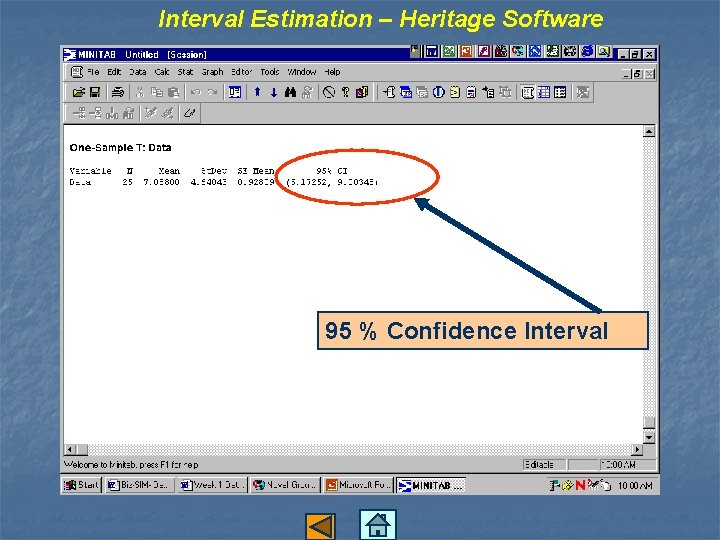
Interval Estimation – Heritage Software 95 % Confidence Interval
- Slides: 14