
Guide to Using Excel For Basic Statistical Applications
Guide to Using Excel For Basic Statistical Applications To Accompany Business Statistics: A Decision Making Approach, 6 th Ed. Chapter 7: Estimating Population Values By Groebner, Shannon, Fry, & Smith Prentice-Hall Publishing Company Copyright, 2005
Chapter 7 Excel Examples ® Interval Estimation Nagel Beverage Company ® Interval Estimation Heritage Software
Interval Estimation. Nagel Beverage Company Issue: The manager is interested in estimating the mean fill amount in soft-drink cans. Ideal average is 12 ounces Objective: Use Excel to help construct a confidence interval estimate for population mean fill volume. Data file is Nagel-Beverage. xls
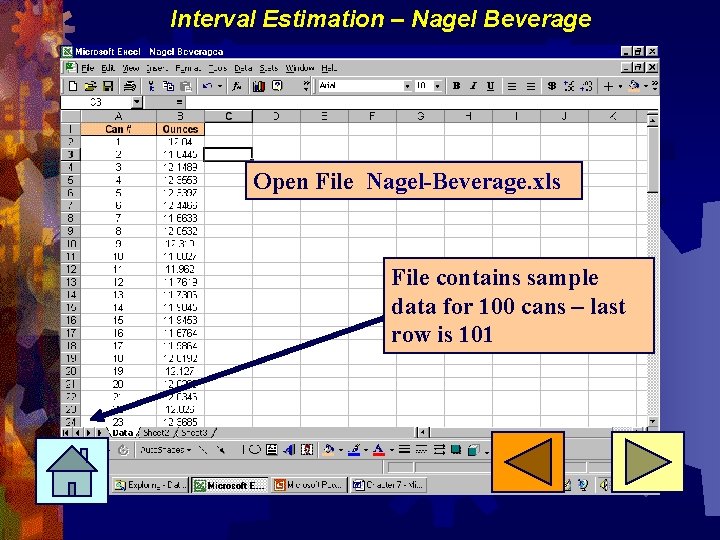
Interval Estimation – Nagel Beverage Open File Nagel-Beverage. xls File contains sample data for 100 cans – last row is 101
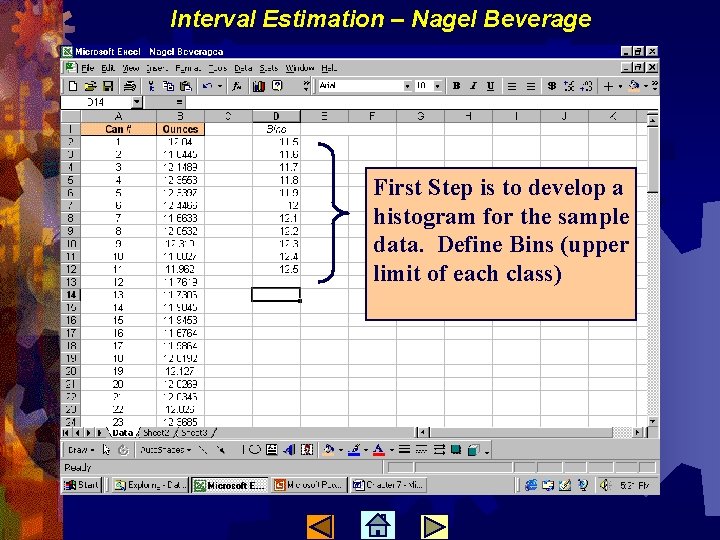
Interval Estimation – Nagel Beverage First Step is to develop a histogram for the sample data. Define Bins (upper limit of each class)
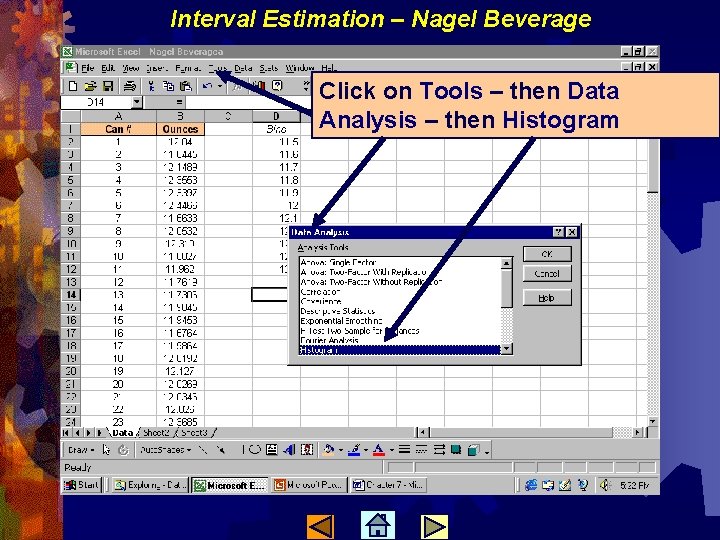
Interval Estimation – Nagel Beverage Click on Tools – then Data Analysis – then Histogram
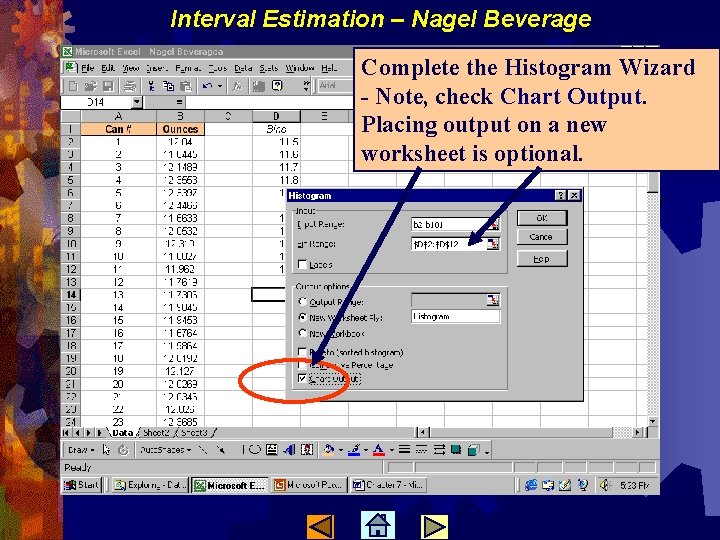
Interval Estimation – Nagel Beverage Complete the Histogram Wizard - Note, check Chart Output. Placing output on a new worksheet is optional.
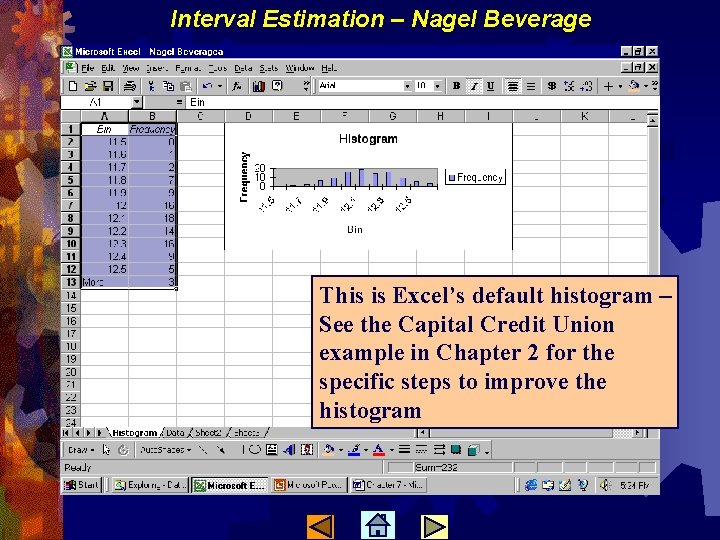
Interval Estimation – Nagel Beverage This is Excel’s default histogram – See the Capital Credit Union example in Chapter 2 for the specific steps to improve the histogram
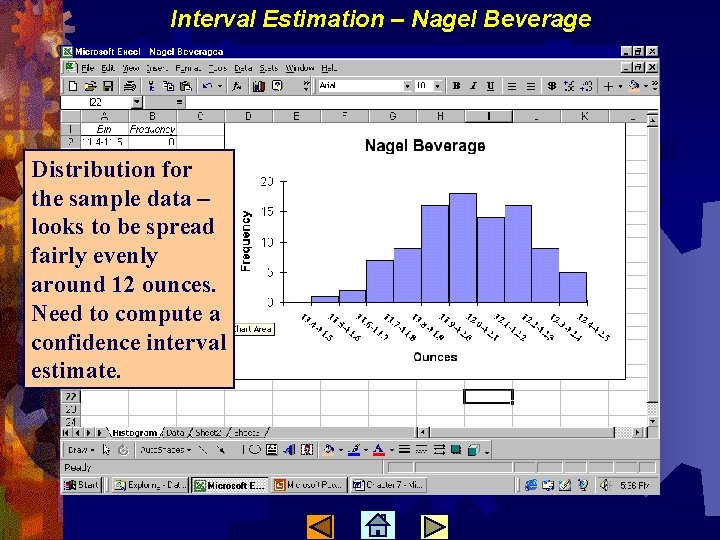
Interval Estimation – Nagel Beverage Distribution for the sample data – looks to be spread fairly evenly around 12 ounces. Need to compute a confidence interval estimate.
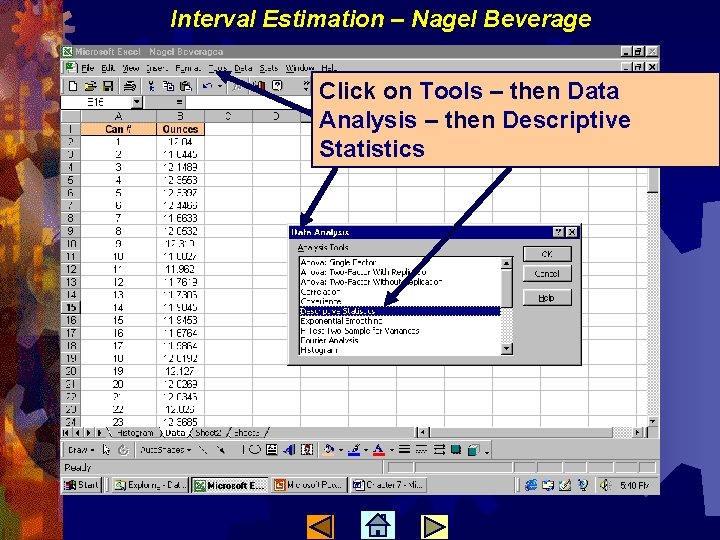
Interval Estimation – Nagel Beverage Click on Tools – then Data Analysis – then Descriptive Statistics
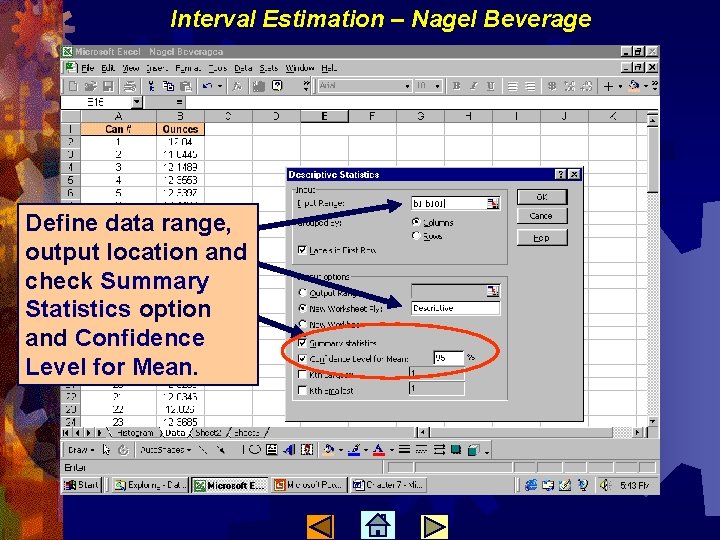
Interval Estimation – Nagel Beverage Define data range, output location and check Summary Statistics option and Confidence Level for Mean.
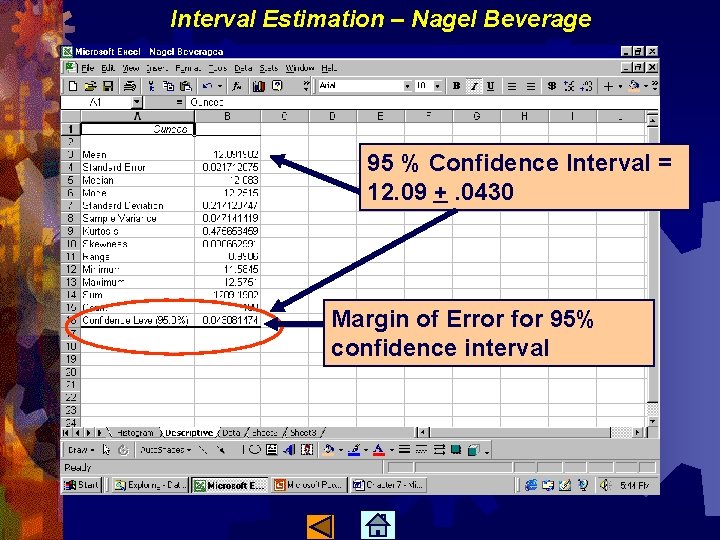
Interval Estimation – Nagel Beverage 95 % Confidence Interval = 12. 09 +. 0430 Margin of Error for 95% confidence interval
Interval Estimation Heritage Software Issue: The company has service representatives who answer calls from customers. The managers are interested in estimating the mean call time Objective: Use Excel to help construct a confidence interval estimate for population mean call time. Data file is Heritage. xls
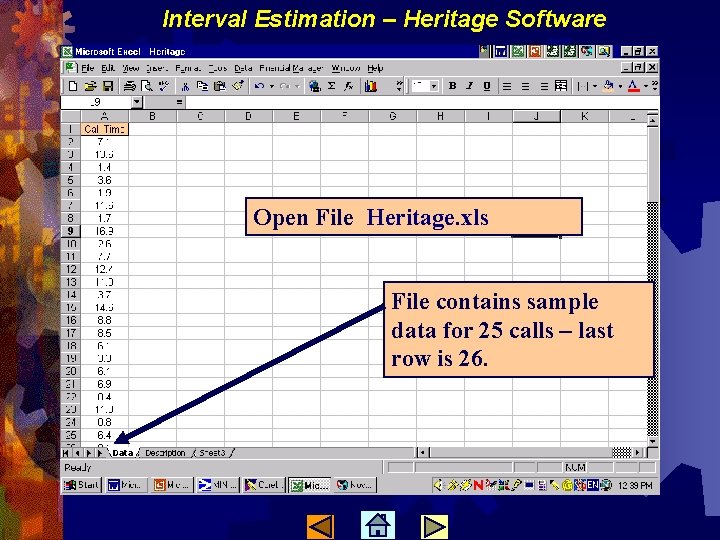
Interval Estimation – Heritage Software Open File Heritage. xls File contains sample data for 25 calls – last row is 26.
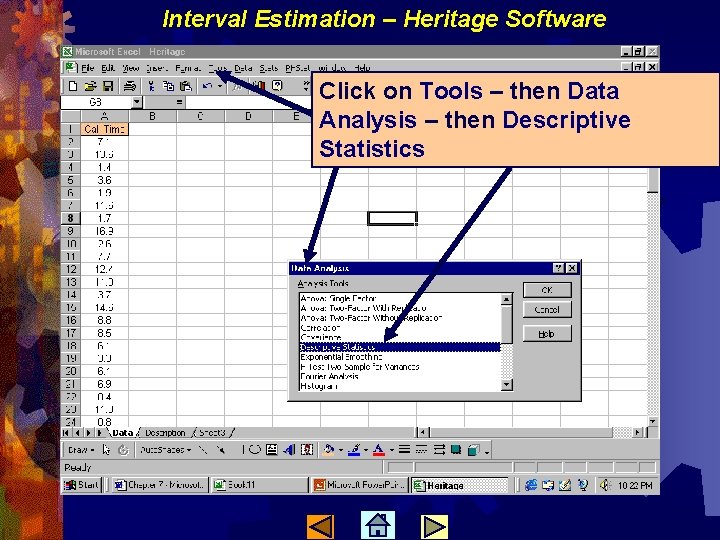
Interval Estimation – Heritage Software Click on Tools – then Data Analysis – then Descriptive Statistics
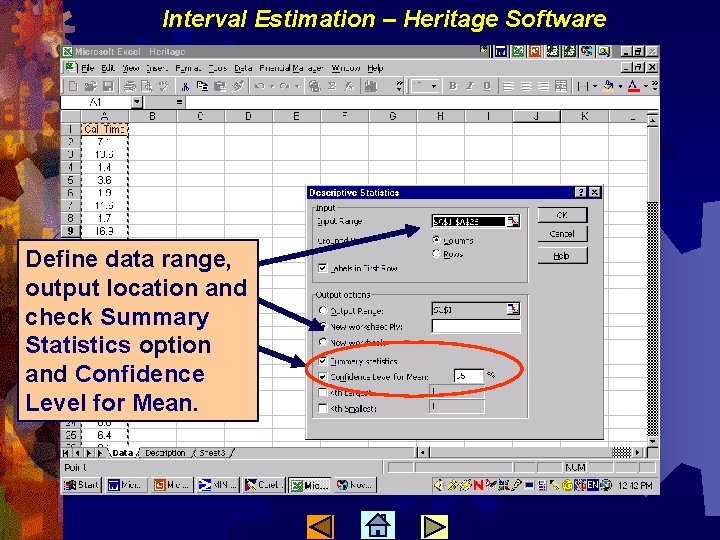
Interval Estimation – Heritage Software Define data range, output location and check Summary Statistics option and Confidence Level for Mean.
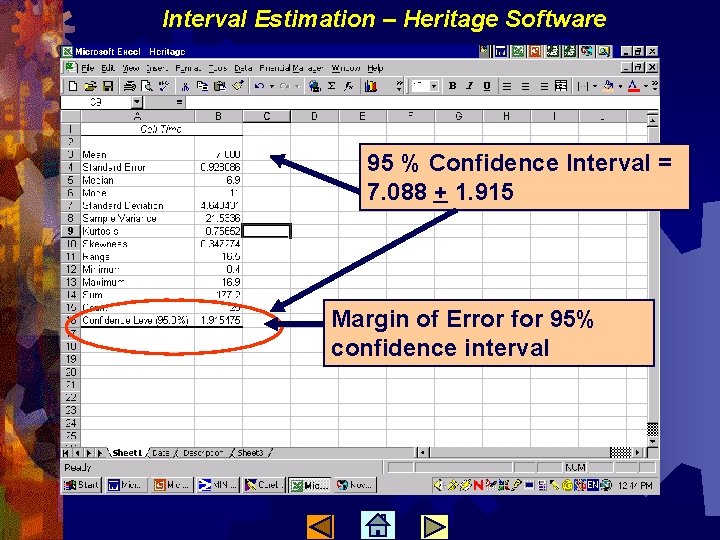
Interval Estimation – Heritage Software 95 % Confidence Interval = 7. 088 + 1. 915 Margin of Error for 95% confidence interval
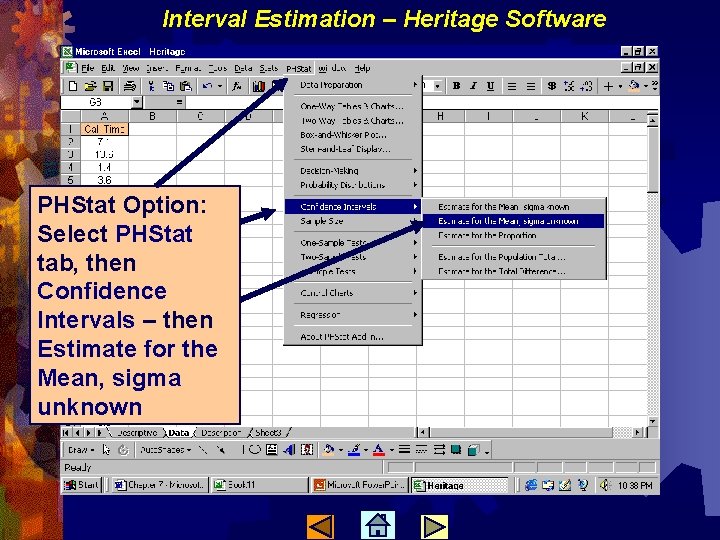
Interval Estimation – Heritage Software PHStat Option: Select PHStat tab, then Confidence Intervals – then Estimate for the Mean, sigma unknown
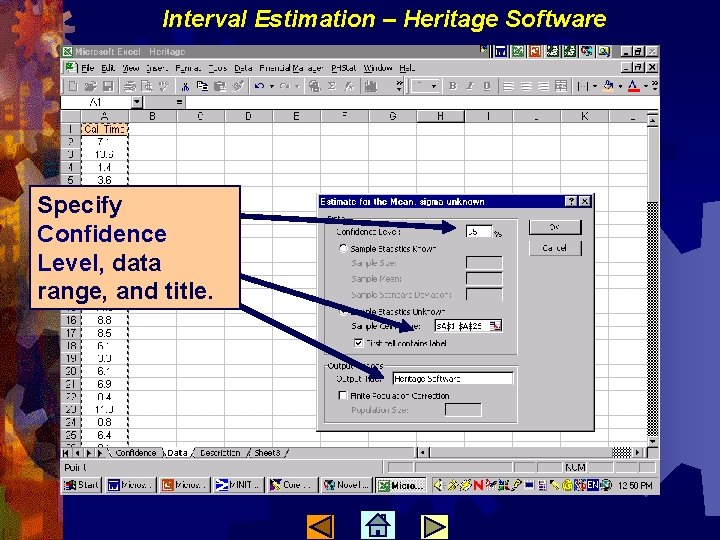
Interval Estimation – Heritage Software Specify Confidence Level, data range, and title.
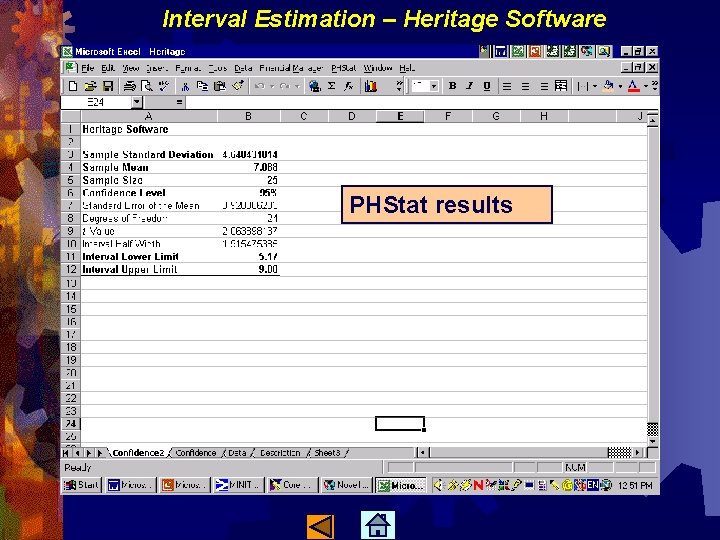
Interval Estimation – Heritage Software PHStat results
- Slides: 20