
Guide to Operating System Security Chapter 5 File

- Slides: 54
Guide to Operating System Security Chapter 5 File, Directory, and Shared Resource Security
Objectives l l Implement directory, folder, and file security Configure shared resource security, using share permissions in Windows 2000/XP/2003 Use groups to implement security Troubleshoot security Guide to Operating System Security 2
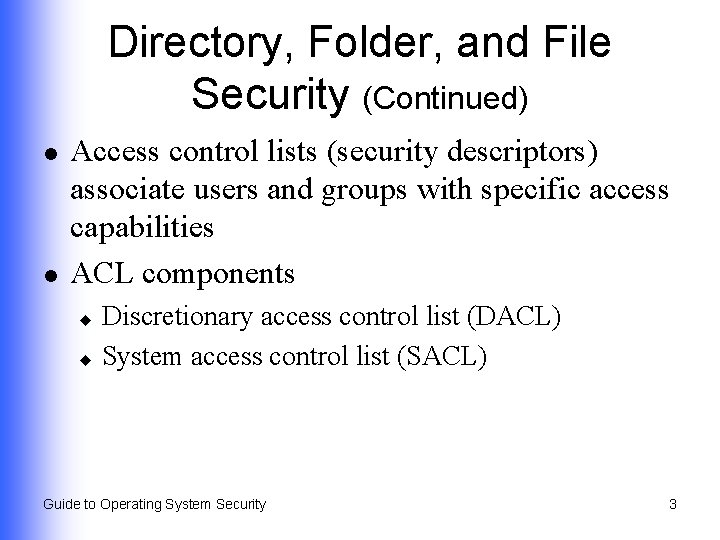
Directory, Folder, and File Security (Continued) l l Access control lists (security descriptors) associate users and groups with specific access capabilities ACL components Discretionary access control list (DACL) u System access control list (SACL) u Guide to Operating System Security 3
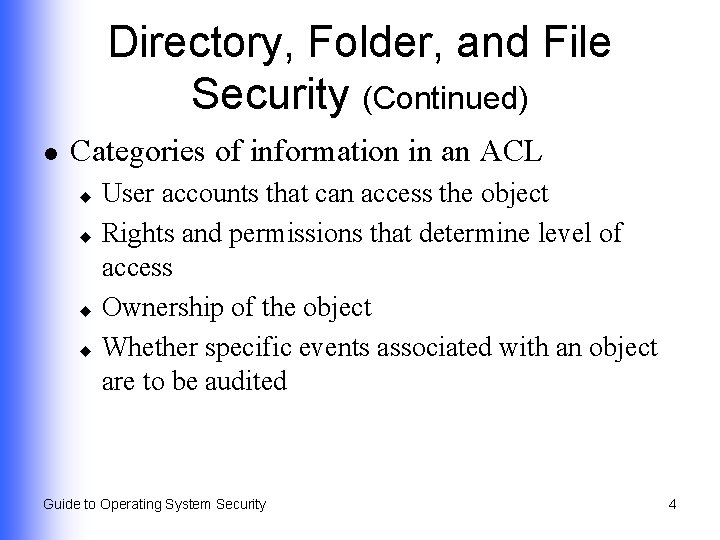
Directory, Folder, and File Security (Continued) l Categories of information in an ACL User accounts that can access the object u Rights and permissions that determine level of access u Ownership of the object u Whether specific events associated with an object are to be audited u Guide to Operating System Security 4
Windows 2000/XP/2003 Folder and File Security l l Use attributes and permissions – related to file system used with the OS NTFS is better than FAT 16 or FAT 32 Able to set standard and special permissions u Supports use of EFS u Enables disk quotas to be set u Guide to Operating System Security 5
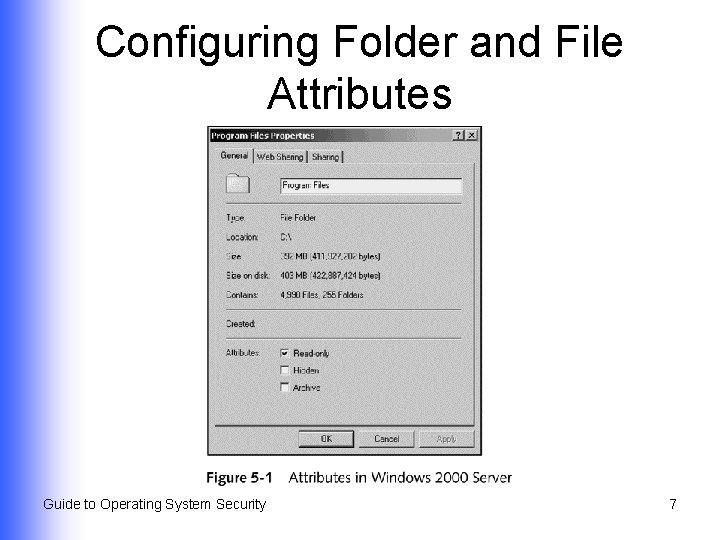
Configuring Folder and File Attributes l l Attributes in FAT 16, FAT 32, and NTFS are stored as header information Attributes available in FAT 16/FAT 32 formatted disks Read-only u Hidden u Archive u Guide to Operating System Security 6
Configuring Folder and File Attributes Guide to Operating System Security 7
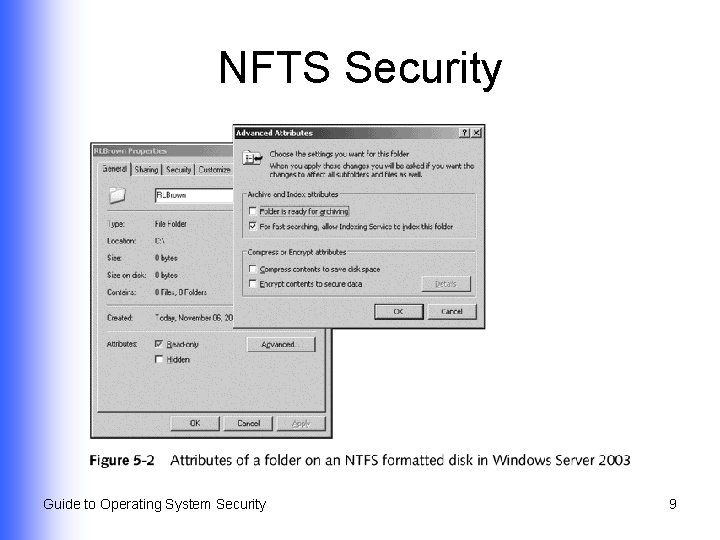
NFTS Security Attributes l l l Read-only Hidden Archive Index Compress Encrypt Guide to Operating System Security 8
NFTS Security Guide to Operating System Security 9
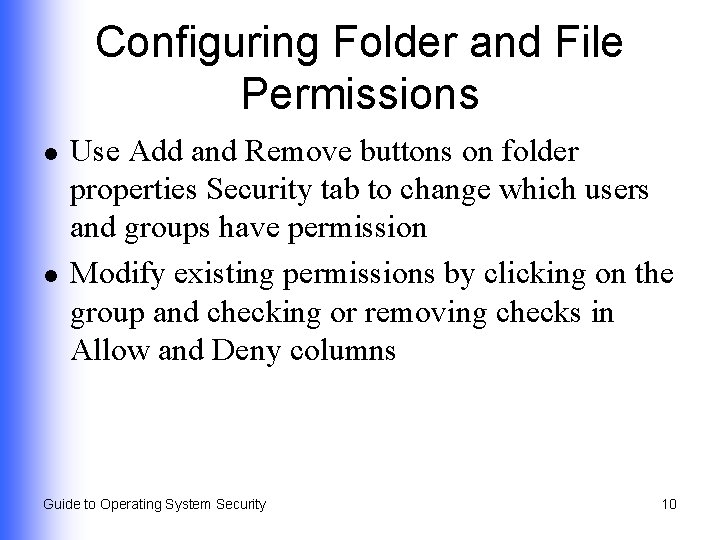
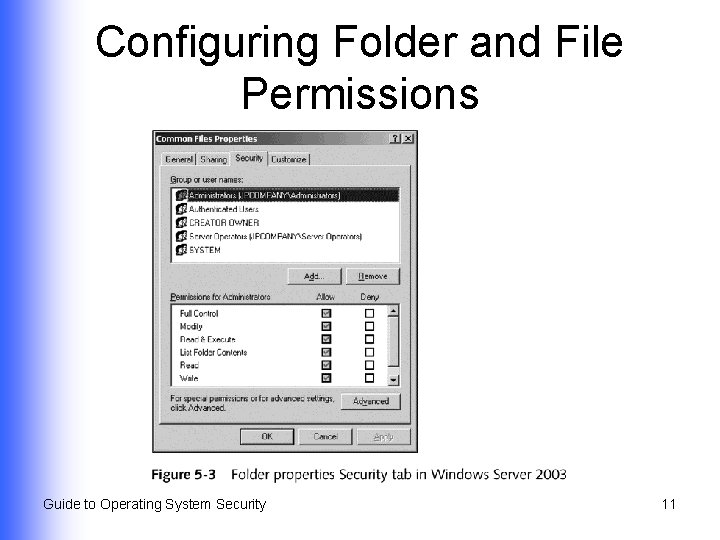
Configuring Folder and File Permissions l l Use Add and Remove buttons on folder properties Security tab to change which users and groups have permission Modify existing permissions by clicking on the group and checking or removing checks in Allow and Deny columns Guide to Operating System Security 10
Configuring Folder and File Permissions Guide to Operating System Security 11
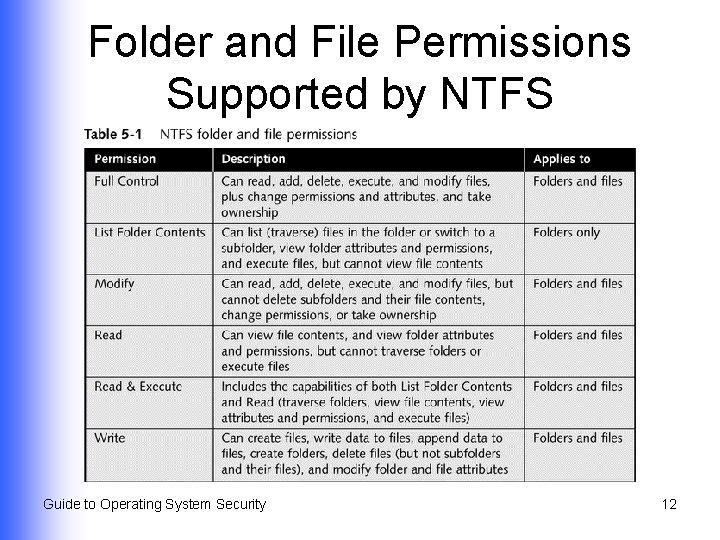
Folder and File Permissions Supported by NTFS Guide to Operating System Security 12
Configuring Inheritable Permissions Guide to Operating System Security 13
UNIX and Linux Directory and File Security (Continued) l Permissions Read (r) u Write (w) u Execute (x) u l Special permissions for executable programs Set User ID (SUID) u Set Group ID (SGID) u Guide to Operating System Security 14
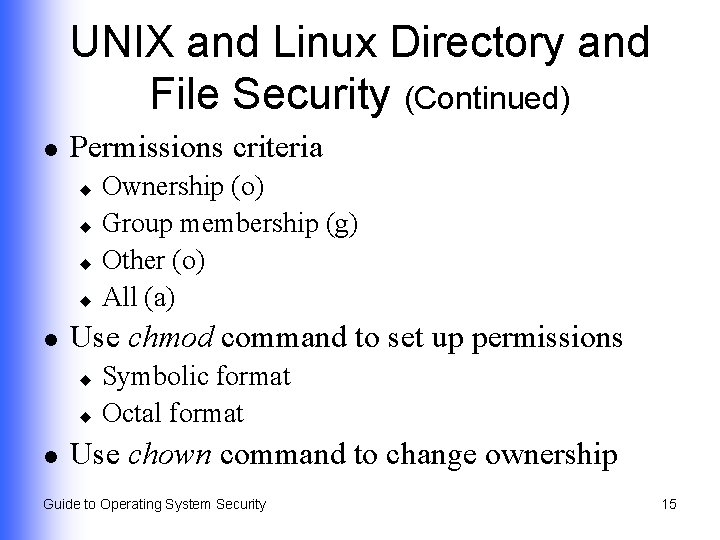
UNIX and Linux Directory and File Security (Continued) l Permissions criteria Ownership (o) u Group membership (g) u Other (o) u All (a) u l Use chmod command to set up permissions Symbolic format u Octal format u l Use chown command to change ownership Guide to Operating System Security 15
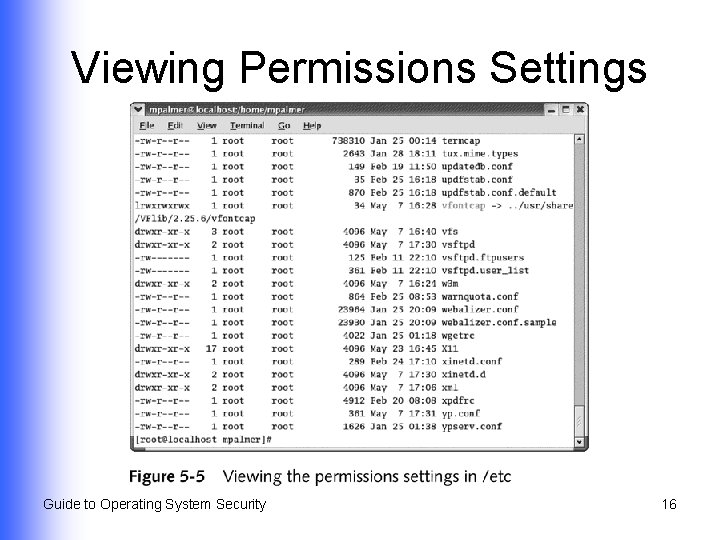
Viewing Permissions Settings Guide to Operating System Security 16
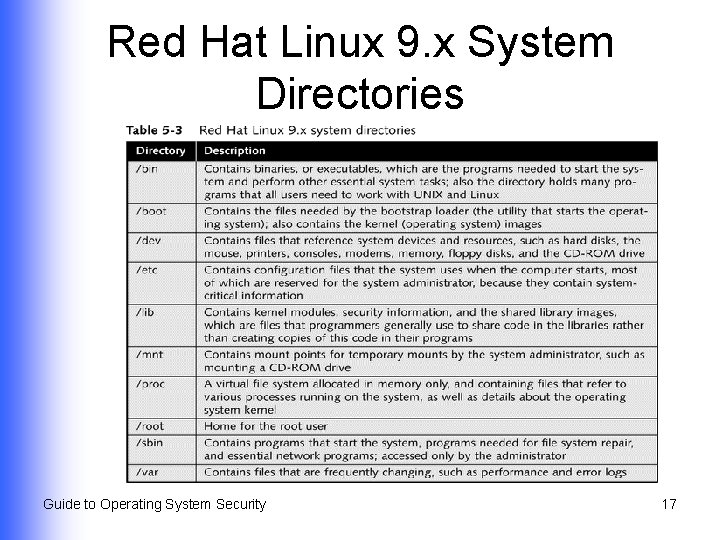
Red Hat Linux 9. x System Directories Guide to Operating System Security 17
Net. Ware 6. x Directory and File Security l Access controlled through: Attributes associated with files and directories u Access rights granted to trustees u Guide to Operating System Security 18
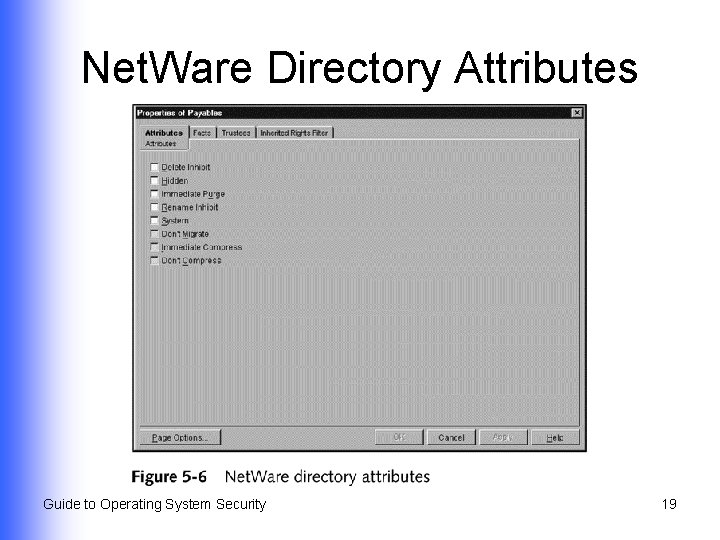
Net. Ware Directory Attributes Guide to Operating System Security 19
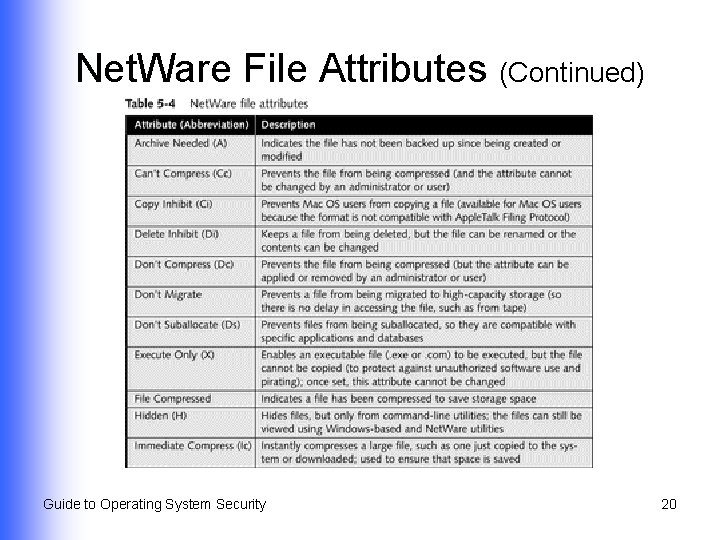
Net. Ware File Attributes (Continued) Guide to Operating System Security 20
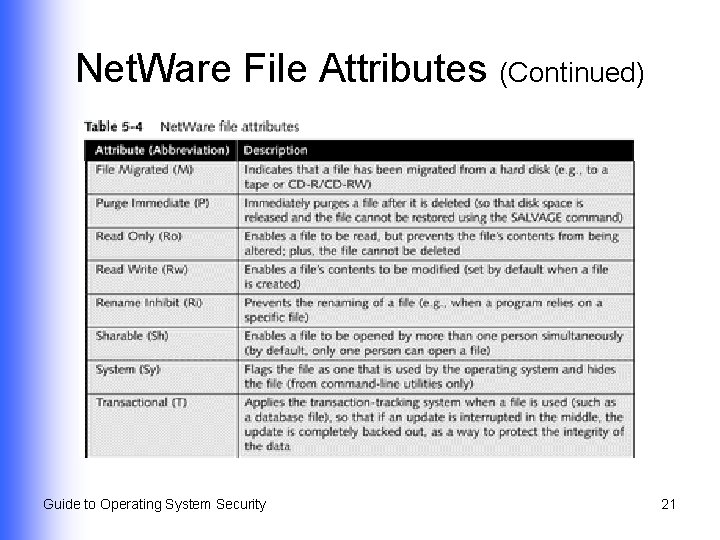
Net. Ware File Attributes (Continued) Guide to Operating System Security 21
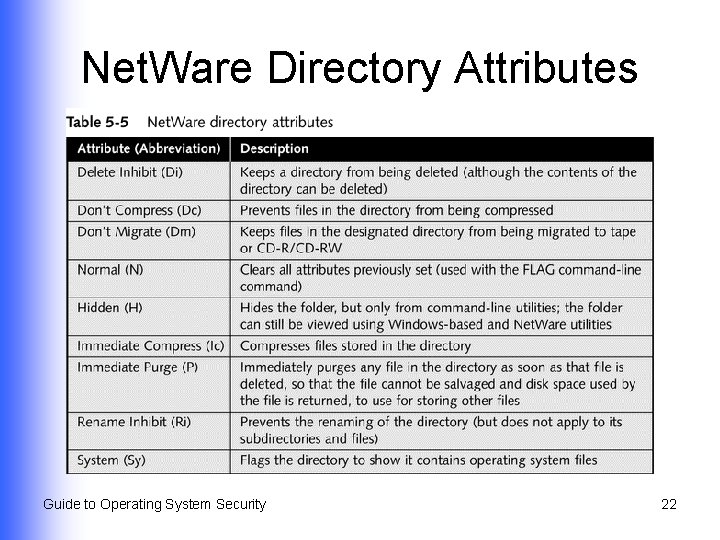
Net. Ware Directory Attributes Guide to Operating System Security 22
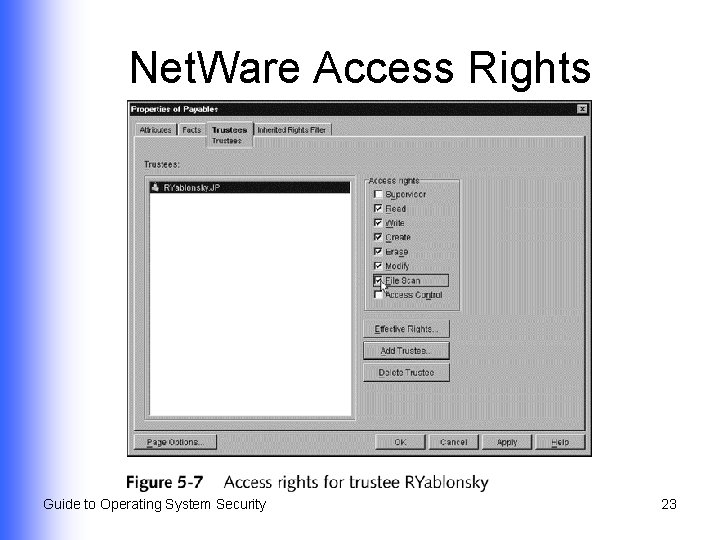
Net. Ware Access Rights Guide to Operating System Security 23
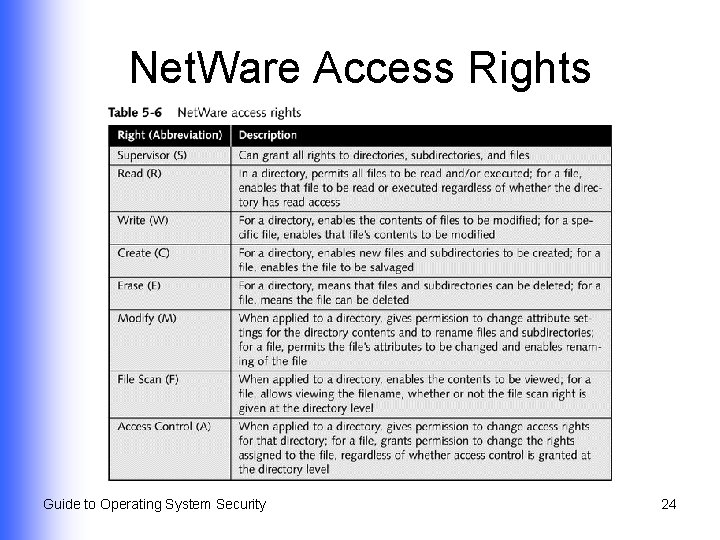
Net. Ware Access Rights Guide to Operating System Security 24
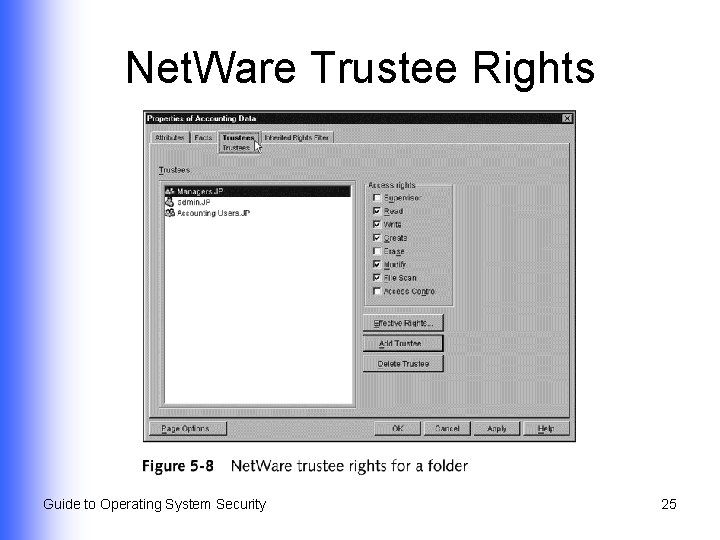
Net. Ware Trustee Rights Guide to Operating System Security 25
Mac OS X Folder and File Security l Ways to configure file and folder permissions Command-line commands u Set Get Info properties of a file u Guide to Operating System Security 26
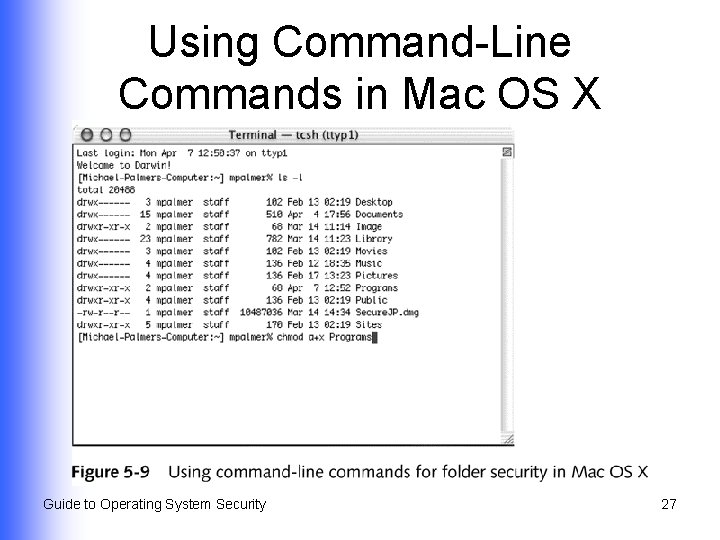
Using Command-Line Commands in Mac OS X Guide to Operating System Security 27
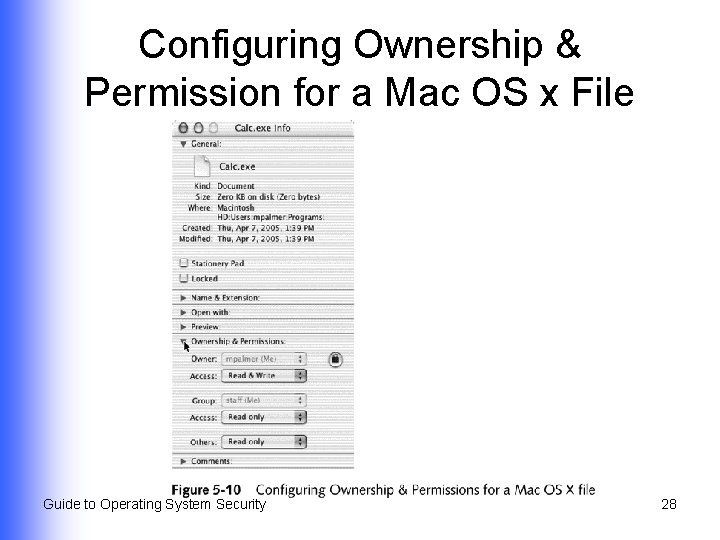
Configuring Ownership & Permission for a Mac OS x File Guide to Operating System Security 28
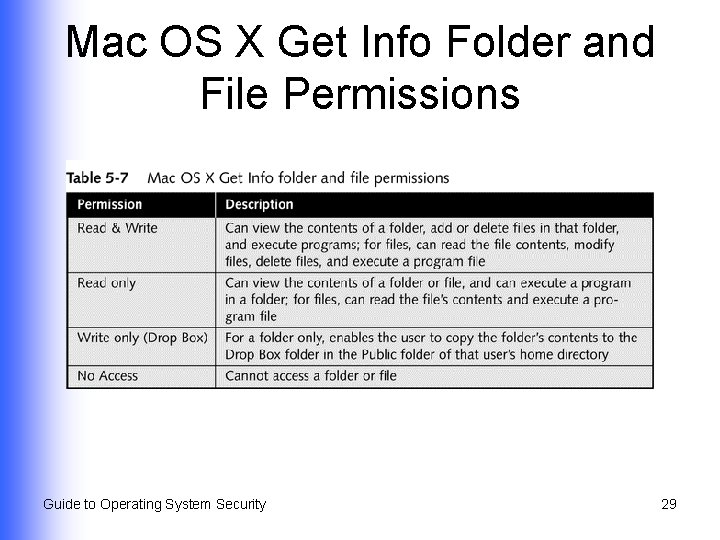
Mac OS X Get Info Folder and File Permissions Guide to Operating System Security 29
Shared Resource Security l Sharing or accessing resources – directories, folders, files, and printers – over a network Windows 2000/XP/2003 u Red Hat Linux 9. x u Net. Ware 6. x u Mac OS X u Guide to Operating System Security 30
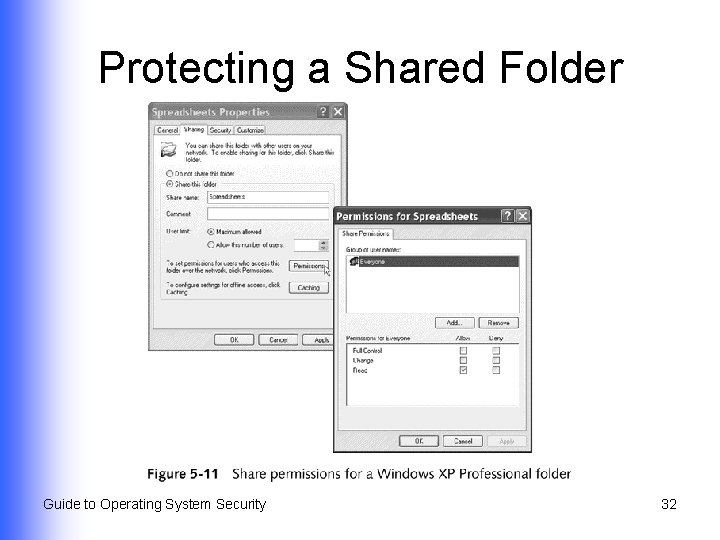
Sharing Resources in Windows 2000/XP/2003 l l Use share permissions Protecting a shared folder Full Control u Change u Read u l Protecting a shared printer Guide to Operating System Security 31
Protecting a Shared Folder Guide to Operating System Security 32
Protecting a Shared Printer l l Print Manage Documents Manage Printers Special Permissions Read u Change u Take Ownership u Guide to Operating System Security 33
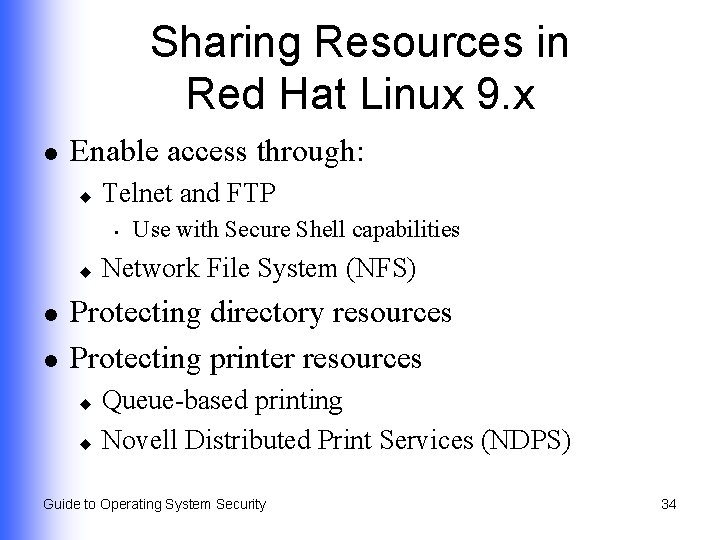
Sharing Resources in Red Hat Linux 9. x l Enable access through: u Telnet and FTP • u l l Use with Secure Shell capabilities Network File System (NFS) Protecting directory resources Protecting printer resources Queue-based printing u Novell Distributed Print Services (NDPS) u Guide to Operating System Security 34
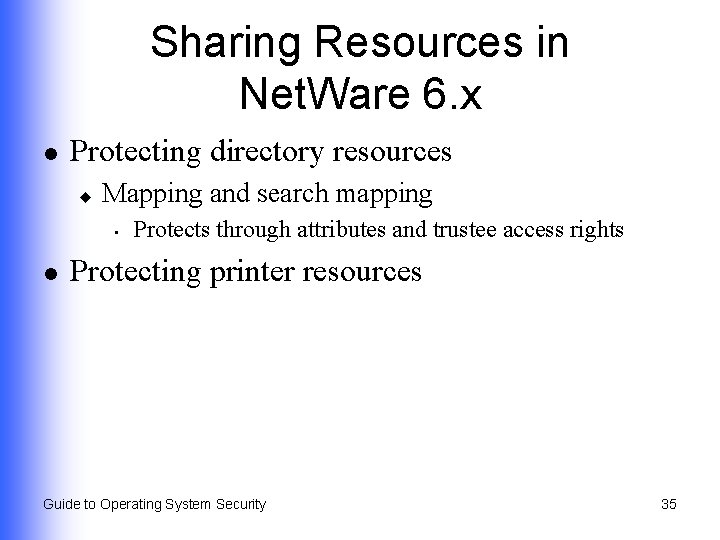
Sharing Resources in Net. Ware 6. x l Protecting directory resources u Mapping and search mapping • l Protects through attributes and trustee access rights Protecting printer resources Guide to Operating System Security 35
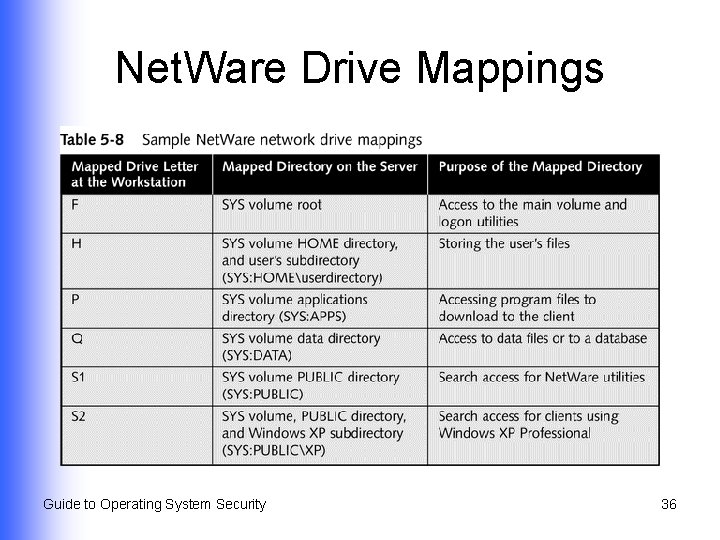
Net. Ware Drive Mappings Guide to Operating System Security 36
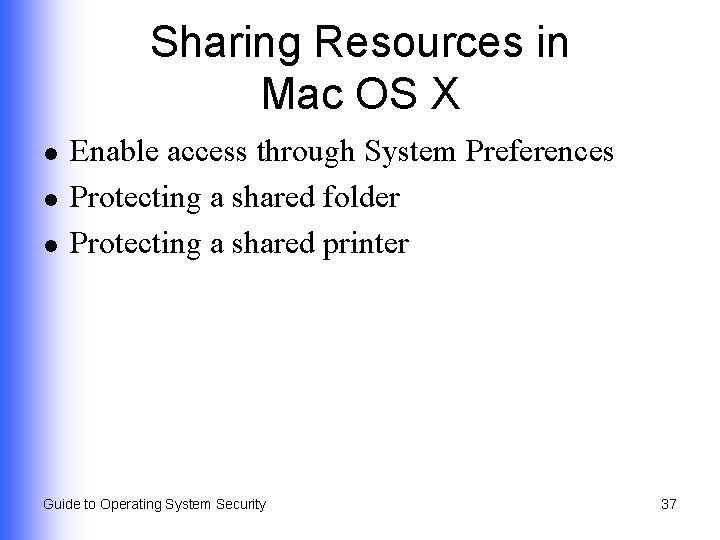
Sharing Resources in Mac OS X l l l Enable access through System Preferences Protecting a shared folder Protecting a shared printer Guide to Operating System Security 37
Using Security Groups l l Group together accounts that have similar characteristics Eliminates repetitive steps in managing user and resource access Guide to Operating System Security 38
Using Groups in Windows 2000/XP/2003 l l Related to concept of scope of influence Types; used for security and distribution groups Local u Domain local u Global u Universal u Guide to Operating System Security 39
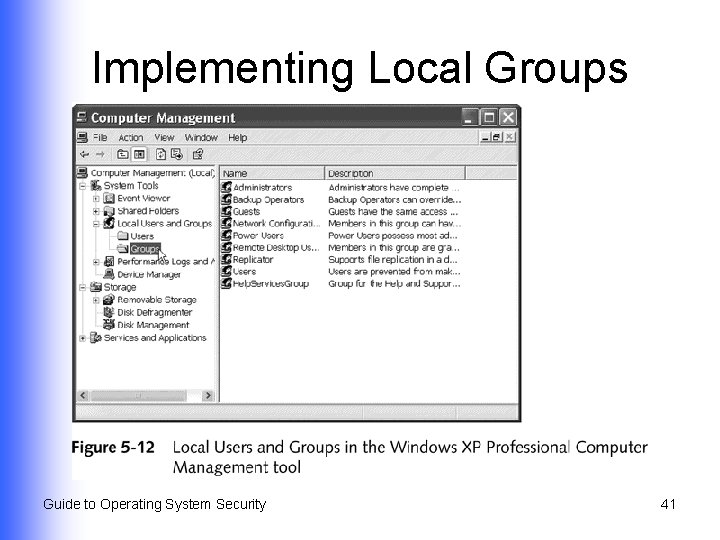
Implementing Local Groups l Used to manage resources in Windows 2000/XP Professional Guide to Operating System Security 40
Implementing Local Groups Guide to Operating System Security 41
Implementing Domain Local Groups l l l Used when Active Directory is deployed Used to manage resources in a domain Give access to global groups from the same/other domains access to those resources Guide to Operating System Security 42
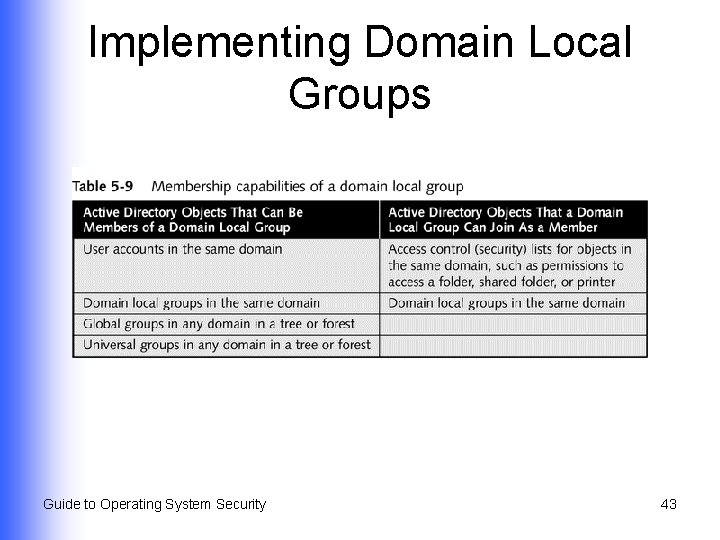
Implementing Domain Local Groups Guide to Operating System Security 43
Implementing Global Groups l l Intended to contain user accounts from single domain Can be set up as member of a domain local group in same or other domain Guide to Operating System Security 44
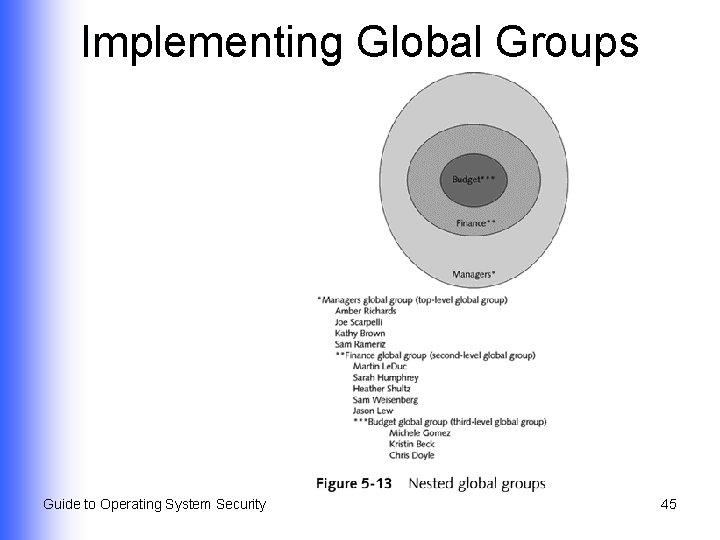
Implementing Global Groups Guide to Operating System Security 45
Implementing Universal Groups l Spans domains and trees within a Windows Active Directory forest Guide to Operating System Security 46
Guidelines for Using Groups l Global groups u l Domain local groups u l Hold accounts as members Provide access to resources in a specific domain Universal groups u Provide extensive access to resources Guide to Operating System Security 47
Using Groups in Red Hat Linux 9. x l l Assign each group a unique group identification number (GID) Assign permissions to access resources to the group Guide to Operating System Security 48
Using Groups in Net. Ware 6. x l l Create groups with Console. One tool Configure trustee access rights for the group Assign accounts to the group Assign specific login script to the group Guide to Operating System Security 49
Using Groups in Mac OS X l Automatically managed and assigned by the operating system Guide to Operating System Security 50
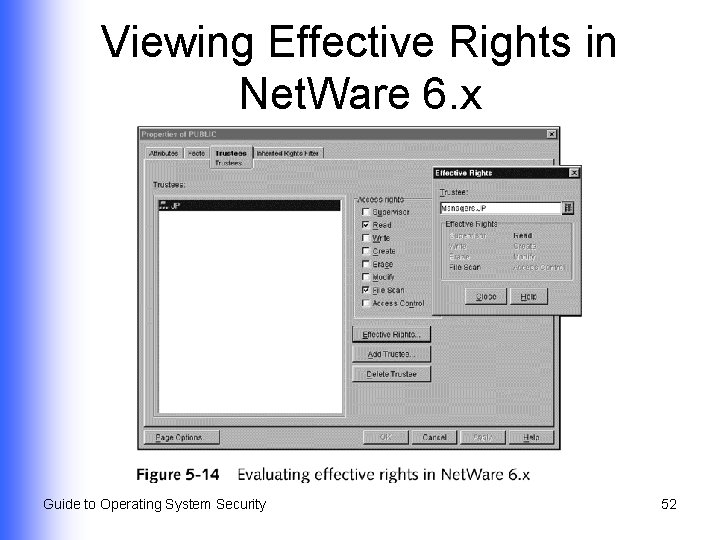
Troubleshooting Security l Windows XP Professional and Windows Server 2003 u l View the effective permissions Net. Ware 6. x u View the effective rights Guide to Operating System Security 51
Viewing Effective Rights in Net. Ware 6. x Guide to Operating System Security 52
Summary l l l How to configure directory, folder, and file security for Windows 2000/XP/2003, Linux 9. x, Netware 6. x, and Mac OS X How to fine-tune security for common and unique circumstances Specialized share permissions for Windowsbased systems; used when folders are shared across a network through FAT 16/32 and NTFS Guide to Operating System Security continued… 53
Summary l l How to configure and use security groups to manage access to shared resources How to use effective permissions and effective rights tools in Windows XP/2003 and Net. Ware 6. x to ensure that directory, folder, and file security is properly set and that there are no security holes Guide to Operating System Security 54