
Guide to Networking Essentials 8 th Edition Greg
- Slides: 65
Guide to Networking Essentials 8 th Edition Greg Tomsho, Guide to Networking Essentials, 8 th Edition. © 2020 Cengage. All Rights Reserved. May not be scanned, copied or duplicated, or posted to a publicly accessible website, in whole or in part.
Chapter 5 Network Protocols Greg Tomsho, Guide to Networking Essentials, 8 th Edition. © 2020 Cengage. All Rights Reserved. May not be scanned, copied or duplicated, or posted to a publicly accessible website, in whole or in part.
Objectives • Describe the purpose of a network protocol and the layers in the TCP/IP architecture • Describe TCP/IP Application-layer protocols • Describe TCP/IP Transport-layer protocols • Describe TCP/IP Internetwork-layer protocols • Describe TCP/IP Network access-layer protocols Greg Tomsho, Guide to Networking Essentials, 8 th Edition. © 2020 Cengage. All Rights Reserved. May not be scanned, copied or duplicated, or posted to a publicly accessible website, in whole or in part.
TCP/IP’s Layered Architecture (1 of 7) • Protocols are rules and procedures for communication and behavior • Computers must “speak” the same language and agree on the rules of communication • When a set of protocols works cooperatively it is called a protocol suite (or “protocol stack”) • The most common protocol stack is Transmission Control Protocol/Internet Protocol (TCP/IP) • TCP/IP is composed of more than a dozen protocols operating at different levels of the communication process Greg Tomsho, Guide to Networking Essentials, 8 th Edition. © 2020 Cengage. All Rights Reserved. May not be scanned, copied or duplicated, or posted to a publicly accessible website, in whole or in part.
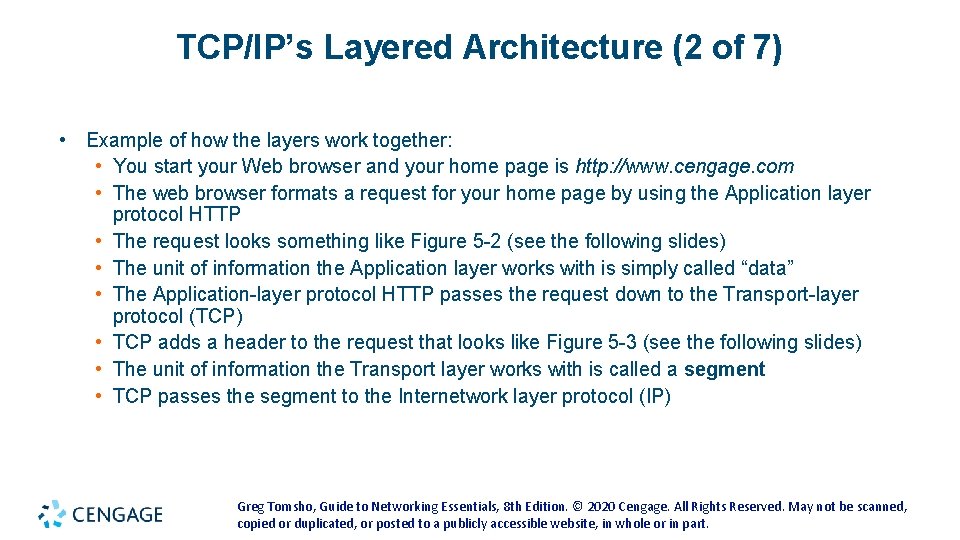
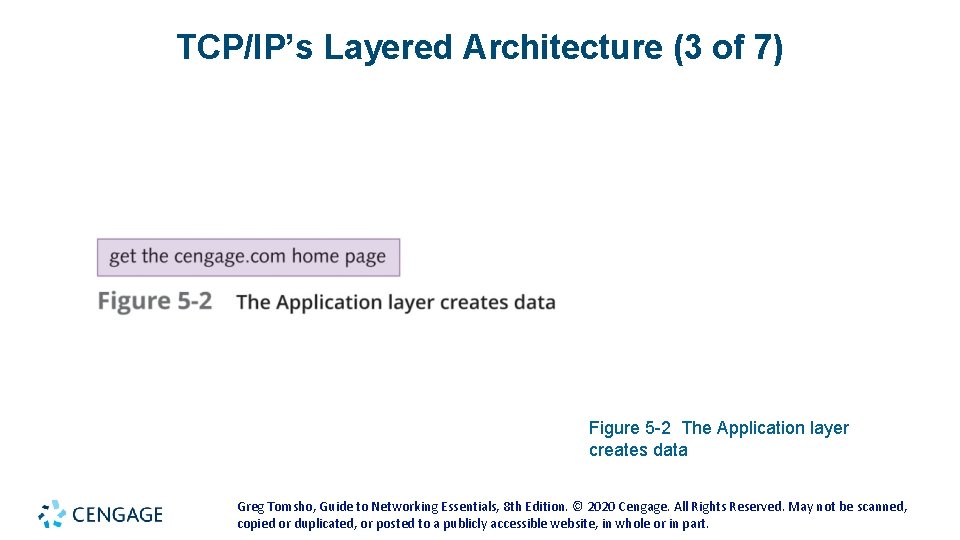
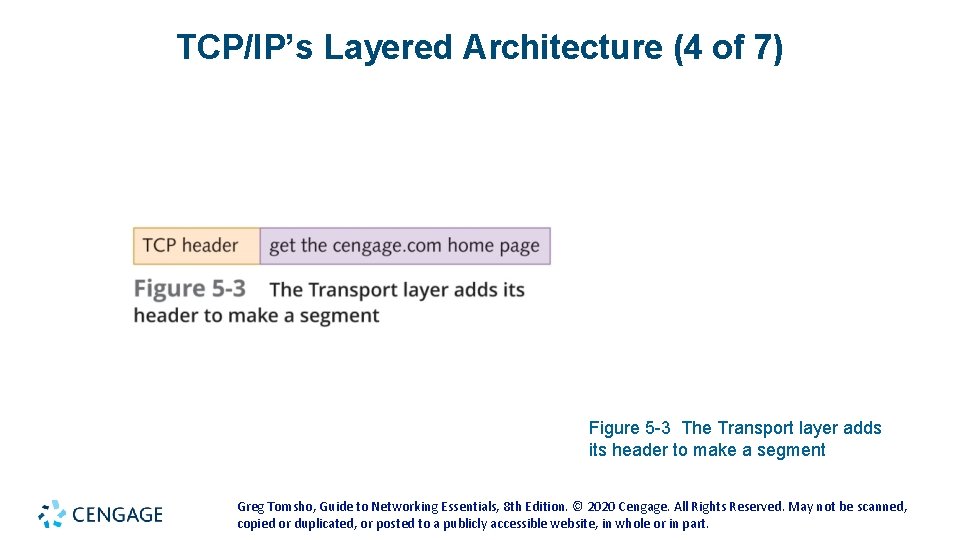
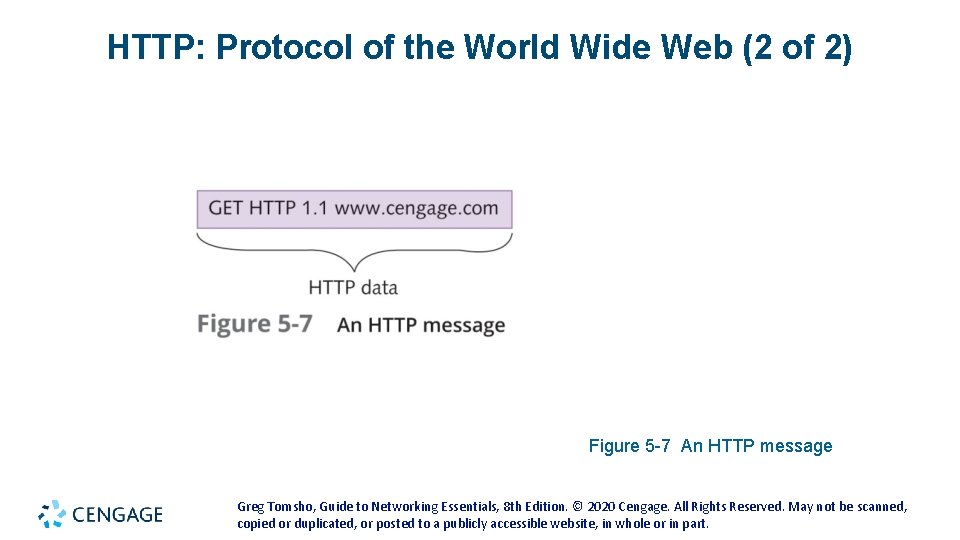
TCP/IP’s Layered Architecture (2 of 7) • Example of how the layers work together: • You start your Web browser and your home page is http: //www. cengage. com • The web browser formats a request for your home page by using the Application layer protocol HTTP • The request looks something like Figure 5 -2 (see the following slides) • The unit of information the Application layer works with is simply called “data” • The Application-layer protocol HTTP passes the request down to the Transport-layer protocol (TCP) • TCP adds a header to the request that looks like Figure 5 -3 (see the following slides) • The unit of information the Transport layer works with is called a segment • TCP passes the segment to the Internetwork layer protocol (IP) Greg Tomsho, Guide to Networking Essentials, 8 th Edition. © 2020 Cengage. All Rights Reserved. May not be scanned, copied or duplicated, or posted to a publicly accessible website, in whole or in part.
TCP/IP’s Layered Architecture (3 of 7) Figure 5 -2 The Application layer creates data Greg Tomsho, Guide to Networking Essentials, 8 th Edition. © 2020 Cengage. All Rights Reserved. May not be scanned, copied or duplicated, or posted to a publicly accessible website, in whole or in part.
TCP/IP’s Layered Architecture (4 of 7) Figure 5 -3 The Transport layer adds its header to make a segment Greg Tomsho, Guide to Networking Essentials, 8 th Edition. © 2020 Cengage. All Rights Reserved. May not be scanned, copied or duplicated, or posted to a publicly accessible website, in whole or in part.
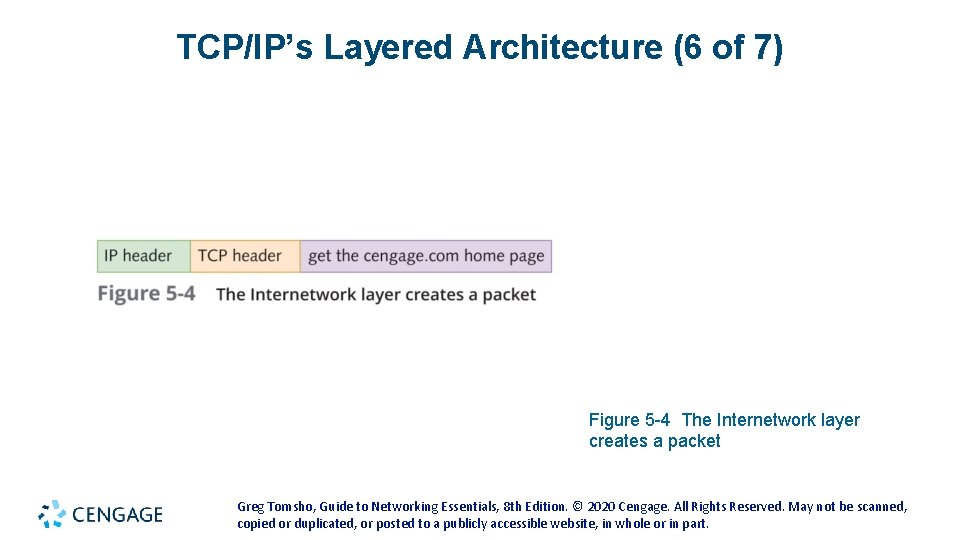
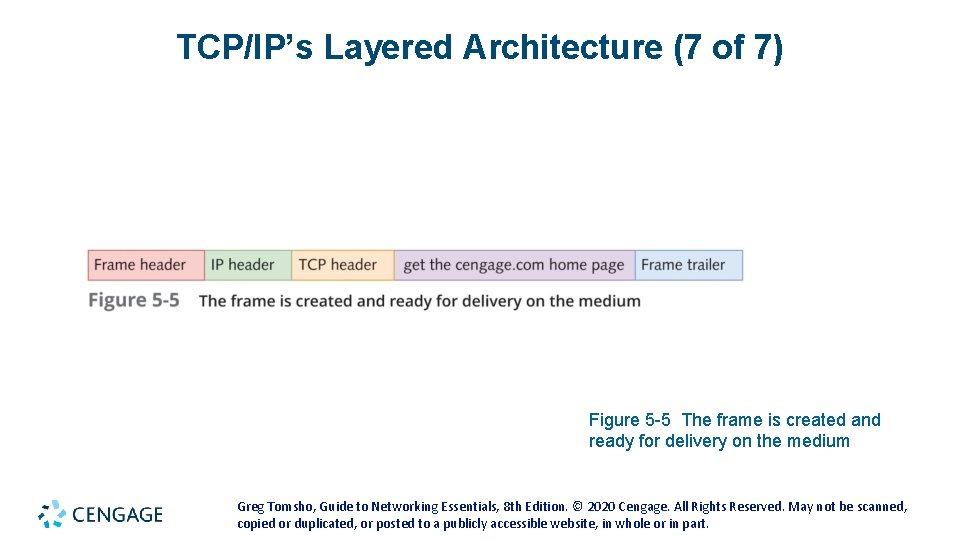
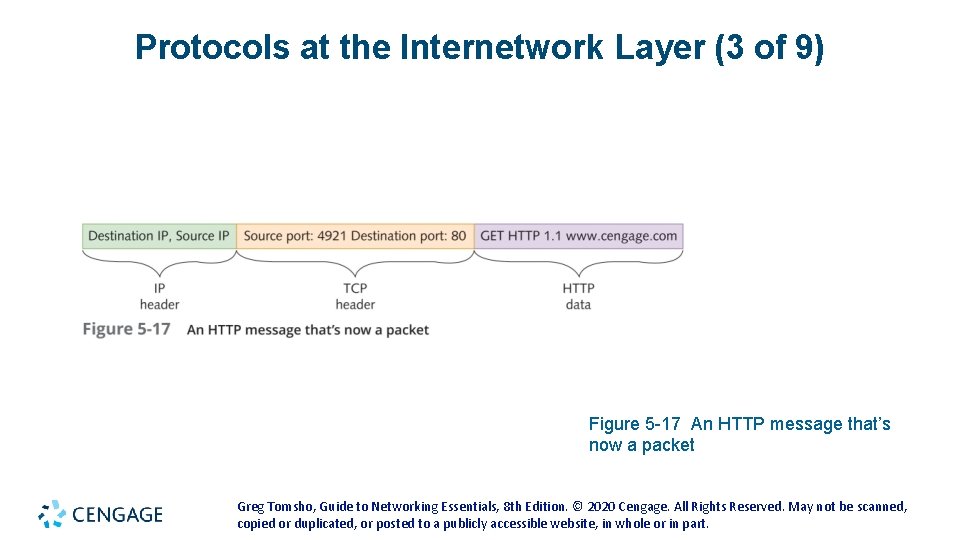
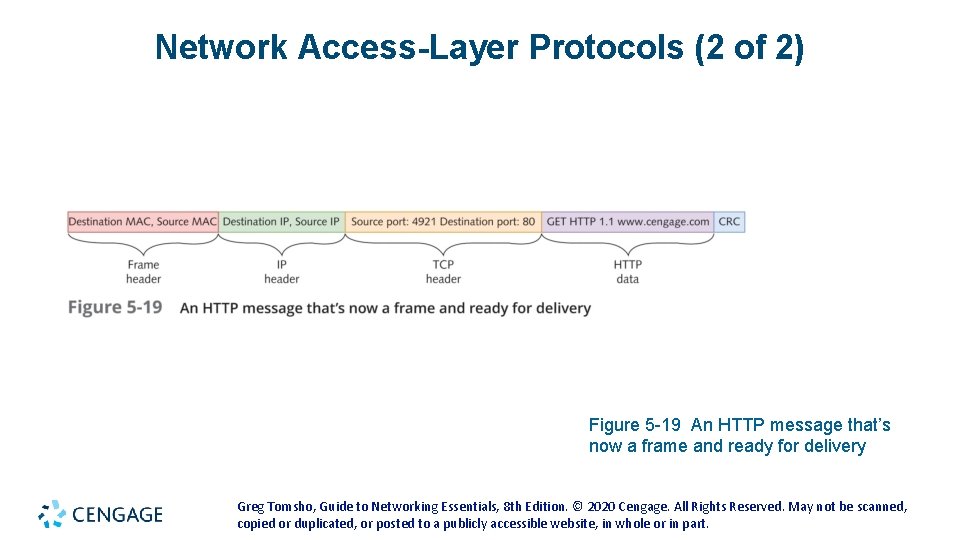
TCP/IP’s Layered Architecture (5 of 7) • Example continued: • IP places its header on the segment (see Figure 5 -4 on the following slides) • The unit of information is now called a packet • The packet is passed down to the Network access layer, where the NIC operates • A frame header and trailer are added (see Figure 5 -5 on the following slides) • The frame is delivered to the network medium as bits • on its way to the www. cengage. com server • The web server processes it and returns a Web page Greg Tomsho, Guide to Networking Essentials, 8 th Edition. © 2020 Cengage. All Rights Reserved. May not be scanned, copied or duplicated, or posted to a publicly accessible website, in whole or in part.
TCP/IP’s Layered Architecture (6 of 7) Figure 5 -4 The Internetwork layer creates a packet Greg Tomsho, Guide to Networking Essentials, 8 th Edition. © 2020 Cengage. All Rights Reserved. May not be scanned, copied or duplicated, or posted to a publicly accessible website, in whole or in part.
TCP/IP’s Layered Architecture (7 of 7) Figure 5 -5 The frame is created and ready for delivery on the medium Greg Tomsho, Guide to Networking Essentials, 8 th Edition. © 2020 Cengage. All Rights Reserved. May not be scanned, copied or duplicated, or posted to a publicly accessible website, in whole or in part.
Greg Tomsho, Guide to Networking Essentials, 8 th Edition. © 2020 Cengage. All Rights Reserved. May not be scanned, copied or duplicated, or posted to a publicly accessible website, in whole or in part.
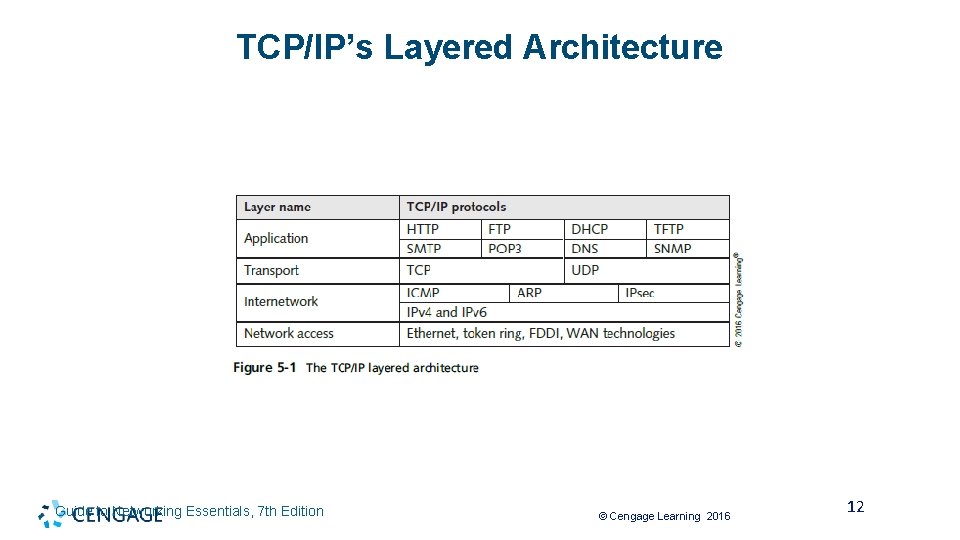
TCP/IP’s Layered Architecture Guide to Networking Essentials, 7 th Edition © Cengage Learning 2016 12
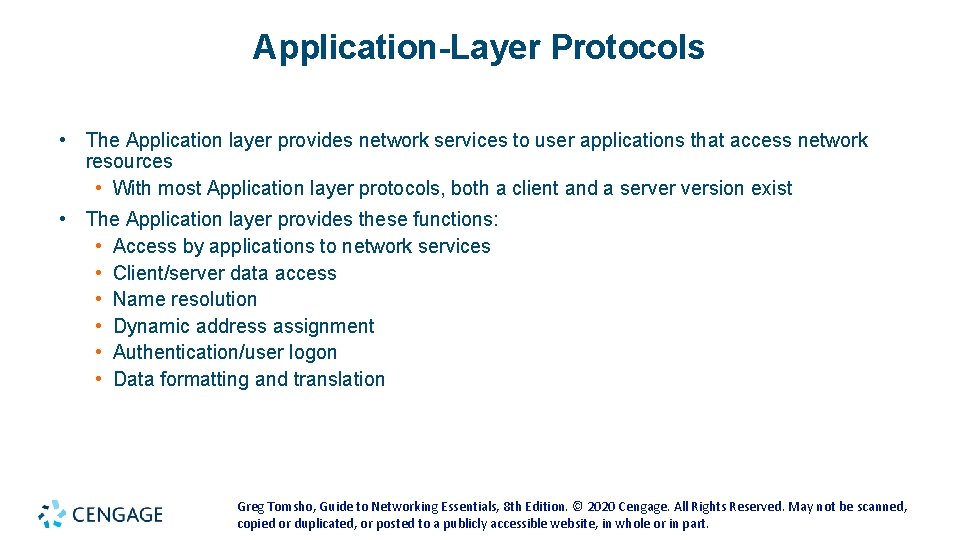
Application-Layer Protocols • The Application layer provides network services to user applications that access network resources • With most Application layer protocols, both a client and a server version exist • The Application layer provides these functions: • Access by applications to network services • Client/server data access • Name resolution • Dynamic address assignment • Authentication/user logon • Data formatting and translation Greg Tomsho, Guide to Networking Essentials, 8 th Edition. © 2020 Cengage. All Rights Reserved. May not be scanned, copied or duplicated, or posted to a publicly accessible website, in whole or in part.
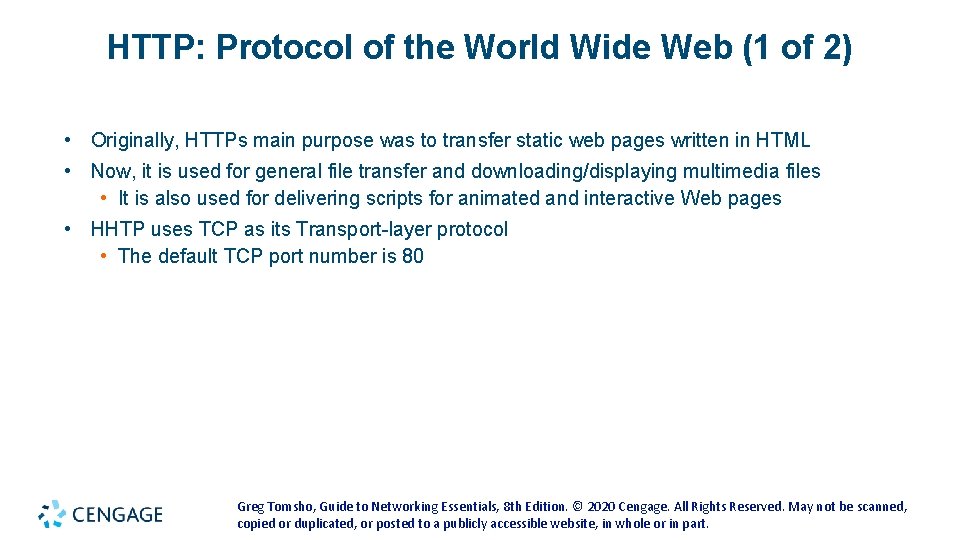
HTTP: Protocol of the World Wide Web (1 of 2) • Originally, HTTPs main purpose was to transfer static web pages written in HTML • Now, it is used for general file transfer and downloading/displaying multimedia files • It is also used for delivering scripts for animated and interactive Web pages • HHTP uses TCP as its Transport-layer protocol • The default TCP port number is 80 Greg Tomsho, Guide to Networking Essentials, 8 th Edition. © 2020 Cengage. All Rights Reserved. May not be scanned, copied or duplicated, or posted to a publicly accessible website, in whole or in part.
HTTP: Protocol of the World Wide Web (2 of 2) Figure 5 -7 An HTTP message Greg Tomsho, Guide to Networking Essentials, 8 th Edition. © 2020 Cengage. All Rights Reserved. May not be scanned, copied or duplicated, or posted to a publicly accessible website, in whole or in part.
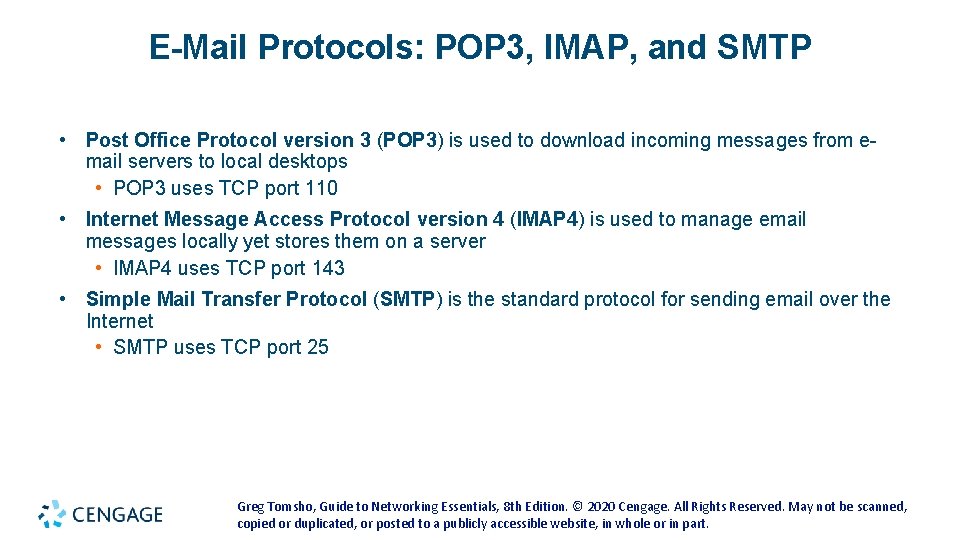
E-Mail Protocols: POP 3, IMAP, and SMTP • Post Office Protocol version 3 (POP 3) is used to download incoming messages from email servers to local desktops • POP 3 uses TCP port 110 • Internet Message Access Protocol version 4 (IMAP 4) is used to manage email messages locally yet stores them on a server • IMAP 4 uses TCP port 143 • Simple Mail Transfer Protocol (SMTP) is the standard protocol for sending email over the Internet • SMTP uses TCP port 25 Greg Tomsho, Guide to Networking Essentials, 8 th Edition. © 2020 Cengage. All Rights Reserved. May not be scanned, copied or duplicated, or posted to a publicly accessible website, in whole or in part.
FTP and TFTP • File Transfer Protocol (FTP) is a client/server protocol used to transfer files and manage files across a network • FTP uses TCP ports 20 and 21 • Port 21 is for users sending control commands • Port 20 is for transferring file data • FTP is not a secure protocol • Trivial File Transfer Protocol (TFTP) is a simple protocol for transferring files • TFTP has little file management capability • It uses UDP port 69 Greg Tomsho, Guide to Networking Essentials, 8 th Edition. © 2020 Cengage. All Rights Reserved. May not be scanned, copied or duplicated, or posted to a publicly accessible website, in whole or in part.
Server Message Block • Server Message Block (SMB) is the protocol Windows file and printer services use to share resources between Windows computers • SMB is used almost exclusively in a private network instead of across the Internet • It uses TCP port 445 • Linux and Mac OS X also support SMB with their own variations Greg Tomsho, Guide to Networking Essentials, 8 th Edition. © 2020 Cengage. All Rights Reserved. May not be scanned, copied or duplicated, or posted to a publicly accessible website, in whole or in part.
Remote Desktop Protocol • Remote Desktop Protocol (RDP) is used to access a Windows computer remotely by using the Windows GUI • RDP is used to run Windows applications remotely and network administrators use it to manage Windows workstations and servers remotely • RDP uses TCP port 3389 Greg Tomsho, Guide to Networking Essentials, 8 th Edition. © 2020 Cengage. All Rights Reserved. May not be scanned, copied or duplicated, or posted to a publicly accessible website, in whole or in part.
Telnet and SSH • Telnet and Secure Shell (SSH) are used to connect to a device across a network via a command-line interface • Network administrators might use Telnet or SSH to connect to a managed switch or router • Telnet uses TCP port 23 • Is not a secure protocol • SSH uses TCP port 22 • Provides an encrypted channel between the client and server Greg Tomsho, Guide to Networking Essentials, 8 th Edition. © 2020 Cengage. All Rights Reserved. May not be scanned, copied or duplicated, or posted to a publicly accessible website, in whole or in part.
Simple Network Management Protocol • Simple Network Management Protocol (SNMP) is used to monitor and manage network devices and gather statistics about network traffic • Software agents are installed on devices you want to monitor and manage • Agents collect data and transfer it to a network management station for storage and analysis • SNMP operates on UDP ports 161 and 162 Greg Tomsho, Guide to Networking Essentials, 8 th Edition. © 2020 Cengage. All Rights Reserved. May not be scanned, copied or duplicated, or posted to a publicly accessible website, in whole or in part.
Dynamic Host Configuration Protocol (1 of 7) • A drawback of using TCP/IP in a large network is keeping track of assigned addresses and to which machine they are assigned • Dynamic Host Configuration Protocol (DHCP) is used to automatically assign IP addresses as needed • When a computer is turned on, it requests an IP address from a server that is configured as a DHCP server • The request is sent in the form of a broadcast message • The server assigns an address for a specific amount of time (called a lease) Greg Tomsho, Guide to Networking Essentials, 8 th Edition. © 2020 Cengage. All Rights Reserved. May not be scanned, copied or duplicated, or posted to a publicly accessible website, in whole or in part.
Dynamic Host Configuration Protocol (2 of 7) • DHCP Server • A DHCP server is composed of the following: • IP address scope – a range of IP addresses the server leases to clients ▶ Scope options – IP settings such as default gateway, DNS servers, a domain name, and other options ▶ Reservations – an IP address tied to a particular MAC address ▶ Exclusions – one or more IP addresses excluded from the IP address scope • DHCP Server service – runs in the background and listens on UDP port 69 for IP address requests Greg Tomsho, Guide to Networking Essentials, 8 th Edition. © 2020 Cengage. All Rights Reserved. May not be scanned, copied or duplicated, or posted to a publicly accessible website, in whole or in part.
Dynamic Host Configuration Protocol (3 of 7) • DHCP Server (continued) • After an address is leased • A record of the lease is stored in a database, including a lease expiration time • When 50% of the lease time has elapsed, the computer attempts to renew the lease from the same DHCP server that originally responded • If there’s no response, the computer waits until lease is 87. 5% expired, a broadcast DHCP renewal request is then sent ▶ If there’s no response when the lease expires, the computer broadcasts a DCHP request for a new IP address • If no DHCP server responds, one of two things happens: ▶ TCP/IP stops functioning ▶ The computer assigns itself an address from a special range of addresses beginning with 169. 254. (Automatic Private IP Addressing or APIPA) Greg Tomsho, Guide to Networking Essentials, 8 th Edition. © 2020 Cengage. All Rights Reserved. May not be scanned, copied or duplicated, or posted to a publicly accessible website, in whole or in part.
Dynamic Host Configuration Protocol (4 of 7) • DHCP Server (continued) • Benefit of using DHCP • Computers can easily be moved and request new IP configuration from a DHCP server on the new segment • DHCP uses UDP • DHCP servers are usually located on the same network and DHCP messages are short Greg Tomsho, Guide to Networking Essentials, 8 th Edition. © 2020 Cengage. All Rights Reserved. May not be scanned, copied or duplicated, or posted to a publicly accessible website, in whole or in part.
Dynamic Host Configuration Protocol (5 of 7) • DHCP Client • Broadcast packets used by the DHCP process: • DHCPDiscover – the client announces to the network that it’s looking for a DHCP server • DHCPOffer – the server replies and offers the client an IP address for lease • DHCPRequest – the client wants the offered IP address • DHCPAck – the server acknowledges the transaction and the client can now use the IP address • You should consider assigning static addresses (that don’t change) to certain devices, such as network printers and servers • You can configure reservation addresses on the DHCP server Greg Tomsho, Guide to Networking Essentials, 8 th Edition. © 2020 Cengage. All Rights Reserved. May not be scanned, copied or duplicated, or posted to a publicly accessible website, in whole or in part.
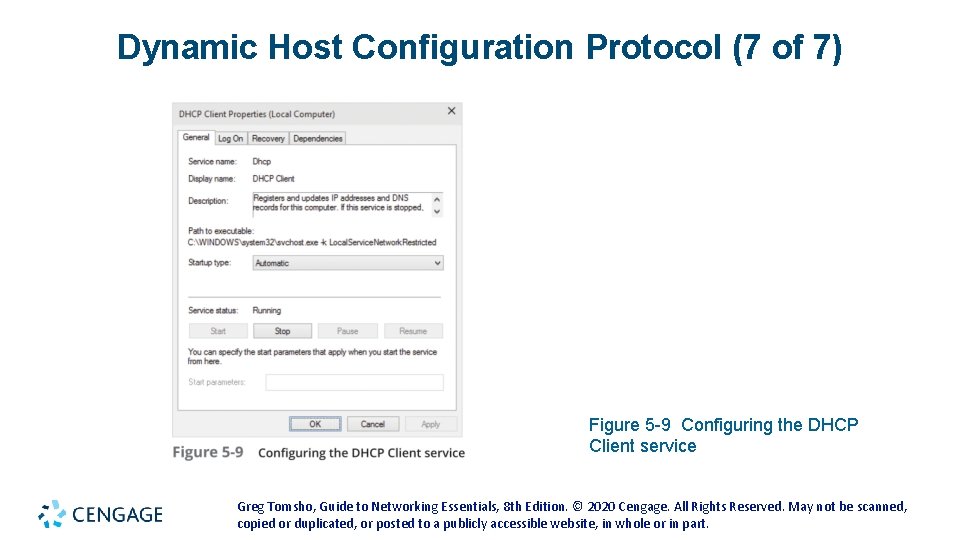
Dynamic Host Configuration Protocol (6 of 7) • DHCP Client (continued) • DHCP client software runs as a service that starts when the computer starts • You can stop, start, restart, and view status in Windows by double-clicking DHCP Client in the Services control panel • This service runs even if your IP address is assigned statically • To prevent it from running, disable it in the DHCP Client Properties dialog box or from the command line with the net command Greg Tomsho, Guide to Networking Essentials, 8 th Edition. © 2020 Cengage. All Rights Reserved. May not be scanned, copied or duplicated, or posted to a publicly accessible website, in whole or in part.
Dynamic Host Configuration Protocol (7 of 7) Figure 5 -9 Configuring the DHCP Client service Greg Tomsho, Guide to Networking Essentials, 8 th Edition. © 2020 Cengage. All Rights Reserved. May not be scanned, copied or duplicated, or posted to a publicly accessible website, in whole or in part.
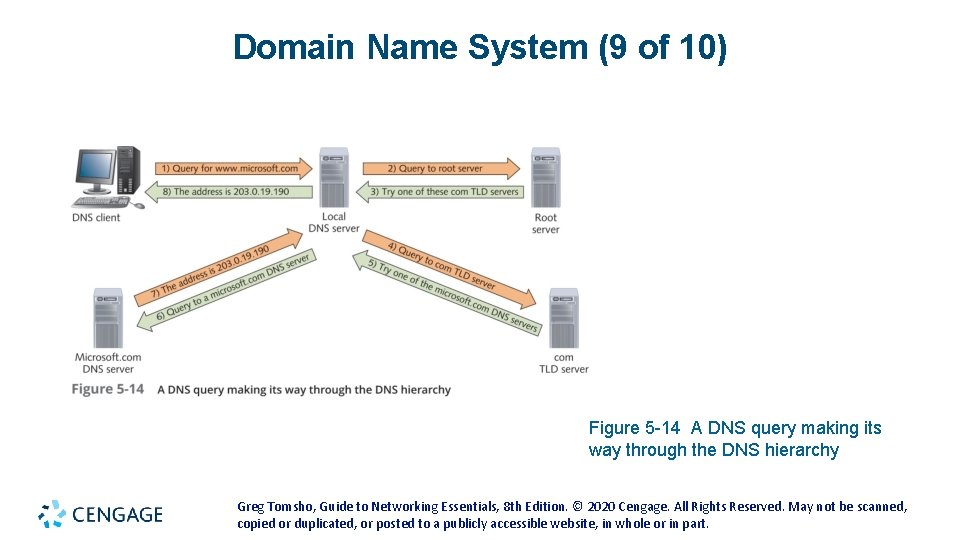
Domain Name System (1 of 10) • Domain Name System (DNS) is a name-to-address resolution protocol that keeps a list of computer names and their IP addresses • Using DNS, a user can use a computer’s name instead of using it’s IP address • Example: • When you enter www. cengage. com in your Web browser, the DNS Client service contacts the DNS server specified in your OS’s IP configuration and requests that the name be resolved to an IP address • Once the IP address for the website is returned, your computer can contact the Web server to request a Web page • DNS uses UDP because DNS messages usually consist of a single packet of data Greg Tomsho, Guide to Networking Essentials, 8 th Edition. © 2020 Cengage. All Rights Reserved. May not be scanned, copied or duplicated, or posted to a publicly accessible website, in whole or in part.
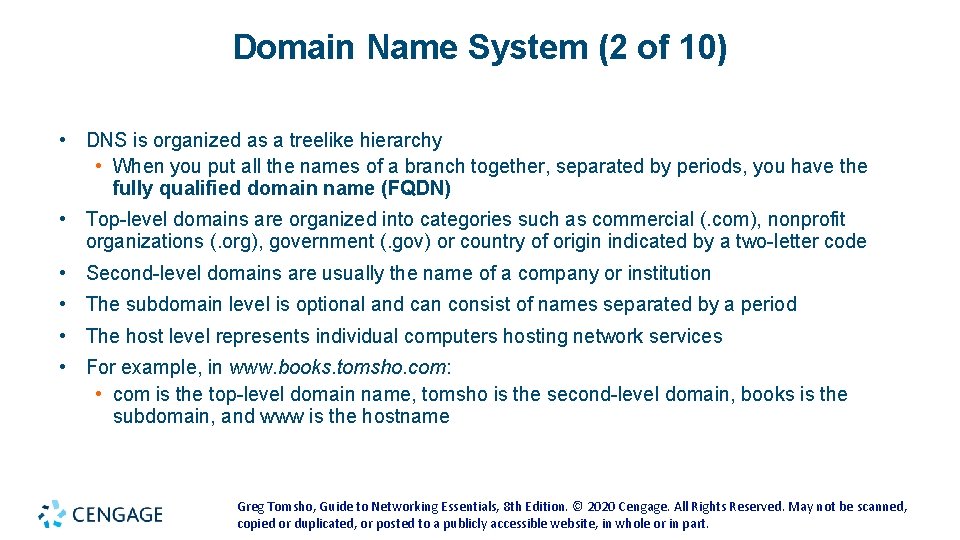
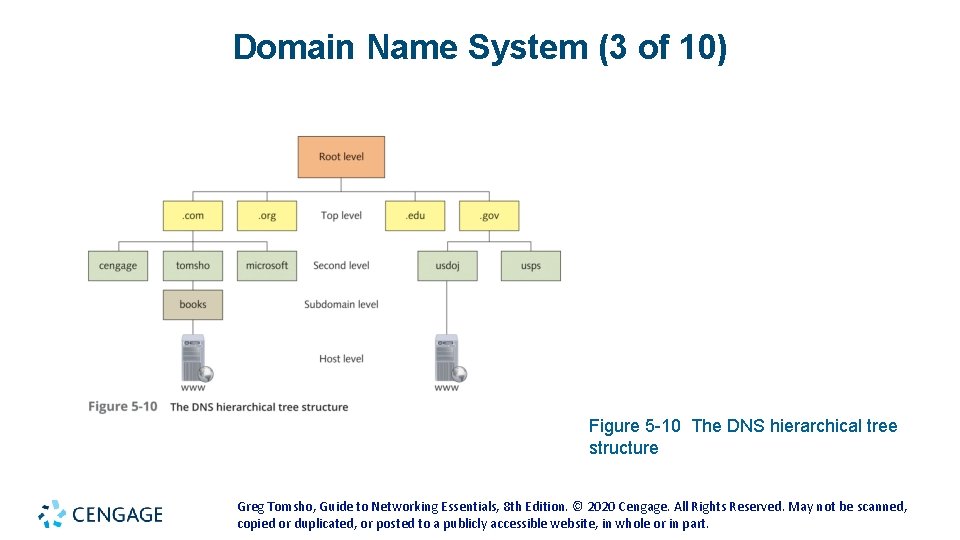
Domain Name System (2 of 10) • DNS is organized as a treelike hierarchy • When you put all the names of a branch together, separated by periods, you have the fully qualified domain name (FQDN) • Top-level domains are organized into categories such as commercial (. com), nonprofit organizations (. org), government (. gov) or country of origin indicated by a two-letter code • Second-level domains are usually the name of a company or institution • The subdomain level is optional and can consist of names separated by a period • The host level represents individual computers hosting network services • For example, in www. books. tomsho. com: • com is the top-level domain name, tomsho is the second-level domain, books is the subdomain, and www is the hostname Greg Tomsho, Guide to Networking Essentials, 8 th Edition. © 2020 Cengage. All Rights Reserved. May not be scanned, copied or duplicated, or posted to a publicly accessible website, in whole or in part.
Domain Name System (3 of 10) Figure 5 -10 The DNS hierarchical tree structure Greg Tomsho, Guide to Networking Essentials, 8 th Edition. © 2020 Cengage. All Rights Reserved. May not be scanned, copied or duplicated, or posted to a publicly accessible website, in whole or in part.
Domain Name System (4 of 10) • When a DNS server is installed, the administrator creates one or more domain names or zones • A zone is named by using the second-level and top-level domain names and the subdomain • A DNS server database contains a list of IP addresses that point to root servers • These servers supply addresses of top-level domain servers • DNS clients in most OSs maintain a DNS cache, called a resolver cache • This cache stores name and IP address pairs and other data for names that have been resolved recently Greg Tomsho, Guide to Networking Essentials, 8 th Edition. © 2020 Cengage. All Rights Reserved. May not be scanned, copied or duplicated, or posted to a publicly accessible website, in whole or in part.
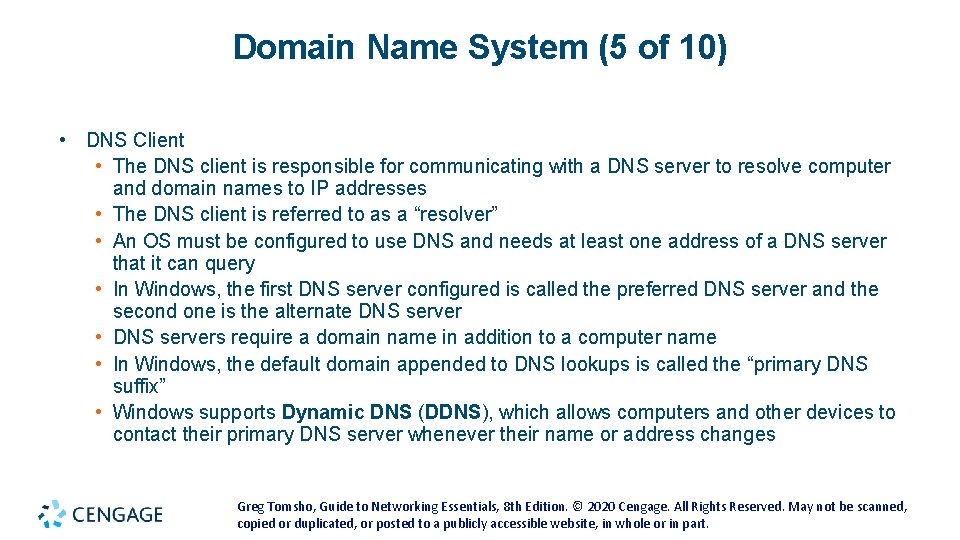
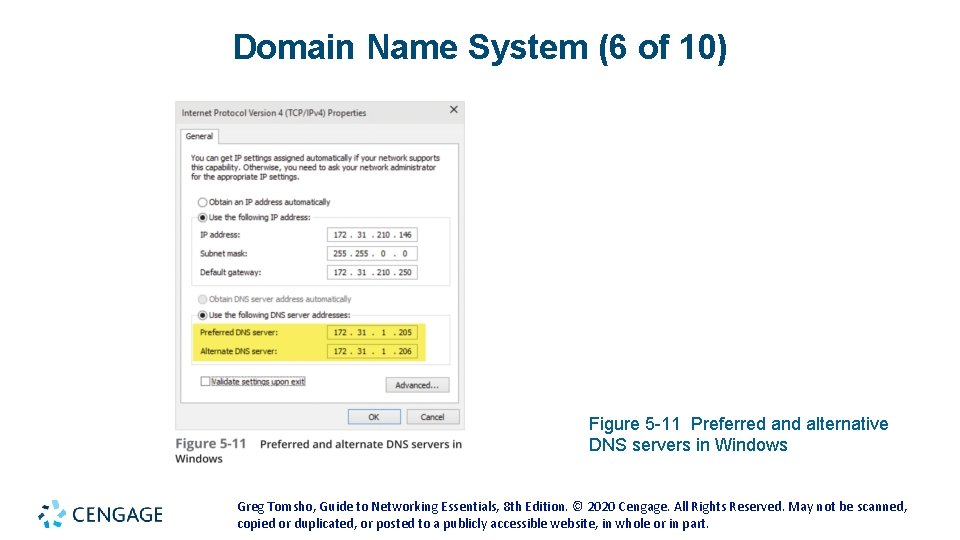
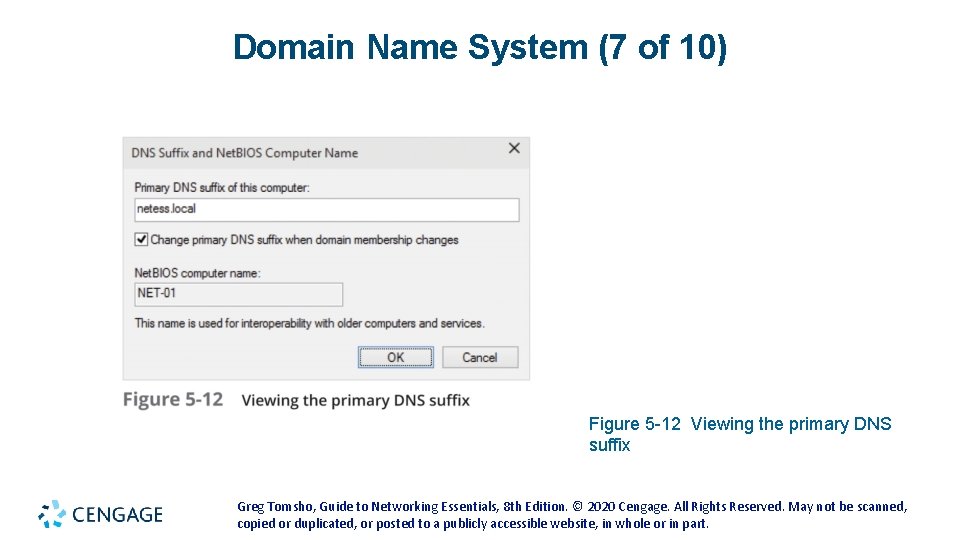
Domain Name System (5 of 10) • DNS Client • The DNS client is responsible for communicating with a DNS server to resolve computer and domain names to IP addresses • The DNS client is referred to as a “resolver” • An OS must be configured to use DNS and needs at least one address of a DNS server that it can query • In Windows, the first DNS server configured is called the preferred DNS server and the second one is the alternate DNS server • DNS servers require a domain name in addition to a computer name • In Windows, the default domain appended to DNS lookups is called the “primary DNS suffix” • Windows supports Dynamic DNS (DDNS), which allows computers and other devices to contact their primary DNS server whenever their name or address changes Greg Tomsho, Guide to Networking Essentials, 8 th Edition. © 2020 Cengage. All Rights Reserved. May not be scanned, copied or duplicated, or posted to a publicly accessible website, in whole or in part.
Domain Name System (6 of 10) Figure 5 -11 Preferred and alternative DNS servers in Windows Greg Tomsho, Guide to Networking Essentials, 8 th Edition. © 2020 Cengage. All Rights Reserved. May not be scanned, copied or duplicated, or posted to a publicly accessible website, in whole or in part.
Domain Name System (7 of 10) Figure 5 -12 Viewing the primary DNS suffix Greg Tomsho, Guide to Networking Essentials, 8 th Edition. © 2020 Cengage. All Rights Reserved. May not be scanned, copied or duplicated, or posted to a publicly accessible website, in whole or in part.
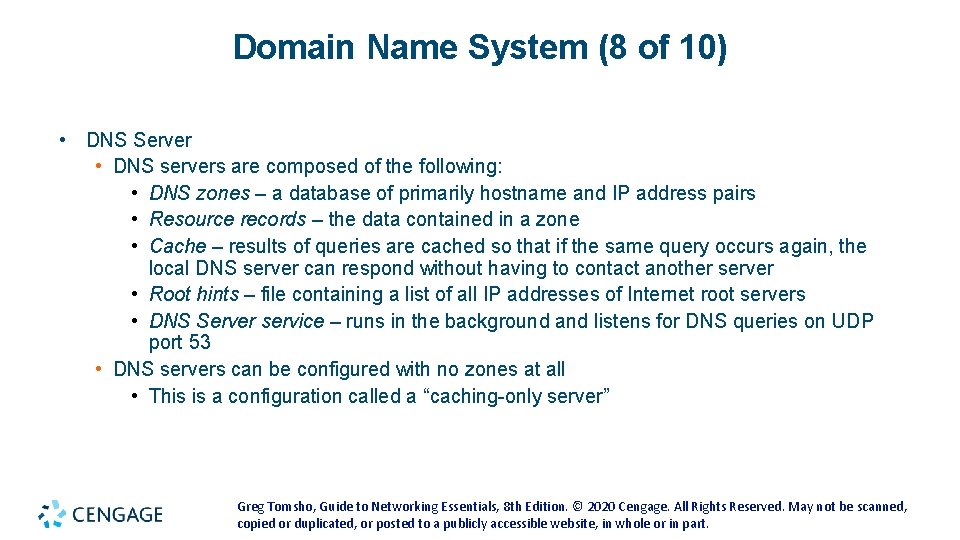
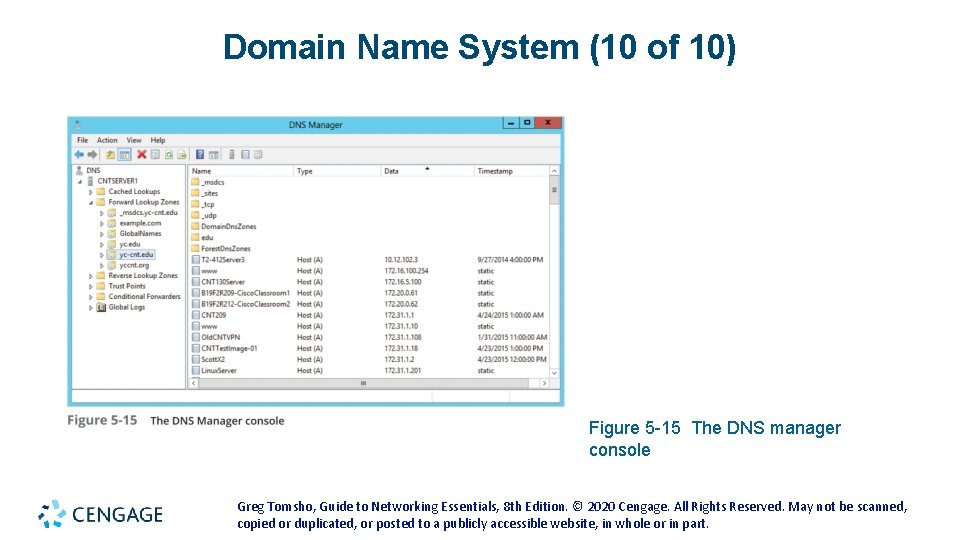
Domain Name System (8 of 10) • DNS Server • DNS servers are composed of the following: • DNS zones – a database of primarily hostname and IP address pairs • Resource records – the data contained in a zone • Cache – results of queries are cached so that if the same query occurs again, the local DNS server can respond without having to contact another server • Root hints – file containing a list of all IP addresses of Internet root servers • DNS Server service – runs in the background and listens for DNS queries on UDP port 53 • DNS servers can be configured with no zones at all • This is a configuration called a “caching-only server” Greg Tomsho, Guide to Networking Essentials, 8 th Edition. © 2020 Cengage. All Rights Reserved. May not be scanned, copied or duplicated, or posted to a publicly accessible website, in whole or in part.
Domain Name System (9 of 10) Figure 5 -14 A DNS query making its way through the DNS hierarchy Greg Tomsho, Guide to Networking Essentials, 8 th Edition. © 2020 Cengage. All Rights Reserved. May not be scanned, copied or duplicated, or posted to a publicly accessible website, in whole or in part.
Domain Name System (10 of 10) Figure 5 -15 The DNS manager console Greg Tomsho, Guide to Networking Essentials, 8 th Edition. © 2020 Cengage. All Rights Reserved. May not be scanned, copied or duplicated, or posted to a publicly accessible website, in whole or in part.
Transport-Layer Protocols • Transport-layer protocols are used with most Application-layer protocols because they: • Supply a header field to identify the Application layer • Provide reliability and flow control for applications that typically transfer a large amount of data Greg Tomsho, Guide to Networking Essentials, 8 th Edition. © 2020 Cengage. All Rights Reserved. May not be scanned, copied or duplicated, or posted to a publicly accessible website, in whole or in part.
Role of the Transport Layer (1 of 4) • The Transport layer has two protocols: • Transmission Control Protocol (TCP) is connection oriented and designed for reliable transfer of information in complex internetworks • User Datagram Protocol (UDP) is connectionless and designed for efficient communication of generally small amounts of data • Both protocols perform the following tasks: • Work with segments (TCP) or datagrams (UDP) • Provide a means to identify the source and destination applications involved in a communication • Protect data with a checksum Greg Tomsho, Guide to Networking Essentials, 8 th Edition. © 2020 Cengage. All Rights Reserved. May not be scanned, copied or duplicated, or posted to a publicly accessible website, in whole or in part.
Role of the Transport Layer (2 of 4) • Working with Segments and Datagrams • TCP works with units of data called “segments” and UDP work with units of data called “datagrams” • Both TCP and UDP add a header to data • The Transport-layer protocol then passes the segment to the Internetwork-layer protocol (usually IP) • With incoming data, the Internetwork-layer protocol de-encapsulates the packet and forwards the resulting segment or datagram to the Transport-layer protocol • The Transport-layer protocol processes it, de-encapsulates it, and sends the resulting data up to the Application layer Greg Tomsho, Guide to Networking Essentials, 8 th Edition. © 2020 Cengage. All Rights Reserved. May not be scanned, copied or duplicated, or posted to a publicly accessible website, in whole or in part.
Role of the Transport Layer (3 of 4) • Identifying Source and Destination Applications • How do computers keep track of incoming data when a Web browser, email application, chat and a word processing program are all running at the same time? • TCP and UDP use port numbers to specify the source and destination Application-layer protocols • Port numbers are 16 -bit values assigned to specific applications running on a computer or network device • The Internet Assigned Numbers Authority (IANA) assigns a dedicated port number to every well-known network service Greg Tomsho, Guide to Networking Essentials, 8 th Edition. © 2020 Cengage. All Rights Reserved. May not be scanned, copied or duplicated, or posted to a publicly accessible website, in whole or in part.
Role of the Transport Layer (4 of 4) • Protecting Data with a Checksum • To protect data integrity, TCP and UDP provide a checksum similar to the CRC (discussed in Chapter 3) • Intermediate devices don’t recalculate the checksum in the Transport layer so if data corruption occurs during the transmission, the final receiving station detects the checksum error and discards the data Greg Tomsho, Guide to Networking Essentials, 8 th Edition. © 2020 Cengage. All Rights Reserved. May not be scanned, copied or duplicated, or posted to a publicly accessible website, in whole or in part.
TCP: The Reliable Transport Layer (1 of 4) • If an application requires reliable data transfer, it uses TCP as the Transport-layer protocol • TCP provides reliability by using these features that aren’t available in UDP: • Establishing a connection • Segmenting large chunks of data • Ensuring flow control with acknowledgements • TCP is a connection-oriented protocol • It establishes a connection with the destination, data is transferred, and the connection is broken Greg Tomsho, Guide to Networking Essentials, 8 th Edition. © 2020 Cengage. All Rights Reserved. May not be scanned, copied or duplicated, or posted to a publicly accessible website, in whole or in part.
TCP: The Reliable Transport Layer (2 of 4) • Establishing a Connection: The TCP Handshake • A TCP session begins when a client sends a TCP synchronization (SYN) segment to the destination device, usually a server • A destination port is specified and a source port is assigned dynamically • When the server receives the SYN segment, it responds by sending either an acknowledgement-synchronization (ACK-SYN) segment or a reset connection (RST) segment • An RST is sent when the server refused the request to open the session • If an ACK-SYN is returned, the client completes the three-way handshake by sending an ACK segment back to the server Greg Tomsho, Guide to Networking Essentials, 8 th Edition. © 2020 Cengage. All Rights Reserved. May not be scanned, copied or duplicated, or posted to a publicly accessible website, in whole or in part.
TCP: The Reliable Transport Layer (3 of 4) • Segmenting Data • When TCP receives data from the Application layer, the size might be too large to send in one piece • TCP breaks the data into smaller segments (max frame sent by Ethernet is 1518 bytes) • Each segment is labeled with a sequence number so that if segments arrive out of order they can be reassembled in the correct order Greg Tomsho, Guide to Networking Essentials, 8 th Edition. © 2020 Cengage. All Rights Reserved. May not be scanned, copied or duplicated, or posted to a publicly accessible website, in whole or in part.
TCP: The Reliable Transport Layer (4 of 4) • Ensuring Flow Control with Acknowledgments • Flow control prevents a destination from becoming overwhelmed by data, resulting in dropped packets • TCP establishes a maximum number of bytes, called the “window size”, that can be sent before the destination must acknowledge the receipt of data • If no acknowledgement is received within a specified period of time, the sending station will retransmit from the point at which an acknowledgement was last received Greg Tomsho, Guide to Networking Essentials, 8 th Edition. © 2020 Cengage. All Rights Reserved. May not be scanned, copied or duplicated, or posted to a publicly accessible website, in whole or in part.
Internetwork-Layer Protocols The Internetwork layer is where administrators usually do the most network configuration This layer is where the IP protocol operates and is the heart of the TCP/IP protocol suite The Internetwork layer is responsible for four main tasks: Defines and verifies IP addresses Routes packets through an internetwork Resolves MAC addresses from IP addresses Delivers packets efficiently Greg Tomsho, Guide to Networking Essentials, 8 th Edition. © 2020 Cengage. All Rights Reserved. May not be scanned, copied or duplicated, or posted to a publicly accessible website, in whole or in part.
Defines and Verifies IP Addresses • An IP address is assigned to every computer and network device using TCP/IP for communications • IP addresses are used for two main purposes: • To identify a network device at the Internetwork layer • To identify the network on which a device resides • When a device receives an IP packet, it compares the destination IP address with it’s own: • If it matches or is a broadcast, the packet is processed • It is does not match then it is discarded • Every IP address contains two parts: • A network ID • A host ID Greg Tomsho, Guide to Networking Essentials, 8 th Edition. © 2020 Cengage. All Rights Reserved. May not be scanned, copied or duplicated, or posted to a publicly accessible website, in whole or in part.
Routes Packets through an Internetwork • The Internetwork layer determines the best way to get a packet from network to network until it reaches its destination • Most large internetworks (the Internet) have multiple paths for getting from one network to another • Routers work at the Internetwork layer and it is their job to select the best path to the destination • Routers use the network ID portion of IP addresses along with their routing tables to determine the best path Greg Tomsho, Guide to Networking Essentials, 8 th Edition. © 2020 Cengage. All Rights Reserved. May not be scanned, copied or duplicated, or posted to a publicly accessible website, in whole or in part.
Resolves MAC Addresses from IP Addresses • Every frame contains both physical (MAC) and logical (IP) source and destination addresses • When a packet is ready to be sent to the Network access layer, the destination device’s MAC address must be retrieved before the frame header can be constructed • TCP/IP uses Address Resolution Protocol (ARP) to find MAC addresses • ARP is discussed in more detail later in the chapter Greg Tomsho, Guide to Networking Essentials, 8 th Edition. © 2020 Cengage. All Rights Reserved. May not be scanned, copied or duplicated, or posted to a publicly accessible website, in whole or in part.
Delivers Packets Efficiently • Internetwork-layer protocols primarily focus on efficient delivery of packets • Features such as flow control, delivery confirmation or message assembly are not included in Internetwork-layer protocols • These features require overhead to ensure reliable delivery • Internetwork-layer protocols rely on the protocols in the Transport and Application layers to provide reliability features • Is considered a connectionless protocol, which relies on upper-layer protocols to ensure the packet’s safe journey Greg Tomsho, Guide to Networking Essentials, 8 th Edition. © 2020 Cengage. All Rights Reserved. May not be scanned, copied or duplicated, or posted to a publicly accessible website, in whole or in part.
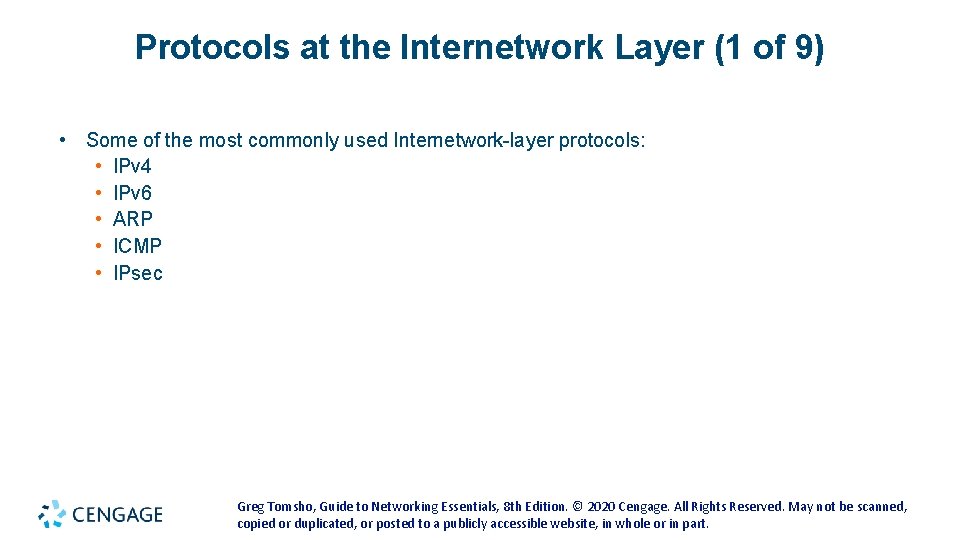
Protocols at the Internetwork Layer (1 of 9) • Some of the most commonly used Internetwork-layer protocols: • IPv 4 • IPv 6 • ARP • ICMP • IPsec Greg Tomsho, Guide to Networking Essentials, 8 th Edition. © 2020 Cengage. All Rights Reserved. May not be scanned, copied or duplicated, or posted to a publicly accessible website, in whole or in part.
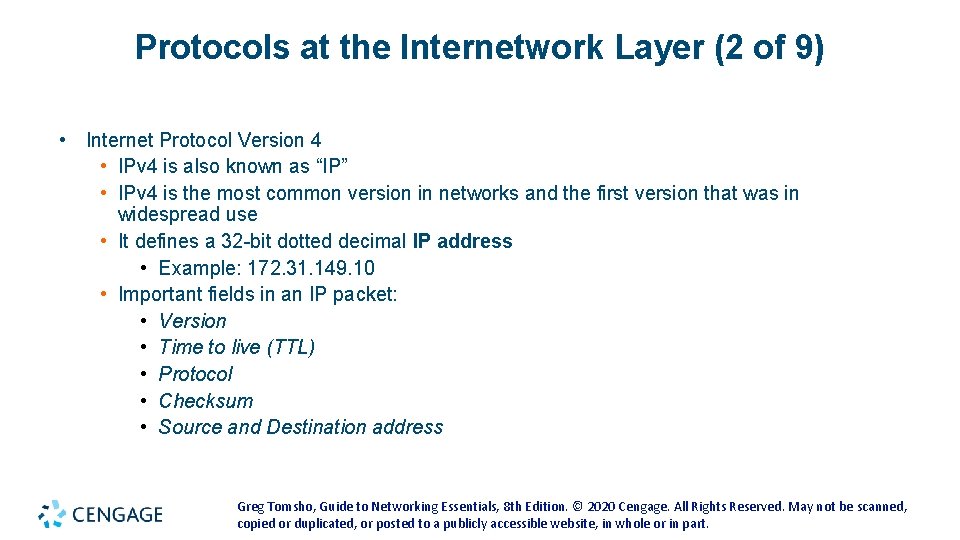
Protocols at the Internetwork Layer (2 of 9) • Internet Protocol Version 4 • IPv 4 is also known as “IP” • IPv 4 is the most common version in networks and the first version that was in widespread use • It defines a 32 -bit dotted decimal IP address • Example: 172. 31. 149. 10 • Important fields in an IP packet: • Version • Time to live (TTL) • Protocol • Checksum • Source and Destination address Greg Tomsho, Guide to Networking Essentials, 8 th Edition. © 2020 Cengage. All Rights Reserved. May not be scanned, copied or duplicated, or posted to a publicly accessible website, in whole or in part.
Protocols at the Internetwork Layer (3 of 9) Figure 5 -17 An HTTP message that’s now a packet Greg Tomsho, Guide to Networking Essentials, 8 th Edition. © 2020 Cengage. All Rights Reserved. May not be scanned, copied or duplicated, or posted to a publicly accessible website, in whole or in part.
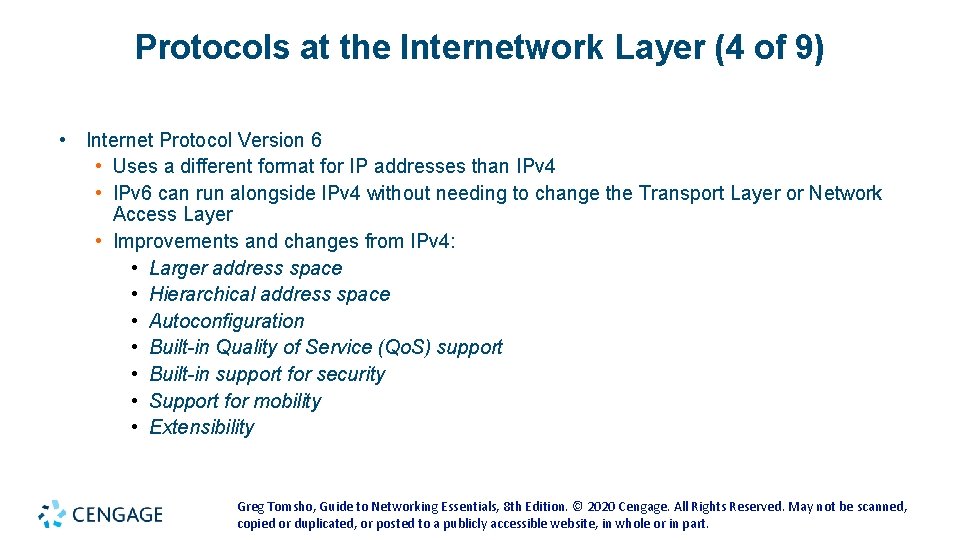
Protocols at the Internetwork Layer (4 of 9) • Internet Protocol Version 6 • Uses a different format for IP addresses than IPv 4 • IPv 6 can run alongside IPv 4 without needing to change the Transport Layer or Network Access Layer • Improvements and changes from IPv 4: • Larger address space • Hierarchical address space • Autoconfiguration • Built-in Quality of Service (Qo. S) support • Built-in support for security • Support for mobility • Extensibility Greg Tomsho, Guide to Networking Essentials, 8 th Edition. © 2020 Cengage. All Rights Reserved. May not be scanned, copied or duplicated, or posted to a publicly accessible website, in whole or in part.
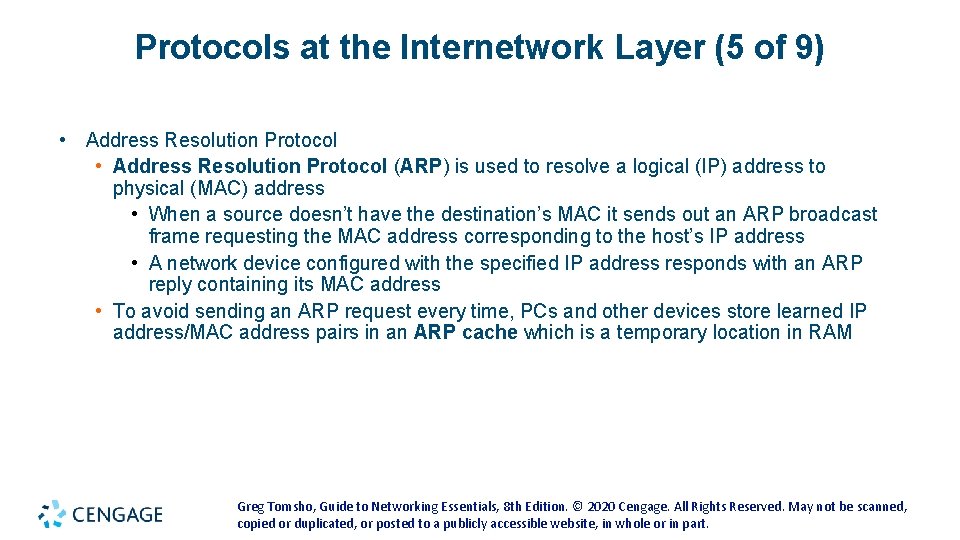
Protocols at the Internetwork Layer (5 of 9) • Address Resolution Protocol (ARP) is used to resolve a logical (IP) address to physical (MAC) address • When a source doesn’t have the destination’s MAC it sends out an ARP broadcast frame requesting the MAC address corresponding to the host’s IP address • A network device configured with the specified IP address responds with an ARP reply containing its MAC address • To avoid sending an ARP request every time, PCs and other devices store learned IP address/MAC address pairs in an ARP cache which is a temporary location in RAM Greg Tomsho, Guide to Networking Essentials, 8 th Edition. © 2020 Cengage. All Rights Reserved. May not be scanned, copied or duplicated, or posted to a publicly accessible website, in whole or in part.
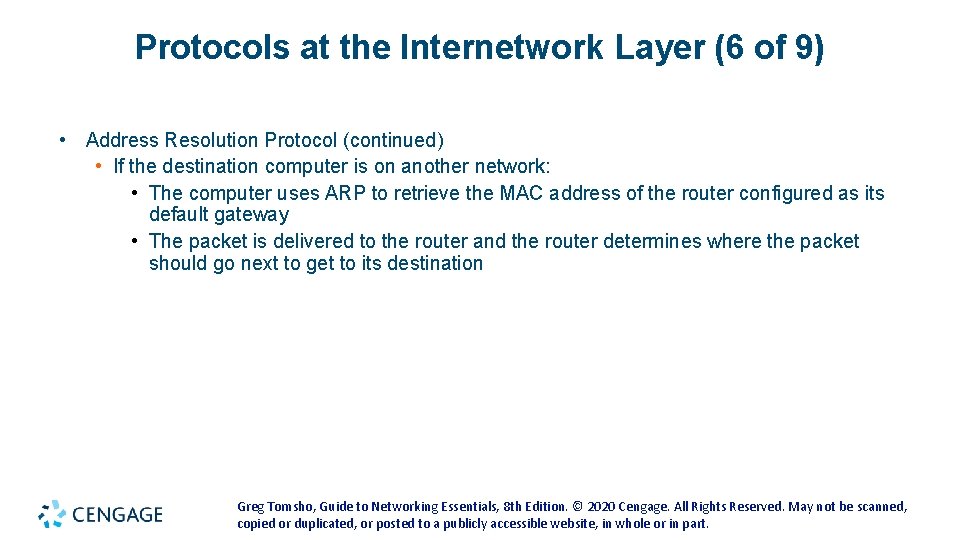
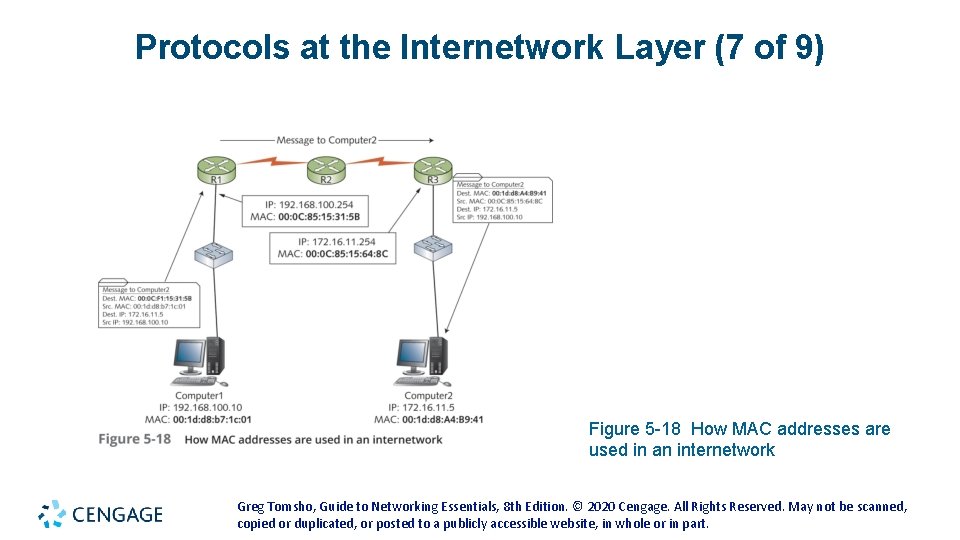
Protocols at the Internetwork Layer (6 of 9) • Address Resolution Protocol (continued) • If the destination computer is on another network: • The computer uses ARP to retrieve the MAC address of the router configured as its default gateway • The packet is delivered to the router and the router determines where the packet should go next to get to its destination Greg Tomsho, Guide to Networking Essentials, 8 th Edition. © 2020 Cengage. All Rights Reserved. May not be scanned, copied or duplicated, or posted to a publicly accessible website, in whole or in part.
Protocols at the Internetwork Layer (7 of 9) Figure 5 -18 How MAC addresses are used in an internetwork Greg Tomsho, Guide to Networking Essentials, 8 th Edition. © 2020 Cengage. All Rights Reserved. May not be scanned, copied or duplicated, or posted to a publicly accessible website, in whole or in part.
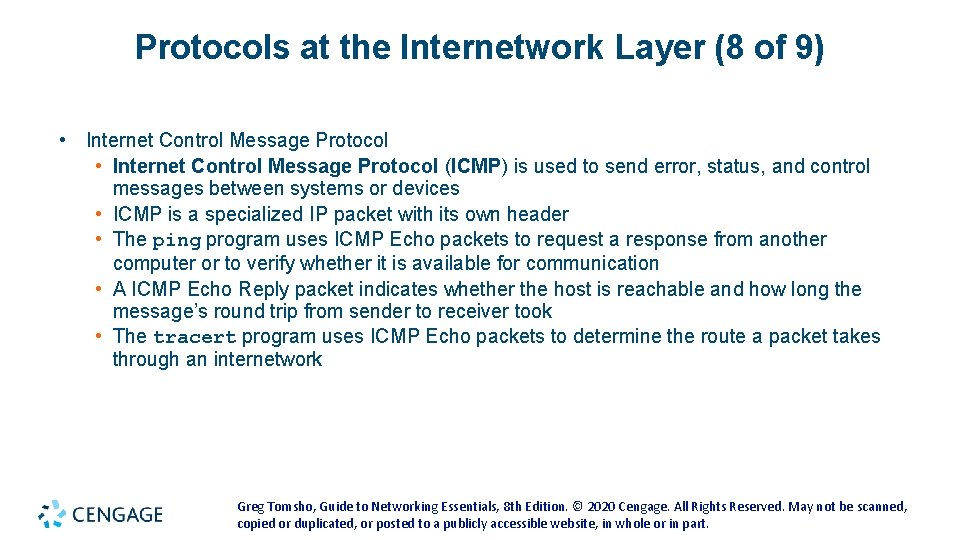
Protocols at the Internetwork Layer (8 of 9) • Internet Control Message Protocol (ICMP) is used to send error, status, and control messages between systems or devices • ICMP is a specialized IP packet with its own header • The ping program uses ICMP Echo packets to request a response from another computer or to verify whether it is available for communication • A ICMP Echo Reply packet indicates whether the host is reachable and how long the message’s round trip from sender to receiver took • The tracert program uses ICMP Echo packets to determine the route a packet takes through an internetwork Greg Tomsho, Guide to Networking Essentials, 8 th Edition. © 2020 Cengage. All Rights Reserved. May not be scanned, copied or duplicated, or posted to a publicly accessible website, in whole or in part.
Protocols at the Internetwork Layer (9 of 9) • Internet Protocol Security (IPsec) works with IPv 4 to ensure secure delivery of packets • IPsec can be used to secure sensitive network transmissions between computers that need extra security • This protocol provides security by using authentication and encryption • IPsec requires additional network/computer resources, so it should be enabled only for highly sensitive communication and in environments where security risks are high Greg Tomsho, Guide to Networking Essentials, 8 th Edition. © 2020 Cengage. All Rights Reserved. May not be scanned, copied or duplicated, or posted to a publicly accessible website, in whole or in part.
Network Access-Layer Protocols (1 of 2) • Some tasks performed by the Network access layer: • Provides a physical (MAC) address for the network interface • Verifies incoming frames have the correct destination MAC address • Defines and follows media access rules • Receives packets from the Internetwork layer and encapsulates them to create frames • De-encapsulates received frames and sends the resulting packets to the Internetwork layer • Often provides frame error detection in the form of a CRC code • Transmits and receives bit signals • Defines the signaling needed to transmit bits, whether electrical, light pulses, or radio waves • Defines the media and connectors needed to make a physical network connection Greg Tomsho, Guide to Networking Essentials, 8 th Edition. © 2020 Cengage. All Rights Reserved. May not be scanned, copied or duplicated, or posted to a publicly accessible website, in whole or in part.
Network Access-Layer Protocols (2 of 2) Figure 5 -19 An HTTP message that’s now a frame and ready for delivery Greg Tomsho, Guide to Networking Essentials, 8 th Edition. © 2020 Cengage. All Rights Reserved. May not be scanned, copied or duplicated, or posted to a publicly accessible website, in whole or in part.
Chapter Summary (1 of 2) • TCP/IP is the main protocol suite used in networks • TCP/IP takes a layered approach and is organized in four layers • The Application layer consists of protocols such as HTTP and DNS and provides an interface for applications to access network services • Other Application-layer protocols include POP 3, IMAP, SMTP, FTP, TFTP, SMB, Telnet, SSH, and SNMP • The Transport layer provides reliability and works with segments (TCP) and datagrams (UDP) • Transport-layer protocols supply a header field to identify the Application layer and provide reliability and flow control Greg Tomsho, Guide to Networking Essentials, 8 th Edition. © 2020 Cengage. All Rights Reserved. May not be scanned, copied or duplicated, or posted to a publicly accessible website, in whole or in part.
Chapter Summary (2 of 2) • The Internetwork layer is where most network configuration occurs and is composed of IP, ICMP, and ARP • This layer is responsible for four main tasks: defining and verifying IP addresses, routing packets through an internetwork, resolving MAC addresses from IP addresses, and delivering packets efficiently • The Network access layer is composed of network technologies, such as Ethernet and WAN technologies • Some tasks performed include providing a physical (MAC) address for the network interface, verifying that incoming frames have the correct destination MAC address, receiving packets from the Internetwork layer and encapsulating them to create frames, and transmitting and receiving bit signals Greg Tomsho, Guide to Networking Essentials, 8 th Edition. © 2020 Cengage. All Rights Reserved. May not be scanned, copied or duplicated, or posted to a publicly accessible website, in whole or in part.