
Guide to MAP Reports Progress for ALL Students


- Slides: 13
Guide to MAP Reports Progress for ALL Students NEISD MAP Resources: https: //padlet. com/lindsay_stoelting/NEISD Tiffany Arce, Assistant Director NEISD Curriculum and Instruction tarce@neisd. net
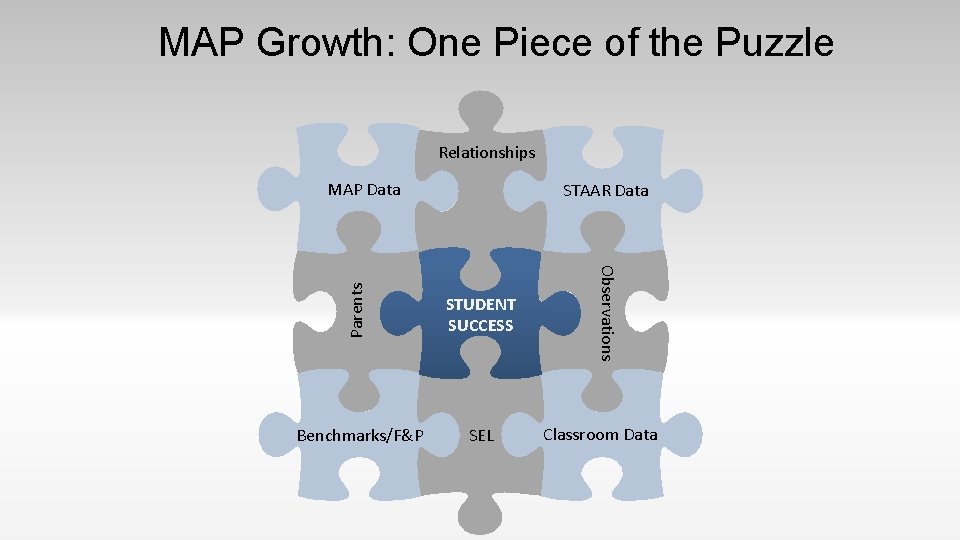
MAP Growth: One Piece of the Puzzle Relationships MAP Data STUDENT SUCCESS Benchmarks/F&P SEL Observations Parents STAAR Data Classroom Data
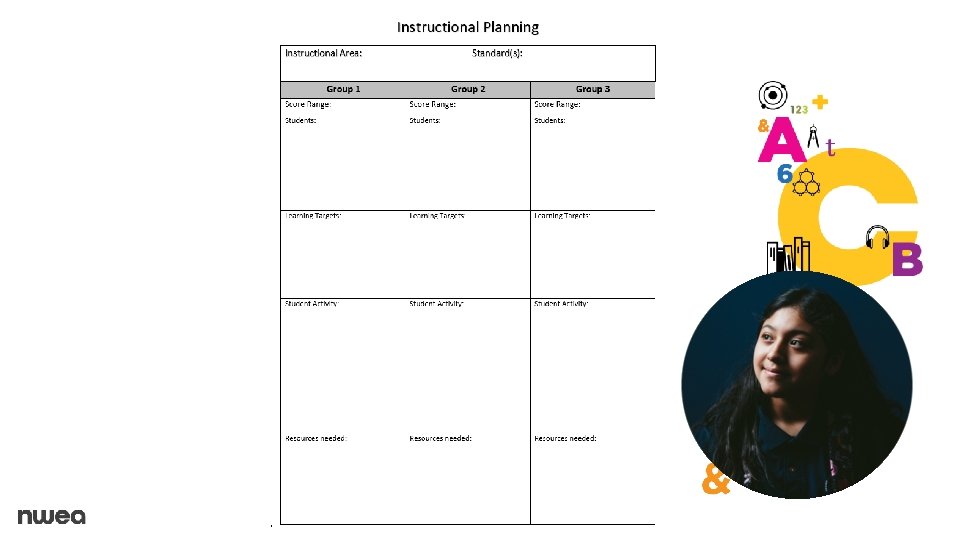
Learning Targets Explore key MAP reports/metrics used to influence instruction --Use the Family Report to inform parents --Use the Class Report to choose a focus --Use the Class Breakdown Report to form flexible groups. --Use the Learning Continuum to target standards Synthesize MAP data, content, and resources to create an instructional plan.
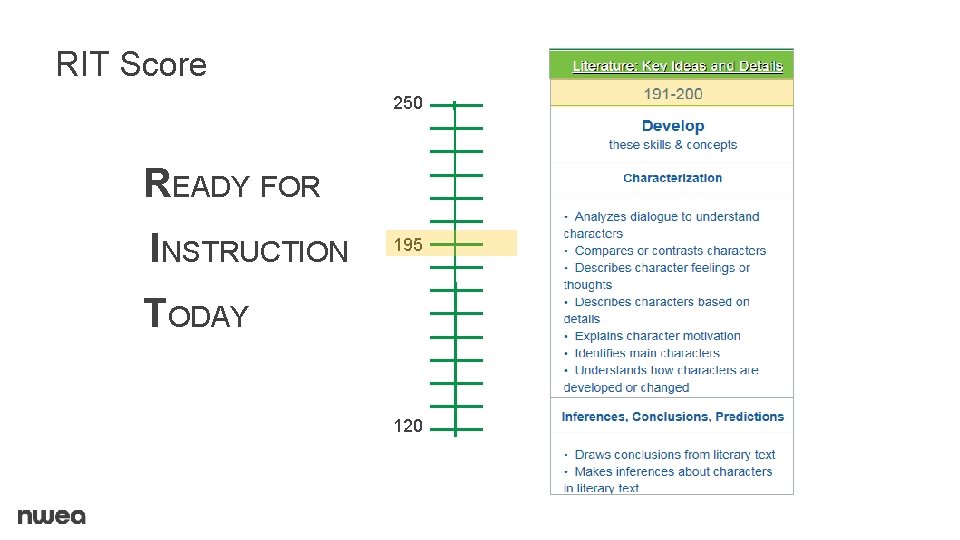
RIT Score 250 READY FOR INSTRUCTION 195 TODAY 120
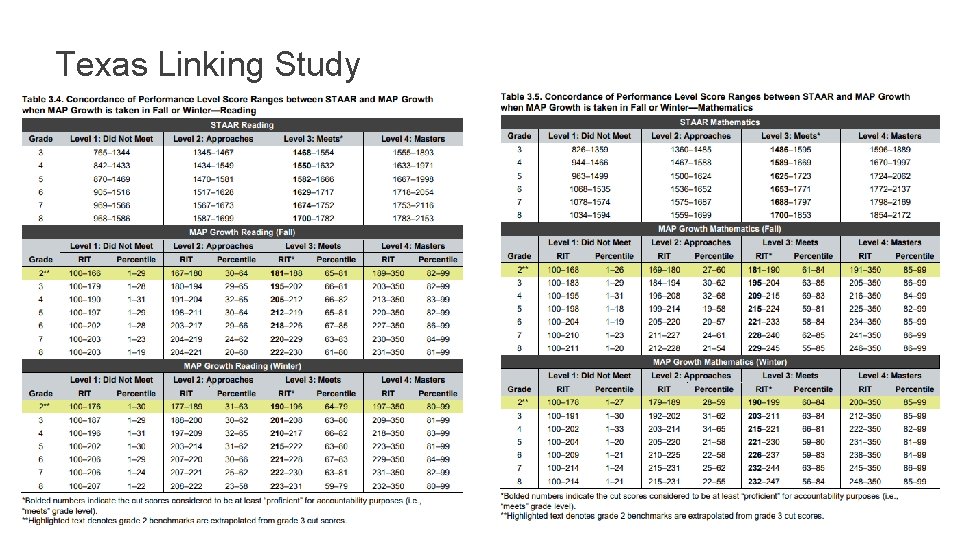
Texas Linking Study
Family Report ✚ Designed to help families understand their student’s progress and needs ✚ Can be used to talk with families during conferences ✚ Available to view and print from the Student Profile report
Parent Resources ✚ Parent Toolkit ⎼ Public Website for Parents ✚ Parent Resources ⎼ PDF & Word Docs ✚ Blog Posts ⎼ Blogs and Advice from Educators
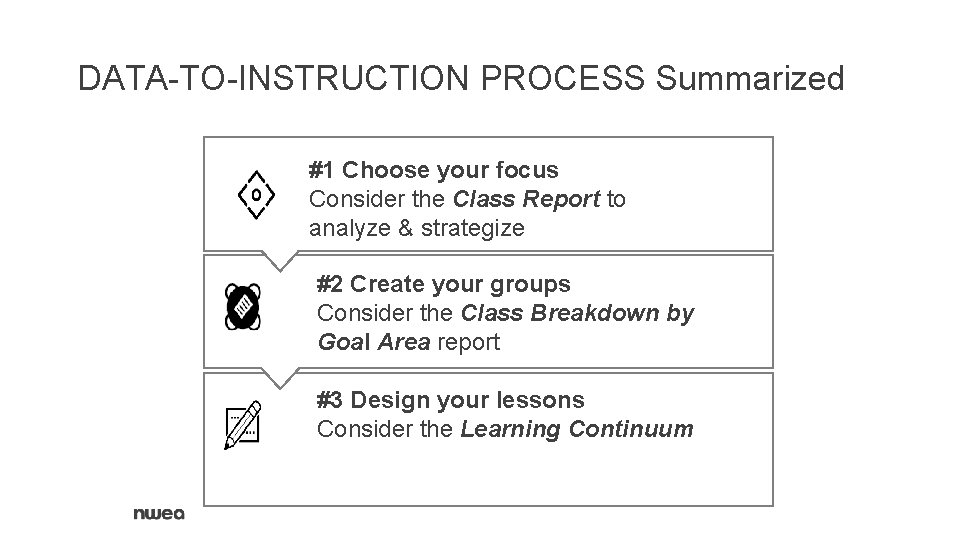
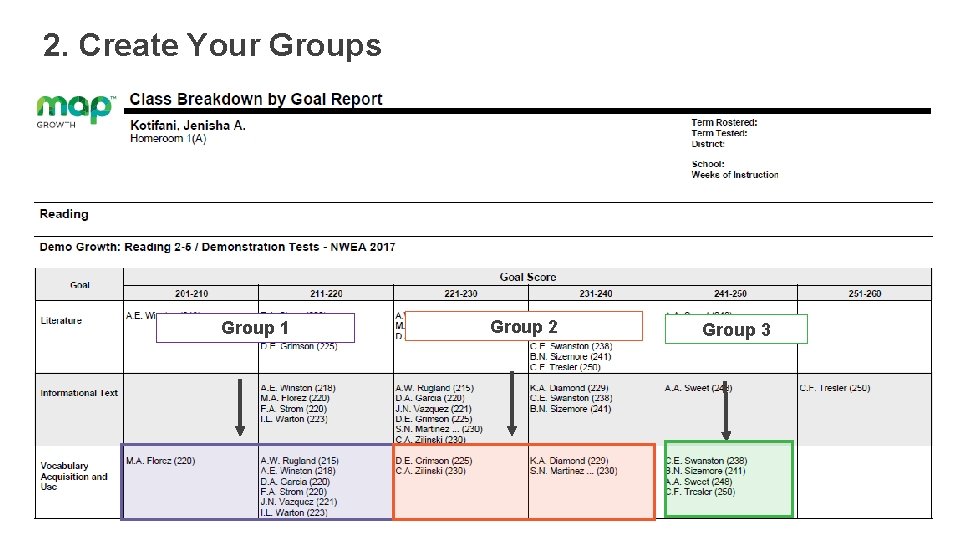
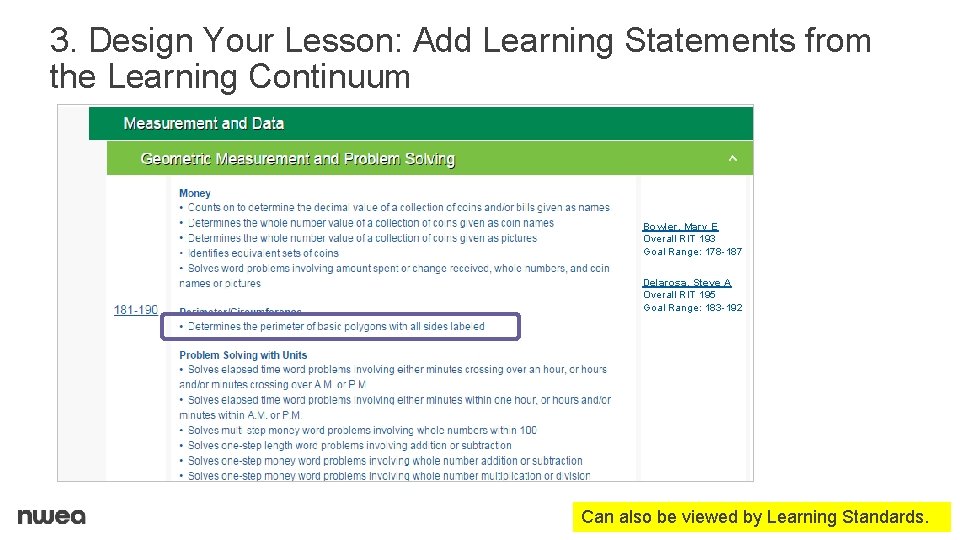
DATA-TO-INSTRUCTION PROCESS Summarized #1 Choose your focus Consider the Class Report to analyze & strategize #2 Create your groups Consider the Class Breakdown by Goal Area report #3 Design your lessons Consider the Learning Continuum
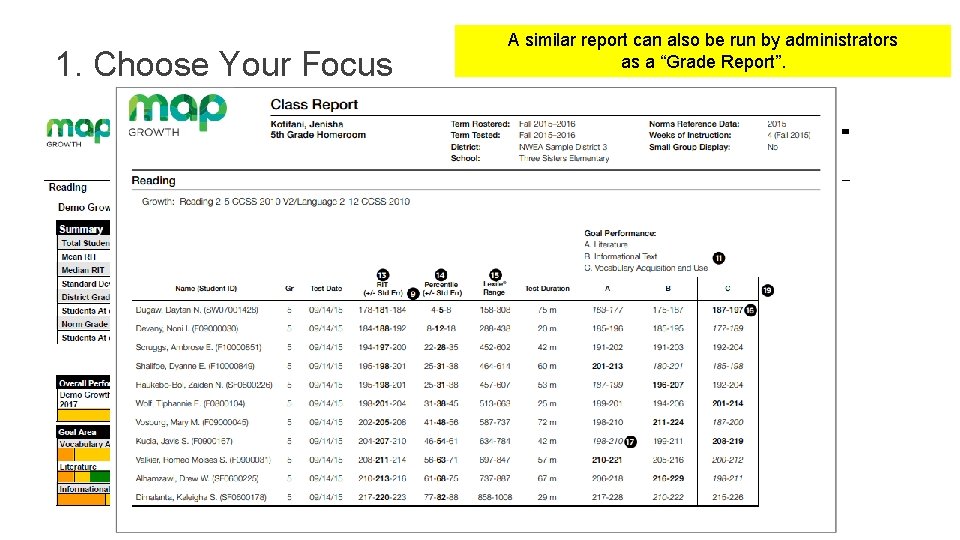
1. Choose Your Focus A similar report can also be run by administrators as a “Grade Report”.
2. Create Your Groups Group 1 Group 2 Group 3
3. Design Your Lesson: Add Learning Statements from the Learning Continuum Bowler, Mary E Overall RIT 193 Goal Range: 178 -187 Delarosa, Steve A Overall RIT 195 Goal Range: 183 -192 Can also be viewed by Learning Standards.
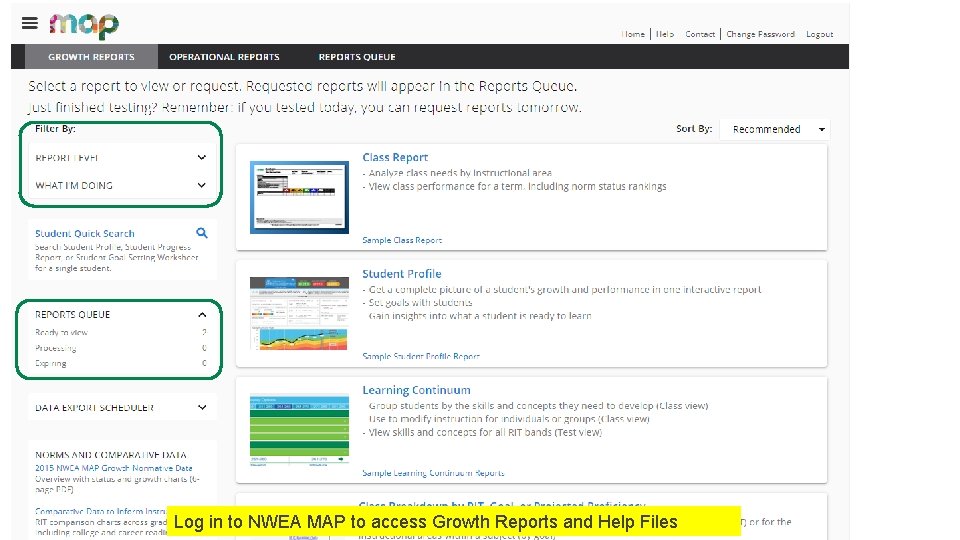
Accessing MAP Growth Reports ✚ Username and password required ✚ Online reports by role ✚ Larger reports sent to Reports Queue ✚ Instant search for students Log in to NWEA MAP to access Growth Reports and Help Files