
GTAS 2 11 Manual Adjustment by USSGL Board
GTAS 2. 11 – Manual Adjustment by USSGL Board Meeting May 10, 2018
What’s Changed? • Manual Adjustments done at the USSGL level as opposed to only supplying the line item information. • Added Line Numbers • Added Text Box for justification. 2 LEAD ∙ TRANSFORM ∙ DELIVER
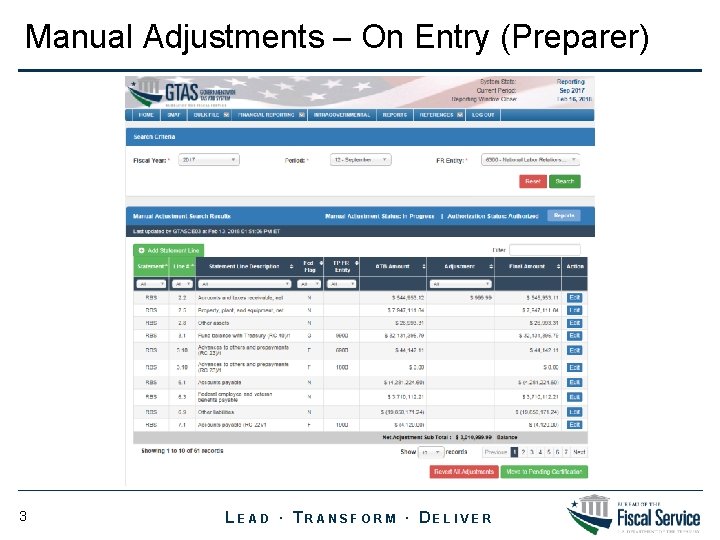
Manual Adjustments – On Entry (Preparer) 3 LEAD ∙ TRANSFORM ∙ DELIVER
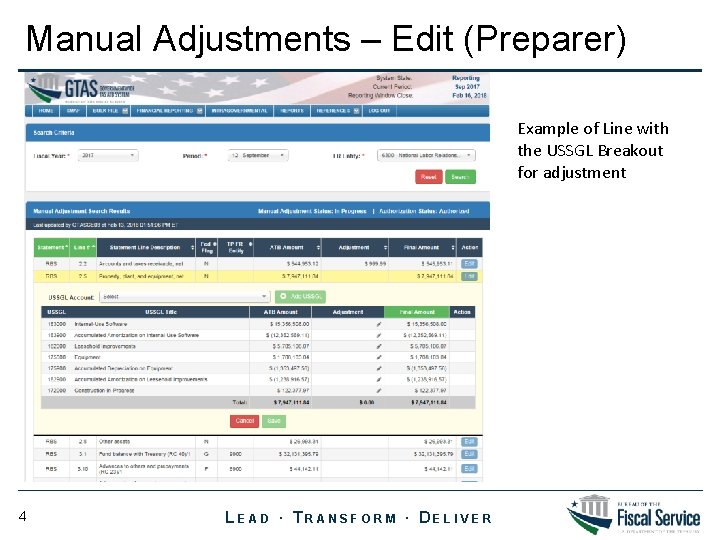
Manual Adjustments – Edit (Preparer) Example of Line with the USSGL Breakout for adjustment 4 LEAD ∙ TRANSFORM ∙ DELIVER
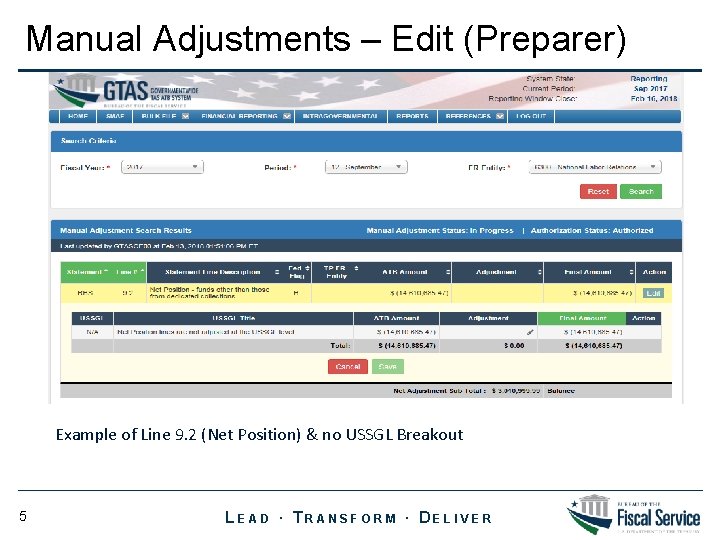
Manual Adjustments – Edit (Preparer) Example of Line 9. 2 (Net Position) & no USSGL Breakout 5 LEAD ∙ TRANSFORM ∙ DELIVER
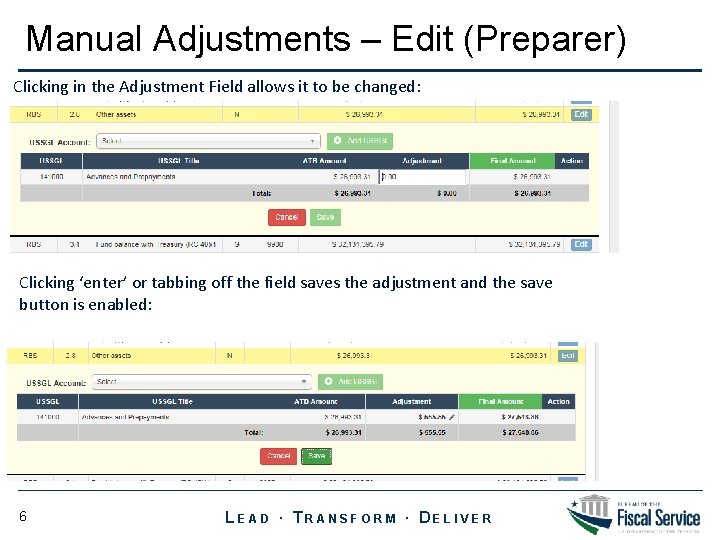
Manual Adjustments – Edit (Preparer) Clicking in the Adjustment Field allows it to be changed: Clicking ‘enter’ or tabbing off the field saves the adjustment and the save button is enabled: 6 LEAD ∙ TRANSFORM ∙ DELIVER
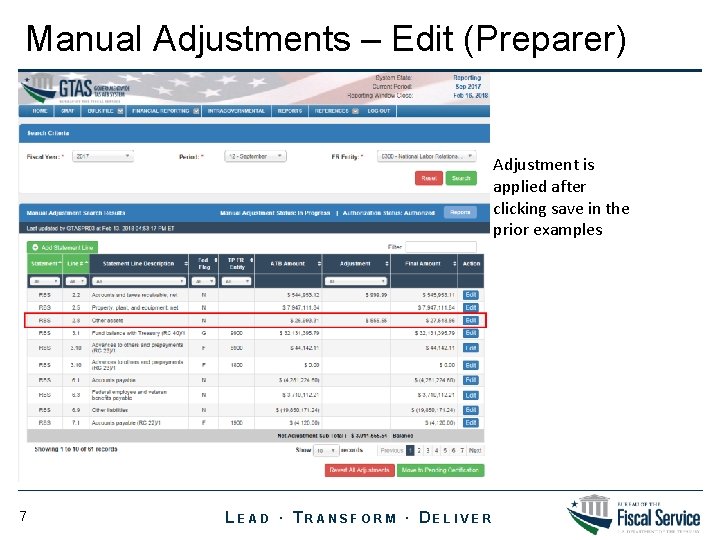
Manual Adjustments – Edit (Preparer) Adjustment is applied after clicking save in the prior examples 7 LEAD ∙ TRANSFORM ∙ DELIVER
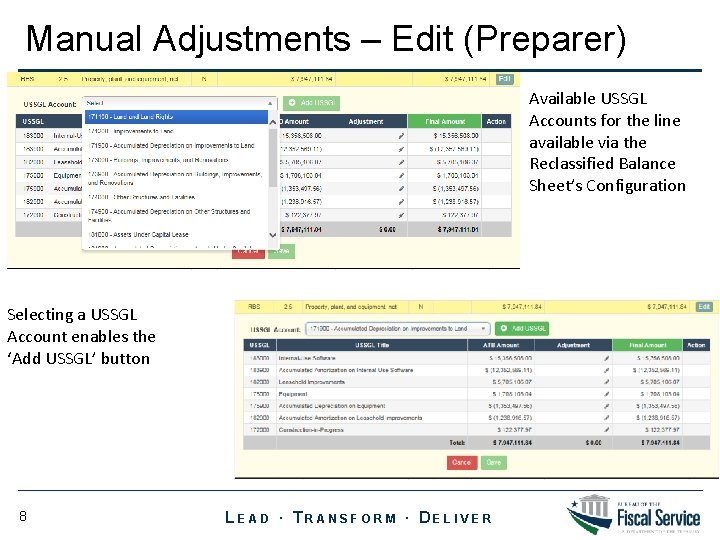
Manual Adjustments – Edit (Preparer) Available USSGL Accounts for the line available via the Reclassified Balance Sheet’s Configuration Selecting a USSGL Account enables the ‘Add USSGL’ button 8 LEAD ∙ TRANSFORM ∙ DELIVER
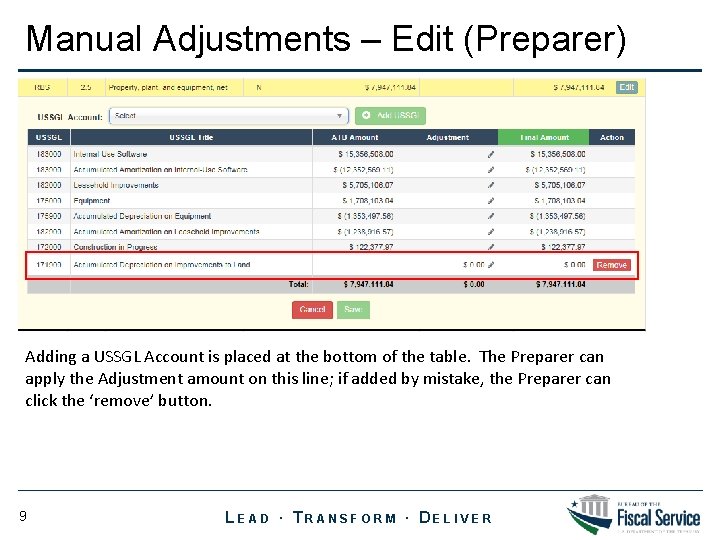
Manual Adjustments – Edit (Preparer) Adding a USSGL Account is placed at the bottom of the table. The Preparer can apply the Adjustment amount on this line; if added by mistake, the Preparer can click the ‘remove’ button. 9 LEAD ∙ TRANSFORM ∙ DELIVER
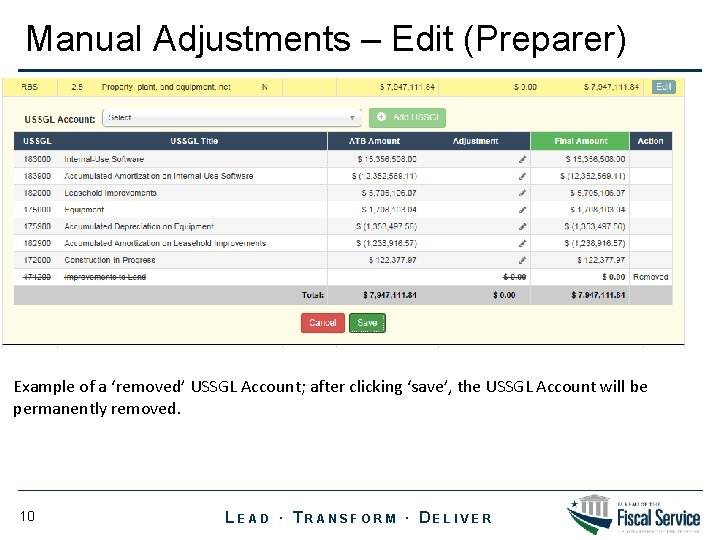
Manual Adjustments – Edit (Preparer) Example of a ‘removed’ USSGL Account; after clicking ‘save’, the USSGL Account will be permanently removed. 10 LEAD ∙ TRANSFORM ∙ DELIVER
- Slides: 10