
Groupware Thinking about groups collaboration and communication Project

Groupware Thinking about groups, collaboration, and communication

Project Part 3 l See me if you need resources for your evaluation – l Room, equipment, etc. Part 3 – due DECEMBER 3 – – – Describe what you did EXACTLY (include all materials) Present the data you collected (tables, charts, lists of issues, etc. ) Discuss what the data means – how you did with each usability criteria, what were issues, etc. Present suggestions for next round of improvements/redesign What you learned, what you would do differently, etc.
Presentation l l l Dec. 3 & 8 in class, sign up on Wiki 15 minutes Parts: – – Motivation Requirements l – Design l – – – l learning from users learning from prototyping Evaluation Conclusions Q&A Include all parts, but focus on evaluation in particular

Computer supported cooperative work l l l Study of how people work together and how technology affects this Support the social processes of work, often among geographically separated people HCI so far: CSCW: – – Individual use Psychology -multiple users -sociology -communication
Examples l l The “system” becomes the moderator between people There are now many collaborations, like: – – – Scientists collaborating on a technical issue Authors editing a document together Programmers debugging a system concurrently Workers collaborating over a shared video conferencing application Buyers and sellers meeting on e. Bay

CS C W? l The Second “C” – l Group work not always cooperative or collaborative The “W” – – Not just about “work” anymore Support the social processes of a group of people communicating or collaborating on anything
Examples l l l Awareness of people in your family, community, physical space. . . Mobile communication Online discussions, blogs Sharing photos, stories, experiences Recommender systems Playing games
Groupware l Software specifically designed – – l Groupware can be classified by – – l to support group working or playing with cooperative requirements in mind when and where the participants are working the function it performs for cooperative work Specific and difficult problems with groupware implementation and evaluation
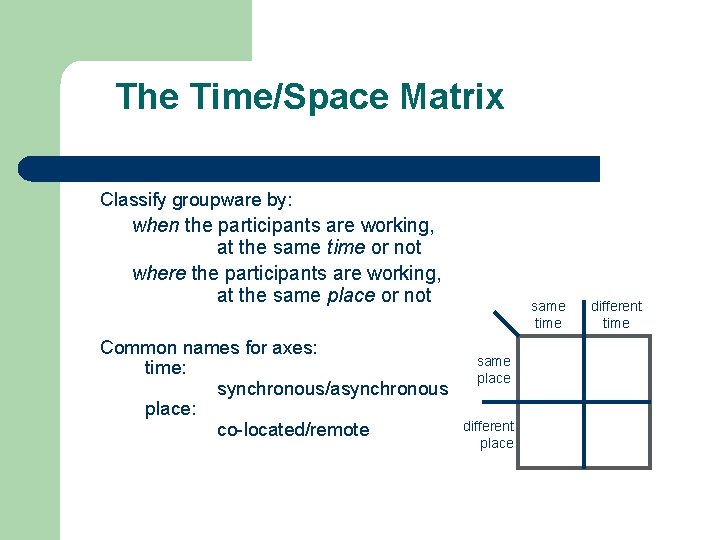
The Time/Space Matrix Classify groupware by: when the participants are working, at the same time or not where the participants are working, at the same place or not Common names for axes: time: synchronous/asynchronous place: co-located/remote same time same place different time
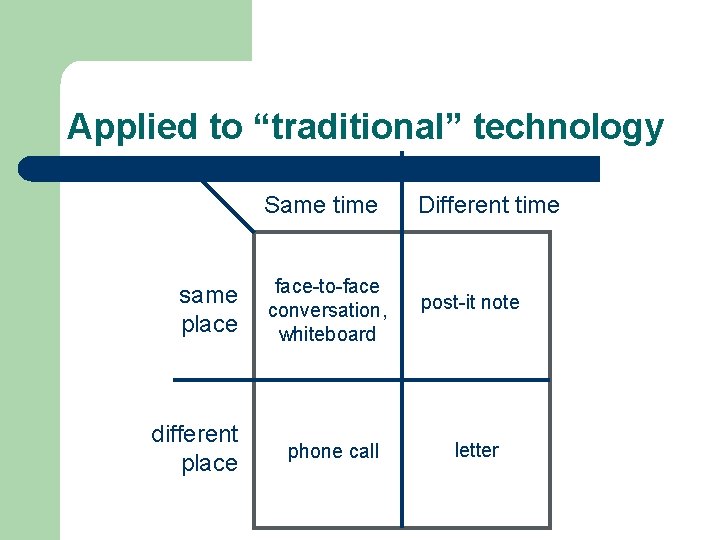
Applied to “traditional” technology same place different place Same time Different time face-to-face conversation, whiteboard post-it note phone call letter
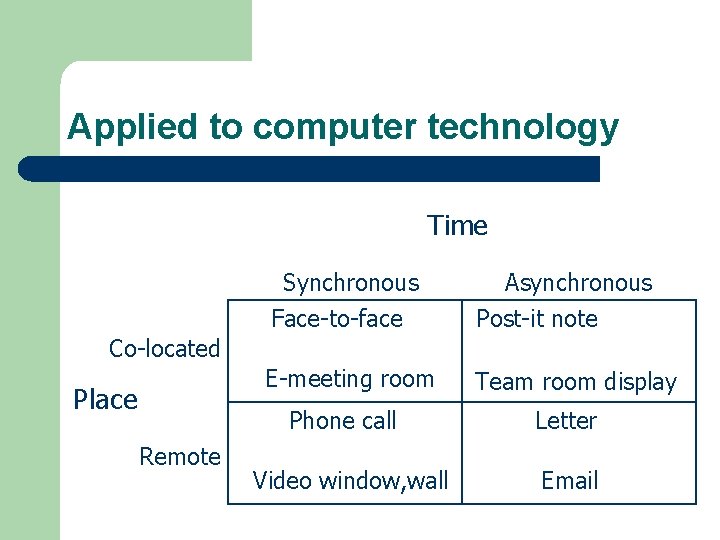
Applied to computer technology Time Synchronous Face-to-face Asynchronous Post-it note E-meeting room Team room display Co-located Place Phone call Remote Video window, wall Letter Email
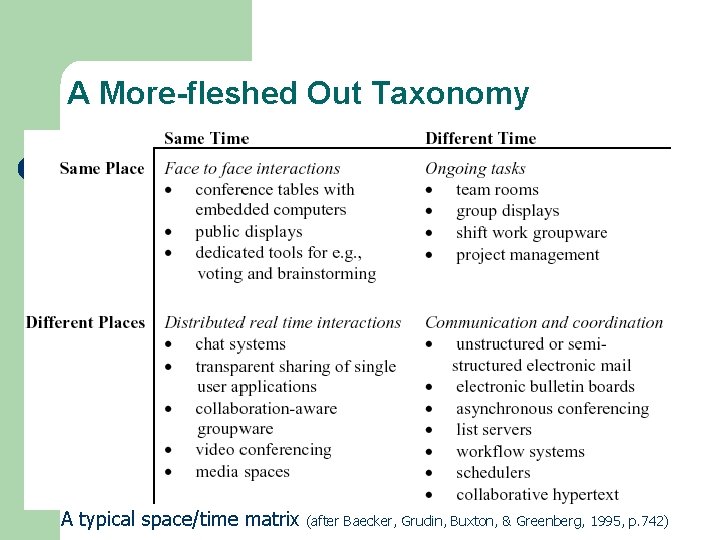
A More-fleshed Out Taxonomy A typical space/time matrix (after Baecker, Grudin, Buxton, & Greenberg, 1995, p. 742)
Styles of Groupware Systems l Computer-mediated communication l Meeting and decision support systems l Shared applications and tools

Computer-mediated Communication (CMC) Aids l Examples – – Email, Chat, virtual worlds Desktop videoconferencing Video/Audio chat Blogs
CMC applications l l Support a wide range of communication needs Allow large number of people to quickly and easily communicate Can be combined with other activities and systems Lead to many new social conventions and issues
Social implications l l Less rich channels – fewer details, higher likelihood of misunderstanding More anonymous More autonomy, more ability to control message Can be less intrusive – I’ll IM you before I stop by your office
Food for thought… l l l Why aren’t videophones or video conferencing more popular? How and when do you use Instant Messaging? How does this differ from email? What communication technology do you still want?
Meeting and Decision Support Systems l Examples – Corporate decision-support conference room l l – Provides ways of rationalizing decisions, voting, presenting cases, etc. Concurrency control is important Shared computer classroom/cluster l Group discussion/design aid tools
Shared Applications and Tools l Shared editors, design tools, etc. – – – Want to avoid “locking” and allow multiple people to concurrently work on document Requires some form of contention resolution How do you show what others are doing?
Social Issues l Goal of groupware is often to establish some common ground and to facilitate understanding and interaction l Multiple people means social issues can impact use or may need to be supported
Turn Taking l There are many subtle social conventions about turn taking in an interaction – – – l Personal space, closeness Eye contact Gestures Body language Conversation cues How is turn taking handled in IM?
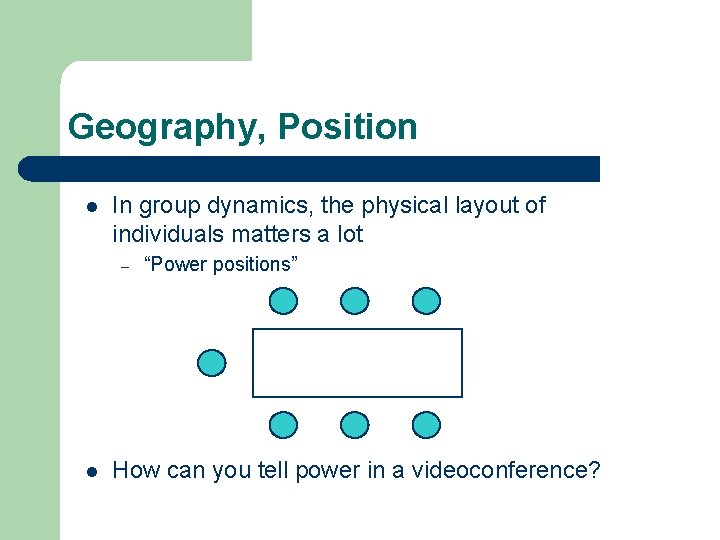
Geography, Position l In group dynamics, the physical layout of individuals matters a lot – l “Power positions” How can you tell power in a videoconference?
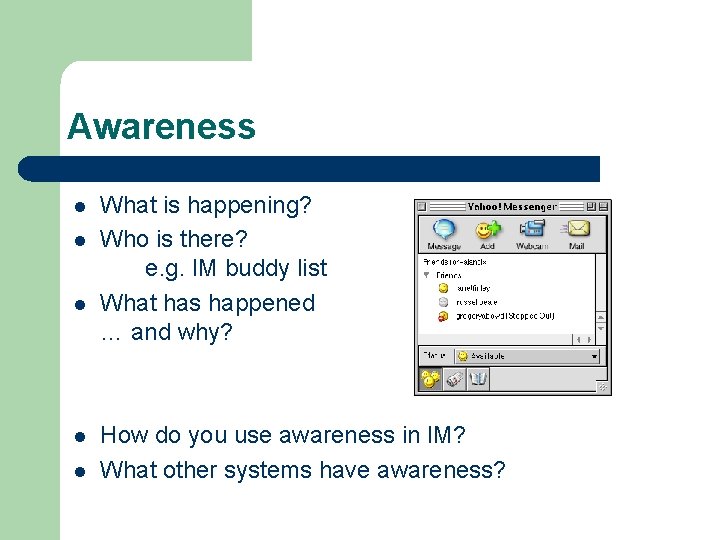
Awareness l l l What is happening? Who is there? e. g. IM buddy list What has happened … and why? How do you use awareness in IM? What other systems have awareness?
Groupware implementation l Often more complicated – – feedback and network delays architectures for groupware feedthrough and network traffic robustness and scaling
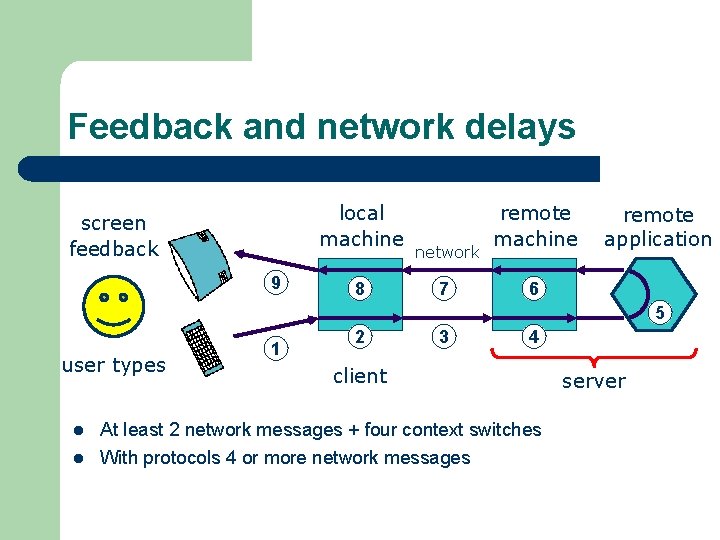
Feedback and network delays local machine screen feedback 9 8 network 7 remote machine remote application 6 5 user types l l 1 2 3 4 client At least 2 network messages + four context switches With protocols 4 or more network messages server
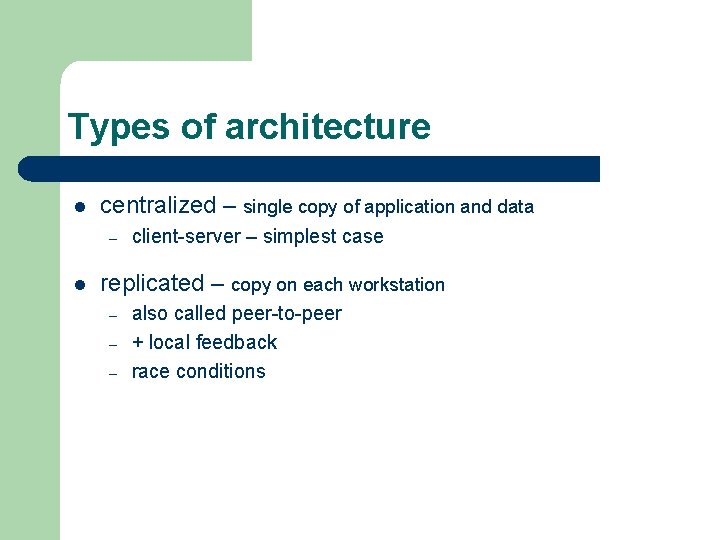
Types of architecture l centralized – single copy of application and data – l client-server – simplest case replicated – copy on each workstation – – – also called peer-to-peer + local feedback race conditions
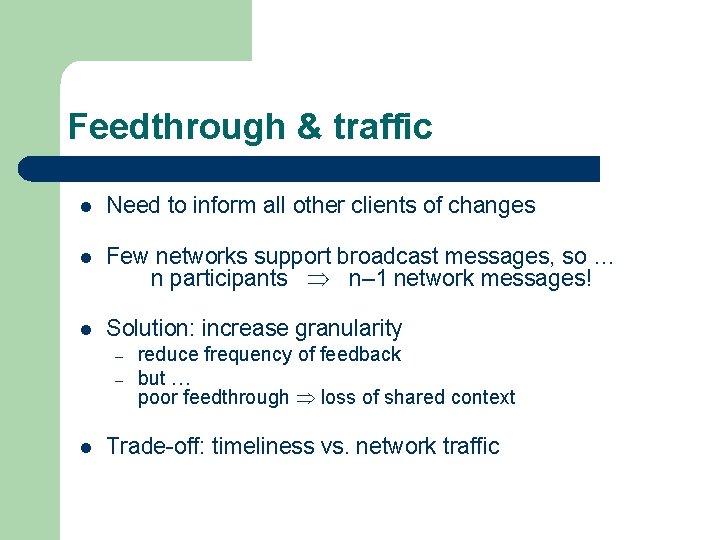
Feedthrough & traffic l Need to inform all other clients of changes l Few networks support broadcast messages, so … n participants n– 1 network messages! l Solution: increase granularity – – l reduce frequency of feedback but … poor feedthrough loss of shared context Trade-off: timeliness vs. network traffic
Evaluation l Evaluating the usability and utility of groupware is quite challenging – – – Need more participants Logistically difficult Apples - oranges l Often use field studies and ethnographic evaluations to assist l Groupware and Social Dynamics: Eight Challenges for Developers – By Jonathan Grudin (now at Microsoft) – http: //www. ics. uci. edu/~grudin/Papers/CACM 94/cacm 94. html
Groupware Challenges (Grudin) l Who does work vs. who gets benefit – l The system may require extra effort for people not really receiving benefit Critical mass – Need enough people before system is successful
More Grudin challenges l Social, political, and motivational factors – l Outside factors can affect system success No “standard procedures” – Many procedures and exceptions when it comes to groups interacting
More Grudin challenges l Infrequent features – – l How often do we actually use groupware anyway? Solution: add groupware features to existing individual software Evaluation is longer, more complicated, less precise
Recommendations l l l Add group features to existing apps Benefit all group members Start with niches were application is highly needed Consider evaluation and adoption early Expect and plan for development and evaluation to take longer
Let’s consider: Facebook l l l Is it groupware? What general types of group features does it have? How does it differ from blogs? Flickr? Personal web pages? What features do you think they should add? Why do you think it is so successful? What social issues (good and bad) are occurring because of Facebook?
- Slides: 33