
Grouping Objects 3 Iterators collections and the while
Grouping Objects 3 Iterators, collections and the while loop
Iterators The for-each loop is a simple way of iterating through every element of a collection. The while loop gives a way of iterating through some elements of a collection – it lets us stop when we’ve had enough (e. g. because we found something we were looking for). In the while loops seen before, we had to initialise an index variable (e. g. to 0) into the collection, use it (to get elements from the collection) and maintain (e. g. increment) it within the while loop. Iterators – in conjunction with a while loop – simplify (partial) iteration through a collection Objects First with Java - A Practical Introduction using Blue. J, © David J. Barnes, Michael Kölling
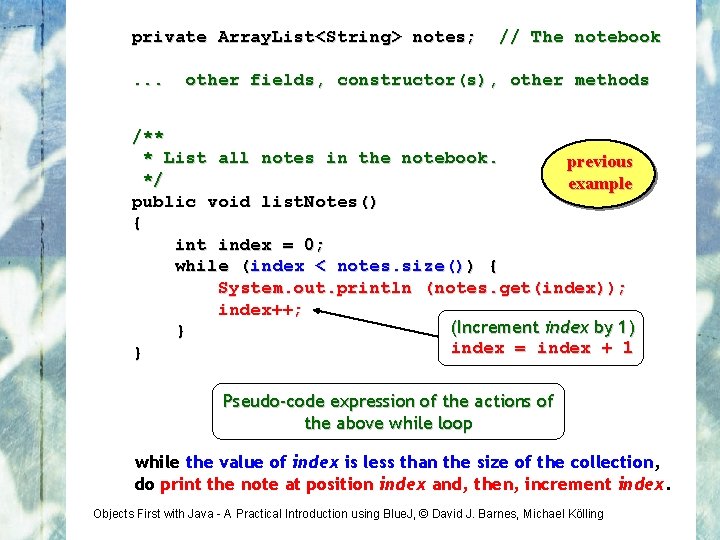
private Array. List<String> notes; . . . // The notebook other fields, constructor(s), other methods /** * List all notes in the notebook. previous */ example public void list. Notes() { int index = 0; while (index < notes. size()) { System. out. println (notes. get(index)); index++; (Increment index by 1) } index = index + 1 } Pseudo-code expression of the actions of the above while loop while the value of index is less than the size of the collection, do print the note at position index and, then, increment index. Objects First with Java - A Practical Introduction using Blue. J, © David J. Barnes, Michael Kölling
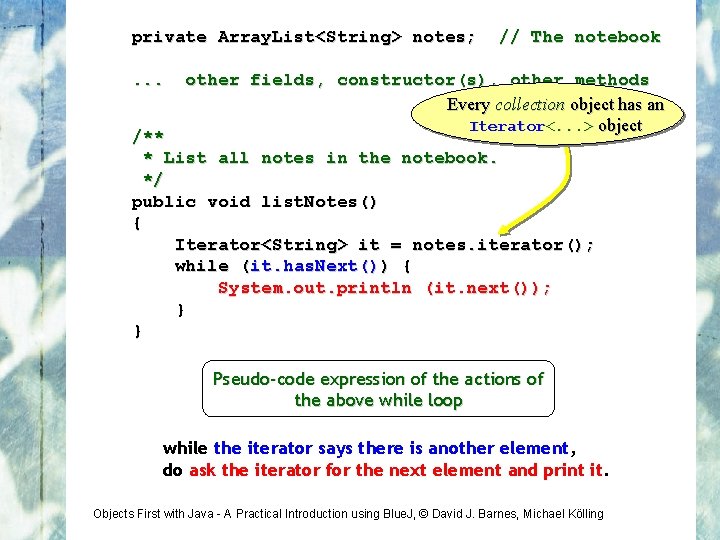
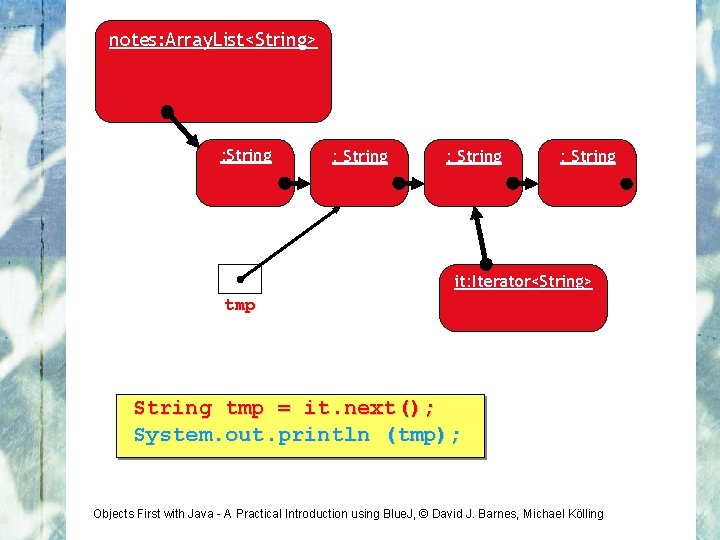
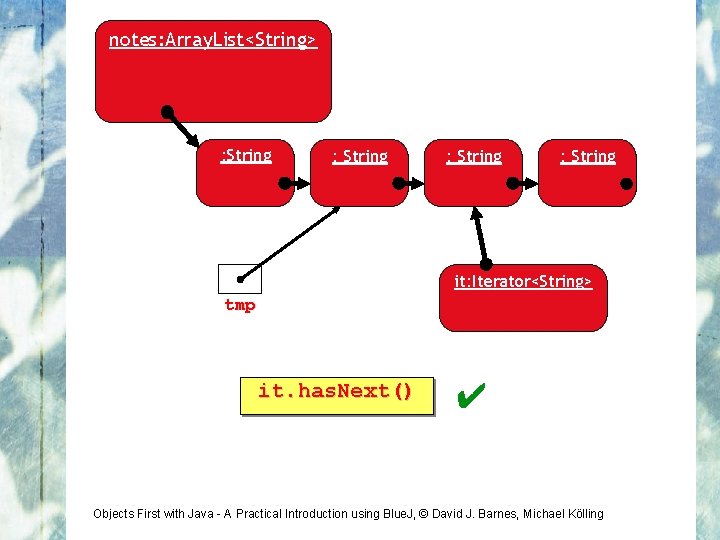
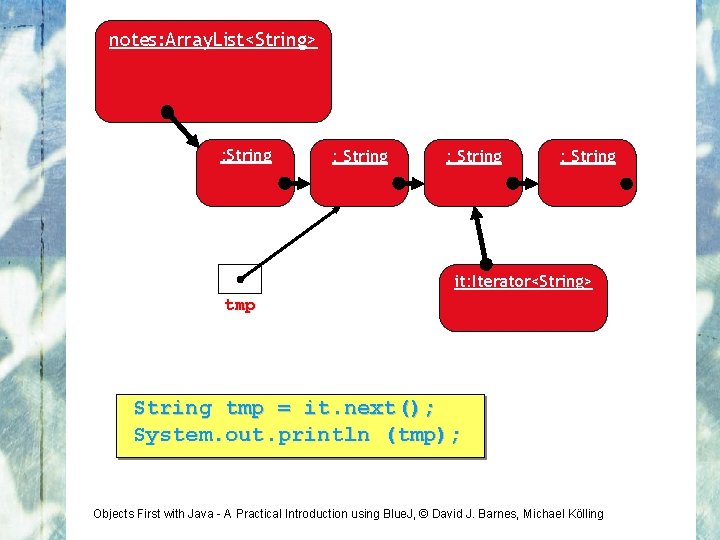
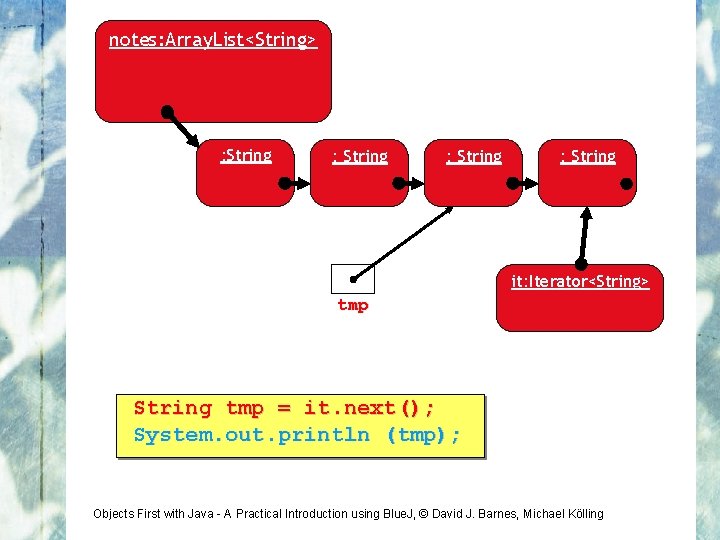
private Array. List<String> notes; . . . // The notebook other fields, constructor(s), other methods Every collection object has an Iterator<. . . > object /** * List all notes in the notebook. */ public void list. Notes() { Iterator<String> it = notes. iterator(); while (it. has. Next()) { System. out. println (it. next()); } } Pseudo-code expression of the actions of the above while loop while the iterator says there is another element, do ask the iterator for the next element and print it. Objects First with Java - A Practical Introduction using Blue. J, © David J. Barnes, Michael Kölling
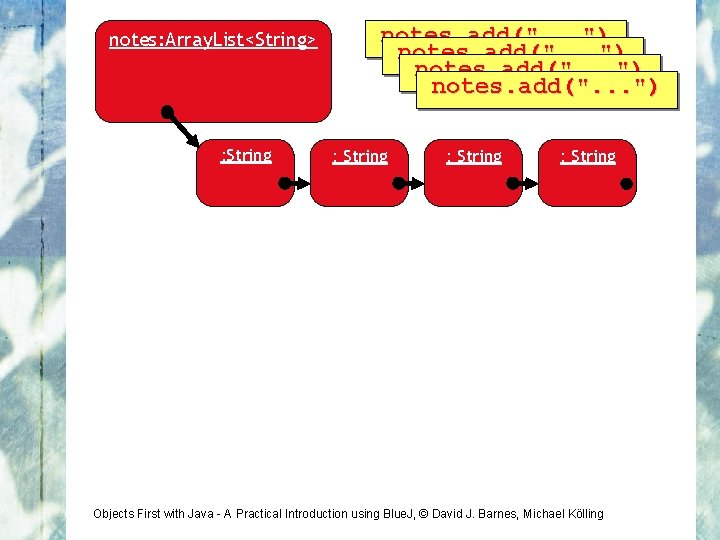
notes: Array. List<String> : String notes. add(". . . ") : String Objects First with Java - A Practical Introduction using Blue. J, © David J. Barnes, Michael Kölling
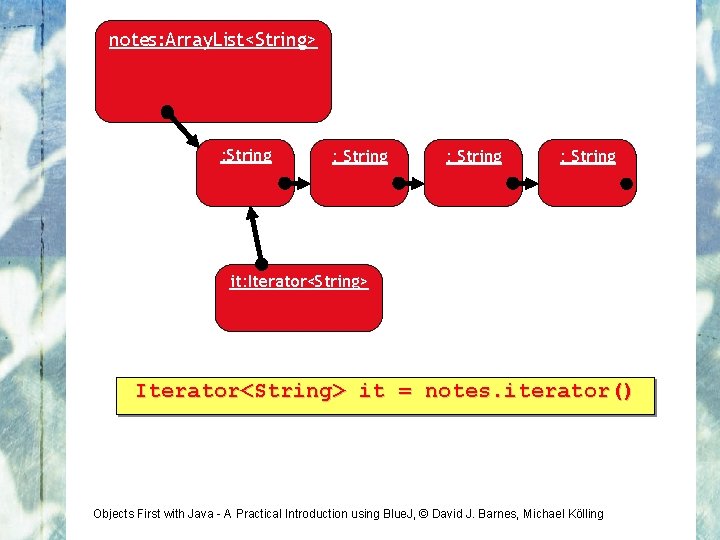
notes: Array. List<String> : String it: Iterator<String> it = notes. iterator() Objects First with Java - A Practical Introduction using Blue. J, © David J. Barnes, Michael Kölling
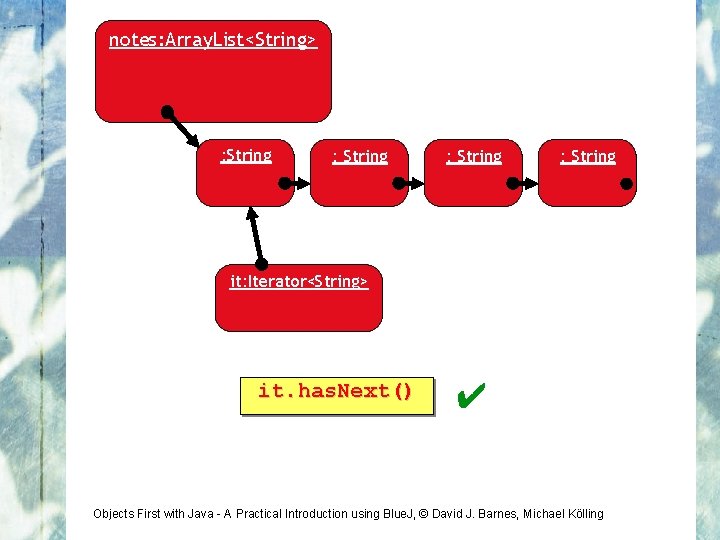
notes: Array. List<String> : String it: Iterator<String> it. has. Next() ✔ Objects First with Java - A Practical Introduction using Blue. J, © David J. Barnes, Michael Kölling
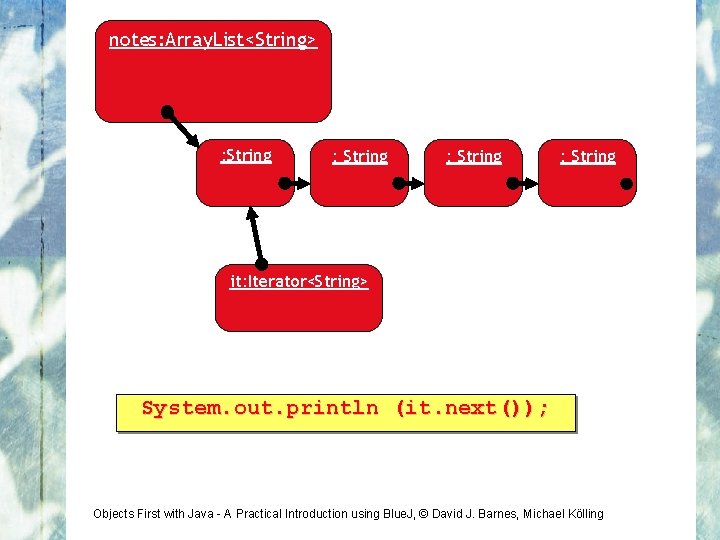
notes: Array. List<String> : String it: Iterator<String> System. out. println (it. next()); Objects First with Java - A Practical Introduction using Blue. J, © David J. Barnes, Michael Kölling
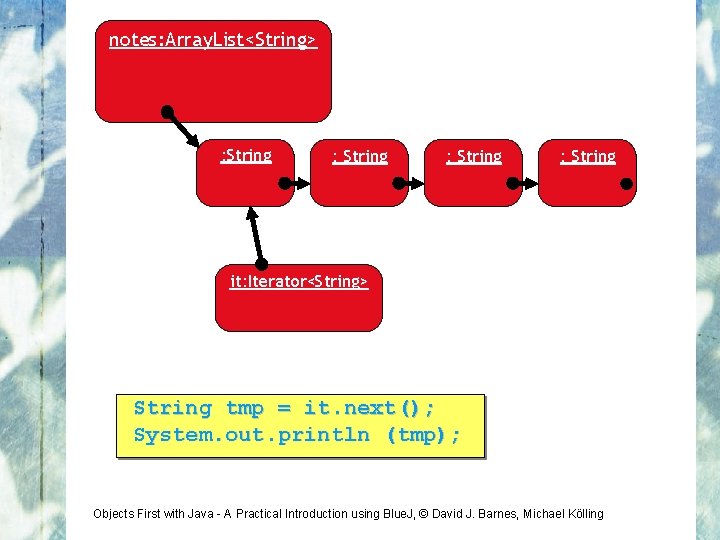
notes: Array. List<String> : String it: Iterator<String> String tmp = it. next(); System. out. println (tmp); Objects First with Java - A Practical Introduction using Blue. J, © David J. Barnes, Michael Kölling
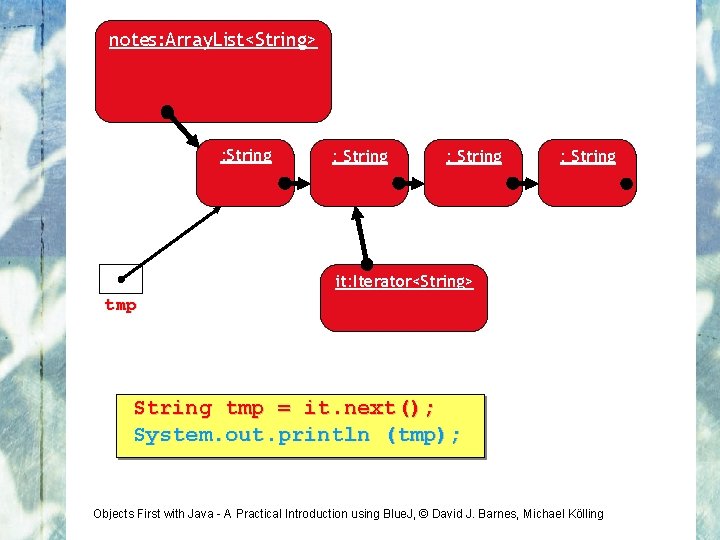
notes: Array. List<String> : String it: Iterator<String> tmp String tmp = it. next(); System. out. println (tmp); Objects First with Java - A Practical Introduction using Blue. J, © David J. Barnes, Michael Kölling
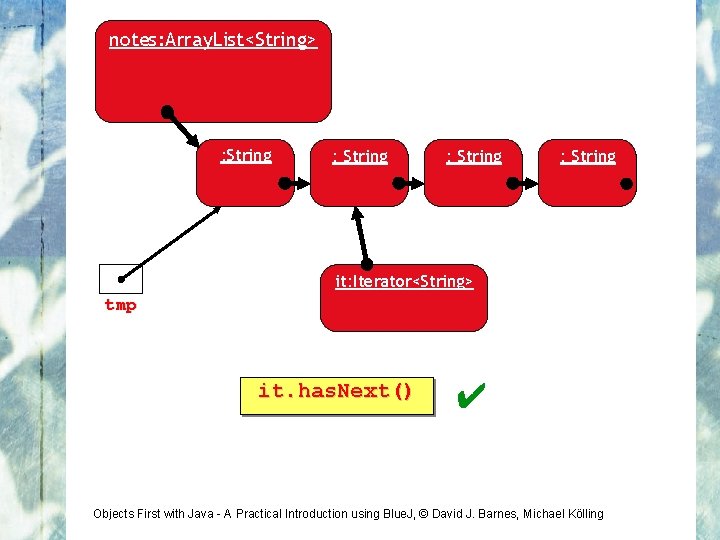
notes: Array. List<String> : String it: Iterator<String> tmp it. has. Next() ✔ Objects First with Java - A Practical Introduction using Blue. J, © David J. Barnes, Michael Kölling
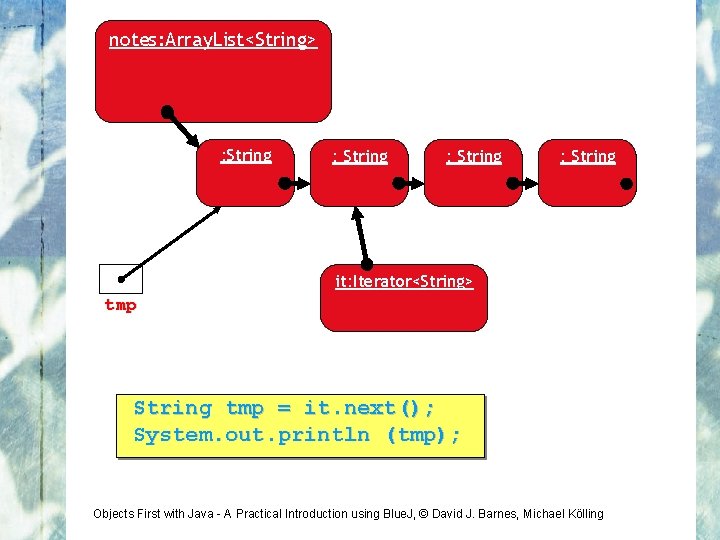
notes: Array. List<String> : String it: Iterator<String> tmp String tmp = it. next(); System. out. println (tmp); Objects First with Java - A Practical Introduction using Blue. J, © David J. Barnes, Michael Kölling
notes: Array. List<String> : String it: Iterator<String> tmp String tmp = it. next(); System. out. println (tmp); Objects First with Java - A Practical Introduction using Blue. J, © David J. Barnes, Michael Kölling
notes: Array. List<String> : String it: Iterator<String> tmp it. has. Next() ✔ Objects First with Java - A Practical Introduction using Blue. J, © David J. Barnes, Michael Kölling
notes: Array. List<String> : String it: Iterator<String> tmp String tmp = it. next(); System. out. println (tmp); Objects First with Java - A Practical Introduction using Blue. J, © David J. Barnes, Michael Kölling
notes: Array. List<String> : String it: Iterator<String> tmp String tmp = it. next(); System. out. println (tmp); Objects First with Java - A Practical Introduction using Blue. J, © David J. Barnes, Michael Kölling
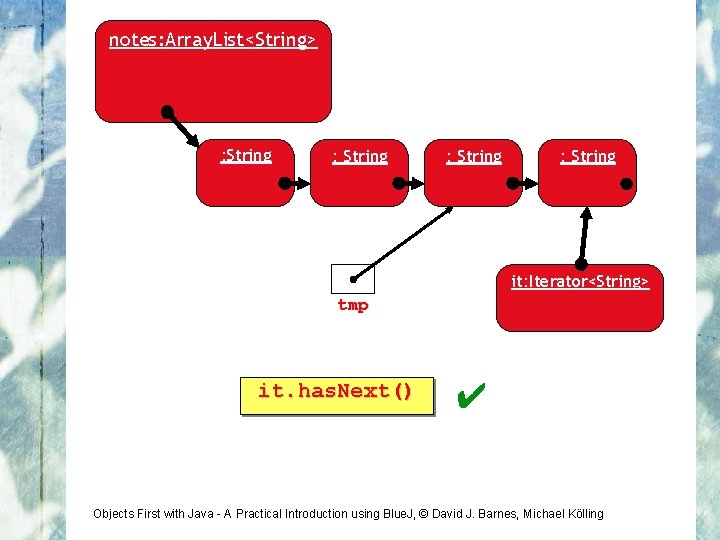
notes: Array. List<String> : String it: Iterator<String> tmp it. has. Next() ✔ Objects First with Java - A Practical Introduction using Blue. J, © David J. Barnes, Michael Kölling
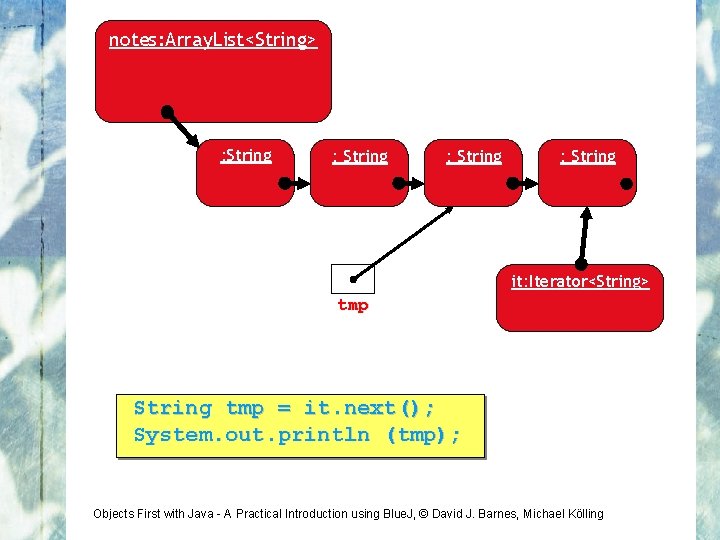
notes: Array. List<String> : String it: Iterator<String> tmp String tmp = it. next(); System. out. println (tmp); Objects First with Java - A Practical Introduction using Blue. J, © David J. Barnes, Michael Kölling
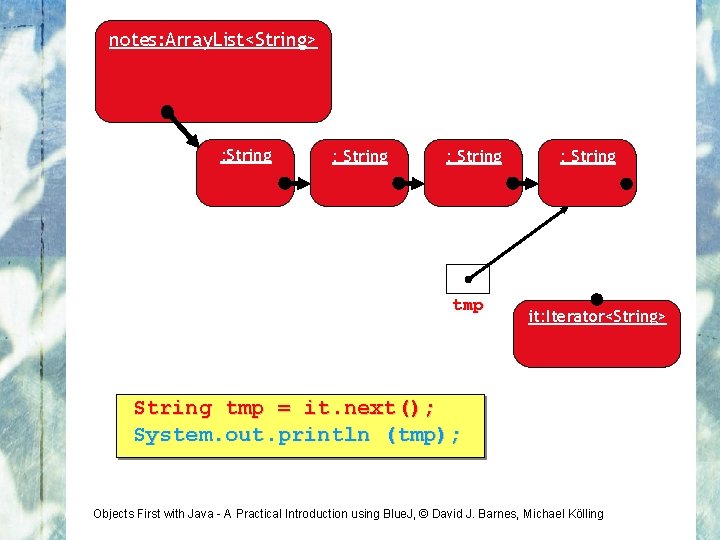
notes: Array. List<String> : String tmp : String it: Iterator<String> String tmp = it. next(); System. out. println (tmp); Objects First with Java - A Practical Introduction using Blue. J, © David J. Barnes, Michael Kölling
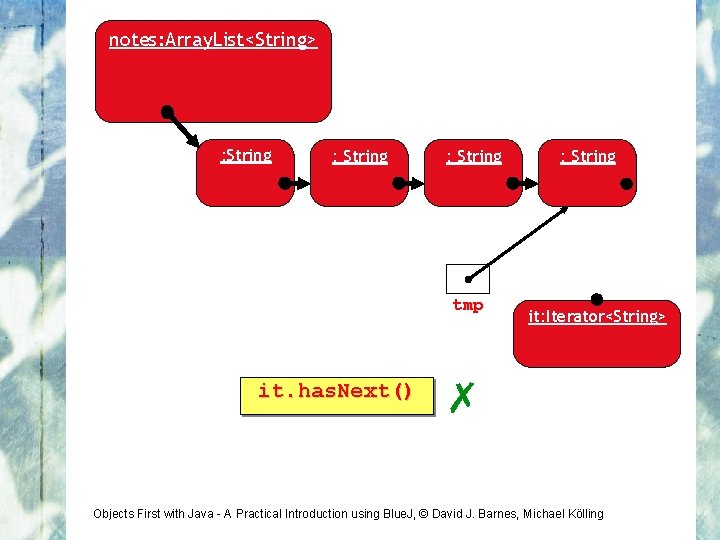
notes: Array. List<String> : String tmp it. has. Next() : String it: Iterator<String> ✗ Objects First with Java - A Practical Introduction using Blue. J, © David J. Barnes, Michael Kölling
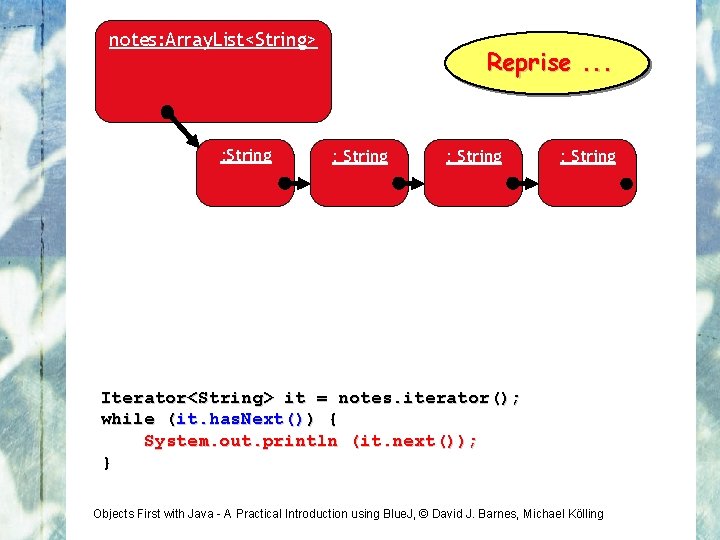
notes: Array. List<String> : String Reprise. . . : String Iterator<String> it = notes. iterator(); while (it. has. Next()) { System. out. println (it. next()); } Objects First with Java - A Practical Introduction using Blue. J, © David J. Barnes, Michael Kölling
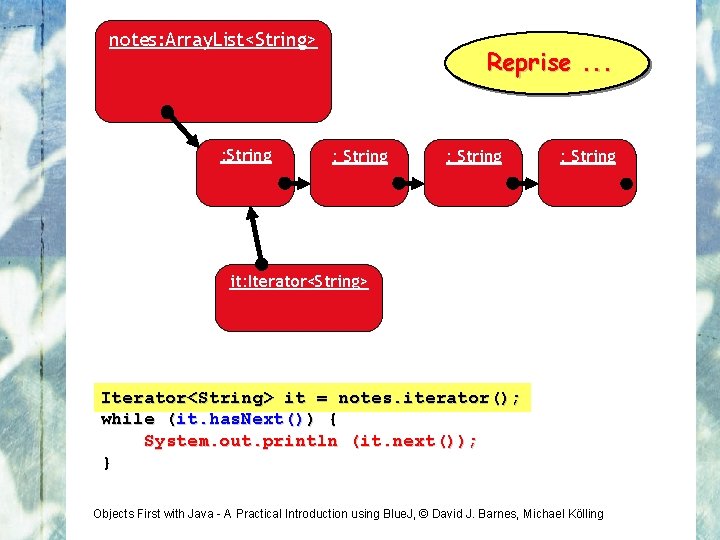
notes: Array. List<String> : String Reprise. . . : String it: Iterator<String> it = notes. iterator(); while (it. has. Next()) { System. out. println (it. next()); } Objects First with Java - A Practical Introduction using Blue. J, © David J. Barnes, Michael Kölling
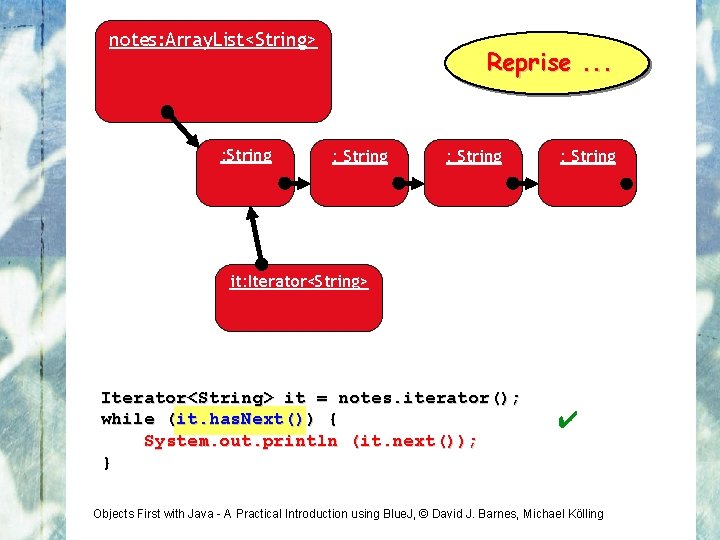
notes: Array. List<String> : String Reprise. . . : String it: Iterator<String> it = notes. iterator(); while (it. has. Next()) { System. out. println (it. next()); } ✔ Objects First with Java - A Practical Introduction using Blue. J, © David J. Barnes, Michael Kölling
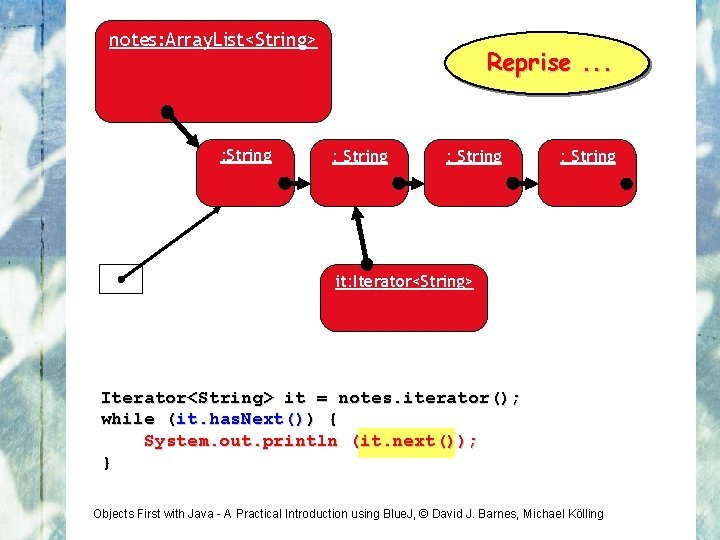
notes: Array. List<String> : String Reprise. . . : String it: Iterator<String> it = notes. iterator(); while (it. has. Next()) { System. out. println (it. next()); } Objects First with Java - A Practical Introduction using Blue. J, © David J. Barnes, Michael Kölling
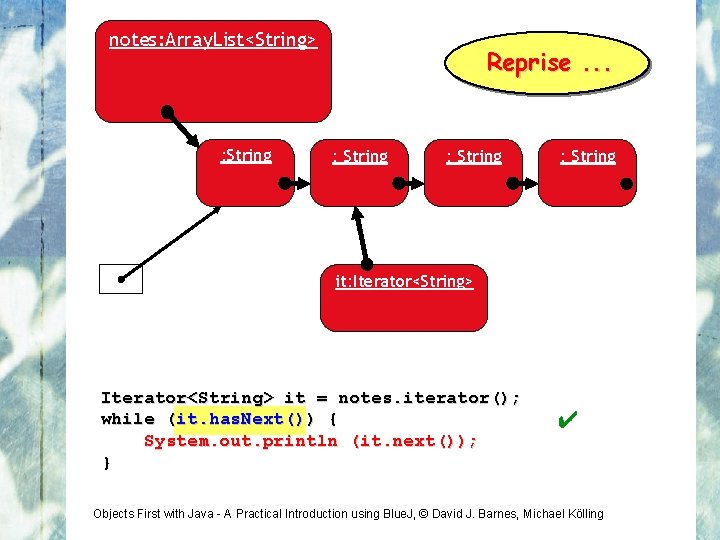
notes: Array. List<String> : String Reprise. . . : String it: Iterator<String> it = notes. iterator(); while (it. has. Next()) { System. out. println (it. next()); } ✔ Objects First with Java - A Practical Introduction using Blue. J, © David J. Barnes, Michael Kölling
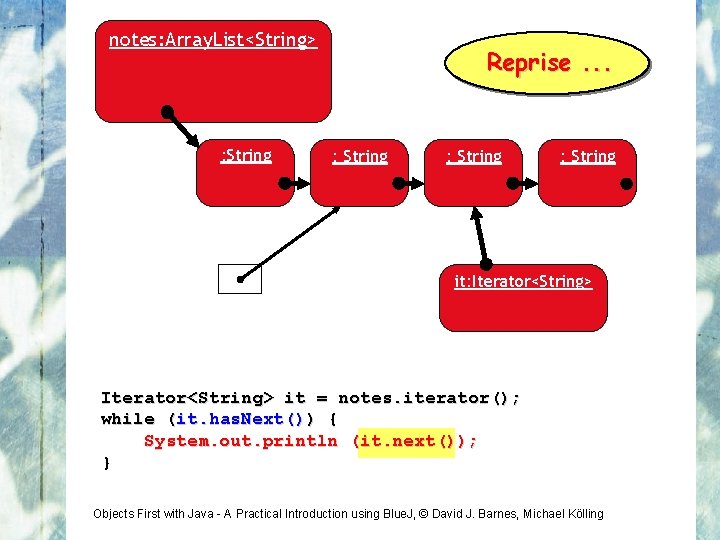
notes: Array. List<String> : String Reprise. . . : String it: Iterator<String> it = notes. iterator(); while (it. has. Next()) { System. out. println (it. next()); } Objects First with Java - A Practical Introduction using Blue. J, © David J. Barnes, Michael Kölling
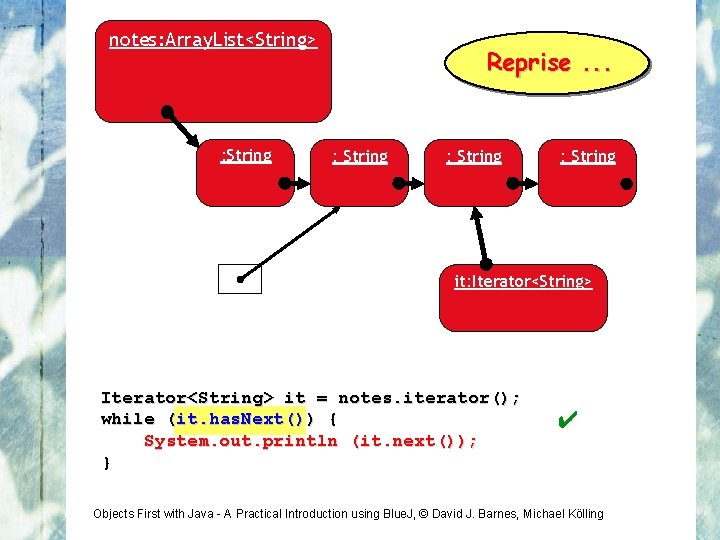
notes: Array. List<String> : String Reprise. . . : String it: Iterator<String> it = notes. iterator(); while (it. has. Next()) { System. out. println (it. next()); } ✔ Objects First with Java - A Practical Introduction using Blue. J, © David J. Barnes, Michael Kölling
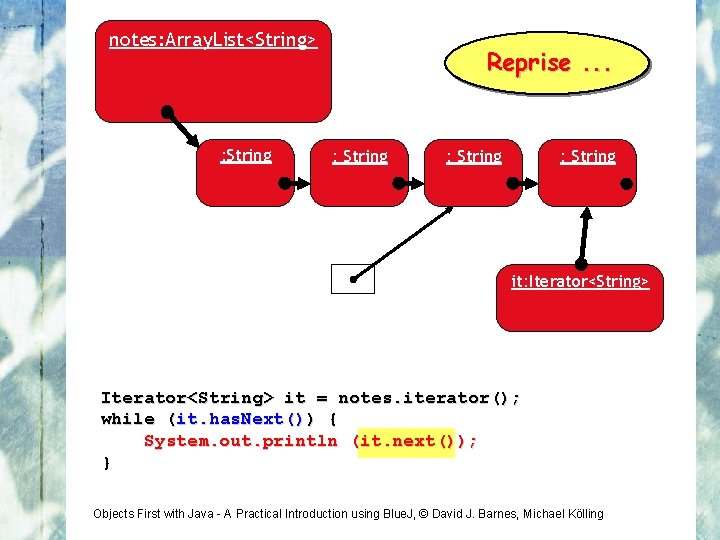
notes: Array. List<String> : String Reprise. . . : String it: Iterator<String> it = notes. iterator(); while (it. has. Next()) { System. out. println (it. next()); } Objects First with Java - A Practical Introduction using Blue. J, © David J. Barnes, Michael Kölling
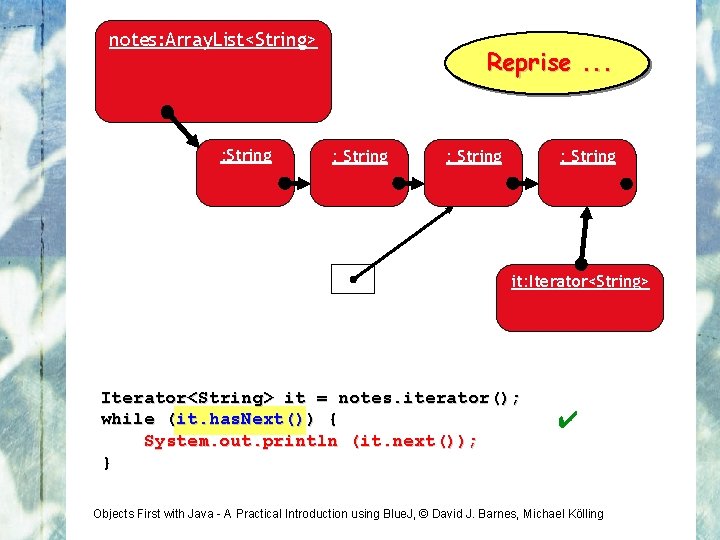
notes: Array. List<String> : String Reprise. . . : String it: Iterator<String> it = notes. iterator(); while (it. has. Next()) { System. out. println (it. next()); } ✔ Objects First with Java - A Practical Introduction using Blue. J, © David J. Barnes, Michael Kölling
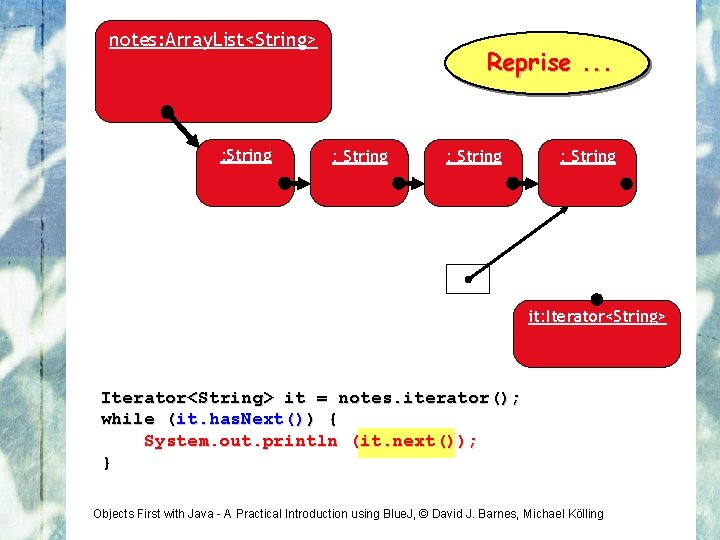
notes: Array. List<String> : String Reprise. . . : String it: Iterator<String> it = notes. iterator(); while (it. has. Next()) { System. out. println (it. next()); } Objects First with Java - A Practical Introduction using Blue. J, © David J. Barnes, Michael Kölling
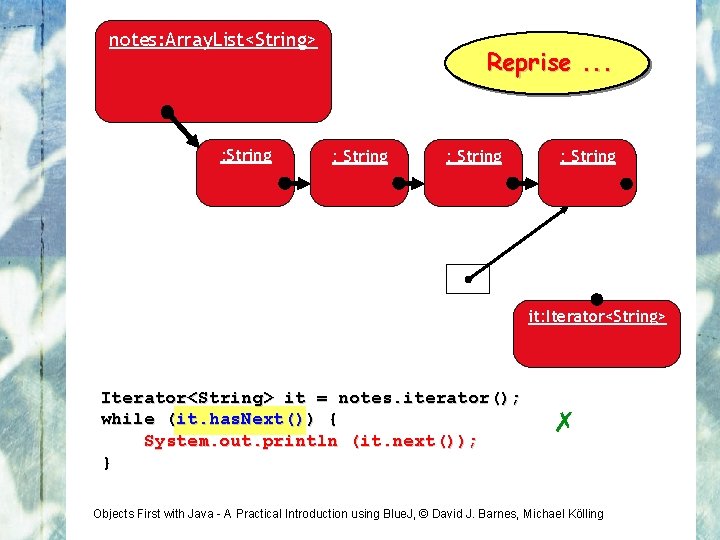
notes: Array. List<String> : String Reprise. . . : String it: Iterator<String> it = notes. iterator(); while (it. has. Next()) { System. out. println (it. next()); } ✗ Objects First with Java - A Practical Introduction using Blue. J, © David J. Barnes, Michael Kölling
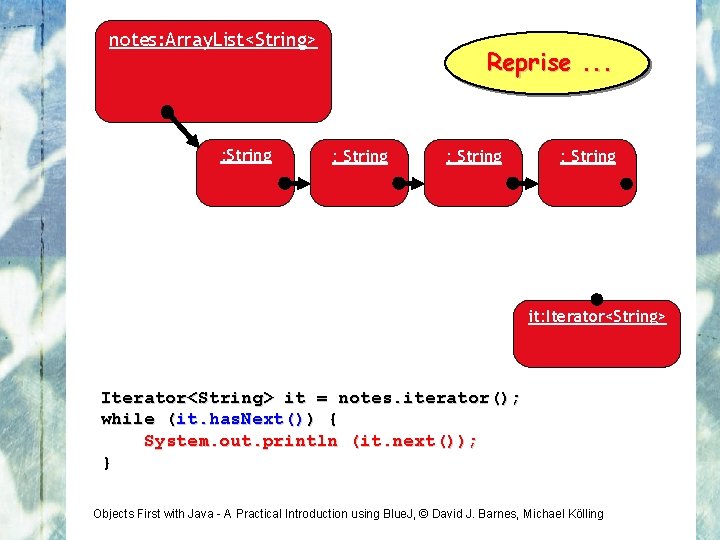
notes: Array. List<String> : String Reprise. . . : String it: Iterator<String> it = notes. iterator(); while (it. has. Next()) { System. out. println (it. next()); } Objects First with Java - A Practical Introduction using Blue. J, © David J. Barnes, Michael Kölling
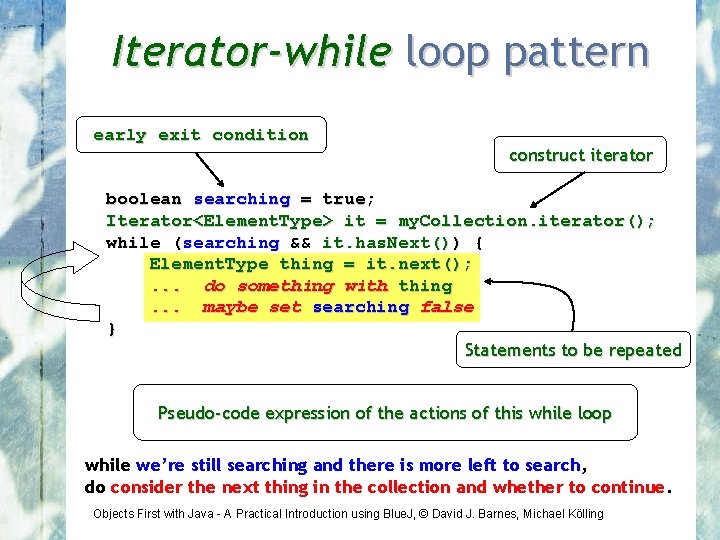
Iterator-while loop pattern early exit condition construct iterator boolean searching = true; Iterator<Element. Type> it = my. Collection. iterator(); while (searching && it. has. Next()) { Element. Type thing = it. next(); . . . do something with thing. . . maybe set searching false } Statements to be repeated Pseudo-code expression of the actions of this while loop while we’re still searching and there is more left to search, do consider the next thing in the collection and whether to continue. Objects First with Java - A Practical Introduction using Blue. J, © David J. Barnes, Michael Kölling
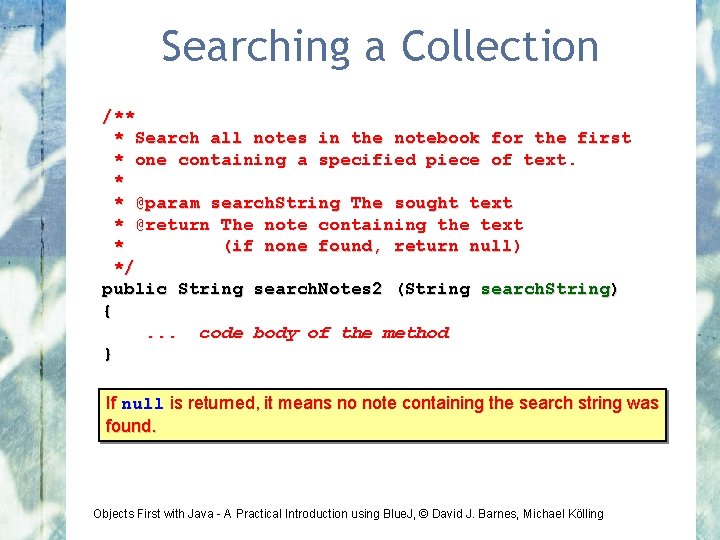
Searching a Collection /** * Search all notes in the notebook for the first * one containing a specified piece of text. * * @param search. String The sought text * @return The note containing the text * (if none found, return null) */ public String search. Notes 2 (String search. String) {. . . code body of the method } If null is returned, it means no note containing the search string was found. Objects First with Java - A Practical Introduction using Blue. J, © David J. Barnes, Michael Kölling
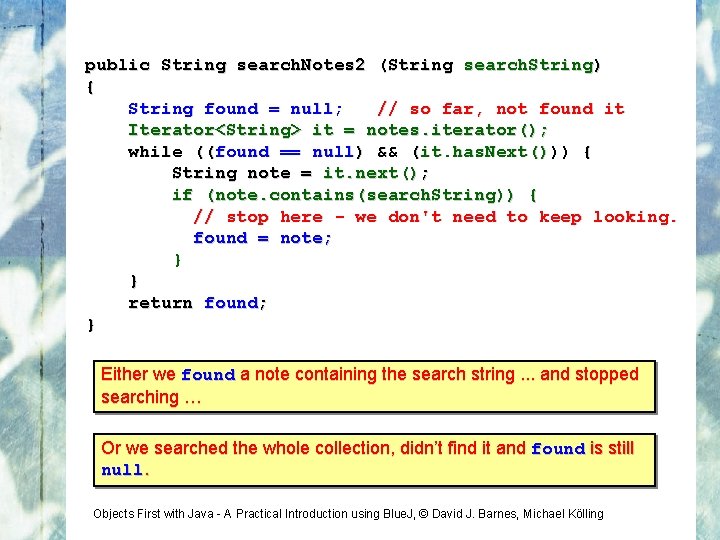
public String search. Notes 2 (String search. String) { String found = null; // so far, not found it Iterator<String> it = notes. iterator(); while ((found == null) && (it. has. Next())) { String note = it. next(); if (note. contains(search. String)) { // stop here - we don't need to keep looking. found = note; } } return found; } Either we found a note containing the search string. . . and stopped searching … Or we searched the whole collection, didn’t find it and found is still null. Objects First with Java - A Practical Introduction using Blue. J, © David J. Barnes, Michael Kölling
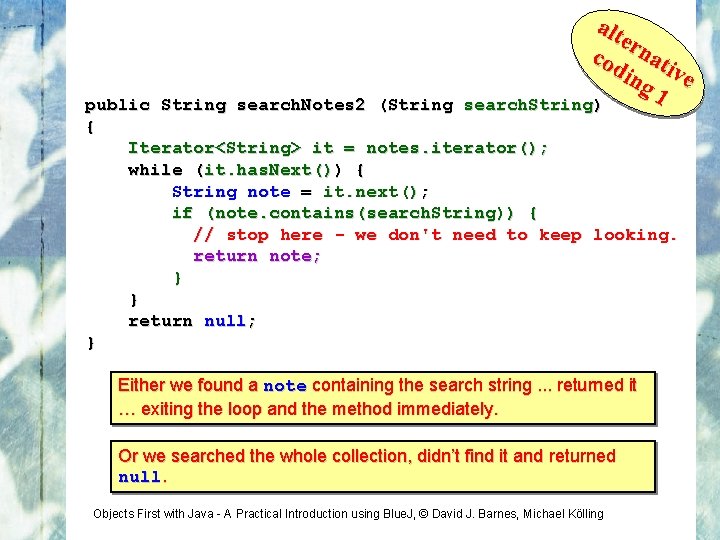
alt ern cod at ing ive 1 public String search. Notes 2 (String search. String) { Iterator<String> it = notes. iterator(); while (it. has. Next()) { String note = it. next(); if (note. contains(search. String)) { // stop here - we don't need to keep looking. return note; } } return null; } Either we found a note containing the search string. . . returned it … exiting the loop and the method immediately. Or we searched the whole collection, didn’t find it and returned null. Objects First with Java - A Practical Introduction using Blue. J, © David J. Barnes, Michael Kölling
alt ern cod at ing ive 2 public String search. Notes 2 (String search. String) { for (String note : notes) { if (note. contains(search. String)) { // stop here - we don't need to keep looking. return note; } } return null; } Either we found a note containing the search string. . . returned it … exiting the loop and the method immediately. Or we searched the whole collection, didn’t find it and returned null. Objects First with Java - A Practical Introduction using Blue. J, © David J. Barnes, Michael Kölling
Different Forms of Iteration • Ways to iterate over a collection: • for-each loop • Use if we want to process every element. • But we can exit early with a return statement. • Often used with a collection where indexed access (e. g. get(index)) is inefficient … or impossible. • while loop • Need to declare and manage an index variable. • Need not involve a collection. • Iterator object + while loop • Need to declare and manage an iterator variable. • Often used with a collection where indexed access (e. g. get(index)) is inefficient … or impossible. • Iteration is an fundamental programming pattern. Objects First with Java - A Practical Introduction using Blue. J, © David J. Barnes, Michael Kölling
Different Forms of Iteration • Looking a little deeper: • for-each loop • Use if we want to process every element. • But we can exit early with a return statement. • Often used with a collection where indexed access (e. g. get(index)) is inefficient … or impossible. • Iterator object + while loop • Need to declare and manage an iterator variable. • Often used with a collection where indexed access (e. g. get(index)) is inefficient … or impossible. For the examples shown, it has always been simpler to code with a for-each loop, rather than an iterator-while loop. Objects First with Java - A Practical Introduction using Blue. J, © David J. Barnes, Michael Kölling
Different Forms of Iteration • Looking a little deeper: • for-each loop • Use if we want to process every element. • But we can exit early with a return statement. • Often used with a collection where indexed access (e. g. get(index)) is inefficient … or impossible. • Iterator object + while loop • Need to declare and manage an iterator variable. • Often used with a collection where indexed access (e. g. get(index)) is inefficient … or impossible. For With theanexamples Iterator, however, shown, it we hascan always remove beenelements simpler to from code a withcollection a for-each– loop we can’t , rather do that thanwith an a iterator for-each -while loop. . Objects First with Java - A Practical Introduction using Blue. J, © David J. Barnes, Michael Kölling
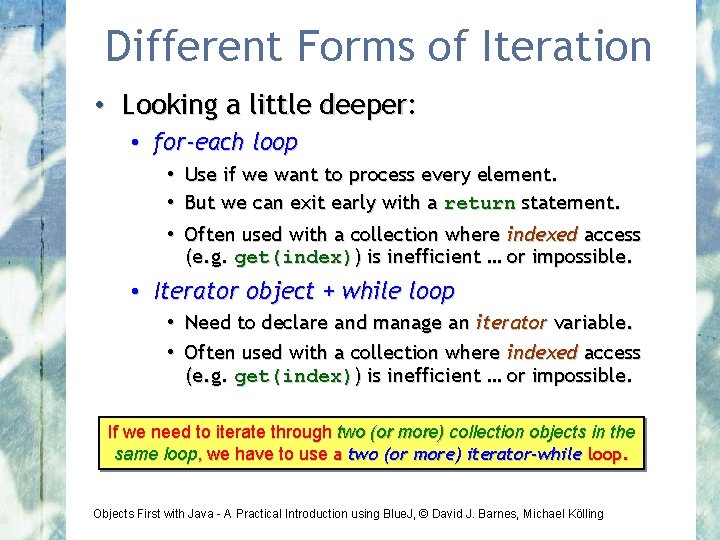
Different Forms of Iteration • Looking a little deeper: • for-each loop • Use if we want to process every element. • But we can exit early with a return statement. • Often used with a collection where indexed access (e. g. get(index)) is inefficient … or impossible. • Iterator object + while loop • Need to declare and manage an iterator variable. • Often used with a collection where indexed access (e. g. get(index)) is inefficient … or impossible. If we With need anto Iterator iterate, however, through two we (or canmore) remove collection elements objects from in a the same loop collection , we have – we to can’t use ado two that(or with more) a for-each iteratorloop -while. loop. Objects First with Java - A Practical Introduction using Blue. J, © David J. Barnes, Michael Kölling
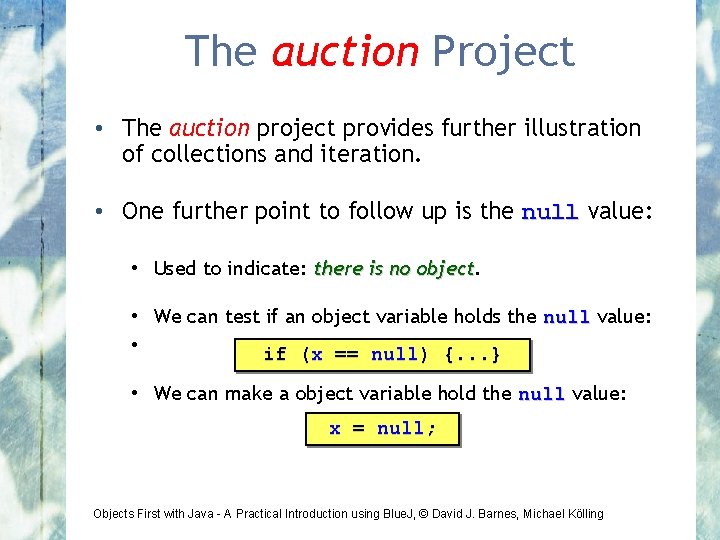
The auction Project • The auction project provides further illustration of collections and iteration. • One further point to follow up is the null value: • Used to indicate: there is no object • We can test if an object variable holds the null value: • if (x == null) {. . . } • We can make a object variable hold the null value: x = null; Objects First with Java - A Practical Introduction using Blue. J, © David J. Barnes, Michael Kölling
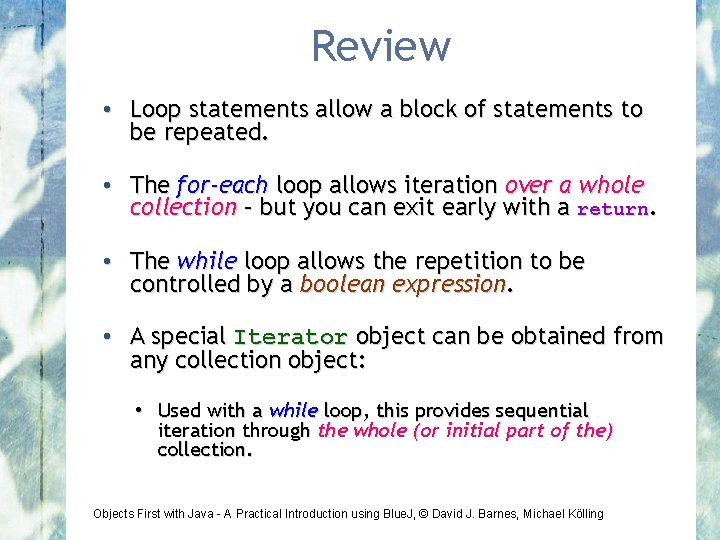
Review • Loop statements allow a block of statements to be repeated. • The for-each loop allows iteration over a whole collection – but you can exit early with a return. • The while loop allows the repetition to be controlled by a boolean expression. • A special Iterator object can be obtained from any collection object: • Used with a while loop, this provides sequential iteration through the whole (or initial part of the) collection. Objects First with Java - A Practical Introduction using Blue. J, © David J. Barnes, Michael Kölling
- Slides: 43