
Grouper Training Admin Loader Part 1 Chris Hyzer
- Slides: 22
Grouper Training - Admin Loader - Part 1 Chris Hyzer Internet 2 University of Pennsylvania This work licensed under a Creative Commons Attribution-Non. Commercial 3. 0 Unported License.
Contents • • Introduction Configure Run the loader Types of ad hoc jobs Simple SQL job Tables vs. views SQL group of groups Extra SQL features 2
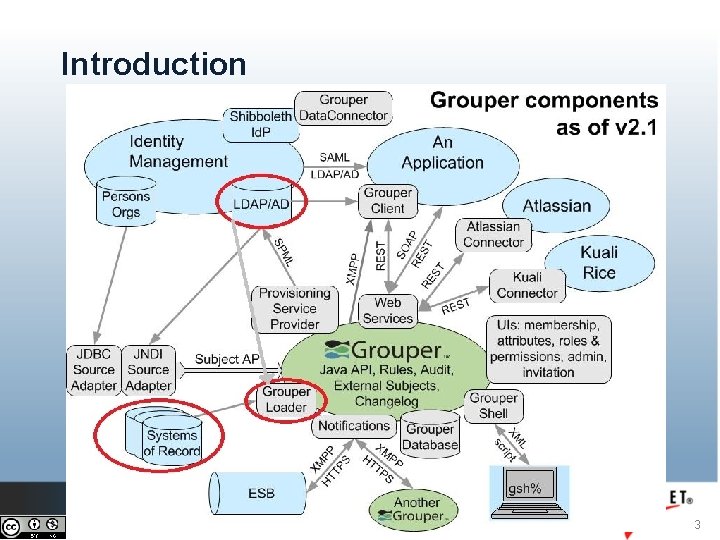
Introduction 3
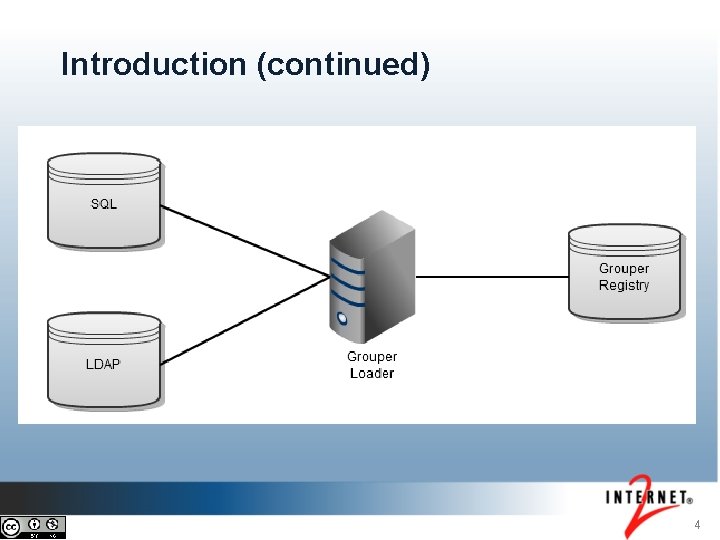
Introduction (continued) 4
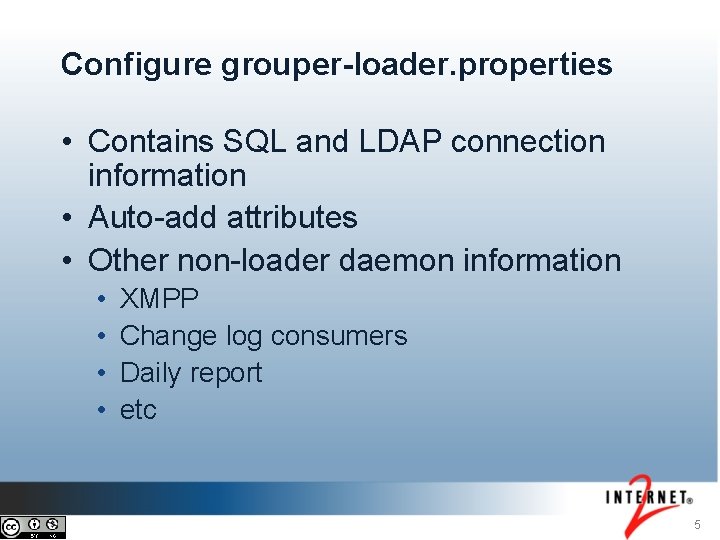
Configure grouper-loader. properties • Contains SQL and LDAP connection information • Auto-add attributes • Other non-loader daemon information • • XMPP Change log consumers Daily report etc 5
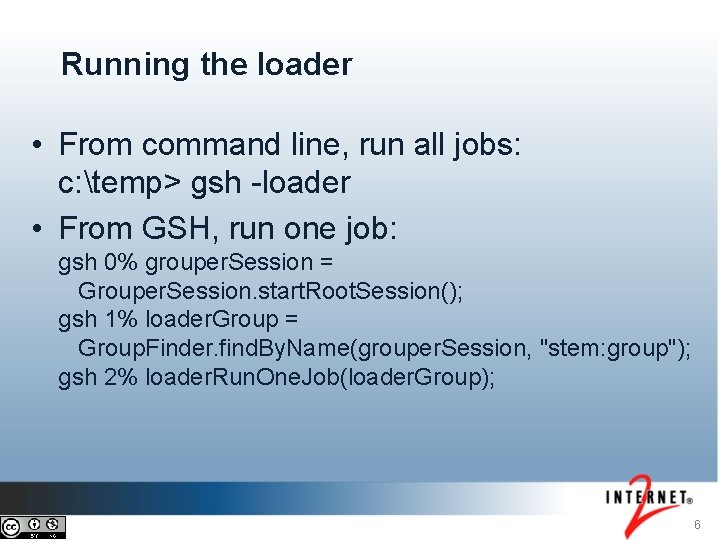
Running the loader • From command line, run all jobs: c: temp> gsh -loader • From GSH, run one job: gsh 0% grouper. Session = Grouper. Session. start. Root. Session(); gsh 1% loader. Group = Group. Finder. find. By. Name(grouper. Session, "stem: group"); gsh 2% loader. Run. One. Job(loader. Group); 6
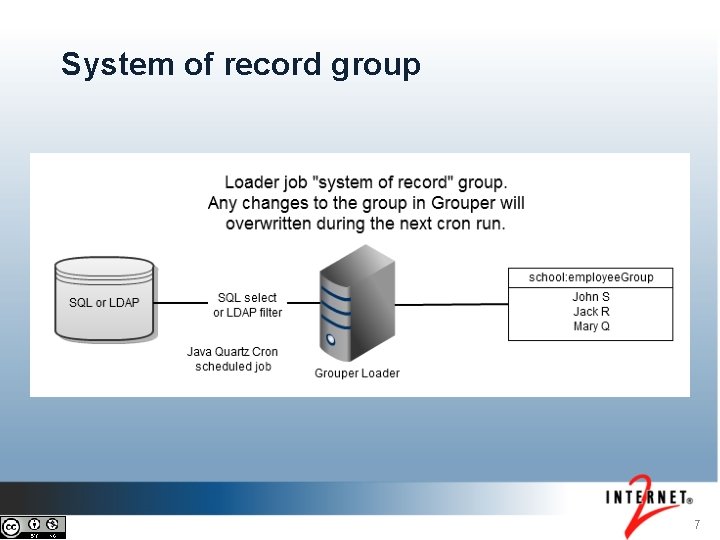
System of record group 7
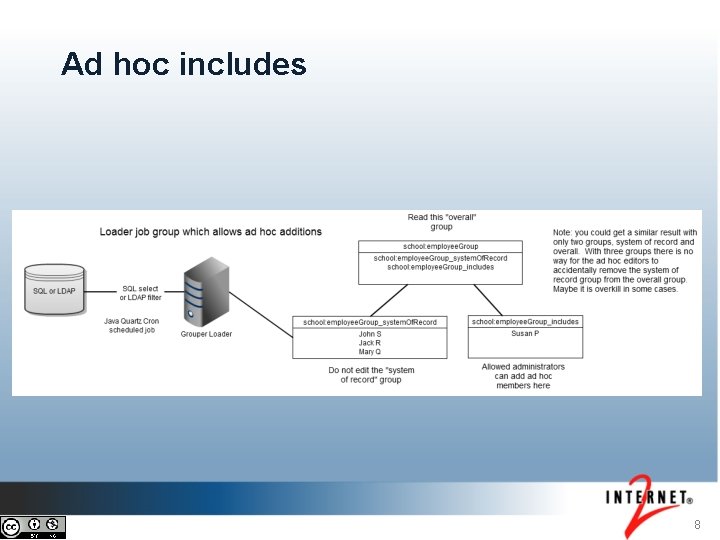
Ad hoc includes 8
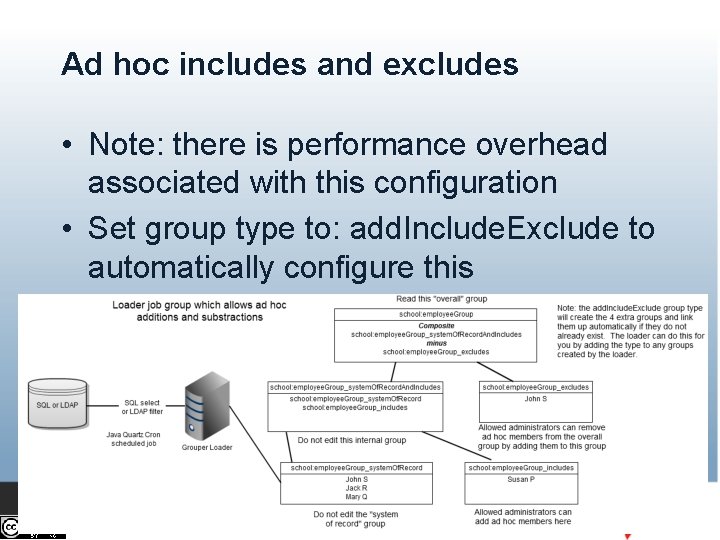
Ad hoc includes and excludes • Note: there is performance overhead associated with this configuration • Set group type to: add. Include. Exclude to automatically configure this 9
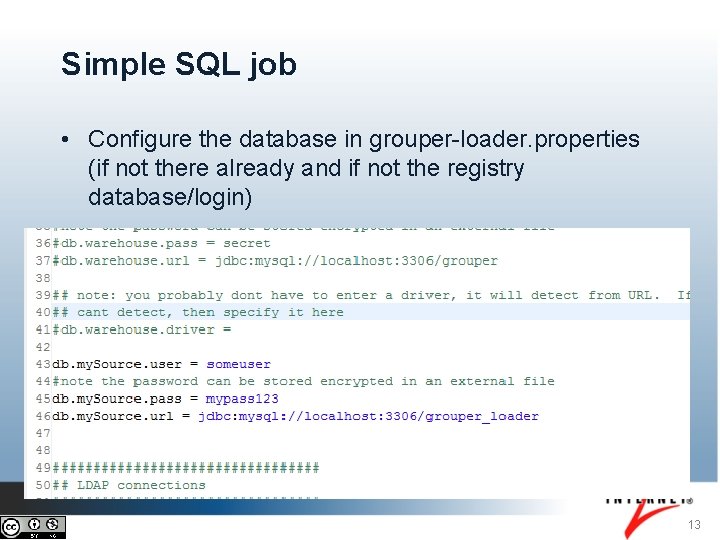
Simple SQL job - database config • Database can either be the Grouper registry database or another arbitrary database • If registry database, database is: "grouper", and connection information is retrieved from grouper. hibernate. properties • Any JDBC database can be used 10
Tables vs. views • It might be preferable to keep the SQL query in a view and select from the view for the loader config • Then you can change the view when editing the query • If you change the configuration (not view), you might need to restart the loader process 11
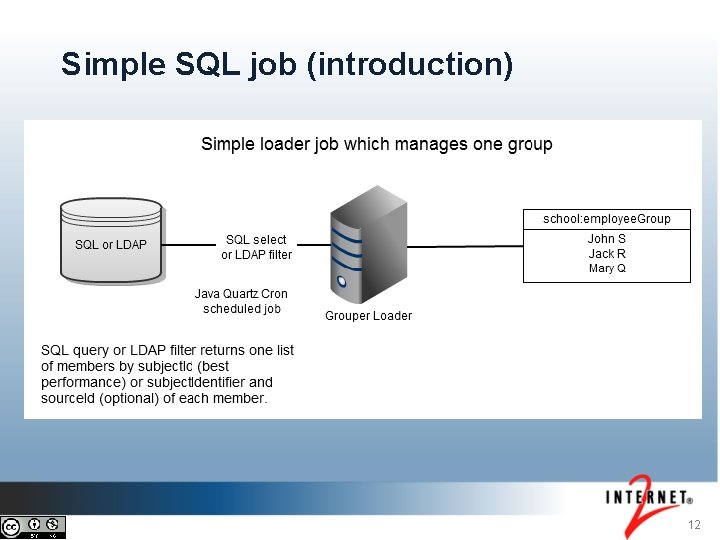
Simple SQL job (introduction) 12
Simple SQL job • Configure the database in grouper-loader. properties (if not there already and if not the registry database/login) 13
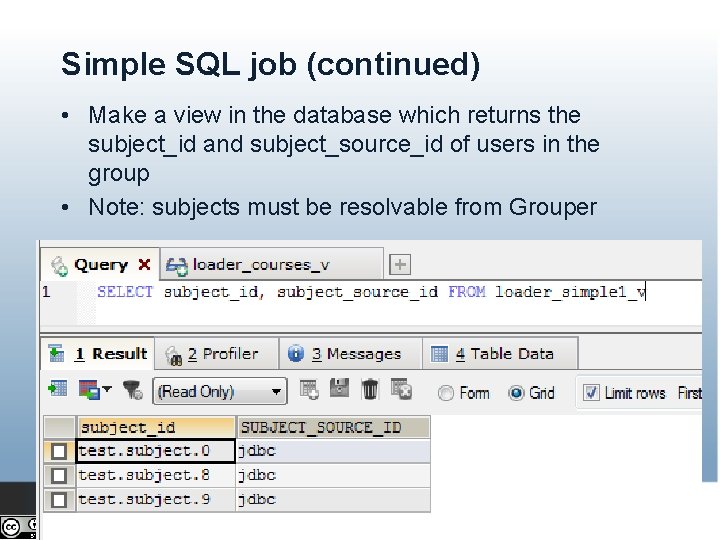
Simple SQL job (continued) • Make a view in the database which returns the subject_id and subject_source_id of users in the group • Note: subjects must be resolvable from Grouper 14
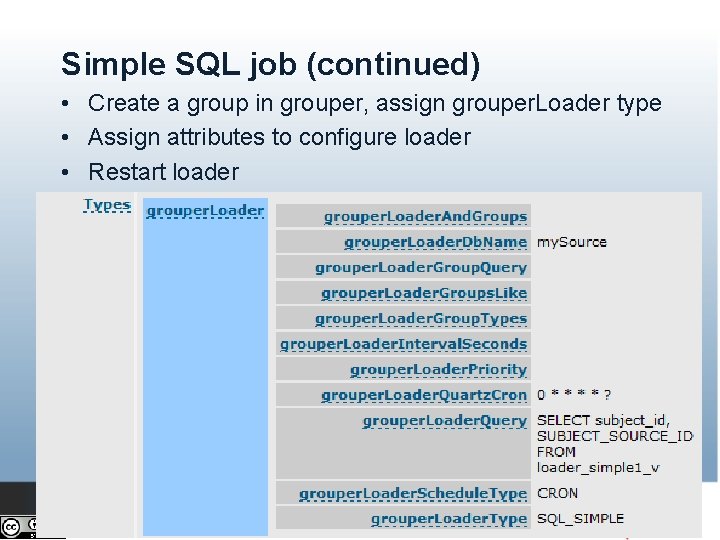
Simple SQL job (continued) • Create a group in grouper, assign grouper. Loader type • Assign attributes to configure loader • Restart loader 15
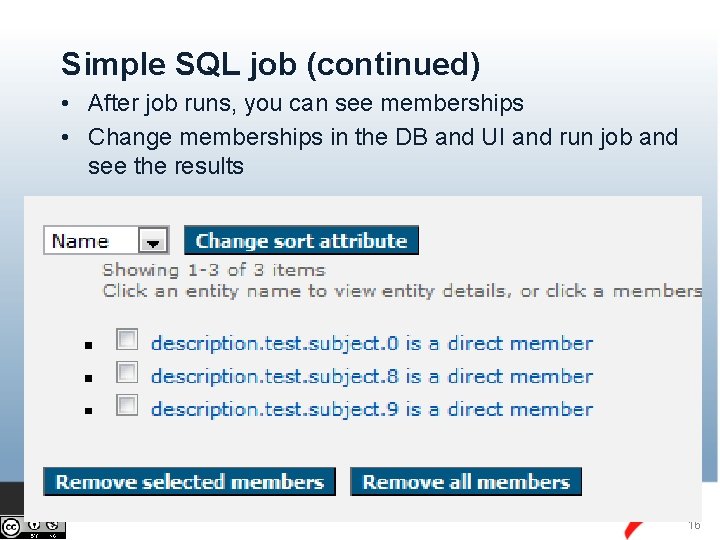
Simple SQL job (continued) • After job runs, you can see memberships • Change memberships in the DB and UI and run job and see the results 16
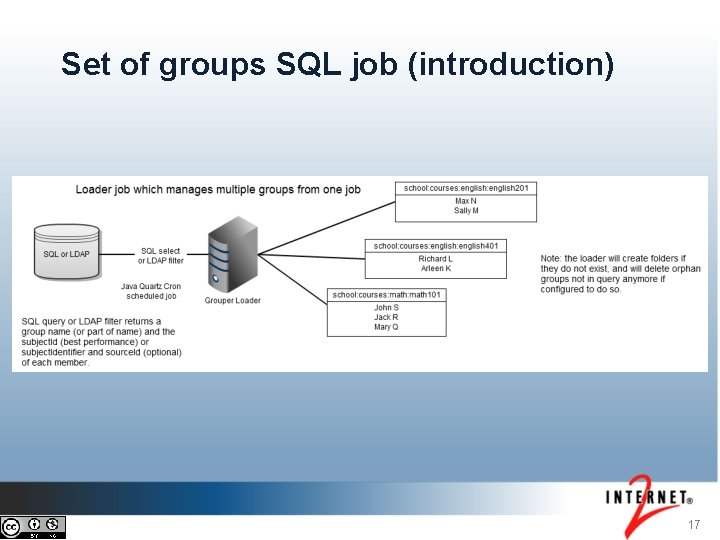
Set of groups SQL job (introduction) 17
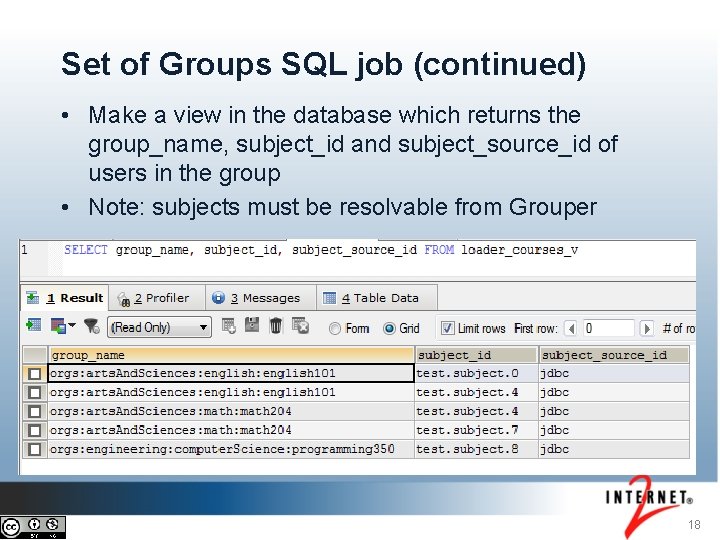
Set of Groups SQL job (continued) • Make a view in the database which returns the group_name, subject_id and subject_source_id of users in the group • Note: subjects must be resolvable from Grouper 18
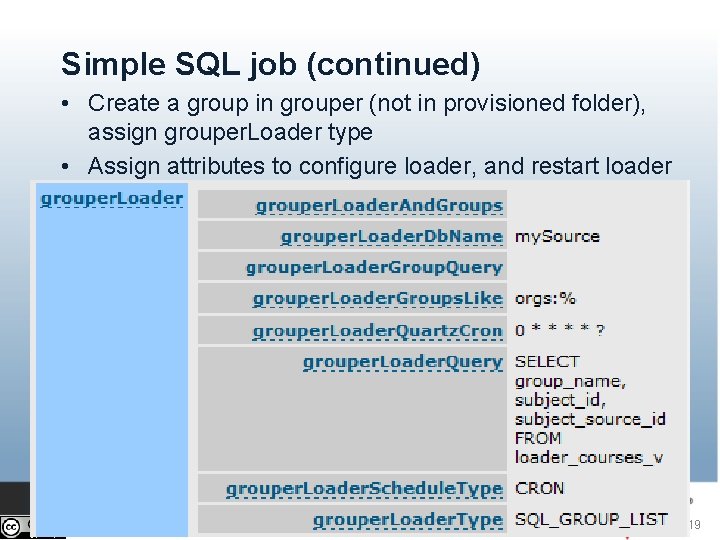
Simple SQL job (continued) • Create a group in grouper (not in provisioned folder), assign grouper. Loader type • Assign attributes to configure loader, and restart loader 19
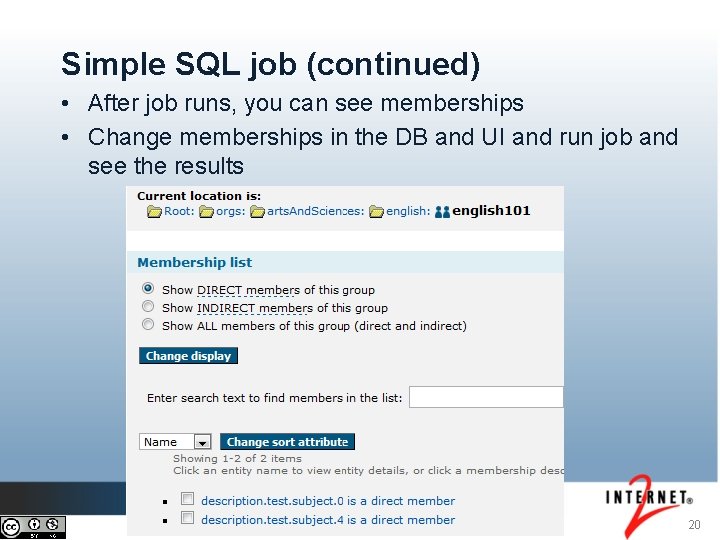
Simple SQL job (continued) • After job runs, you can see memberships • Change memberships in the DB and UI and run job and see the results 20
Quiz • Click on the quiz link in the video description to reinforce your knowledge of this topic 21
Thanks! Further information: • Infosheets, mailing lists, wiki, downloads, etc. : grouperdemo. internet 2. edu • Grouper demo server: grouperdemo. internet 2. edu/ • Grouper Online Training Home: spaces. internet 2. edu/x/IIGf. AQ This work licensed under a Creative Commons Attribution-Non. Commercial 3. 0 Unported License. 22