
Grid generation for SCHISM with SMS 1 Overview
- Slides: 43
Grid generation for SCHISM with SMS 1
Overview of The GG process • Know your domain and target physics • Understand SCHISM numerics – Usually it’s easy to get ‘reasonable’ results without much effort with GG – You cannot take full advantage of SCHISM features unless you understand its physics and numerics • Elevation and contour data preparation • Digitize or determine boundary (ideally as shape files from Arc) • Import and refine conceptual model – – – Identify critical features/contours Identify resolution/density Create polygons and patch/pave locations Generate the mesh Populate mesh elevations (depths) • Mesh quality and bathymetrics • Performance and accuracy metrics • Clip mesh as necessary for subdomains of interest 2
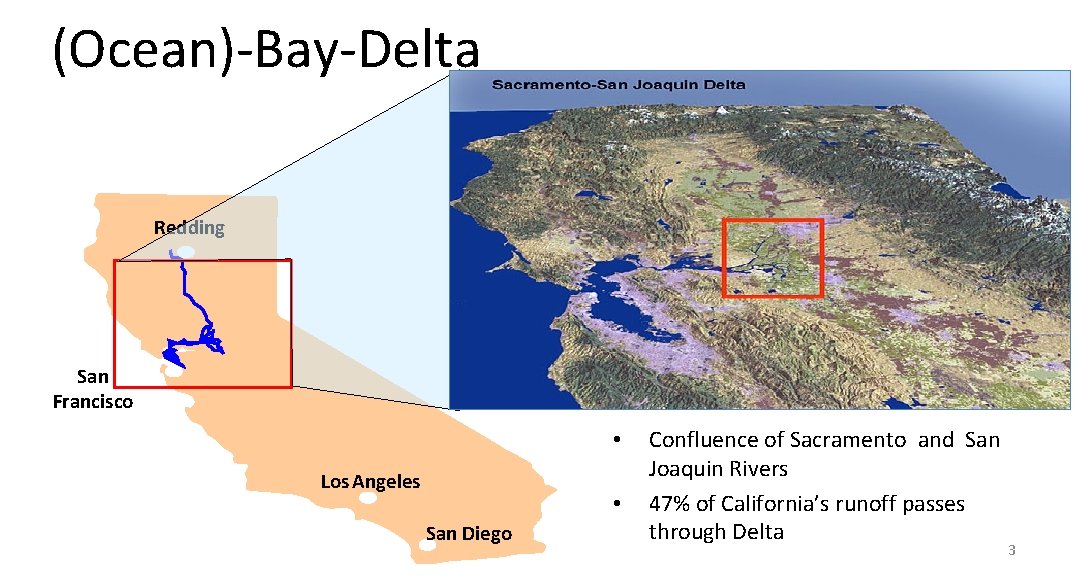
(Ocean)-Bay-Delta Redding San Francisco • Los Angeles • San Diego Confluence of Sacramento and San Joaquin Rivers 47% of California’s runoff passes through Delta 3
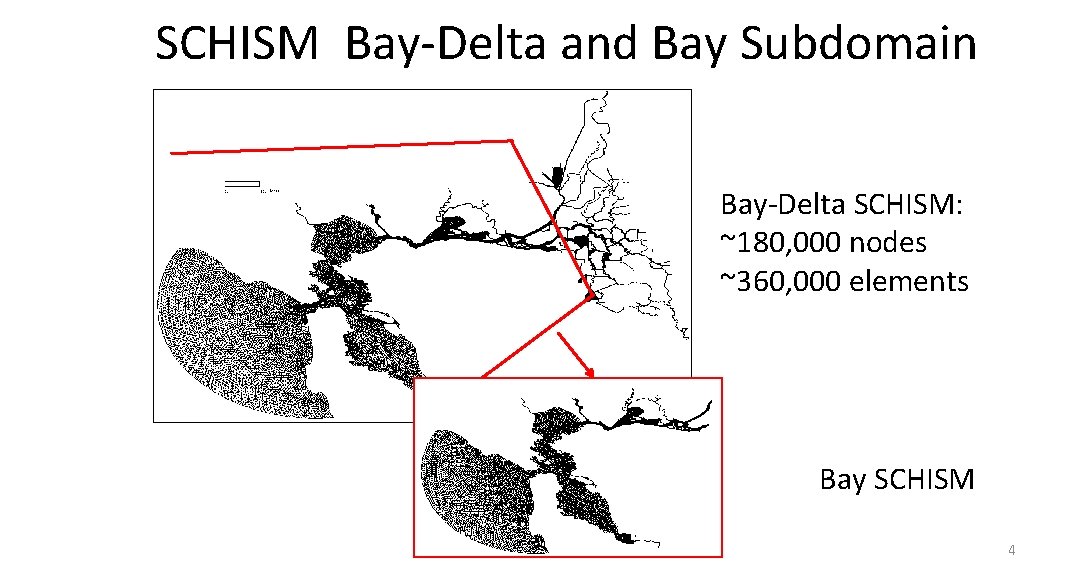
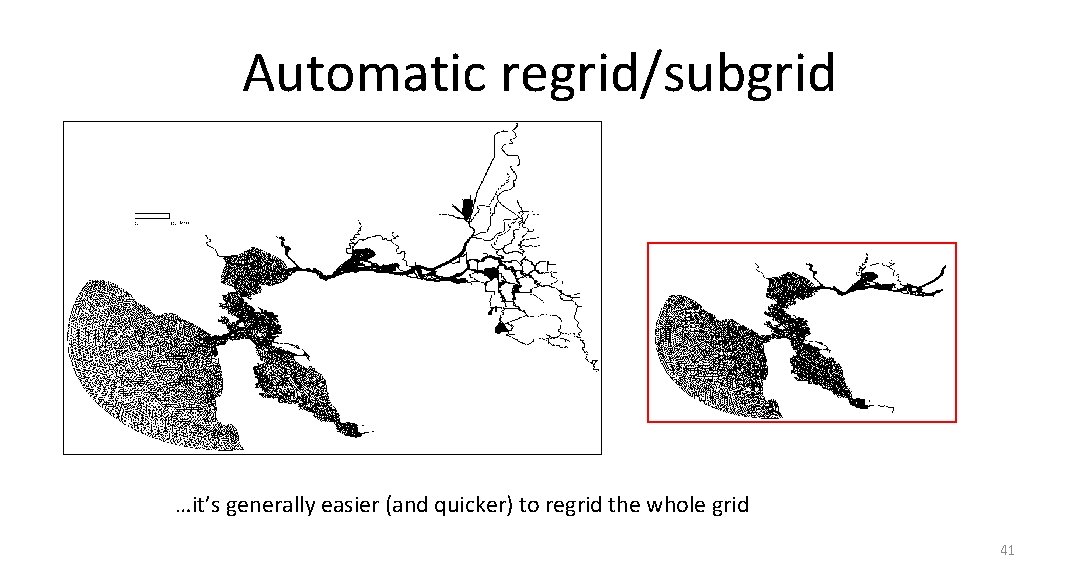
SCHISM Bay-Delta and Bay Subdomain Bay-Delta SCHISM: ~180, 000 nodes ~360, 000 elements Bay SCHISM 4
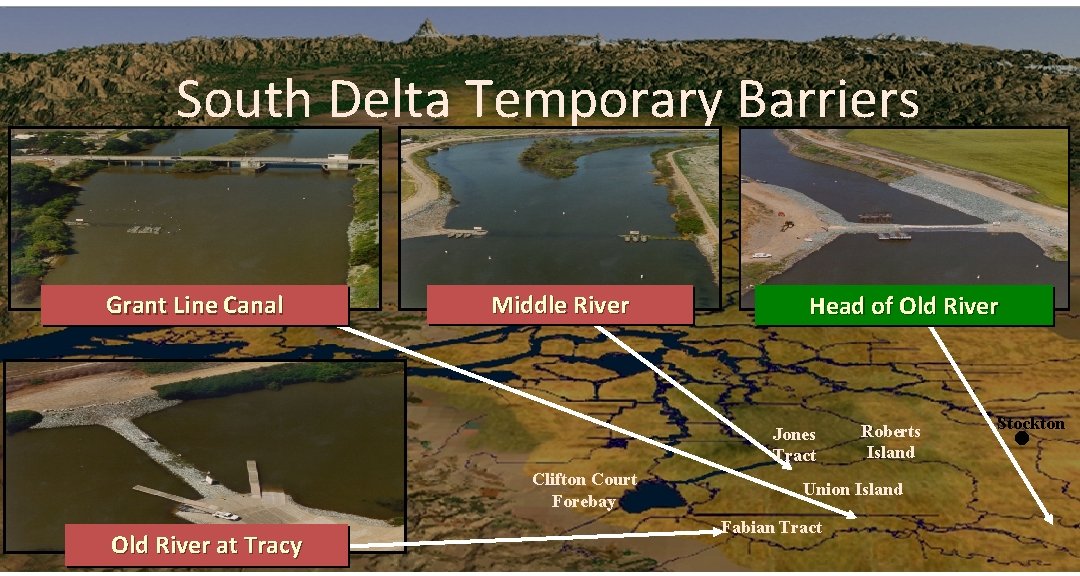
South Delta Temporary Barriers Grant Line Canal Middle River Head of Old River Jones Tract Clifton Court Forebay Old River at Tracy Roberts Island Stockton ● Union Island Fabian Tract 5
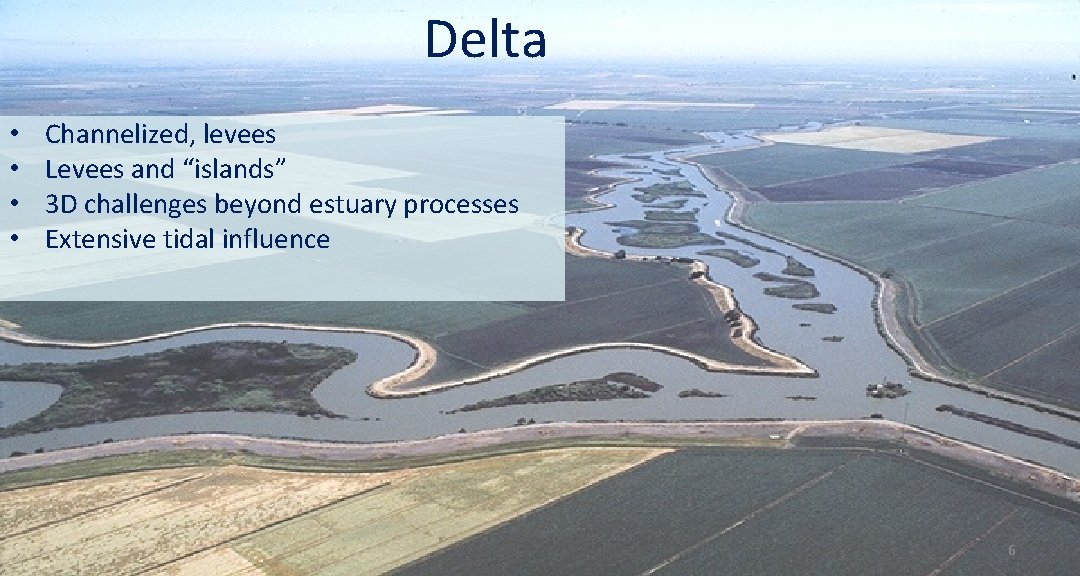
Delta • • Channelized, levees Levees and “islands” 3 D challenges beyond estuary processes Extensive tidal influence 6
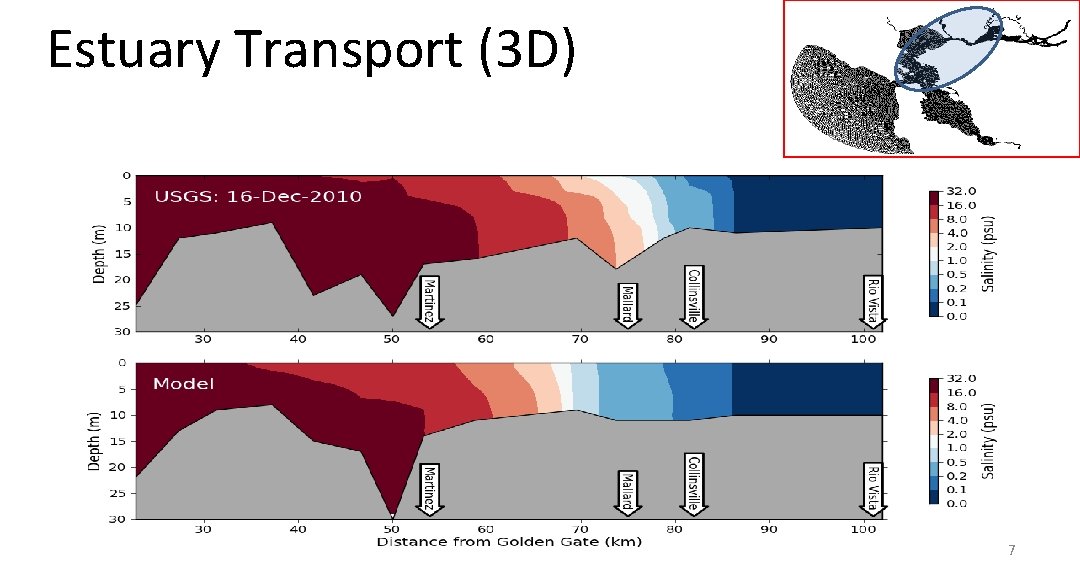
Estuary Transport (3 D) 7
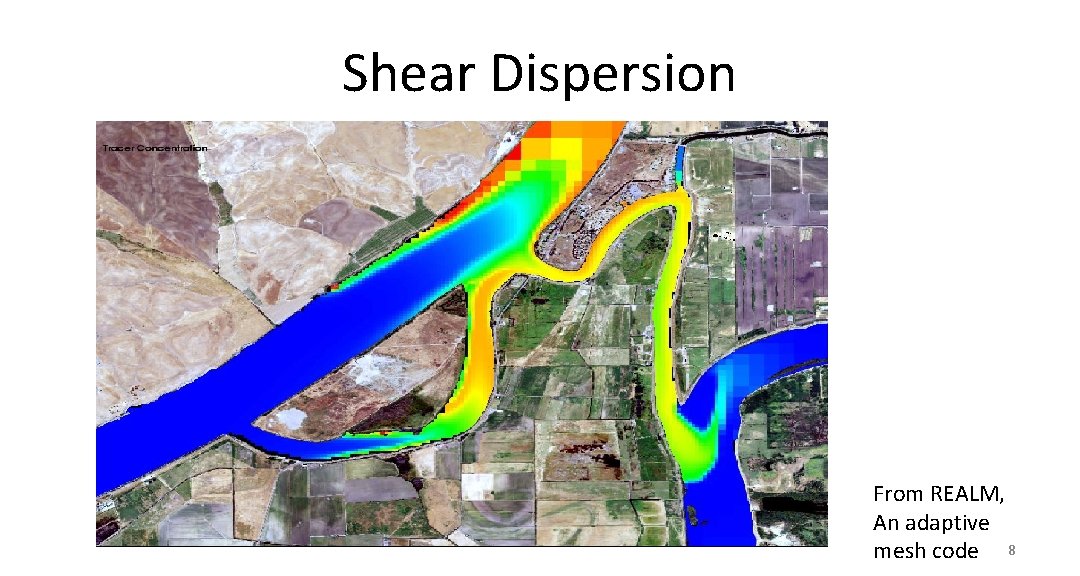
Shear Dispersion From REALM, An adaptive mesh code 8
Tools • Recommend SMS using “conceptual maps” – Good advantage of terrain – Patch/pave comparison – Bugs, high level of manual work • Triangle is a good free product – Driven mostly by exterior (2 D shore) • Janet: expensive, orthogonality not needed • Dist. Mesh: Beautiful introduction to density functions, curvature. Not all the good stuff is in the software. • Holleman et al 2013: Flow-aligned mesh and numerical diffusion, but orthogonal 9
SMS Resources • SMS/Aquaveo website • Todd Wood Masters Thesis: – Can be viewed from wiki (www. schism. wiki) – Very good step-by-step – Honest account of debugging such as “bisection” to find bad spots 10
General rules • Unlike explicit models, you’ll find G. G. for SCHISM is more ‘intuitive’ and ‘freer’ – Implicit model allows you to focus on physics instead of numerics (CFL…) – You are freer to resolve important features without worrying about cost/instability – SCHISM is not picky about grid quality (except for quads); however, grid quality pays off for accuracy especially for baroclinic applications – G. G. for baroclinic applications requires more effort (often an iterative process): establishing a good workflow is essential 11
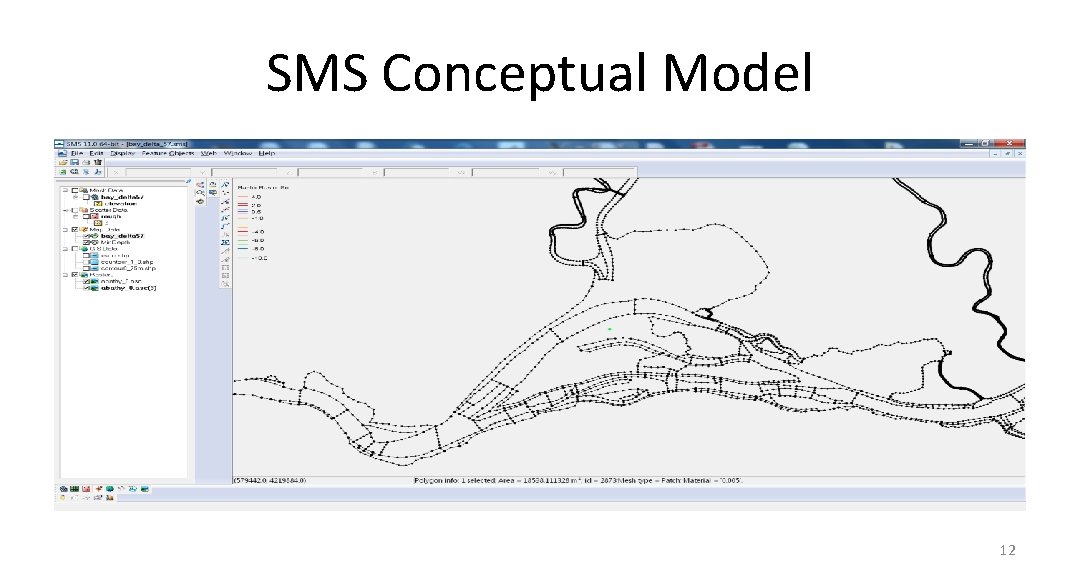
SMS Conceptual Model 12
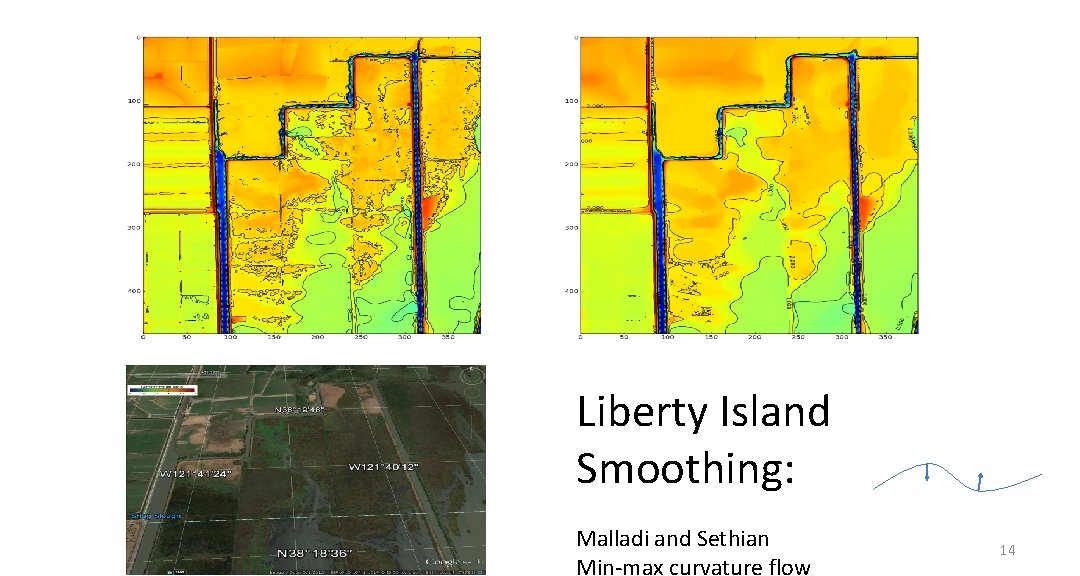
DEM preparation: pre-filtering bathymetry • Unresolved features may be eliminated – eliminates lunar landscape undulations on mudflats – level set or active contour methods (e. g. Malladi and Sethian): contours conservatively straighten – California DWR has python code smooth_contour. py for small regions – This is mainly to assist in the arc creation, less for actual interpolation of depths 13
Liberty Island Smoothing: Malladi and Sethian Min-max curvature flow 14
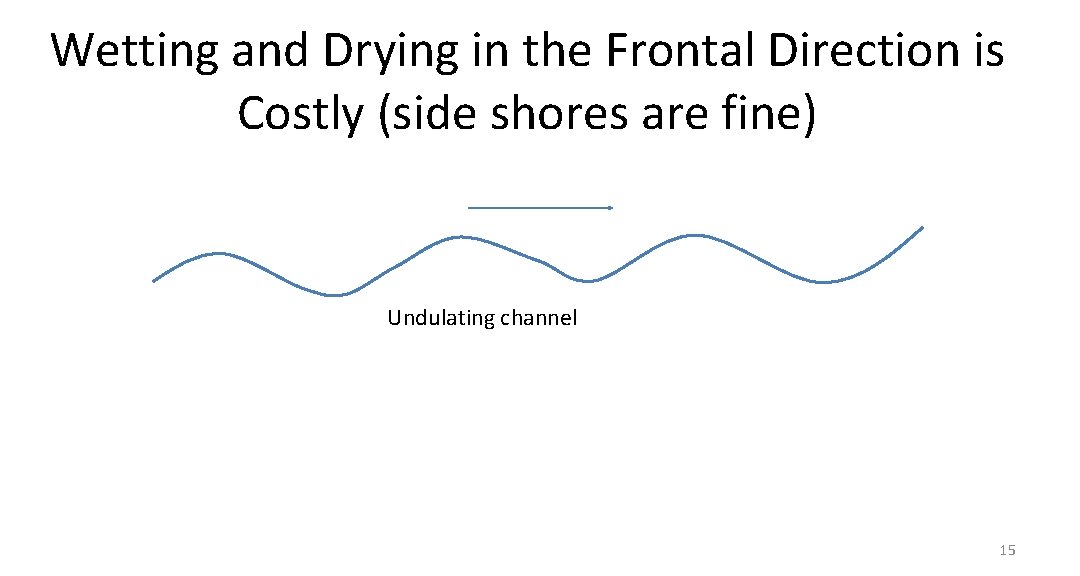
Wetting and Drying in the Frontal Direction is Costly (side shores are fine) Undulating channel 15
Generating Contour Shapefiles • Arc. GIS allows graphical cleaning • GDAL (gdal_contour) is free and good for quick manipulation on-the-fly • SMS sister product WMS has some contour tools • All use bilinear interpolation • Note that SMS < 11. 1 has a georeferencing mistake for contours (cell- vs vertex-centered) • Python shapefile library very useful for exporting arcs based on calculations in (x, y) 16
Visualizing Contours • SMS has very limited memory • You can use a coarse tin or DEM for conceptual visualization or on small domains • clip_dem. py allows tailored geographical information 17
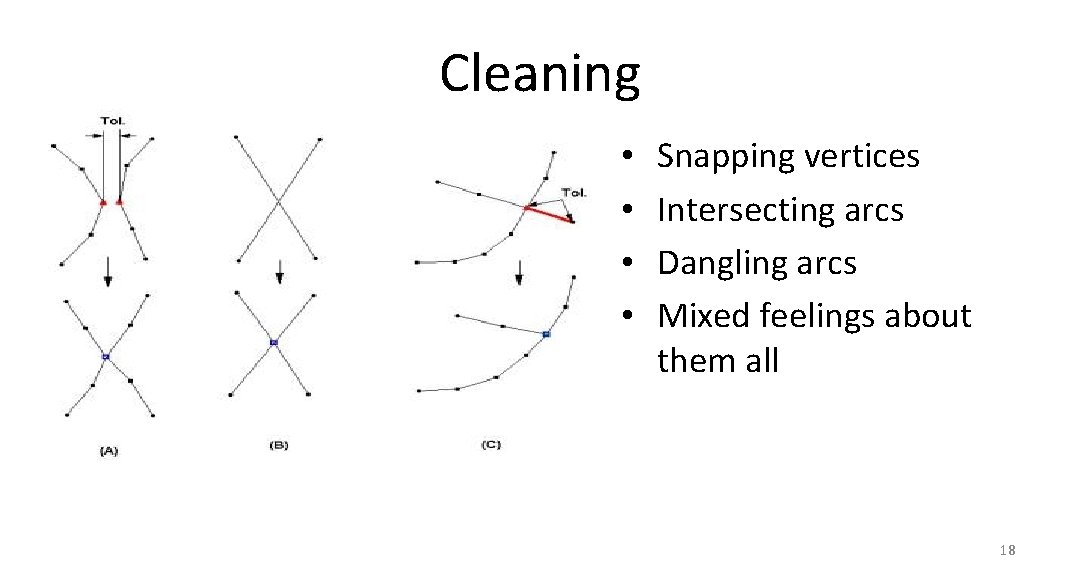
Cleaning • • Snapping vertices Intersecting arcs Dangling arcs Mixed feelings about them all 18
Magic Contours • • • Foot/top of slope, thalweg Shoreline and probable “real” water levels Flooding and mudflats Key features (jetty, breakwater…) TVD (h_tvd) and other algorithm switches Depths used in friction and other user threshold choices 19
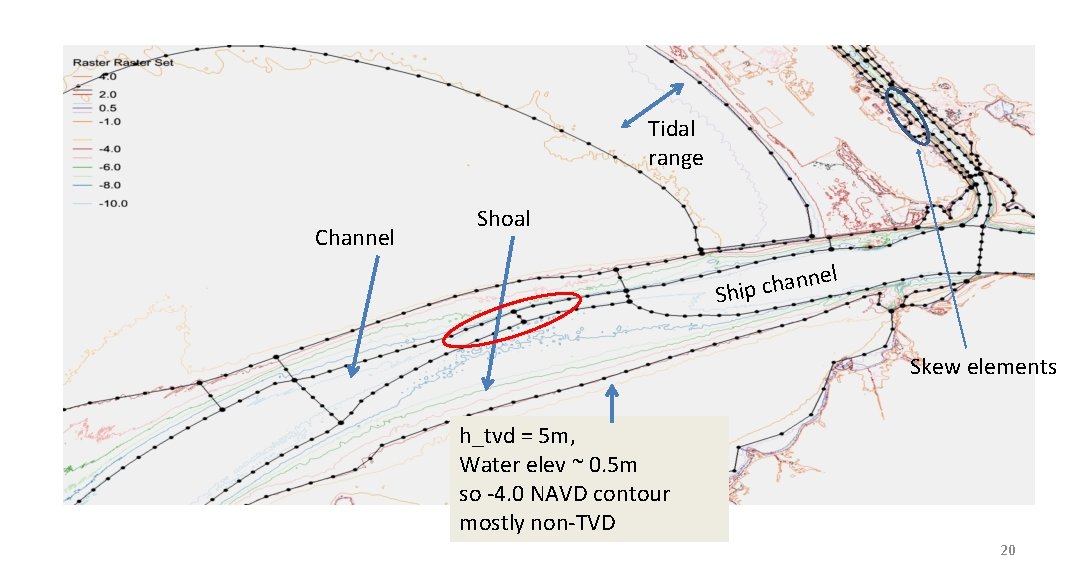
Tidal range Channel Shoal nel n a h c Ship Skew elements h_tvd = 5 m, Water elev ~ 0. 5 m so -4. 0 NAVD contour mostly non-TVD 20
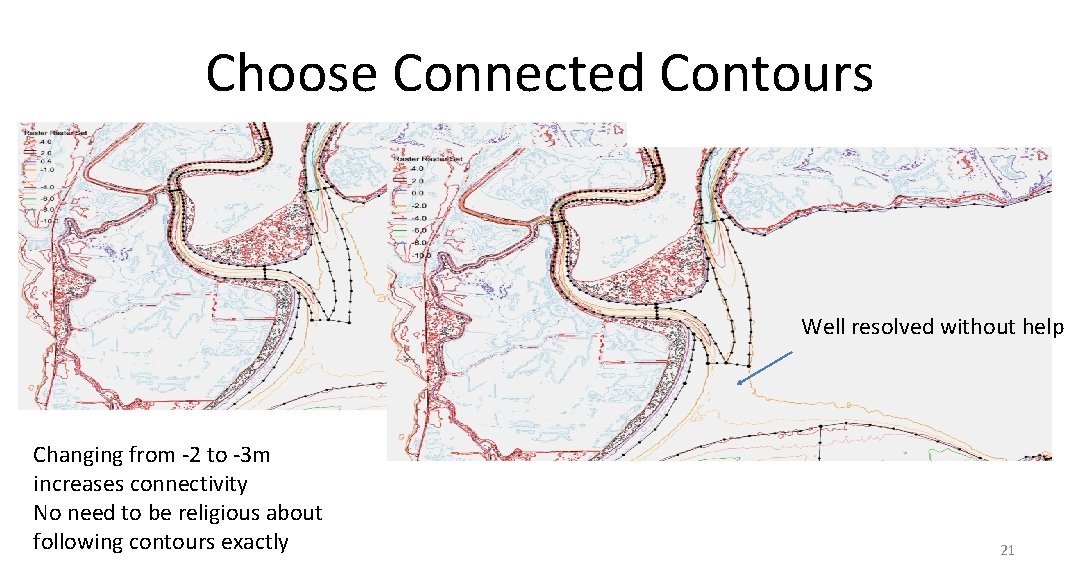
Choose Connected Contours Well resolved without help Changing from -2 to -3 m increases connectivity No need to be religious about following contours exactly 21
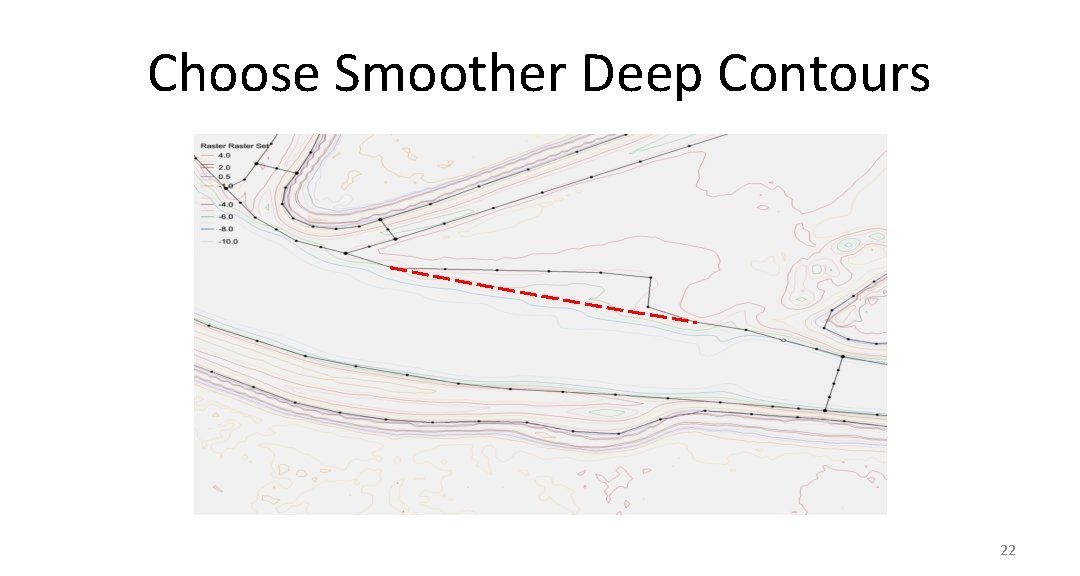
Choose Smoother Deep Contours 22
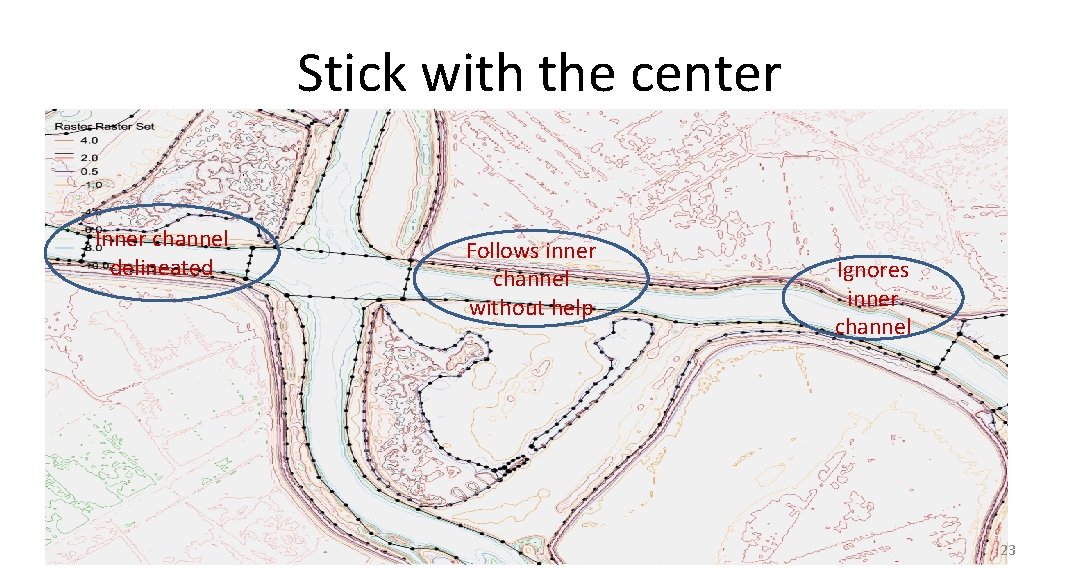
Stick with the center Inner channel delineated Follows inner channel without help Ignores inner channel 23
Grid Density • Need guidance from inverse CFL>0. 4 – Start from a lowest expected Dt – Use CFL>0. 4 to back calculate the coarsest Dx at a given depth • Deeper regions generally coarser than shallows but not always (compare this with explicit models which are constrained by CFL) – Often channel needs to be resolved for tracer transport • Curvature should be resolved: – 2 D: bend in shorelines – 3 D: changes in slope (vertical grid plays a role) • Width of features (sills, beaches, channels) – Skeletonization algorithms (see Per-Olof Persson dissertation) 24
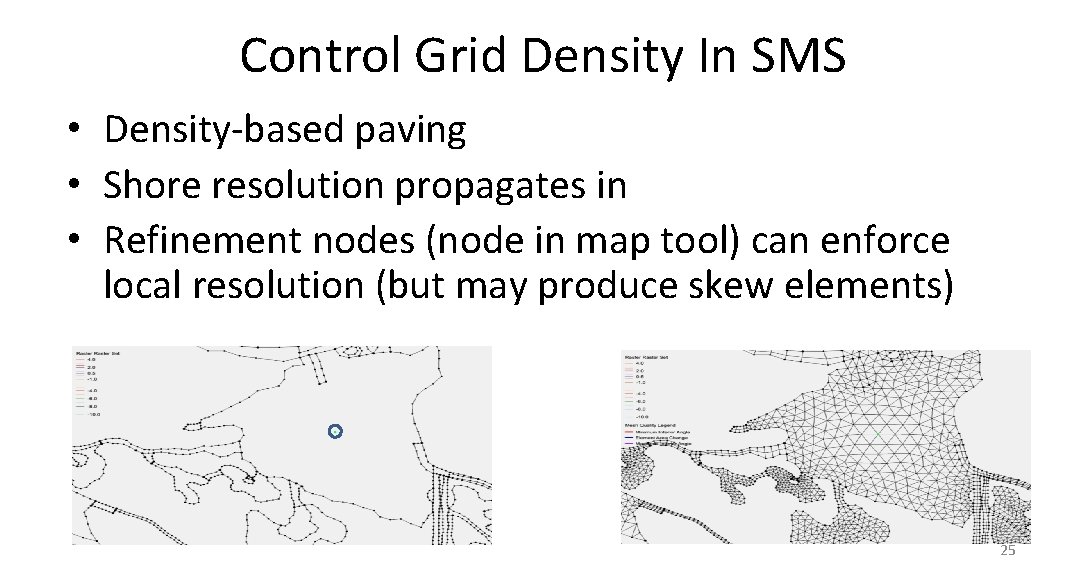
Control Grid Density In SMS • Density-based paving • Shore resolution propagates in • Refinement nodes (node in map tool) can enforce local resolution (but may produce skew elements) 25
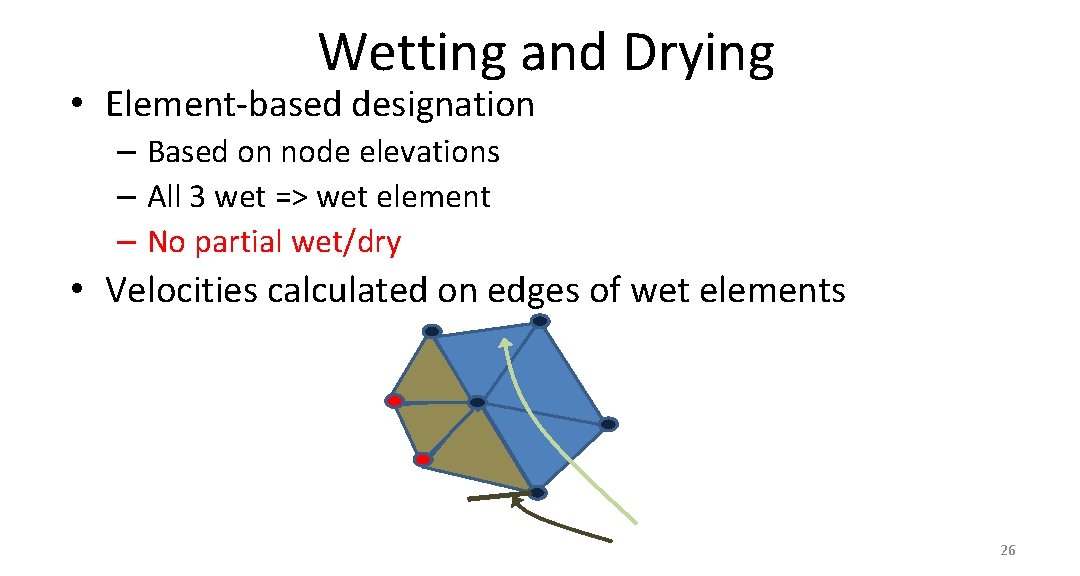
Wetting and Drying • Element-based designation – Based on node elevations – All 3 wet => wet element – No partial wet/dry • Velocities calculated on edges of wet elements 26
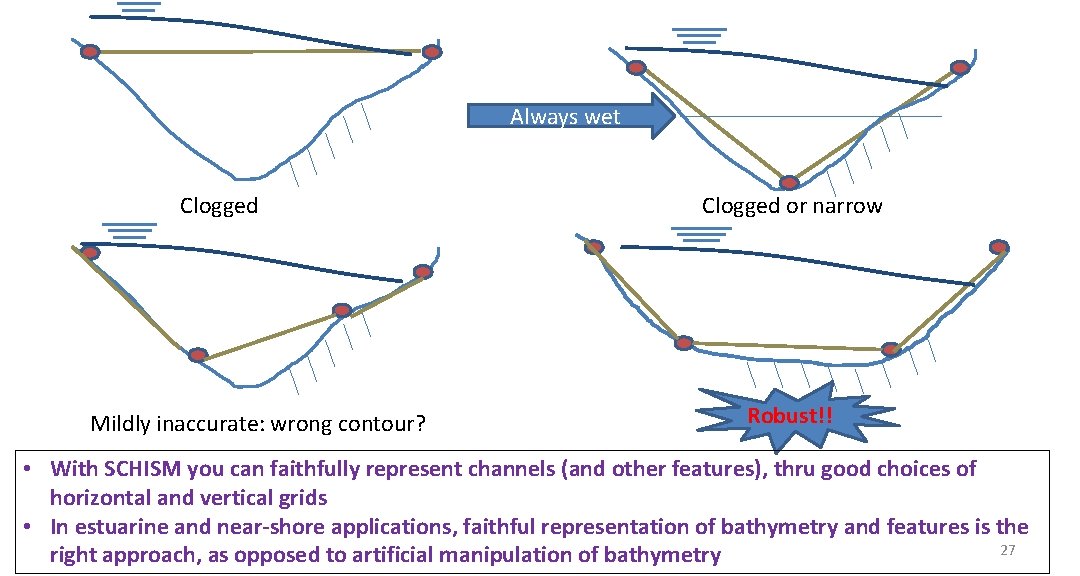
Always wet Clogged Mildly inaccurate: wrong contour? Clogged or narrow Robust!! • With SCHISM you can faithfully represent channels (and other features), thru good choices of horizontal and vertical grids • In estuarine and near-shore applications, faithful representation of bathymetry and features is the 27 right approach, as opposed to artificial manipulation of bathymetry
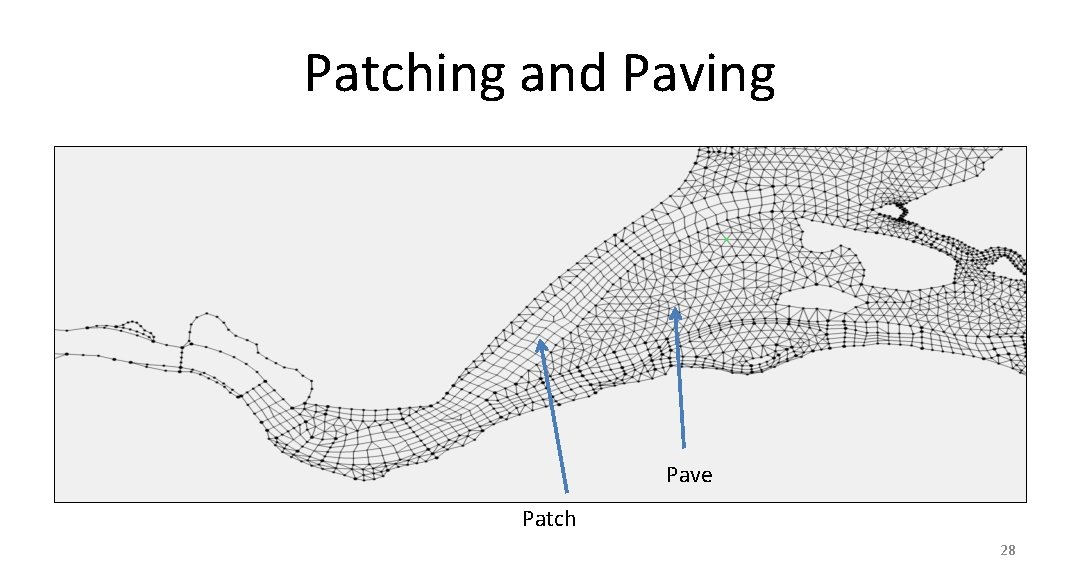
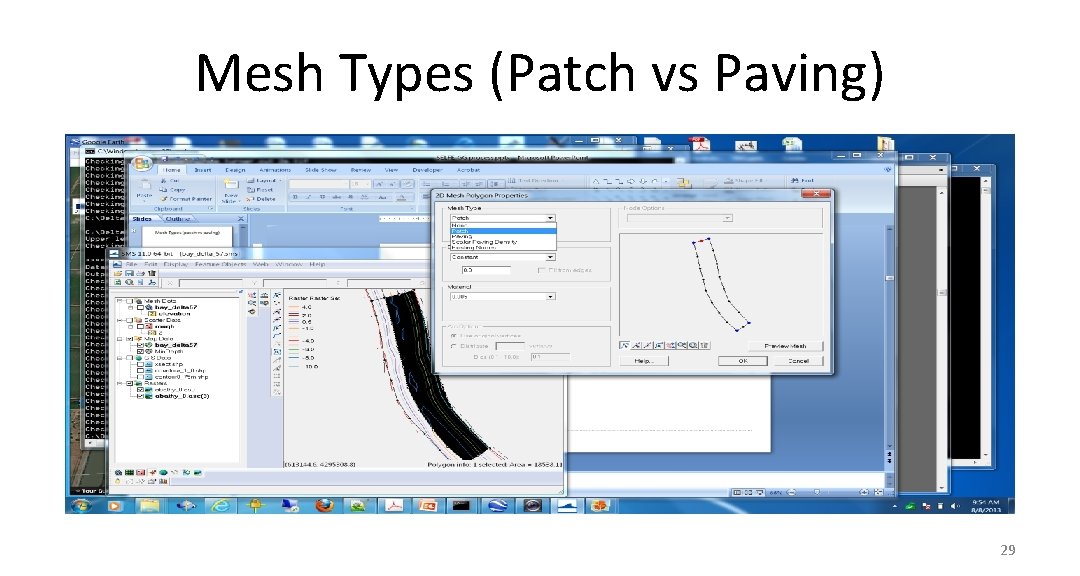
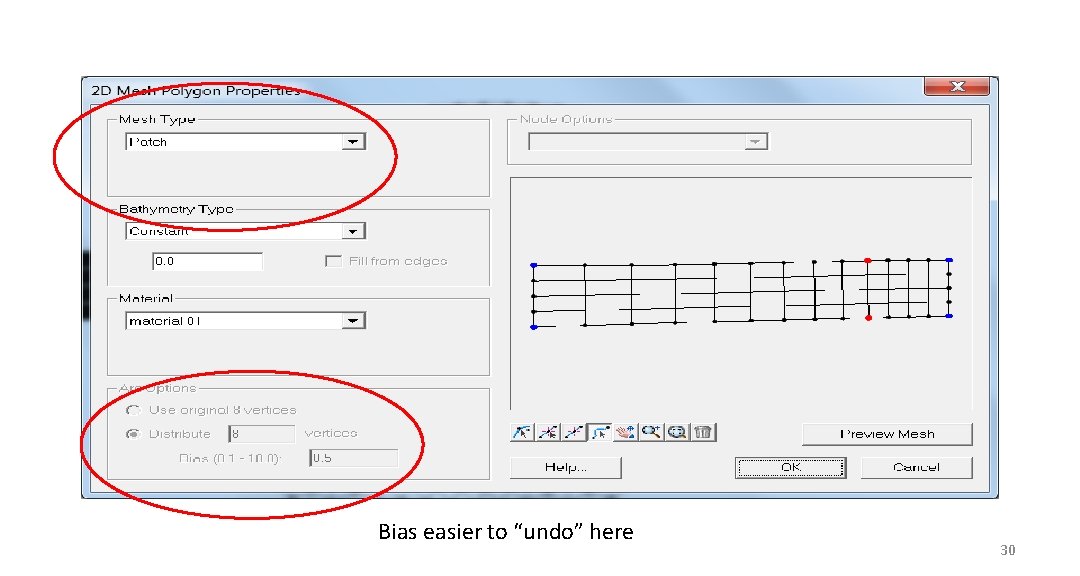
Patching and Paving Pave Patch 28
Mesh Types (Patch vs Paving) 29
Bias easier to “undo” here 30
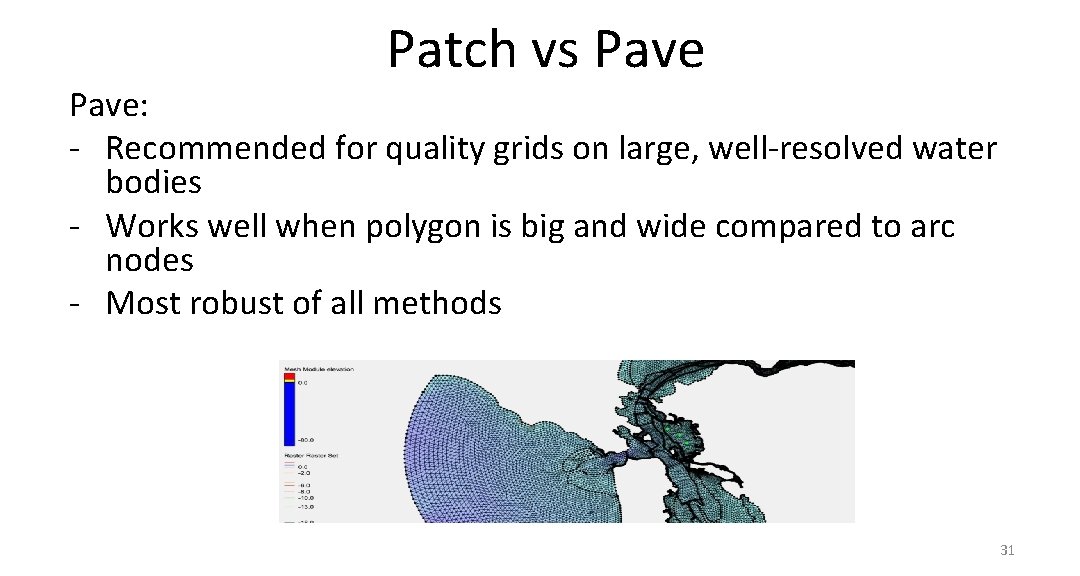
Patch vs Pave: - Recommended for quality grids on large, well-resolved water bodies - Works well when polygon is big and wide compared to arc nodes - Most robust of all methods 31
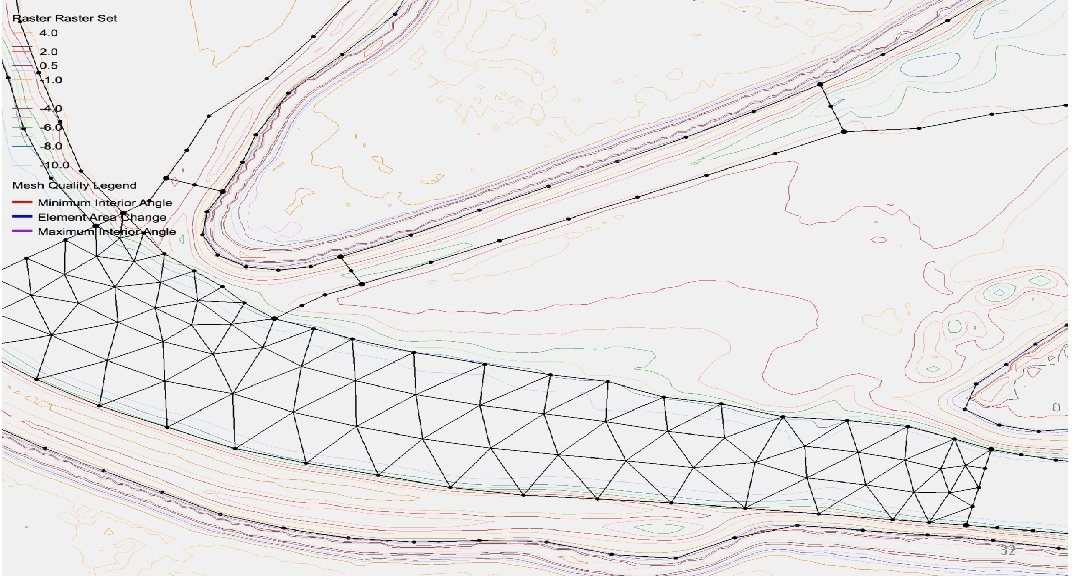
32
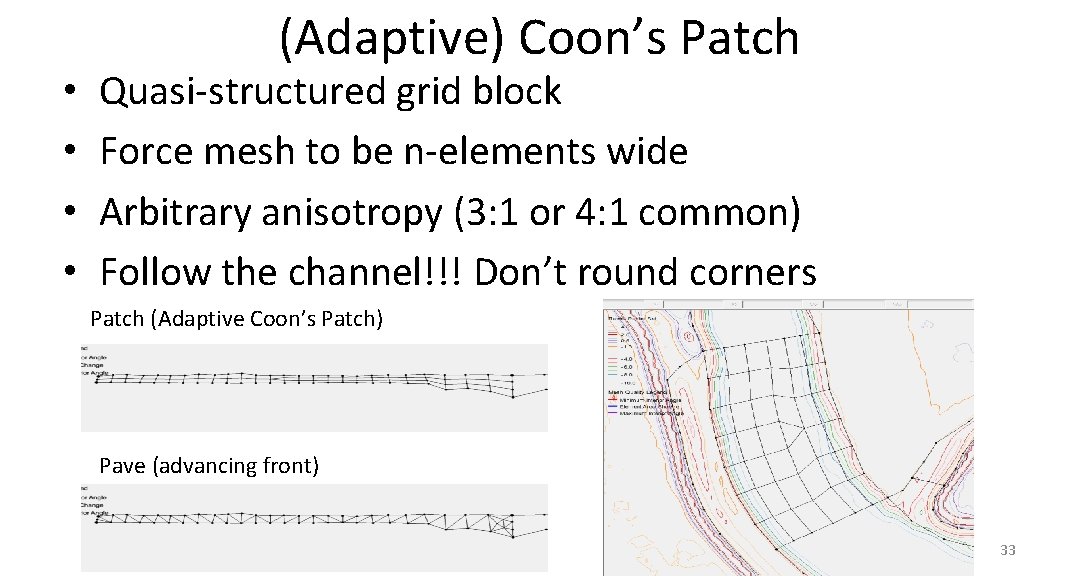
• • (Adaptive) Coon’s Patch Quasi-structured grid block Force mesh to be n-elements wide Arbitrary anisotropy (3: 1 or 4: 1 common) Follow the channel!!! Don’t round corners Patch (Adaptive Coon’s Patch) Pave (advancing front) 33
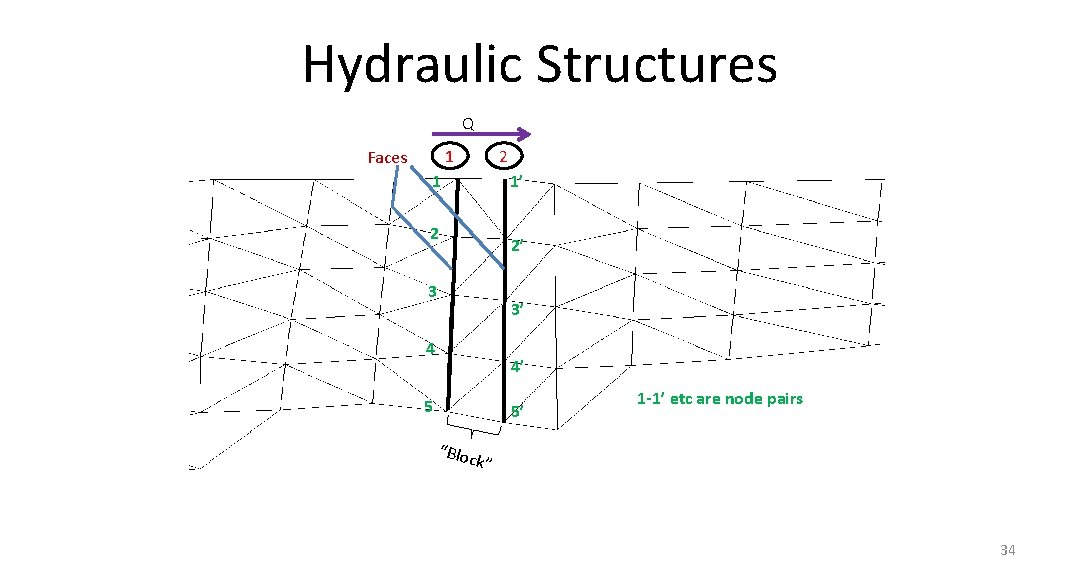
Hydraulic Structures Q 1 Faces 2 1 1’ 2 2’ 3 3’ 4 4’ 5 5’ “Blo 1 -1’ etc are node pairs ck” 34
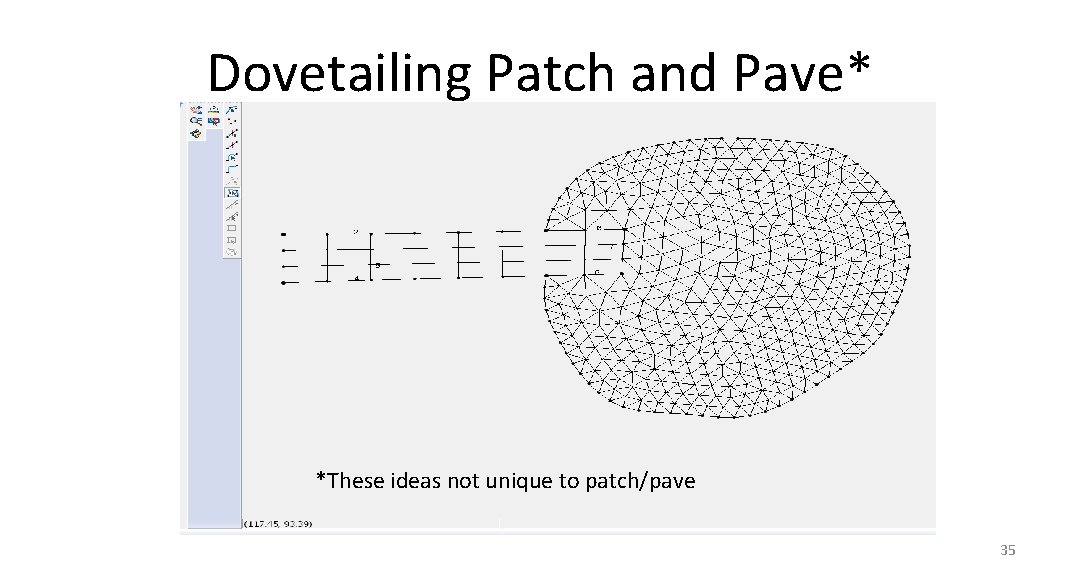
Dovetailing Patch and Pave* *These ideas not unique to patch/pave 35
Populating Elevations • Big problem again … SMS doesn’t hold the data gracefully • Have heard of people doing it in stages • Can use stacked_dem_fill. py, which: – – Populates with correct georeference Matches contours Uses prioritized DEMs Gives some warnings 36
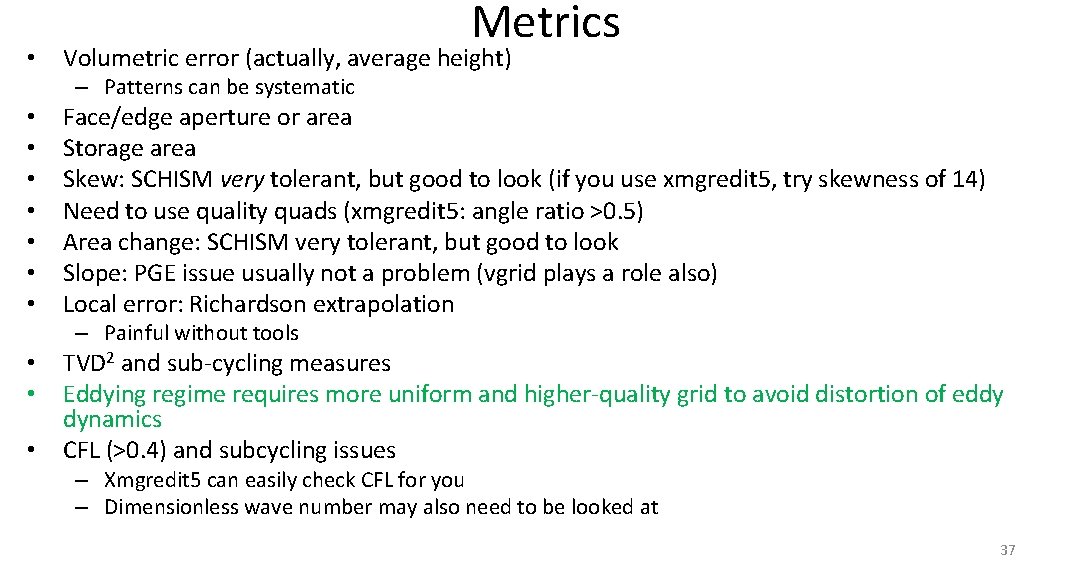
Metrics • Volumetric error (actually, average height) – Patterns can be systematic • • Face/edge aperture or area Storage area Skew: SCHISM very tolerant, but good to look (if you use xmgredit 5, try skewness of 14) Need to use quality quads (xmgredit 5: angle ratio >0. 5) Area change: SCHISM very tolerant, but good to look Slope: PGE issue usually not a problem (vgrid plays a role also) Local error: Richardson extrapolation – Painful without tools • TVD 2 and sub-cycling measures • Eddying regime requires more uniform and higher-quality grid to avoid distortion of eddy dynamics • CFL (>0. 4) and subcycling issues – Xmgredit 5 can easily check CFL for you – Dimensionless wave number may also need to be looked at 37
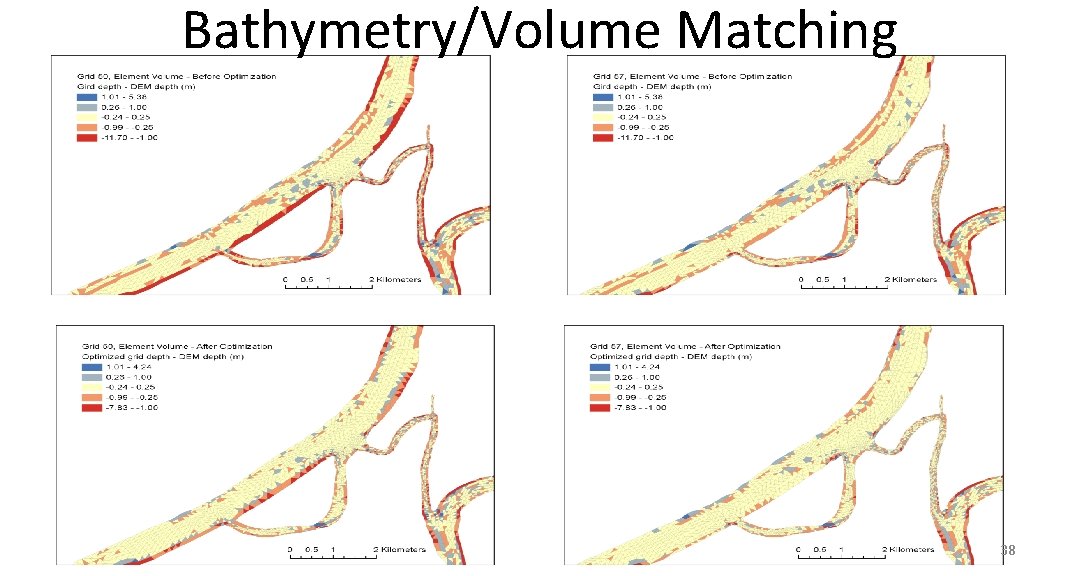
Bathymetry/Volume Matching 38
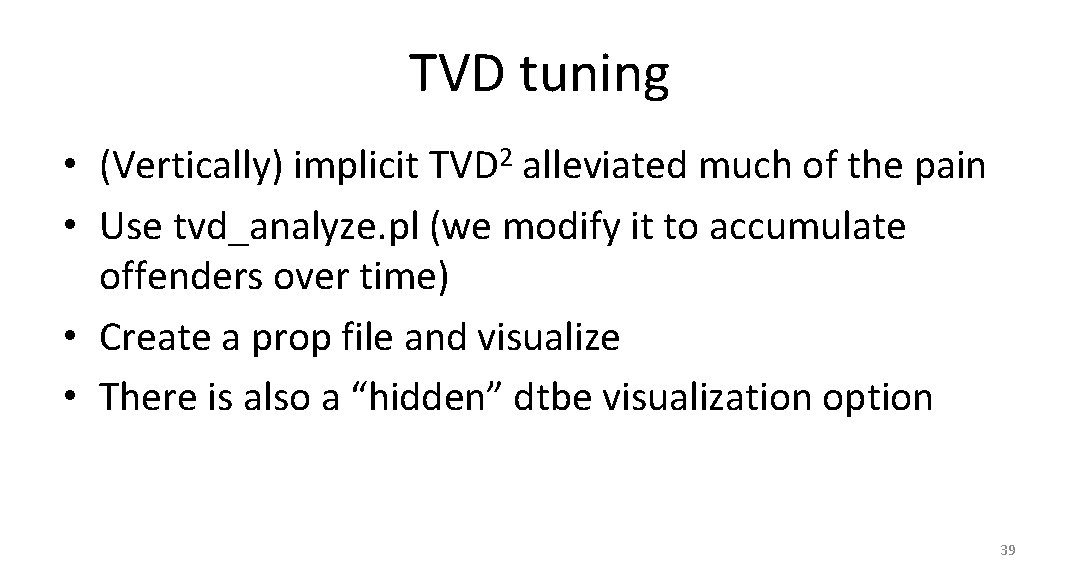
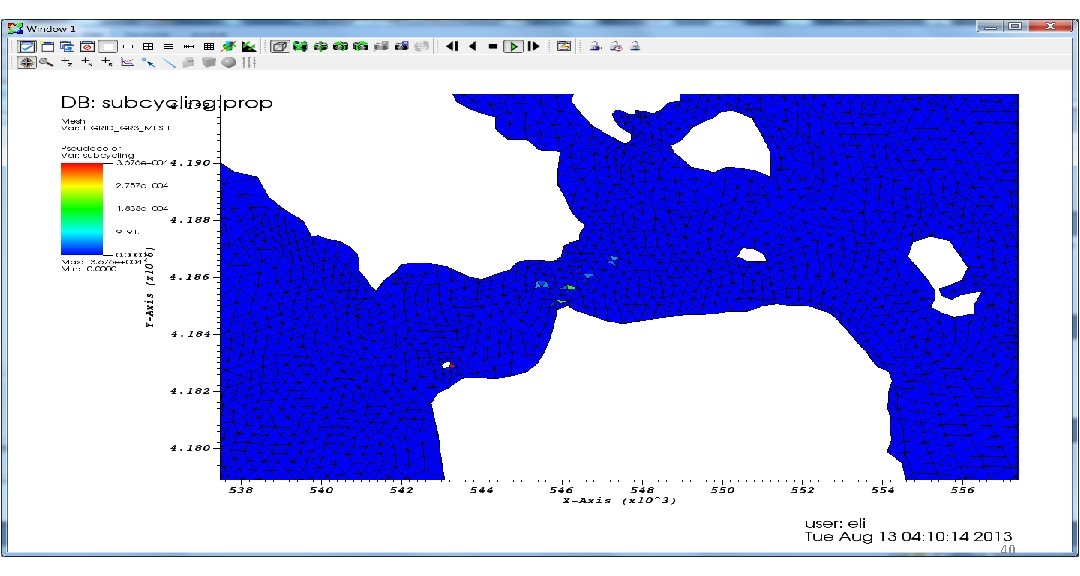
TVD tuning • (Vertically) implicit TVD 2 alleviated much of the pain • Use tvd_analyze. pl (we modify it to accumulate offenders over time) • Create a prop file and visualize • There is also a “hidden” dtbe visualization option 39
40
Automatic regrid/subgrid …it’s generally easier (and quicker) to regrid the whole grid 41
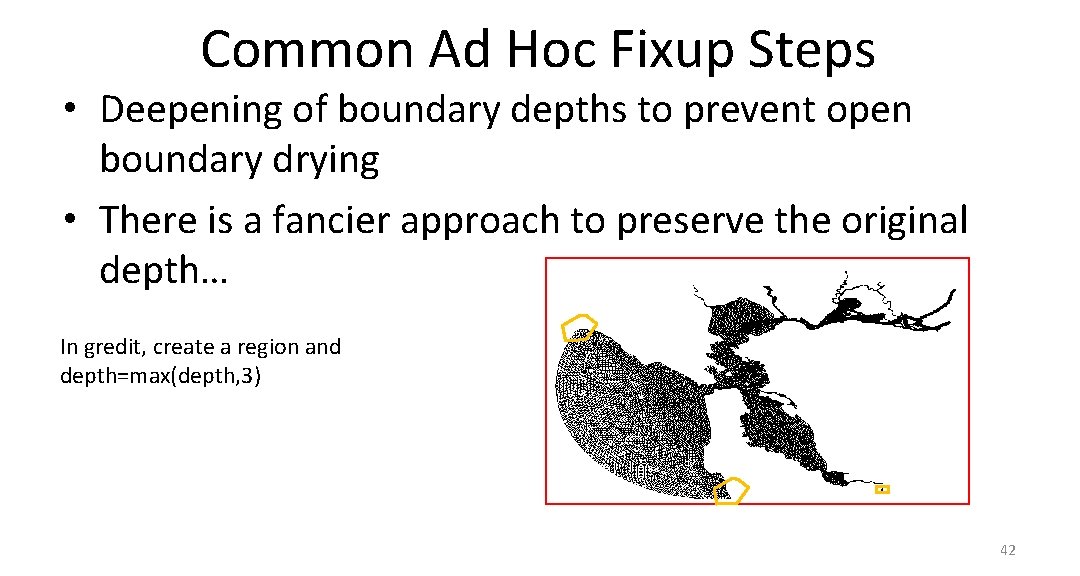
Common Ad Hoc Fixup Steps • Deepening of boundary depths to prevent open boundary drying • There is a fancier approach to preserve the original depth… In gredit, create a region and depth=max(depth, 3) 42
Conclusions • SMS is an adequate tool for non-ortho grids • Good grid generation resolves flow/bathy features faithfully – Some finer scales ignored if not resolved – Implicit model provides you with more freedom for resolution • Shape functions and wet-dry rules; understand the physics and numerics! • You can’t work on this stuff unless you can fix-test-fix-test – So front-end on node-based inputs (see Bay. Delta. SCHISM) • IMPORTANT: always start from an estimate of smallest Dt you anticipate for the application and use CFL>0. 4 to back-calculate the coarsest resolution at each depth – If you somehow decide to reduce Dt later, you may have to refine the grid – As a rough guide, Dt=100 -450 s for b-tropic, 100 -200 s for b-clinic applications (however, smaller Dt may be needed for some extreme cases) 43