
Green Computing Power Aware Computing Maziar Goudarzi Outline

- Slides: 54
Green Computing Power Aware Computing Maziar Goudarzi
Outline • Power Aware Computing • Power Management in Computers Acknowledgements: Some slides/parts from http: //www. ida. liu. se/~TDDD 50/
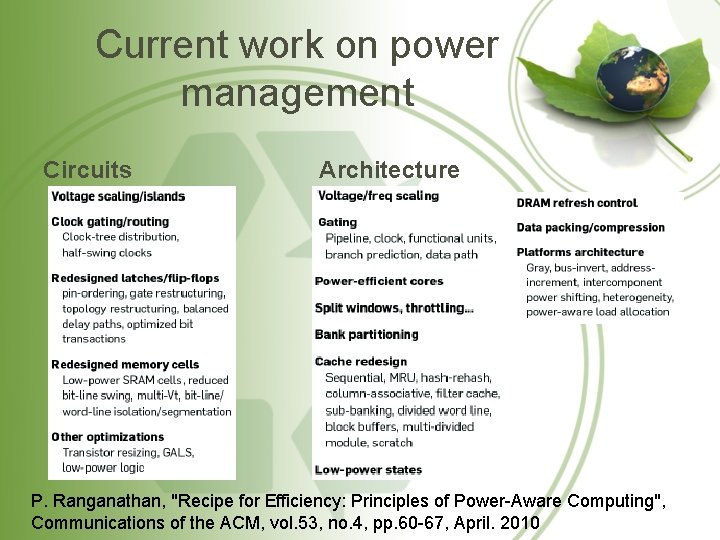
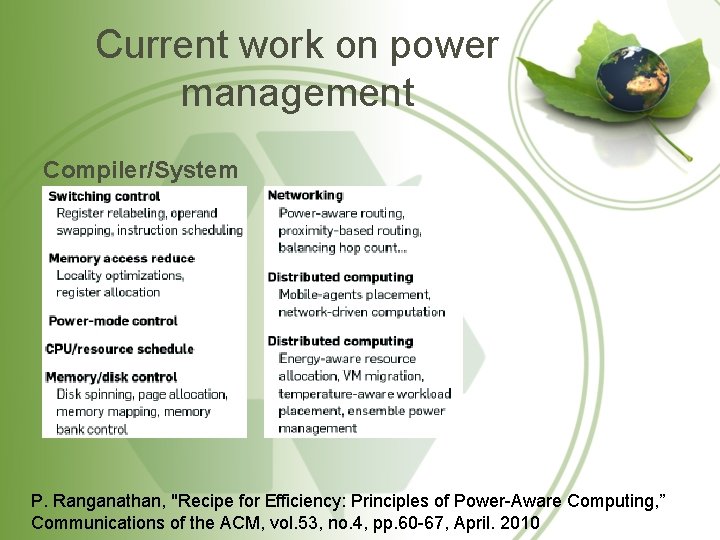
Power aware computing are techniques that consider the energy consumption as one of their main constraints – Avoid wasting energy • Challenges – Figure out where and why waste happens – Determine how to avoid it P. Ranganathan, "Recipe for Efficiency: Principles of Power-Aware Computing, " Communications of the ACM, vol. 53, no. 4, pp. 60 -67, April. 2010 3
Sources of energy waste • Systems designed for most general case – Most aggressive workload performance – Worst-case risk tolerance • Components designed by different teams – No component interaction considered • Functions of the system as independent modules – No function interaction considered • Design focused on performance and availability – Resource waste for small improvements – Component or operation redundancies 4
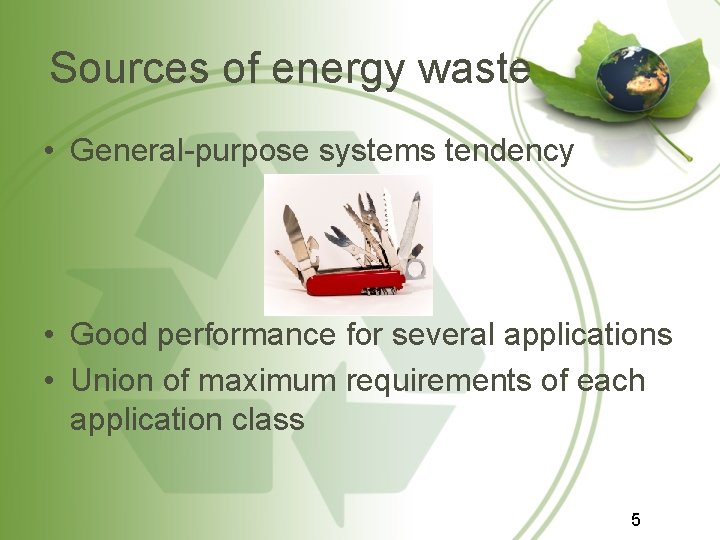
Sources of energy waste • General-purpose systems tendency • Good performance for several applications • Union of maximum requirements of each application class 5
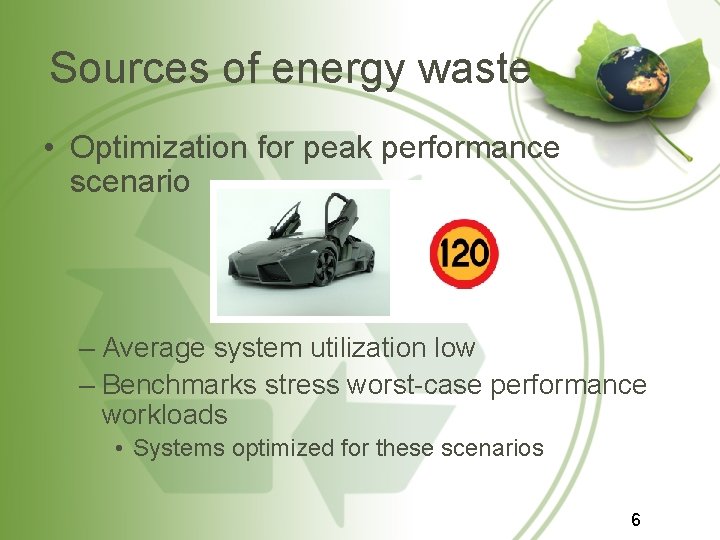
Sources of energy waste • Optimization for peak performance scenario – Average system utilization low – Benchmarks stress worst-case performance workloads • Systems optimized for these scenarios 6
Reduction of energy waste • Common solutions – Use a more power-efficient alternative – Disable/Scale-down unused resources – Match work to power-efficient resource – Piggyback, or Combination of multiple tasks in single energy event – Design for required functionality 7
Reduction of energy waste • Coming solutions – Holistic solutions • Broad scope of the problem • Cross-layer interaction – Trade off some other metric for energy – Optimize energy efficiency for the common case – Spend someone else’s power – Spend power to save power 8
Requirements • Needed irrespective of the approach – Measurement and monitoring – Analysis tools and models – Control algorithms 9
Current work on power management Circuits Architecture P. Ranganathan, "Recipe for Efficiency: Principles of Power-Aware Computing", Communications of the ACM, vol. 53, no. 4, pp. 60 -67, April. 2010
Current work on power management Compiler/System P. Ranganathan, "Recipe for Efficiency: Principles of Power-Aware Computing, ” Communications of the ACM, vol. 53, no. 4, pp. 60 -67, April. 2010
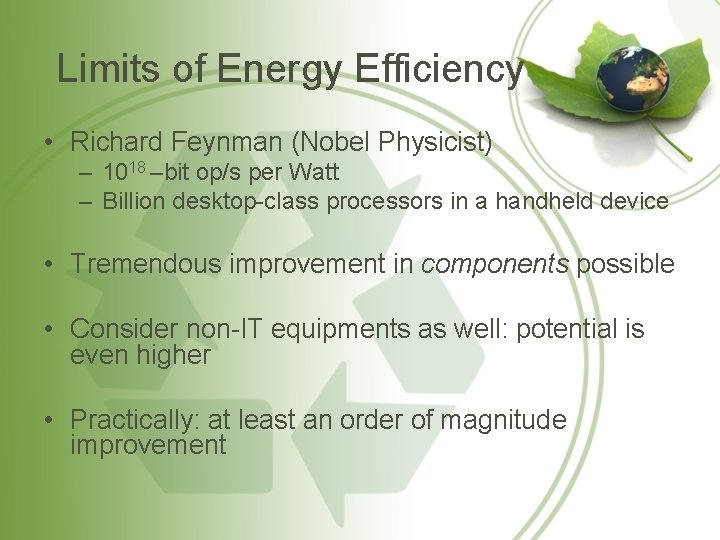
Limits of Energy Efficiency • Richard Feynman (Nobel Physicist) – 1018 –bit op/s per Watt – Billion desktop-class processors in a handheld device • Tremendous improvement in components possible • Consider non-IT equipments as well: potential is even higher • Practically: at least an order of magnitude improvement
Coming Next • Power management in computers – Processor – Disk – Memory – Network – Display • Power management standards 13
Green Computing Power Management in Computers
Outline • Computer components – Processor – Disk – Memory – Network – Display 15
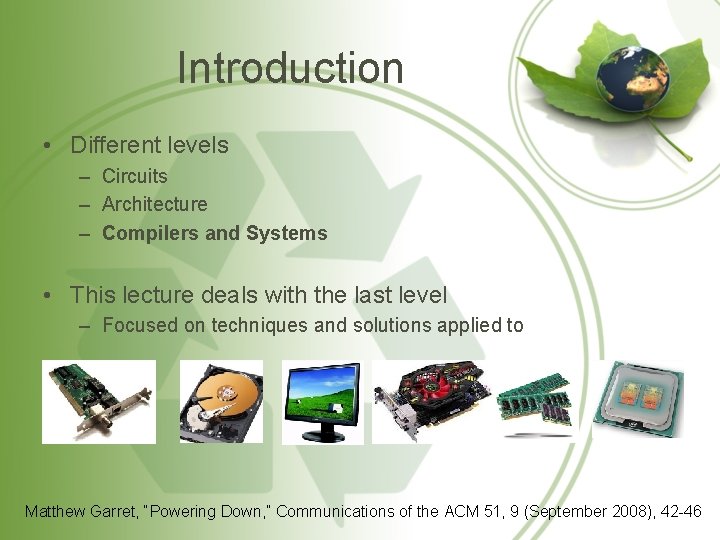
Introduction • Different levels – Circuits – Architecture – Compilers and Systems • This lecture deals with the last level – Focused on techniques and solutions applied to Matthew Garret, “Powering Down, ” Communications of the ACM 51, 9 (September 2008), 42 -46
Processor • Processor does not run at 100% capacity all time • Architecture techniques to save up energy – CPU frequency/voltage scaling – Low power mode states • Disable functional units not needed – Clock gating – Dissociate from memory bus – Disable part of the cache 17
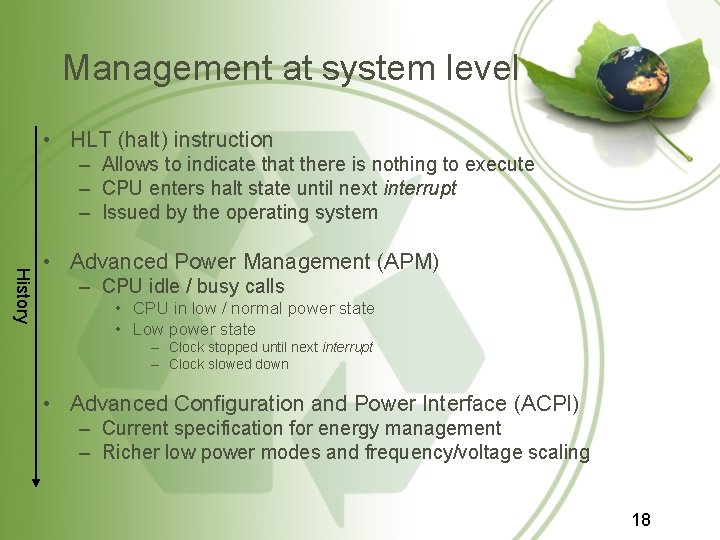
Management at system level • HLT (halt) instruction – Allows to indicate that there is nothing to execute – CPU enters halt state until next interrupt – Issued by the operating system History • Advanced Power Management (APM) – CPU idle / busy calls • CPU in low / normal power state • Low power state – Clock stopped until next interrupt – Clock slowed down • Advanced Configuration and Power Interface (ACPI) – Current specification for energy management – Richer low power modes and frequency/voltage scaling 18
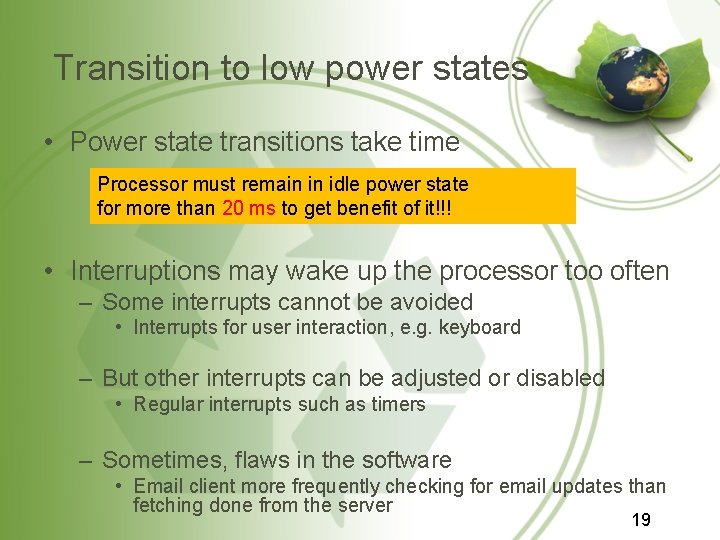
Transition to low power states • Power state transitions take time Processor must remain in idle power state for more than 20 ms to get benefit of it!!! • Interruptions may wake up the processor too often – Some interrupts cannot be avoided • Interrupts for user interaction, e. g. keyboard – But other interrupts can be adjusted or disabled • Regular interrupts such as timers – Sometimes, flaws in the software • Email client more frequently checking for email updates than fetching done from the server 19
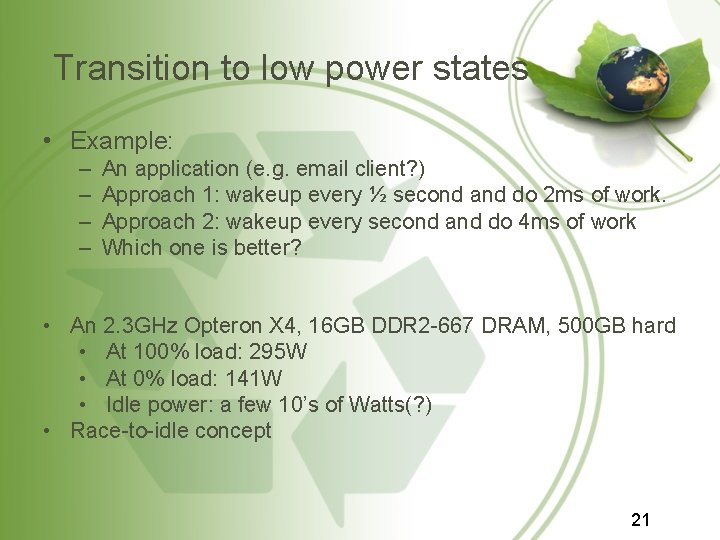
Transition to low power states • Example: – – An application (e. g. email client? ) Approach 1: wakeup every ½ second and do 2 ms of work. Approach 2: wakeup every second and do 4 ms of work Which one is better? • An 2. 3 GHz Opteron X 4, 16 GB DDR 2 -667 DRAM, 500 GB hard • At 100% load: 295 W • At 0% load: 141 W • Idle power: a few 10’s of Watts(? ) • Race-to-idle concept 21
Timers • Events scheduled at a specific time in the future – Example: cursor blinking, time clock ticking. . . – The event produces a timer interrupt • Timer interrupts have a big impact on consumption – Regularly wake up the processor – System has plenty of them • Two examples of optimization – Linux tickless kernel – Consolidation of timers 22
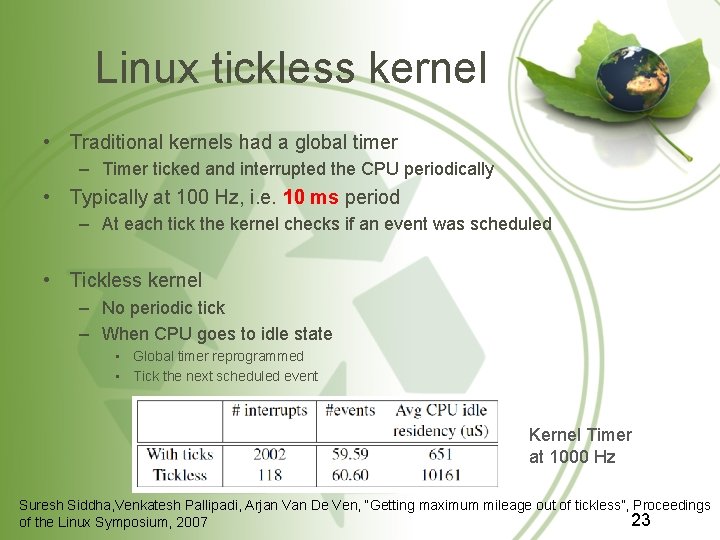
Linux tickless kernel • Traditional kernels had a global timer – Timer ticked and interrupted the CPU periodically • Typically at 100 Hz, i. e. 10 ms period – At each tick the kernel checks if an event was scheduled • Tickless kernel – No periodic tick – When CPU goes to idle state • Global timer reprogrammed • Tick the next scheduled event Kernel Timer at 1000 Hz Suresh Siddha, Venkatesh Pallipadi, Arjan Van De Ven, “Getting maximum mileage out of tickless”, Proceedings 23 of the Linux Symposium, 2007
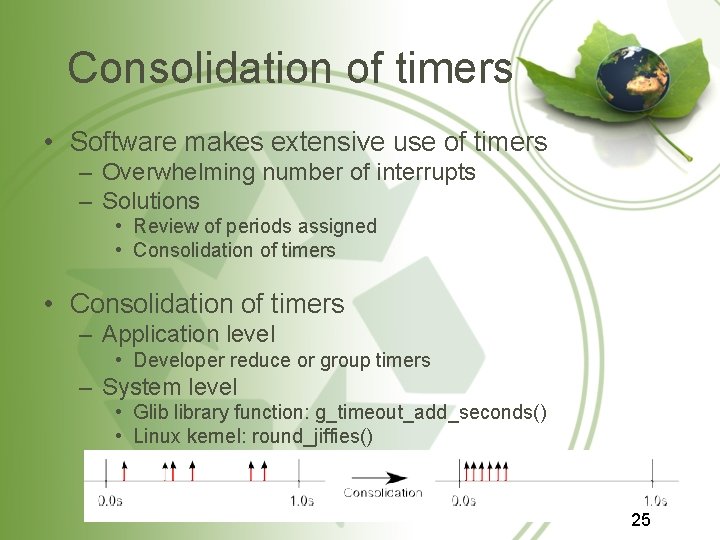
Consolidation of timers • Software makes extensive use of timers – Overwhelming number of interrupts – Solutions • Review of periods assigned • Consolidation of timers – Application level • Developer reduce or group timers – System level • Glib library function: g_timeout_add_seconds() • Linux kernel: round_jiffies() 25
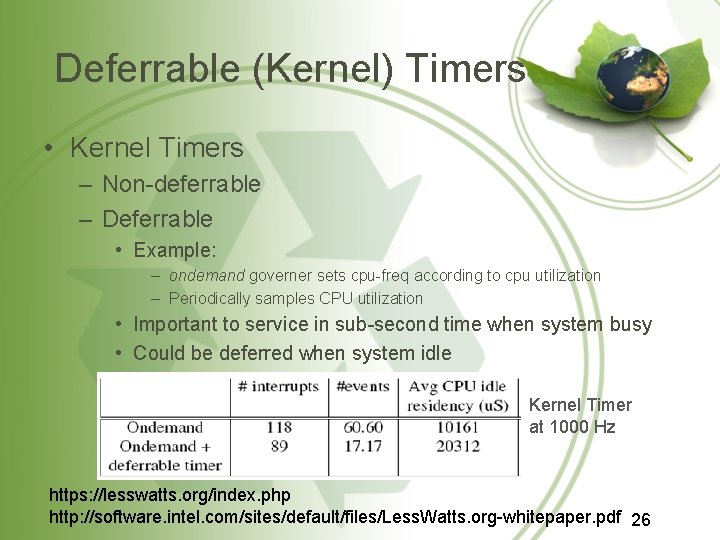
Deferrable (Kernel) Timers • Kernel Timers – Non-deferrable – Deferrable • Example: – ondemand governer sets cpu-freq according to cpu utilization – Periodically samples CPU utilization • Important to service in sub-second time when system busy • Could be deferred when system idle Kernel Timer at 1000 Hz https: //lesswatts. org/index. php http: //software. intel. com/sites/default/files/Less. Watts. org-whitepaper. pdf 26
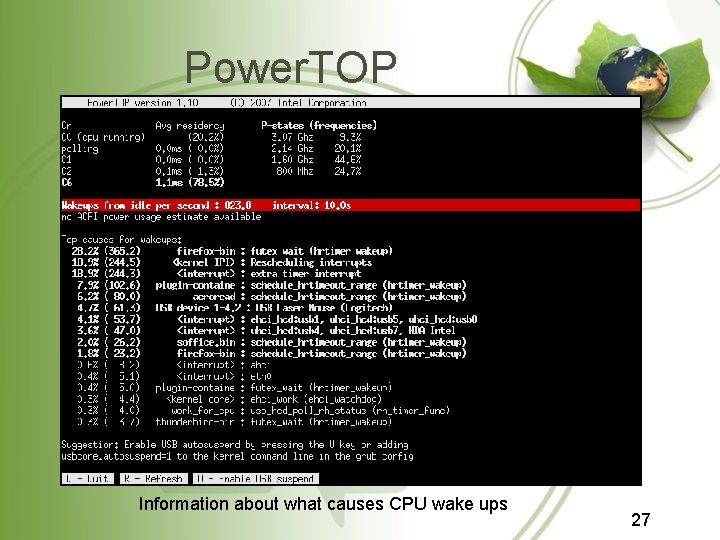
Power. TOP Information about what causes CPU wake ups 27
Outline • Power management in computers – Processor – Disk – Memory – Network – Display 29
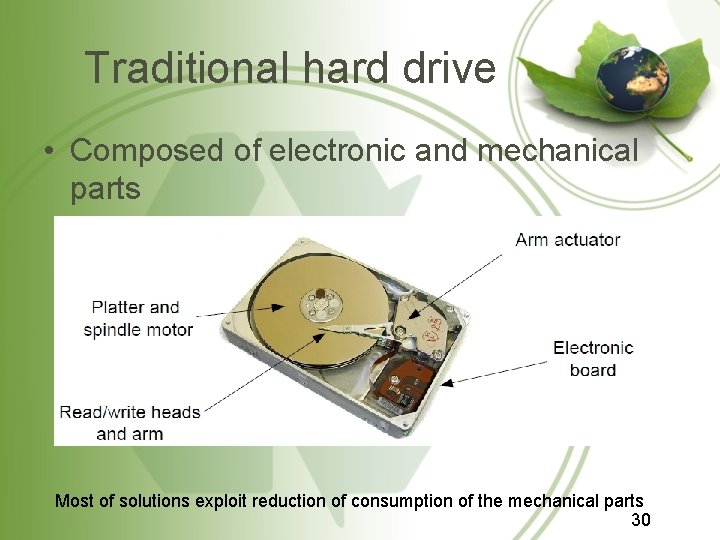
Traditional hard drive • Composed of electronic and mechanical parts Most of solutions exploit reduction of consumption of the mechanical parts 30
Spin down • Switch off the platter spindle motor when inactive – Supported by most operating systems • Costs – Reduces hard-drive life expectancy – Uses a lot of energy to spin up – Creates delays (order of seconds) • Smart management of I/O to – minimize spin transitions – reduce delays 31
I/O management • Reads – Each read from disk results in spinning up – Application data optimizations • Read all needed data at application startup • Read data in big chunks – Operating system optimizations • Data cache – File system optimizations • Problem – Unix systems record last time a file is accessed – Each read triggers a write • Disable the last accessed time or updated with next write 32
I/O management • Writes – Application optimizations • Write-out avoidance – Application can track data to write – At some point follow track to write all required information – Operating system optimizations • Data to write can be cached (no spin up) • Risk of data loss if system fails – Linux laptop mode → write to disk when doing read – Electronics • Hard-drive electronics and I/O controller low power modes – I/O controller low power mode can save 0. 5 Watts – Typical desktop hard drive between 5 and 15 W 33
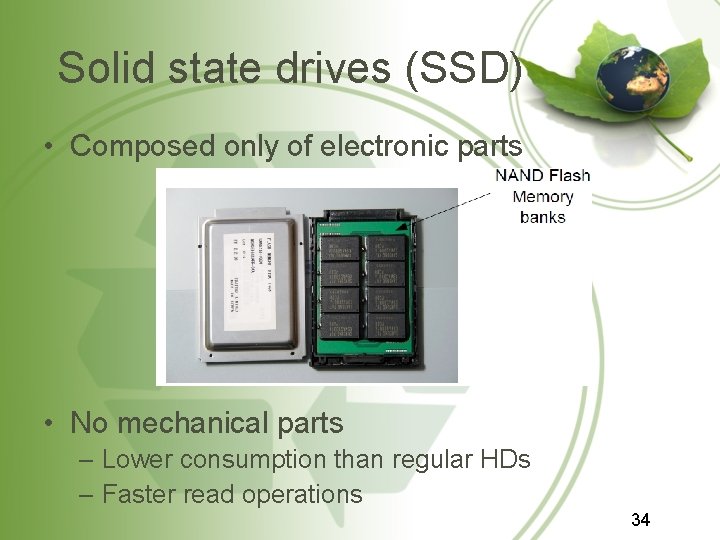
Solid state drives (SSD) • Composed only of electronic parts • No mechanical parts – Lower consumption than regular HDs – Faster read operations 34
Solid state drives (SSD) • NAND Flash memory limitations – Writing latency • Memory organized in pages (~2 KB) and blocks (~128 KB) • Write a page usually requires – erasure of block – rewrite of the whole block – Finite program-erase cycles • Each block can be erased a number of times • Require wear leveling techniques to balance erasures 35
Outline • Power management in computers – Processor – Disk – Memory – Network – Display 36
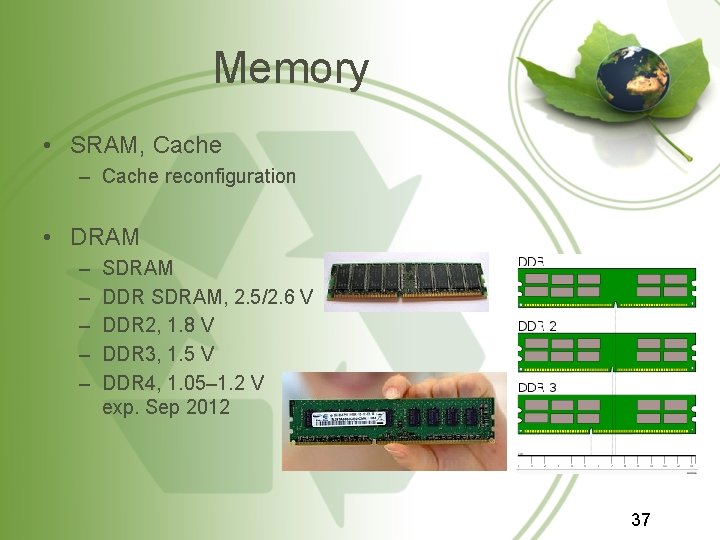
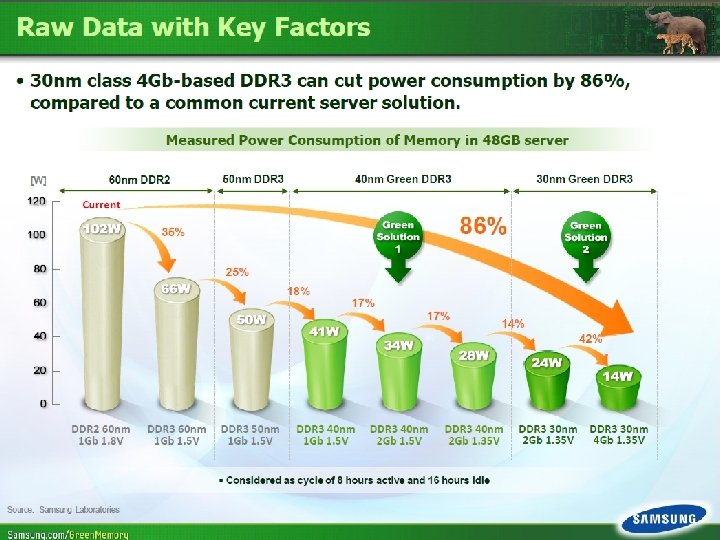
Memory • SRAM, Cache – Cache reconfiguration • DRAM – – – SDRAM DDR SDRAM, 2. 5/2. 6 V DDR 2, 1. 8 V DDR 3, 1. 5 V DDR 4, 1. 05– 1. 2 V exp. Sep 2012 37
38
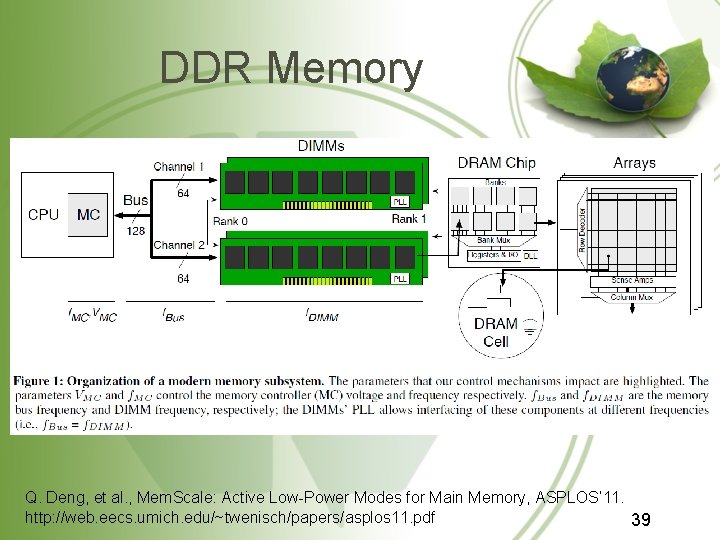
DDR Memory Q. Deng, et al. , Mem. Scale: Active Low-Power Modes for Main Memory, ASPLOS’ 11. http: //web. eecs. umich. edu/~twenisch/papers/asplos 11. pdf 39
Outline • Power management in computers – Processor – Disk – Memory – Network – Display 40
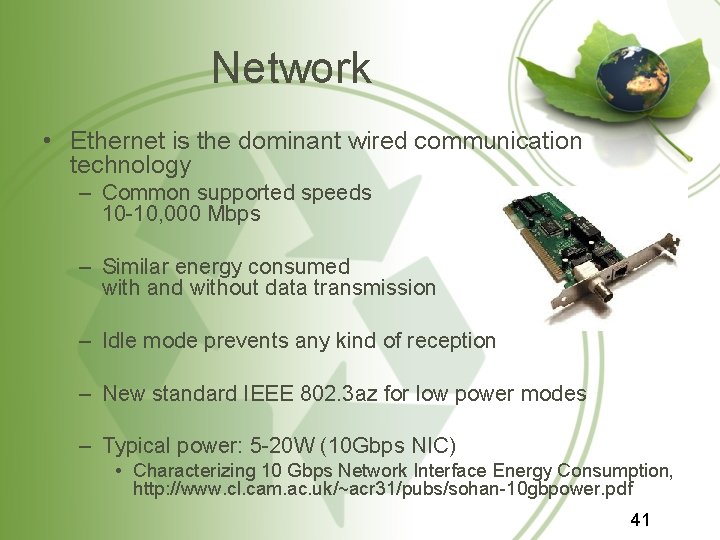
Network • Ethernet is the dominant wired communication technology – Common supported speeds 10 -10, 000 Mbps – Similar energy consumed with and without data transmission – Idle mode prevents any kind of reception – New standard IEEE 802. 3 az for low power modes – Typical power: 5 -20 W (10 Gbps NIC) • Characterizing 10 Gbps Network Interface Energy Consumption, http: //www. cl. cam. ac. uk/~acr 31/pubs/sohan-10 gbpower. pdf 41
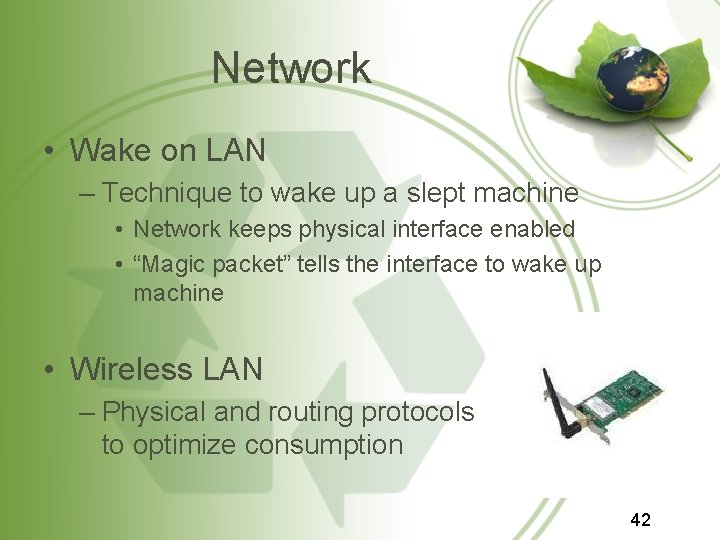
Network • Wake on LAN – Technique to wake up a slept machine • Network keeps physical interface enabled • “Magic packet” tells the interface to wake up machine • Wireless LAN – Physical and routing protocols to optimize consumption 42
43
Outline • Power management in computers – Processor – Disk – Memory – Network – Display 45
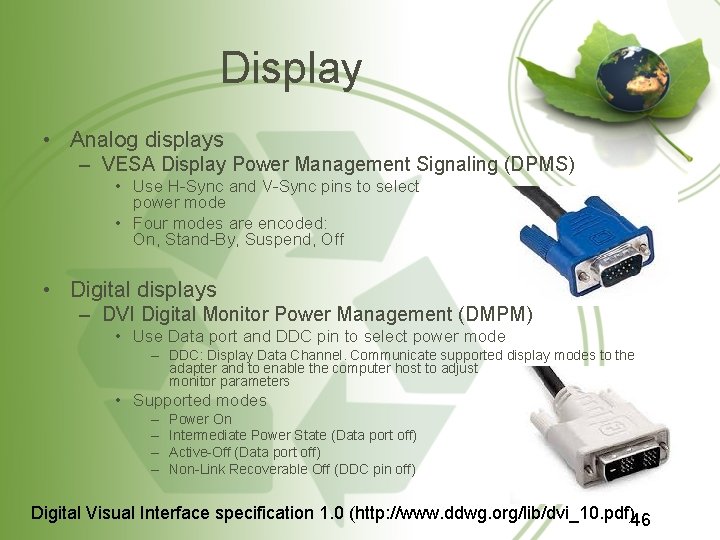
Display • Analog displays – VESA Display Power Management Signaling (DPMS) • Use H-Sync and V-Sync pins to select power mode • Four modes are encoded: On, Stand-By, Suspend, Off • Digital displays – DVI Digital Monitor Power Management (DMPM) • Use Data port and DDC pin to select power mode – DDC: Display Data Channel. Communicate supported display modes to the adapter and to enable the computer host to adjust monitor parameters • Supported modes – – Power On Intermediate Power State (Data port off) Active-Off (Data port off) Non-Link Recoverable Off (DDC pin off) Digital Visual Interface specification 1. 0 (http: //www. ddwg. org/lib/dvi_10. pdf)46
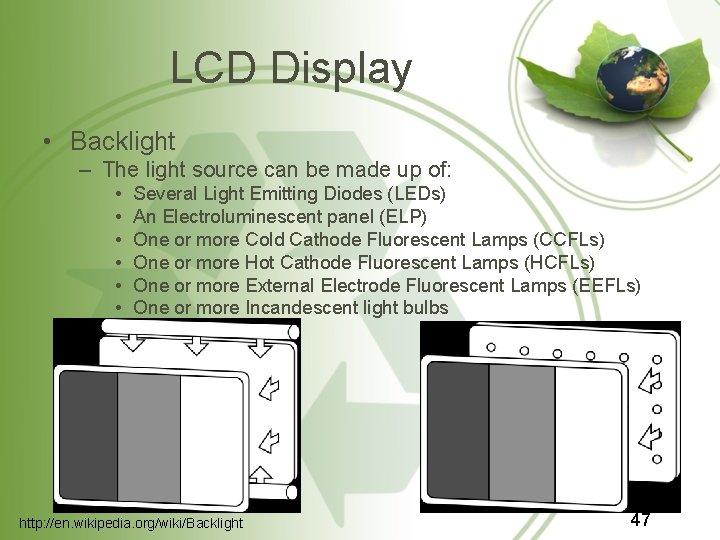
LCD Display • Backlight – The light source can be made up of: • • • Several Light Emitting Diodes (LEDs) An Electroluminescent panel (ELP) One or more Cold Cathode Fluorescent Lamps (CCFLs) One or more Hot Cathode Fluorescent Lamps (HCFLs) One or more External Electrode Fluorescent Lamps (EEFLs) One or more Incandescent light bulbs http: //en. wikipedia. org/wiki/Backlight 47
LCD Display • Intel – Reduce backlight when most pixels are dark 48
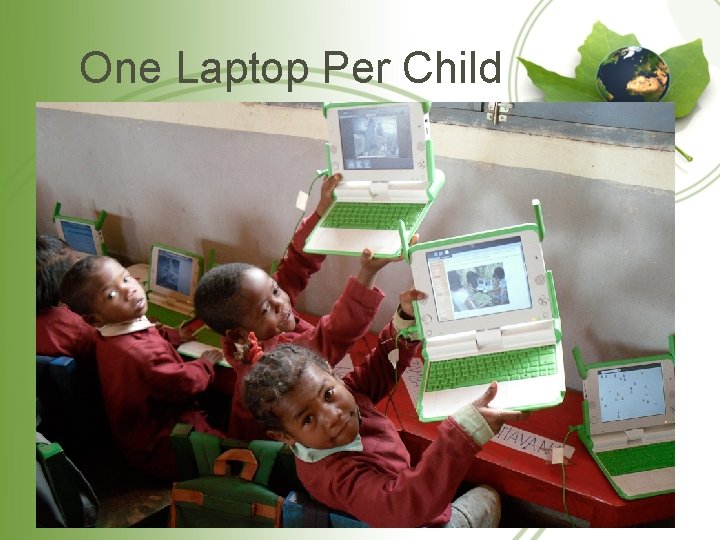
One Laptop Per Child 49
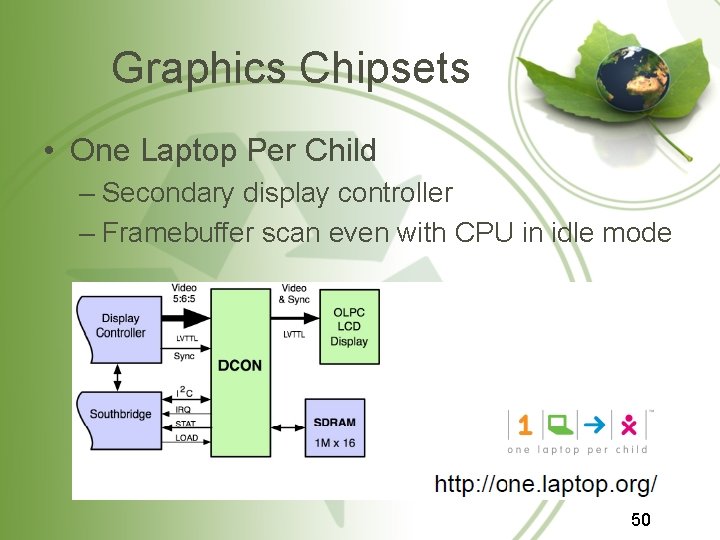
Graphics Chipsets • One Laptop Per Child – Secondary display controller – Framebuffer scan even with CPU in idle mode 50
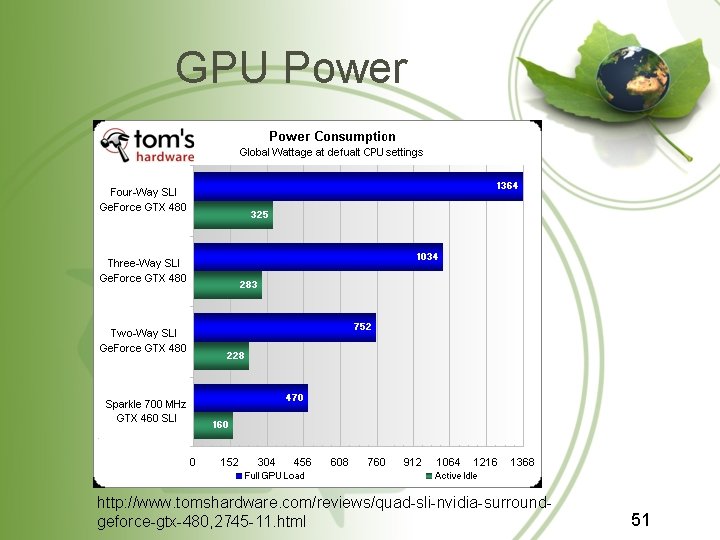
GPU Power http: //www. tomshardware. com/reviews/quad-sli-nvidia-surroundgeforce-gtx-480, 2745 -11. html 51
Graphics Card • Systems with dual GPUs – Motherboard integrated GPU – External powerful GPU – System switches off external GPU to save energy • Compress frame-buffer contents 52
Coming Next • Power Management Standards – APM – ACPI 54