
Graphics Programming Open GL Open Scene Graph Katia
![Light(s) Position At least 8 lights available. Light Positional / Spotlight Directional GLfloat light_pos[]](https://slidetodoc.com/presentation_image/4bf479f0008572a3b6cbcbcccdc92125/image-20.jpg "Light(s) Position At least 8 lights available. Light Positional / Spotlight Directional GLfloat light_pos[]")
![Material Properties Ambient default = (0. 2, 1. 0) • GLfloat mat_amb [] =](https://slidetodoc.com/presentation_image/4bf479f0008572a3b6cbcbcccdc92125/image-21.jpg "Material Properties Ambient default = (0. 2, 1. 0) • GLfloat mat_amb [] =")
- Slides: 38
Graphics Programming Open. GL & Open. Scene. Graph Katia Oleinik: koleinik@bu. edu
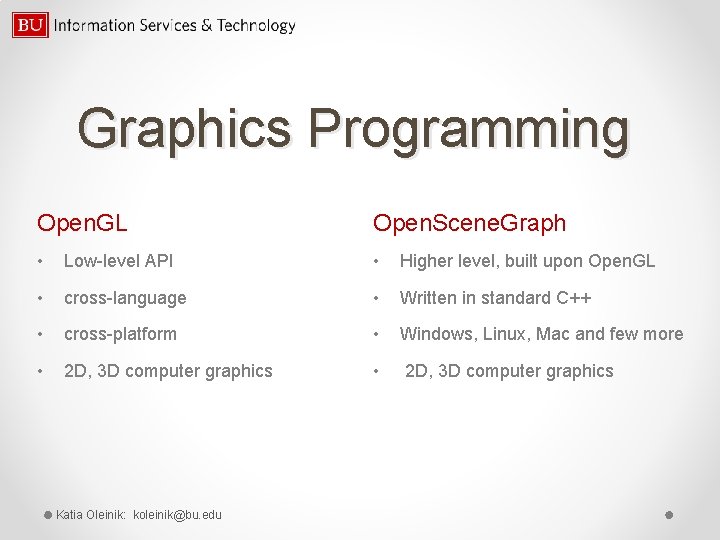
Graphics Programming Open. GL Open. Scene. Graph • Low-level API • Higher level, built upon Open. GL • cross-language • Written in standard C++ • cross-platform • Windows, Linux, Mac and few more • 2 D, 3 D computer graphics Katia Oleinik: koleinik@bu. edu
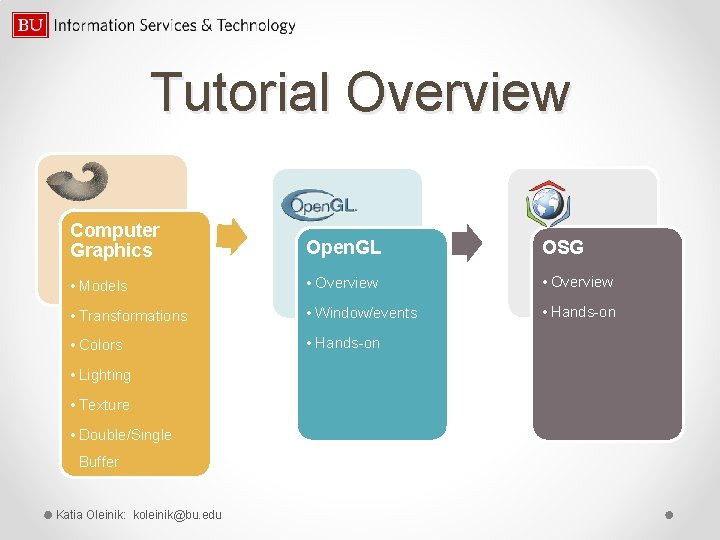
Tutorial Overview Computer Graphics Open. GL OSG • Models • Overview • Transformations • Window/events • Hands-on • Colors • Hands-on • Lighting • Texture • Double/Single Buffer Katia Oleinik: koleinik@bu. edu
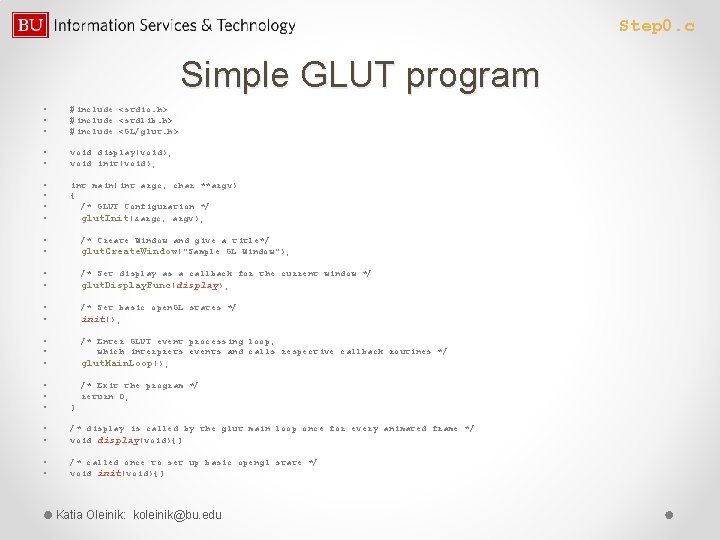
Step 0. c Simple GLUT program • • • #include <stdio. h> #include <stdlib. h> #include <GL/glut. h> • • void display(void); void init(void); • • int main(int argc, char **argv) { /* GLUT Configuration */ glut. Init(&argc, argv); • • /* Create Window and give a title*/ glut. Create. Window("Sample GL Window"); • • /* Set display as a callback for the current window */ glut. Display. Func(display); • • /* Set basic open. GL states */ init(); • • • /* Enter GLUT event processing loop, which interprets events and calls respective callback routines */ glut. Main. Loop(); • • • /* Exit the program */ return 0; } • • /* display is called by the glut main loop once for every animated frame */ void display(void){} • • /* called once to set up basic opengl state */ void init(void){} Katia Oleinik: koleinik@bu. edu
Steps to edit, compile and run the program • Edit the source file in the editor, save it and exit • >make file_name • >file_name • For step 0. c: • >make step 0 • >step 0 Katia Oleinik: koleinik@bu. edu
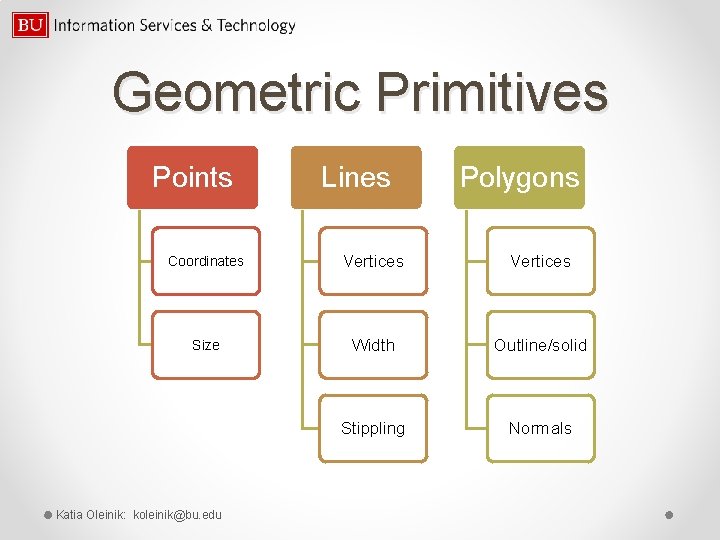
Geometric Primitives Points Lines Polygons Coordinates Vertices Size Width Outline/solid Stippling Normals Katia Oleinik: koleinik@bu. edu
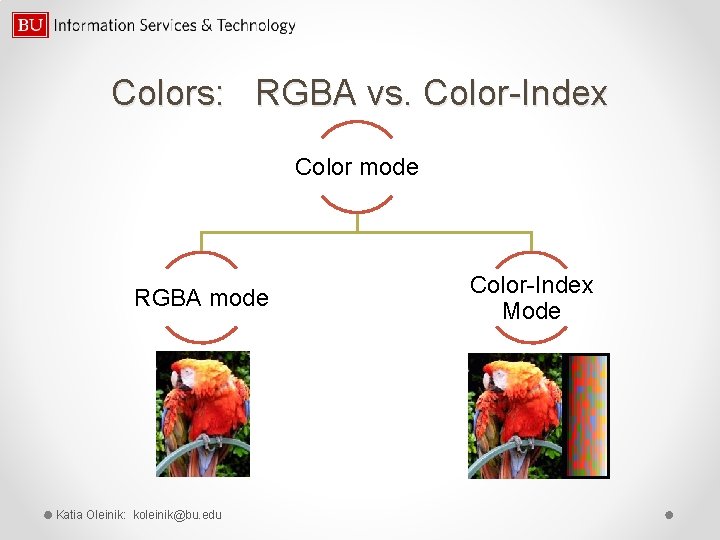
Colors: RGBA vs. Color-Index Color mode RGBA mode Katia Oleinik: koleinik@bu. edu Color-Index Mode
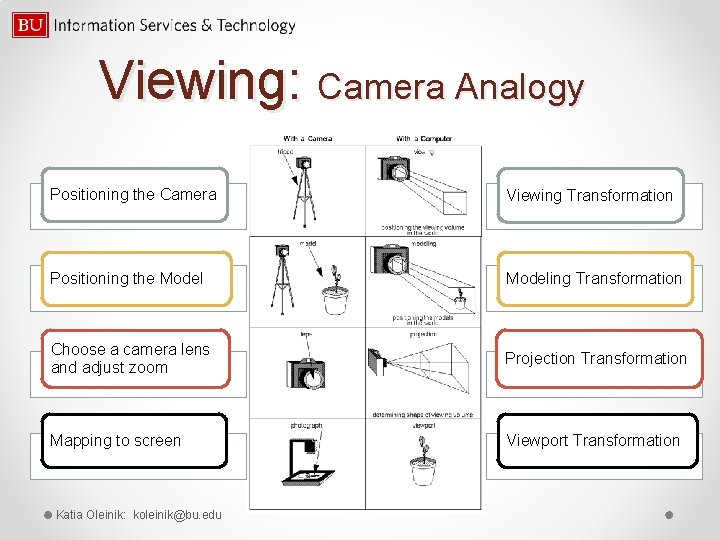
Viewing: Camera Analogy Positioning the Camera Viewing Transformation Positioning the Modeling Transformation Choose a camera lens and adjust zoom Projection Transformation Mapping to screen Viewport Transformation Katia Oleinik: koleinik@bu. edu
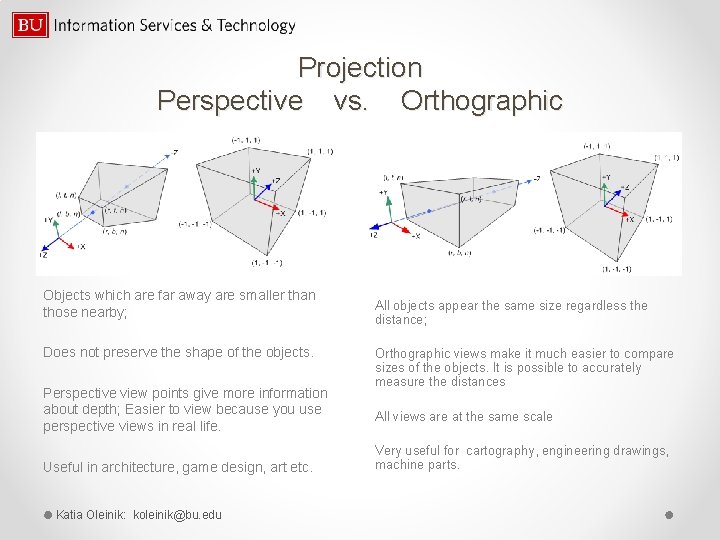
Projection Perspective vs. Orthographic Objects which are far away are smaller than those nearby; Does not preserve the shape of the objects. Perspective view points give more information about depth; Easier to view because you use perspective views in real life. Useful in architecture, game design, art etc. Katia Oleinik: koleinik@bu. edu All objects appear the same size regardless the distance; Orthographic views make it much easier to compare sizes of the objects. It is possible to accurately measure the distances All views are at the same scale Very useful for cartography, engineering drawings, machine parts.
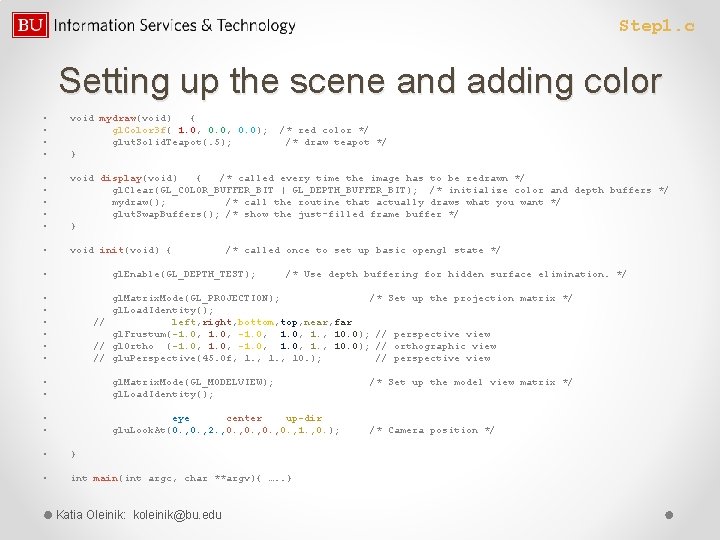
Step 1. c Setting up the scene and adding color • • void mydraw(void) { gl. Color 3 f( 1. 0, 0. 0); /* red color */ glut. Solid. Teapot(. 5); /* draw teapot */ } • • • void display(void) { /* called every time the image has to be redrawn */ gl. Clear(GL_COLOR_BUFFER_BIT | GL_DEPTH_BUFFER_BIT); /* initialize color and depth buffers */ mydraw(); /* call the routine that actually draws what you want */ glut. Swap. Buffers(); /* show the just-filled frame buffer */ } • void init(void) { /* called once to set up basic opengl state */ • gl. Enable(GL_DEPTH_TEST); /* Use depth buffering for hidden surface elimination. */ • • gl. Matrix. Mode(GL_PROJECTION); /* Set up the projection matrix */ gl. Load. Identity(); // left, right, bottom, top, near, far gl. Frustum(-1. 0, 1. 0, 1. , 10. 0); // perspective view // gl. Ortho (-1. 0, 1. 0, 1. , 10. 0); // orthographic view // glu. Perspective(45. 0 f, 1. , 10. ); // perspective view gl. Matrix. Mode(GL_MODELVIEW); /* Set up the model view matrix */ gl. Load. Identity(); • • eye center up-dir glu. Look. At(0. , 2. , 0. , 1. , 0. ); /* Camera position */ • } • int main(int argc, char **argv){ …. . } Katia Oleinik: koleinik@bu. edu
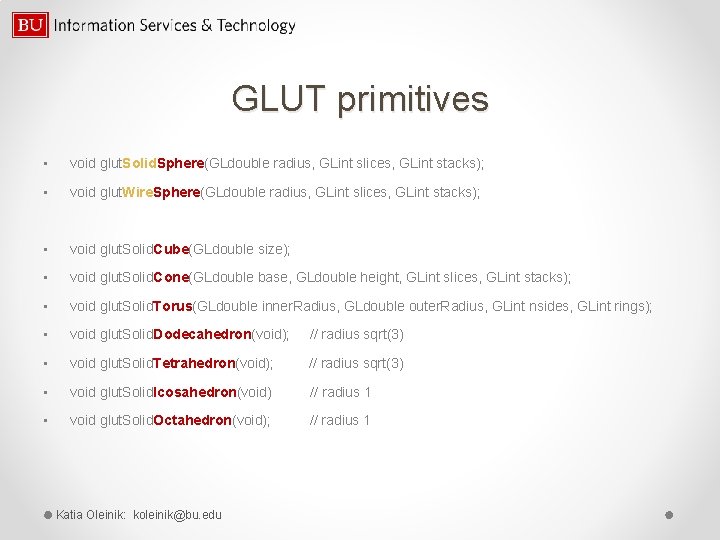
GLUT primitives • void glut. Solid. Sphere(GLdouble radius, GLint slices, GLint stacks); • void glut. Wire. Sphere(GLdouble radius, GLint slices, GLint stacks); • void glut. Solid. Cube(GLdouble size); • void glut. Solid. Cone(GLdouble base, GLdouble height, GLint slices, GLint stacks); • void glut. Solid. Torus(GLdouble inner. Radius, GLdouble outer. Radius, GLint nsides, GLint rings); • void glut. Solid. Dodecahedron(void); // radius sqrt(3) • void glut. Solid. Tetrahedron(void); // radius sqrt(3) • void glut. Solid. Icosahedron(void) // radius 1 • void glut. Solid. Octahedron(void); // radius 1 Katia Oleinik: koleinik@bu. edu
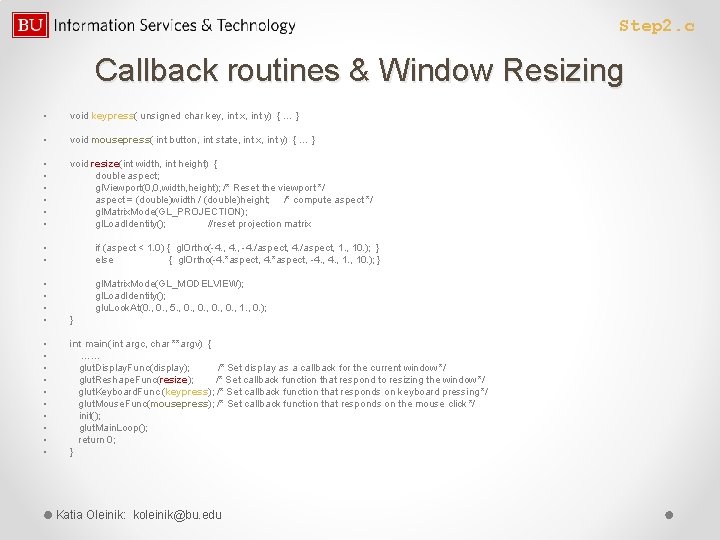
Step 2. c Callback routines & Window Resizing • void keypress( unsigned char key, int x, int y) { … } • void mousepress( int button, int state, int x, int y) { … } • • • void resize(int width, int height) { double aspect; gl. Viewport(0, 0, width, height); /* Reset the viewport */ aspect = (double)width / (double)height; /* compute aspect */ gl. Matrix. Mode(GL_PROJECTION); gl. Load. Identity(); //reset projection matrix • • if (aspect < 1. 0) { gl. Ortho(-4. , -4. /aspect, 1. , 10. ); } else { gl. Ortho(-4. *aspect, -4. , 10. ); } • • gl. Matrix. Mode(GL_MODELVIEW); gl. Load. Identity(); glu. Look. At(0. , 5. , 0. , 1. , 0. ); } • • • int main(int argc, char **argv) { …… glut. Display. Func(display); /* Set display as a callback for the current window */ glut. Reshape. Func(resize); /* Set callback function that respond to resizing the window */ glut. Keyboard. Func (keypress); /* Set callback function that responds on keyboard pressing */ glut. Mouse. Func(mousepress); /* Set callback function that responds on the mouse click */ init(); glut. Main. Loop(); return 0; } Katia Oleinik: koleinik@bu. edu
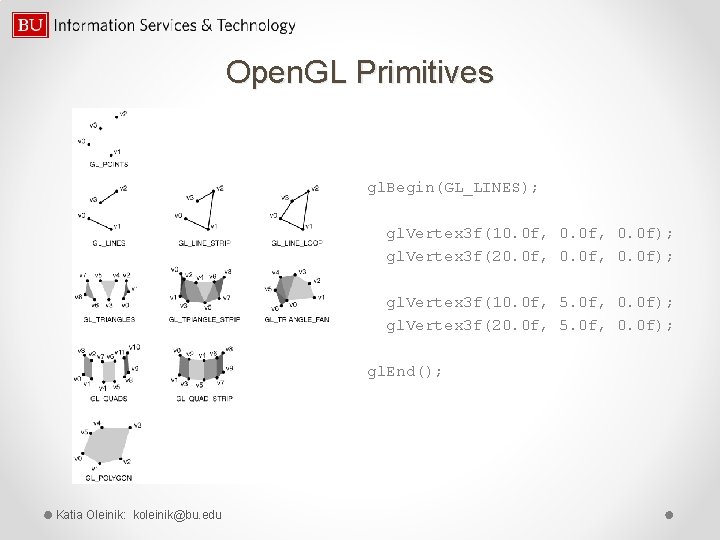
Open. GL Primitives gl. Begin(GL_LINES); gl. Vertex 3 f(10. 0 f, 0. 0 f); gl. Vertex 3 f(20. 0 f, 0. 0 f); gl. Vertex 3 f(10. 0 f, 5. 0 f, 0. 0 f); gl. Vertex 3 f(20. 0 f, 5. 0 f, 0. 0 f); gl. End(); Katia Oleinik: koleinik@bu. edu
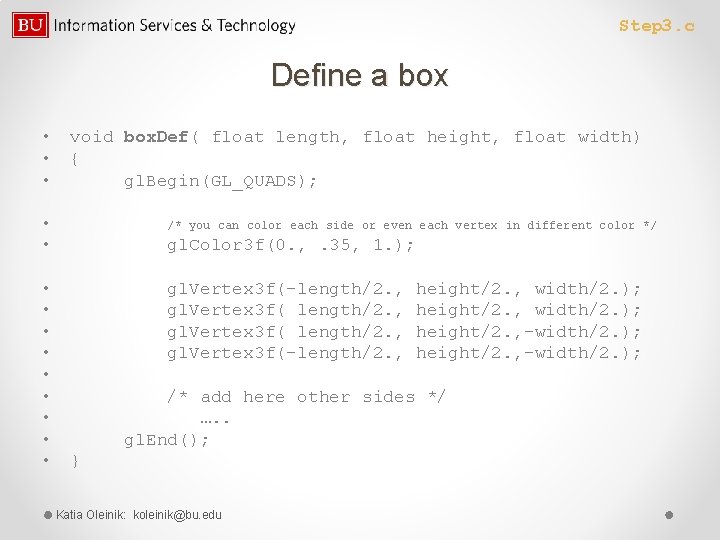
Step 3. c Define a box • • • void box. Def( float length, float height, float width) { gl. Begin(GL_QUADS); • • /* you can color each side or even each vertex in different color */ gl. Color 3 f(0. , . 35, 1. ); • • • gl. Vertex 3 f(-length/2. , height/2. , width/2. ); gl. Vertex 3 f( length/2. , height/2. , -width/2. ); gl. Vertex 3 f(-length/2. , height/2. , -width/2. ); /* add here other sides */ …. . gl. End(); } Katia Oleinik: koleinik@bu. edu
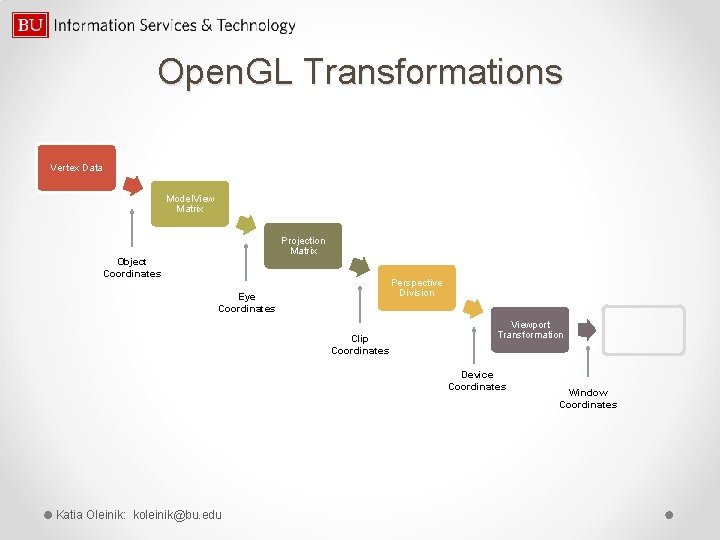
Open. GL Transformations Vertex Data Model. View Matrix Projection Matrix Object Coordinates Perspective Division Eye Coordinates Clip Coordinates Viewport Transformation Device Coordinates Katia Oleinik: koleinik@bu. edu Window Coordinates
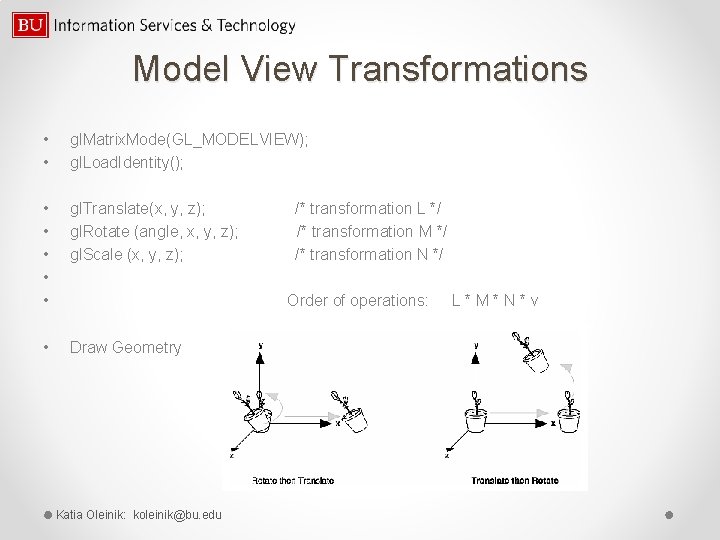
Model View Transformations • • gl. Matrix. Mode(GL_MODELVIEW); gl. Load. Identity(); • • • gl. Translate(x, y, z); /* transformation L */ gl. Rotate (angle, x, y, z); /* transformation M */ gl. Scale (x, y, z); /* transformation N */ Order of operations: L * M * N * v • Draw Geometry Katia Oleinik: koleinik@bu. edu
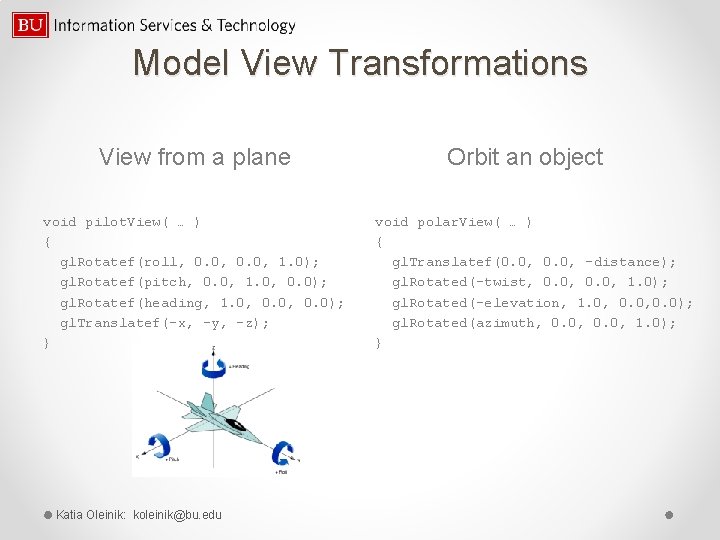
Model View Transformations View from a plane void pilot. View( … ) { gl. Rotatef(roll, 0. 0, 1. 0); gl. Rotatef(pitch, 0. 0, 1. 0, 0. 0); gl. Rotatef(heading, 1. 0, 0. 0); gl. Translatef(-x, -y, -z); } Katia Oleinik: koleinik@bu. edu Orbit an object void polar. View( … ) { gl. Translatef(0. 0, -distance); gl. Rotated(-twist, 0. 0, 1. 0); gl. Rotated(-elevation, 1. 0, 0. 0); gl. Rotated(azimuth, 0. 0, 1. 0); }
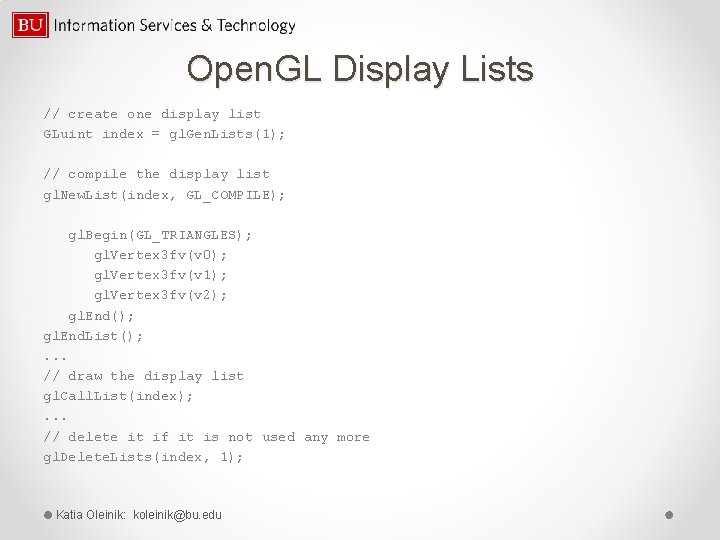
Open. GL Display Lists // create one display list GLuint index = gl. Gen. Lists(1); // compile the display list gl. New. List(index, GL_COMPILE); gl. Begin(GL_TRIANGLES); gl. Vertex 3 fv(v 0); gl. Vertex 3 fv(v 1); gl. Vertex 3 fv(v 2); gl. End(); gl. End. List(); . . . // draw the display list gl. Call. List(index); . . . // delete it if it is not used any more gl. Delete. Lists(index, 1); Katia Oleinik: koleinik@bu. edu
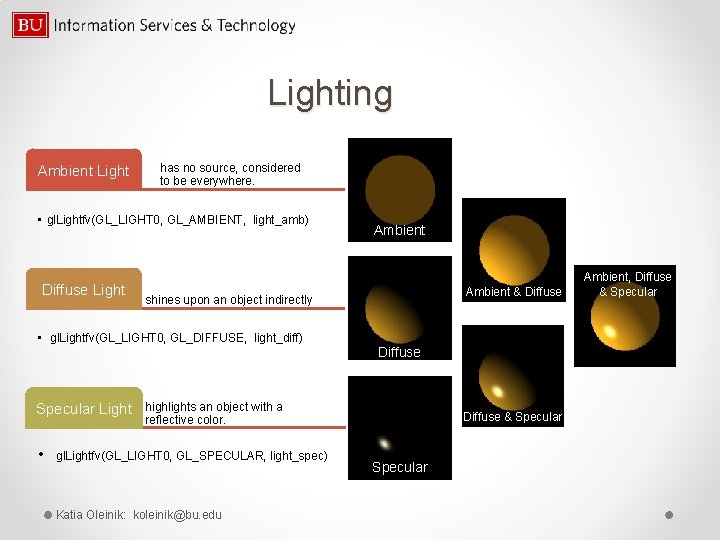
Lighting Ambient Light has no source, considered to be everywhere. • gl. Lightfv(GL_LIGHT 0, GL_AMBIENT, light_amb) Diffuse Light Ambient & Diffuse shines upon an object indirectly • gl. Lightfv(GL_LIGHT 0, GL_DIFFUSE, light_diff) Specular Light Ambient Diffuse highlights an object with a reflective color. • gl. Lightfv(GL_LIGHT 0, GL_SPECULAR, light_spec) Katia Oleinik: koleinik@bu. edu Diffuse & Specular Ambient, Diffuse & Specular
Light(s) Position At least 8 lights available. Light Positional / Spotlight Directional GLfloat light_pos[] = { x, y, z, w } // 4 th value: w=1 – for positional, w=0 – for directional gl. Lightfv (GL_LIGHT 0, GL_POSITION, light_pos) Katia Oleinik: koleinik@bu. edu
Material Properties Ambient default = (0. 2, 1. 0) • GLfloat mat_amb [] = {0. 1, 0. 5, 0. 8, 1. 0}; • gl. Materialfv(GL_FRONT_AND_BACK, GL_AMBIENT, mat_amb); Diffuse In real life diffuse and ambient colors are set to the same value default = (0. 8, 1. 0) • GLfloat mat_diff [] = {0. 1, 0. 5, 0. 8, 1. 0}; • gl. Materialfv(GL_FRONT_AND_BACK, GL_DIFFUSE, mat_diff); Specular default = (0. 0, 1. 0) • GLfloat mat_spec [] = {1. 0, 1. 0}; • gl. Materialfv(GL_FRONT, GL_SPECULAR, mat_spec); Shininess controls the size and brightness of the highlight, value range (0. to 128. ) default =0. 0 • GLfloat low_shininess [] = {5. }; // the higher value the smaller and brighter (more focused) the highlight • gl. Materialfv(GL_FRONT, GL_SHININESS, low_shininess); Emission emissive color of material (usually to simulate a light source), • GLfloat mat_emission[] = {0. 3, 0. 2, 0. 0}; • gl. Materialfv(GL_FRONT, GL_EMISSION, mat_emission); Katia Oleinik: koleinik@bu. edu default = (0. 0, 1. 0)
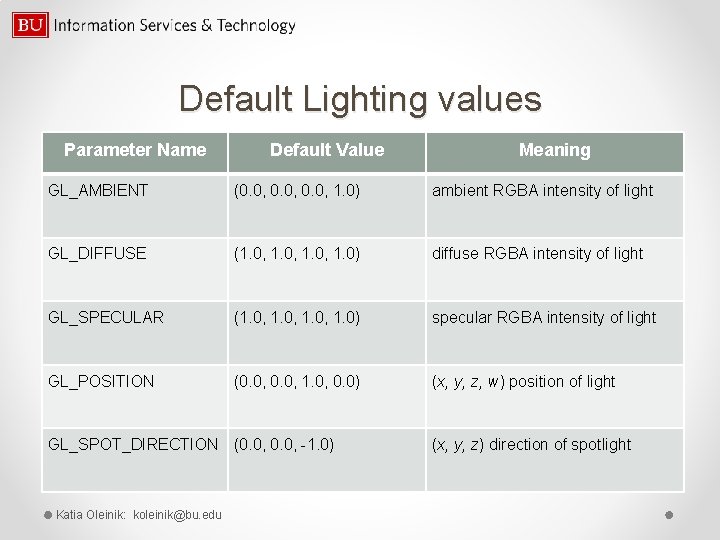
Default Lighting values Parameter Name Default Value Meaning GL_AMBIENT (0. 0, 1. 0) ambient RGBA intensity of light GL_DIFFUSE (1. 0, 1. 0) diffuse RGBA intensity of light GL_SPECULAR (1. 0, 1. 0) specular RGBA intensity of light GL_POSITION (0. 0, 1. 0, 0. 0) (x, y, z, w) position of light GL_SPOT_DIRECTION (0. 0, -1. 0) Katia Oleinik: koleinik@bu. edu (x, y, z) direction of spotlight
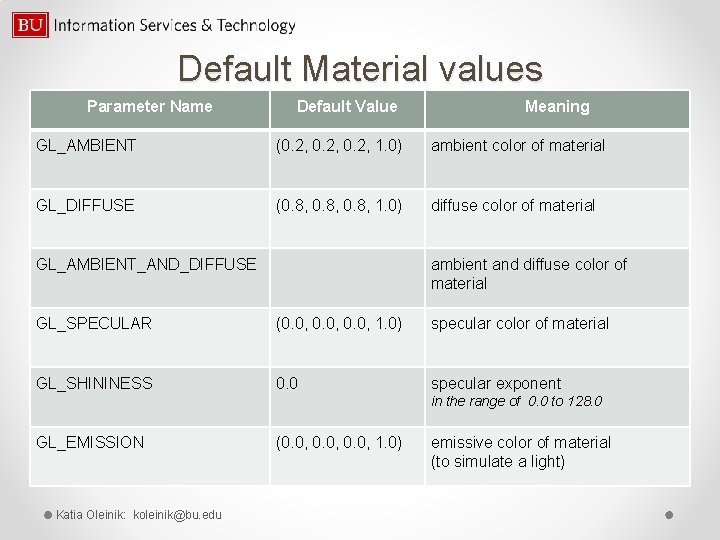
Default Material values Parameter Name Default Value Meaning GL_AMBIENT (0. 2, 1. 0) ambient color of material GL_DIFFUSE (0. 8, 1. 0) diffuse color of material GL_AMBIENT_AND_DIFFUSE ambient and diffuse color of material GL_SPECULAR (0. 0, 1. 0) specular color of material GL_SHININESS 0. 0 specular exponent in the range of 0. 0 to 128. 0 GL_EMISSION Katia Oleinik: koleinik@bu. edu (0. 0, 1. 0) emissive color of material (to simulate a light)
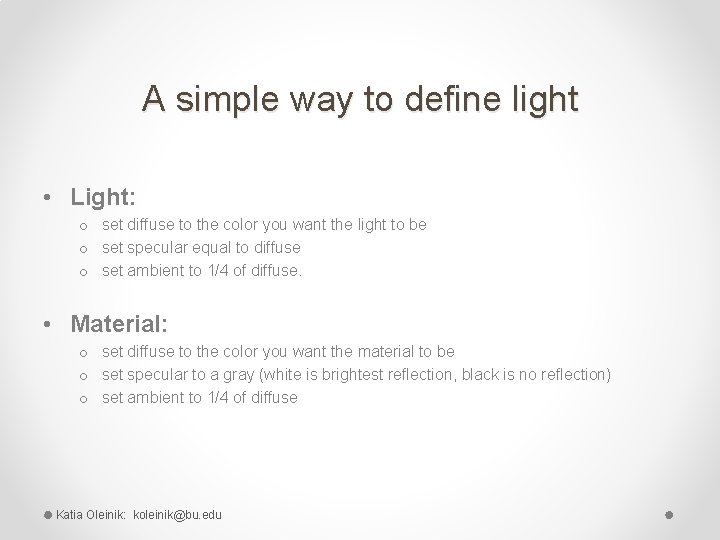
A simple way to define light • Light: o set diffuse to the color you want the light to be o set specular equal to diffuse o set ambient to 1/4 of diffuse. • Material: o set diffuse to the color you want the material to be o set specular to a gray (white is brightest reflection, black is no reflection) o set ambient to 1/4 of diffuse Katia Oleinik: koleinik@bu. edu
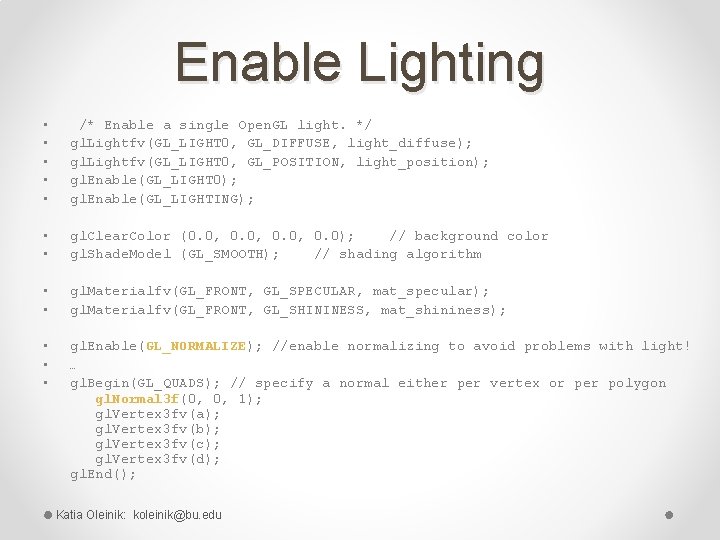
Enable Lighting • • • /* Enable a single Open. GL light. */ gl. Lightfv(GL_LIGHT 0, GL_DIFFUSE, light_diffuse); gl. Lightfv(GL_LIGHT 0, GL_POSITION, light_position); gl. Enable(GL_LIGHT 0); gl. Enable(GL_LIGHTING); • • gl. Clear. Color (0. 0, 0. 0); // background color gl. Shade. Model (GL_SMOOTH); // shading algorithm • • gl. Materialfv(GL_FRONT, GL_SPECULAR, mat_specular); gl. Materialfv(GL_FRONT, GL_SHININESS, mat_shininess); • • • gl. Enable(GL_NORMALIZE); //enable normalizing to avoid problems with light! … gl. Begin(GL_QUADS); // specify a normal either per vertex or per polygon gl. Normal 3 f(0, 0, 1); gl. Vertex 3 fv(a); gl. Vertex 3 fv(b); gl. Vertex 3 fv(c); gl. Vertex 3 fv(d); gl. End(); Katia Oleinik: koleinik@bu. edu
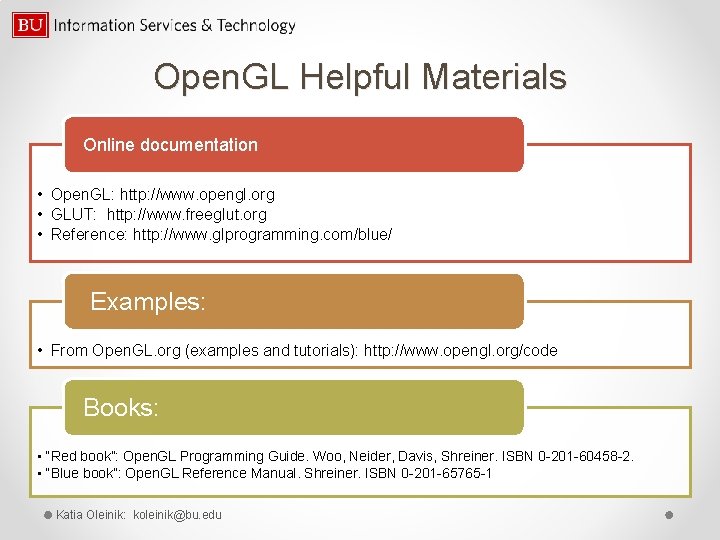
Open. GL Helpful Materials Online documentation • Open. GL: http: //www. opengl. org • GLUT: http: //www. freeglut. org • Reference: http: //www. glprogramming. com/blue/ Examples: • From Open. GL. org (examples and tutorials): http: //www. opengl. org/code Books: • “Red book”: Open. GL Programming Guide. Woo, Neider, Davis, Shreiner. ISBN 0 -201 -60458 -2. • “Blue book”: Open. GL Reference Manual. Shreiner. ISBN 0 -201 -65765 -1 Katia Oleinik: koleinik@bu. edu
Open. Scene. Graph • Open source • 3 D Graphics • Use: visual simulation, scientific visualization and modeling, games • Written in C++ using Open. GL • Runs on a variety of OS: Windows, Linux, Mac OS X • Website: http: //www. openscenegraph. org • Many utility functions, including 3 D file readers Katia Oleinik: koleinik@bu. edu
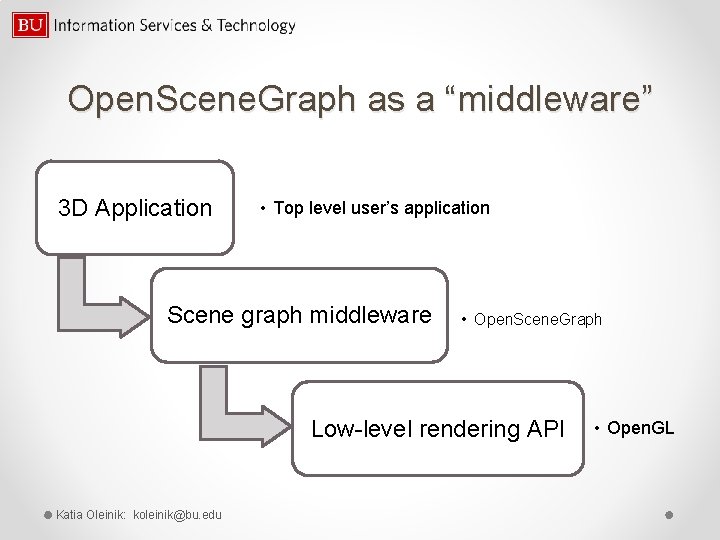
Open. Scene. Graph as a “middleware” 3 D Application • Top level user’s application Scene graph middleware • Open. Scene. Graph Low-level rendering API Katia Oleinik: koleinik@bu. edu • Open. GL
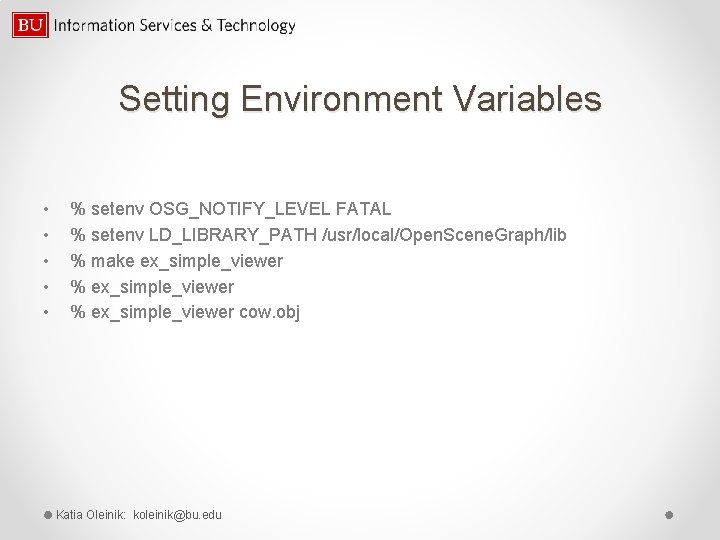
Setting Environment Variables • • • % setenv OSG_NOTIFY_LEVEL FATAL % setenv LD_LIBRARY_PATH /usr/local/Open. Scene. Graph/lib % make ex_simple_viewer % ex_simple_viewer cow. obj Katia Oleinik: koleinik@bu. edu
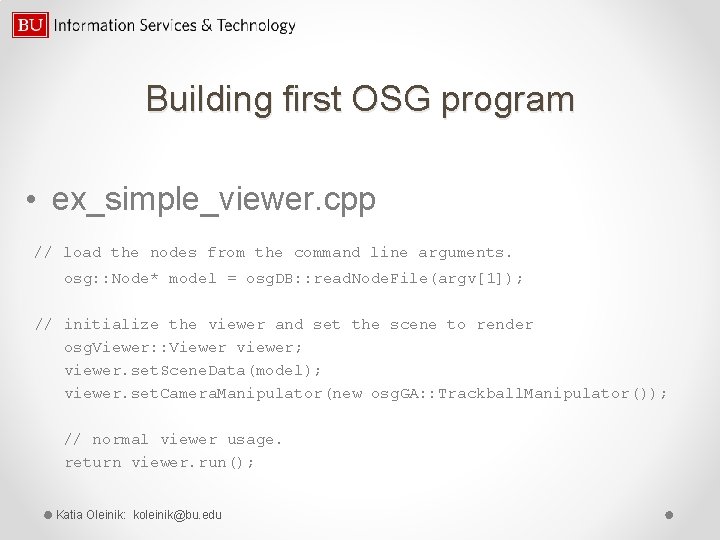
Building first OSG program • ex_simple_viewer. cpp // load the nodes from the command line arguments. osg: : Node* model = osg. DB: : read. Node. File(argv[1]); // initialize the viewer and set the scene to render osg. Viewer: : Viewer viewer; viewer. set. Scene. Data(model); viewer. set. Camera. Manipulator(new osg. GA: : Trackball. Manipulator()); // normal viewer usage. return viewer. run(); Katia Oleinik: koleinik@bu. edu
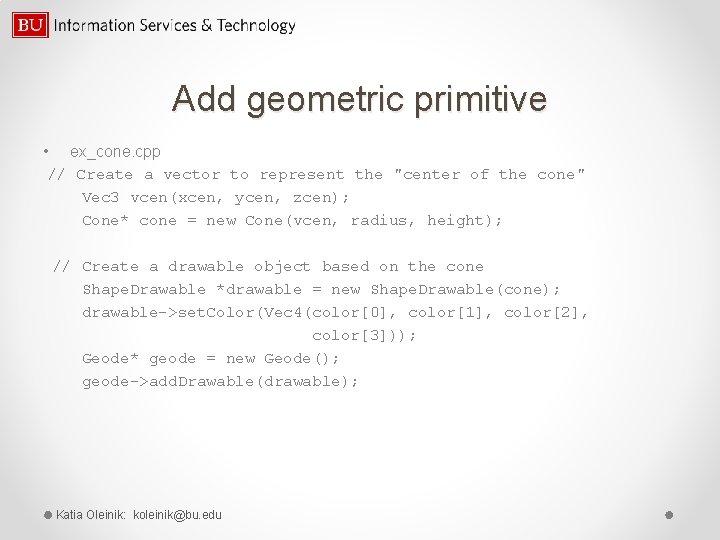
Add geometric primitive • ex_cone. cpp // Create a vector to represent the "center of the cone" Vec 3 vcen(xcen, ycen, zcen); Cone* cone = new Cone(vcen, radius, height); // Create a drawable object based on the cone Shape. Drawable *drawable = new Shape. Drawable(cone); drawable->set. Color(Vec 4(color[0], color[1], color[2], color[3])); Geode* geode = new Geode(); geode->add. Drawable(drawable); Katia Oleinik: koleinik@bu. edu
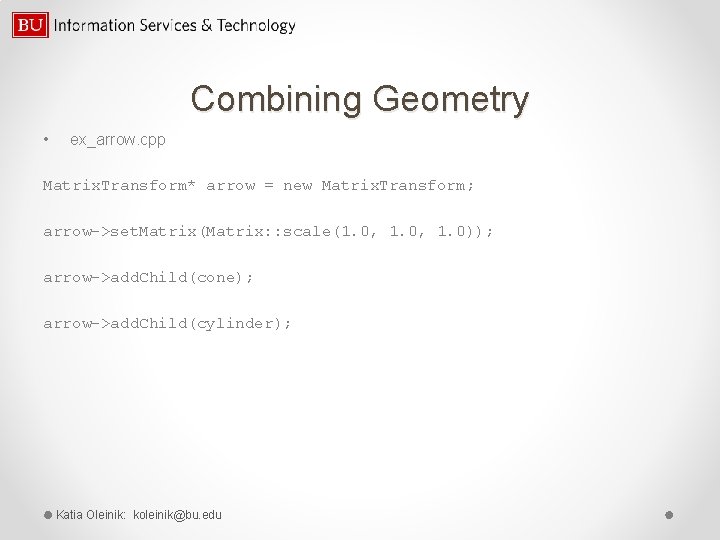
Combining Geometry • ex_arrow. cpp Matrix. Transform* arrow = new Matrix. Transform; arrow->set. Matrix(Matrix: : scale(1. 0, 1. 0)); arrow->add. Child(cone); arrow->add. Child(cylinder); Katia Oleinik: koleinik@bu. edu
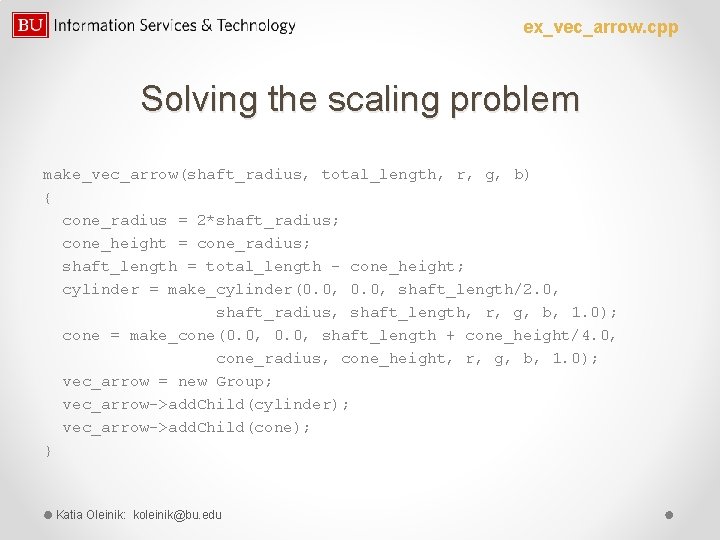
ex_vec_arrow. cpp Solving the scaling problem make_vec_arrow(shaft_radius, total_length, r, g, b) { cone_radius = 2*shaft_radius; cone_height = cone_radius; shaft_length = total_length - cone_height; cylinder = make_cylinder(0. 0, shaft_length/2. 0, shaft_radius, shaft_length, r, g, b, 1. 0); cone = make_cone(0. 0, shaft_length + cone_height/4. 0, cone_radius, cone_height, r, g, b, 1. 0); vec_arrow = new Group; vec_arrow->add. Child(cylinder); vec_arrow->add. Child(cone); } Katia Oleinik: koleinik@bu. edu
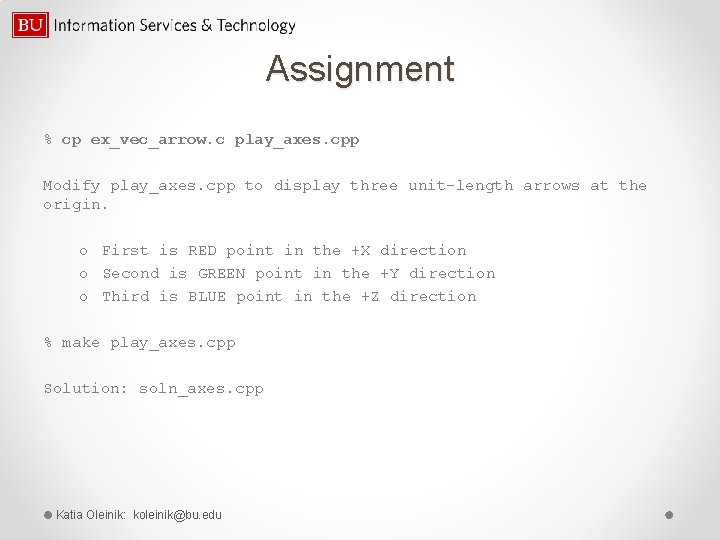
Assignment % cp ex_vec_arrow. c play_axes. cpp Modify play_axes. cpp to display three unit-length arrows at the origin. o First is RED point in the +X direction o Second is GREEN point in the +Y direction o Third is BLUE point in the +Z direction % make play_axes. cpp Solution: soln_axes. cpp Katia Oleinik: koleinik@bu. edu
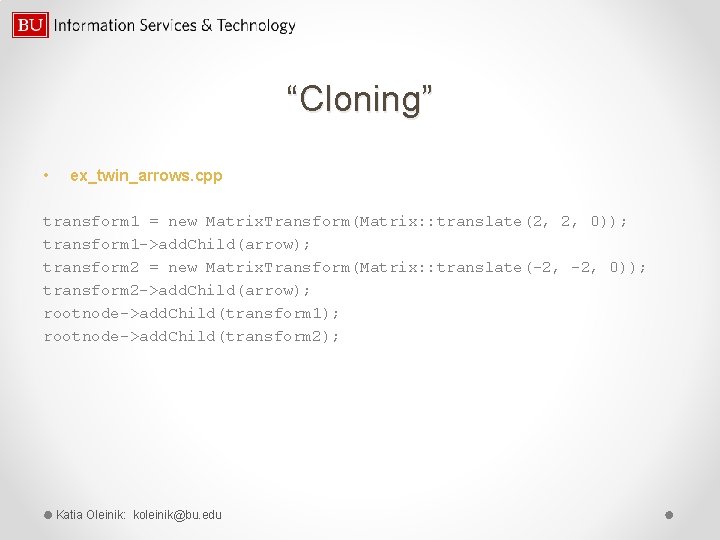
“Cloning” • ex_twin_arrows. cpp transform 1 = new Matrix. Transform(Matrix: : translate(2, 2, 0)); transform 1 ->add. Child(arrow); transform 2 = new Matrix. Transform(Matrix: : translate(-2, 0)); transform 2 ->add. Child(arrow); rootnode->add. Child(transform 1); rootnode->add. Child(transform 2); Katia Oleinik: koleinik@bu. edu
Assignment • Modify the last example, so that you can animate the Position. Attitude. Transform “arrow” and see what happens … • Solution is left to you Katia Oleinik: koleinik@bu. edu
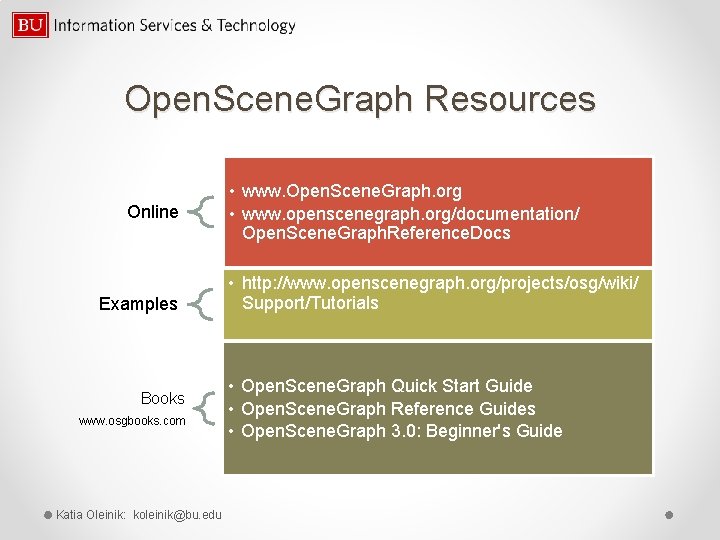
Open. Scene. Graph Resources Online Examples Books www. osgbooks. com Katia Oleinik: koleinik@bu. edu • www. Open. Scene. Graph. org • www. openscenegraph. org/documentation/ Open. Scene. Graph. Reference. Docs • http: //www. openscenegraph. org/projects/osg/wiki/ Support/Tutorials • Open. Scene. Graph Quick Start Guide • Open. Scene. Graph Reference Guides • Open. Scene. Graph 3. 0: Beginner's Guide
Final Notes • Please fill out an online evaluation of this tutorial: scv. bu. edu/survey/tutorial_evaluation. html • System help@twister. bu. edu, help@katana. bu. edu • Web-based tutorials www. bu. edu/tech/research/tutorials • Consultation by appointment Katia Oleinik(koleinik@bu. edu) Katia Oleinik: koleinik@bu. edu