
Graphics in Java Part II Lecture Objectives Learn
Graphics in Java Part II
Lecture Objectives • Learn how to use Graphics in Java
Lecture Objectives • Outline: Introduction Graphics Contexts and Graphics Objects Color Control Font Control Drawing Lines, Rectangles and Ovals Drawing Arcs Drawing Polygons and Polylines The Java 2 D API Java 2 D Shapes
Introduction • In this lecture, we will learn about: § Drawing 2 D shapes. § Using colors. § Using fonts. • Java Graphics Support: § Has a class hierarchy for its graphics classes and 2 D API classes • Java Coordinate System: § (x, y) pairs • x - horizontal axis • y - vertical axis § Upper left corner is (0, 0) § Coordinates measured in Pixels (Picture Element - Smallest unit of resolution)
Graphics Context and Objects • Graphics context § Enables drawing on screen § Graphics object manages graphics context • Controls how information is drawn • Has methods for drawing, font manipulation, etc § Graphics an abstract class! • Cannot instantiate objects • Implementation hidden - more portable • Class Component § Superclass for many classes in java. awt package § Method paint() takes Graphics object as argument
Graphics Context and Objects (Cont’d) • Class Component (Cont’d) § paint() often called in response to an event § repaint() calls update(), which forces a paint() operation • update() rarely called directly! • Sometimes overridden to reduce "flicker" Headers: public void repaint() public void update( Graphics g ) • In this lecture: § Focus on paint() method
Color Control • Class Color § Defines methods and constants for manipulating colors § Colors created from red, green, and blue (RGB) components • RGB value: 3 integers from 0 to 255 each, or three floating point values from 0 to 1. 0 each • Larger the value, more of that color § Color methods get. Red(), get. Green(), get. Blue() return an integer between 0 and 255 representing amount § Graphics method set. Color() sets drawing color • Takes Color object • Method get. Color() gets current color setting
Color Control (Cont’d) • Component JColor. Chooser § Displays dialog allowing user to select a color § Method show. Dialog() • First argument: reference to parent Component (window from which dialog being displayed) – Modal dialog - user cannot interact with other dialogs while active • Second argument: String for title bar • Third argument: Initial selected color • Returns a Color object • Class Container § Method set. Background() - takes Color object § Sets background color
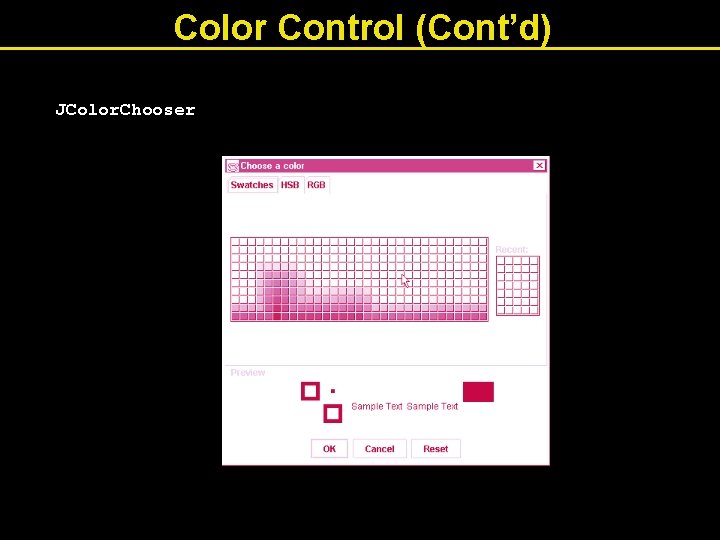
Color Control (Cont’d) JColor. Chooser
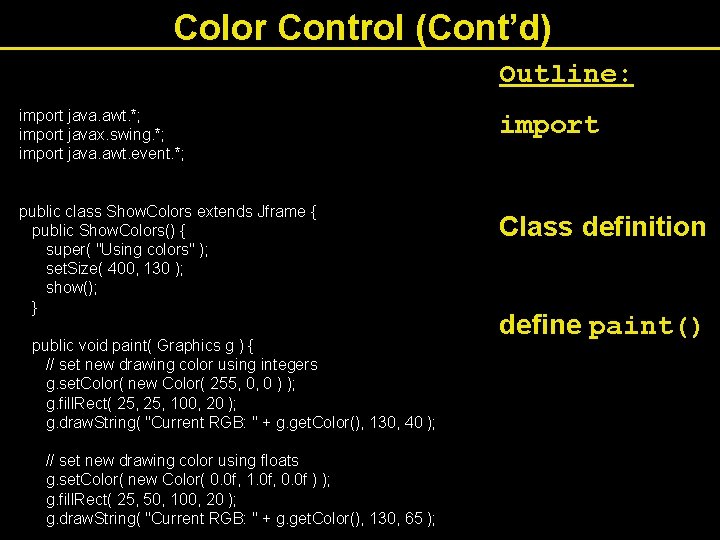
Color Control (Cont’d) Outline: import java. awt. *; import javax. swing. *; import java. awt. event. *; public class Show. Colors extends Jframe { public Show. Colors() { super( "Using colors" ); set. Size( 400, 130 ); show(); } public void paint( Graphics g ) { // set new drawing color using integers g. set. Color( new Color( 255, 0, 0 ) ); g. fill. Rect( 25, 100, 20 ); g. draw. String( "Current RGB: " + g. get. Color(), 130, 40 ); // set new drawing color using floats g. set. Color( new Color( 0. 0 f, 1. 0 f, 0. 0 f ) ); g. fill. Rect( 25, 50, 100, 20 ); g. draw. String( "Current RGB: " + g. get. Color(), 130, 65 ); import Class definition define paint()
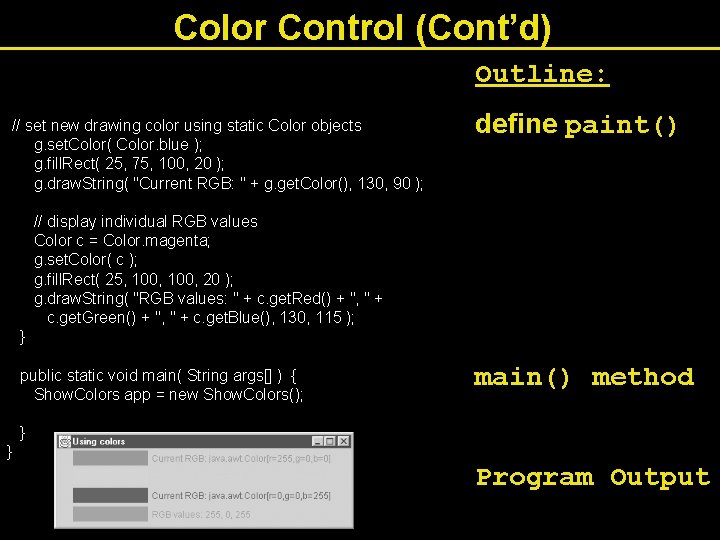
Color Control (Cont’d) Outline: // set new drawing color using static Color objects g. set. Color( Color. blue ); g. fill. Rect( 25, 75, 100, 20 ); g. draw. String( "Current RGB: " + g. get. Color(), 130, 90 ); // display individual RGB values Color c = Color. magenta; g. set. Color( c ); g. fill. Rect( 25, 100, 20 ); g. draw. String( "RGB values: " + c. get. Red() + ", " + c. get. Green() + ", " + c. get. Blue(), 130, 115 ); } public static void main( String args[] ) { Show. Colors app = new Show. Colors(); define paint() main() method } } Program Output
Font Control • Class Font § Constructor takes three arguments public Font( String name, int style, int size) • name: any font supported by system (Serif, Monospaced) • style: constants FONT. PLAIN, FONT. ITALIC, FONT. BOLD – Combinations: FONT. ITALIC + FONT. BOLD • size: measured in points (1/72 of an inch) § Use similar to Color § g. set. Font( font. Object );
Font Control (Cont’d) • Methods § § § § § get. Style() get. Size() get. Name() get. Family() is. Plain() is. Bold() is. Italic() get. Font() set. Font(Font f)
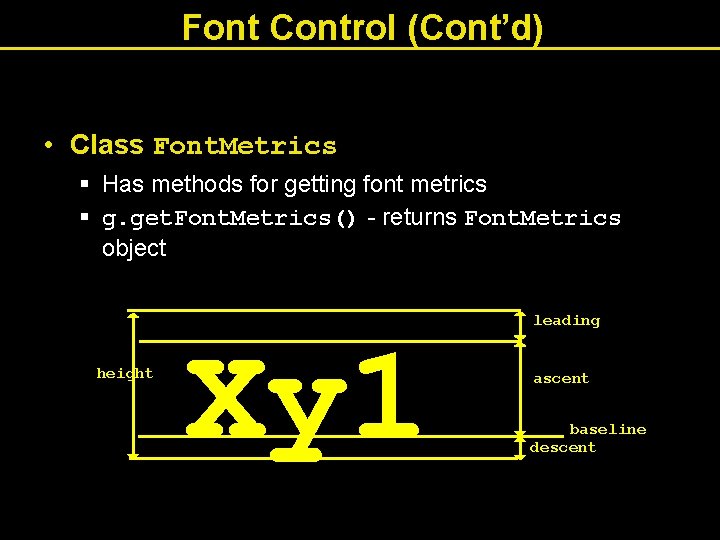
Font Control (Cont’d) • Class Font. Metrics § Has methods for getting font metrics § g. get. Font. Metrics() - returns Font. Metrics object height Xy 1 leading ascent baseline descent
Font Control (Cont’d) • Font. Metrics (and Graphics) methods § § § get. Ascent() get. Descent() get. Leading() get. Height() get. Font. Metrics( Font f )
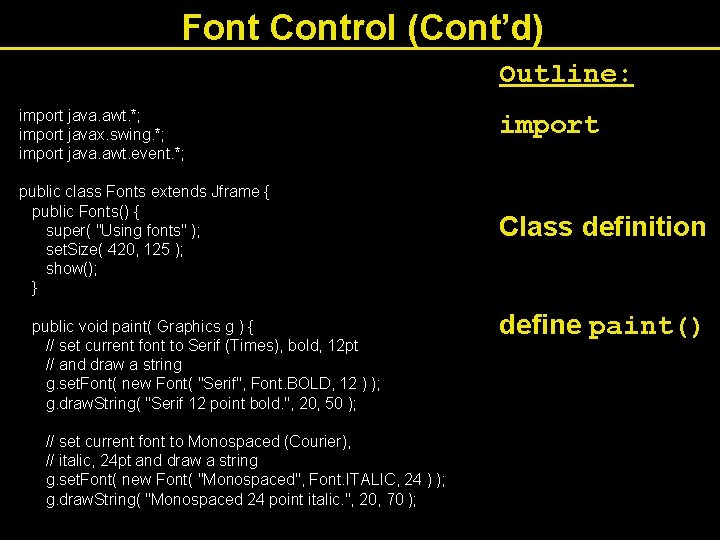
Font Control (Cont’d) Outline: import java. awt. *; import javax. swing. *; import java. awt. event. *; public class Fonts extends Jframe { public Fonts() { super( "Using fonts" ); set. Size( 420, 125 ); show(); } public void paint( Graphics g ) { // set current font to Serif (Times), bold, 12 pt // and draw a string g. set. Font( new Font( "Serif", Font. BOLD, 12 ) ); g. draw. String( "Serif 12 point bold. ", 20, 50 ); // set current font to Monospaced (Courier), // italic, 24 pt and draw a string g. set. Font( new Font( "Monospaced", Font. ITALIC, 24 ) ); g. draw. String( "Monospaced 24 point italic. ", 20, 70 ); import Class definition define paint()
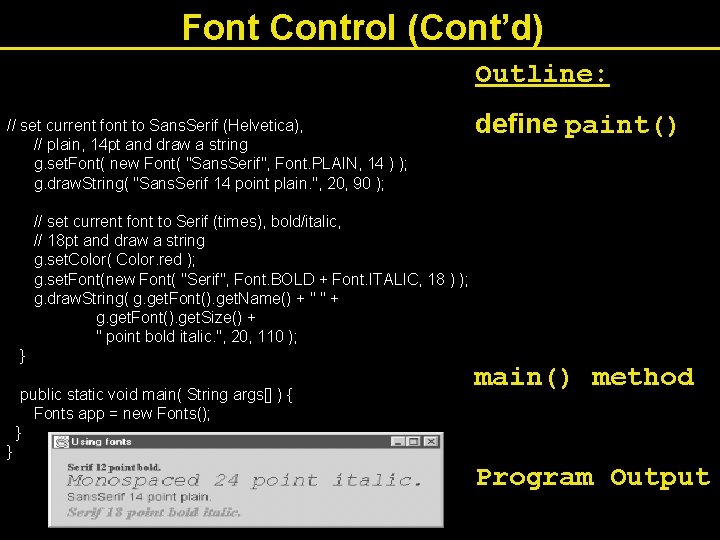
Font Control (Cont’d) Outline: // set current font to Sans. Serif (Helvetica), // plain, 14 pt and draw a string g. set. Font( new Font( "Sans. Serif", Font. PLAIN, 14 ) ); g. draw. String( "Sans. Serif 14 point plain. ", 20, 90 ); // set current font to Serif (times), bold/italic, // 18 pt and draw a string g. set. Color( Color. red ); g. set. Font(new Font( "Serif", Font. BOLD + Font. ITALIC, 18 ) ); g. draw. String( g. get. Font(). get. Name() + " " + g. get. Font(). get. Size() + " point bold italic. ", 20, 110 ); } public static void main( String args[] ) { Fonts app = new Fonts(); } } define paint() main() method Program Output
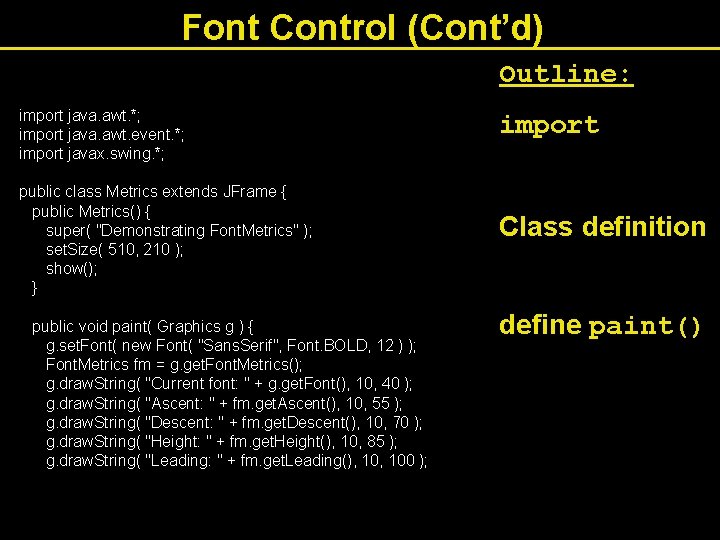
Font Control (Cont’d) Outline: import java. awt. *; import java. awt. event. *; import javax. swing. *; public class Metrics extends JFrame { public Metrics() { super( "Demonstrating Font. Metrics" ); set. Size( 510, 210 ); show(); } public void paint( Graphics g ) { g. set. Font( new Font( "Sans. Serif", Font. BOLD, 12 ) ); Font. Metrics fm = g. get. Font. Metrics(); g. draw. String( "Current font: " + g. get. Font(), 10, 40 ); g. draw. String( "Ascent: " + fm. get. Ascent(), 10, 55 ); g. draw. String( "Descent: " + fm. get. Descent(), 10, 70 ); g. draw. String( "Height: " + fm. get. Height(), 10, 85 ); g. draw. String( "Leading: " + fm. get. Leading(), 100 ); import Class definition define paint()
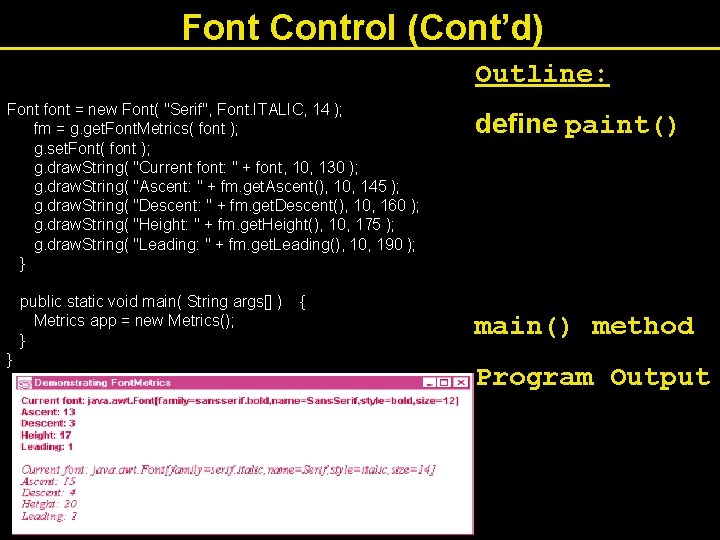
Font Control (Cont’d) Outline: Font font = new Font( "Serif", Font. ITALIC, 14 ); fm = g. get. Font. Metrics( font ); g. set. Font( font ); g. draw. String( "Current font: " + font, 10, 130 ); g. draw. String( "Ascent: " + fm. get. Ascent(), 10, 145 ); g. draw. String( "Descent: " + fm. get. Descent(), 10, 160 ); g. draw. String( "Height: " + fm. get. Height(), 10, 175 ); g. draw. String( "Leading: " + fm. get. Leading(), 10, 190 ); } public static void main( String args[] ) { Metrics app = new Metrics(); } } define paint() main() method Program Output
Drawing Lines, Rectangles and Ovals • Graphics methods for drawing shapes: § draw. Line(x 1, y 1, x 2, y 2) • Line from x 1, y 1 to x 2, y 2 § draw. Rect(x 1, y 1, width, height) • Draws rectangle with upper left corner x 1, y 1 § fill. Rect(x 1, y 1, width, height) • As above, except fills rectangle with current color § clear. Rect(x 1, y 1, width, height) • As above, except fills rectangle with background color § draw 3 DRect(x 1, y 1, width, height, is. Raised) • Draws 3 D rectangle, raised if is. Raised is true, else lowered.
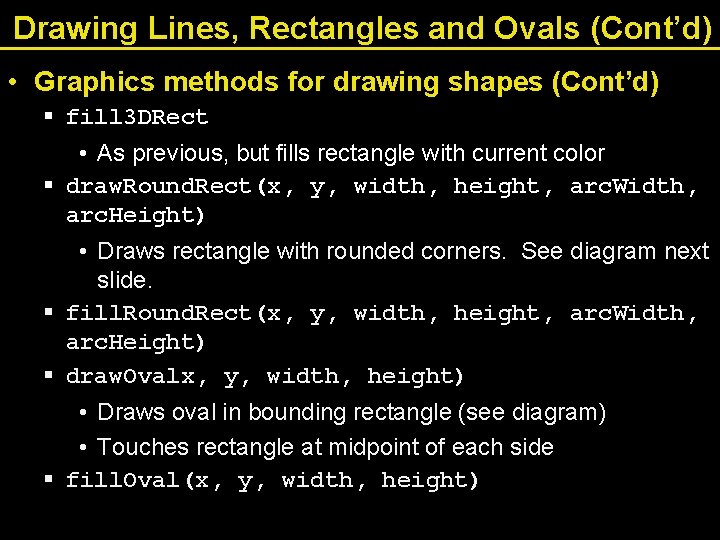
Drawing Lines, Rectangles and Ovals (Cont’d) • Graphics methods for drawing shapes (Cont’d) § fill 3 DRect • As previous, but fills rectangle with current color § draw. Round. Rect(x, y, width, height, arc. Width, arc. Height) • Draws rectangle with rounded corners. See diagram next slide. § fill. Round. Rect(x, y, width, height, arc. Width, arc. Height) § draw. Ovalx, y, width, height) • Draws oval in bounding rectangle (see diagram) • Touches rectangle at midpoint of each side § fill. Oval(x, y, width, height)
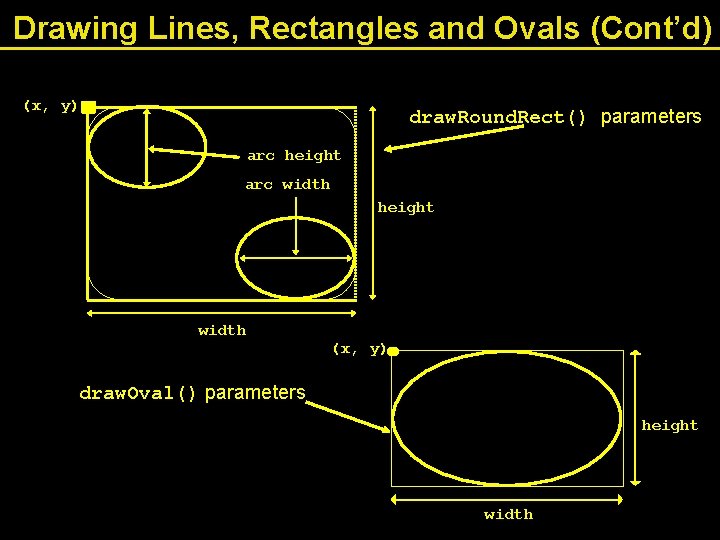
Drawing Lines, Rectangles and Ovals (Cont’d) (x, y) draw. Round. Rect() parameters arc height arc width height width (x, y) draw. Oval() parameters height width
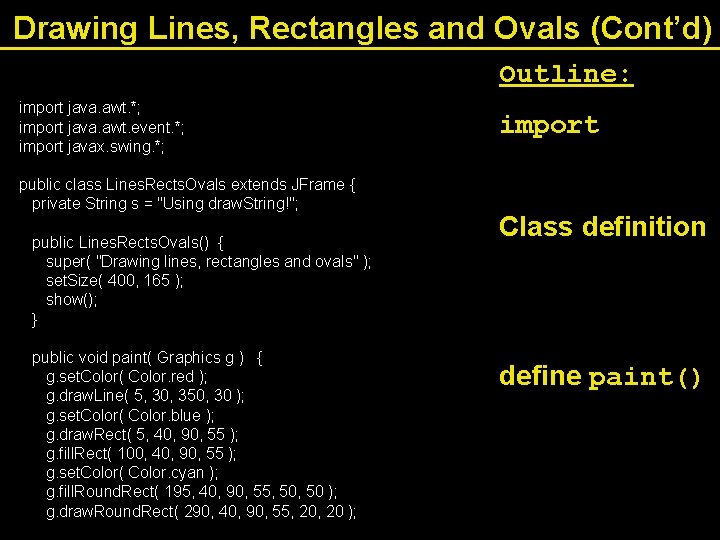
Drawing Lines, Rectangles and Ovals (Cont’d) Outline: import java. awt. *; import java. awt. event. *; import javax. swing. *; public class Lines. Rects. Ovals extends JFrame { private String s = "Using draw. String!"; public Lines. Rects. Ovals() { super( "Drawing lines, rectangles and ovals" ); set. Size( 400, 165 ); show(); } public void paint( Graphics g ) { g. set. Color( Color. red ); g. draw. Line( 5, 30, 350, 30 ); g. set. Color( Color. blue ); g. draw. Rect( 5, 40, 90, 55 ); g. fill. Rect( 100, 40, 90, 55 ); g. set. Color( Color. cyan ); g. fill. Round. Rect( 195, 40, 90, 55, 50 ); g. draw. Round. Rect( 290, 40, 90, 55, 20 ); import Class definition define paint()
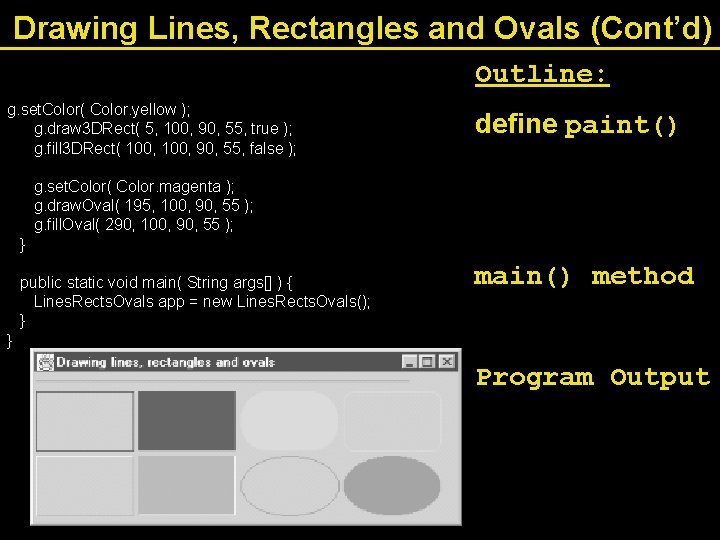
Drawing Lines, Rectangles and Ovals (Cont’d) Outline: g. set. Color( Color. yellow ); g. draw 3 DRect( 5, 100, 90, 55, true ); g. fill 3 DRect( 100, 90, 55, false ); define paint() g. set. Color( Color. magenta ); g. draw. Oval( 195, 100, 90, 55 ); g. fill. Oval( 290, 100, 90, 55 ); } public static void main( String args[] ) { Lines. Rects. Ovals app = new Lines. Rects. Ovals(); } } main() method Program Output
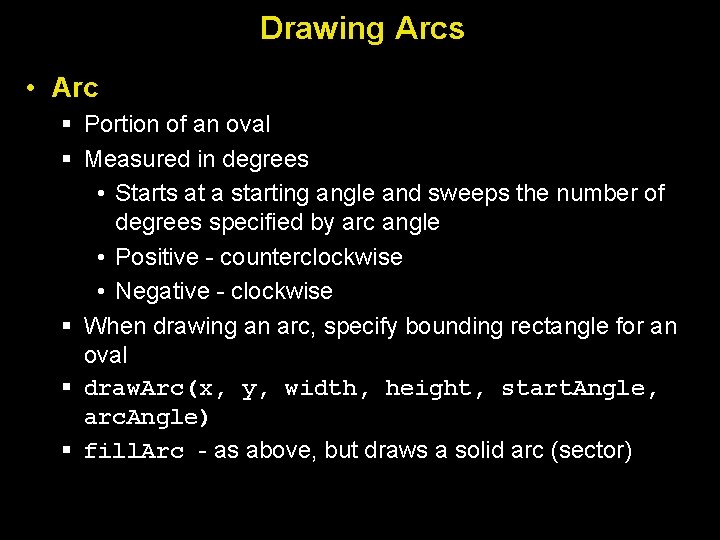
Drawing Arcs • Arc § Portion of an oval § Measured in degrees • Starts at a starting angle and sweeps the number of degrees specified by arc angle • Positive - counterclockwise • Negative - clockwise § When drawing an arc, specify bounding rectangle for an oval § draw. Arc(x, y, width, height, start. Angle, arc. Angle) § fill. Arc - as above, but draws a solid arc (sector)
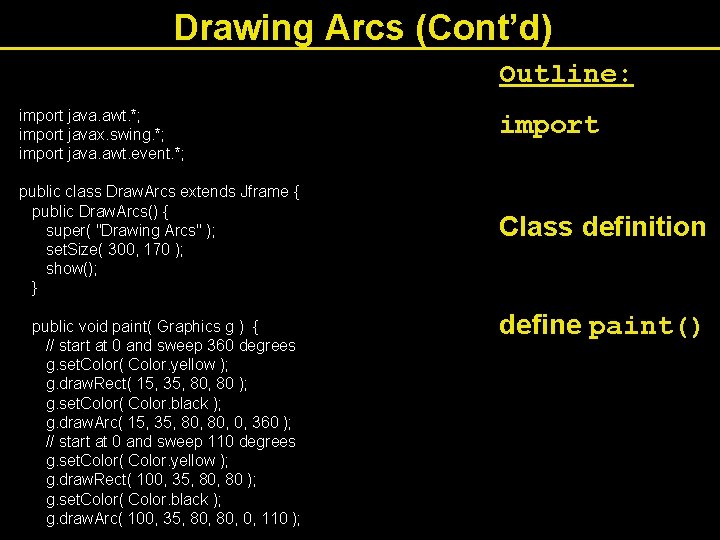
Drawing Arcs (Cont’d) Outline: import java. awt. *; import javax. swing. *; import java. awt. event. *; public class Draw. Arcs extends Jframe { public Draw. Arcs() { super( "Drawing Arcs" ); set. Size( 300, 170 ); show(); } public void paint( Graphics g ) { // start at 0 and sweep 360 degrees g. set. Color( Color. yellow ); g. draw. Rect( 15, 35, 80 ); g. set. Color( Color. black ); g. draw. Arc( 15, 35, 80, 0, 360 ); // start at 0 and sweep 110 degrees g. set. Color( Color. yellow ); g. draw. Rect( 100, 35, 80 ); g. set. Color( Color. black ); g. draw. Arc( 100, 35, 80, 0, 110 ); import Class definition define paint()
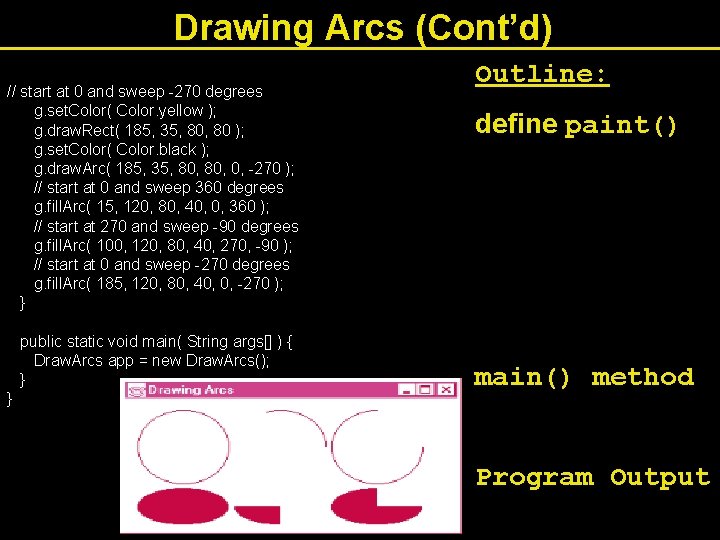
Drawing Arcs (Cont’d) // start at 0 and sweep -270 degrees g. set. Color( Color. yellow ); g. draw. Rect( 185, 35, 80 ); g. set. Color( Color. black ); g. draw. Arc( 185, 35, 80, 0, -270 ); // start at 0 and sweep 360 degrees g. fill. Arc( 15, 120, 80, 40, 0, 360 ); // start at 270 and sweep -90 degrees g. fill. Arc( 100, 120, 80, 40, 270, -90 ); // start at 0 and sweep -270 degrees g. fill. Arc( 185, 120, 80, 40, 0, -270 ); } public static void main( String args[] ) { Draw. Arcs app = new Draw. Arcs(); } } Outline: define paint() main() method Program Output
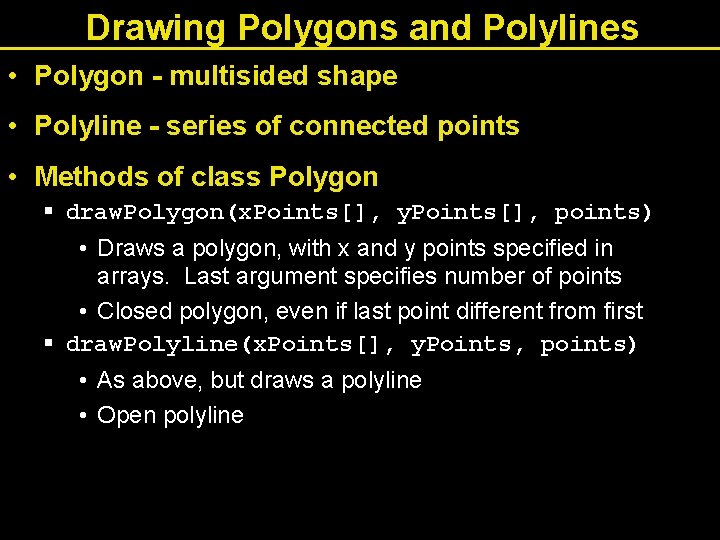
Drawing Polygons and Polylines • Polygon - multisided shape • Polyline - series of connected points • Methods of class Polygon § draw. Polygon(x. Points[], y. Points[], points) • Draws a polygon, with x and y points specified in arrays. Last argument specifies number of points • Closed polygon, even if last point different from first § draw. Polyline(x. Points[], y. Points, points) • As above, but draws a polyline • Open polyline
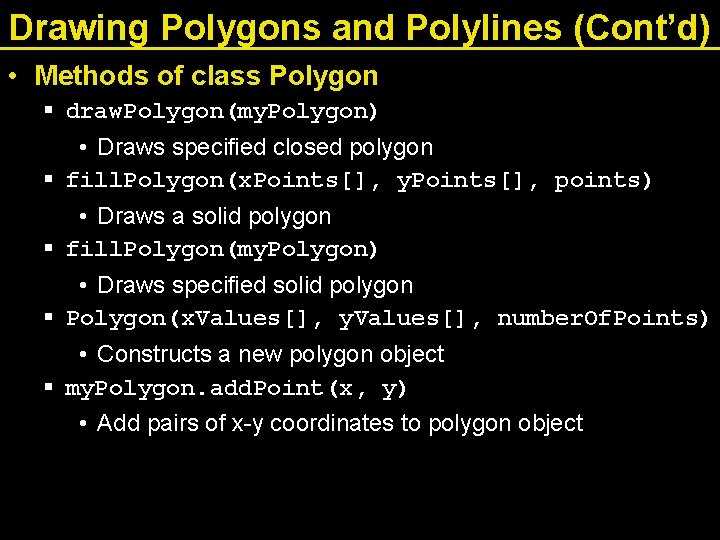
Drawing Polygons and Polylines (Cont’d) • Methods of class Polygon § draw. Polygon(my. Polygon) • Draws specified closed polygon § fill. Polygon(x. Points[], y. Points[], points) • Draws a solid polygon § fill. Polygon(my. Polygon) • Draws specified solid polygon § Polygon(x. Values[], y. Values[], number. Of. Points) • Constructs a new polygon object § my. Polygon. add. Point(x, y) • Add pairs of x-y coordinates to polygon object
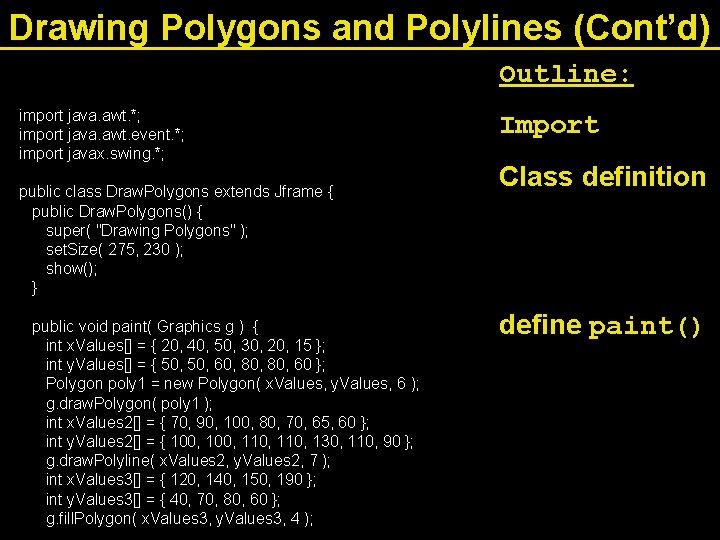
Drawing Polygons and Polylines (Cont’d) Outline: import java. awt. *; import java. awt. event. *; import javax. swing. *; public class Draw. Polygons extends Jframe { public Draw. Polygons() { super( "Drawing Polygons" ); set. Size( 275, 230 ); show(); } public void paint( Graphics g ) { int x. Values[] = { 20, 40, 50, 30, 20, 15 }; int y. Values[] = { 50, 60, 80, 60 }; Polygon poly 1 = new Polygon( x. Values, y. Values, 6 ); g. draw. Polygon( poly 1 ); int x. Values 2[] = { 70, 90, 100, 80, 70, 65, 60 }; int y. Values 2[] = { 100, 110, 130, 110, 90 }; g. draw. Polyline( x. Values 2, y. Values 2, 7 ); int x. Values 3[] = { 120, 140, 150, 190 }; int y. Values 3[] = { 40, 70, 80, 60 }; g. fill. Polygon( x. Values 3, y. Values 3, 4 ); Import Class definition define paint()
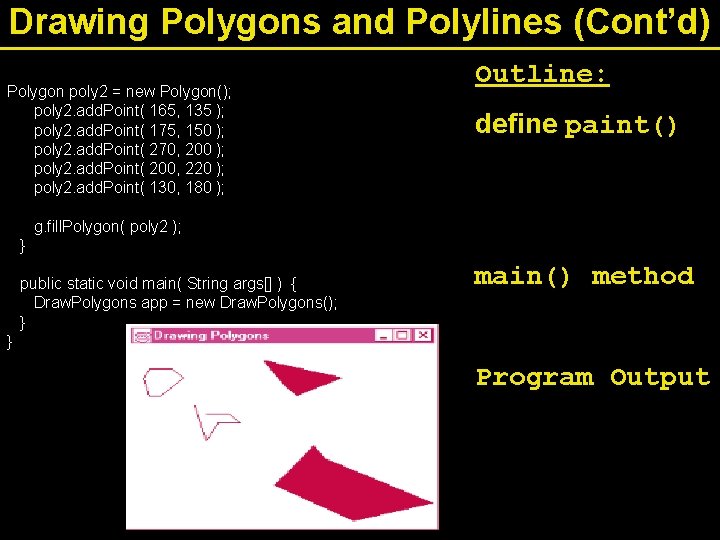
Drawing Polygons and Polylines (Cont’d) Polygon poly 2 = new Polygon(); poly 2. add. Point( 165, 135 ); poly 2. add. Point( 175, 150 ); poly 2. add. Point( 270, 200 ); poly 2. add. Point( 200, 220 ); poly 2. add. Point( 130, 180 ); Outline: define paint() g. fill. Polygon( poly 2 ); } public static void main( String args[] ) { Draw. Polygons app = new Draw. Polygons(); } } main() method Program Output
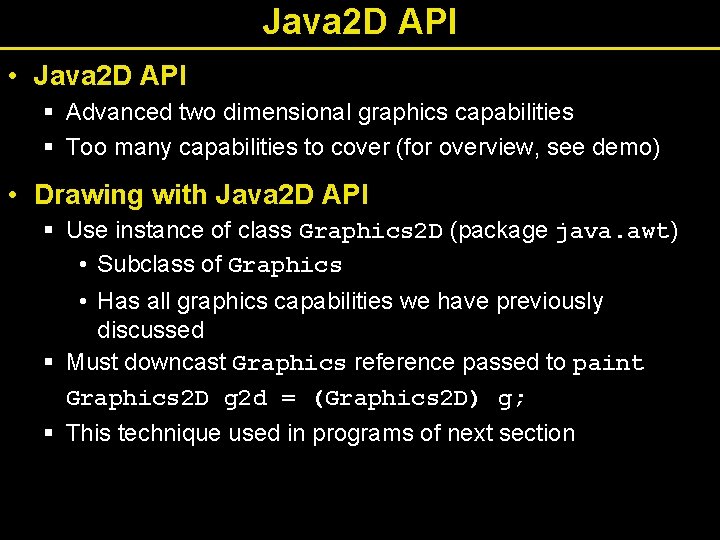
Java 2 D API • Java 2 D API § Advanced two dimensional graphics capabilities § Too many capabilities to cover (for overview, see demo) • Drawing with Java 2 D API § Use instance of class Graphics 2 D (package java. awt) • Subclass of Graphics • Has all graphics capabilities we have previously discussed § Must downcast Graphics reference passed to paint Graphics 2 D g 2 d = (Graphics 2 D) g; § This technique used in programs of next section
Java 2 D Shapes • Sample methods from Graphics 2 D § set. Paint(paint. Object) • Paint object is an object of a class that implements java. awt. Paint • Can be an object of class Color, Gradient. Paint, System. Color, Texture. Paint § Gradient. Paint(x 1, y 1, color 1, x 2, y 2, color 2, cyclic) • Creates a gradient (slowly changing color) from x 1, y 1, to x 2, y 2, starting with color 1 and changing to color 2 • If cyclic true, then cyclic gradient (keeps transitioning colors) – If acyclic, only transitions colors once
Java 2 D Shapes (Cont’d) • Sample methods from Graphics 2 D § fill ( shape. Object ) • Draws a filled Shape object • Instance of any class that implements Shape (java. awt) • Ellipse 2 D. Double, Rectangle 2 D. Double • Double-precision inner classes of Ellipse 2 D § set. Stroke( stroke. Object ) • Set a shape's borders • Instance of a class that implements Stroke (java. awt) • Basic. Stroke( width ) - One of many constructors – This constructor specifies width in pixels of border
Java 2 D Shapes (Cont’d) • Sample methods from Graphics 2 D § draw (shape. Object) • Draws specified Shape object § Class Buffered. Image • Can produce images in color or grayscale • Can create patterns by drawing into the Buffered. Image object § Class Texture. Paint • Constructor can take Buffered. Image and shape to fill • Object of class Texture. Paint then drawn using set. Paint()
Java 2 D Shapes (Cont’d) • Class Arc 2 D. Double § Similar to normal arcs, except has another argument at end • Arc 2 D. PIE - close arc with two lines • Arc 2 D. CHORD - draws line from endpoints of arc • Arc 2 D. OPEN - arc not closed • Class Basic. Stroke § Can be used to create customized dashed lines, set how lines end and join
Java 2 D Shapes (Cont’d) • Class General. Path § A general path is a shape made from lines and curves § Method move. To() • Specifies first point in a general path § Method line. To() • Draws a line to next point in general path § Method close. Path() • Draws line from last point to point specified in last call to move. To()
Java 2 D Shapes (Cont’d) • Other methods § rotate(radians) - rotate next shape around origin § translate(x, y) - translates origin to x, y
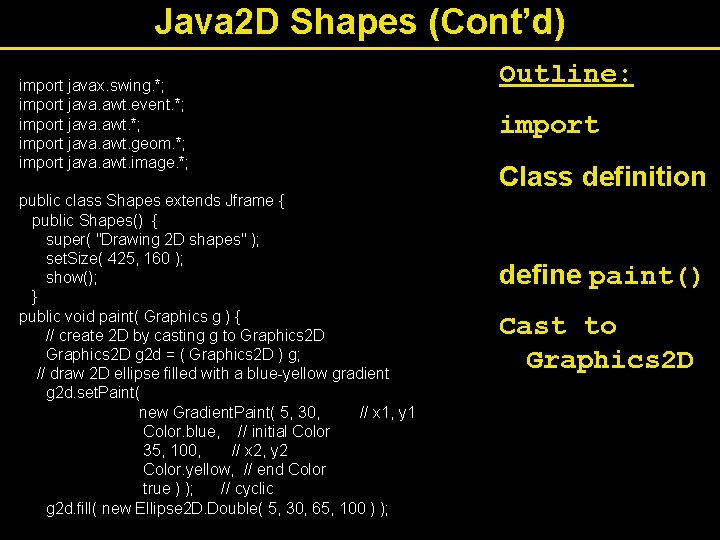
Java 2 D Shapes (Cont’d) import javax. swing. *; import java. awt. event. *; import java. awt. geom. *; import java. awt. image. *; public class Shapes extends Jframe { public Shapes() { super( "Drawing 2 D shapes" ); set. Size( 425, 160 ); show(); } public void paint( Graphics g ) { // create 2 D by casting g to Graphics 2 D g 2 d = ( Graphics 2 D ) g; // draw 2 D ellipse filled with a blue-yellow gradient g 2 d. set. Paint( new Gradient. Paint( 5, 30, // x 1, y 1 Color. blue, // initial Color 35, 100, // x 2, y 2 Color. yellow, // end Color true ) ); // cyclic g 2 d. fill( new Ellipse 2 D. Double( 5, 30, 65, 100 ) ); Outline: import Class definition define paint() Cast to Graphics 2 D
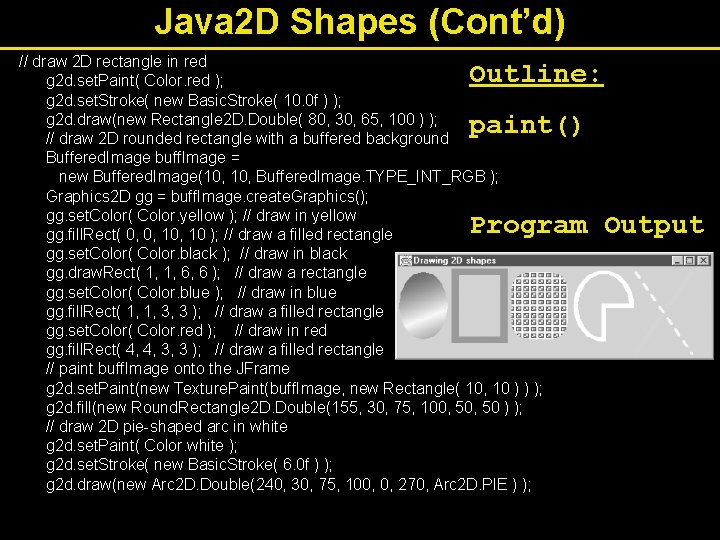
Java 2 D Shapes (Cont’d) // draw 2 D rectangle in red g 2 d. set. Paint( Color. red ); g 2 d. set. Stroke( new Basic. Stroke( 10. 0 f ) ); g 2 d. draw(new Rectangle 2 D. Double( 80, 30, 65, 100 ) ); // draw 2 D rounded rectangle with a buffered background Buffered. Image buff. Image = new Buffered. Image(10, Buffered. Image. TYPE_INT_RGB ); Graphics 2 D gg = buff. Image. create. Graphics(); gg. set. Color( Color. yellow ); // draw in yellow gg. fill. Rect( 0, 0, 10 ); // draw a filled rectangle gg. set. Color( Color. black ); // draw in black gg. draw. Rect( 1, 1, 6, 6 ); // draw a rectangle gg. set. Color( Color. blue ); // draw in blue gg. fill. Rect( 1, 1, 3, 3 ); // draw a filled rectangle gg. set. Color( Color. red ); // draw in red gg. fill. Rect( 4, 4, 3, 3 ); // draw a filled rectangle // paint buff. Image onto the JFrame g 2 d. set. Paint(new Texture. Paint(buff. Image, new Rectangle( 10, 10 ) ) ); g 2 d. fill(new Round. Rectangle 2 D. Double(155, 30, 75, 100, 50 ) ); // draw 2 D pie-shaped arc in white g 2 d. set. Paint( Color. white ); g 2 d. set. Stroke( new Basic. Stroke( 6. 0 f ) ); g 2 d. draw(new Arc 2 D. Double(240, 30, 75, 100, 0, 270, Arc 2 D. PIE ) ); Outline: paint() Program Output
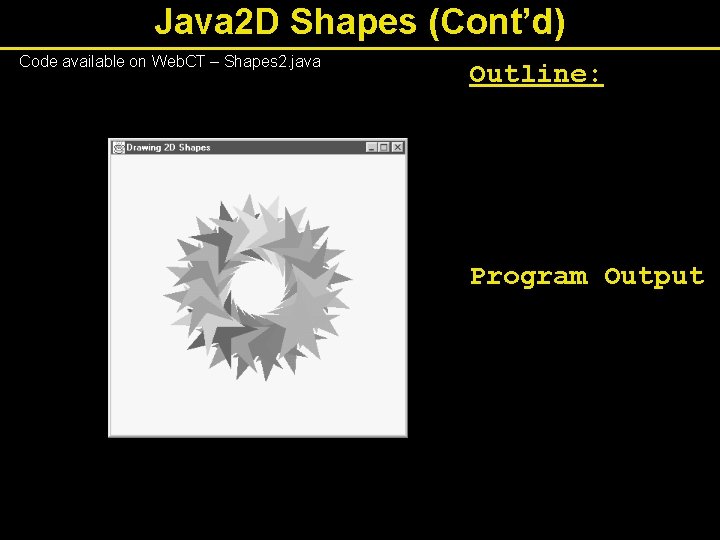
Java 2 D Shapes (Cont’d) Code available on Web. CT – Shapes 2. java Outline: Program Output
- Slides: 41