
Graphical User Interface on Analysis of Mechanics and

- Slides: 17
Graphical User Interface on Analysis of Mechanics and Dynamics of Biopolymers in Living Cells Peter Russel, Biomedical Engineering Shubham Agrawal, Computer Engineering Abdel-Rahman Hassan, Biomedical Engineering Professor Taeyoon Kim, Biomedical Engineering
Introduction • Cell mechanics, the physical response of cells to stimuli, depends in part on the qualities of the cell’s filamentous actin (f-actin, for short) such as elongation. • These quantities characterize the f-actin and if changed can indicate if a stimulus added to the sample is affecting the cells cytoskeleton, and by extension mechanical properties. • The ability to quickly analyze microscope images of their cell samples will be of great use to cell biologists investigating the behavior of these filaments.
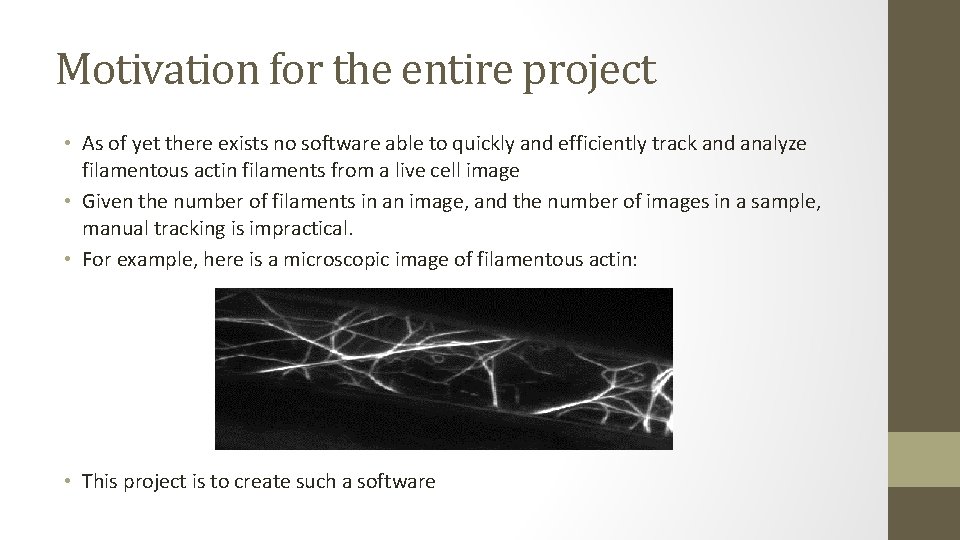
Motivation for the entire project • As of yet there exists no software able to quickly and efficiently track and analyze filamentous actin filaments from a live cell image • Given the number of filaments in an image, and the number of images in a sample, manual tracking is impractical. • For example, here is a microscopic image of filamentous actin: • This project is to create such a software
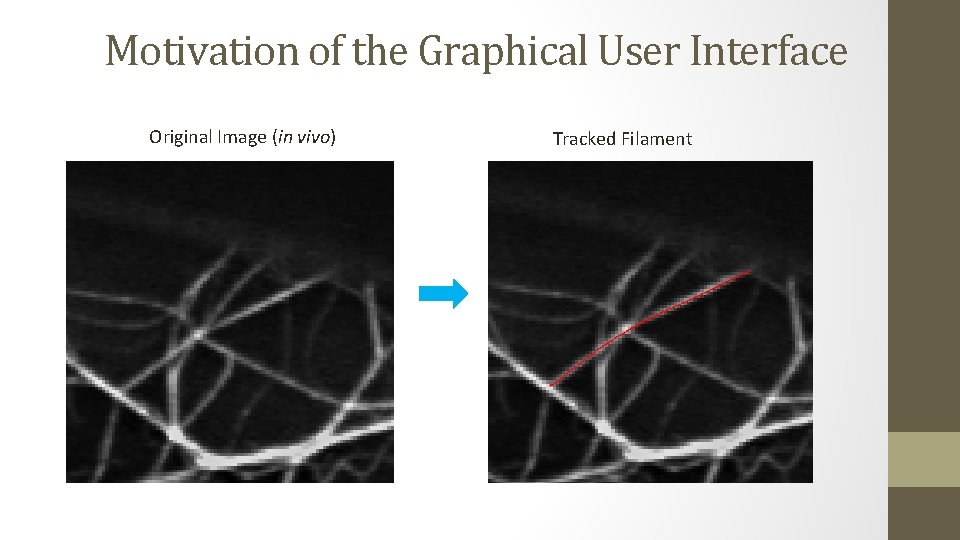
Motivation of the Graphical User Interface Original Image (in vivo) Tracked Filament
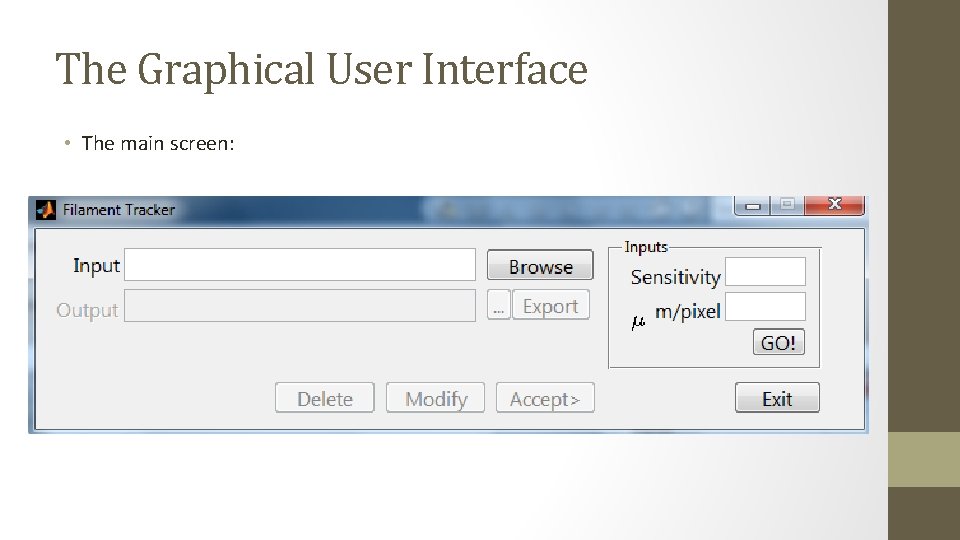
The Graphical User Interface • The main screen:
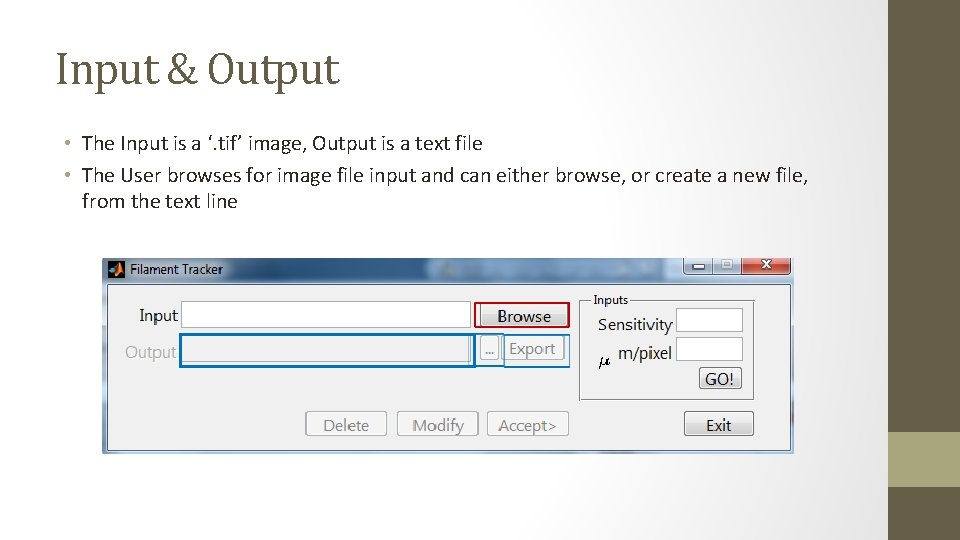
Input & Output • The Input is a ‘. tif’ image, Output is a text file • The User browses for image file input and can either browse, or create a new file, from the text line
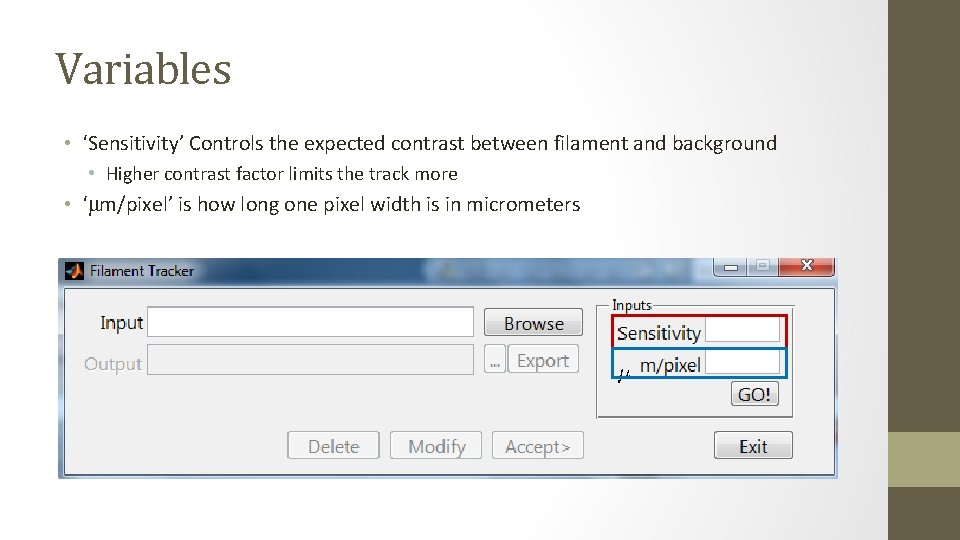
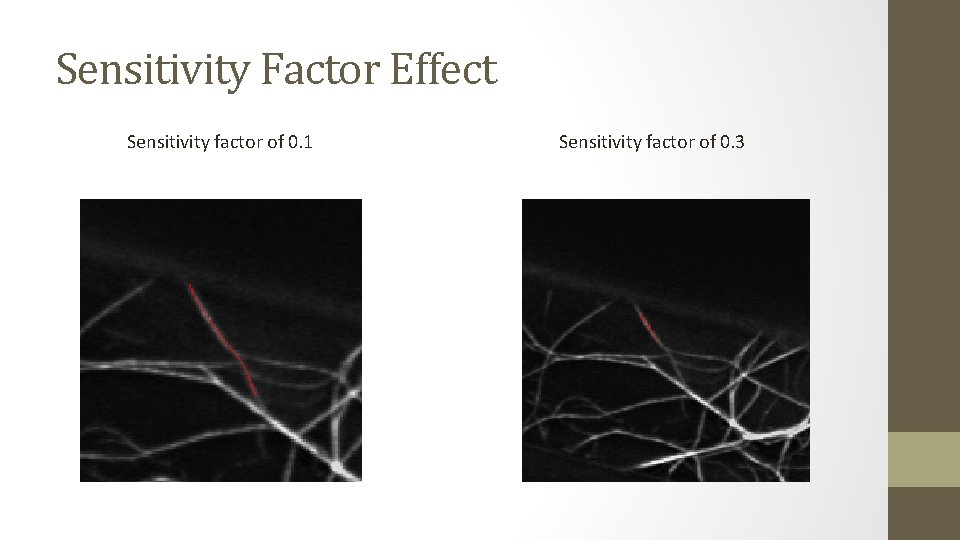
Variables • ‘Sensitivity’ Controls the expected contrast between filament and background • Higher contrast factor limits the track more • ‘μm/pixel’ is how long one pixel width is in micrometers
Sensitivity Factor Effect Sensitivity factor of 0. 1 Sensitivity factor of 0. 3
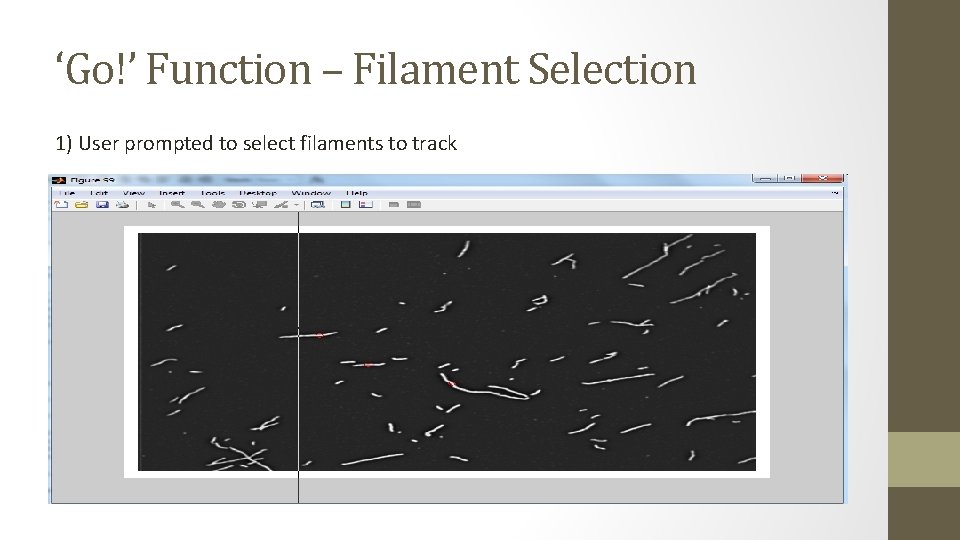
‘Go!’ Function – Filament Selection 1) User prompted to select filaments to track
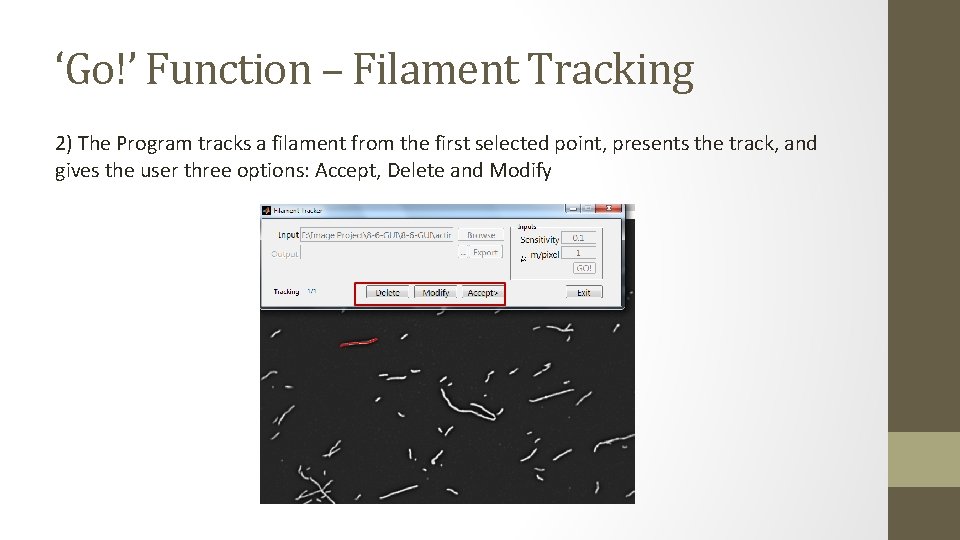
‘Go!’ Function – Filament Tracking 2) The Program tracks a filament from the first selected point, presents the track, and gives the user three options: Accept, Delete and Modify
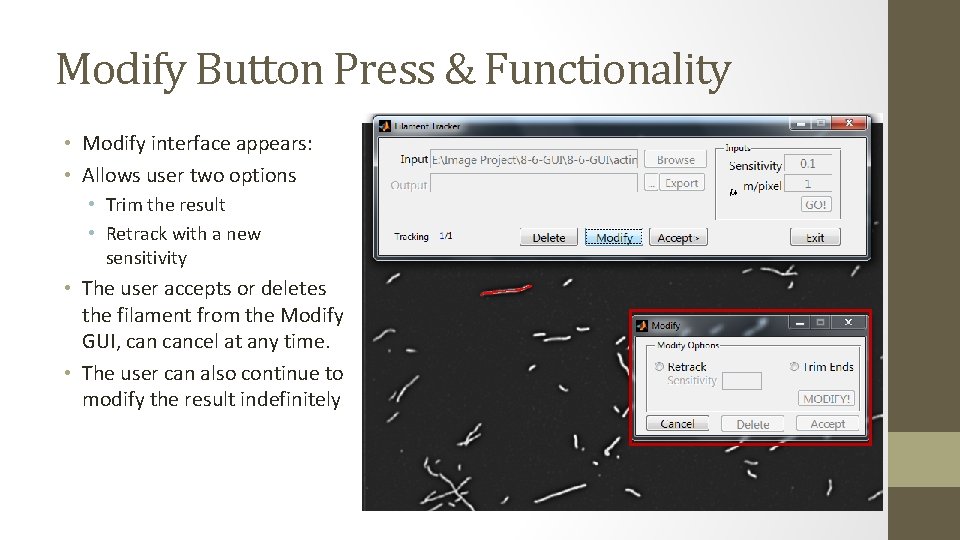
Modify Button Press & Functionality • Modify interface appears: • Allows user two options • Trim the result • Retrack with a new sensitivity • The user accepts or deletes the filament from the Modify GUI, cancel at any time. • The user can also continue to modify the result indefinitely
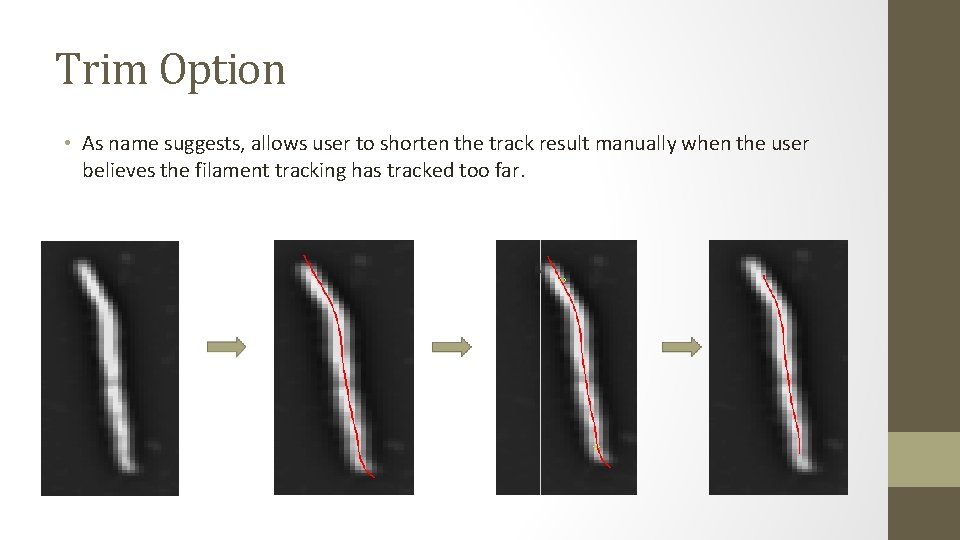
Trim Option • As name suggests, allows user to shorten the track result manually when the user believes the filament tracking has tracked too far.
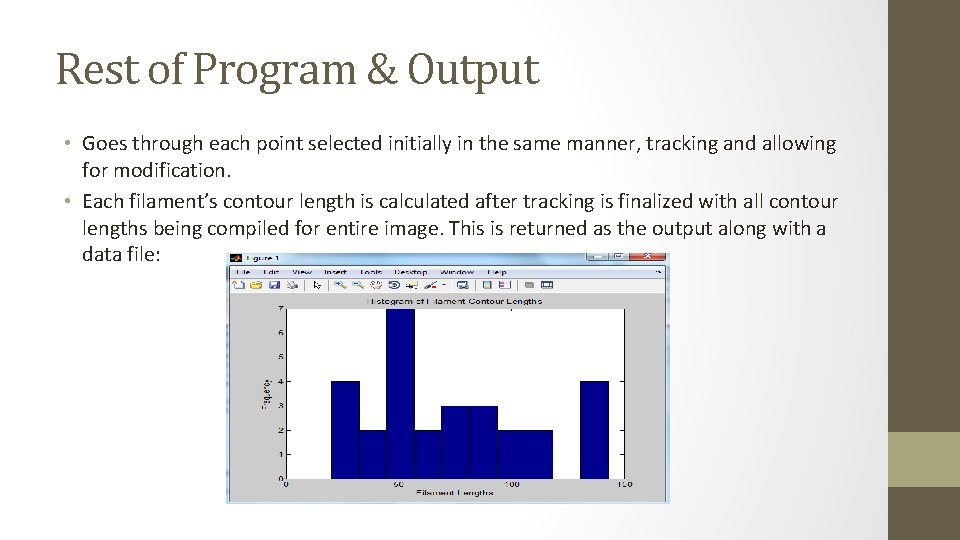
Rest of Program & Output • Goes through each point selected initially in the same manner, tracking and allowing for modification. • Each filament’s contour length is calculated after tracking is finalized with all contour lengths being compiled for entire image. This is returned as the output along with a data file:
Conclusions • This program will allow users to analyze more of their data at less time, thereby helping cytoskeletal filament researchers characterize their samples with quantities such as elongation • Additional work includes: • Increasing the accuracy of the filament tracking software • Allowing the program to track over many frames, thereby determining dynamic properties such as elongation rate • Eliminating the need for users to select inputs
End of Presentation
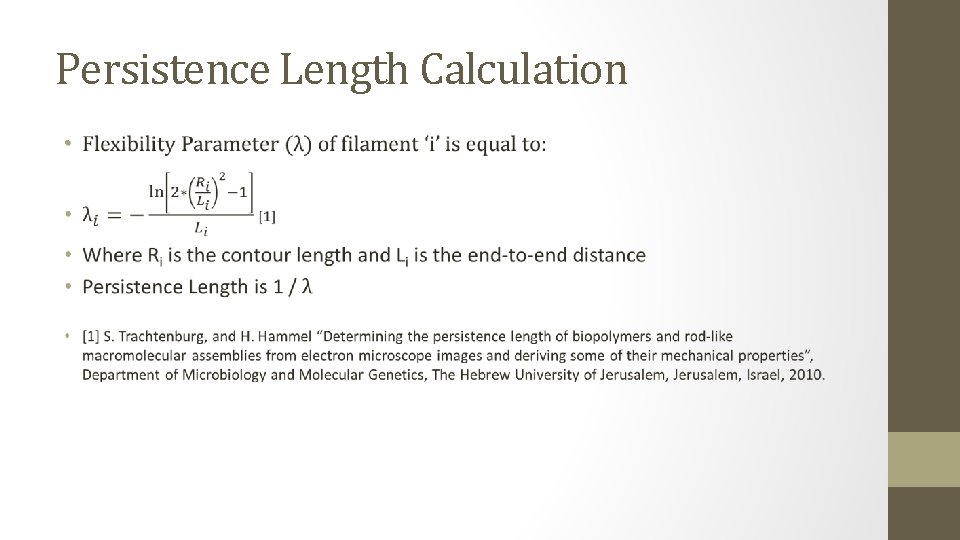
Persistence Length Calculation •
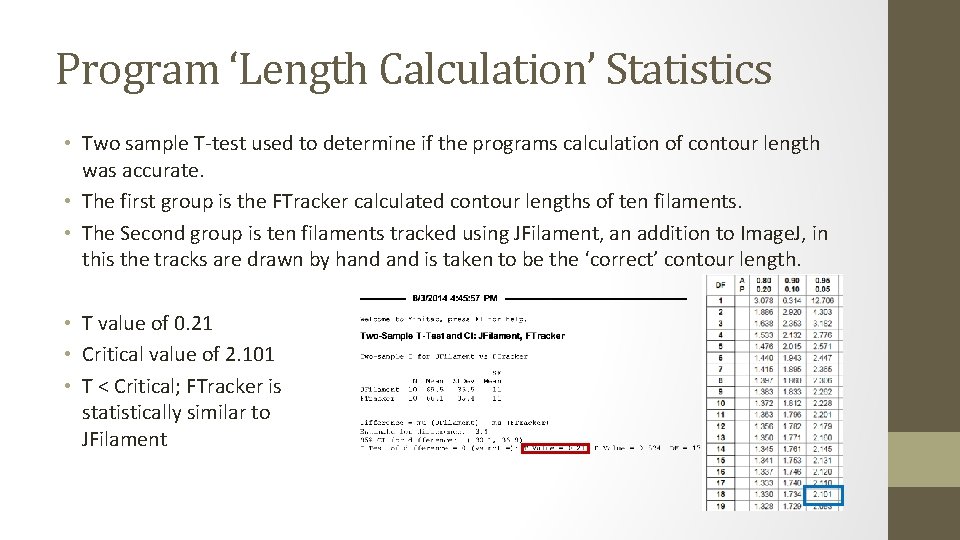
Program ‘Length Calculation’ Statistics • Two sample T-test used to determine if the programs calculation of contour length was accurate. • The first group is the FTracker calculated contour lengths of ten filaments. • The Second group is ten filaments tracked using JFilament, an addition to Image. J, in this the tracks are drawn by hand is taken to be the ‘correct’ contour length. • T value of 0. 21 • Critical value of 2. 101 • T < Critical; FTracker is statistically similar to JFilament