
Graphical Objects and Scene Graphs Angel Interactive Computer
Graphical Objects and Scene Graphs Angel: Interactive Computer Graphics 5 E © Addison Wesley 2009 1
Objectives • Introduce graphical objects • Generalize the notion of objects to include lights, cameras, attributes • Introduce scene graphs • Introduce space partitioning approaches Angel: Interactive Computer Graphics 5 E © Addison Wesley 2009 2
Limitations of Immediate Mode Graphics • When we define a geometric object in an application, upon execution of the code the object is passed through the pipeline • It then disappears from the graphical system • To redraw the object, either changed or the same, we must reexecute the code • Display lists provide only a partial solution to this problem Angel: Interactive Computer Graphics 5 E © Addison Wesley 2009 3
Open. GL and Objects • Open. GL lacks an object orientation • Consider, for example, a green sphere We can model the sphere with polygons or use Open. GL quadrics Its color is determined by the Open. GL state and is not a property of the object • Defies our notion of a physical object • We can try to build better objects in code using object oriented languages/techniques Angel: Interactive Computer Graphics 5 E © Addison Wesley 2009 4

Imperative Programming Model • Example: rotate a cube data gl. Rotate Application results • The rotation function must know how the cube is represented Vertex list Edge list Angel: Interactive Computer Graphics 5 E © Addison Wesley 2009 5
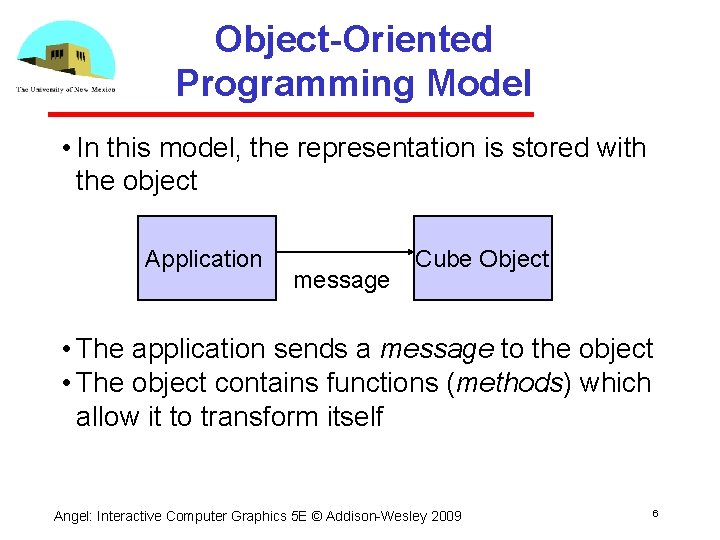
Object-Oriented Programming Model • In this model, the representation is stored with the object Application message Cube Object • The application sends a message to the object • The object contains functions (methods) which allow it to transform itself Angel: Interactive Computer Graphics 5 E © Addison Wesley 2009 6
C/C++ • Can try to use C structs to build objects • C++ provides better support Use class construct Can hide implementation using public, private, and protected members in a class Can also use friend designation to allow classes to access each other Angel: Interactive Computer Graphics 5 E © Addison Wesley 2009 7
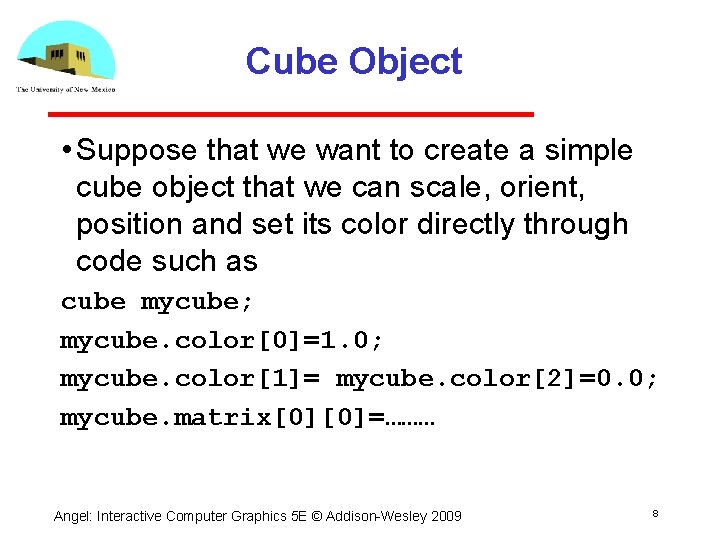
Cube Object • Suppose that we want to create a simple cube object that we can scale, orient, position and set its color directly through code such as cube mycube; mycube. color[0]=1. 0; mycube. color[1]= mycube. color[2]=0. 0; mycube. matrix[0][0]=……… Angel: Interactive Computer Graphics 5 E © Addison Wesley 2009 8
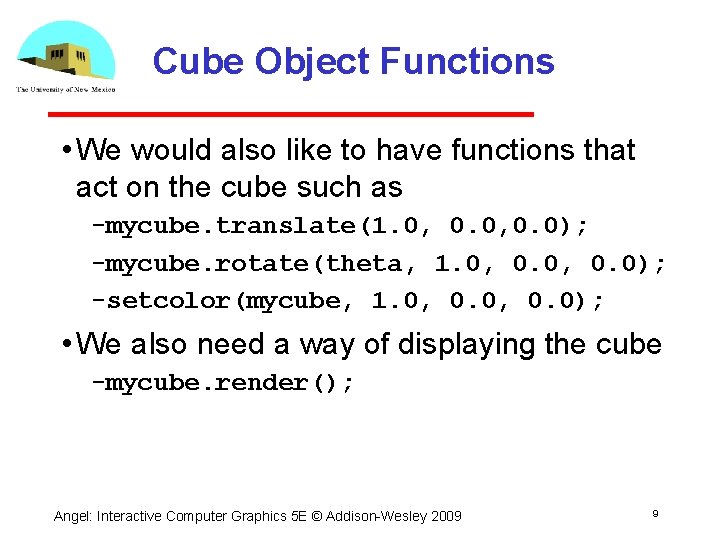
Cube Object Functions • We would also like to have functions that act on the cube such as mycube. translate(1. 0, 0. 0); mycube. rotate(theta, 1. 0, 0. 0); setcolor(mycube, 1. 0, 0. 0); • We also need a way of displaying the cube mycube. render(); Angel: Interactive Computer Graphics 5 E © Addison Wesley 2009 9
![Building the Cube Object class cube { public: float color[3]; float matrix[4][4]; // public](http://slidetodoc.com/presentation_image/688c8b8f075a4354d64dda4f10648355/image-10.jpg "Building the Cube Object class cube { public: float color[3]; float matrix[4][4]; // public")
Building the Cube Object class cube { public: float color[3]; float matrix[4][4]; // public methods private: // implementation } Angel: Interactive Computer Graphics 5 E © Addison Wesley 2009 10
The Implementation • Can use any implementation in the private part such as a vertex list • The private part has access to public members and the implementation of class methods can use any implementation without making it visible • Render method is tricky but it will invoke the standard Open. GL drawing functions such as gl. Vertex Angel: Interactive Computer Graphics 5 E © Addison Wesley 2009 11
Other Objects • Other objects have geometric aspects Cameras Light sources • But we should be able to have nongeometric objects too Materials Colors Transformations (matrices) Angel: Interactive Computer Graphics 5 E © Addison Wesley 2009 12
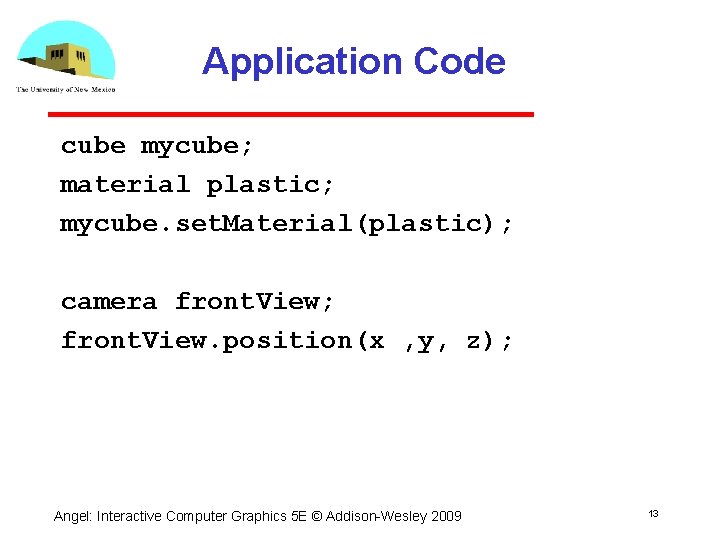
Application Code cube mycube; material plastic; mycube. set. Material(plastic); camera front. View; front. View. position(x , y, z); Angel: Interactive Computer Graphics 5 E © Addison Wesley 2009 13
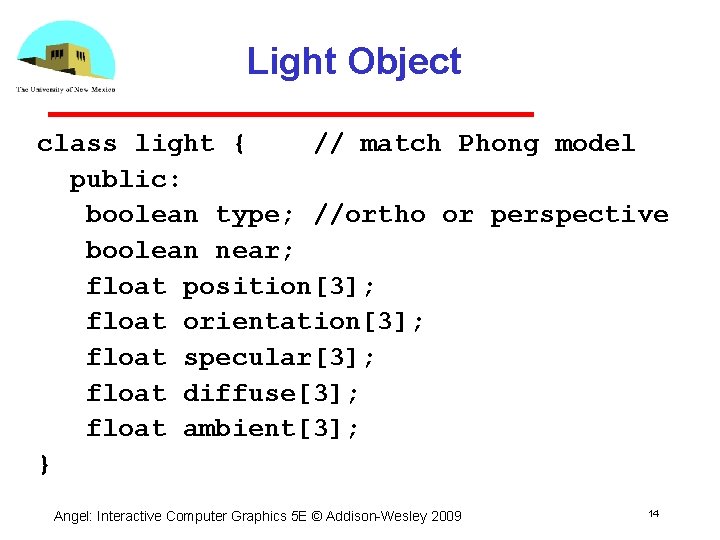
Light Object class light { // match Phong model public: boolean type; //ortho or perspective boolean near; float position[3]; float orientation[3]; float specular[3]; float diffuse[3]; float ambient[3]; } Angel: Interactive Computer Graphics 5 E © Addison Wesley 2009 14
Scene Descriptions • If we recall figure model, we saw that We could describe model either by tree or by equivalent code We could write a generic traversal to display • If we can represent all the elements of a scene (cameras, lights, materials, geometry) as C++ objects, we should be able to show them in a tree Render scene by traversing this tree Angel: Interactive Computer Graphics 5 E © Addison Wesley 2009 15
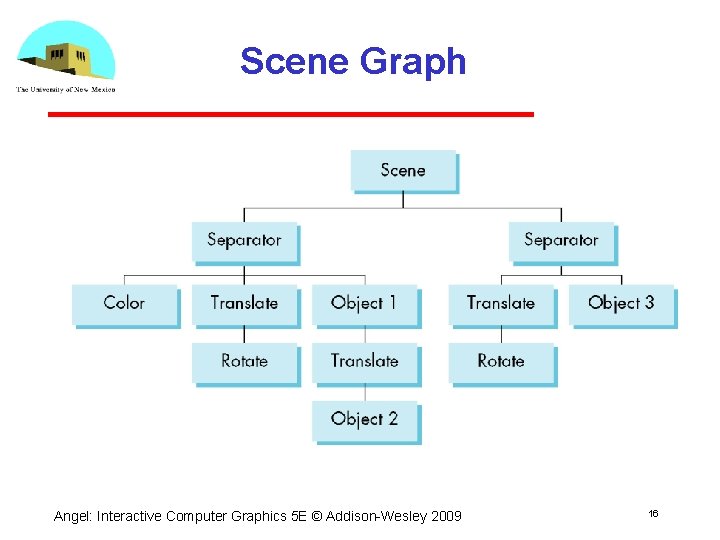
Scene Graph Angel: Interactive Computer Graphics 5 E © Addison Wesley 2009 16
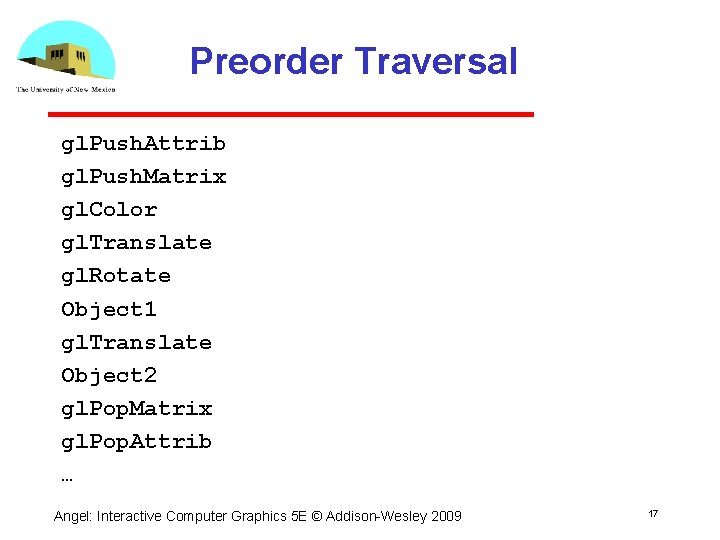
Preorder Traversal gl. Push. Attrib gl. Push. Matrix gl. Color gl. Translate gl. Rotate Object 1 gl. Translate Object 2 gl. Pop. Matrix gl. Pop. Attrib … Angel: Interactive Computer Graphics 5 E © Addison Wesley 2009 17
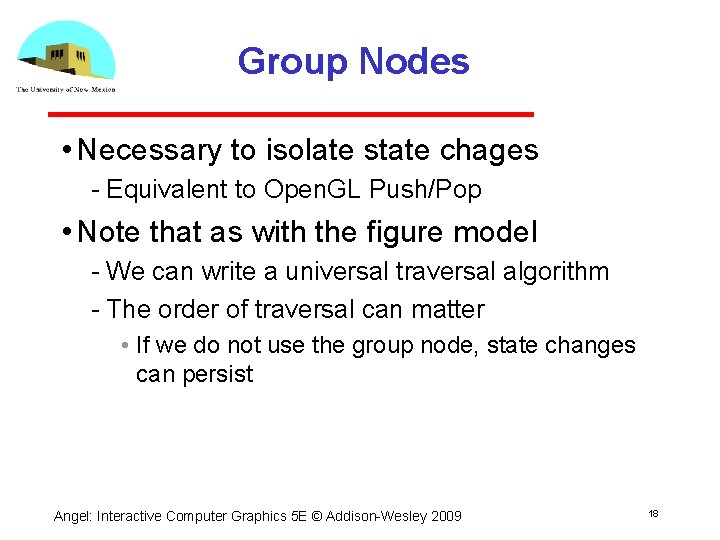
Group Nodes • Necessary to isolate state chages Equivalent to Open. GL Push/Pop • Note that as with the figure model We can write a universal traversal algorithm The order of traversal can matter • If we do not use the group node, state changes can persist Angel: Interactive Computer Graphics 5 E © Addison Wesley 2009 18
Inventor and Java 3 D • Inventor and Java 3 D provide a scene graph API • Scene graphs can also be described by a file (text or binary) Implementation independent way of transporting scenes Supported by scene graph APIs • However, primitives supported should match capabilities of graphics systems Hence most scene graph APIs are built on top of Open. GL or Direct. X (for PCs) Angel: Interactive Computer Graphics 5 E © Addison Wesley 2009 19
VRML • Want to have a scene graph that can be used over the World Wide Web • Need links to other sites to support distributed data bases • Virtual Reality Markup Language Based on Inventor data base Implemented with Open. GL Angel: Interactive Computer Graphics 5 E © Addison Wesley 2009 20
Open Scene Graph • Supports very complex geometries by adding occulusion culling in first path • Supports translucently through a second pass that sorts the geometry • First two passes yield a geome�try list t is rendered by the pipeline in a third pass Angel: Interactive Computer Graphics 5 E © Addison Wesley 2009 21
Space Partitioning • Organizes and structures the space • Makes searching the space more efficient and directed • Can significantly improve operation such as collision detection and hidden surface removal Angel: Interactive Computer Graphics 5 E © Addison Wesley 2009 22
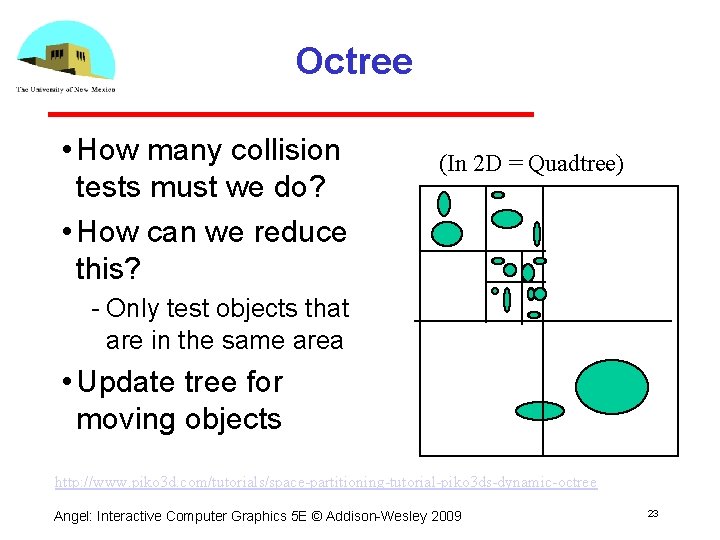
Octree • How many collision tests must we do? • How can we reduce this? (In 2 D = Quadtree) Only test objects that are in the same area • Update tree for moving objects http: //www. piko 3 d. com/tutorials/space-partitioning-tutorial-piko 3 ds-dynamic-octree Angel: Interactive Computer Graphics 5 E © Addison Wesley 2009 23
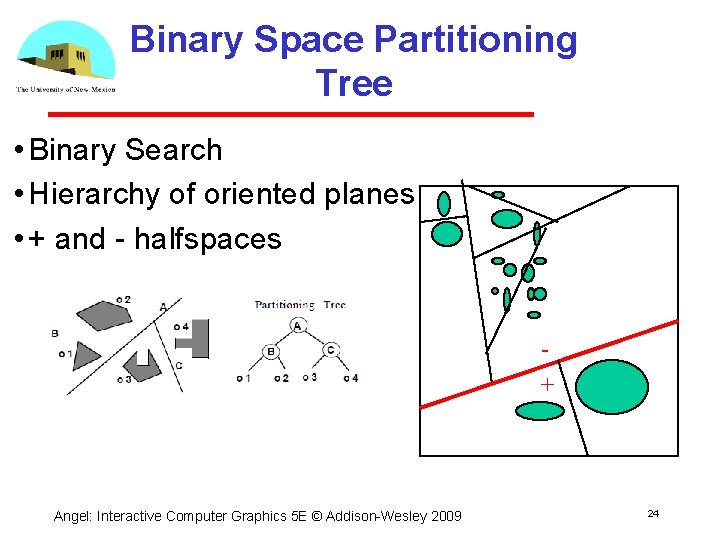
Binary Space Partitioning Tree • Binary Search • Hierarchy of oriented planes • + and halfspaces + Angel: Interactive Computer Graphics 5 E © Addison Wesley 2009 24
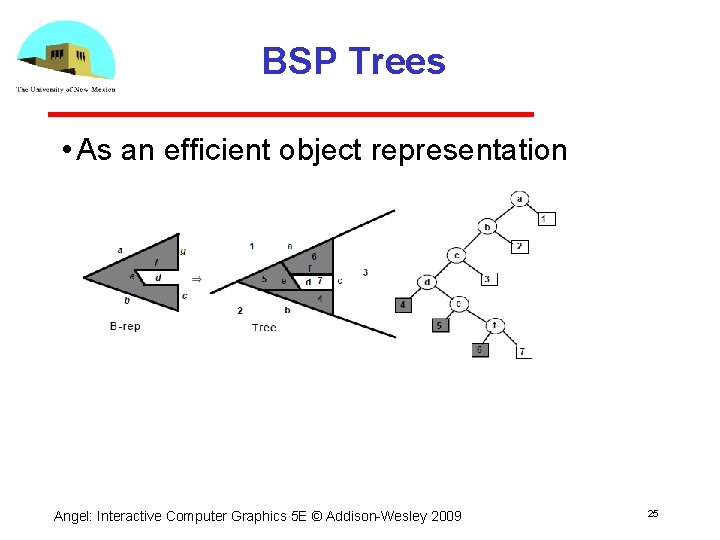
BSP Trees • As an efficient object representation Angel: Interactive Computer Graphics 5 E © Addison Wesley 2009 25
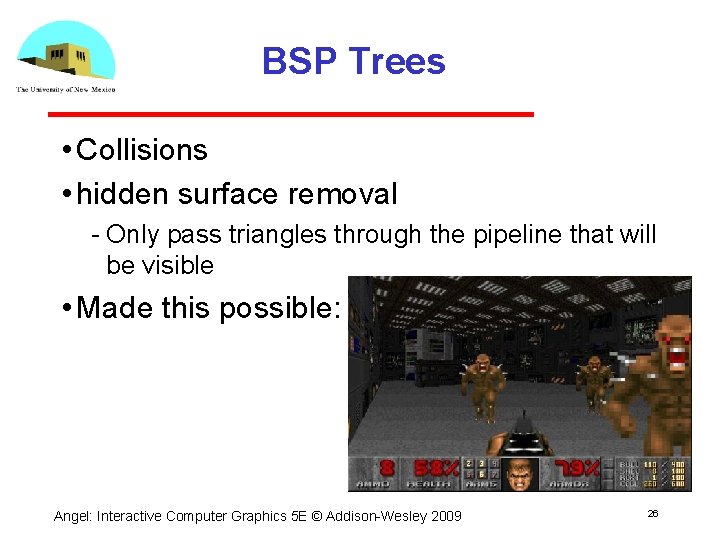
BSP Trees • Collisions • hidden surface removal Only pass triangles through the pipeline that will be visible • Made this possible: Angel: Interactive Computer Graphics 5 E © Addison Wesley 2009 26
- Slides: 26