
Graphical Editing Framework Randy Hudson Pratik Shah IBM
Graphical Editing Framework Randy Hudson Pratik Shah IBM Rational Software © 2005 by International Business Machines; made available under the EPL v 1. 0 | February 28, 2005 |
Agenda § Introduction § Shortest Path Connection Routing § New EMF Diagram example § WYSIWYG Text Editing § Get Involved § Q&A Graphical Editing Framework | © 2005 by International Business Machines; made available under the EPL v 1. 0
What problems does GEF solve? § Display a Model graphically § Allow the User to interact with that model § Process user input from Mouse & Keyboard § Interpret that input § Provide hooks for updating the model § Make it undo/redo-able § Provide useful Workbench function § Actions and Menus § Toolbars, Contributions § Keybindings § Where Can I use GEF? § Editor. Parts, Views § Anywhere in the Workbench Graphical Editing Framework | © 2005 by International Business Machines; made available under the EPL v 1. 0
Introduction § Demo of GEF-based applications Graphical Editing Framework | © 2005 by International Business Machines; made available under the EPL v 1. 0
The Shortest Path Problem § Maintaining manual bendpoints is a burden on the User § Requirements: § Connections should automatically avoid nodes § Must perform well, especially interactively § Some nodes cannot be avoided § Must support manual bendpoints § Approach: § Build on existing research for single-path cases § Reduced visibility graph § Naïve implementation: O(n 3) § Dijkstra’s algorithm Graphical Editing Framework | © 2005 by International Business Machines; made available under the EPL v 1. 0
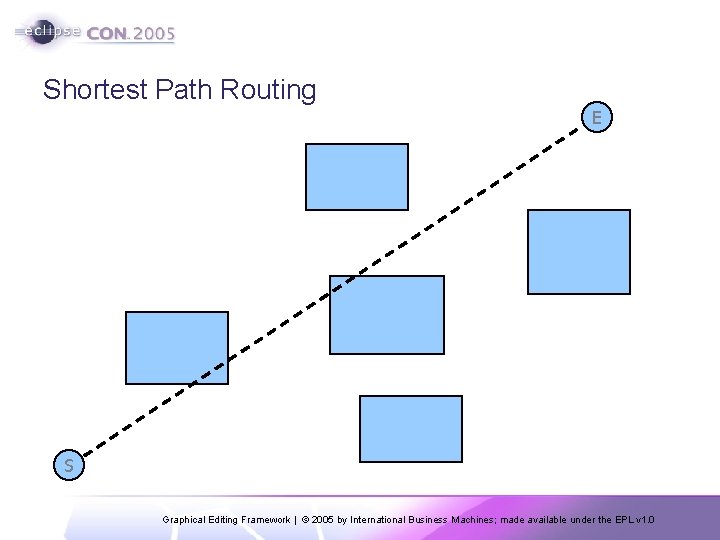
Shortest Path Routing E S Graphical Editing Framework | © 2005 by International Business Machines; made available under the EPL v 1. 0
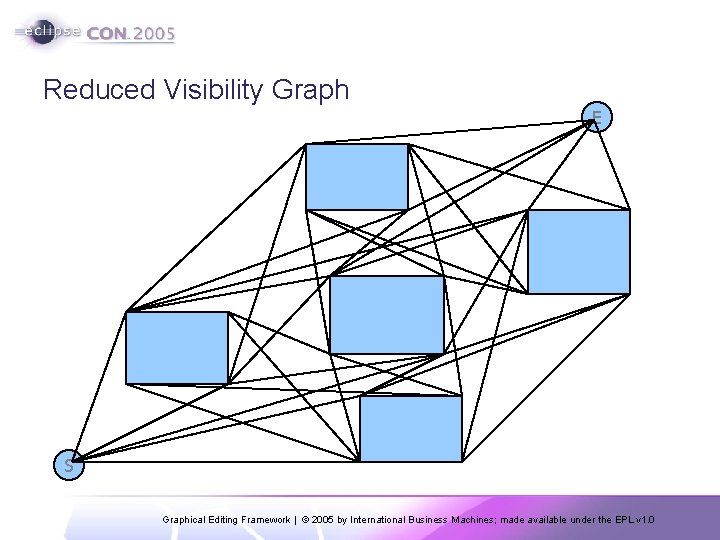
Reduced Visibility Graph E S Graphical Editing Framework | © 2005 by International Business Machines; made available under the EPL v 1. 0
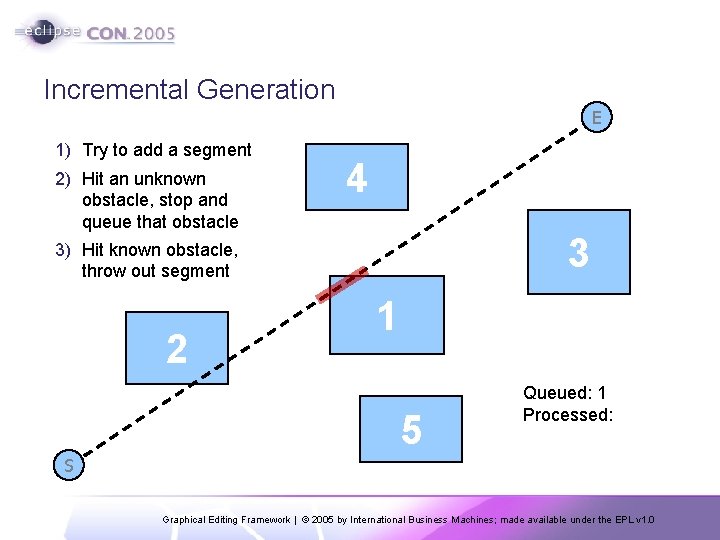
Incremental Generation E 1) Try to add a segment 2) Hit an unknown obstacle, stop and queue that obstacle 4 3 3) Hit known obstacle, throw out segment 2 1 5 Queued: 1 Processed: S Graphical Editing Framework | © 2005 by International Business Machines; made available under the EPL v 1. 0
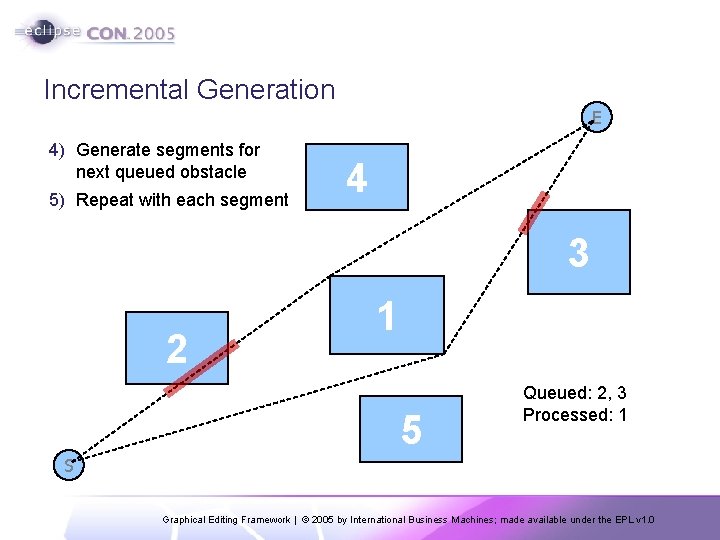
Incremental Generation E 4) Generate segments for next queued obstacle 5) Repeat with each segment 4 3 2 1 5 Queued: 2, 3 Processed: 1 S Graphical Editing Framework | © 2005 by International Business Machines; made available under the EPL v 1. 0
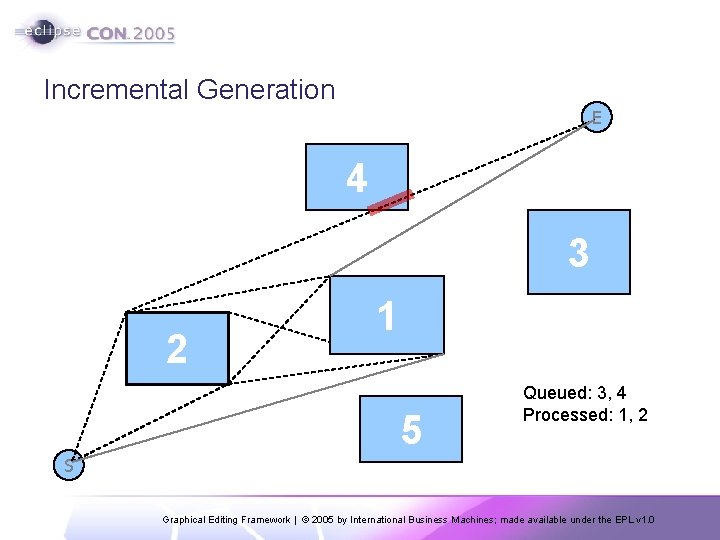
Incremental Generation E 4 3 2 1 5 Queued: 3, 4 Processed: 1, 2 S Graphical Editing Framework | © 2005 by International Business Machines; made available under the EPL v 1. 0
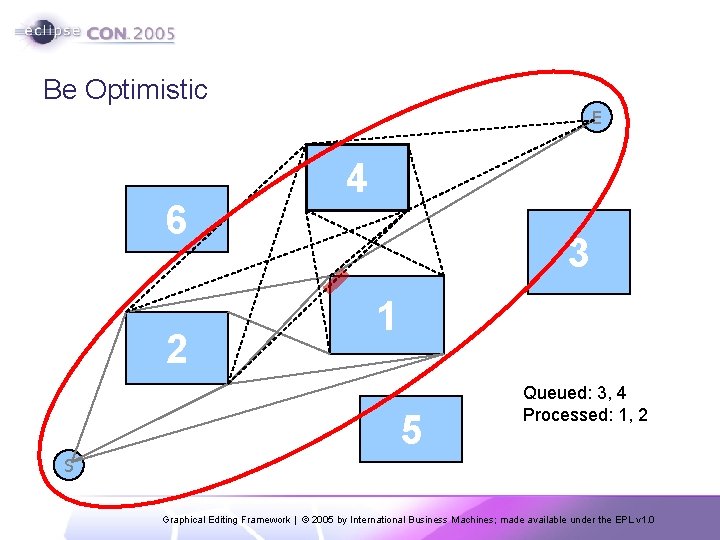
Be Optimistic E 6 2 4 3 1 5 Queued: 3, 4 Processed: 1, 2 S Graphical Editing Framework | © 2005 by International Business Machines; made available under the EPL v 1. 0
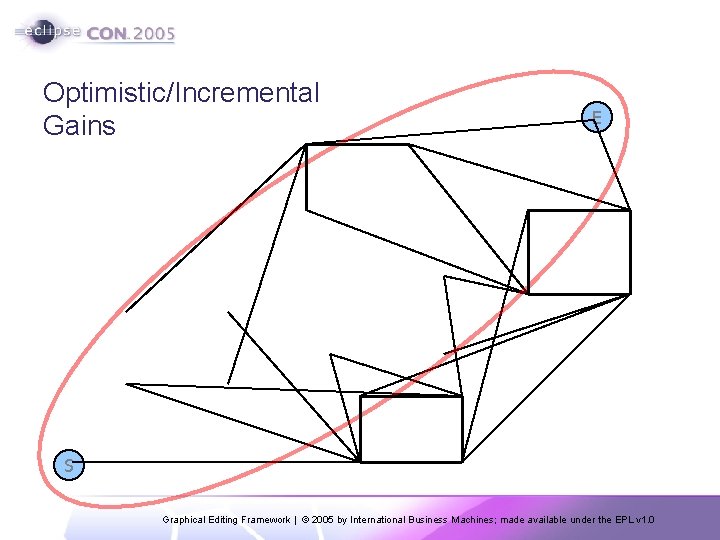
Optimistic/Incremental Gains E S Graphical Editing Framework | © 2005 by International Business Machines; made available under the EPL v 1. 0
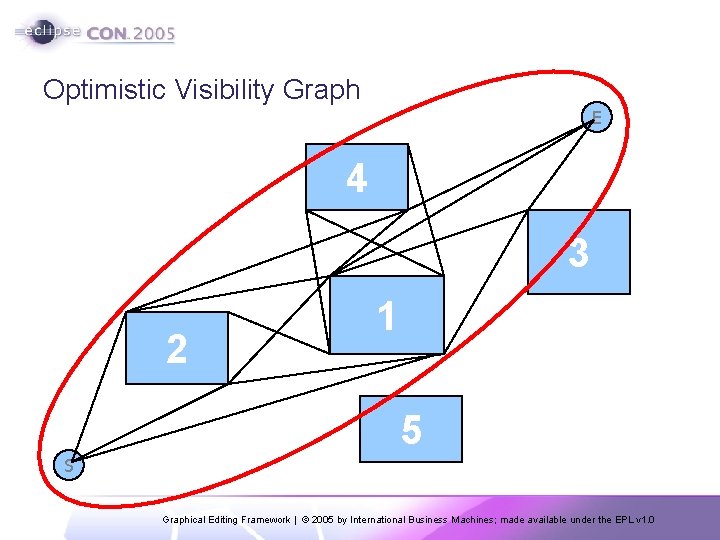
Optimistic Visibility Graph E 4 3 2 1 5 S Graphical Editing Framework | © 2005 by International Business Machines; made available under the EPL v 1. 0
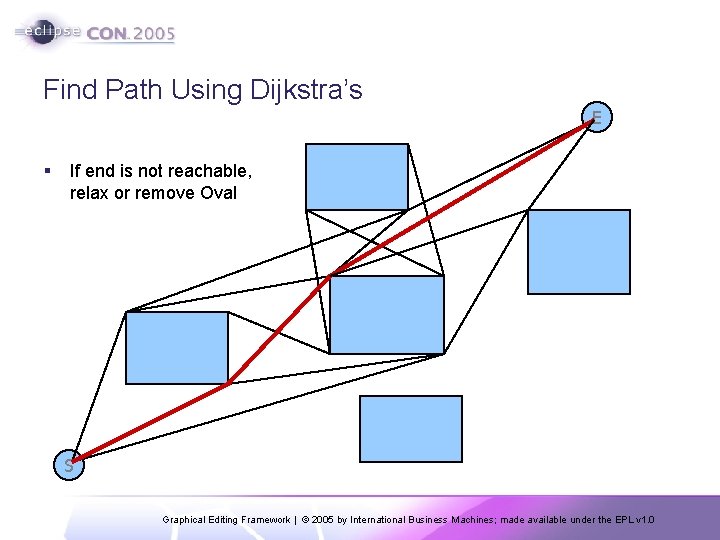
Find Path Using Dijkstra’s E § If end is not reachable, relax or remove Oval S Graphical Editing Framework | © 2005 by International Business Machines; made available under the EPL v 1. 0
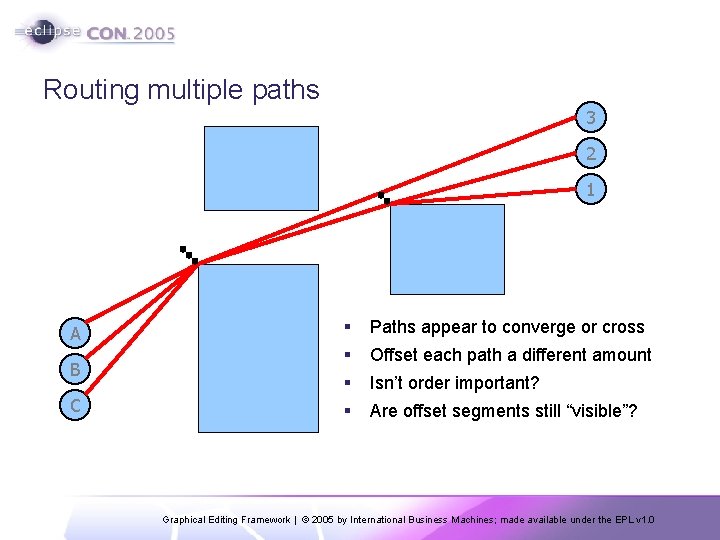
Routing multiple paths 3 2 1 A B C § Paths appear to converge or cross § Offset each path a different amount § Isn’t order important? § Are offset segments still “visible”? Graphical Editing Framework | © 2005 by International Business Machines; made available under the EPL v 1. 0
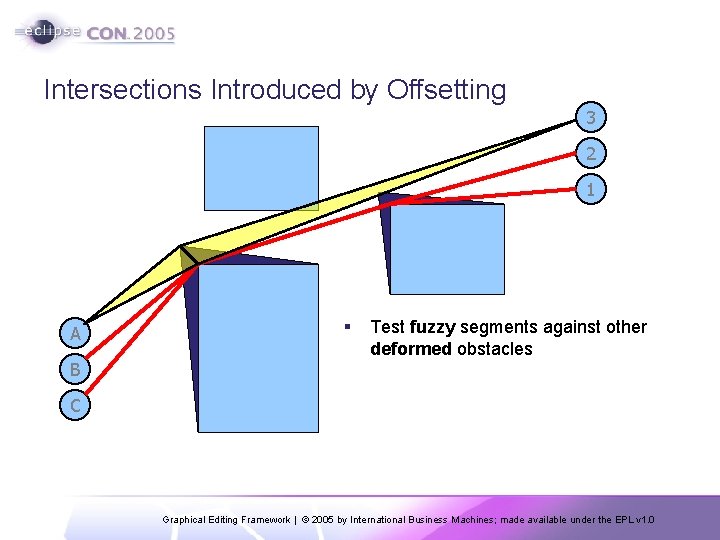
Intersections Introduced by Offsetting 3 2 1 A B § Test fuzzy segments against other deformed obstacles C Graphical Editing Framework | © 2005 by International Business Machines; made available under the EPL v 1. 0
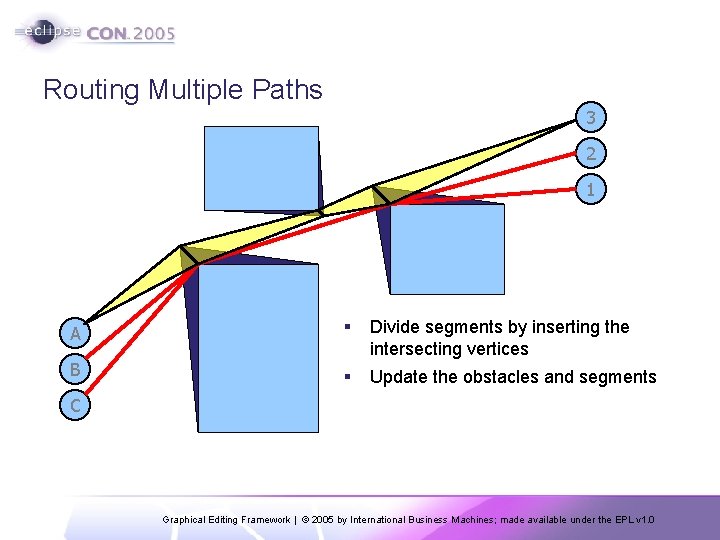
Routing Multiple Paths 3 2 1 A § B Divide segments by inserting the intersecting vertices § Update the obstacles and segments C Graphical Editing Framework | © 2005 by International Business Machines; made available under the EPL v 1. 0
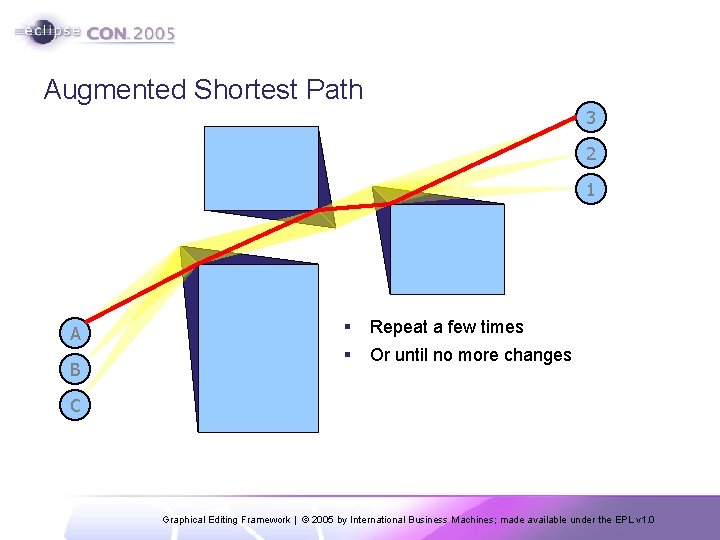
Augmented Shortest Path 3 2 1 A B § Repeat a few times § Or until no more changes C Graphical Editing Framework | © 2005 by International Business Machines; made available under the EPL v 1. 0
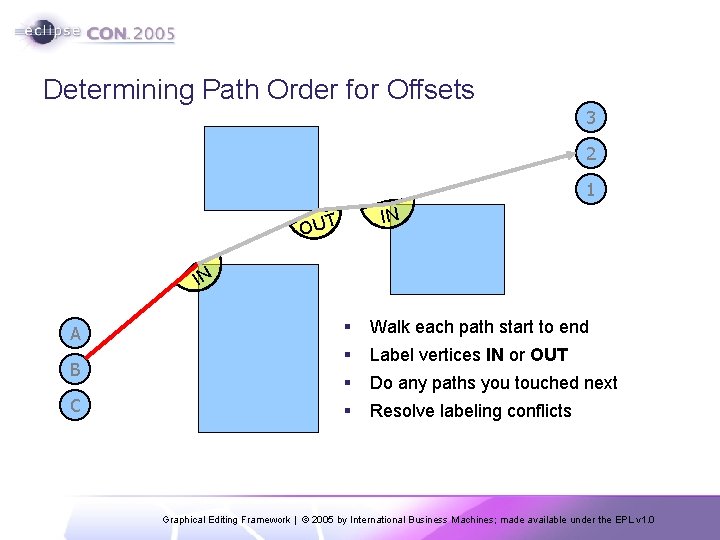
Determining Path Order for Offsets 3 2 1 IN OUT IN A B C § Walk each path start to end § Label vertices IN or OUT § Do any paths you touched next § Resolve labeling conflicts Graphical Editing Framework | © 2005 by International Business Machines; made available under the EPL v 1. 0
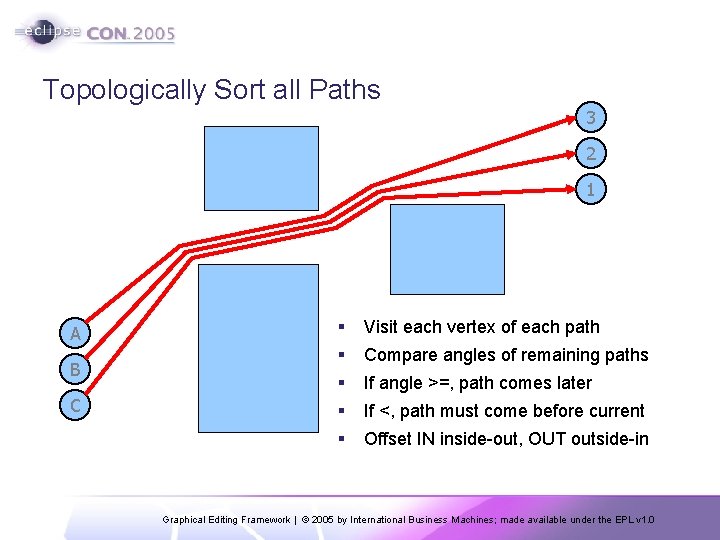
Topologically Sort all Paths 3 2 1 A B C § Visit each vertex of each path § Compare angles of remaining paths § If angle >=, path comes later § If <, path must come before current § Offset IN inside-out, OUT outside-in Graphical Editing Framework | © 2005 by International Business Machines; made available under the EPL v 1. 0
Incremental Updating ü Yes, we have that Graphical Editing Framework | © 2005 by International Business Machines; made available under the EPL v 1. 0
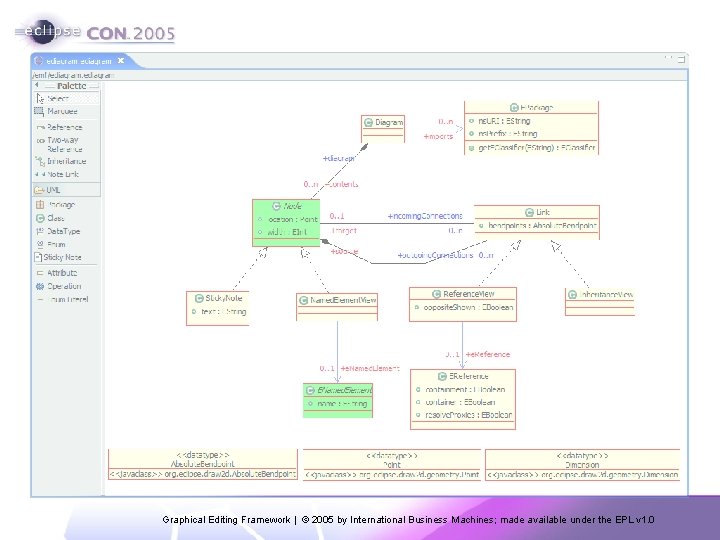
EDiagram Example § Goals: § Demonstrate “business” and “view” model separation § Experience EMF+GEF integration first-hand § Identify new functionality that can be added to GEF § Provide community with graphical, EPL, ecore schema editor § org. eclipse. gef. examples. ediagram § Requires EMF 2. 0 § Load from CVS Graphical Editing Framework | © 2005 by International Business Machines; made available under the EPL v 1. 0
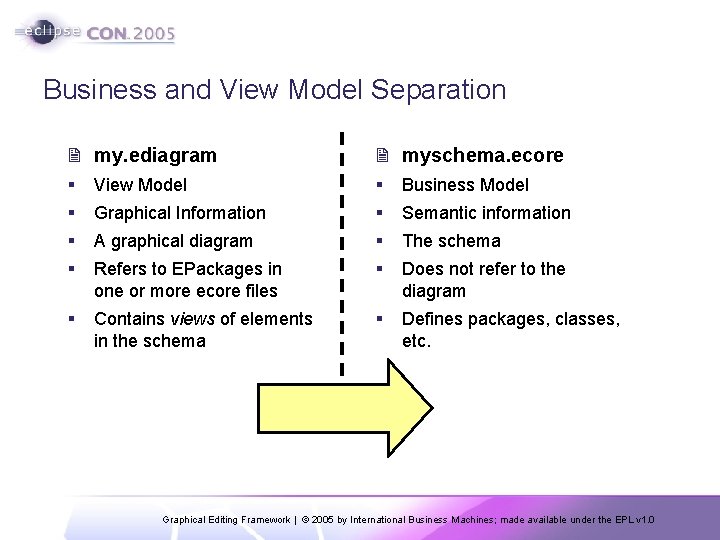
Business and View Model Separation 2 my. ediagram 2 myschema. ecore § View Model § Business Model § Graphical Information § Semantic information § A graphical diagram § The schema § Refers to EPackages in one or more ecore files § Does not refer to the diagram § Contains views of elements in the schema § Defines packages, classes, etc. Graphical Editing Framework | © 2005 by International Business Machines; made available under the EPL v 1. 0
Graphical Editing Framework | © 2005 by International Business Machines; made available under the EPL v 1. 0
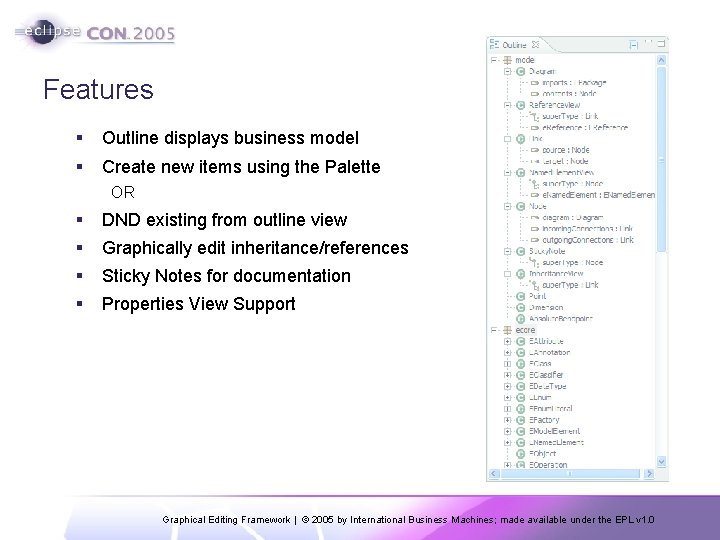
Features § Outline displays business model § Create new items using the Palette OR § DND existing from outline view § Graphically edit inheritance/references § Sticky Notes for documentation § Properties View Support Graphical Editing Framework | © 2005 by International Business Machines; made available under the EPL v 1. 0
Results § Defined a separate model for storing view data § Using an EMF model was straightforward § 6 weeks to learn EMF and build initial implementation § ~50 classes + a generated model § Possible GEF enhancements § Placement of connection anchors § Interactive Hierarchy Layout § Still needs work before it can replace existing editors Graphical Editing Framework | © 2005 by International Business Machines; made available under the EPL v 1. 0
Work in Progress… § Diagram should import ecore files instead of EPackages § Invoke EMF utilities such as “Validate Model” § Enhance editing of attributes/operations § More actions/context menus § Finer control of visual aspects of diagram § Better routing § Direct interaction with the outline § Not exactly in progress § Keyword: helpwanted Graphical Editing Framework | © 2005 by International Business Machines; made available under the EPL v 1. 0
WYSIWYG Text Editing § Requirements § Display “rich” text documents § Still no restriction on model § Support Bi. Di, DBCS, etc. § What’s different § Model is hierarchical/structured (DOM) § Supports mixed font families and sizes § Document may contain non-textual elements § “Rich” formatting includes padding, borders, bullets, images, etc. Graphical Editing Framework | © 2005 by International Business Machines; made available under the EPL v 1. 0
org. eclipse. draw 2 d. text § Base package for rich text function § Shipped in 2. 1 for GEF palette § Is being enhanced § 2 types of special-purpose figures § Block figure § Rectangular in form § Creates and manages “lines” § Inline figure § Contains ≥ 1 rectangular fragments § May span ≥ 1 lines § Special layout requirements Graphical Editing Framework | © 2005 by International Business Machines; made available under the EPL v 1. 0
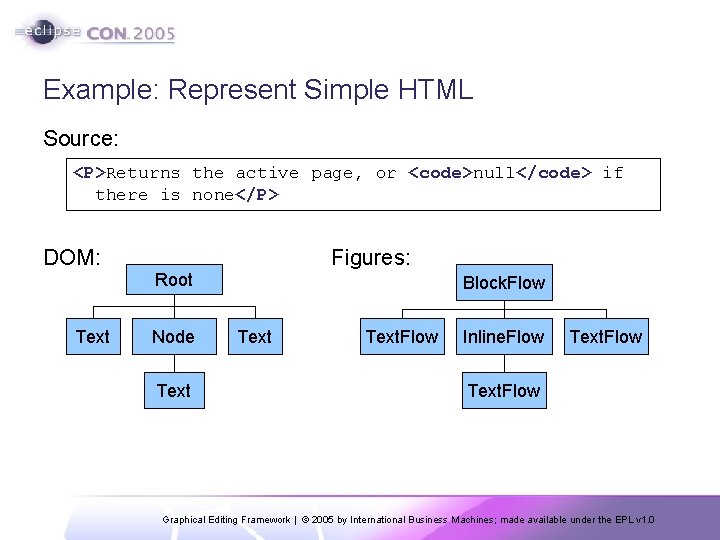
Example: Represent Simple HTML Source: <P>Returns the active page, or <code>null</code> if there is none</P> DOM: Text Figures: Root Node Text Block. Flow Text. Flow Inline. Flow Text. Flow Graphical Editing Framework | © 2005 by International Business Machines; made available under the EPL v 1. 0
WYSIWYG Editing § Caret management § Navigation using keyboard: HOME, PAGE_UP, etc. § Placement using the mouse § Swipe-selection, double-click, etc. § Editing the document § Actions affect current selection § Ask editpart for command § Special concerns § What does CTRL+B do if selection is empty? § What should be selected on undo/redo? Graphical Editing Framework | © 2005 by International Business Machines; made available under the EPL v 1. 0
Get Involved! Contributors to the GEF Project ( ~ chronologically ) § Bug reporters § Alex Selkov § Gunnar Wagenknecht § Sven Müller § Elias Volanakis § Régis Lemaigre § Asim Ullah § Brian Fernandes § Bo Majewski § Phil Zoio Ways YOU can contribute: § Submit patches § New function § Documentation § Write an Article § Monitor Newsgroup § Website construction § 2 Words: JUNIT § Performance Tests § Platform Testing § @see helpwanted Graphical Editing Framework | © 2005 by International Business Machines; made available under the EPL v 1. 0
Questions Graphical Editing Framework | © 2005 by International Business Machines; made available under the EPL v 1. 0
- Slides: 33