
Graficacion Curso de Ingenieria en Computacion Clave 115124

![Shadow matrix (10)(…tarea) • • • void glt. Make. Shadow. Matrix(GLfloat v. Plane. Equation[],](https://slidetodoc.com/presentation_image_h/bad143dbb0341c74fa2e5d8c5c489bd2/image-60.jpg "Shadow matrix (10)(…tarea) • • • void glt. Make. Shadow. Matrix(GLfloat v. Plane. Equation[],")

- Slides: 107
Graficacion Curso de Ingenieria en Computacion Clave 115124 Profesor: Dr. Gueorgi Khatchatourov
GENERAL INDEX • Tema 1. - Aspectos generales de programación de realidad virtual en Open. GL • Tema 2. - Lógica de transformaciones matriciales en Open. GL • Tema 3. - Viewing • Tema 4. - Transformations • Tema 5. - Projection transformations • Tema 6. - Viewport • Tema 7. - Selection • Tema 8. - Bitmaps • Tema 9. - Texture Mapping • Tema 10. - Blending • Tema 11. - Stencil • Tema 12. - Light and color • Tema 13. - Evaluadores y NURBS
Tema 1. - Aspectos generales de programación de realidad virtual en Open. GL • • • • 1. 1 Hardware structures for pixels on the screen 1. 2 Aspects of Graphics Programming 1. 3 Final part of the rendering process 1. 4 Real-time Graphics as events-based programming 1. 5. 1 Call time control : uso de glut. Timer. Func (1…) 1. 5. 2 Call time control : uso de glut. Timer. Func (… 2) 1. 6. 1 Other animation control: uso de glut. Idle. Func 1. 6. 2 Other animation control: uso de glut. Idle. Func: program single_double. c (1…) 1. 6. 3 Call time control: uso de glut. Idle. Func: program single_double. c (… 2) 1. 7 Main loop control 1. 8 Main loop control for drawing 1. 9 Open. GL Primitives 1. 10 Open. GL State Machine (II), (IV) 1. 11 Adaptation of Open. GL Examples to Visual. Studio to return to general index
Tema 2. - Lógica de transformaciones matriciales en Open. GL • 2. 1 Let us analyze an example • 2. 2 … continue the example • 2. 3 Geometric Transformations: The Pipeline • 2. 4 Relation between the program and matrix notation to return to general index
Tema 3. - Viewing • 3. 1 Viewing transformation (I de II) • 3. 2 Viewing transformation (II de II) to return to general index
Tema 4. - Transformaciones del modelo • • • 4. 1 4. 2 4. 3 4. 5 Transformaciones del modelo I Transformaciones básicas II Shadow matrix (1), (2), (3), (4), (5), (6), (7), (8), (9) 4. 6 Shadow matrix (10): Tarea 1 4. 7 Shadow matrix (11): Tarea 2 4. 8 Reflexiones y transparencias I 4. 9 Reflexiones y transparencias II to return to general index
Tema 5. - Projection transformations 5. 1, Que significa "transformación de proyección" 5. 2, Opciones para transformación de proyección 5. 3 Funciones de Open. Gl para… 5. 4 gl. Frustum() 5. 5 glu. Perspective() 5. 6 gl. Ortho() to return to general index
Tema 6. - Viewport 6. 1 Mapping Drawing Coordinates to Window Coordinates 6. 2 Mapping Drawing Coordinates to Window Coordinates (2), (3), (4) to return to general index
Tema 7. - Selection • • 7. 1 Lógica general 7. 2 The Name Stack I y II 7. 3 hits and selection buffer 7. 4 Introducing the Name Stack 7. 5 functions to manipulate the Name Stack 7. 6 ejemplo de manipulación con el “Name Stack” 7. 7 “Name Stack”; ejemplo del contenido de “hit records” • registrado en el “selection buffer” • 7. 8. Ilustración a lógica de Selection Bufer to return to general index
Tema 8. - Bitmaps • void gl. Bitmap. . . . (II), • Example 8 -1 : Drawing a Bitmapped Character: drawf. c. . . . . (III), • F as a bitmap and its corresponding bitmap data. . . . . (IV), • Choosing a Color for the Bitmap. . . . (V) to return to general index
Tema 9. - Texture Mapping • Contenido: Organigrama de uso de texturas ……. … (I) Steps in Texture Mapping …………………. . … (II), Naming a texture object, gl. Gen. Texture()…. . ……. (III), Create a texture object and specify a texture for it, gl. Bind. Texture()…. . . . (IV), Modos de almacenamiento y las operaciones de transferencia…………………. . (V), Specificar textura , gl. Tex. Image 2 D(). ……………… (VI), Substutute a part of texture with a sub texture, gl. Tex. Sub. Image 2 D ………………………………. . (VII) Ejemplo de Aplicación de Texturas …. (VIII) to return to general index
Tema 10. - Blending • 10. 1 Blending II: official terminology • 10. 2. gl. Blend. Func(…); • 10. 1 Tabla de valores de argumentos de gl. Blend. Func() to return to general index
Tema 12. -Light and Color • 12. 1 gl. Enable(GL_LIGHTi or GL_LIGHTING) • 12. 2 gl. Enable(GL_LIGHTING) • 12. 3 • • 12. 4 to return to general index
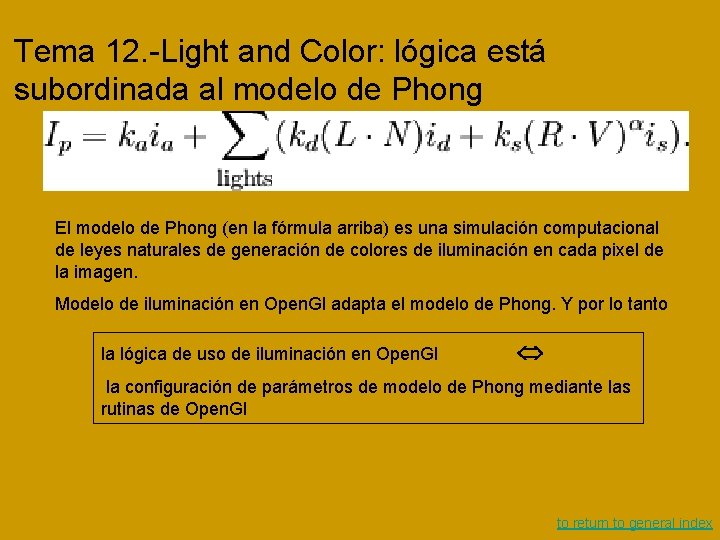
Tema 12. -Light and Color: lógica está subordinada al modelo de Phong El modelo de Phong (en la fórmula arriba) es una simulación computacional de leyes naturales de generación de colores de iluminación en cada pixel de la imagen. Modelo de iluminación en Open. Gl adapta el modelo de Phong. Y por lo tanto la lógica de uso de iluminación en Open. Gl la configuración de parámetros de modelo de Phong mediante las rutinas de Open. Gl to return to general index
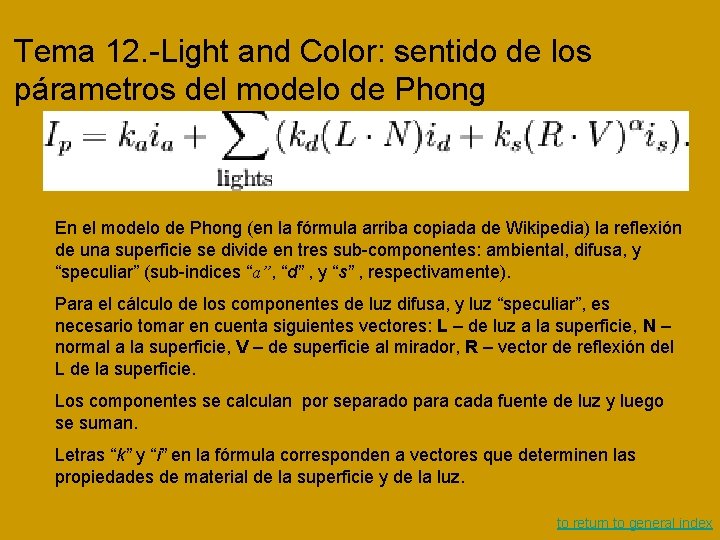
Tema 12. -Light and Color: sentido de los párametros del modelo de Phong En el modelo de Phong (en la fórmula arriba copiada de Wikipedia) la reflexión de una superficie se divide en tres sub-componentes: ambiental, difusa, y “speculiar” (sub-indices “a”, “d” , y “s” , respectivamente). Para el cálculo de los componentes de luz difusa, y luz “speculiar”, es necesario tomar en cuenta siguientes vectores: L – de luz a la superficie, N – normal a la superficie, V – de superficie al mirador, R – vector de reflexión del L de la superficie. Los componentes se calculan por separado para cada fuente de luz y luego se suman. Letras “k” y “i” en la fórmula corresponden a vectores que determinen las propiedades de material de la superficie y de la luz. to return to general index
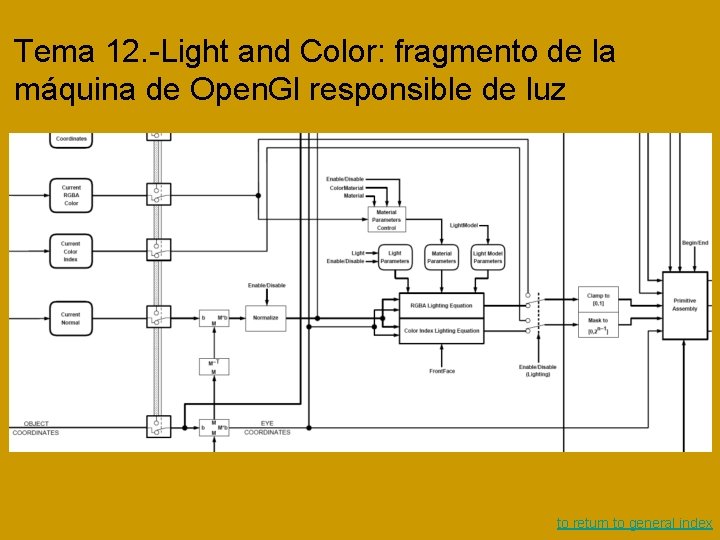
Tema 12. -Light and Color: fragmento de la máquina de Open. Gl responsible de luz to return to general index
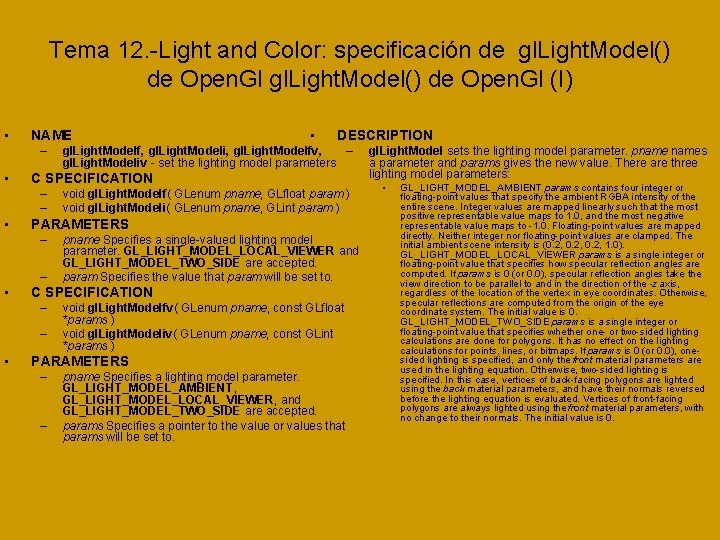
Tema 12. -Light and Color: specificación de gl. Light. Model() de Open. Gl (I) • NAME – • – pname Specifies a single-valued lighting model parameter. GL_LIGHT_MODEL_LOCAL_VIEWER and GL_LIGHT_MODEL_TWO_SIDE are accepted. param Specifies the value that param will be set to. C SPECIFICATION – – • void gl. Light. Modelf( GLenum pname, GLfloat param ) void gl. Light. Modeli( GLenum pname, GLint param ) PARAMETERS – • DESCRIPTION C SPECIFICATION – – • • gl. Light. Modelf, gl. Light. Modeli, gl. Light. Modelfv, – gl. Light. Modeliv - set the lighting model parameters void gl. Light. Modelfv( GLenum pname, const GLfloat *params ) void gl. Light. Modeliv( GLenum pname, const GLint *params ) PARAMETERS – – pname Specifies a lighting model parameter. GL_LIGHT_MODEL_AMBIENT, GL_LIGHT_MODEL_LOCAL_VIEWER, and GL_LIGHT_MODEL_TWO_SIDE are accepted. params Specifies a pointer to the value or values that params will be set to. gl. Light. Model sets the lighting model parameter. pnames a parameter and params gives the new value. There are three lighting model parameters: • GL_LIGHT_MODEL_AMBIENT params contains four integer or floating-point values that specify the ambient RGBA intensity of the entire scene. Integer values are mapped linearly such that the most positive representable value maps to 1. 0, and the most negative representable value maps to -1. 0. Floating-point values are mapped directly. Neither integer nor floating-point values are clamped. The initial ambient scene intensity is (0. 2, 1. 0). GL_LIGHT_MODEL_LOCAL_VIEWER params is a single integer or floating-point value that specifies how specular reflection angles are computed. If params is 0 (or 0. 0), specular reflection angles take the view direction to be parallel to and in the direction of the -z axis, regardless of the location of the vertex in eye coordinates. Otherwise, specular reflections are computed from the origin of the eye coordinate system. The initial value is 0. GL_LIGHT_MODEL_TWO_SIDE params is a single integer or floating-point value that specifies whether one- or two-sided lighting calculations are done for polygons. It has no effect on the lighting calculations for points, lines, or bitmaps. If params is 0 (or 0. 0), onesided lighting is specified, and only the front material parameters are used in the lighting equation. Otherwise, two-sided lighting is specified. In this case, vertices of back-facing polygons are lighted using the back material parameters, and have their normals reversed before the lighting equation is evaluated. Vertices of front-facing polygons are always lighted using the front material parameters, with no change to their normals. The initial value is 0.
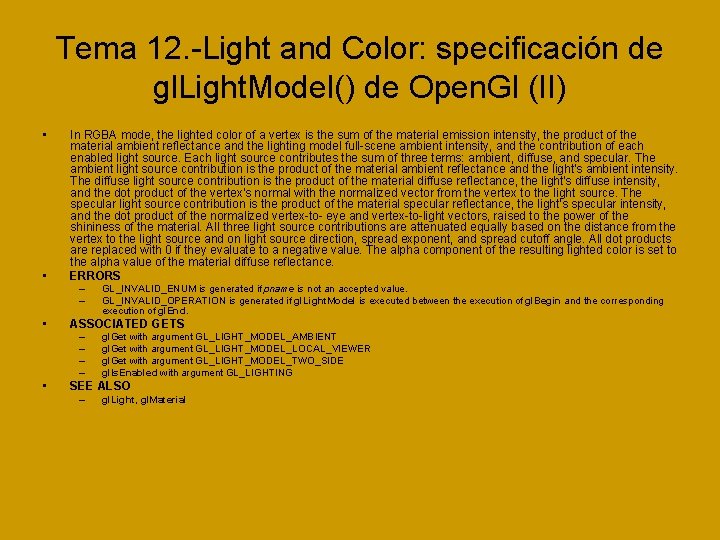
Tema 12. -Light and Color: specificación de gl. Light. Model() de Open. Gl (II) • • In RGBA mode, the lighted color of a vertex is the sum of the material emission intensity, the product of the material ambient reflectance and the lighting model full-scene ambient intensity, and the contribution of each enabled light source. Each light source contributes the sum of three terms: ambient, diffuse, and specular. The ambient light source contribution is the product of the material ambient reflectance and the light's ambient intensity. The diffuse light source contribution is the product of the material diffuse reflectance, the light's diffuse intensity, and the dot product of the vertex's normal with the normalized vector from the vertex to the light source. The specular light source contribution is the product of the material specular reflectance, the light's specular intensity, and the dot product of the normalized vertex-to- eye and vertex-to-light vectors, raised to the power of the shininess of the material. All three light source contributions are attenuated equally based on the distance from the vertex to the light source and on light source direction, spread exponent, and spread cutoff angle. All dot products are replaced with 0 if they evaluate to a negative value. The alpha component of the resulting lighted color is set to the alpha value of the material diffuse reflectance. ERRORS – – • ASSOCIATED GETS – – • GL_INVALID_ENUM is generated if pname is not an accepted value. GL_INVALID_OPERATION is generated if gl. Light. Model is executed between the execution of gl. Begin and the corresponding execution of gl. End. gl. Get with argument GL_LIGHT_MODEL_AMBIENT gl. Get with argument GL_LIGHT_MODEL_LOCAL_VIEWER gl. Get with argument GL_LIGHT_MODEL_TWO_SIDE gl. Is. Enabled with argument GL_LIGHTING SEE ALSO – gl. Light, gl. Material
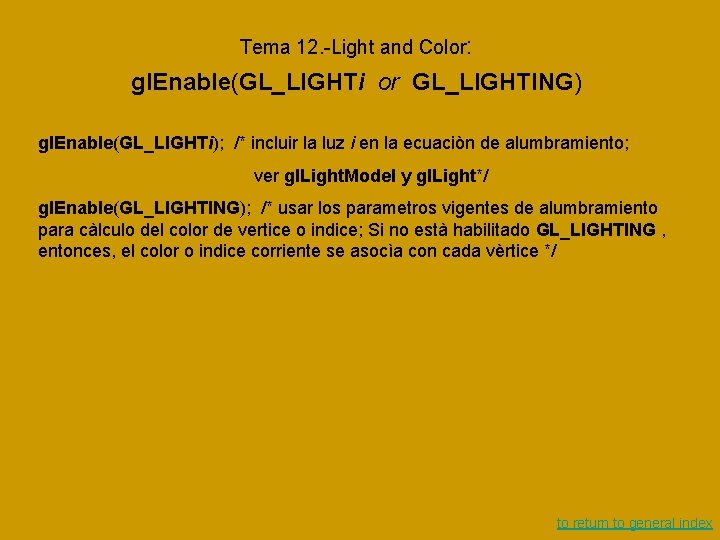
Tema 12. -Light and Color: gl. Enable(GL_LIGHTi or GL_LIGHTING) gl. Enable(GL_LIGHTi); /* incluir la luz i en la ecuaciòn de alumbramiento; ver gl. Light. Model y gl. Light*/ gl. Enable(GL_LIGHTING); /* usar los parametros vigentes de alumbramiento para càlculo del color de vertice o indice; Si no està habilitado GL_LIGHTING , entonces, el color o indice corriente se asocìa con cada vèrtice */ to return to general index
Tema 11. - Stencil to return to general index
Tema 1. - Aspectos generales de programación de realidad virtual en Open. GL to return to index
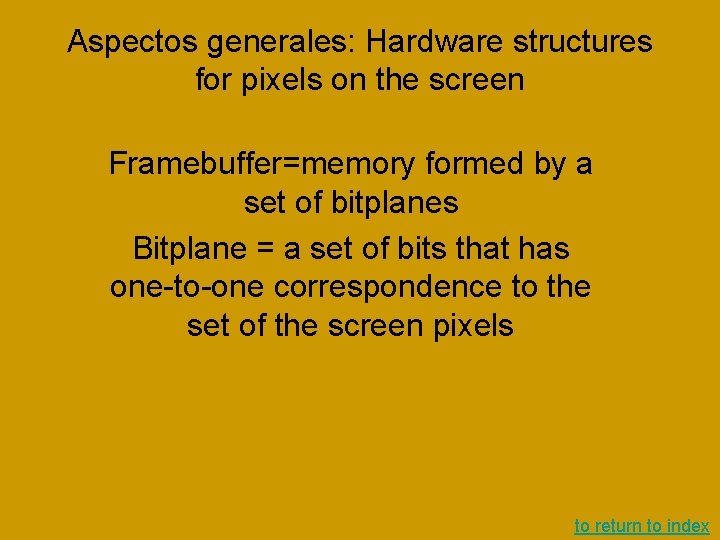
Aspectos generales: Hardware structures for pixels on the screen Framebuffer=memory formed by a set of bitplanes Bitplane = a set of bits that has one-to-one correspondence to the set of the screen pixels to return to index
Aspectos generales: Aspects of Graphics Programming Rendering = model-based image generation Rendering mode: • Retained mode • Immediate mode Model: Model primitives Spacing: Projection, light, texture, fog… Real-time Graphics as events-based programming to return to index
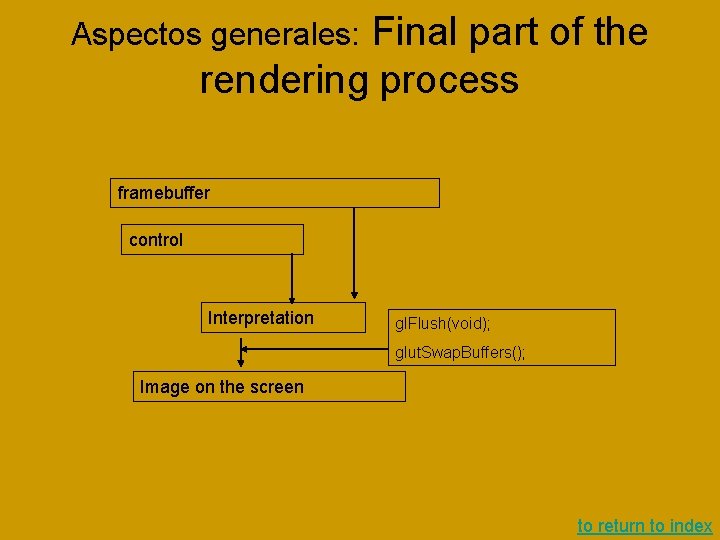
Final part of the rendering process Aspectos generales: framebuffer control Interpretation gl. Flush(void); glut. Swap. Buffers(); Image on the screen to return to index
Real-time Graphics as events-based programming Aspectos generales: Main loop Registering a callback function The user-initiated events for calling back: –reshaping, –keyboard, –and changing mouse state to return to index
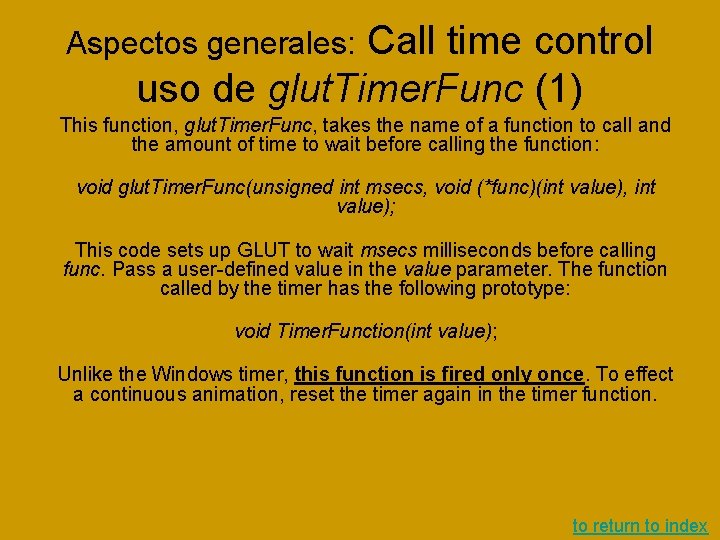
Call time control uso de glut. Timer. Func (1) Aspectos generales: This function, glut. Timer. Func, takes the name of a function to call and the amount of time to wait before calling the function: void glut. Timer. Func(unsigned int msecs, void (*func)(int value), int value); This code sets up GLUT to wait msecs milliseconds before calling func. Pass a user-defined value in the value parameter. The function called by the timer has the following prototype: void Timer. Function(int value); Unlike the Windows timer, this function is fired only once. To effect a continuous animation, reset the timer again in the timer function. to return to index
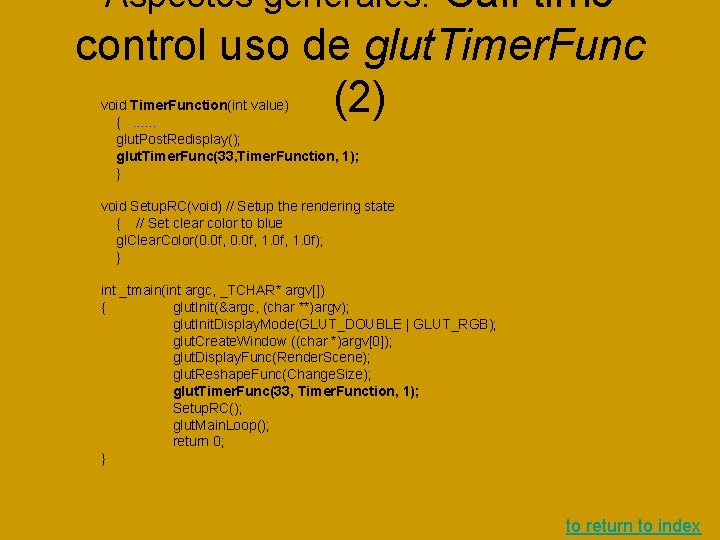
Call time control uso de glut. Timer. Func (2) Aspectos generales: void Timer. Function(int value) {. . . glut. Post. Redisplay(); glut. Timer. Func(33, Timer. Function, 1); } void Setup. RC(void) // Setup the rendering state { // Set clear color to blue gl. Clear. Color(0. 0 f, 1. 0 f); } int _tmain(int argc, _TCHAR* argv[]) { glut. Init(&argc, (char **)argv); glut. Init. Display. Mode(GLUT_DOUBLE | GLUT_RGB); glut. Create. Window ((char *)argv[0]); glut. Display. Func(Render. Scene); glut. Reshape. Func(Change. Size); glut. Timer. Func(33, Timer. Function, 1); Setup. RC(); glut. Main. Loop(); return 0; } to return to index
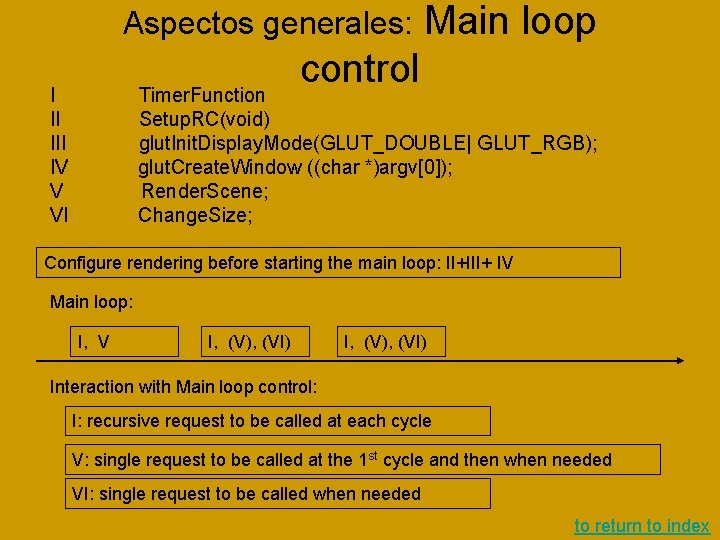
Aspectos generales: Main loop control I II IV V VI Timer. Function Setup. RC(void) glut. Init. Display. Mode(GLUT_DOUBLE| GLUT_RGB); glut. Create. Window ((char *)argv[0]); Render. Scene; Change. Size; Configure rendering before starting the main loop: II+III+ IV Main loop: I, V I, (V), (VI) Interaction with Main loop control: I: recursive request to be called at each cycle V: single request to be called at the 1 st cycle and then when needed VI: single request to be called when needed to return to index
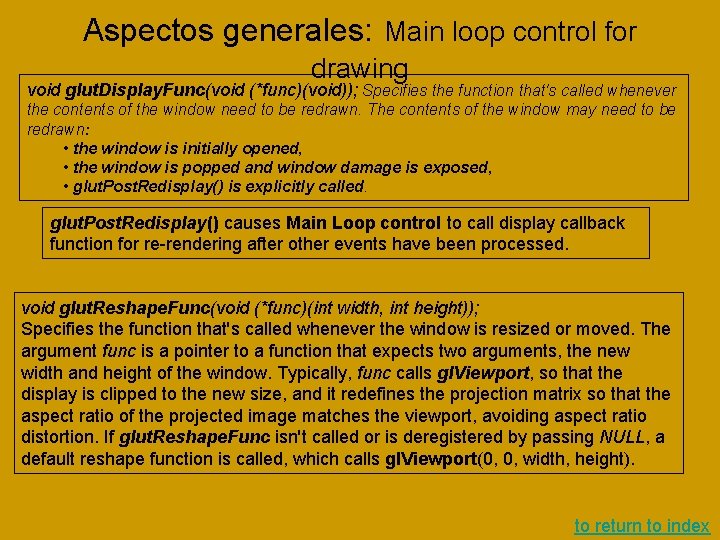
Aspectos generales: Main loop control for drawing void glut. Display. Func(void (*func)(void)); Specifies the function that's called whenever the contents of the window need to be redrawn. The contents of the window may need to be redrawn: • the window is initially opened, • the window is popped and window damage is exposed, • glut. Post. Redisplay() is explicitly called. glut. Post. Redisplay() causes Main Loop control to call display callback function for re-rendering after other events have been processed. void glut. Reshape. Func(void (*func)(int width, int height)); Specifies the function that's called whenever the window is resized or moved. The argument func is a pointer to a function that expects two arguments, the new width and height of the window. Typically, func calls gl. Viewport, so that the display is clipped to the new size, and it redefines the projection matrix so that the aspect ratio of the projected image matches the viewport, avoiding aspect ratio distortion. If glut. Reshape. Func isn't called or is deregistered by passing NULL, a default reshape function is called, which calls gl. Viewport(0, 0, width, height). to return to index
Other animation control: uso de glut. Idle. Func() Aspectos generales: glut. Idle. Func sets the global idle callback. Usage void glut. Idle. Func(void (*func)(void)); func The new idle callback function. Description glut. Idle. Func sets the global idle callback to be func so a GLUT program can perform background processing tasks or continuous animation when window system events are not being received. If enabled, the idle callback is continuously called when events are not being received. The callback routine has no parameters. The current window and current menu will not be changed before the idle callback. Programs with multiple windows and/or menus should explicitly set the current window and/or current menu and not rely on its current setting. The amount of computation and rendering done in an idle callback should be minimized to avoid affecting the program’s interactive response. In general, not more than a single frame of rendering should be done in an idle callback. Passing NULL to glut. Idle. Func disables the generation of the idle callback. to return to index
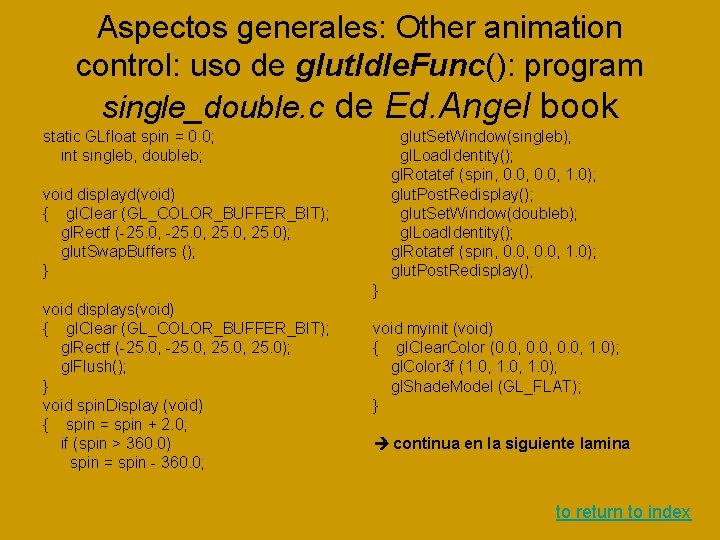
Aspectos generales: Other animation control: uso de glut. Idle. Func(): program single_double. c de Ed. Angel book static GLfloat spin = 0. 0; int singleb, doubleb; glut. Set. Window(singleb); gl. Load. Identity(); gl. Rotatef (spin, 0. 0, 1. 0); glut. Post. Redisplay(); glut. Set. Window(doubleb); gl. Load. Identity(); gl. Rotatef (spin, 0. 0, 1. 0); glut. Post. Redisplay(); void displayd(void) { gl. Clear (GL_COLOR_BUFFER_BIT); gl. Rectf (-25. 0, 25. 0); glut. Swap. Buffers (); } } void displays(void) { gl. Clear (GL_COLOR_BUFFER_BIT); gl. Rectf (-25. 0, 25. 0); gl. Flush(); } void spin. Display (void) { spin = spin + 2. 0; if (spin > 360. 0) spin = spin - 360. 0; void myinit (void) { gl. Clear. Color (0. 0, 1. 0); gl. Color 3 f (1. 0, 1. 0); gl. Shade. Model (GL_FLAT); } continua en la siguiente lamina to return to index
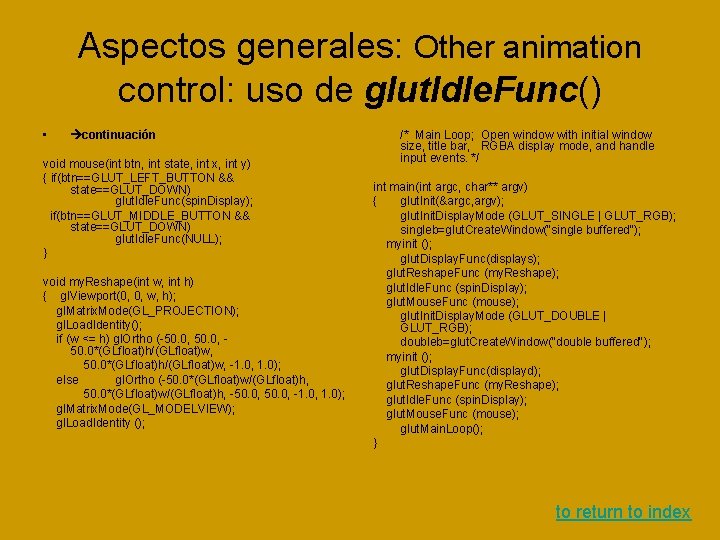
Aspectos generales: Other animation control: uso de glut. Idle. Func() • continuación void mouse(int btn, int state, int x, int y) { if(btn==GLUT_LEFT_BUTTON && state==GLUT_DOWN) glut. Idle. Func(spin. Display); if(btn==GLUT_MIDDLE_BUTTON && state==GLUT_DOWN) glut. Idle. Func(NULL); } void my. Reshape(int w, int h) { gl. Viewport(0, 0, w, h); gl. Matrix. Mode(GL_PROJECTION); gl. Load. Identity(); if (w <= h) gl. Ortho (-50. 0, 50. 0*(GLfloat)h/(GLfloat)w, -1. 0, 1. 0); else gl. Ortho (-50. 0*(GLfloat)w/(GLfloat)h, -50. 0, -1. 0, 1. 0); gl. Matrix. Mode(GL_MODELVIEW); gl. Load. Identity (); /* Main Loop; Open window with initial window size, title bar, RGBA display mode, and handle input events. */ int main(int argc, char** argv) { glut. Init(&argc, argv); glut. Init. Display. Mode (GLUT_SINGLE | GLUT_RGB); singleb=glut. Create. Window("single buffered"); myinit (); glut. Display. Func(displays); glut. Reshape. Func (my. Reshape); glut. Idle. Func (spin. Display); glut. Mouse. Func (mouse); glut. Init. Display. Mode (GLUT_DOUBLE | GLUT_RGB); doubleb=glut. Create. Window("double buffered"); myinit (); glut. Display. Func(displayd); glut. Reshape. Func (my. Reshape); glut. Idle. Func (spin. Display); glut. Mouse. Func (mouse); glut. Main. Loop(); } to return to index
Aspectos generales: Open. GL Primitives back The Vertex–A Position in Space A vertex = a coordinate in 2 D or 3 D space. The geometric definition of a vertex is not just a point in space, but rather the point at which an intersection of two lines or curves occurs. This is the essence of primitives. In both 2 D and 3 D, when you draw an object, you actually compose it with several smaller shapes called primitives. A primitive is simply the interpretation of a set or list of vertices into some shape drawn on the screen. There are 10 primitives in Open. GL, from a simple point drawn in space to a closed polygon of any number of sides. Primitives are one- or two-dimensional entities or surfaces such as points, lines, and polygons (a flat, multisided shape) that are assembled in 3 D space to create 3 D objects. For example, a three-dimensional cube consists of six two-dimensional squares, each placed on a separate face. Each corner of the square (or of any primitive) is represented by a vertex. to return to index
Aspectos generales: Open. GL State Machine back Drawing 3 D graphics is a complicated affair. For a given piece of geometry, many things can affect how it is drawn. Is a light shining on it? What are the properties of the light? What are the properties of the material? Which, if any, texture should be applied? The list could go on and on. We call this collection of variables the state of the pipeline. A state machine is an abstract model of a collection of state variables, all of which can have various values, be turned on or off, and so on. When a state value is set, it remains set until some other function changes it. Many states are simply on or off. Lighting, for example, is either turned on or off. Geometry drawn without lighting is drawn without any lighting calculations being applied to the colors set for the geometry. Any geometry drawn after lighting is turned back on is then drawn with the lighting calculations applied. to return to index
Aspectos generales: Open. GL State Machine (II) back To turn these types of state variables on and off, you use: void gl. Enable(GLenum capability); You turn the variable back off with the corresponding function: void gl. Disable(GLenum capability); For the case of lighting, for instance, you can turn it on by using the following: gl. Enable(GL_LIGHTING); And you turn it back off with this function: gl. Disable(GL_LIGHTING); To test a state variable to see whether it is enabled, use: Glboolean gl. Is. Enabled(GLenum capability); to return to index
Aspectos generales: Open. GL State Machine (III) back Not all state variables, however, are simply on or off. Many of the Open. GL functions set up values that "stick" until changed. You can query what these values are at any time. These four query functions are prototyped thus: void gl. Get. Booleanv(GLenum pname, GLboolean *params); void gl. Get. Doublev(GLenum pname, GLdouble *params); void gl. Get. Floatv(GLenum pname, GLfloat *params); void gl. Get. Integerv(GLenum pname, GLint *params); Each function returns a single value or a whole array of values, storing the results at the address you supply. to return to index
Aspectos generales: Open. GL State Machine (IV): Saving and Restoring States back Open. GL also has a convenient mechanism for saving a whole range of state values and restoring them later. A single Open. GL state value or a whole range of related state values can be pushed on the attribute stack with the following command: void gl. Push. Attrib(GLbitfield mask); Values are correspondingly retrieved with this command: void gl. Pop. Attrib(GLbitfield mask); The argument to these functions is a bitfield. This means that you use a bitwise mask, which allows you to perform a bitwise OR (in C using the | operator) of multiple state values with a single function call. For example, you could save the lighting and texturing state with a single call like this: gl. Push. Attrib(GL_TEXTURE_BIT | GL_LIGHTING_BIT); to return to index
Aspectos generales: Adaptation of Open. GL Examples to Visual. Studio back What to do: • Put headers into a proper directory • Put libraries into a proper directory • Choose "consol application" as configuration for Visual. Studio project • Correct the source code of an example to return to index
Tema 2: Lógica de transformaciones matriciales en Open. GL back to return to index
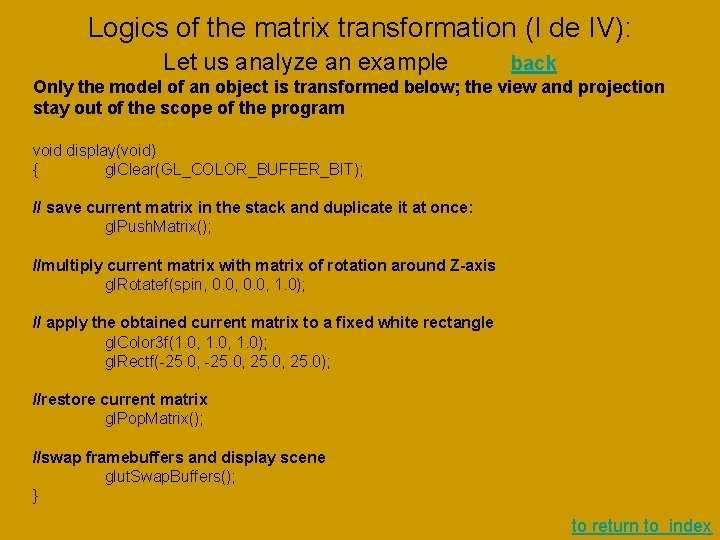
Logics of the matrix transformation (I de IV): Let us analyze an example back Only the model of an object is transformed below; the view and projection stay out of the scope of the program void display(void) { gl. Clear(GL_COLOR_BUFFER_BIT); // save current matrix in the stack and duplicate it at once: gl. Push. Matrix(); //multiply current matrix with matrix of rotation around Z-axis gl. Rotatef(spin, 0. 0, 1. 0); // apply the obtained current matrix to a fixed white rectangle gl. Color 3 f(1. 0, 1. 0); gl. Rectf(-25. 0, 25. 0); //restore current matrix gl. Pop. Matrix(); //swap framebuffers and display scene glut. Swap. Buffers(); } to return to index
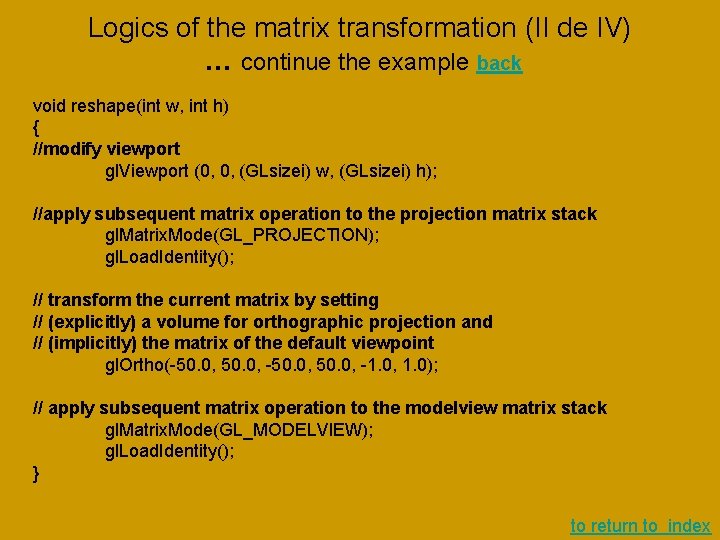
Logics of the matrix transformation (II de IV) … continue the example back void reshape(int w, int h) { //modify viewport gl. Viewport (0, 0, (GLsizei) w, (GLsizei) h); //apply subsequent matrix operation to the projection matrix stack gl. Matrix. Mode(GL_PROJECTION); gl. Load. Identity(); // transform the current matrix by setting // (explicitly) a volume for orthographic projection and // (implicitly) the matrix of the default viewpoint gl. Ortho(-50. 0, -1. 0, 1. 0); // apply subsequent matrix operation to the modelview matrix stack gl. Matrix. Mode(GL_MODELVIEW); gl. Load. Identity(); } to return to index
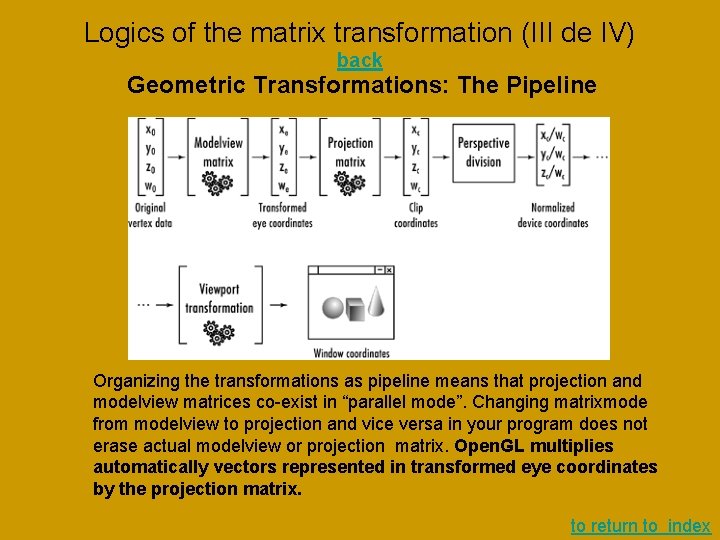
Logics of the matrix transformation (III de IV) back Geometric Transformations: The Pipeline Organizing the transformations as pipeline means that projection and modelview matrices co-exist in “parallel mode”. Changing matrixmode from modelview to projection and vice versa in your program does not erase actual modelview or projection matrix. Open. GL multiplies automatically vectors represented in transformed eye coordinates by the projection matrix. to return to index
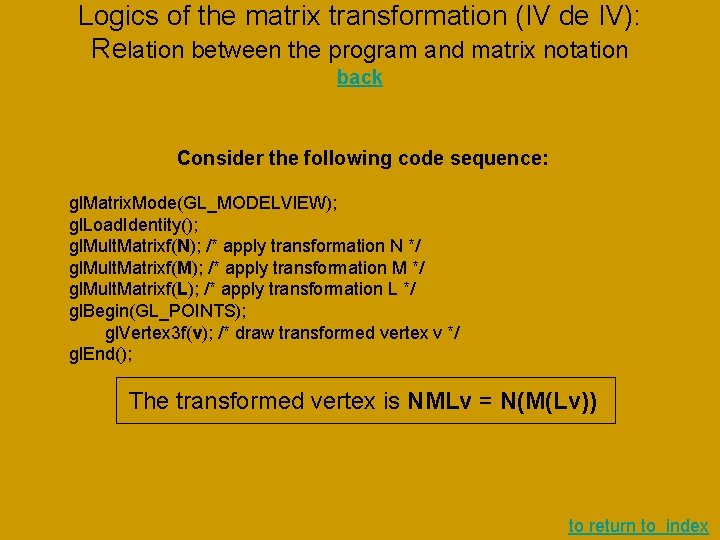
Logics of the matrix transformation (IV de IV): Relation between the program and matrix notation back Consider the following code sequence: gl. Matrix. Mode(GL_MODELVIEW); gl. Load. Identity(); gl. Mult. Matrixf(N); /* apply transformation N */ gl. Mult. Matrixf(M); /* apply transformation M */ gl. Mult. Matrixf(L); /* apply transformation L */ gl. Begin(GL_POINTS); gl. Vertex 3 f(v); /* draw transformed vertex v */ gl. End(); The transformed vertex is NMLv = N(M(Lv)) to return to index
3. - Viewing back to return to index
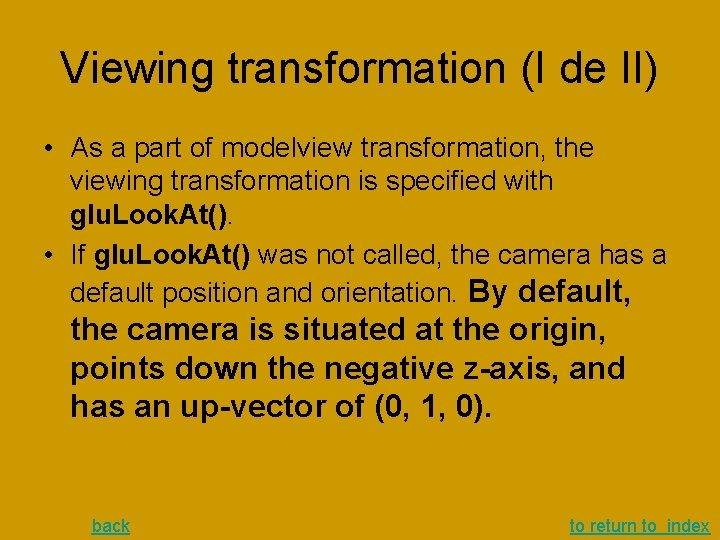
Viewing transformation (I de II) • As a part of modelview transformation, the viewing transformation is specified with glu. Look. At(). • If glu. Look. At() was not called, the camera has a default position and orientation. By default, the camera is situated at the origin, points down the negative z-axis, and has an up-vector of (0, 1, 0). back to return to index
Viewing transformation (II de II) • void glu. Look. At(GLdouble eyex, GLdouble eyey, GLdouble eyez, GLdouble centerx, GLdouble centery, GLdouble centerz, GLdouble upx, GLdouble upy, GLdouble upz); Defines a viewing matrix and multiplies it to the right of the current matrix. The desired viewpoint is specified by eyex, eyey, and eyez. The centerx, centery, and centerz arguments specify any point along the desired line of sight, but typically they're some point in the center of the scene being looked at. The upx, upy, and upz arguments indicate which direction is up (that is, the direction from the bottom to the top of the viewing volume). In the default position (see previous slide), the camera is at the origin, is looking down the negative z-axis, and has the positive y-axis as straight up. This is the same as calling glu. Lookat (0. 0, -100. 0, 1. 0, 0. 0); back to return to index
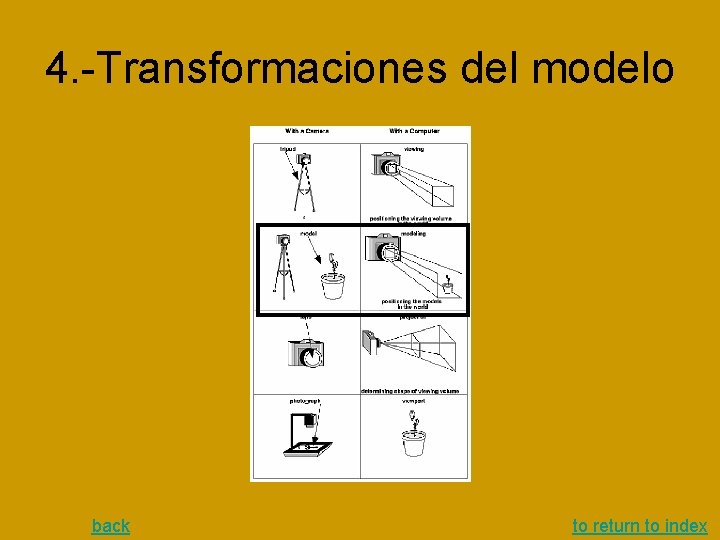
4. -Transformaciones del modelo back to return to index
Transformaciones del modelo I • Las transformaciones del modelo se pueden dividir en las básicas y las derivadas • Las básicas incluyen: – Cualquier combinación de la Traslación, la rotación y escalamiento, o multiplicación por una dada matriz 4 x 4 • Las derivadas son aquellas que se usan para efectos especiales tales como sombra, espejo, selección, … back to return to index
Transformaciones básicas I • Translate void gl. Translate{fd}(TYPEx, TYPE y, TYPEz); Multiplies the current matrix by a matrix that moves (translates) an object by the given x, y, and z values (or moves the local coordinate system by the same amounts). • Rotate void gl. Rotate{fd}(TYPE angle, TYPE x, TYPE y, TYPE z); Multiplies the current matrix by a matrix that rotates an object (or the local coordinate system) in a counterclockwise direction about the ray from the origin through the point (x, y, z). The angle parameter specifies the angle of rotation in degrees. • Scale void gl. Scale{fd}(TYPEx, TYPE y, TYPEz); Multiplies the current matrix by a matrix that stretches, shrinks, or reflects an object along the axes. Each x, y, and z coordinate of every point in the object is multiplied by the corresponding argument x, y, or z. With the local coordinate system approach, the local coordinate axes are stretched, shrunk, or reflected by the x, y, and z factors, and the associated object is transformed with them. back to return to index
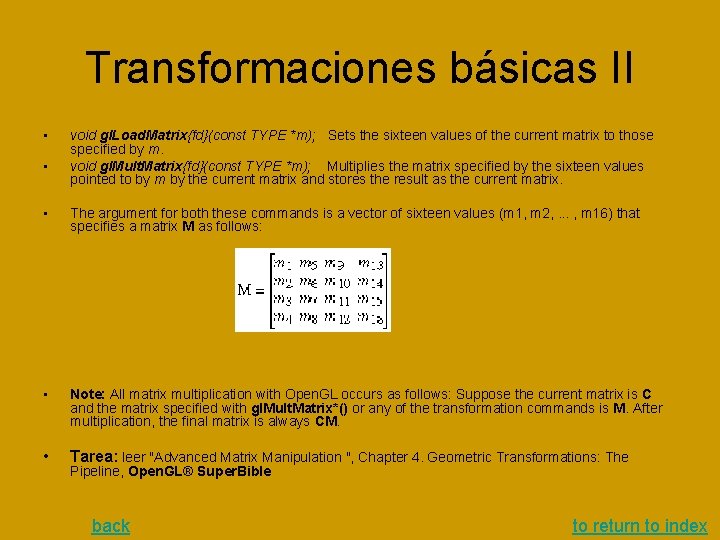
Transformaciones básicas II • • void gl. Load. Matrix{fd}(const TYPE *m); Sets the sixteen values of the current matrix to those specified by m. void gl. Mult. Matrix{fd}(const TYPE *m); Multiplies the matrix specified by the sixteen values pointed to by m by the current matrix and stores the result as the current matrix. • The argument for both these commands is a vector of sixteen values (m 1, m 2, . . . , m 16) that specifies a matrix M as follows: • Note: All matrix multiplication with Open. GL occurs as follows: Suppose the current matrix is C and the matrix specified with gl. Mult. Matrix*() or any of the transformation commands is M. After multiplication, the final matrix is always CM. • Tarea: leer "Advanced Matrix Manipulation ", Chapter 4. Geometric Transformations: The Pipeline, Open. GL® Super. Bible back to return to index
Shadow matrix (1) • La matrix de sombra es una especie de la transformation "modelview" • Dada L como vector de la posición de la fuente de luz, un plano, y un punto s en espacio, la sombra del punto al plano se representa como s+r(s-L) donde el parametro r se busca de la condicion que s+r(s-L) pertenece al plano en cuestion. • Elijamos la representación del plano mediante la cuádruple {a, b, c, d}, donde n={a, b, c} es un vector ortonormal al plano y d es el desplazamiento del plano desde el origen del sistema de coordenadas a lo largo del eje generado por n). • Obviamente, el vector (x, y, z) pertenece al plano si y solo si se cumple la ecuación ax+by+cz+d=0. back to return to index
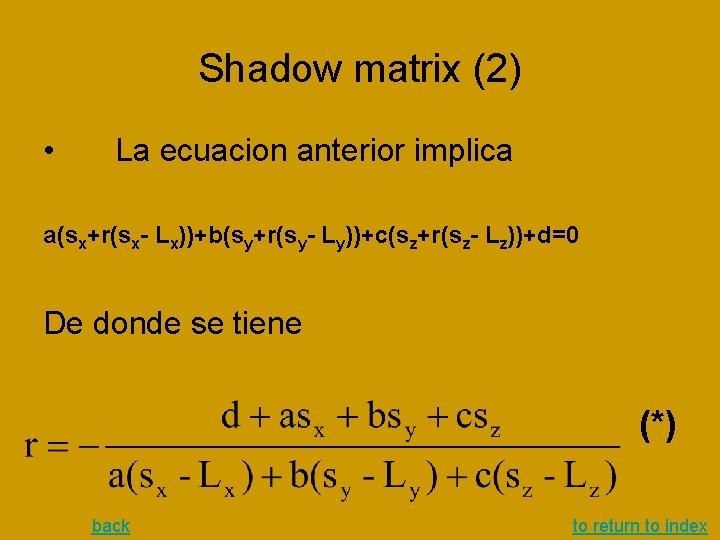
Shadow matrix (2) • La ecuacion anterior implica a(sx+r(sx- Lx))+b(sy+r(sy- Ly))+c(sz+r(sz- Lz))+d=0 De donde se tiene (*) back to return to index
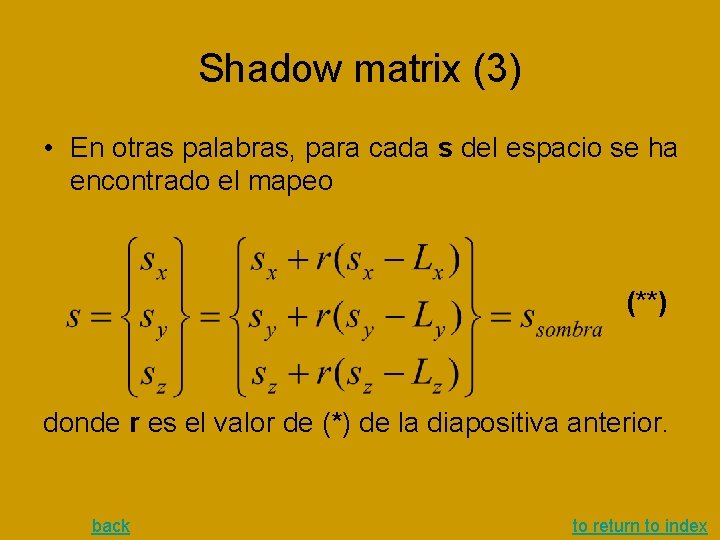
Shadow matrix (3) • En otras palabras, para cada s del espacio se ha encontrado el mapeo (**) donde r es el valor de (*) de la diapositiva anterior. back to return to index
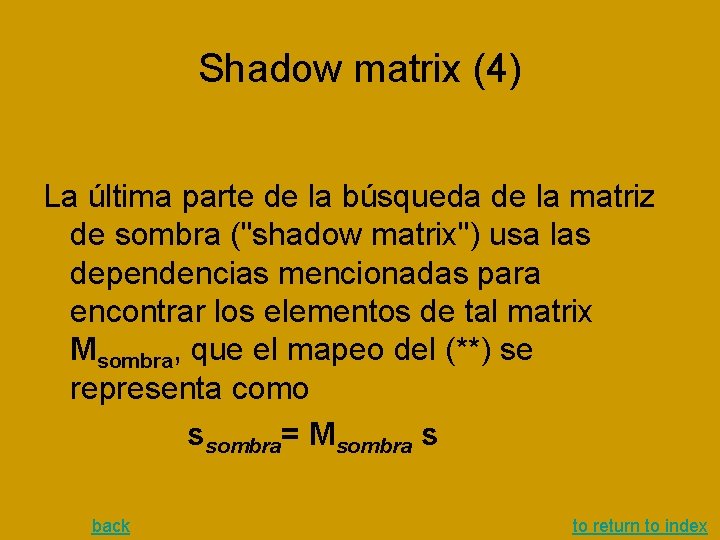
Shadow matrix (4) La última parte de la búsqueda de la matriz de sombra ("shadow matrix") usa las dependencias mencionadas para encontrar los elementos de tal matrix Msombra, que el mapeo del (**) se representa como ssombra= Msombra s back to return to index
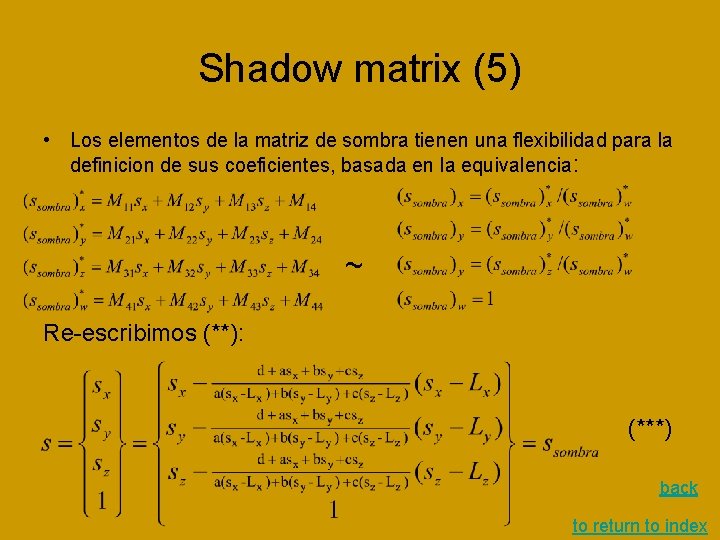
Shadow matrix (5) • Los elementos de la matriz de sombra tienen una flexibilidad para la definicion de sus coeficientes, basada en la equivalencia: ~ Re-escribimos (**): (***) back to return to index
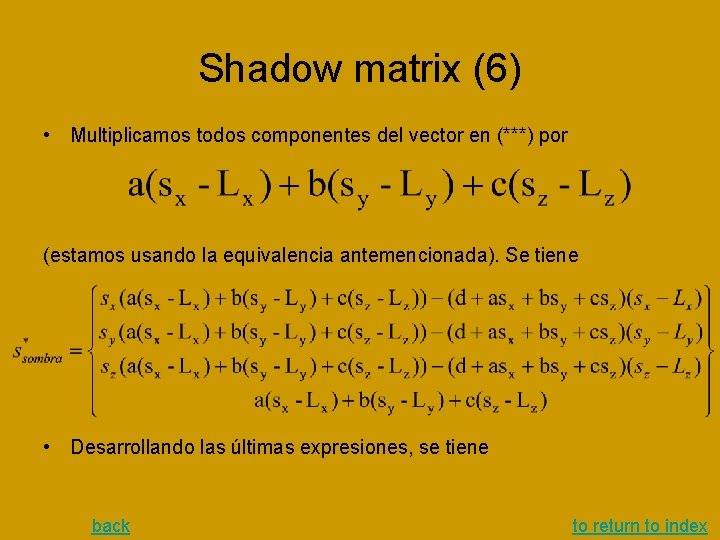
Shadow matrix (6) • Multiplicamos todos componentes del vector en (***) por (estamos usando la equivalencia antemencionada). Se tiene • Desarrollando las últimas expresiones, se tiene back to return to index
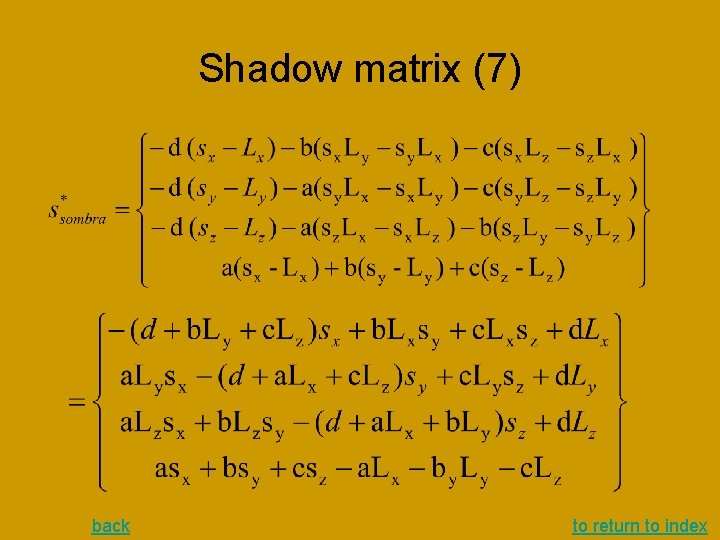
Shadow matrix (7) back to return to index
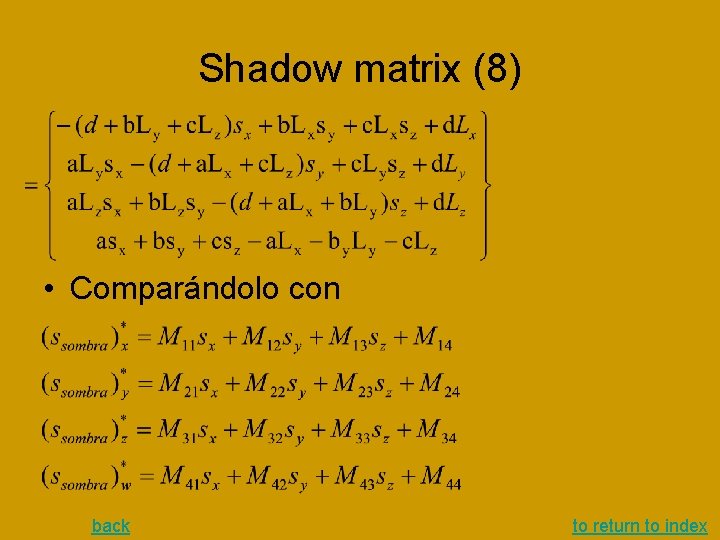
Shadow matrix (8) • Comparándolo con back to return to index
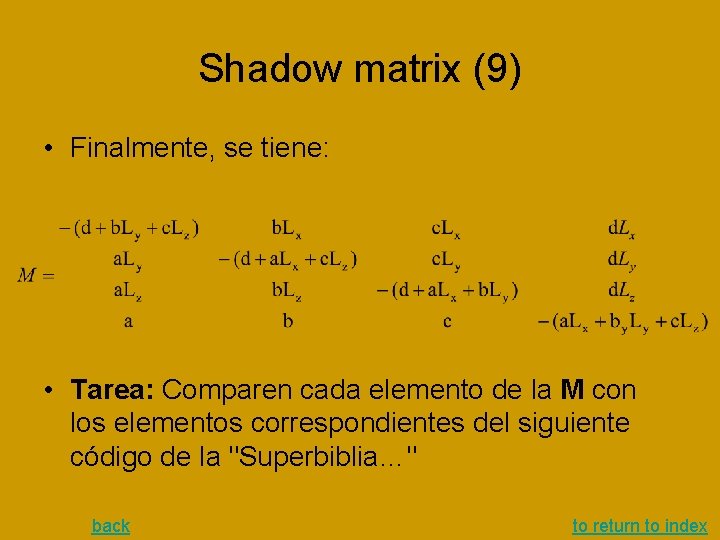
Shadow matrix (9) • Finalmente, se tiene: • Tarea: Comparen cada elemento de la M con los elementos correspondientes del siguiente código de la "Superbiblia…" back to return to index
Shadow matrix (10)(…tarea) • • • void glt. Make. Shadow. Matrix(GLfloat v. Plane. Equation[], GLfloat v. Light. Pos[], GLfloat dest. Mat[]) { GLfloat dot; • • • // Dot product of plane and light position dot = v. Plane. Equation[0]*v. Light. Pos[0] + v. Plane. Equation[1]*v. Light. Pos[1] + v. Plane. Equation[2]*v. Light. Pos[2] + v. Plane. Equation[3]*v. Light. Pos[3]; • • • // Now do the projection // First column dest. Mat[0] = dot - v. Light. Pos[0] * v. Plane. Equation[0]; dest. Mat[4] = 0. 0 f - v. Light. Pos[0] * v. Plane. Equation[1]; dest. Mat[8] = 0. 0 f - v. Light. Pos[0] * v. Plane. Equation[2]; dest. Mat[12] = 0. 0 f - v. Light. Pos[0] * v. Plane. Equation[3]; • • • // Second column dest. Mat[1] = 0. 0 f - v. Light. Pos[1] * v. Plane. Equation[0]; dest. Mat[5] = dot - v. Light. Pos[1] * v. Plane. Equation[1]; dest. Mat[9] = 0. 0 f - v. Light. Pos[1] * v. Plane. Equation[2]; dest. Mat[13] = 0. 0 f - v. Light. Pos[1] * v. Plane. Equation[3]; • • • // Third Column dest. Mat[2] = 0. 0 f - v. Light. Pos[2] * v. Plane. Equation[0]; dest. Mat[6] = 0. 0 f - v. Light. Pos[2] * v. Plane. Equation[1]; dest. Mat[10] = dot - v. Light. Pos[2] * v. Plane. Equation[2]; dest. Mat[14] = 0. 0 f - v. Light. Pos[2] * v. Plane. Equation[3]; • • • // Fourth Column dest. Mat[3] = 0. 0 f - v. Light. Pos[3] * v. Plane. Equation[0]; dest. Mat[7] = 0. 0 f - v. Light. Pos[3] * v. Plane. Equation[1]; dest. Mat[11] = 0. 0 f - v. Light. Pos[3] * v. Plane. Equation[2]; dest. Mat[15] = dot - v. Light. Pos[3] * v. Plane. Equation[3]; } Expliquien la diferencia del signo y del orden "fila-columna" de la M con este código back to return to index
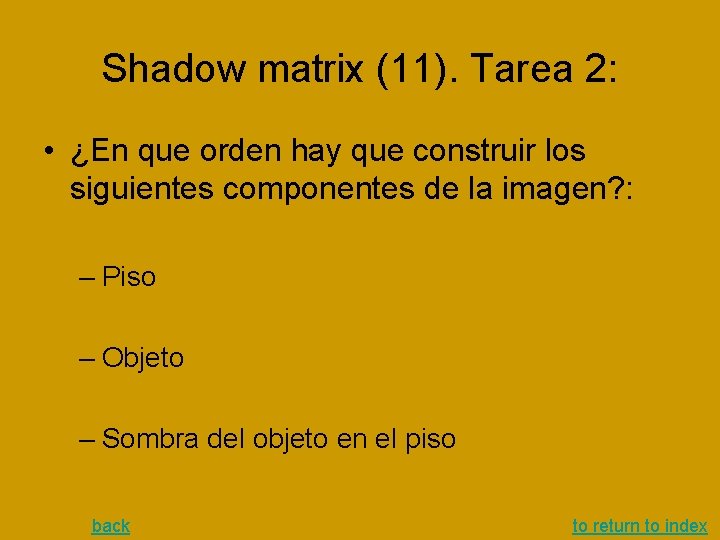
Shadow matrix (11). Tarea 2: • ¿En que orden hay que construir los siguientes componentes de la imagen? : – Piso – Objeto – Sombra del objeto en el piso back to return to index
Reflexiones y transparencias I • Componentes del modelo son: – Piso – Fuente de luz – Objeto • Los mecanismos involucrados: – Ecritura normal al framebuffer (borrando el contenido anterior) – Escritura mediante “blending” (mezclando el nuevo contenido con lo anterior) • Lógica de reflexión: – – Reflejar mundo (luz y objeto) respecto el piso Dibujar el mundo reflejado Habilitar GL_ BLEND Dibujar el piso, mezclándolo (BLENDING) con el contenido actual del framebuffer – Deshabilitar GL_ BLEND – Restaurar el mundo – Dibujar el mundo back to return to index
Reflexiones y transparencias II • • • … gl. Push. Matrix(); // recordar la matriz actual Push. Light. Stack(); // recordar la posicion de luz actual f. Light. Mirr(); // invertir posición de la fuente de luz respecto el piso gl. Front. Face(GL_CW); // cambiar orientacion de poligonos para invertir los lados delanteros y traseros gl. Push. Matrix(); // recordar la matriz actual /* dibujar mundo invertido */ gl. Scalef(1. 0 f, -1. 0 f, 1. 0 f); gl. Translatef(0. 0 f, 2. 0 f*yground, 0. 0 f); Draw_Objects_Color(); /* restaurar el mundo normal*/ • • gl. Pop. Matrix(); //restaurar matriz gl. Front. Face(GL_CCW); // restaurar orientación Pop. Light. Stack(); //restaurar posición de luz // Dibujar el piso transparente sobre el mundo reflejado gl. Disable(GL_LIGHTING); gl. Enable(GL_BLEND); gl. Blend. Func(GL_SRC_ALPHA, GL_ONE_MINUS_SRC_ALPHA); Draw. Ground(); // desabilitar transparencia • • • gl. Disable(GL_BLEND); gl. Enable(GL_LIGHTING); gl. Pop. Matrix(); // restaurar matriz /* dibujar el mundo sobre el piso*/ Draw_Objects_Color(); Draw. Light. Source(); back to return to index
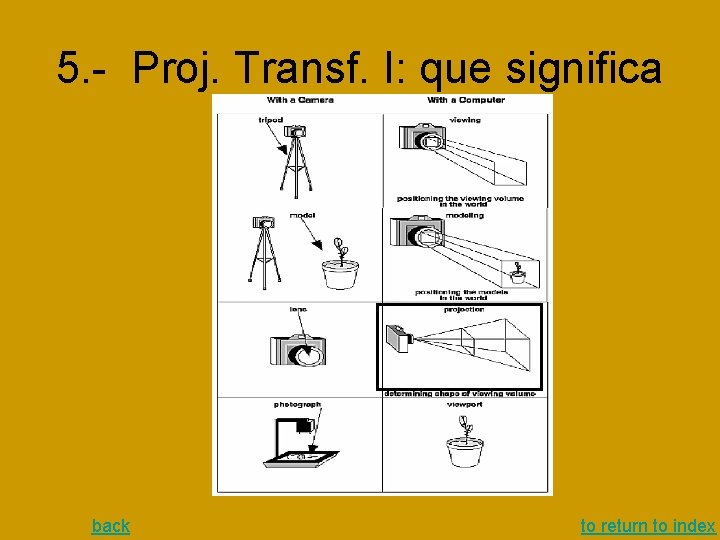
5. - Proj. Transf. I: que significa back to return to index
Projection Transformations II • Hay dos opciones: – Proyección ortográfica – Proyeccion de perspectiva • Los parámetros para los programas de control de la proyeccián se indican en los terminos de la cámara. Es decir, – la 3 a coordenada se dirige hacia la cámara – La 2 a hacia el vector de la proyeccián del vector "up" (como aquél de glu. Look. At()) por el plano ortogonal al eje de la 3 a coordenada – La 1 a es orientada hacia el vector del producto cruz de los vectores pertenecientes a los ejes de la 2 a y la 3 a back to return to index
Projection Transformations III gl. Matrix. Mode(GL_PROJECTION); gl. Load. Identity(); luego siguen opcionalmente: – gl. Frustum(…); //1 a opción de la proyección perspectiva – glu. Perspective(…); //2 a opción de la proyección perspectiva – gl. Ortho(…); // proyección ortográfica back to return to index
6. -Viewport back to return to index
Viewports: Mapping Drawing Coordinates to Window Coordinates back to return to index
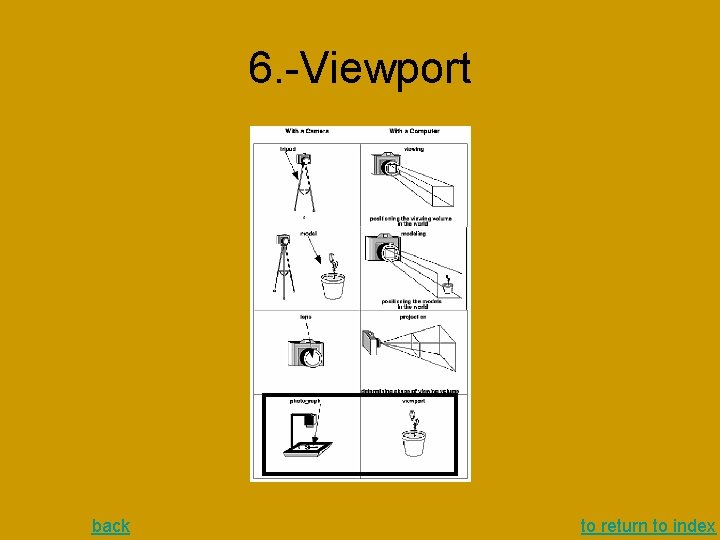
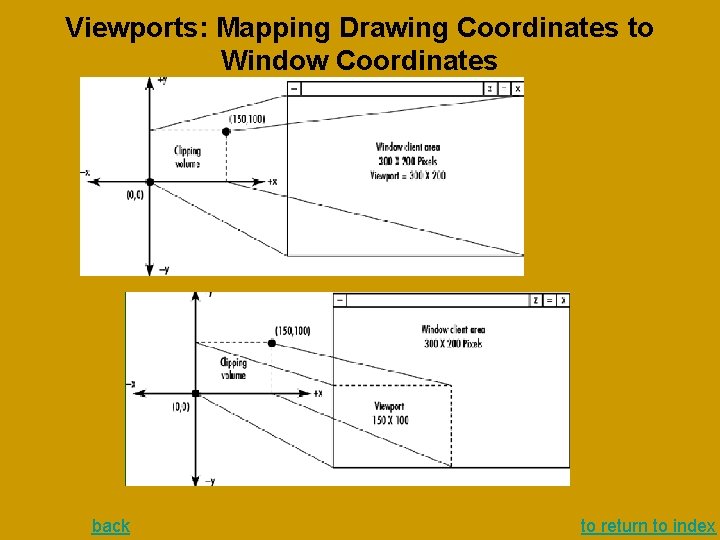
Viewports: Mapping Drawing Coordinates to Window Coordinates (2) The Viewport Transformation Together, the projection transformation and the viewport transformation determine how a scene gets mapped onto the computer screen. The projection transformation specifies the mechanics of how the mapping should occur, and the viewport indicates the shape of the available screen area into which the scene is mapped. Since the viewport specifies the region the image occupies on the computer screen, you can think of the viewport transformation as defining the size and location of the final processed photograph - for example, whether the photograph should be enlarged or shrunk. The arguments to gl. Viewport() describe the origin of the available screen space within the window - (0, 0) in this example - and the width and height of the available screen area, all measured in pixels on the screen. This is why this command needs to be called within reshape() - if the window changes size, the viewport needs to change accordingly. Note that the width and height are specified using the actual width and height of the window; often, you want to specify the viewport this way rather than giving an absolute size. back to return to index
Viewports: Mapping Drawing Coordinates to Window Coordinates (3) void gl. Viewport(GLint x, GLint y, GLsizei width, GLsizei height); Defines a pixel rectangle in the window into which the final image is mapped. The (x, y) parameter specifies the lower-left corner of the viewport, and width and height are the size of the viewport rectangle. By default, the initial viewport values are (0, 0, win. Width, win. Height), where win. Width and win. Height are the size of the window. back to return to index
Viewports: Mapping Drawing Coordinates(4): Reshape Callback Function to draw into 2 D system To create a simple, basic two-dimensional coordinate system into which you can draw a few objects, call glut. Reshape. Func(reshape), where reshape() is the following function (Reshape Callback Function): void reshape (int w, int h) { gl. Viewport (0, 0, (GLsizei) w, (GLsizei) h); gl. Matrix. Mode (GL_PROJECTION); gl. Load. Identity (); glu. Ortho 2 D (0. 0, (GLdouble) w, 0. 0, (GLdouble) h); } The internals of GLUT will pass this function two arguments: the width and height, in pixels, of the new, moved, or resized window. gl. Viewport() adjusts the pixel rectangle for drawing to be the entire new window. The next three routines adjust the coordinate system for drawing so that the lower-left corner is (0, 0), and the upper-right corner is (w, h). back to return to index
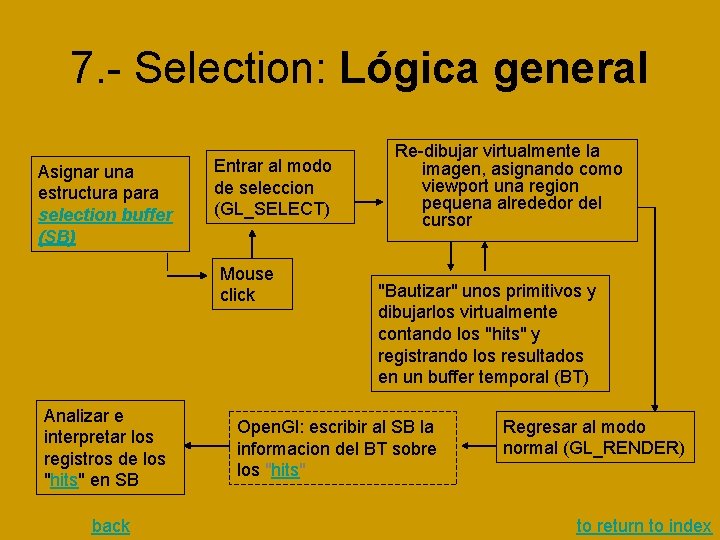
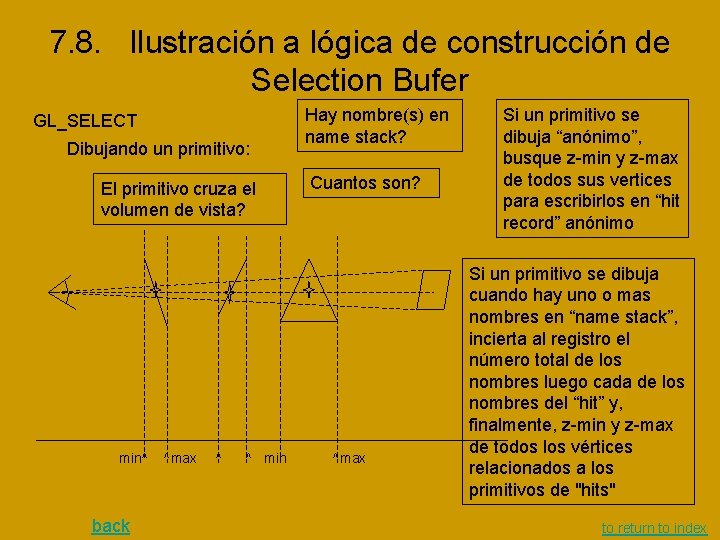
7. - Selection: Lógica general Asignar una estructura para selection buffer (SB) Entrar al modo de seleccion (GL_SELECT) Mouse click Analizar e interpretar los registros de los "hits" en SB back Re-dibujar virtualmente la imagen, asignando como viewport una region pequena alrededor del cursor "Bautizar" unos primitivos y dibujarlos virtualmente contando los "hits" y registrando los resultados en un buffer temporal (BT) Open. Gl: escribir al SB la informacion del BT sobre los "hits" Regresar al modo normal (GL_RENDER) to return to index
Selection: The Name Stack I • The Open. GL API provides a mechanism for picking objects in a 3 D scene. It allows to detect which objects are bellow the mouse or in a square region of the Open. GL window. The steps involved in detecting are: • 1. Get the window coordinates of the mouse • 2. Enter selection mode • 3. Redefine the viewing volume so that only a small area of the window around the cursor is rendered • 4. Render the scene, either using all primitives or only those relevant to the picking operation • 5. Exit selection mode and identify the objects which were rendered on that small part of the screen. back to return to index
Selection: The Name Stack II • In order to identify the rendered objects using the Open. GL API you must name all relevant objects in your scene. The Open. GL API allows you to give names to primitives, or sets of primitives (objects). When in selection mode, a special rendering mode provided by the Open. GL API, no objects are actually rendered in the framebuffer. Instead the names of the objects (plus depth information) are collected in an array. For unnamed objects, only depth information is collected. back to return to index
Selection: hits and selection buffer Terminology: a hit occurs whenever a primitive is rendered in selection mode. REGRESAR a "logica de Selection" Hit records are stored in the selection buffer. Functionality: Upon exiting the selection mode Open. GL returns the selection buffer with the set of hit records. Since Open. GL provides depth information for each hit the application can then easily detect which object is closer to the user. back to return to index
7. 8. Ilustración a lógica de construcción de Selection Bufer GL_SELECT Dibujando un primitivo: El primitivo cruza el volumen de vista? min^ back ^max ^ ^ min Hay nombre(s) en name stack? Cuantos son? ^max Si un primitivo se dibuja “anónimo”, busque z-min y z-max de todos sus vertices para escribirlos en “hit record” anónimo Si un primitivo se dibuja cuando hay uno o mas nombres en “name stack”, incierta al registro el número total de los nombres luego cada de los nombres del “hit” y, finalmente, z-min y z-max de todos los vértices relacionados a los primitivos de "hits" to return to index
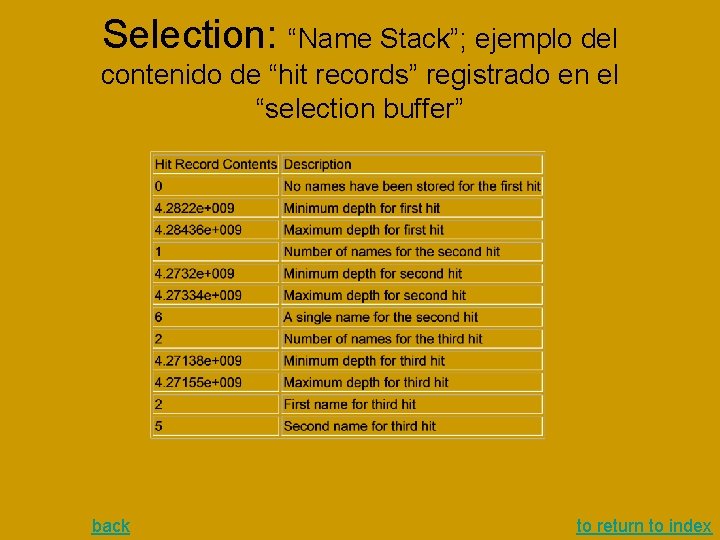
Selection: Introducing the Name Stack As the title suggests, the names you assign to objects are stored in a stack. Actually you don't give names to objects, as in a text string. Instead you number objects. Nevertheless, the term name is used in Open. GL instead of number. • When an object is rendered, if it intersects the new viewing volume, a hit record is created. The hit record contains the names currently on the name stack plus the minimum and maximum depth for the object. • Note: A hit record is created even if the name stack is empty, in which case it only contains depth information. If more objects are rendered before the name stack is altered or the application leaves the selection mode, then the depth values stored on the hit record are altered accordingly. • A hit record is stored on the selection buffer only when: – the current contents of the name stack are altered – or when the application leaves the selection mode. • The rendering function for the selection mode therefore is responsible for the contents of the name stack as well as the rendering of primitives. back to return to index
Selection: functions to manipulate the Name Stack • void gl. Init. Names(void); This function creates an empty name stack. You are required to call this function to initialize the stack prior to pushing names. void gl. Push. Name(GLuint name); Adds name to the top of the stack. The stacks maximum dimension is implementation dependent, however according to the specs it must contain at least 64 names which should prove to be more than enough for the vast majority of applications. Nevertheless if you want to be sure you may query the state variable GL_NAME_STACK_DEPTH (use gl. Get. Integerv (GL_NAME_STACK_DEPTH)). Pushing values onto the stack beyond its capacity causes an overflow error GL_STACK_OVERFLOW. void gl. Pop. Name(); Removes the name from top of the stack. Popping a value from an empty stack causes an underflow, error GL_STACK_UNDERFLOW. void gl. Load. Name(GLunit name); This function replaces the top of the stack with name. It is the same as calling gl. Pop. Name(); gl. Push. Name(name); Note: Calls to the above functions are ignored when not in selection mode. This means that you may have a single rendering function with all the name stack functions inside it. When in the normal rendering mode the functions are ignored and when in selection mode the hit records will be collected. Note: You can't place these functions inside a gl. Begin gl. End construction, which is kind of annoying since that will require a new rendering function for the selection mode in some cases. back to return to index
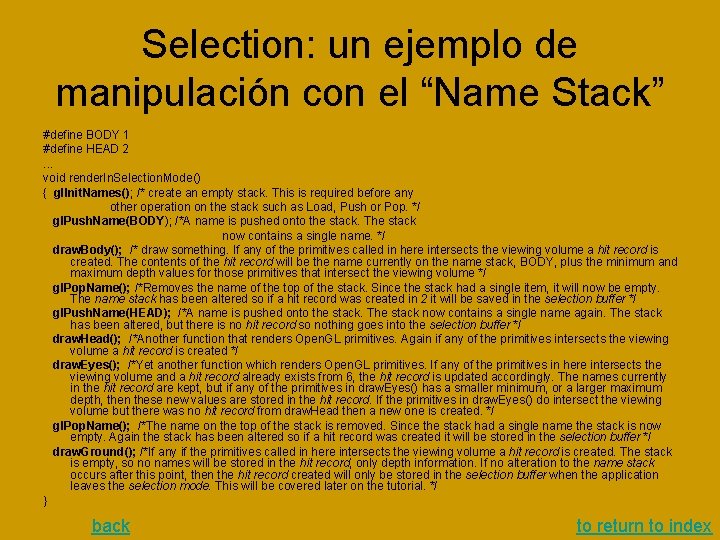
Selection: un ejemplo de manipulación con el “Name Stack” #define BODY 1 #define HEAD 2. . . void render. In. Selection. Mode() { gl. Init. Names(); /* create an empty stack. This is required before any other operation on the stack such as Load, Push or Pop. */ gl. Push. Name(BODY); /*A name is pushed onto the stack. The stack now contains a single name. */ draw. Body(); /* draw something. If any of the primitives called in here intersects the viewing volume a hit record is created. The contents of the hit record will be the name currently on the name stack, BODY, plus the minimum and maximum depth values for those primitives that intersect the viewing volume */ gl. Pop. Name(); /*Removes the name of the top of the stack. Since the stack had a single item, it will now be empty. The name stack has been altered so if a hit record was created in 2 it will be saved in the selection buffer */ gl. Push. Name(HEAD); /*A name is pushed onto the stack. The stack now contains a single name again. The stack has been altered, but there is no hit record so nothing goes into the selection buffer */ draw. Head(); /*Another function that renders Open. GL primitives. Again if any of the primitives intersects the viewing volume a hit record is created */ draw. Eyes(); /*Yet another function which renders Open. GL primitives. If any of the primitives in here intersects the viewing volume and a hit record already exists from 6, the hit record is updated accordingly. The names currently in the hit record are kept, but if any of the primitives in draw. Eyes() has a smaller minimum, or a larger maximum depth, then these new values are stored in the hit record. If the primitives in draw. Eyes() do intersect the viewing volume but there was no hit record from draw. Head then a new one is created. */ gl. Pop. Name(); /*The name on the top of the stack is removed. Since the stack had a single name the stack is now empty. Again the stack has been altered so if a hit record was created it will be stored in the selection buffer */ draw. Ground(); /*If any if the primitives called in here intersects the viewing volume a hit record is created. The stack is empty, so no names will be stored in the hit record, only depth information. If no alteration to the name stack occurs after this point, then the hit record created will only be stored in the selection buffer when the application leaves the selection mode. This will be covered later on the tutorial. */ } back to return to index
Selection: “Name Stack”; ejemplo del contenido de “hit records” registrado en el “selection buffer” back to return to index
8. - Bitmaps back A bitmap is a rectangular array of 0 s and 1 s that serves as a drawing mask for a corresponding rectangular portion of the window. Suppose you're drawing a bitmap and that the current raster color is red: -- Wherever there's a 1 in the bitmap, the corresponding pixel is replaced by a red pixel (or combined with a red pixel, depending on which per-fragment operations are in effect. -- If there's a 0 in the bitmap, the contents of the pixel are unaffected. The most common use of bitmaps is for drawing characters on the screen. back to return to index
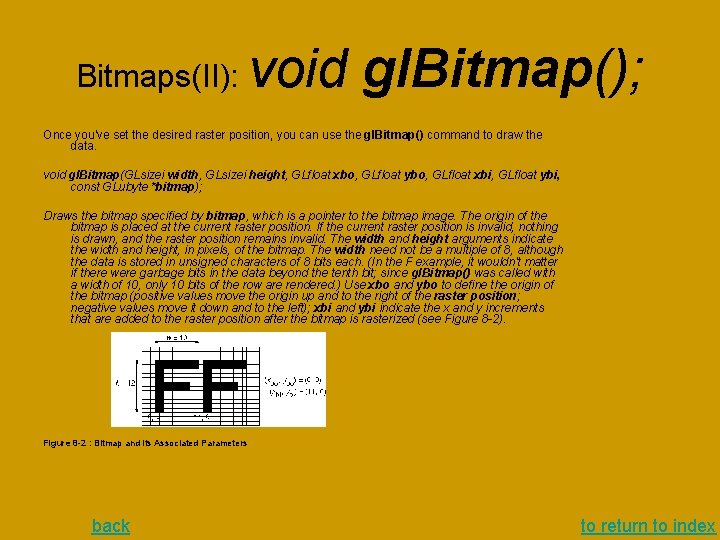
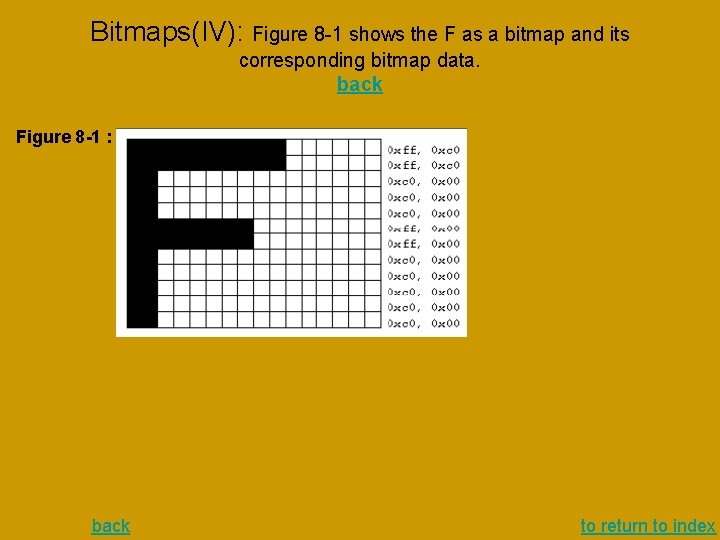
Bitmaps(II): void gl. Bitmap(); Once you've set the desired raster position, you can use the gl. Bitmap() command to draw the data. void gl. Bitmap(GLsizei width, GLsizei height, GLfloat xbo, GLfloat ybo, GLfloat xbi, GLfloat ybi, const GLubyte *bitmap); Draws the bitmap specified by bitmap, which is a pointer to the bitmap image. The origin of the bitmap is placed at the current raster position. If the current raster position is invalid, nothing is drawn, and the raster position remains invalid. The width and height arguments indicate the width and height, in pixels, of the bitmap. The width need not be a multiple of 8, although the data is stored in unsigned characters of 8 bits each. (In the F example, it wouldn't matter if there were garbage bits in the data beyond the tenth bit; since gl. Bitmap() was called with a width of 10, only 10 bits of the row are rendered. ) Use xbo and ybo to define the origin of the bitmap (positive values move the origin up and to the right of the raster position; negative values move it down and to the left); xbi and ybi indicate the x and y increments that are added to the raster position after the bitmap is rasterized (see Figure 8 -2). Figure 8 -2 : Bitmap and Its Associated Parameters back to return to index
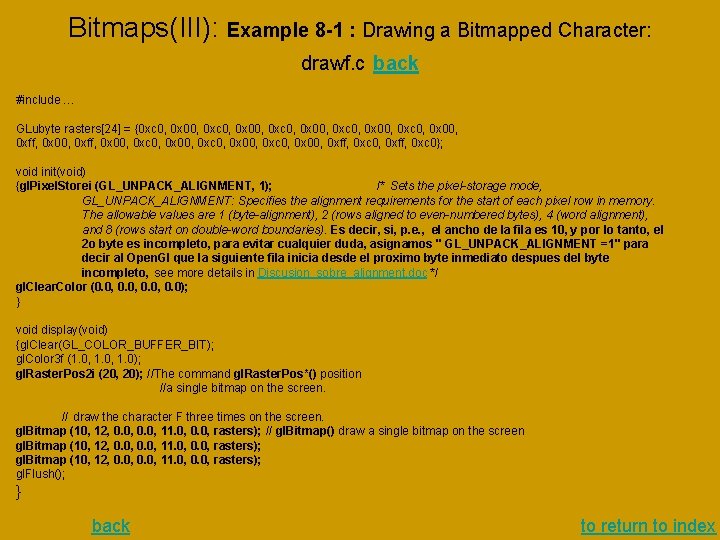
Bitmaps(III): Example 8 -1 : Drawing a Bitmapped Character: drawf. c back #include … GLubyte rasters[24] = {0 xc 0, 0 x 00, 0 xc 0, 0 x 00, 0 xff, 0 x 00, 0 xc 0, 0 x 00, 0 xff, 0 xc 0}; void init(void) {gl. Pixel. Storei (GL_UNPACK_ALIGNMENT, 1); /* Sets the pixel-storage mode, GL_UNPACK_ALIGNMENT: Specifies the alignment requirements for the start of each pixel row in memory. The allowable values are 1 (byte-alignment), 2 (rows aligned to even-numbered bytes), 4 (word alignment), and 8 (rows start on double-word boundaries). Es decir, si, p. e. , el ancho de la fila es 10, y por lo tanto, el 2 o byte es incompleto, para evitar cualquier duda, asignamos " GL_UNPACK_ALIGNMENT =1" para decir al Open. Gl que la siguiente fila inicia desde el proximo byte inmediato despues del byte incompleto, see more details in Discusion_sobre_alignment. doc */ gl. Clear. Color (0. 0, 0. 0); } void display(void) {gl. Clear(GL_COLOR_BUFFER_BIT); gl. Color 3 f (1. 0, 1. 0); gl. Raster. Pos 2 i (20, 20); //The command gl. Raster. Pos*() position //a single bitmap on the screen. // draw the character F three times on the screen. gl. Bitmap (10, 12, 0. 0, 11. 0, 0. 0, rasters); // gl. Bitmap() draw a single bitmap on the screen gl. Bitmap (10, 12, 0. 0, 11. 0, 0. 0, rasters); gl. Flush(); } back to return to index
Bitmaps(IV): Figure 8 -1 shows the F as a bitmap and its corresponding bitmap data. back Figure 8 -1 : back to return to index
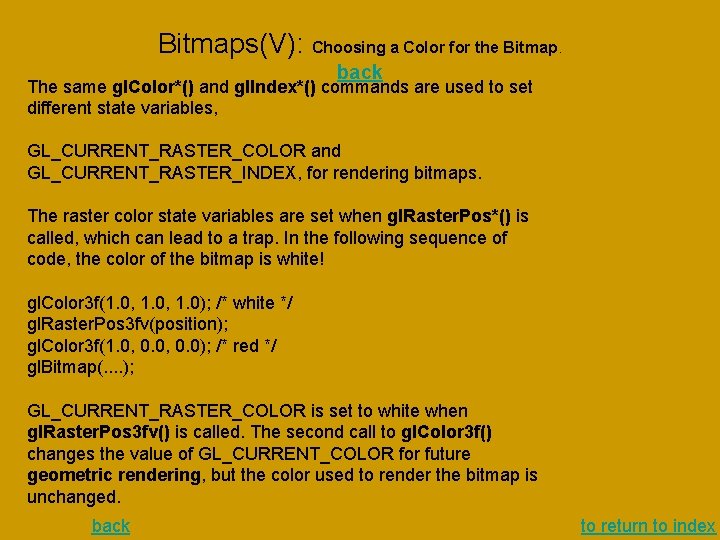
Bitmaps(V): Choosing a Color for the Bitmap. back The same gl. Color*() and gl. Index*() commands are used to set different state variables, GL_CURRENT_RASTER_COLOR and GL_CURRENT_RASTER_INDEX, for rendering bitmaps. The raster color state variables are set when gl. Raster. Pos*() is called, which can lead to a trap. In the following sequence of code, the color of the bitmap is white! gl. Color 3 f(1. 0, 1. 0); /* white */ gl. Raster. Pos 3 fv(position); gl. Color 3 f(1. 0, 0. 0); /* red */ gl. Bitmap(. . ); GL_CURRENT_RASTER_COLOR is set to white when gl. Raster. Pos 3 fv() is called. The second call to gl. Color 3 f() changes the value of GL_CURRENT_COLOR for future geometric rendering, but the color used to render the bitmap is unchanged. back to return to index
9. - Texture Mapping back There are many possibilities for texture mapping: • map textures to surfaces made of a set of polygons or to curved surfaces, • repeat a texture in one or both directions to cover the surface. • A texture can even be one-dimensional. • automatically map a texture onto an object in such a way that the texture indicates contours or other properties of the item being viewed. • Shiny objects can be textured so that they appear to be in the center of a room or other environment, reflecting the surroundings off their surfaces. • A texture can be applied to a surface in different ways: • painted on directly (like a decal placed on a surface), • used to modulate the color the surface would have been painted otherwise, • or used to blend a texture color with the surface color. back to return to index
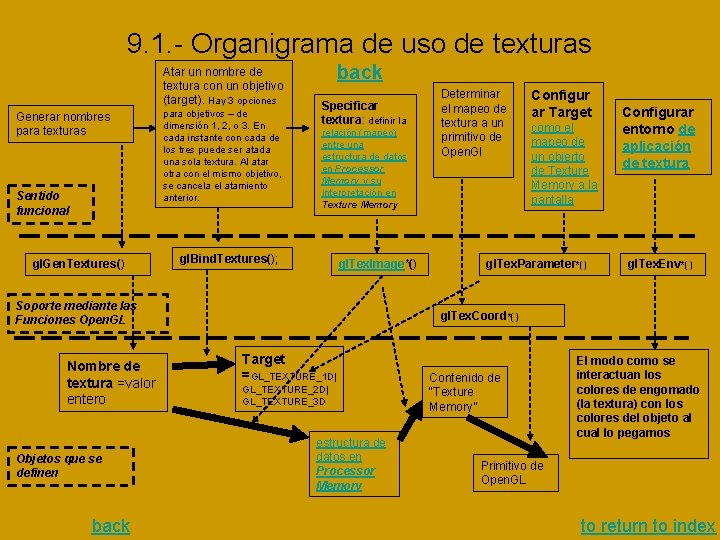
9. 1. - Organigrama de uso de texturas Atar un nombre de textura con un objetivo (target). Hay 3 opciones Generar nombres para texturas Sentido funcional gl. Gen. Textures() para objetivos – de dimensión 1, 2, o 3. En cada instante con cada de los tres puede ser atada una sola textura. Al atar otra con el mismo objetivo, se cancela el atamiento anterior. back Specificar textura: definir la relación (mapeo) entre una estructura de datos en Processor Memory y su interpretación en Texture Memory gl. Bind. Textures(); gl. Tex. Image*() Soporte mediante las Funciones Open. GL Nombre de textura =valor entero Objetos que se definen back Determinar el mapeo de textura a un primitivo de Open. Gl Configur ar Target como el mapeo de un objerto de Texture Memory a la pantalla gl. Tex. Parameter*() Configurar entorno de aplicación de textura gl. Tex. Env*() gl. Tex. Coord*() Target =GL_TEXTURE_1 D| GL_TEXTURE_2 D| GL_TEXTURE_3 D estructura de datos en Processor Memory Contenido de “Texture Memory” El modo como se interactuan los colores de engomado (la textura) con los colores del objeto al cual lo pegamos Primitivo de Open. GL to return to index
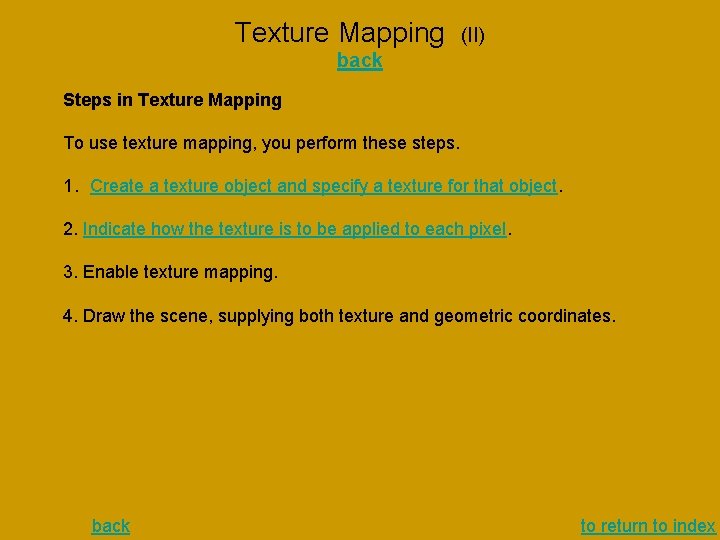
Texture Mapping (II) back Steps in Texture Mapping To use texture mapping, you perform these steps. 1. Create a texture object and specify a texture for that object. 2. Indicate how the texture is to be applied to each pixel. 3. Enable texture mapping. 4. Draw the scene, supplying both texture and geometric coordinates. back to return to index
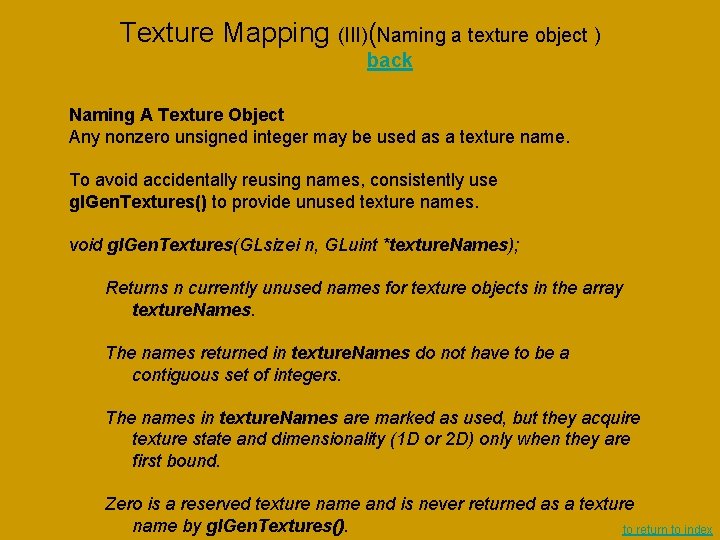
Texture Mapping (III)(Naming a texture object ) back Naming A Texture Object Any nonzero unsigned integer may be used as a texture name. To avoid accidentally reusing names, consistently use gl. Gen. Textures() to provide unused texture names. void gl. Gen. Textures(GLsizei n, GLuint *texture. Names); Returns n currently unused names for texture objects in the array texture. Names. The names returned in texture. Names do not have to be a contiguous set of integers. The names in texture. Names are marked as used, but they acquire texture state and dimensionality (1 D or 2 D) only when they are first bound. Zero is a reserved texture name and is never returned as a texture name by gl. Gen. Textures(). to return to index
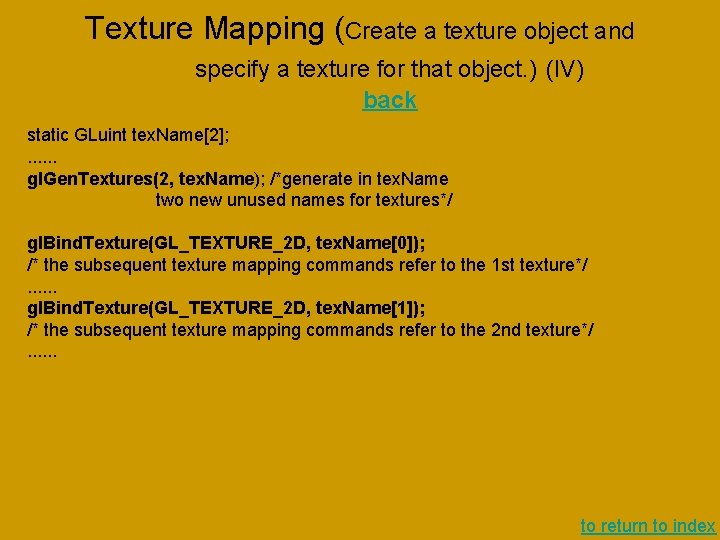
Texture Mapping (Create a texture object and specify a texture for that object. ) (IV) back static GLuint tex. Name[2]; . . . gl. Gen. Textures(2, tex. Name); /*generate in tex. Name two new unused names for textures*/ gl. Bind. Texture(GL_TEXTURE_2 D, tex. Name[0]); /* the subsequent texture mapping commands refer to the 1 st texture*/. . . gl. Bind. Texture(GL_TEXTURE_2 D, tex. Name[1]); /* the subsequent texture mapping commands refer to the 2 nd texture*/. . . to return to index
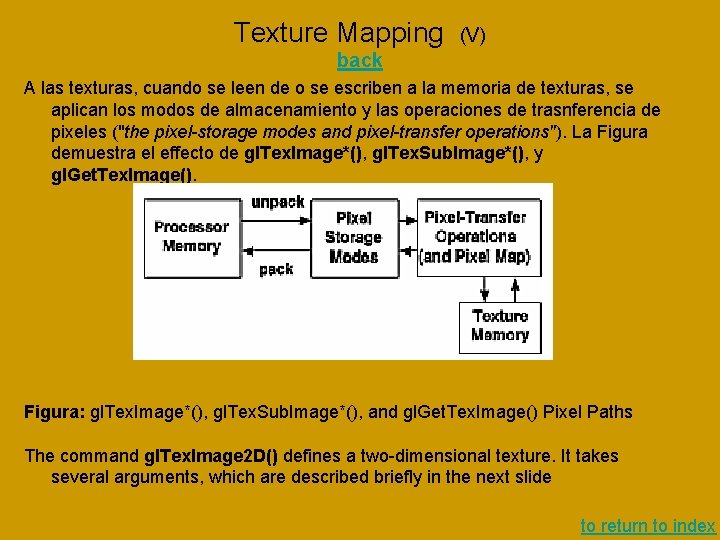
Texture Mapping (V) back A las texturas, cuando se leen de o se escriben a la memoria de texturas, se aplican los modos de almacenamiento y las operaciones de trasnferencia de pixeles ("the pixel-storage modes and pixel-transfer operations"). La Figura demuestra el effecto de gl. Tex. Image*(), gl. Tex. Sub. Image*(), y gl. Get. Tex. Image(). Figura: gl. Tex. Image*(), gl. Tex. Sub. Image*(), and gl. Get. Tex. Image() Pixel Paths The command gl. Tex. Image 2 D() defines a two-dimensional texture. It takes several arguments, which are described briefly in the next slide to return to index
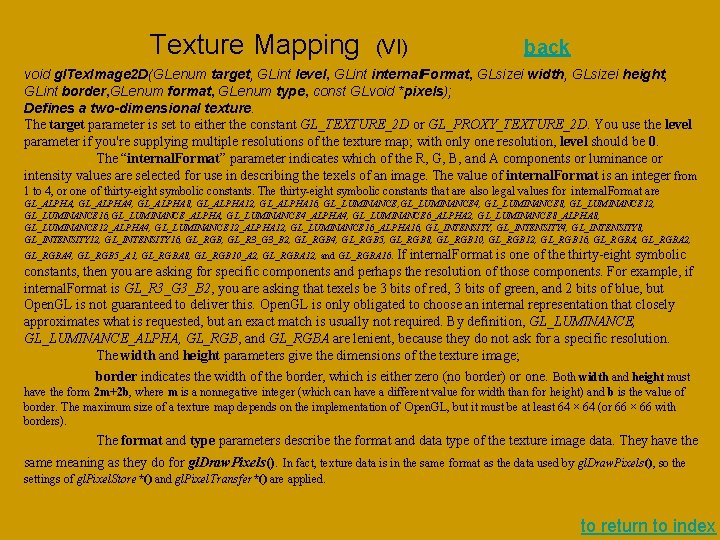
Texture Mapping (VI) back void gl. Tex. Image 2 D(GLenum target, GLint level, GLint internal. Format, GLsizei width, GLsizei height, GLint border, GLenum format, GLenum type, const GLvoid *pixels); Defines a two-dimensional texture. The target parameter is set to either the constant GL_TEXTURE_2 D or GL_PROXY_TEXTURE_2 D. You use the level parameter if you're supplying multiple resolutions of the texture map; with only one resolution, level should be 0. The “internal. Format” parameter indicates which of the R, G, B, and A components or luminance or intensity values are selected for use in describing the texels of an image. The value of internal. Format is an integer from 1 to 4, or one of thirty-eight symbolic constants. The thirty-eight symbolic constants that are also legal values for internal. Format are GL_ALPHA, GL_ALPHA 4, GL_ALPHA 8, GL_ALPHA 12, GL_ALPHA 16, GL_LUMINANCE 4, GL_LUMINANCE 8, GL_LUMINANCE 12, GL_LUMINANCE 16, GL_LUMINANCE_ALPHA, GL_LUMINANCE 4_ALPHA 4, GL_LUMINANCE 6_ALPHA 2, GL_LUMINANCE 8_ALPHA 8, GL_LUMINANCE 12_ALPHA 4, GL_LUMINANCE 12_ALPHA 12, GL_LUMINANCE 16_ALPHA 16, GL_INTENSITY 4, GL_INTENSITY 8, GL_INTENSITY 12, GL_INTENSITY 16, GL_RGB, GL_R 3_G 3_B 2, GL_RGB 4, GL_RGB 5, GL_RGB 8, GL_RGB 10, GL_RGB 12, GL_RGB 16, GL_RGBA 2, If internal. Format is one of the thirty-eight symbolic constants, then you are asking for specific components and perhaps the resolution of those components. For example, if internal. Format is GL_R 3_G 3_B 2, you are asking that texels be 3 bits of red, 3 bits of green, and 2 bits of blue, but Open. GL is not guaranteed to deliver this. Open. GL is only obligated to choose an internal representation that closely approximates what is requested, but an exact match is usually not required. By definition, GL_LUMINANCE_ALPHA, GL_RGB, and GL_RGBA are lenient, because they do not ask for a specific resolution. The width and height parameters give the dimensions of the texture image; border indicates the width of the border, which is either zero (no border) or one. Both width and height must GL_RGBA 4, GL_RGB 5_A 1, GL_RGBA 8, GL_RGB 10_A 2, GL_RGBA 12, and GL_RGBA 16. have the form 2 m+2 b, where m is a nonnegative integer (which can have a different value for width than for height) and b is the value of border. The maximum size of a texture map depends on the implementation of Open. GL, but it must be at least 64 × 64 (or 66 × 66 with borders). The format and type parameters describe the format and data type of the texture image data. They have the same meaning as they do for gl. Draw. Pixels(). In fact, texture data is in the same format as the data used by gl. Draw. Pixels(), so the settings of gl. Pixel. Store*() and gl. Pixel. Transfer*() are applied. to return to index
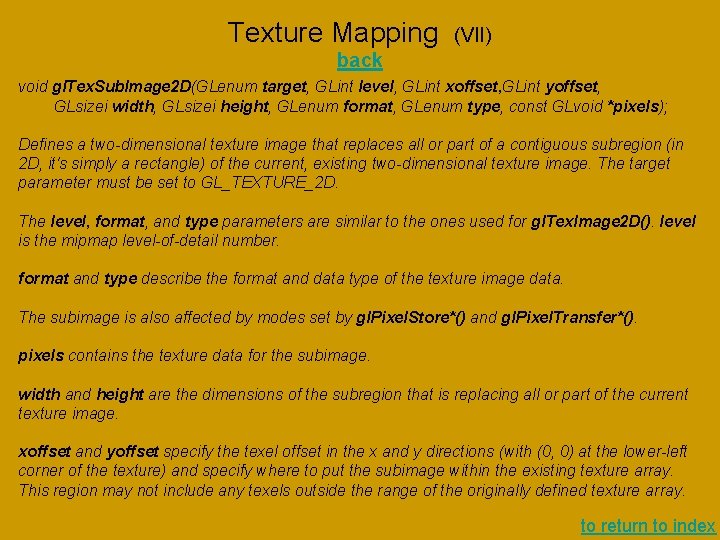
Texture Mapping (VII) back void gl. Tex. Sub. Image 2 D(GLenum target, GLint level, GLint xoffset, GLint yoffset, GLsizei width, GLsizei height, GLenum format, GLenum type, const GLvoid *pixels); Defines a two-dimensional texture image that replaces all or part of a contiguous subregion (in 2 D, it's simply a rectangle) of the current, existing two-dimensional texture image. The target parameter must be set to GL_TEXTURE_2 D. The level, format, and type parameters are similar to the ones used for gl. Tex. Image 2 D(). level is the mipmap level-of-detail number. format and type describe the format and data type of the texture image data. The subimage is also affected by modes set by gl. Pixel. Store*() and gl. Pixel. Transfer*(). pixels contains the texture data for the subimage. width and height are the dimensions of the subregion that is replacing all or part of the current texture image. xoffset and yoffset specify the texel offset in the x and y directions (with (0, 0) at the lower-left corner of the texture) and specify where to put the subimage within the existing texture array. This region may not include any texels outside the range of the originally defined texture array. to return to index
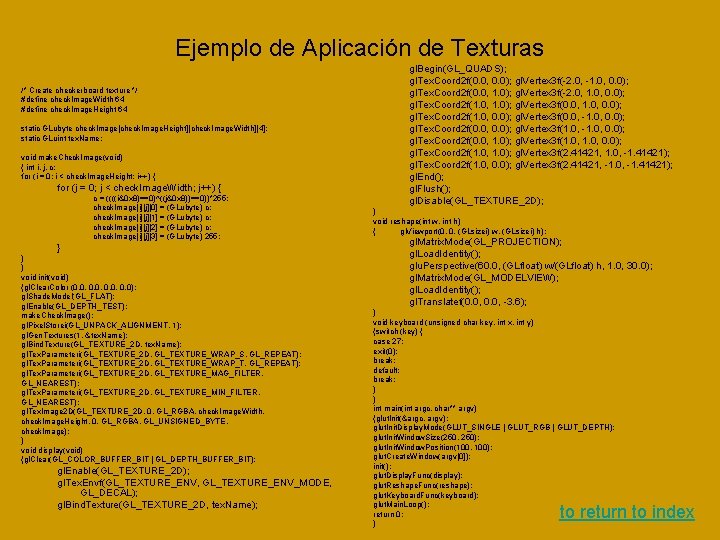
Ejemplo de Aplicación de Texturas /* Create checkerboard texture */ #define check. Image. Width 64 #define check. Image. Height 64 static GLubyte check. Image[check. Image. Height][check. Image. Width][4]; static GLuint tex. Name; void make. Check. Image(void) { int i, j, c; for (i = 0; i < check. Image. Height; i++) { for (j = 0; j < check. Image. Width; j++) { c = ((((i&0 x 8)==0)^((j&0 x 8))==0))*255; check. Image[i][j][0] = (GLubyte) c; check. Image[i][j][1] = (GLubyte) c; check. Image[i][j][2] = (GLubyte) c; check. Image[i][j][3] = (GLubyte) 255; } } } void init(void) {gl. Clear. Color (0. 0, 0. 0); gl. Shade. Model(GL_FLAT); gl. Enable(GL_DEPTH_TEST); make. Check. Image(); gl. Pixel. Storei(GL_UNPACK_ALIGNMENT, 1); gl. Gen. Textures(1, &tex. Name); gl. Bind. Texture(GL_TEXTURE_2 D, tex. Name); gl. Tex. Parameteri(GL_TEXTURE_2 D, GL_TEXTURE_WRAP_S, GL_REPEAT); gl. Tex. Parameteri(GL_TEXTURE_2 D, GL_TEXTURE_WRAP_T, GL_REPEAT); gl. Tex. Parameteri(GL_TEXTURE_2 D, GL_TEXTURE_MAG_FILTER, GL_NEAREST); gl. Tex. Parameteri(GL_TEXTURE_2 D, GL_TEXTURE_MIN_FILTER, GL_NEAREST); gl. Tex. Image 2 D(GL_TEXTURE_2 D, 0, GL_RGBA, check. Image. Width, check. Image. Height, 0, GL_RGBA, GL_UNSIGNED_BYTE, check. Image); } void display(void) {gl. Clear(GL_COLOR_BUFFER_BIT | GL_DEPTH_BUFFER_BIT); gl. Enable(GL_TEXTURE_2 D); gl. Tex. Envf(GL_TEXTURE_ENV, GL_TEXTURE_ENV_MODE, GL_DECAL); gl. Bind. Texture(GL_TEXTURE_2 D, tex. Name); gl. Begin(GL_QUADS); gl. Tex. Coord 2 f(0. 0, 0. 0); gl. Vertex 3 f(-2. 0, -1. 0, 0. 0); gl. Tex. Coord 2 f(0. 0, 1. 0); gl. Vertex 3 f(-2. 0, 1. 0, 0. 0); gl. Tex. Coord 2 f(1. 0, 1. 0); gl. Vertex 3 f(0. 0, 1. 0, 0. 0); gl. Tex. Coord 2 f(1. 0, 0. 0); gl. Vertex 3 f(0. 0, -1. 0, 0. 0); gl. Tex. Coord 2 f(0. 0, 0. 0); gl. Vertex 3 f(1. 0, -1. 0, 0. 0); gl. Tex. Coord 2 f(0. 0, 1. 0); gl. Vertex 3 f(1. 0, 0. 0); gl. Tex. Coord 2 f(1. 0, 1. 0); gl. Vertex 3 f(2. 41421, 1. 0, -1. 41421); gl. Tex. Coord 2 f(1. 0, 0. 0); gl. Vertex 3 f(2. 41421, -1. 0, -1. 41421); gl. End(); gl. Flush(); gl. Disable(GL_TEXTURE_2 D); } void reshape(int w, int h) { gl. Viewport(0, 0, (GLsizei) w, (GLsizei) h); gl. Matrix. Mode(GL_PROJECTION); gl. Load. Identity(); glu. Perspective(60. 0, (GLfloat) w/(GLfloat) h, 1. 0, 30. 0); gl. Matrix. Mode(GL_MODELVIEW); gl. Load. Identity(); gl. Translatef(0. 0, -3. 6); } void keyboard (unsigned char key, int x, int y) {switch (key) { case 27: exit(0); break; default: break; } } int main(int argc, char** argv) {glut. Init(&argc, argv); glut. Init. Display. Mode(GLUT_SINGLE | GLUT_RGB | GLUT_DEPTH); glut. Init. Window. Size(250, 250); glut. Init. Window. Position(100, 100); glut. Create. Window(argv[0]); init(); glut. Display. Func(display); glut. Reshape. Func(reshape); glut. Keyboard. Func(keyboard); glut. Main. Loop(); return 0; } to return to index
10. - Blending • When blending is enabled, the alpha value is often used to combine the color value of the fragment being processed with that of the pixel already stored in the framebuffer. Blending occurs after your scene has been rasterized and converted to fragments, but just before the final pixels are drawn in the framebuffer. Without blending, each new fragment overwrites any existing color values in the framebuffer, as though the fragment were opaque. With blending, you can control how (and how much of) the existing color value should be combined with the new fragment's value. Thus you can use alpha blending to create a translucent fragment that lets some of the previously stored color value "show through. " Note: Alpha values aren't specified in color-index mode, so blending operations aren't performed in color-index mode. The most natural way to think of blending operations is to think of the RGB components of a fragment as representing its color and the alpha component as representing opacity. Transparent or translucent surfaces have lower opacity than opaque ones and, therefore, lower alpha values. For example, if you're viewing an object through green glass, the color you see is partly green from the glass and partly the color of the object. Los detalles del uso del Blending ver en Sample Uses of Blending, Chapter 6, Readbook back to return to index
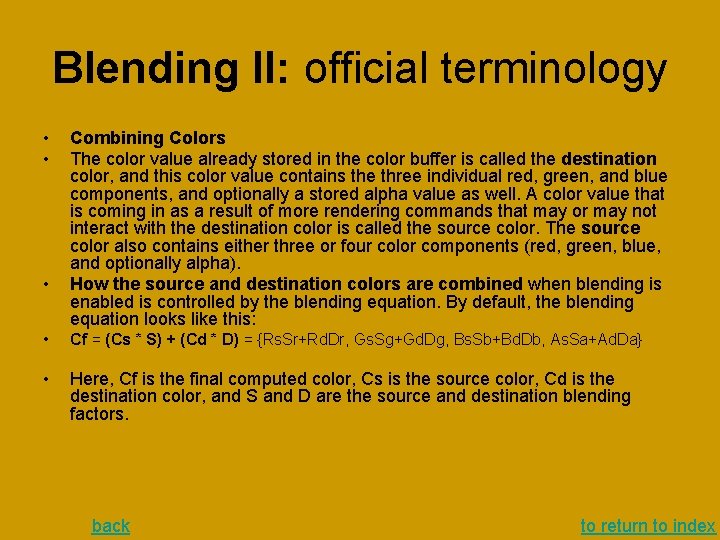
Blending II: official terminology • • • Combining Colors The color value already stored in the color buffer is called the destination color, and this color value contains the three individual red, green, and blue components, and optionally a stored alpha value as well. A color value that is coming in as a result of more rendering commands that may or may not interact with the destination color is called the source color. The source color also contains either three or four color components (red, green, blue, and optionally alpha). How the source and destination colors are combined when blending is enabled is controlled by the blending equation. By default, the blending equation looks like this: • Cf = (Cs * S) + (Cd * D) = {Rs. Sr+Rd. Dr, Gs. Sg+Gd. Dg, Bs. Sb+Bd. Db, As. Sa+Ad. Da} • Here, Cf is the final computed color, Cs is the source color, Cd is the destination color, and S and D are the source and destination blending factors. back to return to index
gl. Blend. Func(…); void gl. Blend. Func(GLenum sfactor, GLenum dfactor); Controls how color values in the fragment being processed (the source) are combined with those already stored in the framebuffer (the destination). The argument sfactor indicates how to compute a source blending factor; dfactor indicates how to compute a destination blending factor. The possible values for these arguments are explained in Table. The blend factors are assumed to lie in the range [0, 1]; after the color values in the source and destination are combined, they're clamped to the range [0, 1]. back to return to index
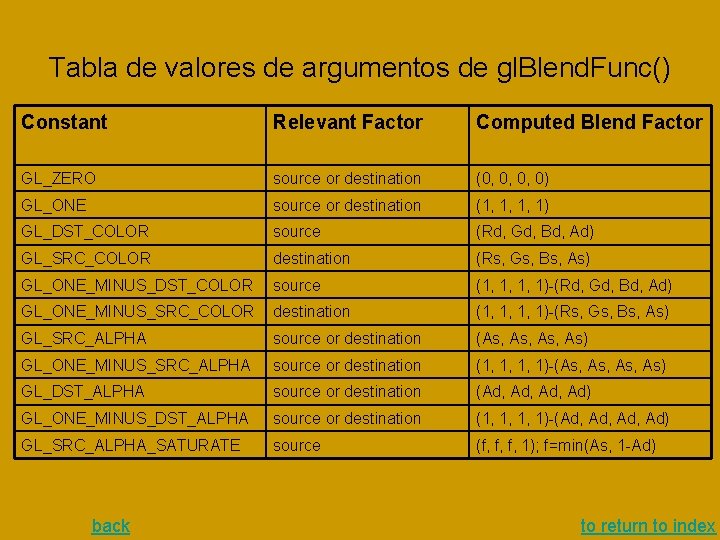
Tabla de valores de argumentos de gl. Blend. Func() Constant Relevant Factor Computed Blend Factor GL_ZERO source or destination (0, 0, 0, 0) GL_ONE source or destination (1, 1, 1, 1) GL_DST_COLOR source (Rd, Gd, Bd, Ad) GL_SRC_COLOR destination (Rs, Gs, Bs, As) GL_ONE_MINUS_DST_COLOR source (1, 1, 1, 1)-(Rd, Gd, Bd, Ad) GL_ONE_MINUS_SRC_COLOR destination (1, 1, 1, 1)-(Rs, Gs, Bs, As) GL_SRC_ALPHA source or destination (As, As, As) GL_ONE_MINUS_SRC_ALPHA source or destination (1, 1, 1, 1)-(As, As, As) GL_DST_ALPHA source or destination (Ad, Ad, Ad) GL_ONE_MINUS_DST_ALPHA source or destination (1, 1, 1, 1)-(Ad, Ad, Ad) GL_SRC_ALPHA_SATURATE source (f, f, f, 1); f=min(As, 1 -Ad) back to return to index
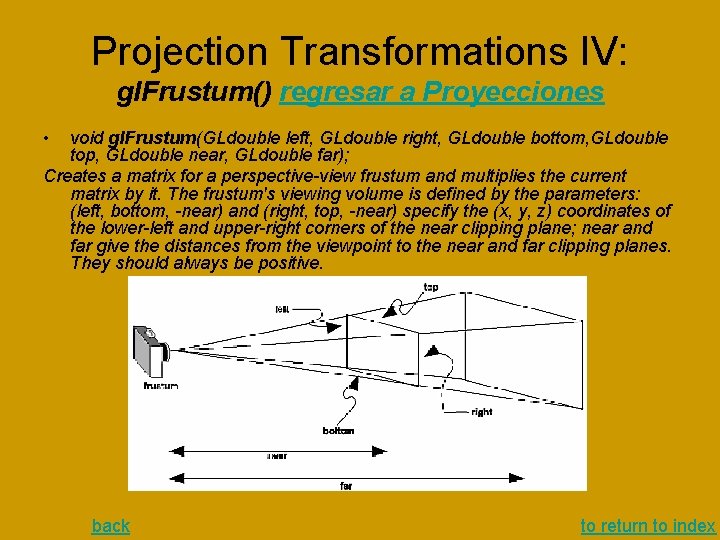
Projection Transformations IV: gl. Frustum() regresar a Proyecciones • void gl. Frustum(GLdouble left, GLdouble right, GLdouble bottom, GLdouble top, GLdouble near, GLdouble far); Creates a matrix for a perspective-view frustum and multiplies the current matrix by it. The frustum's viewing volume is defined by the parameters: (left, bottom, -near) and (right, top, -near) specify the (x, y, z) coordinates of the lower-left and upper-right corners of the near clipping plane; near and far give the distances from the viewpoint to the near and far clipping planes. They should always be positive. back to return to index
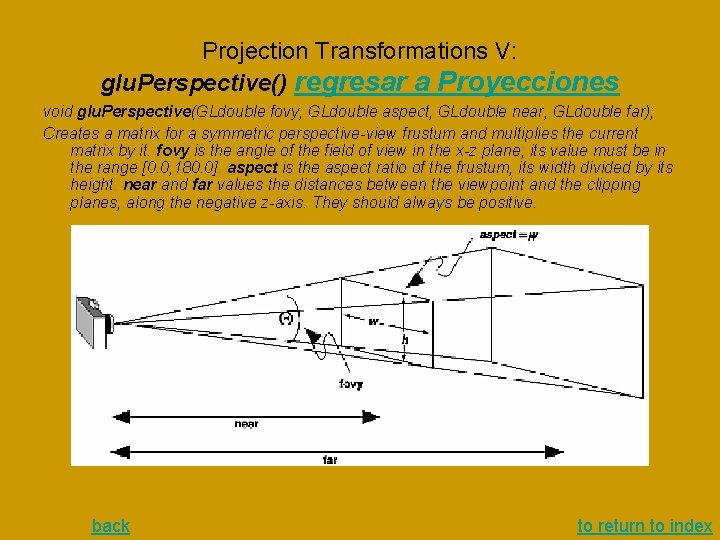
Projection Transformations V: glu. Perspective() regresar a Proyecciones void glu. Perspective(GLdouble fovy, GLdouble aspect, GLdouble near, GLdouble far); Creates a matrix for a symmetric perspective-view frustum and multiplies the current matrix by it. fovy is the angle of the field of view in the x-z plane; its value must be in the range [0. 0, 180. 0]. aspect is the aspect ratio of the frustum, its width divided by its height. near and far values the distances between the viewpoint and the clipping planes, along the negative z-axis. They should always be positive. back to return to index
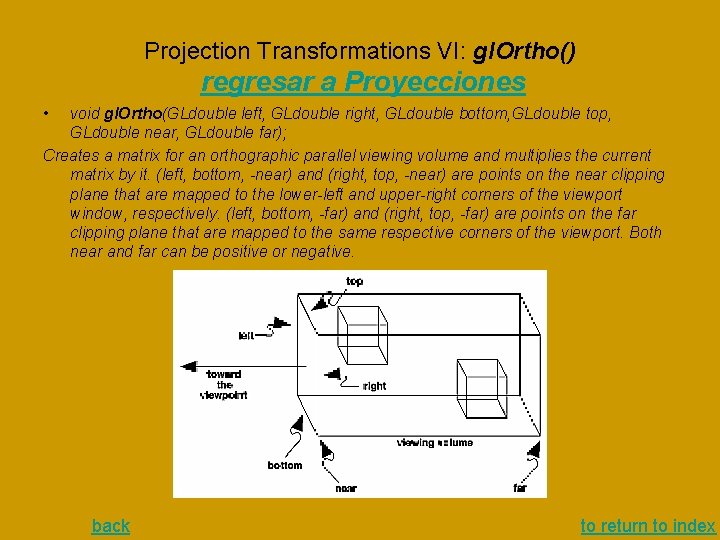
Projection Transformations VI: gl. Ortho() regresar a Proyecciones • void gl. Ortho(GLdouble left, GLdouble right, GLdouble bottom, GLdouble top, GLdouble near, GLdouble far); Creates a matrix for an orthographic parallel viewing volume and multiplies the current matrix by it. (left, bottom, -near) and (right, top, -near) are points on the near clipping plane that are mapped to the lower-left and upper-right corners of the viewport window, respectively. (left, bottom, -far) and (right, top, -far) are points on the far clipping plane that are mapped to the same respective corners of the viewport. Both near and far can be positive or negative. back to return to index
Configurar Target y Entorno de Aplicación de textura regresar al organigrama de aplicación de texturas El mapeo de Target se considera aqui como la composición de 1. • un mapeo de un objeto representado en Texture Memory a un fragmento de superficie plana 2. luego mapeado mediante transformaciones al espacio 3 D 3. y, finalmente, proyectado a la pantalla Entonces, la configuración de Target incluye: • para el mapeo de p. 1, la indicación (gl. Tex. Parameter*(), ver ejemplo ) de como prolongar la textura si ella es menor del fragmento de superficie • Luego, para el mapeo de la composición de 2 y 3, como aproximar (gl. Tex. Image*(), ver ejemplo ) pixeles de pantalla mediante imagenes de pixeles textura de para cada de las dos opciones: cuando una imagen cubre varios pixeles de pantalla, y cuando una imagen es menor que un pixel de pantalla Respecto la configuración del entorno (gl. Tex. Env*(), ver ejemplo), las cuestiones son: como interactuan los colores de la textura con los colores de la superficie a la cual pegamos la textura como un engomado. (Sustiruir, modular, etc. ) back to return to index
Tema 13. - Evaluadores y NURBS • Conceptos básicos: representación paramétrica, puntos de control, evaluadores • Como configurar de un evaluador: gl. Map* • Opciones de Uso de evaluadores (gl. Eval. Coord*) o mallas (gl. Map. Grid*, gl. Eval. Mesh) to return to general index
Configuración de evaluadores (de Bezier): gl. Map* • • Acción: define (configura) un evaluador Especificación para lenguaje C Parámetros Descripción Ir a - Evaluadores y NURBS
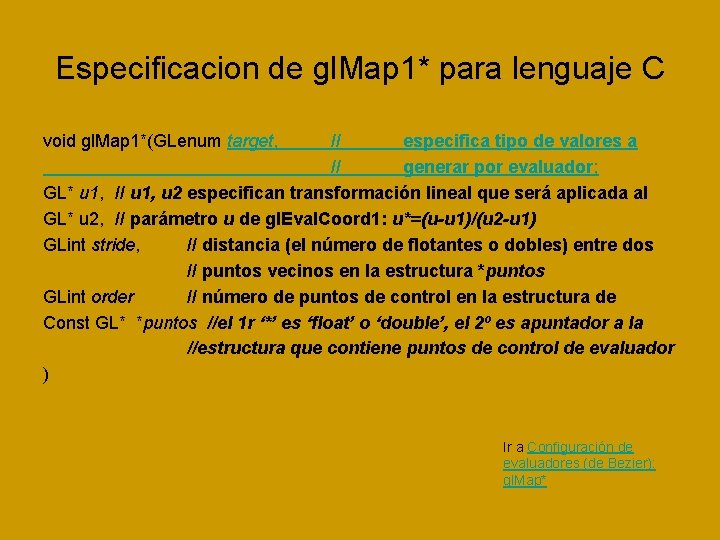
Especificacion de gl. Map 1* para lenguaje C void gl. Map 1*(GLenum target, // especifica tipo de valores a // generar por evaluador; GL* u 1, // u 1, u 2 especifican transformación lineal que será aplicada al GL* u 2, // parámetro u de gl. Eval. Coord 1: u*=(u-u 1)/(u 2 -u 1) GLint stride, // distancia (el número de flotantes o dobles) entre dos // puntos vecinos en la estructura *puntos GLint order // número de puntos de control en la estructura de Const GL* *puntos //el 1 r ‘*’ es ‘float’ o ‘double’, el 2º es apuntador a la //estructura que contiene puntos de control de evaluador ) Ir a Configuración de evaluadores (de Bezier): gl. Map*
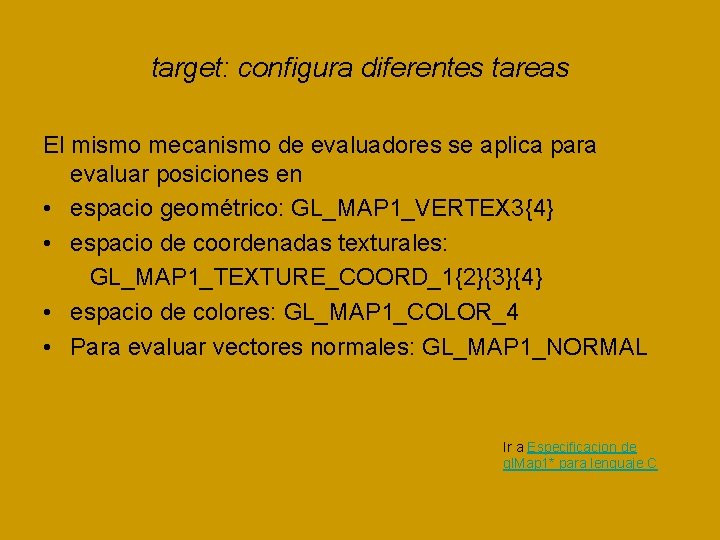
target: configura diferentes tareas El mismo mecanismo de evaluadores se aplica para evaluar posiciones en • espacio geométrico: GL_MAP 1_VERTEX 3{4} • espacio de coordenadas texturales: GL_MAP 1_TEXTURE_COORD_1{2}{3}{4} • espacio de colores: GL_MAP 1_COLOR_4 • Para evaluar vectores normales: GL_MAP 1_NORMAL Ir a Especificacion de gl. Map 1* para lenguaje C
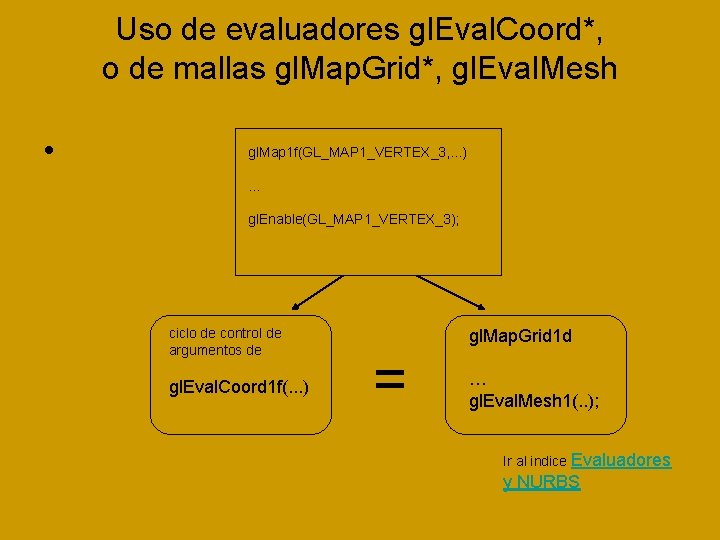
Uso de evaluadores gl. Eval. Coord*, o de mallas gl. Map. Grid*, gl. Eval. Mesh • gl. Map 1 f(GL_MAP 1_VERTEX_3, . . . ) … gl. Enable(GL_MAP 1_VERTEX_3); ciclo de control de argumentos de gl. Eval. Coord 1 f(. . . ) = gl. Map. Grid 1 d … gl. Eval. Mesh 1(. . ); Ir al indice Evaluadores y NURBS