
GPU Programming and Py CUDA Brian Gregor Shuai
GPU Programming and Py. CUDA Brian Gregor Shuai Wei June 28, 2018 Research Computing Services Boston University
GPU Programming Access to the SCC Login: tuta# Password: Viz. Tut#
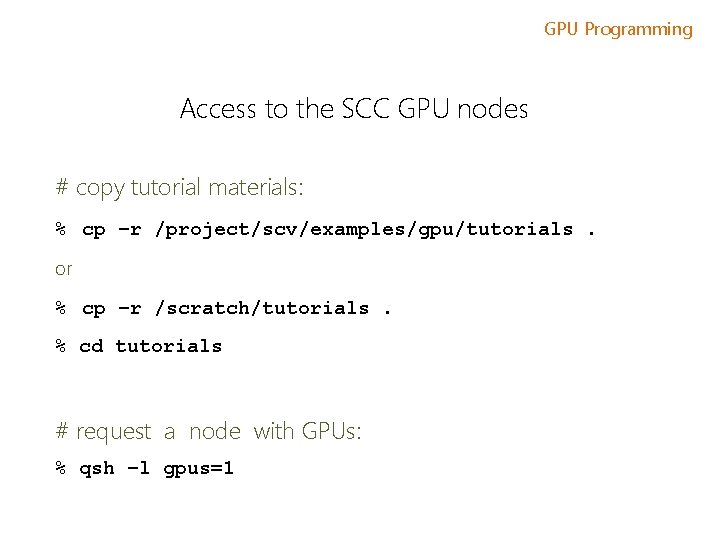
GPU Programming Access to the SCC GPU nodes # copy tutorial materials: % cp –r /project/scv/examples/gpu/tutorials. or % cp –r /scratch/tutorials. % cd tutorials # request a node with GPUs: % qsh –l gpus=1
GPU Programming Tutorial Materials # tutorial materials online: scv. bu. edu/examples # on the cluster: /project/scv/examples
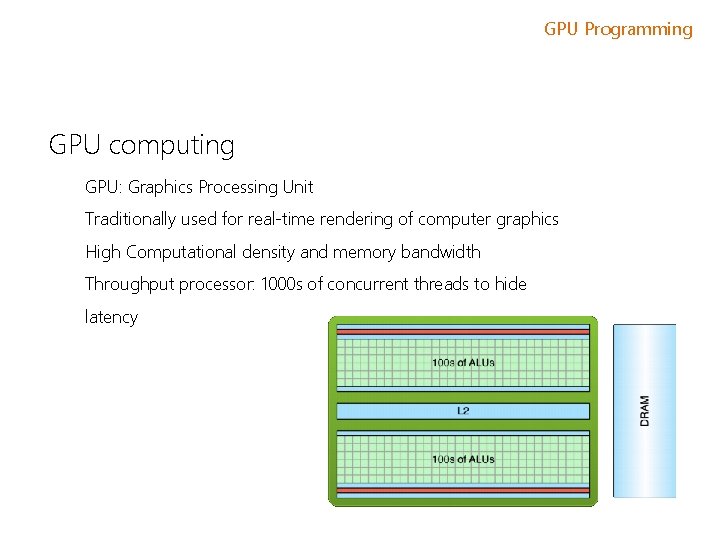
GPU Programming GPU computing GPU: Graphics Processing Unit Traditionally used for real-time rendering of computer graphics High Computational density and memory bandwidth Throughput processor: 1000 s of concurrent threads to hide latency
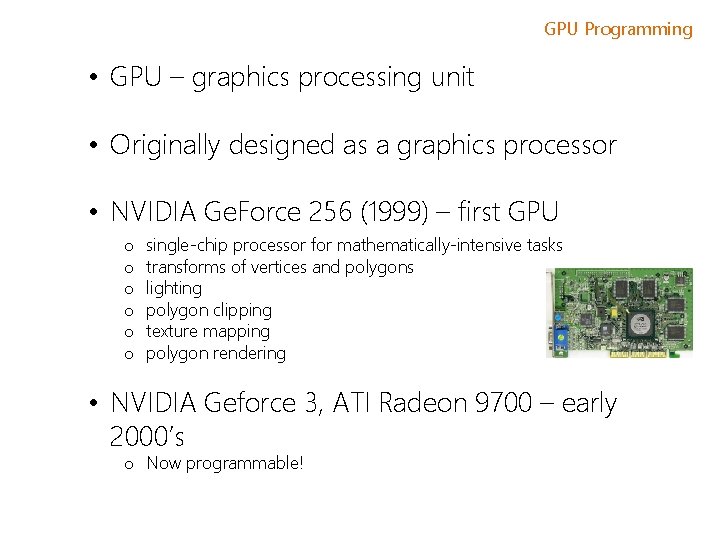
GPU Programming • GPU – graphics processing unit • Originally designed as a graphics processor • NVIDIA Ge. Force 256 (1999) – first GPU o o o single-chip processor for mathematically-intensive tasks transforms of vertices and polygons lighting polygon clipping texture mapping polygon rendering • NVIDIA Geforce 3, ATI Radeon 9700 – early 2000’s o Now programmable!
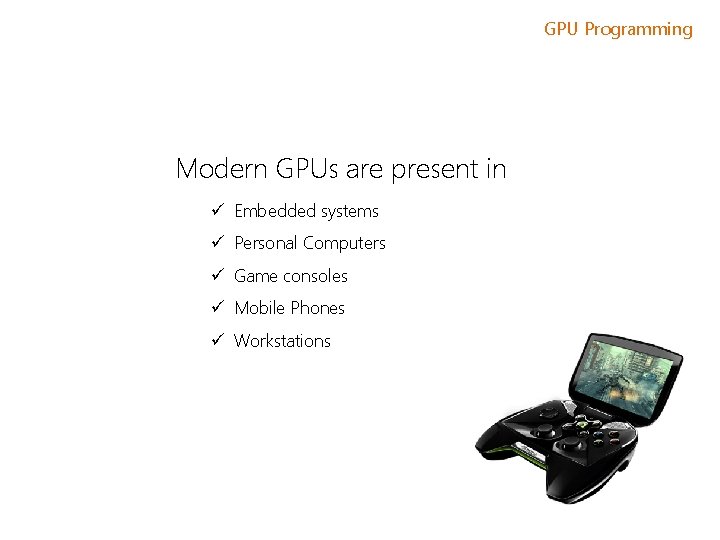
GPU Programming Modern GPUs are present in ü Embedded systems ü Personal Computers ü Game consoles ü Mobile Phones ü Workstations
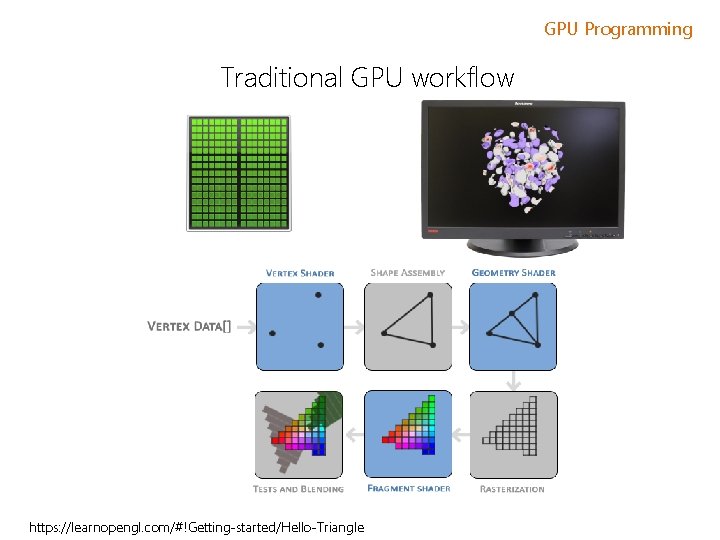
GPU Programming Traditional GPU workflow https: //learnopengl. com/#!Getting-started/Hello-Triangle
GPU Programming GPGPU 1999 -2000 computer scientists from various fields started using GPUs to accelerate a range of scientific applications. GPU programming required the use of graphics APIs such as Open. GL and Cg. 2001 – LU factorization implemented using GPUs 2002 James Fung (University of Toronto) developed Open. VIDIA. NVIDIA greatly invested in GPGPU movement and offered a number of options and libraries for a seamless experience for C, C++ and Fortran programmers.
GPU Programming GPGPU timeline In November 2006 NVIDIA launched CUDA, an API that allows to code algorithms for execution on Ge. Force GPUs using the C programming language. Khronus Group defined the Open. CL programming language in 2008. It is supported on AMD, NVIDIA and ARM GPU platforms. Open. CL code can also be compiled to run on CPUs. In 2012 NVIDIA presented and demonstrated Open. ACC - a set of directives that greatly simplify parallel programming of heterogeneous systems.
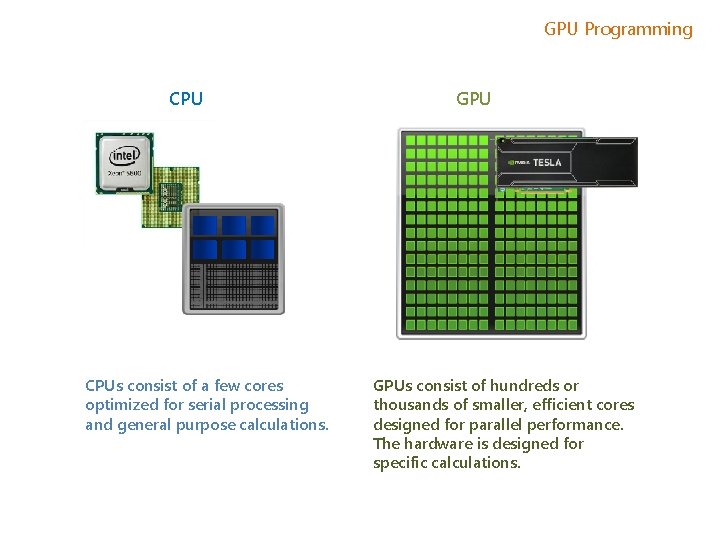
GPU Programming CPUs consist of a few cores optimized for serial processing and general purpose calculations. GPUs consist of hundreds or thousands of smaller, efficient cores designed for parallel performance. The hardware is designed for specific calculations.
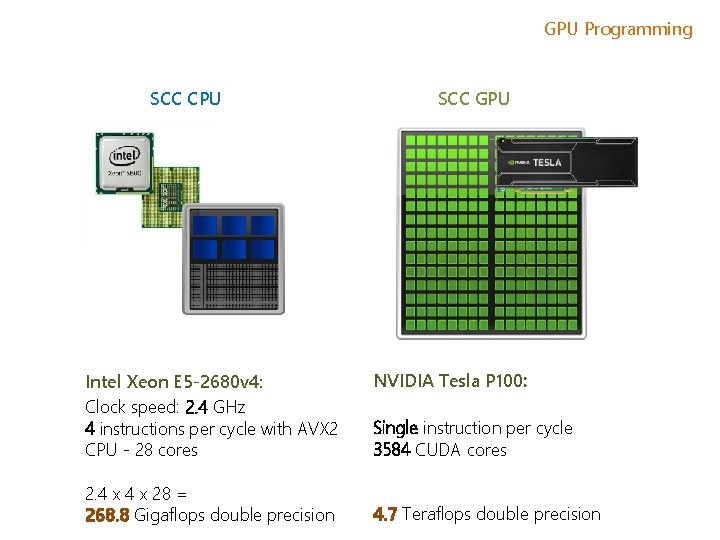
GPU Programming SCC CPU Intel Xeon E 5 -2680 v 4: Clock speed: 2. 4 GHz 4 instructions per cycle with AVX 2 CPU - 28 cores 2. 4 x 28 = 268. 8 Gigaflops double precision SCC GPU NVIDIA Tesla P 100: Single instruction per cycle 3584 CUDA cores 4. 7 Teraflops double precision
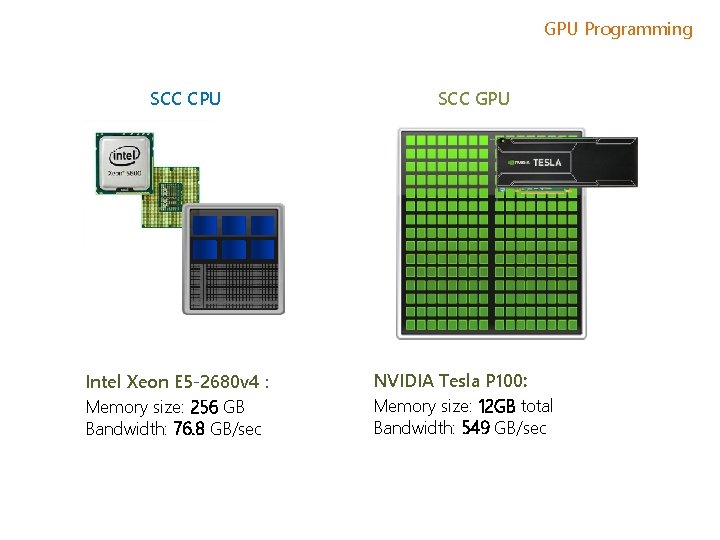
GPU Programming SCC CPU Intel Xeon E 5 -2680 v 4 : Memory size: 256 GB Bandwidth: 76. 8 GB/sec SCC GPU NVIDIA Tesla P 100: Memory size: 12 GB total Bandwidth: 549 GB/sec
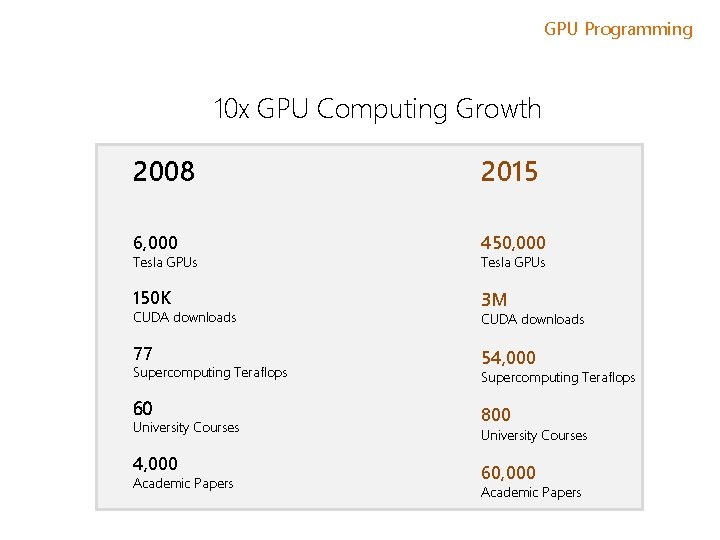
GPU Programming 10 x GPU Computing Growth 2008 2015 6, 000 450, 000 150 K 3 M Tesla GPUs CUDA downloads 77 Supercomputing Teraflops 60 University Courses 4, 000 Academic Papers Tesla GPUs CUDA downloads 54, 000 Supercomputing Teraflops 800 University Courses 60, 000 Academic Papers
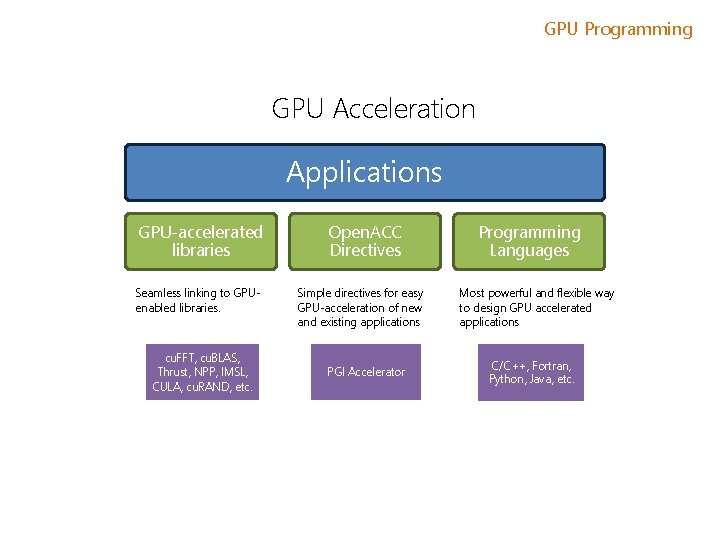
GPU Programming GPU Acceleration Applications GPU-accelerated libraries Seamless linking to GPUenabled libraries. cu. FFT, cu. BLAS, Thrust, NPP, IMSL, CULA, cu. RAND, etc. Open. ACC Directives Simple directives for easy GPU-acceleration of new and existing applications PGI Accelerator Programming Languages Most powerful and flexible way to design GPU accelerated applications C/C++, Fortran, Python, Java, etc.
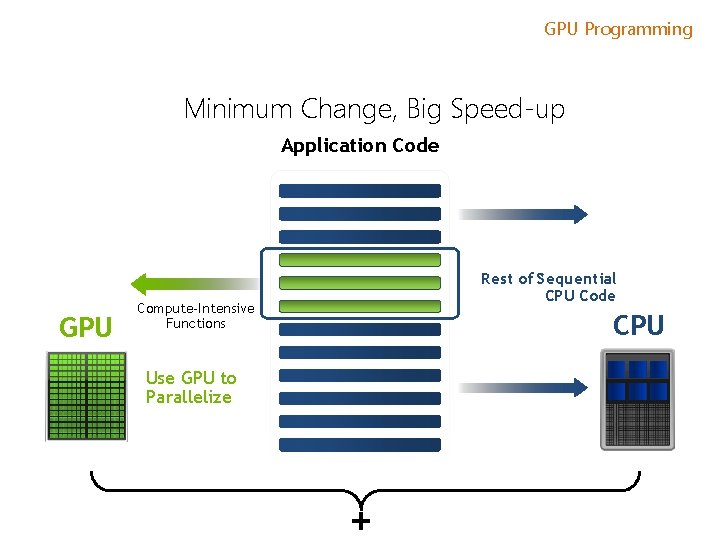
GPU Programming Minimum Change, Big Speed-up Application Code GPU Rest of Sequential CPU Code Compute-Intensive Functions CPU Use GPU to Parallelize +
GPU Programming Will Execution on a GPU Accelerate My Application? Computationally intensive—The time spent on computation significantly exceeds the time spent on transferring data to and from GPU memory. Massively parallel—The computations can be broken down into hundreds or thousands of independent units of work. Well suited to GPU architectures – some algorithms or implementations will not perform well on the GPU.
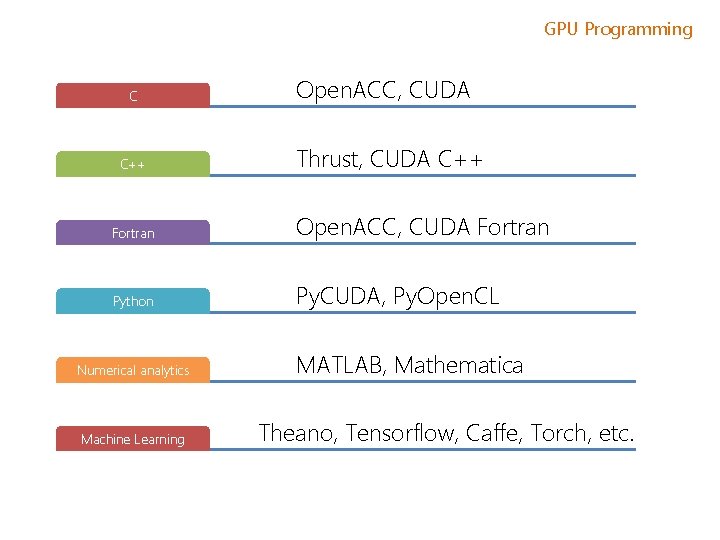
GPU Programming C C++ Open. ACC, CUDA Thrust, CUDA C++ Fortran Open. ACC, CUDA Fortran Python Py. CUDA, Py. Open. CL Numerical analytics Machine Learning MATLAB, Mathematica Theano, Tensorflow, Caffe, Torch, etc.
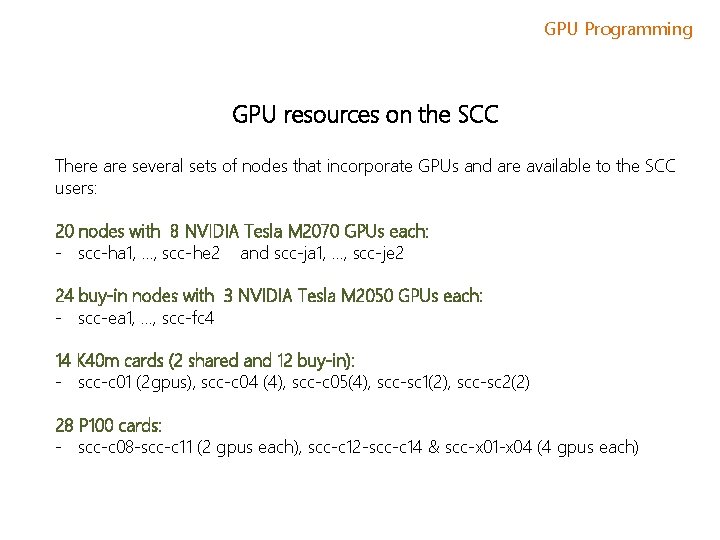
GPU Programming GPU resources on the SCC There are several sets of nodes that incorporate GPUs and are available to the SCC users: 20 nodes with 8 NVIDIA Tesla M 2070 GPUs each: - scc-ha 1, …, scc-he 2 and scc-ja 1, …, scc-je 2 24 buy-in nodes with 3 NVIDIA Tesla M 2050 GPUs each: - scc-ea 1, …, scc-fc 4 14 K 40 m cards (2 shared and 12 buy-in): - scc-c 01 (2 gpus), scc-c 04 (4), scc-c 05(4), scc-sc 1(2), scc-sc 2(2) 28 P 100 cards: - scc-c 08 -scc-c 11 (2 gpus each), scc-c 12 -scc-c 14 & scc-x 01 -x 04 (4 gpus each)
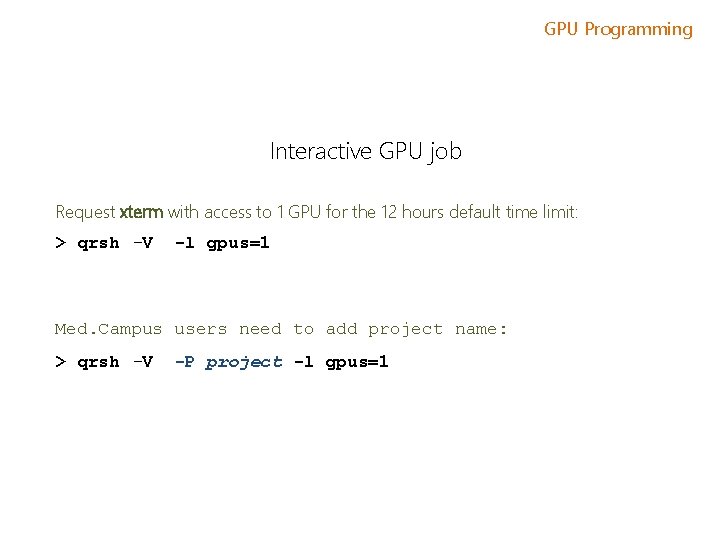
GPU Programming Interactive GPU job Request xterm with access to 1 GPU for the 12 hours default time limit: > qrsh -V -l gpus=1 Med. Campus users need to add project name: > qrsh -V -P project -l gpus=1
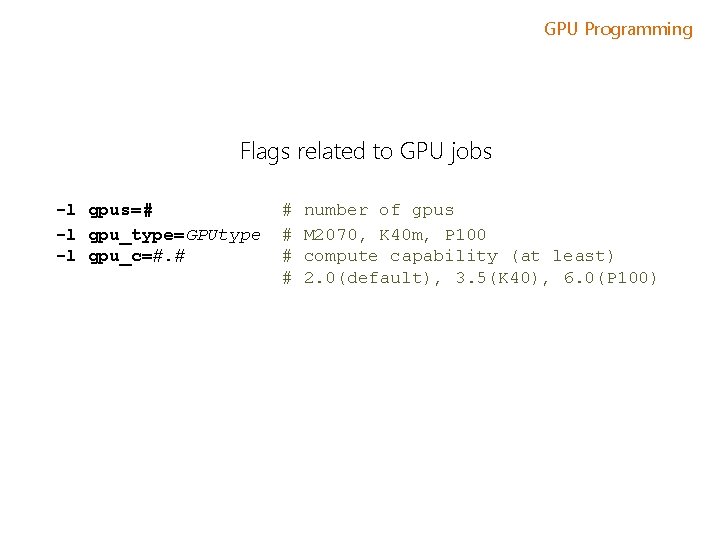
GPU Programming Flags related to GPU jobs -l gpus=# -l gpu_type=GPUtype -l gpu_c=#. # # # number of gpus M 2070, K 40 m, P 100 compute capability (at least) 2. 0(default), 3. 5(K 40), 6. 0(P 100)

GPU Programming Flags related to GPU jobs -pe omp N # number of cpu slots -l gpus=G If M gpus are required then G = M/N (rounded down) Example (request a whole node with 2 GPUs and 20 CPUs): -pe omp 20 –l gpus=0. 1 Example (request a 1 GPU, 4 CPUs, and the K 40 m or P 100 GPUs): -pe omp 4 –l gpus=0. 25, gpu_c=3. 5
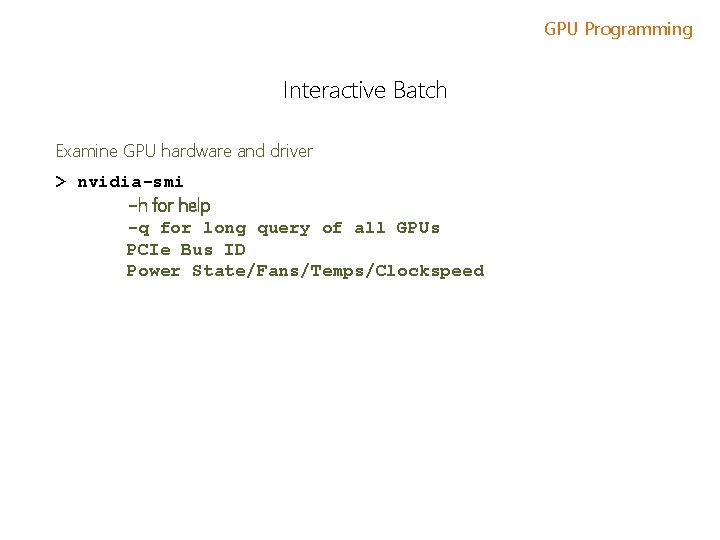
GPU Programming Interactive Batch Examine GPU hardware and driver > nvidia-smi -h for help -q for long query of all GPUs PCIe Bus ID Power State/Fans/Temps/Clockspeed
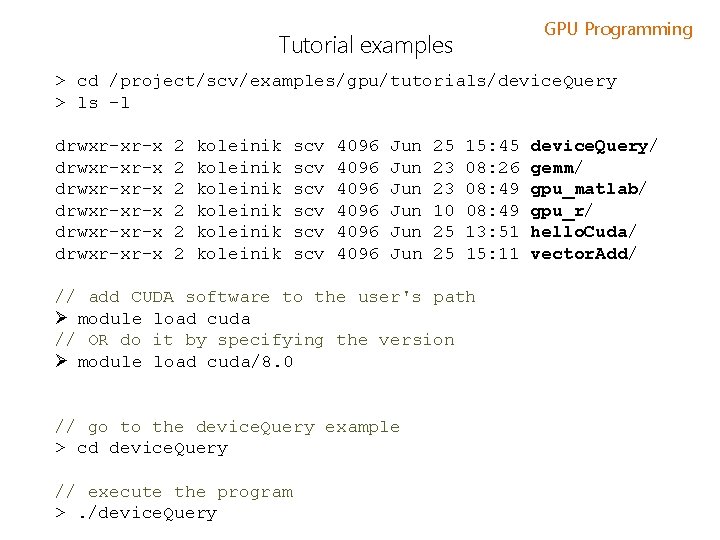
GPU Programming Tutorial examples > cd /project/scv/examples/gpu/tutorials/device. Query > ls -l drwxr-xr-x drwxr-xr-x 2 2 2 koleinik koleinik scv scv scv 4096 4096 Jun Jun Jun 25 23 23 10 25 25 15: 45 08: 26 08: 49 13: 51 15: 11 // add CUDA software to the user's path Ø module load cuda // OR do it by specifying the version Ø module load cuda/8. 0 // go to the device. Query example > cd device. Query // execute the program >. /device. Query/ gemm/ gpu_matlab/ gpu_r/ hello. Cuda/ vector. Add/
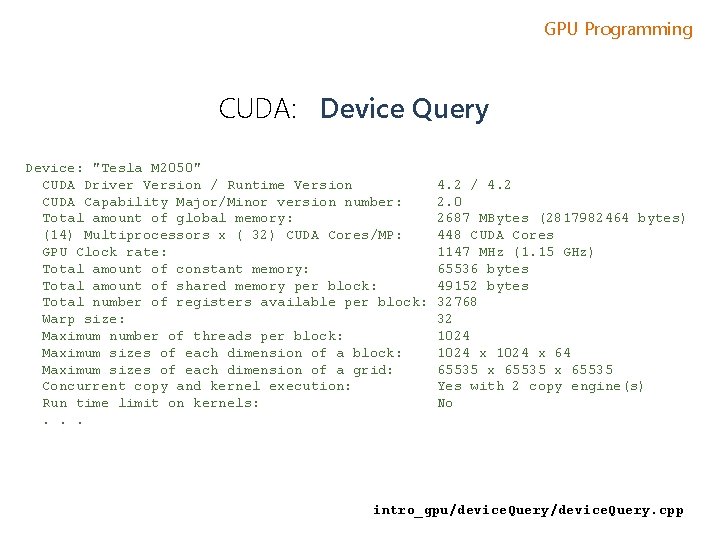
GPU Programming CUDA: Device Query Device: "Tesla M 2050" CUDA Driver Version / Runtime Version CUDA Capability Major/Minor version number: Total amount of global memory: (14) Multiprocessors x ( 32) CUDA Cores/MP: GPU Clock rate: Total amount of constant memory: Total amount of shared memory per block: Total number of registers available per block: Warp size: Maximum number of threads per block: Maximum sizes of each dimension of a grid: Concurrent copy and kernel execution: Run time limit on kernels: . . . 4. 2 / 4. 2 2. 0 2687 MBytes (2817982464 bytes) 448 CUDA Cores 1147 MHz (1. 15 GHz) 65536 bytes 49152 bytes 32768 32 1024 x 64 65535 x 65535 Yes with 2 copy engine(s) No intro_gpu/device. Query. cpp
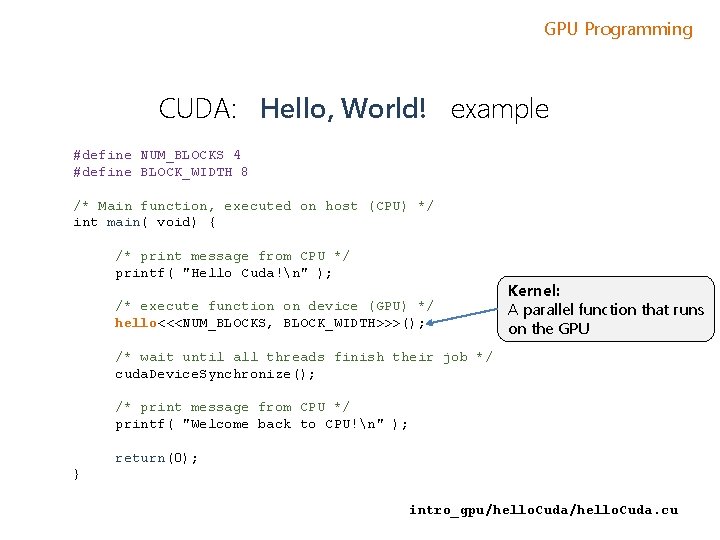
GPU Programming CUDA: Hello, World! example #define NUM_BLOCKS 4 #define BLOCK_WIDTH 8 /* Main function, executed on host (CPU) */ int main( void) { /* print message from CPU */ printf( "Hello Cuda!n" ); /* execute function on device (GPU) */ hello<<<NUM_BLOCKS, BLOCK_WIDTH>>>(); Kernel: A parallel function that runs on the GPU /* wait until all threads finish their job */ cuda. Device. Synchronize(); /* print message from CPU */ printf( "Welcome back to CPU!n" ); return(0); } intro_gpu/hello. Cuda. cu
GPU Programming Py. CUDA – why C code? As we will see…one way to use CUDA with Python is to embed CUDA C code directly into the Python code. Custom C code is how maximum control over the GPU operation is achieved. We’ll cover some CUDA C code approaches which also explain how to use the GPU before getting into Py. CUDA.
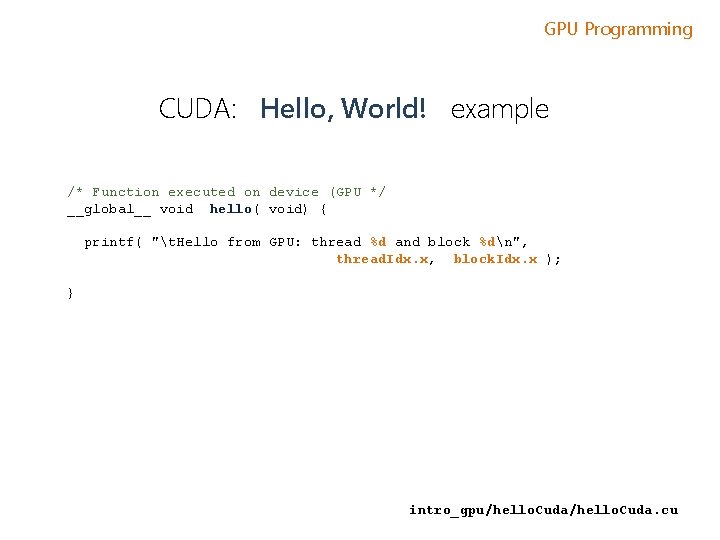
GPU Programming CUDA: Hello, World! example /* Function executed on device (GPU */ __global__ void hello( void) { printf( "t. Hello from GPU: thread %d and block %dn", thread. Idx. x, block. Idx. x ); } intro_gpu/hello. Cuda. cu
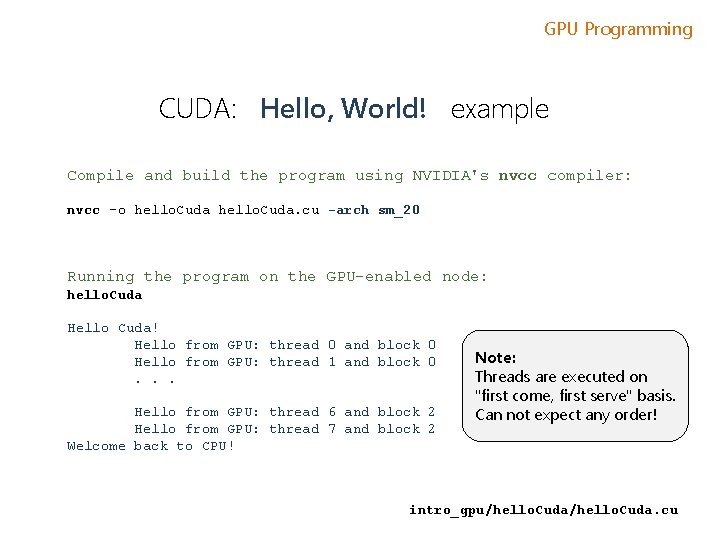
GPU Programming CUDA: Hello, World! example Compile and build the program using NVIDIA's nvcc compiler: nvcc -o hello. Cuda. cu -arch sm_20 Running the program on the GPU-enabled node: hello. Cuda Hello Cuda! Hello from GPU: thread 0 and block 0 Hello from GPU: thread 1 and block 0. . . Hello from GPU: thread 6 and block 2 Hello from GPU: thread 7 and block 2 Welcome back to CPU! Note: Threads are executed on "first come, first serve" basis. Can not expect any order! intro_gpu/hello. Cuda. cu
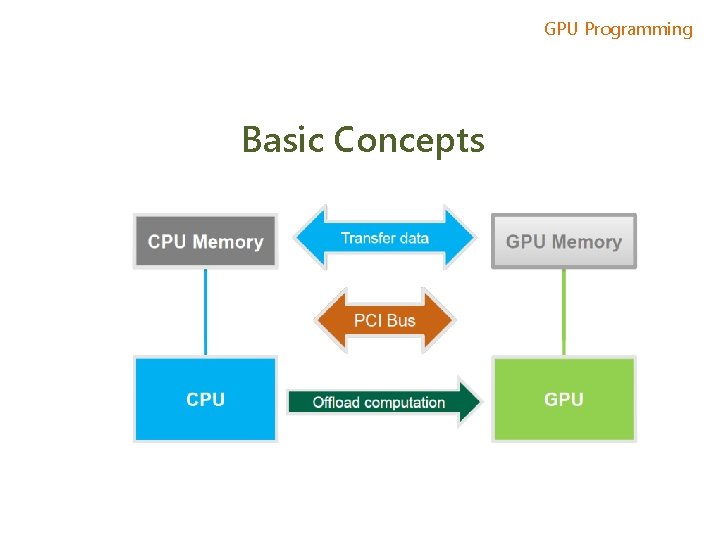
GPU Programming Basic Concepts
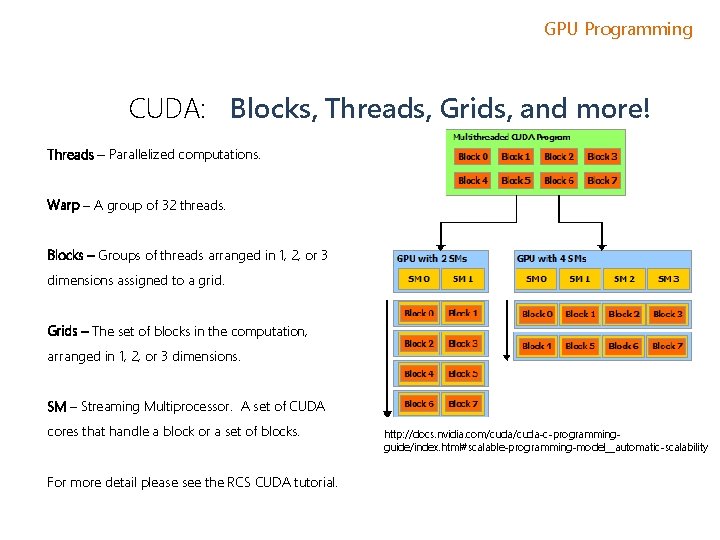
GPU Programming CUDA: Blocks, Threads, Grids, and more! Threads – Parallelized computations. Warp – A group of 32 threads. Blocks – Groups of threads arranged in 1, 2, or 3 dimensions assigned to a grid. Grids – The set of blocks in the computation, arranged in 1, 2, or 3 dimensions. SM – Streaming Multiprocessor. A set of CUDA cores that handle a block or a set of blocks. For more detail please see the RCS CUDA tutorial. http: //docs. nvidia. com/cuda-c-programmingguide/index. html#scalable-programming-model__automatic-scalability
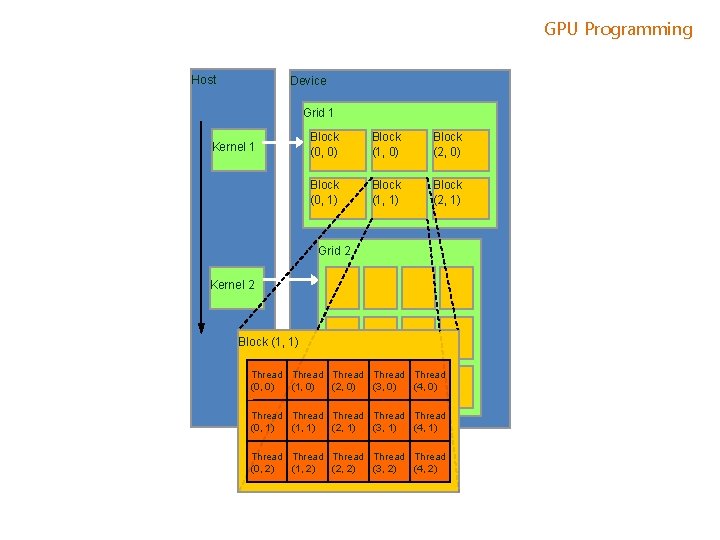
GPU Programming Host Device Grid 1 Kernel 1 Block (0, 0) Block (1, 0) Block (2, 0) Block (0, 1) Block (1, 1) Block (2, 1) Grid 2 Kernel 2 Block (1, 1) Thread Thread (0, 0) (1, 0) (2, 0) (3, 0) (4, 0) Thread Thread (0, 1) (1, 1) (2, 1) (3, 1) (4, 1) Thread Thread (0, 2) (1, 2) (2, 2) (3, 2) (4, 2)
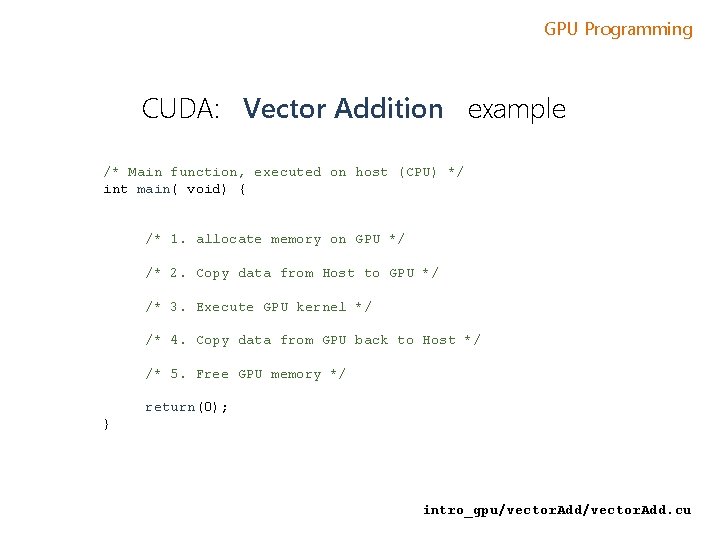
GPU Programming CUDA: Vector Addition example /* Main function, executed on host (CPU) */ int main( void) { /* 1. allocate memory on GPU */ /* 2. Copy data from Host to GPU */ /* 3. Execute GPU kernel */ /* 4. Copy data from GPU back to Host */ /* 5. Free GPU memory */ return(0); } intro_gpu/vector. Add. cu
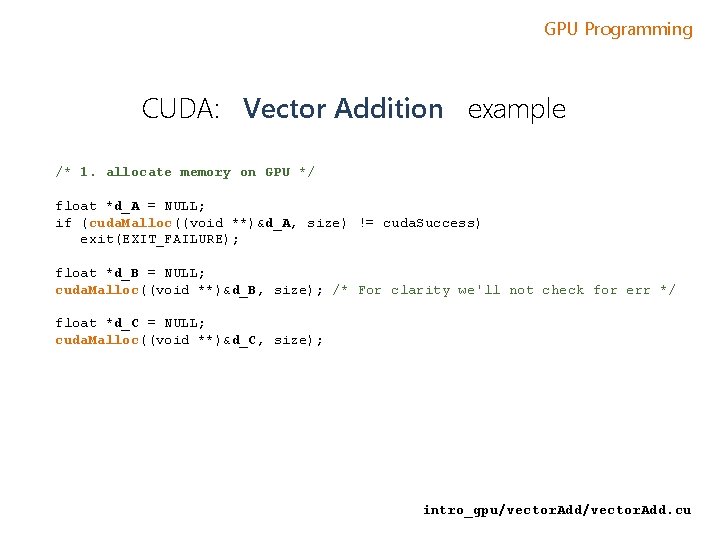
GPU Programming CUDA: Vector Addition example /* 1. allocate memory on GPU */ float *d_A = NULL; if (cuda. Malloc((void **)&d_A, size) != cuda. Success) exit(EXIT_FAILURE); float *d_B = NULL; cuda. Malloc((void **)&d_B, size); /* For clarity we'll not check for err */ float *d_C = NULL; cuda. Malloc((void **)&d_C, size); intro_gpu/vector. Add. cu
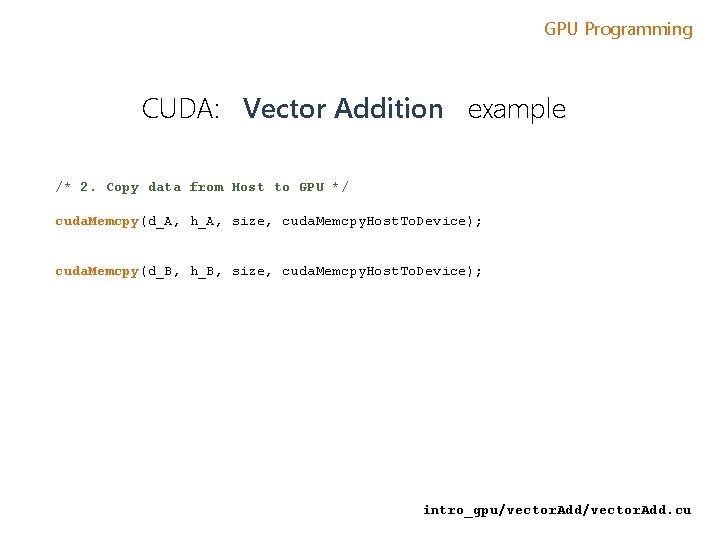
GPU Programming CUDA: Vector Addition example /* 2. Copy data from Host to GPU */ cuda. Memcpy(d_A, h_A, size, cuda. Memcpy. Host. To. Device); cuda. Memcpy(d_B, h_B, size, cuda. Memcpy. Host. To. Device); intro_gpu/vector. Add. cu
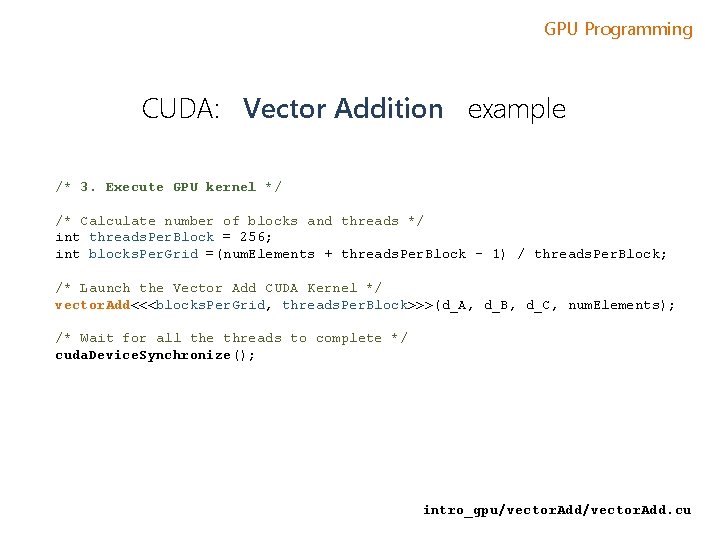
GPU Programming CUDA: Vector Addition example /* 3. Execute GPU kernel */ /* Calculate number of blocks and threads */ int threads. Per. Block = 256; int blocks. Per. Grid =(num. Elements + threads. Per. Block - 1) / threads. Per. Block; /* Launch the Vector Add CUDA Kernel */ vector. Add<<<blocks. Per. Grid, threads. Per. Block>>>(d_A, d_B, d_C, num. Elements); /* Wait for all the threads to complete */ cuda. Device. Synchronize(); intro_gpu/vector. Add. cu
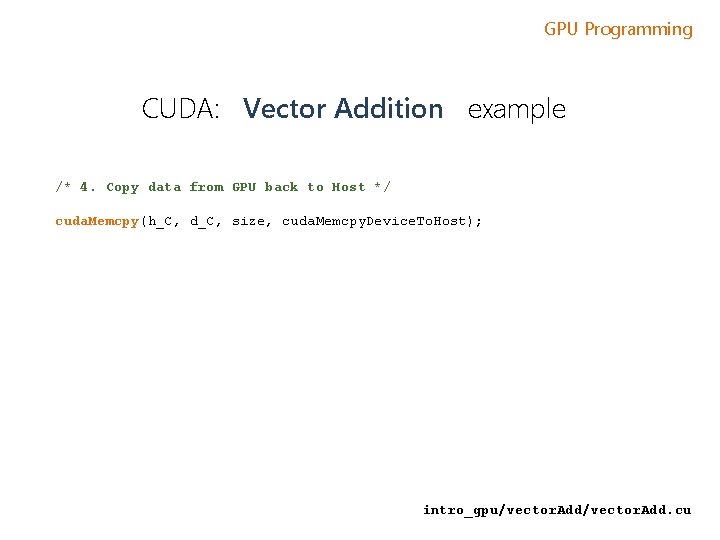
GPU Programming CUDA: Vector Addition example /* 4. Copy data from GPU back to Host */ cuda. Memcpy(h_C, d_C, size, cuda. Memcpy. Device. To. Host); intro_gpu/vector. Add. cu
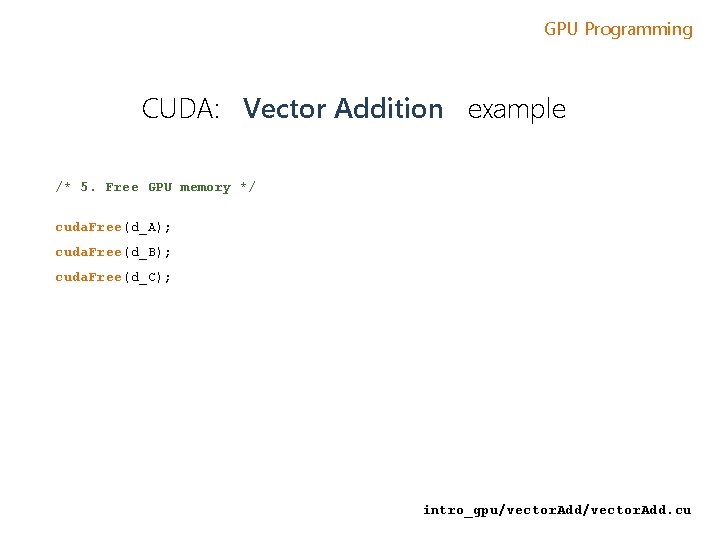
GPU Programming CUDA: Vector Addition example /* 5. Free GPU memory */ cuda. Free(d_A); cuda. Free(d_B); cuda. Free(d_C); intro_gpu/vector. Add. cu
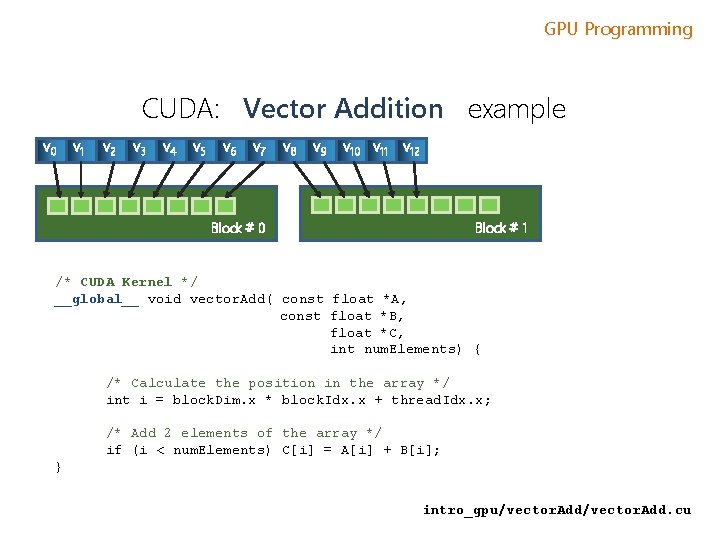
GPU Programming CUDA: Vector Addition example v 0 v 1 v 2 v 3 v 4 v 5 v 6 v 7 v 8 v 9 v 10 v 11 v 12 Block # 1 Block # 0 /* CUDA Kernel */ __global__ void vector. Add( const float *A, const float *B, float *C, int num. Elements) { /* Calculate the position in the array */ int i = block. Dim. x * block. Idx. x + thread. Idx. x; /* Add 2 elements of the array */ if (i < num. Elements) C[i] = A[i] + B[i]; } intro_gpu/vector. Add. cu
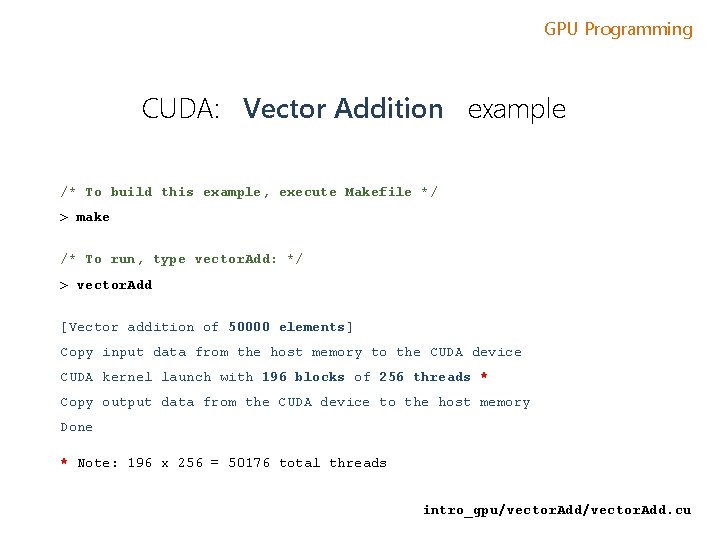
GPU Programming CUDA: Vector Addition example /* To build this example, execute Makefile */ > make /* To run, type vector. Add: */ > vector. Add [Vector addition of 50000 elements] Copy input data from the host memory to the CUDA device CUDA kernel launch with 196 blocks of 256 threads * Copy output data from the CUDA device to the host memory Done * Note: 196 x 256 = 50176 total threads intro_gpu/vector. Add. cu
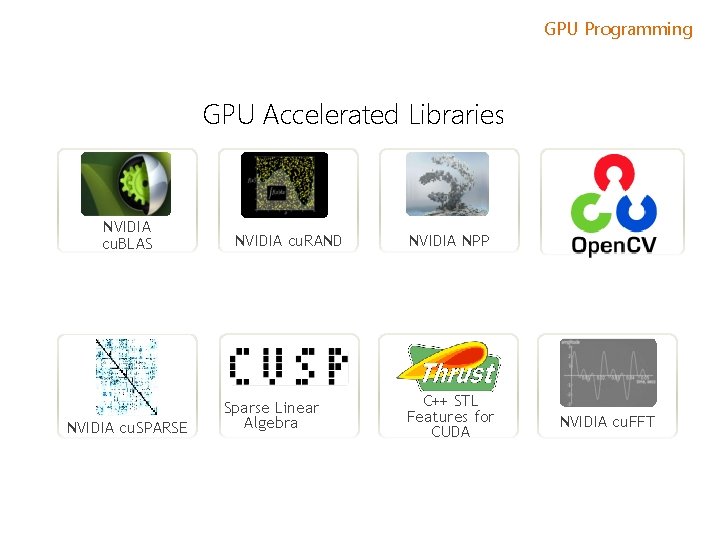
GPU Programming GPU Accelerated Libraries NVIDIA cu. BLAS NVIDIA cu. SPARSE NVIDIA cu. RAND Sparse Linear Algebra NVIDIA NPP C++ STL Features for CUDA NVIDIA cu. FFT
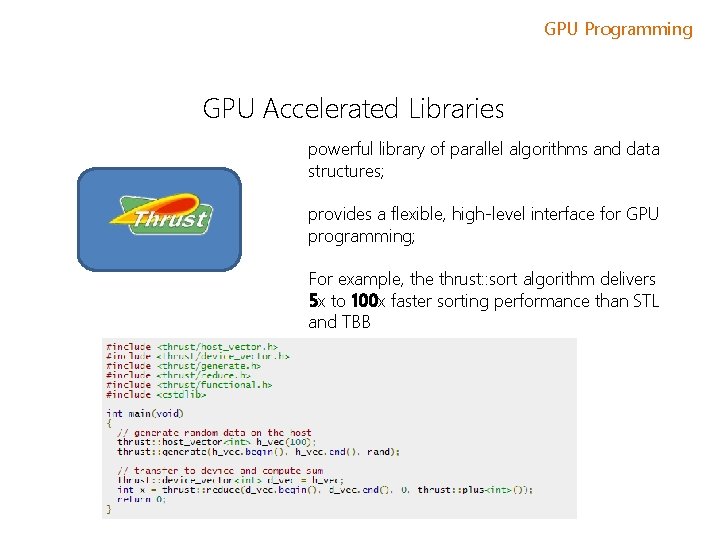
GPU Programming GPU Accelerated Libraries powerful library of parallel algorithms and data structures; provides a flexible, high-level interface for GPU programming; For example, the thrust: : sort algorithm delivers 5 x to 100 x faster sorting performance than STL and TBB
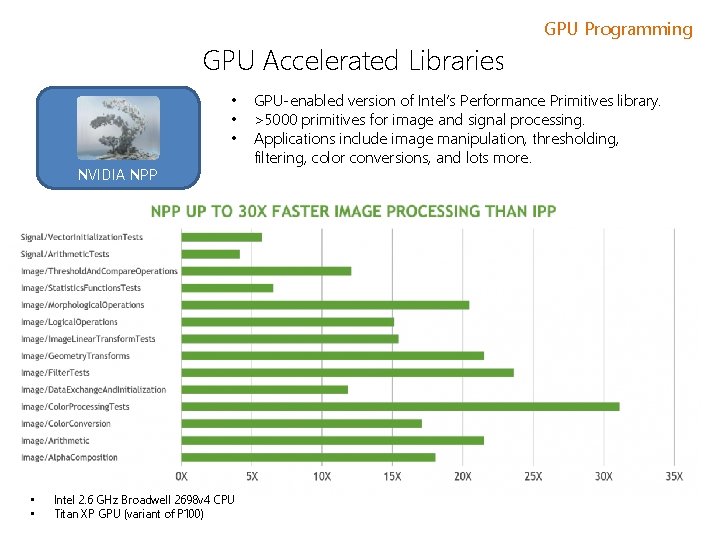
GPU Accelerated Libraries • • • NVIDIA NPP • • Intel 2. 6 GHz Broadwell 2698 v 4 CPU Titan XP GPU (variant of P 100) GPU Programming GPU-enabled version of Intel’s Performance Primitives library. >5000 primitives for image and signal processing. Applications include image manipulation, thresholding, filtering, color conversions, and lots more.
GPU Programming GPU Accelerated Libraries a GPU-accelerated version of the complete standard BLAS library; cu. BLAS 6 x to 17 x faster performance than the latest MKL BLAS Complete support for all 152 standard BLAS routines Single, double, complex, and double complex data types Fortran binding
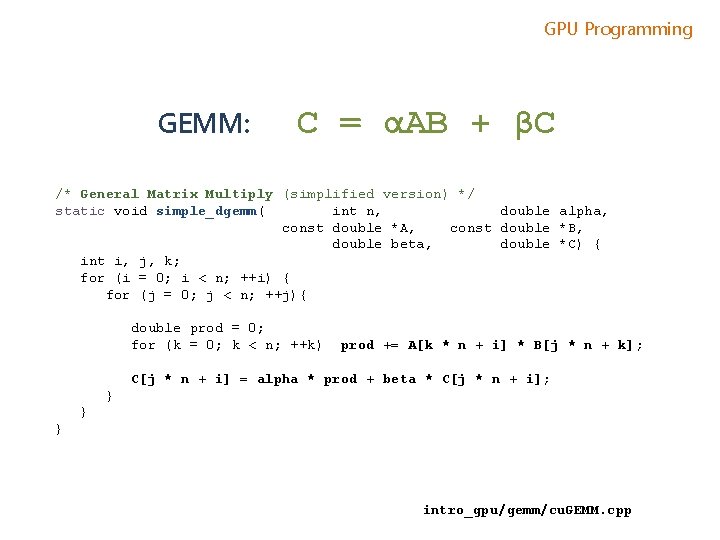
GPU Programming GEMM: C = αAB + βC /* General Matrix Multiply (simplified version) */ static void simple_dgemm( int n, double alpha, const double *A, const double *B, double beta, double *C) { int i, j, k; for (i = 0; i < n; ++i) { for (j = 0; j < n; ++j){ double prod = 0; for (k = 0; k < n; ++k) prod += A[k * n + i] * B[j * n + k]; C[j * n + i] = alpha * prod + beta * C[j * n + i]; } } } intro_gpu/gemm/cu. GEMM. cpp
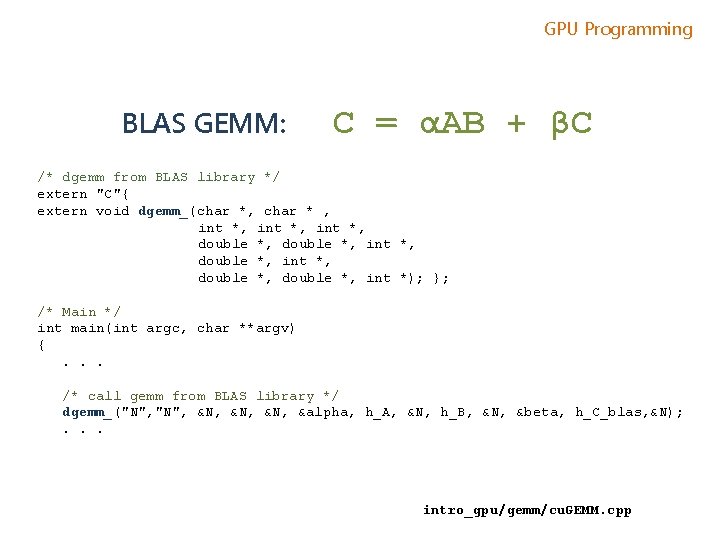
GPU Programming BLAS GEMM: C = αAB + βC /* dgemm from BLAS library */ extern "C"{ extern void dgemm_(char *, char * , int *, double *, int *, double *, int *); }; /* Main */ int main(int argc, char **argv) {. . . /* call gemm from BLAS library */ dgemm_("N", &N, &N, &alpha, h_A, &N, h_B, &N, &beta, h_C_blas, &N); . . . intro_gpu/gemm/cu. GEMM. cpp

GPU Programming cu. BLAS GEMM: C = αAB + βC /* Main */ int main(int argc, char **argv) { /* 0. Initialize CUBLAS */ cublas. Create(&handle); /* 1. allocate memory on GPU */ cuda. Malloc((void **)&d_A, n 2 * sizeof(d_A[0])); /* 2. Copy data from Host to GPU */ status = cublas. Set. Vector(n 2, sizeof(h_A[0]), h_A, 1, d_A, 1); /* 3. Execute GPU kernel */ cublas. Dgemm( handle, CUBLAS_OP_N, N, &alpha, d_A, N, d_B, N, &beta, d_C, N ); /* 4. Copy data from GPU back to Host */ cublas. Get. Vector(n 2, sizeof(h_C[0]), d_C, 1, h_C, 1); /* 5. Free GPU memory */ cuda. Free(d_A) } intro_gpu/gemm/cu. GEMM. cpp
GPU Programming Submitting CUDA job qsub -l gpus=1 -b y cu. GEMM
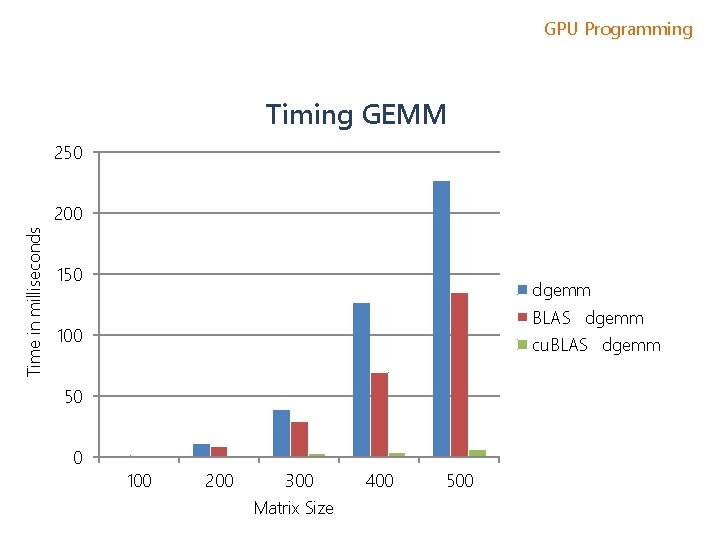
GPU Programming Timing GEMM 250 Time in milliseconds 200 150 dgemm BLASS dgemm 100 cu. BLASS dgemm 50 0 100 200 300 Matrix Size 400 500
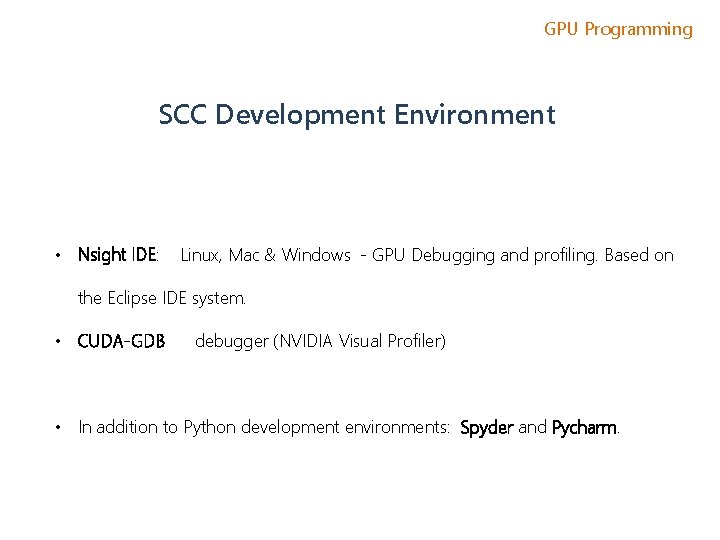
GPU Programming SCC Development Environment • Nsight IDE: Linux, Mac & Windows - GPU Debugging and profiling. Based on the Eclipse IDE system. • CUDA-GDB debugger (NVIDIA Visual Profiler) • In addition to Python development environments: Spyder and Pycharm.
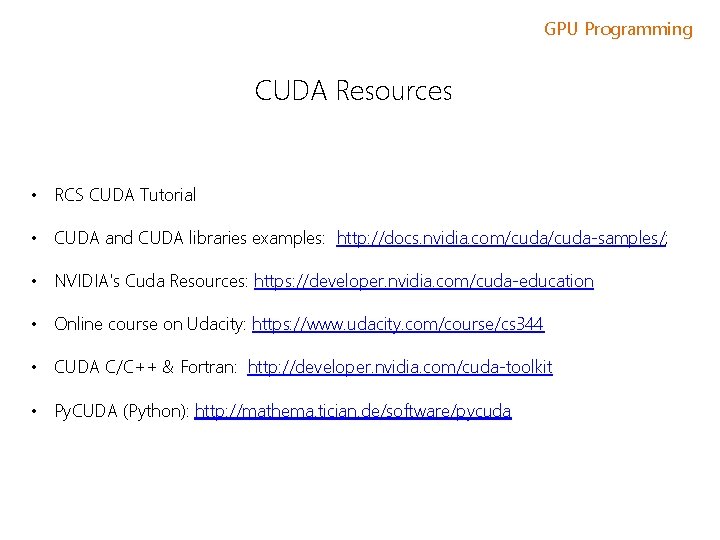
GPU Programming CUDA Resources • RCS CUDA Tutorial • CUDA and CUDA libraries examples: http: //docs. nvidia. com/cuda-samples/; • NVIDIA's Cuda Resources: https: //developer. nvidia. com/cuda-education • Online course on Udacity: https: //www. udacity. com/course/cs 344 • CUDA C/C++ & Fortran: http: //developer. nvidia. com/cuda-toolkit • Py. CUDA (Python): http: //mathema. tician. de/software/pycuda
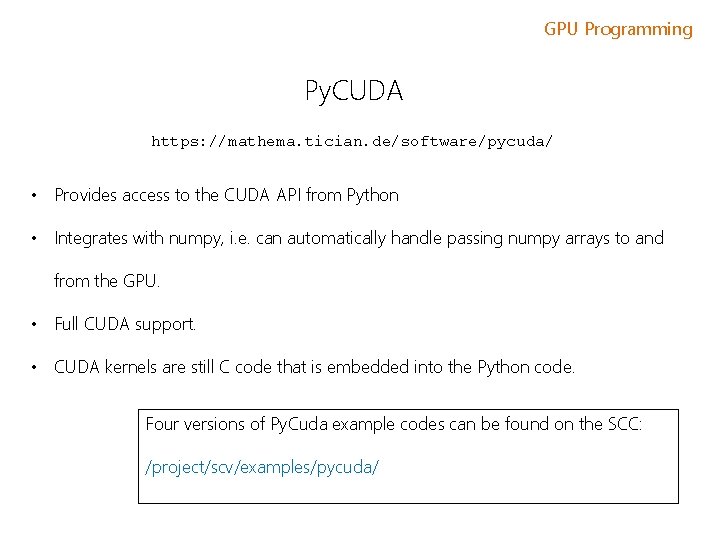
GPU Programming Py. CUDA https: //mathema. tician. de/software/pycuda/ • Provides access to the CUDA API from Python • Integrates with numpy, i. e. can automatically handle passing numpy arrays to and from the GPU. • Full CUDA support. • CUDA kernels are still C code that is embedded into the Python code. Four versions of Py. Cuda example codes can be found on the SCC: /project/scv/examples/pycuda/
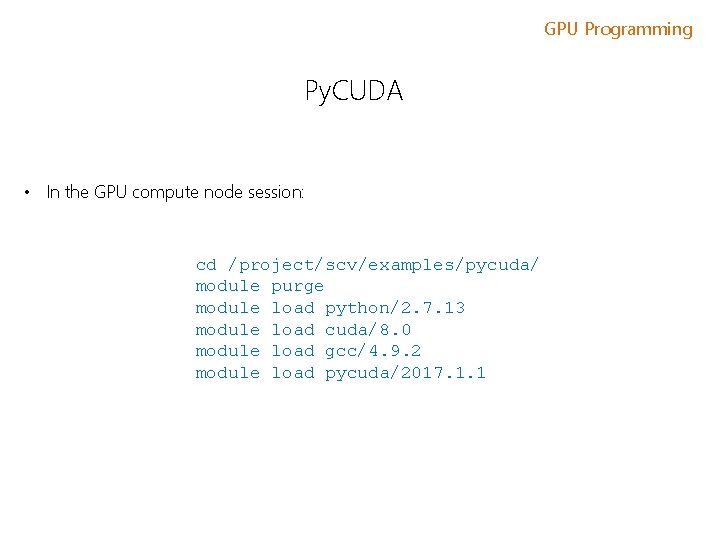
GPU Programming Py. CUDA • In the GPU compute node session: cd /project/scv/examples/pycuda/ module purge module load python/2. 7. 13 module load cuda/8. 0 module load gcc/4. 9. 2 module load pycuda/2017. 1. 1
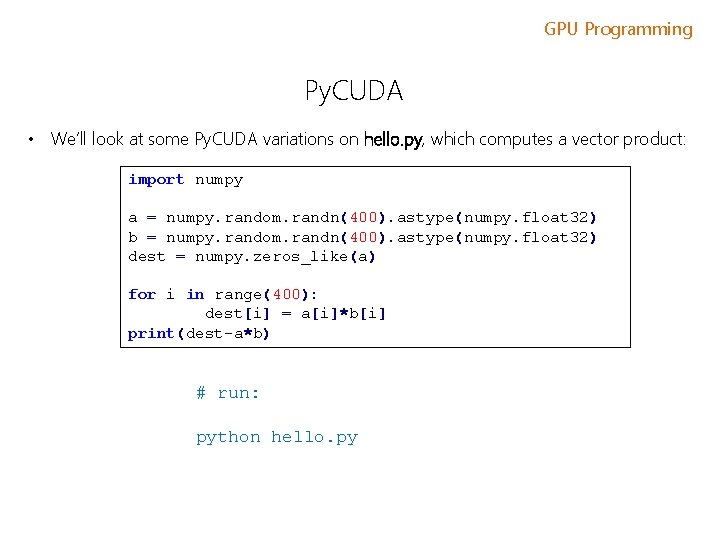
GPU Programming Py. CUDA • We’ll look at some Py. CUDA variations on hello. py, which computes a vector product: import numpy a = numpy. random. randn(400). astype(numpy. float 32) b = numpy. random. randn(400). astype(numpy. float 32) dest = numpy. zeros_like(a) for i in range(400): dest[i] = a[i]*b[i] print(dest-a*b) # run: python hello. py
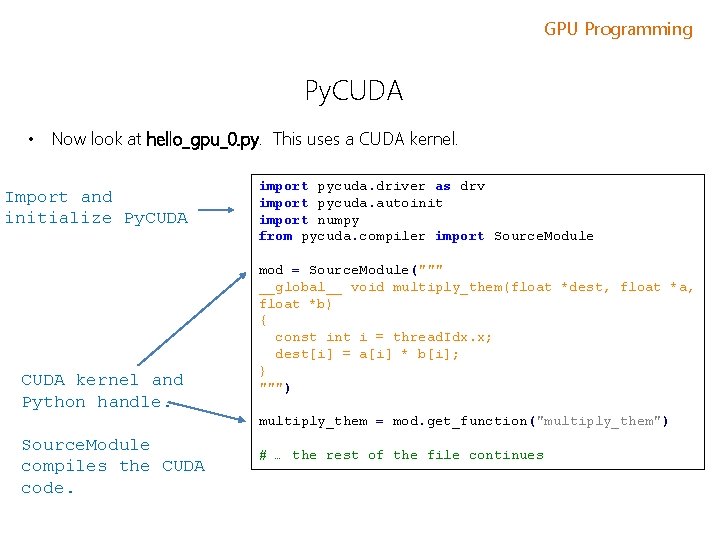
GPU Programming Py. CUDA • Now look at hello_gpu_0. py. This uses a CUDA kernel. Import and initialize Py. CUDA kernel and Python handle. import pycuda. driver as drv import pycuda. autoinit import numpy from pycuda. compiler import Source. Module mod = Source. Module(""" __global__ void multiply_them(float *dest, float *a, float *b) { const int i = thread. Idx. x; dest[i] = a[i] * b[i]; } """) multiply_them = mod. get_function("multiply_them") Source. Module compiles the CUDA code. # … the rest of the file continues
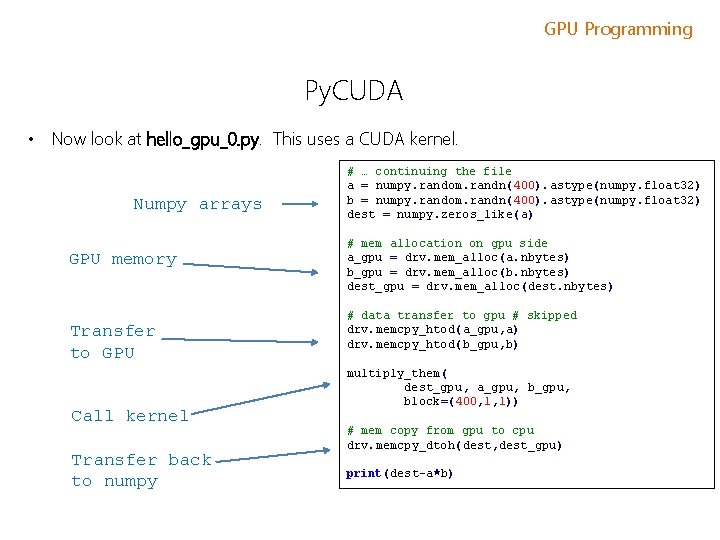
GPU Programming Py. CUDA • Now look at hello_gpu_0. py. This uses a CUDA kernel. Numpy arrays GPU memory Transfer to GPU Call kernel Transfer back to numpy # … continuing the file a = numpy. random. randn(400). astype(numpy. float 32) b = numpy. random. randn(400). astype(numpy. float 32) dest = numpy. zeros_like(a) # mem allocation on gpu side a_gpu = drv. mem_alloc(a. nbytes) b_gpu = drv. mem_alloc(b. nbytes) dest_gpu = drv. mem_alloc(dest. nbytes) # data transfer to gpu # skipped drv. memcpy_htod(a_gpu, a) drv. memcpy_htod(b_gpu, b) multiply_them( dest_gpu, a_gpu, block=(400, 1, 1)) # mem copy from gpu to cpu drv. memcpy_dtoh(dest, dest_gpu) print(dest-a*b)
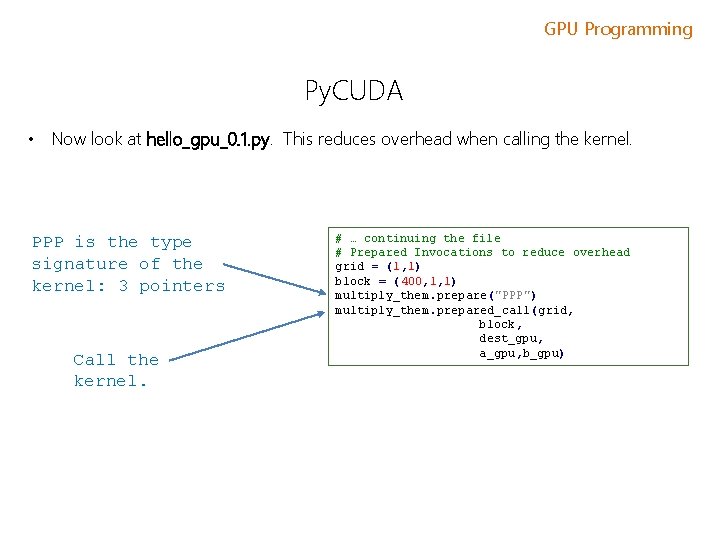
GPU Programming Py. CUDA • Now look at hello_gpu_0. 1. py. This reduces overhead when calling the kernel. PPP is the type signature of the kernel: 3 pointers Call the kernel. # … continuing the file # Prepared Invocations to reduce overhead grid = (1, 1) block = (400, 1, 1) multiply_them. prepare("PPP") multiply_them. prepared_call(grid, block, dest_gpu, a_gpu, b_gpu)
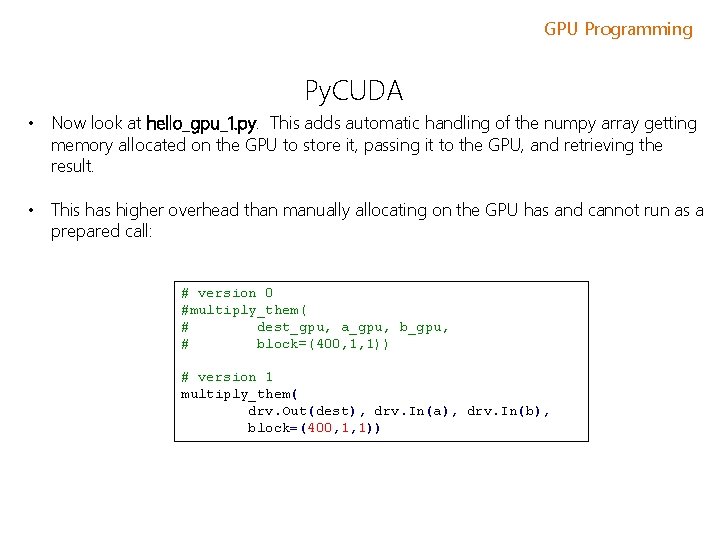
GPU Programming Py. CUDA • Now look at hello_gpu_1. py. This adds automatic handling of the numpy array getting memory allocated on the GPU to store it, passing it to the GPU, and retrieving the result. • This has higher overhead than manually allocating on the GPU has and cannot run as a prepared call: # version 0 #multiply_them( # dest_gpu, a_gpu, b_gpu, # block=(400, 1, 1)) # version 1 multiply_them( drv. Out(dest), drv. In(a), drv. In(b), block=(400, 1, 1))
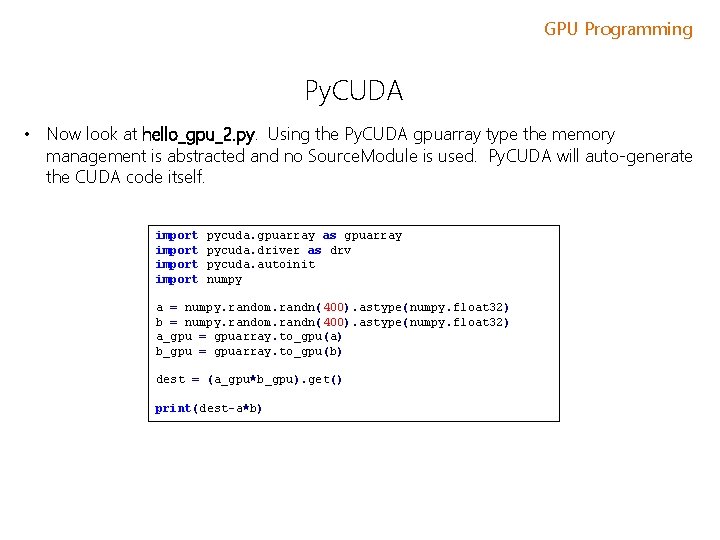
GPU Programming Py. CUDA • Now look at hello_gpu_2. py. Using the Py. CUDA gpuarray type the memory management is abstracted and no Source. Module is used. Py. CUDA will auto-generate the CUDA code itself. import pycuda. gpuarray as gpuarray pycuda. driver as drv pycuda. autoinit numpy a = numpy. random. randn(400). astype(numpy. float 32) b = numpy. random. randn(400). astype(numpy. float 32) a_gpu = gpuarray. to_gpu(a) b_gpu = gpuarray. to_gpu(b) dest = (a_gpu*b_gpu). get() print(dest-a*b)
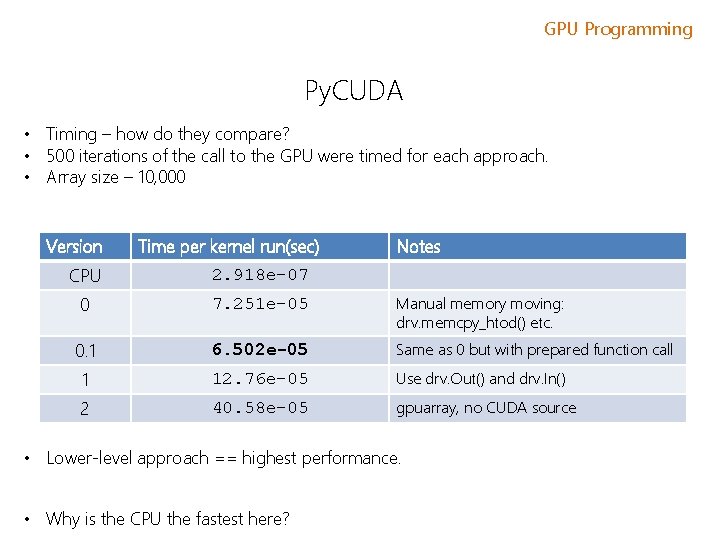
GPU Programming Py. CUDA • Timing – how do they compare? • 500 iterations of the call to the GPU were timed for each approach. • Array size – 10, 000 Version Time per kernel run(sec) Notes CPU 2. 918 e-07 0 7. 251 e-05 Manual memory moving: drv. memcpy_htod() etc. 0. 1 6. 502 e-05 Same as 0 but with prepared function call 1 12. 76 e-05 Use drv. Out() and drv. In() 2 40. 58 e-05 gpuarray, no CUDA source • Lower-level approach == highest performance. • Why is the CPU the fastest here?
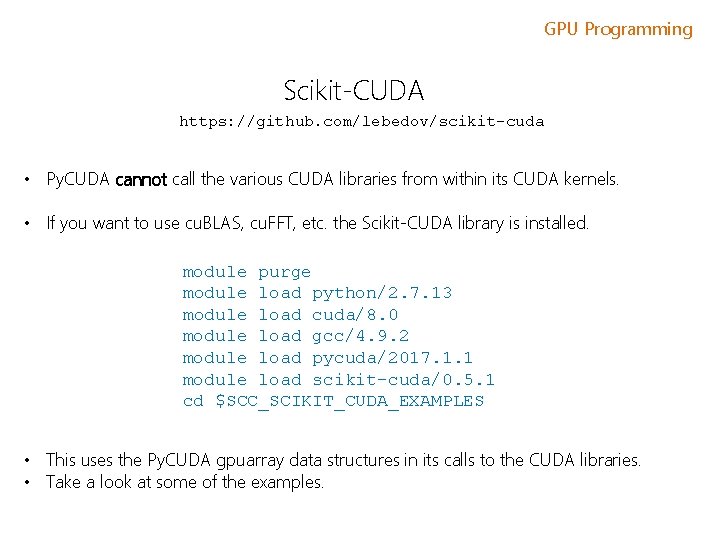
GPU Programming Scikit-CUDA https: //github. com/lebedov/scikit-cuda • Py. CUDA cannot call the various CUDA libraries from within its CUDA kernels. • If you want to use cu. BLAS, cu. FFT, etc. the Scikit-CUDA library is installed. module purge module load python/2. 7. 13 module load cuda/8. 0 module load gcc/4. 9. 2 module load pycuda/2017. 1. 1 module load scikit-cuda/0. 5. 1 cd $SCC_SCIKIT_CUDA_EXAMPLES • This uses the Py. CUDA gpuarray data structures in its calls to the CUDA libraries. • Take a look at some of the examples.
- Slides: 61