
GPU History CUDA Intro Graphics Pipeline Elements 1
- Slides: 32
GPU History CUDA Intro
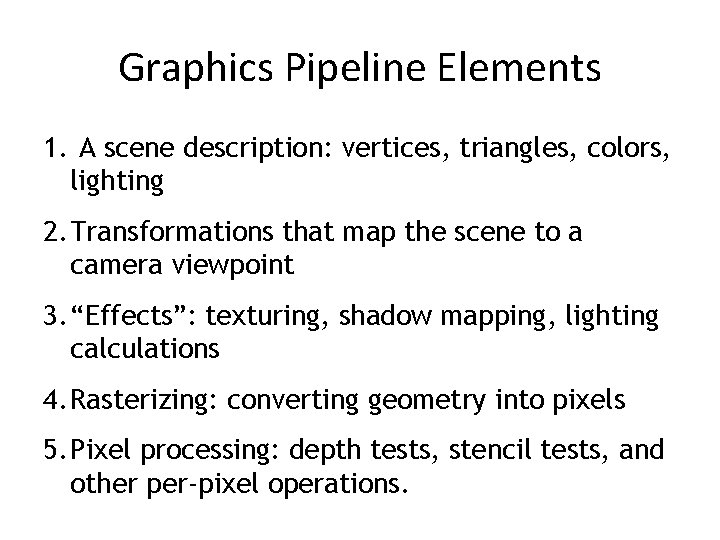
Graphics Pipeline Elements 1. A scene description: vertices, triangles, colors, lighting 2. Transformations that map the scene to a camera viewpoint 3. “Effects”: texturing, shadow mapping, lighting calculations 4. Rasterizing: converting geometry into pixels 5. Pixel processing: depth tests, stencil tests, and other per-pixel operations.
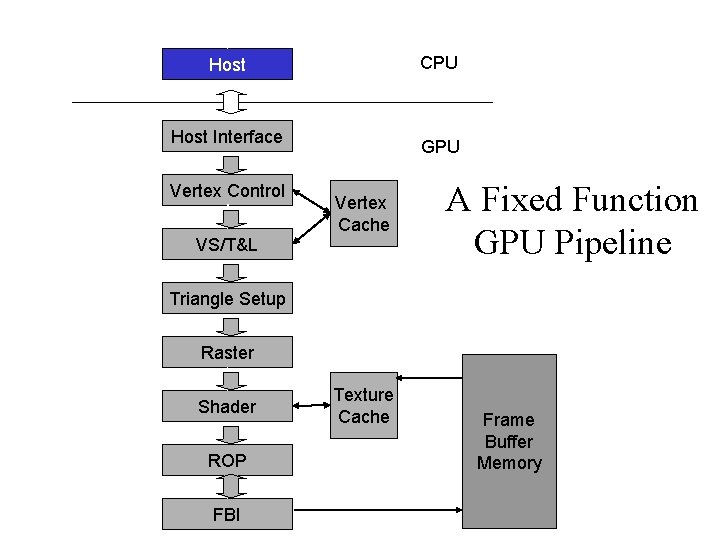
CPU Host Interface Vertex Control VS/T&L GPU Vertex Cache A Fixed Function GPU Pipeline Triangle Setup Raster Shader ROP FBI Texture Cache Frame Buffer Memory
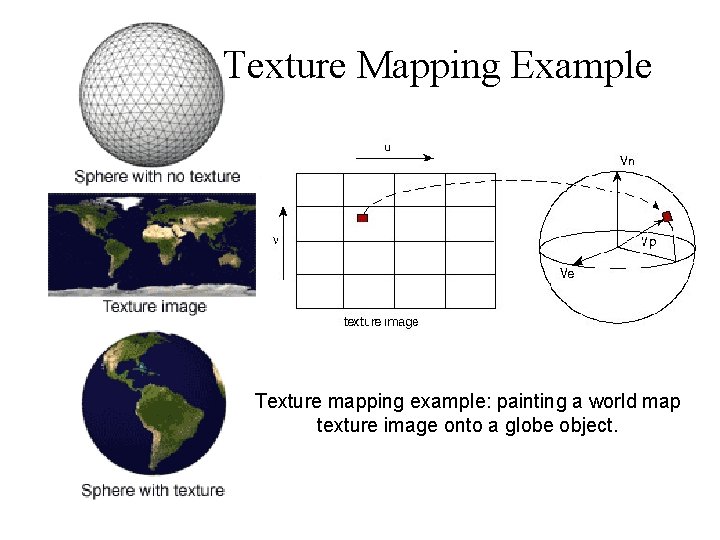
Texture Mapping Example Texture mapping example: painting a world map texture image onto a globe object.
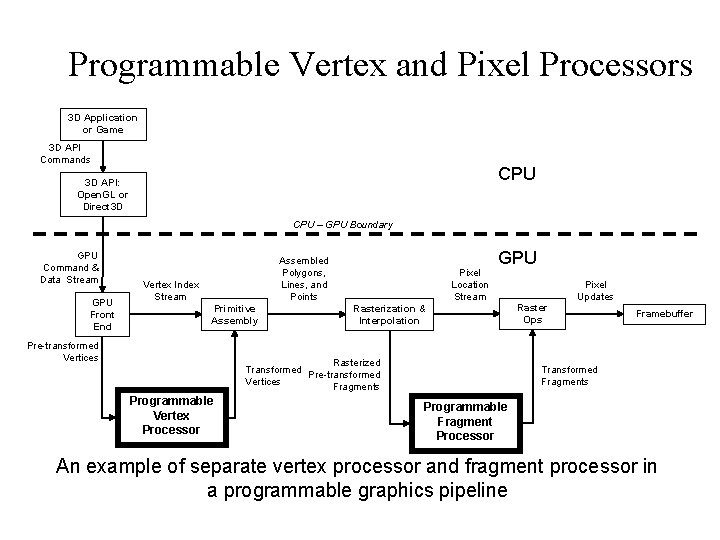
Programmable Vertex and Pixel Processors 3 D Application or Game 3 D API Commands CPU 3 D API: Open. GL or Direct 3 D CPU – GPU Boundary GPU Command & Data Stream GPU Front End Assembled Polygons, Lines, and Points Vertex Index Stream Primitive Assembly Pre-transformed Vertices Pixel Location Stream GPU Rasterization & Interpolation Rasterized Transformed Pre-transformed Vertices Fragments Programmable Vertex Processor Pixel Updates Raster Ops Framebuffer Transformed Fragments Programmable Fragment Processor An example of separate vertex processor and fragment processor in a programmable graphics pipeline
What is (Historical) GPGPU ? • General Purpose computation using GPU and graphics API in applications other than 3 D graphics – GPU accelerates critical path of application • Data parallel algorithms leverage GPU attributes – Large data arrays, streaming throughput – Model is SPMD – Low-latency floating point (FP) computation • Applications – see http: //gpgpu. org – Game effects (FX) physics, image processing – Physical modeling, computational engineering, matrix algebra, convolution, correlation, sorting
Tesla GPU • NVIDIA developed a more general purpose GPU • Can programming it like a regular processor • Must explicitly declare the data parallel parts of the workload – Shader processors fully programming processors with instruction memory, cache, sequencing logic – Memory load/store instructions with random byte addressing capability – Parallel programming model primitives; threads, barrier synchronization, atomic operations
CUDA • “Compute Unified Device Architecture” • General purpose programming model – User kicks off batches of threads on the GPU – GPU = dedicated super-threaded, massively data parallel co-processor • Targeted software stack – Compute oriented drivers, language, and tools • Driver for loading computation programs into GPU – – – Standalone Driver - Optimized for computation Interface designed for compute – graphics-free API Data sharing with Open. GL buffer objects Guaranteed maximum download & readback speeds Explicit GPU memory management
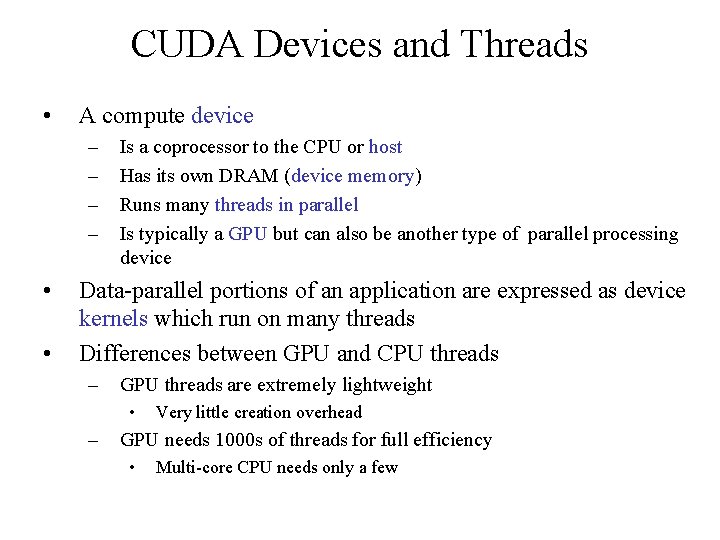
CUDA Devices and Threads • A compute device – – • • Is a coprocessor to the CPU or host Has its own DRAM (device memory) Runs many threads in parallel Is typically a GPU but can also be another type of parallel processing device Data-parallel portions of an application are expressed as device kernels which run on many threads Differences between GPU and CPU threads – GPU threads are extremely lightweight • – Very little creation overhead GPU needs 1000 s of threads for full efficiency • Multi-core CPU needs only a few
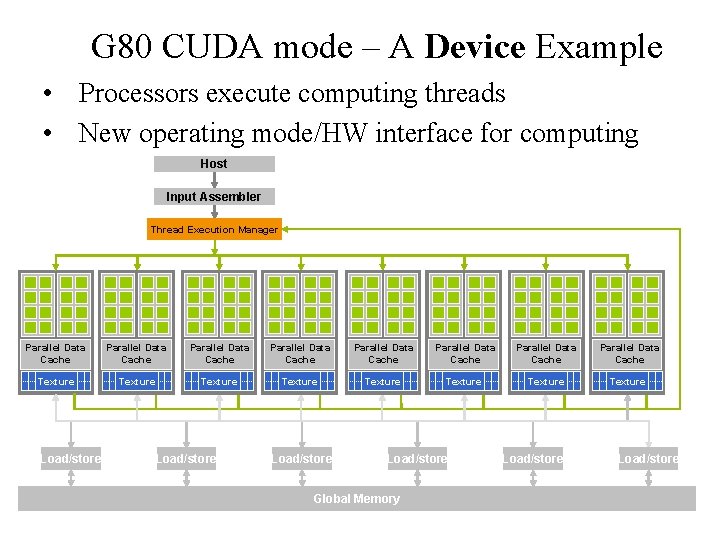
G 80 CUDA mode – A Device Example • Processors execute computing threads • New operating mode/HW interface for computing Host Input Assembler Thread Execution Manager Parallel Data Cache Parallel Data Cache Texture Texture Texture Load/store Global Memory Load/store 10
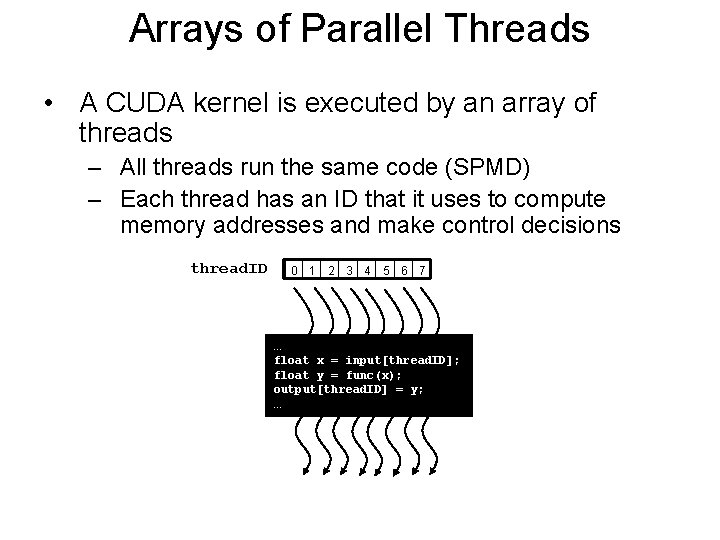
Arrays of Parallel Threads • A CUDA kernel is executed by an array of threads – All threads run the same code (SPMD) – Each thread has an ID that it uses to compute memory addresses and make control decisions thread. ID 0 1 2 3 4 5 6 7 … float x = input[thread. ID]; float y = func(x); output[thread. ID] = y; …
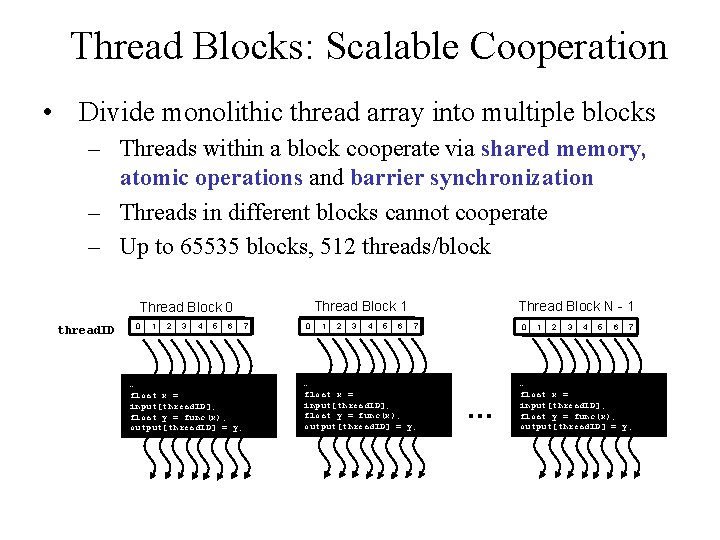
Thread Blocks: Scalable Cooperation • Divide monolithic thread array into multiple blocks – Threads within a block cooperate via shared memory, atomic operations and barrier synchronization – Threads in different blocks cannot cooperate – Up to 65535 blocks, 512 threads/block Thread Block 1 Thread Block 0 thread. ID 0 1 2 3 4 5 6 … float x = input[thread. ID]; float y = func(x); output[thread. ID] = y; … 7 0 1 2 3 4 5 6 Thread Block N - 1 7 … float x = input[thread. ID]; float y = func(x); output[thread. ID] = y; … 0 … 1 2 3 4 5 6 7 … float x = input[thread. ID]; float y = func(x); output[thread. ID] = y; …
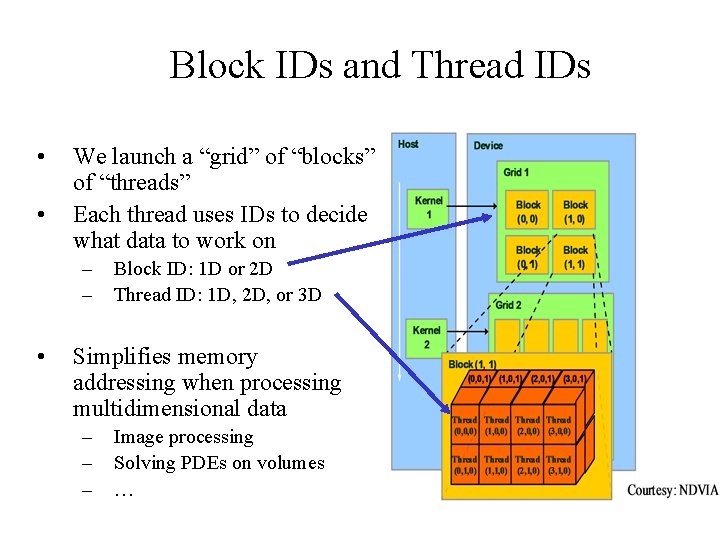
Block IDs and Thread IDs • • We launch a “grid” of “blocks” of “threads” Each thread uses IDs to decide what data to work on – – • Block ID: 1 D or 2 D Thread ID: 1 D, 2 D, or 3 D Simplifies memory addressing when processing multidimensional data – – – Image processing Solving PDEs on volumes …
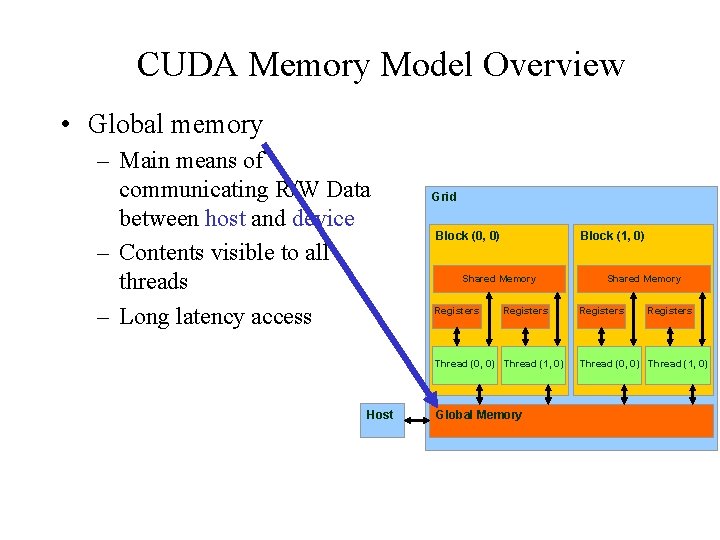
CUDA Memory Model Overview • Global memory – Main means of communicating R/W Data between host and device – Contents visible to all threads – Long latency access Grid Block (0, 0) Block (1, 0) Shared Memory Registers Thread (0, 0) Thread (1, 0) Host Global Memory Shared Memory Registers Thread (0, 0) Thread (1, 0)
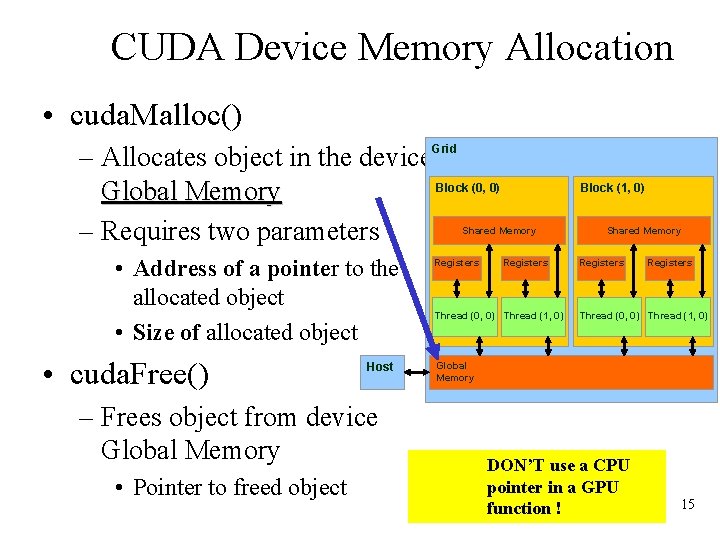
CUDA Device Memory Allocation • cuda. Malloc() – Allocates object in the device. Grid Block (0, 0) Global Memory – Requires two parameters Block (1, 0) Shared Memory • Address of a pointer to the allocated object • Size of allocated object • cuda. Free() Host – Frees object from device Global Memory • Pointer to freed object Registers Thread (0, 0) Thread (1, 0) Shared Memory Registers Thread (0, 0) Thread (1, 0) Global Memory DON’T use a CPU pointer in a GPU function ! 15
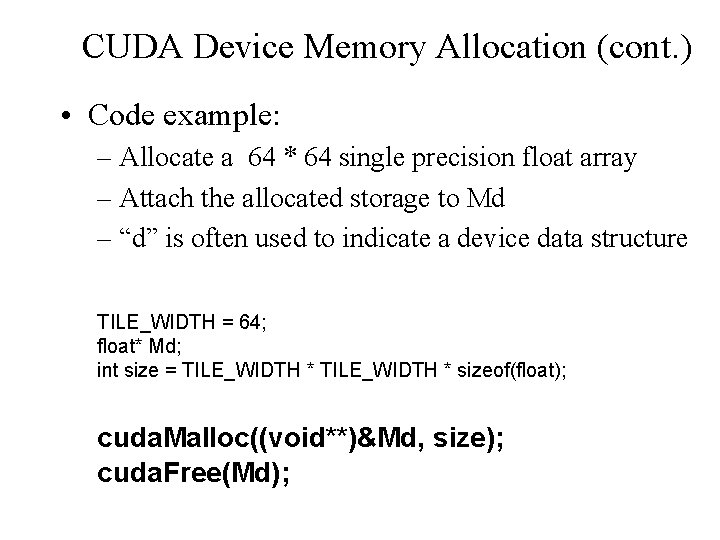
CUDA Device Memory Allocation (cont. ) • Code example: – Allocate a 64 * 64 single precision float array – Attach the allocated storage to Md – “d” is often used to indicate a device data structure TILE_WIDTH = 64; float* Md; int size = TILE_WIDTH * sizeof(float); cuda. Malloc((void**)&Md, size); cuda. Free(Md);
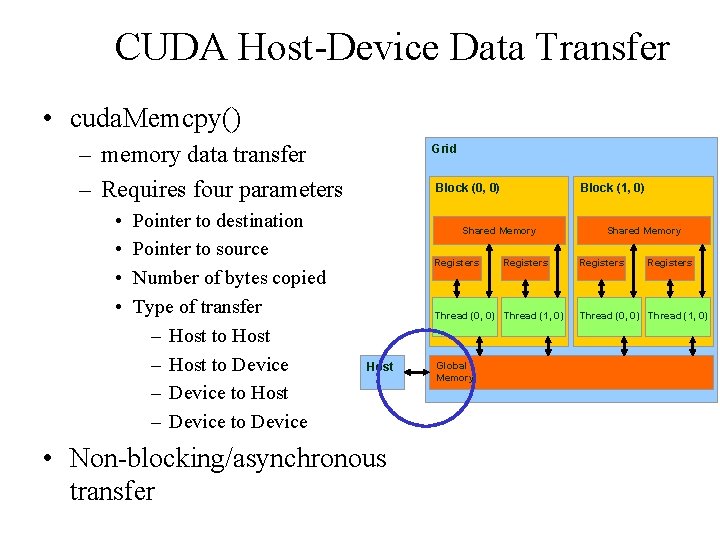
CUDA Host-Device Data Transfer • cuda. Memcpy() – memory data transfer – Requires four parameters • • Pointer to destination Pointer to source Number of bytes copied Type of transfer – Host to Host – Host to Device – Device to Host – Device to Device Grid Block (0, 0) Block (1, 0) Shared Memory Registers Thread (0, 0) Thread (1, 0) Host • Non-blocking/asynchronous transfer Global Memory Shared Memory Registers Thread (0, 0) Thread (1, 0)
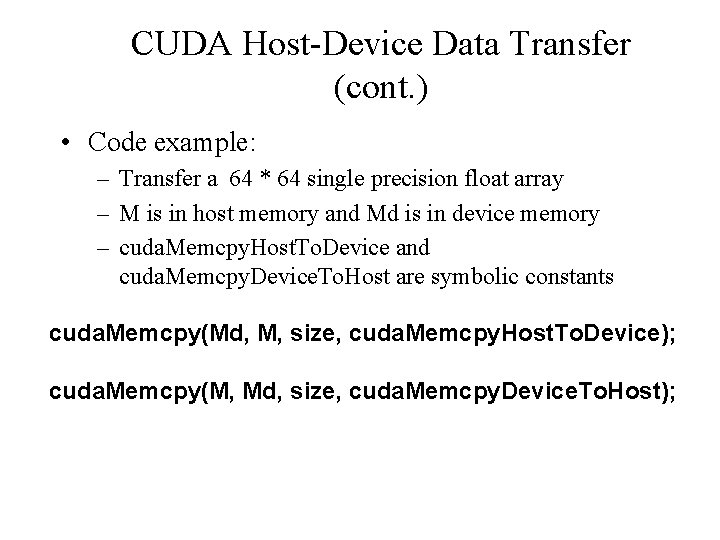
CUDA Host-Device Data Transfer (cont. ) • Code example: – Transfer a 64 * 64 single precision float array – M is in host memory and Md is in device memory – cuda. Memcpy. Host. To. Device and cuda. Memcpy. Device. To. Host are symbolic constants cuda. Memcpy(Md, M, size, cuda. Memcpy. Host. To. Device); cuda. Memcpy(M, Md, size, cuda. Memcpy. Device. To. Host);
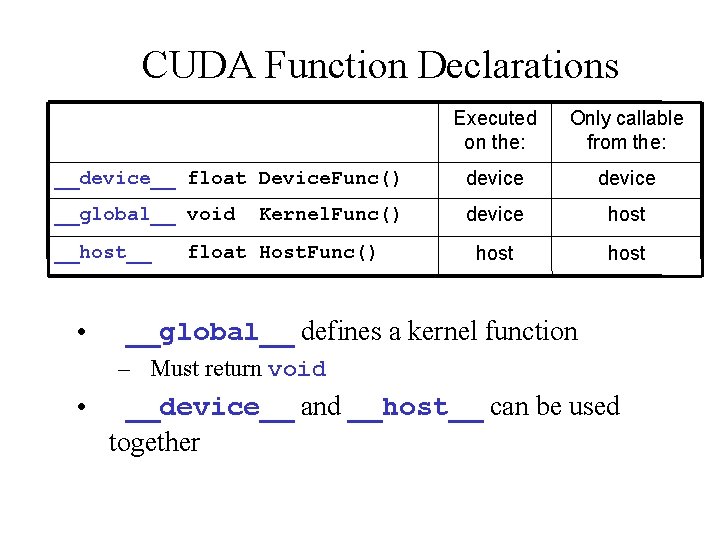
CUDA Function Declarations Executed on the: Only callable from the: __device__ float Device. Func() device __global__ void device host __host__ • Kernel. Func() float Host. Func() __global__ defines a kernel function – Must return void • __device__ and __host__ can be used together
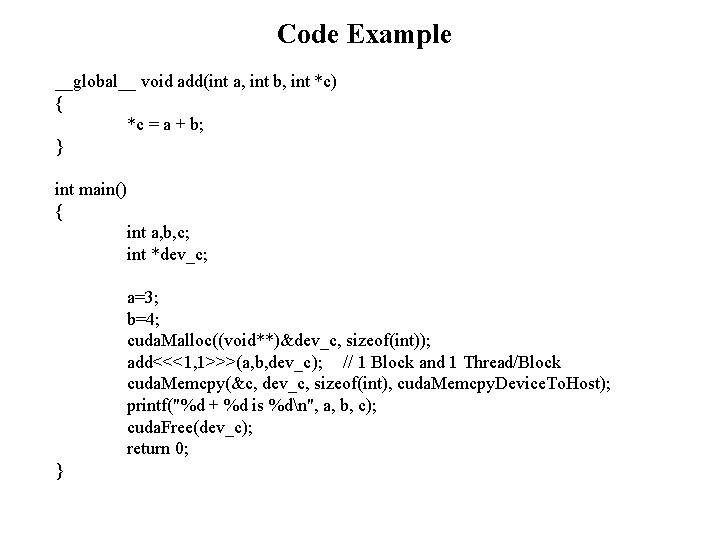
Code Example __global__ void add(int a, int b, int *c) { *c = a + b; } int main() { int a, b, c; int *dev_c; a=3; b=4; cuda. Malloc((void**)&dev_c, sizeof(int)); add<<<1, 1>>>(a, b, dev_c); // 1 Block and 1 Thread/Block cuda. Memcpy(&c, dev_c, sizeof(int), cuda. Memcpy. Device. To. Host); printf("%d + %d is %dn", a, b, c); cuda. Free(dev_c); return 0; }
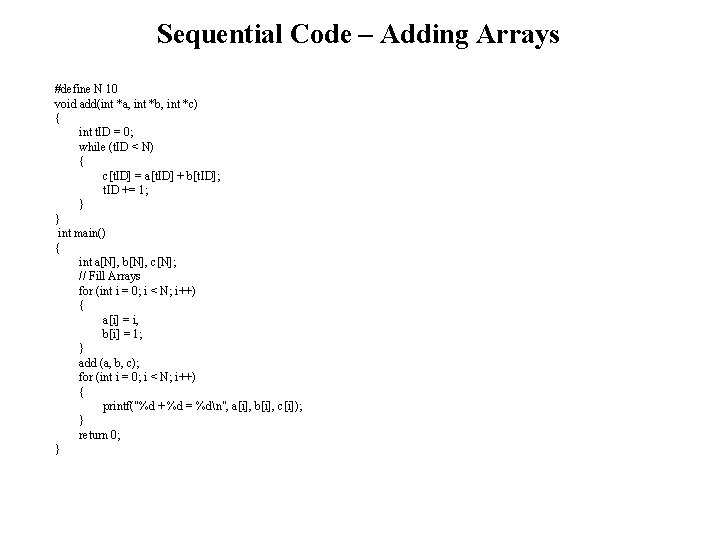
Sequential Code – Adding Arrays #define N 10 void add(int *a, int *b, int *c) { int t. ID = 0; while (t. ID < N) { c[t. ID] = a[t. ID] + b[t. ID]; t. ID += 1; } } int main() { int a[N], b[N], c[N]; // Fill Arrays for (int i = 0; i < N; i++) { a[i] = i, b[i] = 1; } add (a, b, c); for (int i = 0; i < N; i++) { printf("%d + %d = %dn", a[i], b[i], c[i]); } return 0; }
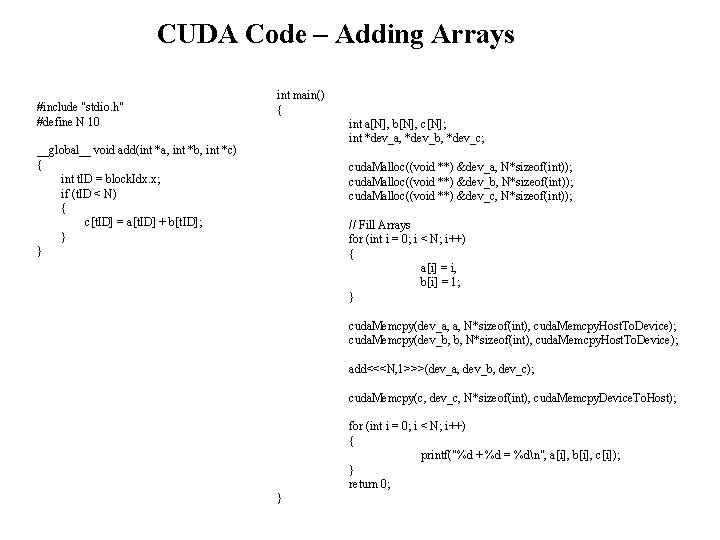
CUDA Code – Adding Arrays #include "stdio. h" #define N 10 int main() { int a[N], b[N], c[N]; int *dev_a, *dev_b, *dev_c; __global__ void add(int *a, int *b, int *c) { int t. ID = block. Idx. x; if (t. ID < N) { c[t. ID] = a[t. ID] + b[t. ID]; } } cuda. Malloc((void **) &dev_a, N*sizeof(int)); cuda. Malloc((void **) &dev_b, N*sizeof(int)); cuda. Malloc((void **) &dev_c, N*sizeof(int)); // Fill Arrays for (int i = 0; i < N; i++) { a[i] = i, b[i] = 1; } cuda. Memcpy(dev_a, a, N*sizeof(int), cuda. Memcpy. Host. To. Device); cuda. Memcpy(dev_b, b, N*sizeof(int), cuda. Memcpy. Host. To. Device); add<<<N, 1>>>(dev_a, dev_b, dev_c); cuda. Memcpy(c, dev_c, N*sizeof(int), cuda. Memcpy. Device. To. Host); for (int i = 0; i < N; i++) { printf("%d + %d = %dn", a[i], b[i], c[i]); } return 0; }
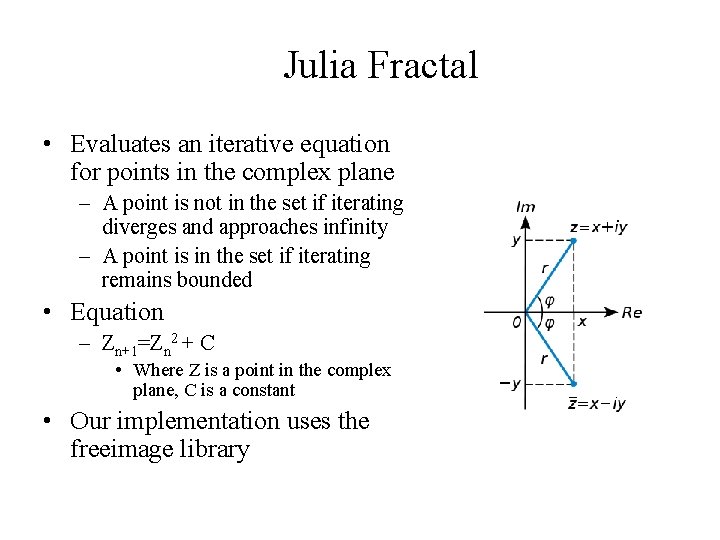
Julia Fractal • Evaluates an iterative equation for points in the complex plane – A point is not in the set if iterating diverges and approaches infinity – A point is in the set if iterating remains bounded • Equation – Zn+1=Zn 2 + C • Where Z is a point in the complex plane, C is a constant • Our implementation uses the freeimage library
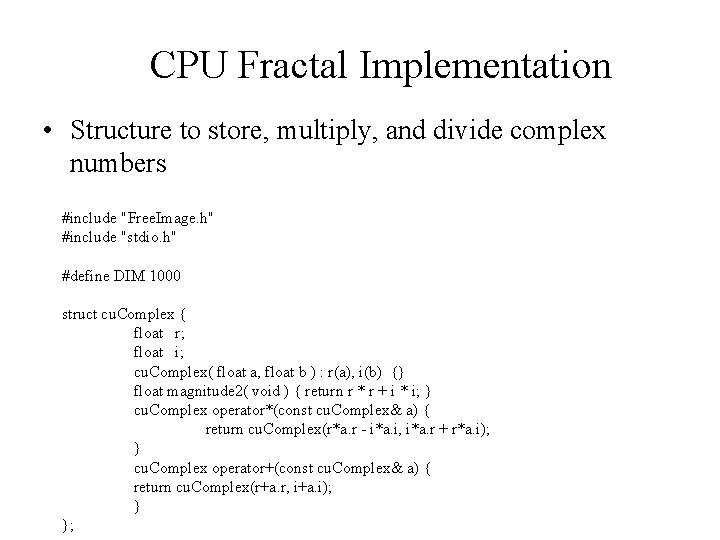
CPU Fractal Implementation • Structure to store, multiply, and divide complex numbers #include "Free. Image. h" #include "stdio. h" #define DIM 1000 struct cu. Complex { float r; float i; cu. Complex( float a, float b ) : r(a), i(b) {} float magnitude 2( void ) { return r * r + i * i; } cu. Complex operator*(const cu. Complex& a) { return cu. Complex(r*a. r - i*a. i, i*a. r + r*a. i); } cu. Complex operator+(const cu. Complex& a) { return cu. Complex(r+a. r, i+a. i); } };
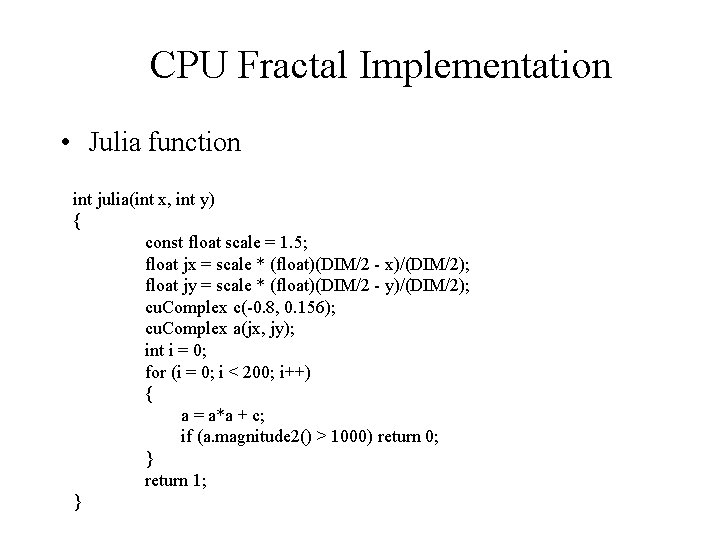
CPU Fractal Implementation • Julia function int julia(int x, int y) { const float scale = 1. 5; float jx = scale * (float)(DIM/2 - x)/(DIM/2); float jy = scale * (float)(DIM/2 - y)/(DIM/2); cu. Complex c(-0. 8, 0. 156); cu. Complex a(jx, jy); int i = 0; for (i = 0; i < 200; i++) { a = a*a + c; if (a. magnitude 2() > 1000) return 0; } return 1; }
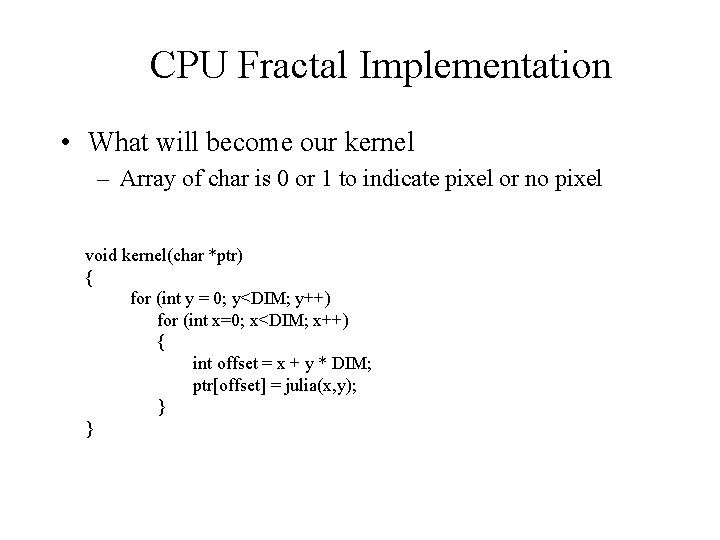
CPU Fractal Implementation • What will become our kernel – Array of char is 0 or 1 to indicate pixel or no pixel void kernel(char *ptr) { for (int y = 0; y<DIM; y++) for (int x=0; x<DIM; x++) { int offset = x + y * DIM; ptr[offset] = julia(x, y); } }
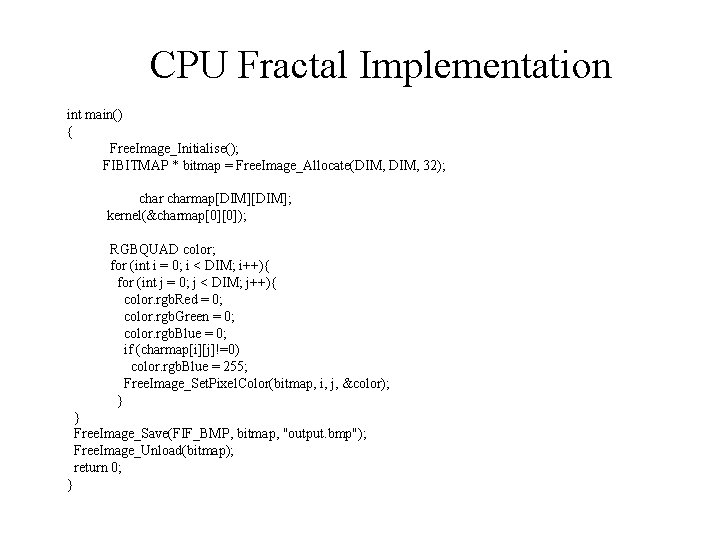
CPU Fractal Implementation int main() { Free. Image_Initialise(); FIBITMAP * bitmap = Free. Image_Allocate(DIM, 32); charmap[DIM]; kernel(&charmap[0][0]); RGBQUAD color; for (int i = 0; i < DIM; i++){ for (int j = 0; j < DIM; j++){ color. rgb. Red = 0; color. rgb. Green = 0; color. rgb. Blue = 0; if (charmap[i][j]!=0) color. rgb. Blue = 255; Free. Image_Set. Pixel. Color(bitmap, i, j, &color); } } Free. Image_Save(FIF_BMP, bitmap, "output. bmp"); Free. Image_Unload(bitmap); return 0; }
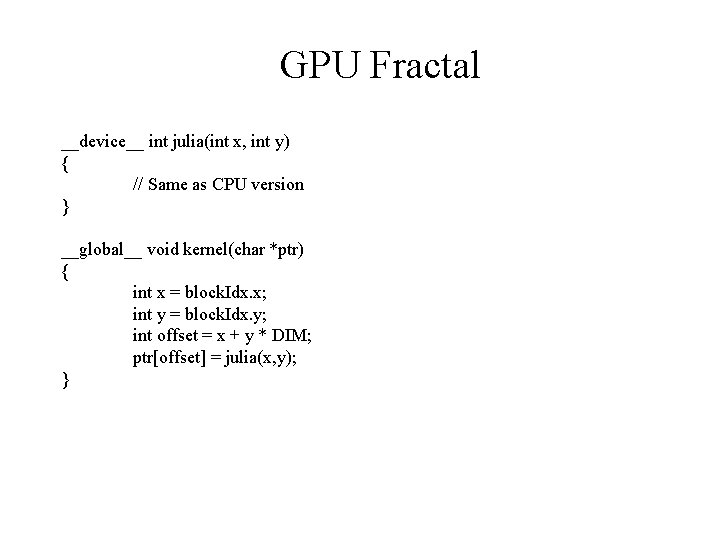
GPU Fractal Implementation • Assign the computation of each point to a processor • Use a 2 D block and the block. Idx. x and block. Idx. y variables to determine which pixel we should be working on
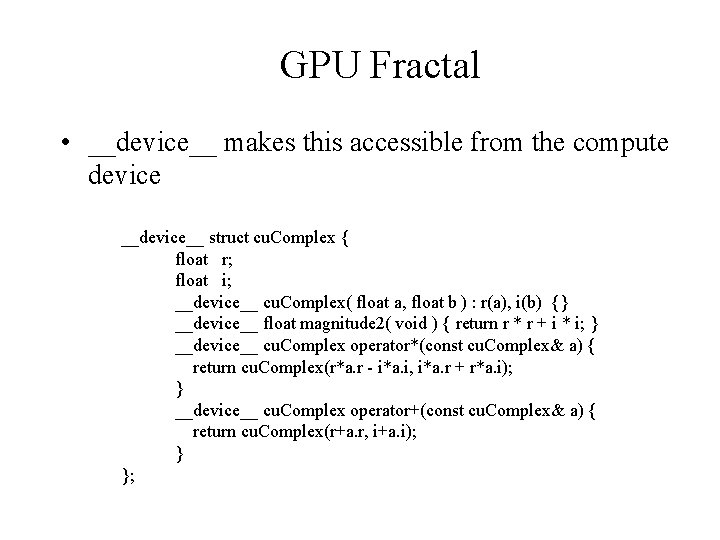
GPU Fractal • __device__ makes this accessible from the compute device __device__ struct cu. Complex { float r; float i; __device__ cu. Complex( float a, float b ) : r(a), i(b) {} __device__ float magnitude 2( void ) { return r * r + i * i; } __device__ cu. Complex operator*(const cu. Complex& a) { return cu. Complex(r*a. r - i*a. i, i*a. r + r*a. i); } __device__ cu. Complex operator+(const cu. Complex& a) { return cu. Complex(r+a. r, i+a. i); } };
GPU Fractal __device__ int julia(int x, int y) { // Same as CPU version } __global__ void kernel(char *ptr) { int x = block. Idx. x; int y = block. Idx. y; int offset = x + y * DIM; ptr[offset] = julia(x, y); }
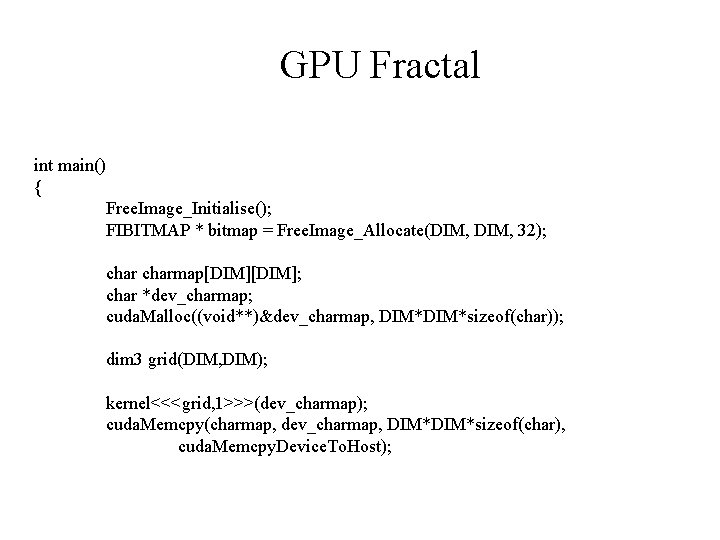
GPU Fractal int main() { Free. Image_Initialise(); FIBITMAP * bitmap = Free. Image_Allocate(DIM, 32); charmap[DIM]; char *dev_charmap; cuda. Malloc((void**)&dev_charmap, DIM*sizeof(char)); dim 3 grid(DIM, DIM); kernel<<<grid, 1>>>(dev_charmap); cuda. Memcpy(charmap, dev_charmap, DIM*sizeof(char), cuda. Memcpy. Device. To. Host);
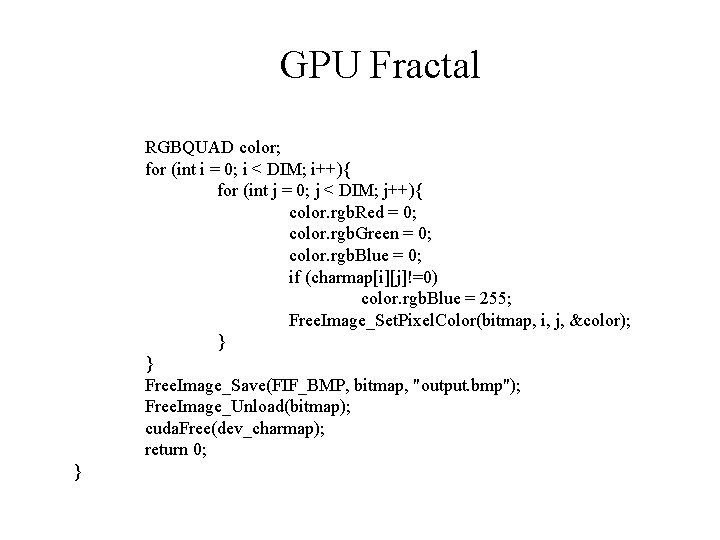
GPU Fractal RGBQUAD color; for (int i = 0; i < DIM; i++){ for (int j = 0; j < DIM; j++){ color. rgb. Red = 0; color. rgb. Green = 0; color. rgb. Blue = 0; if (charmap[i][j]!=0) color. rgb. Blue = 255; Free. Image_Set. Pixel. Color(bitmap, i, j, &color); } } Free. Image_Save(FIF_BMP, bitmap, "output. bmp"); Free. Image_Unload(bitmap); cuda. Free(dev_charmap); return 0; }