
GPS UNIK 2 FIRST USE Lets start To




- Slides: 35
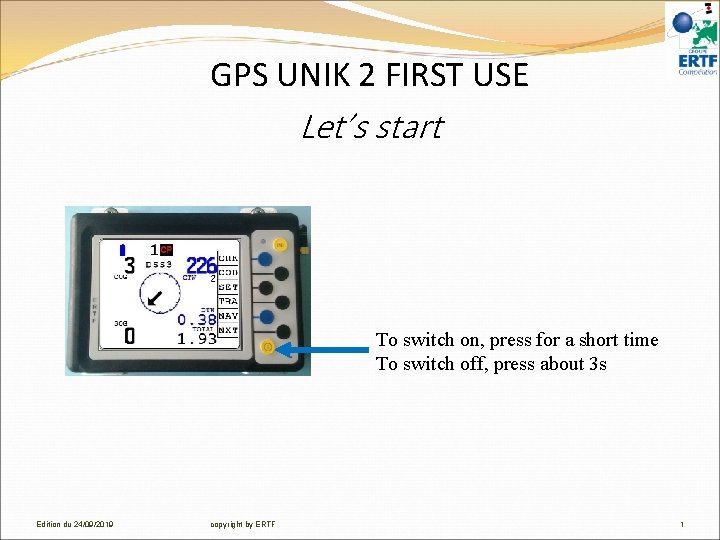
GPS UNIK 2 FIRST USE Let’s start To switch on, press for a short time To switch off, press about 3 s Edition du 24/09/2019 copyright by ERTF 1
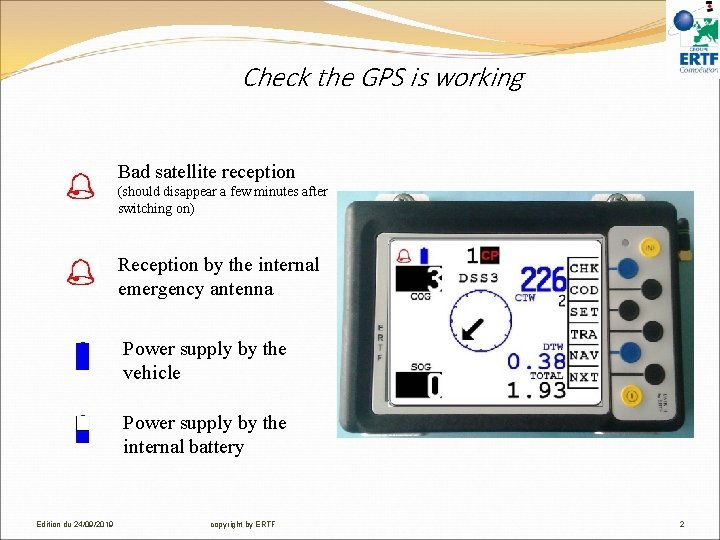
Check the GPS is working Bad satellite reception (should disappear a few minutes after switching on) Reception by the internal emergency antenna Power supply by the vehicle Power supply by the internal battery Edition du 24/09/2019 copyright by ERTF 2
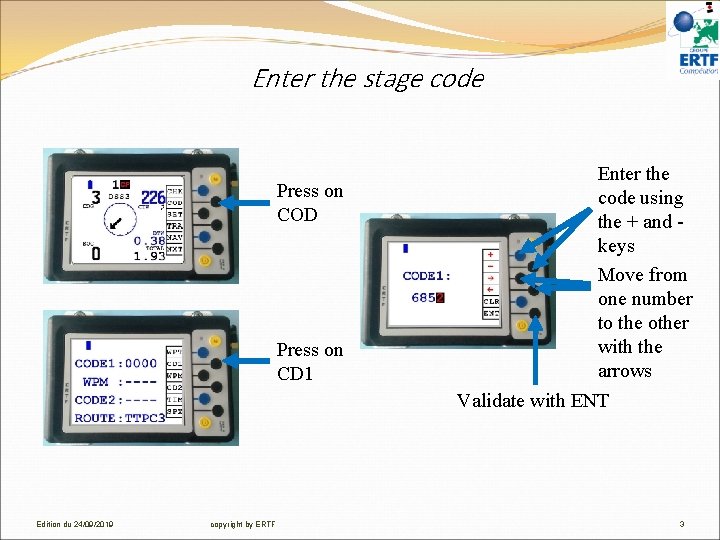
Enter the stage code Press on COD Press on CD 1 Enter the code using the + and keys Move from one number to the other with the arrows Validate with ENT Edition du 24/09/2019 copyright by ERTF 3
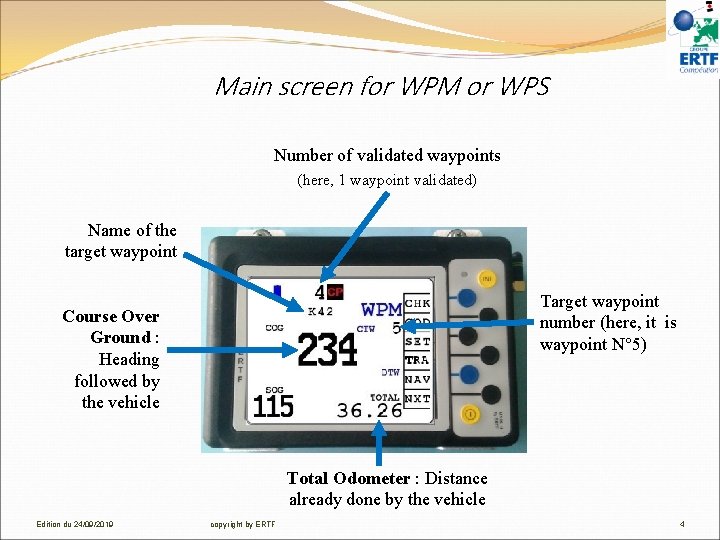
Main screen for WPM or WPS Number of validated waypoints (here, 1 waypoint validated) Name of the target waypoint Target waypoint number (here, it is waypoint N° 5) Course Over Ground : Heading followed by the vehicle Total Odometer : Distance already done by the vehicle Edition du 24/09/2019 copyright by ERTF 4
Main screen in a visibility radius Course To Waypoint : Heading to follow to reach the target waypoint Course Over Ground : Heading followed by the vehicle Target waypoint direction Speed Over Ground : Vehicle speed Distance To Waypoint : Target waypoint distance The GPS validates automatically the waypoint when you get in the 90 m or 200 m of the target waypoint and switches to the next one. Edition du 24/09/2019 copyright by ERTF 5
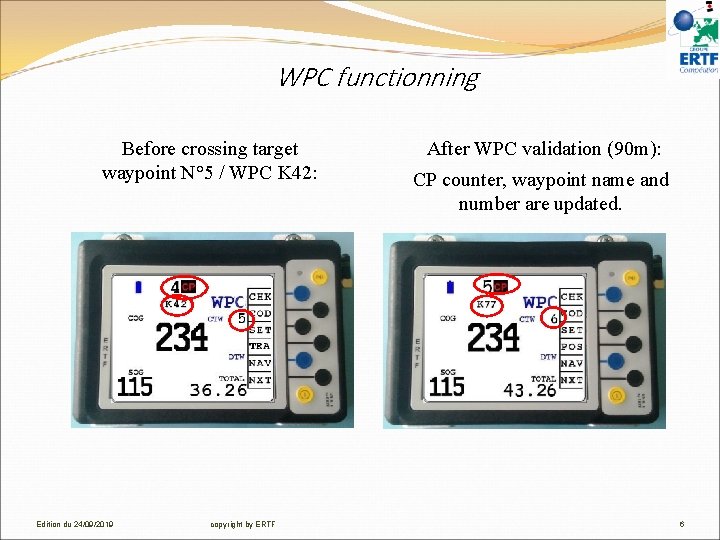
WPC functionning Before crossing target waypoint N° 5 / WPC K 42: Edition du 24/09/2019 copyright by ERTF After WPC validation (90 m): CP counter, waypoint name and number are updated. 6
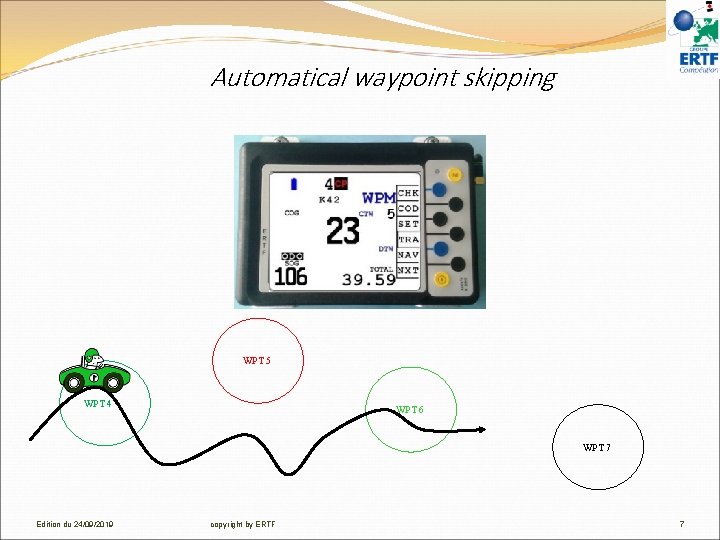
Automatical waypoint skipping WPT 5 WPT 4 WPT 6 WPT 7 Edition du 24/09/2019 copyright by ERTF 7
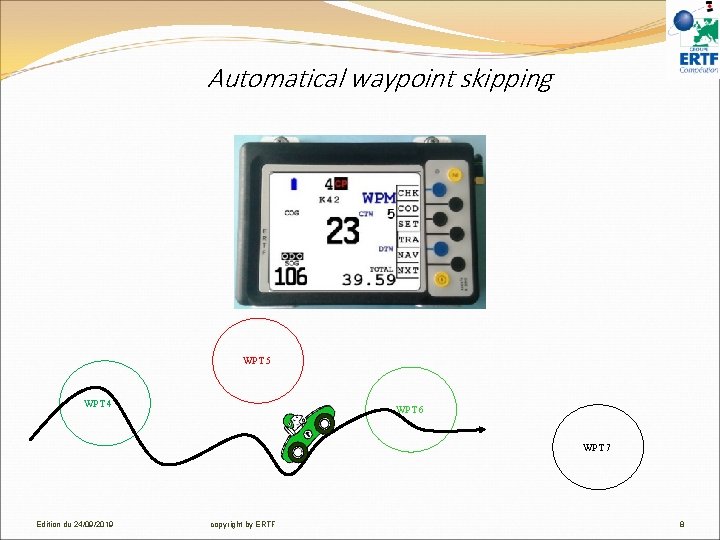
Automatical waypoint skipping WPT 5 WPT 4 WPT 6 WPT 7 Edition du 24/09/2019 copyright by ERTF 8
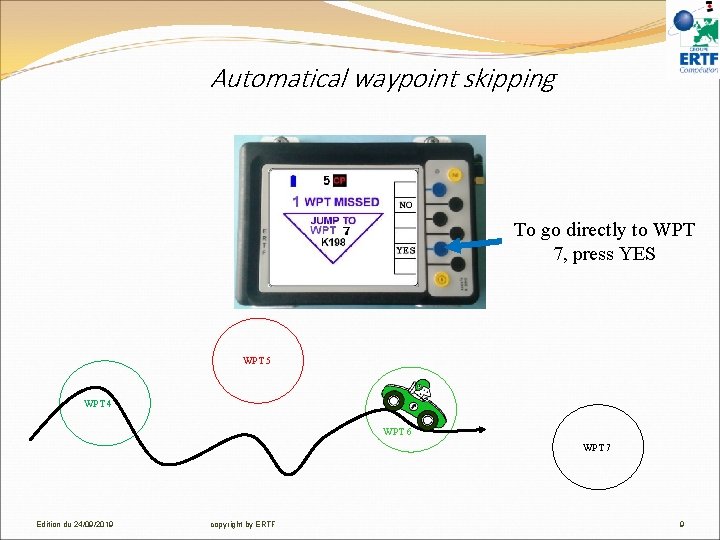
Automatical waypoint skipping To go directly to WPT 7, press YES WPT 5 WPT 4 WPT 6 WPT 7 Edition du 24/09/2019 copyright by ERTF 9
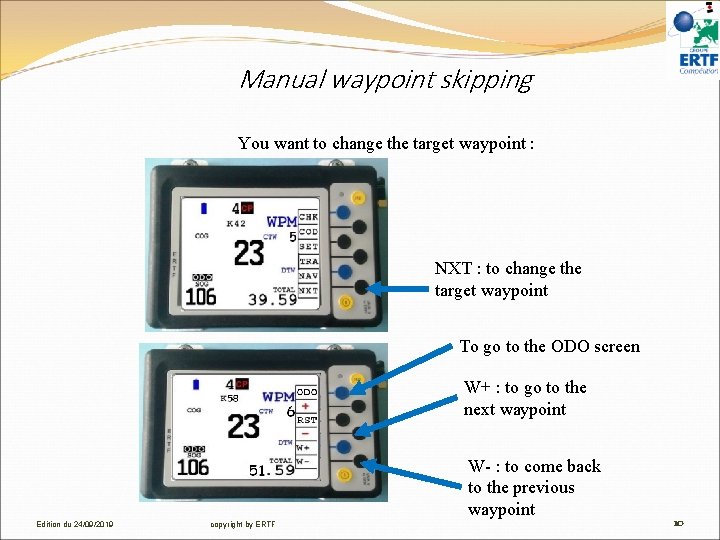
Manual waypoint skipping You want to change the target waypoint : NXT : to change the target waypoint To go to the ODO screen W+ : to go to the next waypoint W- : to come back to the previous waypoint Edition du 24/09/2019 copyright by ERTF 10
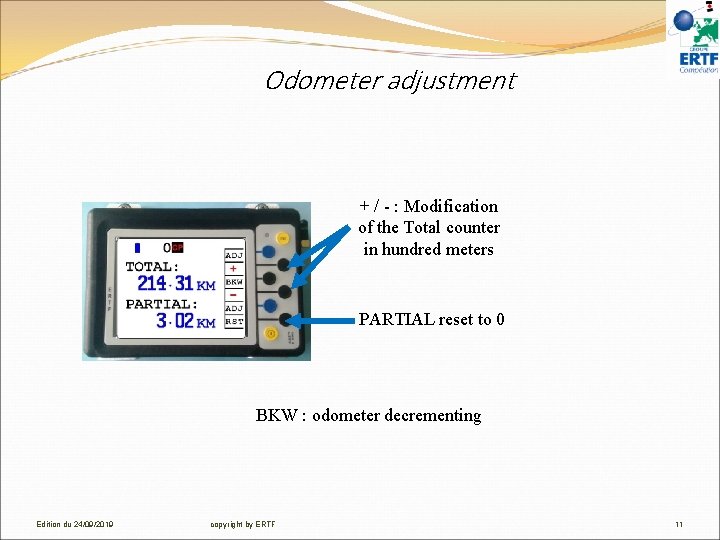
Odometer adjustment + / - : Modification of the Total counter in hundred meters PARTIAL reset to 0 BKW : odometer decrementing Edition du 24/09/2019 copyright by ERTF 11
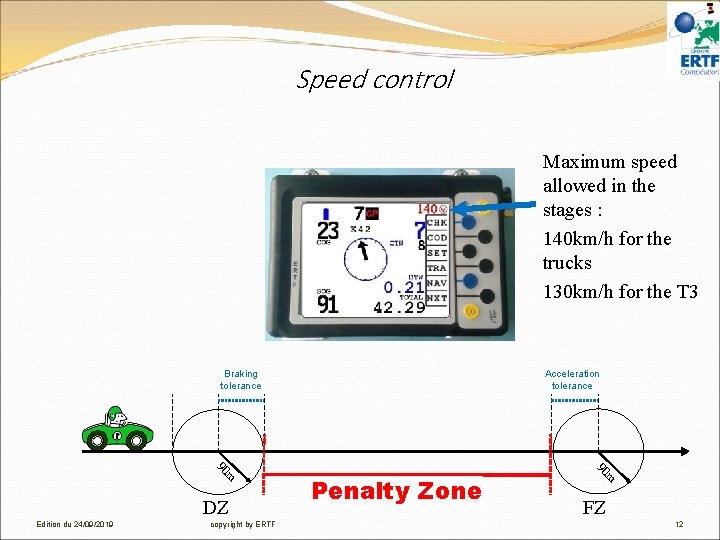
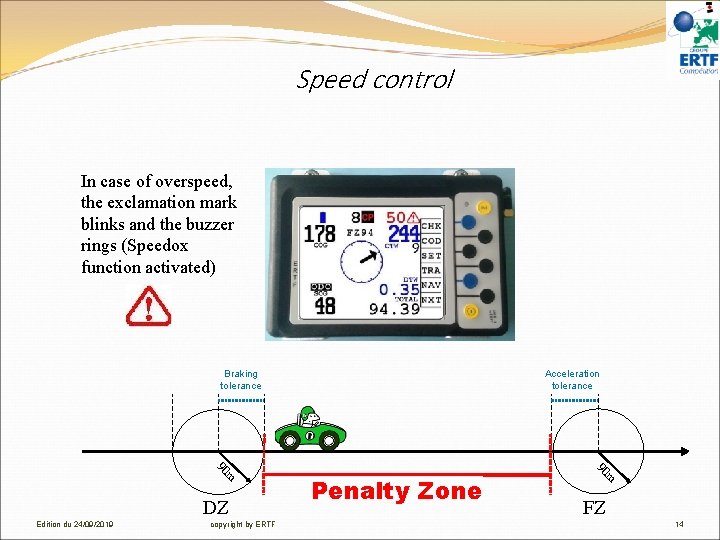
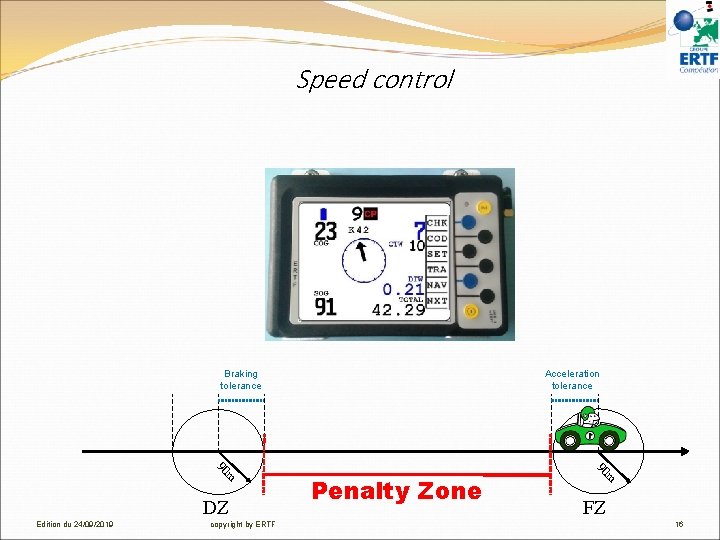
Speed control Maximum speed allowed in the stages : 140 km/h for the trucks 130 km/h for the T 3 Braking tolerance 90 m DZ Edition du 24/09/2019 copyright by ERTF Acceleration tolerance Penalty Zone 90 m FZ 12
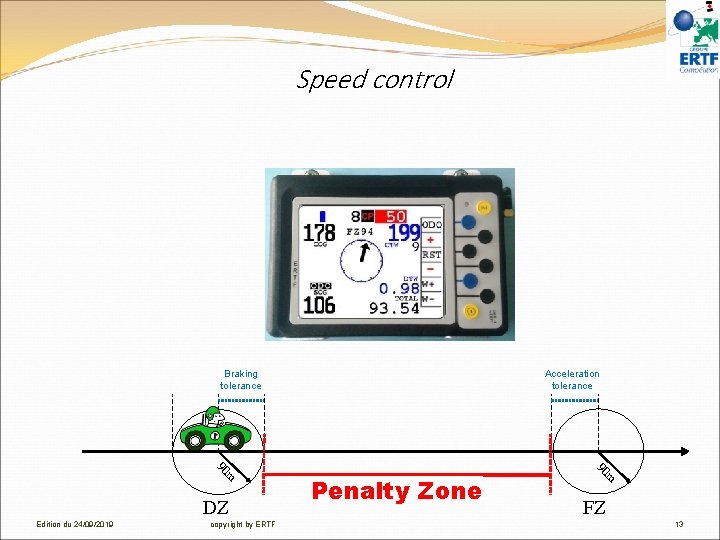
Speed control Braking tolerance 90 m DZ Edition du 24/09/2019 copyright by ERTF Acceleration tolerance Penalty Zone 90 m FZ 13
Speed control In case of overspeed, the exclamation mark blinks and the buzzer rings (Speedox function activated) Braking tolerance 90 m DZ Edition du 24/09/2019 copyright by ERTF Acceleration tolerance Penalty Zone 90 m FZ 14
Speed control Speedox Continuous sound from the speed limit – 3 km/h Here 47 km/h 2 bips per second from the speed limit – 5 km/h Here 45 km/h Braking tolerance 90 m DZ Edition du 24/09/2019 copyright by ERTF Acceleration tolerance Penalty Zone 90 m FZ 15
Speed control Braking tolerance 90 m DZ Edition du 24/09/2019 copyright by ERTF Acceleration tolerance Penalty Zone 90 m FZ 16
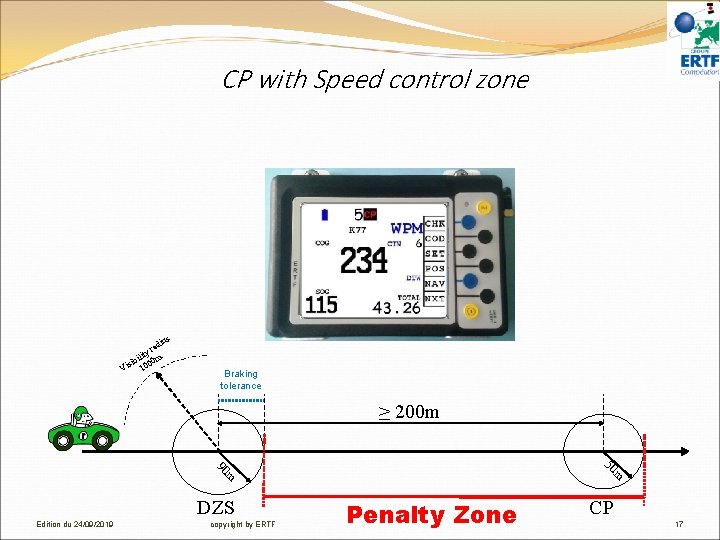
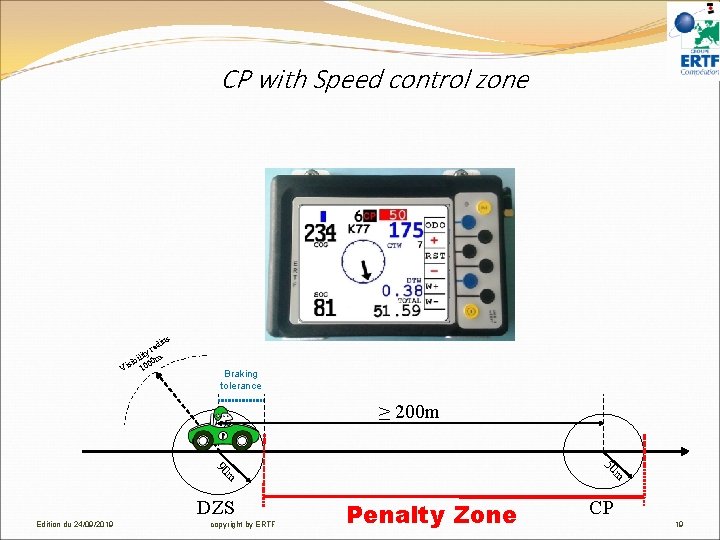
CP with Speed control zone ius rad y ilit m sib 000 i 1 V Braking tolerance ≥ 200 m 50 90 m m DZS Edition du 24/09/2019 copyright by ERTF Penalty Zone CP 17
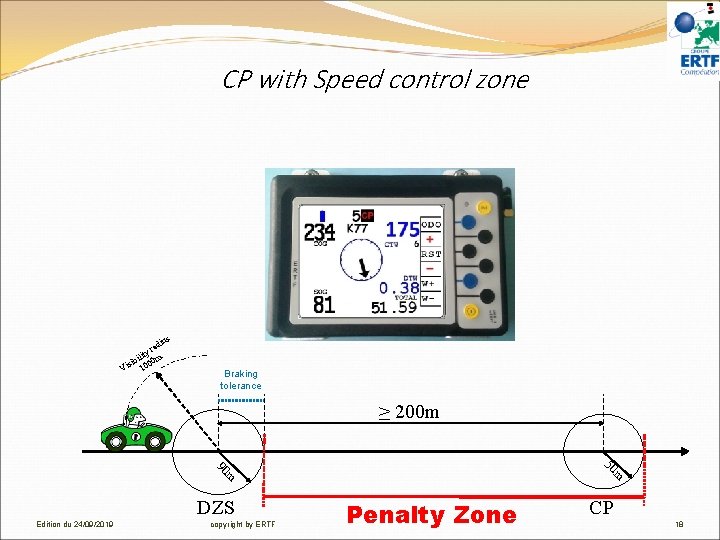
CP with Speed control zone ius rad y ilit m sib 000 i 1 V Braking tolerance ≥ 200 m 50 90 m m DZS Edition du 24/09/2019 copyright by ERTF Penalty Zone CP 18
CP with Speed control zone ius rad y ilit m sib 000 i 1 V Braking tolerance ≥ 200 m 50 90 m m DZS Edition du 24/09/2019 copyright by ERTF Penalty Zone CP 19
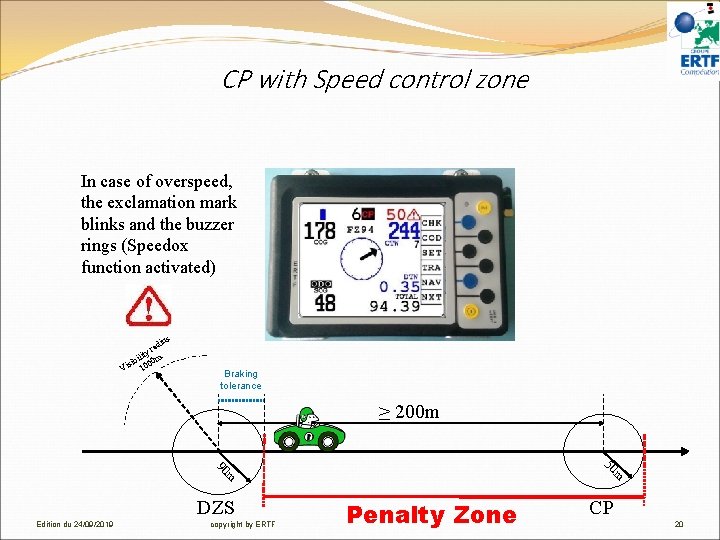
CP with Speed control zone In case of overspeed, the exclamation mark blinks and the buzzer rings (Speedox function activated) ius rad y ilit m sib 000 i 1 V Braking tolerance ≥ 200 m 50 90 m m DZS Edition du 24/09/2019 copyright by ERTF Penalty Zone CP 20
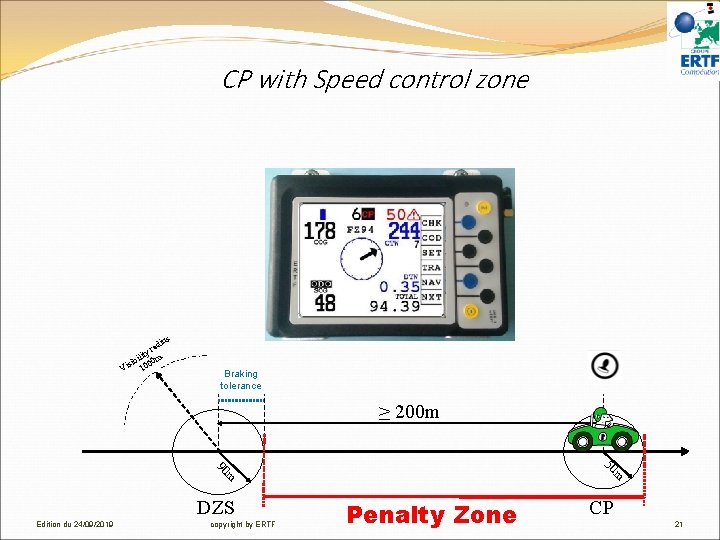
CP with Speed control zone ius rad y ilit m sib 000 i 1 V Braking tolerance ≥ 200 m 50 90 m m DZS Edition du 24/09/2019 copyright by ERTF Penalty Zone CP 21
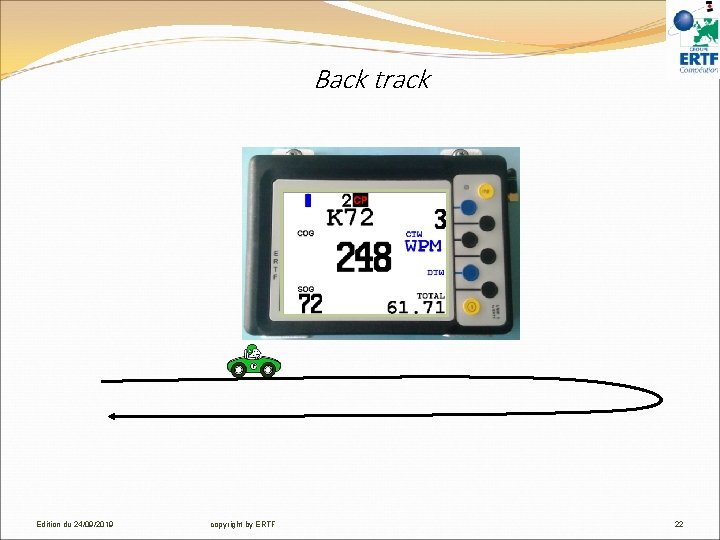
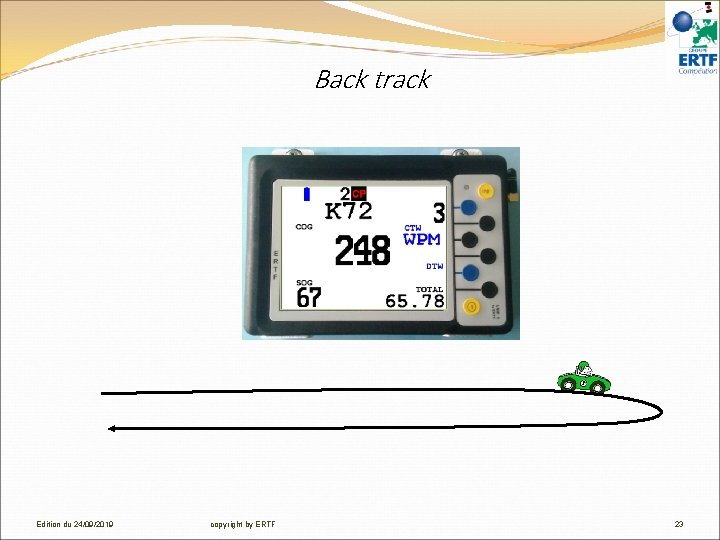
Back track Edition du 24/09/2019 copyright by ERTF 22
Back track Edition du 24/09/2019 copyright by ERTF 23
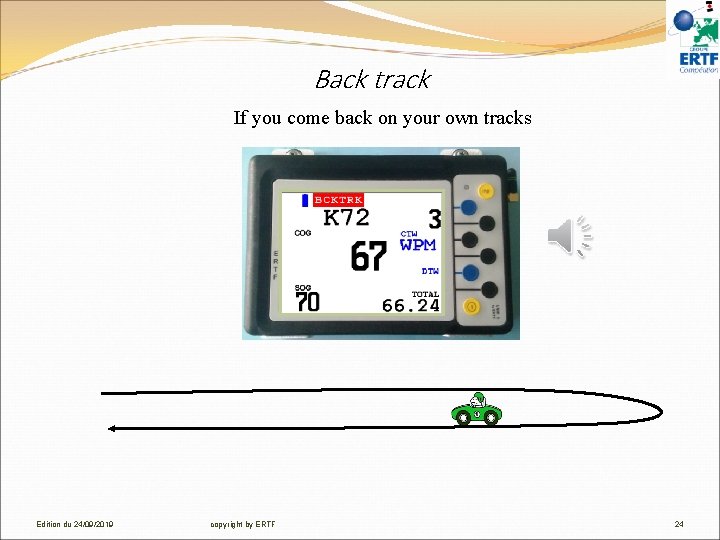
Back track If you come back on your own tracks Edition du 24/09/2019 copyright by ERTF 24
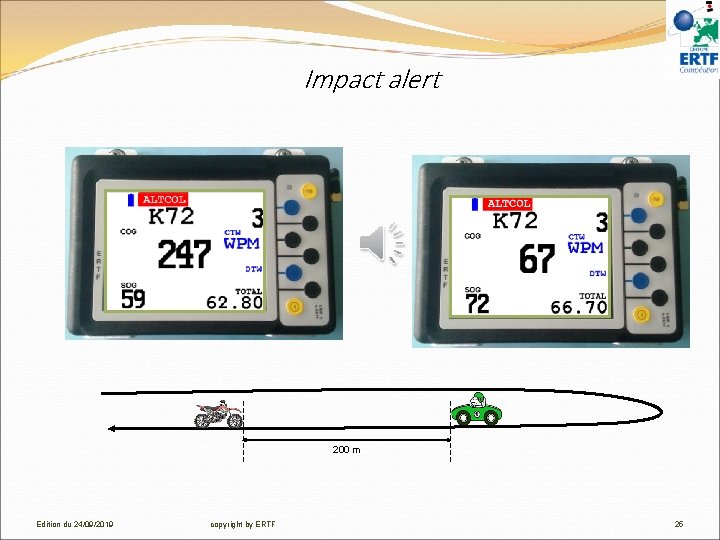
Impact alert 200 m Edition du 24/09/2019 copyright by ERTF 25
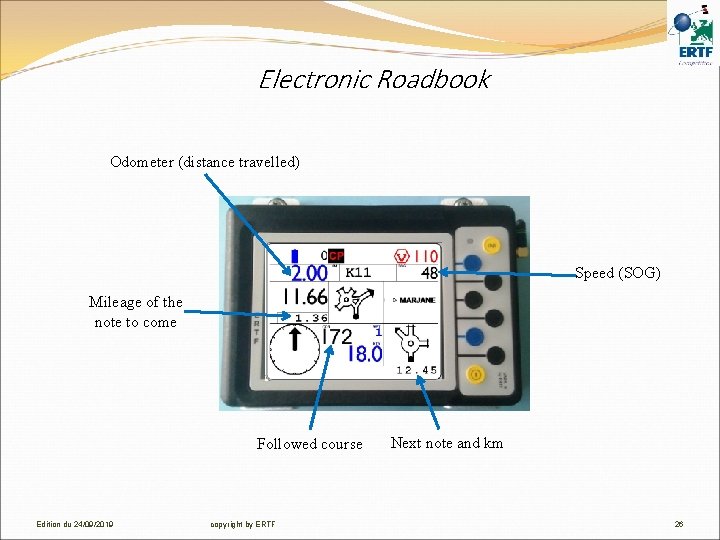
Electronic Roadbook Odometer (distance travelled) Speed (SOG) Mileage of the note to come Followed course Edition du 24/09/2019 copyright by ERTF Next note and km 26
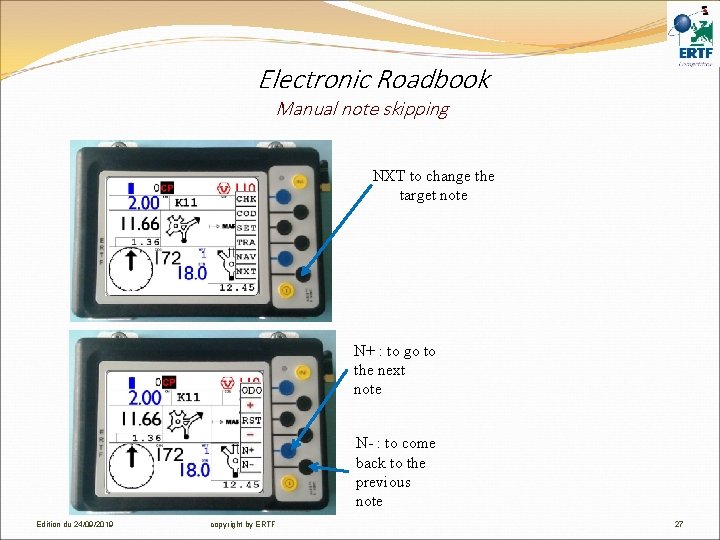
Electronic Roadbook Manual note skipping NXT to change the target note N+ : to go to the next note N- : to come back to the previous note Edition du 24/09/2019 copyright by ERTF 27
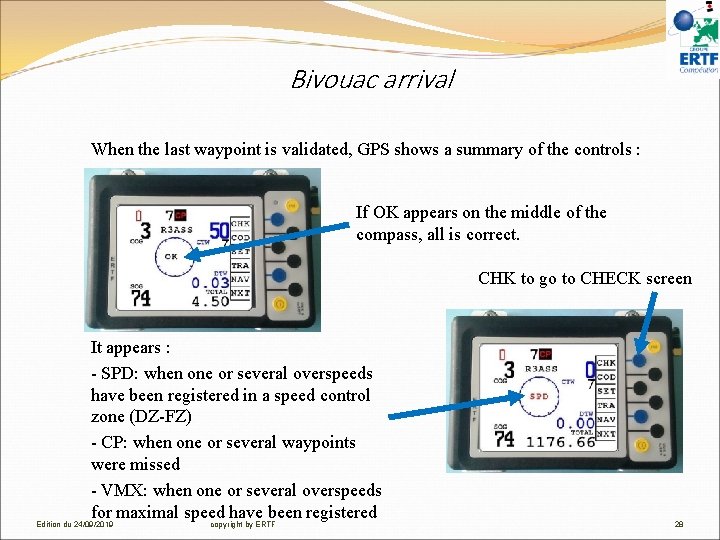
Bivouac arrival When the last waypoint is validated, GPS shows a summary of the controls : If OK appears on the middle of the compass, all is correct. CHK to go to CHECK screen It appears : - SPD: when one or several overspeeds have been registered in a speed control zone (DZ-FZ) - CP: when one or several waypoints were missed - VMX: when one or several overspeeds for maximal speed have been registered Edition du 24/09/2019 copyright by ERTF 28
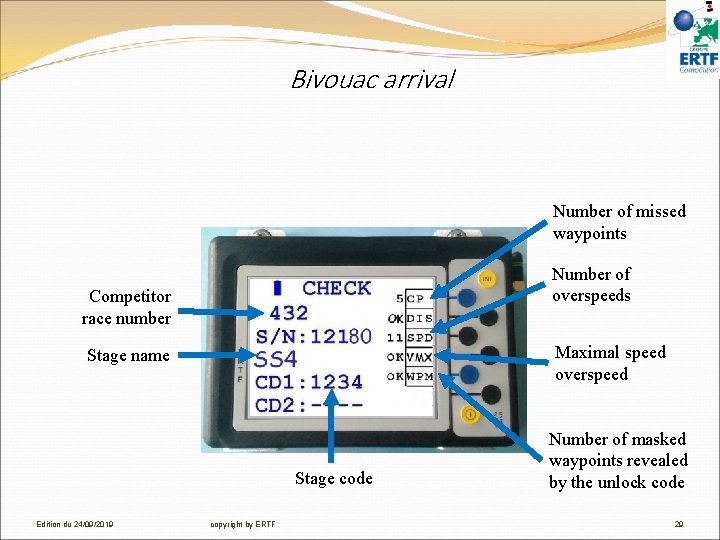
Bivouac arrival Number of missed waypoints Number of overspeeds Competitor race number Maximal speed overspeed Stage name Stage code Edition du 24/09/2019 copyright by ERTF Number of masked waypoints revealed by the unlock code 29
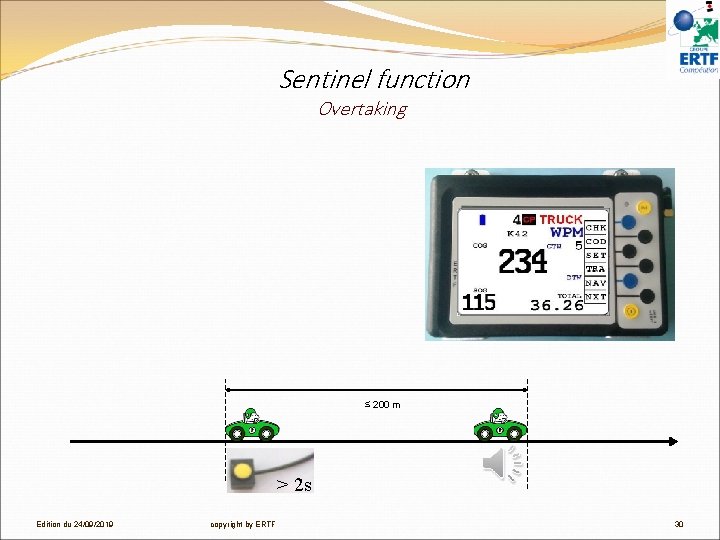
Sentinel function Overtaking ≤ 200 m > 2 s Edition du 24/09/2019 copyright by ERTF 30
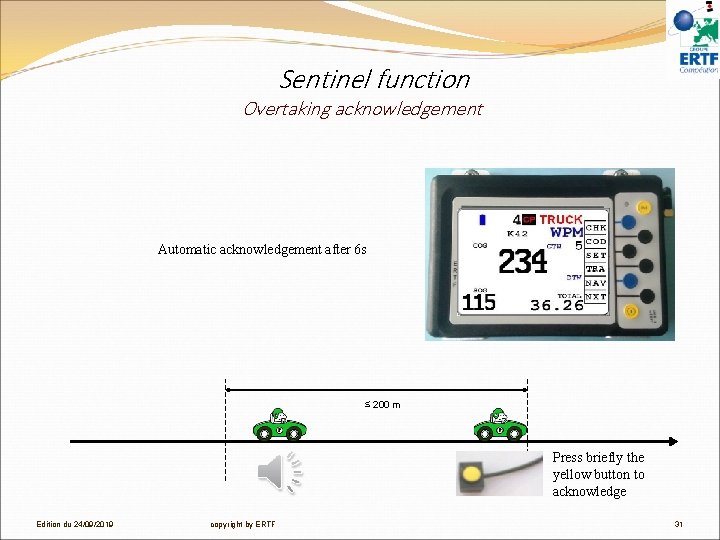
Sentinel function Overtaking acknowledgement Automatic acknowledgement after 6 s ≤ 200 m Press briefly the yellow button to acknowledge Edition du 24/09/2019 copyright by ERTF 31
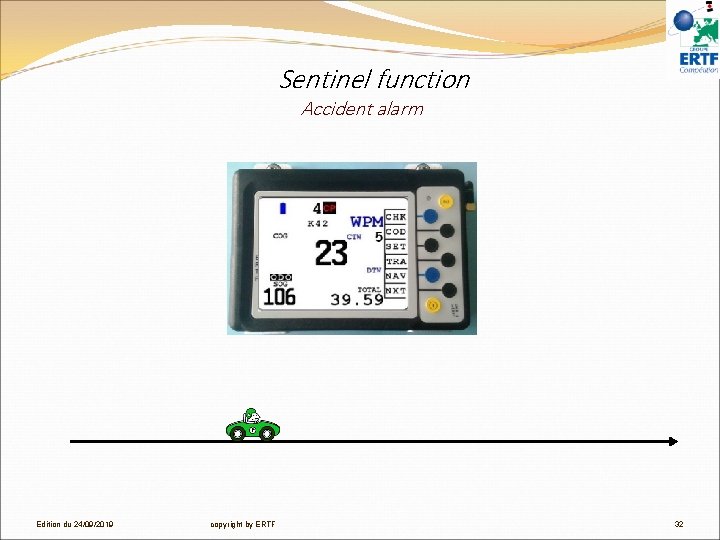
Sentinel function Accident alarm Edition du 24/09/2019 copyright by ERTF 32
Sentinel function Accident alarm Press the blue buttons Automatic if vehicle on the side Press the red button Edition du 24/09/2019 copyright by ERTF 33
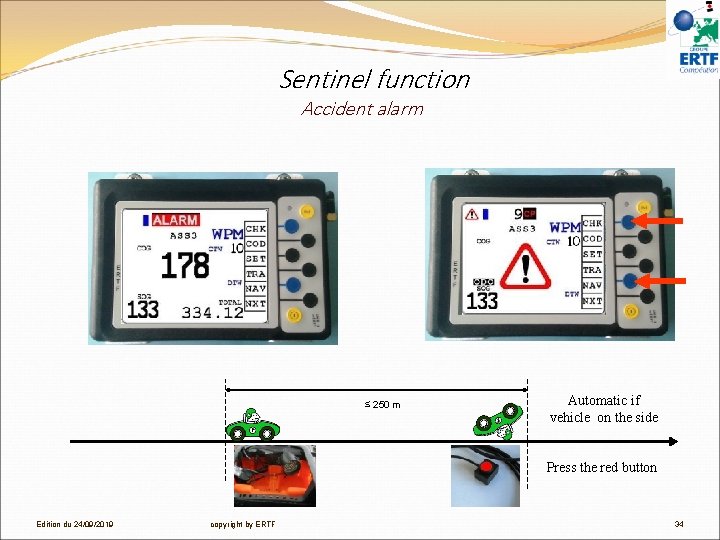
Sentinel function Accident alarm ≤ 250 m Automatic if vehicle on the side Press the red button Edition du 24/09/2019 copyright by ERTF 34
FOR FURTHER INFORMATION: PLEASE CONTACT ERTF TEAM competition@ertf. com Edition du 24/09/2019 copyright by ERTF 35