
GPGPU introduction Why is GPU in the picture
- Slides: 18
GPGPU introduction
Why is GPU in the picture • Seeking exa-scale computing platform • Minimize power per operation. – Power is directly correlated to the area in the processing chips. – Regular CPU – what are the chip areas going into? » Power per operation is low – How to maximize power per operation? » Give most area to build lots of ALUs, minimize area for control and cache. » This is how GPU is built power per operation is much better than regular CPU • Most power efficient system built using CPU only, IBM Bluegene reaches 2 Gflops/Watt • System built using CPU+GPU can reach close to 4 Gflops/Watt.
Graphics Processing Unit (GPU) • GPU is the chip in computer video cards, PS 3, Xbox, etc – Designed to realize the 3 D graphics pipeline • Application Geometry Rasterizer image • GPU development: – Fixed graphics hardware – Programmable vertex/pixel shaders – GPGPU • general purpose computation (beyond graphics) using GPU in applications other than 3 D graphics • GPGPU can be treated as a co-processor for compute intensive tasks – With sufficient large bandwidth between CPU and GPU.
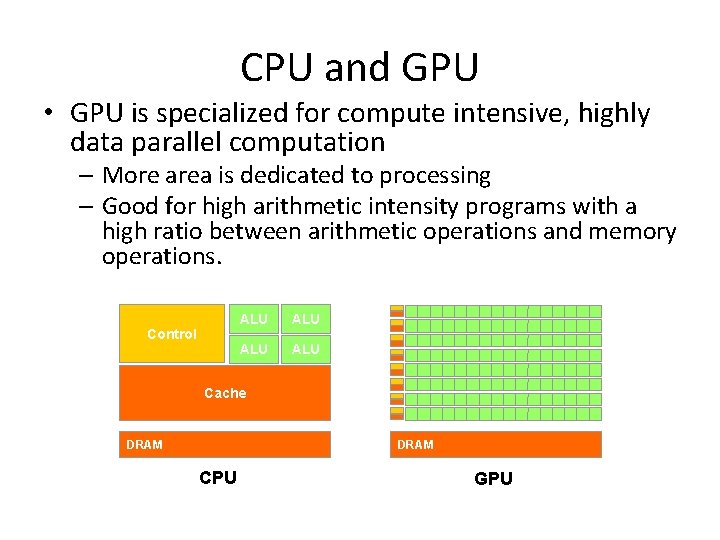
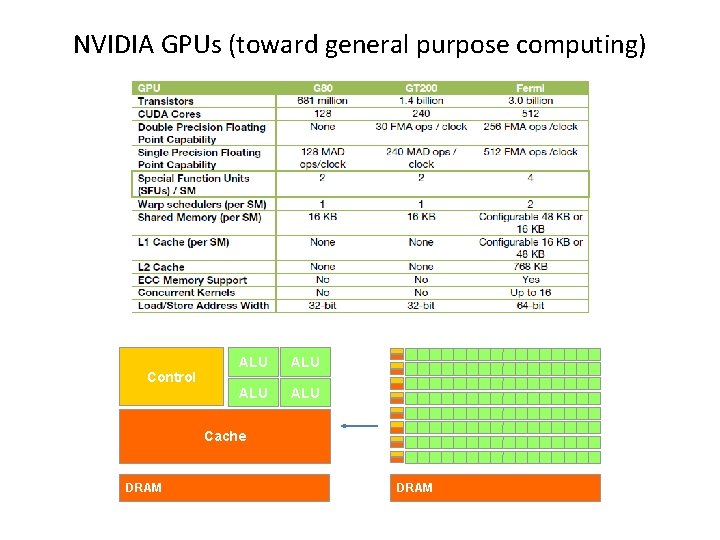
CPU and GPU • GPU is specialized for compute intensive, highly data parallel computation – More area is dedicated to processing – Good for high arithmetic intensity programs with a high ratio between arithmetic operations and memory operations. Control ALU ALU Cache DRAM CPU GPU
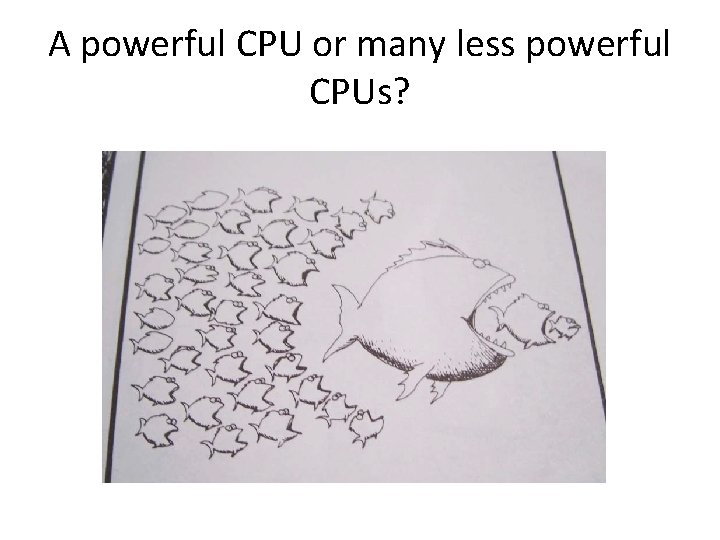
A powerful CPU or many less powerful CPUs?
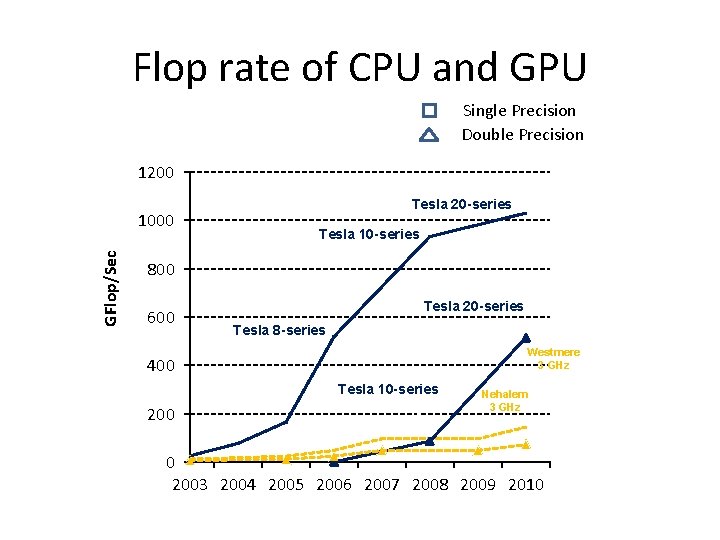
Flop rate of CPU and GPU Single Precision Double Precision 1200 GFlop/Sec 1000 Tesla 20 -series Tesla 10 -series 800 600 Tesla 20 -series Tesla 8 -series Westmere 3 GHz 400 Tesla 10 -series 200 Nehalem 3 GHz 0 2003 2004 2005 2006 2007 2008 2009 2010
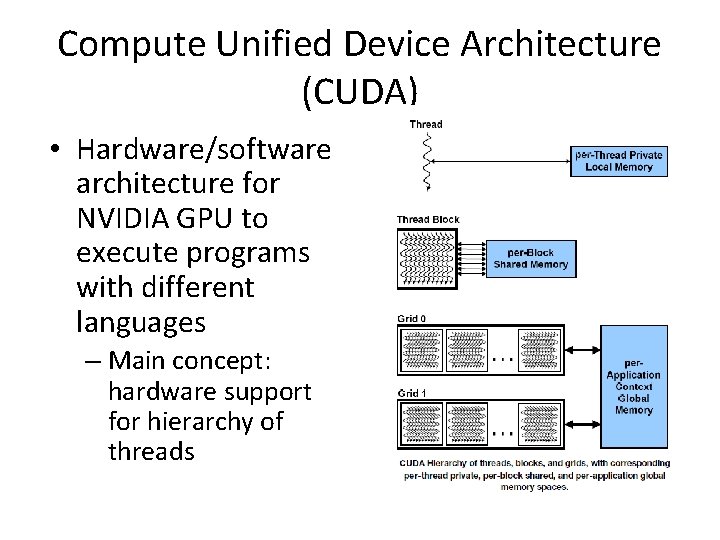
Compute Unified Device Architecture (CUDA) • Hardware/software architecture for NVIDIA GPU to execute programs with different languages – Main concept: hardware support for hierarchy of threads
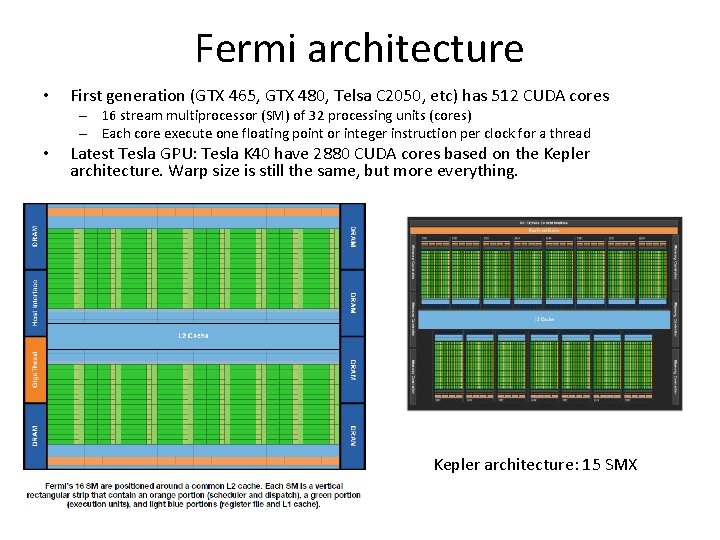
Fermi architecture • First generation (GTX 465, GTX 480, Telsa C 2050, etc) has 512 CUDA cores – 16 stream multiprocessor (SM) of 32 processing units (cores) – Each core execute one floating point or integer instruction per clock for a thread • Latest Tesla GPU: Tesla K 40 have 2880 CUDA cores based on the Kepler architecture. Warp size is still the same, but more everything. Kepler architecture: 15 SMX
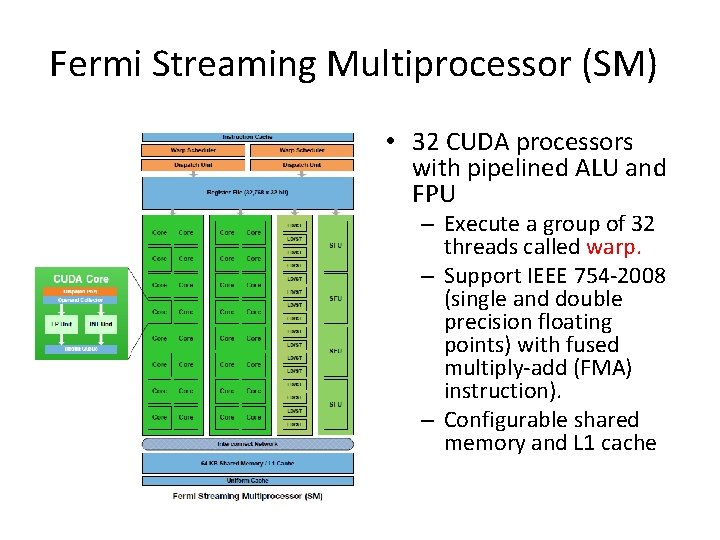
Fermi Streaming Multiprocessor (SM) • 32 CUDA processors with pipelined ALU and FPU – Execute a group of 32 threads called warp. – Support IEEE 754 -2008 (single and double precision floating points) with fused multiply-add (FMA) instruction). – Configurable shared memory and L 1 cache
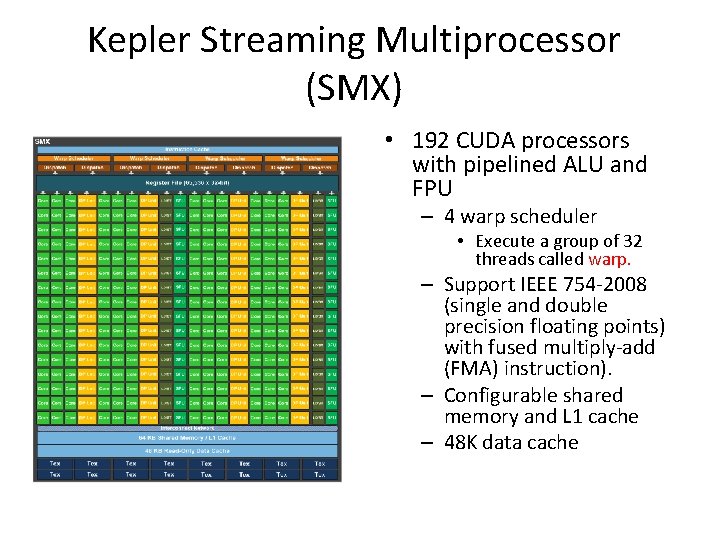
Kepler Streaming Multiprocessor (SMX) • 192 CUDA processors with pipelined ALU and FPU – 4 warp scheduler • Execute a group of 32 threads called warp. – Support IEEE 754 -2008 (single and double precision floating points) with fused multiply-add (FMA) instruction). – Configurable shared memory and L 1 cache – 48 K data cache
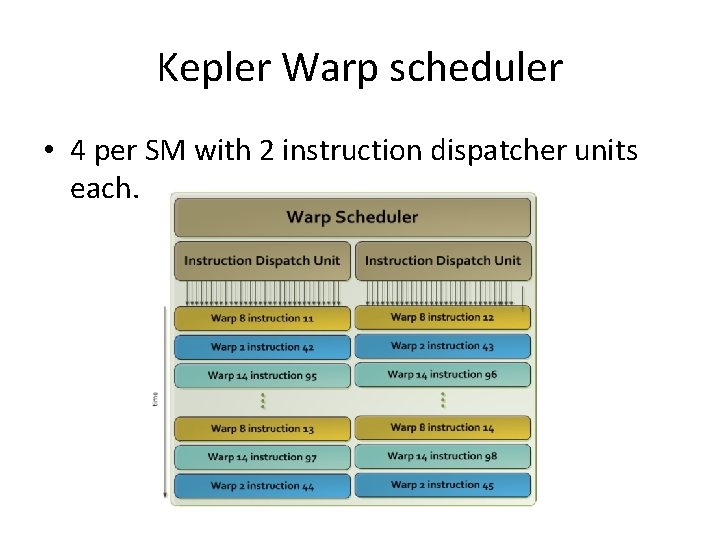
SIMT and warp scheduler • SIMT: Single instruction, multi-thread – Threads in groups (or 16, 32) that are scheduled together call warp. – All threads in a warp start at the same PC, but free to branch and execute independently. – A warp executes one common instruction at a time • To execute different instructions at different threads, the instructions are executed serially – To get efficiency, we want all instructions in a warp to be the same. – SIMT is basically SIMD that emulates MIMD (programmers don’t feel they are using SIMD).
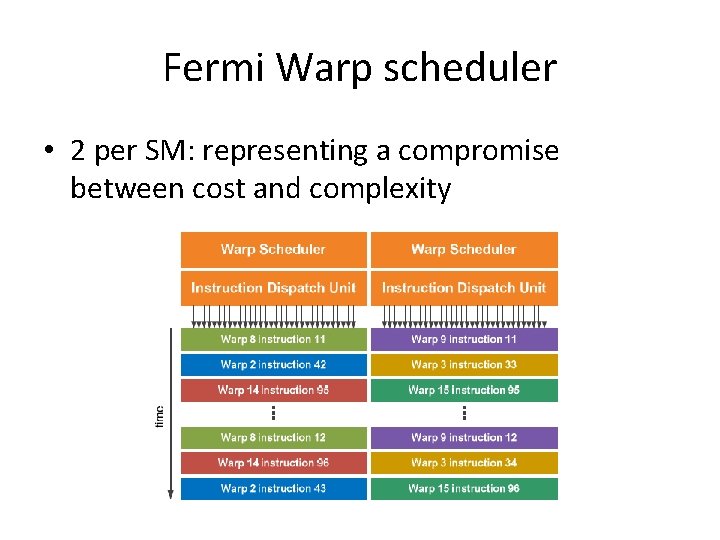
Fermi Warp scheduler • 2 per SM: representing a compromise between cost and complexity
Kepler Warp scheduler • 4 per SM with 2 instruction dispatcher units each.
NVIDIA GPUs (toward general purpose computing) Control ALU ALU Cache DRAM
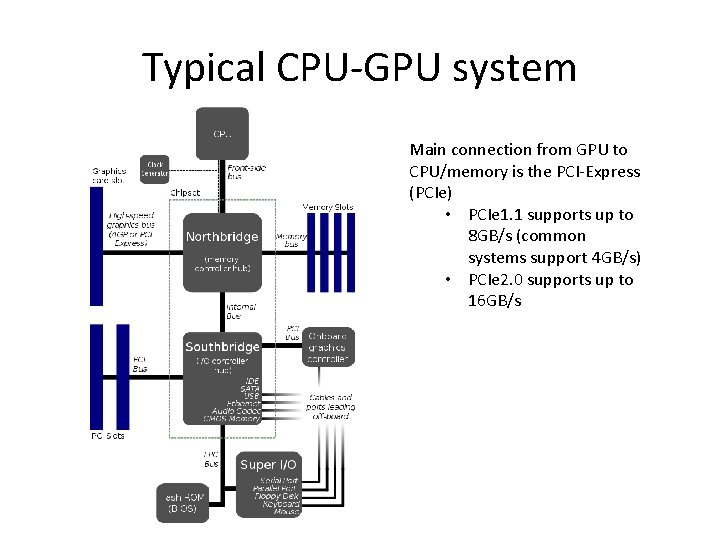
Typical CPU-GPU system Main connection from GPU to CPU/memory is the PCI-Express (PCIe) • PCIe 1. 1 supports up to 8 GB/s (common systems support 4 GB/s) • PCIe 2. 0 supports up to 16 GB/s
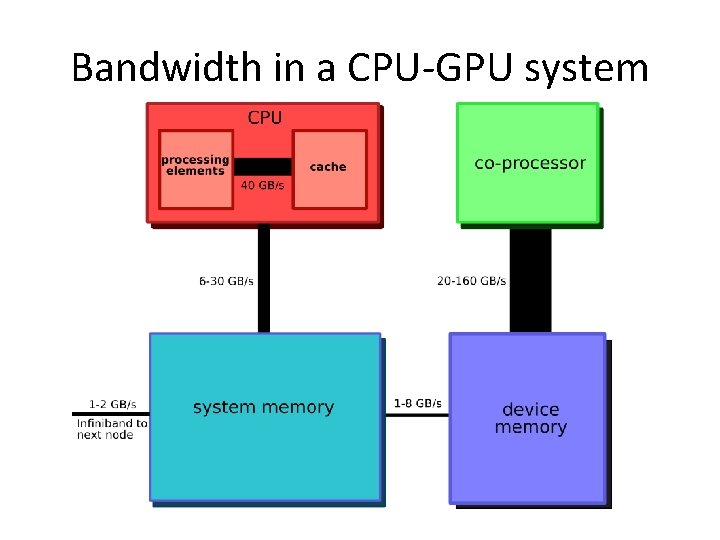
Bandwidth in a CPU-GPU system
GPU as a co-processor • CPU gives compute intensive jobs to GPU • CPU stays busy with the control of execution • Main bottleneck: – The connection between main memory and GPU memory • Data must be copied for the GPU to work on and the results must come back from GPU • PCIe is reasonably fast, but is often still the bottleneck.
GPGPU constraints • Dealing with programming models for GPU such as CUDA C or Open. CL • Dealing with limited capability and resources – Code is often platform dependent. • Problem of mapping computation on to a hardware that is designed for graphics.