
GP Payments Commissioner QOF Quality and Outcomes Framework
- Slides: 6
GP Payments - Commissioner QOF (Quality and Outcomes Framework) Version 1. 0 – 07/05/2021 Primary Care Support England is delivered on behalf of NHS England by Capita. Next
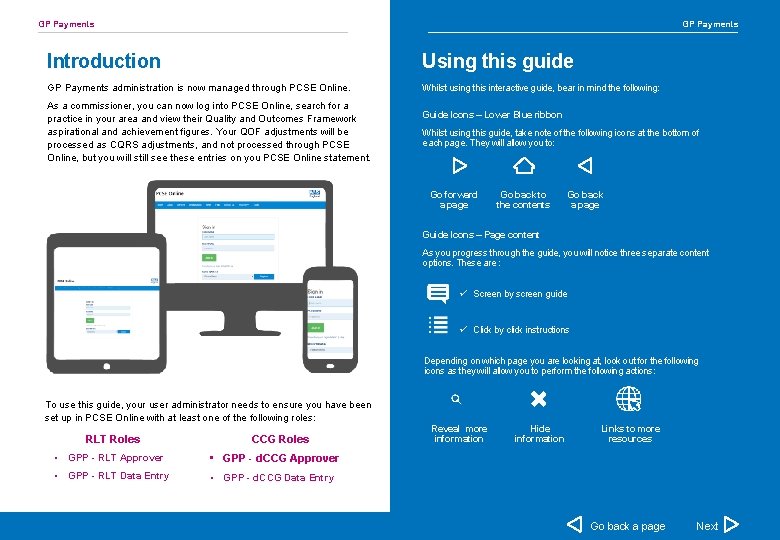
GP Payments Introduction Using this guide GP Payments administration is now managed through PCSE Online. Whilst using this interactive guide, bear in mind the following: As a commissioner, you can now log into PCSE Online, search for a practice in your area and view their Quality and Outcomes Framework aspirational and achievement figures. Your QOF adjustments will be processed as CQRS adjustments, and not processed through PCSE Online, but you will still see these entries on you PCSE Online statement. Guide Icons – Lower Blue ribbon Whilst using this guide, take note of the following icons at the bottom of each page. They will allow you to: Go forward a page Go back to the contents Go back a page Guide Icons – Page content As you progress through the guide, you will notice three separate content options. These are : ü Screen by screen guide ü Click by click instructions Depending on which page you are looking at, look out for the following icons as they will allow you to perform the following actions: To use this guide, your user administrator needs to ensure you have been set up in PCSE Online with at least one of the following roles: RLT Roles CCG Roles • GPP - RLT Approver • GPP - d. CCG Approver • GPP - RLT Data Entry • GPP - d. CCG Data Entry Reveal more information Hide information Links to more resources Go back a page Next
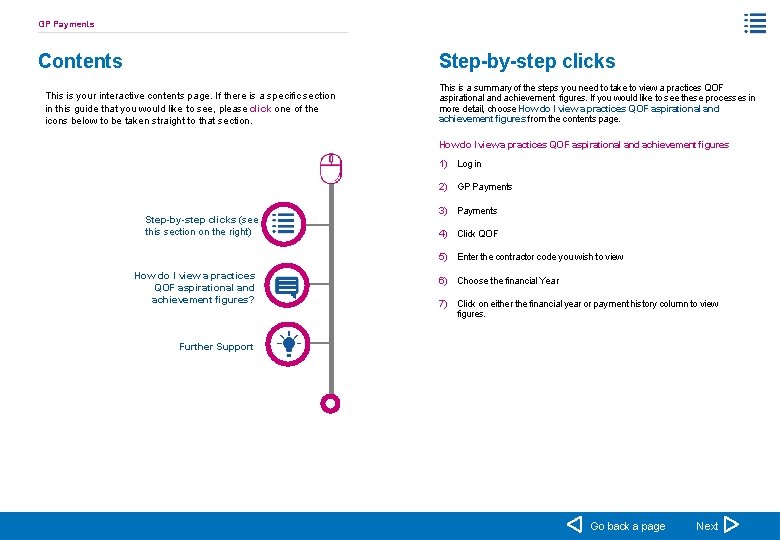
GP Payments Contents Step-by-step clicks This is your interactive contents page. If there is a specific section in this guide that you would like to see, please click one of the icons below to be taken straight to that section. This is a summary of the steps you need to take to view a practices QOF aspirational and achievement figures. If you would like to see these processes in more detail, choose How do I view a practices QOF aspirational and achievement figures from the contents page. How do I view a practices QOF aspirational and achievement figures 1) Log in 2) GP Payments Step-by-step clicks (see this section on the right) 3) Payments 4) Click QOF 5) Enter the contractor code you wish to view How do I view a practices QOF aspirational and achievement figures? 6) Choose the financial Year 7) Click on either the financial year or payment history column to view figures. Further Support Go back a page Next
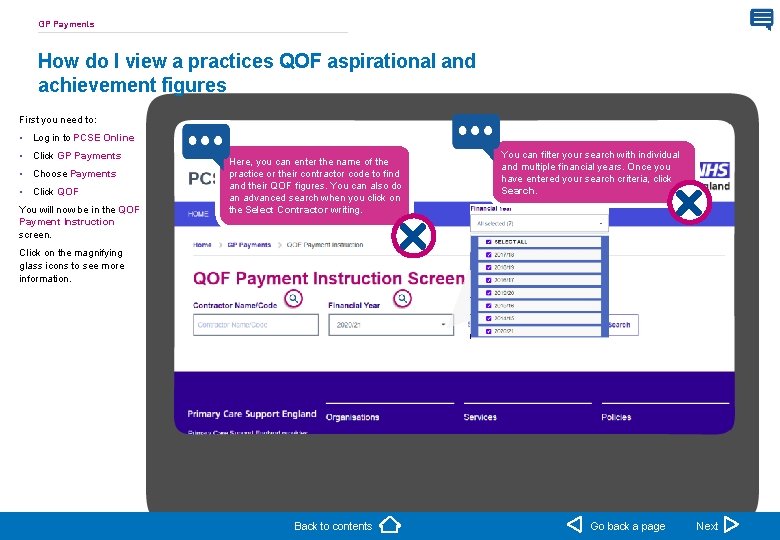
GP Payments How do I view a practices QOF aspirational and achievement figures First you need to: • Log in to PCSE Online • Click GP Payments • Choose Payments • Click QOF You will now be in the QOF Payment Instruction screen. Here, you can enter the name of the practice or their contractor code to find and their QOF figures. You can also do an advanced search when you click on the Select Contractor writing. You can filter your search with individual and multiple financial years. Once you have entered your search criteria, click Search. Click on the magnifying glass icons to see more information. Back to contents Go back a page Next
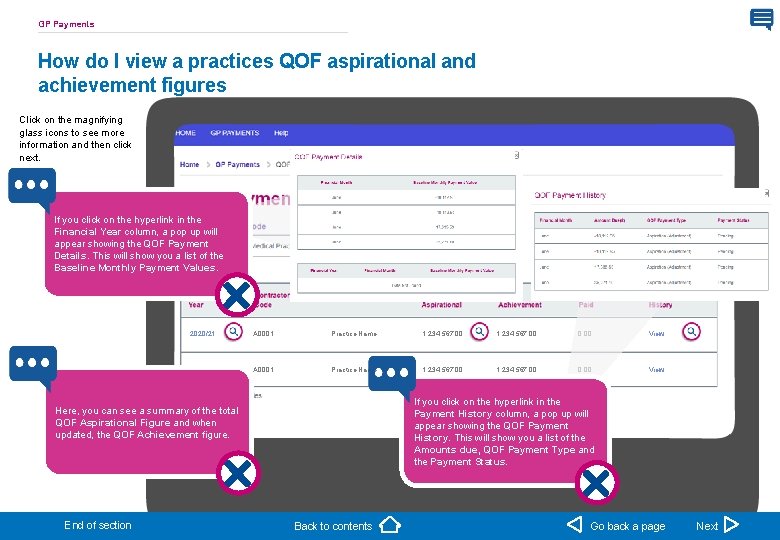
GP Payments How do I view a practices QOF aspirational and achievement figures Click on the magnifying glass icons to see more information and then click next. If you click on the hyperlink in the Financial Year column, a pop up will appear showing the QOF Payment Details. This will show you a list of the Baseline Monthly Payment Values. 2020/21 A 0001 Practice Name 1, 234, 567. 00 0. 00 View If you click on the hyperlink in the Payment History column, a pop up will appear showing the QOF Payment History. This will show you a list of the Amounts due, QOF Payment Type and the Payment Status. Here, you can see a summary of the total QOF Aspirational Figure and when updated, the QOF Achievement figure. End of section Back to contents Go back a page Next
Further Support For further support and information, please visit our website: PCSE Online www. pcse. england. nhs. uk For queries relating to a particular service, please use our: @ Online enquiries form https: //pcse. england. nhs. uk/contact-us/ Or alternatively, you can call our: Your feedback helps us to make things better. Customer Support Centre How satisfied are you with this interactive guide for managing a practices Quality and Outcomes Framework. 0333 014 2884 Very Satisfied Dissatisfied Very Dissatisfied Go to contents Go back a page