
Google Web Toolkit GWT Steve Wargolet Introduction Desktop
Google Web Toolkit (GWT) Steve Wargolet
Introduction Desktop client-server applications and their drawbacks. Static-only Web pages Introduction of Web applications
What is GWT? Powerful web application development toolkit � Write -> Debug/Test -> Optimize -> Run Primarily Java -> Java. Script, HTML, AJAX Cross-Browser support.
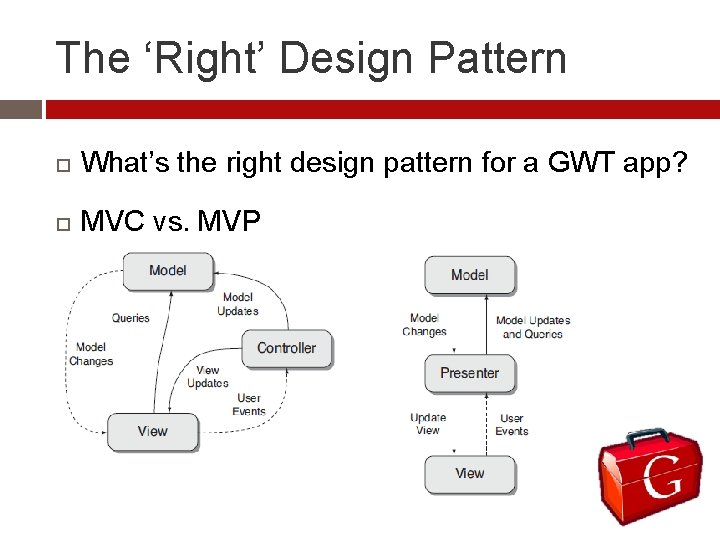
The ‘Right’ Design Pattern What’s the right design pattern for a GWT app? MVC vs. MVP
Client/Server Communication Remote Procedure Calls (RPC) � Asynchronous Different mindset 3 Components needed in GWT for RPC � Interface for the service (header) � Implementation of interface � Asynchronous interface for Client
Serialization Needed for RPC Serialization is the process of packaging the contents of an object so that it can (be) moved from one application to another application or stored for later used.
Serialization Must satisfy at least one of the following requirements. It is a primitive type (int, char, boolean, etc. ) � It is an array of serializable types � A class is serializable if it meets these three requirements: � It implements either Java Serializable or GWT’s ‘Is. Serializable’ interface, either directly, or because it derives from a superclass that does. Its non-final, non-transient instance fields are themselves serializable, and It has a default constructor
The ‘Back’ Button Problem GWT vs. the ‘Back’ button. � URL doesn’t change Handling the problem � The History Class � Tokens www. mywebapp. com/myapp#registration
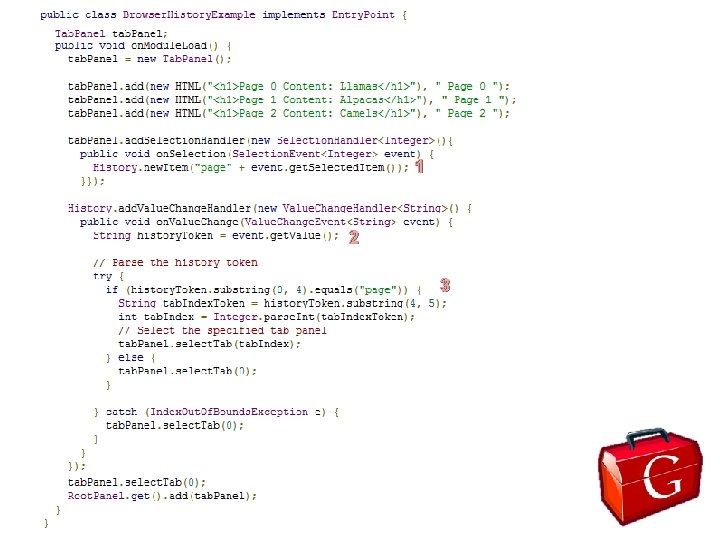
1 2 3
Compilation One of the most advanced features Optimizations Three output styles � Obfuscated � Pretty � Detailed
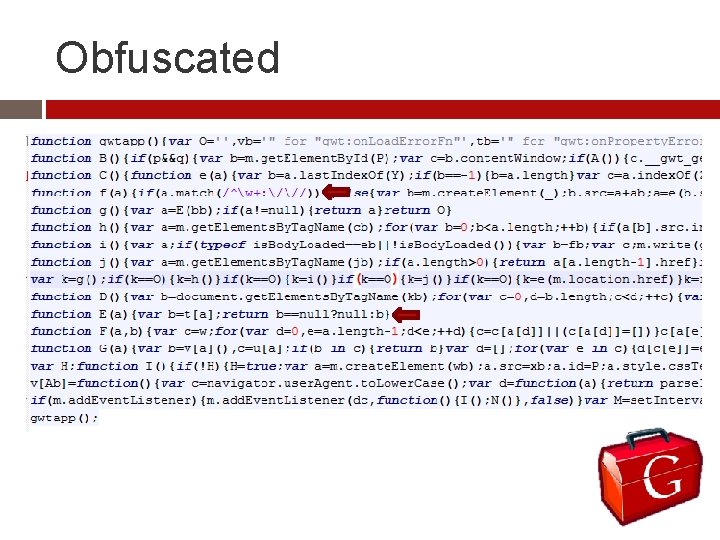
Obfuscated
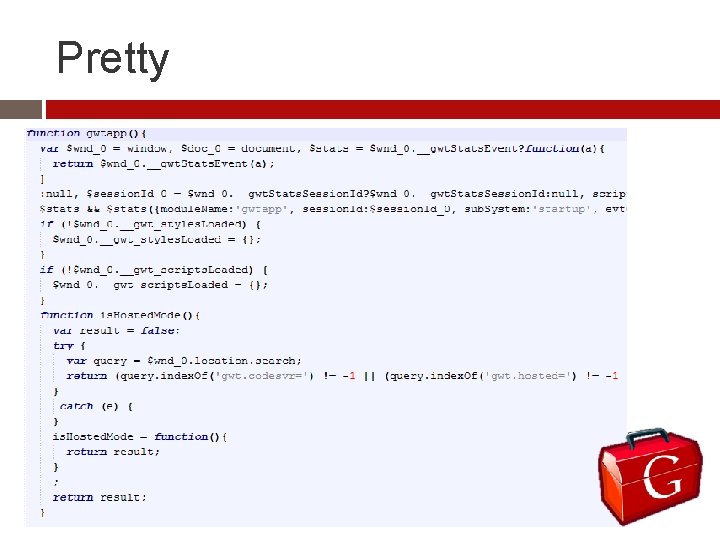
Pretty
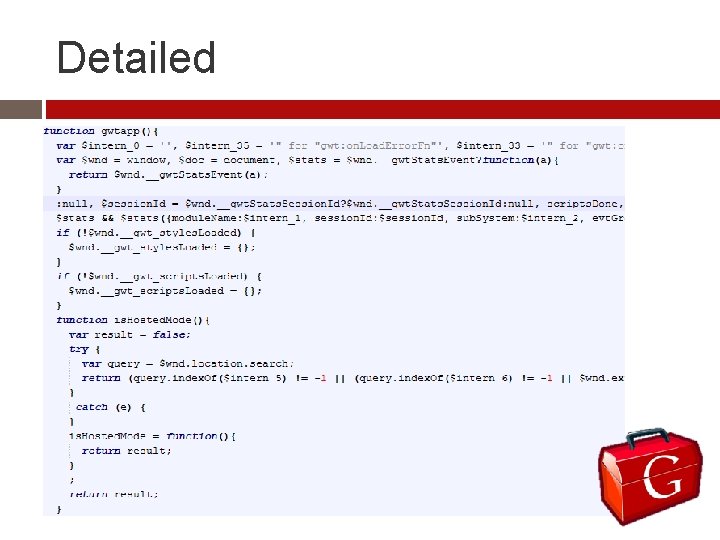
Detailed
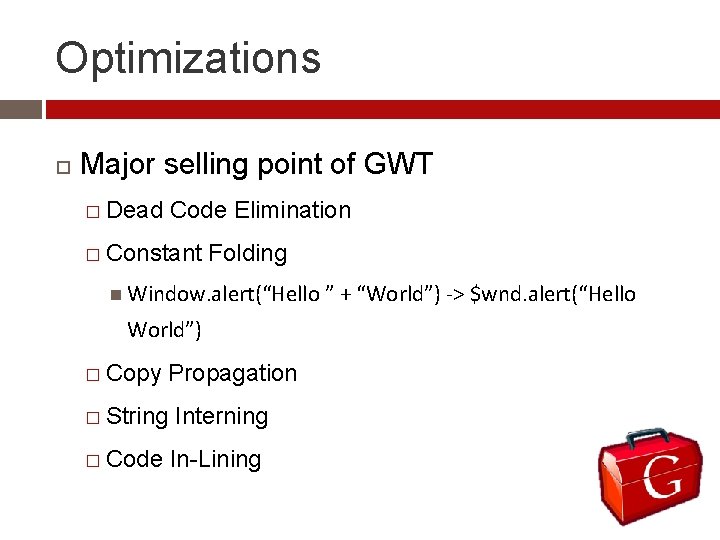
Optimizations Major selling point of GWT � Dead Code Elimination � Constant Folding Window. alert(“Hello ” + “World”) -> $wnd. alert(“Hello World”) � Copy Propagation � String Interning � Code In-Lining
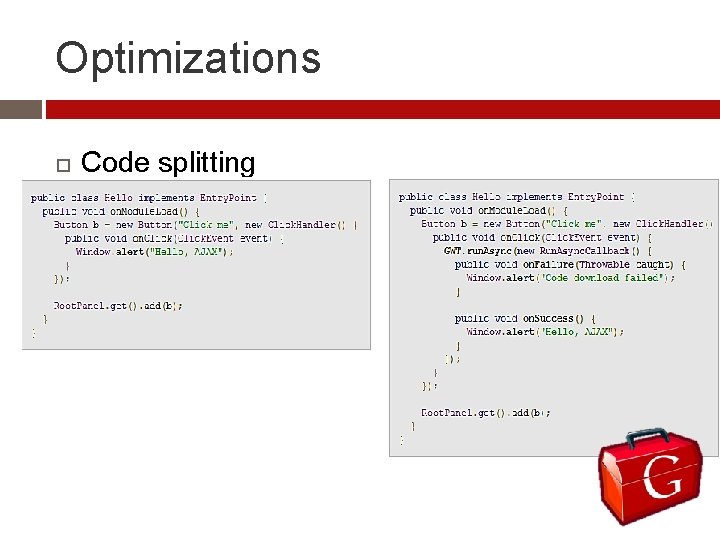
Optimizations Code splitting
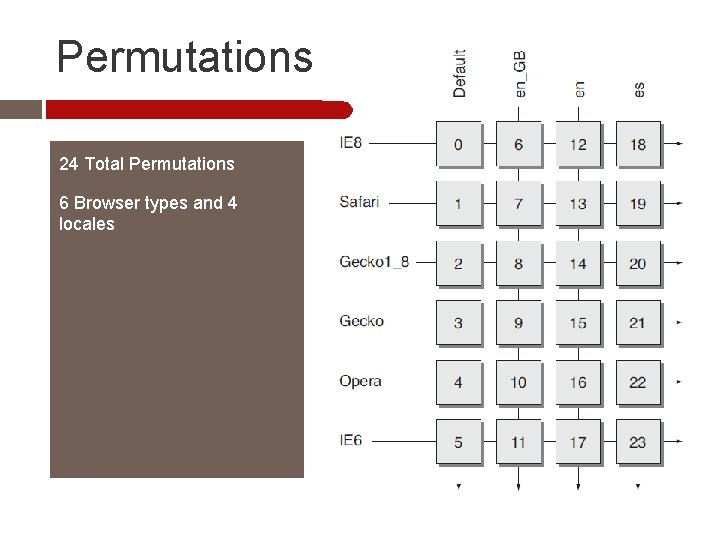
Permutations 24 Total Permutations 6 Browser types and 4 locales
GWT Designer Easily build the GUI Very little CSS experience needed Drag and Drop Design Preview Many included Widgets and Panels
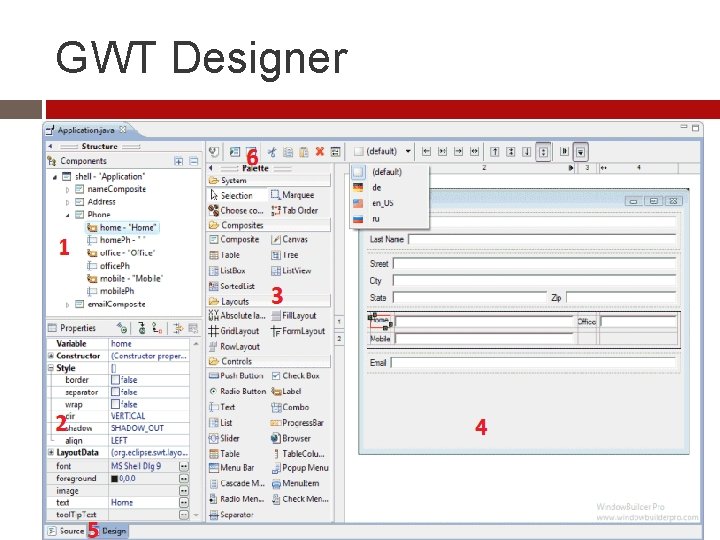
GWT Designer
Panels contain widgets and other panels. Define layout >15 Panels available each with own pros and cons.
Basic Panels Root Panel � Top-Most Panel � Automatically created � HTML <body> element
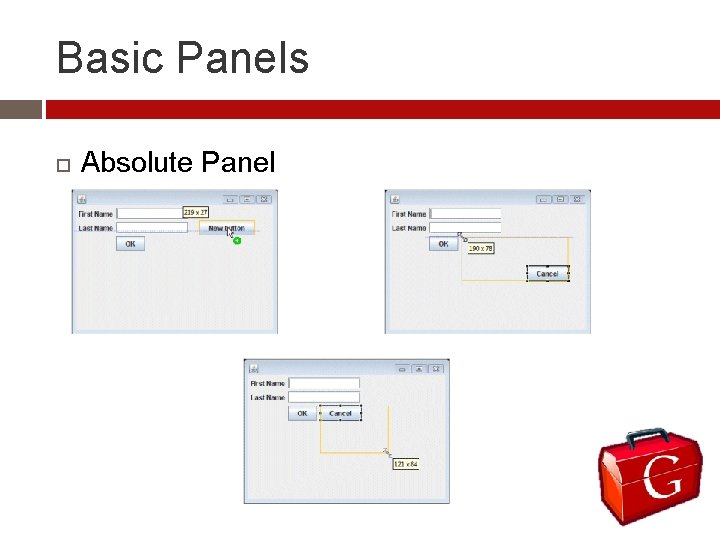
Basic Panels Absolute Panel
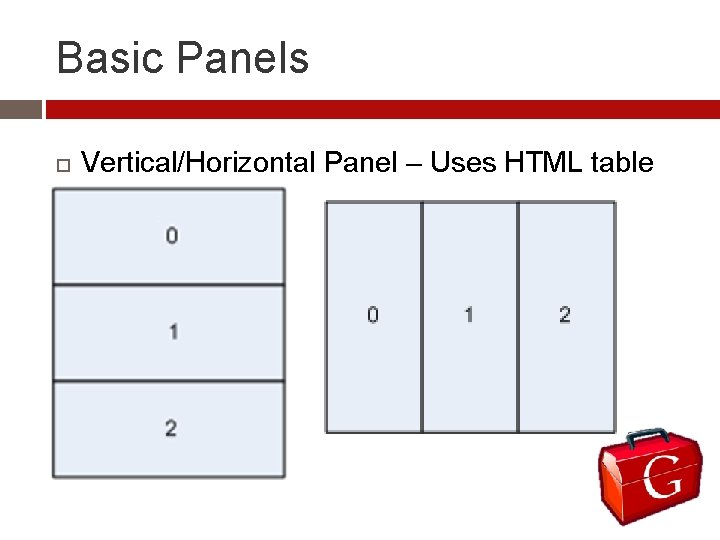
Basic Panels Vertical/Horizontal Panel – Uses HTML table
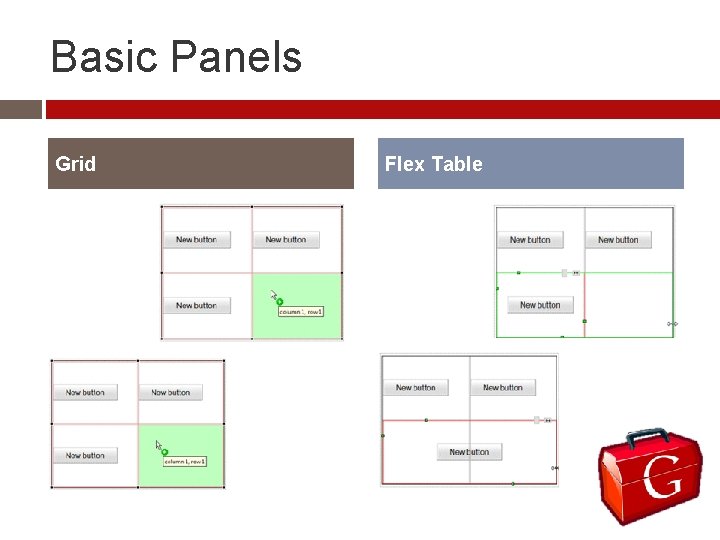
Basic Panels Grid Flex Table
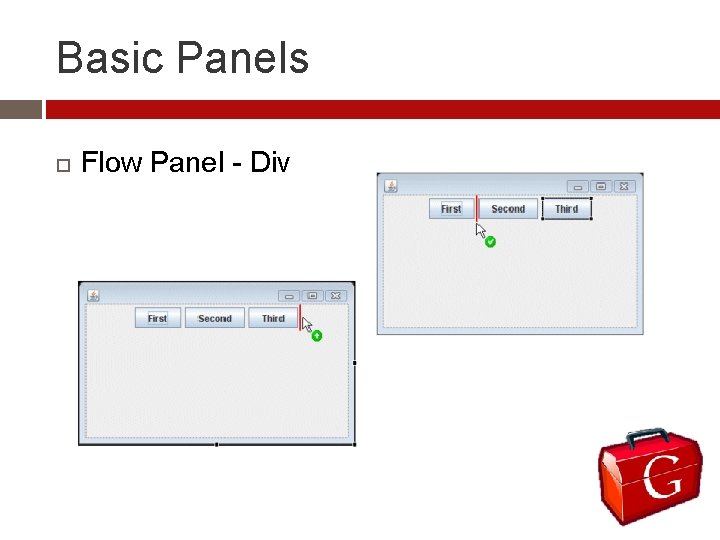
Basic Panels Flow Panel - Div
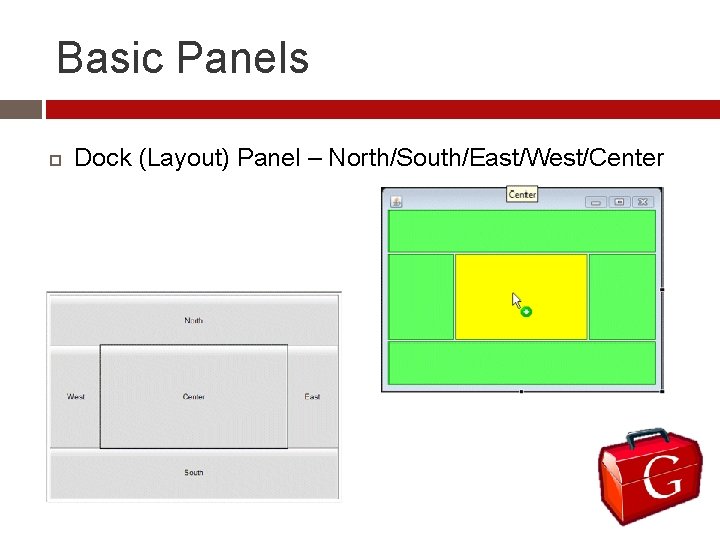
Basic Panels Dock (Layout) Panel – North/South/East/West/Center
Widgets Many useful widgets Button, textbox, List. Box, … Easily create events
Composite Class Wrap a widget(s) in order to hide their methods Custom Widgets � Create your own methods � Make existing methods visible Can’t modify composite outside of itself Can be reused
Examples http: //code. google. com/webtoolkit/examples/
DEMO
Questions
References Remick, J. (2011, January 30). What is a web app? here’s our definition. Retrieved from http: //web. appstorm. net/general/opinion/what-is-a-web-appheres-our-definition/ Google. (2011). Google web toolkit. Retrieved from http: //code. google. com/webtoolkit/ Kereki, K. F. (2011). Essential gwt building for the web with google web toolkit 2. Boston, MA: Pearson Education, Inc. Gupta, I. (2009). Accelerated gwt, building enterprise google web toolkit applications. Berkeley, CA: Apress. Chaganti, R. (2007). Google web toolkit: Gwt java ajax programming. Birmingham, UK: Packt Pub Ltd.
Title Body
- Slides: 32