
Google Scholar and Share La Te X By

Google Scholar and Share. La. Te. X By: Ralucca Gera, NPS Excellence Through Knowledge
Share. La. Te. X • Free: https: //www. sharelatex. com? r=22 fbe 723&rm=d&rs=b • Documentation: https: //www. sharelatex. com/learn/Help: Editing_pages • “Share. La. Te. X is a web-based real-time collaborative (like Google. Docs) La. Te. X editor (no need of La. Te. X on your machine)” • “includes the editor, the project and document storage, and the backend La. Te. X compiler” https: //www. sharelatex. com/blog/2014/02/21/sharelatex-is-now-open-source. html 2
Share. La. Te. X Templates • Blog: https: //www. sharelatex. com/blog/ • Templates for bibliographies: https: //www. sharelatex. com/templates • Templates for presentations: https: //www. sharelatex. com/templates/presentati ons 3
Try it! You have an email with a link to a Share. La. Te. X folder that I shared with you 4

GOOGLE SCHOLAR Excellence Through Knowledge
Google Scholar’s goals • It enables searches of scholarly literature (scholarly publications, abstracts, books…) • Easy to use (same familiar search bar as Google, but results are limited to scholarly resources) • Contains links to the article’s PDF, Postscript, HTML format • Easy to view key information about articles: “cited by”, “related articles” and so on • Easy to export citation to La. Te. X that can be used for any formatting style
Historical background – Google Scholar was released (in beta) in 2004 – Not the first freely available citation database (Cite. Seer, Scirus, etc) – Not subject specific Many use it as a viable alternative to ‘traditional’ citation databases such as Web of Science, because of – Easy of use (free, no account needed) – Extensive coverage of articles – Encodes wide range of metrics about articles/authors – However metrics are not perfect (data base is not complete, some duplications exist, algorithms used) 7
Features of Google Scholar From http: //scholar. google. com/scholar/about. html#about • Searches all scholarly literature from one convenient place • Explores related works, citations, authors, and publications • Locates the complete document through your library or on the web • Keeps up with recent developments in any area of research • Checks who's citing your publications, creates a public author profile (if you get an account) 8
How are documents ranked? From http: //scholar. google. com/scholar/about. html#about “Google Scholar aims to rank documents the way researchers do, • weighing the full text of each document, • where it was published, • who it was written by, • as well as how often and how recently it has been cited in other scholarly literature. “ 9
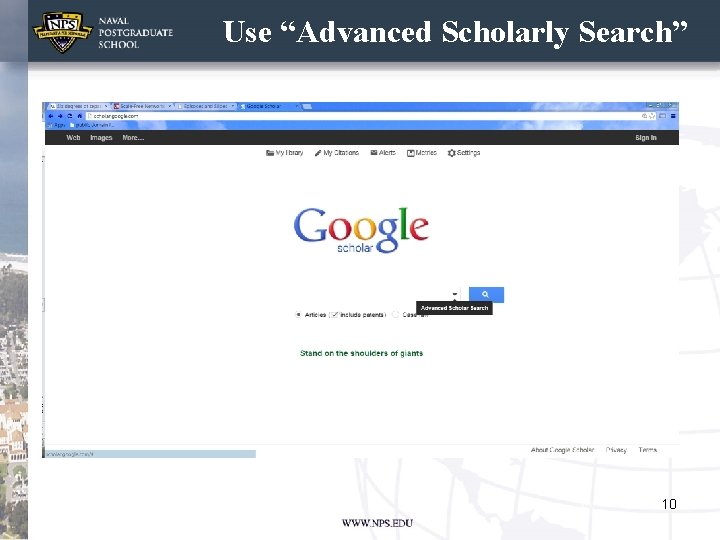
Use “Advanced Scholarly Search” 10

Use “Advanced Scholarly Search” • . http: //scholar. google. com
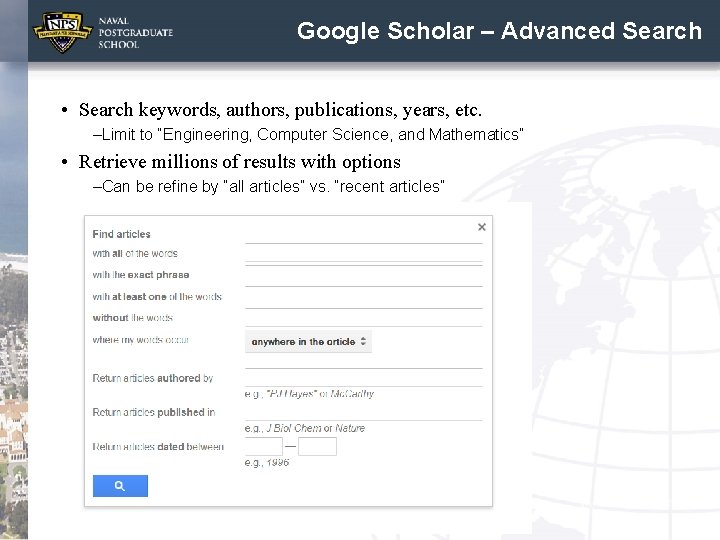
Google Scholar – Advanced Search • Search keywords, authors, publications, years, etc. –Limit to “Engineering, Computer Science, and Mathematics” • Retrieve millions of results with options –Can be refine by “all articles” vs. “recent articles”
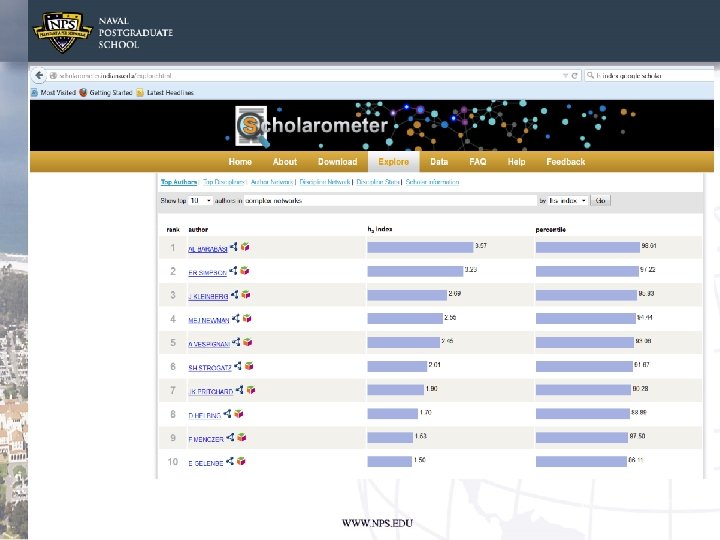
What can you get? • Quadsearch (Any browser): http: //quadsearch. csd. auth. gr/ • Scholar H-index Calculator (Mozilla Firefox) • Scholarometer (Mozilla Firefox/Google Chrome) • Publish or Perish (Separate Application) 13
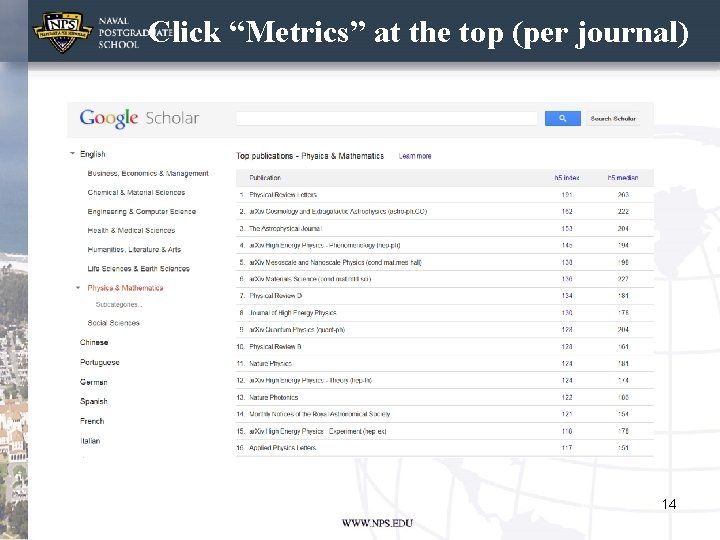
Click “Metrics” at the top (per journal) 14
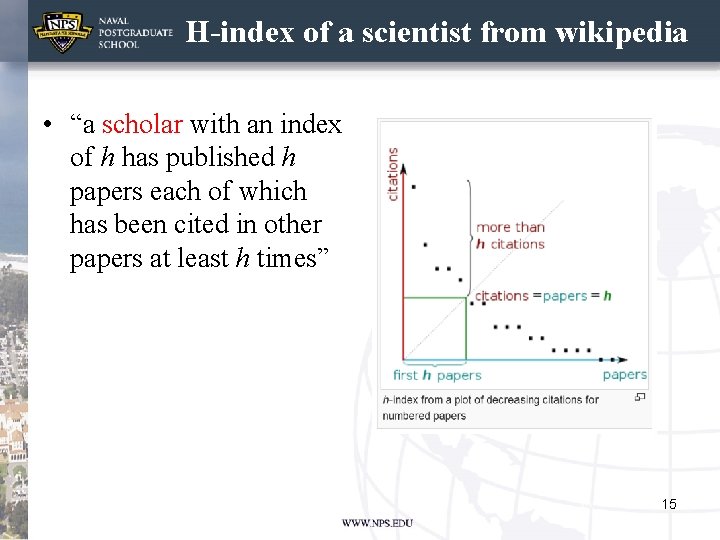
H-index of a scientist from wikipedia • “a scholar with an index of h has published h papers each of which has been cited in other papers at least h times” • . 15
Google Scholar Available Metrics The next few slides have information from: http: //scholar. google. com/intl/en. US/scholar/metrics. html#metrics • The h-index of a publication is the largest number h such that at least h articles in that publication were cited at least h times each. For example, a publication with five articles cited by, respectively, 17, 9, 6, 3, and 2, has the h-index of 3. 16
Google Scholar Available Metrics • The h-core of a publication is a set of top cited h articles from the publication. These are the articles that the h-index is based on. For example, the publication above has the h-core with three articles, those cited by 17, 9, and 6 in the list 17, 9, 6, 3, and 2 with the h-index 3. 17
Google Scholar Available Metrics • The h-median of a publication is the median of the citation counts in its h-core. For the example before, the h-median of the publication was 9 (recall the references were 17, 9, 6, 3, and 2 times, and whose k-core was 17, 9, 6). • The h-median is a measure of the distribution of citations to the articles in the h-core. 18
Google Scholar Available Metrics • Finally, the h 5 -index, h 5 -core, and h 5 -median of a publication are, respectively, the h-index, h-core, and h-median of only those of its articles that were published in the last five complete calendar years. 19

Practice for the research publication Try Google Scholar now! 21
- Slides: 21