
Google Fusion Tables API Inneke Ponet Google Fusion

Google Fusion Tables API Inneke Ponet
Google Fusion Tables: § Store, share, query and visualize data. § API to run SQL-like queries applications that use Fusion Tables as a database.
Writing an application § Send API statements to Goolge Fusion Tables: § queries: HTTP GET requests; § inserts, updates and deletes: HTTP POST requests. § The API is language agnostic. § It doesn’t have a mechanism for submitting the GET and POST requests. Use existing code libraries (Java, Javascript, . NET, PHP, Python, Objective-C).
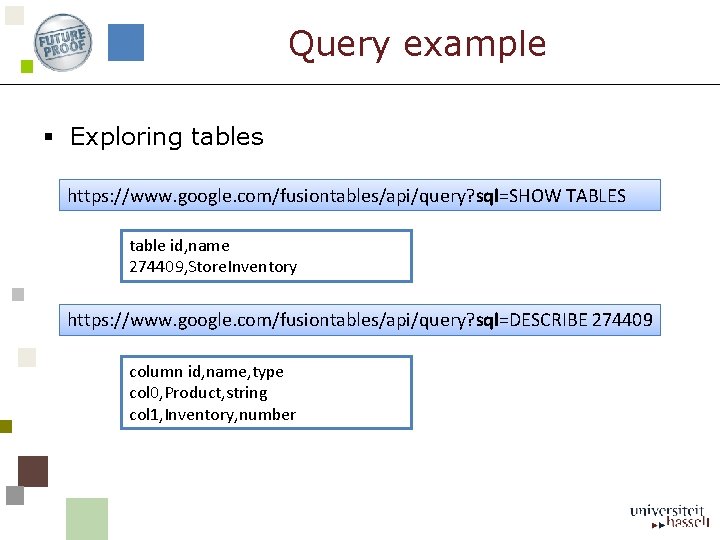
Query example § Exploring tables https: //www. google. com/fusiontables/api/query? sql=SHOW TABLES table id, name 274409, Store. Inventory https: //www. google. com/fusiontables/api/query? sql=DESCRIBE 274409 column id, name, type col 0, Product, string col 1, Inventory, number
Fusion Tables with other APIs § Google Maps API § Fusion Tables Layer § Google Chart Tools § Data source
Google Maps § Geographic data in a Fusion Table: § Geocode of a street address, a name of a city, a name of a country; § latitude, longitude pair; § KML. § Fusion. Tables. Layer: § interface to a Fusion Table, § automatic rendering of the location data, § clickable overlays.

Example Google Maps var chicago = new google. maps. Lat. Lng(41. 948766, -87. 691497); map = new google. maps. Map(document. get. Element. By. Id('map_canvas'), { center: chicago, zoom: 12, map. Type. Id: 'roadmap' }); var layer = new google. maps. Fusion. Tables. Layer({ query: { select: 'address', from: '198945', where: 'ridership > 5000' } }); layer. set. Map(map);
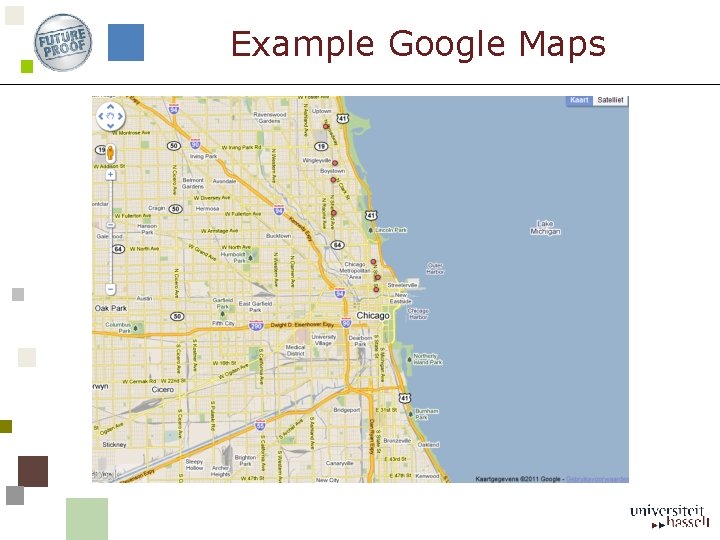
Example Google Maps
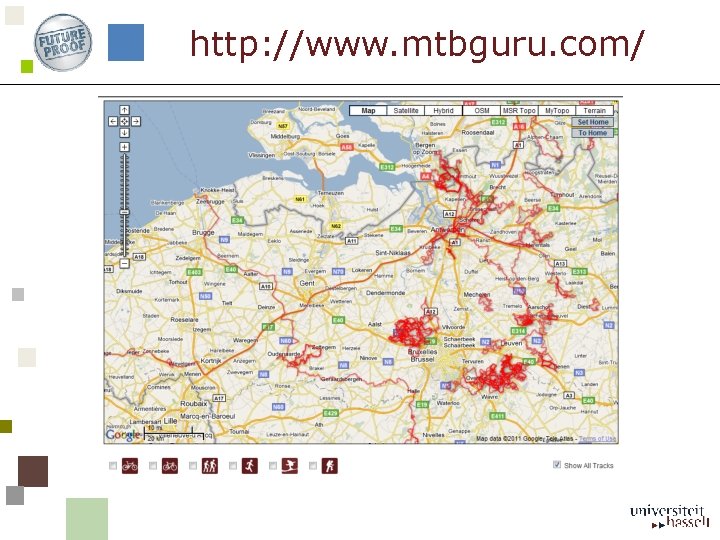
http: //www. mtbguru. com/
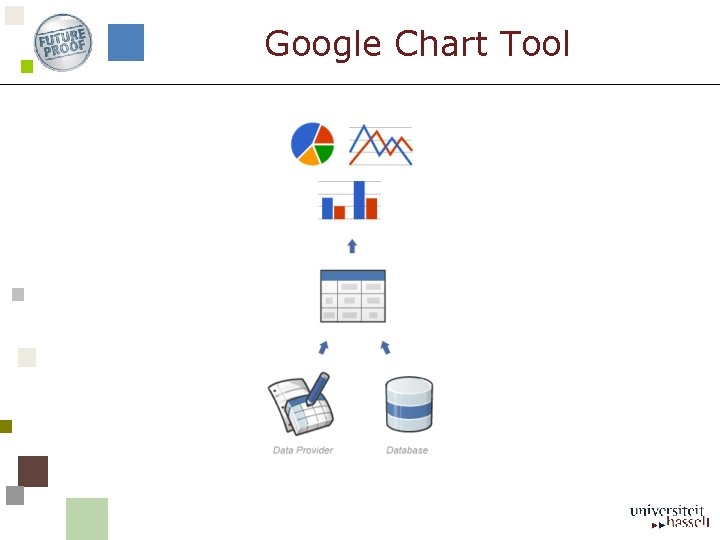
Google Chart Tool
![Example Google Chart google. load('visualization', '1', {'packages': ['corechart']}); function change. Data() { var query.](http://slidetodoc.com/presentation_image_h/8e97296992c060e4af65aeee7f5a5f40/image-11.jpg "Example Google Chart google. load('visualization', '1', {'packages': ['corechart']}); function change. Data() { var query.")
Example Google Chart google. load('visualization', '1', {'packages': ['corechart']}); function change. Data() { var query. Text = encode. URIComponent( "SELECT Year, Austria, Bulgaria, Denmark, Greece FROM 641716"); var query = new google. visualization. Query( 'http: //www. google. com/fusiontables/gvizdata? tq=' + query. Text); query. send(get. Data); } function get. Data(response) { new google. visualization. Bar. Chart(document. get. Element. By. Id('visualization')). draw(response. get. Data. Table(), {title: "Yearly Coffee Consumption by Country", width: 600, height: 400, v. Axis: {title: "Year"}, h. Axis: {title: "Cups"}} ); }
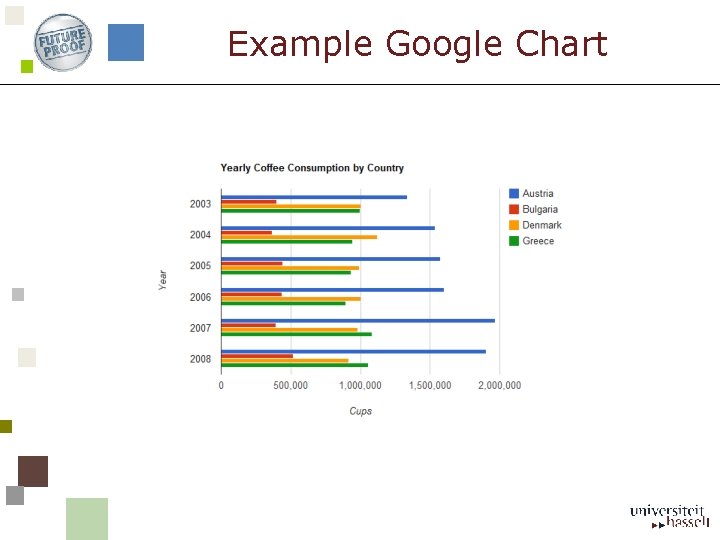
Example Google Chart

Example Google Chart 2 google. load('visualization', '1'); function load. Data(year) { var query. Text = encode. URIComponent( "SELECT 'Male name', 'Reverse rank‘ FROM 642040 WHERE year = '" + year + "‘ ORDER BY 'Male name'"); var query = new google. visualization. Query( 'http: //www. google. com/fusiontables/gvizdata? tq=' + query. Text); query. send(get. Data); } function get. Data(response) { var output. Div = document. get. Element. By. Id('visualization'); var tc = new Term. Cloud(output. Div); tc. draw(response. get. Data. Table(), null); }
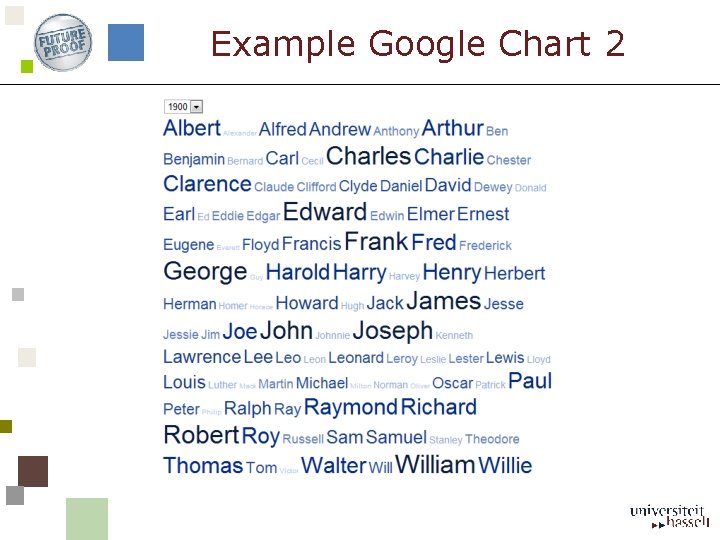
Example Google Chart 2

Example Fusion Tables http: //www. google. com/fusiontables/Data. Source? dsrcid=851292 <iframe width="500 px" height="300 px" scrolling="no" src="http: //www. google. com/fusiontables/embedviz? viz=MAP&q=select+col 0 %2 C+col 1%2 C+col 2%2 C+col 3+from+851292+&h=false&lat=51. 020456&lng=4. 8 99438550000001&z=10&t=1&l=col 2"></iframe>
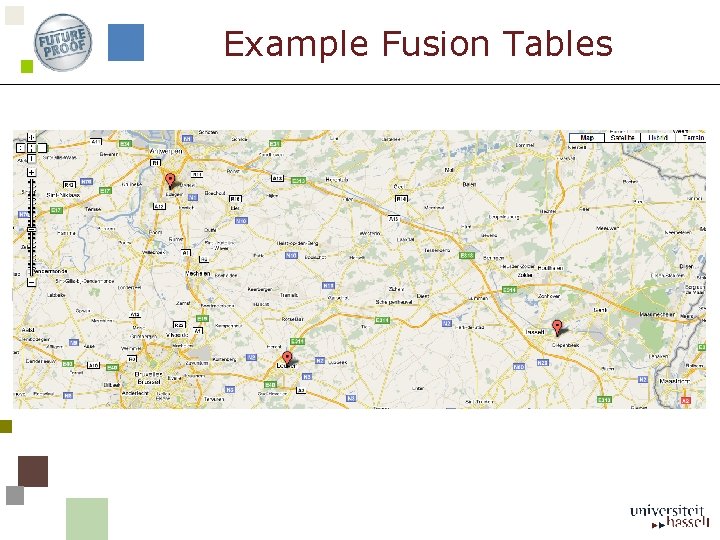
Example Fusion Tables
Fusion Tables in other applications § Custom applications (HTTP GET and POST). § Google Maps with Fusion. Table. Layer. § Google Chart and Fusion Tables as data source. § Visualization in an HTML page.
- Slides: 17