
Going BLU How to Convert Existing Databases or
Going BLU: How to Convert Existing Databases or Tables to BLU Acceleration Matthias Nicola IBM Silicon Valley Lab Naresh Chainani IBM Portland Lab Session Code: C 01 May 4, 2015, 12: 45 – 1: 45 pm | Platform: DB 2 for Linux, UNIX, WIndows
Key Points Learn how to assess whether BLU is a good fit for a given database or application. Understand the perquisites for BLU and how to plan the conversion. Learn the key steps for converting existing databases or tables to BLU format. Learn how to use and to trouble-shoot the db 2 convert utility. Learn best practices for re-configuring existing databases for the adoption of BLU. 2
Agenda Planning the conversion Typical adoption paths for BLU Acceleration – New 10. 5 database – Existing 10. 5 database – Upgrade pre-10. 5 database Considerations for adopting BLU in existing databases Converting tables Post-conversion tasks Summary 3
Planning the Conversion Is BLU a good fit for a given workload / database? – Know your workload: Row and column selectivity, commit frequency, etc. Which tables should or should not be column-organized? – Consider using the Optim Query Workload Tuner http: //www. ibm. com/developerworks/data/library/techarticle/dm-1308 bludb 2/ – Tables that are frequently joined should have the same orientation – Shadow tables? Performance expectations / requirements? – Queries vs. insert/update/delete Functional requirements? How about a backup? 4
Agenda Planning the conversion Typical adoption paths for BLU Acceleration – New 10. 5 database – Existing 10. 5 database – Upgrade pre-10. 5 database Considerations for adopting BLU in existing databases Converting tables Post-conversion tasks Summary 5
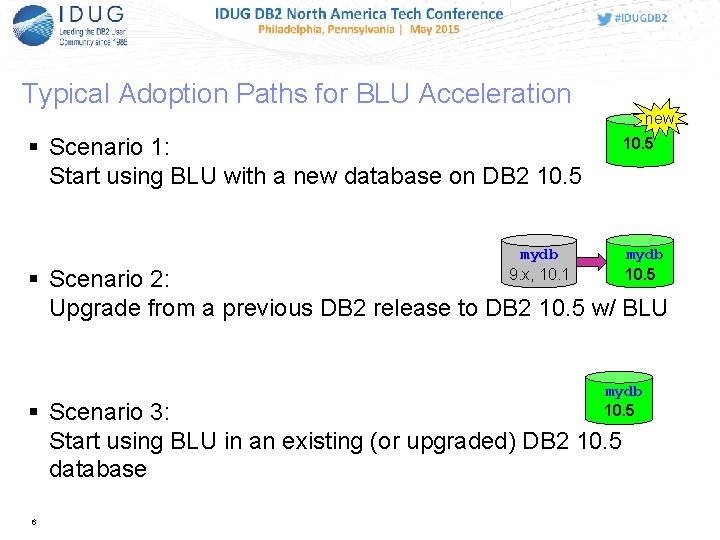
Typical Adoption Paths for BLU Acceleration new Scenario 1: Start using BLU with a new database on DB 2 10. 5 mydb 9. x, 10. 1 Scenario 2: Upgrade from a previous DB 2 release to DB 2 10. 5 w/ BLU mydb 10. 5 Scenario 3: Start using BLU in an existing (or upgraded) DB 2 10. 5 database 6
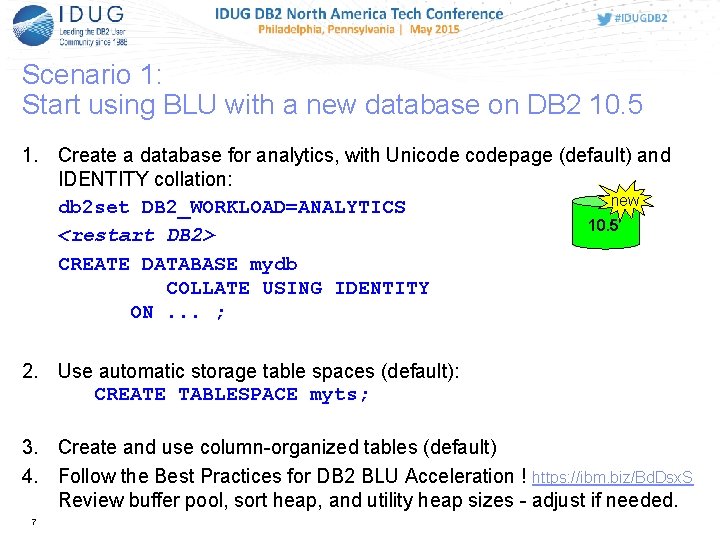
Scenario 1: Start using BLU with a new database on DB 2 10. 5 1. Create a database for analytics, with Unicodepage (default) and IDENTITY collation: new db 2 set DB 2_WORKLOAD=ANALYTICS 10. 5 <restart DB 2> CREATE DATABASE mydb COLLATE USING IDENTITY ON. . . ; 2. Use automatic storage table spaces (default): CREATE TABLESPACE myts; 3. Create and use column-organized tables (default) 4. Follow the Best Practices for DB 2 BLU Acceleration ! https: //ibm. biz/Bd. Dsx. S Review buffer pool, sort heap, and utility heap sizes - adjust if needed. 7
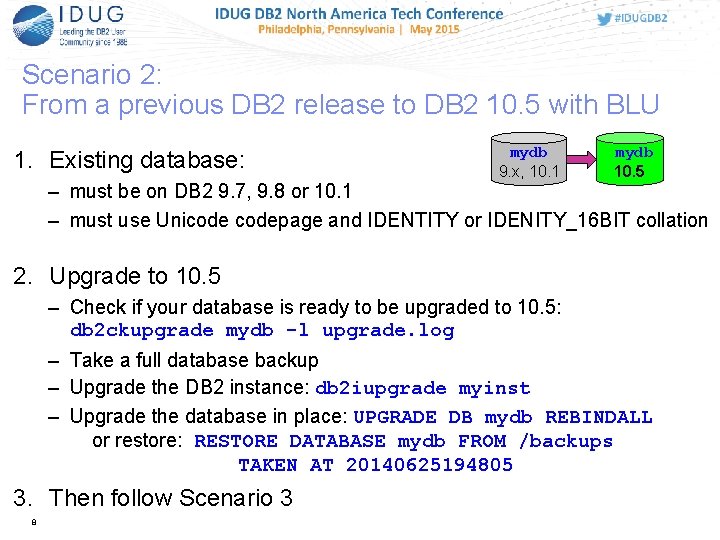
Scenario 2: From a previous DB 2 release to DB 2 10. 5 with BLU 1. Existing database: mydb 9. x, 10. 1 mydb 10. 5 – must be on DB 2 9. 7, 9. 8 or 10. 1 – must use Unicodepage and IDENTITY or IDENITY_16 BIT collation 2. Upgrade to 10. 5 – Check if your database is ready to be upgraded to 10. 5: db 2 ckupgrade mydb -l upgrade. log – Take a full database backup – Upgrade the DB 2 instance: db 2 iupgrade myinst – Upgrade the database in place: UPGRADE DB mydb REBINDALL or restore: RESTORE DATABASE mydb FROM /backups TAKEN AT 20140625194805 3. Then follow Scenario 3 8
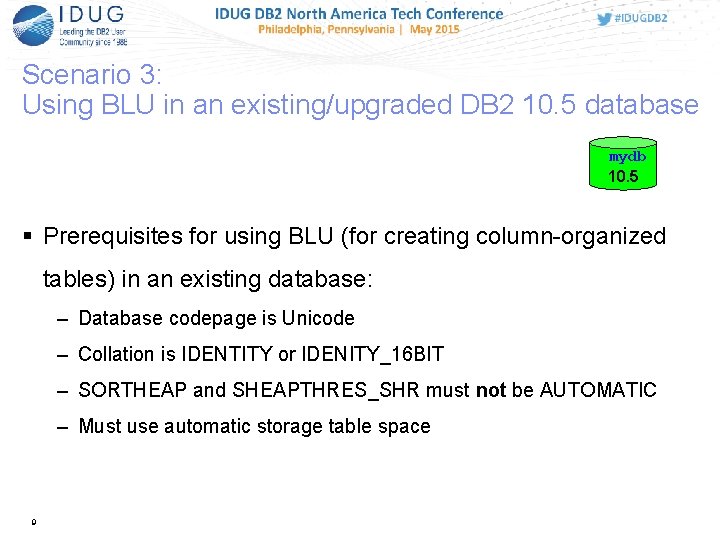
Scenario 3: Using BLU in an existing/upgraded DB 2 10. 5 database mydb 10. 5 Prerequisites for using BLU (for creating column-organized tables) in an existing database: – Database codepage is Unicode – Collation is IDENTITY or IDENITY_16 BIT – SORTHEAP and SHEAPTHRES_SHR must not be AUTOMATIC – Must use automatic storage table space 9
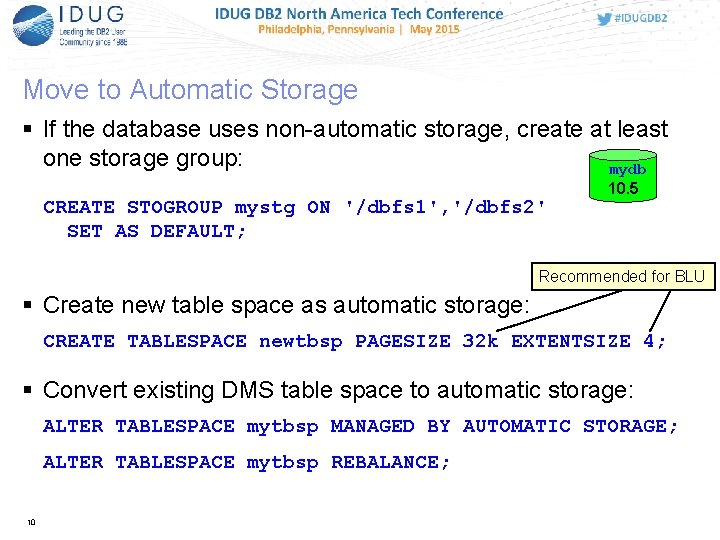
Move to Automatic Storage If the database uses non-automatic storage, create at least one storage group: mydb CREATE STOGROUP mystg ON '/dbfs 1', '/dbfs 2' SET AS DEFAULT; 10. 5 Recommended for BLU Create new table space as automatic storage: CREATE TABLESPACE newtbsp PAGESIZE 32 k EXTENTSIZE 4; Convert existing DMS table space to automatic storage: ALTER TABLESPACE mytbsp MANAGED BY AUTOMATIC STORAGE; ALTER TABLESPACE mytbsp REBALANCE; 10
Agenda Planning the conversion Typical adoption paths for BLU Acceleration – New 10. 5 database – Existing 10. 5 database – Upgrade pre-10. 5 database Considerations for adopting BLU in existing databases Converting tables Post-conversion tasks Summary 11
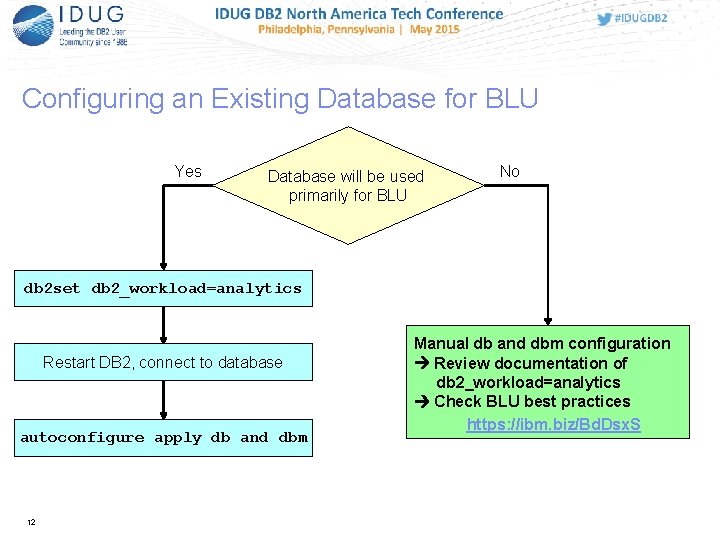
Configuring an Existing Database for BLU Yes Database will be used primarily for BLU No db 2 set db 2_workload=analytics Restart DB 2, connect to database autoconfigure apply db and dbm 12 Manual db and dbm configuration Review documentation of db 2_workload=analytics Check BLU best practices https: //ibm. biz/Bd. Dsx. S
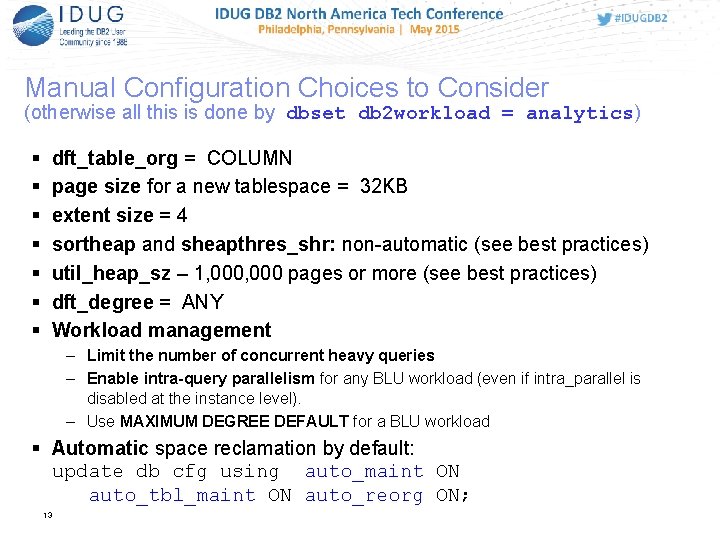
Manual Configuration Choices to Consider (otherwise all this is done by dbset db 2 workload = analytics) dft_table_org = COLUMN page size for a new tablespace = 32 KB extent size = 4 sortheap and sheapthres_shr: non-automatic (see best practices) util_heap_sz – 1, 000 pages or more (see best practices) dft_degree = ANY Workload management – Limit the number of concurrent heavy queries – Enable intra-query parallelism for any BLU workload (even if intra_parallel is disabled at the instance level). – Use MAXIMUM DEGREE DEFAULT for a BLU workload Automatic space reclamation by default: update db cfg using auto_maint ON auto_tbl_maint ON auto_reorg ON; 13
Agenda Planning the conversion Typical adoption paths for BLU Acceleration – New 10. 5 database – Existing 10. 5 database – Upgrade pre-10. 5 database Considerations for adopting BLU in existing databases Converting tables Post-conversion tasks Summary 14
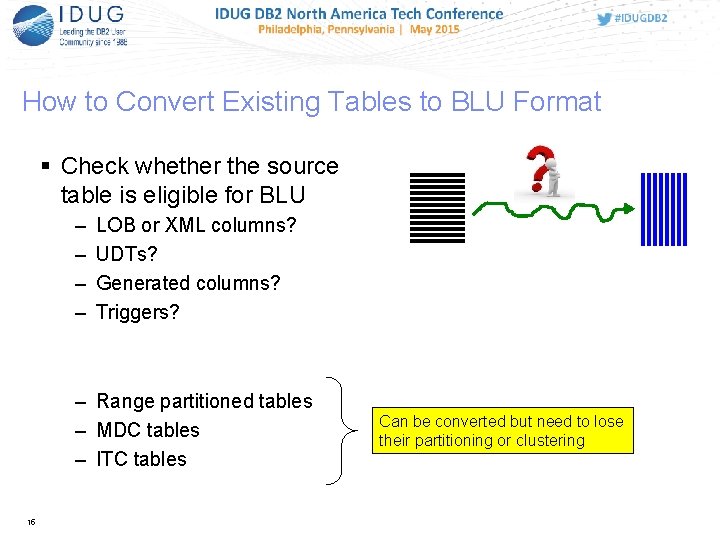
How to Convert Existing Tables to BLU Format Check whether the source table is eligible for BLU – – LOB or XML columns? UDTs? Generated columns? Triggers? – Range partitioned tables – MDC tables – ITC tables 15 Can be converted but need to lose their partitioning or clustering
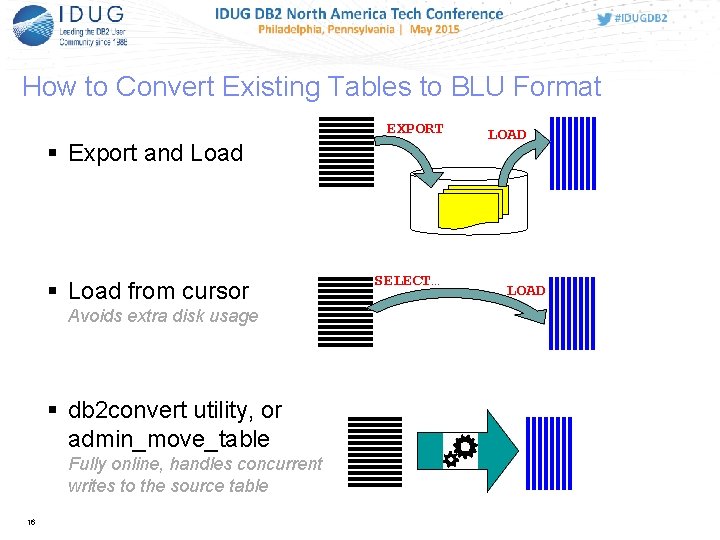
How to Convert Existing Tables to BLU Format EXPORT Export and Load from cursor Avoids extra disk usage db 2 convert utility, or admin_move_table Fully online, handles concurrent writes to the source table 16 SELECT… LOAD
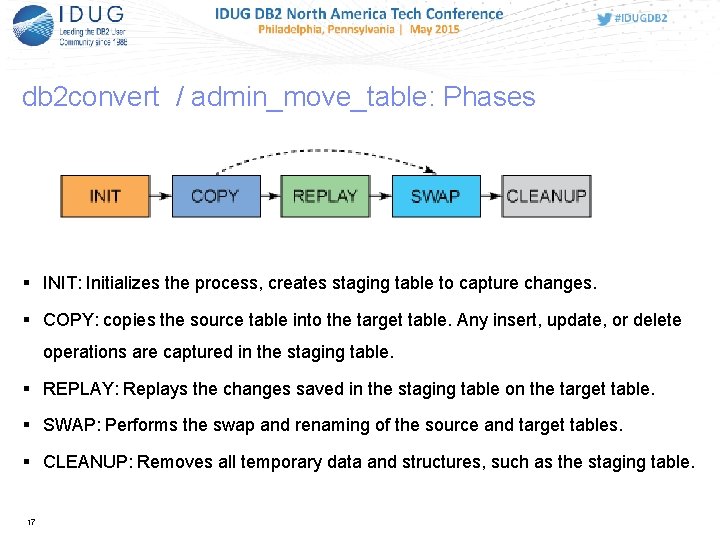
db 2 convert / admin_move_table: Phases INIT: Initializes the process, creates staging table to capture changes. COPY: copies the source table into the target table. Any insert, update, or delete operations are captured in the staging table. REPLAY: Replays the changes saved in the staging table on the target table. SWAP: Performs the swap and renaming of the source and target tables. CLEANUP: Removes all temporary data and structures, such as the staging table. 17
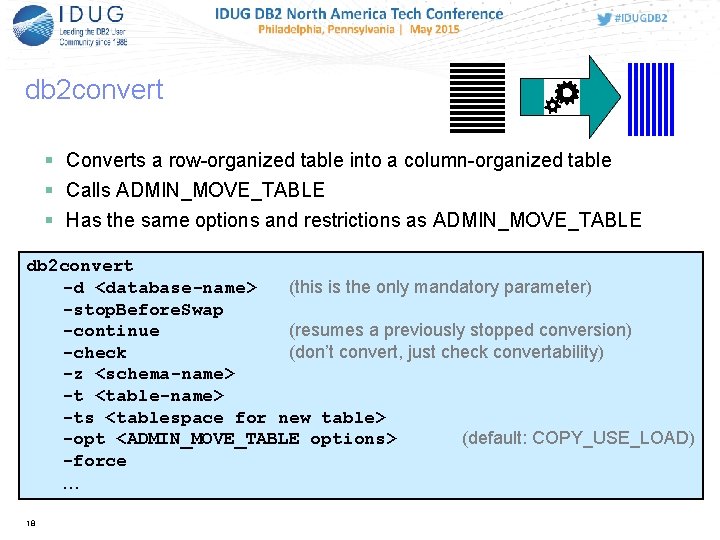
db 2 convert Converts a row-organized table into a column-organized table Calls ADMIN_MOVE_TABLE Has the same options and restrictions as ADMIN_MOVE_TABLE db 2 convert -d <database-name> (this is the only mandatory parameter) -stop. Before. Swap -continue (resumes a previously stopped conversion) -check (don’t convert, just check convertability) -z <schema-name> -t <table-name> -ts <tablespace for new table> -opt <ADMIN_MOVE_TABLE options> (default: COPY_USE_LOAD) -force … 18
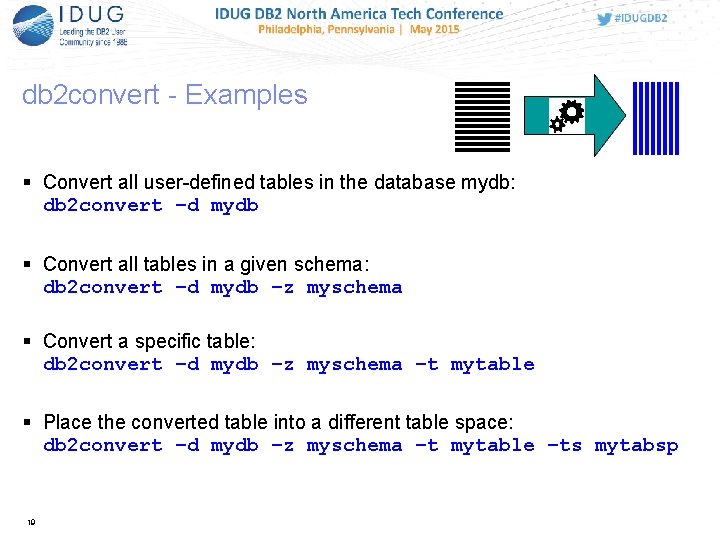
db 2 convert - Examples Convert all user-defined tables in the database mydb: db 2 convert –d mydb Convert all tables in a given schema: db 2 convert –d mydb –z myschema Convert a specific table: db 2 convert –d mydb –z myschema –t mytable Place the converted table into a different table space: db 2 convert –d mydb –z myschema –t mytable –ts mytabsp 19
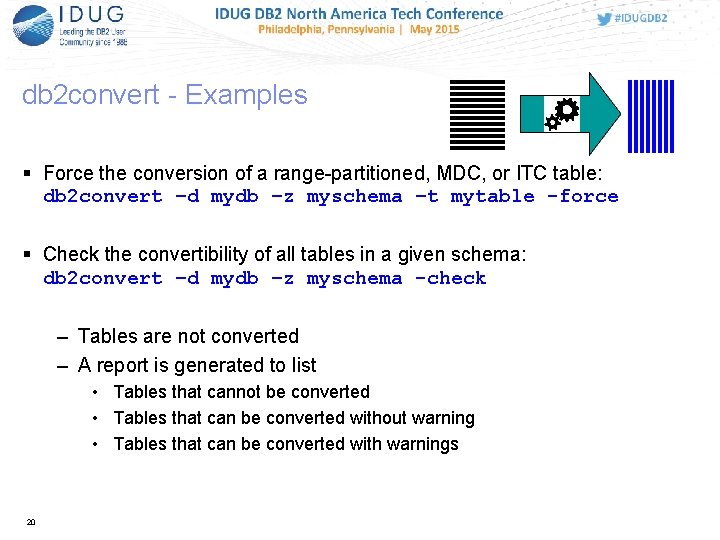
db 2 convert - Examples Force the conversion of a range-partitioned, MDC, or ITC table: db 2 convert –d mydb –z myschema –t mytable -force Check the convertibility of all tables in a given schema: db 2 convert –d mydb –z myschema -check – Tables are not converted – A report is generated to list • Tables that cannot be converted • Tables that can be converted without warning • Tables that can be converted with warnings 20
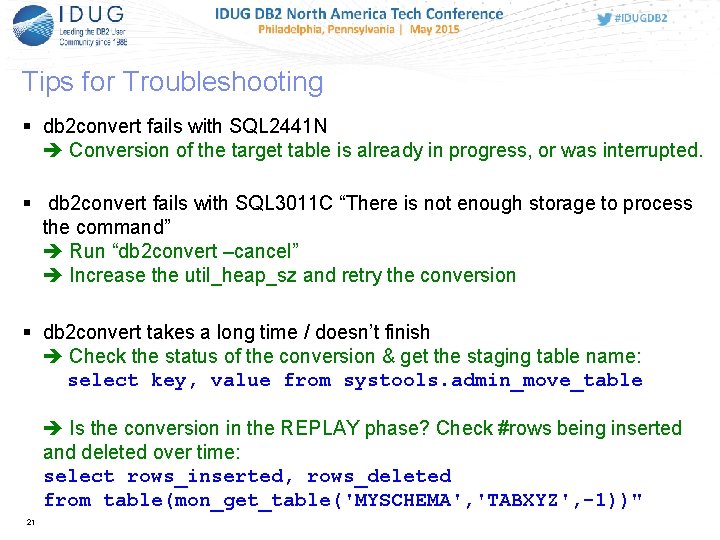
Tips for Troubleshooting db 2 convert fails with SQL 2441 N Conversion of the target table is already in progress, or was interrupted. db 2 convert fails with SQL 3011 C “There is not enough storage to process the command” Run “db 2 convert –cancel” Increase the util_heap_sz and retry the conversion db 2 convert takes a long time / doesn’t finish Check the status of the conversion & get the staging table name: select key, value from systools. admin_move_table Is the conversion in the REPLAY phase? Check #rows being inserted and deleted over time: select rows_inserted, rows_deleted from table(mon_get_table('MYSCHEMA', 'TABXYZ', -1))" 21
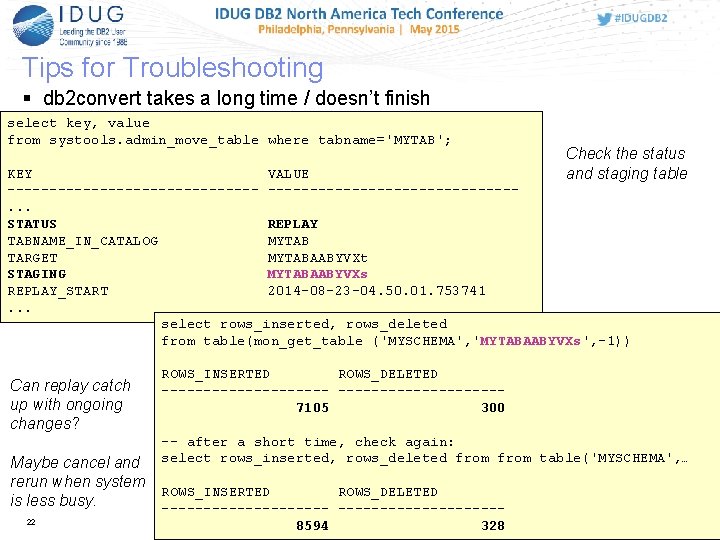
Tips for Troubleshooting db 2 convert takes a long time / doesn’t finish select key, value from systools. admin_move_table where tabname='MYTAB'; Check the status and staging table KEY VALUE ---------------. . . STATUS REPLAY TABNAME_IN_CATALOG MYTAB TARGET MYTABAABYVXt STAGING MYTABAABYVXs REPLAY_START 2014 -08 -23 -04. 50. 01. 753741. . . select rows_inserted, rows_deleted from table(mon_get_table ('MYSCHEMA', 'MYTABAABYVXs', -1)) Can replay catch up with ongoing changes? ROWS_INSERTED ROWS_DELETED ----------7105 300 -- after a short time, check again: select rows_inserted, rows_deleted from table('MYSCHEMA', … Maybe cancel and rerun when system ROWS_INSERTED ROWS_DELETED is less busy. ----------22 8594 328
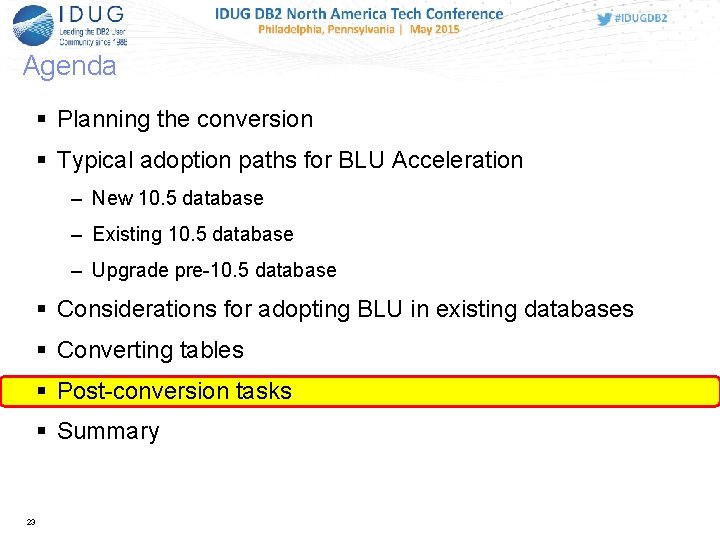
Agenda Planning the conversion Typical adoption paths for BLU Acceleration – New 10. 5 database – Existing 10. 5 database – Upgrade pre-10. 5 database Considerations for adopting BLU in existing databases Converting tables Post-conversion tasks Summary 23
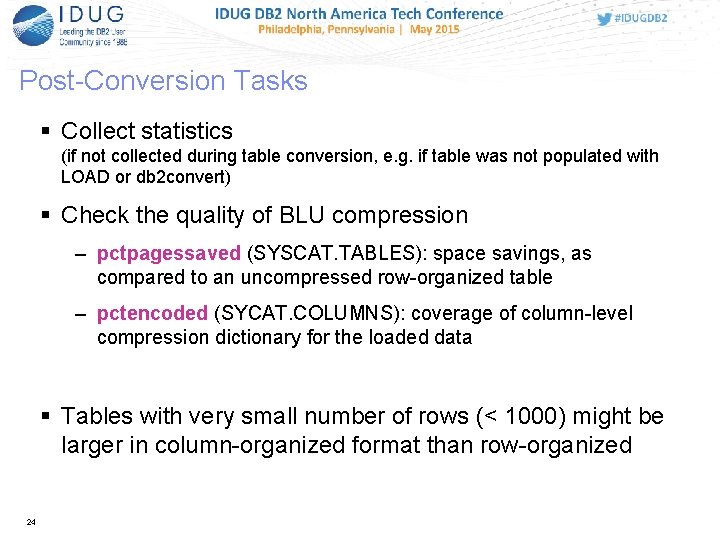
Post-Conversion Tasks Collect statistics (if not collected during table conversion, e. g. if table was not populated with LOAD or db 2 convert) Check the quality of BLU compression – pctpagessaved (SYSCAT. TABLES): space savings, as compared to an uncompressed row-organized table – pctencoded (SYCAT. COLUMNS): coverage of column-level compression dictionary for the loaded data Tables with very small number of rows (< 1000) might be larger in column-organized format than row-organized 24
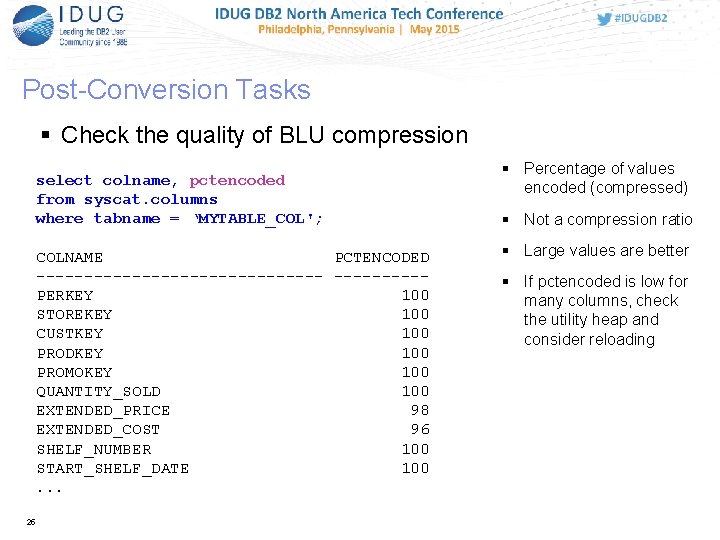
Post-Conversion Tasks Check the quality of BLU compression select colname, pctencoded from syscat. columns where tabname = ‘MYTABLE_COL'; COLNAME PCTENCODED ---------------PERKEY 100 STOREKEY 100 CUSTKEY 100 PRODKEY 100 PROMOKEY 100 QUANTITY_SOLD 100 EXTENDED_PRICE 98 EXTENDED_COST 96 SHELF_NUMBER 100 START_SHELF_DATE 100. . . 25 Percentage of values encoded (compressed) Not a compression ratio Large values are better If pctencoded is low for many columns, check the utility heap and consider reloading
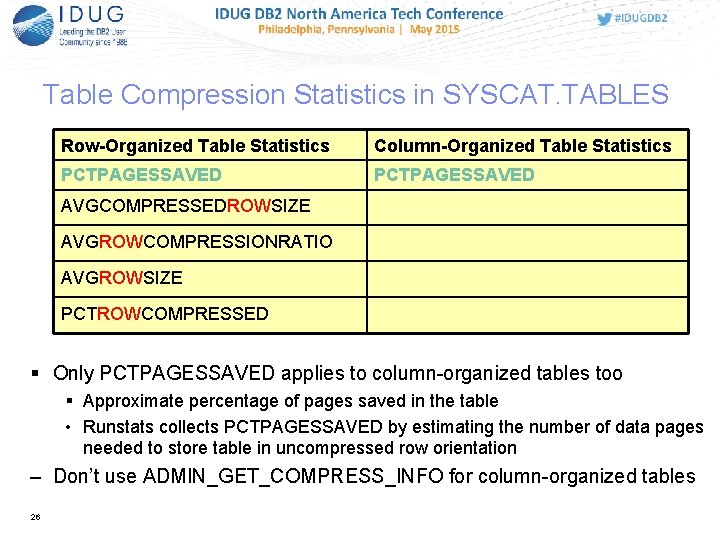
Table Compression Statistics in SYSCAT. TABLES Row-Organized Table Statistics Column-Organized Table Statistics PCTPAGESSAVED AVGCOMPRESSEDROWSIZE AVGROWCOMPRESSIONRATIO AVGROWSIZE PCTROWCOMPRESSED Only PCTPAGESSAVED applies to column-organized tables too Approximate percentage of pages saved in the table • Runstats collects PCTPAGESSAVED by estimating the number of data pages needed to store table in uncompressed row orientation – Don’t use ADMIN_GET_COMPRESS_INFO for column-organized tables 26
Agenda Planning the conversion Typical adoption paths for BLU Acceleration – New 10. 5 database – Existing 10. 5 database – Upgrade pre-10. 5 database Considerations for adopting BLU in existing databases Converting tables Post-conversion tasks Summary 27
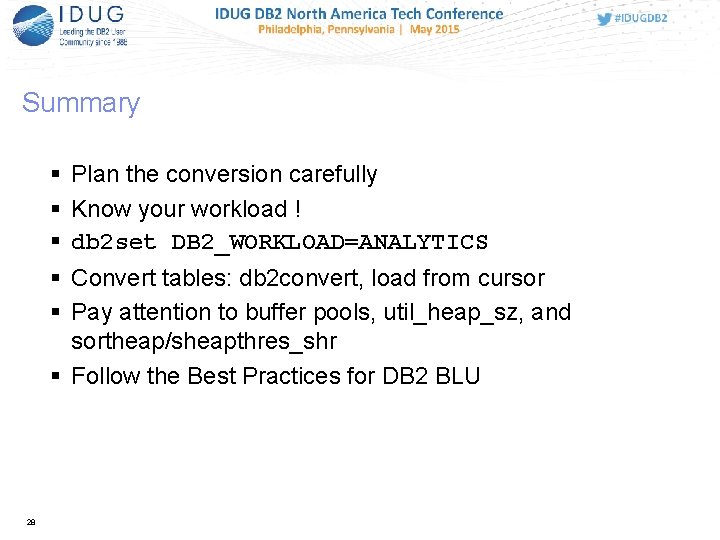
Summary Plan the conversion carefully Know your workload ! db 2 set DB 2_WORKLOAD=ANALYTICS Convert tables: db 2 convert, load from cursor Pay attention to buffer pools, util_heap_sz, and sortheap/sheapthres_shr Follow the Best Practices for DB 2 BLU 28
Resources DB 2 with BLU Acceleration: A rapid adoption guide www. ibm. com/developerworks/data/library/techarticle/dm-1309 db 2 bluaccel/ Convert row-organized tables to column-organized tables in DB 2 10. 5 with BLU Acceleration www. ibm. com/developerworks/library/dm-1406 convert-table-db 2105/index. html Best Practices for DB 2 with BLU Acceleration https: //ibm. biz/Bd. Dsx. S 29

30 Questions? mnicola@us. ibm. com naresh@us. ibm. com
Matthias Nicola Naresh Chainani IBM mnicola@us. ibm. com naresh@us. ibm. com Session: C 01 Title: Going BLU: How to Convert Existing Databases or Tables to BLU Acceleration Please fill out your session evaluation before leaving!
- Slides: 31