
GMS Linkage with FRAMES Workshop U S Nuclear

- Slides: 17
GMS Linkage with FRAMES Workshop U. S. Nuclear Regulatory Commission Rockville, Maryland Pacific Northwest National Laboratory November 15 -17, 2005
Objectives Provide NRC/NMSS with a more science-based dose assessment tool for licensing decisions Where appropriate, leverage limited resources with EPA, Do. D, and DOE. Reproducibility means Credibility 2
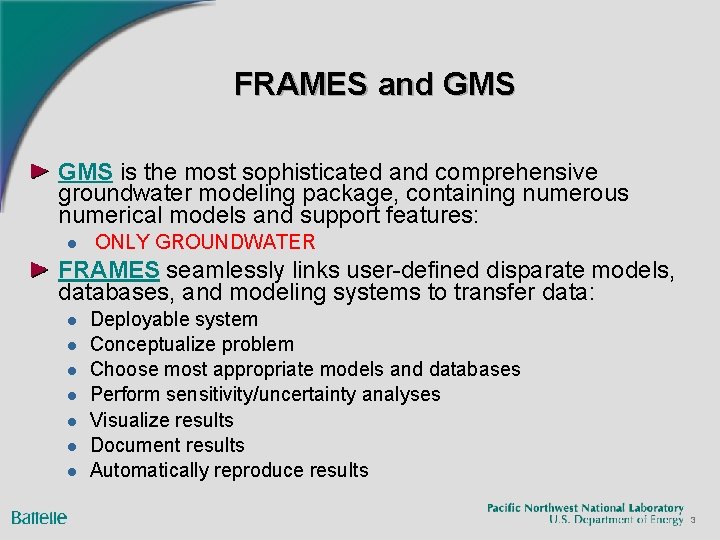
FRAMES and GMS is the most sophisticated and comprehensive groundwater modeling package, containing numerous numerical models and support features: l ONLY GROUNDWATER FRAMES seamlessly links user-defined disparate models, databases, and modeling systems to transfer data: l l l l Deployable system Conceptualize problem Choose most appropriate models and databases Perform sensitivity/uncertainty analyses Visualize results Document results Automatically reproduce results 3
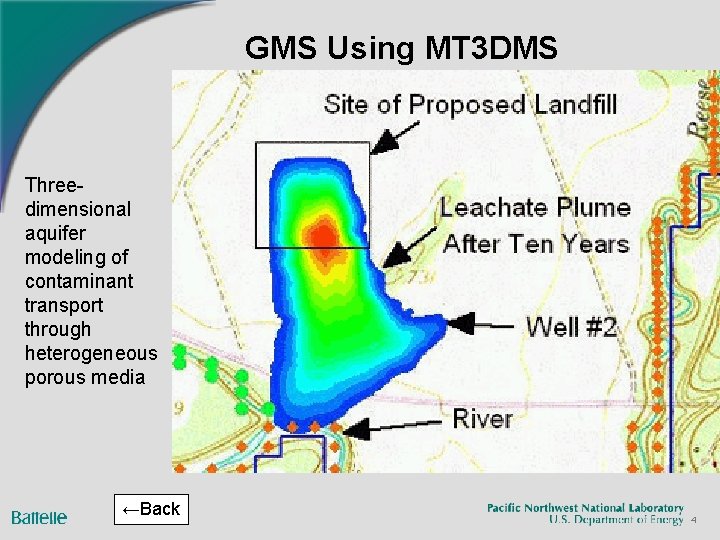
GMS Using MT 3 DMS Threedimensional aquifer modeling of contaminant transport through heterogeneous porous media ←Back 4
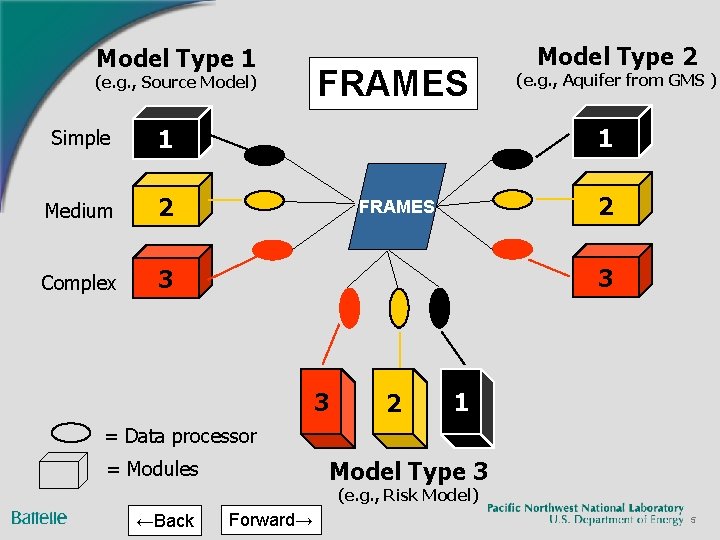
Model Type 1 (e. g. , Source Model) Simple 1 Medium 2 Complex 3 FRAMES Model Type 2 (e. g. , Aquifer from GMS ) 1 2 FRAMES 3 3 2 1 = Data processor Model Type 3 = Modules (e. g. , Risk Model) ←Back Forward→ 5
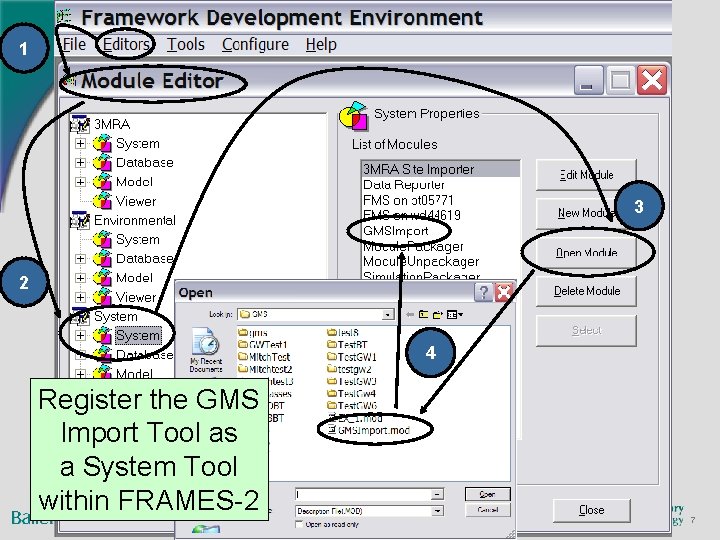
Select Editors Menu Choose Module Editor Register the GMS Import, as a system tool 6
1 3 2 4 Register the GMS Import Tool as a System Tool within FRAMES-2 7
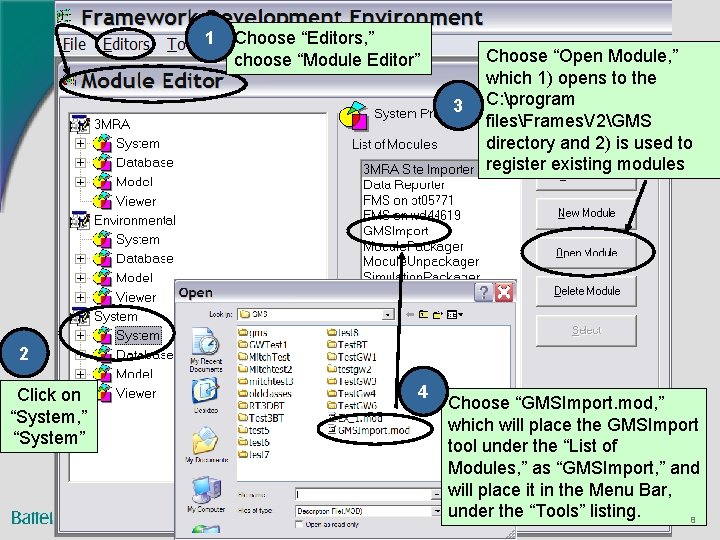
1 Choose “Editors, ” choose “Module Editor” 3 Choose “Open Module, ” which 1) opens to the C: program filesFrames. V 2GMS directory and 2) is used to register existing modules 2 Click on “System, ” “System” 4 Choose “GMSImport. mod, ” which will place the GMSImport tool under the “List of Modules, ” as “GMSImport, ” and will place it in the Menu Bar, under the “Tools” listing. 8
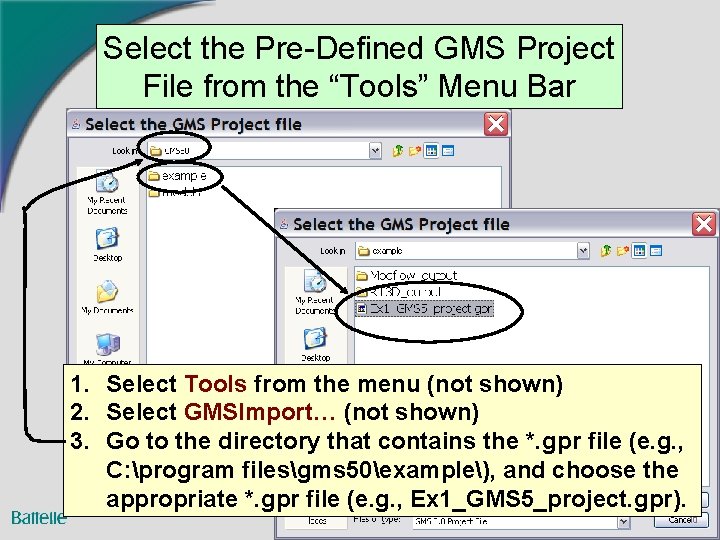
Select Tools Menu Select the Pre-Defined GMS Project File from the “Tools” Menu Bar 9
Select the Pre-Defined GMS Project File from the “Tools” Menu Bar 1. Select Tools from the menu (not shown) 2. Select GMSImport… (not shown) 3. Go to the directory that contains the *. gpr file (e. g. , C: program filesgms 50example), and choose the appropriate *. gpr file (e. g. , Ex 1_GMS 5_project. gpr). 10
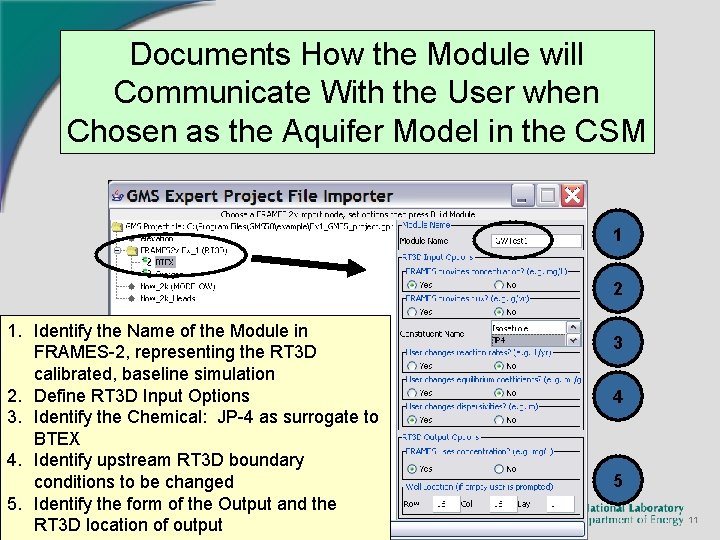
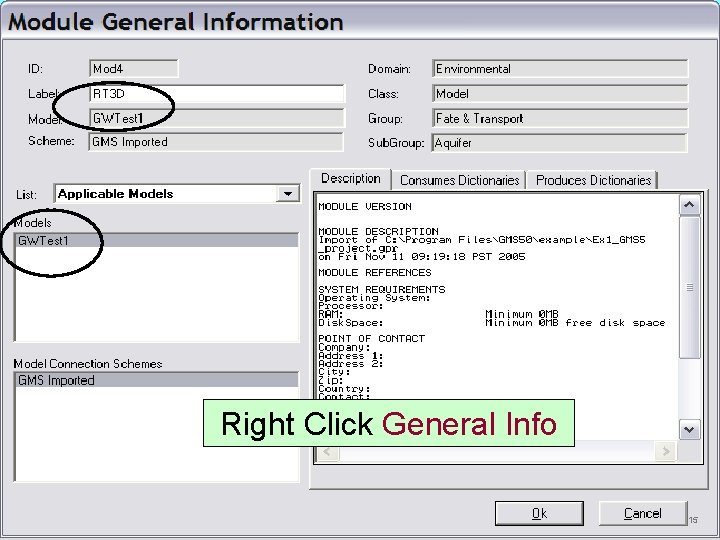
Documents How the Module will Communicate With the User when Chosen as the Aquifer Model in the CSM 1 2 1. Identify the Name of the Module in FRAMES-2, representing the RT 3 D calibrated, baseline simulation 2. Define RT 3 D Input Options 3. Identify the Chemical: JP-4 as surrogate to BTEX 4. Identify upstream RT 3 D boundary conditions to be changed 5. Identify the form of the Output and the RT 3 D location of output 3 4 5 11
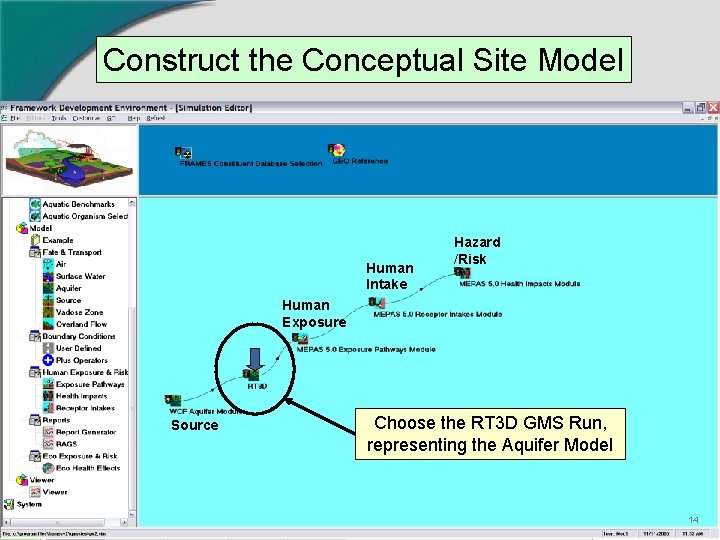
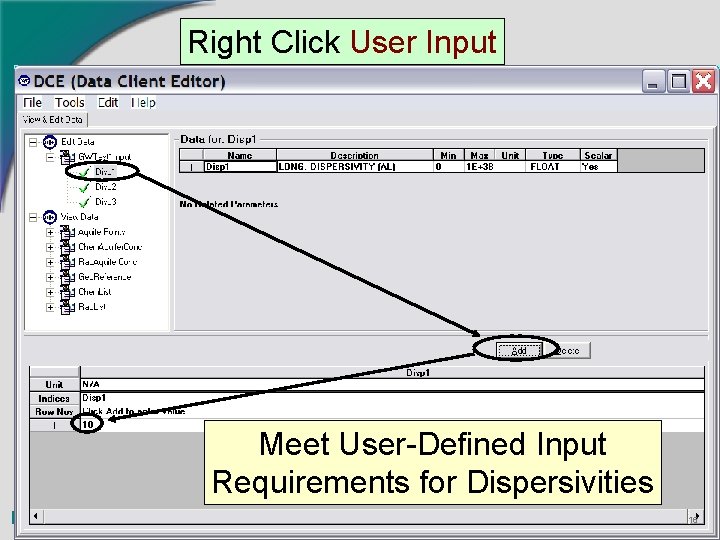
Simulation Editor 1. Construct the Conceptual Site Model (CSM) 2. Choose the GMS project file simulation, titled GWTest 1 3. Fill-in Input Requirements, related to Options from the Tools menu 12
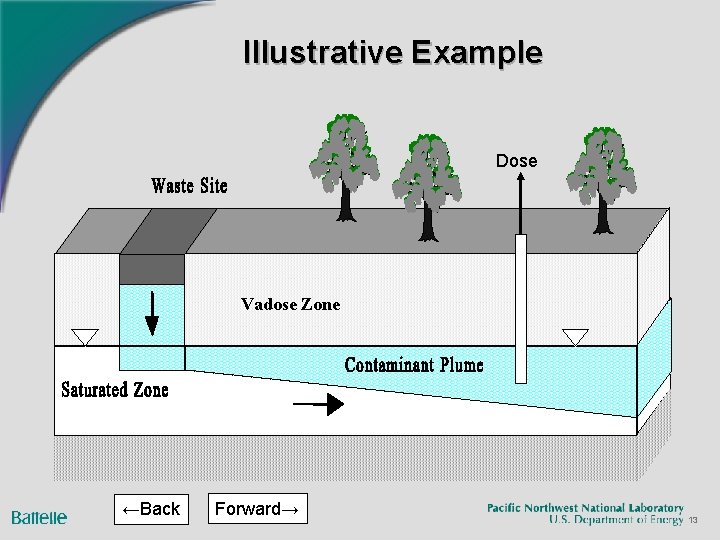
Illustrative Example Dose Vadose Zone ←Back Forward→ 13
Construct the Conceptual Site Model Human Intake Hazard /Risk Human Exposure Source Choose the RT 3 D GMS Run, representing the Aquifer Model 14
Right Click General Info 15
Right Click User Input Meet User-Defined Input Requirements for Dispersivities 16
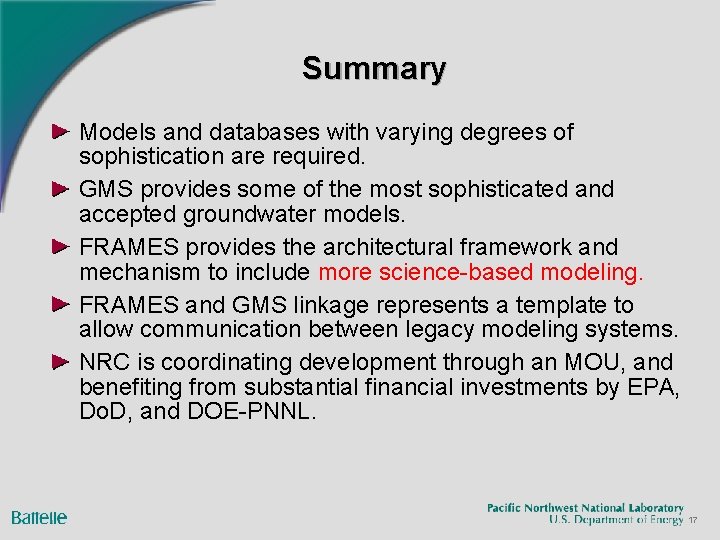
Summary Models and databases with varying degrees of sophistication are required. GMS provides some of the most sophisticated and accepted groundwater models. FRAMES provides the architectural framework and mechanism to include more science-based modeling. FRAMES and GMS linkage represents a template to allow communication between legacy modeling systems. NRC is coordinating development through an MOU, and benefiting from substantial financial investments by EPA, Do. D, and DOE-PNNL. 17