
GIT INRODUCTION Pavel Weber Steinbuch Centre for Computing
GIT INRODUCTION Pavel Weber Steinbuch Centre for Computing STEINBUCH CENTRE FOR COMPUTING - SCC KIT – University of the State of Baden-Wuerttemberg and National Research Center of the Helmholtz Association www. kit. edu
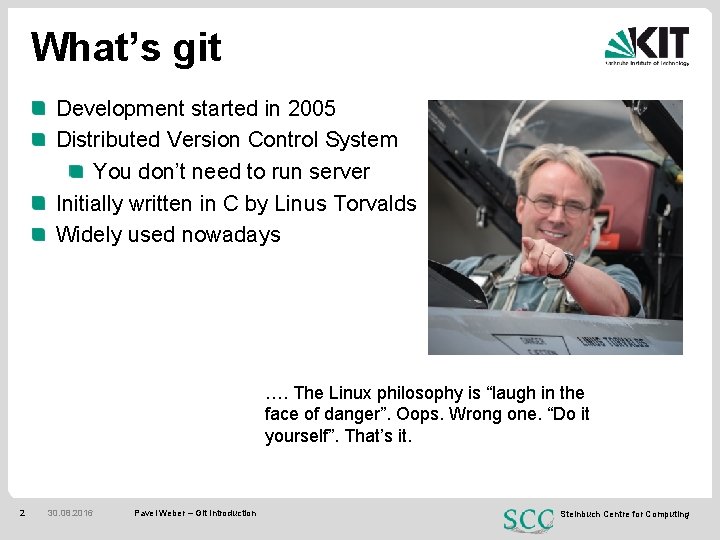
What’s git Development started in 2005 Distributed Version Control System You don’t need to run server Initially written in C by Linus Torvalds Widely used nowadays …. The Linux philosophy is “laugh in the face of danger”. Oops. Wrong one. “Do it yourself”. That’s it. 2 30. 08. 2016 Pavel Weber – Git Introduction Steinbuch Centre for Computing
What’s git for? Primarily for source code management Track changes Check the project history Compare versions Create branches and workflows Retrieve old versions Local version controlling No central repository needed Don’t need to wait for network presence to do a commit. Each developer has the full repo of the project 3 30. 08. 2016 Pavel Weber – Git Introduction Steinbuch Centre for Computing
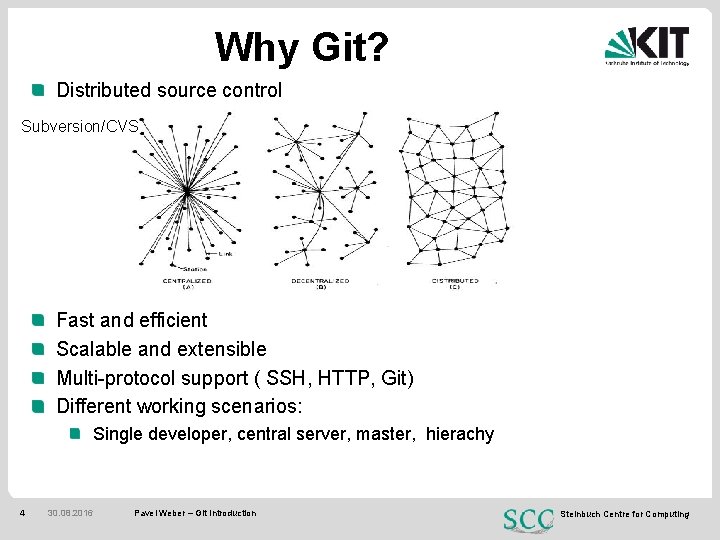
Why Git? Distributed source control Subversion/CVS Fast and efficient Scalable and extensible Multi-protocol support ( SSH, HTTP, Git) Different working scenarios: Single developer, central server, master, hierachy 4 30. 08. 2016 Pavel Weber – Git Introduction Steinbuch Centre for Computing
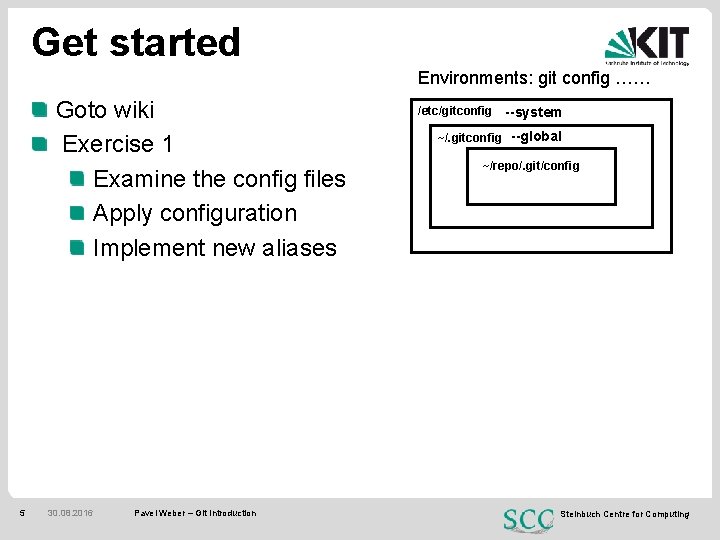
Get started Environments: git config …… Goto wiki Exercise 1 Examine the config files Apply configuration Implement new aliases 5 30. 08. 2016 Pavel Weber – Git Introduction /etc/gitconfig --system ~/. gitconfig --global ~/repo/. git/config /etc/gitconfig 1 Steinbuch Centre for Computing
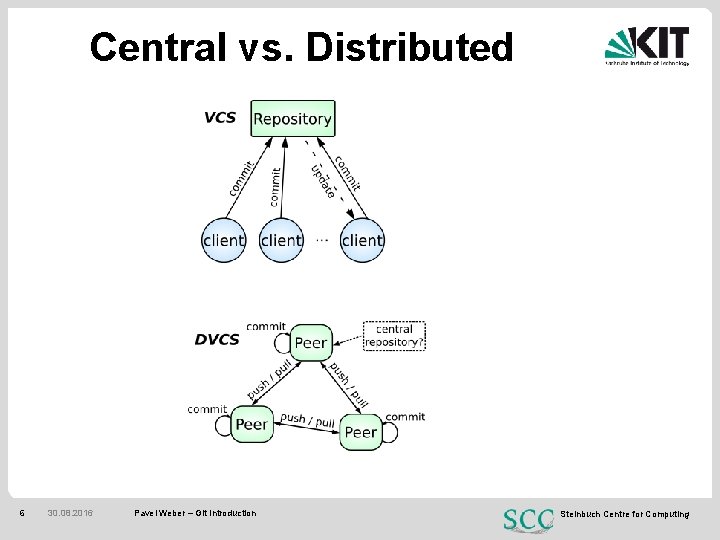
Central vs. Distributed 6 30. 08. 2016 Pavel Weber – Git Introduction Steinbuch Centre for Computing
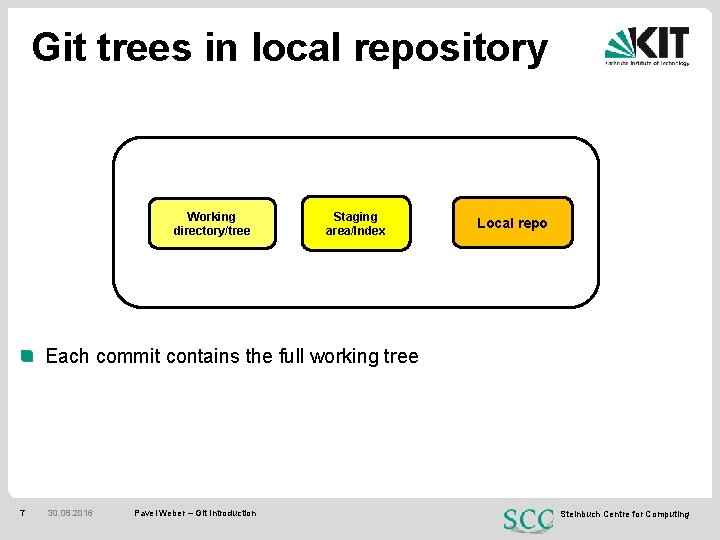
Git trees in local repository Working directory/tree Staging area/Index Local repo Each commit contains the full working tree 7 30. 08. 2016 Pavel Weber – Git Introduction Steinbuch Centre for Computing
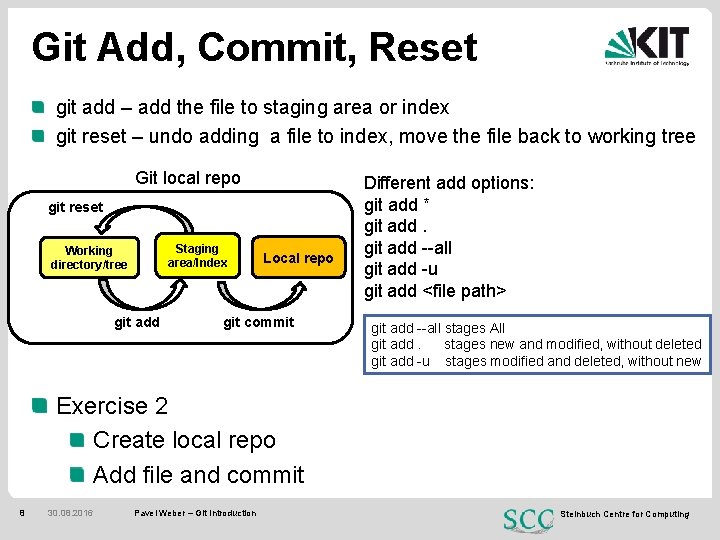
Git Add, Commit, Reset git add – add the file to staging area or index git reset – undo adding a file to index, move the file back to working tree Git local repo git reset Staging area/Index Working directory/tree g git add Local repo git commit Different add options: git add * git add --all git add -u git add <file path> git add --all stages All git add. stages new and modified, without deleted git add -u stages modified and deleted, without new Exercise 2 Create local repo Add file and commit 8 30. 08. 2016 Pavel Weber – Git Introduction Steinbuch Centre for Computing
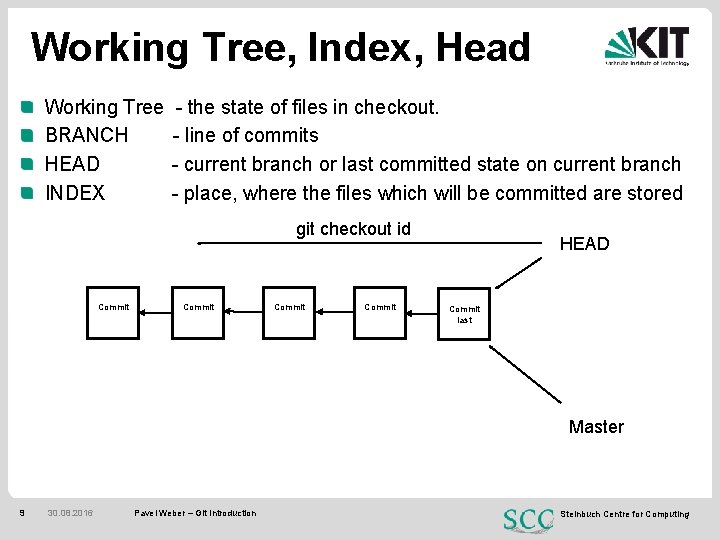
Working Tree, Index, Head Working Tree BRANCH HEAD INDEX - the state of files in checkout. - line of commits - current branch or last committed state on current branch - place, where the files which will be committed are stored git checkout id Commit HEAD Commit last Master 9 30. 08. 2016 Pavel Weber – Git Introduction Steinbuch Centre for Computing
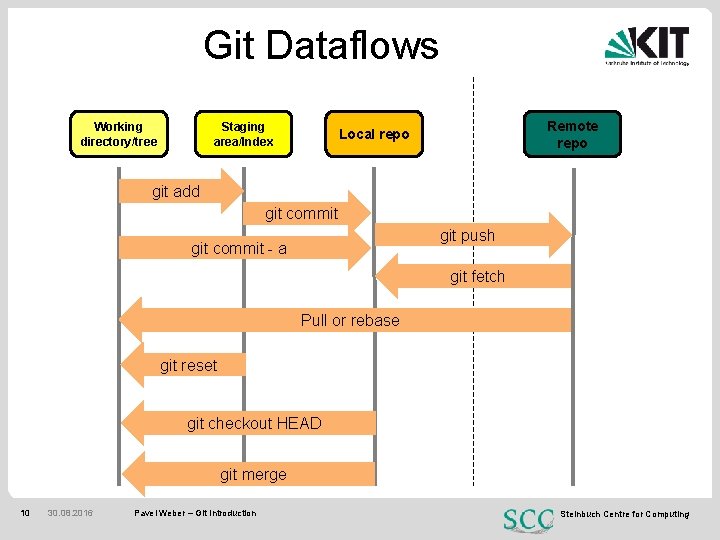
Git Dataflows Working directory/tree Staging area/Index Remote repo Local repo git add git commit git push git commit - a git fetch Pull or rebase git reset git checkout HEAD git merge 10 30. 08. 2016 Pavel Weber – Git Introduction Steinbuch Centre for Computing
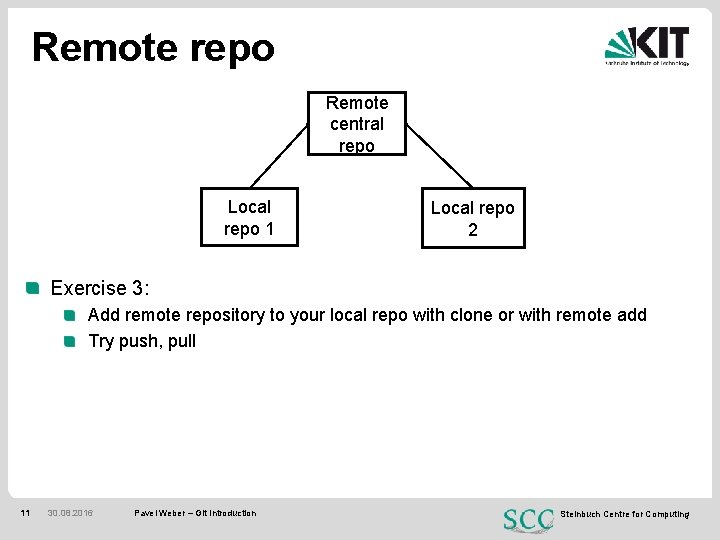
Remote repo Remote central repo Local repo 1 Local repo 2 Exercise 3: Add remote repository to your local repo with clone or with remote add Try push, pull 11 30. 08. 2016 Pavel Weber – Git Introduction Steinbuch Centre for Computing
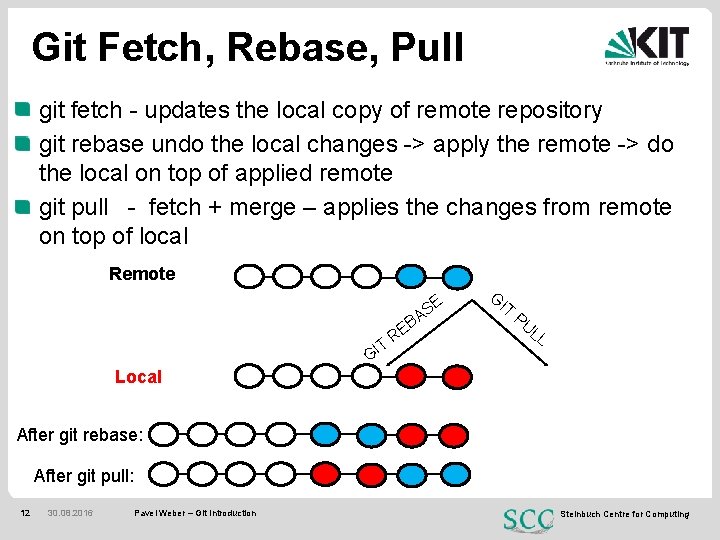
Git Fetch, Rebase, Pull git fetch - updates the local copy of remote repository git rebase undo the local changes -> apply the remote -> do the local on top of applied remote git pull - fetch + merge – applies the changes from remote on top of local Remote E AS T GI B RE G IT PU LL Local After git rebase: After git pull: 12 30. 08. 2016 Pavel Weber – Git Introduction Steinbuch Centre for Computing
Branches What is branch Why we need branches? How to make a branch How to switch between branches Pushing to branch Merging back to master Deleting a branch locally Deleting a branch remotely 13 30. 08. 2016 Pavel Weber – Git Introduction Steinbuch Centre for Computing
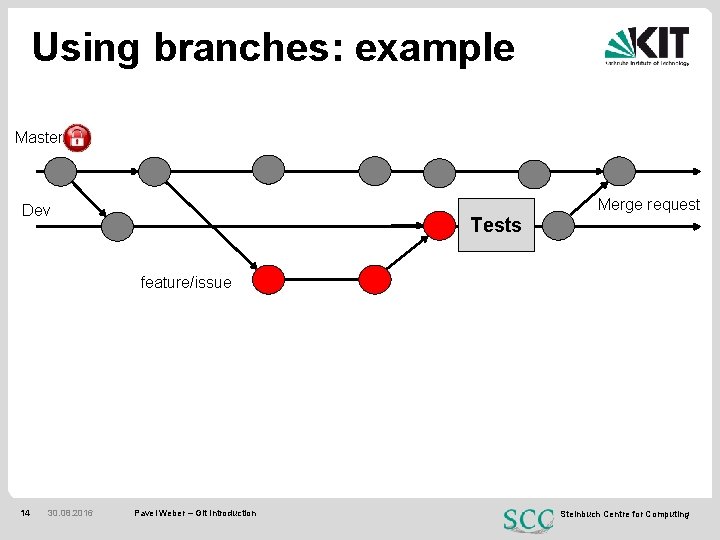
Using branches: example Master Merge request Dev Tests feature/issue 14 30. 08. 2016 Pavel Weber – Git Introduction Steinbuch Centre for Computing
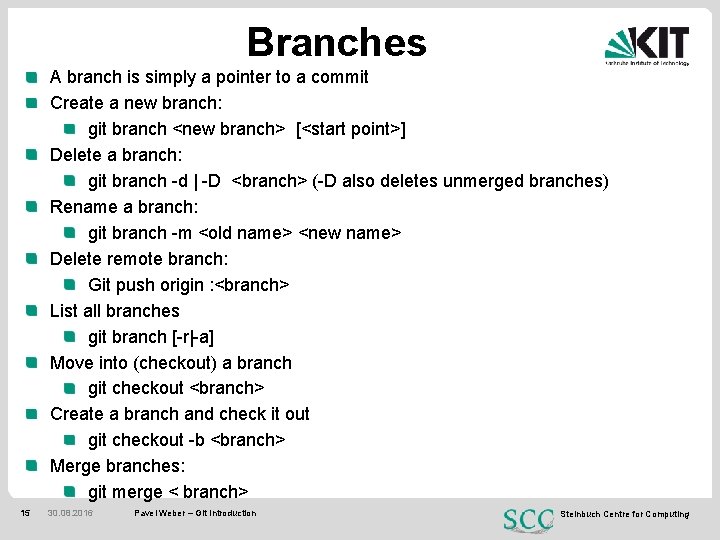
Branches A branch is simply a pointer to a commit Create a new branch: git branch <new branch> [<start point>] Delete a branch: git branch -d | -D <branch> (-D also deletes unmerged branches) Rename a branch: git branch -m <old name> <new name> Delete remote branch: Git push origin : <branch> List all branches git branch [-r|-a] Move into (checkout) a branch git checkout <branch> Create a branch and check it out git checkout -b <branch> Merge branches: git merge < branch> 15 30. 08. 2016 Pavel Weber – Git Introduction Steinbuch Centre for Computing

16 30. 08. 2016 Pavel Weber – Git Introduction Steinbuch Centre for Computing
- Slides: 16