
Git Hub Essentials of Web Design CSCI 1210
Git. Hub Essentials of Web Design CSCI 1210
Code Repositories
Code Repositories In revision control systems, a repository is a data structure which stores a set of files and directories structure The whole set of information in the repository may be duplicated on every user's system (or may be maintained on a single server) Since a project can involve a lot of people, often in different locations, repositories (repos) provide a way to work asynchronously (at different times) on the various parts of the project Helps prevent one team member’s changes from overwriting another’s and/or breaking the working copy
Code Repositories Some of the metadata that a repository contains includes, among other things: A historical record of changes in the repository A set of commit objects A set of references to commit objects, called heads
Code Repositories Repos can be architected in several ways Probably the most popular is a central repository, from which team members can download the entire code base to their local machine, work on it, and upload their changes Any conflicts that occur (and conflicts DO occur!) can more easily be resolved by comparing changes – or concurrent changes – to earlier versions of the code
Code Repositories Versioning is the KEY Projects are usually developed incrementally Create a basic working version Add to repo Develop features and updates Add, test
Code Repositories Versioning is the KEY If a change breaks something, versioning allows developers to ‘roll back’ to the last working version Then Figure out what went wrong
Code Repositories We will be using Git. Hub for our semester projects There are several steps (following) that have to be completed The responsibility for creating and maintaining the repo is the Team Leader’s Each team member will create a (free) Git. Hub account, if you don’t already have one The Team Lead will create the repo and ensure that all team members can contribute
Git. Hub Create a (free) Git. Hub Account
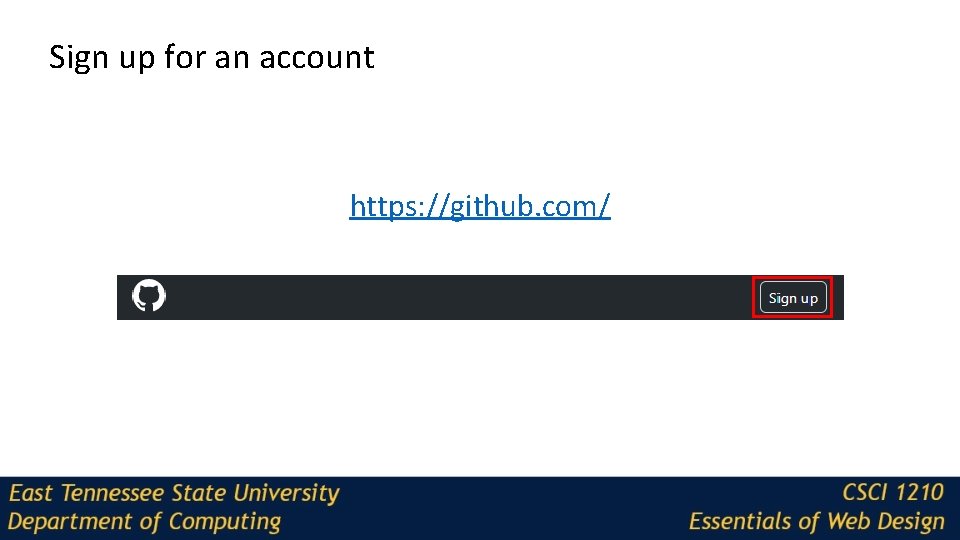
Sign up for an account https: //github. com/
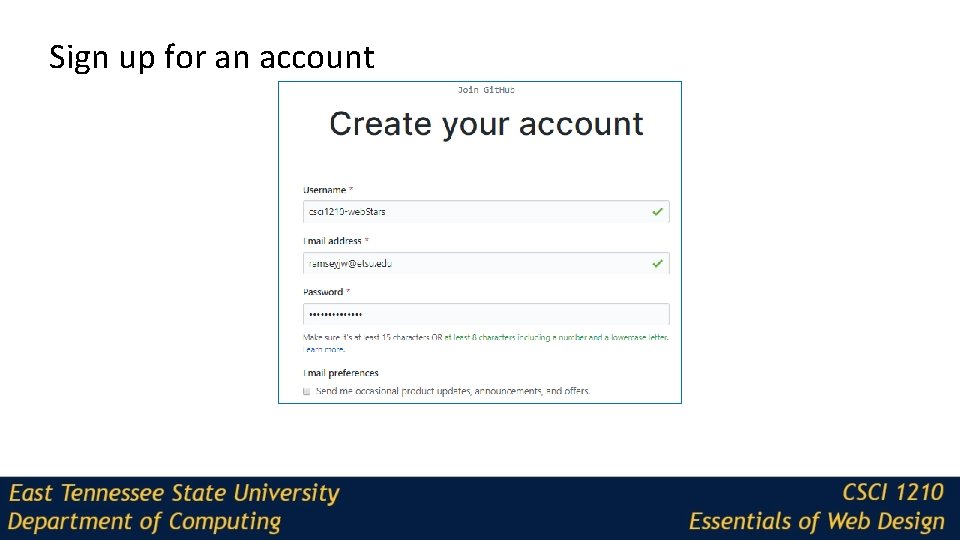
Sign up for an account
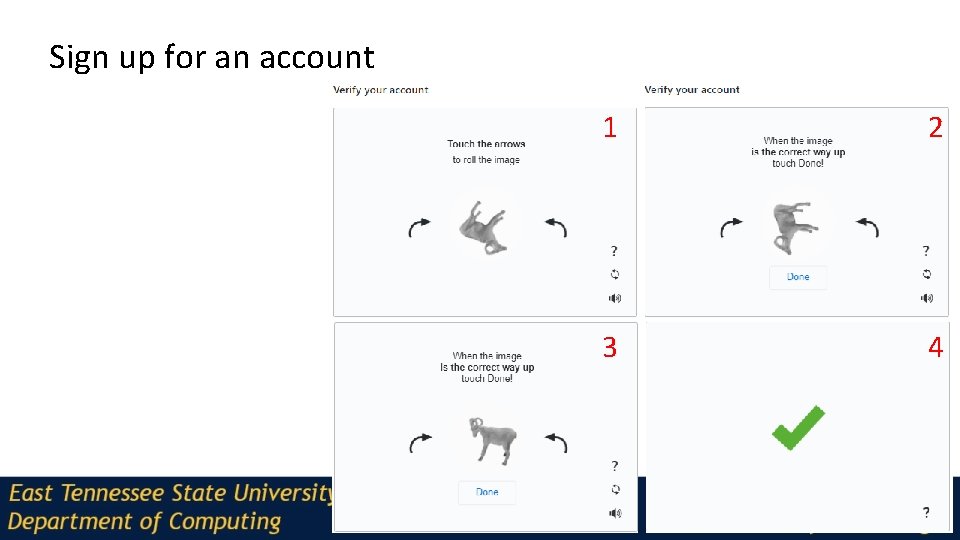
Sign up for an account 1 2 3 4
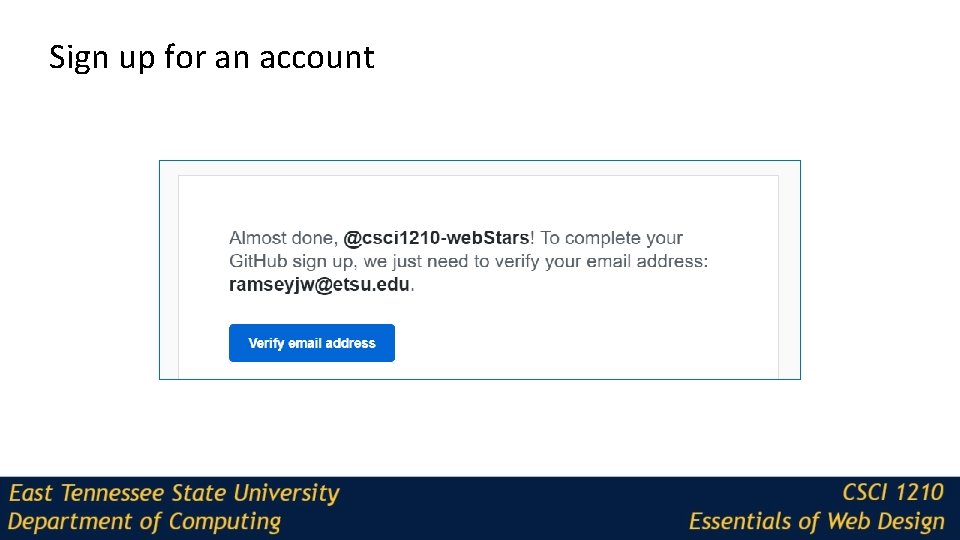
Sign up for an account
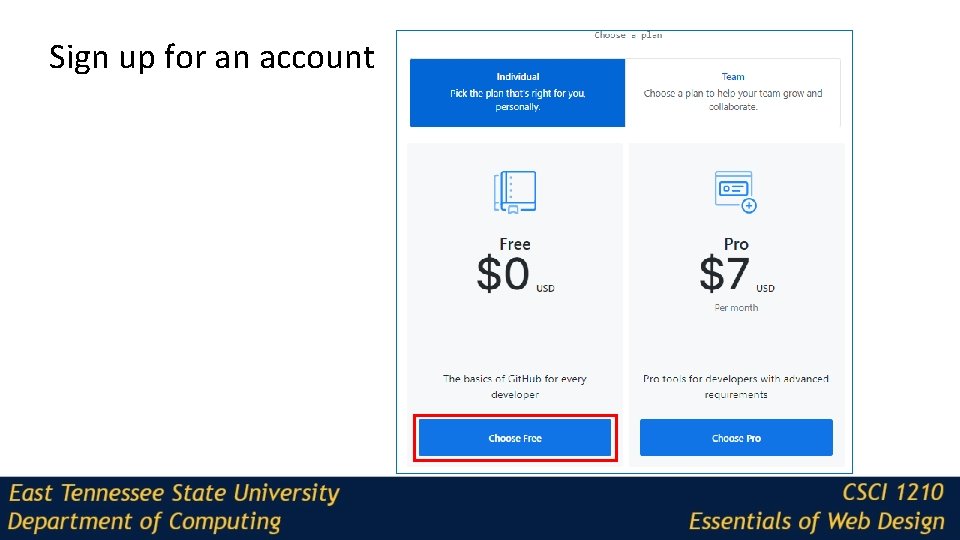
Sign up for an account
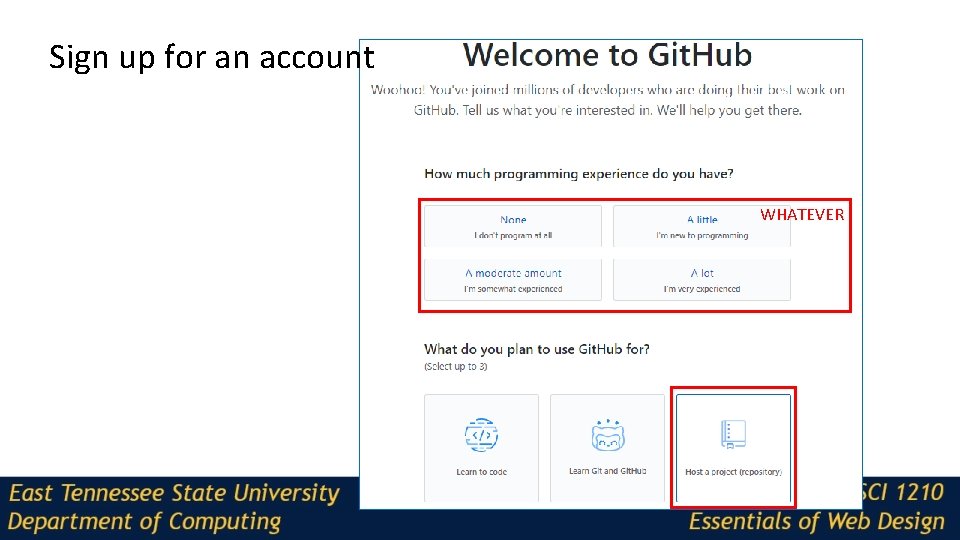
Sign up for an account WHATEVER
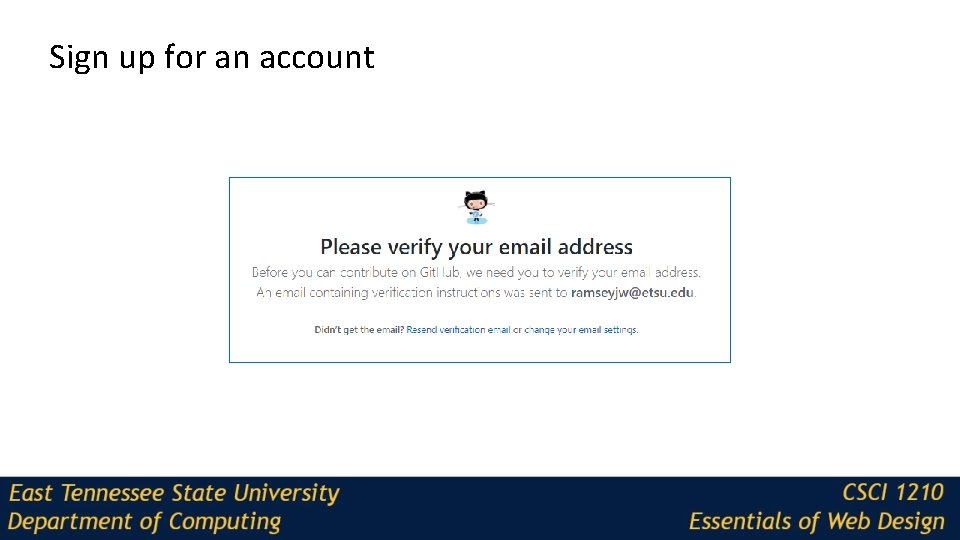
Sign up for an account
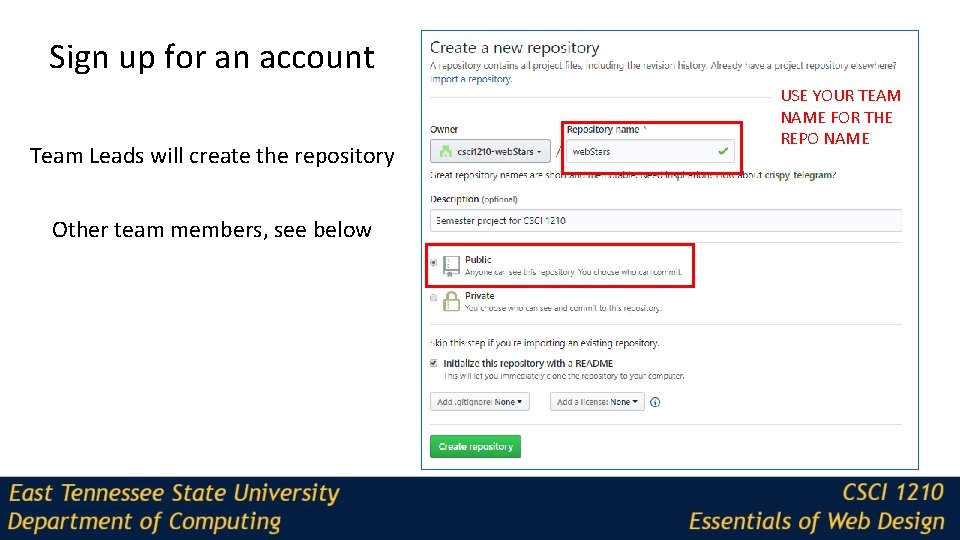
Sign up for an account Team Leads will create the repository Other team members, see below USE YOUR TEAM NAME FOR THE REPO NAME
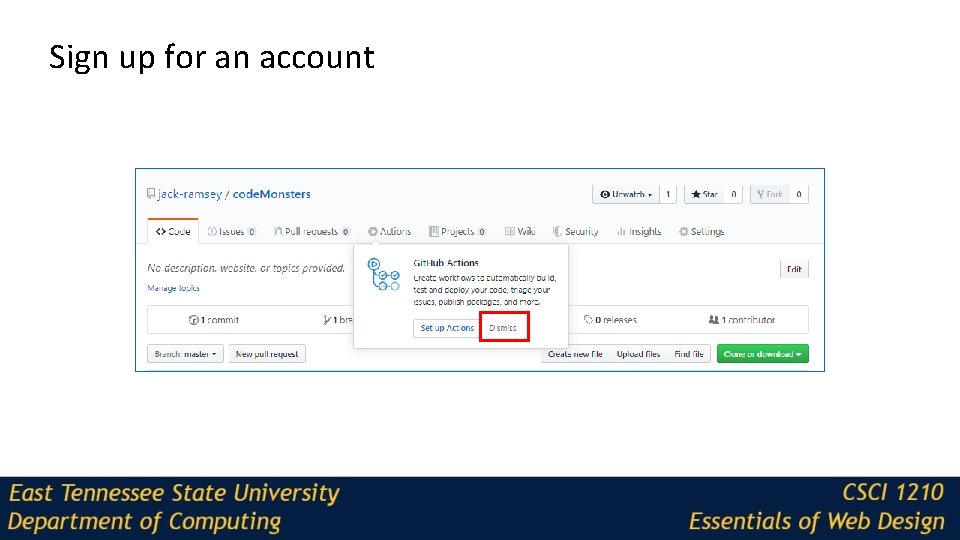
Sign up for an account
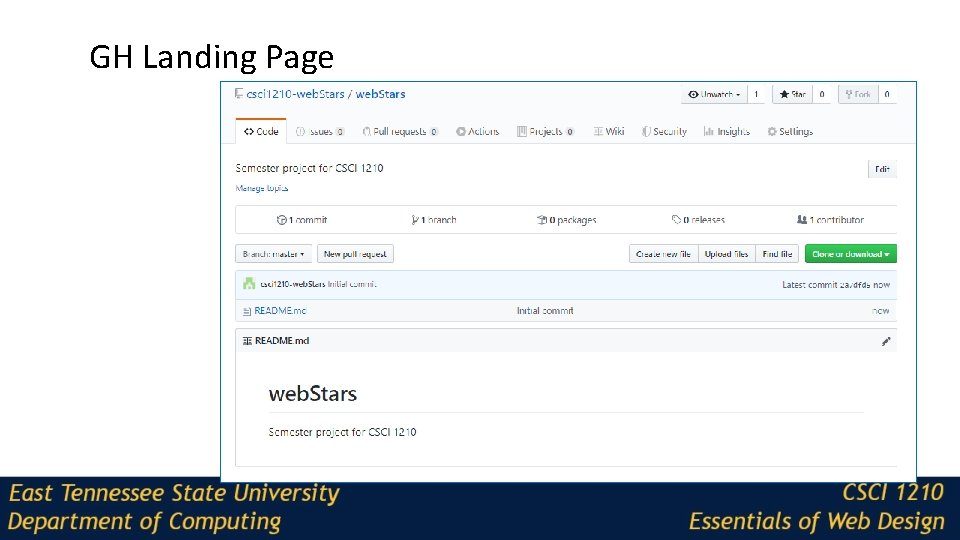
GH Landing Page
Git. Hub can be complex, but there is a desktop application that makes things pretty easy Git. Hub Desktop https: //desktop. github. com/
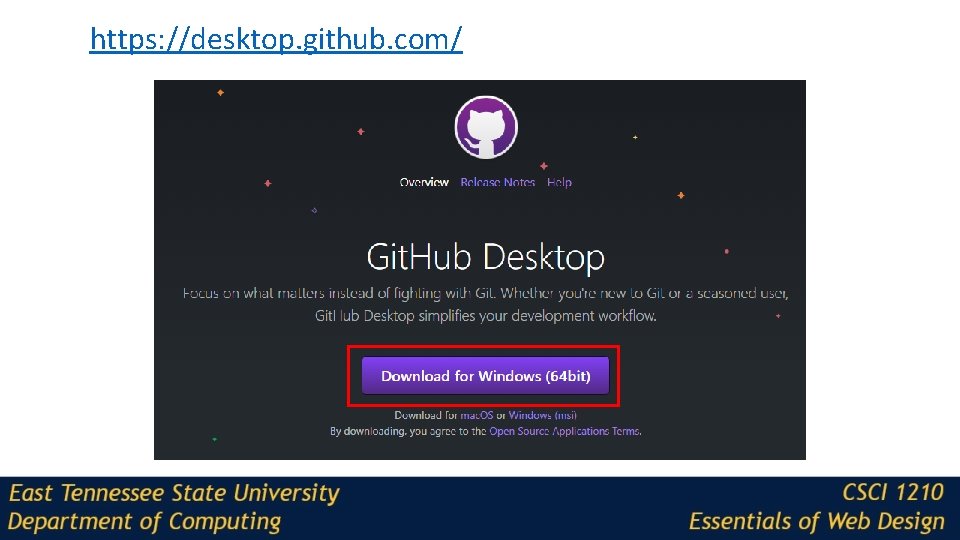
https: //desktop. github. com/
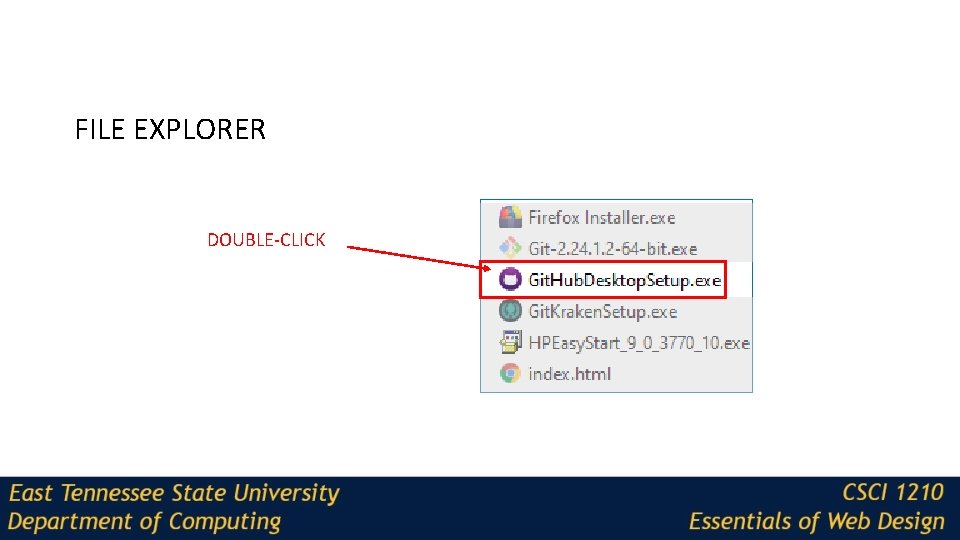
FILE EXPLORER DOUBLE-CLICK
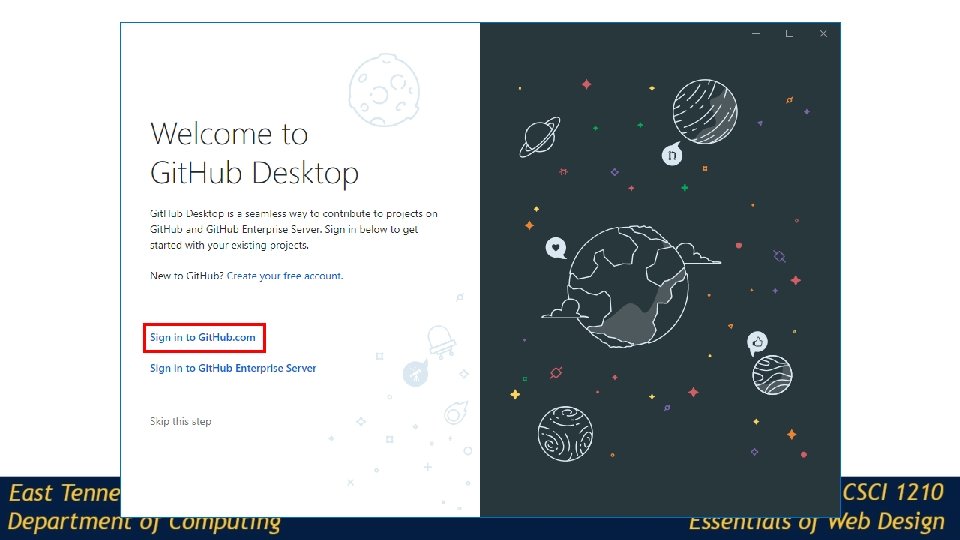
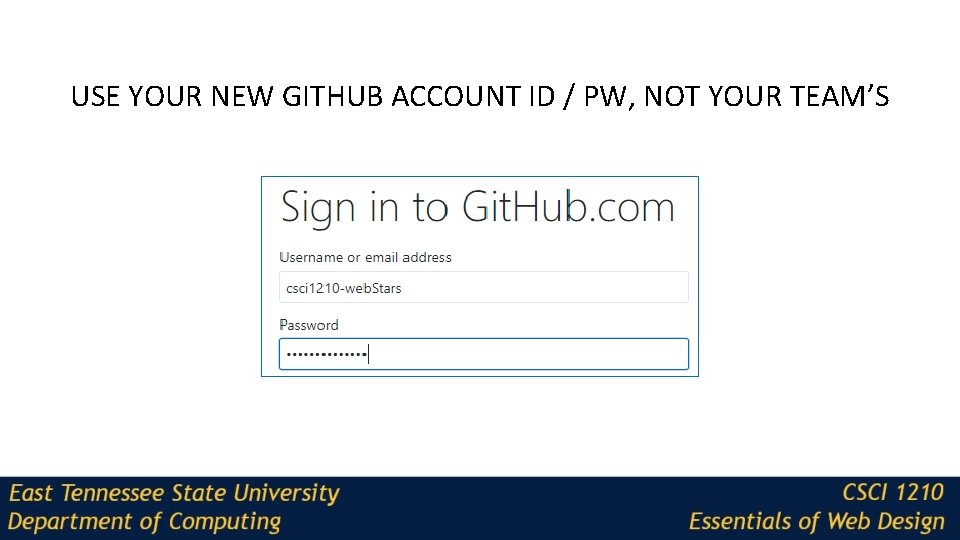
USE YOUR NEW GITHUB ACCOUNT ID / PW, NOT YOUR TEAM’S
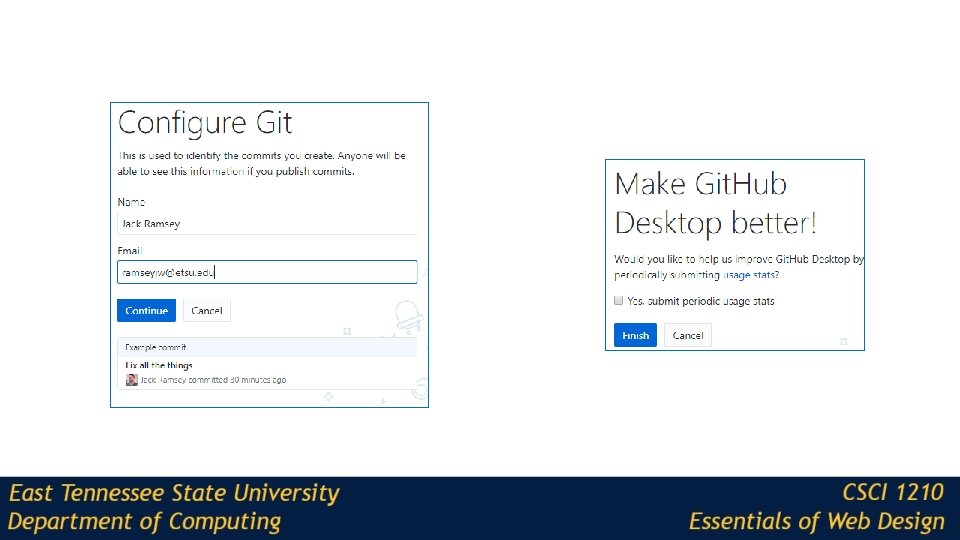
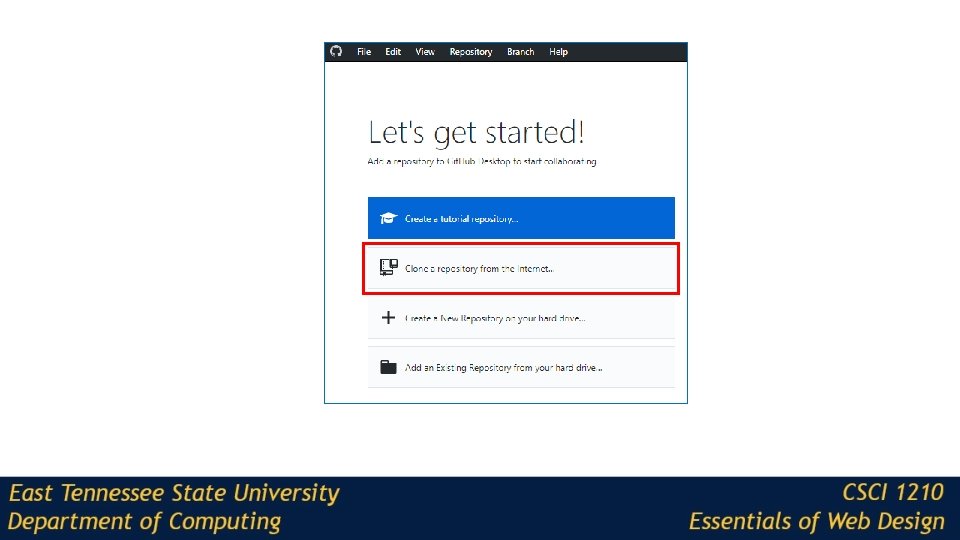
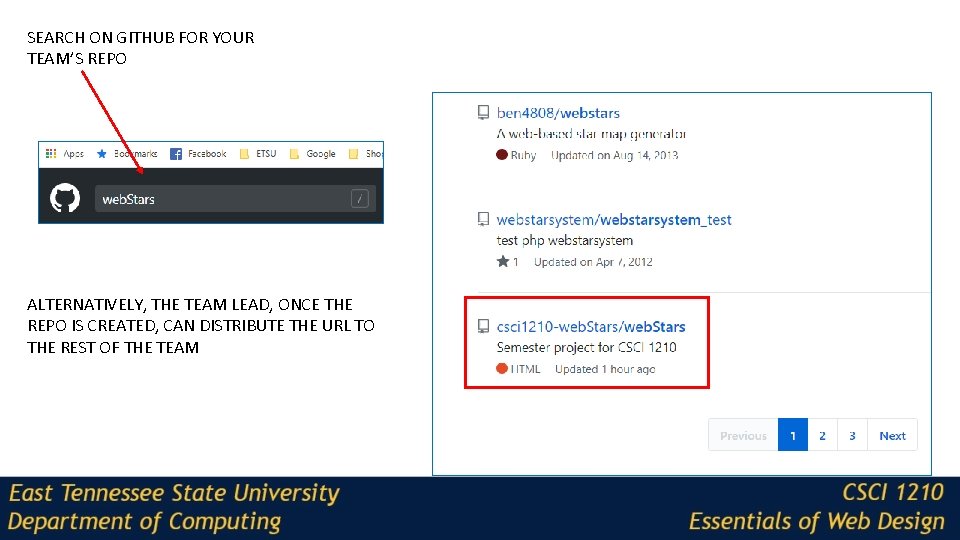
SEARCH ON GITHUB FOR YOUR TEAM’S REPO ALTERNATIVELY, THE TEAM LEAD, ONCE THE REPO IS CREATED, CAN DISTRIBUTE THE URL TO THE REST OF THE TEAM
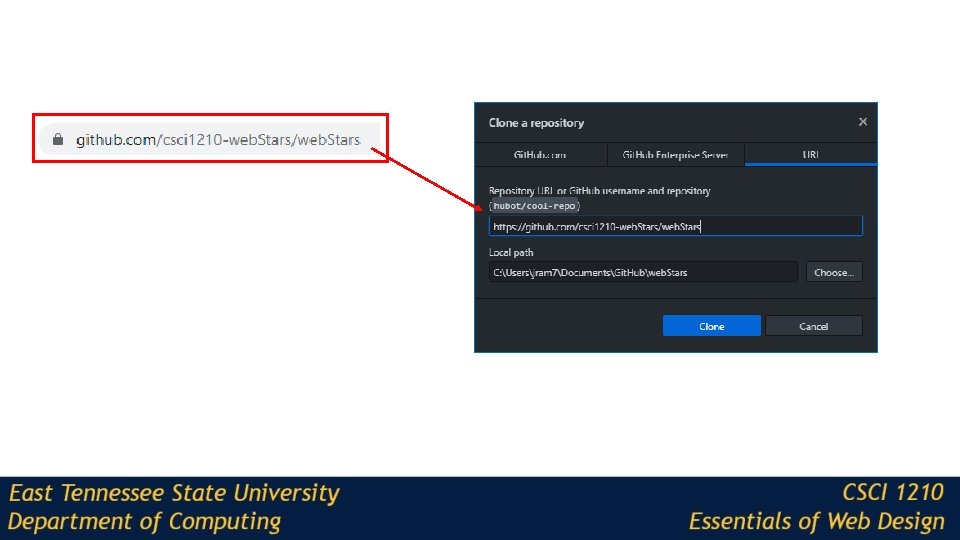
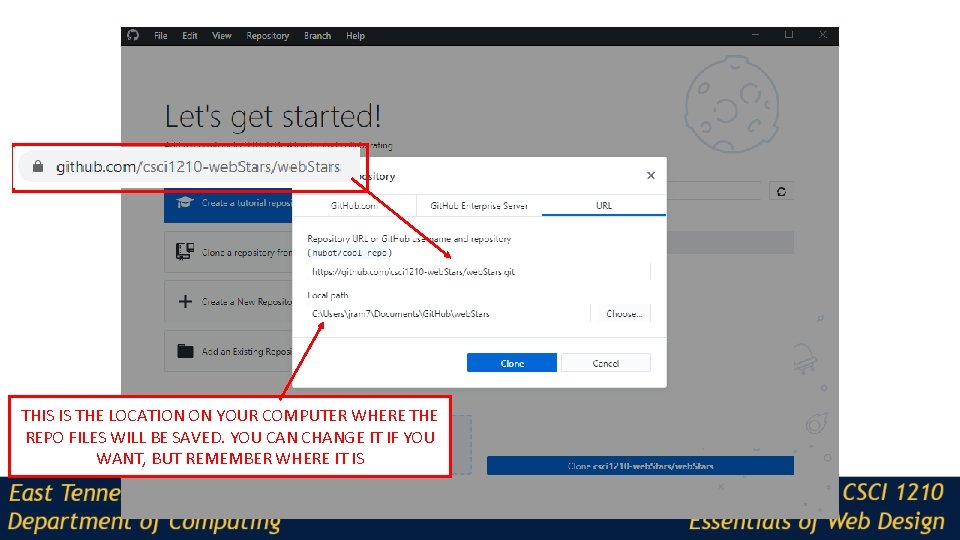
THIS IS THE LOCATION ON YOUR COMPUTER WHERE THE REPO FILES WILL BE SAVED. YOU CAN CHANGE IT IF YOU WANT, BUT REMEMBER WHERE IT IS
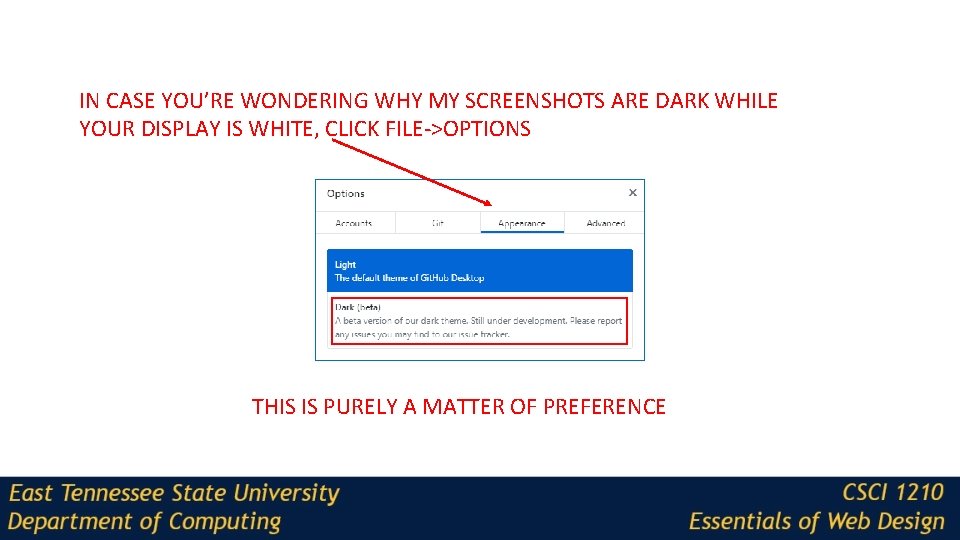
IN CASE YOU’RE WONDERING WHY MY SCREENSHOTS ARE DARK WHILE YOUR DISPLAY IS WHITE, CLICK FILE->OPTIONS THIS IS PURELY A MATTER OF PREFERENCE
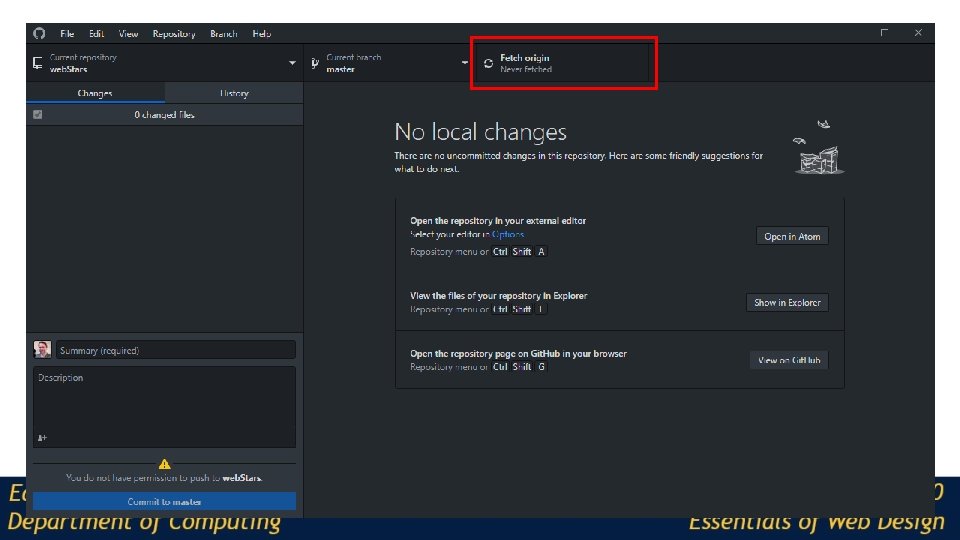
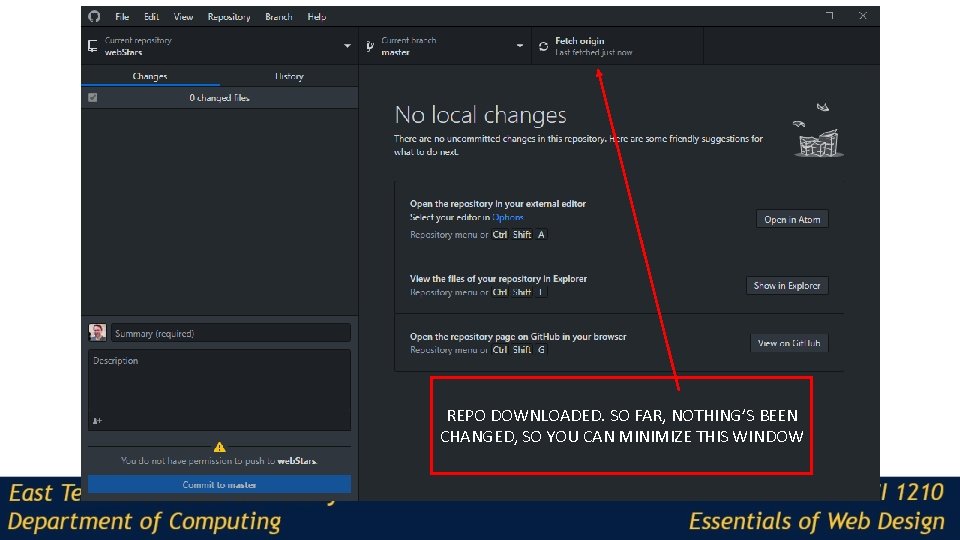
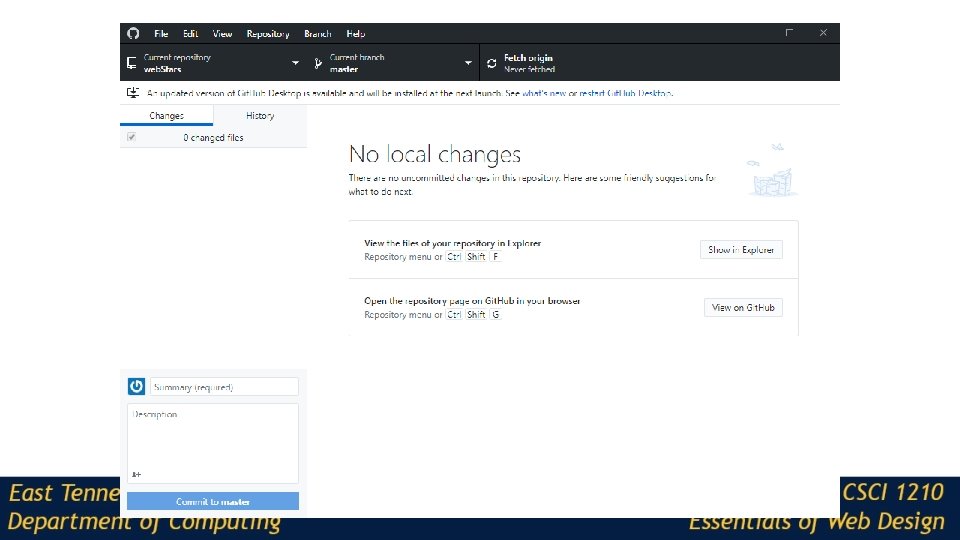
REPO DOWNLOADED. SO FAR, NOTHING’S BEEN CHANGED, SO YOU CAN MINIMIZE THIS WINDOW
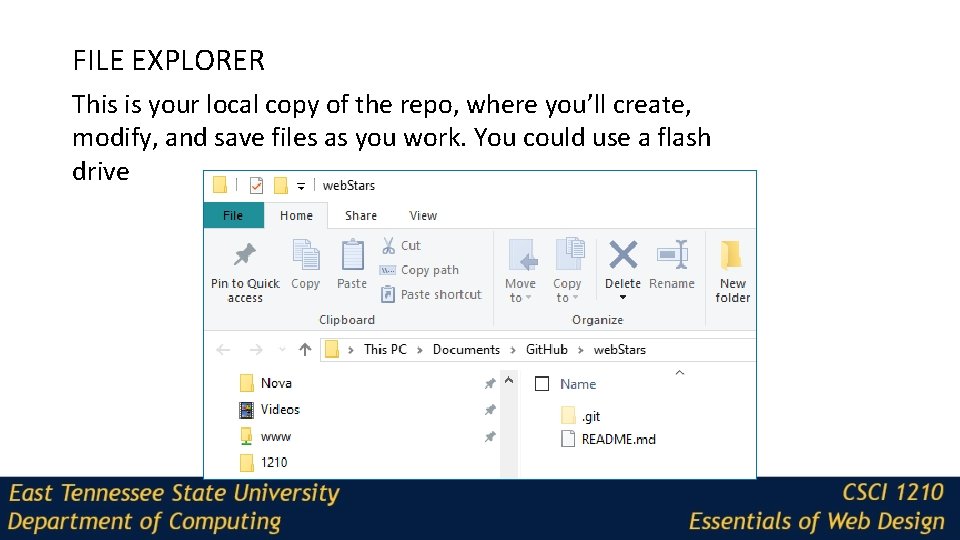
FILE EXPLORER This is your local copy of the repo, where you’ll create, modify, and save files as you work. You could use a flash drive
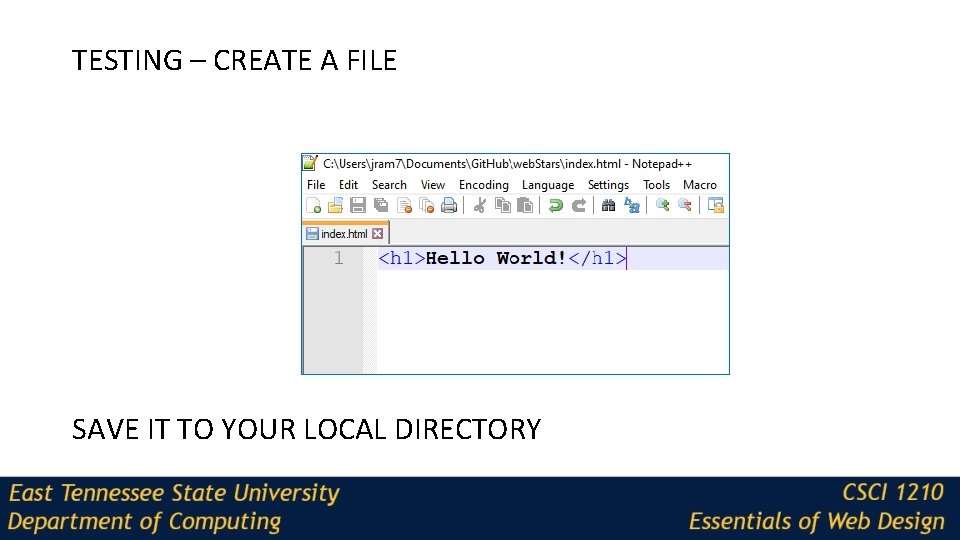
TESTING – CREATE A FILE SAVE IT TO YOUR LOCAL DIRECTORY
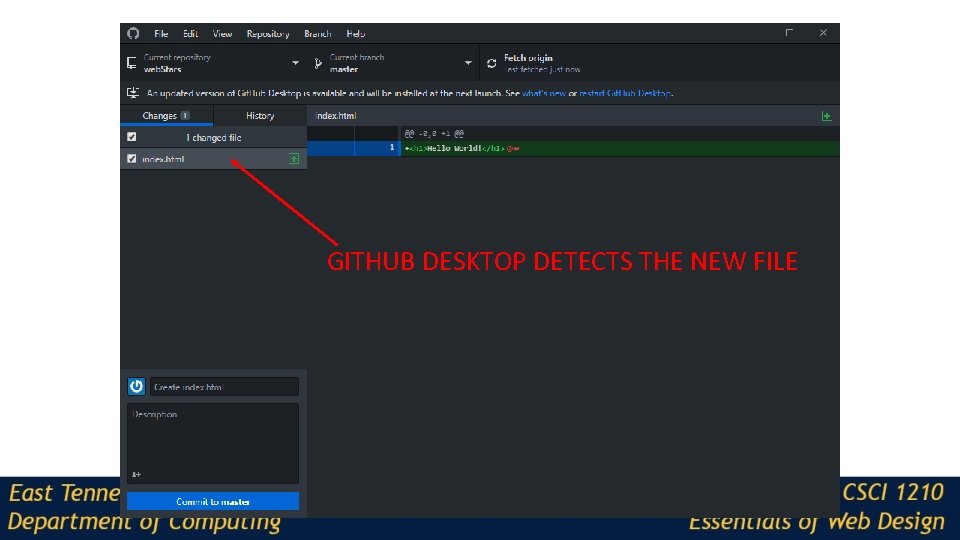
GITHUB DESKTOP DETECTS THE NEW FILE
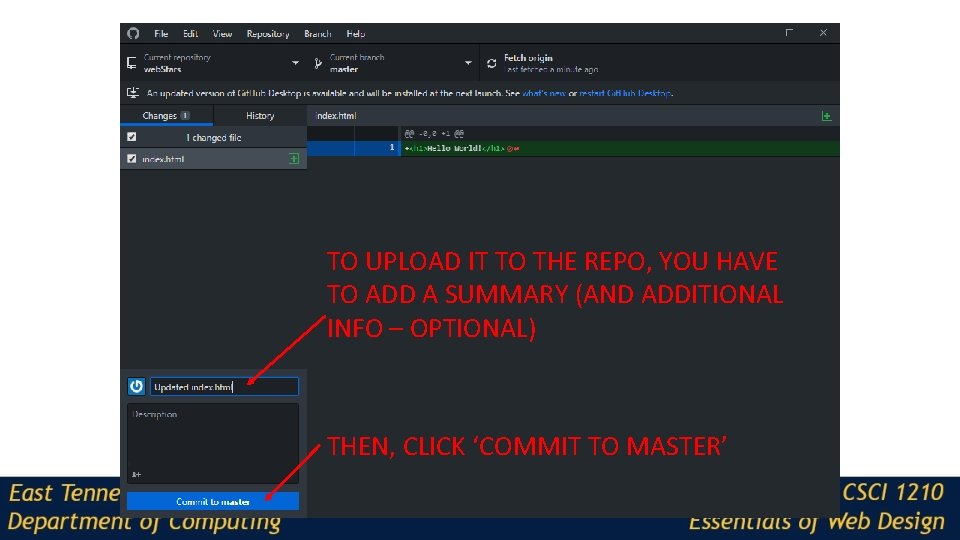
TO UPLOAD IT TO THE REPO, YOU HAVE TO ADD A SUMMARY (AND ADDITIONAL INFO – OPTIONAL) THEN, CLICK ‘COMMIT TO MASTER’
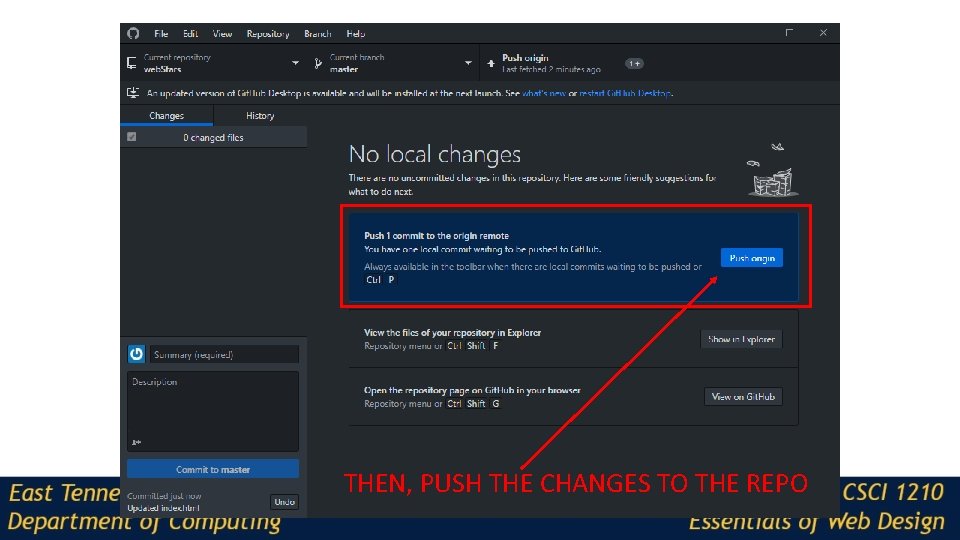
THEN, PUSH THE CHANGES TO THE REPO
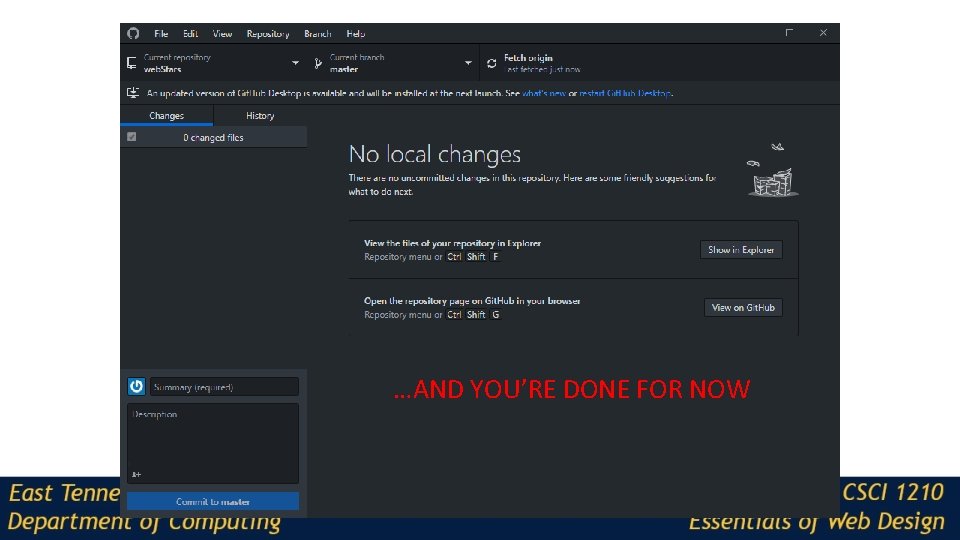
…AND YOU’RE DONE FOR NOW
When you go back to do more work… Someone else on your team may have made changes and/or additions and uploaded them to the repo So, first thing you have to do is pull a new copy of the repo to your computer
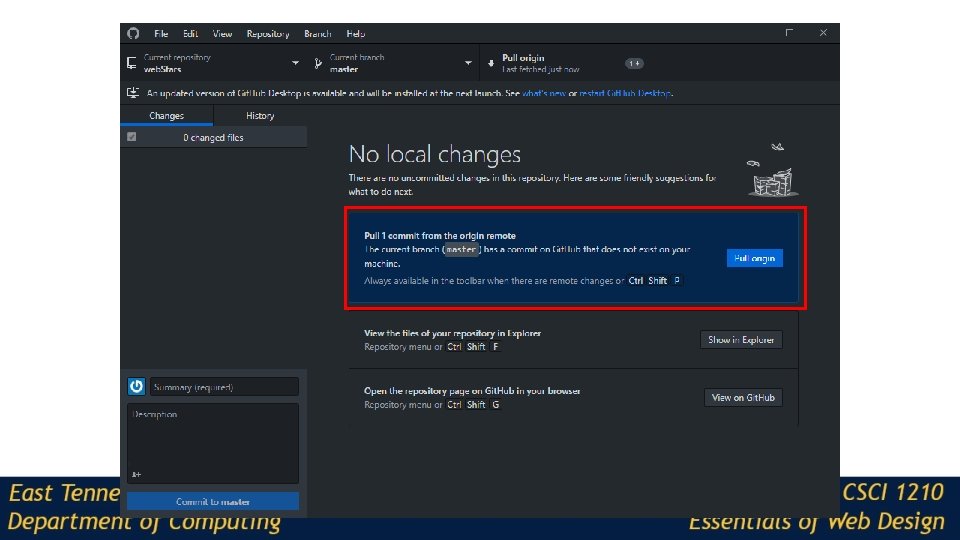
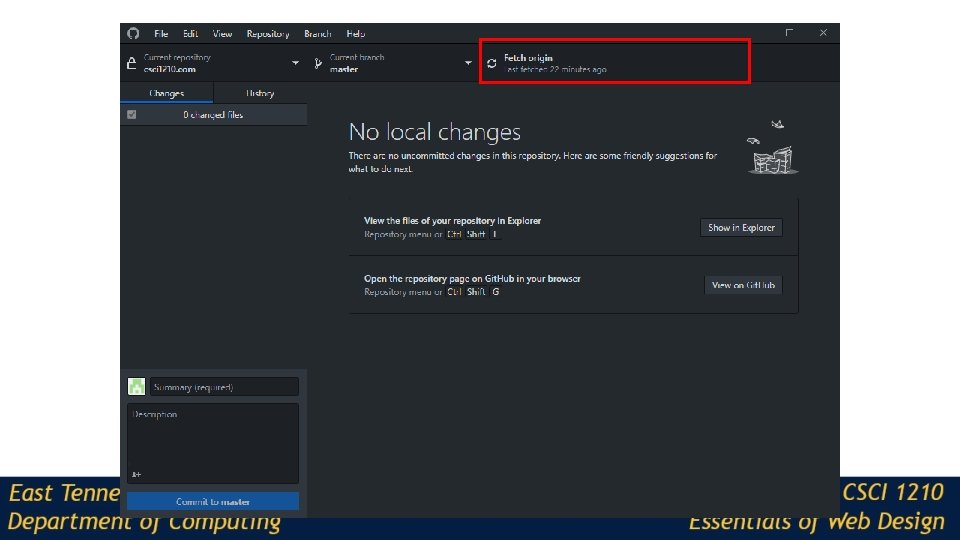
When you go back to do more work… If you don’t see the ‘pull prompt, ’ pull anyway:
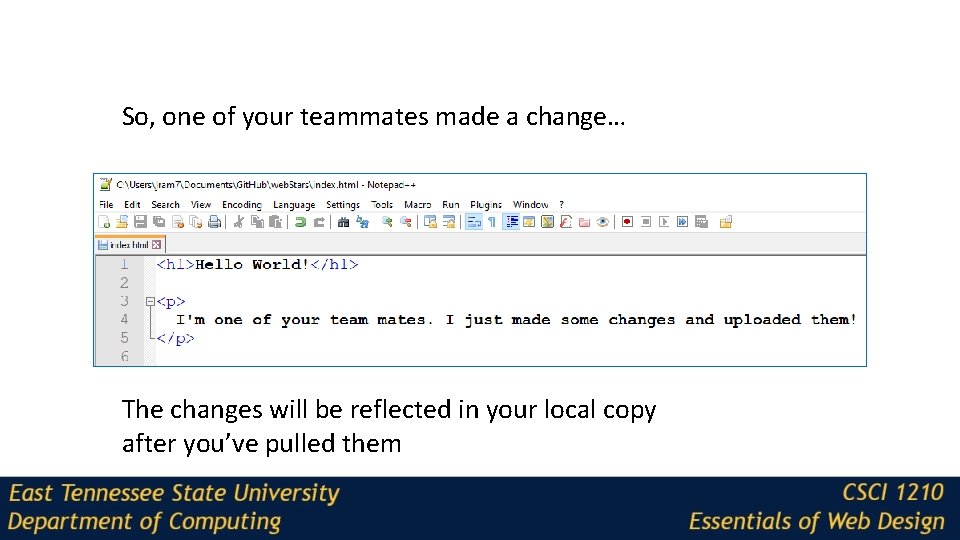
So, one of your teammates made a change… The changes will be reflected in your local copy after you’ve pulled them
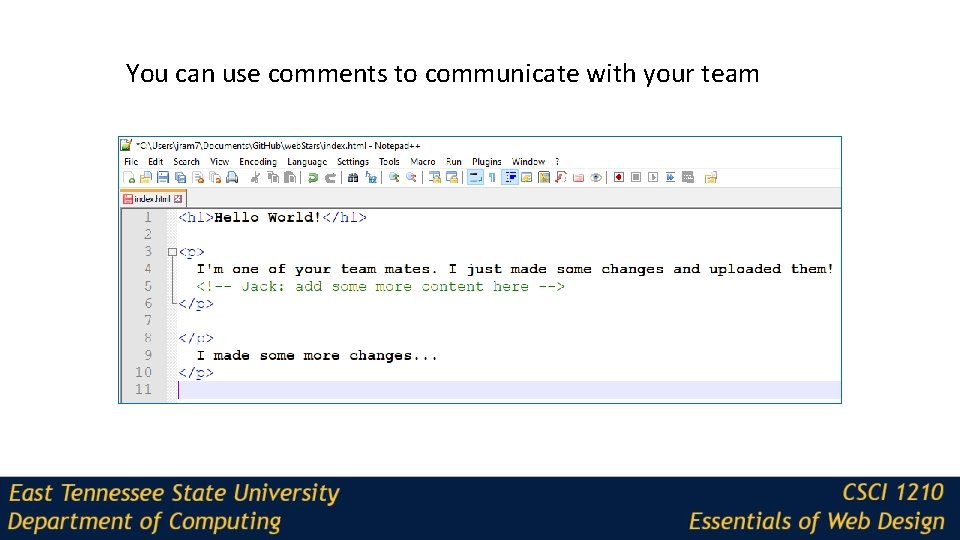
You can use comments to communicate with your team
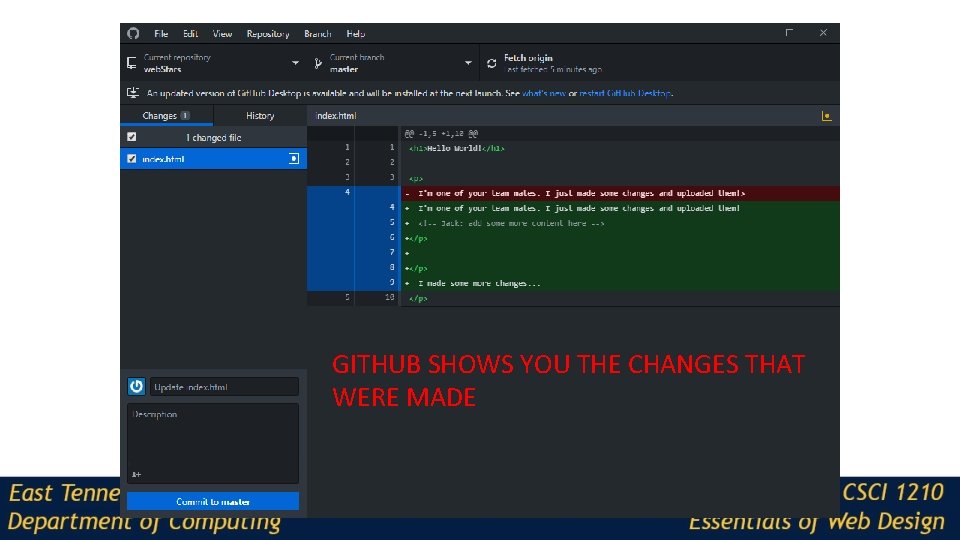
GITHUB SHOWS YOU THE CHANGES THAT WERE MADE
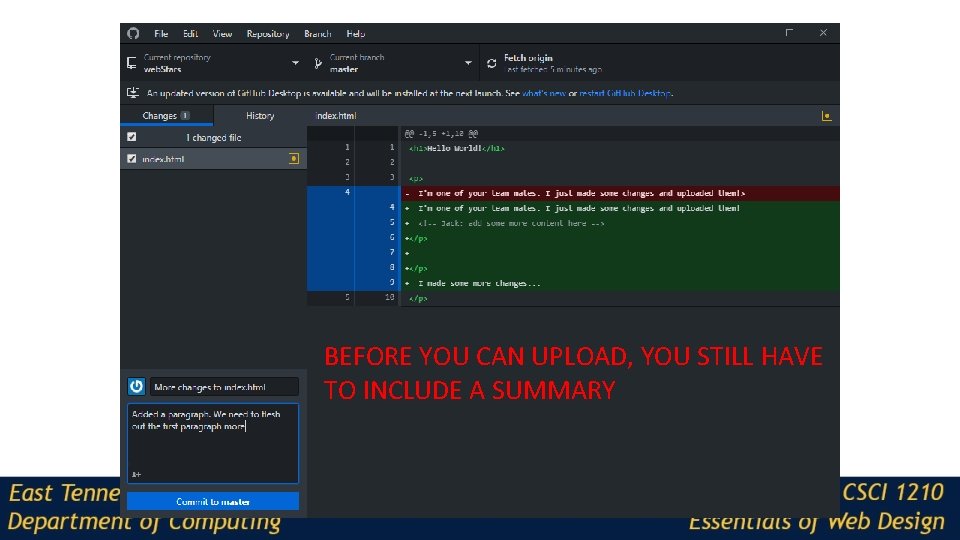
BEFORE YOU CAN UPLOAD, YOU STILL HAVE TO INCLUDE A SUMMARY
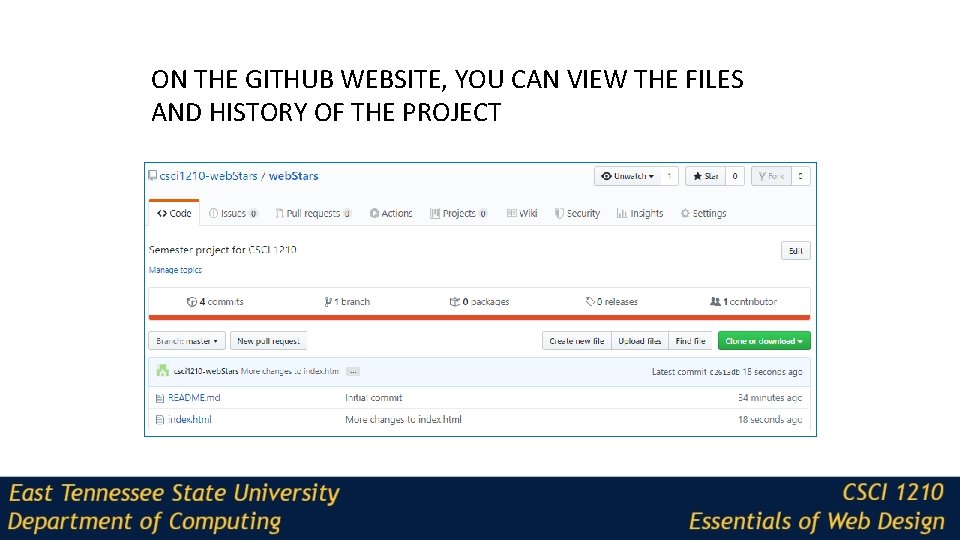
ON THE GITHUB WEBSITE, YOU CAN VIEW THE FILES AND HISTORY OF THE PROJECT
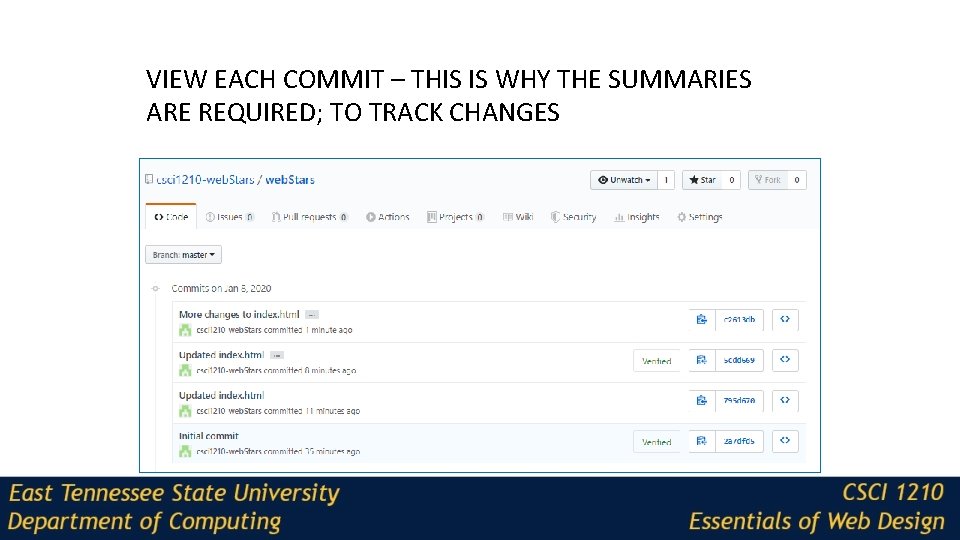
VIEW EACH COMMIT – THIS IS WHY THE SUMMARIES ARE REQUIRED; TO TRACK CHANGES
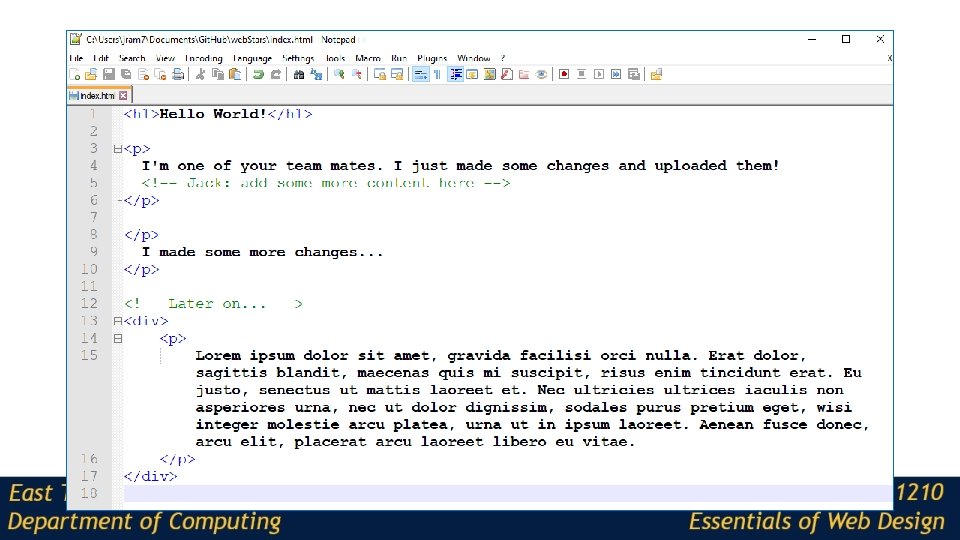
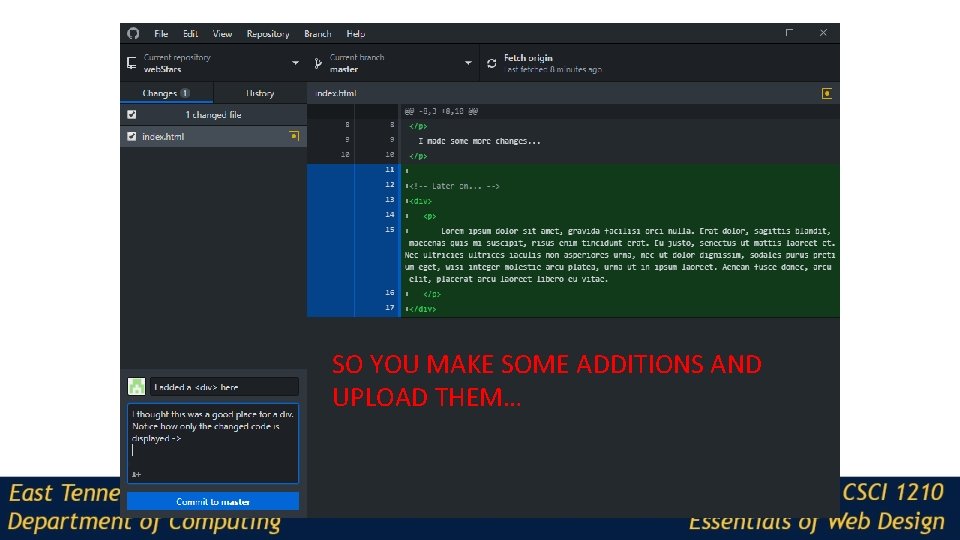
SO YOU MAKE SOME ADDITIONS AND UPLOAD THEM…
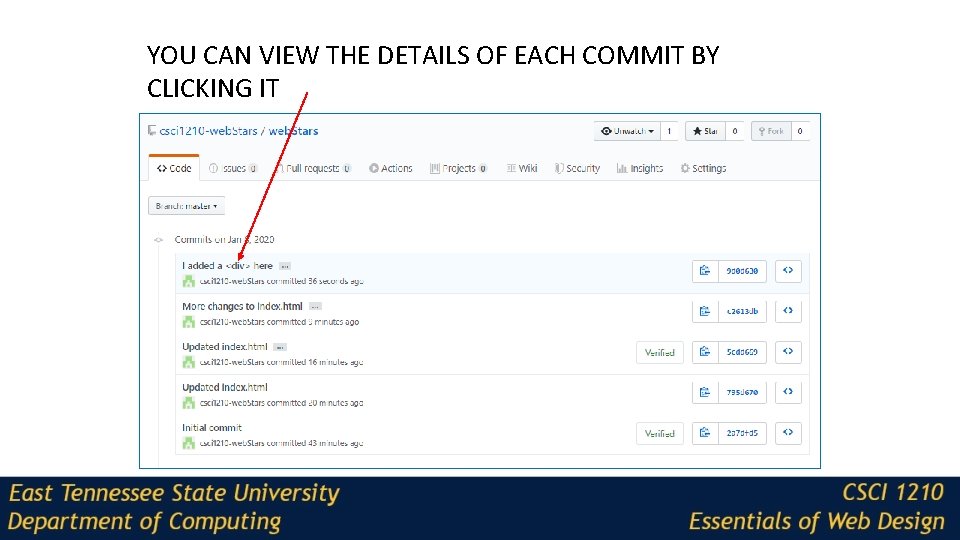
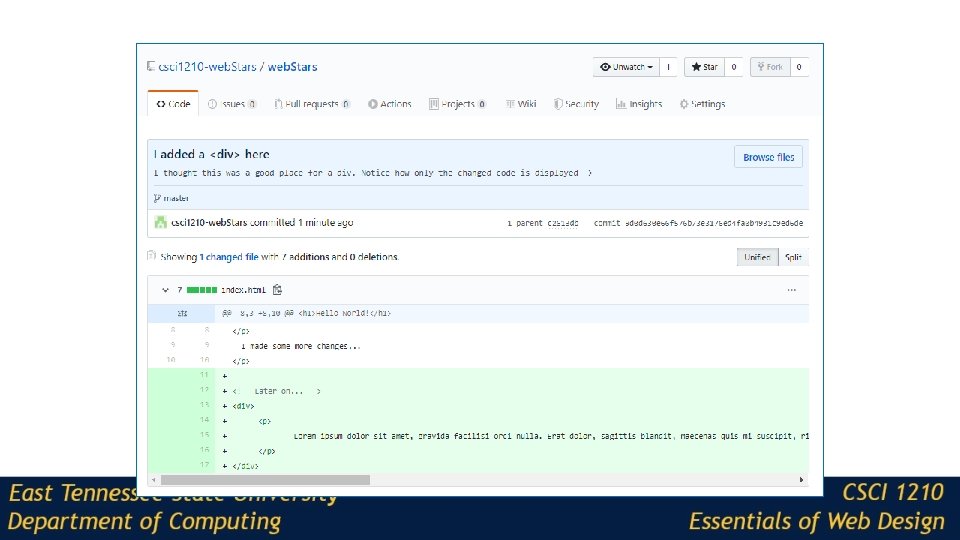
YOU CAN VIEW THE DETAILS OF EACH COMMIT BY CLICKING IT
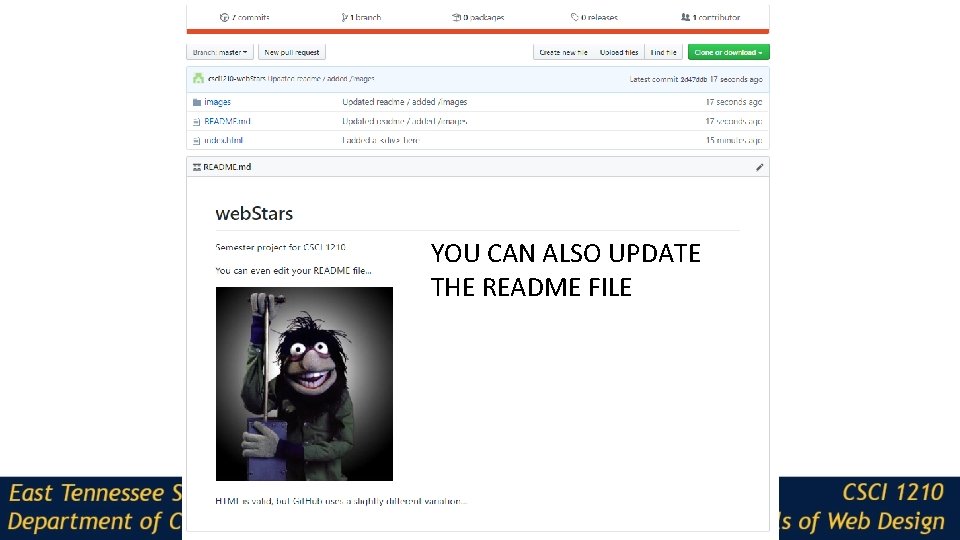
YOU CAN ALSO UPDATE THE README FILE
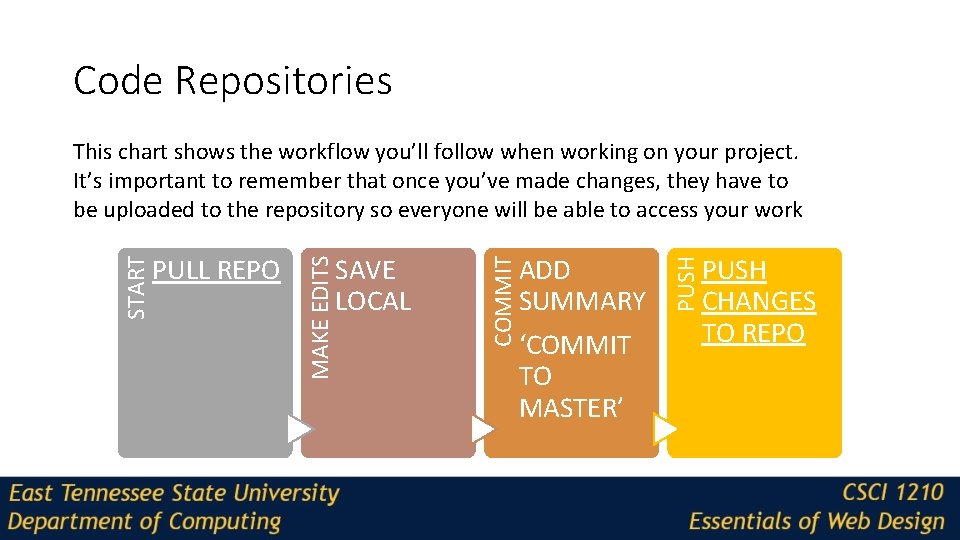
Code Repositories ADD SUMMARY ‘COMMIT TO MASTER’ PUSH SAVE LOCAL COMMIT PULL REPO MAKE EDITS START This chart shows the workflow you’ll follow when working on your project. It’s important to remember that once you’ve made changes, they have to be uploaded to the repository so everyone will be able to access your work PUSH CHANGES TO REPO
Copyrights Presentation prepared by and copyright of John Ramsey, East Tennessee State University, Department of Computing. (ramseyjw@etsu. edu) • Microsoft, Windows, Excel, Outlook, and Power. Point are registered trademarks of Microsoft Corporation. • IBM, DB 2 Universal Database, System i 5, System p 5, System x, System z 10, System z 9, z 10, z 9, i. Series, p. Series, x. Series, z. Series, e. Server, z/VM, z/OS, i 5/OS, S/390, OS/390, OS/400, AS/400, S/390 Parallel Enterprise Server, Power. VM, Power Architecture, POWER 6+, POWER 6, POWER 5+, POWER 5, POWER, Open. Power, Power. PC, Batch. Pipes, Blade. Center, System Storage, GPFS, HACMP, RETAIN, DB 2 Connect, RACF, Redbooks, OS/2, Parallel Sysplex, MVS/ESA, AIX, Intelligent Miner, Web. Sphere, Netfinity, Tivoli and Informix are trademarks or registered trademarks of IBM Corporation. • Linux is the registered trademark of Linus Torvalds in the U. S. and other countries. • Oracle is a registered trademark of Oracle Corporation. • HTML, XHTML and W 3 C are trademarks or registered trademarks of W 3 C®, World Wide Web Consortium, Massachusetts Institute of Technology. • Java is a registered trademark of Sun Microsystems, Inc. • Java. Script is a registered trademark of Sun Microsystems, Inc. , used under license for technology invented and implemented by Netscape. • SAP, R/3, SAP Net. Weaver, Duet, Partner. Edge, By. Design, SAP Business By. Design, and other SAP products and services mentioned herein as well as their respective logos are trademarks or registered trademarks of SAP AG in Germany and other countries. • Business Objects and the Business Objects logo, Business. Objects, Crystal Reports, Crystal Decisions, Web Intelligence, Xcelsius, and other Business Objects products and services mentioned herein as well as their respective logos are trademarks or registered trademarks of Business Objects S. A. in the United States and in other countries. Business Objects is an SAP company. • ERPsim is a registered copyright of ERPsim Labs, HEC Montreal. • Other products mentioned in this presentation are trademarks of their respective owners.
- Slides: 56